10 Tips for Improving your Website
                             May 25, 2011


                             The 2011 MyCharityConnects
                             Webinar Series is generously
                              supported by Direct Energy.
Today’s Presenter


Amy Huynh
  Marketing & Communications Coordinator
reminders
 You can hear us, but we can’t hear you
 Presentation slides will be available on
  www.mycharityconnects.org/pastwebinars
 For the best webinar experience, close all other applications
 Turn up your computer’s volume
 Have questions? Type questions in the Questions Log
What is CanadaHelps?
  A public charitable foundation that provides accessible and
  affordable online technology to both donors and charities.

For Charities
   A cost-effective means of raising funds online.

For Donors
   A one-stop-shop for giving.

              CanadaHelps is a charity helping charities.
                 CanadaHelps is giving made simple.
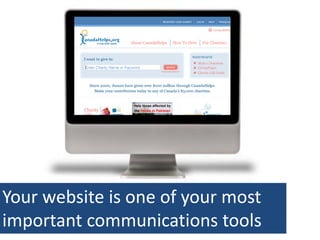
Your website is one of your most
important communications tools
How much thoughtful attention is your website
getting on a regular basis?
OnlineGrowth Statistics Giving
       Giving in Online


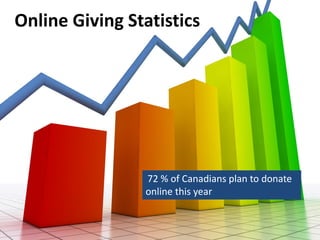
                72 % of Canadians plan to donate
                online this year
Website Users
They don’t read
They poke at information
They’re busy, and in a hurry
They’re impatient
They will leave as quickly as they came
They’re easily frustrated
#1 PUT YOUR AUDIENCE FIRST
Define Your Target
    Audiences
Solve Problems
•   What you do
•   How you do it
•   How you spend your money
•   How to get in touch
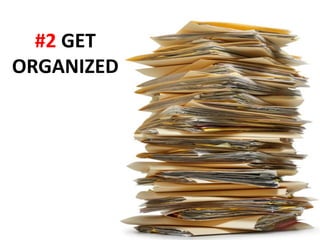
#2 GET
ORGANIZED
Plan a clear,
easy-to-
         Site   Structure & Navigation
understand
menu &
content
structure
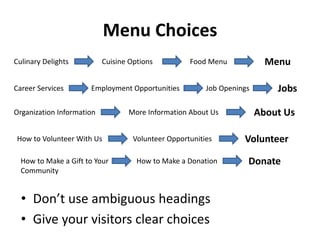
Menu Choices
Culinary Delights          Cuisine Options          Food Menu             Menu

Career Services       Employment Opportunities           Job Openings       Jobs

Organization Information          More Information About Us             About Us

How to Volunteer With Us            Volunteer Opportunities        Volunteer
  How to Make a Gift to Your         How to Make a Donation         Donate
  Community


  • Don’t use ambiguous headings
  • Give your visitors clear choices
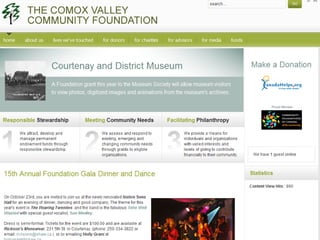
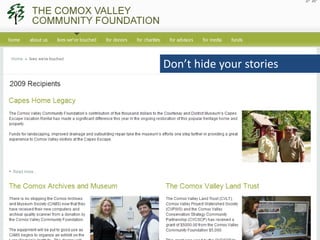
Don’t hide your stories
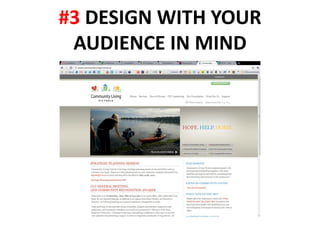
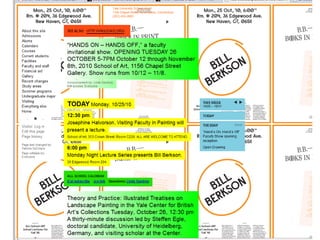
#3 DESIGN WITH YOUR
 AUDIENCE IN MIND
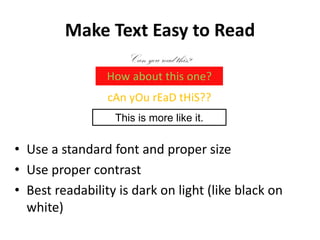
Make Text Easy to Read
                    Can you read this?
                 How about this one?
                 cAn yOu rEaD tHiS??
                  This is more like it.


• Use a standard font and proper size
• Use proper contrast
• Best readability is dark on light (like black on
  white)
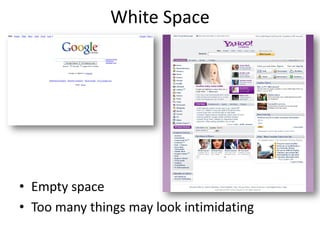
White Space


• Empty space
• Too many things may look intimidating
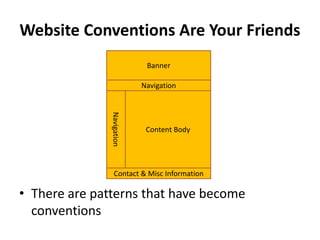
Website Conventions Are Your Friends
                             Banner

                            Navigation


               Navigation

                             Content Body


                  Contact & Misc Information

• There are patterns that have become
  conventions
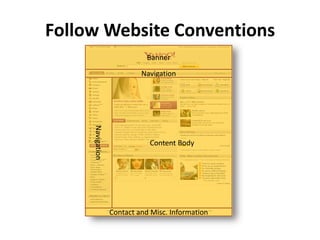
Follow Website Conventions
                             Banner

                           Navigation

     Navigation


                             Content Body


                  Contact and Misc. Information
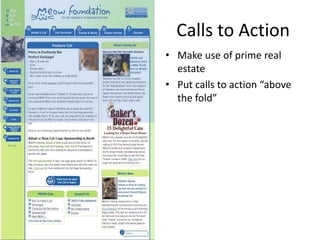
Calls to Action
• Make use of prime real
  estate
• Put calls to action “above
  the fold”
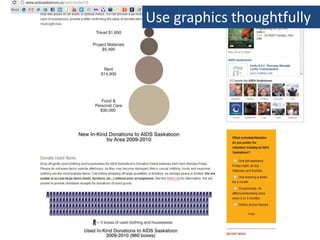
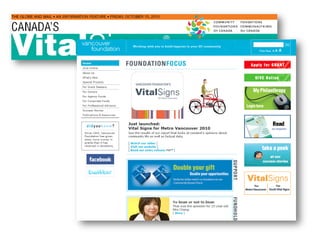
Use graphics thoughtfully
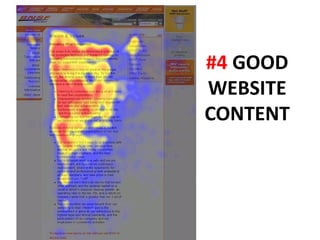
#4 GOOD
WEBSITE
CONTENT
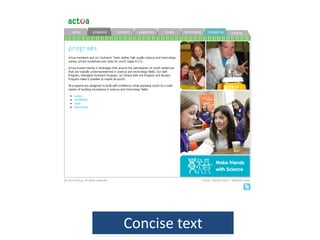
Concise text
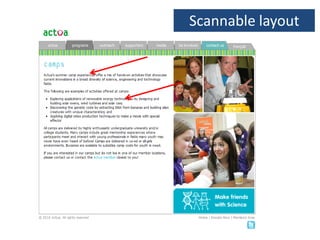
Scannable layout
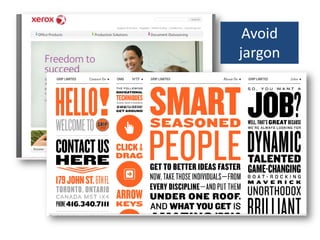
Avoid
jargon
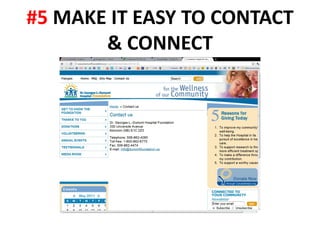
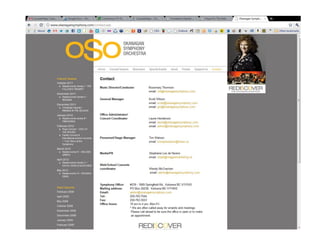
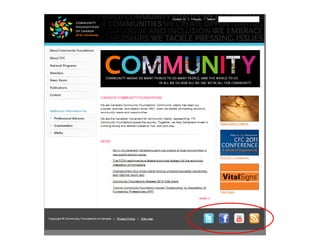
#5 MAKE IT EASY TO CONTACT
       & CONNECT
#6 KEEP UP TO DATE


• Avoid having out of date information on your
  site
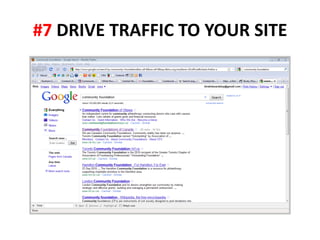
#7 DRIVE TRAFFIC TO YOUR SITE
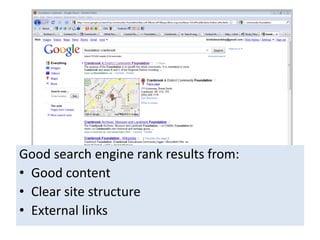
Good search engine rank results from:
• Good content
• Clear site structure
• External links
SEO 201
• Create a list of desired keywords
• Use a keyword search tool to verify
  – Number of monthly searches
  – Competition
• Add keywords to your html files
• Create better content to correspond to those
  keywords
          WARNING: You can’t fake it!
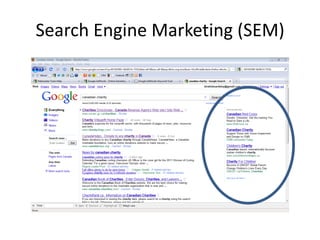
Search Engine Marketing (SEM)
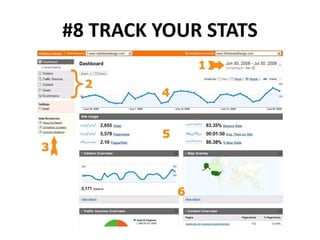
#8 TRACK YOUR STATS
Traffic Sources


• Direct traffic: typed your address in a
  browser
• Referring sites:
  – Know your top referring sites
  – Are your ads working?
• Search Engines
  – Keywords
Why Are Web Stats Important?


•   Understand your users
•   Know what people do on your site
•   Tangible feedback about your site
•   Leaves the guessing out of what works
Visitors


Gain insights about the visitors of your website
  •   Unique visitors
  •   First time vs. repeat visitors
  •   Browsers & devices
  •   Geographic profile & language
Content


• Top content
• Top landing pages
• Top exit pages
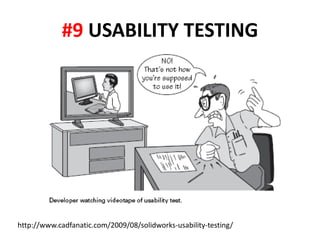
#9 USABILITY TESTING


http://www.cadfanatic.com/2009/08/solidworks-usability-testing/
Testing Questions


1. Is it obvious what this site is about?
2. Is it easy to find what I need?
3. Are the most important things visible
   when I arrive?
DIY Usability Testing
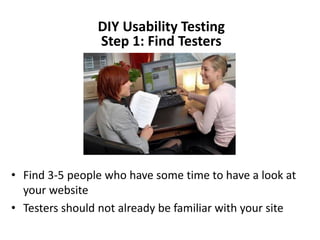
                Step 1: Find Testers


• Find 3-5 people who have some time to have a look at
  your website
• Testers should not already be familiar with your site
Step 2: Using your site
• Ask testers to comment as they navigate your site
  (to give you insight about their choices)
• Ask testers to accomplish your main calls of
  action
    Sign up for your newsletter
    Click your Donate Now! Button
    Find and apply for volunteer opportunities
    Other ways they can get involved (buy
       tickets, buy products, join a group etc…)
    Find general information about your
       organization’s mission and mandate
    Contact your organization
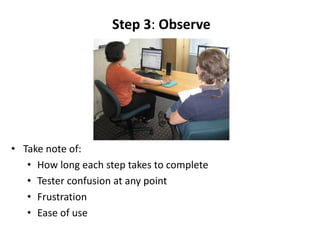
Step 3: Observe


• Take note of:
   • How long each step takes to complete
   • Tester confusion at any point
   • Frustration
   • Ease of use
#10 DON’T WAIT FOR A
      REDESIGN
BONUS TIP: INTEGRATE
ABOUT MYCHARITYCONNECTS
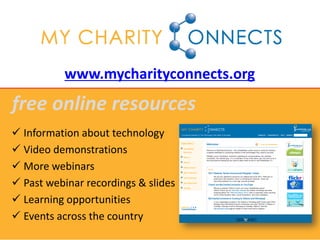
www.mycharityconnects.org
free online resources
 Information about technology
 Video demonstrations
 More webinars
 Past webinar recordings & slides
 Learning opportunities
 Events across the country
MyCharityConnects Conference 2011
               JUNE 6 – 7 | MaRS Centre, Toronto


• Join us for thought-provoking keynotes,
  practical how-to workshops and plenty of
  chances to learn from other non-profits
  about what works online… and what
  doesn’t!
• A partner in Net Change Week


     www.mycharityconnects.org/2011Conference
Upcoming Webinars
          www.mycharityconnects.org/webinars

• June 15 – Getting the Most From your MyCharity
  Account & Reports
• June 29 – Know Your Website: An Intro to Google
  Analytics
• July 20 – YouTube’s NonProfit Program & The
  Fundamentals of Video Storytelling
• August 17 – Orientation for Newly Registered
  Charities with CanadaHelps
Keep in touch!
        info@canadahelps.org


    www.twitter.com/canadahelps


www.slideshare.net/MyCharityConnects


   www.facebook.com/canadahelps


   www.youtube.com/canadahelps

Ten Tips to Improve Your Website

  • 1.
    10 Tips forImproving your Website May 25, 2011 The 2011 MyCharityConnects Webinar Series is generously supported by Direct Energy.
  • 2.
    Today’s Presenter Amy Huynh Marketing & Communications Coordinator
  • 3.
    reminders  You canhear us, but we can’t hear you  Presentation slides will be available on www.mycharityconnects.org/pastwebinars  For the best webinar experience, close all other applications  Turn up your computer’s volume  Have questions? Type questions in the Questions Log
  • 4.
    What is CanadaHelps? A public charitable foundation that provides accessible and affordable online technology to both donors and charities. For Charities A cost-effective means of raising funds online. For Donors A one-stop-shop for giving. CanadaHelps is a charity helping charities. CanadaHelps is giving made simple.
  • 5.
    Your website isone of your most important communications tools
  • 6.
    How much thoughtfulattention is your website getting on a regular basis?
  • 7.
    OnlineGrowth Statistics Giving Giving in Online 72 % of Canadians plan to donate online this year
  • 8.
    Website Users They don’tread They poke at information They’re busy, and in a hurry They’re impatient They will leave as quickly as they came They’re easily frustrated
  • 9.
    #1 PUT YOURAUDIENCE FIRST
  • 10.
  • 11.
    Solve Problems • What you do • How you do it • How you spend your money • How to get in touch
  • 13.
  • 14.
    Plan a clear, easy-to- Site Structure & Navigation understand menu & content structure
  • 15.
    Menu Choices Culinary Delights Cuisine Options Food Menu Menu Career Services Employment Opportunities Job Openings Jobs Organization Information More Information About Us About Us How to Volunteer With Us Volunteer Opportunities Volunteer How to Make a Gift to Your How to Make a Donation Donate Community • Don’t use ambiguous headings • Give your visitors clear choices
  • 17.
  • 18.
    #3 DESIGN WITHYOUR AUDIENCE IN MIND
  • 20.
    Make Text Easyto Read Can you read this? How about this one? cAn yOu rEaD tHiS?? This is more like it. • Use a standard font and proper size • Use proper contrast • Best readability is dark on light (like black on white)
  • 21.
    White Space • Emptyspace • Too many things may look intimidating
  • 22.
    Website Conventions AreYour Friends Banner Navigation Navigation Content Body Contact & Misc Information • There are patterns that have become conventions
  • 23.
    Follow Website Conventions Banner Navigation Navigation Content Body Contact and Misc. Information
  • 24.
    Calls to Action •Make use of prime real estate • Put calls to action “above the fold”
  • 25.
  • 27.
  • 28.
  • 29.
  • 30.
  • 31.
    #5 MAKE ITEASY TO CONTACT & CONNECT
  • 34.
    #6 KEEP UPTO DATE • Avoid having out of date information on your site
  • 36.
    #7 DRIVE TRAFFICTO YOUR SITE
  • 37.
    Good search enginerank results from: • Good content • Clear site structure • External links
  • 38.
    SEO 201 • Createa list of desired keywords • Use a keyword search tool to verify – Number of monthly searches – Competition • Add keywords to your html files • Create better content to correspond to those keywords WARNING: You can’t fake it!
  • 39.
  • 40.
  • 41.
    Traffic Sources • Directtraffic: typed your address in a browser • Referring sites: – Know your top referring sites – Are your ads working? • Search Engines – Keywords
  • 42.
    Why Are WebStats Important? • Understand your users • Know what people do on your site • Tangible feedback about your site • Leaves the guessing out of what works
  • 43.
    Visitors Gain insights aboutthe visitors of your website • Unique visitors • First time vs. repeat visitors • Browsers & devices • Geographic profile & language
  • 44.
    Content • Top content •Top landing pages • Top exit pages
  • 45.
  • 46.
    Testing Questions 1. Isit obvious what this site is about? 2. Is it easy to find what I need? 3. Are the most important things visible when I arrive?
  • 47.
    DIY Usability Testing Step 1: Find Testers • Find 3-5 people who have some time to have a look at your website • Testers should not already be familiar with your site
  • 48.
    Step 2: Usingyour site • Ask testers to comment as they navigate your site (to give you insight about their choices) • Ask testers to accomplish your main calls of action  Sign up for your newsletter  Click your Donate Now! Button  Find and apply for volunteer opportunities  Other ways they can get involved (buy tickets, buy products, join a group etc…)  Find general information about your organization’s mission and mandate  Contact your organization
  • 49.
    Step 3: Observe •Take note of: • How long each step takes to complete • Tester confusion at any point • Frustration • Ease of use
  • 50.
    #10 DON’T WAITFOR A REDESIGN
  • 51.
  • 52.
  • 53.
    www.mycharityconnects.org free online resources Information about technology  Video demonstrations  More webinars  Past webinar recordings & slides  Learning opportunities  Events across the country
  • 54.
    MyCharityConnects Conference 2011 JUNE 6 – 7 | MaRS Centre, Toronto • Join us for thought-provoking keynotes, practical how-to workshops and plenty of chances to learn from other non-profits about what works online… and what doesn’t! • A partner in Net Change Week www.mycharityconnects.org/2011Conference
  • 55.
    Upcoming Webinars www.mycharityconnects.org/webinars • June 15 – Getting the Most From your MyCharity Account & Reports • June 29 – Know Your Website: An Intro to Google Analytics • July 20 – YouTube’s NonProfit Program & The Fundamentals of Video Storytelling • August 17 – Orientation for Newly Registered Charities with CanadaHelps
  • 56.
    Keep in touch! info@canadahelps.org www.twitter.com/canadahelps www.slideshare.net/MyCharityConnects www.facebook.com/canadahelps www.youtube.com/canadahelps