Web Design
 JMC105 | Fall 2010
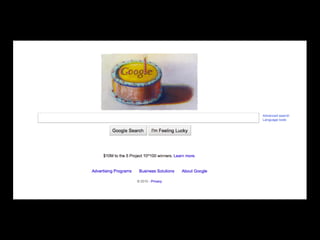
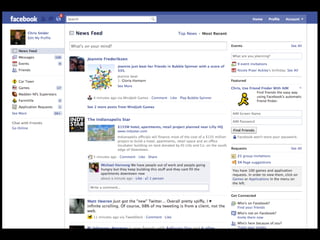
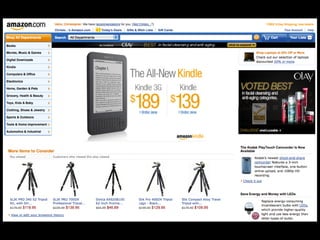
Think about your favorite web sites.

    How do you use the sites?

What stands out about their design?
Principles of web design
• Keep it simple
• Communicate, don’t decorate
• First priority is the user experience
Keep it simple
• Occam’s Razor
• Given any two solutions to the same
  problem, all other things being equal, the
  simplest solution is the best.
Communicate,
       don’t decorate
• Design is not about decoration.
• Design is about discipline – creating
  communication with a purpose.
• Design the content, not the box its in.
How people read
        web sites
• They move quickly, because people don’t
  like looking at a screen
• They are impatient, often clicking on the
  first promising link
• They scan, don’t read
What that means?
• You must design for the way people use the
  web, not the way we think they should
• Think about your new visitors and your
  regular visitors
• Keep as much content as possible above
  the scroll
Readability
• We must go out of our way to make text
  readable online.
• Use shorter line lengths where possible -
  and never let type run the entire width of
  the page.
• Choose type faces based on readability.
Findability
• Make sure your site is indexed properly in
  search engines
• Use keywords on your site - in title, in H1
  tags and in body of your site
• We will discuss Search Engine Optimization
  (SEO) more later this semester
Usability
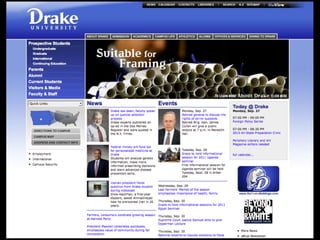
• Usability: How easy it is to use a web site’s
  interface
• Make sure readers can find what they are
  looking for - news, airline tickets, friends on
  facebook
• Make sure readers understand how your
  site is supposed to function
• Do usability testing
CRAP
• Contrast, Repetition, Alignment, Proximity
• Repetition is most important
• Repeat certain visual elements on every
  page of your web site.
• This helps readers know that they are still
  on your site, and it provides unity and
  continuity.
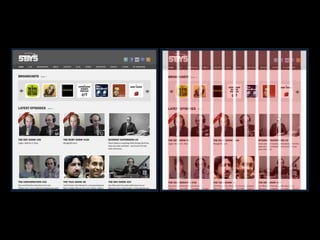
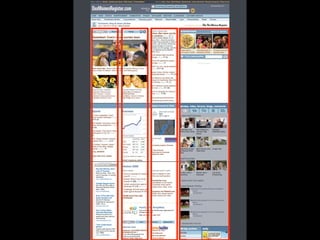
Grids
• Standard web site is 960 pixels with either
  12 or 16 columns.
• Each column has 10 pixels of margin on the
  left and right, making 20-pixel wide gutters
  between columns.
• 960 grid is not required, but using a grid
  will help your overall design.
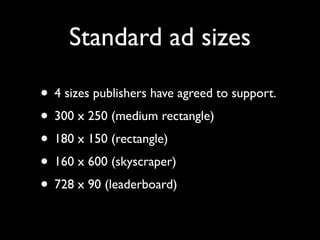
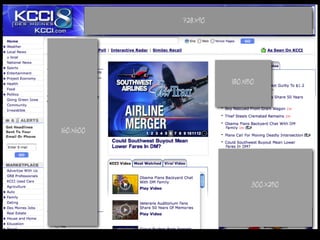
Standard ad sizes

• 4 sizes publishers have agreed to support.
• 300 x 250 (medium rectangle)
• 180 x 150 (rectangle)
• 160 x 600 (skyscraper)
• 728 x 90 (leaderboard)
Site architecture
  Basic web site structures
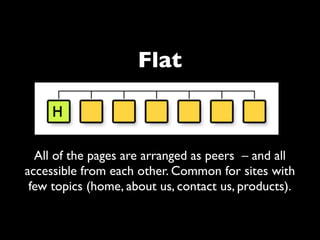
Flat


  All of the pages are arranged as peers – and all
accessible from each other. Common for sites with
 few topics (home, about us, contact us, products).
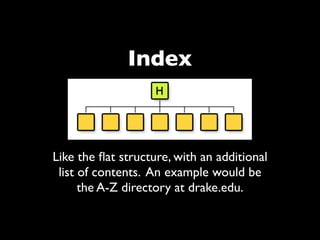
Index


Like the flat structure, with an additional
 list of contents. An example would be
      the A-Z directory at drake.edu.
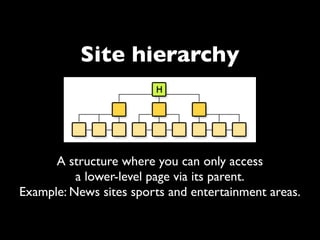
Site hierarchy


      A structure where you can only access
          a lower-level page via its parent.
Example: News sites sports and entertainment areas.
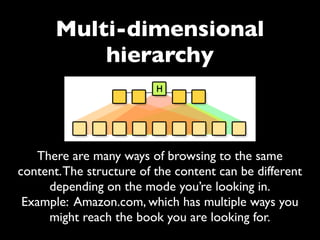
Multi-dimensional
           hierarchy


   There are many ways of browsing to the same
content. The structure of the content can be different
     depending on the mode you’re looking in.
 Example: Amazon.com, which has multiple ways you
     might reach the book you are looking for.
Current web trends
• Simple layout
• Centered content
• Design the content, not the page
• 3D effects, but used sparingly
• Soft, neutral background colors
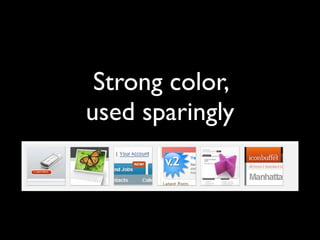
• Strong color, used sparingly
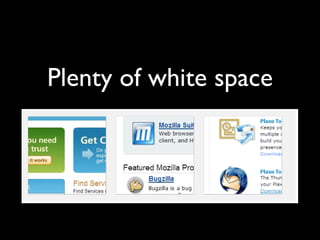
• Plenty of white space
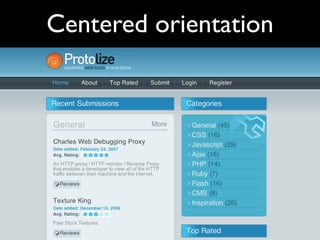
Centered orientation
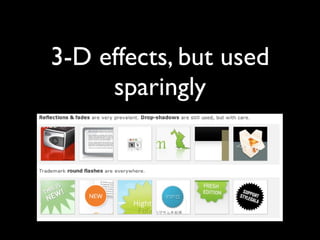
3-D effects, but used
     sparingly
Strong color,
used sparingly
Plenty of white space
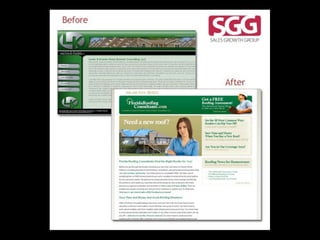
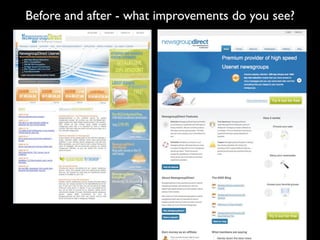
Before and after - what improvements do you see?
Web site architecture:
  Terms to know
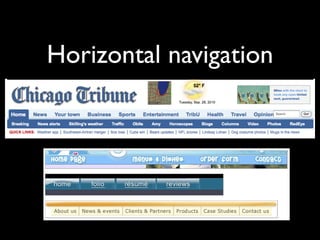
Horizontal navigation
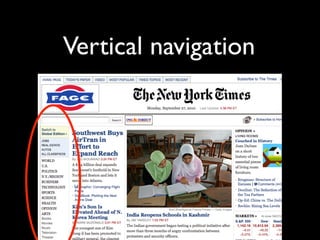
Vertical navigation
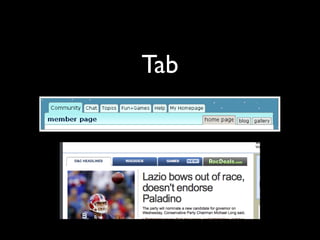
Tab
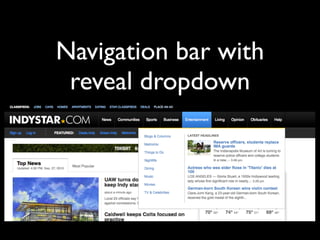
Navigation bar with
 reveal dropdown
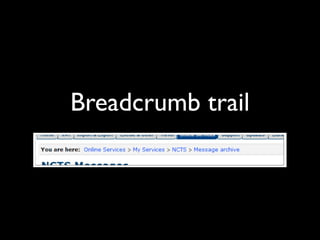
Breadcrumb trail
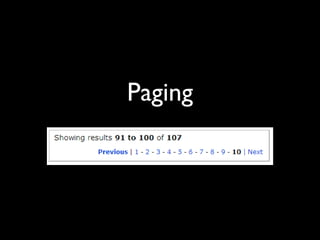
Paging
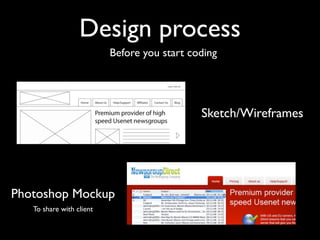
Design process
                          Before you start coding


                                             Sketch/Wireframes


Photoshop Mockup
   To share with client
How to analyze
  a web site
Overall questions
• Who is the audience?
• What is the purpose of the site? The
  message?
• Does the site achieve its purpose?
Usability
• Links make sense, are helpful and work.
• Well-organized. Logical structure.
• Easy to navigate to pages, return home.
• Reasonably short download time.
Design
• Immediately recognizable brand.
• Simple is best.
• Consistency of design across site.
• Readability: caps/lowercase used
  appropriately, color isn’t intrusive, typeface
  easy to read, white space used attractively.
• Looks professional.
Content
• Error-free and interesting.
• Ads aren’t intrusive/annoying.
• Appropriate use of moving images, video,
  sound, photos, graphics.
• Elements compliment each other (visuals,
  type).
• Appropriate voice/style of writing for the
  audience.
END
Sources: webdesignfromscratch.com, wikipedia

J105 Web Design

  • 1.
    Web Design JMC105| Fall 2010
  • 2.
    Think about yourfavorite web sites. How do you use the sites? What stands out about their design?
  • 7.
    Principles of webdesign • Keep it simple • Communicate, don’t decorate • First priority is the user experience
  • 8.
    Keep it simple •Occam’s Razor • Given any two solutions to the same problem, all other things being equal, the simplest solution is the best.
  • 11.
    Communicate, don’t decorate • Design is not about decoration. • Design is about discipline – creating communication with a purpose. • Design the content, not the box its in.
  • 14.
    How people read web sites • They move quickly, because people don’t like looking at a screen • They are impatient, often clicking on the first promising link • They scan, don’t read
  • 15.
    What that means? •You must design for the way people use the web, not the way we think they should • Think about your new visitors and your regular visitors • Keep as much content as possible above the scroll
  • 16.
    Readability • We mustgo out of our way to make text readable online. • Use shorter line lengths where possible - and never let type run the entire width of the page. • Choose type faces based on readability.
  • 17.
    Findability • Make sureyour site is indexed properly in search engines • Use keywords on your site - in title, in H1 tags and in body of your site • We will discuss Search Engine Optimization (SEO) more later this semester
  • 18.
    Usability • Usability: Howeasy it is to use a web site’s interface • Make sure readers can find what they are looking for - news, airline tickets, friends on facebook • Make sure readers understand how your site is supposed to function • Do usability testing
  • 20.
    CRAP • Contrast, Repetition,Alignment, Proximity • Repetition is most important • Repeat certain visual elements on every page of your web site. • This helps readers know that they are still on your site, and it provides unity and continuity.
  • 21.
    Grids • Standard website is 960 pixels with either 12 or 16 columns. • Each column has 10 pixels of margin on the left and right, making 20-pixel wide gutters between columns. • 960 grid is not required, but using a grid will help your overall design.
  • 24.
    Standard ad sizes •4 sizes publishers have agreed to support. • 300 x 250 (medium rectangle) • 180 x 150 (rectangle) • 160 x 600 (skyscraper) • 728 x 90 (leaderboard)
  • 26.
    Site architecture Basic web site structures
  • 27.
    Flat Allof the pages are arranged as peers – and all accessible from each other. Common for sites with few topics (home, about us, contact us, products).
  • 28.
    Index Like the flatstructure, with an additional list of contents. An example would be the A-Z directory at drake.edu.
  • 29.
    Site hierarchy A structure where you can only access a lower-level page via its parent. Example: News sites sports and entertainment areas.
  • 30.
    Multi-dimensional hierarchy There are many ways of browsing to the same content. The structure of the content can be different depending on the mode you’re looking in. Example: Amazon.com, which has multiple ways you might reach the book you are looking for.
  • 31.
    Current web trends •Simple layout • Centered content • Design the content, not the page • 3D effects, but used sparingly • Soft, neutral background colors • Strong color, used sparingly • Plenty of white space
  • 32.
  • 33.
    3-D effects, butused sparingly
  • 34.
  • 35.
  • 36.
    Before and after- what improvements do you see?
  • 37.
  • 38.
  • 39.
  • 40.
  • 41.
    Navigation bar with reveal dropdown
  • 42.
  • 43.
  • 44.
    Design process Before you start coding Sketch/Wireframes Photoshop Mockup To share with client
  • 45.
    How to analyze a web site
  • 46.
    Overall questions • Whois the audience? • What is the purpose of the site? The message? • Does the site achieve its purpose?
  • 47.
    Usability • Links makesense, are helpful and work. • Well-organized. Logical structure. • Easy to navigate to pages, return home. • Reasonably short download time.
  • 48.
    Design • Immediately recognizablebrand. • Simple is best. • Consistency of design across site. • Readability: caps/lowercase used appropriately, color isn’t intrusive, typeface easy to read, white space used attractively. • Looks professional.
  • 49.
    Content • Error-free andinteresting. • Ads aren’t intrusive/annoying. • Appropriate use of moving images, video, sound, photos, graphics. • Elements compliment each other (visuals, type). • Appropriate voice/style of writing for the audience.
  • 50.