Copywriting 
for startups and entrepreneurs 
YOUR 5-PAGE WEBSITE 
with Andrea Goulet Ford
Agenda 
Here’s what we’ll cover today: 
1. Website Purpose & Goals 
2. Understanding Your Audience 
3. Creating a Simple Sitemap 
4. Copywriting Secrets 
5. Putting it All Together
Introductions 
Hello, My Name Is… 
• Name 
• Business 
• What You’re Hoping to Get Out of 
Today’s Workshop
Important Info 
House Rules 
• Ask Questions as We Go 
• Eat When You’re Hungry 
• Take Breaks When You Need Them 
• This is YOUR Workshop!
Website Purpose & Goals 
Why Does Your Organization Need a Website? 
• Find New Clients 
• Share Information 
• Sell Things 
• Collect Donations 
• Cultivate Community 
• Showcase Expertise 
• Promote Events 
• Curate Ideas 
Write down the reasons your business needs a website.
Website Purpose & Goals 
What Activities Do You Want People to Do? 
• Contact 
• Purchase 
• Download 
• Subscribe 
• Donate 
• Sign Up 
Once you have your list, put it in priority order.
Understanding Your Audience 
Who Are You Writing To? 
“Your audience is one single reader. I have 
found that sometimes it helps to pick out 
one person — a real person you know, or an 
imagined person — and write to that one.” 
- John Steinbeck 
When I implemented this advice, people clamored for my writing.
Understanding Your Audience 
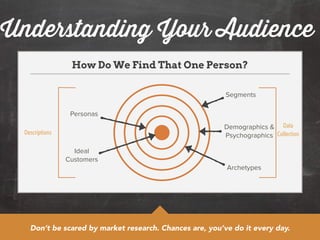
How Do We Find That One Person? 
Segments 
Demographics & 
Psychographics 
Archetypes 
Personas 
Ideal 
Customers 
Data 
Descriptions Collection 
Don’t be scared by market research. Chances are, you’ve do it every day.
Understanding Your Audience 
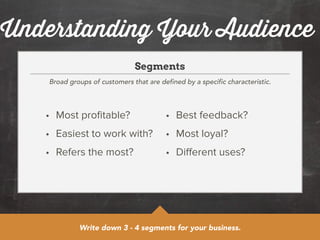
Segments 
Broad groups of customers that are defined by a specific characteristic. 
• Most profitable? 
• Easiest to work with? 
• Refers the most? 
• Best feedback? 
• Most loyal? 
• Different uses? 
Write down 3 - 4 segments for your business.
Understanding Your Audience 
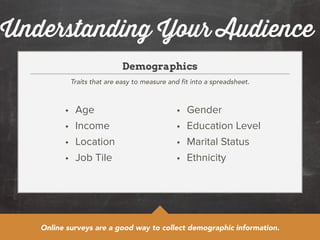
Demographics 
Traits that are easy to measure and fit into a spreadsheet. 
• Age 
• Income 
• Location 
• Job Tile 
• Gender 
• Education Level 
• Marital Status 
• Ethnicity 
Online surveys are a good way to collect demographic information.
Understanding Your Audience 
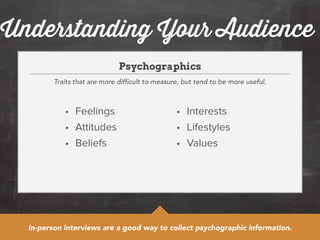
Psychographics 
Traits that are more difficult to measure, but tend to be more useful. 
• Feelings 
• Attitudes 
• Beliefs 
• Interests 
• Lifestyles 
• Values 
In-person interviews are a good way to collect psychographic information.
Understanding Your Audience 
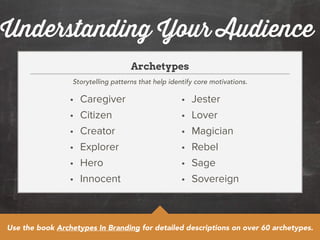
Archetypes 
Storytelling patterns that help identify core motivations. 
• Caregiver 
• Citizen 
• Creator 
• Explorer 
• Hero 
• Innocent 
• Jester 
• Lover 
• Magician 
• Rebel 
• Sage 
• Sovereign 
Use the book Archetypes In Branding for detailed descriptions on over 60 archetypes.
Understanding Your Audience 
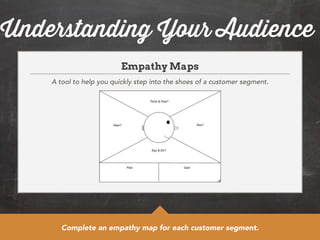
Empathy Maps 
A tool to help you quickly step into the shoes of a customer segment. 
Complete an empathy map for each customer segment.
Understanding Your Audience 
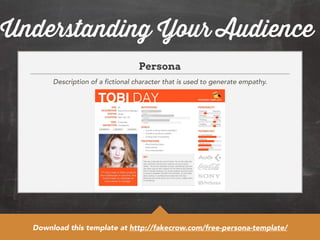
Persona 
Description of a fictional character that is used to generate empathy. 
Download this template at http://fakecrow.com/free-persona-template/
Understanding Your Audience 
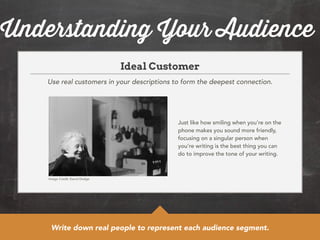
Ideal Customer 
Use real customers in your descriptions to form the deepest connection. 
Just like how smiling when you’re on the 
phone makes you sound more friendly, 
focusing on a singular person when 
you’re writing is the best thing you can 
do to improve the tone of your writing. 
Image Credit: David Dodge 
Write down real people to represent each audience segment.
Creating a Sitemap 
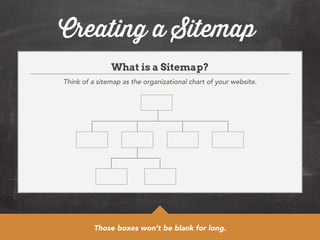
What is a Sitemap? 
Think of a sitemap as the organizational chart of your website. 
Those boxes won’t be blank for long.
Creating a Sitemap 
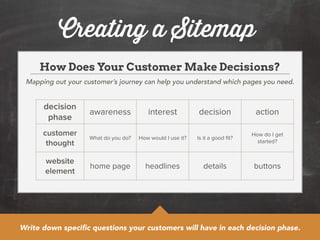
How Does Your Customer Make Decisions? 
Mapping out your customer’s journey can help you understand which pages you need. 
decision 
phase awareness interest decision action 
customer 
thought What do you do? How would I use it? Is it a good fit? How do I get 
started? 
website 
element home page headlines details buttons 
Write down specific questions your customers will have in each decision phase.
Creating a Sitemap 
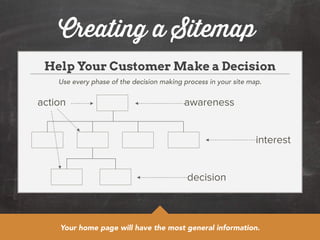
Help Your Customer Make a Decision 
Use every phase of the decision making process in your site map. 
awareness 
interest 
decision 
action 
Your home page will have the most general information.
Creating a Sitemap 
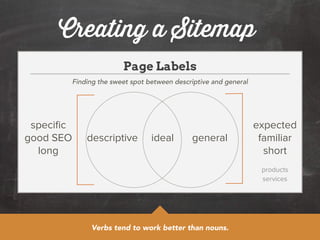
Page Labels 
Finding the sweet spot between descriptive and general 
descriptive ideal general 
Verbs tend to work better than nouns. 
specific 
good SEO 
long 
expected 
familiar 
short 
products 
services
Creating a Sitemap 
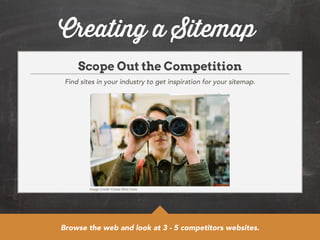
Scope Out the Competition 
Find sites in your industry to get inspiration for your sitemap. 
Image Credit: Chase Elliot Clark 
Browse the web and look at 3 - 5 competitors websites.
Creating a Sitemap 
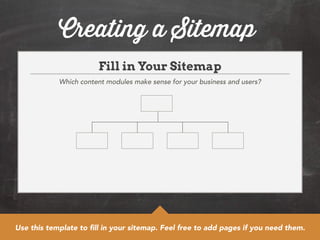
Fill in Your Sitemap 
Which content modules make sense for your business and users? 
Use this template to fill in your sitemap. Feel free to add pages if you need them.
Copywriting Secrets 
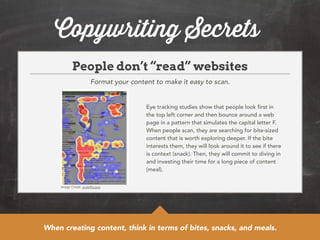
People don’t “read” websites 
Format your content to make it easy to scan. 
Image Credit: usability.gov 
Eye tracking studies show that people look first in 
the top left corner and then bounce around a web 
page in a pattern that simulates the capital letter F. 
When people scan, they are searching for bite-sized 
content that is worth exploring deeper. If the bite 
interests them, they will look around it to see if there 
is context (snack). Then, they will commit to diving in 
and investing their time for a long piece of content 
(meal). 
When creating content, think in terms of bites, snacks, and meals.
Copywriting Secrets 
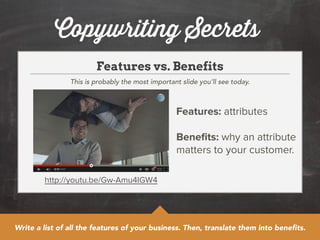
Features vs. Benefits 
This is probably the most important slide you’ll see today. 
http://youtu.be/Gw-Amu4IGW4 
Features: attributes 
! 
Benefits: why an attribute 
matters to your customer. 
Write a list of all the features of your business. Then, translate them into benefits.
Copywriting Secrets 
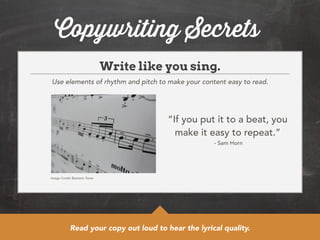
Write like you sing. 
Use elements of rhythm and pitch to make your content easy to read. 
Image Credit: Basheer Tome 
“If you put it to a beat, you 
make it easy to repeat.” 
- Sam Horn 
Read your copy out loud to hear the lyrical quality.
Copywriting Secrets 
Choose the sparkle word. 
The thesaurus is your friend. 
• Awesome 
• Really 
• Very 
• Excited 
• Unique 
• Innovative 
• Solution 
• Process 
• Value- 
Added 
These are examples of overused buzzwords. Take the time to find a better fit.
Copywriting Secrets 
Use contractions. 
It’s the law. (Well, sort of.) 
In 2010, President Obama signed the Plain 
Language Writing Act, which requires federal 
agencies to use “clear Government 
communication that the public can 
understand and use.” Among the guidelines? 
“Use contractions where appropriate.” 
View the complete set of Plain Language Guidelines at http://www.plainlanguage.gov/ 
howto/guidelines/FederalPLGuidelines/TOC.cfm
Copywriting Secrets 
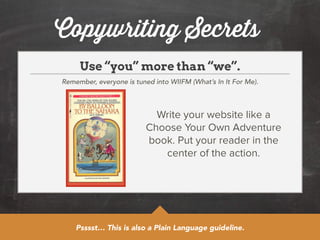
Use “you” more than “we”. 
Remember, everyone is tuned into WIIFM (What’s In It For Me). 
Write your website like a 
Choose Your Own Adventure 
book. Put your reader in the 
center of the action. 
Psssst… This is also a Plain Language guideline.
Copywriting Secrets 
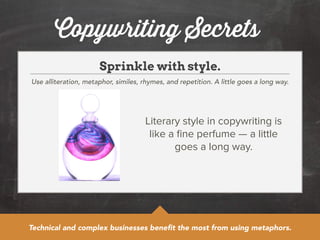
Sprinkle with style. 
Use alliteration, metaphor, similes, rhymes, and repetition. A little goes a long way. 
Literary style in copywriting is 
like a fine perfume — a little 
goes a long way. 
Technical and complex businesses benefit the most from using metaphors.
Copywriting Secrets 
Turn “if you…” statements into questions. 
Questions make your content much more conversational. 
Want healthy food but can’t find the time? 
! 
Tired of working from coffee shops? 
! 
Have an app that needs some love? 
Questions help break up your content, making it feel more like a conversation.
Copywriting Secrets 
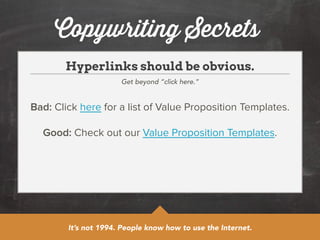
Hyperlinks should be obvious. 
Get beyond “click here.” 
Bad: Click here for a list of Value Proposition Templates. 
! 
Good: Check out our Value Proposition Templates. 
It’s not 1994. People know how to use the Internet.
Copywriting Secrets 
When in doubt, look it up. 
Double check any questions you have about grammar, no matter how small. 
Word Choice Punctuation 
• stationary vs. stationery 
• affect vs. effect 
• ensure vs. insure 
Does a period go inside 
or outside of the 
quotation mark? 
Want to take it up a notch? Hire someone to proofread your copy for you.
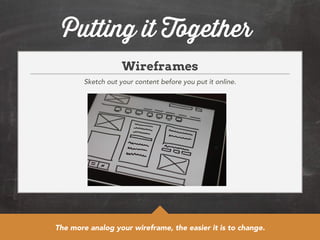
Putting it Together 
Wireframes 
Sketch out your content before you put it online. 
The more analog your wireframe, the easier it is to change.
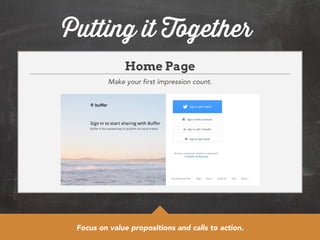
Putting it Together 
Home Page 
Make your first impression count. 
Focus on value propositions and calls to action.
Putting it Together 
About Page 
Tell a story of how you got here and where you’re going. 
• Founding story 
• Key staff 
• Mission 
statement 
• Vision statement 
• Core values 
• Company 
philosophy 
This is the only page where the “you” rule does not apply.
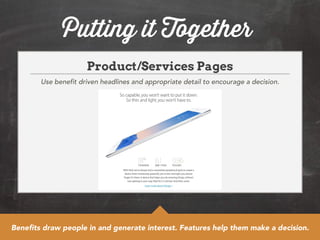
Putting it Together 
Product/Services Pages 
Use benefit driven headlines and appropriate detail to encourage a decision. 
Benefits draw people in and generate interest. Features help them make a decision.
Putting it Together 
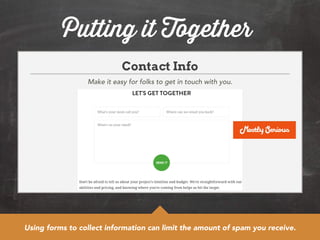
Contact Info 
Make it easy for folks to get in touch with you. 
Using forms to collect information can limit the amount of spam you receive.
Putting it Together 
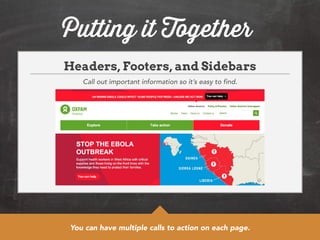
Headers, Footers, and Sidebars 
Call out important information so it’s easy to find. 
You can have multiple calls to action on each page.
Putting it Together 
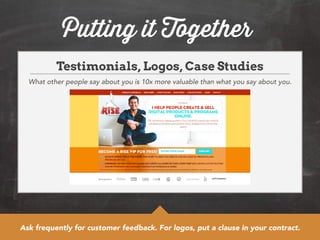
Testimonials, Logos, Case Studies 
What other people say about you is 10x more valuable than what you say about you. 
Ask frequently for customer feedback. For logos, put a clause in your contract.

Copywriting for Startups and Entrepreneurs

  • 1.
    Copywriting for startupsand entrepreneurs YOUR 5-PAGE WEBSITE with Andrea Goulet Ford
  • 2.
    Agenda Here’s whatwe’ll cover today: 1. Website Purpose & Goals 2. Understanding Your Audience 3. Creating a Simple Sitemap 4. Copywriting Secrets 5. Putting it All Together
  • 3.
    Introductions Hello, MyName Is… • Name • Business • What You’re Hoping to Get Out of Today’s Workshop
  • 4.
    Important Info HouseRules • Ask Questions as We Go • Eat When You’re Hungry • Take Breaks When You Need Them • This is YOUR Workshop!
  • 5.
    Website Purpose &Goals Why Does Your Organization Need a Website? • Find New Clients • Share Information • Sell Things • Collect Donations • Cultivate Community • Showcase Expertise • Promote Events • Curate Ideas Write down the reasons your business needs a website.
  • 6.
    Website Purpose &Goals What Activities Do You Want People to Do? • Contact • Purchase • Download • Subscribe • Donate • Sign Up Once you have your list, put it in priority order.
  • 7.
    Understanding Your Audience Who Are You Writing To? “Your audience is one single reader. I have found that sometimes it helps to pick out one person — a real person you know, or an imagined person — and write to that one.” - John Steinbeck When I implemented this advice, people clamored for my writing.
  • 8.
    Understanding Your Audience How Do We Find That One Person? Segments Demographics & Psychographics Archetypes Personas Ideal Customers Data Descriptions Collection Don’t be scared by market research. Chances are, you’ve do it every day.
  • 9.
    Understanding Your Audience Segments Broad groups of customers that are defined by a specific characteristic. • Most profitable? • Easiest to work with? • Refers the most? • Best feedback? • Most loyal? • Different uses? Write down 3 - 4 segments for your business.
  • 10.
    Understanding Your Audience Demographics Traits that are easy to measure and fit into a spreadsheet. • Age • Income • Location • Job Tile • Gender • Education Level • Marital Status • Ethnicity Online surveys are a good way to collect demographic information.
  • 11.
    Understanding Your Audience Psychographics Traits that are more difficult to measure, but tend to be more useful. • Feelings • Attitudes • Beliefs • Interests • Lifestyles • Values In-person interviews are a good way to collect psychographic information.
  • 12.
    Understanding Your Audience Archetypes Storytelling patterns that help identify core motivations. • Caregiver • Citizen • Creator • Explorer • Hero • Innocent • Jester • Lover • Magician • Rebel • Sage • Sovereign Use the book Archetypes In Branding for detailed descriptions on over 60 archetypes.
  • 13.
    Understanding Your Audience Empathy Maps A tool to help you quickly step into the shoes of a customer segment. Complete an empathy map for each customer segment.
  • 14.
    Understanding Your Audience Persona Description of a fictional character that is used to generate empathy. Download this template at http://fakecrow.com/free-persona-template/
  • 15.
    Understanding Your Audience Ideal Customer Use real customers in your descriptions to form the deepest connection. Just like how smiling when you’re on the phone makes you sound more friendly, focusing on a singular person when you’re writing is the best thing you can do to improve the tone of your writing. Image Credit: David Dodge Write down real people to represent each audience segment.
  • 16.
    Creating a Sitemap What is a Sitemap? Think of a sitemap as the organizational chart of your website. Those boxes won’t be blank for long.
  • 17.
    Creating a Sitemap How Does Your Customer Make Decisions? Mapping out your customer’s journey can help you understand which pages you need. decision phase awareness interest decision action customer thought What do you do? How would I use it? Is it a good fit? How do I get started? website element home page headlines details buttons Write down specific questions your customers will have in each decision phase.
  • 18.
    Creating a Sitemap Help Your Customer Make a Decision Use every phase of the decision making process in your site map. awareness interest decision action Your home page will have the most general information.
  • 19.
    Creating a Sitemap Page Labels Finding the sweet spot between descriptive and general descriptive ideal general Verbs tend to work better than nouns. specific good SEO long expected familiar short products services
  • 20.
    Creating a Sitemap Scope Out the Competition Find sites in your industry to get inspiration for your sitemap. Image Credit: Chase Elliot Clark Browse the web and look at 3 - 5 competitors websites.
  • 21.
    Creating a Sitemap Fill in Your Sitemap Which content modules make sense for your business and users? Use this template to fill in your sitemap. Feel free to add pages if you need them.
  • 22.
    Copywriting Secrets Peopledon’t “read” websites Format your content to make it easy to scan. Image Credit: usability.gov Eye tracking studies show that people look first in the top left corner and then bounce around a web page in a pattern that simulates the capital letter F. When people scan, they are searching for bite-sized content that is worth exploring deeper. If the bite interests them, they will look around it to see if there is context (snack). Then, they will commit to diving in and investing their time for a long piece of content (meal). When creating content, think in terms of bites, snacks, and meals.
  • 23.
    Copywriting Secrets Featuresvs. Benefits This is probably the most important slide you’ll see today. http://youtu.be/Gw-Amu4IGW4 Features: attributes ! Benefits: why an attribute matters to your customer. Write a list of all the features of your business. Then, translate them into benefits.
  • 24.
    Copywriting Secrets Writelike you sing. Use elements of rhythm and pitch to make your content easy to read. Image Credit: Basheer Tome “If you put it to a beat, you make it easy to repeat.” - Sam Horn Read your copy out loud to hear the lyrical quality.
  • 25.
    Copywriting Secrets Choosethe sparkle word. The thesaurus is your friend. • Awesome • Really • Very • Excited • Unique • Innovative • Solution • Process • Value- Added These are examples of overused buzzwords. Take the time to find a better fit.
  • 26.
    Copywriting Secrets Usecontractions. It’s the law. (Well, sort of.) In 2010, President Obama signed the Plain Language Writing Act, which requires federal agencies to use “clear Government communication that the public can understand and use.” Among the guidelines? “Use contractions where appropriate.” View the complete set of Plain Language Guidelines at http://www.plainlanguage.gov/ howto/guidelines/FederalPLGuidelines/TOC.cfm
  • 27.
    Copywriting Secrets Use“you” more than “we”. Remember, everyone is tuned into WIIFM (What’s In It For Me). Write your website like a Choose Your Own Adventure book. Put your reader in the center of the action. Psssst… This is also a Plain Language guideline.
  • 28.
    Copywriting Secrets Sprinklewith style. Use alliteration, metaphor, similes, rhymes, and repetition. A little goes a long way. Literary style in copywriting is like a fine perfume — a little goes a long way. Technical and complex businesses benefit the most from using metaphors.
  • 29.
    Copywriting Secrets Turn“if you…” statements into questions. Questions make your content much more conversational. Want healthy food but can’t find the time? ! Tired of working from coffee shops? ! Have an app that needs some love? Questions help break up your content, making it feel more like a conversation.
  • 30.
    Copywriting Secrets Hyperlinksshould be obvious. Get beyond “click here.” Bad: Click here for a list of Value Proposition Templates. ! Good: Check out our Value Proposition Templates. It’s not 1994. People know how to use the Internet.
  • 31.
    Copywriting Secrets Whenin doubt, look it up. Double check any questions you have about grammar, no matter how small. Word Choice Punctuation • stationary vs. stationery • affect vs. effect • ensure vs. insure Does a period go inside or outside of the quotation mark? Want to take it up a notch? Hire someone to proofread your copy for you.
  • 32.
    Putting it Together Wireframes Sketch out your content before you put it online. The more analog your wireframe, the easier it is to change.
  • 33.
    Putting it Together Home Page Make your first impression count. Focus on value propositions and calls to action.
  • 34.
    Putting it Together About Page Tell a story of how you got here and where you’re going. • Founding story • Key staff • Mission statement • Vision statement • Core values • Company philosophy This is the only page where the “you” rule does not apply.
  • 35.
    Putting it Together Product/Services Pages Use benefit driven headlines and appropriate detail to encourage a decision. Benefits draw people in and generate interest. Features help them make a decision.
  • 36.
    Putting it Together Contact Info Make it easy for folks to get in touch with you. Using forms to collect information can limit the amount of spam you receive.
  • 37.
    Putting it Together Headers, Footers, and Sidebars Call out important information so it’s easy to find. You can have multiple calls to action on each page.
  • 38.
    Putting it Together Testimonials, Logos, Case Studies What other people say about you is 10x more valuable than what you say about you. Ask frequently for customer feedback. For logos, put a clause in your contract.