How to Use Control Charts
Presented by Elisabeth Swan
About Our Presenter
• Managing Partner at
GoLeanSixSigma.com
• Co-Author of
The Problem-Solver’s Toolkit
• Co-host of the
Just-In-Time Café Podcast
Elisabeth Swan
/ElisabethSwan
@ConsultSwan
2
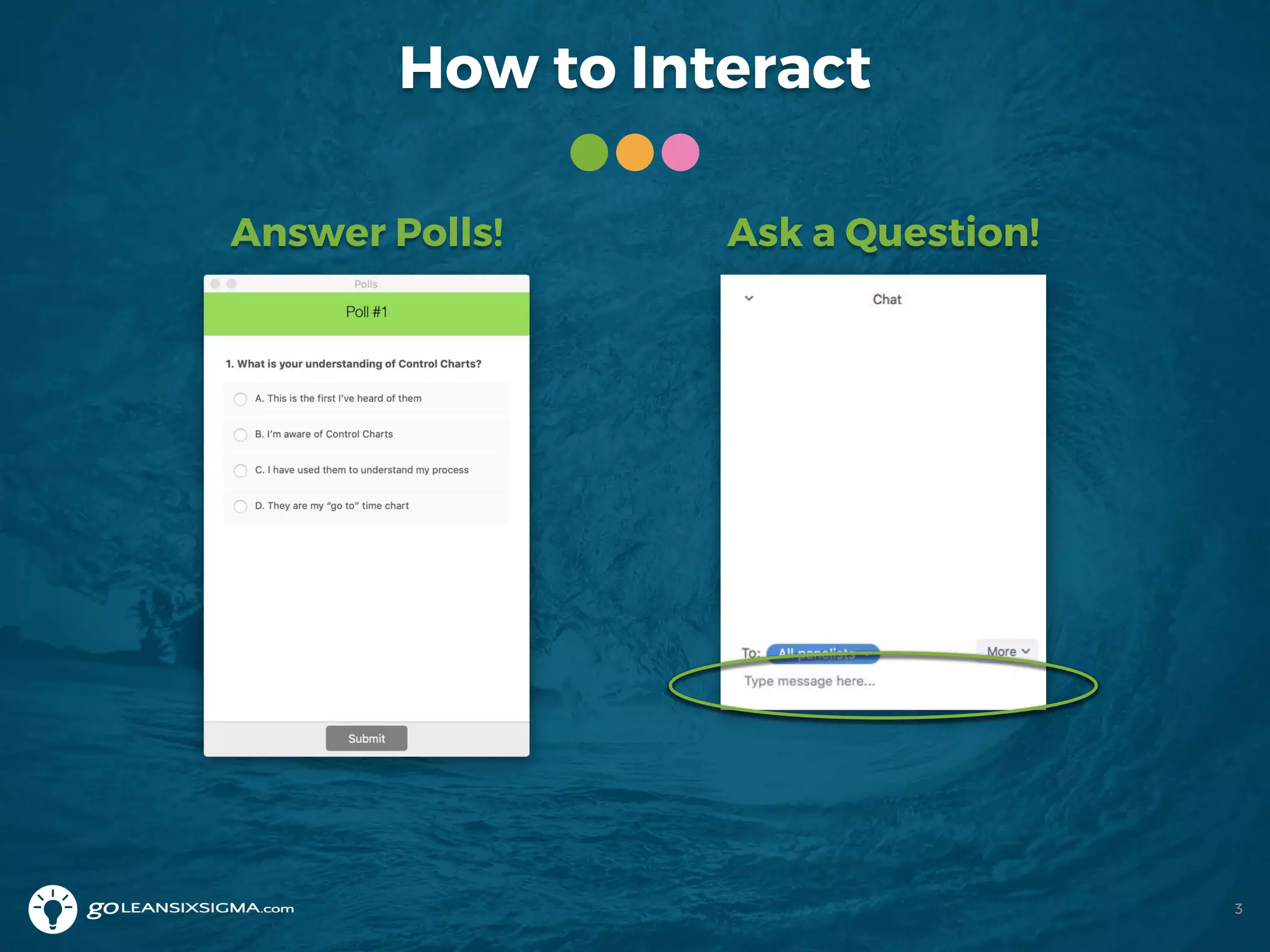
How to Interact
Answer Polls! Ask a Question!
3
Where Are You From?
Share your location in the Chat area!
4
Our Mission and Core Values
Mission: Revolutionize the way people learn process
improvement -- making it easy for everyone
everywhere to build their problem-solving muscles
5
Cultivating Community
We create an inclusive and
positive space where
people around the world
connect with each other to
learn and grow.
Servant’s Heart
At our core we are here
to be of service to
others as guides and
teachers to encourage
people’s success.
Trailblazing Spirit
We have the courage to
challenge and inspire each
other to create a constant
state of awesomeness.
We’ve Helped People From…
6
Learning Objectives
After attending this webinar you’ll be able to:
• Read Control Charts
• Use Control Charts to understand your process
• Separate “noise” from “signals” in your data
• Detect if you’ve improved process
performance
7
Today’s Agenda
• What are Control Charts?
• Why should you use them?
• How do you put them to good use?
• What are some good examples?
• What are the tips and tricks of Control Charts?
8
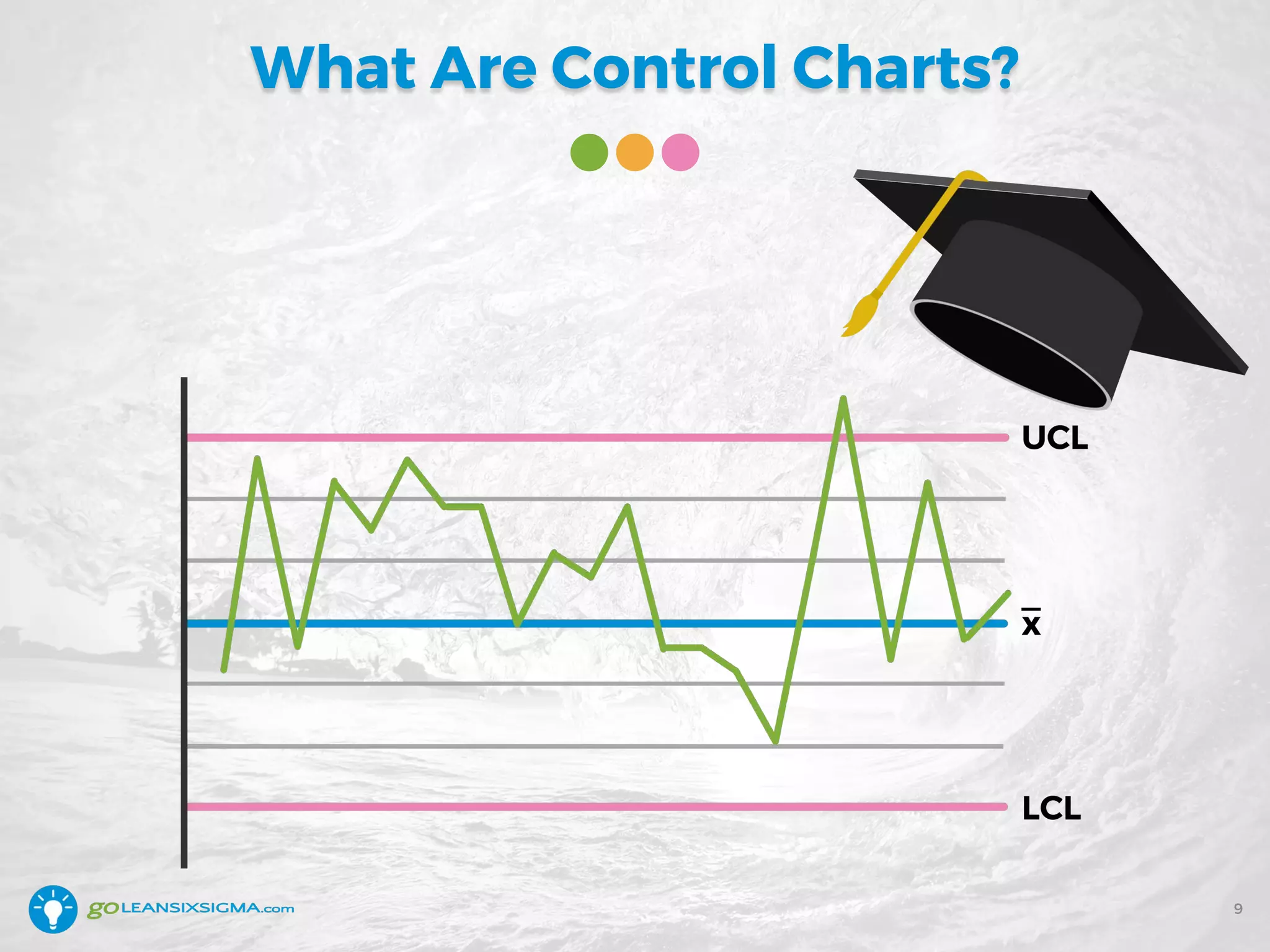
What Are Control Charts?
9
Poll #1
10
Question: What is your understanding of
Control Charts?
A. This is the first time I’ve heard of them
B. I’m aware of Control Charts
C. I have used them to understand my process
D. They are my “go-to” time chart
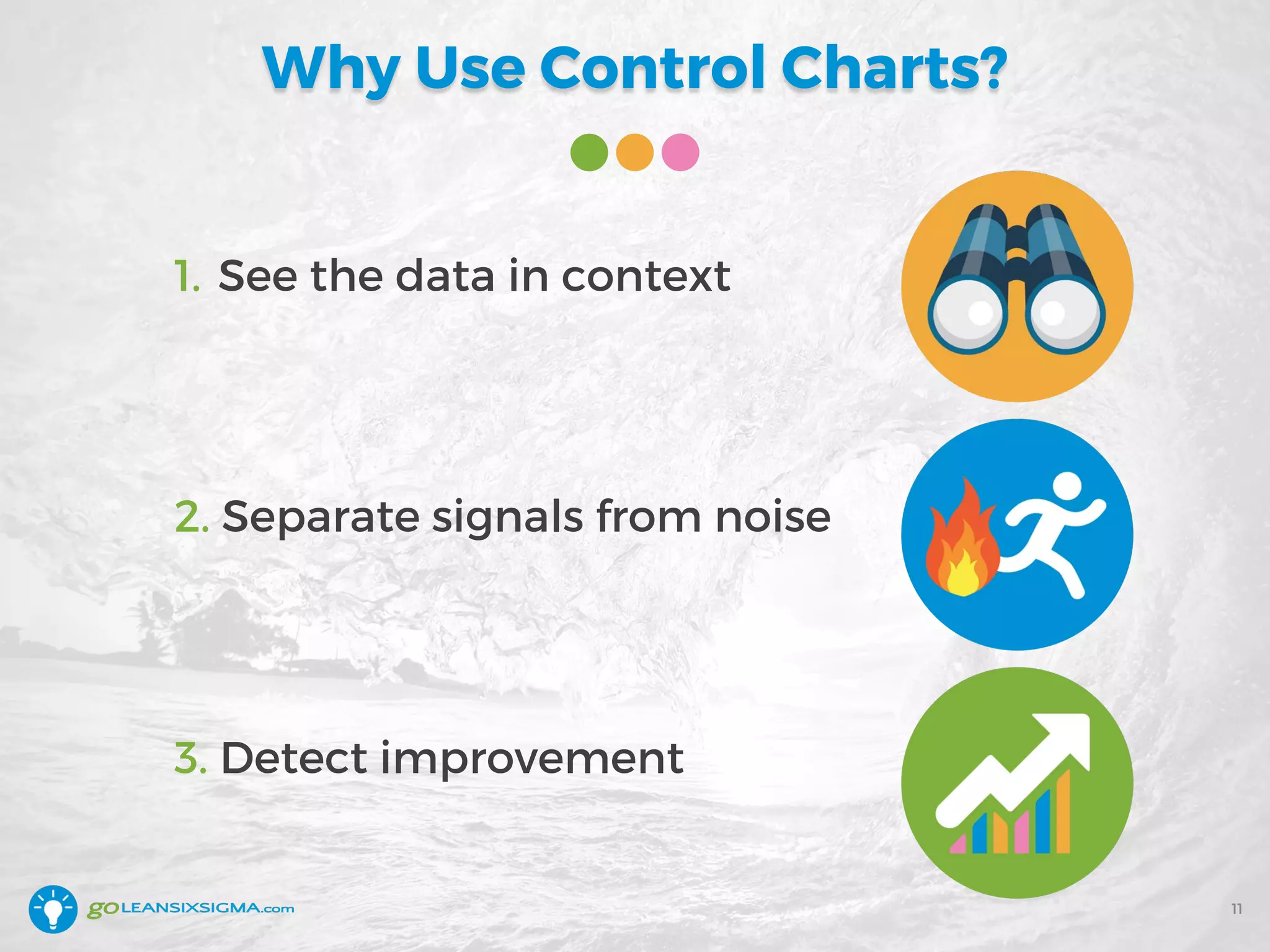
Why Use Control Charts?
1. See the data in context
2. Separate signals from noise
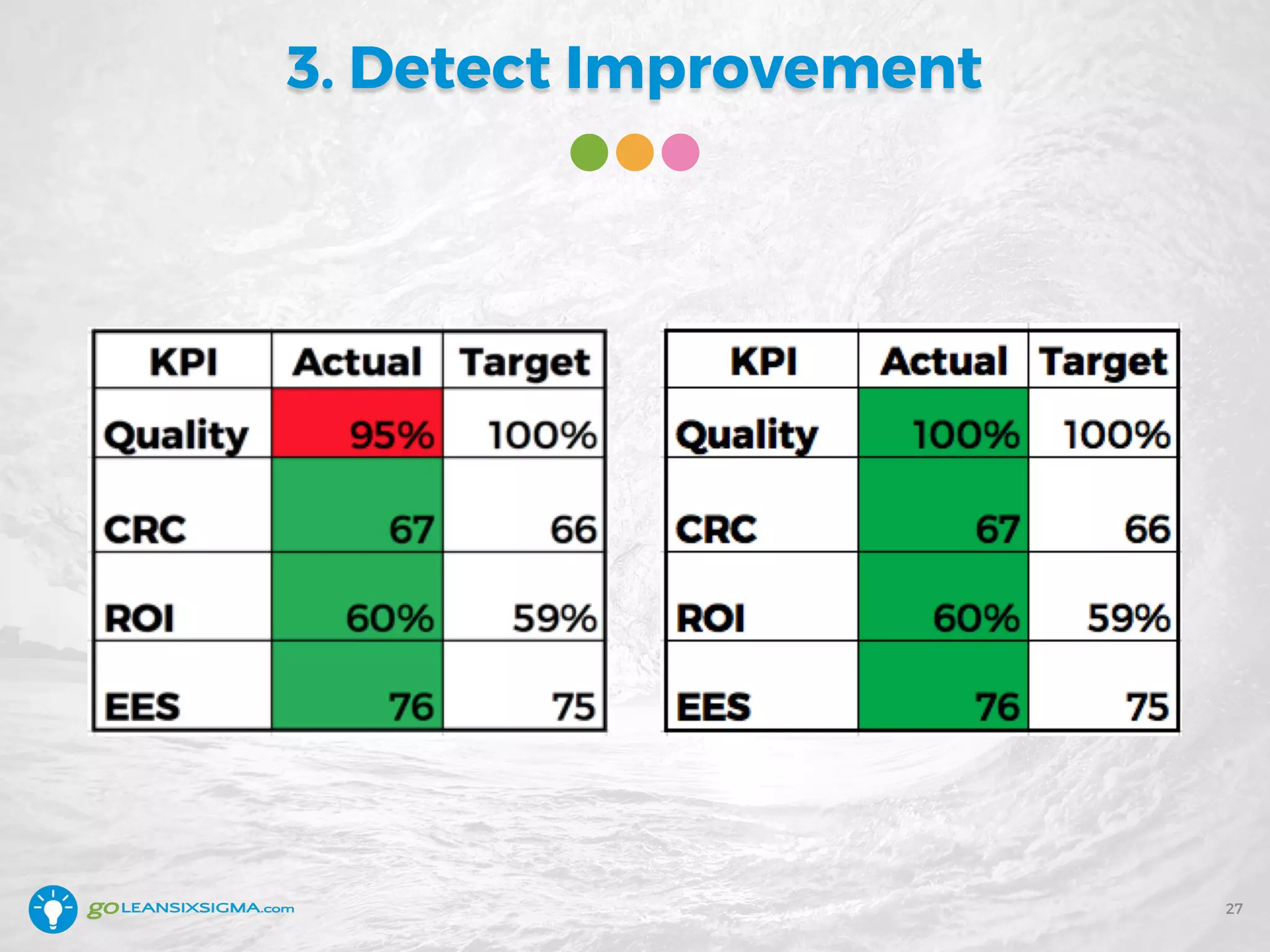
3. Detect improvement
11
1. See the Data in Context
12
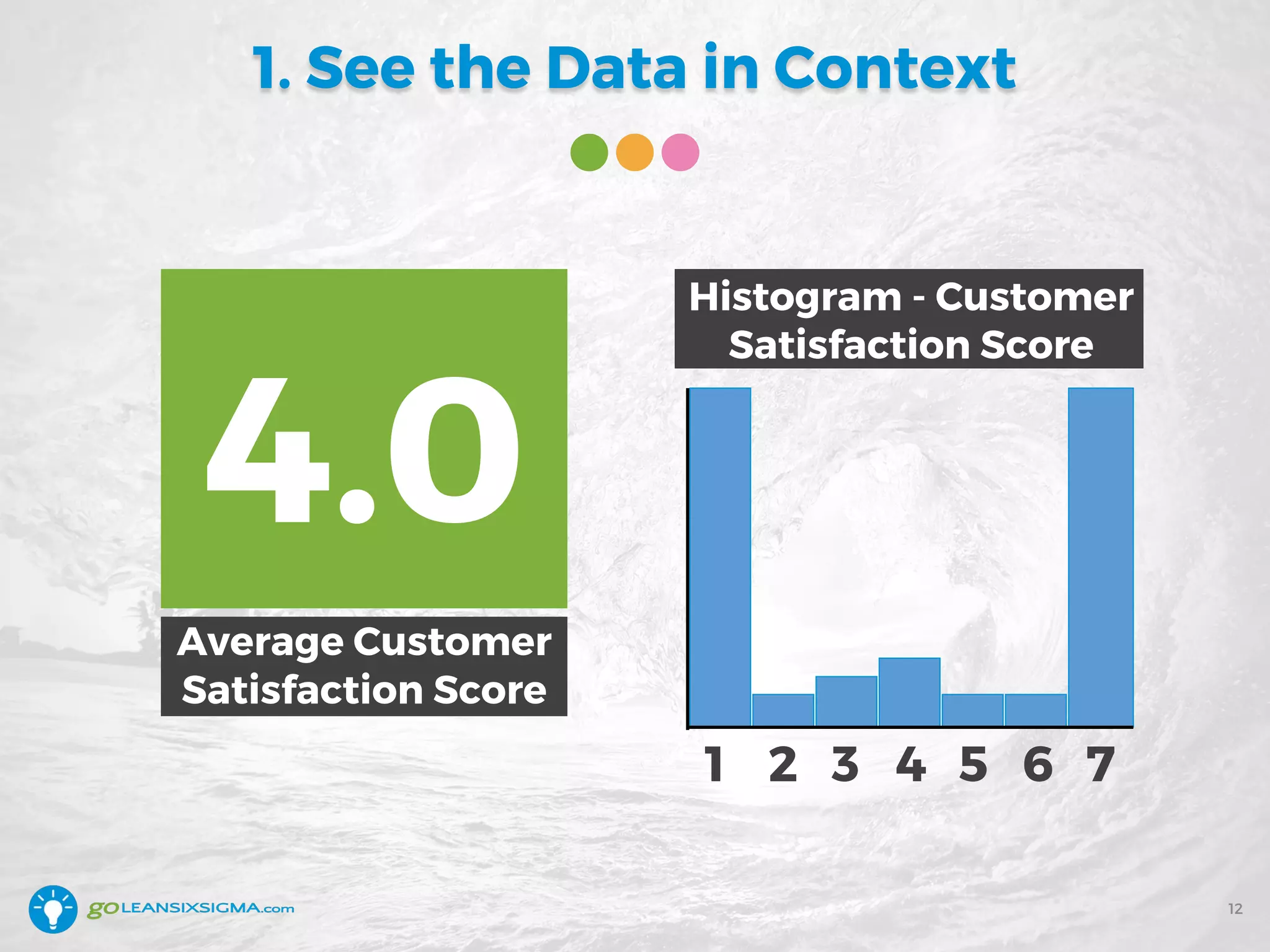
Average Customer
Satisfaction Score
4.0
1 2 3 4 5 6 7
Histogram - Customer
Satisfaction Score
Look at Data Over Time
13
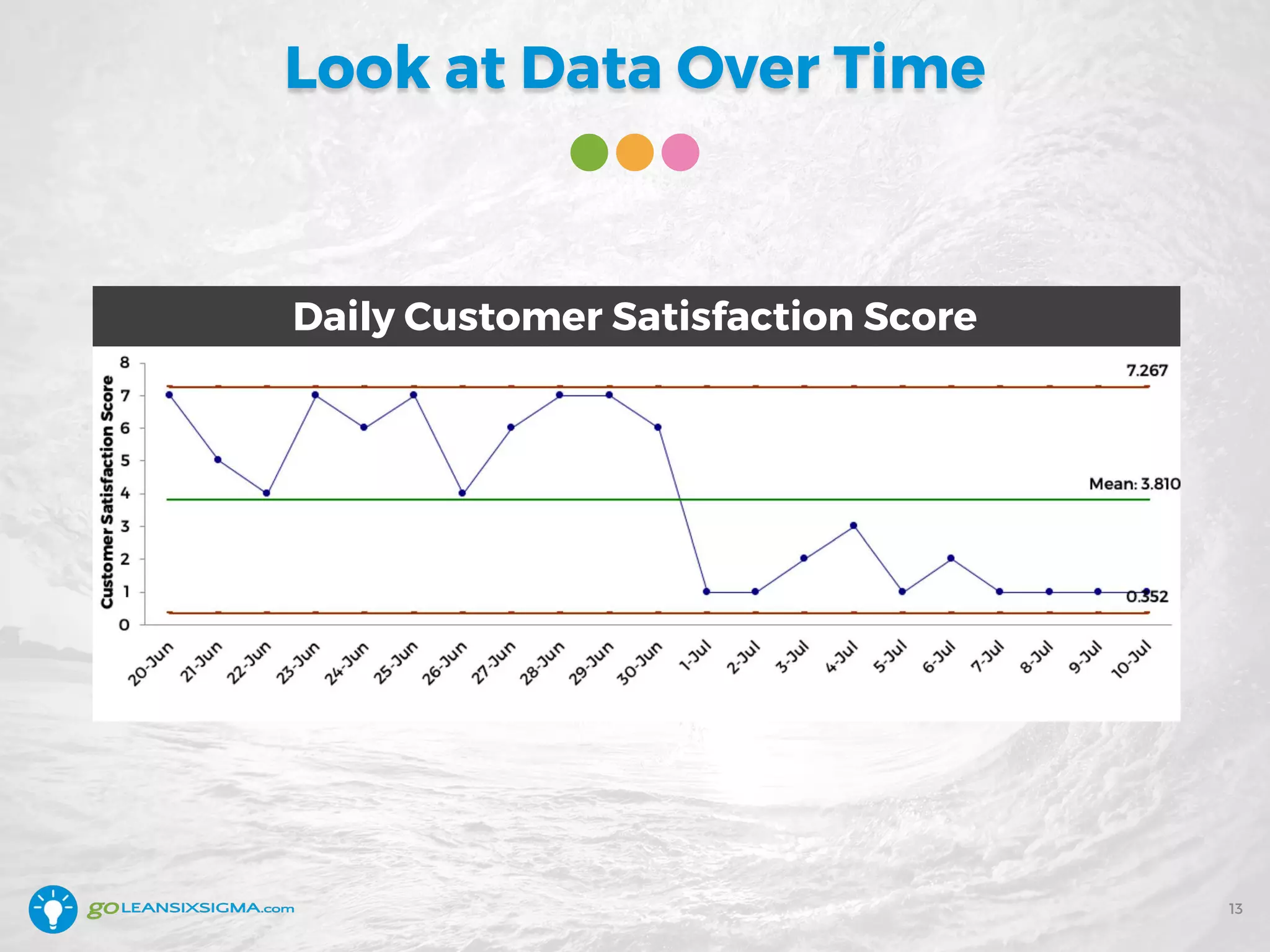
Daily Customer Satisfaction Score
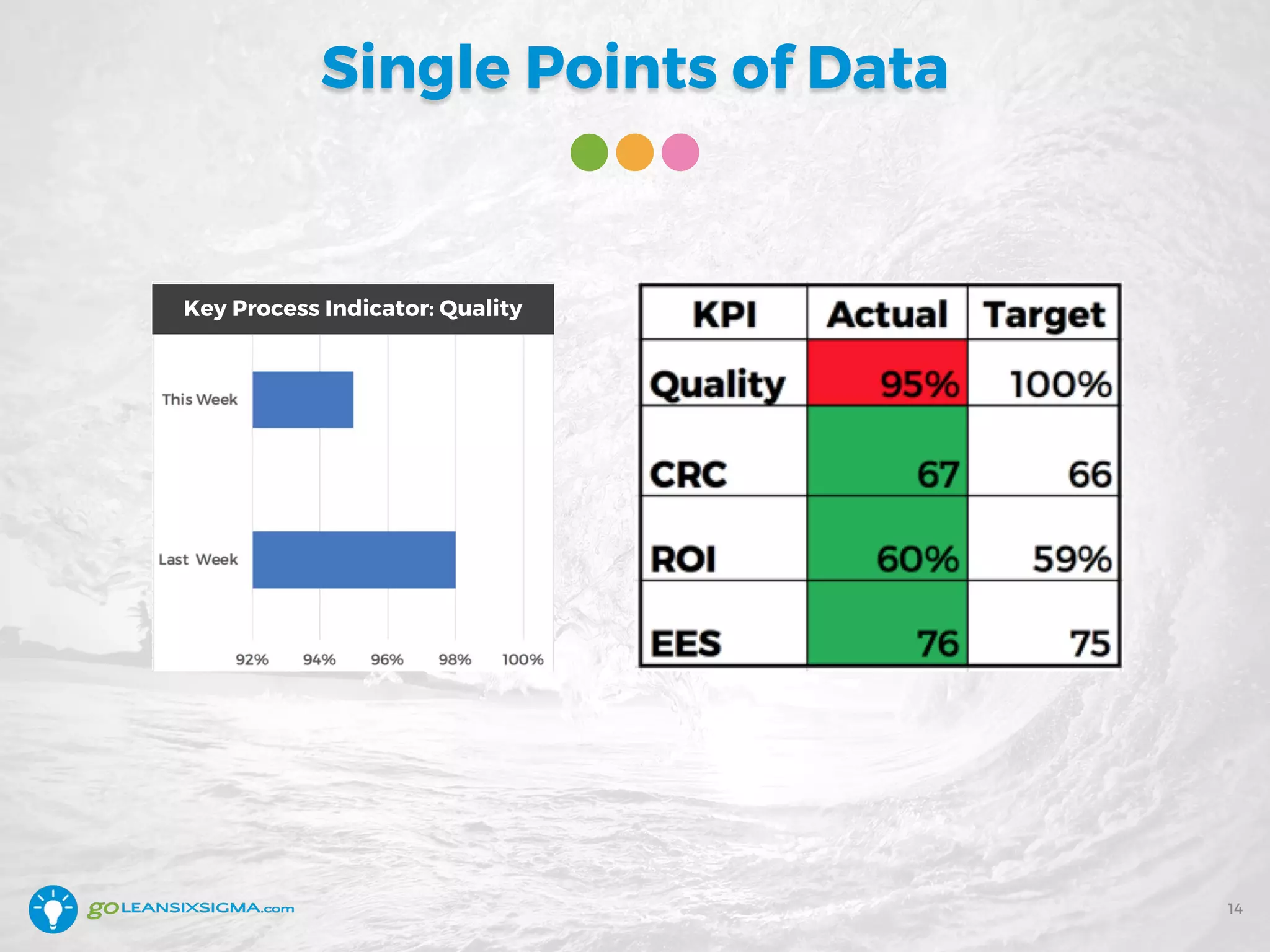
Single Points of Data
14
Key Process Indicator: Quality
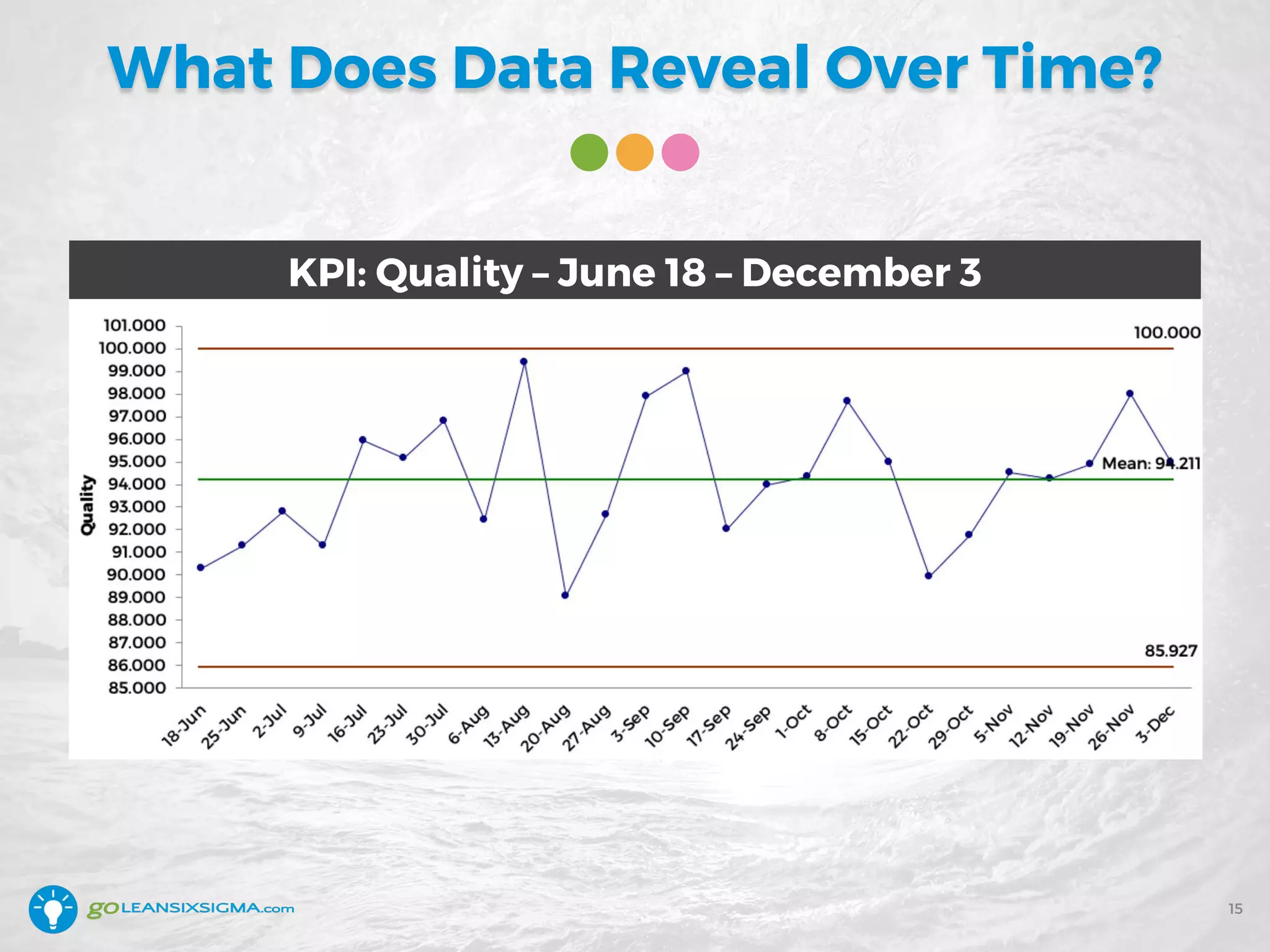
What Does Data Reveal Over Time?
15
KPI: Quality – June 18 – December 3
Recap: See the Data in Context
• One data point is not enough
to make a decision
• Dashboards present a
limited view
• It’s essential to view data
over time
• Context is everything
16
Poll #2
17
Question: How is data commonly treated
in your organization?
A. Leaders react to single points of data
B. Leaders make decisions based on averages
C. Leaders look at data in context
D. It depends on the person – it’s mixed
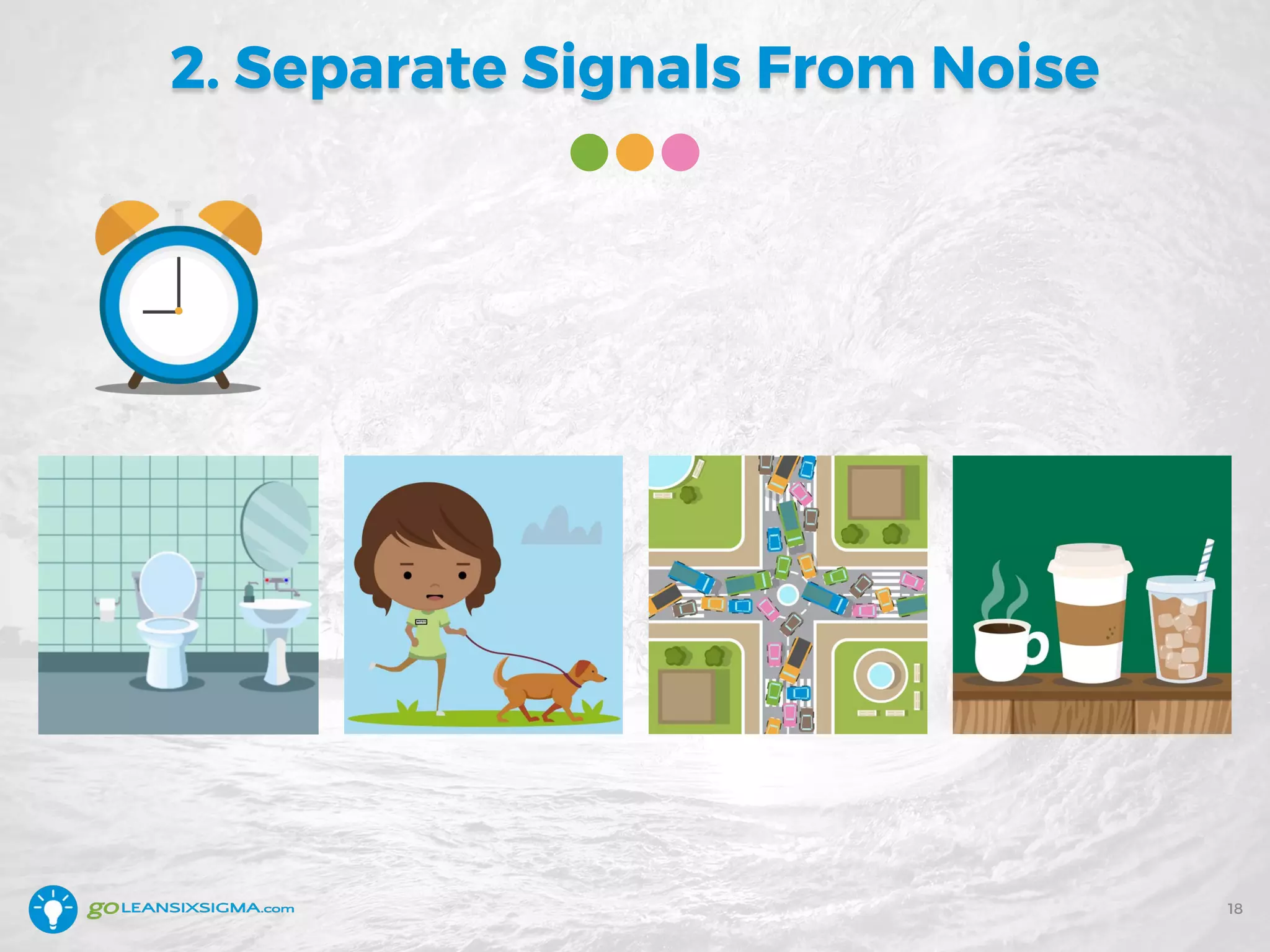
2. Separate Signals From Noise
18
Something Happened
19
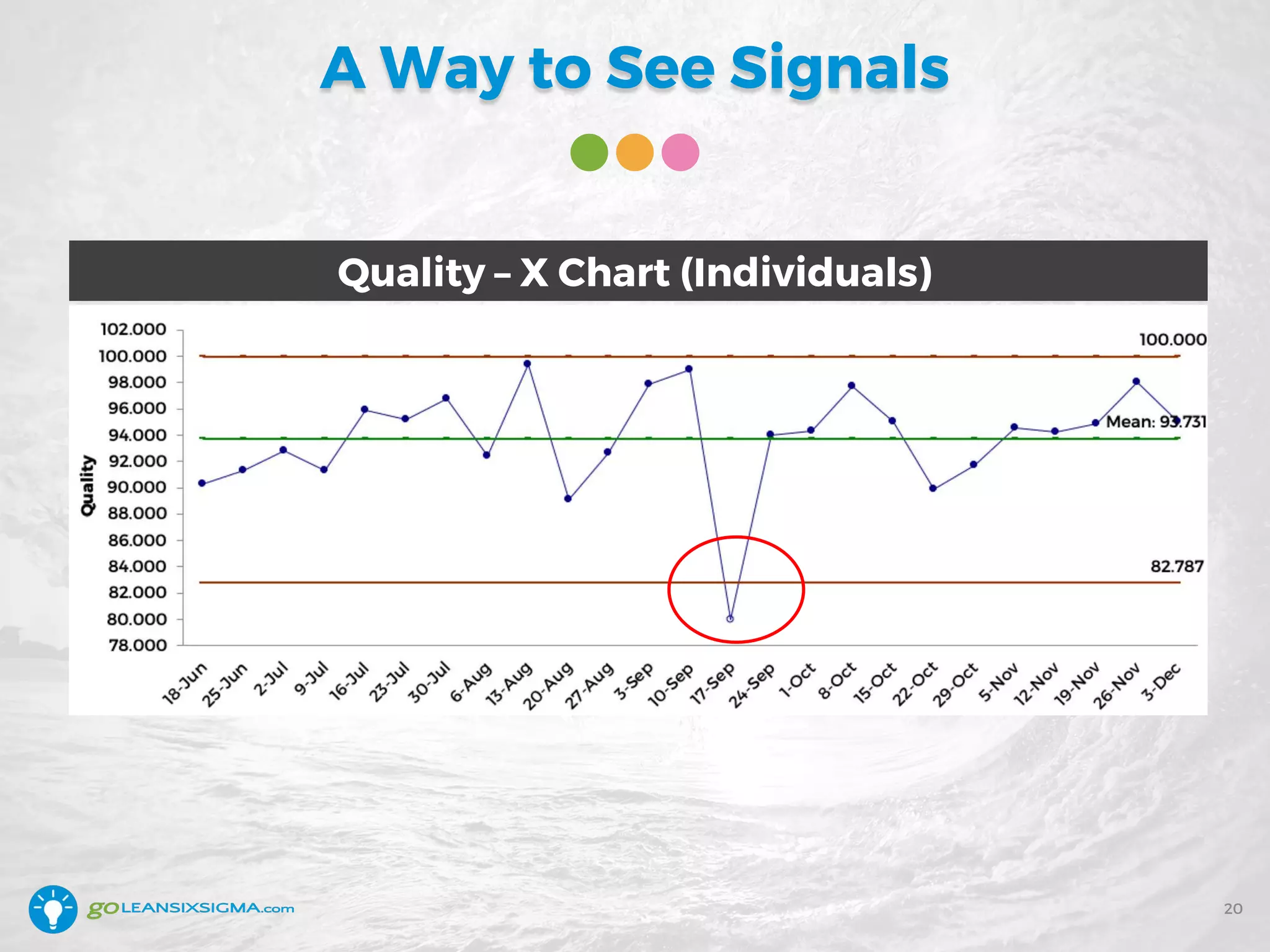
A Way to See Signals
20
Quality – X Chart (Individuals)
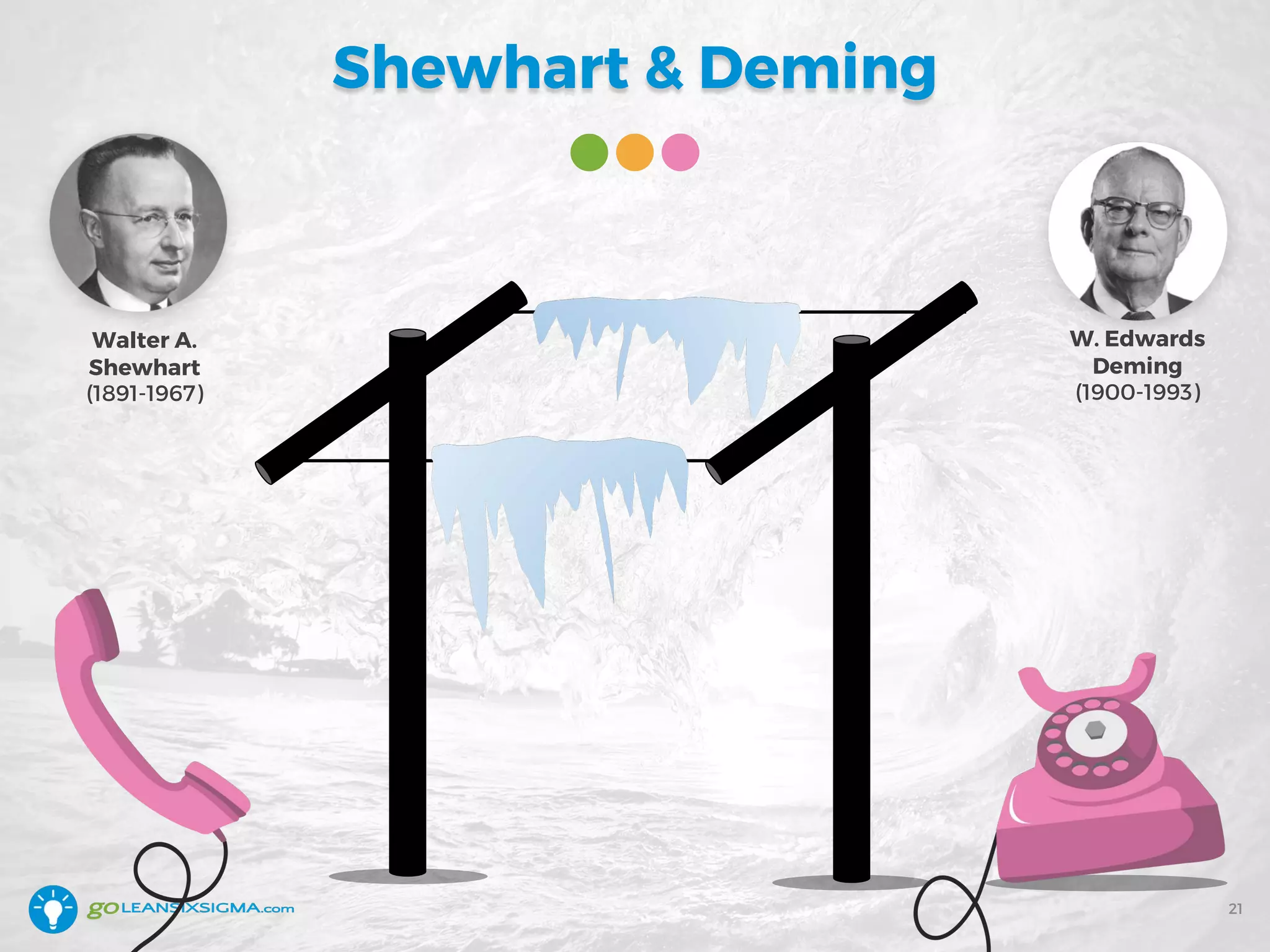
Shewhart & Deming
21
W. Edwards
Deming
(1900-1993)
Walter A.
Shewhart
(1891-1967)
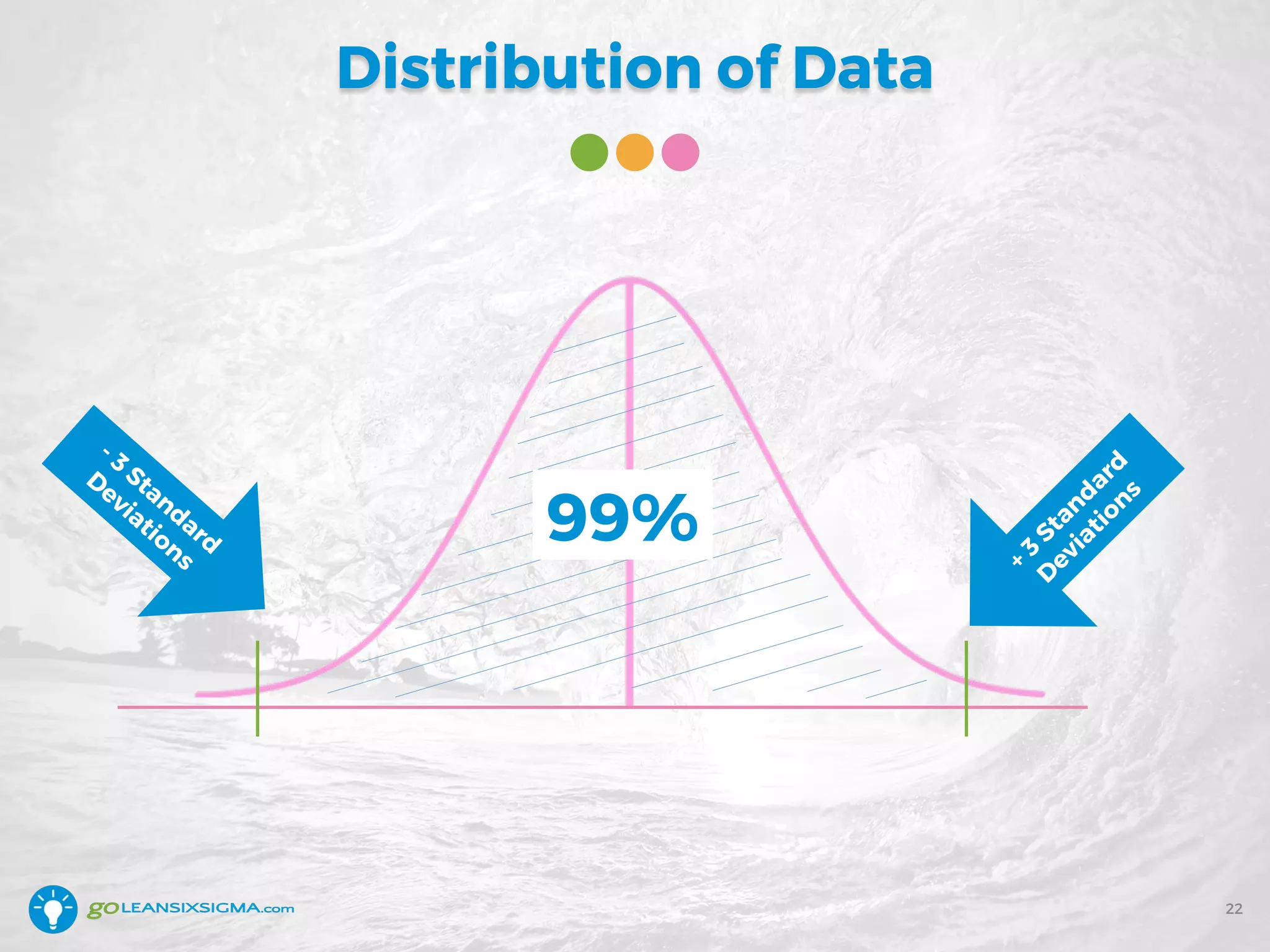
Distribution of Data
22
+
3
Standard
D
eviations
- 3
Standard
D
eviations
99%
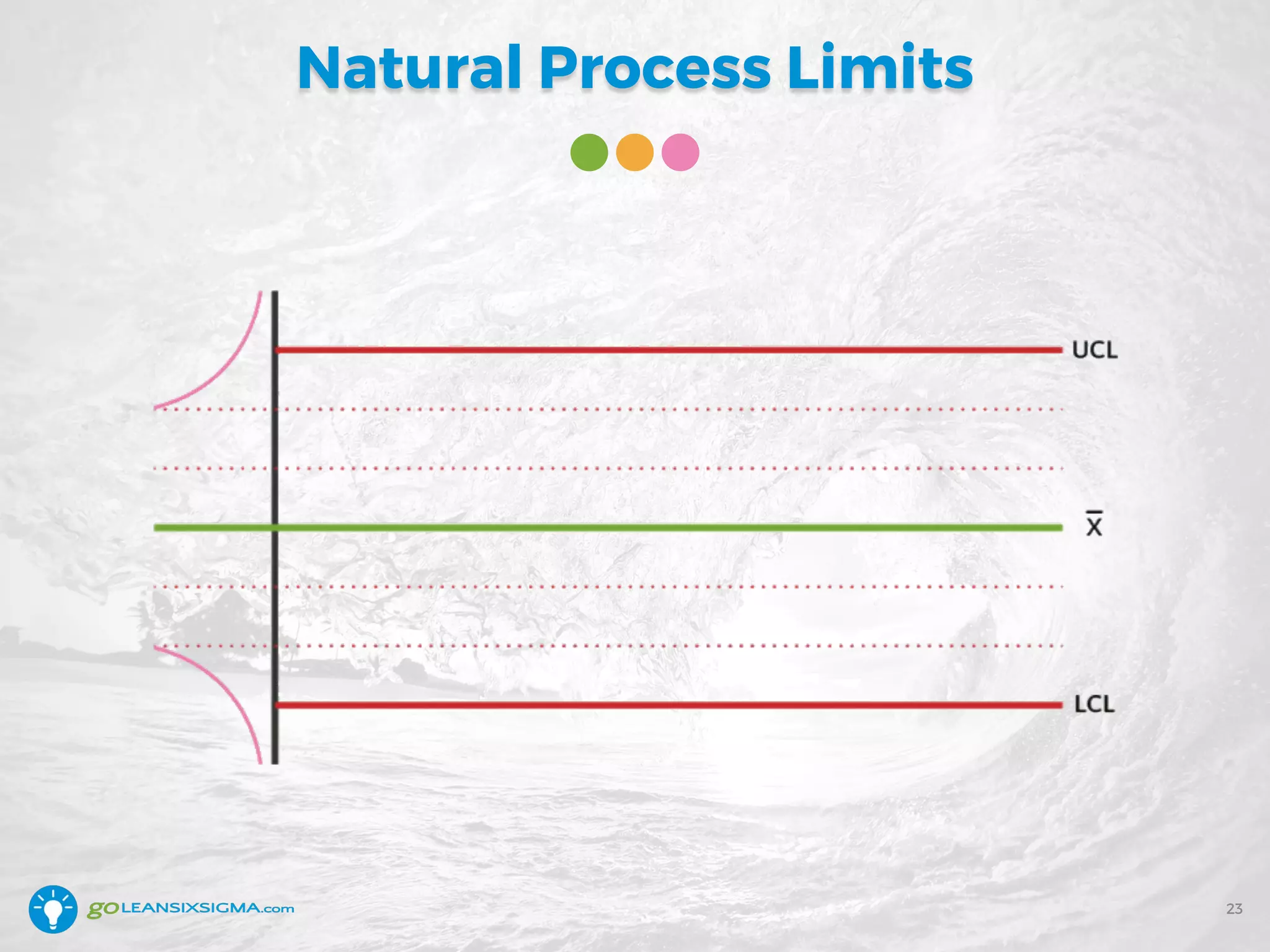
Natural Process Limits
23
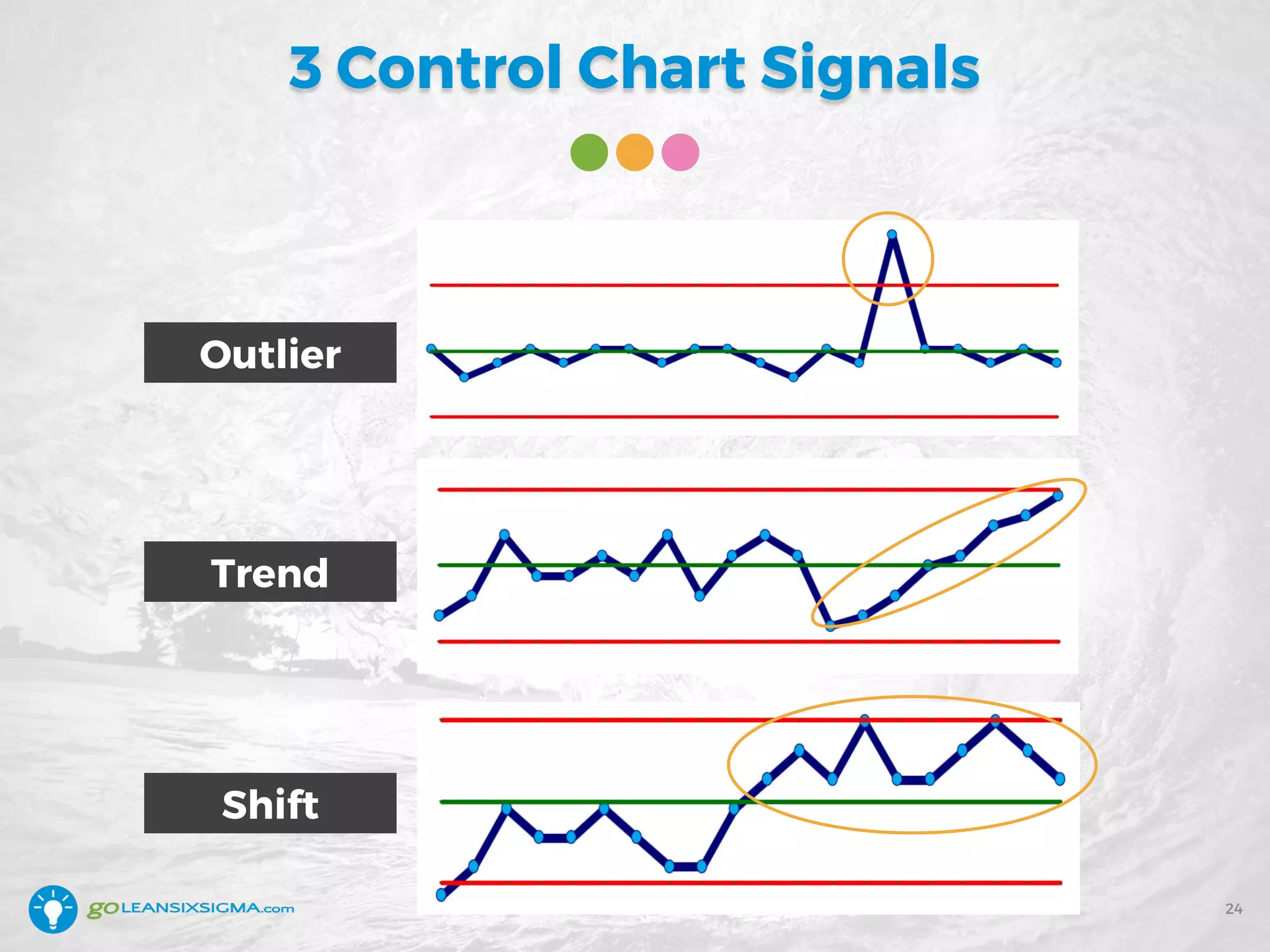
3 Control Chart Signals
24
Outlier
Shift
Trend
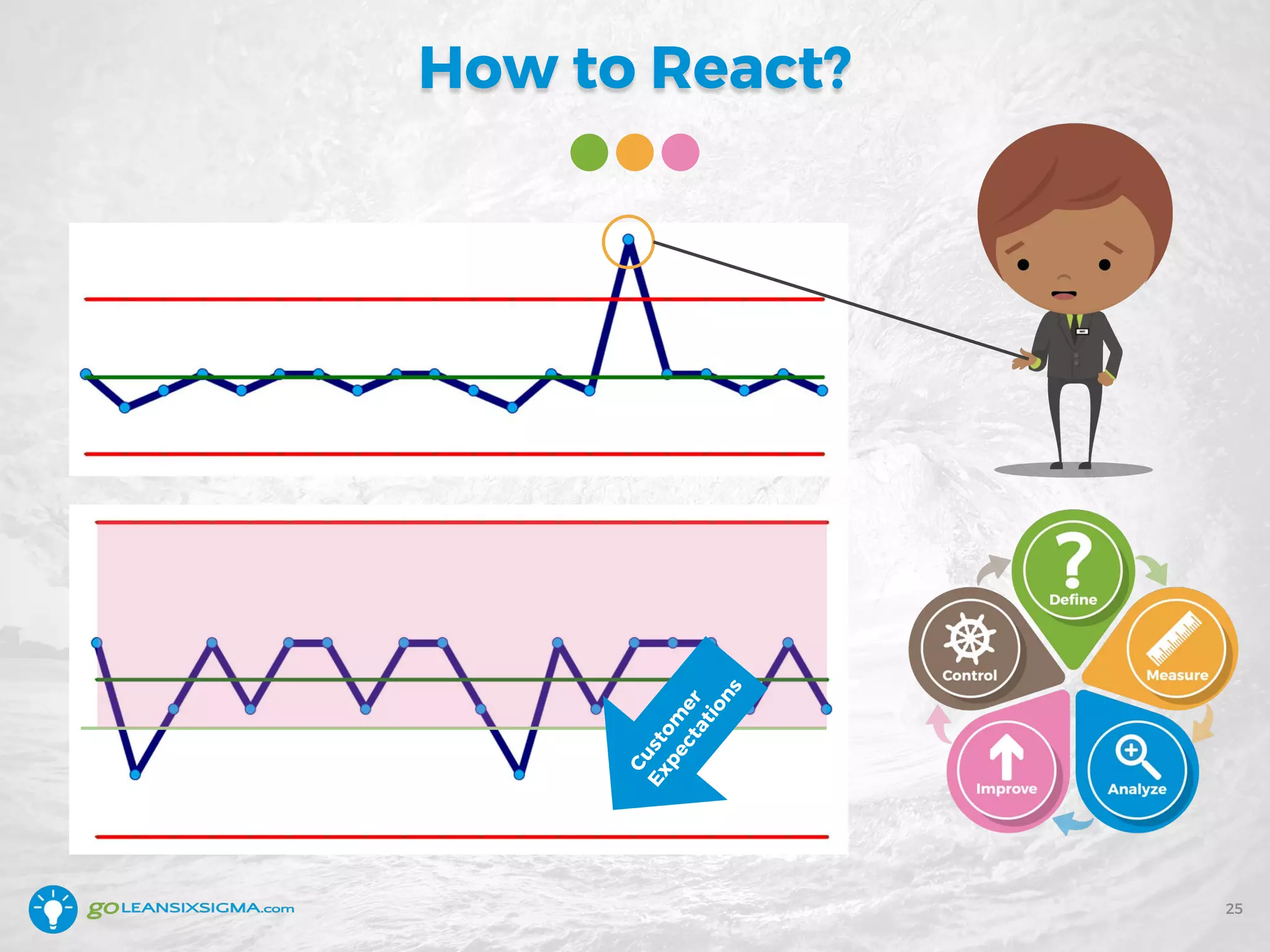
How to React?
25
Custom
er
Expectations
Recap: Separate Signals From Noise
• All processes have
Common Cause Variation
• Special Cause Variation
is worth reacting to
• If Common Cause Variation
doesn’t meet customer
requirements – time for
process improvement
26
3. Detect Improvement
27
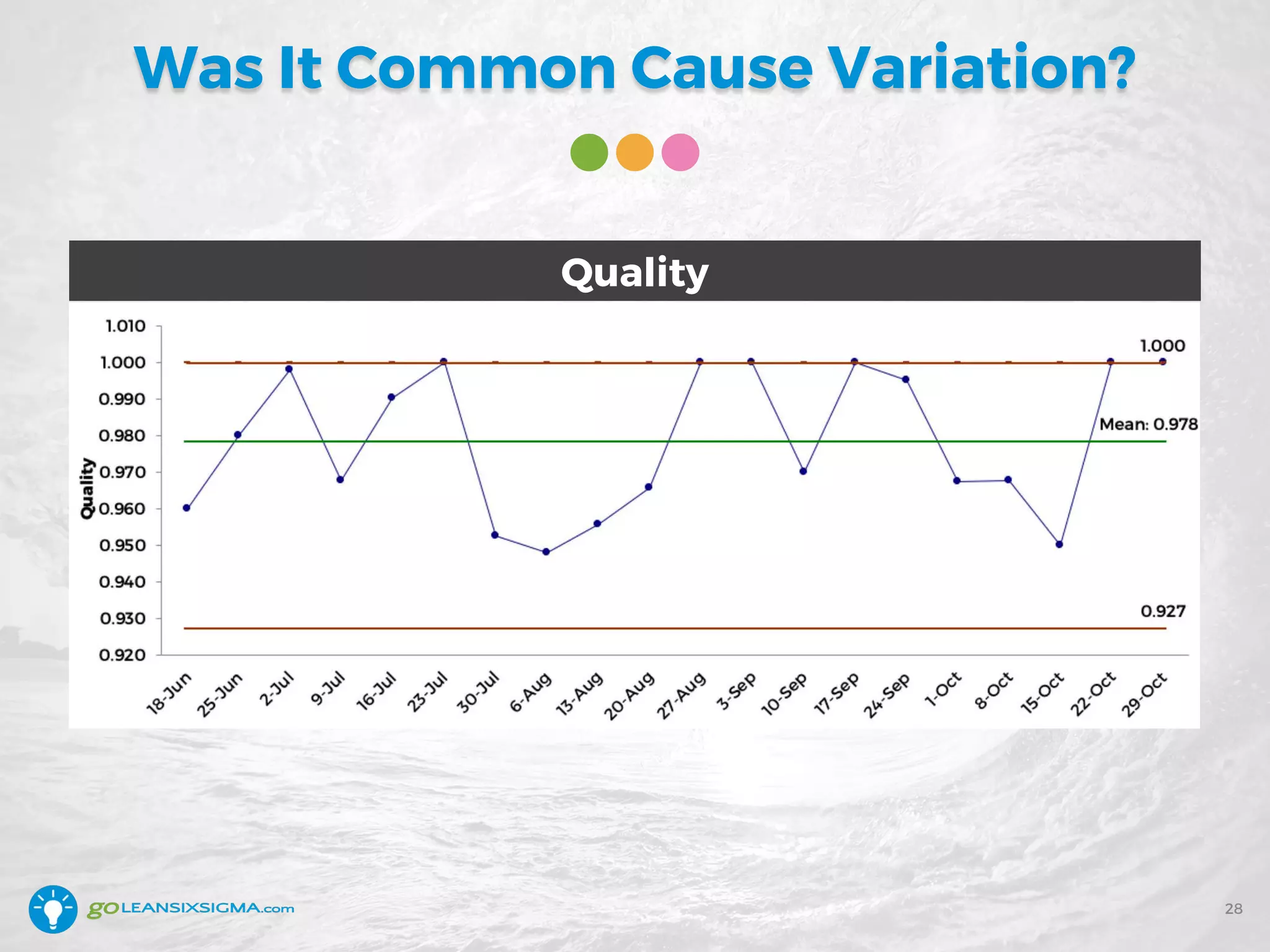
Was It Common Cause Variation?
28
Quality
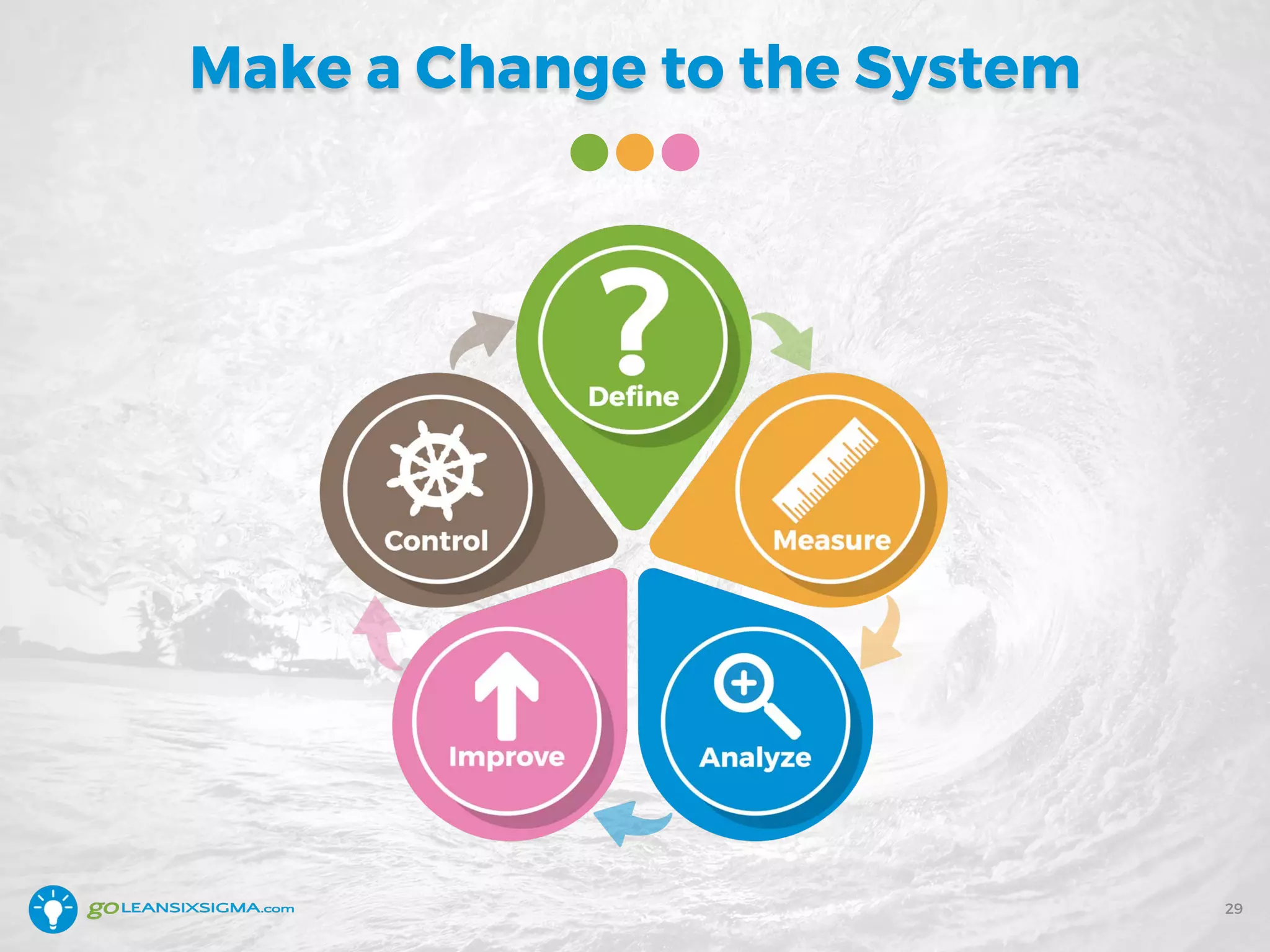
Make a Change to the System
29
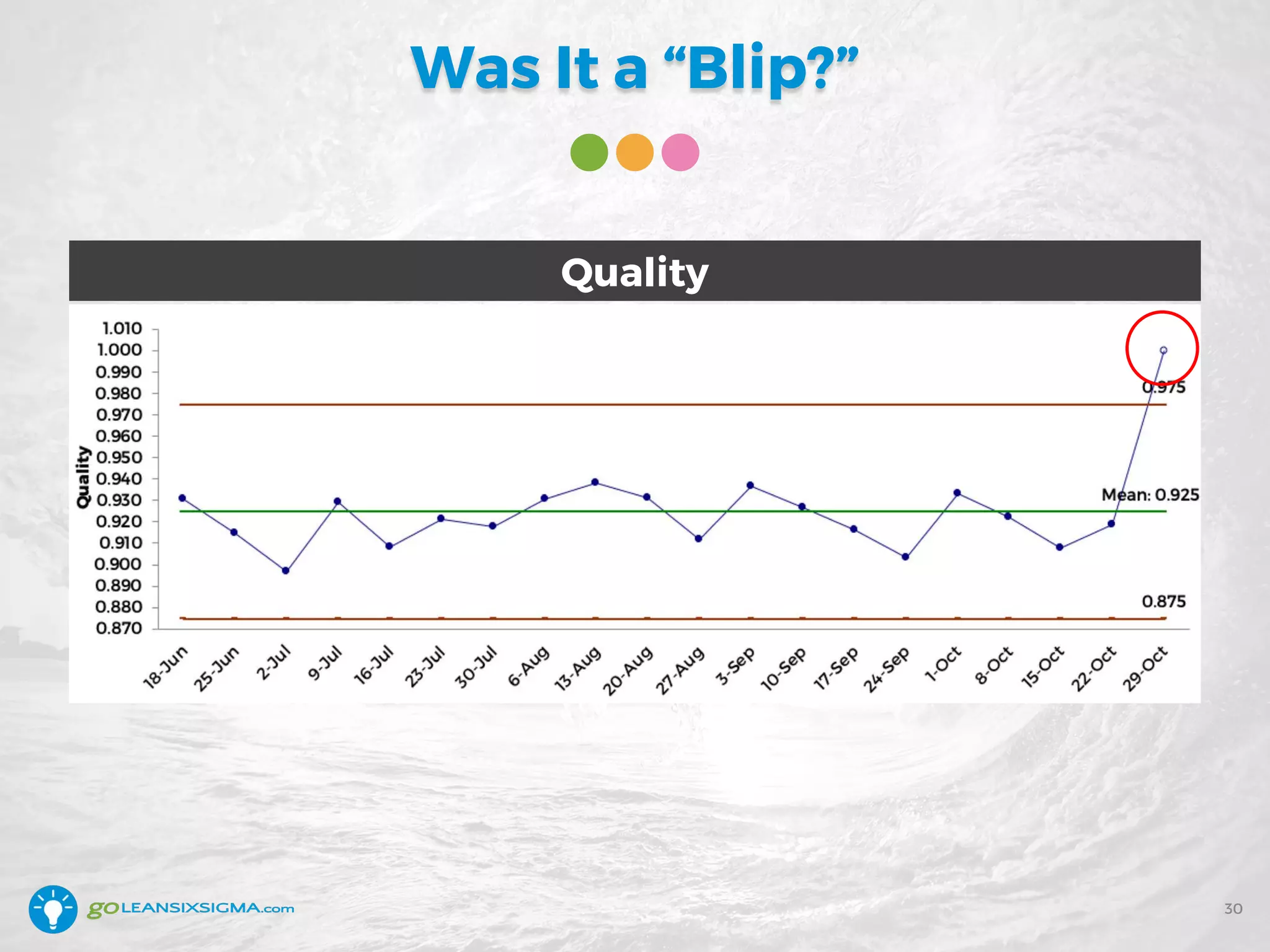
Was It a “Blip?”
30
Quality
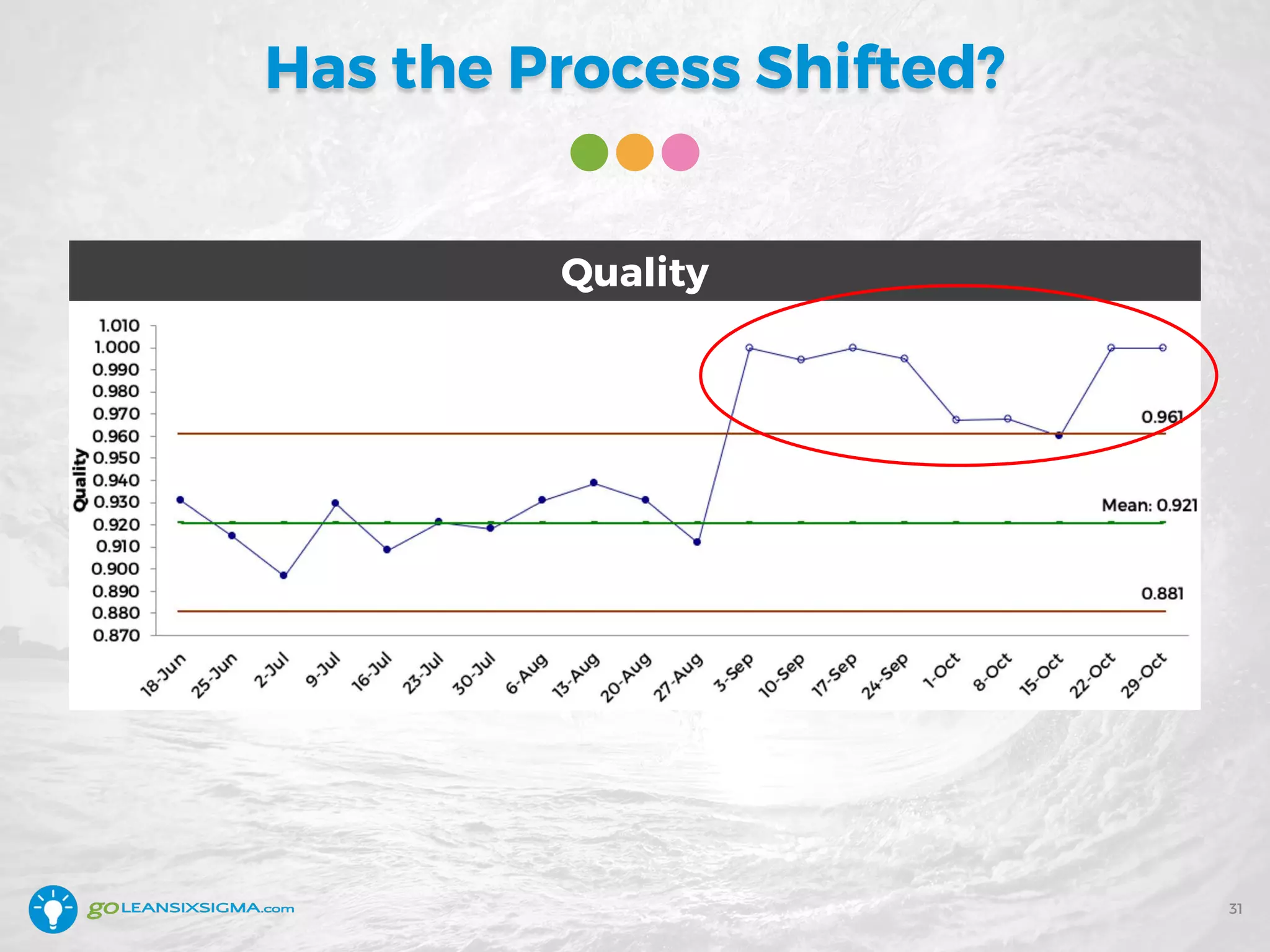
Has the Process Shifted?
31
Quality
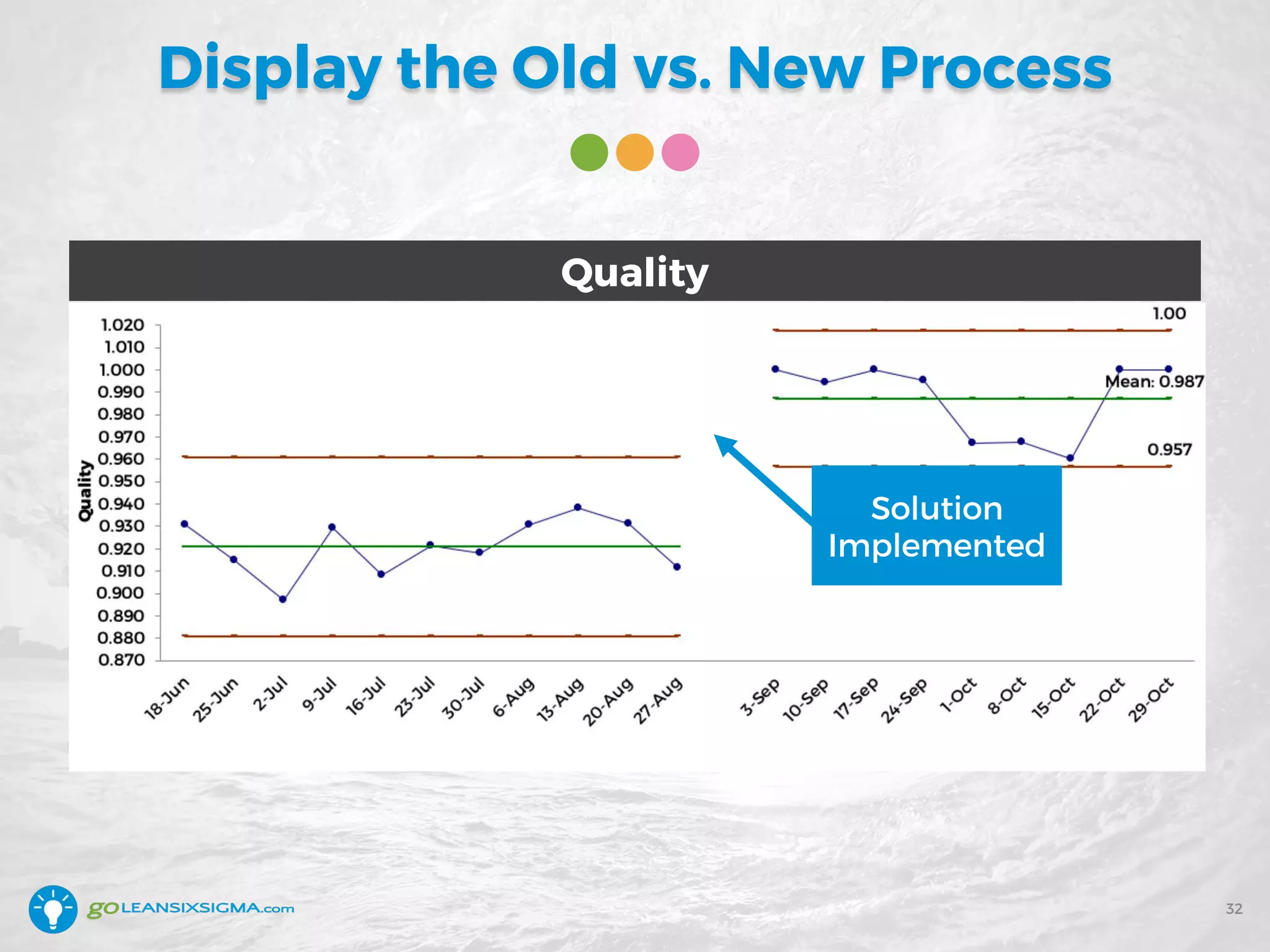
Display the Old vs. New Process
32
Solution
Implemented
Quality
Recap: Detect Improvement
• Processes fluctuate so make
sure there’s real change
• Aim for at least 20 data points
• Collecting data weekly is
better than monthly and daily
is better than weekly
• If the process has shifted,
show “before and after”
33
Question for You
34
• Please enter your response in the Chat tab
Your process can only be in one of 3 states:
1. Stable
2. Improving
3. Getting Worse
Question: How do you detect this
now?
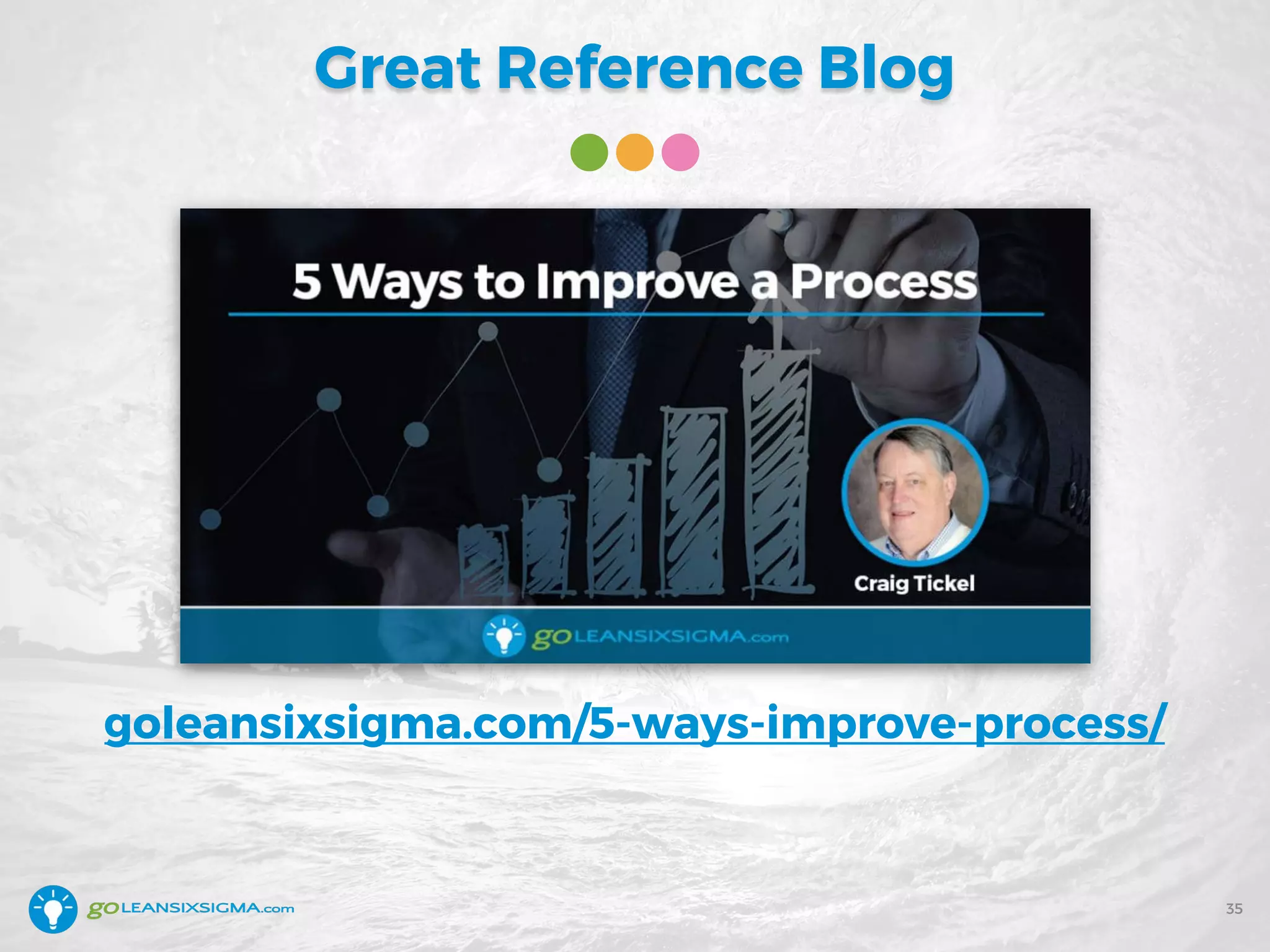
Great Reference Blog
35
goleansixsigma.com/5-ways-improve-process/
Control Chart Tips & Tricks
• Always include a Control Chart when
displaying data – Individuals is fine
• Differentiate Special Cause Variation
from Common Cause Variation
• Investigate Special Cause Variation
• Decide if Common Cause Variation
is acceptable to customers
• Collect data as frequently as is
reasonable (what you can afford)
36
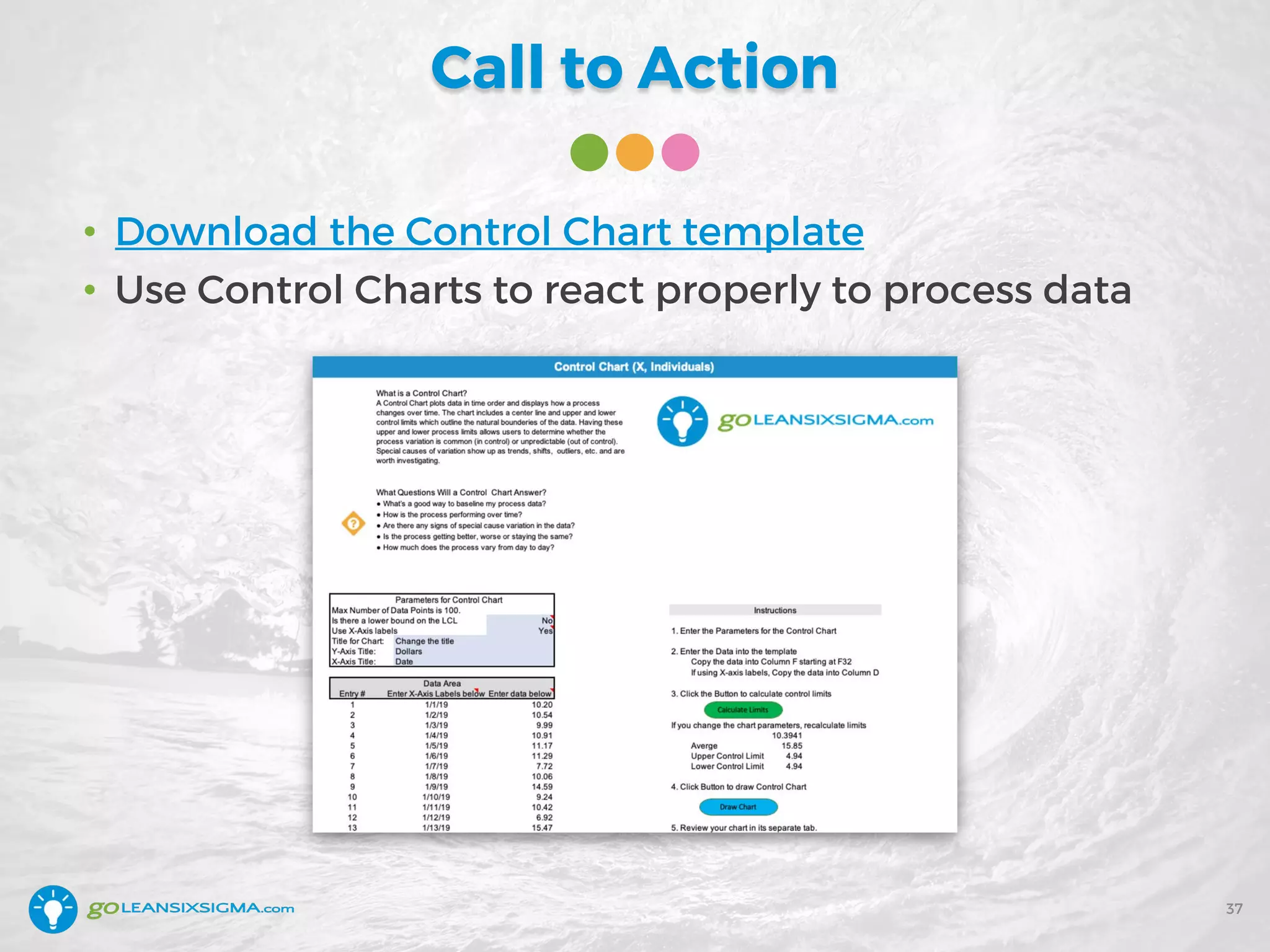
Call to Action
• Download the Control Chart template
• Use Control Charts to react properly to process data
37
Today We Covered
38
• What are Control Charts?
• Why should you use them?
• How do you put them to good use?
• What are some good examples?
• What are the tips and tricks of Control Charts?
Questions?
39
Getting Started
Learn more by starting some more training!
• White Belt Training & Certification (Training is FREE)
• Yellow Belt Training & Certification (Training is FREE)
• Green Belt Training & Certification
• Black Belt Training & Certification
• Lean Training & Certification
Coupon Code: 20CONTROL
20% discount on all courses!
*Expires February 22, 2019
40
Go-Getter Membership
41
• Access to all Single Modules ($298 value)
• Access to the Go-Getter Forums
• Access to Go-Getter Exclusive Webinars
• Support Tools ($226 value)
• 20% discount on ALL
of your purchases!
$199 for 1 year access
GoLeanSixSigma.com/ggm/
The Problem-Solver’s Toolkit
42
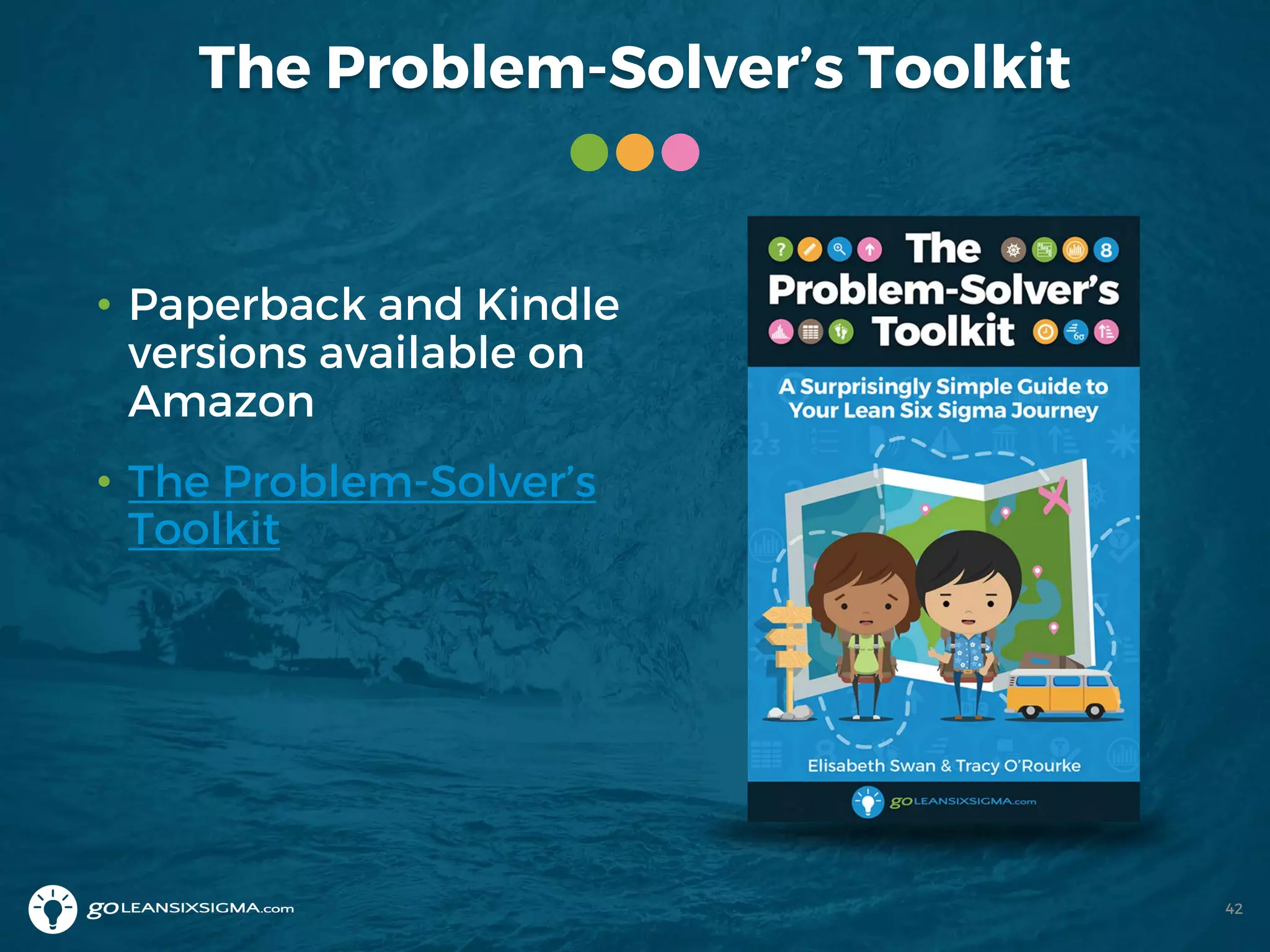
• Paperback and Kindle
versions available on
Amazon
• The Problem-Solver’s
Toolkit
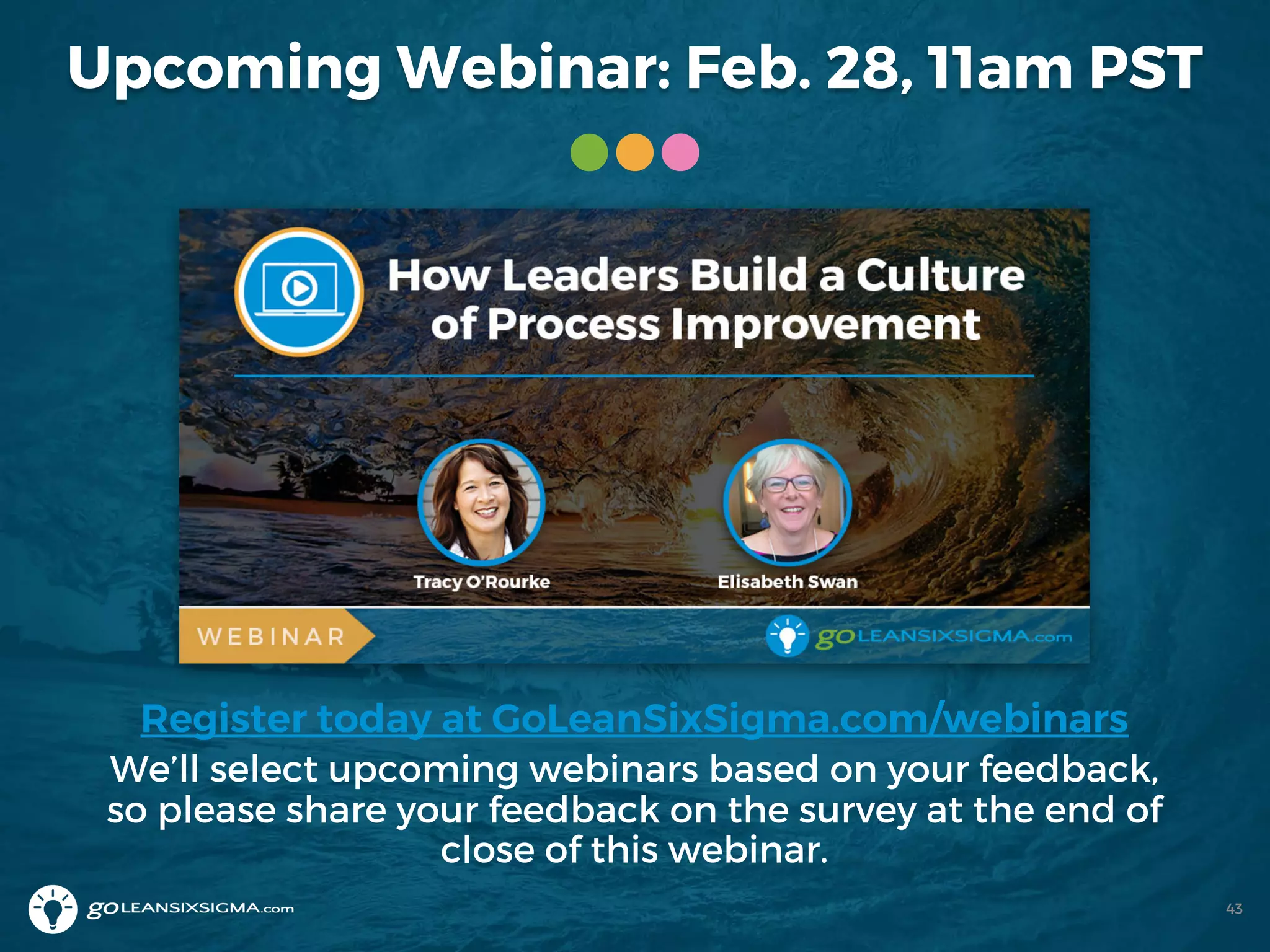
Upcoming Webinar: Feb. 28, 11am PST
Register today at GoLeanSixSigma.com/webinars
We’ll select upcoming webinars based on your feedback,
so please share your feedback on the survey at the end of
close of this webinar.
43
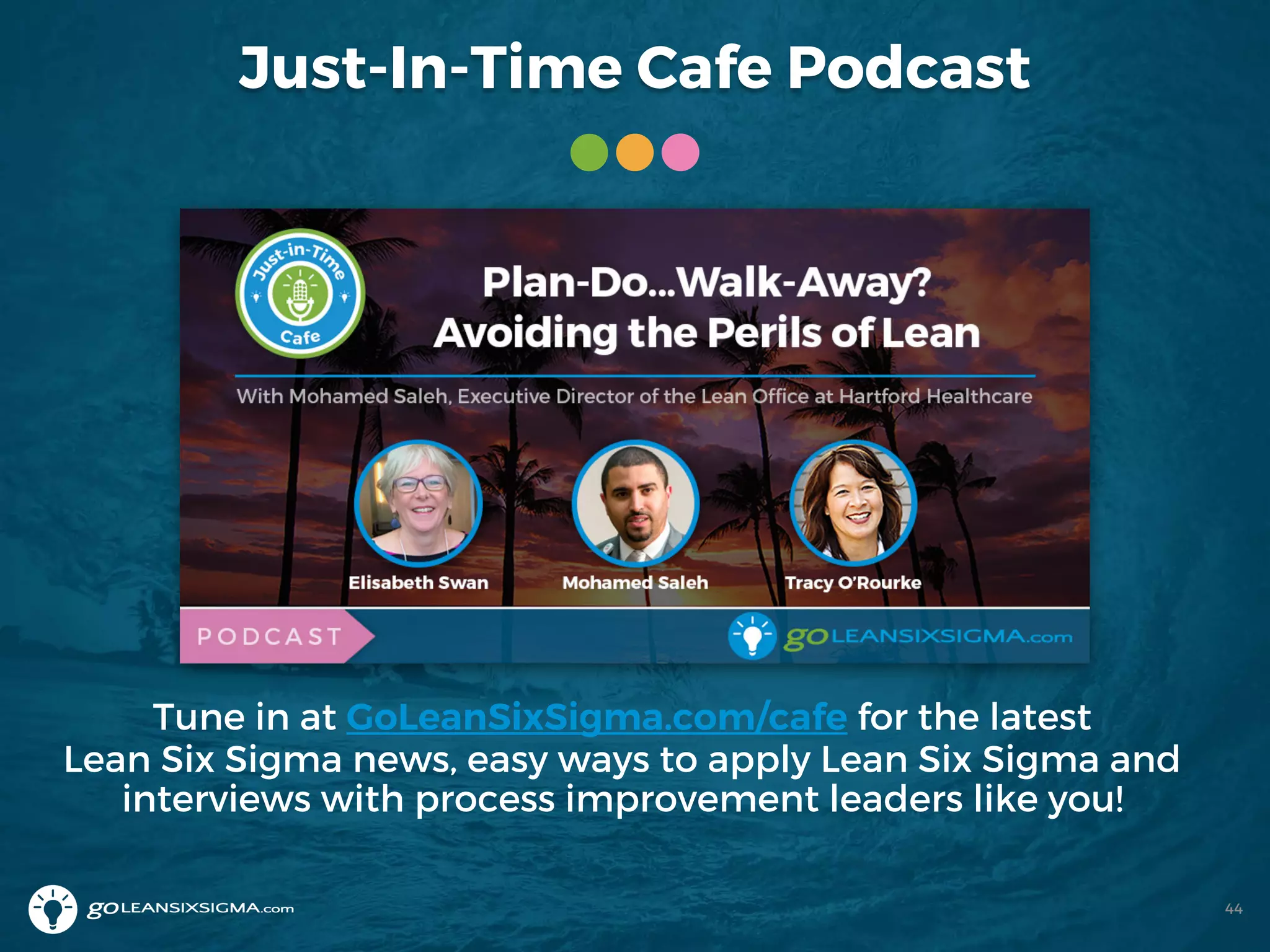
Just-In-Time Cafe Podcast
Tune in at GoLeanSixSigma.com/cafe for the latest
Lean Six Sigma news, easy ways to apply Lean Six Sigma and
interviews with process improvement leaders like you!
44
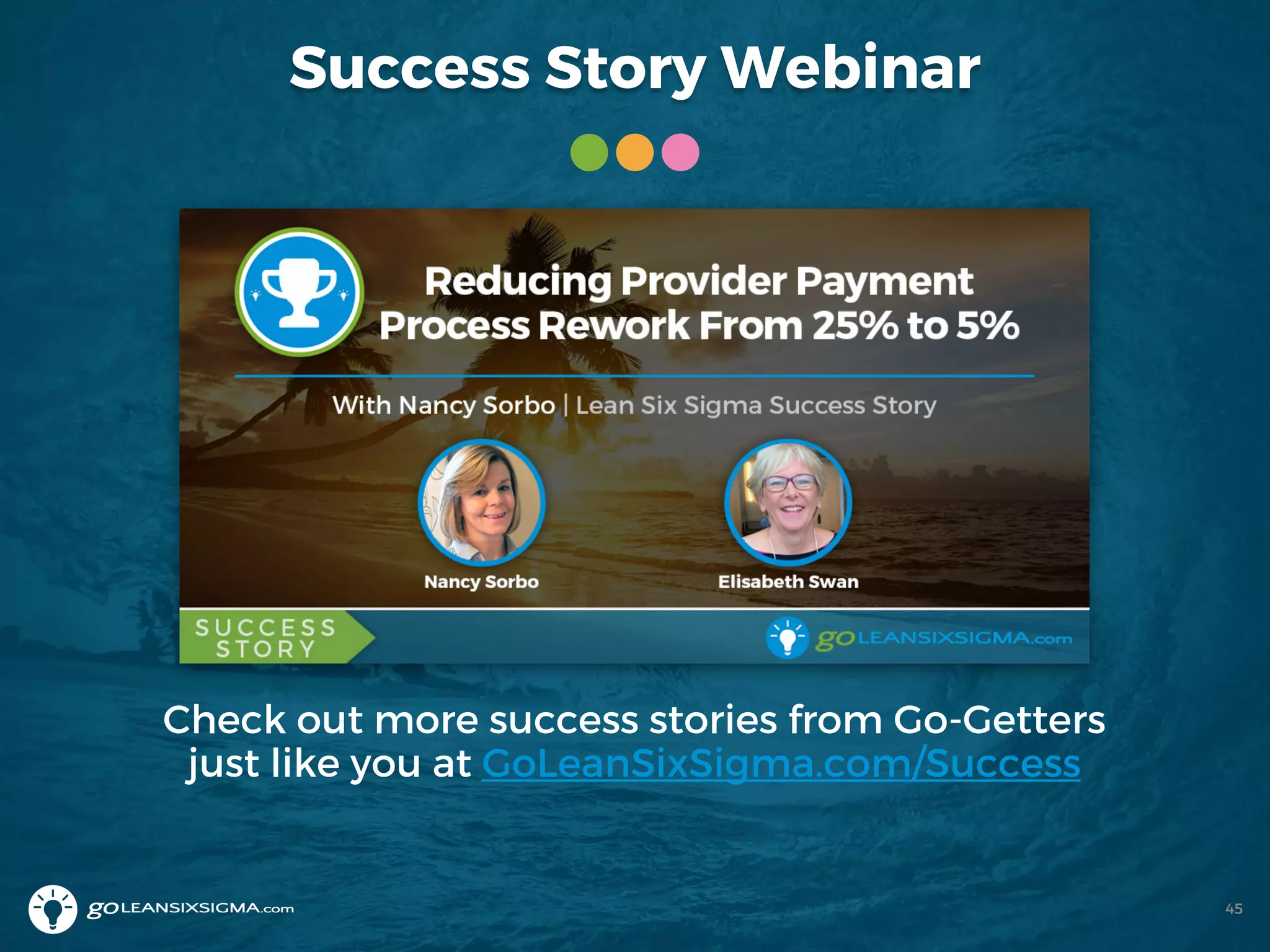
Success Story Webinar
Check out more success stories from Go-Getters
just like you at GoLeanSixSigma.com/Success
45
Wonder Women of Quality
Join us each month as we highlight another unsung
hero of Quality!
46
Questions?
47
Thank You for Joining Us!
More questions? Ask us at
contact@goleansixsigma.com
Click here to download free tools,
templates, infographics and more!
@GoLeanSixSigma/company/GoLeanSixSigma-com /GoLeanSixSigma 48

WEBINAR: How to Use Control Charts

  • 1.
    How to UseControl Charts Presented by Elisabeth Swan
  • 2.
    About Our Presenter •Managing Partner at GoLeanSixSigma.com • Co-Author of The Problem-Solver’s Toolkit • Co-host of the Just-In-Time Café Podcast Elisabeth Swan /ElisabethSwan @ConsultSwan 2
  • 3.
    How to Interact AnswerPolls! Ask a Question! 3
  • 4.
    Where Are YouFrom? Share your location in the Chat area! 4
  • 5.
    Our Mission andCore Values Mission: Revolutionize the way people learn process improvement -- making it easy for everyone everywhere to build their problem-solving muscles 5 Cultivating Community We create an inclusive and positive space where people around the world connect with each other to learn and grow. Servant’s Heart At our core we are here to be of service to others as guides and teachers to encourage people’s success. Trailblazing Spirit We have the courage to challenge and inspire each other to create a constant state of awesomeness.
  • 6.
  • 7.
    Learning Objectives After attendingthis webinar you’ll be able to: • Read Control Charts • Use Control Charts to understand your process • Separate “noise” from “signals” in your data • Detect if you’ve improved process performance 7
  • 8.
    Today’s Agenda • Whatare Control Charts? • Why should you use them? • How do you put them to good use? • What are some good examples? • What are the tips and tricks of Control Charts? 8
  • 9.
  • 10.
    Poll #1 10 Question: Whatis your understanding of Control Charts? A. This is the first time I’ve heard of them B. I’m aware of Control Charts C. I have used them to understand my process D. They are my “go-to” time chart
  • 11.
    Why Use ControlCharts? 1. See the data in context 2. Separate signals from noise 3. Detect improvement 11
  • 12.
    1. See theData in Context 12 Average Customer Satisfaction Score 4.0 1 2 3 4 5 6 7 Histogram - Customer Satisfaction Score
  • 13.
    Look at DataOver Time 13 Daily Customer Satisfaction Score
  • 14.
    Single Points ofData 14 Key Process Indicator: Quality
  • 15.
    What Does DataReveal Over Time? 15 KPI: Quality – June 18 – December 3
  • 16.
    Recap: See theData in Context • One data point is not enough to make a decision • Dashboards present a limited view • It’s essential to view data over time • Context is everything 16
  • 17.
    Poll #2 17 Question: Howis data commonly treated in your organization? A. Leaders react to single points of data B. Leaders make decisions based on averages C. Leaders look at data in context D. It depends on the person – it’s mixed
  • 18.
    2. Separate SignalsFrom Noise 18
  • 19.
  • 20.
    A Way toSee Signals 20 Quality – X Chart (Individuals)
  • 21.
    Shewhart & Deming 21 W.Edwards Deming (1900-1993) Walter A. Shewhart (1891-1967)
  • 22.
  • 23.
  • 24.
    3 Control ChartSignals 24 Outlier Shift Trend
  • 25.
  • 26.
    Recap: Separate SignalsFrom Noise • All processes have Common Cause Variation • Special Cause Variation is worth reacting to • If Common Cause Variation doesn’t meet customer requirements – time for process improvement 26
  • 27.
  • 28.
    Was It CommonCause Variation? 28 Quality
  • 29.
    Make a Changeto the System 29
  • 30.
    Was It a“Blip?” 30 Quality
  • 31.
    Has the ProcessShifted? 31 Quality
  • 32.
    Display the Oldvs. New Process 32 Solution Implemented Quality
  • 33.
    Recap: Detect Improvement •Processes fluctuate so make sure there’s real change • Aim for at least 20 data points • Collecting data weekly is better than monthly and daily is better than weekly • If the process has shifted, show “before and after” 33
  • 34.
    Question for You 34 •Please enter your response in the Chat tab Your process can only be in one of 3 states: 1. Stable 2. Improving 3. Getting Worse Question: How do you detect this now?
  • 35.
  • 36.
    Control Chart Tips& Tricks • Always include a Control Chart when displaying data – Individuals is fine • Differentiate Special Cause Variation from Common Cause Variation • Investigate Special Cause Variation • Decide if Common Cause Variation is acceptable to customers • Collect data as frequently as is reasonable (what you can afford) 36
  • 37.
    Call to Action •Download the Control Chart template • Use Control Charts to react properly to process data 37
  • 38.
    Today We Covered 38 •What are Control Charts? • Why should you use them? • How do you put them to good use? • What are some good examples? • What are the tips and tricks of Control Charts?
  • 39.
  • 40.
    Getting Started Learn moreby starting some more training! • White Belt Training & Certification (Training is FREE) • Yellow Belt Training & Certification (Training is FREE) • Green Belt Training & Certification • Black Belt Training & Certification • Lean Training & Certification Coupon Code: 20CONTROL 20% discount on all courses! *Expires February 22, 2019 40
  • 41.
    Go-Getter Membership 41 • Accessto all Single Modules ($298 value) • Access to the Go-Getter Forums • Access to Go-Getter Exclusive Webinars • Support Tools ($226 value) • 20% discount on ALL of your purchases! $199 for 1 year access GoLeanSixSigma.com/ggm/
  • 42.
    The Problem-Solver’s Toolkit 42 •Paperback and Kindle versions available on Amazon • The Problem-Solver’s Toolkit
  • 43.
    Upcoming Webinar: Feb.28, 11am PST Register today at GoLeanSixSigma.com/webinars We’ll select upcoming webinars based on your feedback, so please share your feedback on the survey at the end of close of this webinar. 43
  • 44.
    Just-In-Time Cafe Podcast Tunein at GoLeanSixSigma.com/cafe for the latest Lean Six Sigma news, easy ways to apply Lean Six Sigma and interviews with process improvement leaders like you! 44
  • 45.
    Success Story Webinar Checkout more success stories from Go-Getters just like you at GoLeanSixSigma.com/Success 45
  • 46.
    Wonder Women ofQuality Join us each month as we highlight another unsung hero of Quality! 46
  • 47.
  • 48.
    Thank You forJoining Us! More questions? Ask us at contact@goleansixsigma.com Click here to download free tools, templates, infographics and more! @GoLeanSixSigma/company/GoLeanSixSigma-com /GoLeanSixSigma 48