Migrating Web apps
to Virtual Reality
@PixelsCommander
denis.radin@gmail.com
TV STB Operating system, 500 000 lines of
JavaScript
working in Entertainment
department
This is not just
about TVs
And VR porn is coming
Porn drives the world
Sorry, I mean:
”We are concerned
about entertainment
trends”
Why drop web apps
to VR?
Example
You made a car
customization
web app
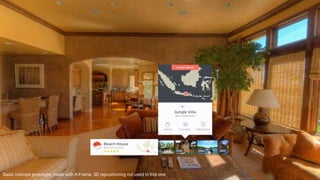
Concept prototype, made with A-Frame. 3D repositioning not used in this one.
Example
You made a real
estate catalog
as a web app
Basic concept prototype, made with A-Frame. 3D repositioning not used in this one.
Nice to know about
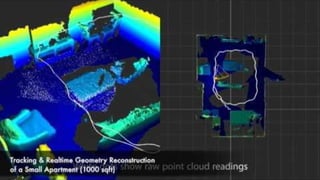
real estate 3d
revolution:
So…
Virtual Reality
provides new
experiences for
customers
Not just a flat
picture
Your site just works, “for free”. But the site is stuck inside a small window. Developers should be able to fill the entire 360 environment.
What if developers could, with CSS: apply a 360 background, make the window transparent, and re-position elements in 3D space?
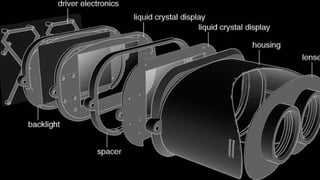
How VR works?
VR DEV: Good parts
UNITY
GameObject canvasGO = new GameObject();
RectTransform canvasRT =
canvasGO.AddComponent<RectTransform>();
Canvas canvasCV = canvasGO.AddComponent<Canvas>();
canvasCV.RenderMode = RenderMode.ScreenSpaceCamera;
Vector3 pos = Camera.main.transform.position;
pos += Camera.main.transform.forward * 10.0f;
canvasCV.worldCamera = Camera.main;
GameObject buttonGO = new GameObject();
RectTransform buttonRT =
buttonGO.AddComponent<RectTransform>();
buttonRT.SetParent(canvasRT);
buttonRT.sizeDelta = new Vector2(200.0f, 100.0f);
Button buttonBU = buttonGO.AddComponent<Button>();
buttonBU.onClick.AddListener( () => {
VR DEV: Bad parts
Three.js
var gui = new THREE.SimpleDatGui();
gui.add(myFunctions, 'RESET_EVENT').name('Reset
Position');
gui.add(gui_options,
'CONNECT_TO_OCULUS_RIFT').name('Oculus
Control').onChange(function(value) {
oculusRiftControl.setActive(value);
});
gui.add(gui_options,
'TRANPARENT').name('Tranparent').onChange(function(
value) {
gui_options.OPACITY = (value) ? 80 : 100;
});
gui.add(gui_options, 'OPACITY', 10,
100).step(10).name('Opacity').onChange(function(val
ue) {
gui_options.TRANPARENT = !(value == 100);
Step backward
for front-end
ninjas
Bah, we would do
this with HTML/CSS
easily!
How?
- Would CSS 3D work
for porting my Web
app to VR?
Kinda we can display
HTML content in VR
for free
Demo, Demo2
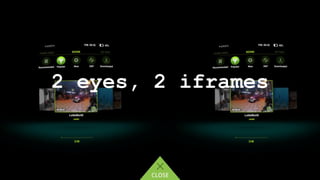
2 eyes, 2 iframes
- No
- Would CSS 3D work
for porting my Web
app to VR?
Problem 1:
Delay between
iframes producing
sickness
= delay
2 eyes, 2 instances
= solution, no lag
1 master, 2 slaves
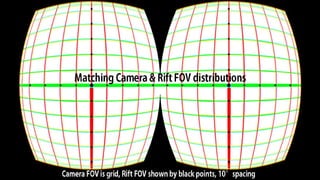
Problem 2:
Field of view
distortion
Field of view enhancement
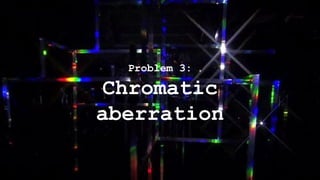
Problem 3:
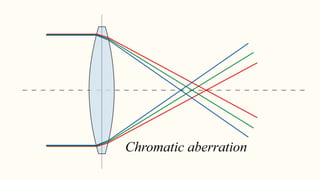
Chromatic
aberration
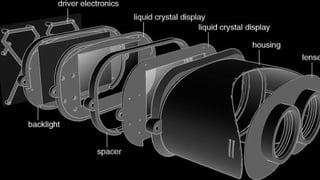
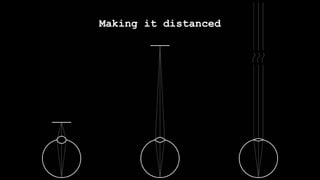
Making it distanced
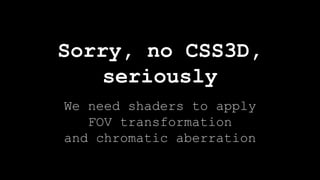
We need shaders to apply
FOV transformation
and chromatic aberration
Sorry, no CSS3D,
seriously
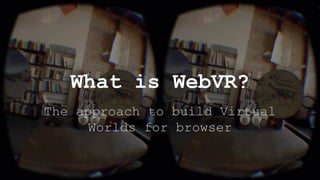
The approach to build Virtual
Worlds for browser
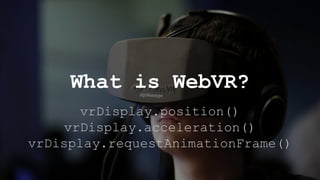
What is WebVR?
Family of APIs: WebGL +
VR Sensors + Gamepad API +
Helmet detection API
What is WebVR?
vrDisplay.position()
vrDisplay.acceleration()
vrDisplay.requestAnimationFrame()
What is WebVR?
And WebVR is open
Oculus and Vive
are proprietary
ecosystems
WebVR support
No need to download something
WebVR is instant
Companies bet on
WebVR
ThreeVR, ThreeVREffect plugins
WebVR mostly uses
Three.js
HTML
<img src=”back.png”>
WebVR: Bad parts
WebVR (three.js)
var renderer = new THREE.WebGLRenderer();
renderer.setSize(window.innerWidth,
window.innerHeight);
document.body.appendChild(renderer.domElement);
var camera = new THREE.PerspectiveCamera(45,
window.innerWidth / window.innerHeight, 1, 1000);
camera.position.z = 500;
var scene = new THREE.Scene();

var material = new THREE.MeshLambertMaterial({
map:
THREE.ImageUtils.loadTexture('http://www.html5canva
stutorials.com/demos/assets/crate.jpg')});
var plain = new THREE.Mesh(new THREE.Plain(200,
200), material);
scene.add(plain);
Wait a minute...
500 000 lines of code JavaScript OS
iPhone 2g, 512 RAM

ChallengingNative.com
Fast web applications development, profiling and optimization
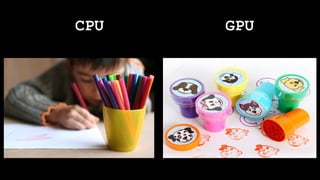
CPU GPU
CPU GPU
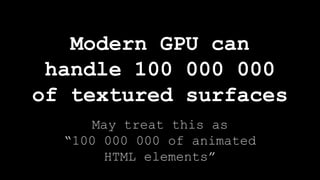
Modern GPU can
handle 100 000 000

of textured surfaces
May treat this as
“100 000 000 of animated
HTML elements”
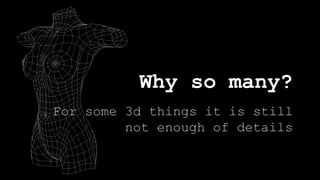
Why so many?
For some 3d things it is still
not enough of details
Let`s release bunnies!
OpenGL is also
available on the Web
via WebGL
Why do not we use
WebGL for content?
Imperative, verbose, no layout
HTML
<img src=”back.png”>
WebGL: Bad parts
WebGL (three.js)
var renderer = new THREE.WebGLRenderer();
renderer.setSize(window.innerWidth,
window.innerHeight);
document.body.appendChild(renderer.domElement);
var camera = new THREE.PerspectiveCamera(45,
window.innerWidth / window.innerHeight, 1, 1000);
camera.position.z = 500;
var scene = new THREE.Scene();
var material = new THREE.MeshLambertMaterial({
map:
THREE.ImageUtils.loadTexture('http://www.html5canva
stutorials.com/demos/assets/crate.jpg')});
var plain = new THREE.Mesh(new THREE.Plain(200,
200), material);
scene.add(plain);
Renders HTML/CSS in WebGL
<img src=”back.png”>
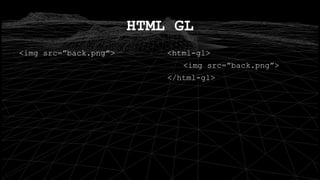
HTML GL
<html-gl>
<img src=”back.png”>
</html-gl>
No!
Does this improves
performance only?
Demo
Some goodies for
PhoneGap
Ring… Ring...
Can
- Sorry it is 2D only so far
- Can you drop web
app into a 3D space
with HTML-GL?
A year later...
v2 Renders HTML/CSS
in WebGL and WebVR
Should we call it HTML2VR?
HTML-GL v2 is x10
more performant
HTML-GL v2
better sync with DOM
Renderers, rasterizers
HTML-GL v2
is pluggable
Three.js means WebVR
HTML-GL v2
three.js plugin
Not only porting
existing apps...
HTML / CSS is way more efficient
Creating UIs in 3D
is expensive
Creating UIs
for VR quickly
UNITY
GameObject canvasGO = new GameObject();
RectTransform canvasRT =
canvasGO.AddComponent<RectTransform>();
Canvas canvasCV = canvasGO.AddComponent<Canvas>();
canvasCV.RenderMode = RenderMode.ScreenSpaceCamera;
Vector3 pos = Camera.main.transform.position;
pos += Camera.main.transform.forward * 10.0f;
canvasCV.worldCamera = Camera.main;
GameObject buttonGO = new GameObject();
RectTransform buttonRT =
buttonGO.AddComponent<RectTransform>();
buttonRT.SetParent(canvasRT);
buttonRT.sizeDelta = new Vector2(200.0f, 100.0f);
Button buttonBU = buttonGO.AddComponent<Button>();
buttonBU.onClick.AddListener( () => {
VR DEV: Bad parts
Three.js
var gui = new THREE.SimpleDatGui();
gui.add(myFunctions, 'RESET_EVENT').name('Reset
Position');
gui.add(gui_options,
'CONNECT_TO_OCULUS_RIFT').name('Oculus
Control').onChange(function(value) {
oculusRiftControl.setActive(value);
});
gui.add(gui_options,
'TRANPARENT').name('Tranparent').onChange(function(
value) {
gui_options.OPACITY = (value) ? 80 : 100;
});
gui.add(gui_options, 'OPACITY', 10,
100).step(10).name('Opacity').onChange(function(val
ue) {
gui_options.TRANPARENT = !(value == 100);
Demo time
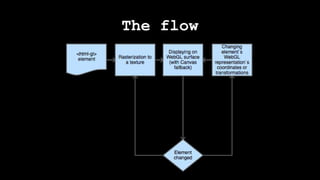
How it works?
The flow
Roadmap
WebVR as a progressive
enchancement?
vr.yourdomain.com
WebVR as a progressive
enchancement?
WordPress
WebVR plugin
<a-html>
A-Frame plugin
Text rendering
optimizations with
SDF
What is this?
ReactVR
by Oculus/Facebook
Questions?
github.com/PixelsCommander/HTML-GL
@PixelsCommander
Thank you!
Bye!

Портируем существующее Web-приложение в виртуальную реальность / Денис Радин (Liberty Global)