WebGL & Three.js
How to use 3D in the browser
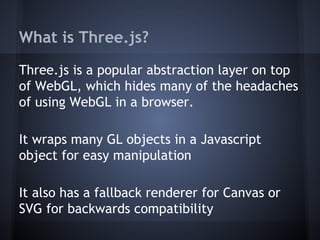
What is Three.js?
Three.js is a popular abstraction layer on top
of WebGL, which hides many of the headaches
of using WebGL in a browser.
It wraps many GL objects in a Javascript
object for easy manipulation
It also has a fallback renderer for Canvas or
SVG for backwards compatibility
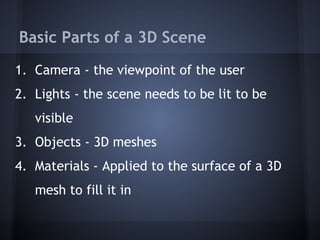
Basic Parts of a 3D Scene
1. Camera - the viewpoint of the user
2. Lights - the scene needs to be lit to be
visible
3. Objects - 3D meshes
4. Materials - Applied to the surface of a 3D
mesh to fill it in
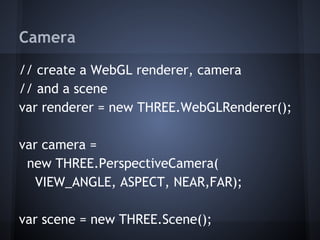
Camera
// create a WebGL renderer, camera
// and a scene
var renderer = new THREE.WebGLRenderer();
var camera =
new THREE.PerspectiveCamera(
VIEW_ANGLE, ASPECT, NEAR,FAR);
var scene = new THREE.Scene();
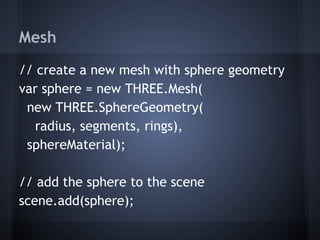
Mesh
// create a new mesh with sphere geometry
var sphere = new THREE.Mesh(
new THREE.SphereGeometry(
radius, segments, rings),
sphereMaterial);
// add the sphere to the scene
scene.add(sphere);
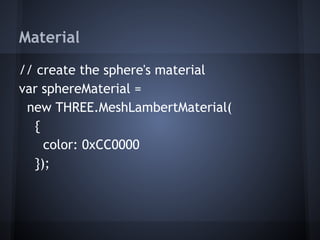
Material
// create the sphere's material
var sphereMaterial =
new THREE.MeshLambertMaterial(
{
color: 0xCC0000
});
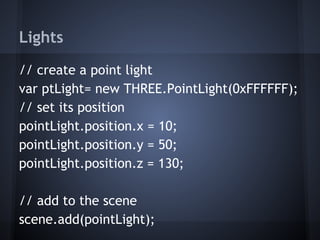
Lights
// create a point light
var ptLight= new THREE.PointLight(0xFFFFFF);
// set its position
pointLight.position.x = 10;
pointLight.position.y = 50;
pointLight.position.z = 130;
// add to the scene
scene.add(pointLight);
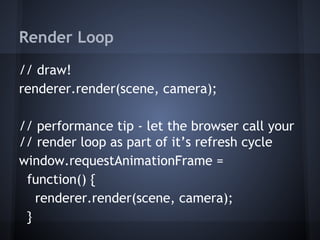
Render Loop
// draw!
renderer.render(scene, camera);
// performance tip - let the browser call your
// render loop as part of it’s refresh cycle
window.requestAnimationFrame =
function() {
renderer.render(scene, camera);
}
Just Skimming The Surface!
WebGL supports almost anything your graphics
card / browser can provide!
See tons of examples at:
http://threejs.org/
https://developer.mozilla.
org/ms/demos/tag/tech:webgl
http://www.chromeexperiments.com/webgl/

Intro to Three.js

  • 1.
    WebGL & Three.js Howto use 3D in the browser
  • 2.
    What is Three.js? Three.jsis a popular abstraction layer on top of WebGL, which hides many of the headaches of using WebGL in a browser. It wraps many GL objects in a Javascript object for easy manipulation It also has a fallback renderer for Canvas or SVG for backwards compatibility
  • 3.
    Basic Parts ofa 3D Scene 1. Camera - the viewpoint of the user 2. Lights - the scene needs to be lit to be visible 3. Objects - 3D meshes 4. Materials - Applied to the surface of a 3D mesh to fill it in
  • 4.
    Camera // create aWebGL renderer, camera // and a scene var renderer = new THREE.WebGLRenderer(); var camera = new THREE.PerspectiveCamera( VIEW_ANGLE, ASPECT, NEAR,FAR); var scene = new THREE.Scene();
  • 5.
    Mesh // create anew mesh with sphere geometry var sphere = new THREE.Mesh( new THREE.SphereGeometry( radius, segments, rings), sphereMaterial); // add the sphere to the scene scene.add(sphere);
  • 6.
    Material // create thesphere's material var sphereMaterial = new THREE.MeshLambertMaterial( { color: 0xCC0000 });
  • 7.
    Lights // create apoint light var ptLight= new THREE.PointLight(0xFFFFFF); // set its position pointLight.position.x = 10; pointLight.position.y = 50; pointLight.position.z = 130; // add to the scene scene.add(pointLight);
  • 8.
    Render Loop // draw! renderer.render(scene,camera); // performance tip - let the browser call your // render loop as part of it’s refresh cycle window.requestAnimationFrame = function() { renderer.render(scene, camera); }
  • 9.
    Just Skimming TheSurface! WebGL supports almost anything your graphics card / browser can provide! See tons of examples at: http://threejs.org/ https://developer.mozilla. org/ms/demos/tag/tech:webgl http://www.chromeexperiments.com/webgl/