











9/26/2013
2
Why Analytics
“What gets measured
gets managed.”
-Peter Drucker
3
Data Is Everywhere
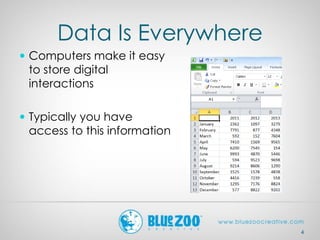
 Computers make it easy
to store digital
interactions
 Typically you have
access to this information
4
Better Tools
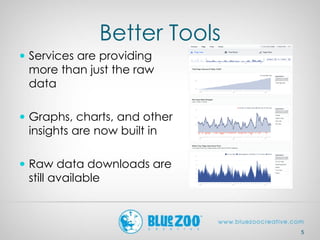
 Services are providing
more than just the raw
data
 Graphs, charts, and other
insights are now built in
 Raw data downloads are
still available
5
Downsides
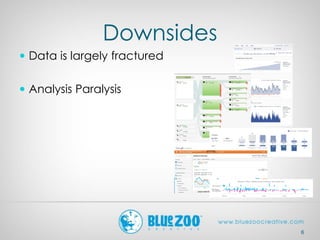
 Data is largely fractured
 Analysis Paralysis
6
What Can You Do With The
Measurements?
7
 Change design
 Finding effective
content
 Change external
marketing mix
8
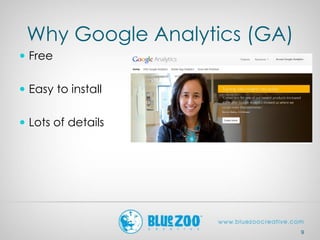
Why Google Analytics (GA)
 Free
 Easy to install
 Lots of details
9
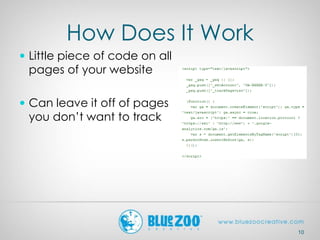
How Does It Work
 Little piece of code on all
pages of your website
 Can leave it off of pages
you don’t want to track
10
Downsides
 Doesn’t track everyone
 Visitors cookies need to
be enabled
 Requires Google
account
 Privacy
11
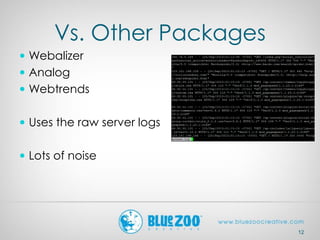
Vs. Other Packages
 Webalizer
 Analog
 Webtrends
 Uses the raw server logs
 Lots of noise
12
Interaction With Google
Search
 Does send info about
your site and your visitors
back to Google
 “If a service is free, you’re
the product.”
13
Visits and Pageviews
 Visits-how many
individual people visit the
site
 Pageviews-total number
of pages that visitors
have viewed on the site
 Sometimes called “hits”
interchangeably
14
Pages/Visit and
Avg. Visit Duration
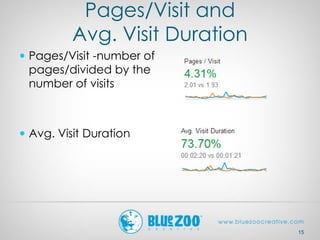
 Pages/Visit -number of
pages/divided by the
number of visits
 Avg. Visit Duration
15
% New Visits and
Unique Visitors
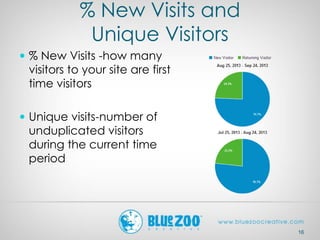
 % New Visits -how many
visitors to your site are first
time visitors
 Unique visits-number of
unduplicated visitors
during the current time
period
16
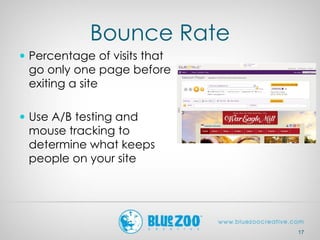
Bounce Rate
 Percentage of visits that
go only one page before
exiting a site
 Use A/B testing and
mouse tracking to
determine what keeps
people on your site
17
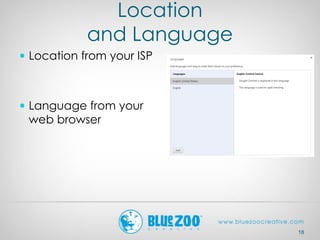
Location
and Language
 Location from your ISP
 Language from your
web browser
18
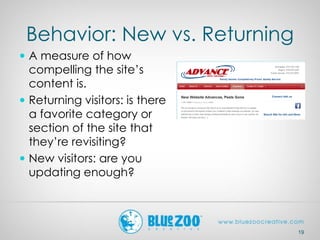
Behavior: New vs. Returning
 A measure of how
compelling the site’s
content is.
 Returning visitors: is there
a favorite category or
section of the site that
they’re revisiting?
 New visitors: are you
updating enough?
19
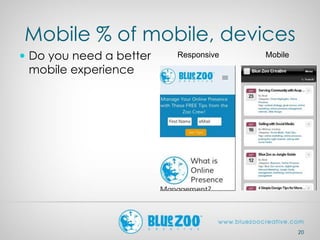
Mobile % of mobile, devices
 Do you need a better
mobile experience
20
Responsive Mobile
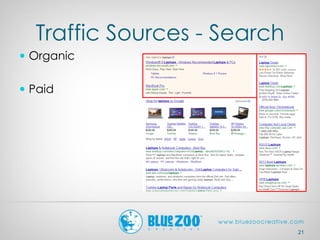
Traffic Sources - Search
 Organic
 Paid
21
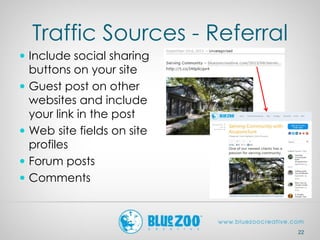
Traffic Sources - Referral
 Include social sharing
buttons on your site
 Guest post on other
websites and include
your link in the post
 Web site fields on site
profiles
 Forum posts
 Comments
22
Traffic Sources - Direct
 Directly typing your
website into the browser
 Clicking on a link in an
email
 Using a browser’s
bookmark
 Clicking a link
embedded in a
document, PDF, excel, or
other file
23
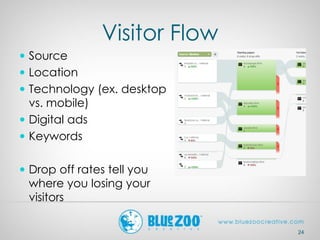
Visitor Flow
 Source
 Location
 Technology (ex. desktop
vs. mobile)
 Digital ads
 Keywords
 Drop off rates tell you
where you losing your
visitors
24
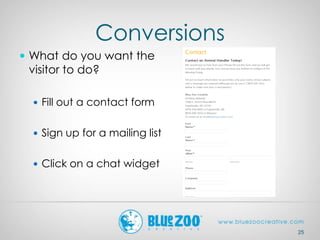
Conversions
 What do you want the
visitor to do?
 Fill out a contact form
 Sign up for a mailing list
 Click on a chat widget
25
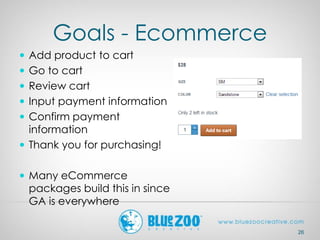
Goals - Ecommerce
 Add product to cart
 Go to cart
 Review cart
 Input payment information
 Confirm payment
information
 Thank you for purchasing!
 Many eCommerce
packages build this in since
GA is everywhere
26
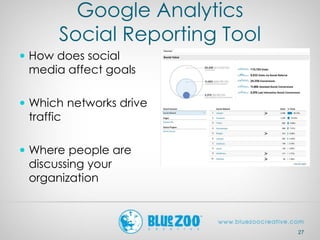
Google Analytics
Social Reporting Tool
 How does social
media affect goals
 Which networks drive
traffic
 Where people are
discussing your
organization
27
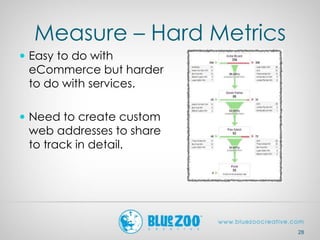
Measure – Hard Metrics
 Easy to do with
eCommerce but harder
to do with services.
 Need to create custom
web addresses to share
to track in detail.
28
29
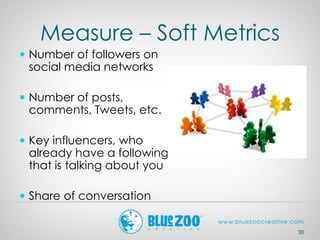
Measure – Soft Metrics
30
 Number of followers on
social media networks
 Number of posts,
comments, Tweets, etc.
 Key influencers, who
already have a following
that is talking about you
 Share of conversation
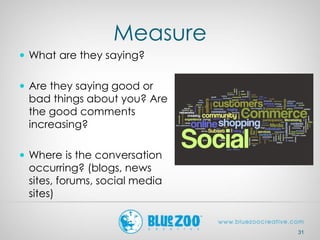
Measure
31
 What are they saying?
 Are they saying good or
bad things about you? Are
the good comments
increasing?
 Where is the conversation
occurring? (blogs, news
sites, forums, social media
sites)
Measure – Hard
Metric Comparisons
 Pay Per Click (PPC) =
 Cost Per Click (CPC)
 Cost Per 1000 Impressions
(CPM)
 Get comparison rates
from Google or
Facebook ads
33
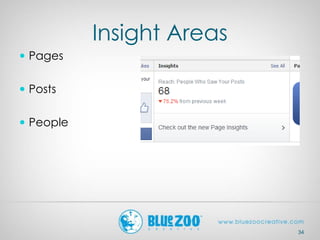
Insight Areas
 Pages
 Posts
 People
34
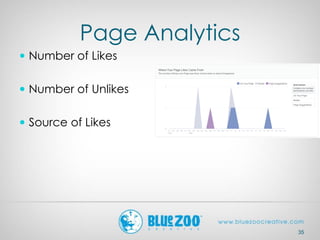
Page Analytics
 Number of Likes
 Number of Unlikes
 Source of Likes
35
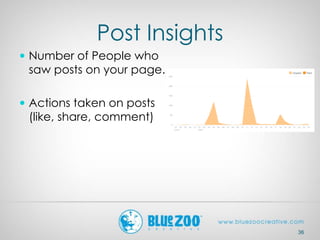
Post Insights
 Number of People who
saw posts on your page.
 Actions taken on posts
(like, share, comment)
36
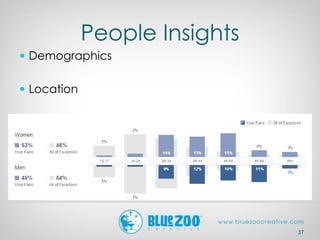
People Insights
 Demographics
 Location
37
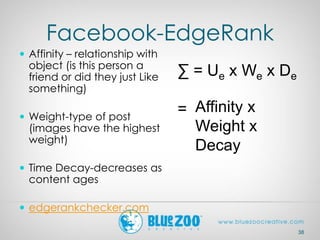
Facebook-EdgeRank
 Affinity – relationship with
object (is this person a
friend or did they just Like
something)
 Weight-type of post
(images have the highest
weight)
 Time Decay-decreases as
content ages
 edgerankchecker.com
38
∑ = Ue x We x De
= Affinity x
Weight x
Decay
39
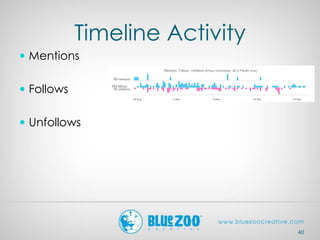
Timeline Activity
 Mentions
 Follows
 Unfollows
40
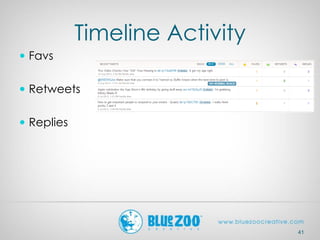
Timeline Activity
 Favs
 Retweets
 Replies
41
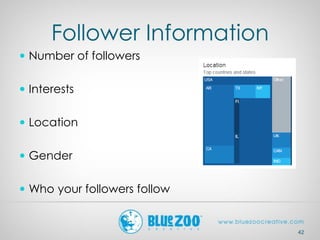
Follower Information
 Number of followers
 Interests
 Location
 Gender
 Who your followers follow
42
43
Pinterest Analytics
 Only on business
accounts
 Similar metrics to other
social networks
44
Pinterest Metrics
 Pins
 Pinners
 Repins
 Repinners
 Impressions
 Reach
45
 Clicks
 Visitors
 Most Recent Pins
 Most Repinned
 Most Clicked
46
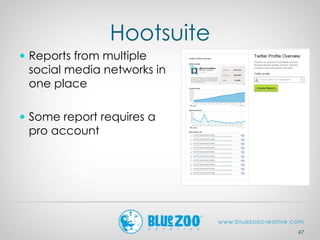
Hootsuite
 Reports from multiple
social media networks in
one place
 Some report requires a
pro account
47
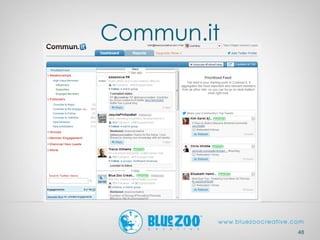
Commun.it
48
Link Shorteners
 Example: Bit.ly
 Integrates with lots of
services (ex. Twitter)
 What percentage of your
clicks contributed to the
overall number of clicks
on that link
49
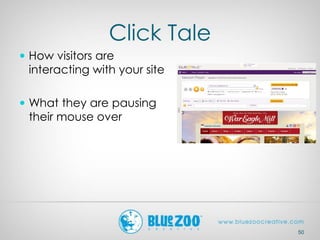
Click Tale
 How visitors are
interacting with your site
 What they are pausing
their mouse over
50
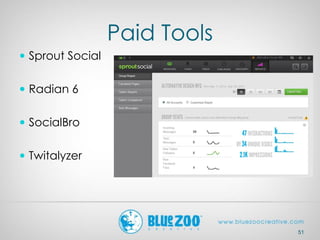
Paid Tools
 Sprout Social
 Radian 6
 SocialBro
 Twitalyzer
51
52
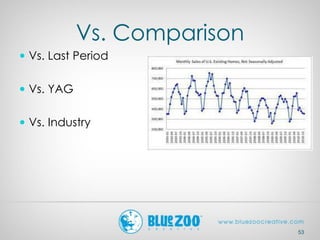
Vs. Comparison
 Vs. Last Period
 Vs. YAG
 Vs. Industry
53
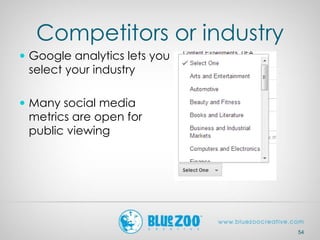
Competitors or industry
 Google analytics lets you
select your industry
 Many social media
metrics are open for
public viewing
54
collin@bluezoocreative.com
Twitter.com/ccondray
9/26/2012
collin@bluezoocreative.com
Twitter.com/ccondray
479-966-9575
9/26/2013

Web and social analytics

  • 1.
  • 2.
  • 3.
    Why Analytics “What getsmeasured gets managed.” -Peter Drucker 3
  • 4.
    Data Is Everywhere Computers make it easy to store digital interactions  Typically you have access to this information 4
  • 5.
    Better Tools  Servicesare providing more than just the raw data  Graphs, charts, and other insights are now built in  Raw data downloads are still available 5
  • 6.
    Downsides  Data islargely fractured  Analysis Paralysis 6
  • 7.
    What Can YouDo With The Measurements? 7  Change design  Finding effective content  Change external marketing mix
  • 8.
  • 9.
    Why Google Analytics(GA)  Free  Easy to install  Lots of details 9
  • 10.
    How Does ItWork  Little piece of code on all pages of your website  Can leave it off of pages you don’t want to track 10
  • 11.
    Downsides  Doesn’t trackeveryone  Visitors cookies need to be enabled  Requires Google account  Privacy 11
  • 12.
    Vs. Other Packages Webalizer  Analog  Webtrends  Uses the raw server logs  Lots of noise 12
  • 13.
    Interaction With Google Search Does send info about your site and your visitors back to Google  “If a service is free, you’re the product.” 13
  • 14.
    Visits and Pageviews Visits-how many individual people visit the site  Pageviews-total number of pages that visitors have viewed on the site  Sometimes called “hits” interchangeably 14
  • 15.
    Pages/Visit and Avg. VisitDuration  Pages/Visit -number of pages/divided by the number of visits  Avg. Visit Duration 15
  • 16.
    % New Visitsand Unique Visitors  % New Visits -how many visitors to your site are first time visitors  Unique visits-number of unduplicated visitors during the current time period 16
  • 17.
    Bounce Rate  Percentageof visits that go only one page before exiting a site  Use A/B testing and mouse tracking to determine what keeps people on your site 17
  • 18.
    Location and Language  Locationfrom your ISP  Language from your web browser 18
  • 19.
    Behavior: New vs.Returning  A measure of how compelling the site’s content is.  Returning visitors: is there a favorite category or section of the site that they’re revisiting?  New visitors: are you updating enough? 19
  • 20.
    Mobile % ofmobile, devices  Do you need a better mobile experience 20 Responsive Mobile
  • 21.
    Traffic Sources -Search  Organic  Paid 21
  • 22.
    Traffic Sources -Referral  Include social sharing buttons on your site  Guest post on other websites and include your link in the post  Web site fields on site profiles  Forum posts  Comments 22
  • 23.
    Traffic Sources -Direct  Directly typing your website into the browser  Clicking on a link in an email  Using a browser’s bookmark  Clicking a link embedded in a document, PDF, excel, or other file 23
  • 24.
    Visitor Flow  Source Location  Technology (ex. desktop vs. mobile)  Digital ads  Keywords  Drop off rates tell you where you losing your visitors 24
  • 25.
    Conversions  What doyou want the visitor to do?  Fill out a contact form  Sign up for a mailing list  Click on a chat widget 25
  • 26.
    Goals - Ecommerce Add product to cart  Go to cart  Review cart  Input payment information  Confirm payment information  Thank you for purchasing!  Many eCommerce packages build this in since GA is everywhere 26
  • 27.
    Google Analytics Social ReportingTool  How does social media affect goals  Which networks drive traffic  Where people are discussing your organization 27
  • 28.
    Measure – HardMetrics  Easy to do with eCommerce but harder to do with services.  Need to create custom web addresses to share to track in detail. 28
  • 29.
  • 30.
    Measure – SoftMetrics 30  Number of followers on social media networks  Number of posts, comments, Tweets, etc.  Key influencers, who already have a following that is talking about you  Share of conversation
  • 31.
    Measure 31  What arethey saying?  Are they saying good or bad things about you? Are the good comments increasing?  Where is the conversation occurring? (blogs, news sites, forums, social media sites)
  • 32.
    Measure – Hard MetricComparisons  Pay Per Click (PPC) =  Cost Per Click (CPC)  Cost Per 1000 Impressions (CPM)  Get comparison rates from Google or Facebook ads
  • 33.
  • 34.
    Insight Areas  Pages Posts  People 34
  • 35.
    Page Analytics  Numberof Likes  Number of Unlikes  Source of Likes 35
  • 36.
    Post Insights  Numberof People who saw posts on your page.  Actions taken on posts (like, share, comment) 36
  • 37.
  • 38.
    Facebook-EdgeRank  Affinity –relationship with object (is this person a friend or did they just Like something)  Weight-type of post (images have the highest weight)  Time Decay-decreases as content ages  edgerankchecker.com 38 ∑ = Ue x We x De = Affinity x Weight x Decay
  • 39.
  • 40.
    Timeline Activity  Mentions Follows  Unfollows 40
  • 41.
    Timeline Activity  Favs Retweets  Replies 41
  • 42.
    Follower Information  Numberof followers  Interests  Location  Gender  Who your followers follow 42
  • 43.
  • 44.
    Pinterest Analytics  Onlyon business accounts  Similar metrics to other social networks 44
  • 45.
    Pinterest Metrics  Pins Pinners  Repins  Repinners  Impressions  Reach 45  Clicks  Visitors  Most Recent Pins  Most Repinned  Most Clicked
  • 46.
  • 47.
    Hootsuite  Reports frommultiple social media networks in one place  Some report requires a pro account 47
  • 48.
  • 49.
    Link Shorteners  Example:Bit.ly  Integrates with lots of services (ex. Twitter)  What percentage of your clicks contributed to the overall number of clicks on that link 49
  • 50.
    Click Tale  Howvisitors are interacting with your site  What they are pausing their mouse over 50
  • 51.
    Paid Tools  SproutSocial  Radian 6  SocialBro  Twitalyzer 51
  • 52.
  • 53.
    Vs. Comparison  Vs.Last Period  Vs. YAG  Vs. Industry 53
  • 54.
    Competitors or industry Google analytics lets you select your industry  Many social media metrics are open for public viewing 54
  • 56.