SO YOU ARE
MANAGING A WEB
PRESENCE…
how people are getting to your
site.
what content is performing
according to your
expectations.
what do you need?
Ingredients
1. Google analytics
account
2. Website
3. Java script code
The only thing you have to do is:
implement the java script code
from your GA account into your
site (above the <head> tag).
WHAT CAN YOU
MEASURE?
1. Visitors – where they come
from (geographically), what
language they speak,
frequency of visits, what
computers and browsers
they use.
2. Traffic sources – the way
people reach your site
(keywords and sites that
link to yours).
3. Content – it gives you
insights about which page in
site was the most popular
and the users’ path of
reaching it.
4. Goals for objectives – tracks
the downloads, registrations
or subscriptions made on
site.
5. E-commerce – tracks the
evolution of a purchase
made in a online shopping
site.
Three Core
metrics
1. Acquisition
Measures: the number of
visitors that reach your
site and where they are
coming from.
how many
have been to your site
before (loyalty)
Visits
2. Engagement
Measures:
- pages per visit – average
numbers of pages viewed
- average time on site –
how much does a visitor
stays on site
- bounce rate – single
page visits on site and
how many visitors left
from the main page
towards other pages in
site.
Quality of site traffic
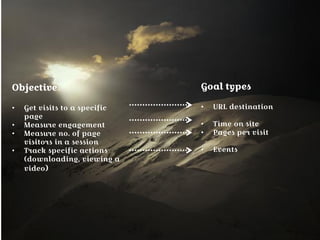
Objective
• Get visits to a specific page
• Measure engagement
• Measure no. of page visitors
in a session
• Track specific actions
(downloading, viewing a
video)
Goal types
• URL destination
• Time on site
• Pages per visit
• Events
3. Outcome (Goals area)
Define your strategy objective:
- drive visitors to make online purchase
- get them to view a specific content
- more newsletter signups
Keep track on your
marketing campaign
Objective
• Get visits to a specific
page
• Measure engagement
• Measure no. of page
visitors in a session
• Track specific actions
(downloading, viewing a
video)
Goal types
• URL destination
• Time on site
• Pages per visit
• Events
For a better website:
 Make your site engaging so
that visitors will continue
clicking into it.
 Make your site user-
friendly.
 Simple construction for
visitors to navigate on site.
 Build an interactive
content.
 Match the content of a text
with keywords in it’s title.
 Make a creative website
design.
FEATURES
Keywords Clouds
• you can visualize easily what
words are the most compatible
with your content based on
bounce rates, pages per visit and
visits.
Real-time data
• you can view the activity
on site as it happens, with
no minutes/hours delays,
based on: active pages, top
referrals, keywords or
geographic location.
Personalized dashboard
• you can view the activity on site as it happens, with no
minutes/hours delays, based on: active pages, top referrals,
keywords or geographic location.
Webmaster tools
Shows you which Google property
(web, image, mobile) sources
generated site traffic and
measures impressions and number
of clicks, as well.
it is usually used to evaluate
search trends
Social Engagement
Helps you track the way
visitors interact with your site
 which social source was
used and what action was
performed (ex. tweet, like,
share)
Multi-channel
Funnels
• Helps you see how many
visitors reached your site
through a paid search
ad, a link in social
networks or from an
email link.
• You can find out what
channel was the most
successful for conversion
 which marketing
activities have the
highest ROI
What’s missing?
 PDF/ email export
 Percent comparison
 Graph by week option
So….
Why should you use Google Analytics?
 It is free
 It is complex
 It gives you many insights for your site and for
your marketing strategy
 It is easy to use
Introduction to Google Analytics

Introduction to Google Analytics

  • 2.
    SO YOU ARE MANAGINGA WEB PRESENCE… how people are getting to your site. what content is performing according to your expectations. what do you need?
  • 3.
    Ingredients 1. Google analytics account 2.Website 3. Java script code The only thing you have to do is: implement the java script code from your GA account into your site (above the <head> tag).
  • 4.
    WHAT CAN YOU MEASURE? 1.Visitors – where they come from (geographically), what language they speak, frequency of visits, what computers and browsers they use. 2. Traffic sources – the way people reach your site (keywords and sites that link to yours). 3. Content – it gives you insights about which page in site was the most popular and the users’ path of reaching it. 4. Goals for objectives – tracks the downloads, registrations or subscriptions made on site. 5. E-commerce – tracks the evolution of a purchase made in a online shopping site.
  • 5.
  • 6.
    1. Acquisition Measures: thenumber of visitors that reach your site and where they are coming from. how many have been to your site before (loyalty) Visits
  • 7.
    2. Engagement Measures: - pagesper visit – average numbers of pages viewed - average time on site – how much does a visitor stays on site - bounce rate – single page visits on site and how many visitors left from the main page towards other pages in site. Quality of site traffic
  • 8.
    Objective • Get visitsto a specific page • Measure engagement • Measure no. of page visitors in a session • Track specific actions (downloading, viewing a video) Goal types • URL destination • Time on site • Pages per visit • Events 3. Outcome (Goals area) Define your strategy objective: - drive visitors to make online purchase - get them to view a specific content - more newsletter signups Keep track on your marketing campaign
  • 9.
    Objective • Get visitsto a specific page • Measure engagement • Measure no. of page visitors in a session • Track specific actions (downloading, viewing a video) Goal types • URL destination • Time on site • Pages per visit • Events
  • 10.
    For a betterwebsite:  Make your site engaging so that visitors will continue clicking into it.  Make your site user- friendly.  Simple construction for visitors to navigate on site.  Build an interactive content.  Match the content of a text with keywords in it’s title.  Make a creative website design.
  • 11.
  • 12.
    Keywords Clouds • youcan visualize easily what words are the most compatible with your content based on bounce rates, pages per visit and visits.
  • 13.
    Real-time data • youcan view the activity on site as it happens, with no minutes/hours delays, based on: active pages, top referrals, keywords or geographic location.
  • 14.
    Personalized dashboard • youcan view the activity on site as it happens, with no minutes/hours delays, based on: active pages, top referrals, keywords or geographic location.
  • 15.
    Webmaster tools Shows youwhich Google property (web, image, mobile) sources generated site traffic and measures impressions and number of clicks, as well. it is usually used to evaluate search trends
  • 16.
    Social Engagement Helps youtrack the way visitors interact with your site  which social source was used and what action was performed (ex. tweet, like, share)
  • 17.
    Multi-channel Funnels • Helps yousee how many visitors reached your site through a paid search ad, a link in social networks or from an email link. • You can find out what channel was the most successful for conversion  which marketing activities have the highest ROI
  • 18.
    What’s missing?  PDF/email export  Percent comparison  Graph by week option
  • 19.
    So…. Why should youuse Google Analytics?  It is free  It is complex  It gives you many insights for your site and for your marketing strategy  It is easy to use