







collin@bluezoocreative.com
Twitter.com/ccondray
4/23/2013
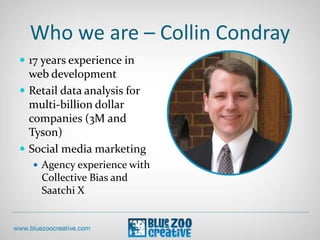
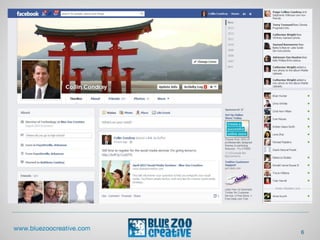
Who we are – Collin Condray
 17 years experience in
web development
 Retail data analysis for
multi-billion dollar
companies (3M and
Tyson)
 Social media marketing
 Agency experience with
Collective Bias and
Saatchi X
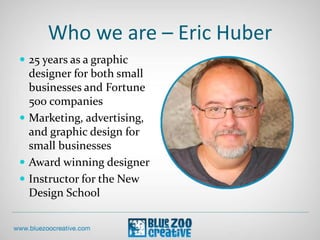
Who we are – Eric Huber
 25 years as a graphic
designer for both small
businesses and Fortune
500 companies
 Marketing, advertising,
and graphic design for
small businesses
 Award winning designer
 Instructor for the New
Design School
4
This presentation might
already be obsolete!
6
Not everything in this
presentation will apply to
you!
Blue Zoo Creative might
not do some of this.
Please Ask Questions!
9
10
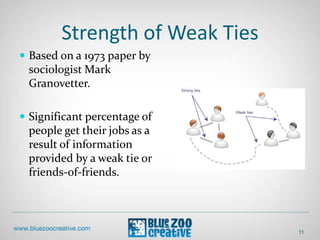
Strength of Weak Ties
11
 Based on a 1973 paper by
sociologist Mark
Granovetter.
 Significant percentage of
people get their jobs as a
result of information
provided by a weak tie or
friends-of-friends.
Strength of Weak Ties
12
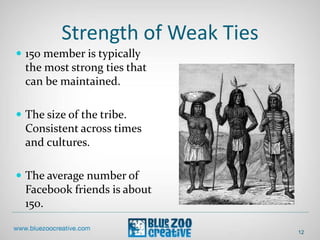
 150 member is typically
the most strong ties that
can be maintained.
 The size of the tribe.
Consistent across times
and cultures.
 The average number of
Facebook friends is about
150.
Strength of Weak Ties
13
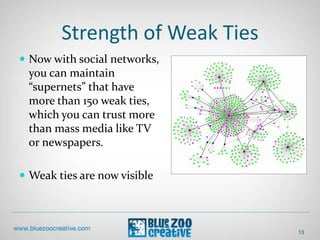
 Now with social networks,
you can maintain
“supernets” that have
more than 150 weak ties,
which you can trust more
than mass media like TV
or newspapers.
 Weak ties are now visible
Strength of Weak Ties
14
 There is some evidence
that sharing information
on social media networks:
 Makes you more likely to
be liked in social
interactions.
Strength of Weak Ties
15
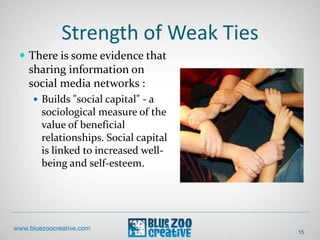
 There is some evidence that
sharing information on
social media networks :
 Builds "social capital" - a
sociological measure of the
value of beneficial
relationships. Social capital
is linked to increased well-
being and self-esteem.
Strength of Weak Ties
16
 There is some evidence that
sharing information on
social media networks :
 Increases influence. In a
color picking experiment, the
people who could see the
choices of more participants
(in other words, were better
connected) persuaded the
group to pick their color:
even when they had to
persuade the vast majority to
give up their financial
incentive.
Strength of Weak Ties
17
 There is some evidence that
sharing information on
social media networks :
 Makes one more attractive:
people with about 300
friends were rated as the
most appealing, any more
than that and their social
attractiveness began to drop
off.
18
Listen
19
 Google your name, industry,
competitors, and products
 Search Facebook and
Twitter.com
 Dedicated software
Listen
20
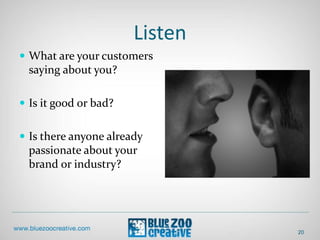
 What are your customers
saying about you?
 Is it good or bad?
 Is there anyone already
passionate about your
brand or industry?
People
21
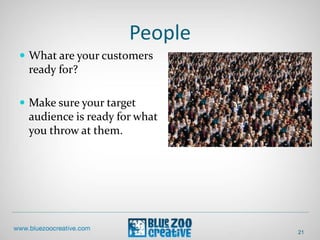
 What are your customers
ready for?
 Make sure your target
audience is ready for what
you throw at them.
Objectives
22
 What are your goals?
 Talking/broadcasting –
spread your message.
 Make an existing digital
marketing initiative
(banner/search ads) more
interactive.
Objectives
 What are your goals?
 Establishing credibility
23
Objectives
24
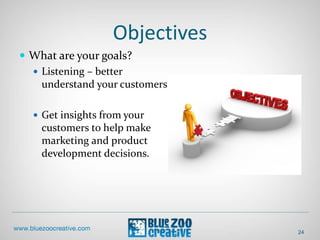
 What are your goals?
 Listening – better
understand your customers.
 Get insights from your
customers to help make
marketing and product
development decisions.
Objectives
25
 What are your goals?
 Supporting – help your
customers support each
other.
 Effective for companies that
have high support costs or to
connect with cohesive
groups that already exist.
Strategy
26
 What change do you want
your customers to make?
 Carry messages to others
 Engage more with your
organization.
Technology
27
 What social media tools
should you use or build?
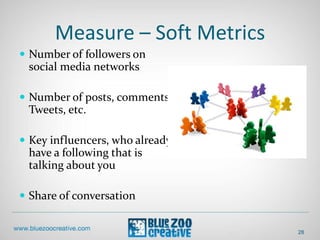
Measure – Soft Metrics
28
 Number of followers on
social media networks
 Number of posts, comments,
Tweets, etc.
 Key influencers, who already
have a following that is
talking about you
 Share of conversation
Measure
29
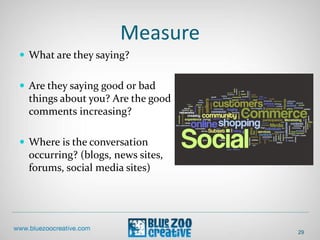
 What are they saying?
 Are they saying good or bad
things about you? Are the good
comments increasing?
 Where is the conversation
occurring? (blogs, news sites,
forums, social media sites)
What Can You Do With The
Measurements?
30
 Customer service
 Correct misinformation
 Find out what the
community has an interest
in but what is not currently
being discussed online.
“Geez, one bad employee can really
ruin your day!”
Reacting to Measurements
31
• Generate awareness among
customers and other
community members.
• Increase employee
awareness.
Measure – Hard
Metric Comparisons
 Pay Per Click (PPC) =
 Cost Per Click (CPC)
 Cost Per 1000 Impressions
(CPM)
 Get comparison rates from
Google or Facebook ads
Measure – Hard Metrics
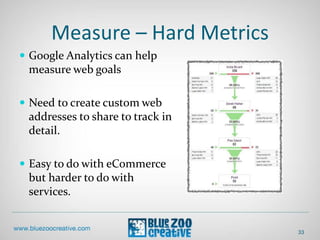
 Google Analytics can help
measure web goals
 Need to create custom web
addresses to share to track in
detail.
 Easy to do with eCommerce
but harder to do with
services.
33
Google Analytics
Social Reporting Tool
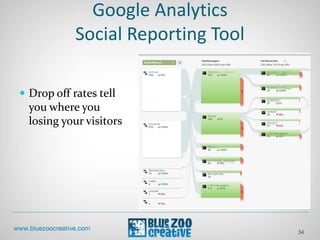
 Drop off rates tell
you where you
losing your visitors
34
Google Analytics
Social Reporting Tool
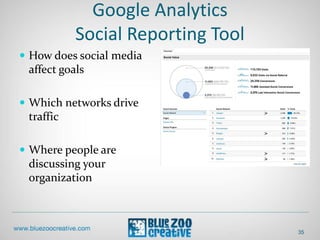
 How does social media
affect goals
 Which networks drive
traffic
 Where people are
discussing your
organization
35
36
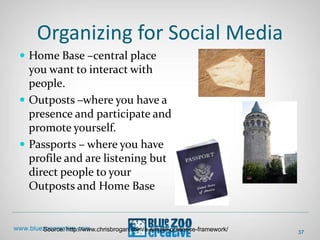
Organizing for Social Media
 Home Base –central place
you want to interact with
people.
 Outposts –where you have a
presence and participate and
promote yourself.
 Passports – where you have
profile and are listening but
direct people to your
Outposts and Home Base
37
Source: http://www.chrisbrogan.com/a-simple-presence-framework/
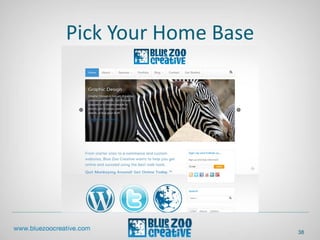
Pick Your Home Base
38
Ideally Use Self Hosted Website
 Full control
 Include a blog
39
Set Up Outposts
 LinkedIn is the office
 Facebook is the home
 Twitter is Happy Hour
 Google+ Is….?
40
Set Up Passports
 WordPress.com
 Tumblr
 Yahoo
 StumbleUpon
 Google/YouTube
 Yelp
41
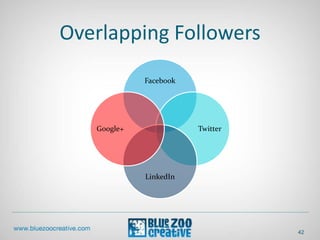
Overlapping Followers
42
Facebook
Twitter
LinkedIn
Google+
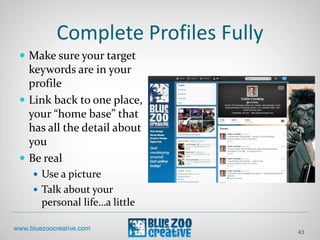
Complete Profiles Fully
 Make sure your target
keywords are in your
profile
 Link back to one place,
your “home base” that
has all the detail about
you
 Be real
 Use a picture
 Talk about your
personal life…a little
43
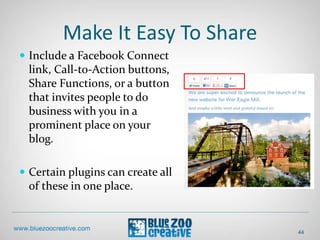
Make It Easy To Share
 Include a Facebook Connect
link, Call-to-Action buttons,
Share Functions, or a button
that invites people to do
business with you in a
prominent place on your
blog.
 Certain plugins can create all
of these in one place.
44
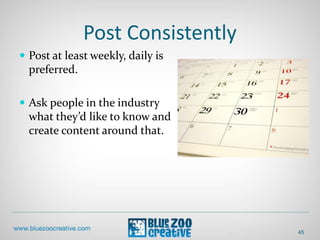
Post Consistently
 Post at least weekly, daily is
preferred.
 Ask people in the industry
what they’d like to know and
create content around that.
45
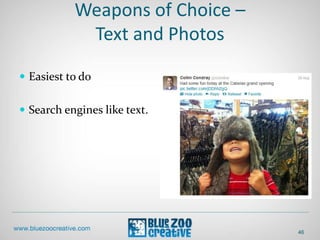
Weapons of Choice –
Text and Photos
 Easiest to do
 Search engines like text.
46
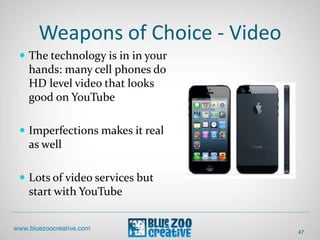
Weapons of Choice - Video
 The technology is in in your
hands: many cell phones do
HD level video that looks
good on YouTube
 Imperfections makes it real
as well
 Lots of video services but
start with YouTube
47
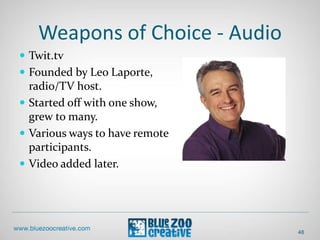
Weapons of Choice - Audio
 Twit.tv
 Founded by Leo Laporte,
radio/TV host.
 Started off with one show,
grew to many.
 Various ways to have remote
participants.
 Video added later.
48
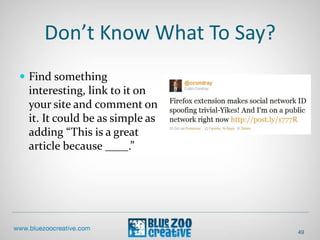
Don’t Know What To Say?
 Find something
interesting, link to it on
your site and comment on
it. It could be as simple as
adding “This is a great
article because ____.”
49
Connecting With Others
 Start with
 Friends
 Family
 Current customers
 Industry leaders
 Potential customers
 Don’t use Facebook’s email
all page
50
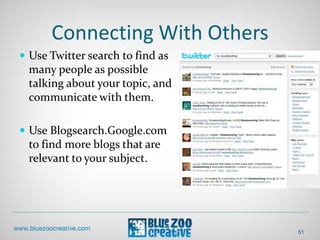
Connecting With Others
 Use Twitter search to find as
many people as possible
talking about your topic, and
communicate with them.
 Use Blogsearch.Google.com
to find more blogs that are
relevant to your subject.
51
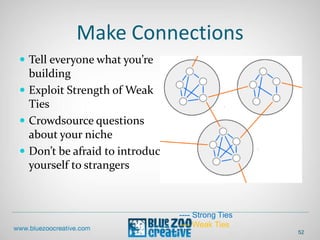
Make Connections
 Tell everyone what you’re
building
 Exploit Strength of Weak
Ties
 Crowdsource questions
about your niche
 Don’t be afraid to introduce
yourself to strangers
52
---- Strong Ties
---- Weak Ties
Posts per day
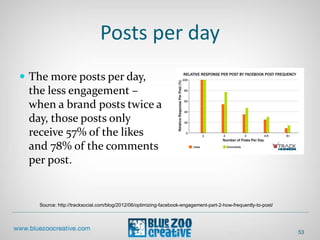
 The more posts per day,
the less engagement –
when a brand posts twice a
day, those posts only
receive 57% of the likes
and 78% of the comments
per post.
53
Source: http://tracksocial.com/blog/2012/06/optimizing-facebook-engagement-part-2-how-frequently-to-post/
54
55
56
Facebook Page – Cover Photo
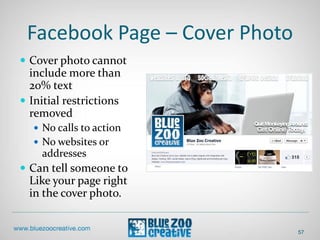
 Cover photo cannot
include more than
20% text
 Initial restrictions
removed
 No calls to action
 No websites or
addresses
 Can tell someone to
Like your page right
in the cover photo.
57
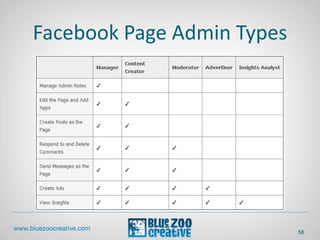
Facebook Page Admin Types
58
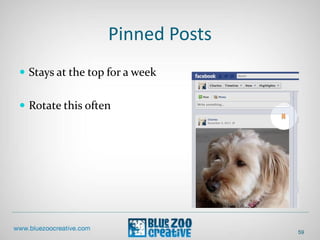
Pinned Posts
 Stays at the top for a week
 Rotate this often
59
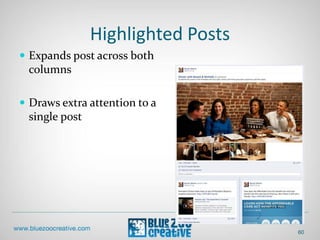
Highlighted Posts
 Expands post across both
columns
 Draws extra attention to a
single post
60
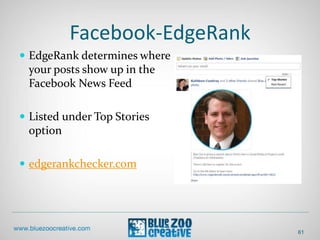
Facebook-EdgeRank
 EdgeRank determines where
your posts show up in the
Facebook News Feed
 Listed under Top Stories
option
 edgerankchecker.com
61
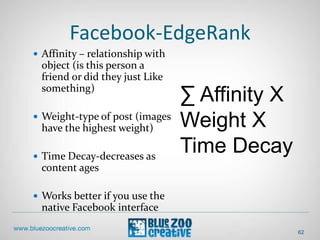
Facebook-EdgeRank
 Affinity – relationship with
object (is this person a
friend or did they just Like
something)
 Weight-type of post (images
have the highest weight)
 Time Decay-decreases as
content ages
 Works better if you use the
native Facebook interface
62
∑ Affinity X
Weight X
Time Decay
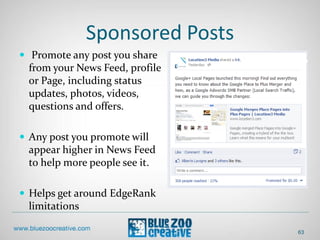
Sponsored Posts
 Promote any post you share
from your News Feed, profile
or Page, including status
updates, photos, videos,
questions and offers.
 Any post you promote will
appear higher in News Feed
to help more people see it.
 Helps get around EdgeRank
limitations
63
Facebook Contests
 Goal
 Facebook Guidelines
 Prizes
 Administration
64
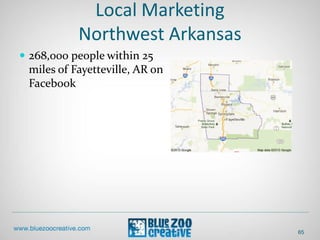
Local Marketing
Northwest Arkansas
 268,000 people within 25
miles of Fayetteville, AR on
Facebook
65
66
Twitter
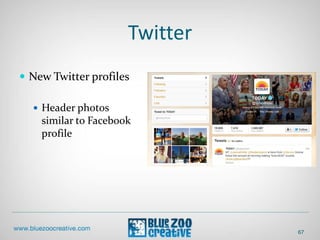
 New Twitter profiles
 Header photos
similar to Facebook
profile
67
Twitter
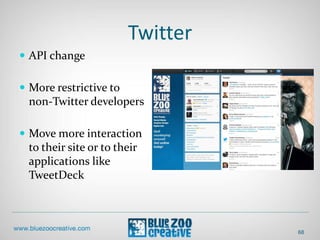
 API change
 More restrictive to
non-Twitter developers
 Move more interaction
to their site or to their
applications like
TweetDeck
68
Promoted Accounts
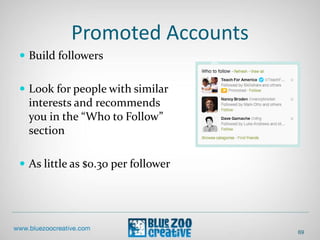
 Build followers
 Look for people with similar
interests and recommends
you in the “Who to Follow”
section
 As little as $0.30 per follower
69
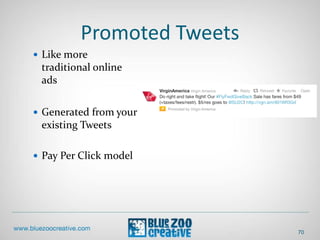
Promoted Tweets
 Like more
traditional online
ads
 Generated from your
existing Tweets
 Pay Per Click model
70
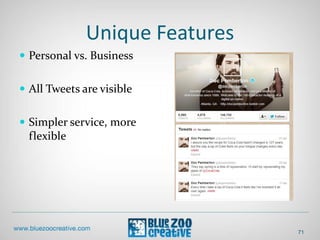
Unique Features
 Personal vs. Business
 All Tweets are visible
 Simpler service, more
flexible
71
72
Why LinkedIn?
 Average household income
of LinkedIn users is over
$88,000 per year.
 Higher than the average
income for Wall Street
Journal, Forbes and Business
Week readers
73
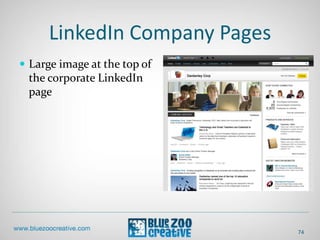
LinkedIn Company Pages
 Large image at the top of
the corporate LinkedIn
page
74
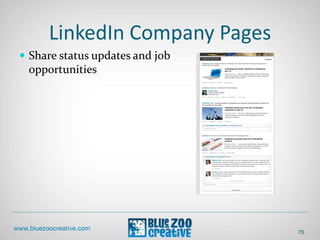
LinkedIn Company Pages
 Share status updates and job
opportunities
75
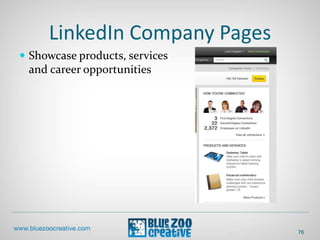
LinkedIn Company Pages
 Showcase products, services
and career opportunities
76
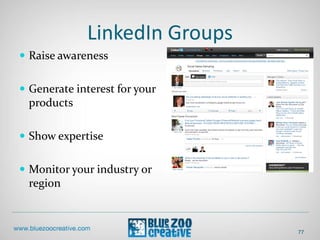
LinkedIn Groups
 Raise awareness
 Generate interest for your
products
 Show expertise
 Monitor your industry or
region
77
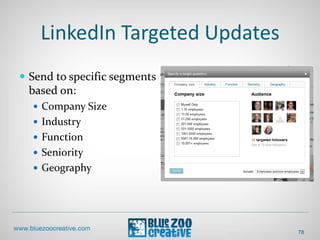
LinkedIn Targeted Updates
 Send to specific segments
based on:
 Company Size
 Industry
 Function
 Seniority
 Geography
78
79
80
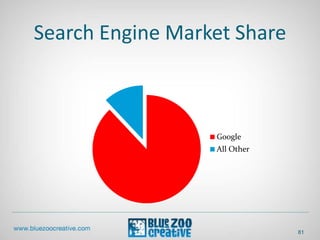
Search Engine Market Share
Google
All Other
81
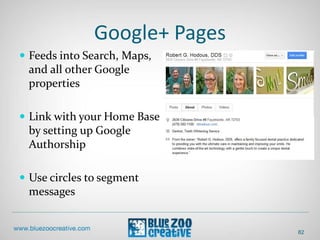
Google+ Pages
 Feeds into Search, Maps,
and all other Google
properties
 Link with your Home Base
by setting up Google
Authorship
 Use circles to segment
messages
82
Google+
 +1 Google’s version of a
Facebook Like
 Websites using Google’s +1
button get 3.5X the Google+
visits.
83
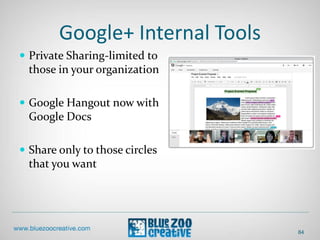
Google+ Internal Tools
 Private Sharing-limited to
those in your organization
 Google Hangout now with
Google Docs
 Share only to those circles
that you want
84
85
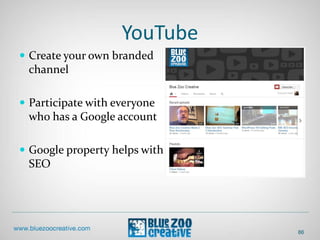
YouTube
 Create your own branded
channel
 Participate with everyone
who has a Google account
 Google property helps with
SEO
86
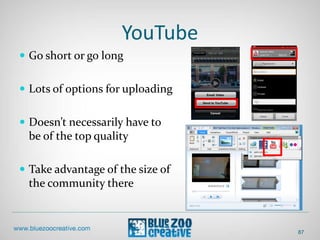
YouTube
 Go short or go long
 Lots of options for uploading
 Doesn’t necessarily have to
be of the top quality
 Take advantage of the size of
the community there
87
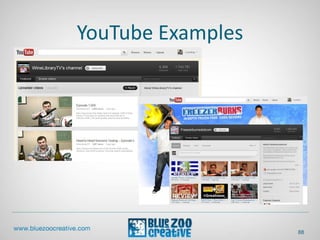
YouTube Examples
88
89
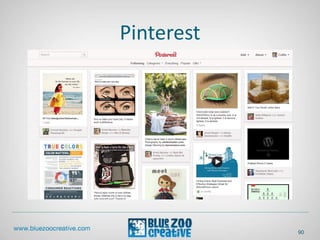
Pinterest
90
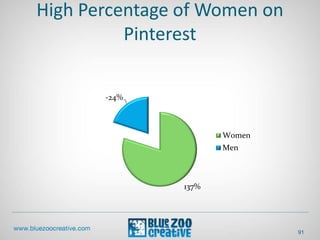
High Percentage of Women on
Pinterest
137%
-24%
Women
Men
91
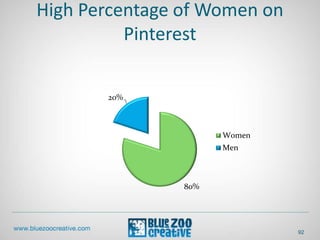
High Percentage of Women on
Pinterest
80%
20%
Women
Men
92
How It Works
 Pin in the unit
 Organized by Pinboards
 Websites can get in on the
act using a Pin button
 Members can repin other
members’ content
 User vs. pinboard followers
93
Why It’s Important
 Driving traffic
 Especially to visual products
 Social sharing
 Can post to Facebook and
Twitter when pinning an
item
 Best for visual subjects such
as physical products
94
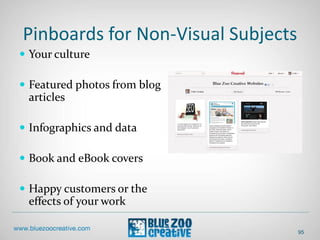
Pinboards for Non-Visual Subjects
 Your culture
 Featured photos from blog
articles
 Infographics and data
 Book and eBook covers
 Happy customers or the
effects of your work
95
What is WordPress?
 Content Management
System
 Used to create, manage,
store, and deploy content on
Web pages
 No longer need to know
HTML, CGI, etc. to make a
dynamic website.
97
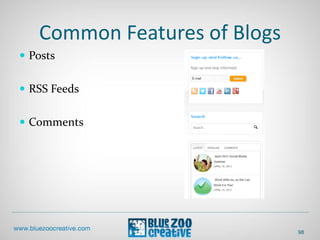
Common Features of Blogs
 Posts
 RSS Feeds
 Comments
98
What WordPress is not?
 Not just a blog
 Some features
 Independent social network
like Facebook
 eCommerce
 Forums
 Contact Manager
 Job Board
 Portfolio
99
Why We Use WordPress?
 Easy to use
 Flexible
 Open Source
 Lots of developers and
designers
100
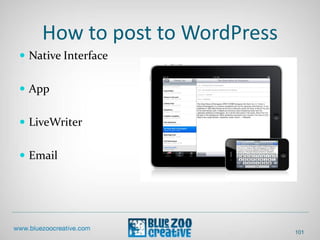
How to post to WordPress
 Native Interface
 App
 LiveWriter
 Email
101
Mobile Social Media
The Facts
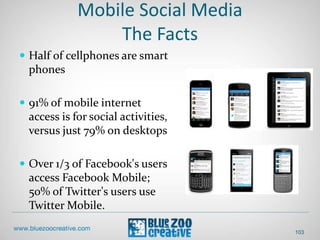
 Half of cellphones are smart
phones
 91% of mobile internet
access is for social activities,
versus just 79% on desktops
 Over 1/3 of Facebook's users
access Facebook Mobile;
50% of Twitter's users use
Twitter Mobile.
103
Social Media on Mobile
 Social, local, and mobile
(“SoLoMo”)
 Check in to receive a reward
 Social sharing after the
check in
104
Reasons for Higher Mobile Social
Media Engagement
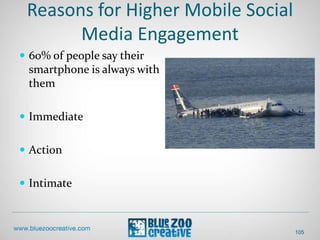
 60% of people say their
smartphone is always with
them
 Immediate
 Action
 Intimate
105
Mobile Actions
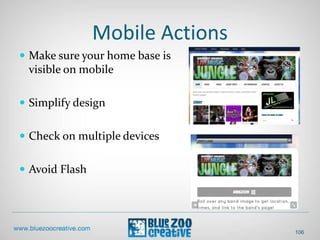
 Make sure your home base is
visible on mobile
 Simplify design
 Check on multiple devices
 Avoid Flash
106
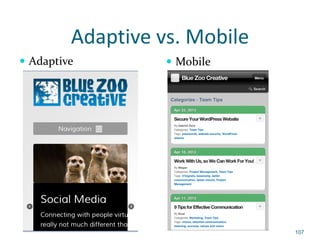
Adaptive vs. Mobile
 Adaptive  Mobile
107
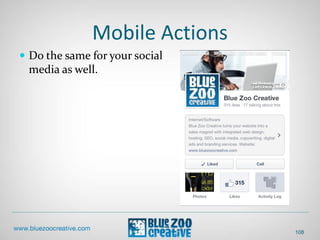
Mobile Actions
 Do the same for your social
media as well.
108
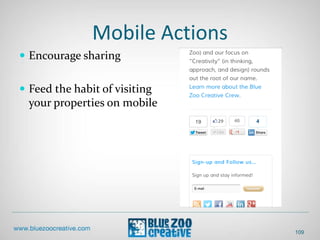
Mobile Actions
 Encourage sharing
 Feed the habit of visiting
your properties on mobile
109
Time
 About 64% of marketers are
spending between 1 to 10
hours a week on social
media
 Use tools like Hootsuite,
Buffer, or SocialOomph to
schedule posts
111
Source: http://www.socialmediaexaminer.com/social-media-marketing-industry-report-2012/
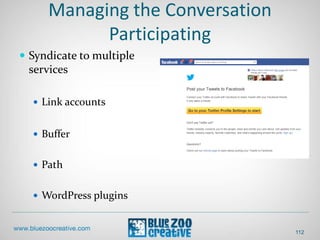
Managing the Conversation
Participating
 Syndicate to multiple
services
 Link accounts
 Buffer
 Path
 WordPress plugins
112
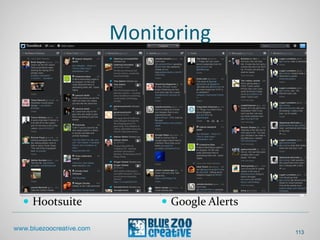
Monitoring
113
 Hootsuite  Google Alerts
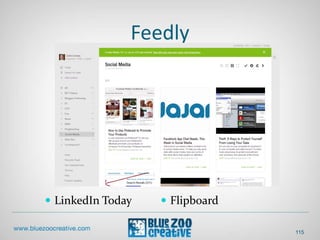
Feedly
115
 LinkedIn Today  Flipboard
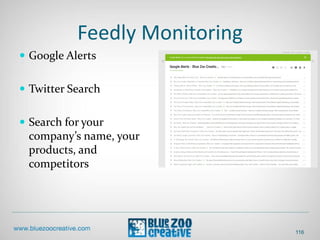
Feedly Monitoring
 Google Alerts
 Twitter Search
 Search for your
company’s name, your
products, and
competitors
116
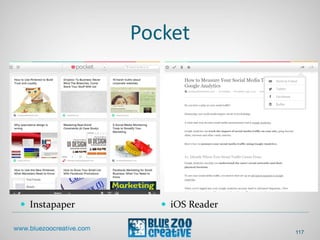
Pocket
 Instapaper  iOS Reader
117
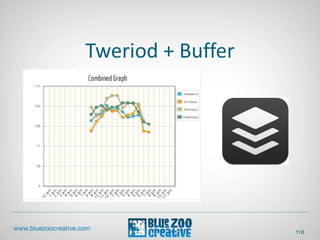
Tweriod + Buffer
118
collin@bluezoocreative.com
Twitter.com/ccondray
4/23/2012

April 2013 Social Media Seminar

  • 1.
  • 2.
    Who we are– Collin Condray  17 years experience in web development  Retail data analysis for multi-billion dollar companies (3M and Tyson)  Social media marketing  Agency experience with Collective Bias and Saatchi X
  • 3.
    Who we are– Eric Huber  25 years as a graphic designer for both small businesses and Fortune 500 companies  Marketing, advertising, and graphic design for small businesses  Award winning designer  Instructor for the New Design School
  • 4.
  • 5.
  • 6.
  • 7.
    Not everything inthis presentation will apply to you!
  • 8.
    Blue Zoo Creativemight not do some of this.
  • 9.
  • 10.
  • 11.
    Strength of WeakTies 11  Based on a 1973 paper by sociologist Mark Granovetter.  Significant percentage of people get their jobs as a result of information provided by a weak tie or friends-of-friends.
  • 12.
    Strength of WeakTies 12  150 member is typically the most strong ties that can be maintained.  The size of the tribe. Consistent across times and cultures.  The average number of Facebook friends is about 150.
  • 13.
    Strength of WeakTies 13  Now with social networks, you can maintain “supernets” that have more than 150 weak ties, which you can trust more than mass media like TV or newspapers.  Weak ties are now visible
  • 14.
    Strength of WeakTies 14  There is some evidence that sharing information on social media networks:  Makes you more likely to be liked in social interactions.
  • 15.
    Strength of WeakTies 15  There is some evidence that sharing information on social media networks :  Builds "social capital" - a sociological measure of the value of beneficial relationships. Social capital is linked to increased well- being and self-esteem.
  • 16.
    Strength of WeakTies 16  There is some evidence that sharing information on social media networks :  Increases influence. In a color picking experiment, the people who could see the choices of more participants (in other words, were better connected) persuaded the group to pick their color: even when they had to persuade the vast majority to give up their financial incentive.
  • 17.
    Strength of WeakTies 17  There is some evidence that sharing information on social media networks :  Makes one more attractive: people with about 300 friends were rated as the most appealing, any more than that and their social attractiveness began to drop off.
  • 18.
  • 19.
    Listen 19  Google yourname, industry, competitors, and products  Search Facebook and Twitter.com  Dedicated software
  • 20.
    Listen 20  What areyour customers saying about you?  Is it good or bad?  Is there anyone already passionate about your brand or industry?
  • 21.
    People 21  What areyour customers ready for?  Make sure your target audience is ready for what you throw at them.
  • 22.
    Objectives 22  What areyour goals?  Talking/broadcasting – spread your message.  Make an existing digital marketing initiative (banner/search ads) more interactive.
  • 23.
    Objectives  What areyour goals?  Establishing credibility 23
  • 24.
    Objectives 24  What areyour goals?  Listening – better understand your customers.  Get insights from your customers to help make marketing and product development decisions.
  • 25.
    Objectives 25  What areyour goals?  Supporting – help your customers support each other.  Effective for companies that have high support costs or to connect with cohesive groups that already exist.
  • 26.
    Strategy 26  What changedo you want your customers to make?  Carry messages to others  Engage more with your organization.
  • 27.
    Technology 27  What socialmedia tools should you use or build?
  • 28.
    Measure – SoftMetrics 28  Number of followers on social media networks  Number of posts, comments, Tweets, etc.  Key influencers, who already have a following that is talking about you  Share of conversation
  • 29.
    Measure 29  What arethey saying?  Are they saying good or bad things about you? Are the good comments increasing?  Where is the conversation occurring? (blogs, news sites, forums, social media sites)
  • 30.
    What Can YouDo With The Measurements? 30  Customer service  Correct misinformation  Find out what the community has an interest in but what is not currently being discussed online. “Geez, one bad employee can really ruin your day!”
  • 31.
    Reacting to Measurements 31 •Generate awareness among customers and other community members. • Increase employee awareness.
  • 32.
    Measure – Hard MetricComparisons  Pay Per Click (PPC) =  Cost Per Click (CPC)  Cost Per 1000 Impressions (CPM)  Get comparison rates from Google or Facebook ads
  • 33.
    Measure – HardMetrics  Google Analytics can help measure web goals  Need to create custom web addresses to share to track in detail.  Easy to do with eCommerce but harder to do with services. 33
  • 34.
    Google Analytics Social ReportingTool  Drop off rates tell you where you losing your visitors 34
  • 35.
    Google Analytics Social ReportingTool  How does social media affect goals  Which networks drive traffic  Where people are discussing your organization 35
  • 36.
  • 37.
    Organizing for SocialMedia  Home Base –central place you want to interact with people.  Outposts –where you have a presence and participate and promote yourself.  Passports – where you have profile and are listening but direct people to your Outposts and Home Base 37 Source: http://www.chrisbrogan.com/a-simple-presence-framework/
  • 38.
  • 39.
    Ideally Use SelfHosted Website  Full control  Include a blog 39
  • 40.
    Set Up Outposts LinkedIn is the office  Facebook is the home  Twitter is Happy Hour  Google+ Is….? 40
  • 41.
    Set Up Passports WordPress.com  Tumblr  Yahoo  StumbleUpon  Google/YouTube  Yelp 41
  • 42.
  • 43.
    Complete Profiles Fully Make sure your target keywords are in your profile  Link back to one place, your “home base” that has all the detail about you  Be real  Use a picture  Talk about your personal life…a little 43
  • 44.
    Make It EasyTo Share  Include a Facebook Connect link, Call-to-Action buttons, Share Functions, or a button that invites people to do business with you in a prominent place on your blog.  Certain plugins can create all of these in one place. 44
  • 45.
    Post Consistently  Postat least weekly, daily is preferred.  Ask people in the industry what they’d like to know and create content around that. 45
  • 46.
    Weapons of Choice– Text and Photos  Easiest to do  Search engines like text. 46
  • 47.
    Weapons of Choice- Video  The technology is in in your hands: many cell phones do HD level video that looks good on YouTube  Imperfections makes it real as well  Lots of video services but start with YouTube 47
  • 48.
    Weapons of Choice- Audio  Twit.tv  Founded by Leo Laporte, radio/TV host.  Started off with one show, grew to many.  Various ways to have remote participants.  Video added later. 48
  • 49.
    Don’t Know WhatTo Say?  Find something interesting, link to it on your site and comment on it. It could be as simple as adding “This is a great article because ____.” 49
  • 50.
    Connecting With Others Start with  Friends  Family  Current customers  Industry leaders  Potential customers  Don’t use Facebook’s email all page 50
  • 51.
    Connecting With Others Use Twitter search to find as many people as possible talking about your topic, and communicate with them.  Use Blogsearch.Google.com to find more blogs that are relevant to your subject. 51
  • 52.
    Make Connections  Telleveryone what you’re building  Exploit Strength of Weak Ties  Crowdsource questions about your niche  Don’t be afraid to introduce yourself to strangers 52 ---- Strong Ties ---- Weak Ties
  • 53.
    Posts per day The more posts per day, the less engagement – when a brand posts twice a day, those posts only receive 57% of the likes and 78% of the comments per post. 53 Source: http://tracksocial.com/blog/2012/06/optimizing-facebook-engagement-part-2-how-frequently-to-post/
  • 54.
  • 55.
  • 56.
  • 57.
    Facebook Page –Cover Photo  Cover photo cannot include more than 20% text  Initial restrictions removed  No calls to action  No websites or addresses  Can tell someone to Like your page right in the cover photo. 57
  • 58.
  • 59.
    Pinned Posts  Staysat the top for a week  Rotate this often 59
  • 60.
    Highlighted Posts  Expandspost across both columns  Draws extra attention to a single post 60
  • 61.
    Facebook-EdgeRank  EdgeRank determineswhere your posts show up in the Facebook News Feed  Listed under Top Stories option  edgerankchecker.com 61
  • 62.
    Facebook-EdgeRank  Affinity –relationship with object (is this person a friend or did they just Like something)  Weight-type of post (images have the highest weight)  Time Decay-decreases as content ages  Works better if you use the native Facebook interface 62 ∑ Affinity X Weight X Time Decay
  • 63.
    Sponsored Posts  Promoteany post you share from your News Feed, profile or Page, including status updates, photos, videos, questions and offers.  Any post you promote will appear higher in News Feed to help more people see it.  Helps get around EdgeRank limitations 63
  • 64.
    Facebook Contests  Goal Facebook Guidelines  Prizes  Administration 64
  • 65.
    Local Marketing Northwest Arkansas 268,000 people within 25 miles of Fayetteville, AR on Facebook 65
  • 66.
  • 67.
    Twitter  New Twitterprofiles  Header photos similar to Facebook profile 67
  • 68.
    Twitter  API change More restrictive to non-Twitter developers  Move more interaction to their site or to their applications like TweetDeck 68
  • 69.
    Promoted Accounts  Buildfollowers  Look for people with similar interests and recommends you in the “Who to Follow” section  As little as $0.30 per follower 69
  • 70.
    Promoted Tweets  Likemore traditional online ads  Generated from your existing Tweets  Pay Per Click model 70
  • 71.
    Unique Features  Personalvs. Business  All Tweets are visible  Simpler service, more flexible 71
  • 72.
  • 73.
    Why LinkedIn?  Averagehousehold income of LinkedIn users is over $88,000 per year.  Higher than the average income for Wall Street Journal, Forbes and Business Week readers 73
  • 74.
    LinkedIn Company Pages Large image at the top of the corporate LinkedIn page 74
  • 75.
    LinkedIn Company Pages Share status updates and job opportunities 75
  • 76.
    LinkedIn Company Pages Showcase products, services and career opportunities 76
  • 77.
    LinkedIn Groups  Raiseawareness  Generate interest for your products  Show expertise  Monitor your industry or region 77
  • 78.
    LinkedIn Targeted Updates Send to specific segments based on:  Company Size  Industry  Function  Seniority  Geography 78
  • 79.
  • 80.
  • 81.
    Search Engine MarketShare Google All Other 81
  • 82.
    Google+ Pages  Feedsinto Search, Maps, and all other Google properties  Link with your Home Base by setting up Google Authorship  Use circles to segment messages 82
  • 83.
    Google+  +1 Google’sversion of a Facebook Like  Websites using Google’s +1 button get 3.5X the Google+ visits. 83
  • 84.
    Google+ Internal Tools Private Sharing-limited to those in your organization  Google Hangout now with Google Docs  Share only to those circles that you want 84
  • 85.
  • 86.
    YouTube  Create yourown branded channel  Participate with everyone who has a Google account  Google property helps with SEO 86
  • 87.
    YouTube  Go shortor go long  Lots of options for uploading  Doesn’t necessarily have to be of the top quality  Take advantage of the size of the community there 87
  • 88.
  • 89.
  • 90.
  • 91.
    High Percentage ofWomen on Pinterest 137% -24% Women Men 91
  • 92.
    High Percentage ofWomen on Pinterest 80% 20% Women Men 92
  • 93.
    How It Works Pin in the unit  Organized by Pinboards  Websites can get in on the act using a Pin button  Members can repin other members’ content  User vs. pinboard followers 93
  • 94.
    Why It’s Important Driving traffic  Especially to visual products  Social sharing  Can post to Facebook and Twitter when pinning an item  Best for visual subjects such as physical products 94
  • 95.
    Pinboards for Non-VisualSubjects  Your culture  Featured photos from blog articles  Infographics and data  Book and eBook covers  Happy customers or the effects of your work 95
  • 97.
    What is WordPress? Content Management System  Used to create, manage, store, and deploy content on Web pages  No longer need to know HTML, CGI, etc. to make a dynamic website. 97
  • 98.
    Common Features ofBlogs  Posts  RSS Feeds  Comments 98
  • 99.
    What WordPress isnot?  Not just a blog  Some features  Independent social network like Facebook  eCommerce  Forums  Contact Manager  Job Board  Portfolio 99
  • 100.
    Why We UseWordPress?  Easy to use  Flexible  Open Source  Lots of developers and designers 100
  • 101.
    How to postto WordPress  Native Interface  App  LiveWriter  Email 101
  • 103.
    Mobile Social Media TheFacts  Half of cellphones are smart phones  91% of mobile internet access is for social activities, versus just 79% on desktops  Over 1/3 of Facebook's users access Facebook Mobile; 50% of Twitter's users use Twitter Mobile. 103
  • 104.
    Social Media onMobile  Social, local, and mobile (“SoLoMo”)  Check in to receive a reward  Social sharing after the check in 104
  • 105.
    Reasons for HigherMobile Social Media Engagement  60% of people say their smartphone is always with them  Immediate  Action  Intimate 105
  • 106.
    Mobile Actions  Makesure your home base is visible on mobile  Simplify design  Check on multiple devices  Avoid Flash 106
  • 107.
    Adaptive vs. Mobile Adaptive  Mobile 107
  • 108.
    Mobile Actions  Dothe same for your social media as well. 108
  • 109.
    Mobile Actions  Encouragesharing  Feed the habit of visiting your properties on mobile 109
  • 111.
    Time  About 64%of marketers are spending between 1 to 10 hours a week on social media  Use tools like Hootsuite, Buffer, or SocialOomph to schedule posts 111 Source: http://www.socialmediaexaminer.com/social-media-marketing-industry-report-2012/
  • 112.
    Managing the Conversation Participating Syndicate to multiple services  Link accounts  Buffer  Path  WordPress plugins 112
  • 113.
  • 114.
  • 115.
    Feedly Monitoring  GoogleAlerts  Twitter Search  Search for your company’s name, your products, and competitors 116
  • 116.
  • 117.
  • 119.