Web 2.0 tools for researchers
  TereseBird, Learning Technologist, BDRA
  Helen Steele, Graduate School Media Zoo
       With thanks to Emma Kimberley for prior work
BRIEF
Description: Are you using technology to benefit your research? Or is digital scholarship leaving
you behind? This session will present a ‘top 10’ of electronic resources used in academic life. This
   will include technologies for finding and organising research materials and presenting your
 research. By the end of the session you will have an idea of what these technologies can do for
  you and which are most appropriate for your research. You will find out how to get started on
 using your chosen suite of technologies to support your research needs. Following the session,
the Graduate School Media Zoo will support you in developing your use of the technologies over
                                    the course of your research.
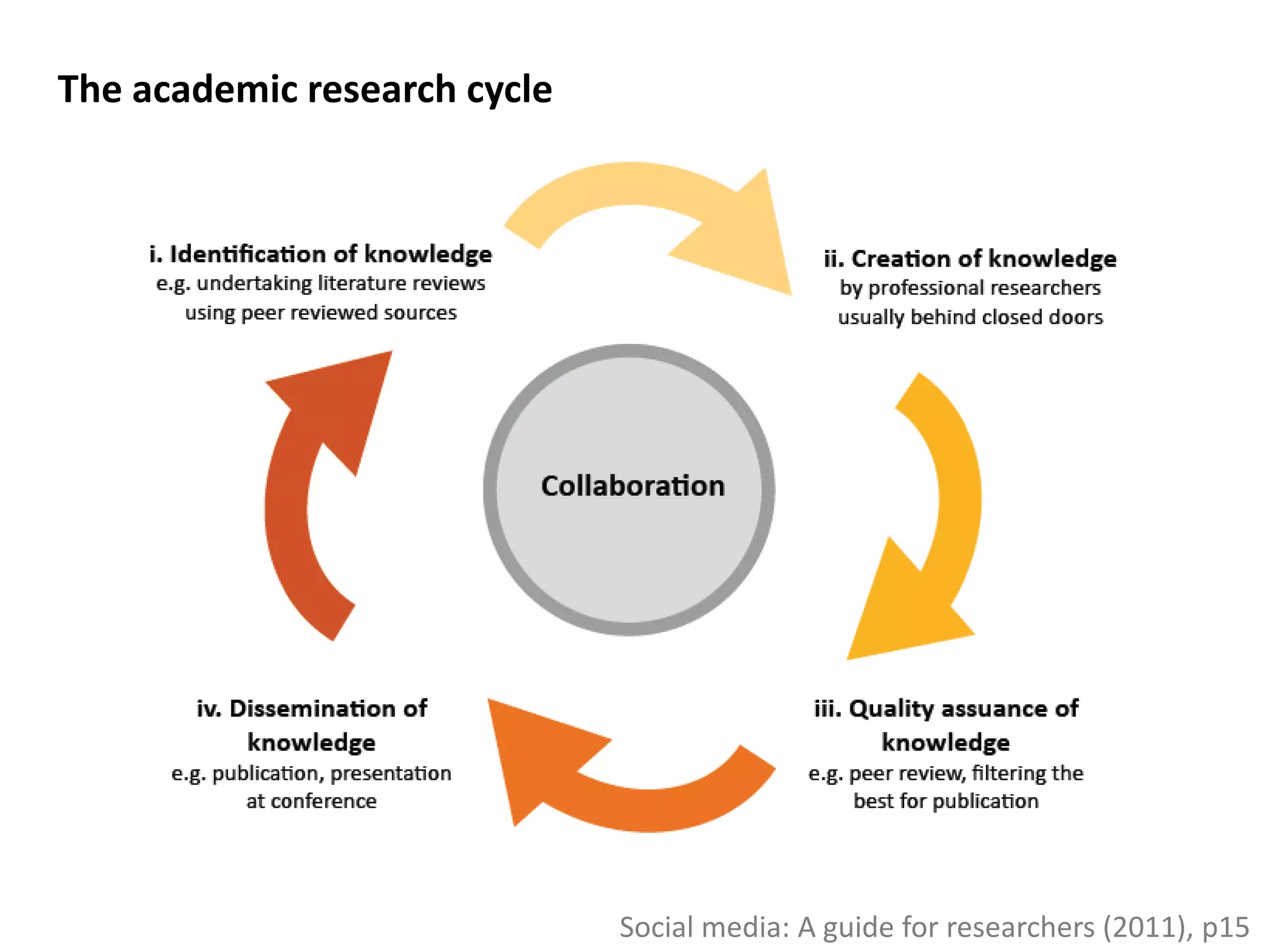
The academic research cycle


                              Social media: A guide for researchers (2011), p15
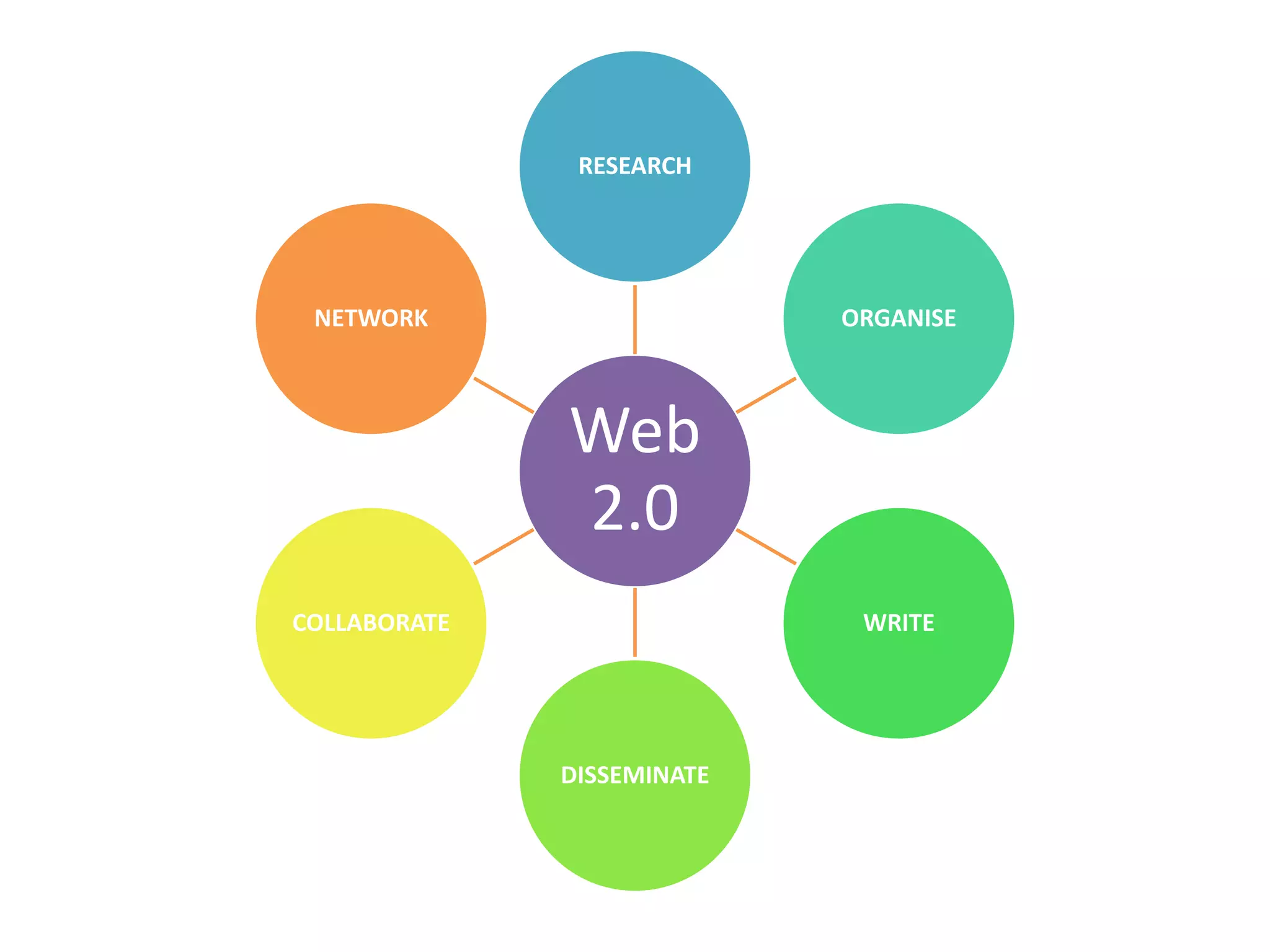
RESEARCH


 NETWORK                    ORGANISE


              Web
              2.0
COLLABORATE                  WRITE


              DISSEMINATE
Digital Scholar – Open Scholar

 •Open-access research is cited up to 250% as
 much as research only in traditional sources
 (David Willett’s speech to Publishers’
 Association, 2 May 2012)

 •Leicester Research Archive
 https://lra.le.ac.uk/

 • Gareth Johnson gjj6@le.ac.uk
  or lra@le.ac.uk
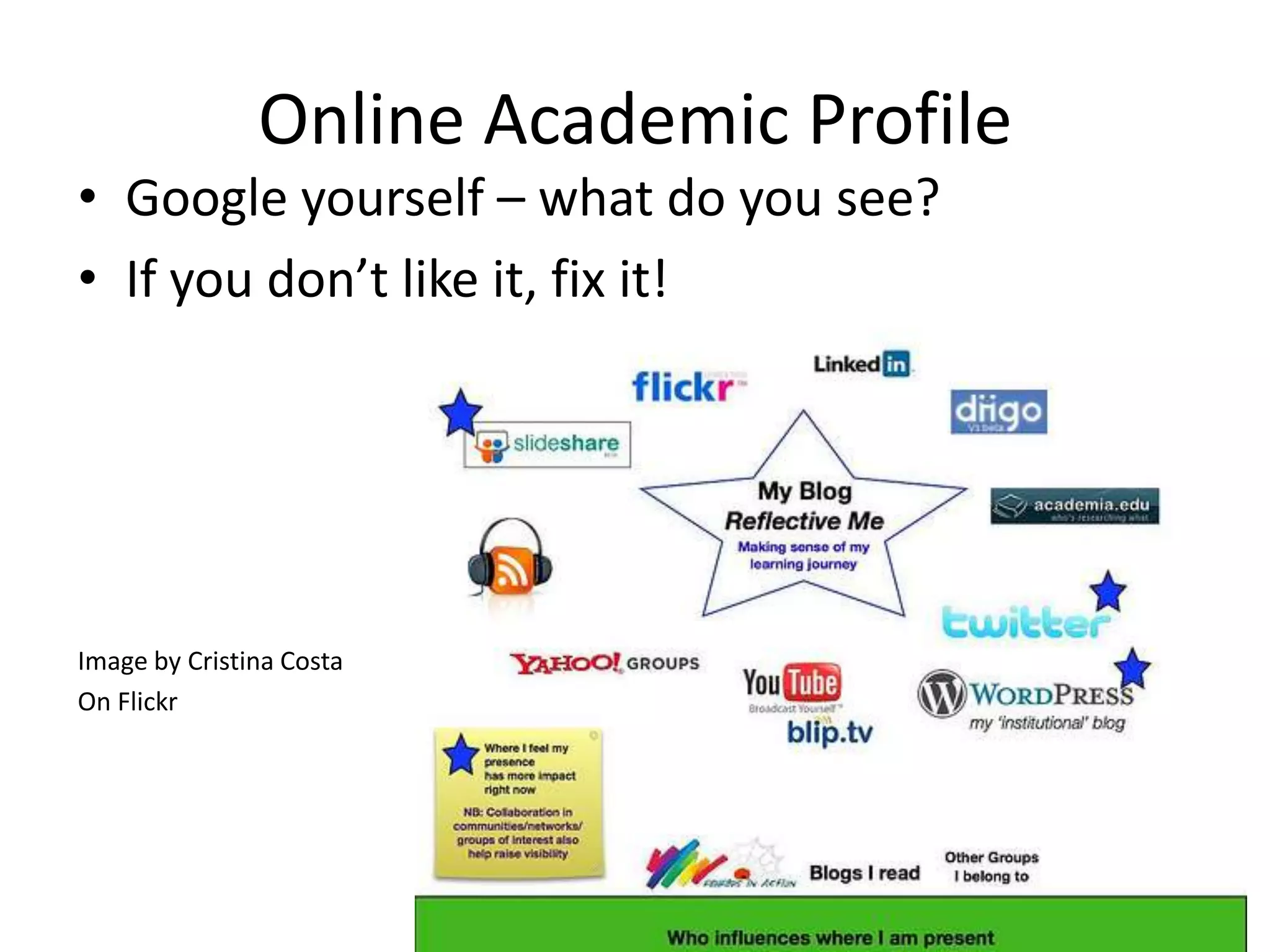
Online Academic Profile
• Google yourself – what do you see?
• If you don’t like it, fix it!


Image by Cristina Costa
On Flickr
RESEARCH   1. RSS
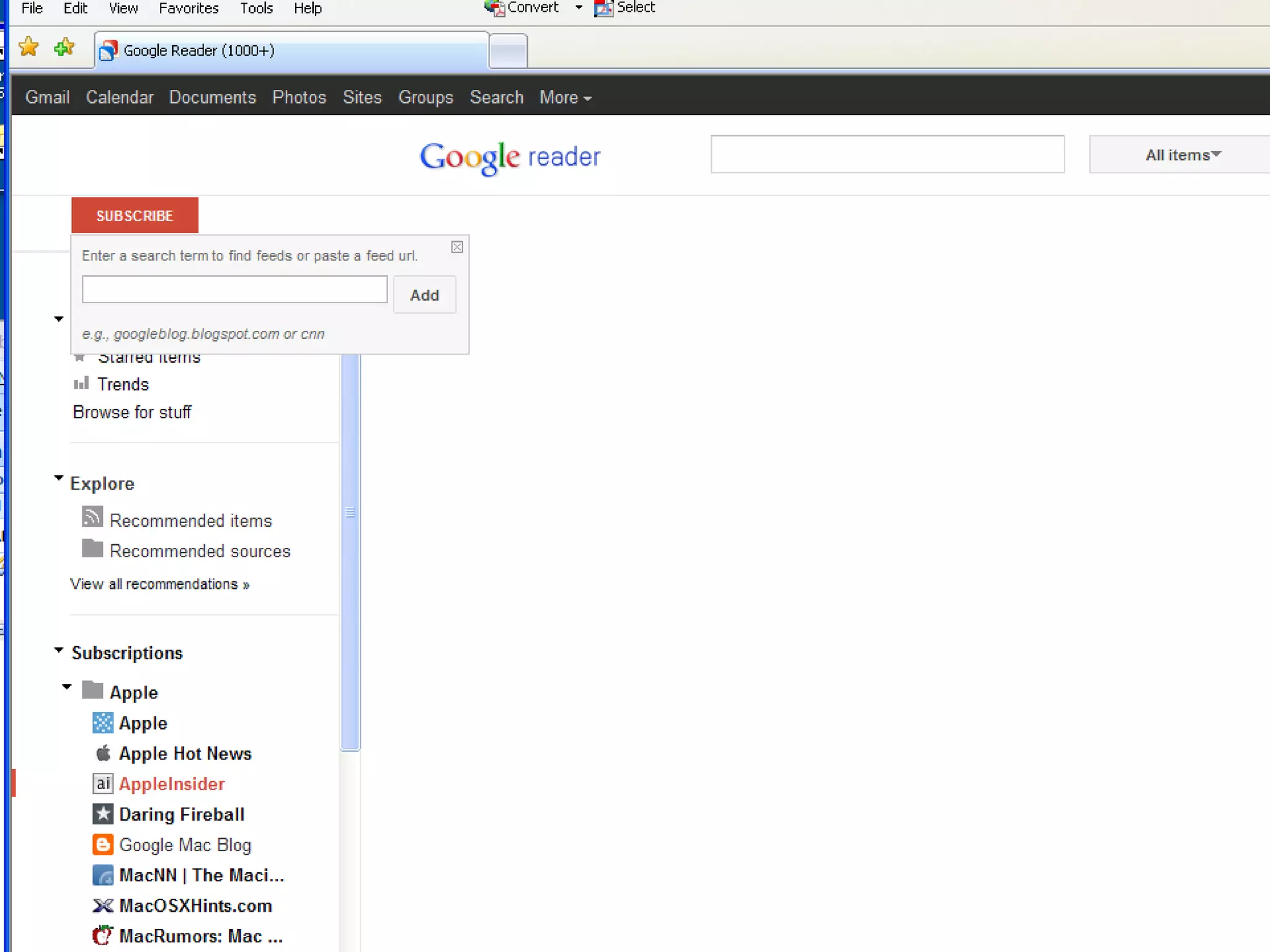
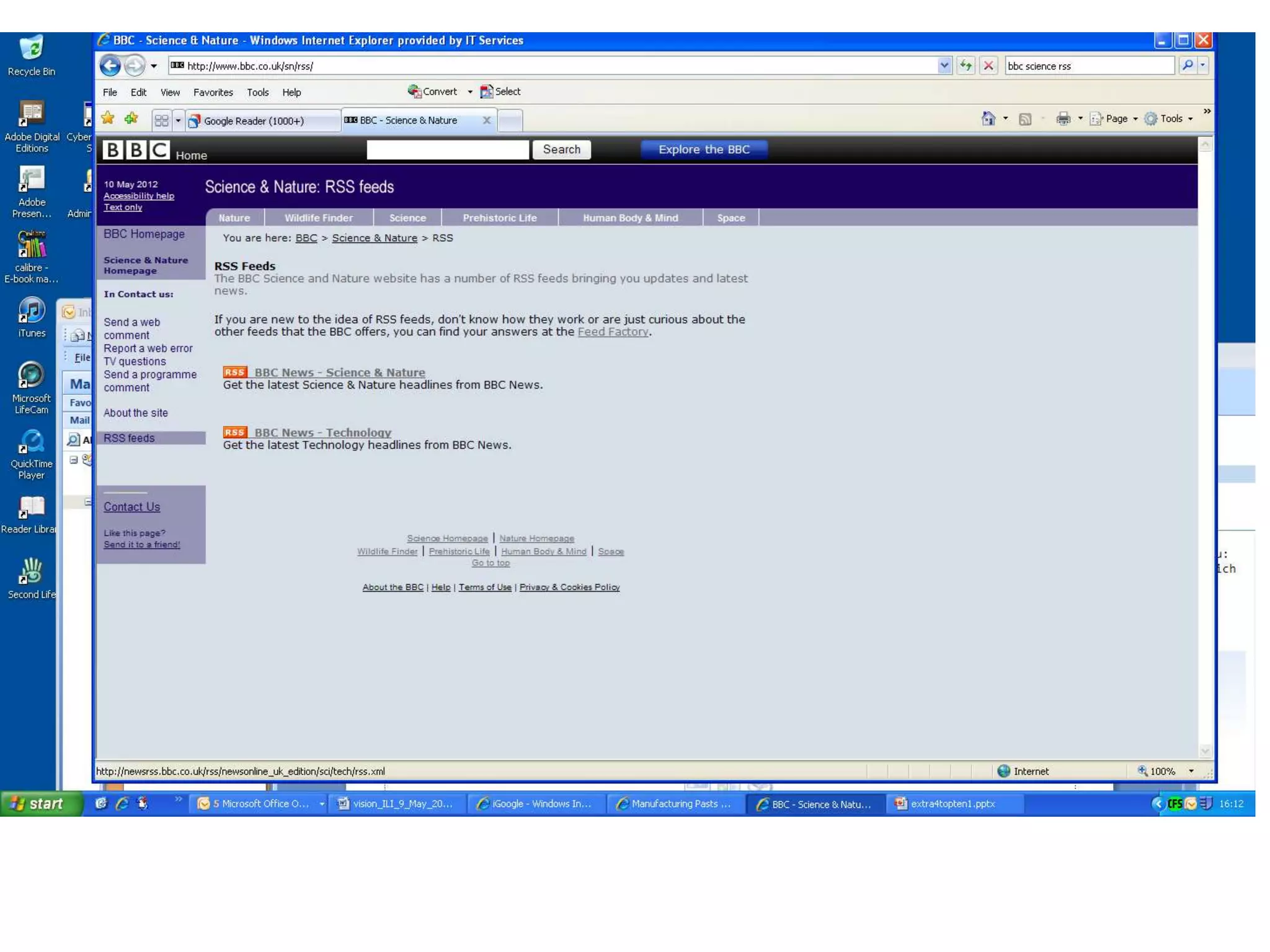
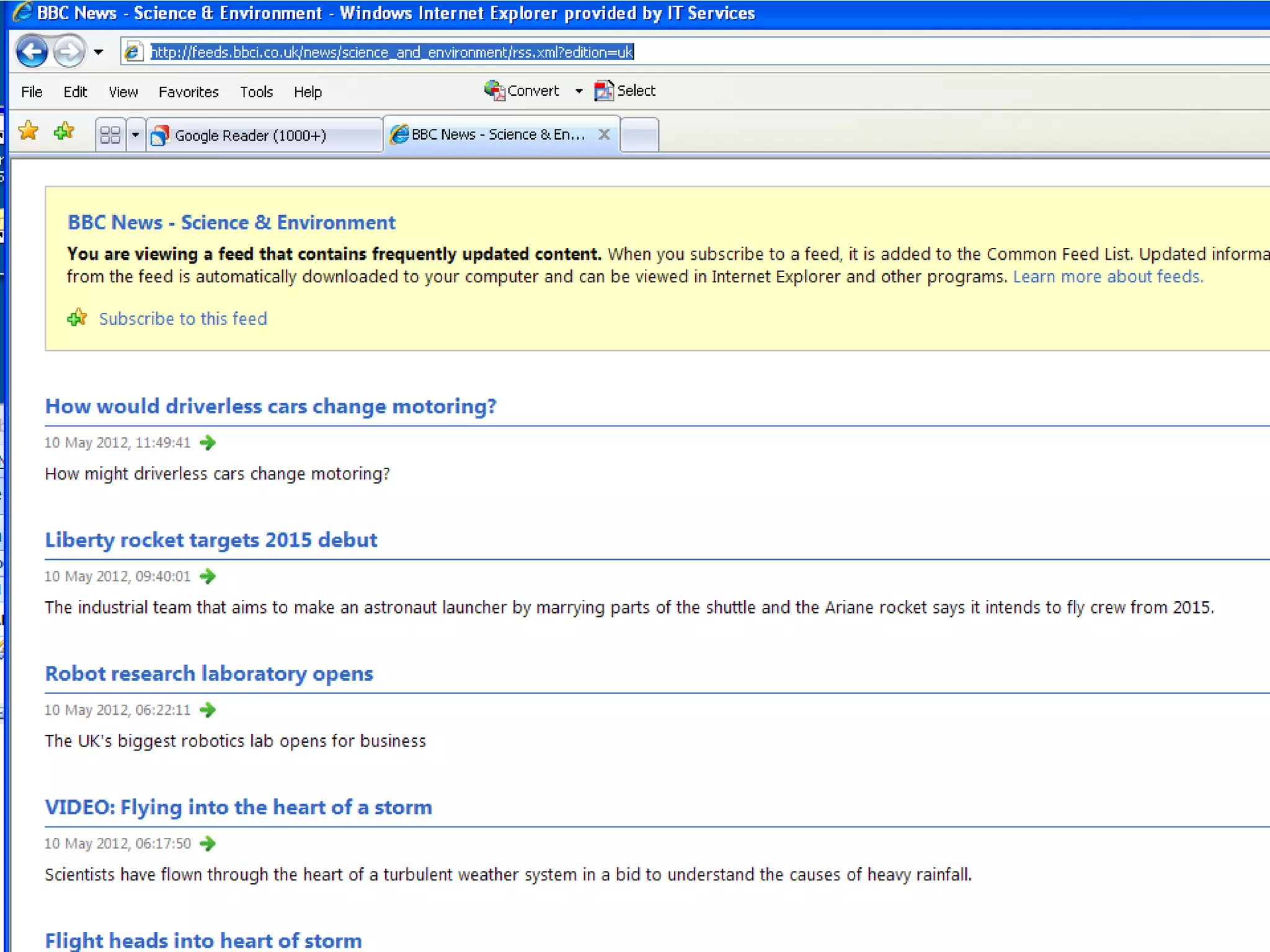
           “Really simple syndication”
                                                       RSS symbol
           New content delivered straight to you

           Save time visiting websites and doing searches

           Keep up to date in your field

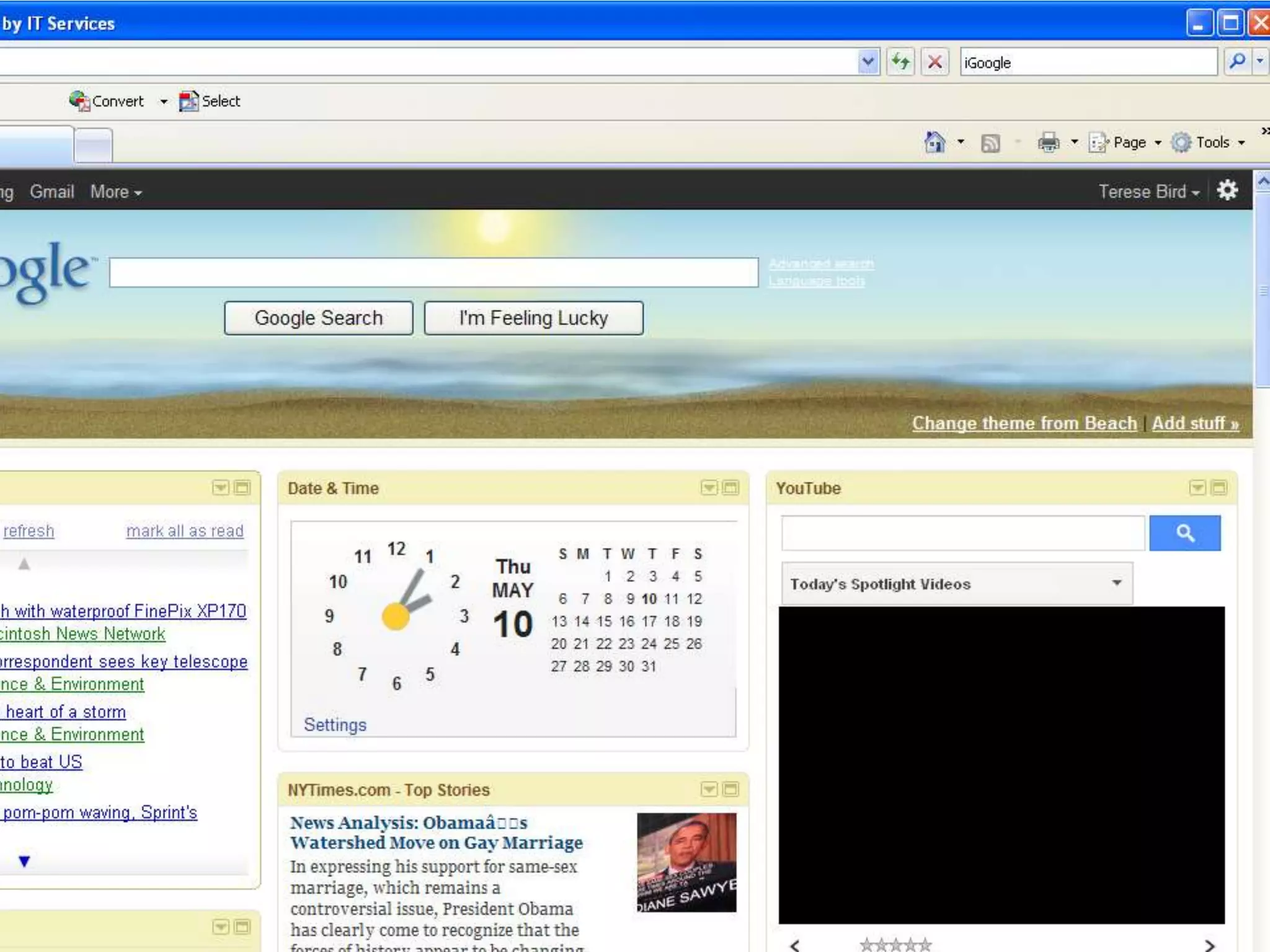
           Make a customisable homepage:
           •iGoogle
           •Netvibes

           Avoid overload. Adapt as necessary
RESEARCH   2. Mobile devices

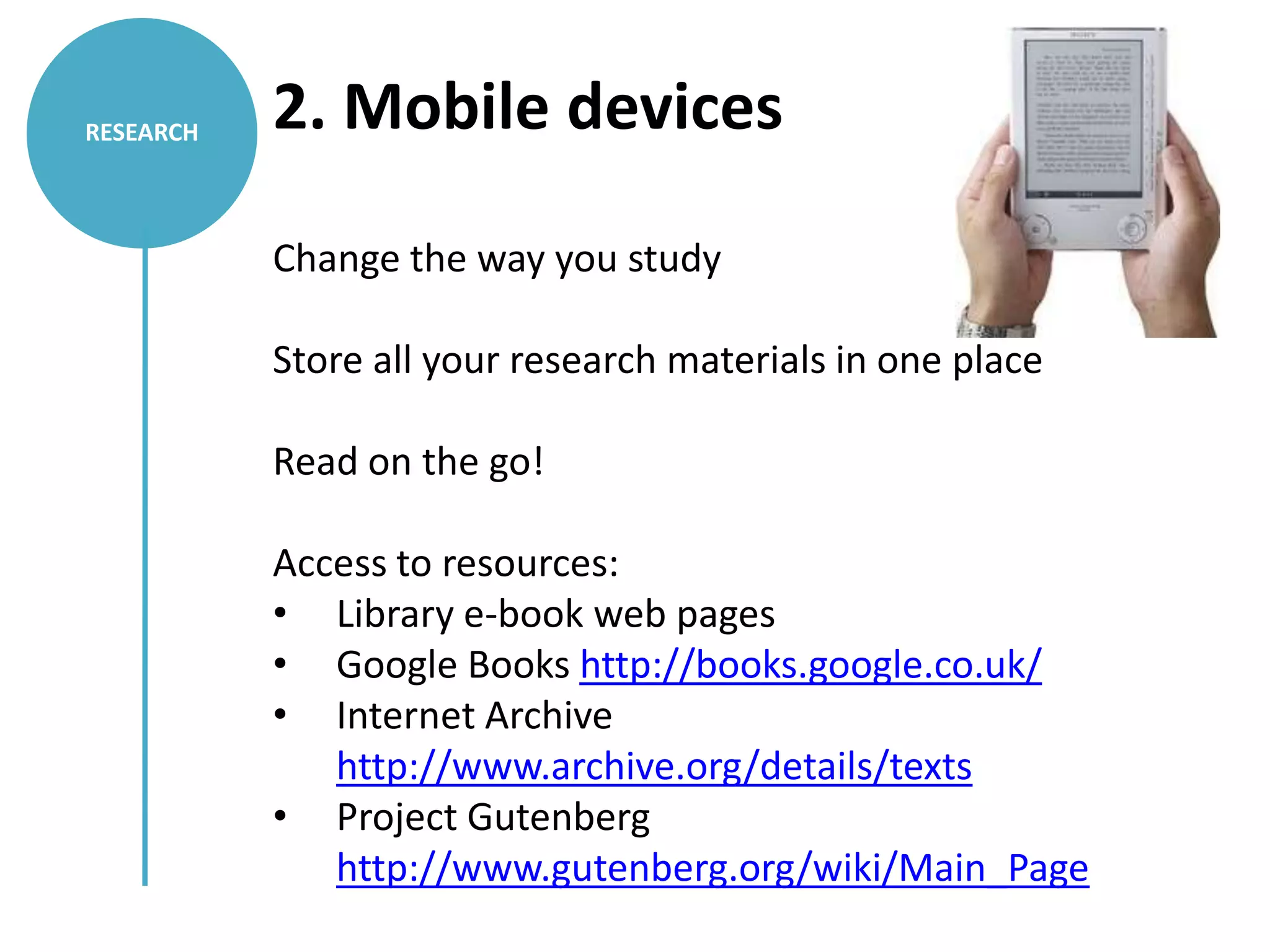
           Change the way you study

           Store all your research materials in one place

           Read on the go!

           Access to resources:
           • Library e-book web pages
           • Google Books http://books.google.co.uk/
           • Internet Archive
              http://www.archive.org/details/texts
           • Project Gutenberg
              http://www.gutenberg.org/wiki/Main_Page
NETWORK   3. Microblogging
          www.twitter.com – Sign up!

          Find academics in your field…
          Arts Academic Tweeters @LSEImpactBlog

          •Follow
          •Tweet
          •Retweet [RT]
          •Engage

          The power of the hashtag
          #phdchat
          #AcWri
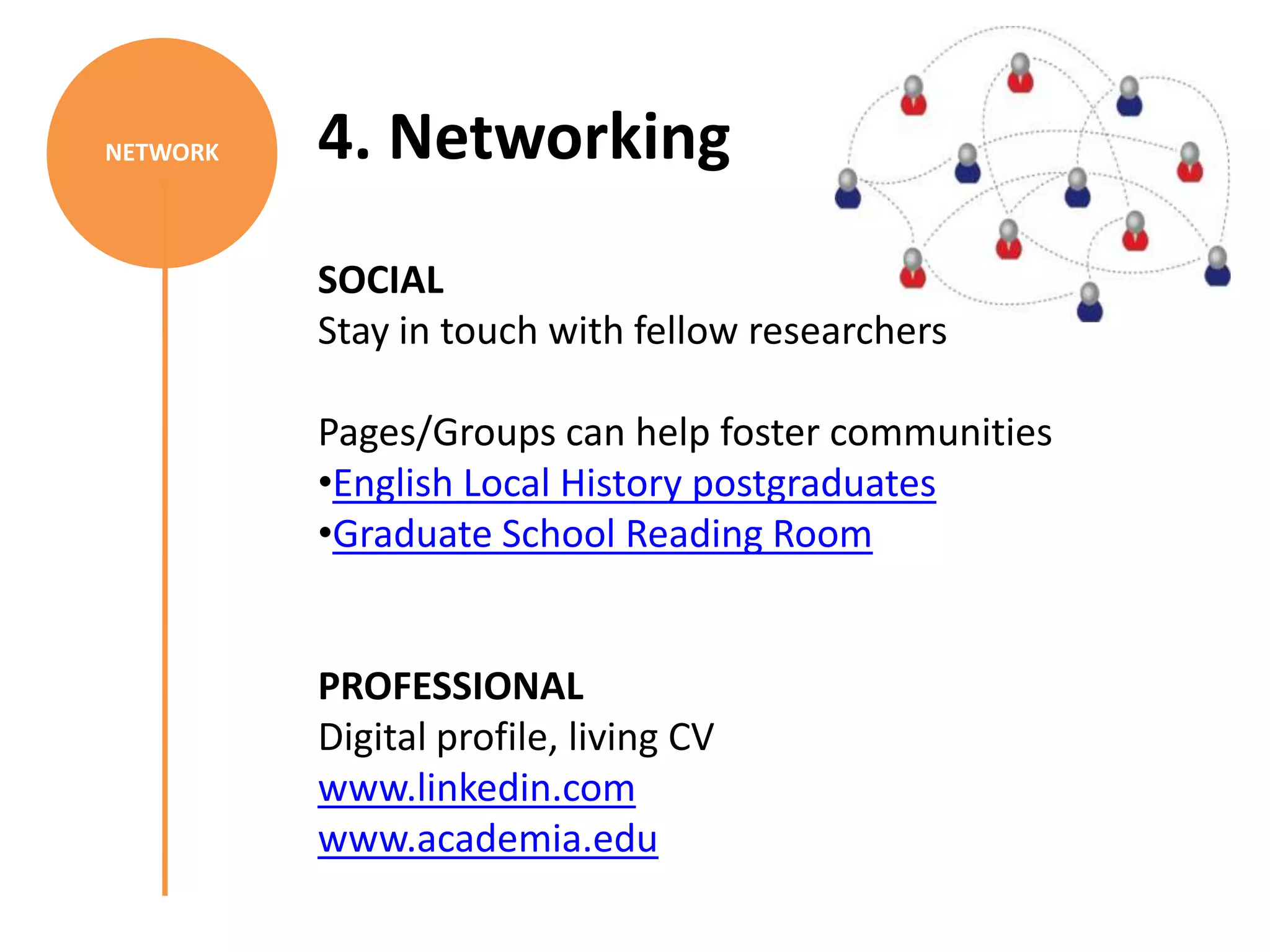
NETWORK   4. Networking
          SOCIAL
          Stay in touch with fellow researchers

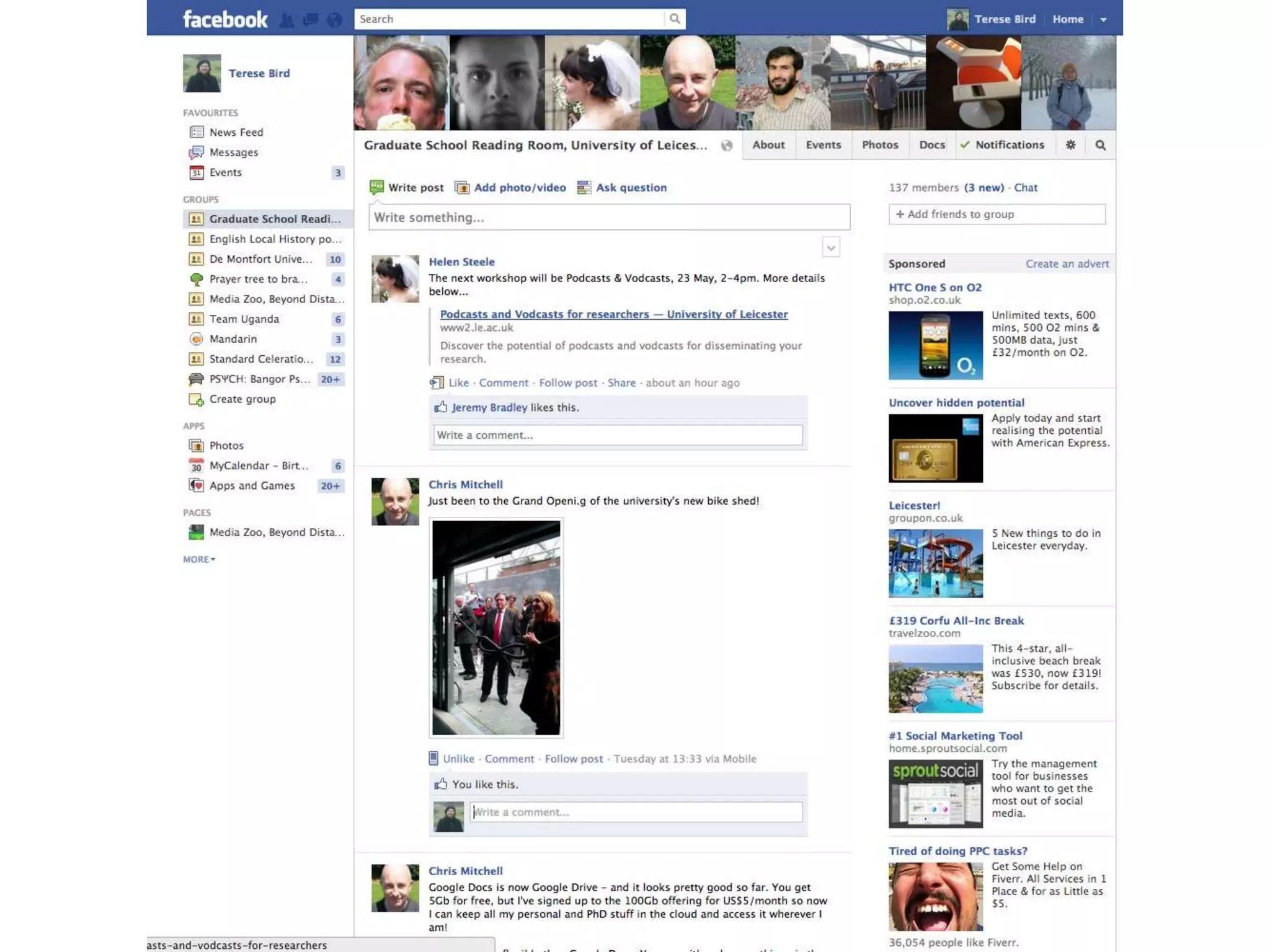
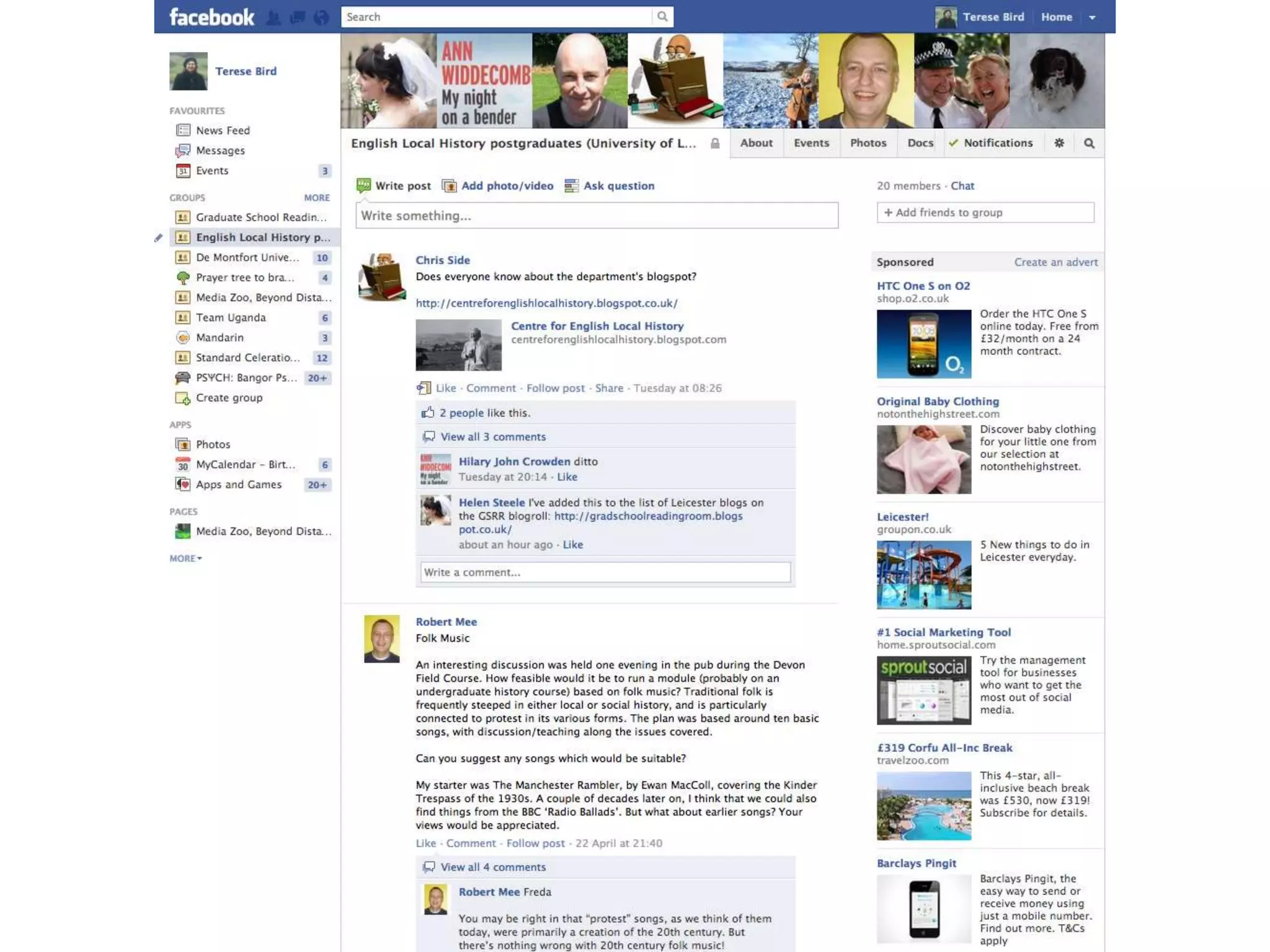
          Pages/Groups can help foster communities
          •English Local History postgraduates
          •Graduate School Reading Room


          PROFESSIONAL
          Digital profile, living CV
          www.linkedin.com
          www.academia.edu
ORGANISE   5. Reference management
           Plenty of choice
           •RefWorks
           •EndNote
           •Zotero
           •CiteULike
           •Mendeley

           Mendeley…not just a reference manager
           Academic social network
           Subject specific search engine
           Desktop and online
           iPhone/iPad app
           Collaborative
ORGANISE   6. Online notebooks
           EVERNOTE
           www.evernote.com

           Create different notebooks for your projects

           Desktop, online and apps
           Store…
           •Notes
           •Web clippings
           •Pictures
           •Voice recordings

           Tag to organise and search easily
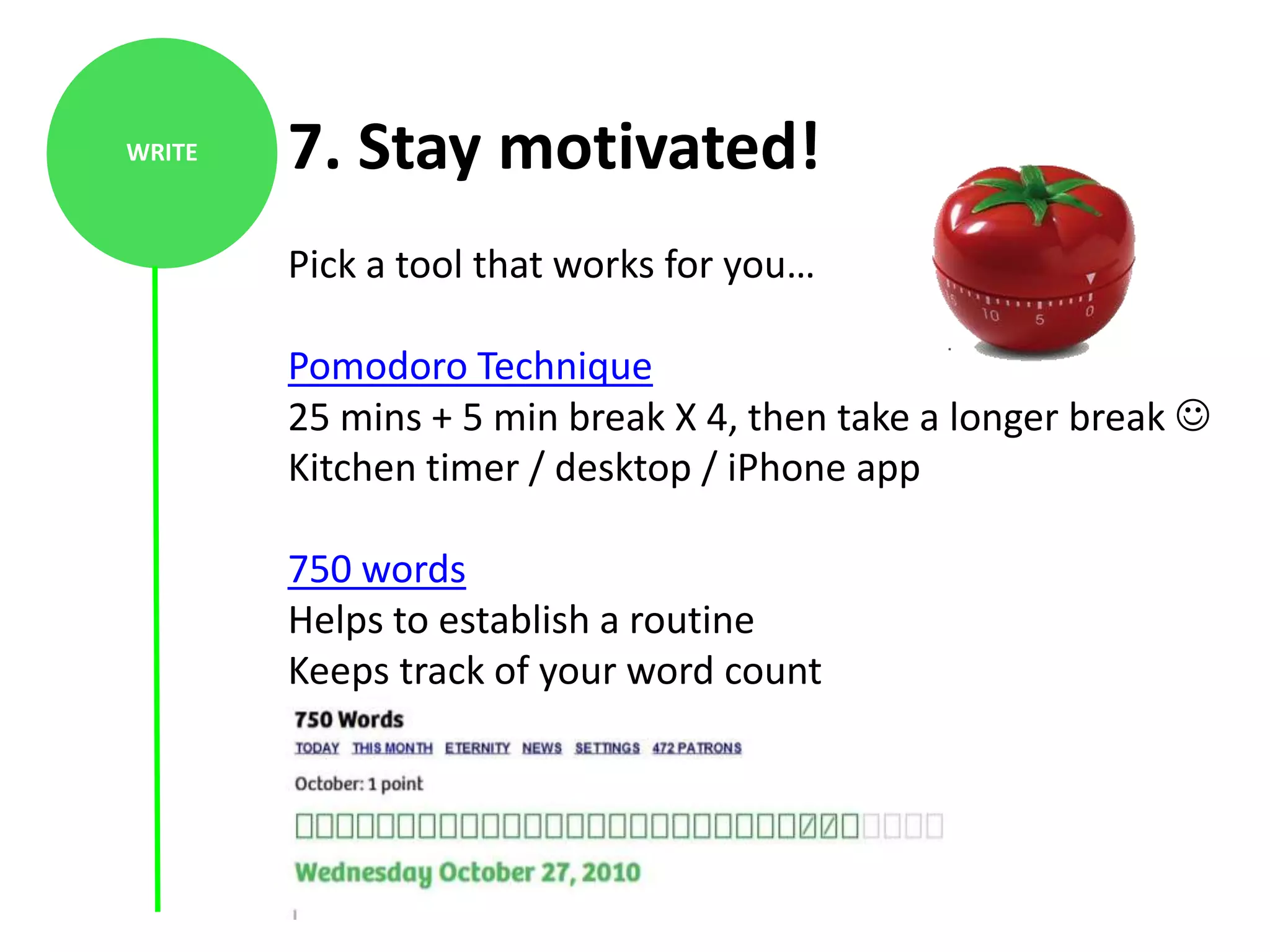
WRITE   7. Stay motivated!
        Pick a tool that works for you…

        Pomodoro Technique
        25 mins + 5 min break X 4, then take a longer break 
        Kitchen timer / desktop / iPhone app

        750 words
        Helps to establish a routine
        Keeps track of your word count
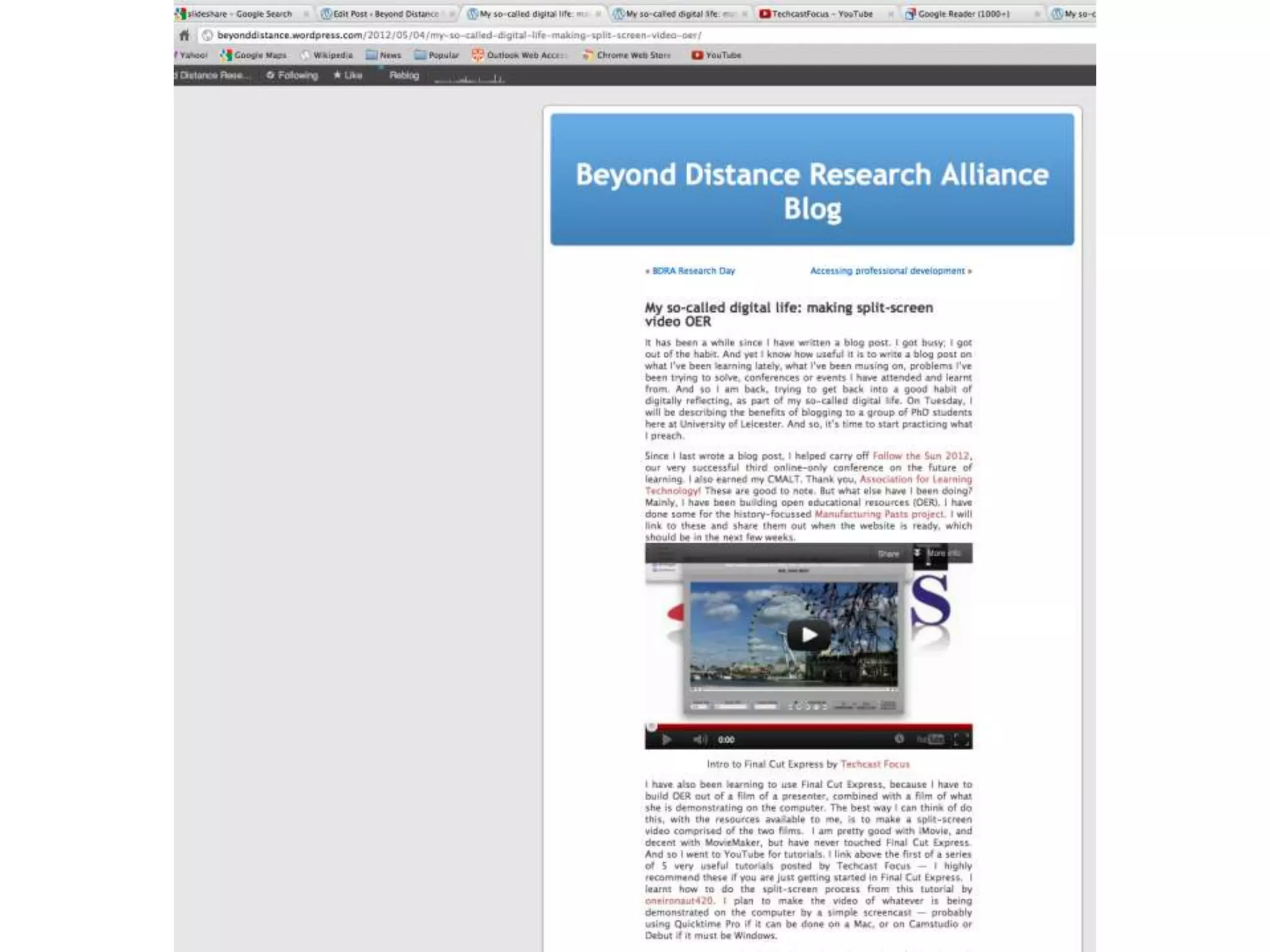
DISSEMINATE   8. Blogging
              •Fast, easy way to reach an international audience
              •Receive feedback on your work, invite comment
              •Contribute to discussion in your field
              •Keep track of your research progress
              •Bring attention to your publications
              •Share information among your peers
              •Build your digital profile

              www.blogger.com
              www.wordpress.com

              Consider your colleagues and your sources…
              Never blog anything you wouldn’t be prepared to
              say in public!
DISSEMINATE
               9.Podcasting/Vodcasting

               •Make a podcast

               •Listen to podcasts

               •Organise live streaming of seminars & conferences


                    *WORKSHOP*
              Wednesday 23rd May, 2-4pm
              103-105 Princess Road East
10. Work in the ‘cloud’
COLLABORATE

              •Enables efficient collaborative work
              •Flexible researcher, resources at fingertips

              Google Docs
              Create and share documents online
              Prezi
              A dynamic alternative to Powerpoint
              Invite contributors to edit, wherever they are!
              Wikis
              Create and link webpages
              Produce a shared resource
              Dropbox
              2 Gigs of free space anywhere
Workshops…
Using Prezi
9 May, 2-4pm, Ken Edwards Room 323

Podcasts &Vodcasts
23 May, 2-4pm, 103-105 Princess Road East

Online conferencing
6 June, 2-4pm, 103-105 Princess Road East

Organised researcher
19 June, 2-4pm, IT Room 2, David Wilson Library


            For more information see www.le.ac.uk/gsmz
More workshops…
Staff Development and ITS
http://www2.le.ac.uk/offices/staff-development/courses

Word – Long documents
Access – managing your data and extracting findings
SPSS, Nvivo
Guided Sessions one-to-one
Thesis forum…
Tuesday 15th May

Tuesday 12th June

Tuesday 10th July

All sessions: 3.30-5pm, Library Seminar Room

          Informal discussion on PhD related themes

          Meet other PhD students
          Guest speakers (completed/near-completed PhDs)
          Find out about services available to postgraduate researchers
Get in touch…

    tinyurl.com/gradschoolreadingroom


   gradschoolreadingroom.blogspot.com


   @gsmz

                  Email: gsmz@le.ac.uk
    Drop in on weekday afternoons in the GSRR, 2-5pm
Time to dive in!


           Some ideas to get started…

           • Sign up for Twitter
           • Look for blogs in your field
           • Start a blog!
           • Set up some RSS feeds
           • Explore the GSMZ website
Web 2.0 Tools for Researchers

Web 2.0 Tools for Researchers

  • 1.
    Web 2.0 toolsfor researchers TereseBird, Learning Technologist, BDRA Helen Steele, Graduate School Media Zoo With thanks to Emma Kimberley for prior work
  • 2.
    BRIEF Description: Are youusing technology to benefit your research? Or is digital scholarship leaving you behind? This session will present a ‘top 10’ of electronic resources used in academic life. This will include technologies for finding and organising research materials and presenting your research. By the end of the session you will have an idea of what these technologies can do for you and which are most appropriate for your research. You will find out how to get started on using your chosen suite of technologies to support your research needs. Following the session, the Graduate School Media Zoo will support you in developing your use of the technologies over the course of your research.
  • 3.
    The academic researchcycle Social media: A guide for researchers (2011), p15
  • 4.
    RESEARCH NETWORK ORGANISE Web 2.0 COLLABORATE WRITE DISSEMINATE
  • 5.
    Digital Scholar –Open Scholar
  • 6.
    Digital Scholar –Open Scholar •Open-access research is cited up to 250% as much as research only in traditional sources (David Willett’s speech to Publishers’ Association, 2 May 2012) •Leicester Research Archive https://lra.le.ac.uk/ • Gareth Johnson gjj6@le.ac.uk or lra@le.ac.uk
  • 7.
    Online Academic Profile •Google yourself – what do you see? • If you don’t like it, fix it! Image by Cristina Costa On Flickr
  • 8.
    RESEARCH 1. RSS “Really simple syndication” RSS symbol New content delivered straight to you Save time visiting websites and doing searches Keep up to date in your field Make a customisable homepage: •iGoogle •Netvibes Avoid overload. Adapt as necessary
  • 13.
    RESEARCH 2. Mobile devices Change the way you study Store all your research materials in one place Read on the go! Access to resources: • Library e-book web pages • Google Books http://books.google.co.uk/ • Internet Archive http://www.archive.org/details/texts • Project Gutenberg http://www.gutenberg.org/wiki/Main_Page
  • 14.
    NETWORK 3. Microblogging www.twitter.com – Sign up! Find academics in your field… Arts Academic Tweeters @LSEImpactBlog •Follow •Tweet •Retweet [RT] •Engage The power of the hashtag #phdchat #AcWri
  • 15.
    NETWORK 4. Networking SOCIAL Stay in touch with fellow researchers Pages/Groups can help foster communities •English Local History postgraduates •Graduate School Reading Room PROFESSIONAL Digital profile, living CV www.linkedin.com www.academia.edu
  • 18.
    ORGANISE 5. Reference management Plenty of choice •RefWorks •EndNote •Zotero •CiteULike •Mendeley Mendeley…not just a reference manager Academic social network Subject specific search engine Desktop and online iPhone/iPad app Collaborative
  • 19.
    ORGANISE 6. Online notebooks EVERNOTE www.evernote.com Create different notebooks for your projects Desktop, online and apps Store… •Notes •Web clippings •Pictures •Voice recordings Tag to organise and search easily
  • 20.
    WRITE 7. Stay motivated! Pick a tool that works for you… Pomodoro Technique 25 mins + 5 min break X 4, then take a longer break  Kitchen timer / desktop / iPhone app 750 words Helps to establish a routine Keeps track of your word count
  • 21.
    DISSEMINATE 8. Blogging •Fast, easy way to reach an international audience •Receive feedback on your work, invite comment •Contribute to discussion in your field •Keep track of your research progress •Bring attention to your publications •Share information among your peers •Build your digital profile www.blogger.com www.wordpress.com Consider your colleagues and your sources… Never blog anything you wouldn’t be prepared to say in public!
  • 23.
    DISSEMINATE 9.Podcasting/Vodcasting •Make a podcast •Listen to podcasts •Organise live streaming of seminars & conferences *WORKSHOP* Wednesday 23rd May, 2-4pm 103-105 Princess Road East
  • 24.
    10. Work inthe ‘cloud’ COLLABORATE •Enables efficient collaborative work •Flexible researcher, resources at fingertips Google Docs Create and share documents online Prezi A dynamic alternative to Powerpoint Invite contributors to edit, wherever they are! Wikis Create and link webpages Produce a shared resource Dropbox 2 Gigs of free space anywhere
  • 25.
    Workshops… Using Prezi 9 May,2-4pm, Ken Edwards Room 323 Podcasts &Vodcasts 23 May, 2-4pm, 103-105 Princess Road East Online conferencing 6 June, 2-4pm, 103-105 Princess Road East Organised researcher 19 June, 2-4pm, IT Room 2, David Wilson Library For more information see www.le.ac.uk/gsmz
  • 26.
    More workshops… Staff Developmentand ITS http://www2.le.ac.uk/offices/staff-development/courses Word – Long documents Access – managing your data and extracting findings SPSS, Nvivo Guided Sessions one-to-one
  • 27.
    Thesis forum… Tuesday 15thMay Tuesday 12th June Tuesday 10th July All sessions: 3.30-5pm, Library Seminar Room  Informal discussion on PhD related themes  Meet other PhD students  Guest speakers (completed/near-completed PhDs)  Find out about services available to postgraduate researchers
  • 28.
    Get in touch… tinyurl.com/gradschoolreadingroom gradschoolreadingroom.blogspot.com @gsmz Email: gsmz@le.ac.uk Drop in on weekday afternoons in the GSRR, 2-5pm
  • 29.
    Time to divein! Some ideas to get started… • Sign up for Twitter • Look for blogs in your field • Start a blog! • Set up some RSS feeds • Explore the GSMZ website

Editor's Notes

  • #2 Top 10 format. Not exhaustive. Can’t be! There’s so much out there. But hopefully this session will provide a good starting point. For those of you already using some of the tools, perhaps it will introduce you to others or at least get you thinking about how to appropriate familiar Web tools for your research.RSSMobile devicesMicrobloggingNetworkingReference managementOnline notebooksLong documentsMotivationBloggingPodcastingCloud
  • #4 Web tools can be used at every stage of the academic research process. Whatever stage you are at with your PhD, there will be a Web tool/technology which could help you. Why engage with web 2.0? This is the future. It is part of a new academic skill set that is becoming increasingly expected. The tools are contributing to new academic behaviours. While there is still a place for ‘traditional’ channels of collaboration and dissemination, e.g. face-to-face networking at conferences, peer-reviewed journal articles, there has been a dramatic increase in online networking, finding and reading research electronically, online conferencing etc. Postgraduate students need to be aware of these skills/tools whether they are keen to enter academia or not. Research activity (and many areas of work) is now mobile, social, online, collaborative, and instant. How many of you have smartphones? Etc.
  • #5 Emphasise that the order you use the tools in or complete the processes might change. For example you might start networking in your area to identify potential collaborators. Or you might be working on a set project so your starting point is research…etc. Many technologies don’t fall into just one area. That’s the beauty! A reference manager such as Mendeley will ORGANISE your references, but also help you NETWORK with other academics in your field and allow you to search and RESEARCH further articles in your subject area. So there’s plenty of cross over, bear that in mind.
  • #9 *3 step guide to getting started in RSS(Handout for hands-on bit) RSS feeds deliver new content straight to you, saving you time on visiting websites and keeping you up to date in your field. Look for the RSS logo and get connected to journal alerts, new book alerts, database searches, blog posts, job vacancies, funding opportunities…Start looking for feeds on your research databases, your library subject page, frequently visited websites, blogs you read, social bookmarking sitesUse a web-based feed reader and make a customisable homepage, your own personal web portal with all your information in one place (Google reader, iGoogle, Netvibes, Pageflakes)Or use Outlook to organise your feeds.Access your feeds via your mobile or tablet device.Very good for keeping up to date but can be overwhelming if you sign up to too many. Delete if no longer needed and adopt a flexible approach as you progress.
  • #14 eBooks are books that can be read or downloaded online. It is possible to get many books for free over the internet.Electronic resources can be read on a computer, but the GSRR also has three eBook readers that you can borrow within the library. Material such as journal articles and classic eBooks can be pre-loaded onto these at your request.Study on the go, use snatches of time productively. Take all your secondary literature into the field/archive. You can also read eBooks and resources on your smartphone, handheld games console, iPad, laptop or PC.
  • #15 Twitter is a microblogging site that allows posts of up to 140 characters. You can use it to build a community of researchers with similar interests and to share information with them.Academics are increasingly using Twitter to follow conferences, get news from organisations, and keep up to date with what's happening in their fields.Find academics in your fieldAcademics are increasingly using Twitter to follow conferences, get news from organisations, and keep up to date with what's happening in their fields.You can just be passive and build up a network before you actively engage. Engaging will really bring the network to life. The power of the hashtag –attend conferences virtually, keep up to date from a far, engage in group conversations #phdchat, find online support to ease isolation #AcWri
  • #16 Researchers and educators are increasingly using Facebook as a means of staying in touch and disseminating information. Useful space for fostering communities or interest around an event in the lead up and afterwards.Connect with fellow students. English Local History postgrads- CASE STUDY: One member of ELH approached and felt isolated, would like to meet up with fellow students when she was in the archives or university. Particularly for those of you who are DL or part-time, or live at home, or fall into a grey area where you’re not regularly in University. Set up a group on Facebook, 20 members, regular discussions and queries are raised, links have been forged etc. Informal forum to ask for advice.Grad School Reading Room-Daily snippets of research-related info which might be of interest to you! Virtual noticeboard for upcoming events. JOIN!!What people can see is YOUR responsibility. Take control of your settings. Professional networking sites can be good for boosting your digital profile, reaching a wide audience, connecting with people in your field, connecting with potential employers.
  • #19 You might already be using a reference manager from your MA, if you aren’t you need to get started! Plenty of choice and some good sites out there which make comparisons between the main programs (HANDOUT)The library endorses RefWorks and EndNote and provides specific training for these systems.However, Mendeley is fab because it really encapsulates lots of what being a researcher 2.0 is about. It is a reference manager but also a social network, there are apps for the iphone and tablets, and it is available on your home desktop and online, so you can access your references wherever you go (and get guaranteed back up)Mendeley is a piece of academic reference management software for researchers. It markets itself as 'iTunes for research papers'.  You can use it to:index and organise your research library on your PC and onlinestore, read, highlight and annotate PDFssearch, organise and cite your resourcescreate bibliographies automaticallyimport papers and references from your other resources such as Google Scholar and EndnoteShare resources with other researchers and look at papers they upload.**GSMZ workshop- Organised researcher- will cover this in more depth**
  • #20 Evernote allows you to store notes, web clippings, pictures and voice recordings in online notebooks you can access from any computer. Evernote also has a range of free smartphone apps and a downloadable desktop version.Perfect for the mobile researcher, working away from your desk etc. **GSMZ workshop- Organised researcher- will cover this in more depth**
  • #21 Over the course of the PhD it is inevitable that you will hit the wall with your writing. Perhaps it will be getting started on a new chapter, or juggling writing up with other demands (teaching, admin, paid work). While there’s plenty of books which can recommend methods for keeping focused and motivated, there’s a number of online tools you can use to ensure you stay on track. Pomodoro (HANDOUT) ‘Eliminate the anxiety of time’. Might replace this with ‘develop an anxiety of the buzzer.’! But, works for some people and is a very good way of getting tasks done and breaking up a seemingly endless day of writing/reading etc. into manageable chunks.750 words: Writing accountability exercise. Rewards you with points for your word count. Nice clean, clear interface. Good idea if you have a set word count you need to achieve. Lots on this online, especially through Twitter. #AcWri < #AcBoWriMo –academic writing initiatives. See also: Write or Die (free web app), Scrivener
  • #22 A blog is a website where you can share news or commentary with readers who share your interests. Regular entries, may include images and video, may be maintained by an individual or a team. Also a tool which can be used passively- you can set up RSS feeds from blogs, you can follow blogs in your field and this can inform your research, possibly networking too. You could use a blog privately, set for only you to see, use as a research diary. But if you want to be an active public user then you will see the full possibilities of this platformWhy blog?To publicise a project or archive To comment on developments in your research area To disseminate research and receive feedback As a discussion forum To keep track of research progress in a private blog To store information and links that catalogue themselves Practice for journalism or PR-related careersTake a look at blogs you like for inspiration.GSRR blog has a ‘blogroll’ full of blogs aimed at PhD students. A good place to start.!! Be careful if you work on team projects or with sensitive data.
  • #24 A podcast is an audio file that can be downloaded from the internet. When it is video enhanced it becomes a vodcast!With iTunes U, youtube and online conferences becoming increasingly popular with researchers, knowing how and why to use podcasts is an essential skill for the 21st-century academic. COME TO THE GSMZ/BDRA SESSION ON MAY 23rd to find out more!Make a podcast to publicise your research; to share information; to receive feedback; to present at online conferences; to practice summarising your research.Listen to podcasts to catch up on things you've missed; to find out about something; to find sources such as interviews or lectures.Record/live stream your seminars or student conferences.
  • #25 The benefit of many web 2.0 tools is the collaborative aspect. The web provides lots of opportunities for sharing information and working with other researchers remotely, which makes it particularly useful for developing and sustaining collaborations. Collaborative tasks such as drafting papers or planning presentations are much easier when researchers in different locations can work together in real time on the same document.This can help team work across different cities and countries, enabling the sort of collaborative projects which would otherwise have been lengthy and drawn out. Also, like with Evernote, using cloud computing allows you to be flexible as a researcher, regardless of your location.Googledocs allows you to create and share documents online.Upload your files from your desktop. Access anywhere: Edit and view your docs from any computer or smart phone. Share your work: Real-time collaboration means work gets done more quickly.Prezi allows you to collaborate on presentations in real time.Prezi is a zooming presentation tool. It is a non-linear alternative to PowerPoint that works like a mindmap. Several people can collaborate on a Prezi: you can invite contributors by using the "meeting" button and selecting "invite to edit".Wikis –very good for group work, also for teaching (if any of you are GTA) wiki is a simple website that allows you to create and link webpages using a text editor, so no technical knowledge is needed! Wikis are often used collaboratively, as pages can be edited by more than one user. The most popular wiki is Wikipedia. Wikis can be used in research for collaborating and sharing information, or for creating a shared resource for a group.