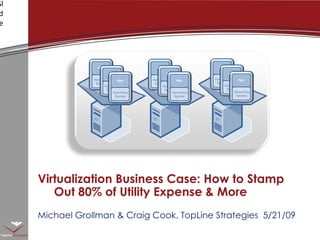
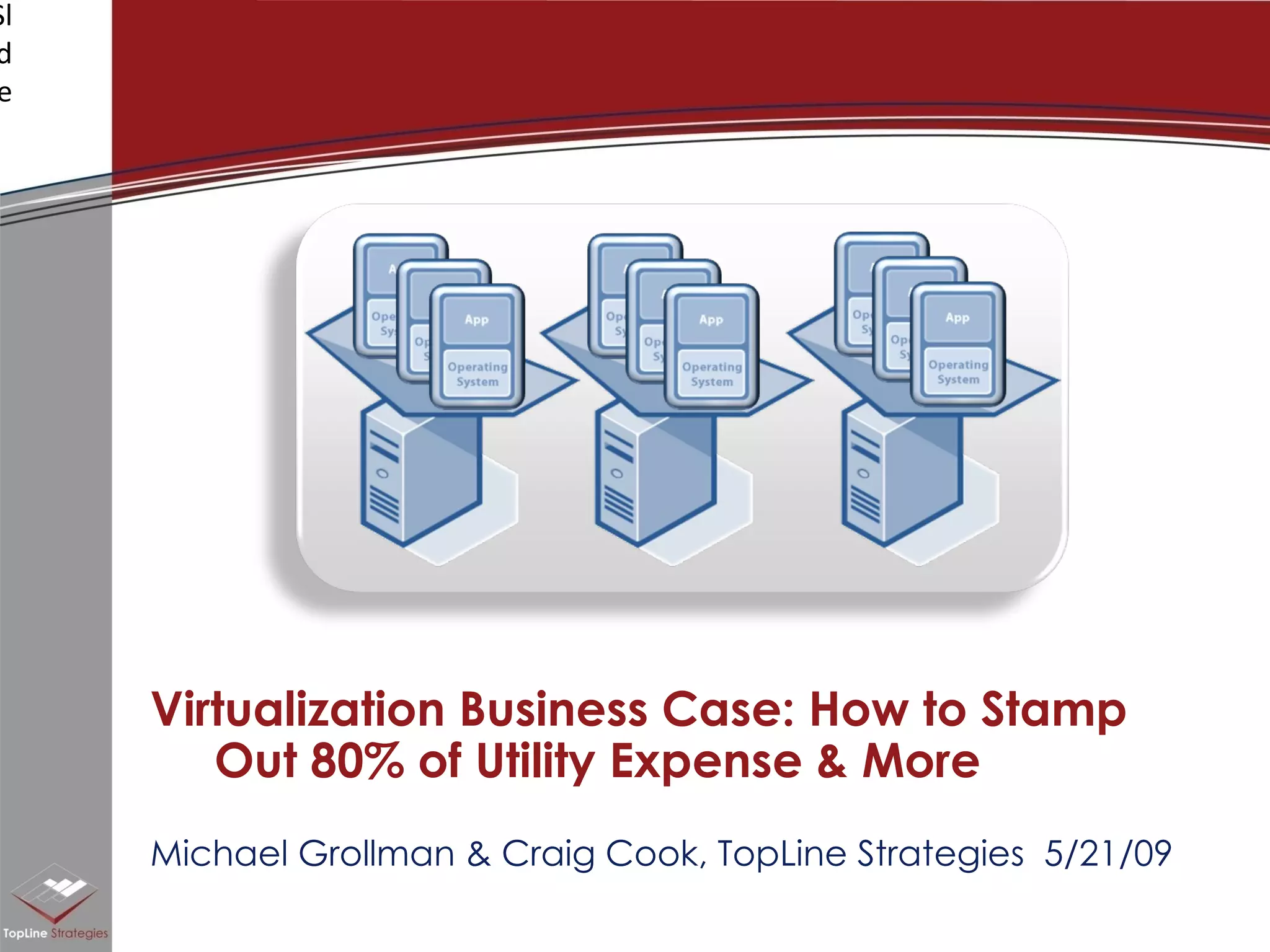

Michael Grollman & Craig Cook, TopLine Strategies  5/21/09 Virtualization Business Case: How to Stamp Out 80% of Utility Expense & More
IT infrastructure & cost  challenges today Virtualization as a potent  change agent Case studies, hard numbers Good news on the performance & security More real world stories on the cost front Questions & next steps Agenda
ROOM FOR IMPROVEMENT Room for Improvement? State of the Infrastructure Nation
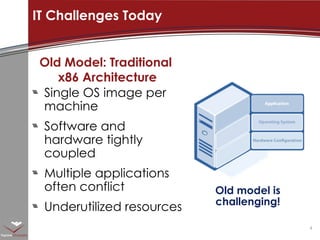
Old model is challenging! Old Model: Traditional  x86 Architecture Single OS image per machine Software and hardware tightly coupled  Multiple applications often conflict Underutilized resources IT Challenges Today
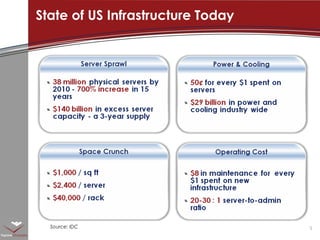
State of US Infrastructure Today Source: IDC
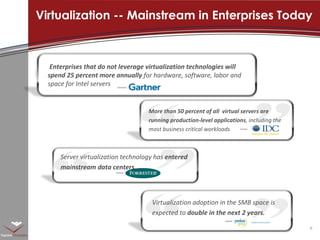
Virtualization -- Mainstream in Enterprises Today Enterprises that do not leverage virtualization technologies will spend 25 percent more annually  for hardware, software, labor and space for Intel servers More than 50 percent of all  virtual servers are running production-level applications , including the most business critical workloads Virtualization adoption in the SMB space is expected to  double in the next 2 years. Server virtualization technology has  entered mainstream data centers…
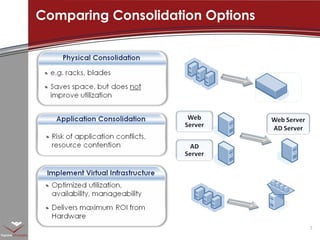
Comparing Consolidation Options
Why make a change? The 5 +1 stages to dramatic savings and performance with virtualization
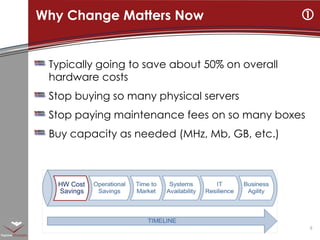
Typically going to save about 50% on overall hardware costs Stop buying so many physical servers Stop paying maintenance fees on so many boxes Buy capacity as needed (MHz, Mb, GB, etc.) Why Change Matters Now  HW Cost Savings
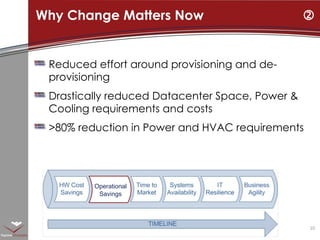
Reduced effort around provisioning and de-provisioning Drastically reduced Datacenter Space, Power & Cooling requirements and costs >80% reduction in Power and HVAC requirements Why Change Matters Now  Operational  Savings
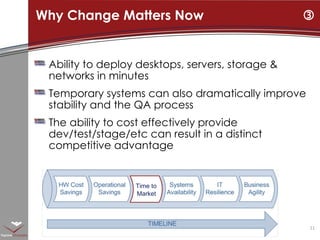
Ability to deploy desktops, servers, storage & networks in minutes Temporary systems can also dramatically improve stability and the QA process The ability to cost effectively provide dev/test/stage/etc can result in a distinct competitive advantage Why Change Matters Now  Time to  Market
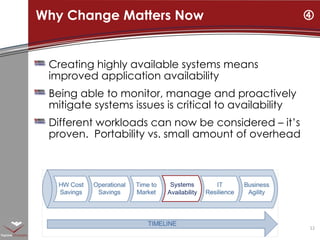
Creating highly available systems means improved application availability Being able to monitor, manage and proactively mitigate systems issues is critical to availability Different workloads can now be considered – it’s proven.  Portability vs. small amount of overhead Why Change Matters Now  Systems  Availability
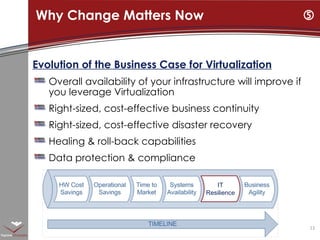
Why Change Matters Now  Evolution of the Business Case for Virtualization Overall availability of your infrastructure will improve if you leverage Virtualization Right-sized, cost-effective business continuity Right-sized, cost-effective disaster recovery Healing & roll-back capabilities Data protection & compliance IT  Resilience
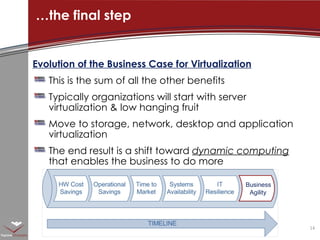
Evolution of the Business Case for Virtualization This is the sum of all the other benefits Typically organizations will start with server virtualization & low hanging fruit Move to storage, network, desktop and application virtualization The end result is a shift toward  dynamic computing  that enables the business to do more … the final step Business  Agility
Detailed Case Study Let’s Get Down to Real World Hard Numbers and Cases
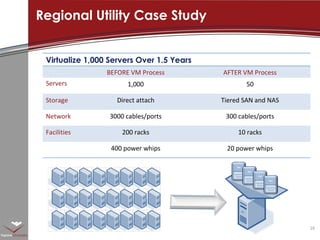
Regional Utility Case Study Virtualize 1,000 Servers Over 1.5 Years BEFORE VM Process AFTER VM Process Servers 1,000 50 Storage Direct attach Tiered SAN and NAS Network 3000 cables/ports 300 cables/ports Facilities 200 racks 10 racks 400 power whips 20 power whips
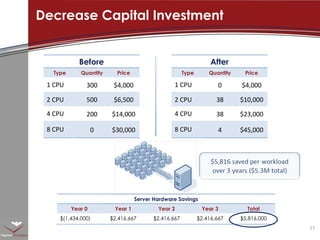
Decrease Capital Investment Before Type Quantity Price 1 CPU 300 $4,000 2 CPU 500 $6,500 4 CPU 200 $14,000 8 CPU 0 $30,000 After Type Quantity Price 1 CPU 0 $4,000 2 CPU 38 $10,000 4 CPU 38 $23,000 8 CPU 4 $45,000 Server Hardware Savings Year 0 Year 1 Year 2 Year 3 Total $(1,434,000) $2,416,667 $2,416,667 $2,416,667 $5,816,000
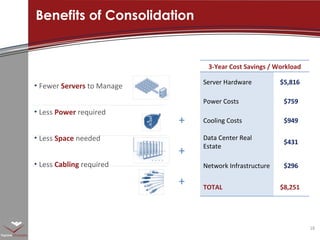
Benefits of Consolidation + + + Fewer  Servers   to Manage  Less  Power   required Less  Space   needed Less  Cabling  required 3-Year Cost Savings / Workload Server Hardware $5,816 Power Costs $759  Cooling Costs $949  Data Center Real Estate $431  Network Infrastructure $296  TOTAL $8,251
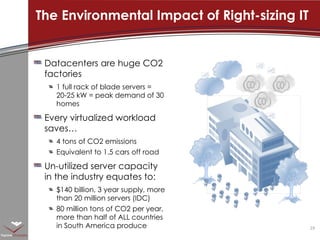
Datacenters are huge CO2 factories 1 full rack of blade servers = 20-25 kW = peak demand of 30 homes  Every virtualized workload saves… 4 tons of CO2 emissions Equivalent to 1.5 cars off road Un-utilized server capacity in the industry equates to: $140 billion, 3 year supply, more than 20 million servers (IDC) 80 million tons of CO2 per year, more than half of ALL countries in South America produce The Environmental Impact of Right-sizing IT
Surprisingly Potent Enough about consolidation. What about performance and management?
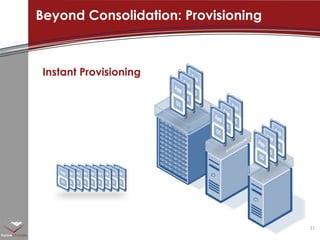
Beyond Consolidation: Provisioning Instant Provisioning
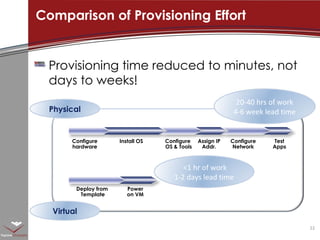
Provisioning time reduced to minutes, not days to weeks!  Comparison of Provisioning Effort  Configure hardware Install OS Configure  OS & Tools Assign IP Addr. Configure Network Test Apps Physical Virtual 20-40 hrs of work 4-6 week lead time Deploy from  Template Power on VM <1 hr of work 1-2 days lead time
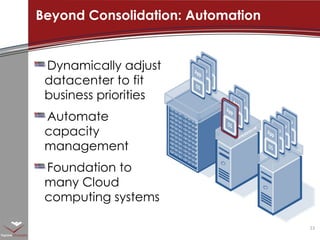
Dynamically adjust datacenter to fit business priorities Automate capacity management Foundation to many Cloud computing systems Beyond Consolidation: Automation
More evidence More Evidence Got any more examples? Did mid-sized firms also see these savings?
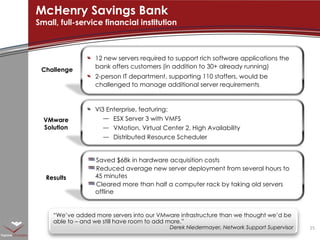
McHenry Savings Bank Small, full-service financial institution Challenge Results VMware Solution “ We’ve added more servers into our VMware infrastructure than we thought we’d be able to – and we still have room to add more.”  Derek Niedermayer, Network Support Supervisor 12 new servers required to support rich software applications the bank offers customers (in addition to 30+ already running) 2-person IT department, supporting 110 staffers, would be challenged to manage additional server requirements Saved $68k in hardware acquisition costs Reduced average new server deployment from several hours to 45 minutes Cleared more than half a computer rack by taking old servers offline VI3 Enterprise, featuring: ESX Server 3 with VMFS VMotion, Virtual Center 2, High Availability Distributed Resource Scheduler
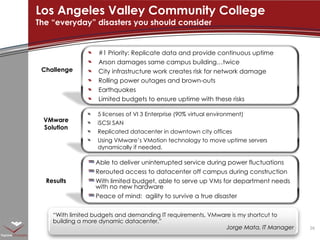
Los Angeles Valley Community College The “everyday” disasters you should consider Challenge Results VMware Solution “ With limited budgets and demanding IT requirements, VMware is my shortcut to  building a more dynamic datacenter.”  Jorge Mata, IT Manager #1 Priority: Replicate data and provide continuous uptime Arson damages same campus building…twice City infrastructure work creates risk for network damage Rolling power outages and brown-outs Earthquakes  Limited budgets to ensure uptime with these risks Able to deliver uninterrupted service during power fluctuations Rerouted access to datacenter off campus during construction With limited budget, able to serve up VMs for department needs with no new hardware Peace of mind:  agility to survive a true disaster 5 licenses of VI 3 Enterprise (90% virtual environment) iSCSI SAN Replicated datacenter in downtown city offices Using VMware’s VMotion technology to move uptime servers dynamically if needed.
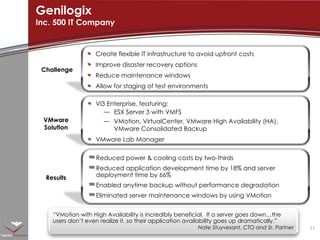
Genilogix Inc. 500 IT Company Challenge Results VMware Solution “ VMotion with High Availability is incredibly beneficial.  If a server goes down…the users don’t even realize it, so their application availability goes up dramatically.”  Nate Stuyvesant, CTO and Sr. Partner Create flexible IT infrastructure to avoid upfront costs Improve disaster recovery options Reduce maintenance windows Allow for staging of test environments Reduced power & cooling costs by two-thirds Reduced application development time by 18% and server deployment time by 66% Enabled anytime backup without performance degradation Eliminated server maintenance windows by using VMotion VI3 Enterprise, featuring: ESX Server 3 with VMFS VMotion, VirtualCenter, VMware High Availability (HA), VMware Consolidated Backup VMware Lab Manager
Next steps Rad. Now who can help give our project a quick start?
Project Management and Engineering IT Consulting IT Human Resource Solutions TopLine Strategies Proud Partners with:
Virtualization Readiness Assessment VDI Proof of Concept and Business Case Creation Technical Proof of Concept and financial analysis  Virtualization Quickstart Virtual Infrastructure Healthcheck Virtual Infrastructure Jumpstart P2V Conversions (for VMWare, Xen, Hyper-V Consolidated Backup Planning & Implementation Base Deployment Architectural review  VMware ESX Server Custom Installations Includes HA, DRS, VMotion, network & storage connectivity  Business Continuity & Disaster Recovery Plan Development Internal Cloud Strategy Development TopLine’s Virtualization Packages
TopLine’s Client Focus Financial Services  Insurance and Health Management  Firms with complex channels (agents, brokers, franchisees, or partners)
Thank you! Pdf Copy of presentation?  ROI/TCO Analysis Survey?  Email:  [email_address]  or  [email_address] Questions?

Virtualization Business Case

  • 1.
    Michael Grollman &Craig Cook, TopLine Strategies 5/21/09 Virtualization Business Case: How to Stamp Out 80% of Utility Expense & More
  • 2.
    IT infrastructure &cost challenges today Virtualization as a potent change agent Case studies, hard numbers Good news on the performance & security More real world stories on the cost front Questions & next steps Agenda
  • 3.
    ROOM FOR IMPROVEMENTRoom for Improvement? State of the Infrastructure Nation
  • 4.
    Old model ischallenging! Old Model: Traditional x86 Architecture Single OS image per machine Software and hardware tightly coupled Multiple applications often conflict Underutilized resources IT Challenges Today
  • 5.
    State of USInfrastructure Today Source: IDC
  • 6.
    Virtualization -- Mainstreamin Enterprises Today Enterprises that do not leverage virtualization technologies will spend 25 percent more annually for hardware, software, labor and space for Intel servers More than 50 percent of all virtual servers are running production-level applications , including the most business critical workloads Virtualization adoption in the SMB space is expected to double in the next 2 years. Server virtualization technology has entered mainstream data centers…
  • 7.
  • 8.
    Why make achange? The 5 +1 stages to dramatic savings and performance with virtualization
  • 9.
    Typically going tosave about 50% on overall hardware costs Stop buying so many physical servers Stop paying maintenance fees on so many boxes Buy capacity as needed (MHz, Mb, GB, etc.) Why Change Matters Now  HW Cost Savings
  • 10.
    Reduced effort aroundprovisioning and de-provisioning Drastically reduced Datacenter Space, Power & Cooling requirements and costs >80% reduction in Power and HVAC requirements Why Change Matters Now  Operational Savings
  • 11.
    Ability to deploydesktops, servers, storage & networks in minutes Temporary systems can also dramatically improve stability and the QA process The ability to cost effectively provide dev/test/stage/etc can result in a distinct competitive advantage Why Change Matters Now  Time to Market
  • 12.
    Creating highly availablesystems means improved application availability Being able to monitor, manage and proactively mitigate systems issues is critical to availability Different workloads can now be considered – it’s proven. Portability vs. small amount of overhead Why Change Matters Now  Systems Availability
  • 13.
    Why Change MattersNow  Evolution of the Business Case for Virtualization Overall availability of your infrastructure will improve if you leverage Virtualization Right-sized, cost-effective business continuity Right-sized, cost-effective disaster recovery Healing & roll-back capabilities Data protection & compliance IT Resilience
  • 14.
    Evolution of theBusiness Case for Virtualization This is the sum of all the other benefits Typically organizations will start with server virtualization & low hanging fruit Move to storage, network, desktop and application virtualization The end result is a shift toward dynamic computing that enables the business to do more … the final step Business Agility
  • 15.
    Detailed Case StudyLet’s Get Down to Real World Hard Numbers and Cases
  • 16.
    Regional Utility CaseStudy Virtualize 1,000 Servers Over 1.5 Years BEFORE VM Process AFTER VM Process Servers 1,000 50 Storage Direct attach Tiered SAN and NAS Network 3000 cables/ports 300 cables/ports Facilities 200 racks 10 racks 400 power whips 20 power whips
  • 17.
    Decrease Capital InvestmentBefore Type Quantity Price 1 CPU 300 $4,000 2 CPU 500 $6,500 4 CPU 200 $14,000 8 CPU 0 $30,000 After Type Quantity Price 1 CPU 0 $4,000 2 CPU 38 $10,000 4 CPU 38 $23,000 8 CPU 4 $45,000 Server Hardware Savings Year 0 Year 1 Year 2 Year 3 Total $(1,434,000) $2,416,667 $2,416,667 $2,416,667 $5,816,000
  • 18.
    Benefits of Consolidation+ + + Fewer Servers to Manage Less Power required Less Space needed Less Cabling required 3-Year Cost Savings / Workload Server Hardware $5,816 Power Costs $759 Cooling Costs $949 Data Center Real Estate $431 Network Infrastructure $296 TOTAL $8,251
  • 19.
    Datacenters are hugeCO2 factories 1 full rack of blade servers = 20-25 kW = peak demand of 30 homes Every virtualized workload saves… 4 tons of CO2 emissions Equivalent to 1.5 cars off road Un-utilized server capacity in the industry equates to: $140 billion, 3 year supply, more than 20 million servers (IDC) 80 million tons of CO2 per year, more than half of ALL countries in South America produce The Environmental Impact of Right-sizing IT
  • 20.
    Surprisingly Potent Enoughabout consolidation. What about performance and management?
  • 21.
  • 22.
    Provisioning time reducedto minutes, not days to weeks! Comparison of Provisioning Effort Configure hardware Install OS Configure OS & Tools Assign IP Addr. Configure Network Test Apps Physical Virtual 20-40 hrs of work 4-6 week lead time Deploy from Template Power on VM <1 hr of work 1-2 days lead time
  • 23.
    Dynamically adjust datacenterto fit business priorities Automate capacity management Foundation to many Cloud computing systems Beyond Consolidation: Automation
  • 24.
    More evidence MoreEvidence Got any more examples? Did mid-sized firms also see these savings?
  • 25.
    McHenry Savings BankSmall, full-service financial institution Challenge Results VMware Solution “ We’ve added more servers into our VMware infrastructure than we thought we’d be able to – and we still have room to add more.” Derek Niedermayer, Network Support Supervisor 12 new servers required to support rich software applications the bank offers customers (in addition to 30+ already running) 2-person IT department, supporting 110 staffers, would be challenged to manage additional server requirements Saved $68k in hardware acquisition costs Reduced average new server deployment from several hours to 45 minutes Cleared more than half a computer rack by taking old servers offline VI3 Enterprise, featuring: ESX Server 3 with VMFS VMotion, Virtual Center 2, High Availability Distributed Resource Scheduler
  • 26.
    Los Angeles ValleyCommunity College The “everyday” disasters you should consider Challenge Results VMware Solution “ With limited budgets and demanding IT requirements, VMware is my shortcut to building a more dynamic datacenter.” Jorge Mata, IT Manager #1 Priority: Replicate data and provide continuous uptime Arson damages same campus building…twice City infrastructure work creates risk for network damage Rolling power outages and brown-outs Earthquakes Limited budgets to ensure uptime with these risks Able to deliver uninterrupted service during power fluctuations Rerouted access to datacenter off campus during construction With limited budget, able to serve up VMs for department needs with no new hardware Peace of mind: agility to survive a true disaster 5 licenses of VI 3 Enterprise (90% virtual environment) iSCSI SAN Replicated datacenter in downtown city offices Using VMware’s VMotion technology to move uptime servers dynamically if needed.
  • 27.
    Genilogix Inc. 500IT Company Challenge Results VMware Solution “ VMotion with High Availability is incredibly beneficial. If a server goes down…the users don’t even realize it, so their application availability goes up dramatically.” Nate Stuyvesant, CTO and Sr. Partner Create flexible IT infrastructure to avoid upfront costs Improve disaster recovery options Reduce maintenance windows Allow for staging of test environments Reduced power & cooling costs by two-thirds Reduced application development time by 18% and server deployment time by 66% Enabled anytime backup without performance degradation Eliminated server maintenance windows by using VMotion VI3 Enterprise, featuring: ESX Server 3 with VMFS VMotion, VirtualCenter, VMware High Availability (HA), VMware Consolidated Backup VMware Lab Manager
  • 28.
    Next steps Rad.Now who can help give our project a quick start?
  • 29.
    Project Management andEngineering IT Consulting IT Human Resource Solutions TopLine Strategies Proud Partners with:
  • 30.
    Virtualization Readiness AssessmentVDI Proof of Concept and Business Case Creation Technical Proof of Concept and financial analysis Virtualization Quickstart Virtual Infrastructure Healthcheck Virtual Infrastructure Jumpstart P2V Conversions (for VMWare, Xen, Hyper-V Consolidated Backup Planning & Implementation Base Deployment Architectural review VMware ESX Server Custom Installations Includes HA, DRS, VMotion, network & storage connectivity Business Continuity & Disaster Recovery Plan Development Internal Cloud Strategy Development TopLine’s Virtualization Packages
  • 31.
    TopLine’s Client FocusFinancial Services Insurance and Health Management Firms with complex channels (agents, brokers, franchisees, or partners)
  • 32.
    Thank you! PdfCopy of presentation? ROI/TCO Analysis Survey? Email: [email_address] or [email_address] Questions?

Editor's Notes

  • #5 In the traditional IT stack there was a rigid 1-1 mapping between hardware, an instance of an operating system and a single software application. That rigid model lead to tremendous under-utilization of hardware resources. The industry statistic is that in this traditional model, servers are utilized only 5-15%. This is a huge problem for companies – having a very large pool of resources that stays idle most of the time. it is a picture that CFOs are very unhappy about. But the story doesn&apos;t end there – the server sprawl and the associated underutilization of resources have ripple through effects for the entire environment – server sprawl means not only wasted investment in hardware, but also unsustainable power, cooling, and real estate costs. This tremendous complexity means that it is hard to provision new infrastructure and to respond to changing business needs. IT departments are stuck wasting cycles on mundane tasks, and don’t have time to focus on what really matters. For example, in most companies a single sys admin can support only up to 20 servers, and the time for provisioning a new server is often 6-8 weeks.
  • #6 Before we highlight what customers have been able to do with virtualization, let’s put some more color around the magnitude of the problem we are solving. Server sprawl – read the stats Power &amp; cooling – read the stats Space crunch – read the stats Operating / labor cost – read the stats.
  • #7 The consensus is growing within the industry and analyst community that virtualization has moved out of the “early adoption” stage and into the mainstream within businesses today, with VMware solutions leading the way. VMware now counts 100% of the Fortune 100 as customers. Deployment of virtualization solutions in small and medium businesses is expected to double over the next 2 years according to a recent Yankee Group study.
  • #8 Key Points: There are several options for implementing consolidation/containment; how does consolidation and containment with VMware software compare with other means of consolidation and containment? Physical consolidation: reduces server footprint, often offers additional management capabilities, but still leaves utilization low (but combining physical consolidation with VMware software can be a great solution) Application consolidation: particularly on x86, is highly problematic because of potential application conflicts and because ability to configure OS and hardware for a specific application is lost; also potentially introduces reliability issues because one problematic application could potentially cause downtime for other applications on the same system Consolidation with VMware virtual infrastructure: maximum benefit of the options considered
  • #17 In 2003, the IT service arm of a leading North American utility started a consolidation project, using VMware software as the primary vehicle for achieving this. The customer had 1000 + servers, The customers virtualize a broad workload that was inclusive of - 111 SQL Servers that 24 physical servers…4 farms - 49 Lotus notes servers that 10 servers. - 50 Citrix physical servers that on to 15 &lt;click&gt; The end resulting that have been migrated to 50, 8-socket capable IBM x440 servers --- Virtualization based consolidation not only affects the servers but consolidated and raises the quality and service levels of everything around it, including storage, network and facilities. Specifically in this project. Consolidation of Storage: silo’d internal disks to Highly Available Tiered Storage, a Hitachi SAN A 10:1 consolidation of network ports, or in the words of the customer from spaghetti wiring to world class datacenter. Dramatic cost s avoidance on the facilities and hardware infrastructure. --- So what’s been the net impact of this virtualization project?
  • #18 Speaker Notes: The most obvious benefit of server consolidation is the reduction in capital invested in hardware. In this example, the 1000 1 to 4 CPU servers were consolidated onto 80 2 to 8 CPU systems over a 3 year period. Netting out the investment in software and infrastructure, the project saved a total of $5.8M, or $5,816 per workload, or $5.3 Million in total. Whether implemented during a server refresh or to contain future server growth, the reduction in server costs is striking.
  • #19 Speaker Notes: To summarize, the cost savings from consolidation with VMware Infrastructure is compelling. Done on a moderate scale, the average company can save $8,251 per workload over 3 years. The typical return on investment (ROI) for a virtualization project is 6 months or less. Virtualization projects pay for themselves. Note: These figures are all PER workload. Multiply by number of workloads to measure total savings over 3 years. Examples: For 100 workloads virtualized, a company saves $825,100 For 1000 workloads virtualized, a company saves $8,251,000
  • #22 Let’s take a look at what is driving this very fast adoption of virtualization – what are the benefits that customers are achieving from this technology? The first one is tremendous increase in hardware utilization. &lt;click in the animation&gt; Being able to run multiple OS and multiple applications in virtual machines on the same server leads to increased hardware utilization. VMware customers report that after deploying virtualization, the average utilization of their server farms increases to 60-80%. This is not a percentage but multiples increase over the “before” situation of 5-15%. The second major advantage of virtualization is fast infrastructure provisioning. Because virtual machines are nothing but software files, they can be copied, pasted and moved around with the ease of file copy. &lt;click in the animation&gt; With virtualization, companies can provision a new virtual machine with a mouse click. This is a sea of change from the traditional model where it typically takes days if not weeks or months to provision a new servers. Moreover, virtual machines can be saved as ready templates that can be instantiated as needed. With this instant provisioning capability IT can be responsive to the business like never before. And finally, virtualization enables live stateful migration of virtual machines from one physical box to another without any end user interruption. VMware unveiled the ground-breaking VMotion capability three years ago, and today about 50% of our customers are using it to decrease the planned and unplanned downtime. If you need to do maintenance on a server, you no longer have to bring it down, you can simply VMotion the virtual machines to another server, completely transparently to the user. IT departments can do away with the “maintenance windows”. This capability also opens new horizons for high availability, business continuity and disaster recovery. The ROI customers are getting from virtualization is compelling and immediate! VMware customers report that virtualization investment pays for itself typically within 6 to 9 months. The biggest driver behind virtualization adoption is this indisputable, very tangible Return on Investment.
  • #23 Now let’s take a very specific look comparing the provisioning activity in the virtual versus physical world. In the physical world, you have to procure and configure the hardware. This is an activity that can takes weeks if you need to order a new system. Then you go through the process of configuring the OS, networking, and applications. All together, this could be 20-40 hours of actual work, plus 4-6 weeks of time from start to finish. By contrast, deploying a VM from a template takes minutes. Including configuration, you’re typically talking about &lt;1 hour of actual work. Integrating into the typical IT procurement and approval process, and most likely you’re still only talking about 1 or 2 days.
  • #24 And finally, comes automation. Using DRS and HA, your infrastructure automatically and dynamically assigns resources to applications only when needed. This is a significant transformation in IT management and significantly improve IT staff performance by 30-50% And finally the crown jewel in this line up: Automation The infrastructure can then automatically manage the dynamic distribution of resources, assigning compute power to applications only when needed and to the extent needed (or specified by policies). This is impressive stuff. You all know how excited customers get when you pitch VMotion. Result: Less time and thus less people focused on simple day-to-day management tasks
  • #26 [Present customer scenario as outlined on the chart. Focus on challenge and results.]
  • #28 [Present customer scenario as outlined on the chart. Focus on challenge and results.]