A
SEMINAR
PRESENTATION
ON
CLOUD
COMPUTING
Presented By
Pranav Vashistha
(B.Tech IT 3rd Year)
Cloud Computing
1
2
Cloud Computing
Content
 Basic Concepts
 Traditional Approach
 First Movers in Cloud
 Definition
 Components of Cloud
 Cloud’s Service Models
• Software as a Service
• Platform as a Service
• Infrastructure as a Service
 Types of Cloud
 Why Cloud Computing
 Benefits of Cloud Computing
 Applications of Cloud
 References
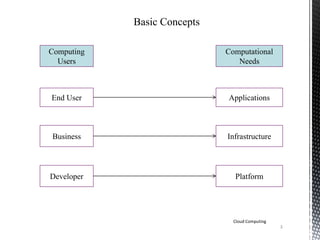
Basic Concepts
Computing
Users
Computational
Needs
End User
Business
Developer
Applications
Infrastructure
Platform
Cloud Computing
3
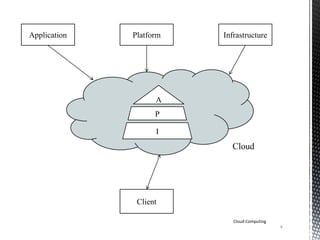
Application Platform Infrastructure
Client
A
P
I
Cloud
Cloud Computing
4
Traditional Approach
Few years ago-
• The user used to back up their data on storage disks. With
few advancements in technology, smart & handy devices are
created to store data on the go.
• To set-up a business successfully, you needed to invest on
setting up devices, technical staff, software & licenses. As
your business grows you need additional investments not only
for keep your business running but also for persisting changes
in technology.
• You need upgrades, renewal of licenses, additional staff for
managing the excessive amount of data.
Cloud Computing
5
6
Cloud Computing
First Movers in Cloud
Amazon
• Elastic Compute Cloud(EC2)
• Simple Storage Service(S3)
• Simple Queue Service(SQS)
Google
• App Engine
• Gmail
Microsoft
• Windows Azure
• Microsoft SQL Services
• Microsoft .NET Services
• Microsoft SharePoint Services
Definition
Cloud Computing can be defined as a technique which enables
the web hosting service providers to provide their customer an
efficient self-service approach.
It integrates various applications, platforms, infrastructures &
services which can be shared by several people or businesses at
the same time.
It is a blend of communication networks, business applications
& IT resources which is basically implemented to cut off costs
,optimization & synchronization of various resources.
Cloud Computing
7
Components of Cloud [3]
Internet
Clients
Computers
Distributed
Servers
Datacenter
Cloud Computing
8
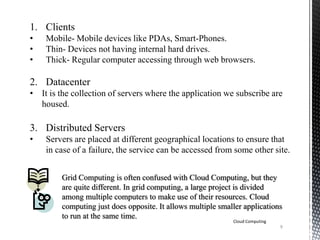
1. Clients
• Mobile- Mobile devices like PDAs, Smart-Phones.
• Thin- Devices not having internal hard drives.
• Thick- Regular computer accessing through web browsers.
2. Datacenter
• It is the collection of servers where the application we subscribe are
housed.
3. Distributed Servers
• Servers are placed at different geographical locations to ensure that
in case of a failure, the service can be accessed from some other site.
Grid Computing is often confused with Cloud Computing, but they
are quite different. In grid computing, a large project is divided
among multiple computers to make use of their resources. Cloud
computing just does opposite. It allows multiple smaller applications
to run at the same time.
Cloud Computing
9
Cloud’s Service Models [1]
The services of a cloud includes the following traits:-
• Multitenancy
• Device Independency
• Large Scalability
• Low barriers to entry.
It includes the following three models of services:-
1. Software as a Service (SaaS)
2. Platform as a Service (PaaS)
3. Infrastructure as a Service (IaaS)
Cloud Computing
10
Software as a Service (SaaS)
Cloud Computing
11
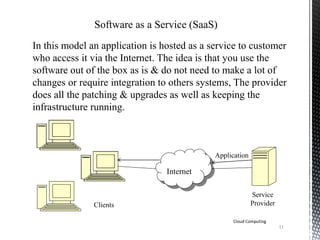
In this model an application is hosted as a service to customer
who access it via the Internet. The idea is that you use the
software out of the box as is & do not need to make a lot of
changes or require integration to others systems, The provider
does all the patching & upgrades as well as keeping the
infrastructure running.
Internet
Application
Service
ProviderClients
Cloud Computing
12
Platform as a Service (PaaS)
PaaS supplies all the resources required to build applications &
services completely from the internet, without having to download
or install software. It is also known as “Cloudware”. PaaS services
include:-
• Application Design
• Development
• Testing
• Deployment
• Hosting
• Database Integration
• Security
• Versioning
13
Cloud Computing
Infrastructure as a Service (IaaS)
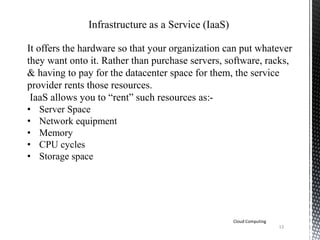
It offers the hardware so that your organization can put whatever
they want onto it. Rather than purchase servers, software, racks,
& having to pay for the datacenter space for them, the service
provider rents those resources.
IaaS allows you to “rent” such resources as:-
• Server Space
• Network equipment
• Memory
• CPU cycles
• Storage space
14
Cloud Computing
Types of Cloud
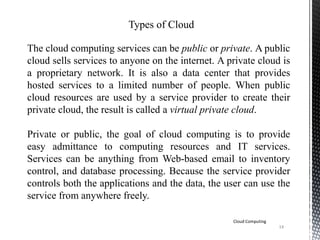
The cloud computing services can be public or private. A public
cloud sells services to anyone on the internet. A private cloud is
a proprietary network. It is also a data center that provides
hosted services to a limited number of people. When public
cloud resources are used by a service provider to create their
private cloud, the result is called a virtual private cloud.
Private or public, the goal of cloud computing is to provide
easy admittance to computing resources and IT services.
Services can be anything from Web-based email to inventory
control, and database processing. Because the service provider
controls both the applications and the data, the user can use the
service from anywhere freely.
15
Cloud Computing
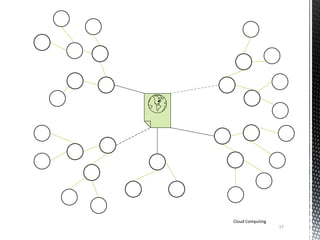
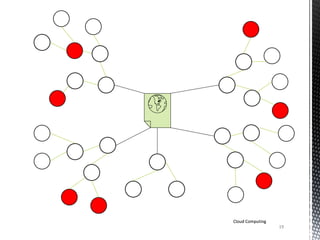
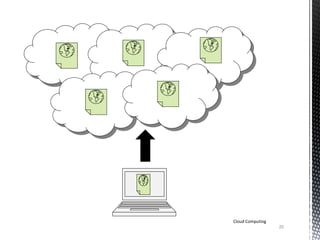
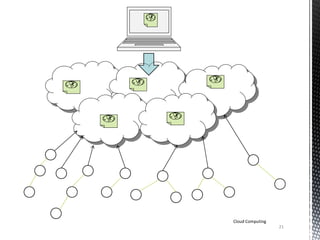
Why Cloud Computing [2]
Traditional approach of hosting..
16
Cloud Computing
17
Cloud Computing
18
Cloud Computing
19
Cloud Computing
19
Cloud Computing
20
Cloud Computing
21
Cloud Computing
22
Cloud Computing
Benefits of Cloud Computing
 Multitenancy
 High Scalability
 Instant
 Device Independency
23
Cloud Computing
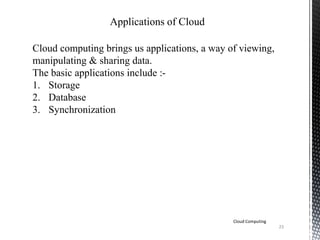
Applications of Cloud
Cloud computing brings us applications, a way of viewing,
manipulating & sharing data.
The basic applications include :-
1. Storage
2. Database
3. Synchronization
24
Cloud Computing
References
1. Cloud Computing (www.salesforce.com/cloudcomputing)
2. Cloud Computing by Tim & Michael at GoGrid.com
(http://www.youtube.com/watch?v=QJncFirhjPg)
3. Lewis, Grace. Basics About Cloud Computing.
(http://www.sei.cmu.edu/library/abstracts/whitepapers/clou
dcomputingbasics.cfm)
25
Cloud Computing
Thank
You!

Basics of Cloud Computing

  • 1.
  • 2.
    2 Cloud Computing Content  BasicConcepts  Traditional Approach  First Movers in Cloud  Definition  Components of Cloud  Cloud’s Service Models • Software as a Service • Platform as a Service • Infrastructure as a Service  Types of Cloud  Why Cloud Computing  Benefits of Cloud Computing  Applications of Cloud  References
  • 3.
  • 4.
  • 5.
    Traditional Approach Few yearsago- • The user used to back up their data on storage disks. With few advancements in technology, smart & handy devices are created to store data on the go. • To set-up a business successfully, you needed to invest on setting up devices, technical staff, software & licenses. As your business grows you need additional investments not only for keep your business running but also for persisting changes in technology. • You need upgrades, renewal of licenses, additional staff for managing the excessive amount of data. Cloud Computing 5
  • 6.
    6 Cloud Computing First Moversin Cloud Amazon • Elastic Compute Cloud(EC2) • Simple Storage Service(S3) • Simple Queue Service(SQS) Google • App Engine • Gmail Microsoft • Windows Azure • Microsoft SQL Services • Microsoft .NET Services • Microsoft SharePoint Services
  • 7.
    Definition Cloud Computing canbe defined as a technique which enables the web hosting service providers to provide their customer an efficient self-service approach. It integrates various applications, platforms, infrastructures & services which can be shared by several people or businesses at the same time. It is a blend of communication networks, business applications & IT resources which is basically implemented to cut off costs ,optimization & synchronization of various resources. Cloud Computing 7
  • 8.
    Components of Cloud[3] Internet Clients Computers Distributed Servers Datacenter Cloud Computing 8
  • 9.
    1. Clients • Mobile-Mobile devices like PDAs, Smart-Phones. • Thin- Devices not having internal hard drives. • Thick- Regular computer accessing through web browsers. 2. Datacenter • It is the collection of servers where the application we subscribe are housed. 3. Distributed Servers • Servers are placed at different geographical locations to ensure that in case of a failure, the service can be accessed from some other site. Grid Computing is often confused with Cloud Computing, but they are quite different. In grid computing, a large project is divided among multiple computers to make use of their resources. Cloud computing just does opposite. It allows multiple smaller applications to run at the same time. Cloud Computing 9
  • 10.
    Cloud’s Service Models[1] The services of a cloud includes the following traits:- • Multitenancy • Device Independency • Large Scalability • Low barriers to entry. It includes the following three models of services:- 1. Software as a Service (SaaS) 2. Platform as a Service (PaaS) 3. Infrastructure as a Service (IaaS) Cloud Computing 10
  • 11.
    Software as aService (SaaS) Cloud Computing 11 In this model an application is hosted as a service to customer who access it via the Internet. The idea is that you use the software out of the box as is & do not need to make a lot of changes or require integration to others systems, The provider does all the patching & upgrades as well as keeping the infrastructure running. Internet Application Service ProviderClients
  • 12.
    Cloud Computing 12 Platform asa Service (PaaS) PaaS supplies all the resources required to build applications & services completely from the internet, without having to download or install software. It is also known as “Cloudware”. PaaS services include:- • Application Design • Development • Testing • Deployment • Hosting • Database Integration • Security • Versioning
  • 13.
    13 Cloud Computing Infrastructure asa Service (IaaS) It offers the hardware so that your organization can put whatever they want onto it. Rather than purchase servers, software, racks, & having to pay for the datacenter space for them, the service provider rents those resources. IaaS allows you to “rent” such resources as:- • Server Space • Network equipment • Memory • CPU cycles • Storage space
  • 14.
    14 Cloud Computing Types ofCloud The cloud computing services can be public or private. A public cloud sells services to anyone on the internet. A private cloud is a proprietary network. It is also a data center that provides hosted services to a limited number of people. When public cloud resources are used by a service provider to create their private cloud, the result is called a virtual private cloud. Private or public, the goal of cloud computing is to provide easy admittance to computing resources and IT services. Services can be anything from Web-based email to inventory control, and database processing. Because the service provider controls both the applications and the data, the user can use the service from anywhere freely.
  • 15.
    15 Cloud Computing Why CloudComputing [2] Traditional approach of hosting..
  • 16.
  • 17.
  • 18.
  • 19.
  • 20.
  • 21.
  • 22.
    22 Cloud Computing Benefits ofCloud Computing  Multitenancy  High Scalability  Instant  Device Independency
  • 23.
    23 Cloud Computing Applications ofCloud Cloud computing brings us applications, a way of viewing, manipulating & sharing data. The basic applications include :- 1. Storage 2. Database 3. Synchronization
  • 24.
    24 Cloud Computing References 1. CloudComputing (www.salesforce.com/cloudcomputing) 2. Cloud Computing by Tim & Michael at GoGrid.com (http://www.youtube.com/watch?v=QJncFirhjPg) 3. Lewis, Grace. Basics About Cloud Computing. (http://www.sei.cmu.edu/library/abstracts/whitepapers/clou dcomputingbasics.cfm)
  • 25.