Video Composition
Composition Universal units of composition Long Shot Medium Shot Close up
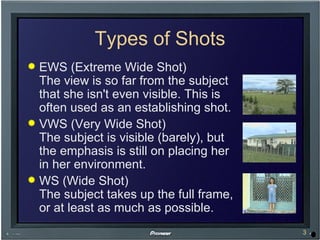
Types of Shots EWS (Extreme Wide Shot) The view is so far from the subject that she isn't even visible. This is often used as an establishing shot. VWS (Very Wide Shot) The subject is visible (barely), but the emphasis is still on placing her in her environment. WS (Wide Shot) The subject takes up the full frame, or at least as much as possible.
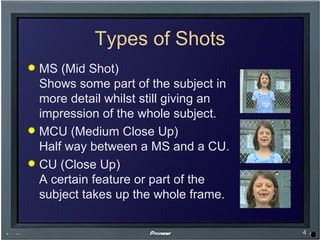
Types of Shots MS (Mid Shot) Shows some part of the subject in more detail whilst still giving an impression of the whole subject. MCU (Medium Close Up) Half way between a MS and a CU. CU (Close Up) A certain feature or part of the subject takes up the whole frame.
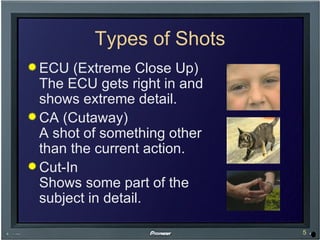
Types of Shots ECU (Extreme Close Up) The ECU gets right in and shows extreme detail. CA (Cutaway) A shot of something other than the current action. Cut-In Shows some part of the subject in detail.
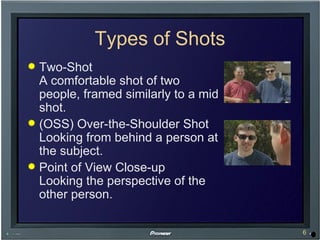
Types of Shots Two-Shot A comfortable shot of two people, framed similarly to a mid shot. (OSS) Over-the-Shoulder Shot Looking from behind a person at the subject. Point of View Close-up Looking the perspective of the other person.
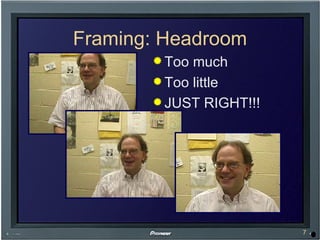
Framing: Headroom Too much Too little JUST RIGHT!!!
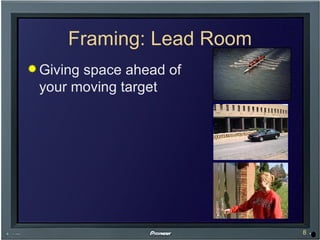
Framing: Lead Room Giving space ahead of  your moving target
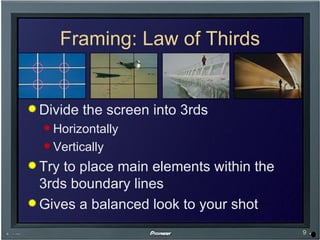
Framing: Law of Thirds Divide the screen into 3rds Horizontally Vertically Try to place main elements within the 3rds boundary lines Gives a balanced look to your shot
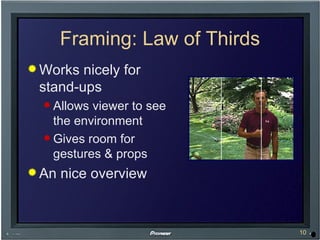
Framing: Law of Thirds Works nicely for stand-ups Allows viewer to see the environment Gives room for gestures & props An nice overview
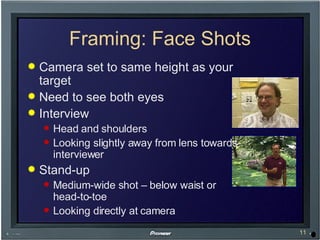
Framing: Face Shots Camera set to same height as your target Need to see both eyes Interview Head and shoulders Looking slightly away from lens towards interviewer Stand-up Medium-wide shot – below waist or head-to-toe Looking directly at camera
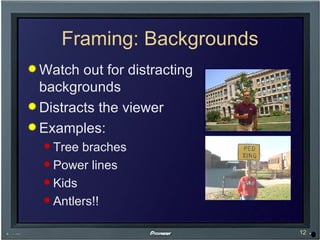
Framing: Backgrounds Watch out for distracting backgrounds Distracts the viewer Examples: Tree braches Power lines Kids Antlers!!
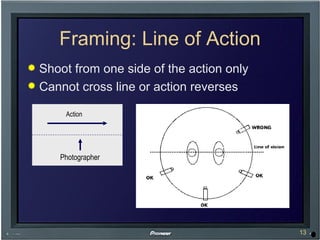
Framing: Line of Action Shoot from one side of the action only Cannot cross line or action reverses Action Action Photographer
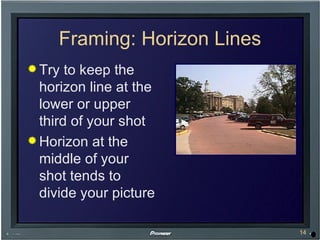
Framing: Horizon Lines Try to keep the horizon line at the lower or upper third of your shot Horizon at the middle of your shot tends to divide your picture
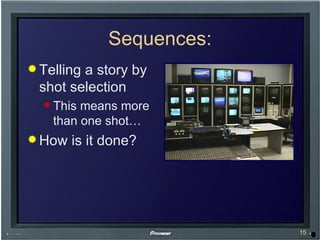
Sequences: Telling a story by shot selection This means more than one shot… How is it done?
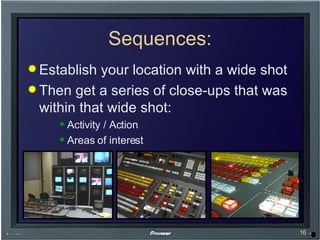
Sequences: Establish your location with a wide shot Then get a series of close-ups that was within that wide shot: Activity / Action Areas of interest
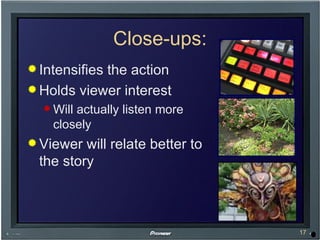
Close-ups: Intensifies the action Holds viewer interest Will actually listen more closely Viewer will relate better to the story
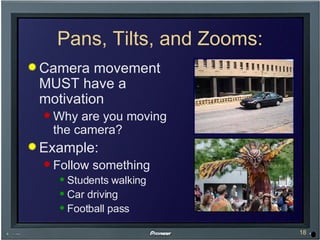
Pans, Tilts, and Zooms: Camera movement MUST have a motivation Why are you moving the camera? Example: Follow something Students walking Car driving Football pass
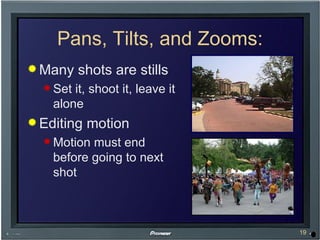
Pans, Tilts, and Zooms: Many shots are stills Set it, shoot it, leave it alone Editing motion Motion must end before going to next shot
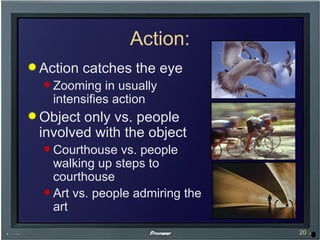
Action: Action catches the eye Zooming in usually intensifies action Object only vs. people involved with the object Courthouse vs. people walking up steps to courthouse Art vs. people admiring the art
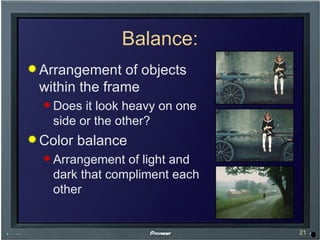
Balance: Arrangement of objects within the frame Does it look heavy on one side or the other? Color balance Arrangement of light and dark that compliment each other
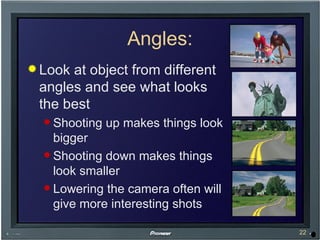
Angles: Look at object from different angles and see what looks the best Shooting up makes things look bigger Shooting down makes things look smaller Lowering the camera often will give more interesting shots
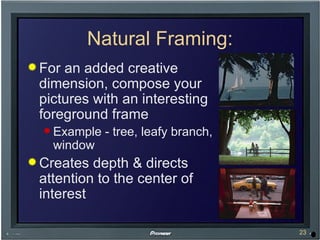
Natural Framing: For an added creative dimension, compose your pictures with an interesting foreground frame Example - tree, leafy branch, window Creates depth & directs attention to the center of interest
Getting Your Shots  Plan, plan, plan! (storyboards) Shoot 5 seconds before and after you shot Allows for editing Take the same shot several times, or 2-3 times longer than you need Ensures you get enough footage

Video Composition

  • 1.
  • 2.
    Composition Universal unitsof composition Long Shot Medium Shot Close up
  • 3.
    Types of ShotsEWS (Extreme Wide Shot) The view is so far from the subject that she isn't even visible. This is often used as an establishing shot. VWS (Very Wide Shot) The subject is visible (barely), but the emphasis is still on placing her in her environment. WS (Wide Shot) The subject takes up the full frame, or at least as much as possible.
  • 4.
    Types of ShotsMS (Mid Shot) Shows some part of the subject in more detail whilst still giving an impression of the whole subject. MCU (Medium Close Up) Half way between a MS and a CU. CU (Close Up) A certain feature or part of the subject takes up the whole frame.
  • 5.
    Types of ShotsECU (Extreme Close Up) The ECU gets right in and shows extreme detail. CA (Cutaway) A shot of something other than the current action. Cut-In Shows some part of the subject in detail.
  • 6.
    Types of ShotsTwo-Shot A comfortable shot of two people, framed similarly to a mid shot. (OSS) Over-the-Shoulder Shot Looking from behind a person at the subject. Point of View Close-up Looking the perspective of the other person.
  • 7.
    Framing: Headroom Toomuch Too little JUST RIGHT!!!
  • 8.
    Framing: Lead RoomGiving space ahead of your moving target
  • 9.
    Framing: Law ofThirds Divide the screen into 3rds Horizontally Vertically Try to place main elements within the 3rds boundary lines Gives a balanced look to your shot
  • 10.
    Framing: Law ofThirds Works nicely for stand-ups Allows viewer to see the environment Gives room for gestures & props An nice overview
  • 11.
    Framing: Face ShotsCamera set to same height as your target Need to see both eyes Interview Head and shoulders Looking slightly away from lens towards interviewer Stand-up Medium-wide shot – below waist or head-to-toe Looking directly at camera
  • 12.
    Framing: Backgrounds Watchout for distracting backgrounds Distracts the viewer Examples: Tree braches Power lines Kids Antlers!!
  • 13.
    Framing: Line ofAction Shoot from one side of the action only Cannot cross line or action reverses Action Action Photographer
  • 14.
    Framing: Horizon LinesTry to keep the horizon line at the lower or upper third of your shot Horizon at the middle of your shot tends to divide your picture
  • 15.
    Sequences: Telling astory by shot selection This means more than one shot… How is it done?
  • 16.
    Sequences: Establish yourlocation with a wide shot Then get a series of close-ups that was within that wide shot: Activity / Action Areas of interest
  • 17.
    Close-ups: Intensifies theaction Holds viewer interest Will actually listen more closely Viewer will relate better to the story
  • 18.
    Pans, Tilts, andZooms: Camera movement MUST have a motivation Why are you moving the camera? Example: Follow something Students walking Car driving Football pass
  • 19.
    Pans, Tilts, andZooms: Many shots are stills Set it, shoot it, leave it alone Editing motion Motion must end before going to next shot
  • 20.
    Action: Action catchesthe eye Zooming in usually intensifies action Object only vs. people involved with the object Courthouse vs. people walking up steps to courthouse Art vs. people admiring the art
  • 21.
    Balance: Arrangement ofobjects within the frame Does it look heavy on one side or the other? Color balance Arrangement of light and dark that compliment each other
  • 22.
    Angles: Look atobject from different angles and see what looks the best Shooting up makes things look bigger Shooting down makes things look smaller Lowering the camera often will give more interesting shots
  • 23.
    Natural Framing: Foran added creative dimension, compose your pictures with an interesting foreground frame Example - tree, leafy branch, window Creates depth & directs attention to the center of interest
  • 24.
    Getting Your Shots Plan, plan, plan! (storyboards) Shoot 5 seconds before and after you shot Allows for editing Take the same shot several times, or 2-3 times longer than you need Ensures you get enough footage