Collaborating online Social Software  and  (Literacy) Education  WIKI and Weblogs in the classroom practice http://www.slideshare.net/jeroencl/turku2010
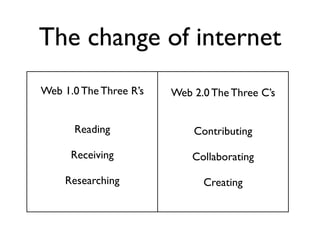
Internet & interactivity Web 1.0   < 2005 3 R’s Reading Receiving  Researching  One way street Web 2.0   > 2005 3 C’s Contributing Collaborating Creating  Two way street
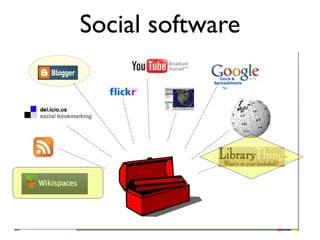
Social software  WIKI
social software in my classroom   weblogs for reflection on literature wikis for (international and interdisciplinary ) collaboration  LibraryThing for sharing and inspiring
 
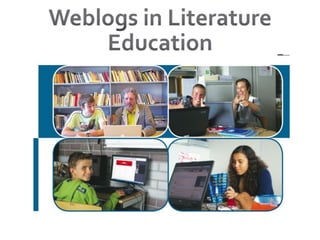
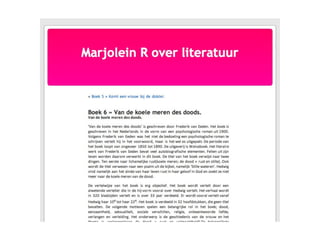
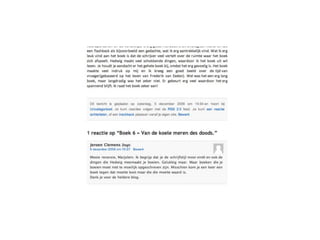
what did we do? How it was 2 years ago:  My students don’t read much Which book is interesting? Book reports from internet / no reflection  Simple rules: make you own weblog No paper books reports anymore ! 4 blogs per year on reading experiences at least 2 comments on blog student  now all my classes write weblogs
 
 
What did we learn?  Reflective learning : students don’t reflect automatically: they need the teacher  Interactive learning : students reflections get better because of interaction Inspiration : students inspire each other to read books Motivation : students find blogging more interesting then writing book reports
What did we also learn be patient: number of reactions will grow slowly it’s rewarding for you too: you know your students better  colleagues get inspired: they want it too!
tips for beginners (1/2) start a weblog yourself to get experience  use a simpel platform: Blogger or Word- Press.com make it interesting and fun / start a pilot  combine with curriculum goals: writing, literature, social studies...
Some more tips (2/2) use RSS feeds to see updates right away comment regularly, so students see you really read their posts for the technical side: use smart students  ;-)
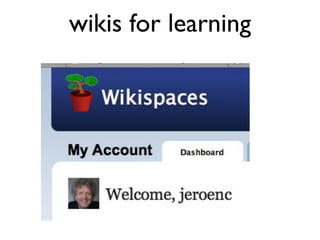
wikis for learning
http://www.youtube.com/watch?v=2QZ1JGjl9bc
my use of wikis  international collaboration schools : Macedonia, Turkey, Russia, your school?  interdisciplinary project Literature & Philosophy  new format Products Students  sharing knowledge and materials with colleagues
what’s a wiki? A  wiki  (  / ˈwɪki /   WIK -ee ) is a  website  that allows the easy [1]  creation and editing of any number of  interlinked   web pages  via a  web browser  using a simplified (....) text editor quote from Wikipedia, a wiki
how to use a wiki a  teaching environment : assignments, materials, schedule, goals, student products a  learning environment : learn together, meet each other, communicate, develop a product together, research, reflect,  .. to  monitor  learning process
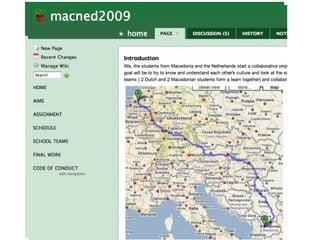
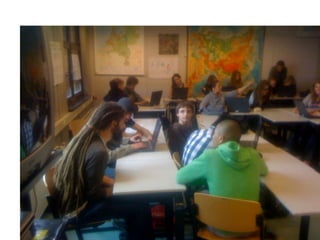
What did we do http://www.youtube.com/watch?v=8wOpZklyNpw MacNed project http://macned2009.wikispaces.com/
http://almeretrabzon.wikispaces.com


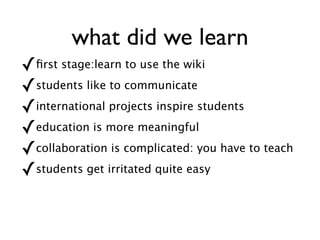
what did we learn  Technical: first stage:learn to use the wiki Interactive: students like to communicate International: projects inspire students  Motivation: education is more meaningful  Collaboration: is complicated: you have to teach  Transfer: transcurricular working easy: English, social sciences, history, arts
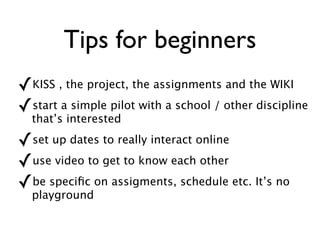
Tips for beginners KISS , the project, the assignments and the WIKI  start a simple pilot with a school / other discipline that’s interested set up dates to really interact online use video to get to know each other  be specific on assigments, schedule etc. It’s no playground
Some more tips (2/2) check and double check the machines. computers have to work! use a simpel free platform: Wikispaces ( free for Educators), PB Works, .. use smart students to do the technical side.;-)
wiki or weblog  or both ?
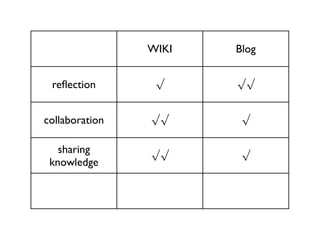
WIKI Blog reflection √ √√ collaboration √√ √ sharing knowledge √√ √
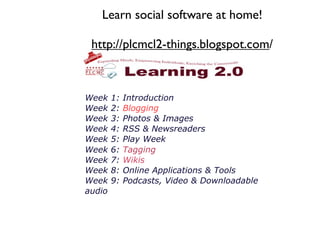
Learn social software in workshop & at home!   http://plcmcl2-things.blogspot.com / Weblogs, WIKI, RSS / newsreaders,  Flickr, LibraryThing,  Podcasts, Vodcasts,  Youtube, GoogleDocs,  Tagging,
Contact  Jeroen Clemens [email_address] see details on http://jeroenclemensenglish.blogspot.com
workshop Social Software  / Get an overview:  http://plcmcl2-things.blogspot.com / Explore working in a wiki:  http://turku2010.wikispaces.com   Explore blogs my class:  http://hpblogs.nl/group.php?id=6   My LibraryThing : http://www.librarything.nl/catalog/jeroenc   Just talk to me: project, explanations, ..

Turku2010 Collaborative Learning Online Social Software and (Literacy) Education

  • 1.
    Collaborating online SocialSoftware and (Literacy) Education WIKI and Weblogs in the classroom practice http://www.slideshare.net/jeroencl/turku2010
  • 2.
    Internet & interactivityWeb 1.0 < 2005 3 R’s Reading Receiving Researching One way street Web 2.0 > 2005 3 C’s Contributing Collaborating Creating Two way street
  • 3.
  • 4.
    social software inmy classroom weblogs for reflection on literature wikis for (international and interdisciplinary ) collaboration LibraryThing for sharing and inspiring
  • 5.
  • 6.
    what did wedo? How it was 2 years ago: My students don’t read much Which book is interesting? Book reports from internet / no reflection Simple rules: make you own weblog No paper books reports anymore ! 4 blogs per year on reading experiences at least 2 comments on blog student now all my classes write weblogs
  • 7.
  • 8.
  • 9.
    What did welearn? Reflective learning : students don’t reflect automatically: they need the teacher Interactive learning : students reflections get better because of interaction Inspiration : students inspire each other to read books Motivation : students find blogging more interesting then writing book reports
  • 10.
    What did wealso learn be patient: number of reactions will grow slowly it’s rewarding for you too: you know your students better colleagues get inspired: they want it too!
  • 11.
    tips for beginners(1/2) start a weblog yourself to get experience use a simpel platform: Blogger or Word- Press.com make it interesting and fun / start a pilot combine with curriculum goals: writing, literature, social studies...
  • 12.
    Some more tips(2/2) use RSS feeds to see updates right away comment regularly, so students see you really read their posts for the technical side: use smart students ;-)
  • 13.
  • 14.
  • 15.
    my use ofwikis international collaboration schools : Macedonia, Turkey, Russia, your school? interdisciplinary project Literature & Philosophy new format Products Students sharing knowledge and materials with colleagues
  • 16.
    what’s a wiki?A wiki ( / ˈwɪki / WIK -ee ) is a website that allows the easy [1] creation and editing of any number of interlinked web pages via a web browser using a simplified (....) text editor quote from Wikipedia, a wiki
  • 17.
    how to usea wiki a teaching environment : assignments, materials, schedule, goals, student products a learning environment : learn together, meet each other, communicate, develop a product together, research, reflect, .. to monitor learning process
  • 18.
    What did wedo http://www.youtube.com/watch?v=8wOpZklyNpw MacNed project http://macned2009.wikispaces.com/
  • 19.
  • 20.
  • 21.
  • 22.
  • 23.
    what did welearn Technical: first stage:learn to use the wiki Interactive: students like to communicate International: projects inspire students Motivation: education is more meaningful Collaboration: is complicated: you have to teach Transfer: transcurricular working easy: English, social sciences, history, arts
  • 24.
    Tips for beginnersKISS , the project, the assignments and the WIKI start a simple pilot with a school / other discipline that’s interested set up dates to really interact online use video to get to know each other be specific on assigments, schedule etc. It’s no playground
  • 25.
    Some more tips(2/2) check and double check the machines. computers have to work! use a simpel free platform: Wikispaces ( free for Educators), PB Works, .. use smart students to do the technical side.;-)
  • 26.
    wiki or weblog or both ?
  • 27.
    WIKI Blog reflection√ √√ collaboration √√ √ sharing knowledge √√ √
  • 28.
    Learn social softwarein workshop & at home! http://plcmcl2-things.blogspot.com / Weblogs, WIKI, RSS / newsreaders, Flickr, LibraryThing, Podcasts, Vodcasts, Youtube, GoogleDocs, Tagging,
  • 29.
    Contact JeroenClemens [email_address] see details on http://jeroenclemensenglish.blogspot.com
  • 30.
    workshop Social Software / Get an overview: http://plcmcl2-things.blogspot.com / Explore working in a wiki: http://turku2010.wikispaces.com Explore blogs my class: http://hpblogs.nl/group.php?id=6 My LibraryThing : http://www.librarything.nl/catalog/jeroenc Just talk to me: project, explanations, ..