Get Connected:
       Using   21 st
                 Century
              Technology
to Develop Literacy Skills

               Katherine McKnight, PhD
           Katie@KatherineMcknight.com
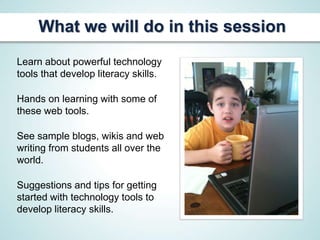
What we will do in this session
Learn about powerful technology
tools that develop literacy skills.

Hands on learning with some of
these web tools.

See sample blogs, wikis and web
writing from students all over the
world.

Suggestions and tips for getting
started with technology tools to
develop literacy skills.
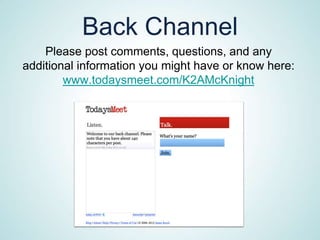
Back Channel
    Please post comments, questions, and any
additional information you might have or know here:
        www.todaysmeet.com/K2AMcKnight
Writing Tools
Opening Questions

How do you feel about using tools like blogs,
wikis, or other web based tools for writing
instruction in your classroom?

How do you think these tools develop writing
and literacy skills?
What’s a Weblog?
Weblogs- Known in shorthand
as “blogs”, these Web sites are
easily updated and can be
interactive.
Blogs have exploded in
the past few years.
HERE ARE SOME SAMPLE
 SCHOOL BLOGS THAT
   STUDENTS HAVE
      CREATED:
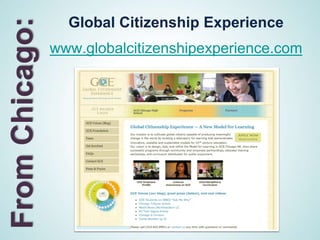
From Chicago:     Global Citizenship Experience
                www.globalcitizenshipexperience.com
What GCE teacher,
Warren Thomas Rocco says:

“Positive surprises are that this works. It
works regardless of literacy levels. It works
despite the fact that we could've been better
organized, more tactical in our management
of student works online, more committed to
encouraging excellence over…merely,
completed works. And so on. You can see
the potential. We're learning…”
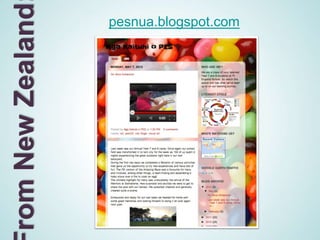
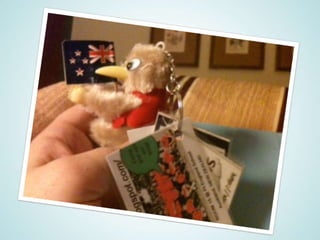
rom New Zealand   pesnua.blogspot.com
Getting Started With Blogs:
   Read a wide variety of blogs before you begin.
   Here are some great teacher blogs that I love:

     www.lucygrayconsulting.com/blog.php
    Lucy Gray, educational technology expert

              langwitches.org/blog
Silvia Rosenthal Tolisano, instructional technology

          katherinemcknight.com/blog
          Katie McKnight, literacy geek
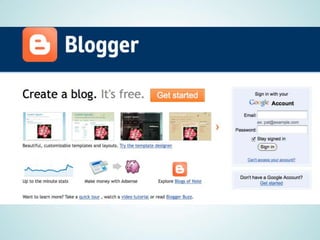
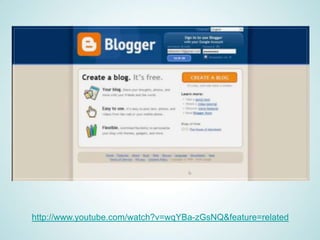
Setting Up a Blog:

There are several great
Blogging websites but
this is my favorite.

www.blogger.com
This site is owned by Google and it’s not difficult
to use.
http://www.youtube.com/watch?v=wqYBa-zGsNQ&feature=related
Getting Started With Blogs:
            Class Blog
Post class materials

Post assignments and rubrics

Provide samples of work expectations

Post materials to support assignments
(i.e. reading materials, web links, web
sites, and an area for student
comments and postings)

Class Schedule and Letter
Getting Started With Blogs:
      Student Blogs
    Learning Logs and Reflective Journals

       Reactions to Assigned Reading

              Literature Circles

Questions and Comments about Current Events

                Word-A-Day

            Math Problem-A-Day

              Posting Projects

     Posting Videos of Lab Experiments
Your Turn:
How can you use blogs for the
teaching of your content area?

                            How can blogs support
                           differentiated instruction?


What are your questions and
concerns about starting blogs with
your students?
Wikis
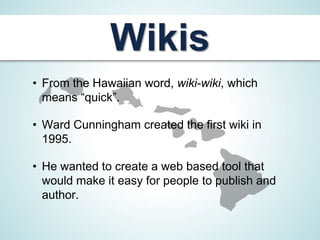
• From the Hawaiian word, wiki-wiki, which
  means “quick”.

• Ward Cunningham created the first wiki in
  1995.

• He wanted to create a web based tool that
  would make it easy for people to publish and
  author.
The Most Famous and Best Example of a Wiki:
                  Wikipedia


An attempt to present all of human knowledge, for free.
Actually more accurate than many people might think.
            Has over 500,000 edits per day.
Wiki: The Basics
From Wikipedia (en.wikipedia.org/wiki/Wiki)

Each wiki page has a link for editing.

Click the edit link and “tah-dah” you are
ready to add, edit, and create content.

There are some ground rules that
should be set up for the students
for the wiki.
Sample Wikis

           Mr. Peronis, A Physics Teacher
peronis.pbworks.com/w/page/15960585/Welcome-to-Mr-Peronis-
                        Physics-Site

                    Mrs. Atwood’s
  Wikimrsatwood.pbworks.com/w/page/21730766/FrontPage
More Sample Wikis

                Mr. Telles’s
Wikimrtelles.pbworks.com/w/page/10239326/Fr
                  ontPage

         Mr. Lee’s Math Project Wiki
acrospire.pbworks.com/w/page/1342627/FrontP
                    age
A Few More Sample Wikis


       The Study Zone Wiki by Andrew Hill
studyzone.pbworks.com/w/page/18816338/FrontPage
                Ms. Edwards’s
Wikimsedwards.pbworks.com/w/page/21860548/Fron
                    tPage
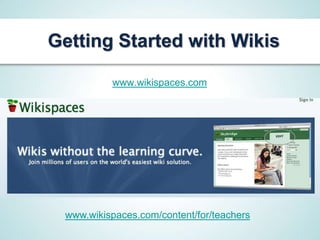
Getting Started with Wikis

          www.wikispaces.com


 www.wikispaces.com/content/for/teachers
Tools to Help You
           Along the Way

          educationalwikis.wikispaces.com
Aims to answer the question, how can I use wikis in
                   education?

educationalwikis.wikispaces.com/Examples+of+educatio
                       nal+wikis
     More fabulous educational wiki examples
More Technology Tools for
    Differentiating Instruction

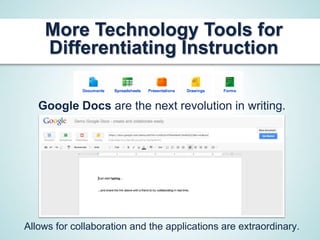
   Google Docs are the next revolution in writing.


Allows for collaboration and the applications are extraordinary.
Your Turn:
How can you use wikis for the
teaching writing kills?
                         How do wikis support writing
                                instruction?


   What are your questions and
 concerns about starting wikis with
         your students?
Maybe You Won’t be Wiki-Wiki
Right Away with Your Wiki or Blog

        Remember, good teachers tinker.

        Experiment and take baby steps.

I’m not a techie, but I do think I’m a good teacher.

   Ask questions, there are tons of educational
  technology colleagues who are eager to draft
          members to the “other side.”
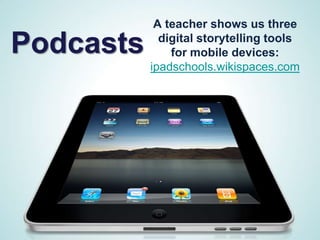
A teacher shows us three

Podcasts     digital storytelling tools
               for mobile devices:
           ipadschools.wikispaces.com
Podcasts

           What are they?
Three kinds of podcasts: audio, visual, and video.

      Audio are similar to radio broadcasts.

      Visual include graphics and images.

Video are sometimes called vodcasts or v-casts.
Some great educational sites
           for using podcasts:
 Helpful site for getting started with podcasts and examine
     how teachers use this technology in classrooms:
                   mabryonline.org/podcasts

                          Mr. Linden’s
Librarydistrict.dearbornschools.org/schools/long/podcast/Long%
  20Elementary/Mr%20Lindens%20Library/312EAE78-AD8A-
                 464B-ADA1-908B1C173725.html

  Tony Vincent’s site, Learning in Hand can help you get
                started with podcasting.
             learninginhand.com/podcasting
Technology Tools for
Speaking and Listening
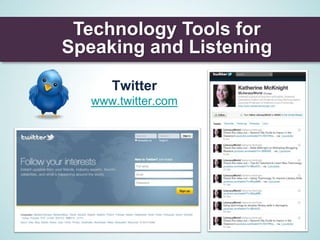
      Twitter
   www.twitter.com
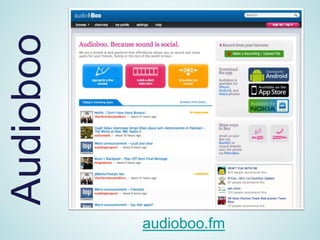
Audioboo


           audioboo.fm
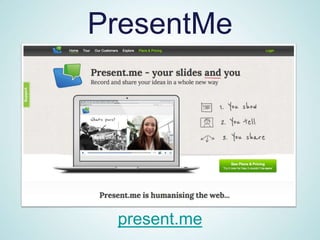
PresentMe


 present.me
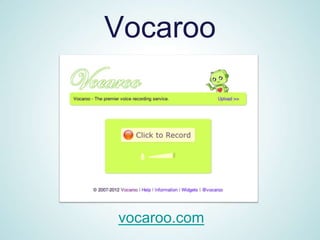
Vocaroo


vocaroo.com
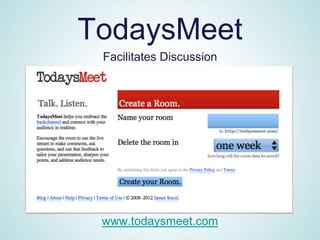
TodaysMeet
 Facilitates Discussion


 www.todaysmeet.com
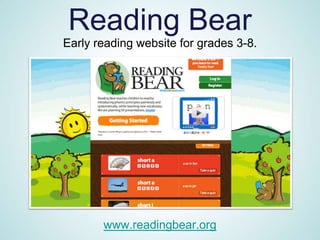
Reading Bear
Early reading website for grades 3-8.


       www.readingbear.org
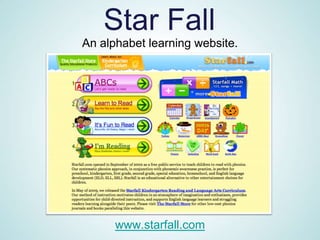
Star Fall
An alphabet learning website.


      www.starfall.com
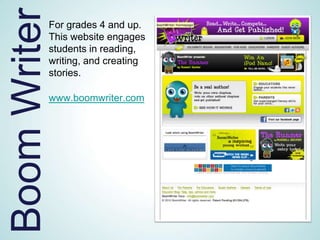
Boom Writer   For grades 4 and up.
              This website engages
              students in reading,
              writing, and creating
              stories.

              www.boomwriter.com
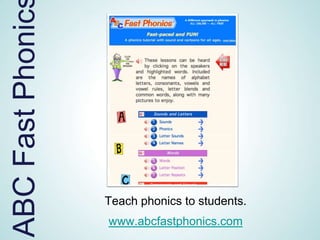
ABC Fast Phonic


                  Teach phonics to students.
                  www.abcfastphonics.com
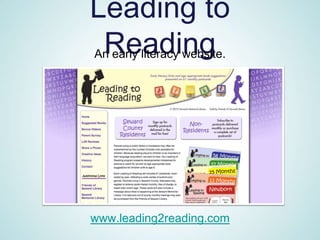
Leading to
 Reading
An early literacy website.


www.leading2reading.com
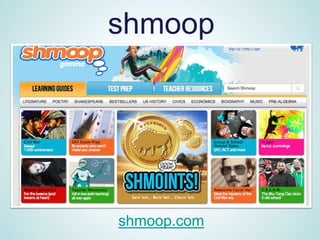
shmoop


shmoop.com
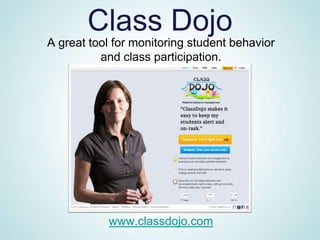
Class Dojo
A great tool for monitoring student behavior
          and class participation.


           www.classdojo.com
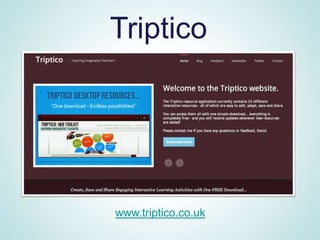
Triptico


www.triptico.co.uk
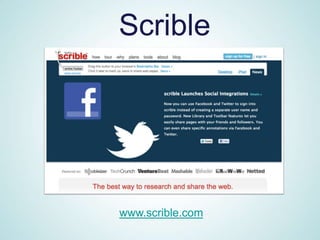
Scrible


www.scrible.com
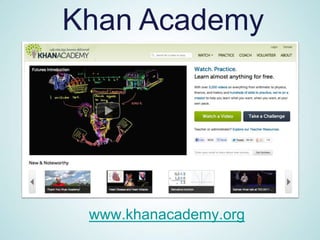
Khan Academy


 www.khanacademy.org
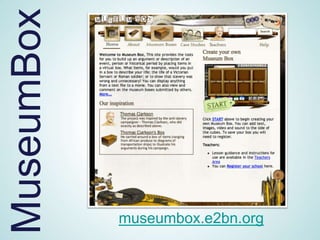
MuseumBox


            museumbox.e2bn.org
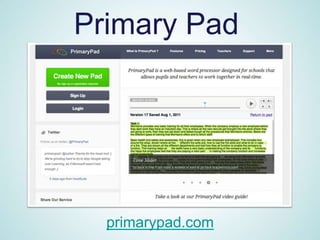
Primary Pad


  primarypad.com
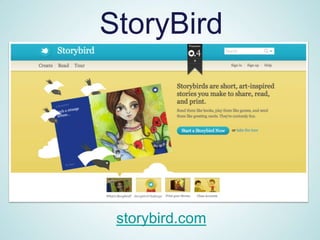
StoryBird


 storybird.com
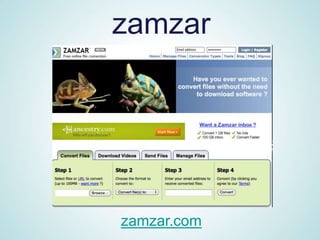
zamzar


zamzar.com
More Technology Tools for
Literacy Skill Development
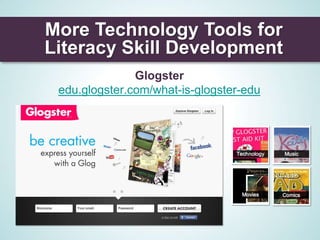
               Glogster
 edu.glogster.com/what-is-glogster-edu
How to Reach Me:

Email: Katie@KatherineMcKnight.com

Website: www.KatherineMcKnight.com

Twitter: @literacyworld

Facebook: Katie McKnight Literacy

For more materials and updated powerpoint,
see my blog at www.KatherineMcKnight.com

K2 a tech workshopfinal

  • 1.
    Get Connected: Using 21 st Century Technology to Develop Literacy Skills Katherine McKnight, PhD Katie@KatherineMcknight.com
  • 2.
    What we willdo in this session Learn about powerful technology tools that develop literacy skills. Hands on learning with some of these web tools. See sample blogs, wikis and web writing from students all over the world. Suggestions and tips for getting started with technology tools to develop literacy skills.
  • 3.
    Back Channel Please post comments, questions, and any additional information you might have or know here: www.todaysmeet.com/K2AMcKnight
  • 5.
  • 6.
    Opening Questions How doyou feel about using tools like blogs, wikis, or other web based tools for writing instruction in your classroom? How do you think these tools develop writing and literacy skills?
  • 7.
    What’s a Weblog? Weblogs-Known in shorthand as “blogs”, these Web sites are easily updated and can be interactive. Blogs have exploded in the past few years.
  • 8.
    HERE ARE SOMESAMPLE SCHOOL BLOGS THAT STUDENTS HAVE CREATED:
  • 9.
    From Chicago: Global Citizenship Experience www.globalcitizenshipexperience.com
  • 10.
    What GCE teacher, WarrenThomas Rocco says: “Positive surprises are that this works. It works regardless of literacy levels. It works despite the fact that we could've been better organized, more tactical in our management of student works online, more committed to encouraging excellence over…merely, completed works. And so on. You can see the potential. We're learning…”
  • 11.
    rom New Zealand pesnua.blogspot.com
  • 13.
    Getting Started WithBlogs: Read a wide variety of blogs before you begin. Here are some great teacher blogs that I love: www.lucygrayconsulting.com/blog.php Lucy Gray, educational technology expert langwitches.org/blog Silvia Rosenthal Tolisano, instructional technology katherinemcknight.com/blog Katie McKnight, literacy geek
  • 14.
    Setting Up aBlog: There are several great Blogging websites but this is my favorite. www.blogger.com This site is owned by Google and it’s not difficult to use.
  • 16.
  • 17.
    Getting Started WithBlogs: Class Blog Post class materials Post assignments and rubrics Provide samples of work expectations Post materials to support assignments (i.e. reading materials, web links, web sites, and an area for student comments and postings) Class Schedule and Letter
  • 18.
    Getting Started WithBlogs: Student Blogs Learning Logs and Reflective Journals Reactions to Assigned Reading Literature Circles Questions and Comments about Current Events Word-A-Day Math Problem-A-Day Posting Projects Posting Videos of Lab Experiments
  • 19.
    Your Turn: How canyou use blogs for the teaching of your content area? How can blogs support differentiated instruction? What are your questions and concerns about starting blogs with your students?
  • 20.
    Wikis • From theHawaiian word, wiki-wiki, which means “quick”. • Ward Cunningham created the first wiki in 1995. • He wanted to create a web based tool that would make it easy for people to publish and author.
  • 21.
    The Most Famousand Best Example of a Wiki: Wikipedia An attempt to present all of human knowledge, for free. Actually more accurate than many people might think. Has over 500,000 edits per day.
  • 22.
    Wiki: The Basics FromWikipedia (en.wikipedia.org/wiki/Wiki) Each wiki page has a link for editing. Click the edit link and “tah-dah” you are ready to add, edit, and create content. There are some ground rules that should be set up for the students for the wiki.
  • 23.
    Sample Wikis Mr. Peronis, A Physics Teacher peronis.pbworks.com/w/page/15960585/Welcome-to-Mr-Peronis- Physics-Site Mrs. Atwood’s Wikimrsatwood.pbworks.com/w/page/21730766/FrontPage
  • 24.
    More Sample Wikis Mr. Telles’s Wikimrtelles.pbworks.com/w/page/10239326/Fr ontPage Mr. Lee’s Math Project Wiki acrospire.pbworks.com/w/page/1342627/FrontP age
  • 25.
    A Few MoreSample Wikis The Study Zone Wiki by Andrew Hill studyzone.pbworks.com/w/page/18816338/FrontPage Ms. Edwards’s Wikimsedwards.pbworks.com/w/page/21860548/Fron tPage
  • 26.
    Getting Started withWikis www.wikispaces.com www.wikispaces.com/content/for/teachers
  • 27.
    Tools to HelpYou Along the Way educationalwikis.wikispaces.com Aims to answer the question, how can I use wikis in education? educationalwikis.wikispaces.com/Examples+of+educatio nal+wikis More fabulous educational wiki examples
  • 28.
    More Technology Toolsfor Differentiating Instruction Google Docs are the next revolution in writing. Allows for collaboration and the applications are extraordinary.
  • 29.
    Your Turn: How canyou use wikis for the teaching writing kills? How do wikis support writing instruction? What are your questions and concerns about starting wikis with your students?
  • 30.
    Maybe You Won’tbe Wiki-Wiki Right Away with Your Wiki or Blog Remember, good teachers tinker. Experiment and take baby steps. I’m not a techie, but I do think I’m a good teacher. Ask questions, there are tons of educational technology colleagues who are eager to draft members to the “other side.”
  • 31.
    A teacher showsus three Podcasts digital storytelling tools for mobile devices: ipadschools.wikispaces.com
  • 32.
    Podcasts What are they? Three kinds of podcasts: audio, visual, and video. Audio are similar to radio broadcasts. Visual include graphics and images. Video are sometimes called vodcasts or v-casts.
  • 33.
    Some great educationalsites for using podcasts: Helpful site for getting started with podcasts and examine how teachers use this technology in classrooms: mabryonline.org/podcasts Mr. Linden’s Librarydistrict.dearbornschools.org/schools/long/podcast/Long% 20Elementary/Mr%20Lindens%20Library/312EAE78-AD8A- 464B-ADA1-908B1C173725.html Tony Vincent’s site, Learning in Hand can help you get started with podcasting. learninginhand.com/podcasting
  • 34.
    Technology Tools for Speakingand Listening Twitter www.twitter.com
  • 35.
    Audioboo audioboo.fm
  • 36.
  • 37.
  • 38.
  • 40.
    Reading Bear Early readingwebsite for grades 3-8. www.readingbear.org
  • 41.
    Star Fall An alphabetlearning website. www.starfall.com
  • 42.
    Boom Writer For grades 4 and up. This website engages students in reading, writing, and creating stories. www.boomwriter.com
  • 43.
    ABC Fast Phonic Teach phonics to students. www.abcfastphonics.com
  • 44.
    Leading to Reading Anearly literacy website. www.leading2reading.com
  • 46.
  • 47.
    Class Dojo A greattool for monitoring student behavior and class participation. www.classdojo.com
  • 48.
  • 49.
  • 50.
  • 51.
    MuseumBox museumbox.e2bn.org
  • 52.
    Primary Pad primarypad.com
  • 53.
  • 54.
  • 55.
    More Technology Toolsfor Literacy Skill Development Glogster edu.glogster.com/what-is-glogster-edu
  • 56.
    How to ReachMe: Email: Katie@KatherineMcKnight.com Website: www.KatherineMcKnight.com Twitter: @literacyworld Facebook: Katie McKnight Literacy For more materials and updated powerpoint, see my blog at www.KatherineMcKnight.com