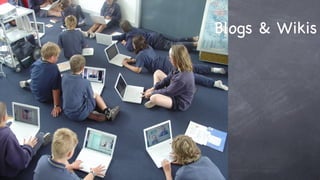
Blogs & Wikis
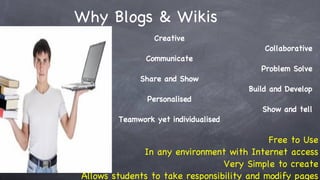
Why Blogs & Wikis Creative Collaborative Communicate Problem Solve Share and Show Build and Develop Personalised Show and tell Teamwork yet individualised Free to Use In any environment with Internet access Very Simple to create Allows students to take responsibility and modify pages
Whatever, Whenever, Wherever Classroom critical reflections Journals E-Portfolios Webpages Projects Online Units Web quests and investigations Community Projects Home-School work Parent/Community involvement Real, Engaging, Authentic
Wait…….. Why are you using technology? What is your true learning aim?
How can wikis be used in the classroom? Group projects:  Students work together in one place to research, outline, draft, and edit projects within the wiki Assignments:  Post homework, course materials, study guides, and more. Resource Collections:  Organize articles, websites, videos, and other resources for students Peer Review:  Post questions for student brainstorming, or have students post papers for peer feedback Group FAQ:  Students and/or teachers post and respond to questions on a given topic Parent Involvement:  Give parents a chance to be a part of the classroom and stay up to date on classroom news and events Online Newspaper:  Create a student-published online newspaper
create, collaborate, communicate 10 ways to use your blogs for learning
1. Post Materials and Resources 2. Host online discussions 3. Create a class publication 4. Replace your newsletter 5. Get your students blogging 6. Share your lesson plans
7. Integrate multimedia of all descriptions 8. Organise, organise, organise 9. Get feedback 10. Create a fully functional website
http://ultranetbsw.wetpaint.com/   (Prin Conference wiki) http://kdpsstaff.wetpaint.com/   http://wboolnetmaths.wetpaint.com/ http://classroomtechtrends.wetpaint.com/   http:// www.wetpaint.com /category/education
http://edublogs.org/videos/ http://sperry20.edublogs.org/
http://wordpress.com/
http://ultranetbsw.wordpress.com/
 
Lesson 1 Introduction – Set up Class Wiki, Students set up there own pages. Set students homework to use mobile phones, cameras, video, to record real life examples of the topics you have covered Lesson 2 UPLOAD videos to network. Students upload videos to teachertube.com  Update their wiki page including photos and videos created by students. Imagine This….
The Power of Mobile Learning
Have a go! Make your first wiki private and invite the class to it…. Until you are sure they know how to edit it fully. Don’t be scared to take a lesson or so to get used to the wiki. The more students are allowed to use the  EVIL   technologies, the more they will want to use them. If we fully embrace these new technologies, we can avoid student missuse.
ULTRA NET blogs wikis nings digi-learn movies animation groove sharepoint game-maker digital portfolios Quick Vic CASES 21 inspiration garage band skype flickr web 2.0 cameras mobile phones laptops PDAs iPods data loggers flash whatever whenever wherever ...just jump in and have a go!
a word from Greg http://gbwhitby.parra.catholic.edu.au/

Blogs&Wikispreso

  • 1.
  • 2.
    Why Blogs &Wikis Creative Collaborative Communicate Problem Solve Share and Show Build and Develop Personalised Show and tell Teamwork yet individualised Free to Use In any environment with Internet access Very Simple to create Allows students to take responsibility and modify pages
  • 3.
    Whatever, Whenever, WhereverClassroom critical reflections Journals E-Portfolios Webpages Projects Online Units Web quests and investigations Community Projects Home-School work Parent/Community involvement Real, Engaging, Authentic
  • 4.
    Wait…….. Why areyou using technology? What is your true learning aim?
  • 5.
    How can wikisbe used in the classroom? Group projects: Students work together in one place to research, outline, draft, and edit projects within the wiki Assignments: Post homework, course materials, study guides, and more. Resource Collections: Organize articles, websites, videos, and other resources for students Peer Review: Post questions for student brainstorming, or have students post papers for peer feedback Group FAQ: Students and/or teachers post and respond to questions on a given topic Parent Involvement: Give parents a chance to be a part of the classroom and stay up to date on classroom news and events Online Newspaper: Create a student-published online newspaper
  • 6.
    create, collaborate, communicate10 ways to use your blogs for learning
  • 7.
    1. Post Materialsand Resources 2. Host online discussions 3. Create a class publication 4. Replace your newsletter 5. Get your students blogging 6. Share your lesson plans
  • 8.
    7. Integrate multimediaof all descriptions 8. Organise, organise, organise 9. Get feedback 10. Create a fully functional website
  • 9.
    http://ultranetbsw.wetpaint.com/ (Prin Conference wiki) http://kdpsstaff.wetpaint.com/ http://wboolnetmaths.wetpaint.com/ http://classroomtechtrends.wetpaint.com/ http:// www.wetpaint.com /category/education
  • 10.
  • 11.
  • 12.
  • 13.
  • 14.
    Lesson 1 Introduction– Set up Class Wiki, Students set up there own pages. Set students homework to use mobile phones, cameras, video, to record real life examples of the topics you have covered Lesson 2 UPLOAD videos to network. Students upload videos to teachertube.com Update their wiki page including photos and videos created by students. Imagine This….
  • 15.
    The Power ofMobile Learning
  • 16.
    Have a go!Make your first wiki private and invite the class to it…. Until you are sure they know how to edit it fully. Don’t be scared to take a lesson or so to get used to the wiki. The more students are allowed to use the EVIL technologies, the more they will want to use them. If we fully embrace these new technologies, we can avoid student missuse.
  • 17.
    ULTRA NET blogswikis nings digi-learn movies animation groove sharepoint game-maker digital portfolios Quick Vic CASES 21 inspiration garage band skype flickr web 2.0 cameras mobile phones laptops PDAs iPods data loggers flash whatever whenever wherever ...just jump in and have a go!
  • 18.
    a word fromGreg http://gbwhitby.parra.catholic.edu.au/