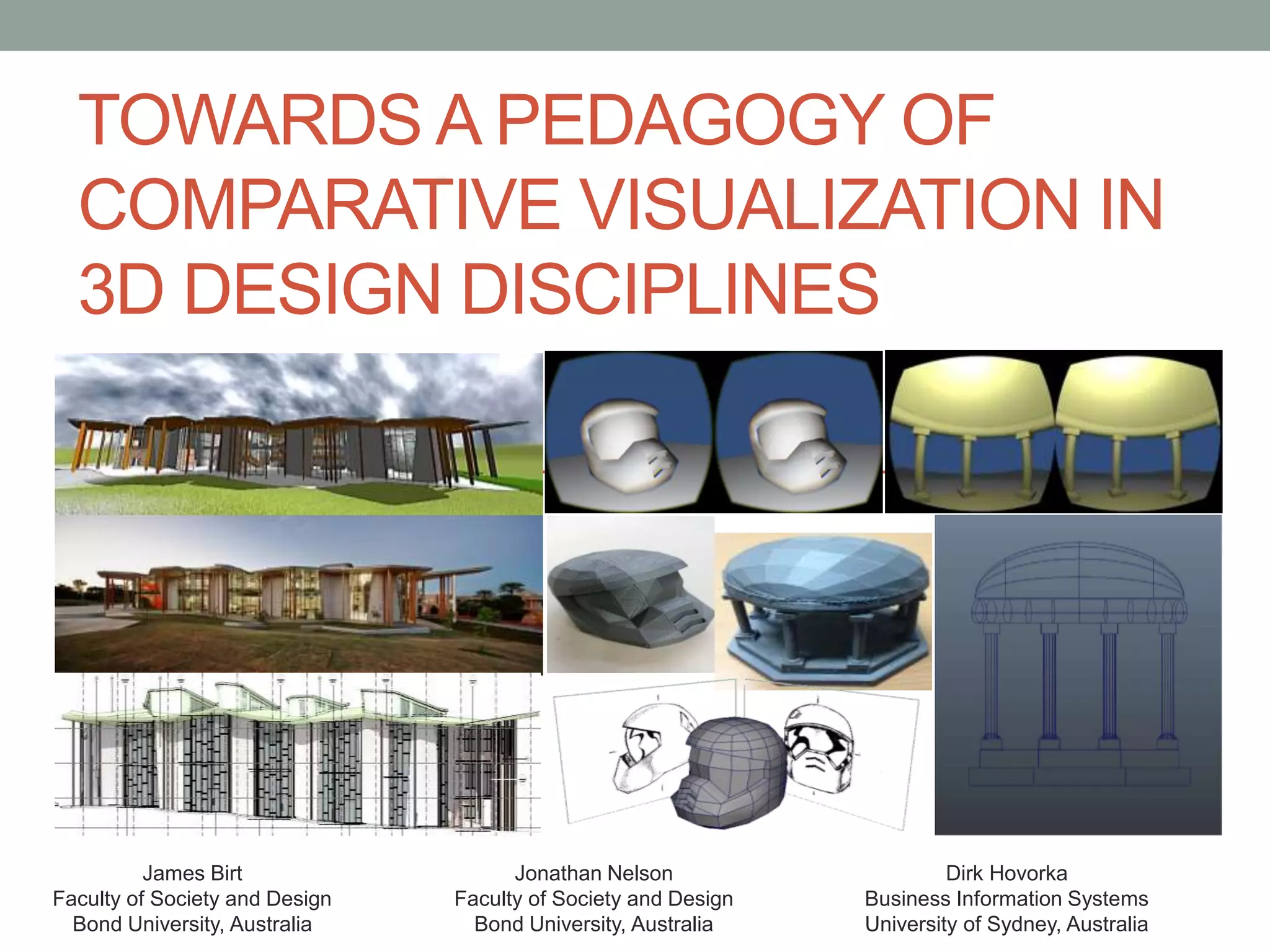
TOWARDS A PEDAGOGY OF
COMPARATIVE VISUALIZATION IN
3D DESIGN DISCIPLINES
James Birt
Faculty of Society and Design
Bond University, Australia
Jonathan Nelson
Faculty of Society and Design
Bond University, Australia
Dirk Hovorka
Business Information Systems
University of Sydney, Australia
Dr James Birt
Assistant Professor of Interactive Media
and Design (Games & Multimedia)
• BIT (Hons), PhD (Software Engineering &
Artificial Intelligence)
• 2014 Australian Office for Learning and
Teaching Citation for Outstanding
Contribution to Student Learning
• 15+ years industry & academic
experience
• bond.edu.au/profile/dr-james-birt
Introduction
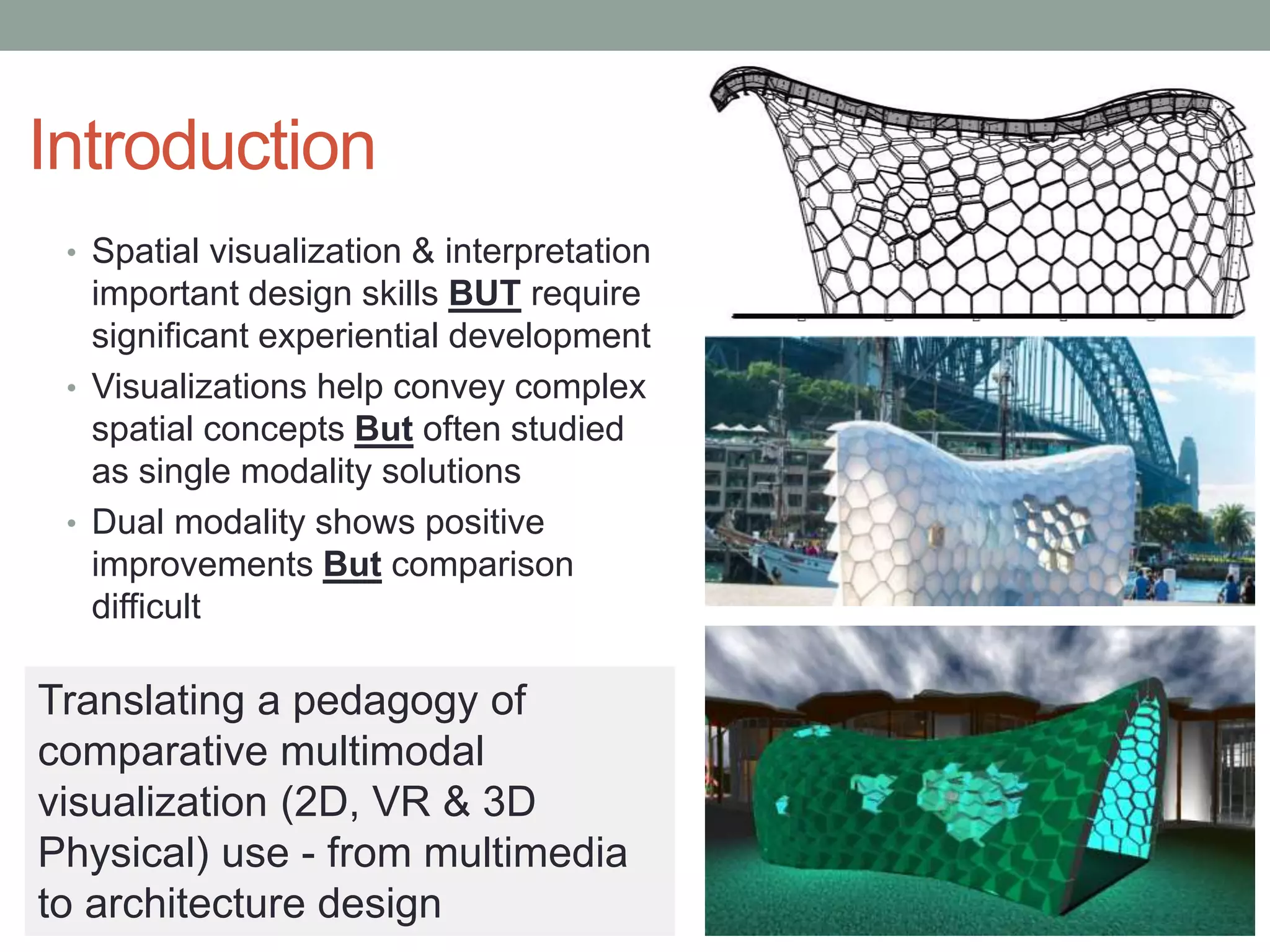
• Spatial visualization & interpretation
important design skills BUT require
significant experiential development
• Visualizations help convey complex
spatial concepts But often studied
as single modality solutions
• Dual modality shows positive
improvements But comparison
difficult
Translating a pedagogy of
comparative multimodal
visualization (2D, VR & 3D
Physical) use - from multimedia
to architecture design
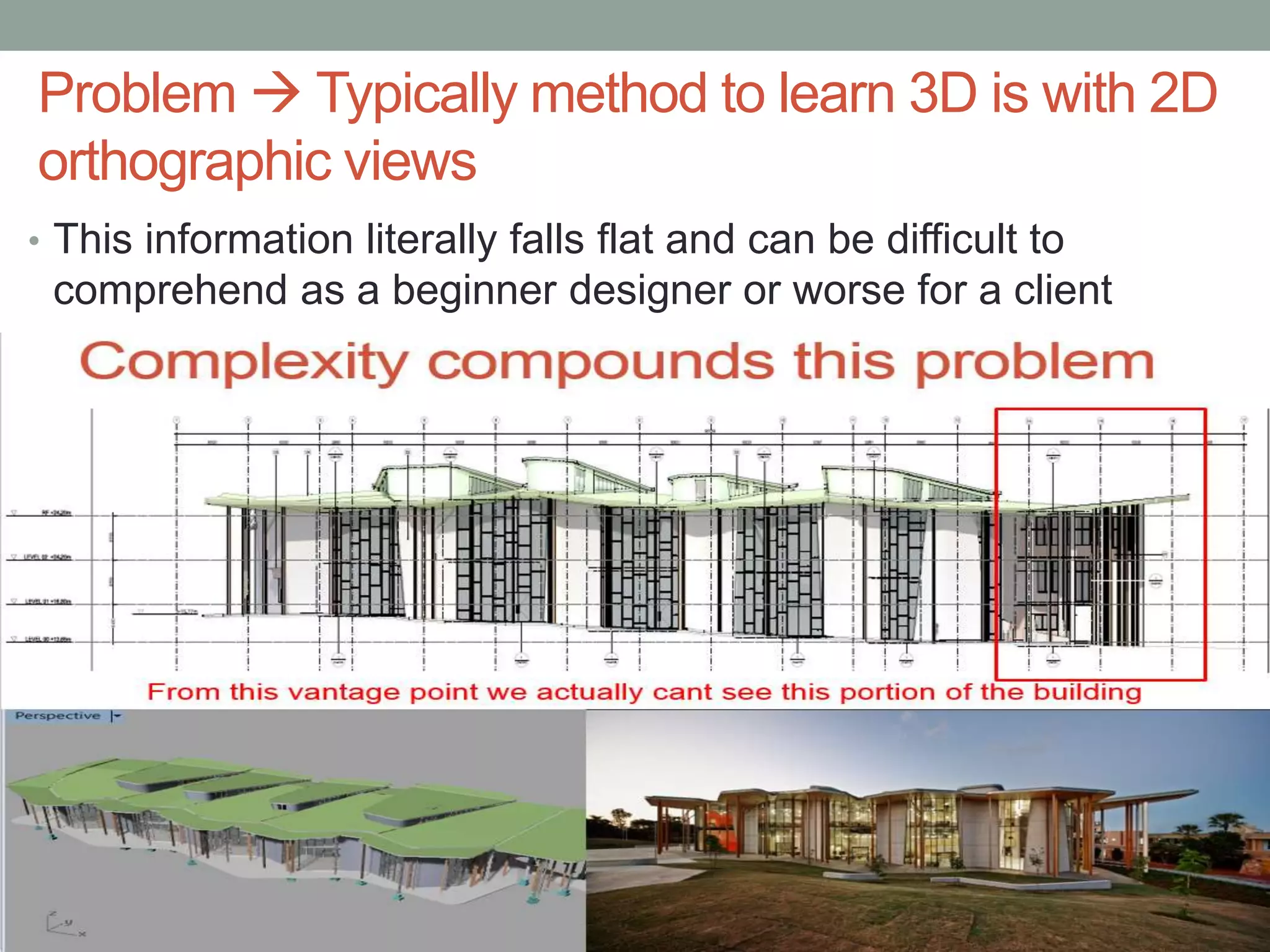
Problem  Typically method to learn 3D is with 2D
orthographic views
• This information literally falls flat and can be difficult to
comprehend as a beginner designer or worse for a client
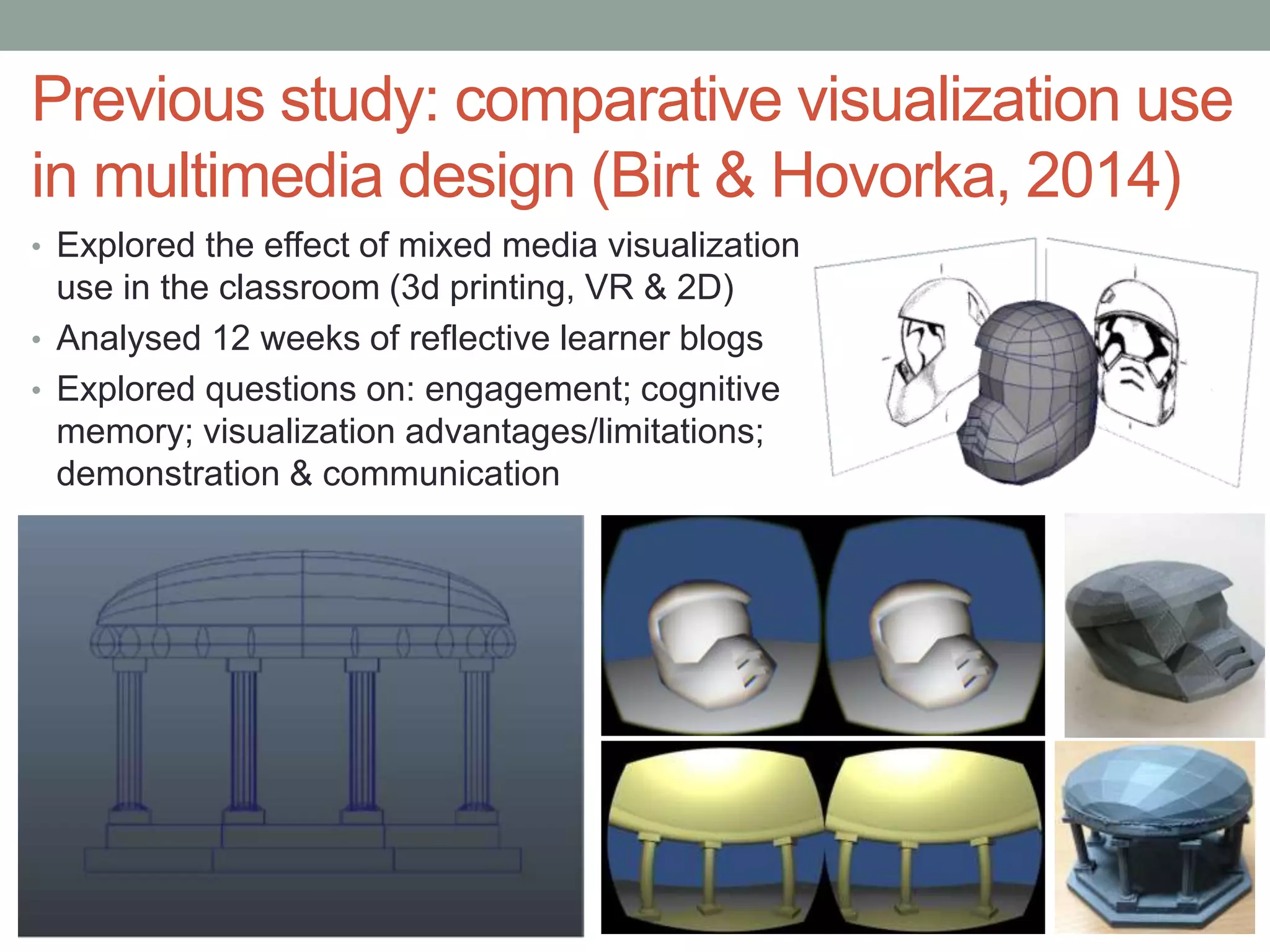
Previous study: comparative visualization use
in multimedia design (Birt & Hovorka, 2014)
• Explored the effect of mixed media visualization
use in the classroom (3d printing, VR & 2D)
• Analysed 12 weeks of reflective learner blogs
• Explored questions on: engagement; cognitive
memory; visualization advantages/limitations;
demonstration & communication
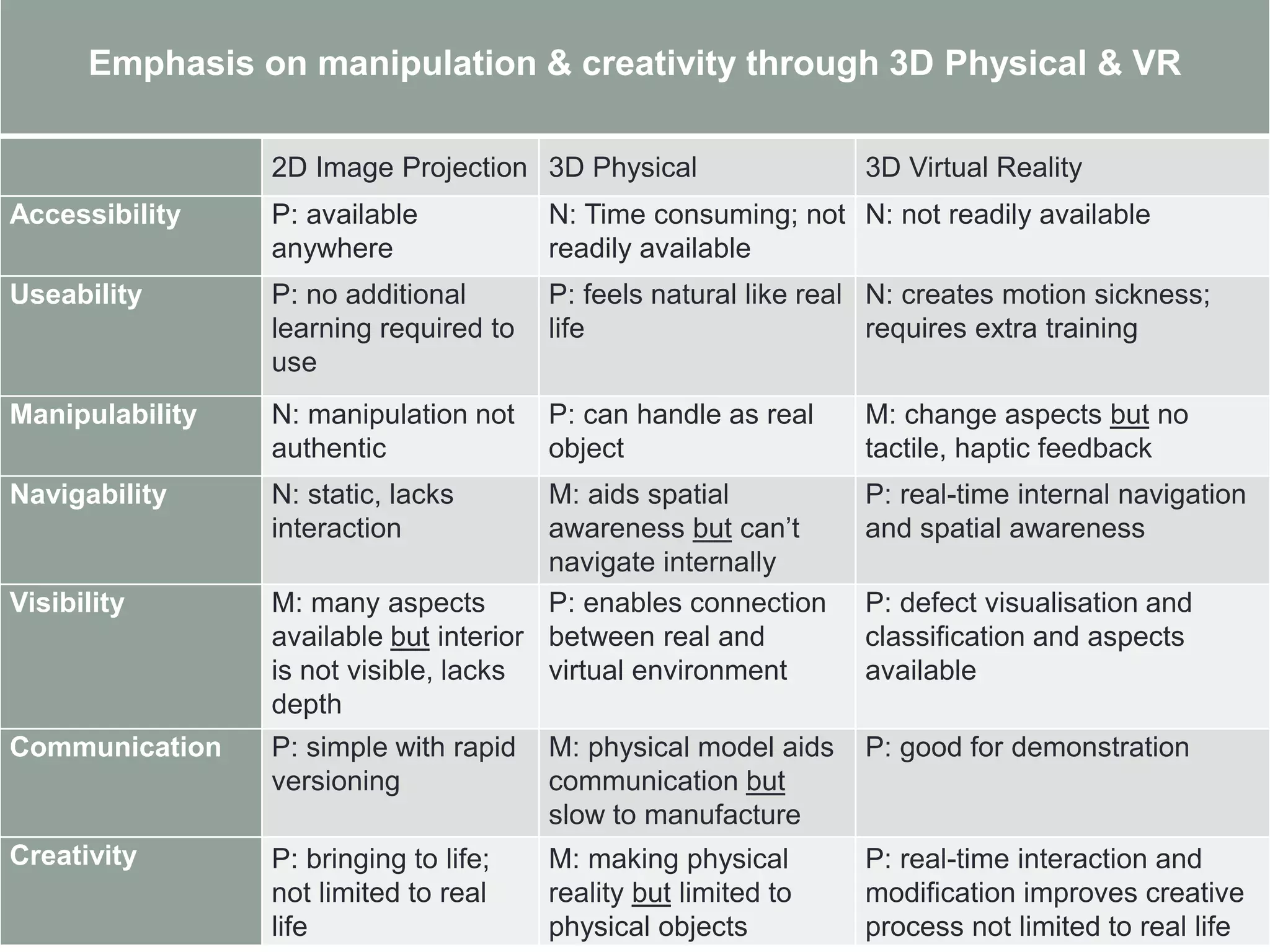
Emphasis on manipulation & creativity through 3D Physical & VR
2D Image Projection 3D Physical 3D Virtual Reality
Accessibility P: available
anywhere
N: Time consuming; not
readily available
N: not readily available
Useability P: no additional
learning required to
use
P: feels natural like real
life
N: creates motion sickness;
requires extra training
Manipulability N: manipulation not
authentic
P: can handle as real
object
M: change aspects but no
tactile, haptic feedback
Navigability N: static, lacks
interaction
M: aids spatial
awareness but can’t
navigate internally
P: real-time internal navigation
and spatial awareness
Visibility M: many aspects
available but interior
is not visible, lacks
depth
P: enables connection
between real and
virtual environment
P: defect visualisation and
classification and aspects
available
Communication P: simple with rapid
versioning
M: physical model aids
communication but
slow to manufacture
P: good for demonstration
Creativity P: bringing to life;
not limited to real
life
M: making physical
reality but limited to
physical objects
P: real-time interaction and
modification improves creative
process not limited to real life
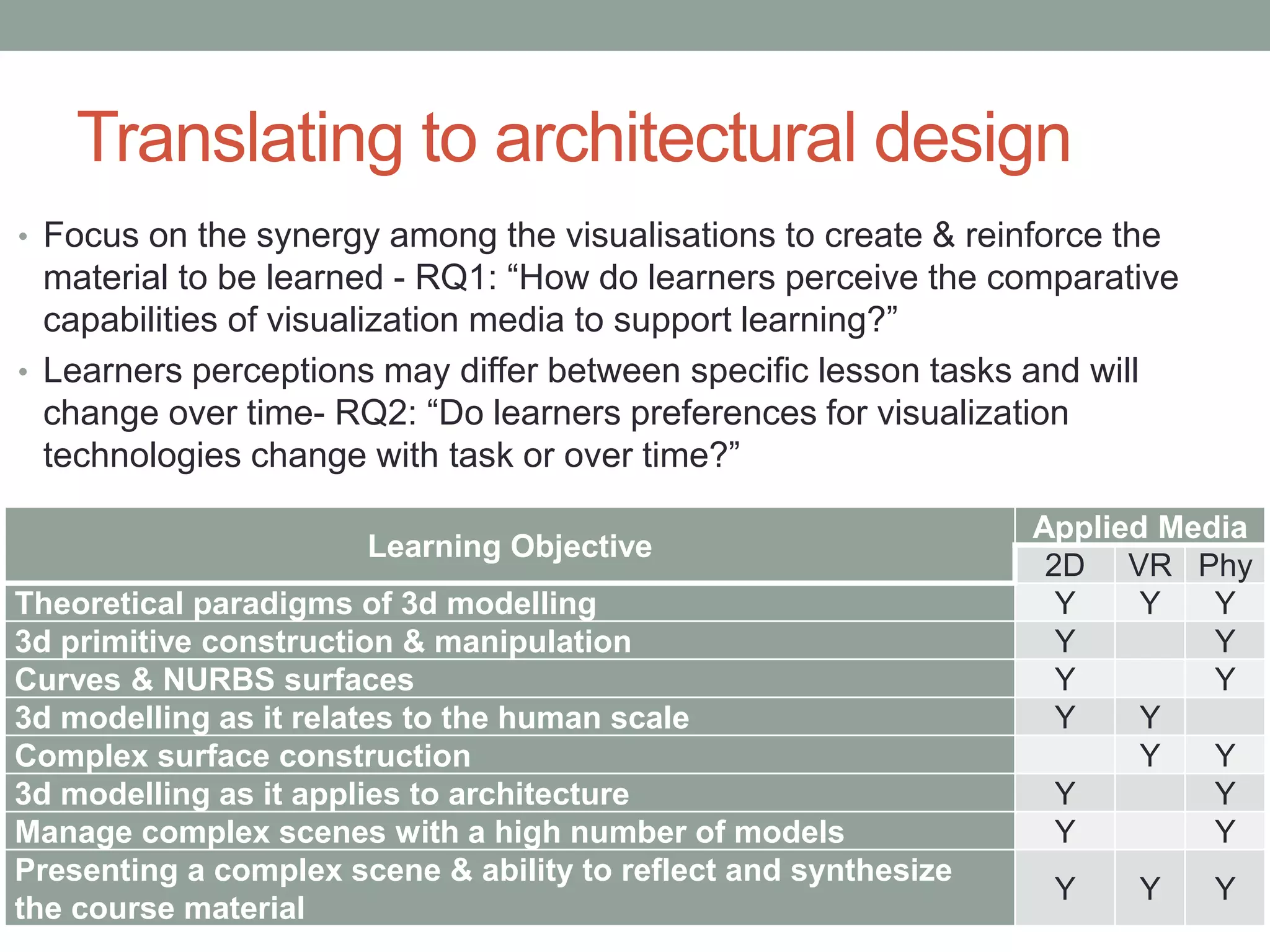
Translating to architectural design
• Focus on the synergy among the visualisations to create & reinforce the
material to be learned - RQ1: “How do learners perceive the comparative
capabilities of visualization media to support learning?”
• Learners perceptions may differ between specific lesson tasks and will
change over time- RQ2: “Do learners preferences for visualization
technologies change with task or over time?”
Learning Objective
Applied Media
2D VR Phy
Theoretical paradigms of 3d modelling Y Y Y
3d primitive construction & manipulation Y Y
Curves & NURBS surfaces Y Y
3d modelling as it relates to the human scale Y Y
Complex surface construction Y Y
3d modelling as it applies to architecture Y Y
Manage complex scenes with a high number of models Y Y
Presenting a complex scene & ability to reflect and synthesize
the course material
Y Y Y
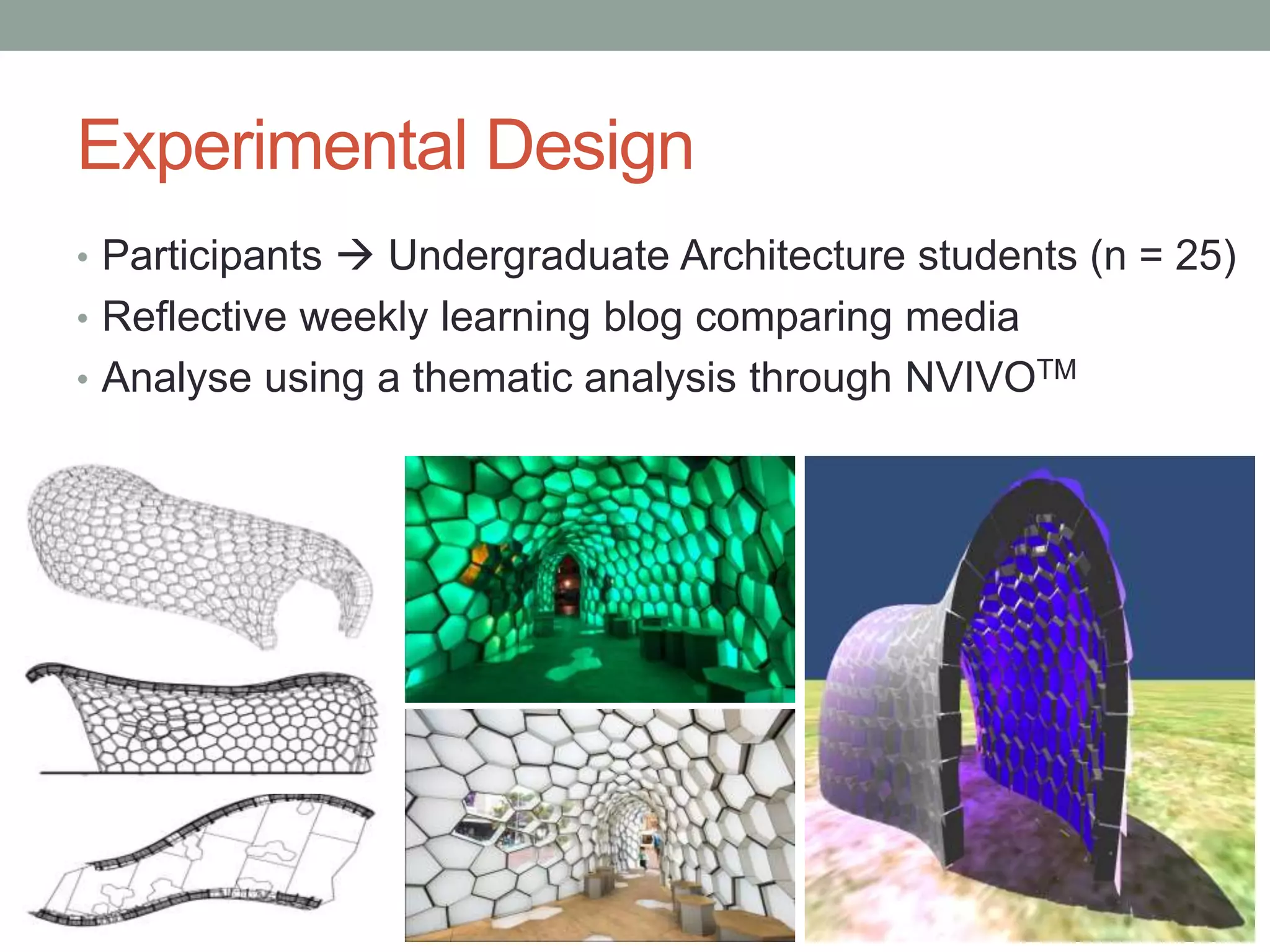
Experimental Design
• Participants  Undergraduate Architecture students (n = 25)
• Reflective weekly learning blog comparing media
• Analyse using a thematic analysis through NVIVOTM
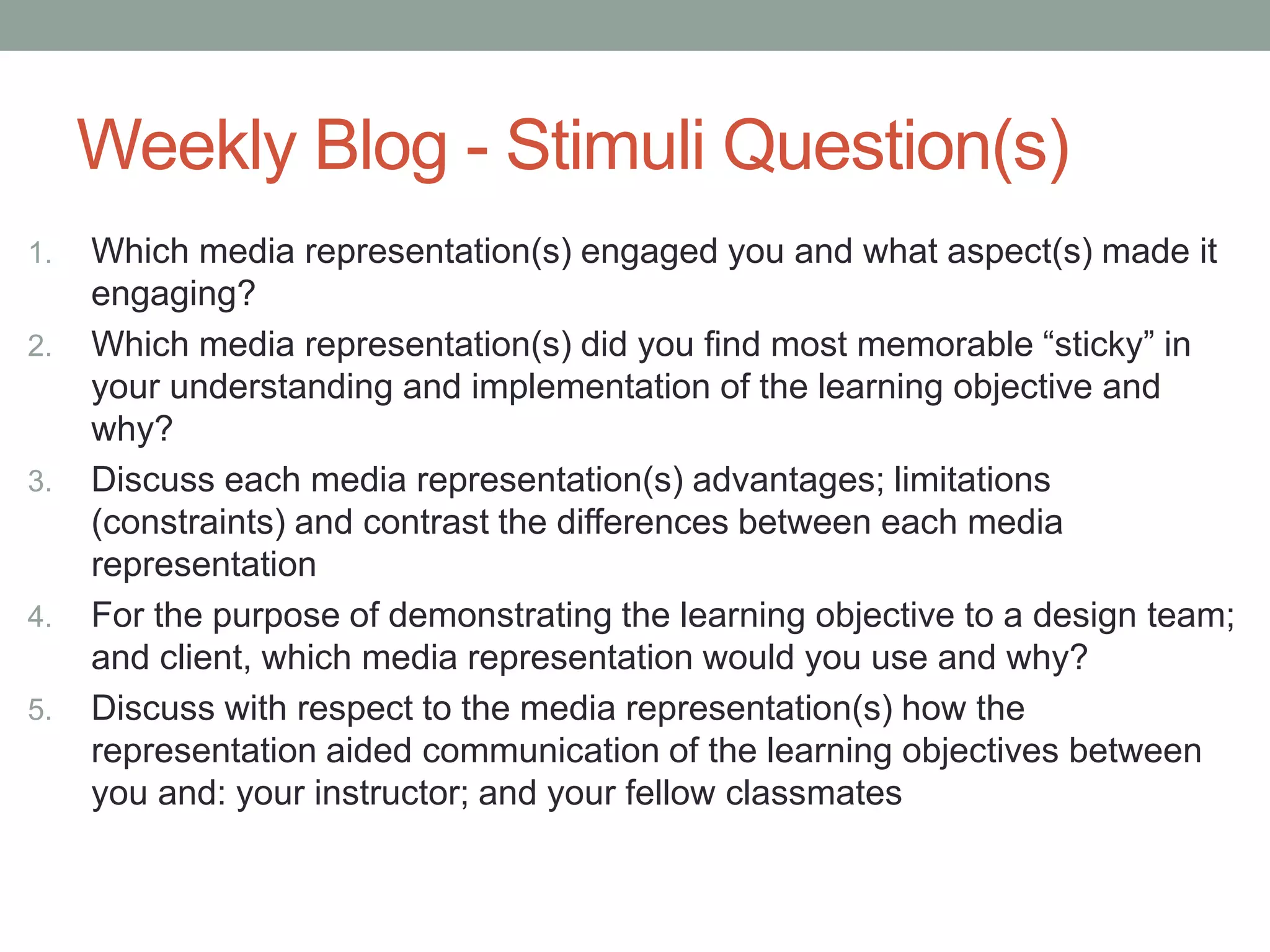
Weekly Blog - Stimuli Question(s)
1. Which media representation(s) engaged you and what aspect(s) made it
engaging?
2. Which media representation(s) did you find most memorable “sticky” in
your understanding and implementation of the learning objective and
why?
3. Discuss each media representation(s) advantages; limitations
(constraints) and contrast the differences between each media
representation
4. For the purpose of demonstrating the learning objective to a design team;
and client, which media representation would you use and why?
5. Discuss with respect to the media representation(s) how the
representation aided communication of the learning objectives between
you and: your instructor; and your fellow classmates
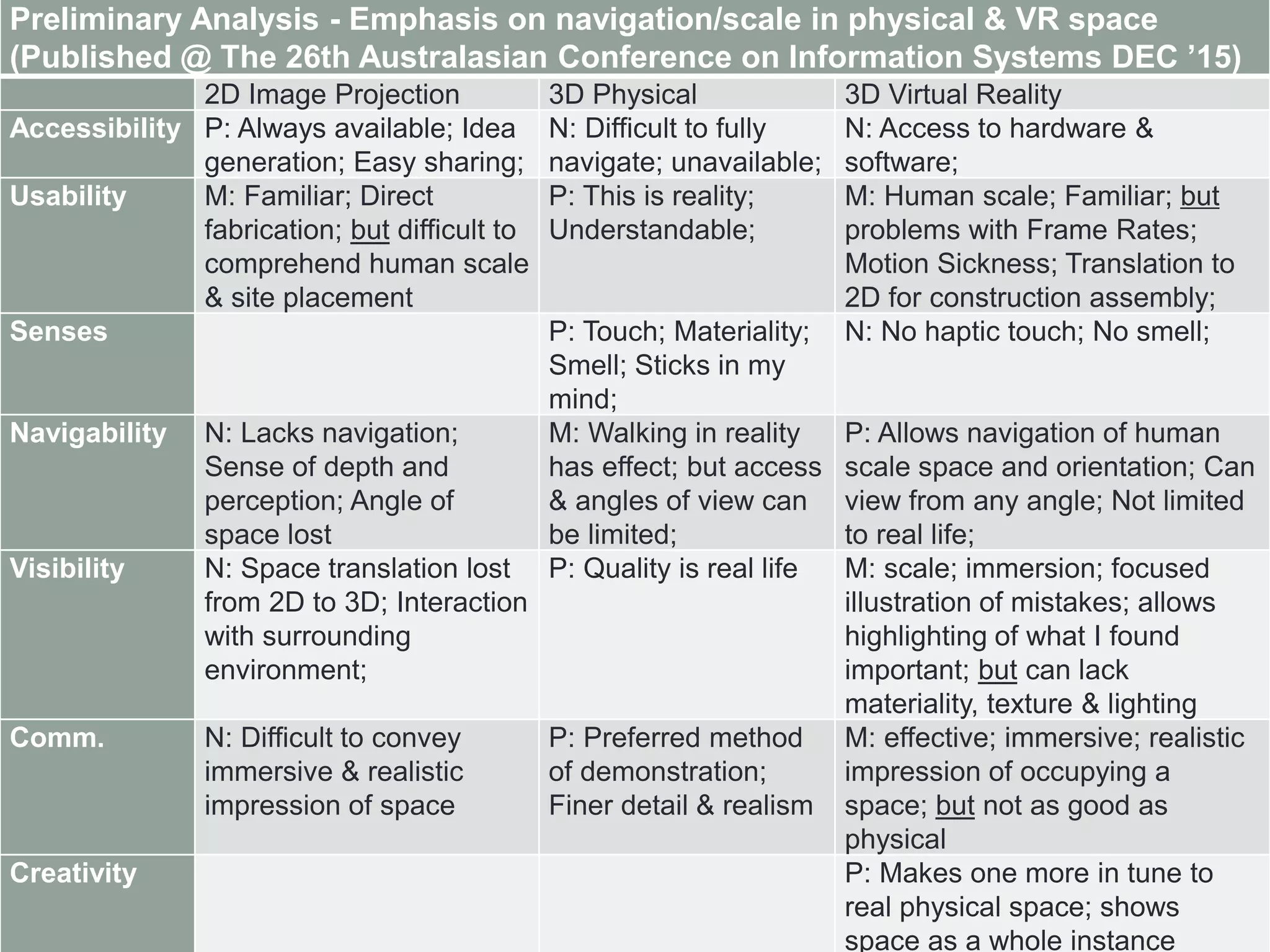
Preliminary Analysis - Emphasis on navigation/scale in physical & VR space
(Published @ The 26th Australasian Conference on Information Systems DEC ’15)
2D Image Projection 3D Physical 3D Virtual Reality
Accessibility P: Always available; Idea
generation; Easy sharing;
N: Difficult to fully
navigate; unavailable;
N: Access to hardware &
software;
Usability M: Familiar; Direct
fabrication; but difficult to
comprehend human scale
& site placement
P: This is reality;
Understandable;
M: Human scale; Familiar; but
problems with Frame Rates;
Motion Sickness; Translation to
2D for construction assembly;
Senses P: Touch; Materiality;
Smell; Sticks in my
mind;
N: No haptic touch; No smell;
Navigability N: Lacks navigation;
Sense of depth and
perception; Angle of
space lost
M: Walking in reality
has effect; but access
& angles of view can
be limited;
P: Allows navigation of human
scale space and orientation; Can
view from any angle; Not limited
to real life;
Visibility N: Space translation lost
from 2D to 3D; Interaction
with surrounding
environment;
P: Quality is real life M: scale; immersion; focused
illustration of mistakes; allows
highlighting of what I found
important; but can lack
materiality, texture & lighting
Comm. N: Difficult to convey
immersive & realistic
impression of space
P: Preferred method
of demonstration;
Finer detail & realism
M: effective; immersive; realistic
impression of occupying a
space; but not as good as
physical
Creativity P: Makes one more in tune to
real physical space; shows
space as a whole instance
• Full paper available from:
http://www.2015conference.ascilite.org/wp-
content/uploads/2015/11/ascilite-2015-proceedings.pdf
• Preliminary Results available from:
https://acis2015.unisa.edu.au/wp-
content/uploads/2015/11/ACIS_2015_paper_252.pdf

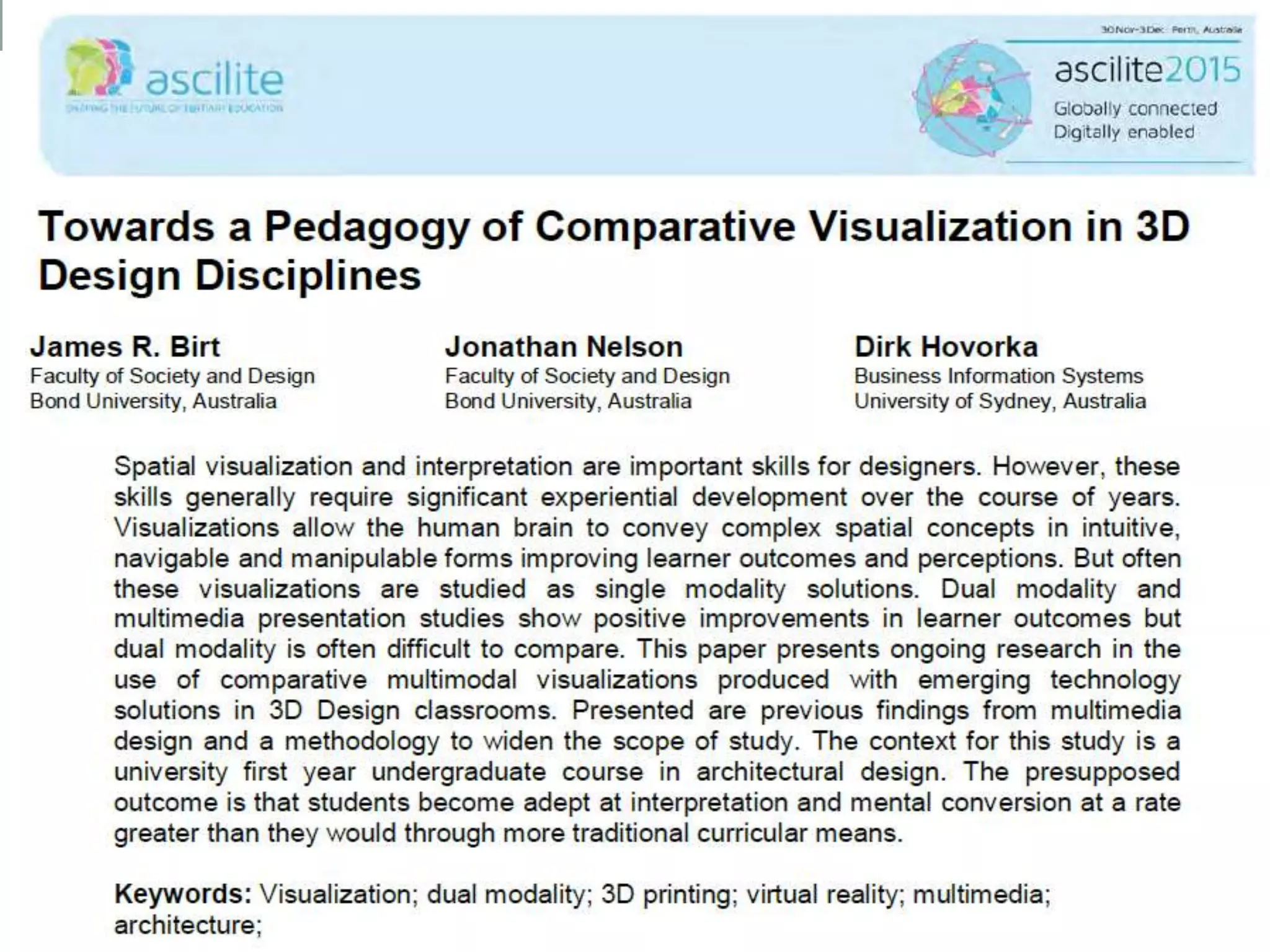
Towards a Pedagogy of Comparative Visualization in 3D Design Disciplines

  • 1.
    TOWARDS A PEDAGOGYOF COMPARATIVE VISUALIZATION IN 3D DESIGN DISCIPLINES James Birt Faculty of Society and Design Bond University, Australia Jonathan Nelson Faculty of Society and Design Bond University, Australia Dirk Hovorka Business Information Systems University of Sydney, Australia
  • 2.
    Dr James Birt AssistantProfessor of Interactive Media and Design (Games & Multimedia) • BIT (Hons), PhD (Software Engineering & Artificial Intelligence) • 2014 Australian Office for Learning and Teaching Citation for Outstanding Contribution to Student Learning • 15+ years industry & academic experience • bond.edu.au/profile/dr-james-birt
  • 3.
    Introduction • Spatial visualization& interpretation important design skills BUT require significant experiential development • Visualizations help convey complex spatial concepts But often studied as single modality solutions • Dual modality shows positive improvements But comparison difficult Translating a pedagogy of comparative multimodal visualization (2D, VR & 3D Physical) use - from multimedia to architecture design
  • 4.
    Problem  Typicallymethod to learn 3D is with 2D orthographic views • This information literally falls flat and can be difficult to comprehend as a beginner designer or worse for a client
  • 5.
    Previous study: comparativevisualization use in multimedia design (Birt & Hovorka, 2014) • Explored the effect of mixed media visualization use in the classroom (3d printing, VR & 2D) • Analysed 12 weeks of reflective learner blogs • Explored questions on: engagement; cognitive memory; visualization advantages/limitations; demonstration & communication
  • 6.
    Emphasis on manipulation& creativity through 3D Physical & VR 2D Image Projection 3D Physical 3D Virtual Reality Accessibility P: available anywhere N: Time consuming; not readily available N: not readily available Useability P: no additional learning required to use P: feels natural like real life N: creates motion sickness; requires extra training Manipulability N: manipulation not authentic P: can handle as real object M: change aspects but no tactile, haptic feedback Navigability N: static, lacks interaction M: aids spatial awareness but can’t navigate internally P: real-time internal navigation and spatial awareness Visibility M: many aspects available but interior is not visible, lacks depth P: enables connection between real and virtual environment P: defect visualisation and classification and aspects available Communication P: simple with rapid versioning M: physical model aids communication but slow to manufacture P: good for demonstration Creativity P: bringing to life; not limited to real life M: making physical reality but limited to physical objects P: real-time interaction and modification improves creative process not limited to real life
  • 7.
    Translating to architecturaldesign • Focus on the synergy among the visualisations to create & reinforce the material to be learned - RQ1: “How do learners perceive the comparative capabilities of visualization media to support learning?” • Learners perceptions may differ between specific lesson tasks and will change over time- RQ2: “Do learners preferences for visualization technologies change with task or over time?” Learning Objective Applied Media 2D VR Phy Theoretical paradigms of 3d modelling Y Y Y 3d primitive construction & manipulation Y Y Curves & NURBS surfaces Y Y 3d modelling as it relates to the human scale Y Y Complex surface construction Y Y 3d modelling as it applies to architecture Y Y Manage complex scenes with a high number of models Y Y Presenting a complex scene & ability to reflect and synthesize the course material Y Y Y
  • 8.
    Experimental Design • Participants Undergraduate Architecture students (n = 25) • Reflective weekly learning blog comparing media • Analyse using a thematic analysis through NVIVOTM
  • 9.
    Weekly Blog -Stimuli Question(s) 1. Which media representation(s) engaged you and what aspect(s) made it engaging? 2. Which media representation(s) did you find most memorable “sticky” in your understanding and implementation of the learning objective and why? 3. Discuss each media representation(s) advantages; limitations (constraints) and contrast the differences between each media representation 4. For the purpose of demonstrating the learning objective to a design team; and client, which media representation would you use and why? 5. Discuss with respect to the media representation(s) how the representation aided communication of the learning objectives between you and: your instructor; and your fellow classmates
  • 10.
    Preliminary Analysis -Emphasis on navigation/scale in physical & VR space (Published @ The 26th Australasian Conference on Information Systems DEC ’15) 2D Image Projection 3D Physical 3D Virtual Reality Accessibility P: Always available; Idea generation; Easy sharing; N: Difficult to fully navigate; unavailable; N: Access to hardware & software; Usability M: Familiar; Direct fabrication; but difficult to comprehend human scale & site placement P: This is reality; Understandable; M: Human scale; Familiar; but problems with Frame Rates; Motion Sickness; Translation to 2D for construction assembly; Senses P: Touch; Materiality; Smell; Sticks in my mind; N: No haptic touch; No smell; Navigability N: Lacks navigation; Sense of depth and perception; Angle of space lost M: Walking in reality has effect; but access & angles of view can be limited; P: Allows navigation of human scale space and orientation; Can view from any angle; Not limited to real life; Visibility N: Space translation lost from 2D to 3D; Interaction with surrounding environment; P: Quality is real life M: scale; immersion; focused illustration of mistakes; allows highlighting of what I found important; but can lack materiality, texture & lighting Comm. N: Difficult to convey immersive & realistic impression of space P: Preferred method of demonstration; Finer detail & realism M: effective; immersive; realistic impression of occupying a space; but not as good as physical Creativity P: Makes one more in tune to real physical space; shows space as a whole instance
  • 12.
    • Full paperavailable from: http://www.2015conference.ascilite.org/wp- content/uploads/2015/11/ascilite-2015-proceedings.pdf • Preliminary Results available from: https://acis2015.unisa.edu.au/wp- content/uploads/2015/11/ACIS_2015_paper_252.pdf