Miles Berry
University of Roehampton
28 June 2013
Primary Computing
Workshop
1. Curriculum
What is the
curriculum for?
What is the
curriculum for?
What is the
curriculum for?
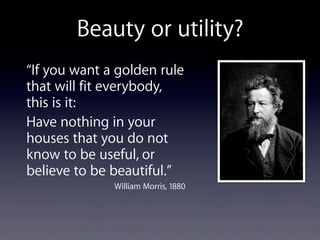
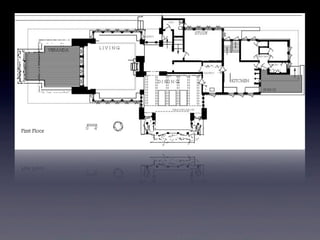
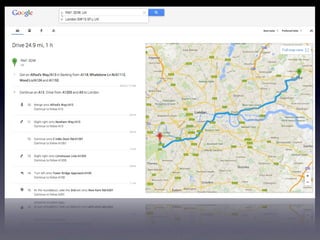
Beauty or utility?
“If you want a golden rule
that will fit everybody,
this is it:
Have nothing in your
houses that you do not
know to be useful, or
believe to be beautiful.”
William Morris, 1880
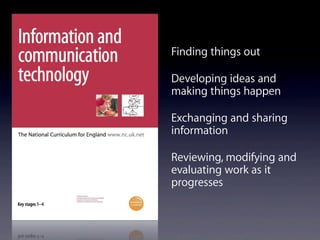
Finding things out
Developing ideas and
making things happen
Exchanging and sharing
information
Reviewing, modifying and
evaluating work as it
progresses
Children use and apply their ICT knowledge,
skills and understanding confidently and
competently in their learning and in everyday
contexts. They become independent and
discerning users of technology, recognising
opportunities and risks and using strategies to
stay safe.
(QCDA, 2009)
ICT Capability
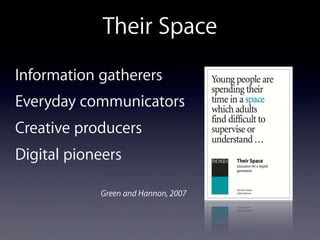
Their Space
Information gatherers
Everyday communicators
Creative producers
Digital pioneers
Green and Hannon, 2007
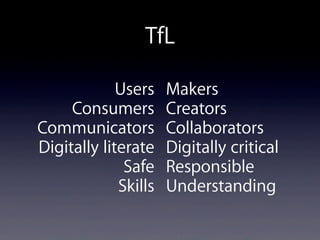
TfL
Users
Consumers
Communicators
Digitally literate
Safe
Skills
Makers
Creators
Collaborators
Digitally critical
Responsible
Understanding
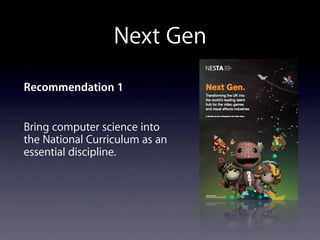
Next Gen
Recommendation 1
Bring computer science into
the National Curriculum as an
essential discipline.
Eric Schmidt, Edinburgh International Television Festival, 2011
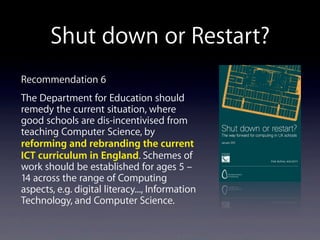
Shut down or Restart?
Recommendation 6
The Department for Education should
remedy the current situation, where
good schools are dis-incentivised from
teaching Computer Science, by
reforming and rebranding the current
ICT curriculum in England. Schemes of
work should be established for ages 5 –
14 across the range of Computing
aspects, e.g. digital literacy..., Information
Technology, and Computer Science.
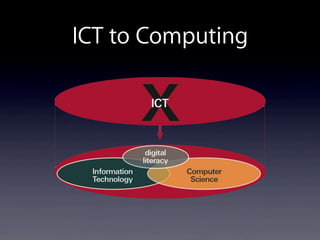
ICT to Computing
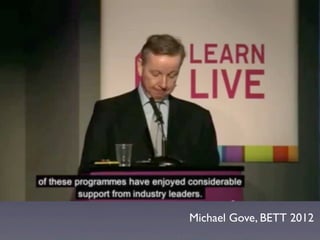
Michael Gove, BETT 2012
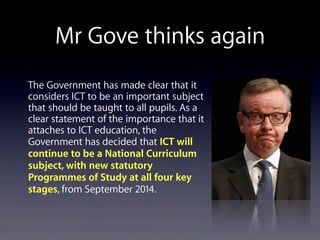
Mr Gove thinks again
The Government has made clear that it
considers ICT to be an important subject
that should be taught to all pupils. As a
clear statement of the importance that it
attaches to ICT education, the
Government has decided that ICT will
continue to be a National Curriculum
subject, with new statutory
Programmes of Study at all four key
stages, from September 2014.
BCS and RAEng
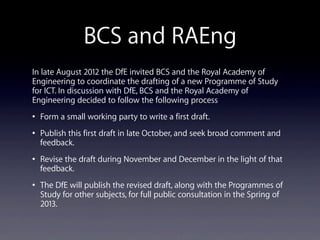
In late August 2012 the DfE invited BCS and the Royal Academy of
Engineering to coordinate the drafting of a new Programme of Study
for ICT. In discussion with DfE, BCS and the Royal Academy of
Engineering decided to follow the following process
• Form a small working party to write a first draft.
• Publish this first draft in late October, and seek broad comment and
feedback.
• Revise the draft during November and December in the light of that
feedback.
• The DfE will publish the revised draft, along with the Programmes of
Study for other subjects, for full public consultation in the Spring of
2013.
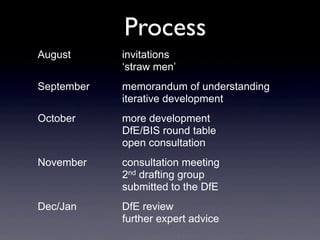
Process
August invitations
‘straw men’
September memorandum of understanding
iterative development
October more development
DfE/BIS round table
open consultation
November consultation meeting
2nd drafting group
submitted to the DfE
Dec/Jan DfE review
further expert advice
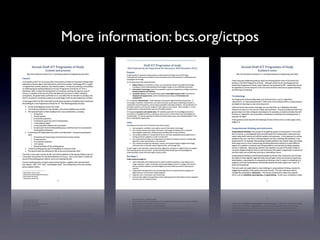
More information: bcs.org/ictpos
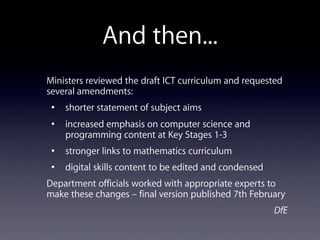
And then...
Ministers reviewed the draft ICT curriculum and requested
several amendments:
• shorter statement of subject aims
• increased emphasis on computer science and
programming content at Key Stages 1-3
• stronger links to mathematics curriculum
• digital skills content to be edited and condensed
Department officials worked with appropriate experts to
make these changes – final version published 7th February
DfE
Gove, 7th Feb 2013
“We have also replaced
the old information and
communications
technology curriculum
with a new computing
curriculum, with help
from Google, Facebook
and some of Britain’s
most brilliant computer
scientists.”
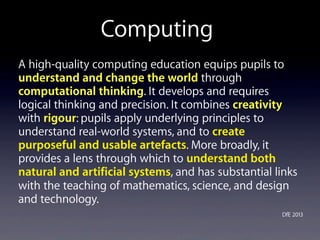
A high-quality computing education equips pupils to
understand and change the world through
computational thinking. It develops and requires
logical thinking and precision. It combines creativity
with rigour: pupils apply underlying principles to
understand real-world systems, and to create
purposeful and usable artefacts. More broadly, it
provides a lens through which to understand both
natural and artificial systems, and has substantial links
with the teaching of mathematics, science, and design
and technology.
DfE 2013
Computing
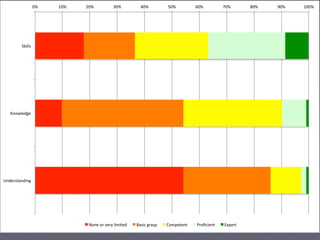
0%# 10%# 20%# 30%# 40%# 50%# 60%# 70%# 80%# 90%# 100%#
Skills#
Knowledge#
Understanding#
None#or#very#limited# Basic#grasp# Competent# Proficient# Expert#
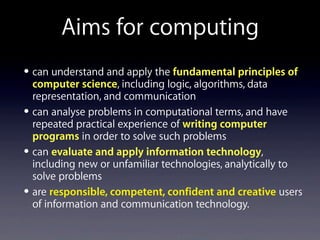
• can understand and apply the fundamental principles of
computer science, including logic, algorithms, data
representation, and communication
• can analyse problems in computational terms, and have
repeated practical experience of writing computer
programs in order to solve such problems
• can evaluate and apply information technology,
including new or unfamiliar technologies, analytically to
solve problems
• are responsible, competent, confident and creative users
of information and communication technology.
Aims for computing
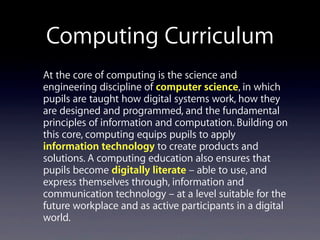
Computing Curriculum
At the core of computing is the science and
engineering discipline of computer science, in which
pupils are taught how digital systems work, how they
are designed and programmed, and the fundamental
principles of information and computation. Building on
this core, computing equips pupils to apply
information technology to create products and
solutions. A computing education also ensures that
pupils become digitally literate – able to use, and
express themselves through, information and
communication technology – at a level suitable for the
future workplace and as active participants in a digital
world.
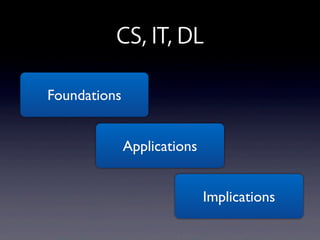
CS, IT, DL
Foundations
Applications
Implications
KS1
understand what algorithms are, how they are implemented as
programs on digital devices, and that programs execute by
following a sequence of instructions
write and test simple programs
use logical reasoning to predict the behaviour of simple programs
organise, store, manipulate and retrieve data in a range of digital
formats
communicate safely and respectfully online, keeping personal
information private, and recognise common uses of information
technology beyond school.
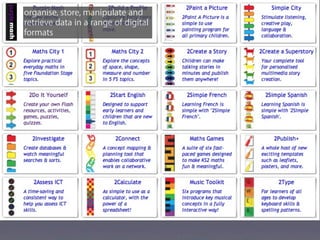
organise, store, manipulate and
retrieve data in a range of digital
formats
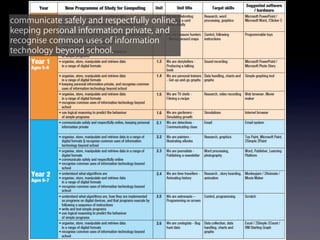
communicate safely and respectfully online,
keeping personal information private, and
recognise common uses of information
technology beyond school.
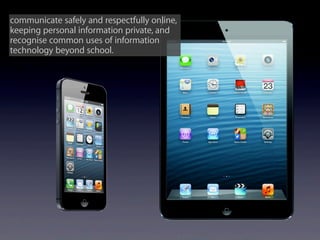
communicate safely and respectfully online,
keeping personal information private, and
recognise common uses of information
technology beyond school.
KS2
design and write programs that accomplish specific goals,
including controlling or simulating physical systems; solve
problems by decomposing them into smaller parts
use sequence, selection, and repetition in programs; work with
variables and various forms of input and output; generate
appropriate inputs and predicted outputs to test programs
use logical reasoning to explain how a simple algorithm works
and to detect and correct errors in algorithms and programs
understand computer networks including the internet; how they
can provide multiple services, such as the world-wide web; and
the opportunities they offer for communication and collaboration
KS2 continued
describe how internet search engines find and store data; use
search engines effectively; be discerning in evaluating digital
content; respect individuals and intellectual property; use
technology responsibly, securely and safely
select, use and combine a variety of software (including internet
services) on a range of digital devices to accomplish given goals,
including collecting, analysing, evaluating and presenting data
and information.
understand computer networks including
the internet; how they can provide multiple
services, such as the world-wide web; and
the opportunities they offer for
communication and collaboration
understand computer networks including
the internet; how they can provide multiple
services, such as the world-wide web; and
the opportunities they offer for
communication and collaboration
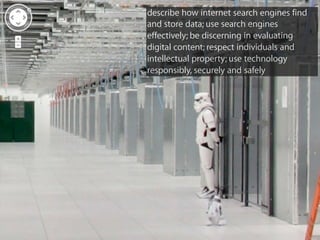
describe how internet search engines find
and store data; use search engines
effectively; be discerning in evaluating
digital content; respect individuals and
intellectual property; use technology
responsibly, securely and safely
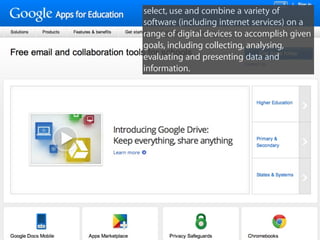
select, use and combine a variety of
software (including internet services) on a
range of digital devices to accomplish given
goals, including collecting, analysing,
evaluating and presenting data and
information.
select, use and combine a variety of
software (including internet services) on a
range of digital devices to accomplish given
goals, including collecting, analysing,
evaluating and presenting data and
information.
KS3
design, use and evaluate computational abstractions that model the state
and behaviour of real-world problems and physical systems
understand at least two key algorithms for each of sorting and searching;
use logical reasoning to evaluate the performance trade-offs of using
alternative algorithms to solve the same problem
use two or more programming languages, one of which is textual, each
used to solve a variety of computational problems; use data structures such
as tables or arrays; use procedures to write modular programs; for each
procedure, be able to explain how it works and how to test it
understand simple Boolean logic (such as AND, OR and NOT) and its use in
determining which parts of a program are executed; use Boolean logic and
wild- cards in search or database queries; appreciate how search engine
results are selected and ranked
KS3 continued
understand the hardware and software components that make
up networked computer systems, how they interact, and how
they affect cost and performance; explain how networks such as
the internet work; understand how computers can monitor and
control physical systems
explain how instructions are stored and executed within a
computer system
explain how data of various types can be represented and
manipulated in the form of binary digits including numbers,
text, sounds and pictures, and be able to carry out some such
manipulations by hand
KS3 continued
undertake creative projects that involve selecting, using, and
combining multiple applications, preferably across a range of
devices, to achieve challenging goals, including collecting and
analysing data and meeting the needs of known users
create, reuse, revise and repurpose digital information and content
with attention to design, intellectual property and audience.
KS4
develop their capability, creativity and knowledge in
computer science, digital media and information technology
develop and apply their analytic, problem-solving, design, and
computational thinking skills.
Themes?
Themes
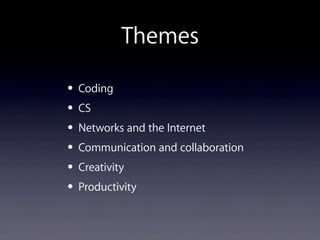
• Coding
• CS
• Networks and the Internet
• Communication and collaboration
• Creativity
• Productivity
Themes
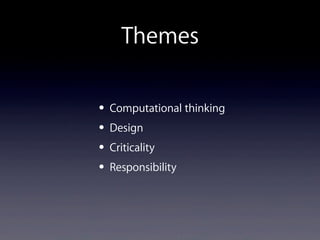
• Computational thinking
• Design
• Criticality
• Responsibility
Themes
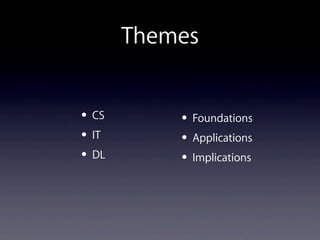
• CS
• IT
• DL
• Foundations
• Applications
• Implications
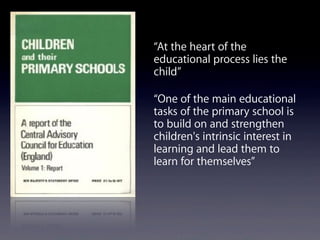
“At the heart of the
educational process lies the
child”
“One of the main educational
tasks of the primary school is
to build on and strengthen
children's intrinsic interest in
learning and lead them to
learn for themselves”
Decisions
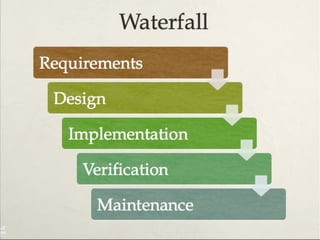
• Discrete vs Embedded
• Waterfall vs Agile
• NC vs NC+
• Themes
• Structure
• Format
An outline SoW
• Topic title
• Curriculum coverage
• Learning objectives
• Outline of activities
• Resources
• Cross curricular links
• Assessment opportunities
Assessment
“In order to ensure that every child is expected to
master this content, I have ... decided that the current
system of levels and level descriptors should be
removed and not replaced”
June 2012
“By the end of each key stage, pupils are expected to
know, apply and understand the matters, skills and
processes specified in the relevant programme of
study.“
Feb 2013
Assessment
Schools will be able to introduce their own
approaches to formative assessment, to support
pupil attainment and progression. The assessment
framework should be built into the school
curriculum, so that schools can check what pupils
have learned and whether they are on track to
meet expectations at the end of the key stage,
and so that they can report regularly to parents. 
June 2013
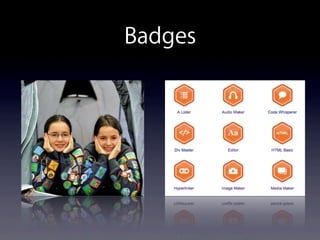
Badges
bit.ly/ittcomp

Roehampton computing workshop 1

  • 1.
    Miles Berry University ofRoehampton 28 June 2013 Primary Computing Workshop 1. Curriculum
  • 2.
  • 3.
  • 4.
  • 5.
    Beauty or utility? “Ifyou want a golden rule that will fit everybody, this is it: Have nothing in your houses that you do not know to be useful, or believe to be beautiful.” William Morris, 1880
  • 6.
    Finding things out Developingideas and making things happen Exchanging and sharing information Reviewing, modifying and evaluating work as it progresses
  • 7.
    Children use andapply their ICT knowledge, skills and understanding confidently and competently in their learning and in everyday contexts. They become independent and discerning users of technology, recognising opportunities and risks and using strategies to stay safe. (QCDA, 2009) ICT Capability
  • 8.
    Their Space Information gatherers Everydaycommunicators Creative producers Digital pioneers Green and Hannon, 2007
  • 9.
  • 10.
    Next Gen Recommendation 1 Bringcomputer science into the National Curriculum as an essential discipline.
  • 11.
    Eric Schmidt, EdinburghInternational Television Festival, 2011
  • 12.
    Shut down orRestart? Recommendation 6 The Department for Education should remedy the current situation, where good schools are dis-incentivised from teaching Computer Science, by reforming and rebranding the current ICT curriculum in England. Schemes of work should be established for ages 5 – 14 across the range of Computing aspects, e.g. digital literacy..., Information Technology, and Computer Science.
  • 13.
  • 14.
  • 15.
    Mr Gove thinksagain The Government has made clear that it considers ICT to be an important subject that should be taught to all pupils. As a clear statement of the importance that it attaches to ICT education, the Government has decided that ICT will continue to be a National Curriculum subject, with new statutory Programmes of Study at all four key stages, from September 2014.
  • 17.
    BCS and RAEng Inlate August 2012 the DfE invited BCS and the Royal Academy of Engineering to coordinate the drafting of a new Programme of Study for ICT. In discussion with DfE, BCS and the Royal Academy of Engineering decided to follow the following process • Form a small working party to write a first draft. • Publish this first draft in late October, and seek broad comment and feedback. • Revise the draft during November and December in the light of that feedback. • The DfE will publish the revised draft, along with the Programmes of Study for other subjects, for full public consultation in the Spring of 2013.
  • 18.
    Process August invitations ‘straw men’ Septembermemorandum of understanding iterative development October more development DfE/BIS round table open consultation November consultation meeting 2nd drafting group submitted to the DfE Dec/Jan DfE review further expert advice
  • 19.
  • 20.
    And then... Ministers reviewedthe draft ICT curriculum and requested several amendments: • shorter statement of subject aims • increased emphasis on computer science and programming content at Key Stages 1-3 • stronger links to mathematics curriculum • digital skills content to be edited and condensed Department officials worked with appropriate experts to make these changes – final version published 7th February DfE
  • 21.
    Gove, 7th Feb2013 “We have also replaced the old information and communications technology curriculum with a new computing curriculum, with help from Google, Facebook and some of Britain’s most brilliant computer scientists.”
  • 22.
    A high-quality computingeducation equips pupils to understand and change the world through computational thinking. It develops and requires logical thinking and precision. It combines creativity with rigour: pupils apply underlying principles to understand real-world systems, and to create purposeful and usable artefacts. More broadly, it provides a lens through which to understand both natural and artificial systems, and has substantial links with the teaching of mathematics, science, and design and technology. DfE 2013 Computing
  • 23.
    0%# 10%# 20%#30%# 40%# 50%# 60%# 70%# 80%# 90%# 100%# Skills# Knowledge# Understanding# None#or#very#limited# Basic#grasp# Competent# Proficient# Expert#
  • 24.
    • can understandand apply the fundamental principles of computer science, including logic, algorithms, data representation, and communication • can analyse problems in computational terms, and have repeated practical experience of writing computer programs in order to solve such problems • can evaluate and apply information technology, including new or unfamiliar technologies, analytically to solve problems • are responsible, competent, confident and creative users of information and communication technology. Aims for computing
  • 25.
    Computing Curriculum At thecore of computing is the science and engineering discipline of computer science, in which pupils are taught how digital systems work, how they are designed and programmed, and the fundamental principles of information and computation. Building on this core, computing equips pupils to apply information technology to create products and solutions. A computing education also ensures that pupils become digitally literate – able to use, and express themselves through, information and communication technology – at a level suitable for the future workplace and as active participants in a digital world.
  • 26.
  • 27.
    KS1 understand what algorithmsare, how they are implemented as programs on digital devices, and that programs execute by following a sequence of instructions write and test simple programs use logical reasoning to predict the behaviour of simple programs organise, store, manipulate and retrieve data in a range of digital formats communicate safely and respectfully online, keeping personal information private, and recognise common uses of information technology beyond school.
  • 28.
    organise, store, manipulateand retrieve data in a range of digital formats
  • 29.
    communicate safely andrespectfully online, keeping personal information private, and recognise common uses of information technology beyond school.
  • 30.
    communicate safely andrespectfully online, keeping personal information private, and recognise common uses of information technology beyond school.
  • 31.
    KS2 design and writeprograms that accomplish specific goals, including controlling or simulating physical systems; solve problems by decomposing them into smaller parts use sequence, selection, and repetition in programs; work with variables and various forms of input and output; generate appropriate inputs and predicted outputs to test programs use logical reasoning to explain how a simple algorithm works and to detect and correct errors in algorithms and programs understand computer networks including the internet; how they can provide multiple services, such as the world-wide web; and the opportunities they offer for communication and collaboration
  • 32.
    KS2 continued describe howinternet search engines find and store data; use search engines effectively; be discerning in evaluating digital content; respect individuals and intellectual property; use technology responsibly, securely and safely select, use and combine a variety of software (including internet services) on a range of digital devices to accomplish given goals, including collecting, analysing, evaluating and presenting data and information.
  • 33.
    understand computer networksincluding the internet; how they can provide multiple services, such as the world-wide web; and the opportunities they offer for communication and collaboration
  • 34.
    understand computer networksincluding the internet; how they can provide multiple services, such as the world-wide web; and the opportunities they offer for communication and collaboration
  • 35.
    describe how internetsearch engines find and store data; use search engines effectively; be discerning in evaluating digital content; respect individuals and intellectual property; use technology responsibly, securely and safely
  • 36.
    select, use andcombine a variety of software (including internet services) on a range of digital devices to accomplish given goals, including collecting, analysing, evaluating and presenting data and information.
  • 37.
    select, use andcombine a variety of software (including internet services) on a range of digital devices to accomplish given goals, including collecting, analysing, evaluating and presenting data and information.
  • 38.
    KS3 design, use andevaluate computational abstractions that model the state and behaviour of real-world problems and physical systems understand at least two key algorithms for each of sorting and searching; use logical reasoning to evaluate the performance trade-offs of using alternative algorithms to solve the same problem use two or more programming languages, one of which is textual, each used to solve a variety of computational problems; use data structures such as tables or arrays; use procedures to write modular programs; for each procedure, be able to explain how it works and how to test it understand simple Boolean logic (such as AND, OR and NOT) and its use in determining which parts of a program are executed; use Boolean logic and wild- cards in search or database queries; appreciate how search engine results are selected and ranked
  • 39.
    KS3 continued understand thehardware and software components that make up networked computer systems, how they interact, and how they affect cost and performance; explain how networks such as the internet work; understand how computers can monitor and control physical systems explain how instructions are stored and executed within a computer system explain how data of various types can be represented and manipulated in the form of binary digits including numbers, text, sounds and pictures, and be able to carry out some such manipulations by hand
  • 40.
    KS3 continued undertake creativeprojects that involve selecting, using, and combining multiple applications, preferably across a range of devices, to achieve challenging goals, including collecting and analysing data and meeting the needs of known users create, reuse, revise and repurpose digital information and content with attention to design, intellectual property and audience.
  • 41.
    KS4 develop their capability,creativity and knowledge in computer science, digital media and information technology develop and apply their analytic, problem-solving, design, and computational thinking skills.
  • 42.
  • 43.
    Themes • Coding • CS •Networks and the Internet • Communication and collaboration • Creativity • Productivity
  • 44.
    Themes • Computational thinking •Design • Criticality • Responsibility
  • 45.
    Themes • CS • IT •DL • Foundations • Applications • Implications
  • 51.
    “At the heartof the educational process lies the child” “One of the main educational tasks of the primary school is to build on and strengthen children's intrinsic interest in learning and lead them to learn for themselves”
  • 52.
    Decisions • Discrete vsEmbedded • Waterfall vs Agile • NC vs NC+ • Themes • Structure • Format
  • 53.
    An outline SoW •Topic title • Curriculum coverage • Learning objectives • Outline of activities • Resources • Cross curricular links • Assessment opportunities
  • 55.
    Assessment “In order toensure that every child is expected to master this content, I have ... decided that the current system of levels and level descriptors should be removed and not replaced” June 2012 “By the end of each key stage, pupils are expected to know, apply and understand the matters, skills and processes specified in the relevant programme of study.“ Feb 2013
  • 56.
    Assessment Schools will beable to introduce their own approaches to formative assessment, to support pupil attainment and progression. The assessment framework should be built into the school curriculum, so that schools can check what pupils have learned and whether they are on track to meet expectations at the end of the key stage, and so that they can report regularly to parents.  June 2013
  • 57.
  • 58.