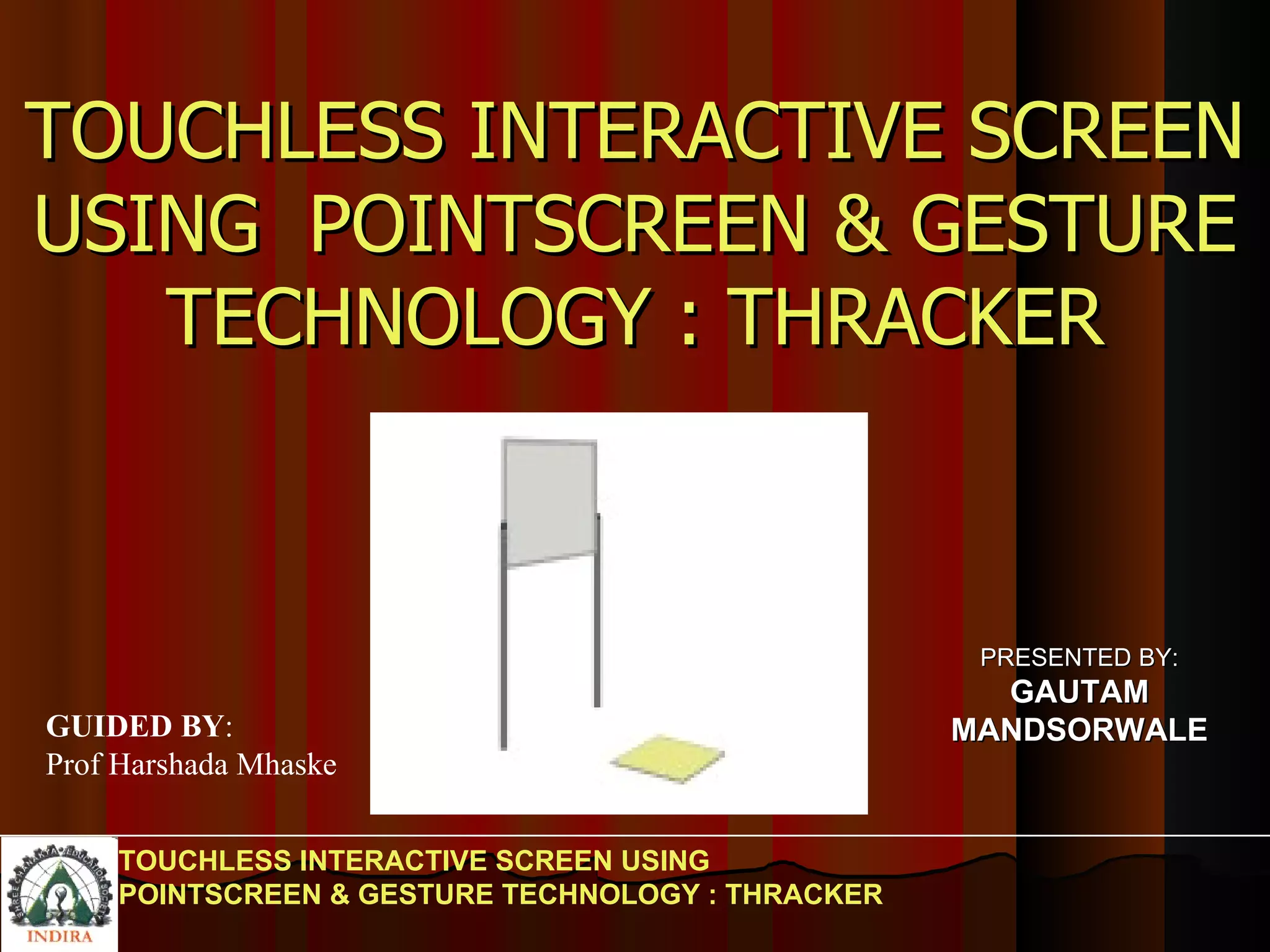
TOUCHLESS INTERACTIVE SCREEN USING POINTSCREEN & GESTURE TECHNOLOGY : THRACKER TOUCHLESS INTERACTIVE SCREEN USING  POINTSCREEN & GESTURE TECHNOLOGY : THRACKER PRESENTED BY: GAUTAM MANDSORWALE GUIDED BY : Prof Harshada Mhaske
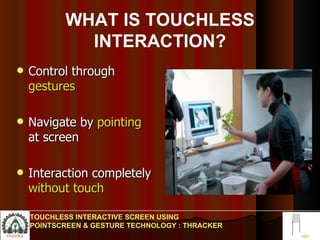
Control through  gestures Navigate by  pointing  at screen  Interaction completely  without touch  WHAT IS TOUCHLESS INTERACTION? TOUCHLESS INTERACTIVE SCREEN USING POINTSCREEN & GESTURE TECHNOLOGY : THRACKER
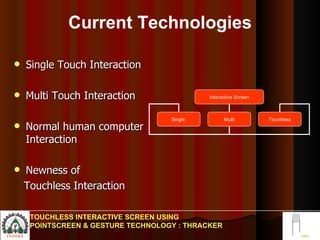
Current Technologies Single Touch Interaction Multi Touch Interaction Normal human computer Interaction Newness of  Touchless Interaction TOUCHLESS INTERACTIVE SCREEN USING POINTSCREEN & GESTURE TECHNOLOGY : THRACKER Interactive Screen Single  Multi Touchless
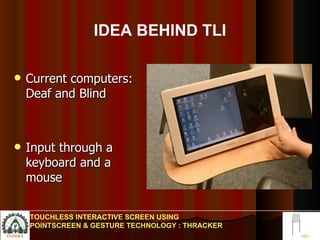
Current computers: Deaf and Blind  Input through a keyboard and a mouse  IDEA BEHIND TLI TOUCHLESS INTERACTIVE SCREEN USING POINTSCREEN & GESTURE TECHNOLOGY : THRACKER
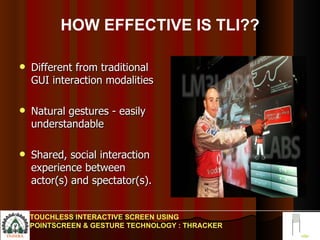
HOW EFFECTIVE IS TLI?? Different from traditional GUI interaction modalities Natural gestures - easily understandable  Shared, social interaction experience between actor(s) and spectator(s).  TOUCHLESS INTERACTIVE SCREEN USING POINTSCREEN & GESTURE TECHNOLOGY : THRACKER
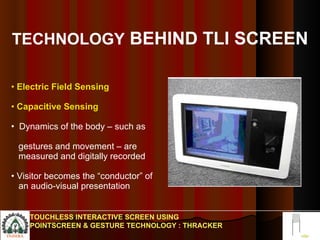
TECHNOLOGY  BEHIND TLI SCREEN Electric Field Sensing Capacitive Sensing  Dynamics of the body – such as  gestures and movement – are  measured and digitally recorded Visitor becomes the “conductor” of  an audio-visual presentation TOUCHLESS INTERACTIVE SCREEN USING POINTSCREEN & GESTURE TECHNOLOGY : THRACKER
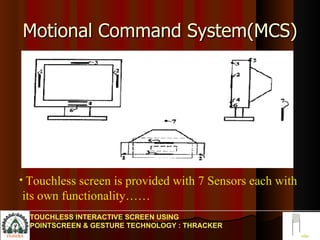
Motional Command System(MCS) TOUCHLESS INTERACTIVE SCREEN USING POINTSCREEN & GESTURE TECHNOLOGY : THRACKER Touchless screen is provided with 7 Sensors each with  its own functionality……
MCS(continued…..) Sensors 1&2--Sense Horizontal Motion Sensors 3&4--Sense Vertical Motion Sensors 5&6--Sense Motion in the depth  Direction Normal to the Screen. An optical sensor 7 is possible for measuring background noise as a reference. TOUCHLESS INTERACTIVE SCREEN USING POINTSCREEN & GESTURE TECHNOLOGY : THRACKER
Electric Field Sensing Uses & Measures Perturbations of the background quasi- static electric fields… Compare changes in signals over time… Signals collected from sensors are compared to recognize gestures… Issues predetermined response to the motion. TOUCHLESS INTERACTIVE SCREEN USING POINTSCREEN & GESTURE TECHNOLOGY : THRACKER
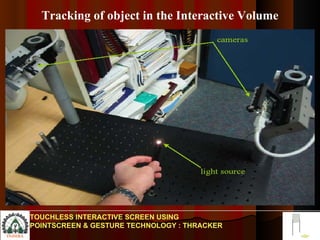
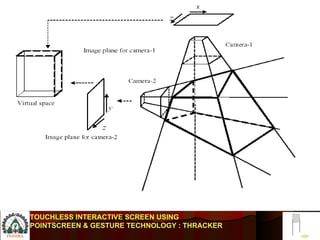
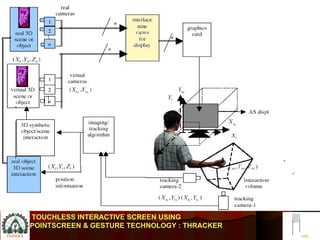
Tracking of object in the Interactive Volume TOUCHLESS INTERACTIVE SCREEN USING POINTSCREEN & GESTURE TECHNOLOGY : THRACKER
TOUCHLESS INTERACTIVE SCREEN USING POINTSCREEN & GESTURE TECHNOLOGY : THRACKER
TOUCHLESS INTERACTIVE SCREEN USING  POINTSCREEN & GESTURE TECHNOLOGY : THRACKER
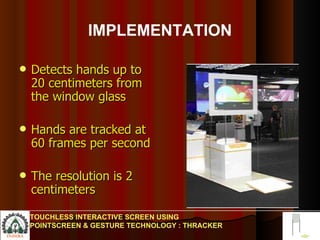
IMPLEMENTATION Detects hands up to 20 centimeters from the window glass Hands are tracked at 60 frames per second  The resolution is 2 centimeters  TOUCHLESS INTERACTIVE SCREEN USING POINTSCREEN & GESTURE TECHNOLOGY : THRACKER
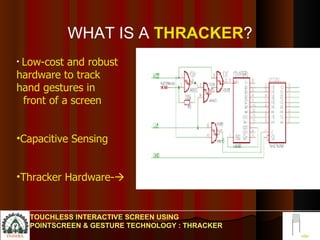
WHAT IS A   THRACKER ? TOUCHLESS INTERACTIVE SCREEN USING POINTSCREEN & GESTURE TECHNOLOGY : THRACKER Low-cost and robust  hardware to track hand gestures in  front of a screen Capacitive Sensing Thracker Hardware- 
WHAT IS  CAPACITIVE SENSING The technique of measuring distances between a sensor and an object is called capacitive sensing. Measure the capacitance of the capacitor. Estimate the distance between sensor plate and object.  TOUCHLESS INTERACTIVE SCREEN USING POINTSCREEN & GESTURE TECHNOLOGY : THRACKER
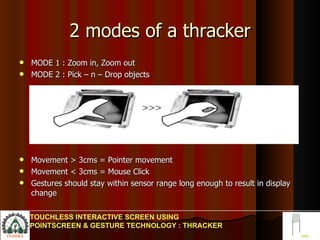
2 modes of a thracker MODE 1 : Zoom in, Zoom out MODE 2 : Pick – n – Drop objects Movement > 3cms = Pointer movement Movement < 3cms = Mouse Click Gestures should stay within sensor range long enough to result in display change  TOUCHLESS INTERACTIVE SCREEN USING POINTSCREEN & GESTURE TECHNOLOGY : THRACKER
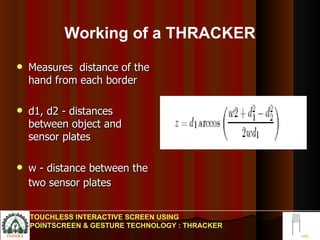
Working of a THRACKER Measures  distance of the hand from each border d1, d2 - distances between object and sensor plates w - distance between the two sensor plates   TOUCHLESS INTERACTIVE SCREEN USING POINTSCREEN & GESTURE TECHNOLOGY : THRACKER
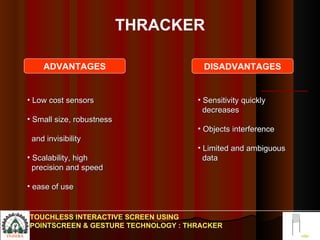
THRACKER Low cost sensors  Small size, robustness  and invisibility  Scalability, high  precision and speed ease of use Sensitivity quickly  decreases Objects interference Limited and ambiguous  data  TOUCHLESS INTERACTIVE SCREEN USING POINTSCREEN & GESTURE TECHNOLOGY : THRACKER ADVANTAGES DISADVANTAGES
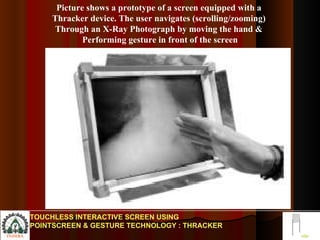
Picture shows a prototype of a screen equipped with a  Thracker device. The user navigates (scrolling/zooming)  Through an X-Ray Photograph by moving the hand &  Performing gesture in front of the screen TOUCHLESS INTERACTIVE SCREEN USING POINTSCREEN & GESTURE TECHNOLOGY : THRACKER
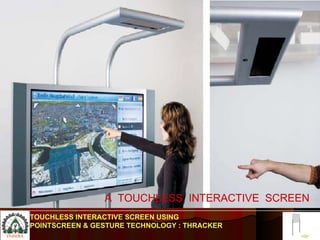
A  TOUCHLESS  INTERACTIVE  SCREEN TOUCHLESS INTERACTIVE SCREEN USING POINTSCREEN & GESTURE TECHNOLOGY : THRACKER
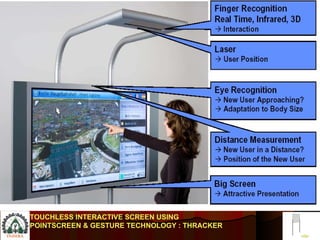
TOUCHLESS INTERACTIVE SCREEN USING POINTSCREEN & GESTURE TECHNOLOGY : THRACKER
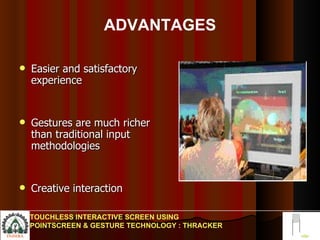
ADVANTAGES Easier and satisfactory experience  Gestures are much richer than traditional input methodologies  Creative interaction  TOUCHLESS INTERACTIVE SCREEN USING POINTSCREEN & GESTURE TECHNOLOGY : THRACKER
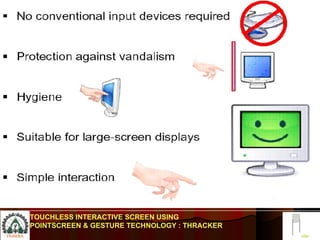
TOUCHLESS INTERACTIVE SCREEN USING POINTSCREEN & GESTURE TECHNOLOGY : THRACKER
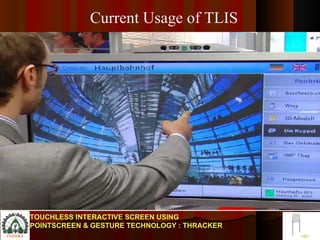
TOUCHLESS INTERACTIVE SCREEN USING POINTSCREEN & GESTURE TECHNOLOGY : THRACKER Current Usage of TLIS
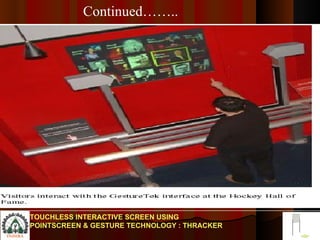
TOUCHLESS INTERACTIVE SCREEN USING POINTSCREEN & GESTURE TECHNOLOGY : THRACKER Continued……..
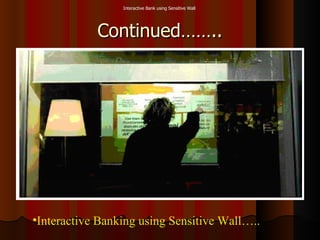
Continued…….. Interactive Banking using Sensitive Wall….. Interactive Bank using Sensitive Wall
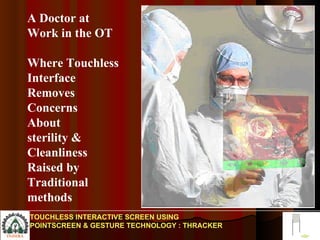
A Doctor at Work in the OT Where Touchless Interface  Removes Concerns About sterility & Cleanliness Raised by Traditional methods TOUCHLESS INTERACTIVE SCREEN USING POINTSCREEN & GESTURE TECHNOLOGY : THRACKER
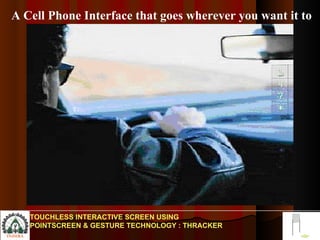
A Cell Phone Interface that goes wherever you want it to TOUCHLESS INTERACTIVE SCREEN USING POINTSCREEN & GESTURE TECHNOLOGY : THRACKER
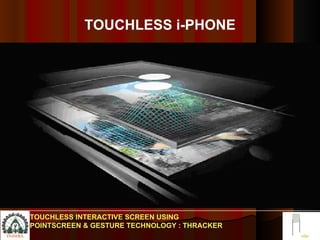
TOUCHLESS i-PHONE TOUCHLESS INTERACTIVE SCREEN USING POINTSCREEN & GESTURE TECHNOLOGY : THRACKER
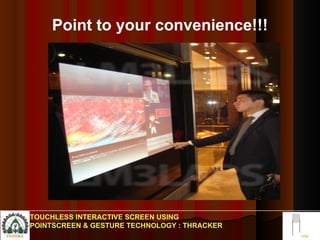
Point to your convenience!!! TOUCHLESS INTERACTIVE SCREEN USING POINTSCREEN & GESTURE TECHNOLOGY : THRACKER
FUTURE APPLICATION Interactive displays in Airports, Restaurants, Hotels museums, exhibitions or public  places,Household Neccesities. Interact with art, underground maps or timetables  vandalism-proof ticket vending machines.  Zoom in x-ray images,in medical diagnosis and surgery. Track people,roads, giving directions in city. TOUCHLESS INTERACTIVE SCREEN USING POINTSCREEN & GESTURE TECHNOLOGY : THRACKER

Disadvantages of Touchless Interaction Proper ambience is required Public interaction has be monitored Initial cost is very high Used in sophisticated environment TOUCHLESS INTERACTIVE SCREEN USING POINTSCREEN & GESTURE TECHNOLOGY : THRACKER
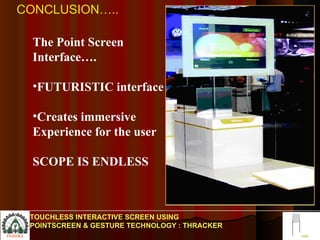
The Point Screen Interface…. FUTURISTIC interface Creates immersive Experience for the user SCOPE IS ENDLESS CONCLUSION….. TOUCHLESS INTERACTIVE SCREEN USING POINTSCREEN & GESTURE TECHNOLOGY : THRACKER
ANY QUERIES
 

Touchless Interactive Screen

  • 1.
    TOUCHLESS INTERACTIVE SCREENUSING POINTSCREEN & GESTURE TECHNOLOGY : THRACKER TOUCHLESS INTERACTIVE SCREEN USING POINTSCREEN & GESTURE TECHNOLOGY : THRACKER PRESENTED BY: GAUTAM MANDSORWALE GUIDED BY : Prof Harshada Mhaske
  • 2.
    Control through gestures Navigate by pointing at screen Interaction completely without touch WHAT IS TOUCHLESS INTERACTION? TOUCHLESS INTERACTIVE SCREEN USING POINTSCREEN & GESTURE TECHNOLOGY : THRACKER
  • 3.
    Current Technologies SingleTouch Interaction Multi Touch Interaction Normal human computer Interaction Newness of Touchless Interaction TOUCHLESS INTERACTIVE SCREEN USING POINTSCREEN & GESTURE TECHNOLOGY : THRACKER Interactive Screen Single Multi Touchless
  • 4.
    Current computers: Deafand Blind Input through a keyboard and a mouse IDEA BEHIND TLI TOUCHLESS INTERACTIVE SCREEN USING POINTSCREEN & GESTURE TECHNOLOGY : THRACKER
  • 5.
    HOW EFFECTIVE ISTLI?? Different from traditional GUI interaction modalities Natural gestures - easily understandable Shared, social interaction experience between actor(s) and spectator(s). TOUCHLESS INTERACTIVE SCREEN USING POINTSCREEN & GESTURE TECHNOLOGY : THRACKER
  • 6.
    TECHNOLOGY BEHINDTLI SCREEN Electric Field Sensing Capacitive Sensing Dynamics of the body – such as gestures and movement – are measured and digitally recorded Visitor becomes the “conductor” of an audio-visual presentation TOUCHLESS INTERACTIVE SCREEN USING POINTSCREEN & GESTURE TECHNOLOGY : THRACKER
  • 7.
    Motional Command System(MCS)TOUCHLESS INTERACTIVE SCREEN USING POINTSCREEN & GESTURE TECHNOLOGY : THRACKER Touchless screen is provided with 7 Sensors each with its own functionality……
  • 8.
    MCS(continued…..) Sensors 1&2--SenseHorizontal Motion Sensors 3&4--Sense Vertical Motion Sensors 5&6--Sense Motion in the depth Direction Normal to the Screen. An optical sensor 7 is possible for measuring background noise as a reference. TOUCHLESS INTERACTIVE SCREEN USING POINTSCREEN & GESTURE TECHNOLOGY : THRACKER
  • 9.
    Electric Field SensingUses & Measures Perturbations of the background quasi- static electric fields… Compare changes in signals over time… Signals collected from sensors are compared to recognize gestures… Issues predetermined response to the motion. TOUCHLESS INTERACTIVE SCREEN USING POINTSCREEN & GESTURE TECHNOLOGY : THRACKER
  • 10.
    Tracking of objectin the Interactive Volume TOUCHLESS INTERACTIVE SCREEN USING POINTSCREEN & GESTURE TECHNOLOGY : THRACKER
  • 11.
    TOUCHLESS INTERACTIVE SCREENUSING POINTSCREEN & GESTURE TECHNOLOGY : THRACKER
  • 12.
    TOUCHLESS INTERACTIVE SCREENUSING POINTSCREEN & GESTURE TECHNOLOGY : THRACKER
  • 13.
    IMPLEMENTATION Detects handsup to 20 centimeters from the window glass Hands are tracked at 60 frames per second The resolution is 2 centimeters TOUCHLESS INTERACTIVE SCREEN USING POINTSCREEN & GESTURE TECHNOLOGY : THRACKER
  • 14.
    WHAT IS A THRACKER ? TOUCHLESS INTERACTIVE SCREEN USING POINTSCREEN & GESTURE TECHNOLOGY : THRACKER Low-cost and robust hardware to track hand gestures in front of a screen Capacitive Sensing Thracker Hardware- 
  • 15.
    WHAT IS CAPACITIVE SENSING The technique of measuring distances between a sensor and an object is called capacitive sensing. Measure the capacitance of the capacitor. Estimate the distance between sensor plate and object. TOUCHLESS INTERACTIVE SCREEN USING POINTSCREEN & GESTURE TECHNOLOGY : THRACKER
  • 16.
    2 modes ofa thracker MODE 1 : Zoom in, Zoom out MODE 2 : Pick – n – Drop objects Movement > 3cms = Pointer movement Movement < 3cms = Mouse Click Gestures should stay within sensor range long enough to result in display change TOUCHLESS INTERACTIVE SCREEN USING POINTSCREEN & GESTURE TECHNOLOGY : THRACKER
  • 17.
    Working of aTHRACKER Measures distance of the hand from each border d1, d2 - distances between object and sensor plates w - distance between the two sensor plates TOUCHLESS INTERACTIVE SCREEN USING POINTSCREEN & GESTURE TECHNOLOGY : THRACKER
  • 18.
    THRACKER Low costsensors Small size, robustness and invisibility Scalability, high precision and speed ease of use Sensitivity quickly decreases Objects interference Limited and ambiguous data TOUCHLESS INTERACTIVE SCREEN USING POINTSCREEN & GESTURE TECHNOLOGY : THRACKER ADVANTAGES DISADVANTAGES
  • 19.
    Picture shows aprototype of a screen equipped with a Thracker device. The user navigates (scrolling/zooming) Through an X-Ray Photograph by moving the hand & Performing gesture in front of the screen TOUCHLESS INTERACTIVE SCREEN USING POINTSCREEN & GESTURE TECHNOLOGY : THRACKER
  • 20.
    A TOUCHLESS INTERACTIVE SCREEN TOUCHLESS INTERACTIVE SCREEN USING POINTSCREEN & GESTURE TECHNOLOGY : THRACKER
  • 21.
    TOUCHLESS INTERACTIVE SCREENUSING POINTSCREEN & GESTURE TECHNOLOGY : THRACKER
  • 22.
    ADVANTAGES Easier andsatisfactory experience Gestures are much richer than traditional input methodologies Creative interaction TOUCHLESS INTERACTIVE SCREEN USING POINTSCREEN & GESTURE TECHNOLOGY : THRACKER
  • 23.
    TOUCHLESS INTERACTIVE SCREENUSING POINTSCREEN & GESTURE TECHNOLOGY : THRACKER
  • 24.
    TOUCHLESS INTERACTIVE SCREENUSING POINTSCREEN & GESTURE TECHNOLOGY : THRACKER Current Usage of TLIS
  • 25.
    TOUCHLESS INTERACTIVE SCREENUSING POINTSCREEN & GESTURE TECHNOLOGY : THRACKER Continued……..
  • 26.
    Continued…….. Interactive Bankingusing Sensitive Wall….. Interactive Bank using Sensitive Wall
  • 27.
    A Doctor atWork in the OT Where Touchless Interface Removes Concerns About sterility & Cleanliness Raised by Traditional methods TOUCHLESS INTERACTIVE SCREEN USING POINTSCREEN & GESTURE TECHNOLOGY : THRACKER
  • 28.
    A Cell PhoneInterface that goes wherever you want it to TOUCHLESS INTERACTIVE SCREEN USING POINTSCREEN & GESTURE TECHNOLOGY : THRACKER
  • 29.
    TOUCHLESS i-PHONE TOUCHLESSINTERACTIVE SCREEN USING POINTSCREEN & GESTURE TECHNOLOGY : THRACKER
  • 30.
    Point to yourconvenience!!! TOUCHLESS INTERACTIVE SCREEN USING POINTSCREEN & GESTURE TECHNOLOGY : THRACKER
  • 31.
    FUTURE APPLICATION Interactivedisplays in Airports, Restaurants, Hotels museums, exhibitions or public places,Household Neccesities. Interact with art, underground maps or timetables vandalism-proof ticket vending machines. Zoom in x-ray images,in medical diagnosis and surgery. Track people,roads, giving directions in city. TOUCHLESS INTERACTIVE SCREEN USING POINTSCREEN & GESTURE TECHNOLOGY : THRACKER
  • 32.
    Disadvantages of TouchlessInteraction Proper ambience is required Public interaction has be monitored Initial cost is very high Used in sophisticated environment TOUCHLESS INTERACTIVE SCREEN USING POINTSCREEN & GESTURE TECHNOLOGY : THRACKER
  • 33.
    The Point ScreenInterface…. FUTURISTIC interface Creates immersive Experience for the user SCOPE IS ENDLESS CONCLUSION….. TOUCHLESS INTERACTIVE SCREEN USING POINTSCREEN & GESTURE TECHNOLOGY : THRACKER
  • 34.
  • 35.