Submitted To:
Submitted By:
Mr.Pankaj Kumar Sir
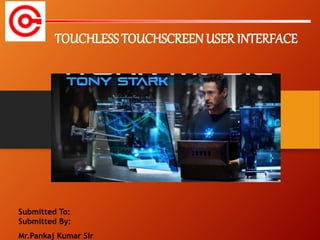
TOUCHLESS TOUCHSCREENUSER INTERFACE
 Introduction
 Applications
 working
 Sensor used
 Block diagram
 Advantages
 Conclusion
 References
 Touch screen displays are ubiquitous world wide
 Frequent touching a touch screen display can ultimately lead
to failure of the touch screen
 To avoid this a simple user interface for Touch less control of
electrically operated equipment is being developed.
 It is developed by Elliptic Lab
 TOUCH LESS MONITOR:
 The Touchless technology are being used in many forms in
many different places.
 The monitor, based on technology from TouchKo was recently
demonstrated by White Electronic Designs and Tactyl Services
at the CeBIT show.
 The technology detects motion in 3D and requires no special
worn-sensors for operation.
 Microsoft Kinect
It detects and recognizes a user’s body movement and
reproduces it within the video game that is being
played.
 The technology detects motion in 3D and requires no
special worn sensor for operation.
 By simply points to the screen of users and user can
manipulate the object being displayed in 3D.
 In touchless touch screen sensor is required but the
sensor is neither hand mounted nor present on the
screen
 Airwriting is a technology that allows you to write text
messages or compose emails by writing in the air.
 Myoelectric Armband
Myoelectric armband or MYO armband is a gadget
that allows you to control your other bluetooth enabled
devices using your finger or your hands.
 Requires a sensor but the sensor is neither hand mounted nor present on the screen
 The sensor can be placed either on the table or near the screen.
 The sensor can recognize the position of an object from as 5 feet
 System is capable of detecting movements in 3D without ever having to put your fingers on the
screen
 Sensors are mounted around the screen that is being used, by interacting in the line-of-sight of these
sensors the motion is detected and interpreted into on-screen movements.
 Just point at the screen (from as far as 5 feet away),and you can manipulate objects in 3D.
 Gestures are translated into screen commands
 Optical matrix sensor
3D Navigation of Hand Movements
in Touchless Screen
BLOCKDIAGRAM
 No de-sensitization of screen.
 Can be controlled from a distance.
 Usefull for physically handicapped people.
 Easier and satisfactory experience.
 Gesturing and cursor positioning.
 No drivers required
ADVANTAGES
o Today’s thoughts are again around user interface.
o The Touch less touch screen user interface can be used
effectively in computers, cell phones, webcams and laptops
o May be few years down the line, our body can be
transformed into a virtual mouse, virtual keyboard ,Our
body may be turned in to an input device!
 York, J., and Pendharkar, P.C., “Human interaction issues,” International
Journal of Human-ComputerStudies, Vol. 60, No. 5–6, 2004, pp. 771–797.
 Touch less Fingerprinting Technology by Geppy Parziale.
 Advanced Technologies for Touch less Fingerprint Recognition by
Giuseppe Parziale Yi Chen.
 Stop-being-so-touchy by Lewis shepherd.
 Swipe text input for touch less interfaces by MateuszWierzchowski..
final ppt.pptx

final ppt.pptx

  • 1.
    Submitted To: Submitted By: Mr.PankajKumar Sir TOUCHLESS TOUCHSCREENUSER INTERFACE
  • 2.
     Introduction  Applications working  Sensor used  Block diagram  Advantages  Conclusion  References
  • 3.
     Touch screendisplays are ubiquitous world wide  Frequent touching a touch screen display can ultimately lead to failure of the touch screen  To avoid this a simple user interface for Touch less control of electrically operated equipment is being developed.  It is developed by Elliptic Lab
  • 4.
     TOUCH LESSMONITOR:  The Touchless technology are being used in many forms in many different places.  The monitor, based on technology from TouchKo was recently demonstrated by White Electronic Designs and Tactyl Services at the CeBIT show.  The technology detects motion in 3D and requires no special worn-sensors for operation.
  • 5.
     Microsoft Kinect Itdetects and recognizes a user’s body movement and reproduces it within the video game that is being played.
  • 6.
     The technologydetects motion in 3D and requires no special worn sensor for operation.  By simply points to the screen of users and user can manipulate the object being displayed in 3D.  In touchless touch screen sensor is required but the sensor is neither hand mounted nor present on the screen
  • 7.
     Airwriting isa technology that allows you to write text messages or compose emails by writing in the air.
  • 8.
     Myoelectric Armband Myoelectricarmband or MYO armband is a gadget that allows you to control your other bluetooth enabled devices using your finger or your hands.
  • 9.
     Requires asensor but the sensor is neither hand mounted nor present on the screen  The sensor can be placed either on the table or near the screen.  The sensor can recognize the position of an object from as 5 feet  System is capable of detecting movements in 3D without ever having to put your fingers on the screen  Sensors are mounted around the screen that is being used, by interacting in the line-of-sight of these sensors the motion is detected and interpreted into on-screen movements.  Just point at the screen (from as far as 5 feet away),and you can manipulate objects in 3D.  Gestures are translated into screen commands
  • 10.
     Optical matrixsensor 3D Navigation of Hand Movements in Touchless Screen
  • 11.
  • 12.
     No de-sensitizationof screen.  Can be controlled from a distance.  Usefull for physically handicapped people.  Easier and satisfactory experience.  Gesturing and cursor positioning.  No drivers required ADVANTAGES
  • 13.
    o Today’s thoughtsare again around user interface. o The Touch less touch screen user interface can be used effectively in computers, cell phones, webcams and laptops o May be few years down the line, our body can be transformed into a virtual mouse, virtual keyboard ,Our body may be turned in to an input device!
  • 14.
     York, J.,and Pendharkar, P.C., “Human interaction issues,” International Journal of Human-ComputerStudies, Vol. 60, No. 5–6, 2004, pp. 771–797.  Touch less Fingerprinting Technology by Geppy Parziale.  Advanced Technologies for Touch less Fingerprint Recognition by Giuseppe Parziale Yi Chen.  Stop-being-so-touchy by Lewis shepherd.  Swipe text input for touch less interfaces by MateuszWierzchowski..