1
PRESENTED BY
NAME:Tasnin Khan
ID: 666-37-14
SUPERVISED BY
Jinat-Ul-Ferdous
Lecturer
Department of Computer Science &
Engineering
SOUTHERN UNIVERSITY BANGLADESH
 Goal
 Description
 Components / Proposal for establishing SKYBUS
 Advantages
 Disadvantages
 Some interesting info/image/ video clips
 Conclusion
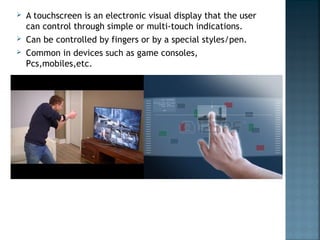
 A touchscreen is an electronic visual display that the user
can control through simple or multi-touch indications.
 Can be controlled by fingers or by a special styles/pen.
 Common in devices such as game consoles,
Pcs,mobiles,etc.
 Works like a touch less screen because no physical contact
is required.
 Easily integrates into OEM applications and do no require
any changes.
 It controls and zoom objects.
 It supports gesturing and controls the absolute cursor
positioning.
 It doesn't need any special driver.
 It has optional optical sensors for left and right click.
 Although user friendly, touch screen can not
be used to enter large amount of data
 This technology has not found in real world
applications because system designers have
not carefully considered how the system will
function.
Touchless Touchscreen

Touchless Touchscreen

  • 1.
    1 PRESENTED BY NAME:Tasnin Khan ID:666-37-14 SUPERVISED BY Jinat-Ul-Ferdous Lecturer Department of Computer Science & Engineering SOUTHERN UNIVERSITY BANGLADESH
  • 2.
     Goal  Description Components / Proposal for establishing SKYBUS  Advantages  Disadvantages  Some interesting info/image/ video clips  Conclusion
  • 3.
     A touchscreenis an electronic visual display that the user can control through simple or multi-touch indications.  Can be controlled by fingers or by a special styles/pen.  Common in devices such as game consoles, Pcs,mobiles,etc.
  • 5.
     Works likea touch less screen because no physical contact is required.  Easily integrates into OEM applications and do no require any changes.  It controls and zoom objects.  It supports gesturing and controls the absolute cursor positioning.  It doesn't need any special driver.  It has optional optical sensors for left and right click.
  • 6.
     Although userfriendly, touch screen can not be used to enter large amount of data  This technology has not found in real world applications because system designers have not carefully considered how the system will function.