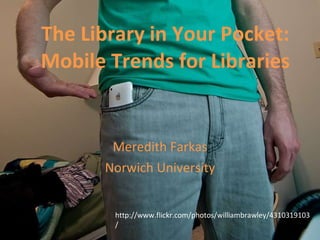
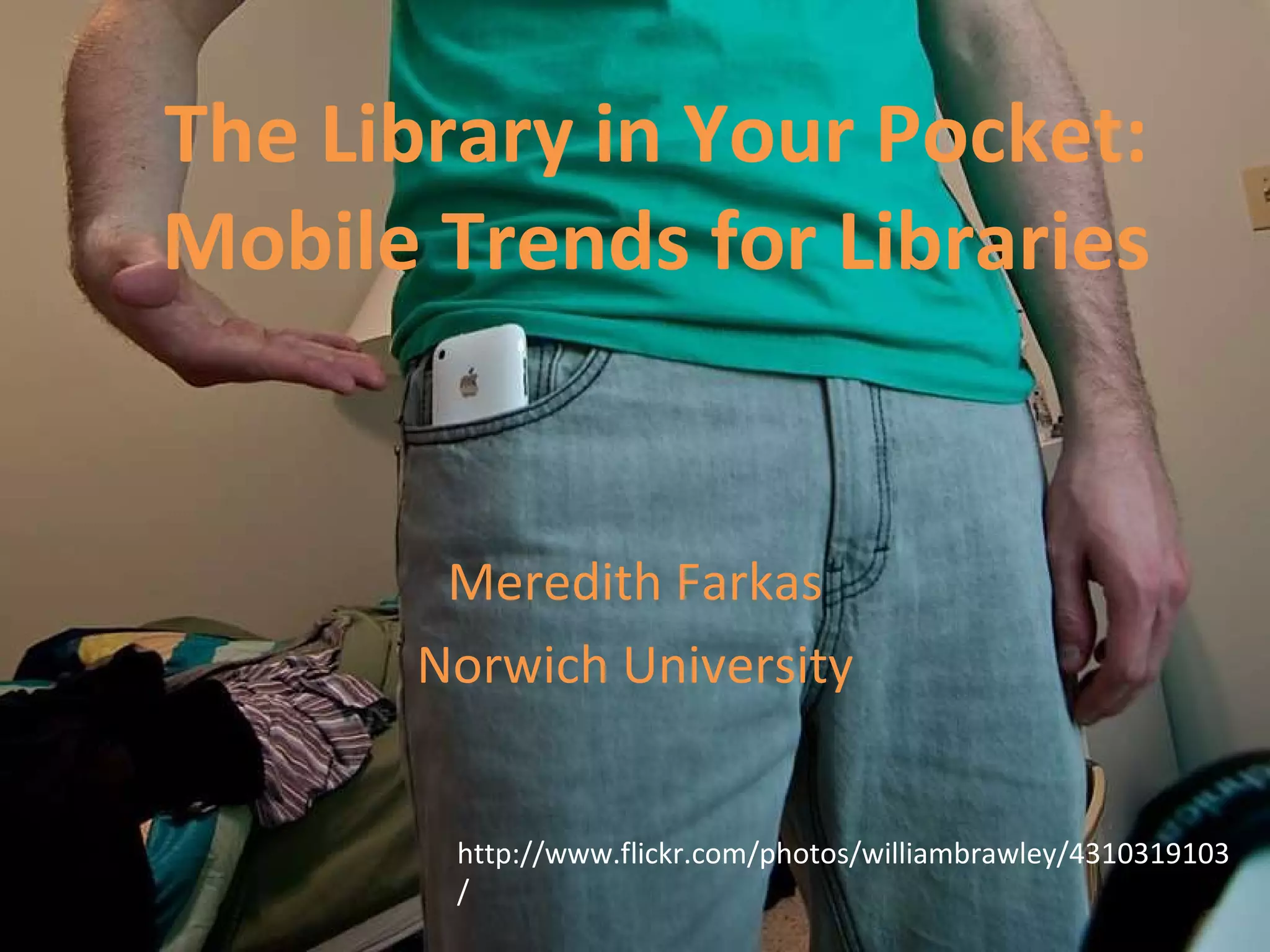
The Library in Your Pocket: Mobile Trends for Libraries Meredith Farkas Norwich University http://www.flickr.com/photos/williambrawley/4310319103/
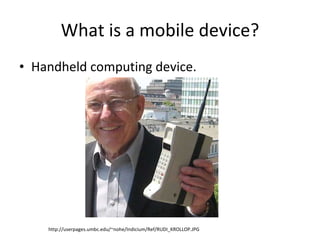
What is a mobile device? Handheld computing device. http://userpages.umbc.edu/~nohe/Indicium/Ref/RUDI_KROLLOP.JPG
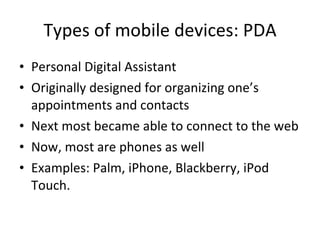
Types of mobile devices: PDA Personal Digital Assistant Originally designed for organizing one’s appointments and contacts Next most became able to connect to the web Now, most are phones as well Examples: Palm, iPhone, Blackberry, iPod Touch.
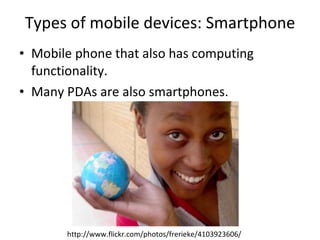
Types of mobile devices: Smartphone Mobile phone that also has computing functionality. Many PDAs are also smartphones. http://www.flickr.com/photos/frerieke/4103923606/
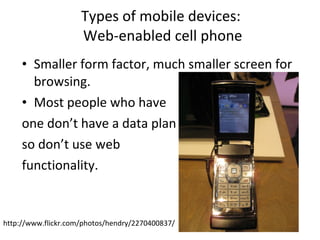
Types of mobile devices:  Web-enabled cell phone Smaller form factor, much smaller screen for browsing. Most people who have  one don’t have a data plan so don’t use web  functionality. http://www.flickr.com/photos/hendry/2270400837/
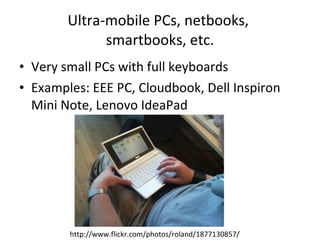
Ultra-mobile PCs, netbooks,  smartbooks, etc. Very small PCs with full keyboards Examples: EEE PC, Cloudbook, Dell Inspiron Mini Note, Lenovo IdeaPad http://www.flickr.com/photos/roland/1877130857/
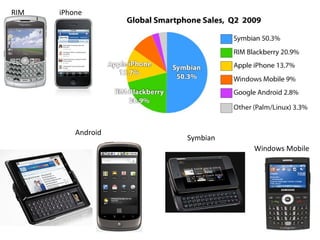
RIM iPhone Android Windows Mobile Symbian
Why should you care about mobile devices? 4.1 billion SMS messages being sent daily Over 276 million wireless users (source: CITA Wireless Industry Survey, 2009). 32% of Americans have used a cell phone or Smartphone to access the internet this year (source: Pew, April 2009). The mobile device will be the primary connection tool to the internet for most people by 2020. (Source: Pew, Dec. 2008).
Why should you care about mobile devices? 2009 NMC/Educause Horizon Report named mobile devices one of the major trends in education with an adoption horizon of one year or less. More than half of undergraduates own an internet-capable mobile device (source: ECAR Study of Undergraduate Students and IT, 2009) 94% of students send & receive text messages (source: Ball State University, 2009).
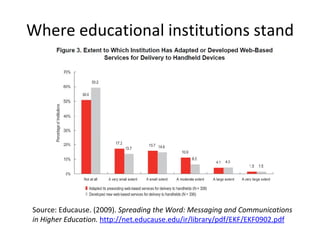
Where educational institutions stand Source: Educause. (2009).  Spreading the Word: Messaging and Communications in Higher Education.  http://net.educause.edu/ir/library/pdf/EKF/EKF0902.pdf
Mobile Trends
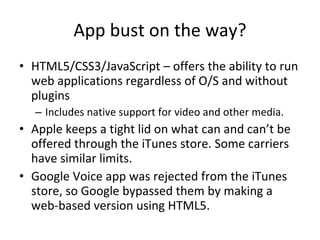
The app boom Apps – programs for smartphones. Games, productivity software, social networking clients, news clients, etc. Some come pre-installed, most are downloaded from the Web.  Some free, many $$$ Apps built for individual mobile platforms (Android, iPhone, Windows Mobile, etc.). Forecast: $1.6 billion in app sales for 2010 (Yankee Research Group, March 2010).
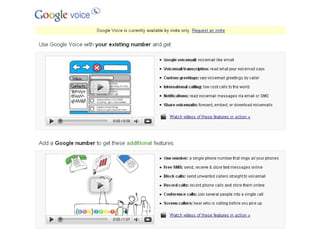
App bust on the way? HTML5/CSS3/JavaScript – offers the ability to run web applications regardless of O/S and without plugins Includes native support for video and other media. Apple keeps a tight lid on what can and can’t be offered through the iTunes store. Some carriers have similar limits. Google Voice app was rejected from the iTunes store, so Google bypassed them by making a web-based version using HTML5.
Mobile social software Three types Social software that can be used on mobile devices Social software designed primarily for mobile devices  Social software specifically designed for mobile devices Most are location-aware
 
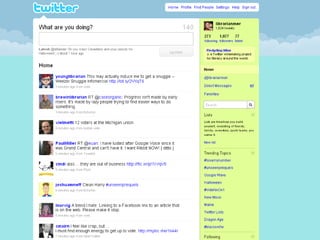
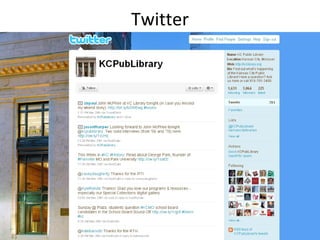
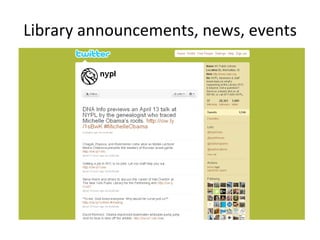
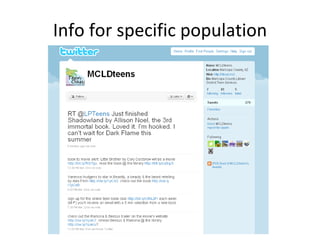
Twitter Microblogging – sharing information in 140 characters or less People “follow” your Twitter feed and get updates of your news and that of their other friends chronologically Hugely popular Can use via web, cell phone, desktop apps, IM, etc.
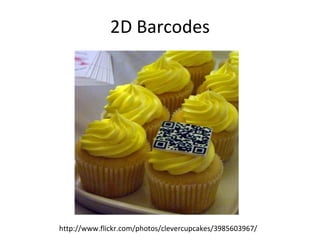
2D Barcodes http://www.flickr.com/photos/clevercupcakes/3985603967/
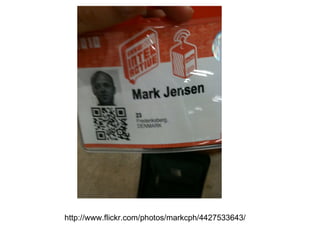
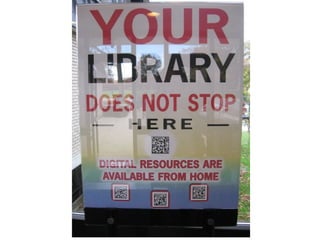
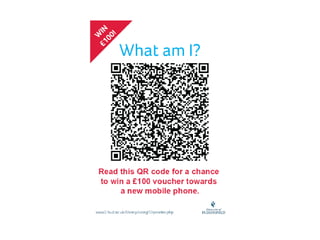
2D Barcodes QR (Quick Response) codes – most common.  Microsoft entering barcode realm with  Tag Scan to access information or take action Pull up text content  Dial a phone number or send a txt Pull up a web page Pulls up images or video Pulls up a poll or survey Need a QR code reader.
QR Codes View demo http://www.youtube.com/watch?v=GOgyC8liCfg&NR=1
http://www.flickr.com/photos/markcph/4427533643/
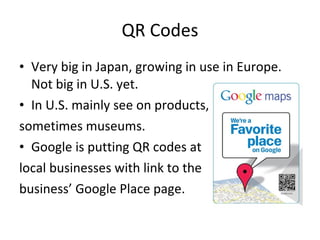
QR Codes Very big in Japan, growing in use in Europe. Not big in U.S. yet. In U.S. mainly see on products, sometimes museums. Google is putting QR codes at local businesses with link to the  business’ Google Place page.
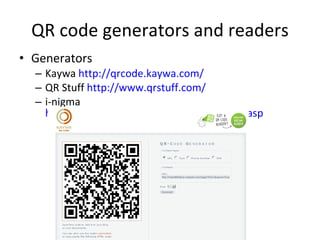
QR code generators and readers Generators  Kaywa  http://qrcode.kaywa.com/ QR Stuff  http://www.qrstuff.com/ i-nigma  http://www.i-nigma.com/personal/Create.asp
Readers (multiplatform) Kaywa  http://reader.kaywa.com/getit Quickmark  http://www.quickmark.com.tw/En/basic/download.asp i-nigma  http://www.i-nigma.com/GetReader.asp   Beetagg  http://www.beetagg.com/
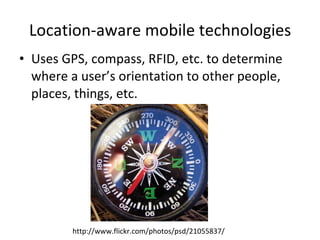
Location-aware mobile technologies Uses GPS, compass, RFID, etc. to determine where a user’s orientation to other people, places, things, etc. http://www.flickr.com/photos/psd/21055837/
RFID and mobile phones Allows devices to interact over short distances iPhone 4G may be RFID-enabled  Use your phone as your library card, credit card, etc. Interact with RFID-enabled objects  http://vimeo.com/4147129
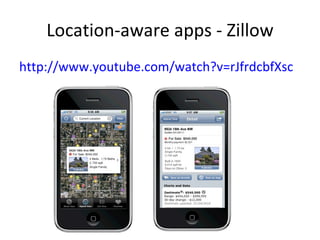
Location-aware apps - Zillow http://www.youtube.com/watch?v=rJfrdcbfXsc
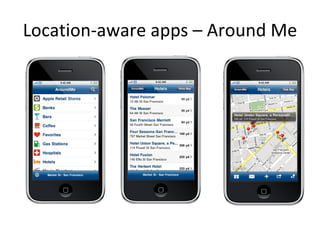
Location-aware apps – Around Me
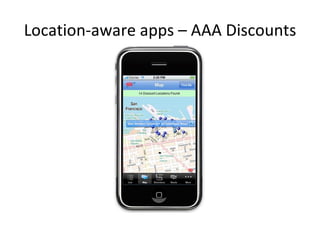
Location-aware apps – AAA Discounts
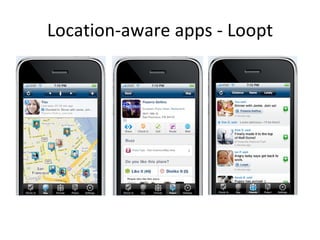
Location-aware apps - Loopt
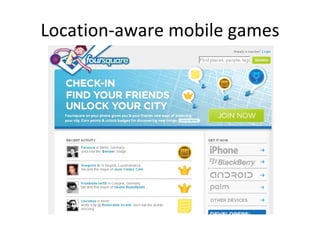
Location-aware mobile games
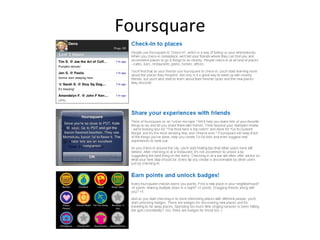
Foursquare
Other location-aware mobile games Gowalla  http://gowalla.com/   Whrrl  http://whrrl.com/   MyTown  http://www.booyah.com
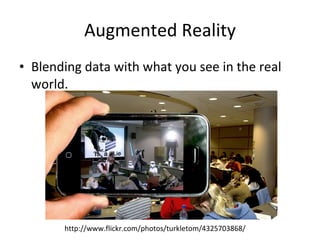
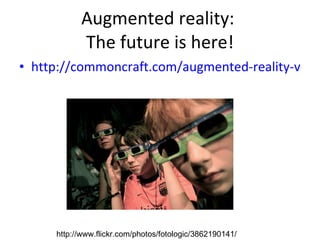
Augmented Reality Blending data with what you see in the real world.  http://www.flickr.com/photos/turkletom/4325703868/
Augmented reality:  The future is here! http://commoncraft.com/augmented-reality-video   http://www.flickr.com/photos/fotologic/3862190141/
Acrossair Lots of different apps built on top of this augmented reality browser (nearby tweets, New York Subway, nearby bars, etc.) http://www.youtube.com/acrossair
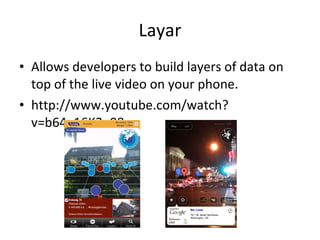
Layar Allows developers to build layers of data on top of the live video on your phone. http://www.youtube.com/watch?v=b64_16K2e08
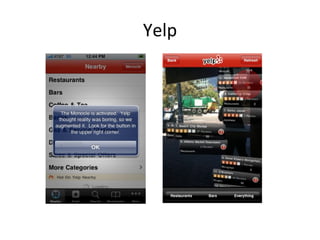
Yelp
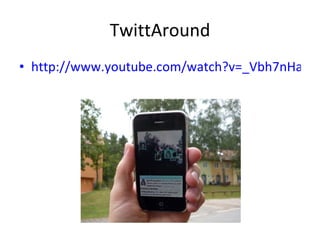
TwittAround http://www.youtube.com/watch?v=_Vbh7nHalCc&feature=player_embedded
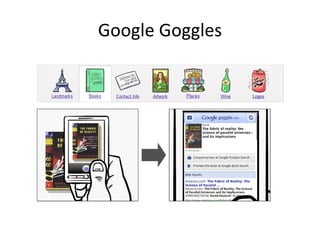
Google Goggles
Other augmented reality tools Tat Augmented ID  http://www.youtube.com/watch?v=tb0pMeg1UN0&feature=player_embedded   Lego store  http://www.youtube.com/watch?v=91fXp1P5aoY&feature=player_embedded
Library Services for Mobile Users
First, assess What mobile technologies do your patrons use? How many access the web via a mobile device? Which one(s) are most prevalent?  What social technologies do your patrons use? What library services would users actually want to use via a mobile device? What library services can you make accessible via a mobile device?
Mobile Library Content
Library Website Questions to ask: Do you create a separate mobile version of your site or just serve up a different style sheet based on the device? Do you design for the most commonly-used smartphones or also design for web-enabled mobile devices (small screens)? Do you use a detection algorithm to redirect mobile users to the mobile site or make them go to a separate URL?
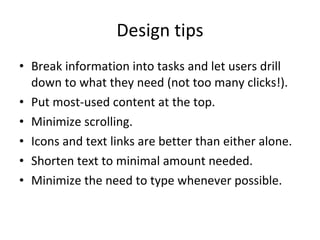
Design tips Break information into tasks and let users drill down to what they need (not too many clicks!). Put most-used content at the top. Minimize scrolling. Icons and text links are better than either alone. Shorten text to minimal amount needed. Minimize the need to type whenever possible.
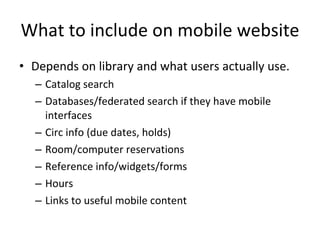
What to include on mobile website Depends on library and what users actually use. Catalog search Databases/federated search if they have mobile interfaces Circ info (due dates, holds) Room/computer reservations Reference info/widgets/forms Hours Links to useful mobile content
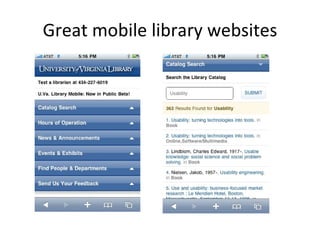
Great mobile library websites
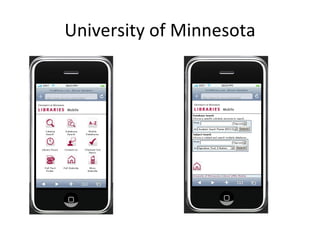
University of Minnesota
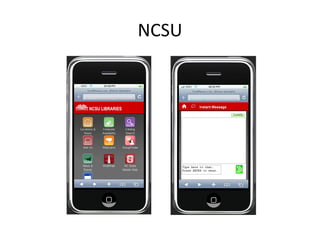
NCSU
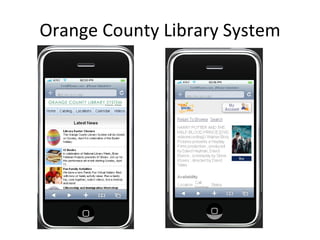
Orange County Library System
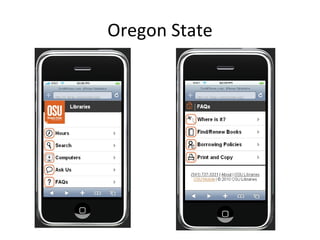
Oregon State
Services to mobify your site Auto-generate device-specific versions of your existing website. Mobile Site Generator    MobileMicro (Mosio)    Mobilizer from dotMobi     MyMobileWeb    HAWHAW    Unity Mobile    Google Mobile adapter    Usablenet Assistive 
Emulators/Simulators Allow you to view your page in various mobile browsers. Opera mobile browser emulator ,  another Opera browser emulator iPhone   -  iPhone developer kit Nokia Android Palm Windows Mobile Blackberry Mobi Emulator (multiplatform)
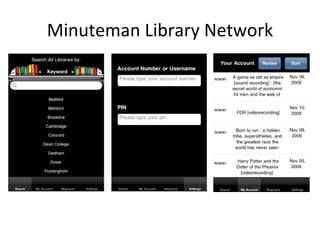
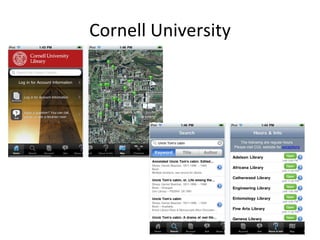
Library apps Users can install and easily access specific library functions/info.  For smartphones. A few examples Search IU (Indiana University) Stanford iApps Harper County Public Library Adelphi University Rice University
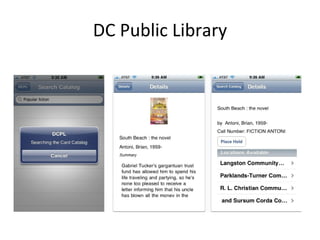
DC Public Library
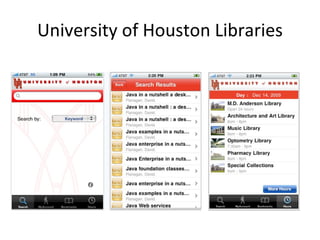
University of Houston Libraries
Minuteman Library Network
Cornell University
Mobile catalog search WorldCat Local (Boopsie) SirsiDynix (BookMyne) – for iPhone III (AirPac) Polaris (Mobile PAC) LibraryThing (Library Anywhere) Serials Solutions (Summon) – web-scale discovery Build it yourself Create plain-text translation
Content Here are some of the major vendors offering mobile interfaces: American Institute of Physics iResearch  iPhone application  EBSCOhost Mobile   Hoover's Mobile  company information  IEEE XPlore   Lexis/Nexis Get Cases and Shepardize   PubMed for Handhelds  medical database  Questia  iPhone application (iTunes link)  Refworks Mobile   Westlaw  legal research database  EBL Ebook Library   Google Books   OverDrive   Safari Books Online   Amazon Kindle for the iPhone  (US Only)  Zotero
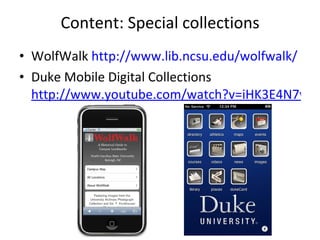
Content: Special collections WolfWalk  http://www.lib.ncsu.edu/wolfwalk/   Duke Mobile Digital Collections  http://www.youtube.com/watch?v=iHK3E4N7w6o
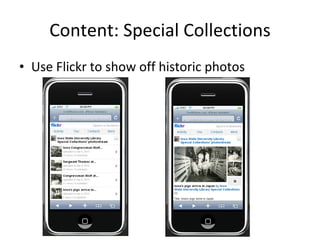
Content: Special Collections Use Flickr to show off historic photos
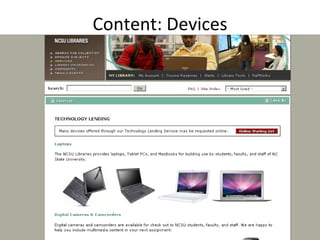
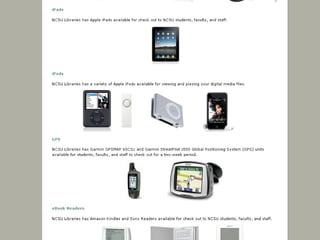
Content: Devices
 
Location-aware tools SmartLibrary (Oulu University, Finland) Map-based tool that helps users locate a specific bookshelf in the library. Mobile Oxford Portal (UK) “ Combines information from library catalogues with the location sensing incorporated into many mobile devices allowing users to find the nearest copy of a particular book.”  Durham (UK) Technology-Enhanced Campus “ Using wireless technology to provide personalised and location-specific information to students within the campus area.”
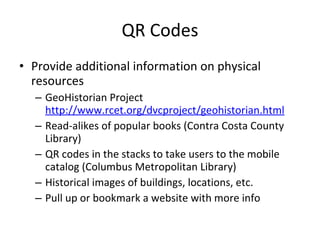
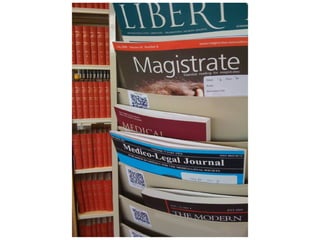
QR Codes Provide additional information on physical resources GeoHistorian Project  http://www.rcet.org/dvcproject/geohistorian.html Read-alikes of popular books (Contra Costa County Library) QR codes in the stacks to take users to the mobile catalog (Columbus Metropolitan Library) Historical images of buildings, locations, etc. Pull up or bookmark a website with more info
 
Augmented reality or RFID for mobiles Not happening in libraries yet. Ideas Shows you what subjects are available on a particular bookshelf Scanning over a book takes you to a summary of the book and ratings/reviews Scanning over a device will bring up instructional content. Going up to a journal will bring up the e-version
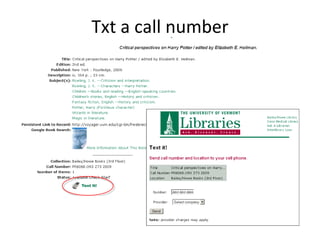
Txt a call number
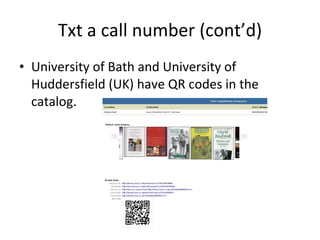
Txt a call number (cont’d) University of Bath and University of Huddersfield (UK) have QR codes in the catalog.
RSS to txt RSS feeds can be converted to SMS messages. Library news Events (at different branches, for different populations) New books New books in a specific subject or query
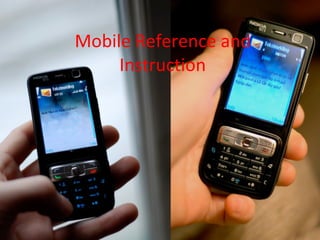
Mobile Reference and Instruction
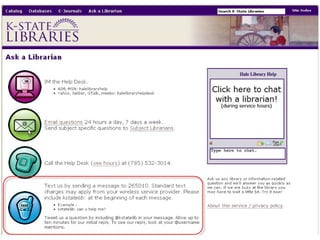
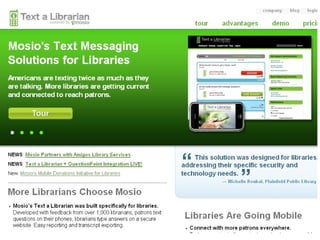
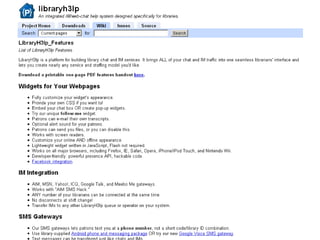
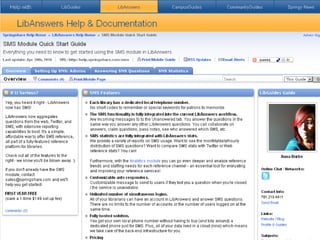
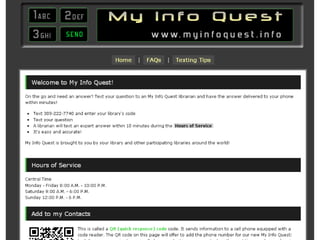
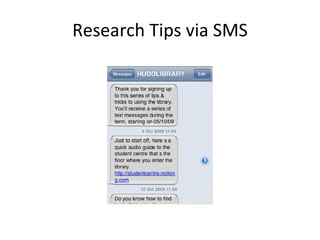
SMS reference Not limited by location (point of need) Messages need to be short (150 characters or less) Patrons may be charged for messages they send and receive Only useful for brief transactions IM reference can also be done on most smartphones (Mobile AIM, libraryh3lp, etc.)


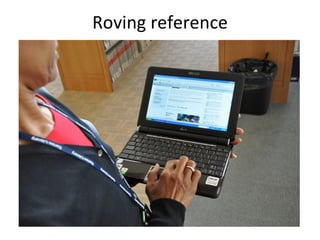
Roving reference
Research Tips via SMS
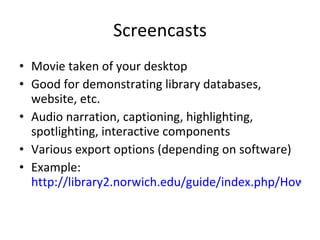
Screencasts Movie taken of your desktop Good for demonstrating library databases, website, etc. Audio narration, captioning, highlighting, spotlighting, interactive components Various export options (depending on software) Example:  http://library2.norwich.edu/guide/index.php/How_to_Use_Academic_Search_Premier
Podcasts MP3+RSS Uses Research instruction Library/university/community news Book reviews Events Children’s stories
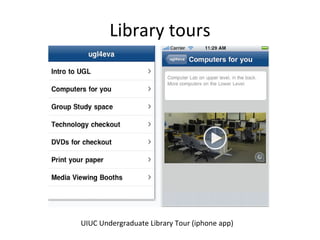
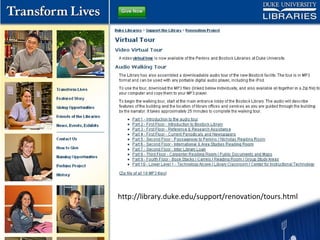
Library tours UIUC Undergraduate Library Tour (iphone app)
http://library.duke.edu/support/renovation/tours.html
Instructional videos Library orientation video How-to’s Use library equipment Get on the wireless Find things in the library
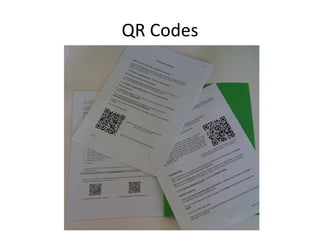
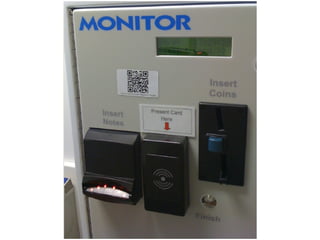
QR Codes
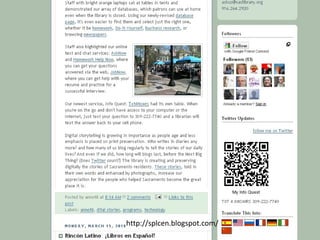
http://splcen.blogspot.com/
 
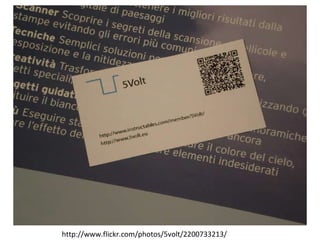
http://www.flickr.com/photos/5volt/2200733213/
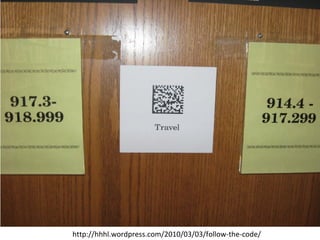
http://hhhl.wordpress.com/2010/03/03/follow-the-code/
Other ideas for QR codes Send a text to the reference librarian Library tours Library scavenger hunts for orientation
Mobile Marketing
Twitter
Library announcements, news, events
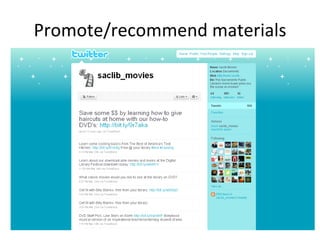
Promote/recommend materials
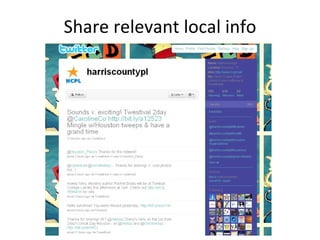
Share relevant local info
Info for specific population
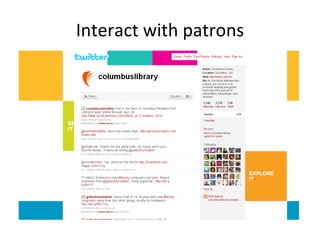
Interact with patrons
Librarians on Twitter Twitter is a great professional development and networking tool. Build relationships with bright, tech-savvy librarians Learn about new resources Query the hive
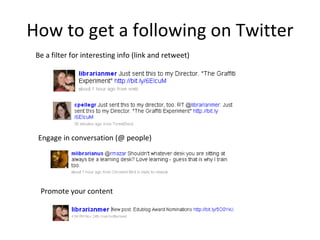
How to get a following on Twitter Be a filter for interesting info (link and retweet) Engage in conversation (@ people) Promote your content
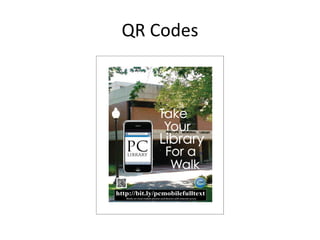
QR Codes


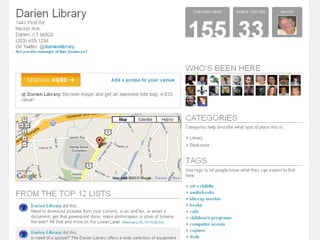
Foursquare Add an entry for your library Tips To-do lists Offer prizes for the most library visits (the Mayor)
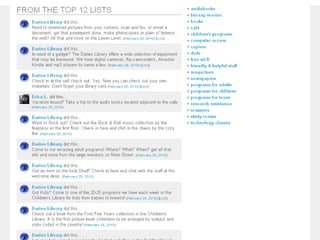
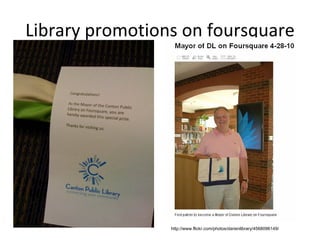
Library promotions on foursquare http://www.flickr.com/photos/darienlibrary/4568096149/
Foursquare Add an entry for your library Tips To-do lists Offer prizes for the most library visits (the Mayor) Know who your power-users are and reach out to them via Twitter Harvard: Encourage students to explore campus UNC: Campus dining shares info via Foursquare
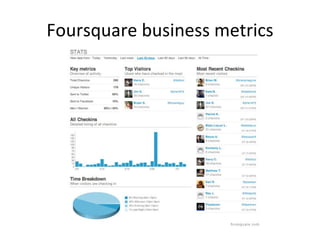
Foursquare business metrics
SMS Notifications News Events New books by subject When a hold is available for pickup Due dates/overdue notices MUST BE OPT-IN!
Questions? Links and slides at  http://meredithfarkas.wetpaint.com Gmail: mgfarkas Twitter/Flickr/FriendFeed/AIM: librarianmer

The Library in Your Pocket: Mobile Trends for Libraries

  • 1.
    The Library inYour Pocket: Mobile Trends for Libraries Meredith Farkas Norwich University http://www.flickr.com/photos/williambrawley/4310319103/
  • 2.
    What is amobile device? Handheld computing device. http://userpages.umbc.edu/~nohe/Indicium/Ref/RUDI_KROLLOP.JPG
  • 3.
    Types of mobiledevices: PDA Personal Digital Assistant Originally designed for organizing one’s appointments and contacts Next most became able to connect to the web Now, most are phones as well Examples: Palm, iPhone, Blackberry, iPod Touch.
  • 4.
    Types of mobiledevices: Smartphone Mobile phone that also has computing functionality. Many PDAs are also smartphones. http://www.flickr.com/photos/frerieke/4103923606/
  • 5.
    Types of mobiledevices: Web-enabled cell phone Smaller form factor, much smaller screen for browsing. Most people who have one don’t have a data plan so don’t use web functionality. http://www.flickr.com/photos/hendry/2270400837/
  • 6.
    Ultra-mobile PCs, netbooks, smartbooks, etc. Very small PCs with full keyboards Examples: EEE PC, Cloudbook, Dell Inspiron Mini Note, Lenovo IdeaPad http://www.flickr.com/photos/roland/1877130857/
  • 7.
    RIM iPhone AndroidWindows Mobile Symbian
  • 8.
    Why should youcare about mobile devices? 4.1 billion SMS messages being sent daily Over 276 million wireless users (source: CITA Wireless Industry Survey, 2009). 32% of Americans have used a cell phone or Smartphone to access the internet this year (source: Pew, April 2009). The mobile device will be the primary connection tool to the internet for most people by 2020. (Source: Pew, Dec. 2008).
  • 9.
    Why should youcare about mobile devices? 2009 NMC/Educause Horizon Report named mobile devices one of the major trends in education with an adoption horizon of one year or less. More than half of undergraduates own an internet-capable mobile device (source: ECAR Study of Undergraduate Students and IT, 2009) 94% of students send & receive text messages (source: Ball State University, 2009).
  • 10.
    Where educational institutionsstand Source: Educause. (2009). Spreading the Word: Messaging and Communications in Higher Education. http://net.educause.edu/ir/library/pdf/EKF/EKF0902.pdf
  • 11.
  • 12.
    The app boomApps – programs for smartphones. Games, productivity software, social networking clients, news clients, etc. Some come pre-installed, most are downloaded from the Web. Some free, many $$$ Apps built for individual mobile platforms (Android, iPhone, Windows Mobile, etc.). Forecast: $1.6 billion in app sales for 2010 (Yankee Research Group, March 2010).
  • 13.
    App bust onthe way? HTML5/CSS3/JavaScript – offers the ability to run web applications regardless of O/S and without plugins Includes native support for video and other media. Apple keeps a tight lid on what can and can’t be offered through the iTunes store. Some carriers have similar limits. Google Voice app was rejected from the iTunes store, so Google bypassed them by making a web-based version using HTML5.
  • 14.
    Mobile social softwareThree types Social software that can be used on mobile devices Social software designed primarily for mobile devices Social software specifically designed for mobile devices Most are location-aware
  • 15.
  • 16.
    Twitter Microblogging –sharing information in 140 characters or less People “follow” your Twitter feed and get updates of your news and that of their other friends chronologically Hugely popular Can use via web, cell phone, desktop apps, IM, etc.
  • 17.
  • 18.
    2D Barcodes QR(Quick Response) codes – most common. Microsoft entering barcode realm with Tag Scan to access information or take action Pull up text content Dial a phone number or send a txt Pull up a web page Pulls up images or video Pulls up a poll or survey Need a QR code reader.
  • 19.
    QR Codes Viewdemo http://www.youtube.com/watch?v=GOgyC8liCfg&NR=1
  • 20.
  • 21.
    QR Codes Verybig in Japan, growing in use in Europe. Not big in U.S. yet. In U.S. mainly see on products, sometimes museums. Google is putting QR codes at local businesses with link to the business’ Google Place page.
  • 22.
    QR code generatorsand readers Generators Kaywa http://qrcode.kaywa.com/ QR Stuff http://www.qrstuff.com/ i-nigma http://www.i-nigma.com/personal/Create.asp
  • 23.
    Readers (multiplatform) Kaywa http://reader.kaywa.com/getit Quickmark http://www.quickmark.com.tw/En/basic/download.asp i-nigma http://www.i-nigma.com/GetReader.asp Beetagg http://www.beetagg.com/
  • 24.
    Location-aware mobile technologiesUses GPS, compass, RFID, etc. to determine where a user’s orientation to other people, places, things, etc. http://www.flickr.com/photos/psd/21055837/
  • 25.
    RFID and mobilephones Allows devices to interact over short distances iPhone 4G may be RFID-enabled Use your phone as your library card, credit card, etc. Interact with RFID-enabled objects http://vimeo.com/4147129
  • 26.
    Location-aware apps -Zillow http://www.youtube.com/watch?v=rJfrdcbfXsc
  • 27.
  • 28.
  • 29.
  • 30.
  • 31.
  • 32.
    Other location-aware mobilegames Gowalla http://gowalla.com/ Whrrl http://whrrl.com/ MyTown http://www.booyah.com
  • 33.
    Augmented Reality Blendingdata with what you see in the real world. http://www.flickr.com/photos/turkletom/4325703868/
  • 34.
    Augmented reality: The future is here! http://commoncraft.com/augmented-reality-video http://www.flickr.com/photos/fotologic/3862190141/
  • 35.
    Acrossair Lots ofdifferent apps built on top of this augmented reality browser (nearby tweets, New York Subway, nearby bars, etc.) http://www.youtube.com/acrossair
  • 36.
    Layar Allows developersto build layers of data on top of the live video on your phone. http://www.youtube.com/watch?v=b64_16K2e08
  • 37.
  • 38.
  • 39.
  • 40.
    Other augmented realitytools Tat Augmented ID http://www.youtube.com/watch?v=tb0pMeg1UN0&feature=player_embedded Lego store http://www.youtube.com/watch?v=91fXp1P5aoY&feature=player_embedded
  • 41.
  • 42.
    First, assess Whatmobile technologies do your patrons use? How many access the web via a mobile device? Which one(s) are most prevalent? What social technologies do your patrons use? What library services would users actually want to use via a mobile device? What library services can you make accessible via a mobile device?
  • 43.
  • 44.
    Library Website Questionsto ask: Do you create a separate mobile version of your site or just serve up a different style sheet based on the device? Do you design for the most commonly-used smartphones or also design for web-enabled mobile devices (small screens)? Do you use a detection algorithm to redirect mobile users to the mobile site or make them go to a separate URL?
  • 45.
    Design tips Breakinformation into tasks and let users drill down to what they need (not too many clicks!). Put most-used content at the top. Minimize scrolling. Icons and text links are better than either alone. Shorten text to minimal amount needed. Minimize the need to type whenever possible.
  • 46.
    What to includeon mobile website Depends on library and what users actually use. Catalog search Databases/federated search if they have mobile interfaces Circ info (due dates, holds) Room/computer reservations Reference info/widgets/forms Hours Links to useful mobile content
  • 47.
  • 48.
  • 49.
  • 50.
  • 51.
  • 52.
    Services to mobifyyour site Auto-generate device-specific versions of your existing website. Mobile Site Generator  MobileMicro (Mosio)  Mobilizer from dotMobi   MyMobileWeb  HAWHAW  Unity Mobile  Google Mobile adapter  Usablenet Assistive 
  • 53.
    Emulators/Simulators Allow youto view your page in various mobile browsers. Opera mobile browser emulator , another Opera browser emulator iPhone  - iPhone developer kit Nokia Android Palm Windows Mobile Blackberry Mobi Emulator (multiplatform)
  • 54.
    Library apps Userscan install and easily access specific library functions/info. For smartphones. A few examples Search IU (Indiana University) Stanford iApps Harper County Public Library Adelphi University Rice University
  • 55.
  • 56.
  • 57.
  • 58.
  • 59.
    Mobile catalog searchWorldCat Local (Boopsie) SirsiDynix (BookMyne) – for iPhone III (AirPac) Polaris (Mobile PAC) LibraryThing (Library Anywhere) Serials Solutions (Summon) – web-scale discovery Build it yourself Create plain-text translation
  • 60.
    Content Here aresome of the major vendors offering mobile interfaces: American Institute of Physics iResearch iPhone application EBSCOhost Mobile Hoover's Mobile company information IEEE XPlore Lexis/Nexis Get Cases and Shepardize PubMed for Handhelds medical database Questia iPhone application (iTunes link) Refworks Mobile Westlaw legal research database EBL Ebook Library Google Books OverDrive Safari Books Online Amazon Kindle for the iPhone (US Only) Zotero
  • 61.
    Content: Special collectionsWolfWalk http://www.lib.ncsu.edu/wolfwalk/ Duke Mobile Digital Collections http://www.youtube.com/watch?v=iHK3E4N7w6o
  • 62.
    Content: Special CollectionsUse Flickr to show off historic photos
  • 63.
  • 64.
  • 65.
    Location-aware tools SmartLibrary(Oulu University, Finland) Map-based tool that helps users locate a specific bookshelf in the library. Mobile Oxford Portal (UK) “ Combines information from library catalogues with the location sensing incorporated into many mobile devices allowing users to find the nearest copy of a particular book.” Durham (UK) Technology-Enhanced Campus “ Using wireless technology to provide personalised and location-specific information to students within the campus area.”
  • 66.
    QR Codes Provideadditional information on physical resources GeoHistorian Project http://www.rcet.org/dvcproject/geohistorian.html Read-alikes of popular books (Contra Costa County Library) QR codes in the stacks to take users to the mobile catalog (Columbus Metropolitan Library) Historical images of buildings, locations, etc. Pull up or bookmark a website with more info
  • 67.
  • 68.
    Augmented reality orRFID for mobiles Not happening in libraries yet. Ideas Shows you what subjects are available on a particular bookshelf Scanning over a book takes you to a summary of the book and ratings/reviews Scanning over a device will bring up instructional content. Going up to a journal will bring up the e-version
  • 69.
    Txt a callnumber
  • 70.
    Txt a callnumber (cont’d) University of Bath and University of Huddersfield (UK) have QR codes in the catalog.
  • 71.
    RSS to txtRSS feeds can be converted to SMS messages. Library news Events (at different branches, for different populations) New books New books in a specific subject or query
  • 72.
  • 73.
    SMS reference Notlimited by location (point of need) Messages need to be short (150 characters or less) Patrons may be charged for messages they send and receive Only useful for brief transactions IM reference can also be done on most smartphones (Mobile AIM, libraryh3lp, etc.)
  • 74.
  • 75.
  • 76.
  • 77.
  • 78.
  • 79.
  • 80.
  • 81.
  • 82.
  • 83.
    Screencasts Movie takenof your desktop Good for demonstrating library databases, website, etc. Audio narration, captioning, highlighting, spotlighting, interactive components Various export options (depending on software) Example: http://library2.norwich.edu/guide/index.php/How_to_Use_Academic_Search_Premier
  • 84.
    Podcasts MP3+RSS UsesResearch instruction Library/university/community news Book reviews Events Children’s stories
  • 85.
    Library tours UIUCUndergraduate Library Tour (iphone app)
  • 86.
  • 87.
    Instructional videos Libraryorientation video How-to’s Use library equipment Get on the wireless Find things in the library
  • 88.
  • 89.
  • 90.
  • 91.
  • 92.
  • 93.
    Other ideas forQR codes Send a text to the reference librarian Library tours Library scavenger hunts for orientation
  • 94.
  • 95.
  • 96.
  • 97.
  • 98.
  • 99.
  • 100.
  • 101.
    Librarians on TwitterTwitter is a great professional development and networking tool. Build relationships with bright, tech-savvy librarians Learn about new resources Query the hive
  • 102.
    How to geta following on Twitter Be a filter for interesting info (link and retweet) Engage in conversation (@ people) Promote your content
  • 103.
  • 104.
  • 105.
  • 106.
  • 107.
  • 108.
    Foursquare Add anentry for your library Tips To-do lists Offer prizes for the most library visits (the Mayor)
  • 109.
    Library promotions onfoursquare http://www.flickr.com/photos/darienlibrary/4568096149/
  • 110.
    Foursquare Add anentry for your library Tips To-do lists Offer prizes for the most library visits (the Mayor) Know who your power-users are and reach out to them via Twitter Harvard: Encourage students to explore campus UNC: Campus dining shares info via Foursquare
  • 111.
  • 112.
    SMS Notifications NewsEvents New books by subject When a hold is available for pickup Due dates/overdue notices MUST BE OPT-IN!
  • 113.
    Questions? Links andslides at http://meredithfarkas.wetpaint.com Gmail: mgfarkas Twitter/Flickr/FriendFeed/AIM: librarianmer