Mobile Trends and Services
for Libraries
Meredith Farkas
Norwich University
http://www.flickr.com/photos/williambrawley/4310319103
/
Why should libraries care
about mobile devices?
• 4.1 billion SMS messages being sent daily
• Over 276 million wireless users (source: CITA
Wireless Industry Survey, 2009).
• 32% of Americans have used a cell phone or
Smartphone to access the internet this year
(source: Pew, April 2009).
• The mobile device will be the primary
connection tool to the internet for most
people by 2020. (Source: Pew, Dec. 2008).
Why should libraries care
about mobile devices?
• 2009 NMC/Educause Horizon Report named
mobile devices one of the major trends in
education with an adoption horizon of one year
or less.
• More than half of undergraduates own an
internet-capable mobile device (source: ECAR
Study of Undergraduate Students and IT, 2009)
• 94% of students send & receive text messages
(source: Ball State University, 2009).
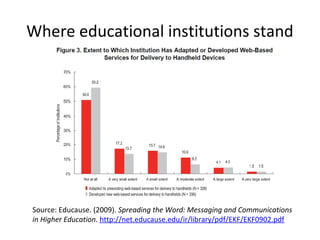
Where educational institutions stand
Source: Educause. (2009). Spreading the Word: Messaging and Communications
in Higher Education. http://net.educause.edu/ir/library/pdf/EKF/EKF0902.pdf
A Few Mobile Tech Trends
Mobile social software
• Three types
– Social software that can be used on mobile
devices
– Social software designed primarily for mobile
devices
– Social software specifically designed for mobile
devices
• Most are location-aware
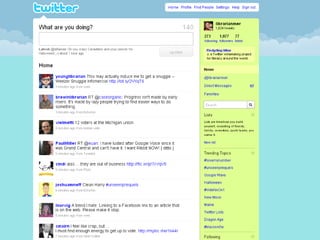
Twitter
• Microblogging – sharing information in 140
characters or less
• People “follow” your Twitter feed and get
updates of your news and that of their other
friends chronologically
• Hugely popular
• Can use via web, cell phone, desktop apps, IM,
etc.
Location-aware mobile technologies
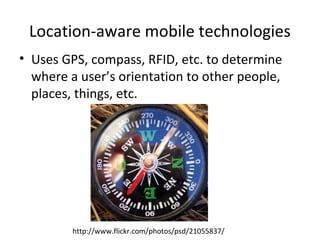
• Uses GPS, compass, RFID, etc. to determine
where a user’s orientation to other people,
places, things, etc.
http://www.flickr.com/photos/psd/21055837/
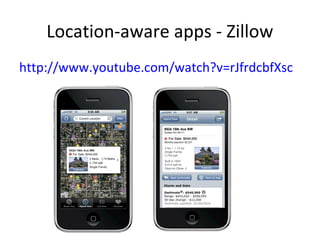
Location-aware apps - Zillow
http://www.youtube.com/watch?v=rJfrdcbfXsc
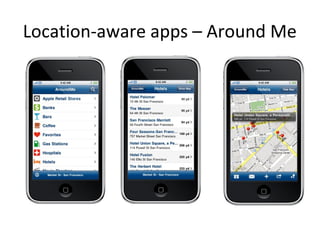
Location-aware apps – Around Me
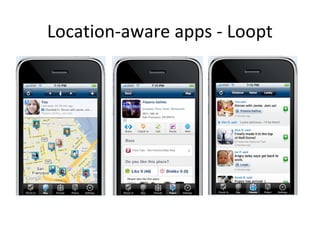
Location-aware apps - Loopt
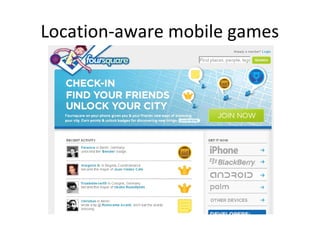
Location-aware mobile games
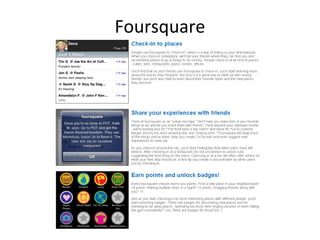
Foursquare
Other location-aware mobile games
• Gowalla http://gowalla.com/
• Whrrl http://whrrl.com/
• MyTown http://www.booyah.com
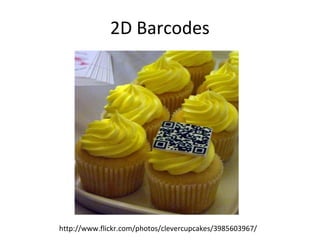
2D Barcodes
http://www.flickr.com/photos/clevercupcakes/3985603967/
2D Barcodes
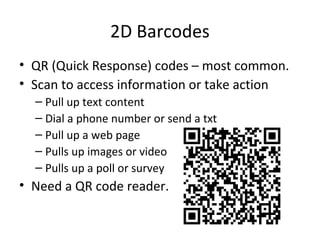
• QR (Quick Response) codes – most common.
• Scan to access information or take action
– Pull up text content
– Dial a phone number or send a txt
– Pull up a web page
– Pulls up images or video
– Pulls up a poll or survey
• Need a QR code reader.
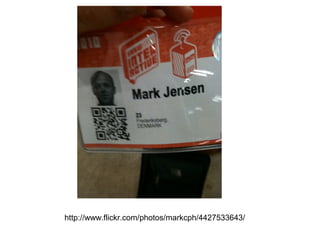
http://www.flickr.com/photos/markcph/4427533643/
QR Codes
• Very big in Japan, growing in use in Europe.
Not big in U.S. yet.
• In U.S. mainly see on products,
sometimes museums.
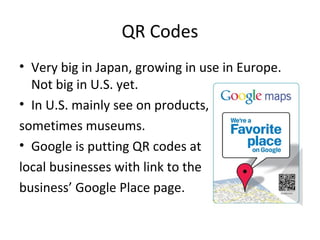
• Google is putting QR codes at
local businesses with link to the
business’ Google Place page.
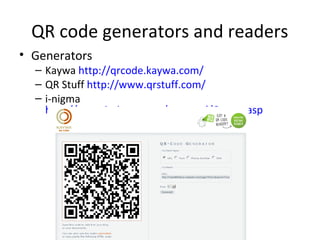
QR code generators and readers
• Generators
– Kaywa http://qrcode.kaywa.com/
– QR Stuff http://www.qrstuff.com/
– i-nigma
http://www.i-nigma.com/personal/Create.asp
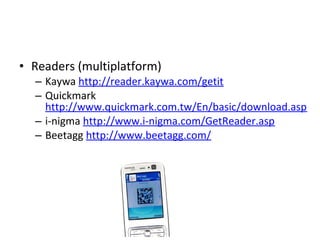
• Readers (multiplatform)
– Kaywa http://reader.kaywa.com/getit
– Quickmark
http://www.quickmark.com.tw/En/basic/download.asp
– i-nigma http://www.i-nigma.com/GetReader.asp
– Beetagg http://www.beetagg.com/
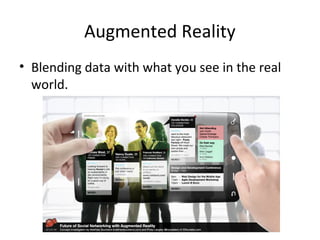
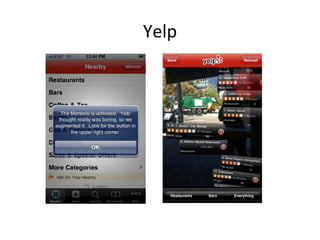
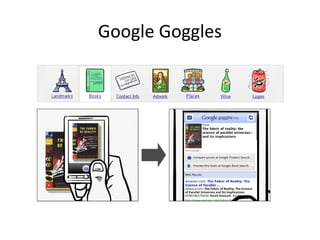
Augmented Reality
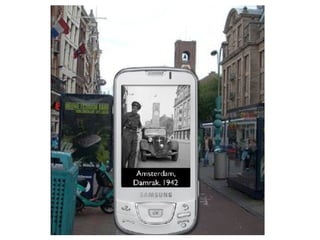
• Blending data with what you see in the real
world.
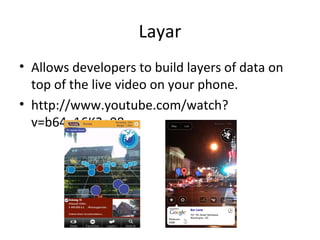
Layar
• Allows developers to build layers of data on
top of the live video on your phone.
• http://www.youtube.com/watch?
v=b64_16K2e08
Yelp
Google Goggles
Library Services for Mobile Users
First, assess
• What mobile technologies do your patrons
use?
• How many access the web via a mobile
device? Which one(s) are most prevalent?
• What library services would users actually
want to use via a mobile device?
• What library services can you make accessible
via a mobile device?
• Are other units on campus or municipalities
designing mobile apps or sites?
Mobile Library Content
Library Website
• Questions to ask:
– Do you create a separate mobile version of your
site or just serve up a different style sheet based
on the device?
– Do you design for the most commonly-used
smartphones or also design for mobile devices
with small screens?
– Do you use a detection algorithm to redirect
mobile users to the mobile site or make them go
to a separate URL?
Design tips
• Break information into tasks and let users drill
down to what they need (not too many clicks!).
• Put most-used content at the top.
• Minimize scrolling.
• Icons and text links are better than either alone.
• Shorten text to minimal amount needed.
• Minimize the need to type whenever possible.
What to include on mobile website
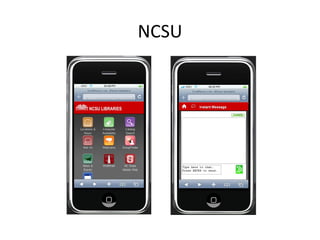
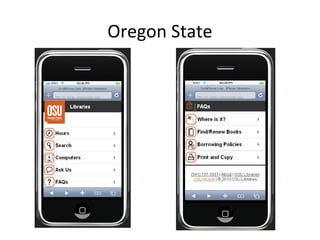
• Depends on library and what users actually use.
– Catalog search
– Databases/federated search if they have mobile
interfaces
– Circ info (due dates, holds)
– Room/computer reservations
– Reference info/widgets/forms
– Hours
– Links to useful mobile content
NCSU
Oregon State
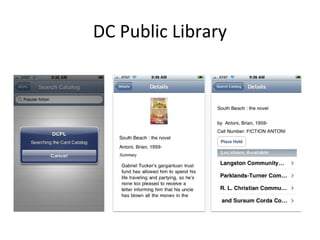
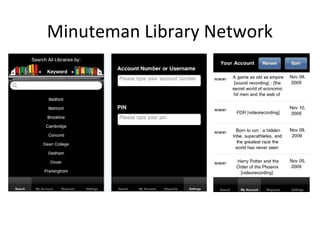
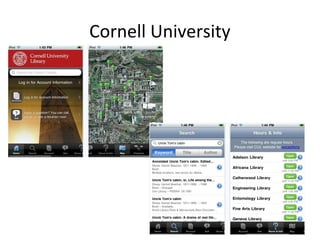
Library apps
• Users can install and easily access specific
library functions/info.
• For smartphones.
• Most libraries that have an app also have a
mobile-friendly website.
• Have to design for specific operating systems
– most designed for iPhone.
DC Public Library
Minuteman Library Network
Cornell University
Mobile catalog search
• WorldCat Local (Boopsie)
• SirsiDynix (BookMyne) – for iPhone
• III (AirPac)
• Polaris (Mobile PAC)
• LibraryThing (Library Anywhere)
• Serials Solutions (Summon) – web-scale discovery
• Build it yourself
– Create plain-text translation
Content
• Here are some of the major vendors offering mobile interfaces:
– American Institute of Physics iResearch iPhone application
– EBSCOhost Mobile
– Hoover's Mobile company information
– IEEE XPlore
– Lexis/Nexis Get Cases and Shepardize
– PubMed for Handhelds medical database
– Questia iPhone application (iTunes link)
– Refworks Mobile
– Westlaw legal research database
– EBL Ebook Library
– Google Books
– OverDrive
– Safari Books Online
– Amazon Kindle for the iPhone
– Zotero
Content: Special collections
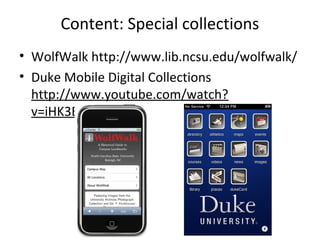
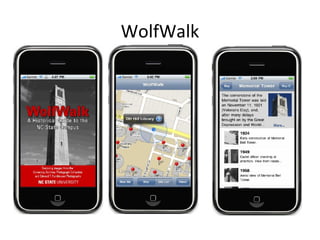
• WolfWalk http://www.lib.ncsu.edu/wolfwalk/
• Duke Mobile Digital Collections
http://www.youtube.com/watch?
v=iHK3E4N7w6o
WolfWalk
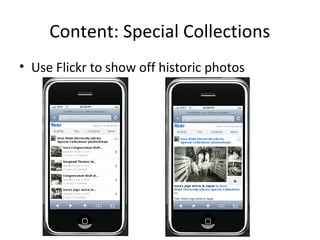
Content: Special Collections
• Use Flickr to show off historic photos
QR Codes
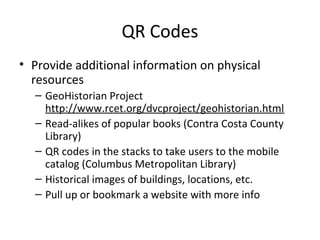
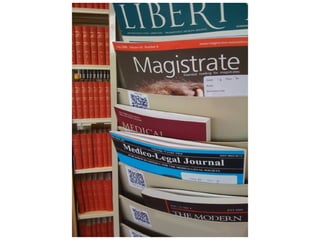
• Provide additional information on physical
resources
– GeoHistorian Project
http://www.rcet.org/dvcproject/geohistorian.html
– Read-alikes of popular books (Contra Costa County
Library)
– QR codes in the stacks to take users to the mobile
catalog (Columbus Metropolitan Library)
– Historical images of buildings, locations, etc.
– Pull up or bookmark a website with more info
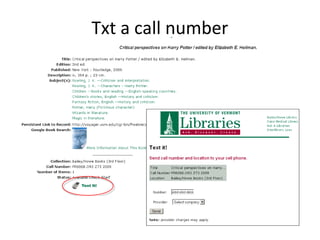
Txt a call number
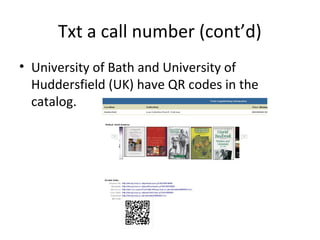
Txt a call number (cont’d)
• University of Bath and University of
Huddersfield (UK) have QR codes in the
catalog.
SMS Notifications
• News
• Events
• New books by subject
• When a hold is available for pickup
• Due dates/overdue notices
• MUST BE OPT-IN!
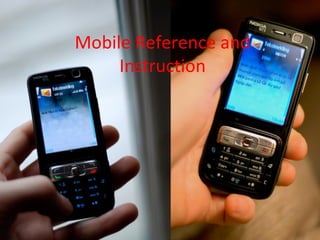
Mobile Reference and
Instruction
SMS reference
• Not limited by location (point of need)
• Messages need to be short (150 characters or
less)
• Patrons may be charged for messages they
send and receive
• Only useful for brief transactions
• IM reference can also be done on most
smartphones (Mobile AIM, libraryh3lp, etc.)
Screencasts
• Movie taken of your desktop
• Good for demonstrating library databases,
website, etc.
• Audio narration, captioning, highlighting,
spotlighting, interactive components
• Various export options (depending on software)
• Example:
http://library2.norwich.edu/guide/index.php/Ho
w_to_Use_Academic_Search_Premier
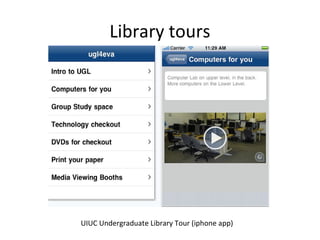
Library tours
UIUC Undergraduate Library Tour (iphone app)
Instructional videos
• Library orientation video
• How-to’s
– Use library equipment
– Get on the wireless
– Find things in the library
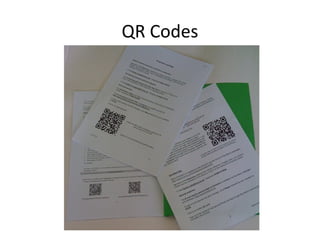
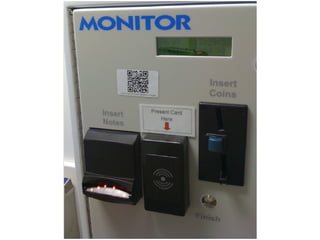
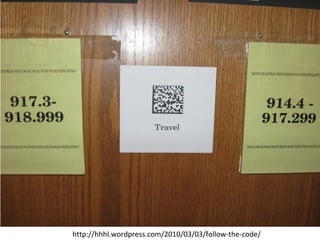
QR Codes
http://hhhl.wordpress.com/2010/03/03/follow-the-code/
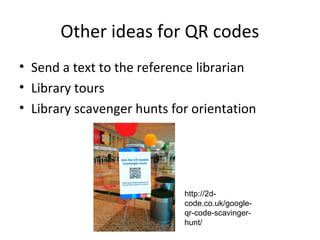
• Send a text to the reference librarian
• Library tours
• Library scavenger hunts for orientation
Other ideas for QR codes
http://2d-
code.co.uk/google-
qr-code-scavinger-
hunt/
Questions?
Links and slides at
http://meredithfarkas.wetpaint.com
Gmail: mgfarkas
Twitter/Flickr/FriendFeed/AIM:
librarianmer

Mobile Trends and Services for Libraries

  • 1.
    Mobile Trends andServices for Libraries Meredith Farkas Norwich University http://www.flickr.com/photos/williambrawley/4310319103 /
  • 2.
    Why should librariescare about mobile devices? • 4.1 billion SMS messages being sent daily • Over 276 million wireless users (source: CITA Wireless Industry Survey, 2009). • 32% of Americans have used a cell phone or Smartphone to access the internet this year (source: Pew, April 2009). • The mobile device will be the primary connection tool to the internet for most people by 2020. (Source: Pew, Dec. 2008).
  • 3.
    Why should librariescare about mobile devices? • 2009 NMC/Educause Horizon Report named mobile devices one of the major trends in education with an adoption horizon of one year or less. • More than half of undergraduates own an internet-capable mobile device (source: ECAR Study of Undergraduate Students and IT, 2009) • 94% of students send & receive text messages (source: Ball State University, 2009).
  • 4.
    Where educational institutionsstand Source: Educause. (2009). Spreading the Word: Messaging and Communications in Higher Education. http://net.educause.edu/ir/library/pdf/EKF/EKF0902.pdf
  • 5.
    A Few MobileTech Trends
  • 6.
    Mobile social software •Three types – Social software that can be used on mobile devices – Social software designed primarily for mobile devices – Social software specifically designed for mobile devices • Most are location-aware
  • 8.
    Twitter • Microblogging –sharing information in 140 characters or less • People “follow” your Twitter feed and get updates of your news and that of their other friends chronologically • Hugely popular • Can use via web, cell phone, desktop apps, IM, etc.
  • 9.
    Location-aware mobile technologies •Uses GPS, compass, RFID, etc. to determine where a user’s orientation to other people, places, things, etc. http://www.flickr.com/photos/psd/21055837/
  • 10.
    Location-aware apps -Zillow http://www.youtube.com/watch?v=rJfrdcbfXsc
  • 11.
  • 12.
  • 13.
  • 14.
  • 15.
    Other location-aware mobilegames • Gowalla http://gowalla.com/ • Whrrl http://whrrl.com/ • MyTown http://www.booyah.com
  • 16.
  • 17.
    2D Barcodes • QR(Quick Response) codes – most common. • Scan to access information or take action – Pull up text content – Dial a phone number or send a txt – Pull up a web page – Pulls up images or video – Pulls up a poll or survey • Need a QR code reader.
  • 18.
  • 19.
    QR Codes • Verybig in Japan, growing in use in Europe. Not big in U.S. yet. • In U.S. mainly see on products, sometimes museums. • Google is putting QR codes at local businesses with link to the business’ Google Place page.
  • 20.
    QR code generatorsand readers • Generators – Kaywa http://qrcode.kaywa.com/ – QR Stuff http://www.qrstuff.com/ – i-nigma http://www.i-nigma.com/personal/Create.asp
  • 21.
    • Readers (multiplatform) –Kaywa http://reader.kaywa.com/getit – Quickmark http://www.quickmark.com.tw/En/basic/download.asp – i-nigma http://www.i-nigma.com/GetReader.asp – Beetagg http://www.beetagg.com/
  • 22.
    Augmented Reality • Blendingdata with what you see in the real world.
  • 23.
    Layar • Allows developersto build layers of data on top of the live video on your phone. • http://www.youtube.com/watch? v=b64_16K2e08
  • 24.
  • 25.
  • 26.
  • 27.
    First, assess • Whatmobile technologies do your patrons use? • How many access the web via a mobile device? Which one(s) are most prevalent? • What library services would users actually want to use via a mobile device? • What library services can you make accessible via a mobile device? • Are other units on campus or municipalities designing mobile apps or sites?
  • 28.
  • 29.
    Library Website • Questionsto ask: – Do you create a separate mobile version of your site or just serve up a different style sheet based on the device? – Do you design for the most commonly-used smartphones or also design for mobile devices with small screens? – Do you use a detection algorithm to redirect mobile users to the mobile site or make them go to a separate URL?
  • 30.
    Design tips • Breakinformation into tasks and let users drill down to what they need (not too many clicks!). • Put most-used content at the top. • Minimize scrolling. • Icons and text links are better than either alone. • Shorten text to minimal amount needed. • Minimize the need to type whenever possible.
  • 31.
    What to includeon mobile website • Depends on library and what users actually use. – Catalog search – Databases/federated search if they have mobile interfaces – Circ info (due dates, holds) – Room/computer reservations – Reference info/widgets/forms – Hours – Links to useful mobile content
  • 32.
  • 33.
  • 34.
    Library apps • Userscan install and easily access specific library functions/info. • For smartphones. • Most libraries that have an app also have a mobile-friendly website. • Have to design for specific operating systems – most designed for iPhone.
  • 35.
  • 36.
  • 37.
  • 38.
    Mobile catalog search •WorldCat Local (Boopsie) • SirsiDynix (BookMyne) – for iPhone • III (AirPac) • Polaris (Mobile PAC) • LibraryThing (Library Anywhere) • Serials Solutions (Summon) – web-scale discovery • Build it yourself – Create plain-text translation
  • 39.
    Content • Here aresome of the major vendors offering mobile interfaces: – American Institute of Physics iResearch iPhone application – EBSCOhost Mobile – Hoover's Mobile company information – IEEE XPlore – Lexis/Nexis Get Cases and Shepardize – PubMed for Handhelds medical database – Questia iPhone application (iTunes link) – Refworks Mobile – Westlaw legal research database – EBL Ebook Library – Google Books – OverDrive – Safari Books Online – Amazon Kindle for the iPhone – Zotero
  • 40.
    Content: Special collections •WolfWalk http://www.lib.ncsu.edu/wolfwalk/ • Duke Mobile Digital Collections http://www.youtube.com/watch? v=iHK3E4N7w6o
  • 41.
  • 42.
    Content: Special Collections •Use Flickr to show off historic photos
  • 44.
    QR Codes • Provideadditional information on physical resources – GeoHistorian Project http://www.rcet.org/dvcproject/geohistorian.html – Read-alikes of popular books (Contra Costa County Library) – QR codes in the stacks to take users to the mobile catalog (Columbus Metropolitan Library) – Historical images of buildings, locations, etc. – Pull up or bookmark a website with more info
  • 46.
    Txt a callnumber
  • 47.
    Txt a callnumber (cont’d) • University of Bath and University of Huddersfield (UK) have QR codes in the catalog.
  • 48.
    SMS Notifications • News •Events • New books by subject • When a hold is available for pickup • Due dates/overdue notices • MUST BE OPT-IN!
  • 49.
  • 50.
    SMS reference • Notlimited by location (point of need) • Messages need to be short (150 characters or less) • Patrons may be charged for messages they send and receive • Only useful for brief transactions • IM reference can also be done on most smartphones (Mobile AIM, libraryh3lp, etc.)
  • 51.
    Screencasts • Movie takenof your desktop • Good for demonstrating library databases, website, etc. • Audio narration, captioning, highlighting, spotlighting, interactive components • Various export options (depending on software) • Example: http://library2.norwich.edu/guide/index.php/Ho w_to_Use_Academic_Search_Premier
  • 52.
    Library tours UIUC UndergraduateLibrary Tour (iphone app)
  • 53.
    Instructional videos • Libraryorientation video • How-to’s – Use library equipment – Get on the wireless – Find things in the library
  • 54.
  • 56.
  • 57.
    • Send atext to the reference librarian • Library tours • Library scavenger hunts for orientation Other ideas for QR codes http://2d- code.co.uk/google- qr-code-scavinger- hunt/
  • 58.
    Questions? Links and slidesat http://meredithfarkas.wetpaint.com Gmail: mgfarkas Twitter/Flickr/FriendFeed/AIM: librarianmer