Visualizing your Deep learning using
TensorBoard (TensorFlow)
Sung Kim <hunkim+ml@gmail.com>
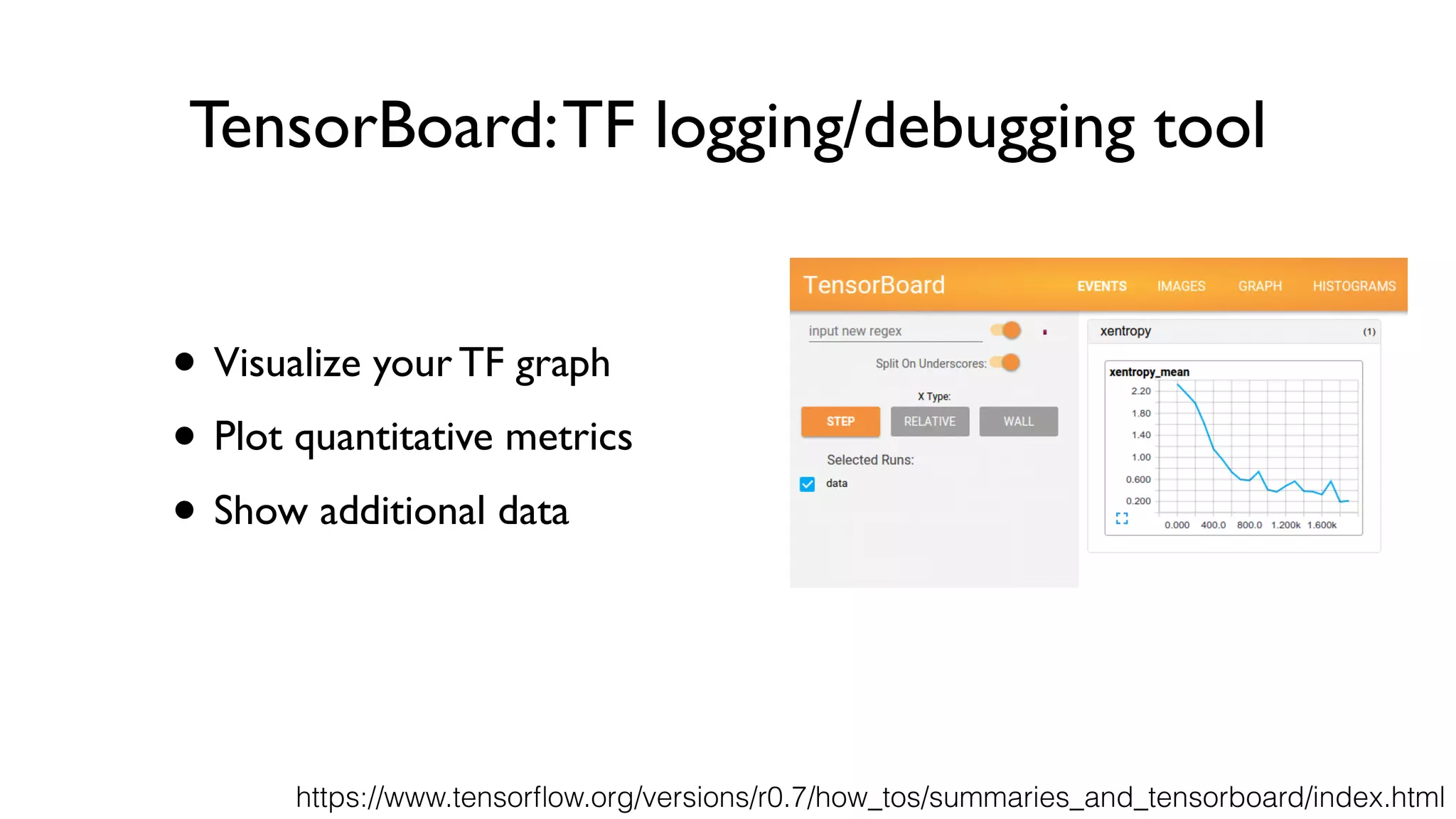
TensorBoard:TF logging/debugging tool
• Visualize your TF graph
• Plot quantitative metrics
• Show additional data
https://www.tensorflow.org/versions/r0.7/how_tos/summaries_and_tensorboard/index.html
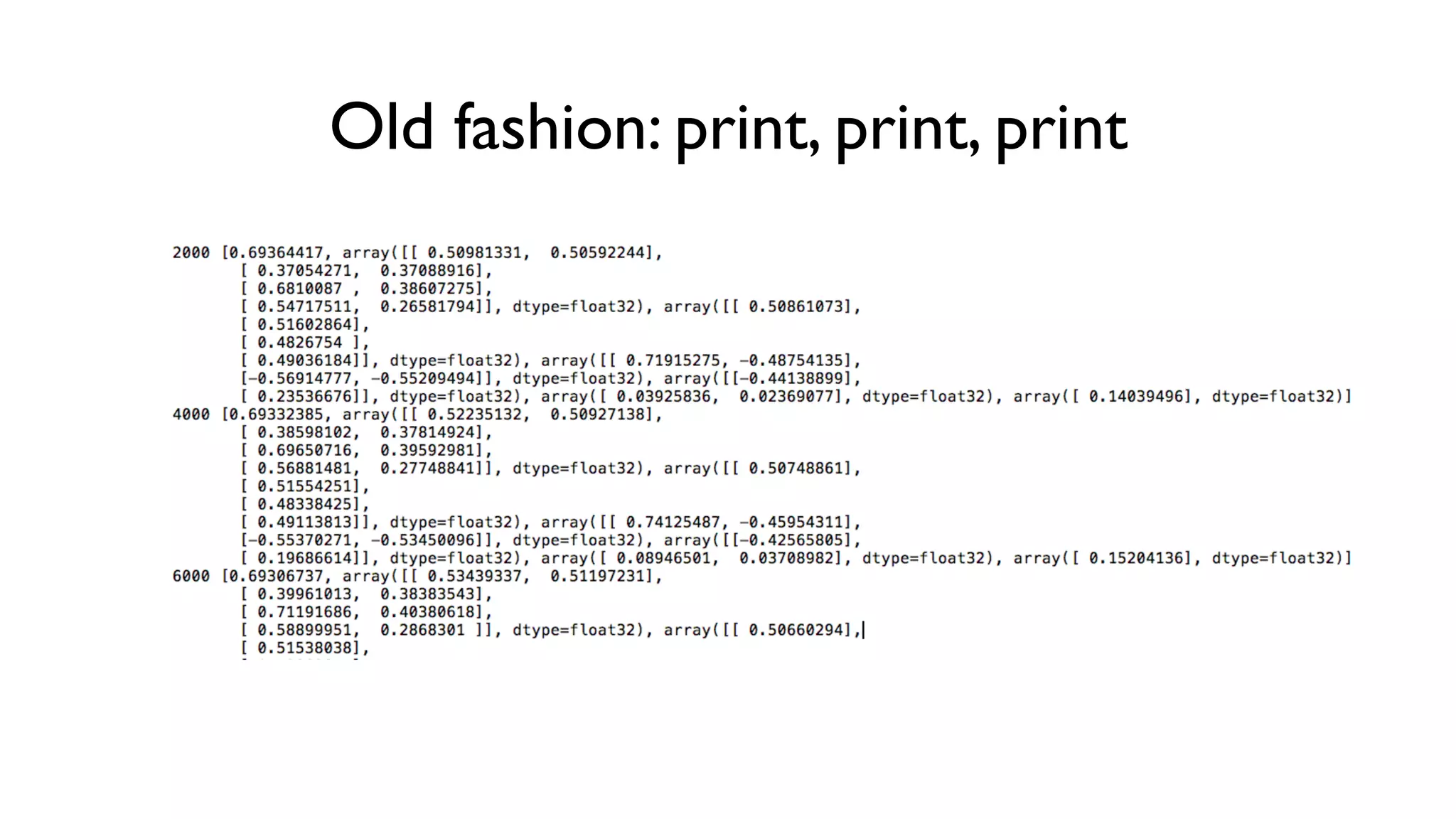
Old fashion: print, print, print
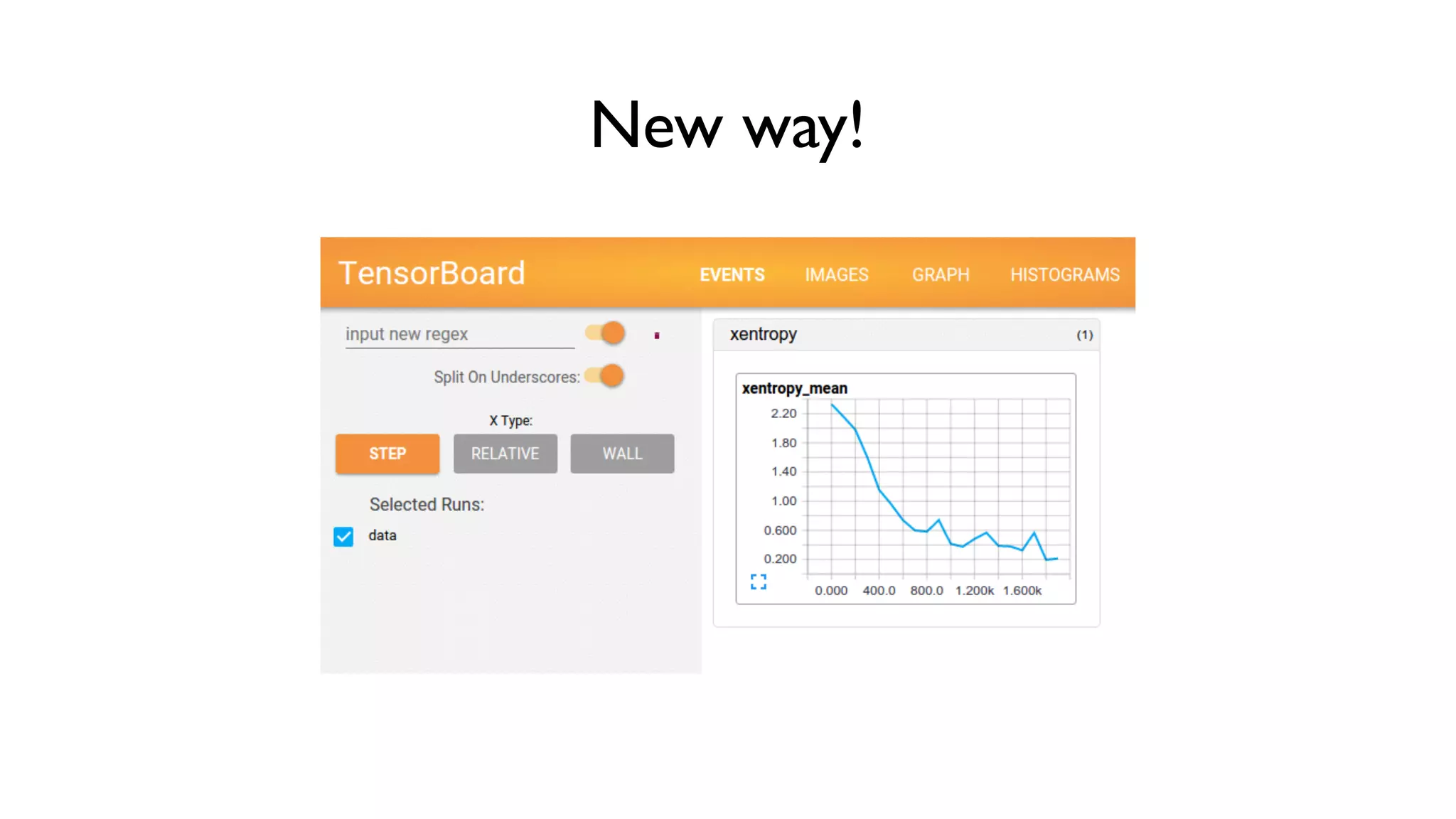
New way!
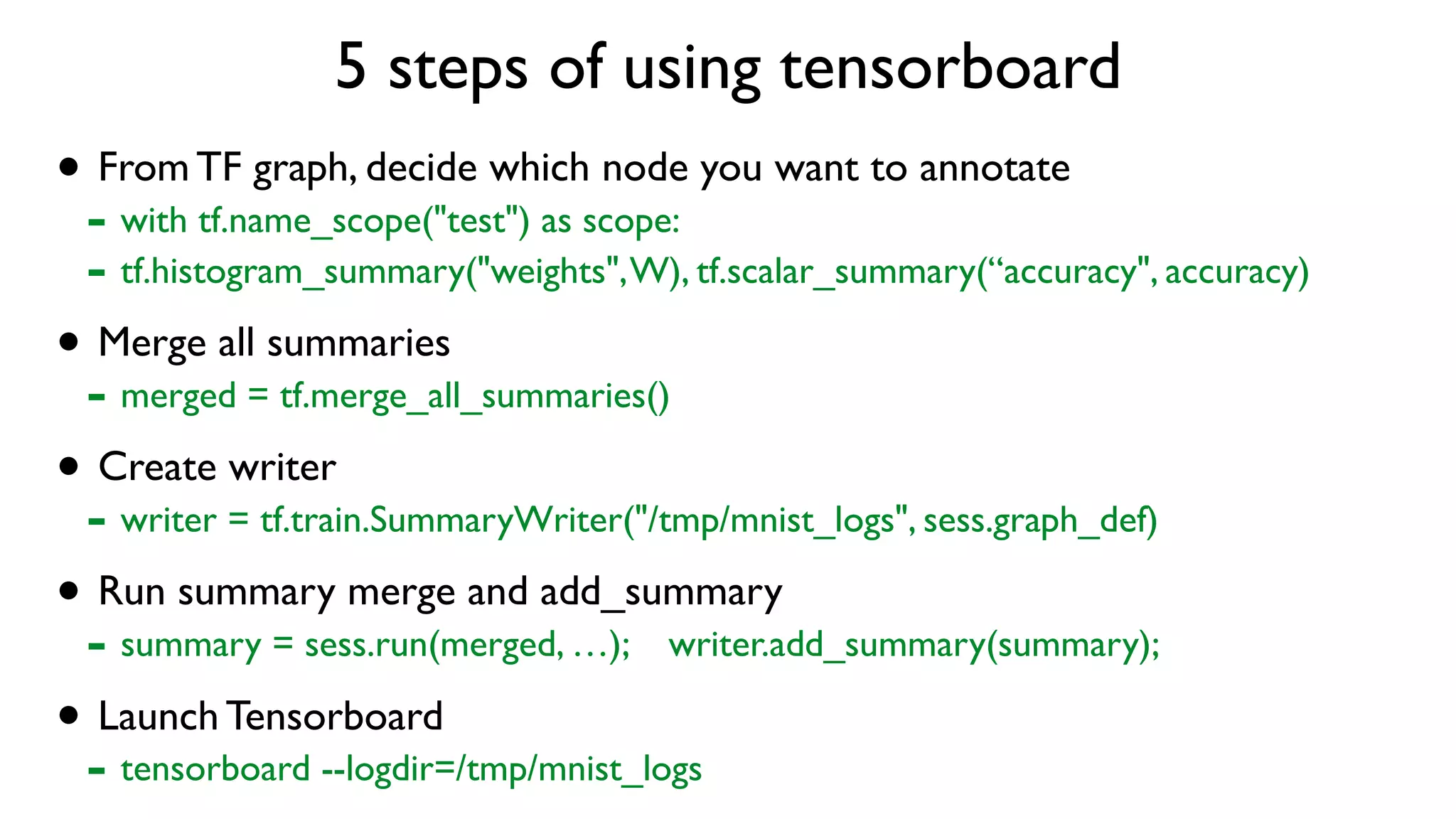
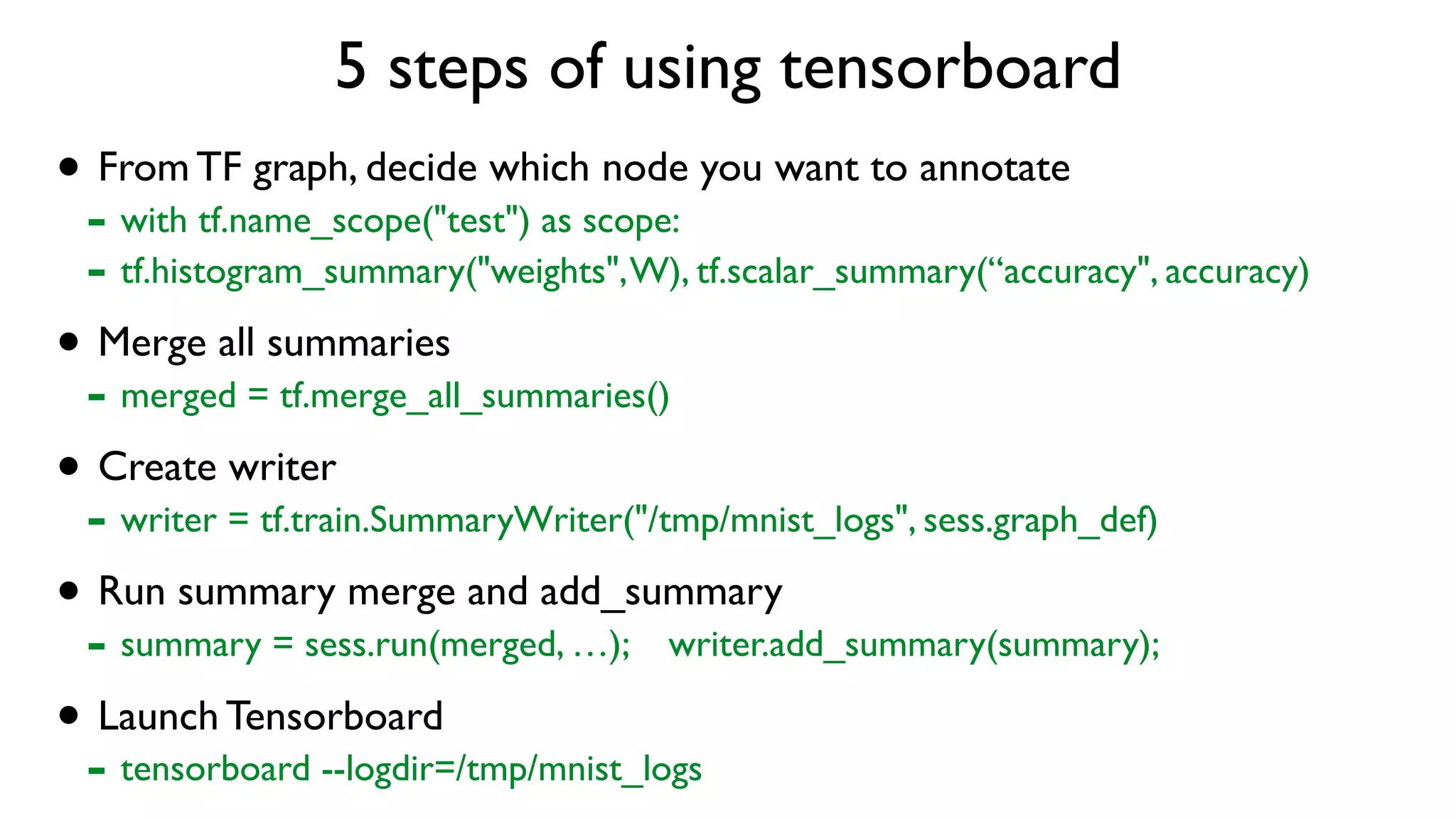
5 steps of using tensorboard
• From TF graph, decide which node you want to annotate
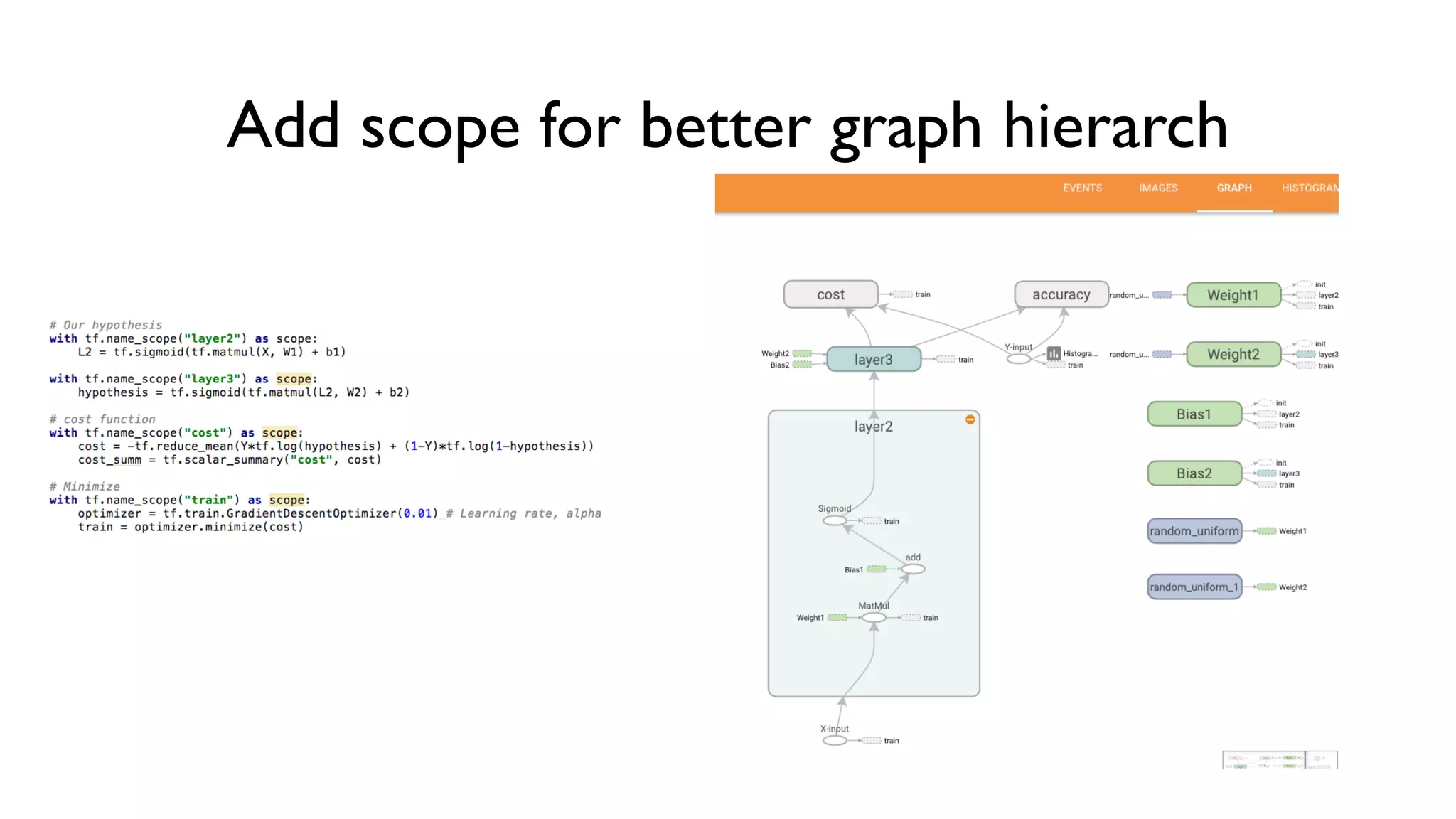
- with tf.name_scope("test") as scope:
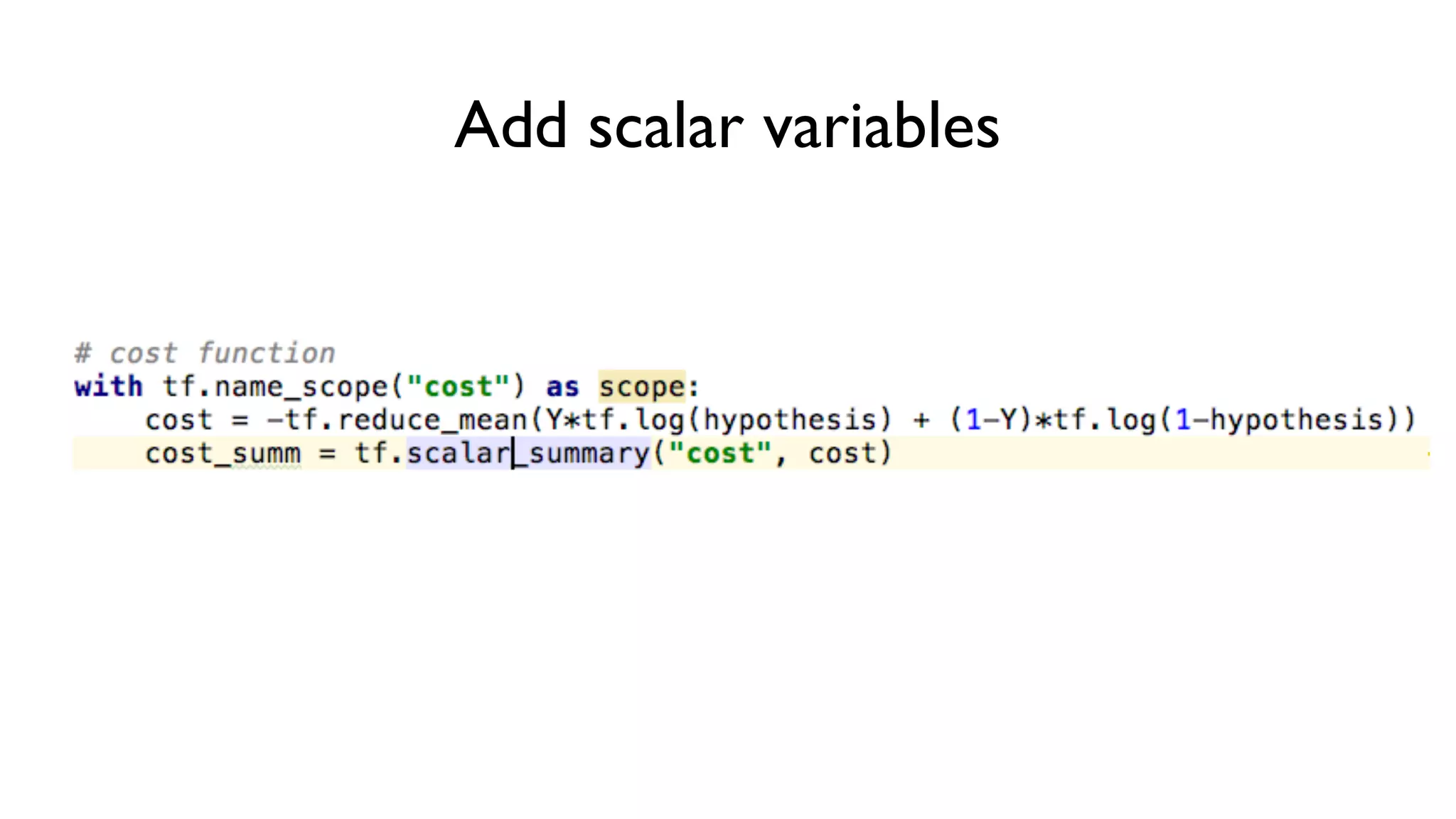
- tf.histogram_summary("weights",W), tf.scalar_summary(“accuracy", accuracy)
• Merge all summaries
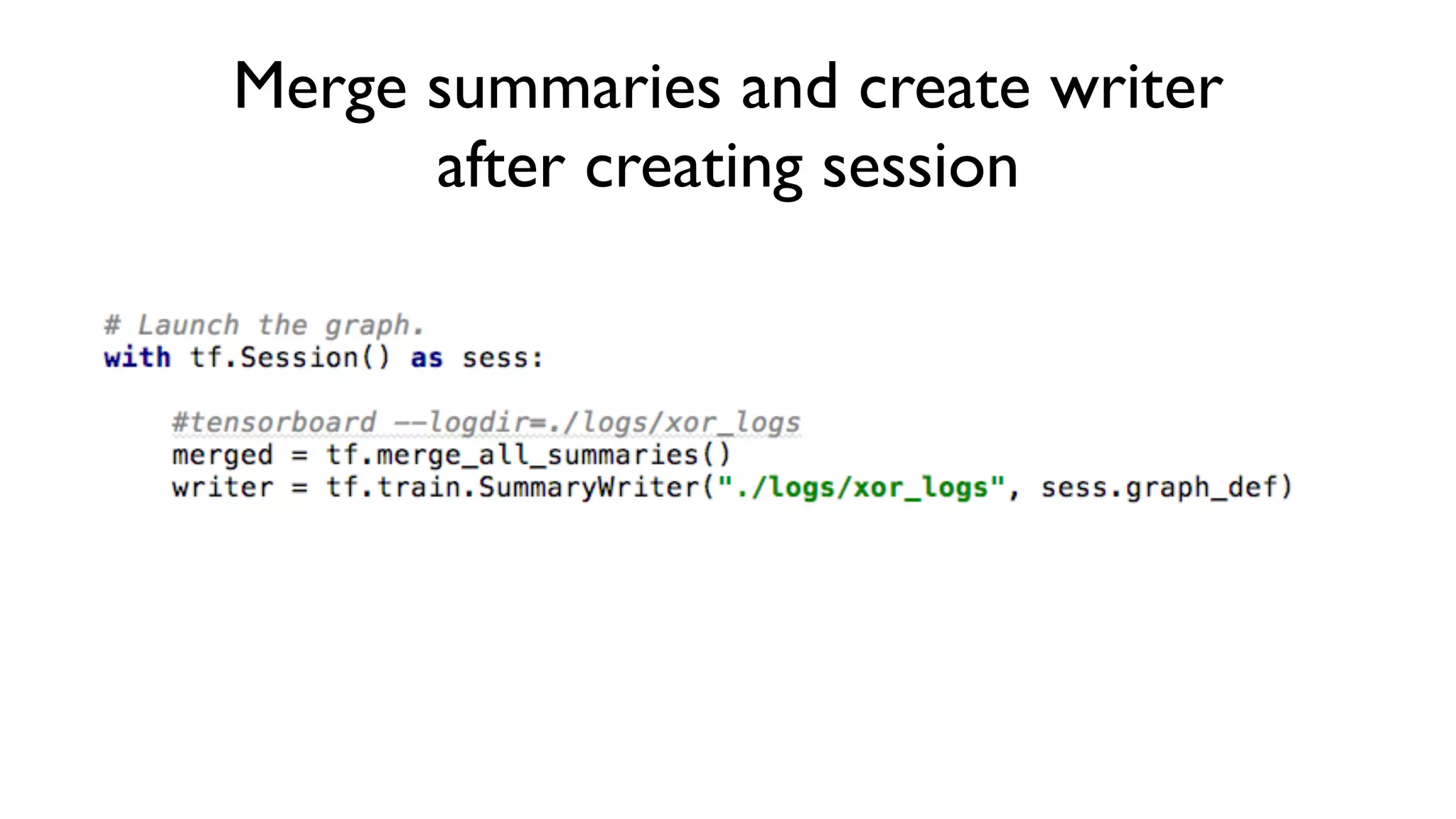
- merged = tf.merge_all_summaries()
• Create writer
- writer = tf.train.SummaryWriter("/tmp/mnist_logs", sess.graph_def)
• Run summary merge and add_summary
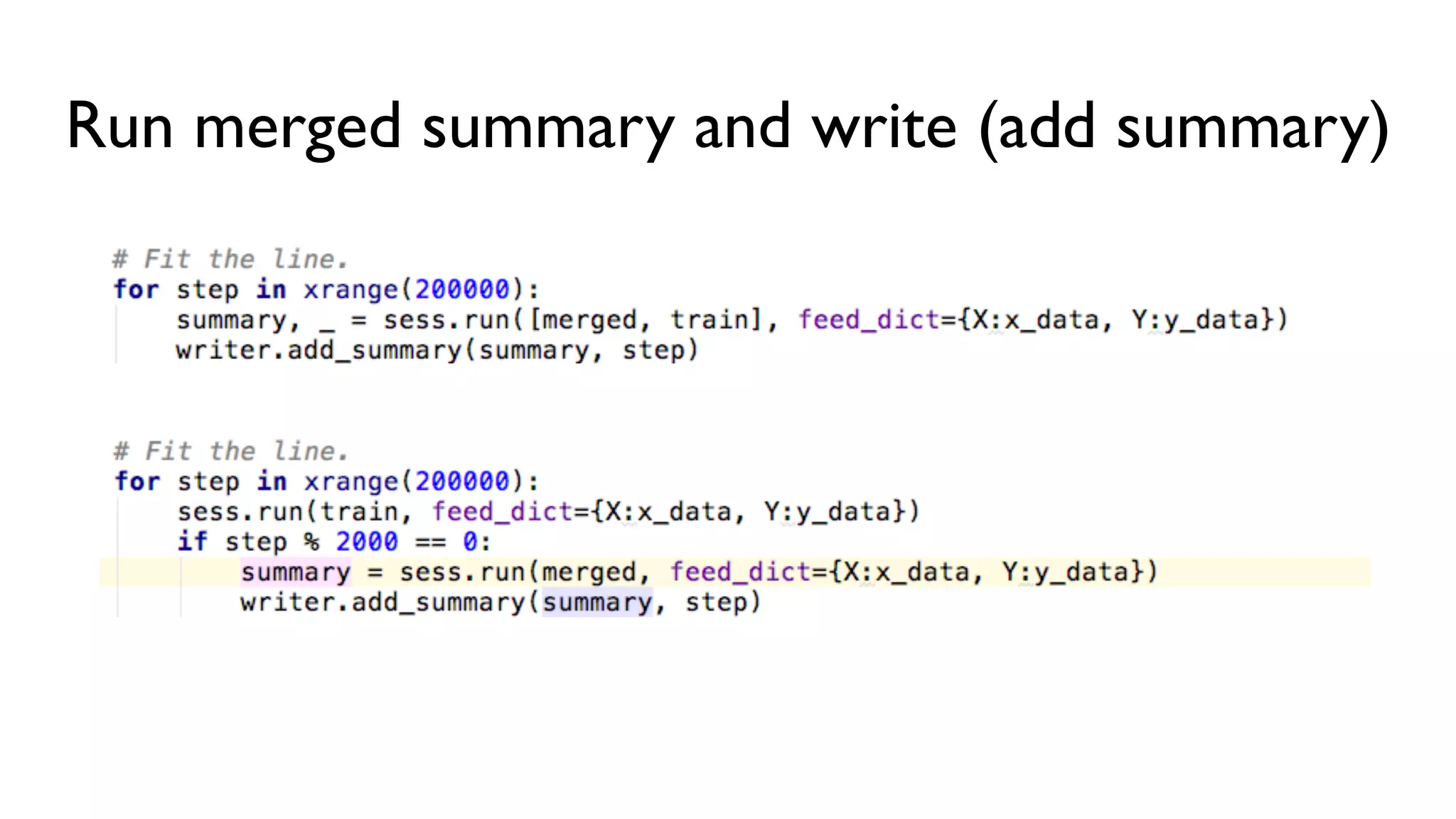
- summary = sess.run(merged, …); writer.add_summary(summary);
• Launch Tensorboard
- tensorboard --logdir=/tmp/mnist_logs
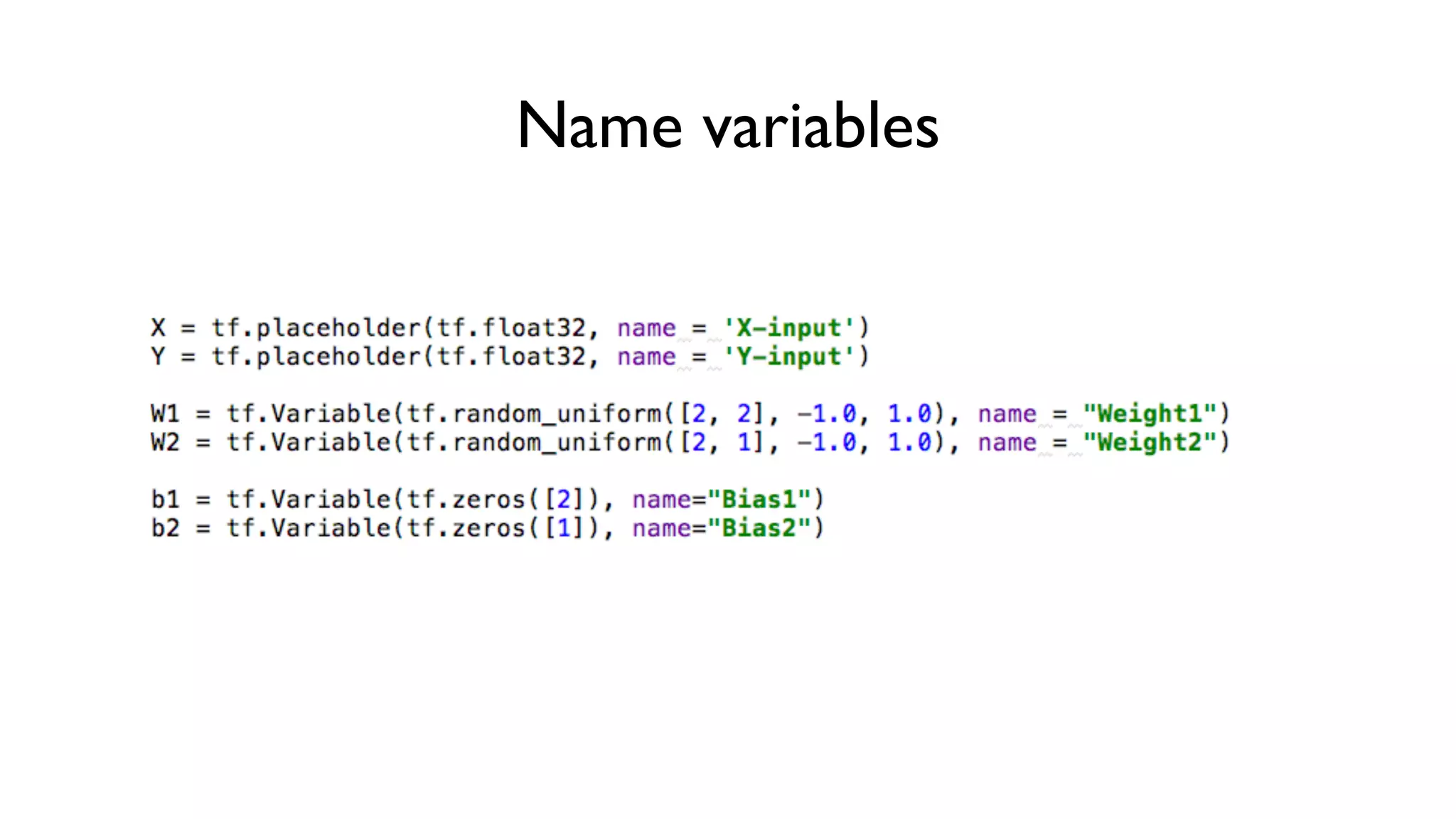
Name variables
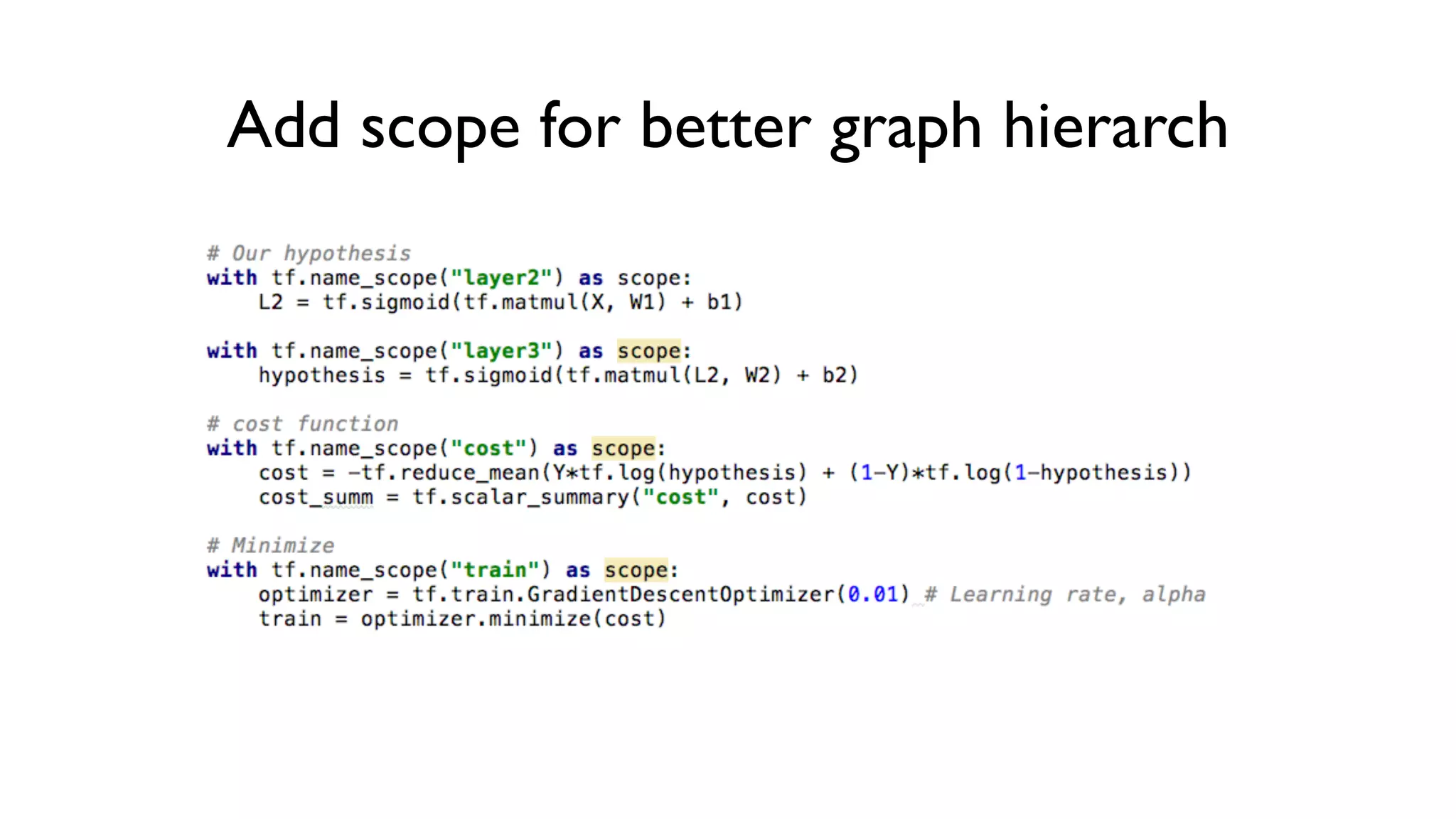
Add scope for better graph hierarch
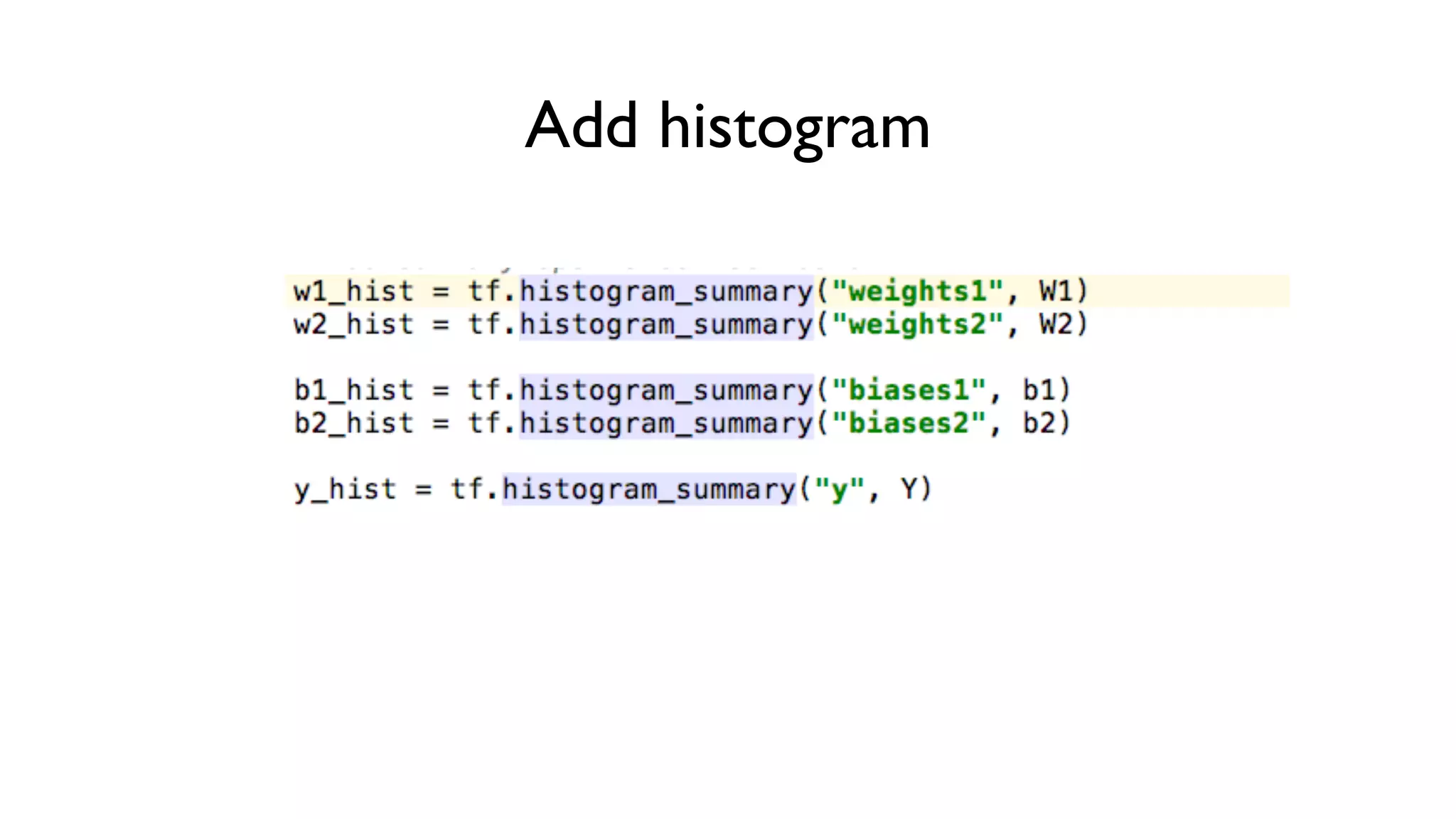
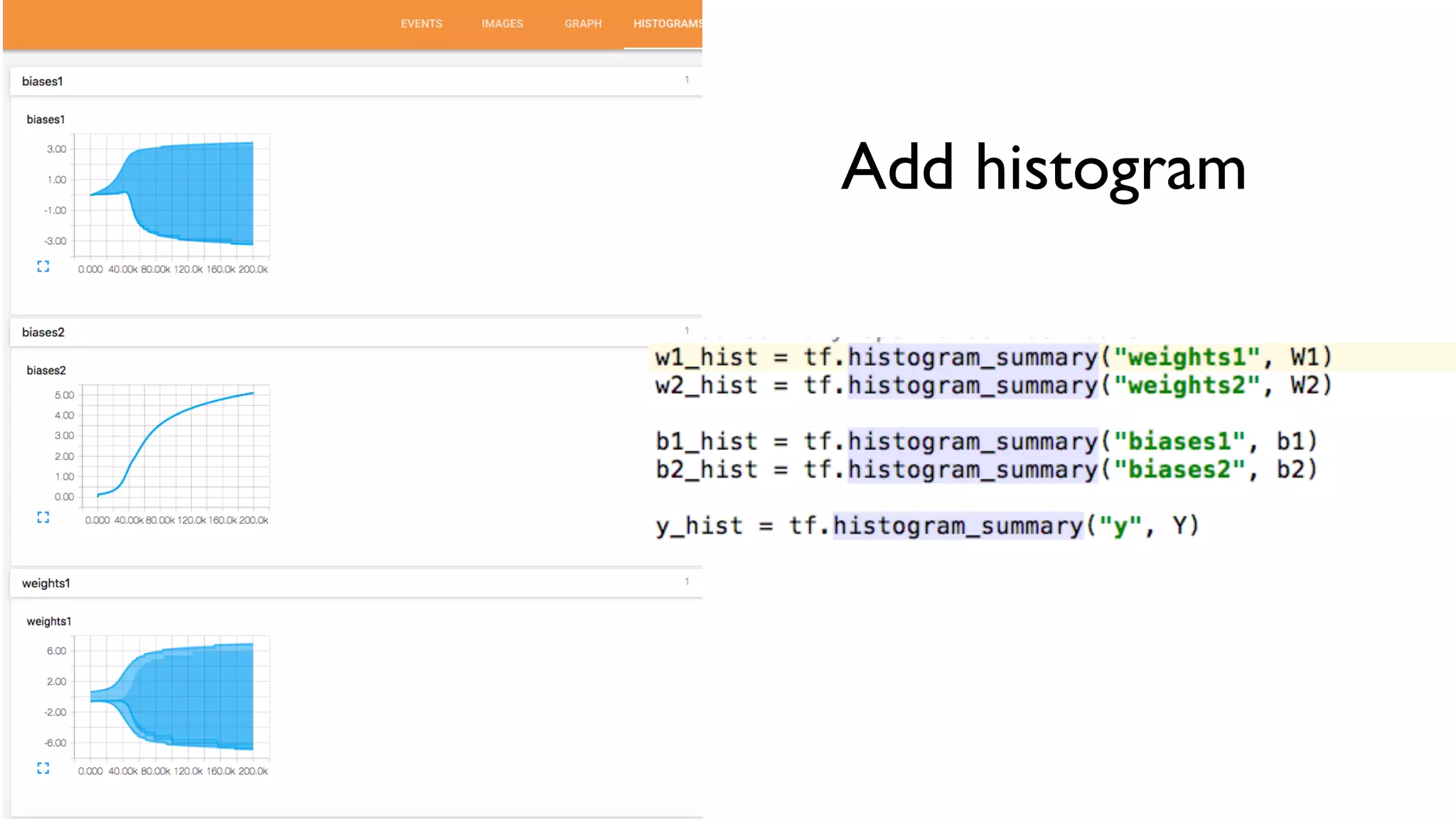
Add histogram
Add scalar variables
Merge summaries and create writer
after creating session
Run merged summary and write (add summary)
Launch tensorboard
• tensorboard —logdir=/tmp/mnist_logs
• (You can navigate to http://0.0.0.0:6006)
Add scope for better graph hierarch
Add histogram
Add scalar variables
5 steps of using tensorboard
• From TF graph, decide which node you want to annotate
- with tf.name_scope("test") as scope:
- tf.histogram_summary("weights",W), tf.scalar_summary(“accuracy", accuracy)
• Merge all summaries
- merged = tf.merge_all_summaries()
• Create writer
- writer = tf.train.SummaryWriter("/tmp/mnist_logs", sess.graph_def)
• Run summary merge and add_summary
- summary = sess.run(merged, …); writer.add_summary(summary);
• Launch Tensorboard
- tensorboard --logdir=/tmp/mnist_logs

Tensor board

  • 1.
    Visualizing your Deeplearning using TensorBoard (TensorFlow) Sung Kim <hunkim+ml@gmail.com>
  • 2.
    TensorBoard:TF logging/debugging tool •Visualize your TF graph • Plot quantitative metrics • Show additional data https://www.tensorflow.org/versions/r0.7/how_tos/summaries_and_tensorboard/index.html
  • 3.
    Old fashion: print,print, print
  • 4.
  • 5.
    5 steps ofusing tensorboard • From TF graph, decide which node you want to annotate - with tf.name_scope("test") as scope: - tf.histogram_summary("weights",W), tf.scalar_summary(“accuracy", accuracy) • Merge all summaries - merged = tf.merge_all_summaries() • Create writer - writer = tf.train.SummaryWriter("/tmp/mnist_logs", sess.graph_def) • Run summary merge and add_summary - summary = sess.run(merged, …); writer.add_summary(summary); • Launch Tensorboard - tensorboard --logdir=/tmp/mnist_logs
  • 6.
  • 7.
    Add scope forbetter graph hierarch
  • 8.
  • 9.
  • 10.
    Merge summaries andcreate writer after creating session
  • 11.
    Run merged summaryand write (add summary)
  • 12.
    Launch tensorboard • tensorboard—logdir=/tmp/mnist_logs • (You can navigate to http://0.0.0.0:6006)
  • 13.
    Add scope forbetter graph hierarch
  • 14.
    Add scope forbetter graph hierarch
  • 15.
  • 16.
  • 17.
    5 steps ofusing tensorboard • From TF graph, decide which node you want to annotate - with tf.name_scope("test") as scope: - tf.histogram_summary("weights",W), tf.scalar_summary(“accuracy", accuracy) • Merge all summaries - merged = tf.merge_all_summaries() • Create writer - writer = tf.train.SummaryWriter("/tmp/mnist_logs", sess.graph_def) • Run summary merge and add_summary - summary = sess.run(merged, …); writer.add_summary(summary); • Launch Tensorboard - tensorboard --logdir=/tmp/mnist_logs