Technology
Assessment
Paul J. Cuaresma
ED271-02
Fall 2010
Introduction
 The following presentation discusses the
viability of eight (8) different technologies
discovered and introduced in our ED271-
02 class discussions. A rating of 1-5 is
given based on the following:
◦ Usability, Features, Accessibility, Wow-factor
and Possible Educational Use.
MOODLE
 Rating: 4/5
 I would really like to rate Moodle a 5/5 but I do not feel
that we used the system to its full potential. For example,
we didn’t get to try the discussion threads extensively.
Nonetheless, as a centralized online space to track our
agendas, rubrics, syllabus, assignments and grades,
moodle does a fine job. What would make this system
awesome would be an integrated online web-meeting
function. Then again, with so many others available online
such as dimdim.com, a web-meeting function does not
discount Moodle’s other great features.
 www.campus.uogdistance.edu
FireFox Web Browser
 Rating: 5/5
 Firefox web browser is definitely a must! Since I’ve
moved to MAC’s from PC’s two years ago I divorced
Internet Explorer and married Firefox. The browser
renders most websites perfectly “normal” except for
the few that are .ASP formatted for IE. Also, the
additional Firefox plug-ins add so much flexibility.
Some of my favorite plug-ins are E-bay tracking,
Colored Tabs, Cooltris, Face book and many different
themes. Firefox is even better than Safari!!
 www.mozilla.com
Google Apps
 Rating: 5/5
 With so many different Google apps available it is
almost unnecessary to purchase any productivity
software. For example, we have the typical
Office Suite: Spread Sheet, Word Processor and
Presentation software all of which can be setup
for collaborative use between other Gmail users.
Then we have the search engine, maps, photo,
video and web log software among so many
others. On top of all that, it’s all free!
 www.google.com
SlideShare.net
 Rating: 5/5
 For those of us that are still married to Microsoft Powerpoint there
is another web app that can take your presentations to a whole
newlevel. Slideshare.com allow users to create presentations on
their favorite office application (including Keynote) and upload it
online for storage and presentation from any computer that has
internet access. Imagine being able to share a slideshow with
people globally or giving an international presentation and have
participants follow along with your slides.
 The only downside is that each slide is viewable as screenshots so
there is no ability to add transition effects, video or other visual
effects. Nonetheless, for what it is designed for, any user than
take advantage of persistently storing their presentations online.
 www.slideshare.net
Prezi.com
 Rating: 3/5
 Although presentations created on Prezi are
absolutely stunning and visually dazzling, the learning
curve to create these projects is much too steep for
casual computer users. For example, I feel that I am
well versed in technology but even until today, I can’t
seem to make a bedazzling presentation with creative
visual effects. Perhaps it is my lack of creativity, but
I feel the tool hinders my ability to just make a
functional presentation.
 www.prezi.com
Diigo.com
 Rating: 5/5
 This is a great web tool for “bookmarking” my favorite
websites. Instead of bookmarking locally just on my
browser, diigo allows users to save bookmarks online so
that they are accessible no matter what computer you are
using. In addition there is a feature which allows users to
make a “webslide” presentation of bookmarked sites which
are even useable during presentation. Finally, a toolbar
which is available as a Firefox plug-in makes using diigo
very easy and convenient for all levels of computer
competences.
 www.diigo.com
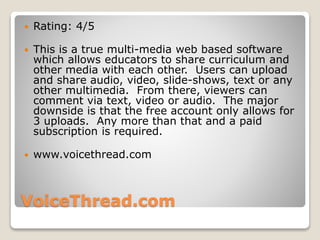
VoiceThread.com
 Rating: 4/5
 This is a true multi-media web based software
which allows educators to share curriculum and
other media with each other. Users can upload
and share audio, video, slide-shows, text or any
other multimedia. From there, viewers can
comment via text, video or audio. The major
downside is that the free account only allows for
3 uploads. Any more than that and a paid
subscription is required.
 www.voicethread.com
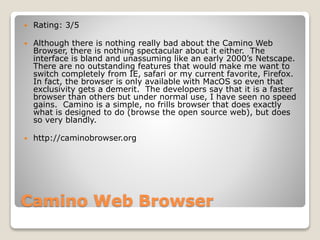
Camino Web Browser
 Rating: 3/5
 Although there is nothing really bad about the Camino Web
Browser, there is nothing spectacular about it either. The
interface is bland and unassuming like an early 2000’s Netscape.
There are no outstanding features that would make me want to
switch completely from IE, safari or my current favorite, Firefox.
In fact, the browser is only available with MacOS so even that
exclusivity gets a demerit. The developers say that it is a faster
browser than others but under normal use, I have seen no speed
gains. Camino is a simple, no frills browser that does exactly
what is designed to do (browse the open source web), but does
so very blandly.
 http://caminobrowser.org
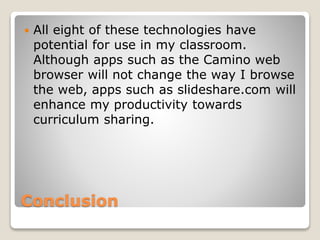
Conclusion
 All eight of these technologies have
potential for use in my classroom.
Although apps such as the Camino web
browser will not change the way I browse
the web, apps such as slideshare.com will
enhance my productivity towards
curriculum sharing.

Tech assessment

  • 1.
  • 2.
    Introduction  The followingpresentation discusses the viability of eight (8) different technologies discovered and introduced in our ED271- 02 class discussions. A rating of 1-5 is given based on the following: ◦ Usability, Features, Accessibility, Wow-factor and Possible Educational Use.
  • 3.
    MOODLE  Rating: 4/5 I would really like to rate Moodle a 5/5 but I do not feel that we used the system to its full potential. For example, we didn’t get to try the discussion threads extensively. Nonetheless, as a centralized online space to track our agendas, rubrics, syllabus, assignments and grades, moodle does a fine job. What would make this system awesome would be an integrated online web-meeting function. Then again, with so many others available online such as dimdim.com, a web-meeting function does not discount Moodle’s other great features.  www.campus.uogdistance.edu
  • 4.
    FireFox Web Browser Rating: 5/5  Firefox web browser is definitely a must! Since I’ve moved to MAC’s from PC’s two years ago I divorced Internet Explorer and married Firefox. The browser renders most websites perfectly “normal” except for the few that are .ASP formatted for IE. Also, the additional Firefox plug-ins add so much flexibility. Some of my favorite plug-ins are E-bay tracking, Colored Tabs, Cooltris, Face book and many different themes. Firefox is even better than Safari!!  www.mozilla.com
  • 5.
    Google Apps  Rating:5/5  With so many different Google apps available it is almost unnecessary to purchase any productivity software. For example, we have the typical Office Suite: Spread Sheet, Word Processor and Presentation software all of which can be setup for collaborative use between other Gmail users. Then we have the search engine, maps, photo, video and web log software among so many others. On top of all that, it’s all free!  www.google.com
  • 6.
    SlideShare.net  Rating: 5/5 For those of us that are still married to Microsoft Powerpoint there is another web app that can take your presentations to a whole newlevel. Slideshare.com allow users to create presentations on their favorite office application (including Keynote) and upload it online for storage and presentation from any computer that has internet access. Imagine being able to share a slideshow with people globally or giving an international presentation and have participants follow along with your slides.  The only downside is that each slide is viewable as screenshots so there is no ability to add transition effects, video or other visual effects. Nonetheless, for what it is designed for, any user than take advantage of persistently storing their presentations online.  www.slideshare.net
  • 7.
    Prezi.com  Rating: 3/5 Although presentations created on Prezi are absolutely stunning and visually dazzling, the learning curve to create these projects is much too steep for casual computer users. For example, I feel that I am well versed in technology but even until today, I can’t seem to make a bedazzling presentation with creative visual effects. Perhaps it is my lack of creativity, but I feel the tool hinders my ability to just make a functional presentation.  www.prezi.com
  • 8.
    Diigo.com  Rating: 5/5 This is a great web tool for “bookmarking” my favorite websites. Instead of bookmarking locally just on my browser, diigo allows users to save bookmarks online so that they are accessible no matter what computer you are using. In addition there is a feature which allows users to make a “webslide” presentation of bookmarked sites which are even useable during presentation. Finally, a toolbar which is available as a Firefox plug-in makes using diigo very easy and convenient for all levels of computer competences.  www.diigo.com
  • 9.
    VoiceThread.com  Rating: 4/5 This is a true multi-media web based software which allows educators to share curriculum and other media with each other. Users can upload and share audio, video, slide-shows, text or any other multimedia. From there, viewers can comment via text, video or audio. The major downside is that the free account only allows for 3 uploads. Any more than that and a paid subscription is required.  www.voicethread.com
  • 10.
    Camino Web Browser Rating: 3/5  Although there is nothing really bad about the Camino Web Browser, there is nothing spectacular about it either. The interface is bland and unassuming like an early 2000’s Netscape. There are no outstanding features that would make me want to switch completely from IE, safari or my current favorite, Firefox. In fact, the browser is only available with MacOS so even that exclusivity gets a demerit. The developers say that it is a faster browser than others but under normal use, I have seen no speed gains. Camino is a simple, no frills browser that does exactly what is designed to do (browse the open source web), but does so very blandly.  http://caminobrowser.org
  • 11.
    Conclusion  All eightof these technologies have potential for use in my classroom. Although apps such as the Camino web browser will not change the way I browse the web, apps such as slideshare.com will enhance my productivity towards curriculum sharing.