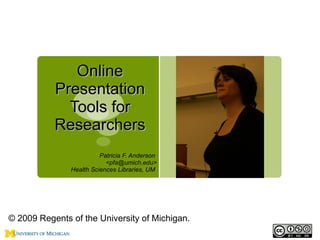
Online
           Presentation
             Tools for
           Researchers
                         Patricia F. Anderson
                           <pfa@umich.edu>
               Health Sciences Libraries, UM


© 2009 Regents of the University of Michigan.
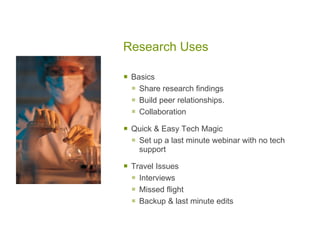
Research Uses

   Basics
     Share research findings
     Build peer relationships.
     Collaboration
   Quick & Easy Tech Magic
     Set up a last minute webinar with no tech
      support

   Travel Issues
     Interviews
     Missed flight
     Backup & last minute edits
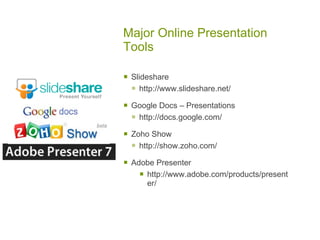
Major Online Presentation
Tools

   Slideshare
     http://www.slideshare.net/
   Google Docs – Presentations
     http://docs.google.com/
   Zoho Show
     http://show.zoho.com/
   Adobe Presenter
       http://www.adobe.com/products/present
        er/
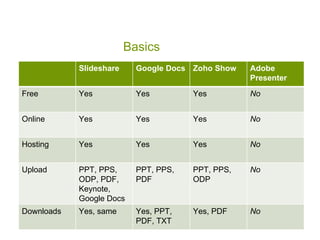
Basics
            Slideshare     Google Docs Zoho Show   Adobe
                                                   Presenter
Free        Yes            Yes         Yes         No


Online      Yes            Yes         Yes         No


Hosting     Yes            Yes         Yes         No


Upload      PPT, PPS,      PPT, PPS,   PPT, PPS,   No
            ODP, PDF,      PDF         ODP
            Keynote,
            Google Docs
Downloads   Yes, same      Yes, PPT,   Yes, PDF    No
                           PDF, TXT
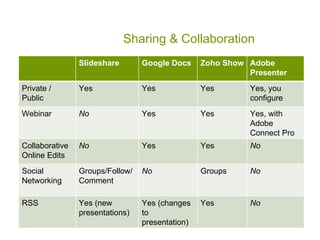
Sharing & Collaboration
                Slideshare       Google Docs     Zoho Show Adobe
                                                           Presenter
Private /       Yes              Yes             Yes       Yes, you
Public                                                     configure
Webinar         No               Yes             Yes       Yes, with
                                                           Adobe
                                                           Connect Pro
Collaborative   No               Yes             Yes       No
Online Edits
Social          Groups/Follow/   No              Groups    No
Networking      Comment

RSS             Yes (new         Yes (changes    Yes       No
                presentations)   to
                                 presentation)
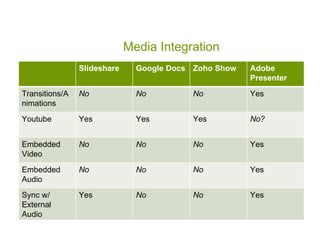
Media Integration
                Slideshare     Google Docs Zoho Show   Adobe
                                                       Presenter
Transitions/A   No             No         No           Yes
nimations
Youtube         Yes            Yes        Yes          No?


Embedded        No             No         No           Yes
Video
Embedded        No             No         No           Yes
Audio
Sync w/         Yes            No         No           Yes
External
Audio
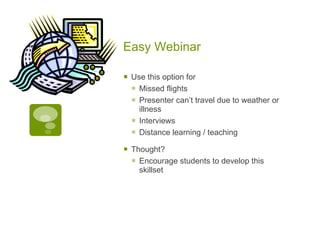
Easy Webinar

   Use this option for
     Missed flights
     Presenter can’t travel due to weather or
      illness
     Interviews
     Distance learning / teaching
   Thought?
     Encourage students to develop this
      skillset
Hosting, File Sharing &
Online Editing

   Hosting
     Give selected other people access
     Give groups access
     Backup in case of tech problems


   Collaboration & Online Editing
     Last minute edits when traveling
     Joint author is not local
     Teamwork
     Tight project deadlines
Social Features to Consider

   Presentation Sharing

   Private Sharing

   Embeds

   Slidecasts or Audio Capture

   Groups

   Comments & Discussion

   Collaboration

   Online Editing
Tech Features to Consider

   Security

   File size limitations

   Imports from which applications & versions
     Powerpoint, Keynote, Open Office, PDF,
      other

   Free, free trial, or fee

   Media support & integration
     Youtube
     Embedded video
     Embedded audio
     External audio
   Browser & Firewall Sensitivity
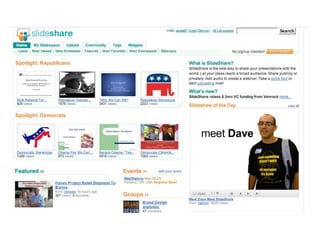
Slideshare.net: Home
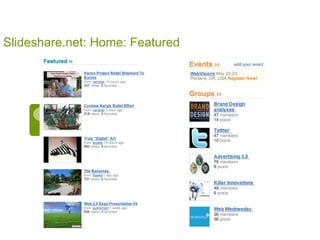
Slideshare.net: Home: Featured
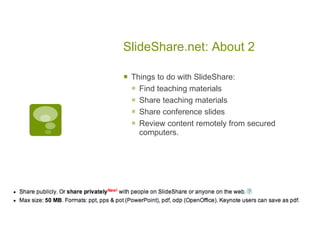
SlideShare.net: About 2

   Things to do with SlideShare:
     Find teaching materials
     Share teaching materials
     Share conference slides
     Review content remotely from secured
      computers.
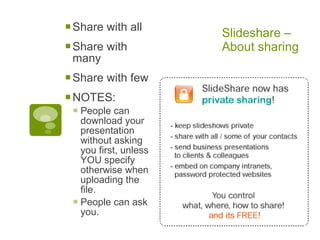
 Share with all       Slideshare –
 Share with           About sharing
 many
 Share with few
 NOTES:
  People can
   download your
   presentation
   without asking
   you first, unless
   YOU specify
   otherwise when
   uploading the
   file.
  People can ask
   you.
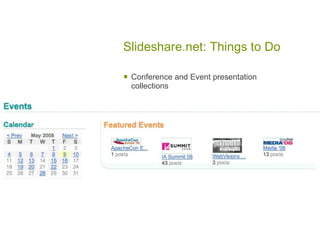
Slideshare.net: Things to Do

   Conference and Event presentation
    collections
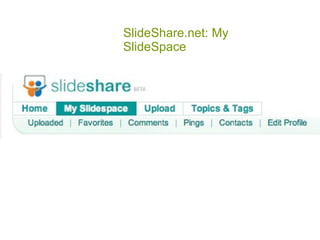
SlideShare.net: My
SlideSpace
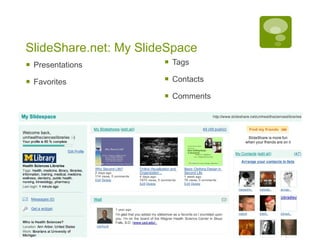
SlideShare.net: My SlideSpace
   Presentations         Tags

   Favorites             Contacts

                          Comments
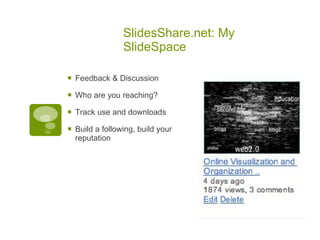
SlidesShare.net: My
                  SlideSpace

   Feedback & Discussion

   Who are you reaching?

   Track use and downloads

   Build a following, build your
    reputation
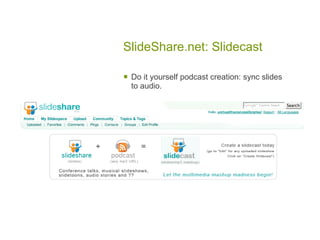
SlideShare.net: Slidecast

   Do it yourself podcast creation: sync slides
    to audio.
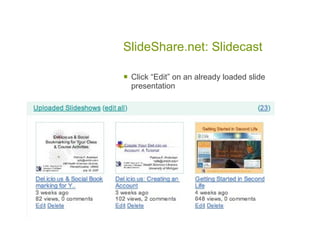
SlideShare.net: Slidecast

   Click “Edit” on an already loaded slide
    presentation
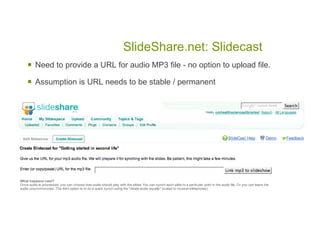
SlideShare.net: Slidecast
   Need to provide a URL for audio MP3 file - no option to upload file.

   Assumption is URL needs to be stable / permanent
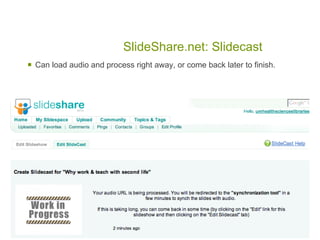
SlideShare.net: Slidecast
   Can load audio and process right away, or come back later to finish.
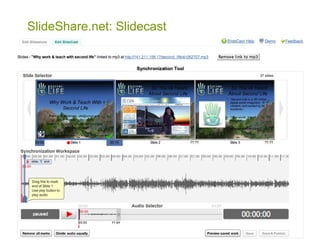
SlideShare.net: Slidecast


                    Audio synchronization tool requires good
                     vision.
SlideShare.net: Slidecast

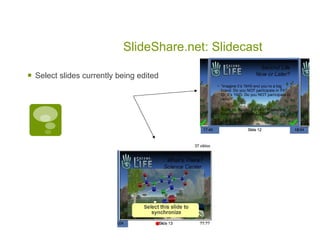
   Select slides currently being edited
SlideShare.net: Slidecast
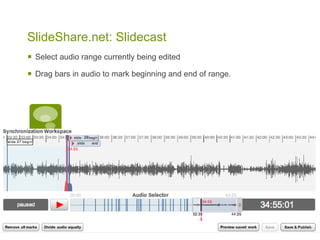
   Select audio range currently being edited

   Drag bars in audio to mark beginning and end of range.
SlideShare.net: Slidecast

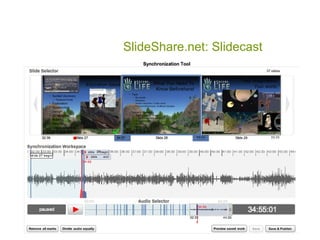
   What it looks like at the end of editing.
SlideShare.net: Slidecast


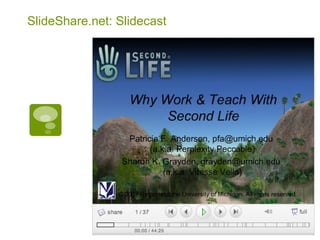
                  What it looks like when it is completed.
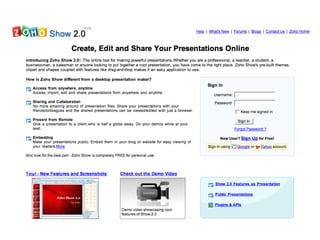
Zoho Show: Home
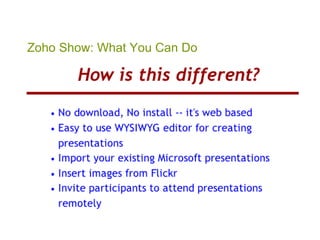
Zoho Show: What You Can Do
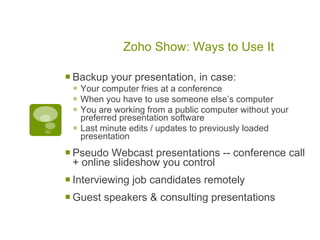
Zoho Show: Ways to Use It

 Backup your presentation, in case:
  Your computer fries at a conference
  When you have to use someone else’s computer
  You are working from a public computer without your
     preferred presentation software
    Last minute edits / updates to previously loaded
     presentation

 Pseudo Webcast presentations -- conference call
 + online slideshow you control
 Interviewing job candidates remotely
 Guest speakers & consulting presentations
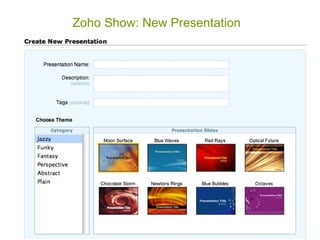
Zoho Show: New Presentation
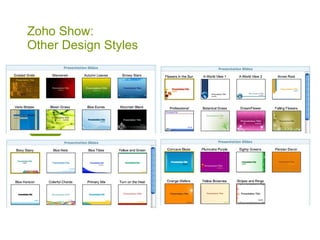
Zoho Show:
Other Design Styles
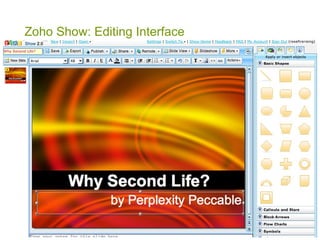
Zoho Show: Editing Interface
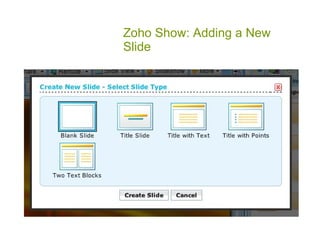
Zoho Show: Adding a New
Slide
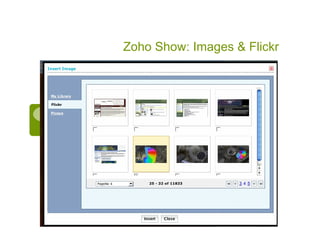
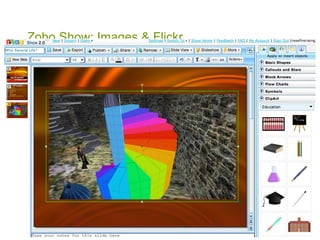
Zoho Show: Images & Flickr


                   Success!
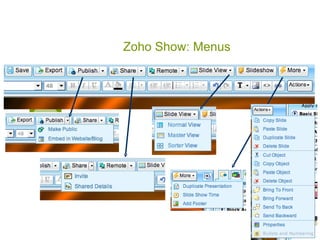
Zoho Show: Menus

   Import PPT


   Export as HTML


   Share with Others
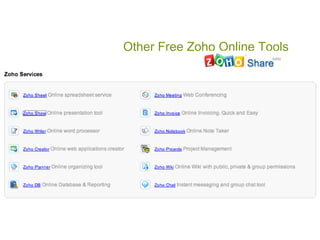
Other Free Zoho Online Tools

   Zoho Writer (word processing)

   Zoho Sheet (spreadsheet)

   Zoho Polls (surveys)

   Zoho Creator (online databases)

   Zoho Wiki

   More … at Zoho.com
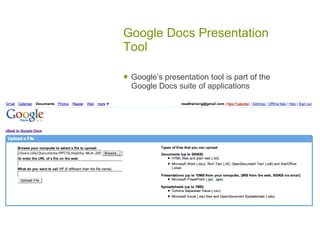
Google Docs Presentation
Tool

   Google’s presentation tool is part of the
    Google Docs suite of applications
Google Docs Presentation
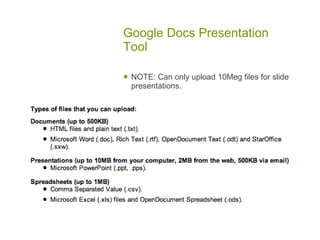
Tool

   NOTE: Can only upload 10Meg files for slide
    presentations.
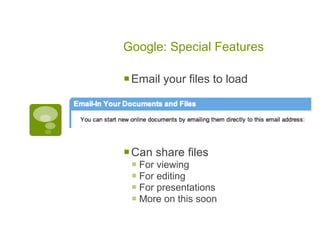
Google: Special Features

 Email your files to load


 Can share files
  For viewing
  For editing
  For presentations
  More on this soon
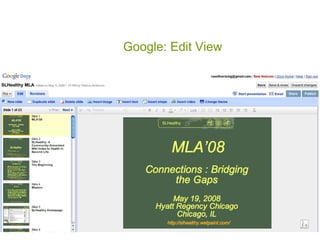
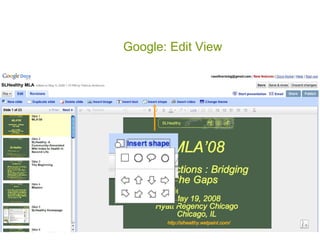
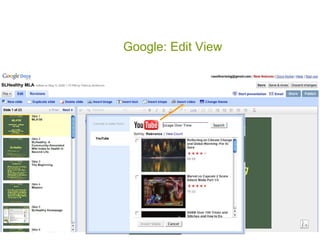
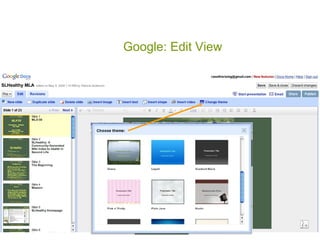
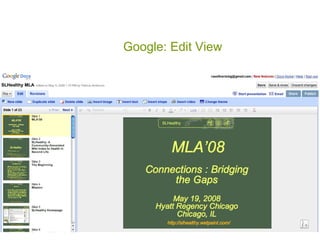
Google: Edit View
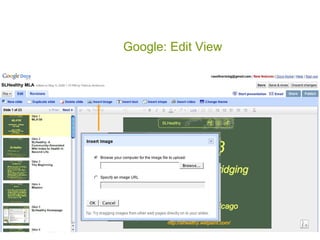
Google: Edit View
Google: Edit View
Google: Edit View
Google: Edit View
Google: Edit View
Google: Importing Images
(Oops!)
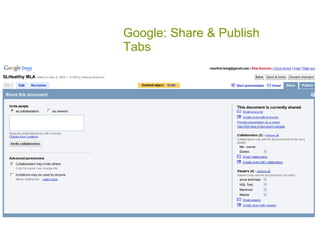
Google: Share & Publish
Tabs
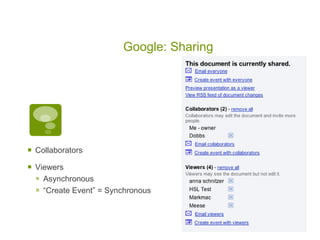
Google: Sharing


   Collaborators

   Viewers
     Asynchronous
     “Create Event” = Synchronous
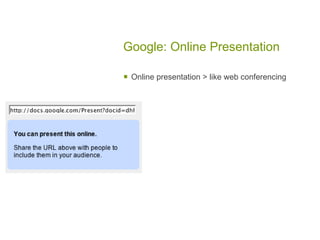
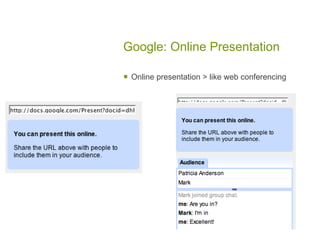
Google: Online Presentation

   Online presentation > like web conferencing
Google: Online Presentation

   Online presentation > like web conferencing
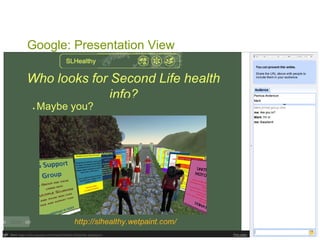
Google: Presentation View
Synopsis

 Topics:
  Slideshare: Import, share, no
   online editing, Slidecast:
   Podcast, <50meg
  Zoho Show: Import, edit,
   collaborate, share, live
   webcasting
  Google: Import, edit,
   collaborate, share, export, live
   webcasting, <10meg
 Contact Info: Patricia
 Anderson, pfa@umich.edu
Topical Hosting Services

   Slideworld (medical)

   Insightory (corporate & marketing)
Others

   280slides

   Authorstream

   Freepath

   Photopeach

   Slideboom

   Slidesrocket

   Slideserve

Online Presentation Tools for Researchers

  • 1.
    Online Presentation Tools for Researchers Patricia F. Anderson <pfa@umich.edu> Health Sciences Libraries, UM © 2009 Regents of the University of Michigan.
  • 2.
    Research Uses  Basics  Share research findings  Build peer relationships.  Collaboration  Quick & Easy Tech Magic  Set up a last minute webinar with no tech support  Travel Issues  Interviews  Missed flight  Backup & last minute edits
  • 3.
    Major Online Presentation Tools  Slideshare  http://www.slideshare.net/  Google Docs – Presentations  http://docs.google.com/  Zoho Show  http://show.zoho.com/  Adobe Presenter  http://www.adobe.com/products/present er/
  • 4.
    Basics Slideshare Google Docs Zoho Show Adobe Presenter Free Yes Yes Yes No Online Yes Yes Yes No Hosting Yes Yes Yes No Upload PPT, PPS, PPT, PPS, PPT, PPS, No ODP, PDF, PDF ODP Keynote, Google Docs Downloads Yes, same Yes, PPT, Yes, PDF No PDF, TXT
  • 5.
    Sharing & Collaboration Slideshare Google Docs Zoho Show Adobe Presenter Private / Yes Yes Yes Yes, you Public configure Webinar No Yes Yes Yes, with Adobe Connect Pro Collaborative No Yes Yes No Online Edits Social Groups/Follow/ No Groups No Networking Comment RSS Yes (new Yes (changes Yes No presentations) to presentation)
  • 6.
    Media Integration Slideshare Google Docs Zoho Show Adobe Presenter Transitions/A No No No Yes nimations Youtube Yes Yes Yes No? Embedded No No No Yes Video Embedded No No No Yes Audio Sync w/ Yes No No Yes External Audio
  • 7.
    Easy Webinar  Use this option for  Missed flights  Presenter can’t travel due to weather or illness  Interviews  Distance learning / teaching  Thought?  Encourage students to develop this skillset
  • 8.
    Hosting, File Sharing& Online Editing  Hosting  Give selected other people access  Give groups access  Backup in case of tech problems  Collaboration & Online Editing  Last minute edits when traveling  Joint author is not local  Teamwork  Tight project deadlines
  • 9.
    Social Features toConsider  Presentation Sharing  Private Sharing  Embeds  Slidecasts or Audio Capture  Groups  Comments & Discussion  Collaboration  Online Editing
  • 10.
    Tech Features toConsider  Security  File size limitations  Imports from which applications & versions  Powerpoint, Keynote, Open Office, PDF, other  Free, free trial, or fee  Media support & integration  Youtube  Embedded video  Embedded audio  External audio  Browser & Firewall Sensitivity
  • 11.
  • 12.
  • 13.
    SlideShare.net: About 2  Things to do with SlideShare:  Find teaching materials  Share teaching materials  Share conference slides  Review content remotely from secured computers.
  • 14.
     Share withall Slideshare –  Share with About sharing many  Share with few  NOTES:  People can download your presentation without asking you first, unless YOU specify otherwise when uploading the file.  People can ask you.
  • 15.
    Slideshare.net: Things toDo  Conference and Event presentation collections
  • 16.
  • 17.
    SlideShare.net: My SlideSpace  Presentations  Tags  Favorites  Contacts  Comments
  • 18.
    SlidesShare.net: My SlideSpace  Feedback & Discussion  Who are you reaching?  Track use and downloads  Build a following, build your reputation
  • 19.
    SlideShare.net: Slidecast  Do it yourself podcast creation: sync slides to audio.
  • 20.
    SlideShare.net: Slidecast  Click “Edit” on an already loaded slide presentation
  • 21.
    SlideShare.net: Slidecast  Need to provide a URL for audio MP3 file - no option to upload file.  Assumption is URL needs to be stable / permanent
  • 22.
    SlideShare.net: Slidecast  Can load audio and process right away, or come back later to finish.
  • 23.
    SlideShare.net: Slidecast  Audio synchronization tool requires good vision.
  • 24.
    SlideShare.net: Slidecast  Select slides currently being edited
  • 25.
    SlideShare.net: Slidecast  Select audio range currently being edited  Drag bars in audio to mark beginning and end of range.
  • 26.
    SlideShare.net: Slidecast  What it looks like at the end of editing.
  • 27.
    SlideShare.net: Slidecast  What it looks like when it is completed.
  • 28.
  • 29.
    Zoho Show: WhatYou Can Do
  • 30.
    Zoho Show: Waysto Use It  Backup your presentation, in case:  Your computer fries at a conference  When you have to use someone else’s computer  You are working from a public computer without your preferred presentation software  Last minute edits / updates to previously loaded presentation  Pseudo Webcast presentations -- conference call + online slideshow you control  Interviewing job candidates remotely  Guest speakers & consulting presentations
  • 31.
    Zoho Show: NewPresentation
  • 32.
  • 33.
  • 34.
    Zoho Show: Addinga New Slide
  • 35.
  • 36.
    Zoho Show: Images& Flickr  Success!
  • 37.
    Zoho Show: Menus  Import PPT  Export as HTML  Share with Others
  • 38.
    Other Free ZohoOnline Tools  Zoho Writer (word processing)  Zoho Sheet (spreadsheet)  Zoho Polls (surveys)  Zoho Creator (online databases)  Zoho Wiki  More … at Zoho.com
  • 39.
    Google Docs Presentation Tool  Google’s presentation tool is part of the Google Docs suite of applications
  • 40.
    Google Docs Presentation Tool  NOTE: Can only upload 10Meg files for slide presentations.
  • 41.
    Google: Special Features Email your files to load  Can share files  For viewing  For editing  For presentations  More on this soon
  • 42.
  • 43.
  • 44.
  • 45.
  • 46.
  • 47.
  • 48.
  • 49.
    Google: Share &Publish Tabs
  • 50.
    Google: Sharing  Collaborators  Viewers  Asynchronous  “Create Event” = Synchronous
  • 51.
    Google: Online Presentation  Online presentation > like web conferencing
  • 52.
    Google: Online Presentation  Online presentation > like web conferencing
  • 53.
  • 54.
    Synopsis  Topics: Slideshare: Import, share, no online editing, Slidecast: Podcast, <50meg  Zoho Show: Import, edit, collaborate, share, live webcasting  Google: Import, edit, collaborate, share, export, live webcasting, <10meg  Contact Info: Patricia Anderson, pfa@umich.edu
  • 55.
    Topical Hosting Services  Slideworld (medical)  Insightory (corporate & marketing)
  • 56.
    Others  280slides  Authorstream  Freepath  Photopeach  Slideboom  Slidesrocket  Slideserve