Unit 1
Introduction
               EDUC 649
               Educating with
               Multiple
               Technologies
               Keith Howard, Ph.D.
Advance Organizer
 Introductions
 Syllabus& Course Overview
 Share Point Introduction
 Create Wikis
 Google Docs Introduction
Introductions
 Name   and Program (at Chapman)
 Targeted Educational Setting (i.e., K-12,
  Nonprofit, Business, etc.)
 Favorite Software Program
 Favorite Website
 Complete this sentence:
     I think technology can have its greatest
      impact on the field of education
      by…(doing what?)
Syllabus & Course Overview
 Course Syllabus
 Contrast with EDUC 551
     Focus on Collaboration Tools
     Digital Literacy Component
     Creative vs. Structured
 Textbooks
 Instructional   Formats & Strategies
     Blended (In Class Time)
     Platforms
Course Requirements
 Software
    Office 2007/10
    Internet Explorer Browser
    Adobe Flash
 Hardware
    Microphone & Sound
    Webcam Strongly Recommended
    High Speed Internet access (not dial-up)
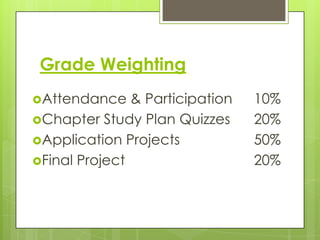
Grade Weighting
Attendance    & Participation   10%
Chapter Study Plan Quizzes      20%
Application Projects            50%
Final Project                   20%
Share Point Overview
 https://mywindow.chapman.edu/teams/
 ces/CourseSites/EDUC649/default.aspx
Linked Wiki Pages
 Add   team name and members to
  Wikipage for this semester
 Each group member creates an
  individual page with a paragraph about
  their favorite technology gadget
 Page can have a picture of person or
  gadget, link to website(s), or any other
  links/images you find useful
Google Docs
 https://www.google.com/accounts/Servi
  ceLogin?service=writely&passive=1209600
  &continue=https://docs.google.com/&foll
  owup=https://docs.google.com/&ltmpl=h
  omepage
 Create a document titled with your group
  name
 Collaborate on document (real time) and
  have each group member post a brief
  personal introduction and link to your
  individual wikipage
 Share with keithehoward@gmail.com
Chapter Quizzes
 Quizzes for Chapters 1, 2, and 3 are
  posted on Blackboard
 Taken online outside of class time
 Complete quizzes by the due dates listed
  on the syllabus

Educ 649 unit 01 slides

  • 1.
    Unit 1 Introduction EDUC 649 Educating with Multiple Technologies Keith Howard, Ph.D.
  • 2.
    Advance Organizer  Introductions Syllabus& Course Overview  Share Point Introduction  Create Wikis  Google Docs Introduction
  • 3.
    Introductions  Name and Program (at Chapman)  Targeted Educational Setting (i.e., K-12, Nonprofit, Business, etc.)  Favorite Software Program  Favorite Website  Complete this sentence:  I think technology can have its greatest impact on the field of education by…(doing what?)
  • 4.
    Syllabus & CourseOverview  Course Syllabus  Contrast with EDUC 551  Focus on Collaboration Tools  Digital Literacy Component  Creative vs. Structured  Textbooks  Instructional Formats & Strategies  Blended (In Class Time)  Platforms
  • 5.
    Course Requirements  Software  Office 2007/10  Internet Explorer Browser  Adobe Flash  Hardware  Microphone & Sound  Webcam Strongly Recommended  High Speed Internet access (not dial-up)
  • 6.
    Grade Weighting Attendance & Participation 10% Chapter Study Plan Quizzes 20% Application Projects 50% Final Project 20%
  • 7.
    Share Point Overview https://mywindow.chapman.edu/teams/ ces/CourseSites/EDUC649/default.aspx
  • 8.
    Linked Wiki Pages Add team name and members to Wikipage for this semester  Each group member creates an individual page with a paragraph about their favorite technology gadget  Page can have a picture of person or gadget, link to website(s), or any other links/images you find useful
  • 9.
    Google Docs  https://www.google.com/accounts/Servi ceLogin?service=writely&passive=1209600 &continue=https://docs.google.com/&foll owup=https://docs.google.com/&ltmpl=h omepage  Create a document titled with your group name  Collaborate on document (real time) and have each group member post a brief personal introduction and link to your individual wikipage  Share with keithehoward@gmail.com
  • 10.
    Chapter Quizzes  Quizzesfor Chapters 1, 2, and 3 are posted on Blackboard  Taken online outside of class time  Complete quizzes by the due dates listed on the syllabus