Instructional Technologies Including
Blackboard Collaborate, Adobe
Connect, and Insight
TA/LA Information Session 8.27.14
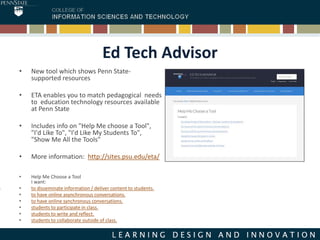
Ed Tech Advisor
• New tool which shows Penn State-
supported resources
• ETA enables you to match pedagogical needs
to education technology resources available
at Penn State
• Includes info on "Help Me choose a Tool",
"I'd Like To", "I'd Like My Students To",
"Show Me All the Tools"
• More information: http://sites.psu.edu/eta/
• Help Me Choose a Tool
I want:
• to disseminate information / deliver content to students.
• to have online asynchronous conversations.
• to have online synchronous conversations.
• students to participate in class.
• students to write and reflect.
• students to collaborate outside of class.
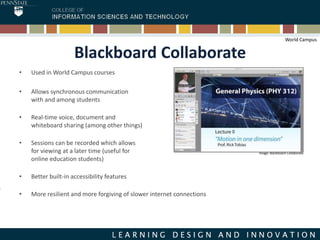
Blackboard Collaborate
• Used in World Campus courses
• Allows synchronous communication
with and among students
• Real-time voice, document and
whiteboard sharing (among other things)
• Sessions can be recorded which allows
for viewing at a later time (useful for
online education students)
• Better built-in accessibility features
• More resilient and more forgiving of slower internet connections
Image: Blackboard Collaborate
World Campus
Blackboard Collaborate
• Students may find this tool beneficial for team project collaboration and can request their
own rooms
• Meeting space for Blackboard Collaborate may be requested by filling out an online form:
https://courses.worldcampus.psu.edu/public/roomrequest/index.php
• World Campus Helpdesk supported:
http://student.worldcampus.psu.edu/technical-support/contact-us
• Additional information:
https://courses.worldcampus.psu.edu/public/bbcollaborate/collaborateintro.html
World Campus
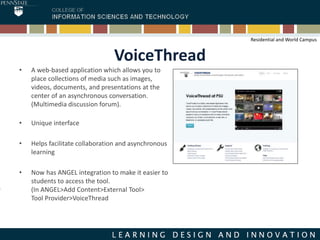
VoiceThread
• A web-based application which allows you to
place collections of media such as images,
videos, documents, and presentations at the
center of an asynchronous conversation.
(Multimedia discussion forum).
• Unique interface
• Helps facilitate collaboration and asynchronous
learning
• Now has ANGEL integration to make it easier to
students to access the tool.
(In ANGEL>Add Content>External Tool>
Tool Provider>VoiceThread
Residential and World Campus
VoiceThread
• PSU and World Campus Helpdesk supported:
Penn State VoiceThread support:
http://voicethread.psu.edu/support/
World Campus Technical support:
http://student.worldcampus.psu.edu/technical-support/contact-us
• Additional information: http://voicethread.psu.edu/
Residential and World Campus
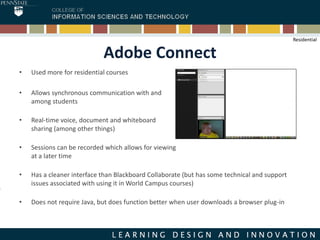
Adobe Connect
• Used more for residential courses
• Allows synchronous communication with and
among students
• Real-time voice, document and whiteboard
sharing (among other things)
• Sessions can be recorded which allows for viewing
at a later time
• Has a cleaner interface than Blackboard Collaborate (but has some technical and support
issues associated with using it in World Campus courses)
• Does not require Java, but does function better when user downloads a browser plug-in
Residential
Adobe Connect
• Mobile client available:
http://www.adobe.com/products/adobeconnect/mobile-meetings.html
• PSU supported:
Help Resources: http://kb.its.psu.edu/article/1616;
• Additional information: http://adobeconnect.psu.edu/
Residential
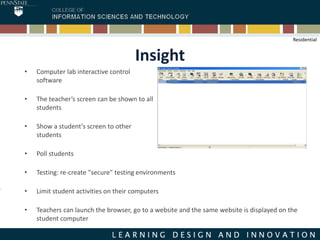
Insight
• Computer lab interactive control
software
• The teacher’s screen can be shown to all
students
• Show a student’s screen to other
students
• Poll students
• Testing: re-create "secure" testing environments
• Limit student activities on their computers
• Teachers can launch the browser, go to a website and the same website is displayed on the
student computer
Residential
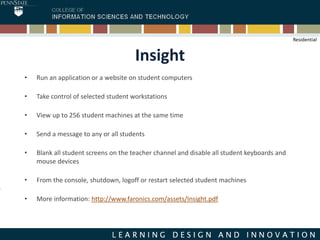
Insight
• Run an application or a website on student computers
• Take control of selected student workstations
• View up to 256 student machines at the same time
• Send a message to any or all students
• Blank all student screens on the teacher channel and disable all student keyboards and
mouse devices
• From the console, shutdown, logoff or restart selected student machines
• More information: http://www.faronics.com/assets/Insight.pdf
Residential
Information on Additional Tools:
Online Education Tools Beyond Instruction
• ANGEL: Support knowledge base
http://kb.its.psu.edu/cms/article/191
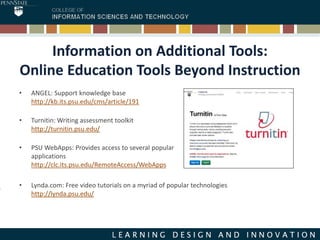
• Turnitin: Writing assessment toolkit
http://turnitin.psu.edu/
• PSU WebApps: Provides access to several popular
applications
http://clc.its.psu.edu/RemoteAccess/WebApps
• Lynda.com: Free video tutorials on a myriad of popular technologies
http://lynda.psu.edu/
Thanks!
• Questions?
• Presentation available at:
http://www.slideshare.net/RondaReid/tala-technology-notes
Contact: Ronda Reid, rreid@ist.psu.edu

TA/LA Technology Notes

  • 1.
    Instructional Technologies Including BlackboardCollaborate, Adobe Connect, and Insight TA/LA Information Session 8.27.14
  • 2.
    Ed Tech Advisor •New tool which shows Penn State- supported resources • ETA enables you to match pedagogical needs to education technology resources available at Penn State • Includes info on "Help Me choose a Tool", "I'd Like To", "I'd Like My Students To", "Show Me All the Tools" • More information: http://sites.psu.edu/eta/ • Help Me Choose a Tool I want: • to disseminate information / deliver content to students. • to have online asynchronous conversations. • to have online synchronous conversations. • students to participate in class. • students to write and reflect. • students to collaborate outside of class.
  • 3.
    Blackboard Collaborate • Usedin World Campus courses • Allows synchronous communication with and among students • Real-time voice, document and whiteboard sharing (among other things) • Sessions can be recorded which allows for viewing at a later time (useful for online education students) • Better built-in accessibility features • More resilient and more forgiving of slower internet connections Image: Blackboard Collaborate World Campus
  • 4.
    Blackboard Collaborate • Studentsmay find this tool beneficial for team project collaboration and can request their own rooms • Meeting space for Blackboard Collaborate may be requested by filling out an online form: https://courses.worldcampus.psu.edu/public/roomrequest/index.php • World Campus Helpdesk supported: http://student.worldcampus.psu.edu/technical-support/contact-us • Additional information: https://courses.worldcampus.psu.edu/public/bbcollaborate/collaborateintro.html World Campus
  • 5.
    VoiceThread • A web-basedapplication which allows you to place collections of media such as images, videos, documents, and presentations at the center of an asynchronous conversation. (Multimedia discussion forum). • Unique interface • Helps facilitate collaboration and asynchronous learning • Now has ANGEL integration to make it easier to students to access the tool. (In ANGEL>Add Content>External Tool> Tool Provider>VoiceThread Residential and World Campus
  • 6.
    VoiceThread • PSU andWorld Campus Helpdesk supported: Penn State VoiceThread support: http://voicethread.psu.edu/support/ World Campus Technical support: http://student.worldcampus.psu.edu/technical-support/contact-us • Additional information: http://voicethread.psu.edu/ Residential and World Campus
  • 7.
    Adobe Connect • Usedmore for residential courses • Allows synchronous communication with and among students • Real-time voice, document and whiteboard sharing (among other things) • Sessions can be recorded which allows for viewing at a later time • Has a cleaner interface than Blackboard Collaborate (but has some technical and support issues associated with using it in World Campus courses) • Does not require Java, but does function better when user downloads a browser plug-in Residential
  • 8.
    Adobe Connect • Mobileclient available: http://www.adobe.com/products/adobeconnect/mobile-meetings.html • PSU supported: Help Resources: http://kb.its.psu.edu/article/1616; • Additional information: http://adobeconnect.psu.edu/ Residential
  • 9.
    Insight • Computer labinteractive control software • The teacher’s screen can be shown to all students • Show a student’s screen to other students • Poll students • Testing: re-create "secure" testing environments • Limit student activities on their computers • Teachers can launch the browser, go to a website and the same website is displayed on the student computer Residential
  • 10.
    Insight • Run anapplication or a website on student computers • Take control of selected student workstations • View up to 256 student machines at the same time • Send a message to any or all students • Blank all student screens on the teacher channel and disable all student keyboards and mouse devices • From the console, shutdown, logoff or restart selected student machines • More information: http://www.faronics.com/assets/Insight.pdf Residential
  • 11.
    Information on AdditionalTools: Online Education Tools Beyond Instruction • ANGEL: Support knowledge base http://kb.its.psu.edu/cms/article/191 • Turnitin: Writing assessment toolkit http://turnitin.psu.edu/ • PSU WebApps: Provides access to several popular applications http://clc.its.psu.edu/RemoteAccess/WebApps • Lynda.com: Free video tutorials on a myriad of popular technologies http://lynda.psu.edu/
  • 12.
    Thanks! • Questions? • Presentationavailable at: http://www.slideshare.net/RondaReid/tala-technology-notes Contact: Ronda Reid, rreid@ist.psu.edu