Online Collaboration
   Technologies

      Тавтай морилогтун (tavtai morilogtun)
                      to
Mongolian State University of Education (MSUE)
                      on
        Thursday, November 15, 2012
Types of Online Collaboration
           Technologies
1. Email
2. Webconferencing for large groups and for
   small groups or 1-1 interactions
3. Chat & Instant Messaging
4. Collaborative Content Creation
5. Social Networking, Social Media, Web 2.0
6. Content/Learning Management Systems
Email

1.   University @nmsu.edu
2.   @gmail.com
3.   @yahoo.com
4.   @me.com, @aol.com,
     @verizon.com…
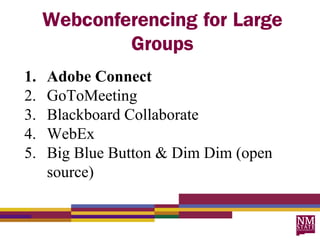
Webconferencing for Large
             Groups
1.   Adobe Connect
2.   GoToMeeting
3.   Blackboard Collaborate
4.   WebEx
5.   Big Blue Button & Dim Dim (open
     source)
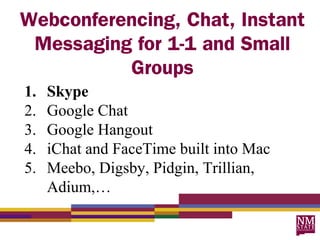
Webconferencing, Chat, Instant
 Messaging for 1-1 and Small
          Groups
1.   Skype
2.   Google Chat
3.   Google Hangout
4.   iChat and FaceTime built into Mac
5.   Meebo, Digsby, Pidgin, Trillian,
     Adium,…
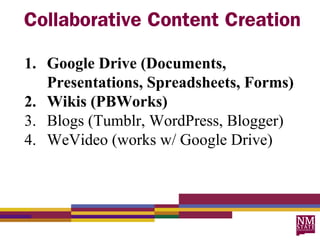
Collaborative Content Creation

1. Google Drive (Documents,
   Presentations, Spreadsheets, Forms)
2. Wikis (PBWorks)
3. Blogs (Tumblr, WordPress, Blogger)
4. WeVideo (works w/ Google Drive)
Powerful Uses
For Planning and Presenting

           Try

  Adobe Connect
Powerful Uses
   For Complex Group Work

            Try

Skype with Google Docs or
   Google Presentation
Powerful Uses
        For Simple Group Work

                   Try

           Google Docs
with comments and its built-in chat tool -
         http://bit.ly/msuedemo2
Powerful Uses
   For Sharing & We-Publishing

              Try


PBWorks, Tumblr, WeVideo
“Anecdotally, I knew that Adobe Connect, Skype, and Google Docs
    were key emerging technologies that supported students in the
    successful completion of group work in online and blended courses.
    The data gathered and analyzed about student use of tools in this
    case study verified that the tools most beneficial and valued by
    students for collaborative group in an online class were, in fact,
    Adobe Connect, Skype, and Google Docs. These tools are important
    for the categories they represent of class web conferencing tools; 1-1
    and small group web conferencing tools; and collaborative document
    creation tools. Thus, for the near future in online course design and
    development, these are the recommended tools and categories of
    tools for anyone when designing for group work in online or blended
    courses.”

Parra, Julia L. (in press). Developing technology and collaborative group work skills: Supporting student and group success in
    online and blended courses. In Blessinger, P & Wenkel, C. (Eds.), Increasing Learner Engagement through Cutting-edge
    Technologies. Emerald Group Publishing Limited.
Resources

Quick link for MSUE Collaboration
          Toolkit Example

     http://bit.ly/msuetoolkit
What questions do you have?
Contact or Join Me At

  1. juparra@nmsu.edu
  2. julia.parra@gmail.com
  3. Twitter - @desertjul
  4. http://juliaparra.com

Collaboration tech

  • 1.
    Online Collaboration Technologies Тавтай морилогтун (tavtai morilogtun) to Mongolian State University of Education (MSUE) on Thursday, November 15, 2012
  • 2.
    Types of OnlineCollaboration Technologies 1. Email 2. Webconferencing for large groups and for small groups or 1-1 interactions 3. Chat & Instant Messaging 4. Collaborative Content Creation 5. Social Networking, Social Media, Web 2.0 6. Content/Learning Management Systems
  • 3.
    Email 1. University @nmsu.edu 2. @gmail.com 3. @yahoo.com 4. @me.com, @aol.com, @verizon.com…
  • 4.
    Webconferencing for Large Groups 1. Adobe Connect 2. GoToMeeting 3. Blackboard Collaborate 4. WebEx 5. Big Blue Button & Dim Dim (open source)
  • 5.
    Webconferencing, Chat, Instant Messaging for 1-1 and Small Groups 1. Skype 2. Google Chat 3. Google Hangout 4. iChat and FaceTime built into Mac 5. Meebo, Digsby, Pidgin, Trillian, Adium,…
  • 6.
    Collaborative Content Creation 1.Google Drive (Documents, Presentations, Spreadsheets, Forms) 2. Wikis (PBWorks) 3. Blogs (Tumblr, WordPress, Blogger) 4. WeVideo (works w/ Google Drive)
  • 7.
    Powerful Uses For Planningand Presenting Try Adobe Connect
  • 8.
    Powerful Uses For Complex Group Work Try Skype with Google Docs or Google Presentation
  • 9.
    Powerful Uses For Simple Group Work Try Google Docs with comments and its built-in chat tool - http://bit.ly/msuedemo2
  • 10.
    Powerful Uses For Sharing & We-Publishing Try PBWorks, Tumblr, WeVideo
  • 11.
    “Anecdotally, I knewthat Adobe Connect, Skype, and Google Docs were key emerging technologies that supported students in the successful completion of group work in online and blended courses. The data gathered and analyzed about student use of tools in this case study verified that the tools most beneficial and valued by students for collaborative group in an online class were, in fact, Adobe Connect, Skype, and Google Docs. These tools are important for the categories they represent of class web conferencing tools; 1-1 and small group web conferencing tools; and collaborative document creation tools. Thus, for the near future in online course design and development, these are the recommended tools and categories of tools for anyone when designing for group work in online or blended courses.” Parra, Julia L. (in press). Developing technology and collaborative group work skills: Supporting student and group success in online and blended courses. In Blessinger, P & Wenkel, C. (Eds.), Increasing Learner Engagement through Cutting-edge Technologies. Emerald Group Publishing Limited.
  • 12.
    Resources Quick link forMSUE Collaboration Toolkit Example http://bit.ly/msuetoolkit
  • 13.
  • 14.
    Contact or JoinMe At 1. juparra@nmsu.edu 2. julia.parra@gmail.com 3. Twitter - @desertjul 4. http://juliaparra.com

Editor's Notes

  • #3 What are important elements of Getting Started during the first week of class? How is Getting Started different in F2F vs. online? What are the online course challenges?
  • #4 What are important elements of Getting Started during the first week of class? How is Getting Started different in F2F vs. online? What are the online course challenges?
  • #5 What are important elements of Getting Started during the first week of class? How is Getting Started different in F2F vs. online? What are the online course challenges?
  • #6 What are important elements of Getting Started during the first week of class? How is Getting Started different in F2F vs. online? What are the online course challenges?
  • #7 What are important elements of Getting Started during the first week of class? How is Getting Started different in F2F vs. online? What are the online course challenges?
  • #8 What are important elements of Getting Started during the first week of class? How is Getting Started different in F2F vs. online? What are the online course challenges?
  • #9 What are important elements of Getting Started during the first week of class? How is Getting Started different in F2F vs. online? What are the online course challenges?
  • #10 What are important elements of Getting Started during the first week of class? How is Getting Started different in F2F vs. online? What are the online course challenges?
  • #11 What are important elements of Getting Started during the first week of class? How is Getting Started different in F2F vs. online? What are the online course challenges?
  • #12 What are important elements of Getting Started during the first week of class? How is Getting Started different in F2F vs. online? What are the online course challenges?
  • #13 What are important elements of Getting Started during the first week of class? How is Getting Started different in F2F vs. online? What are the online course challenges?
  • #15 What are important elements of Getting Started during the first week of class? How is Getting Started different in F2F vs. online? What are the online course challenges?