Subject Design
Essentials -
Preparing to
Launch
‘Bite & Byte’ Series
May-June 2017
Professional Learning - FoAE
Julie Lindsay - QLT Lead (online)
Find these slides online
http://tinyurl.com/SubDesignESS17
Our Agenda
In 30 minutes!
Get ready for the ride!
• Subject Outline (MSI)
• Landing page
• Introduction - Contacts
• Navigation design
• Content - Learning modules
• Discussion forum
• Announcements
• Learning activities
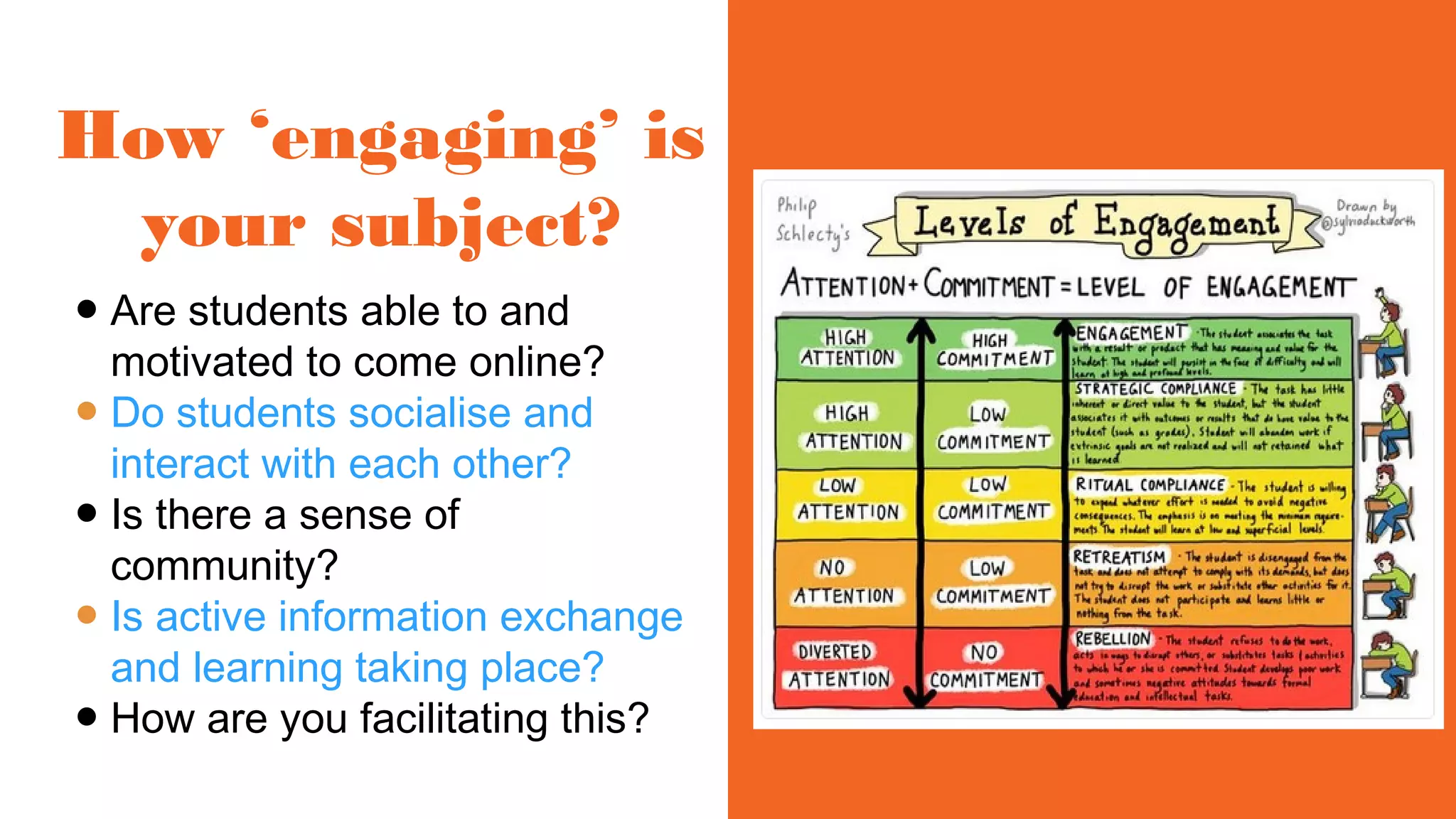
How ‘engaging’ is
your subject?
● Are students able to and
motivated to come online?
● Do students socialise and
interact with each other?
● Is there a sense of
community?
● Is active information exchange
and learning taking place?
● How are you facilitating this?
Social
Building a
learning
community
Collaborative
spaces
Effective
communication
Psychological
Emotional
Learner
engagement
Learnerinteraction
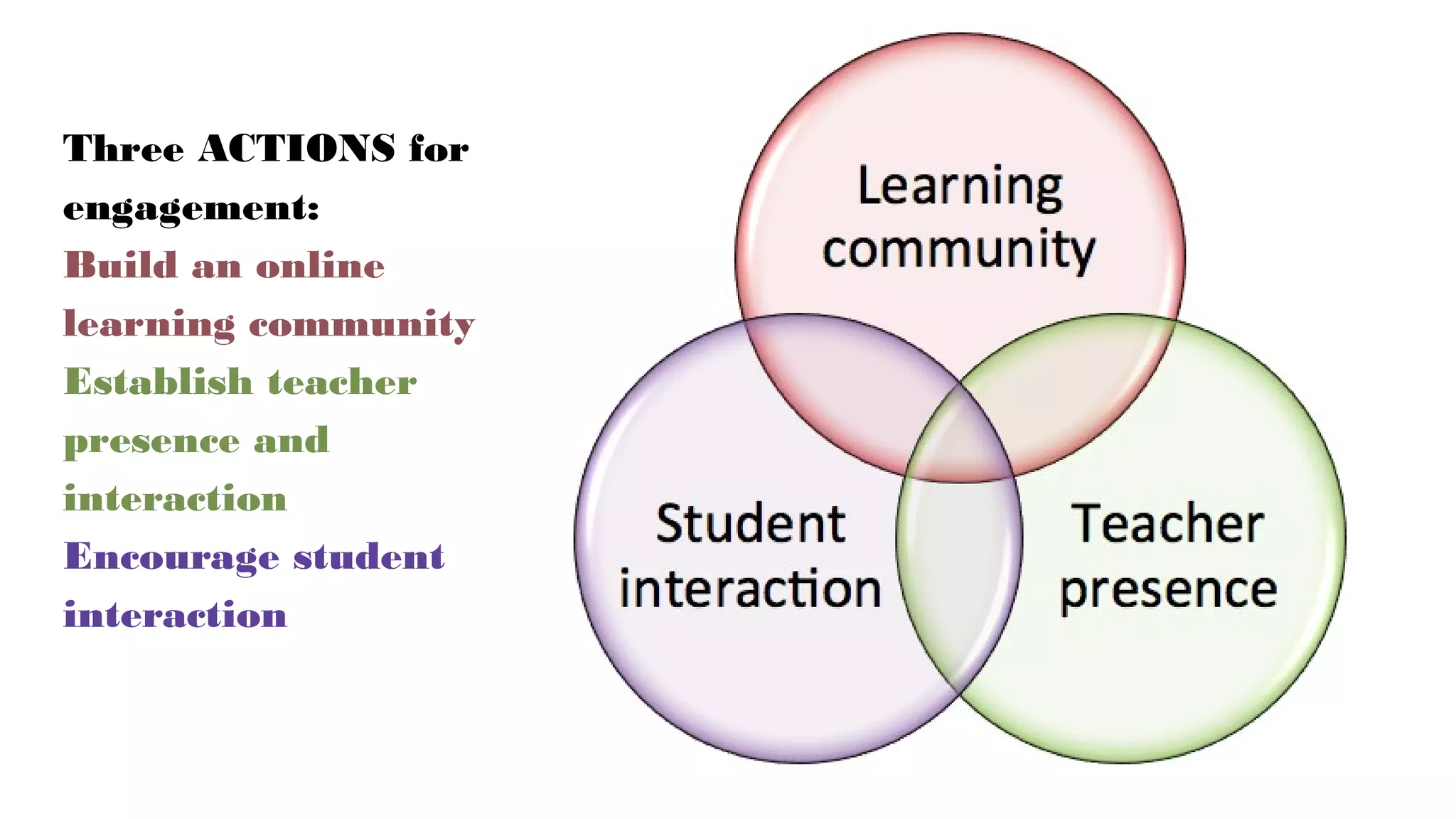
Three ACTIONS for
engagement:
Build an online
learning community
Establish teacher
presence and
interaction
Encourage student
interaction
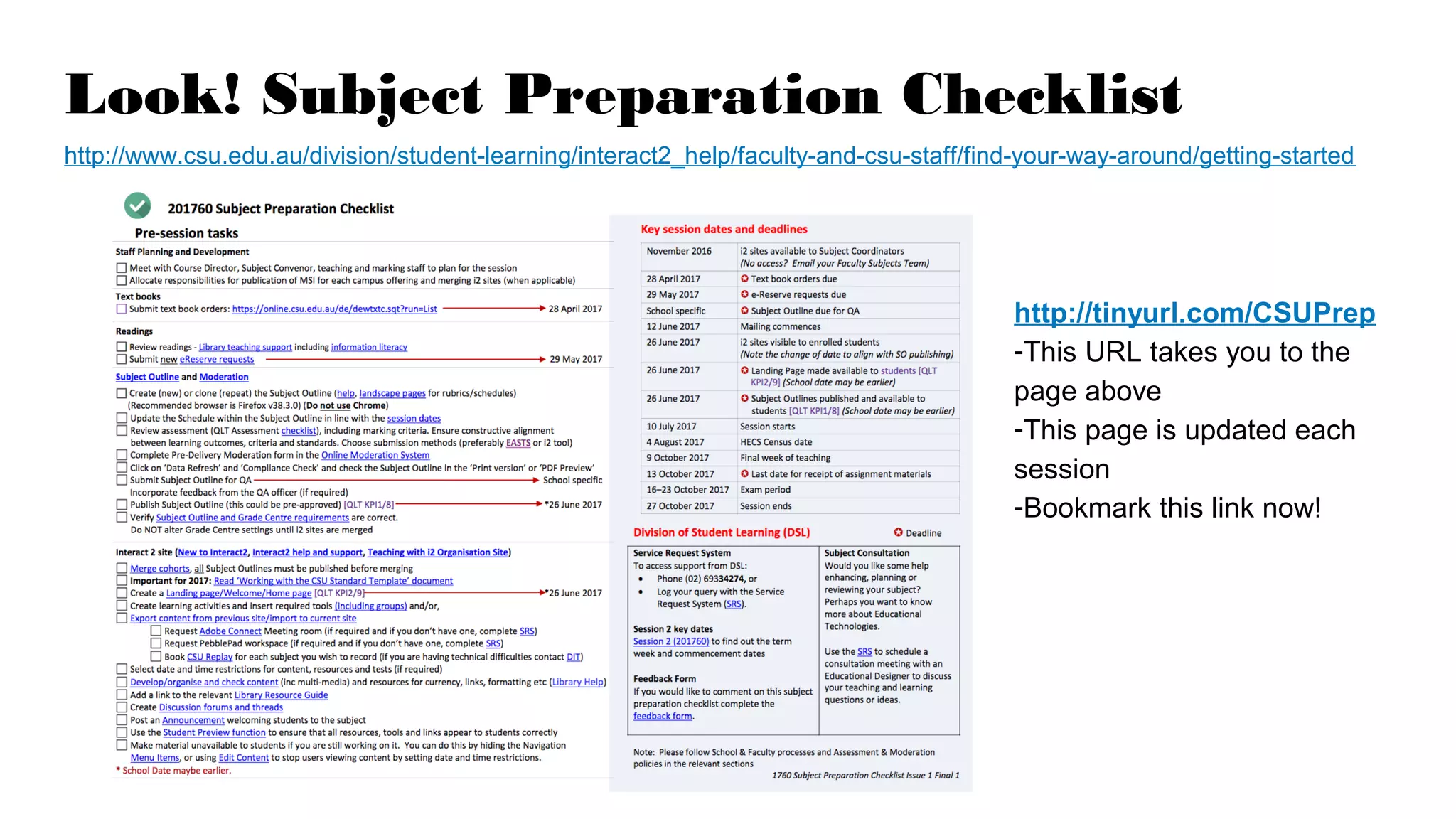
Look! Subject Preparation Checklist
http://www.csu.edu.au/division/student-learning/interact2_help/faculty-and-csu-staff/find-your-way-around/getting-started
http://tinyurl.com/CSUPrep
-This URL takes you to the
page above
-This page is updated each
session
-Bookmark this link now!
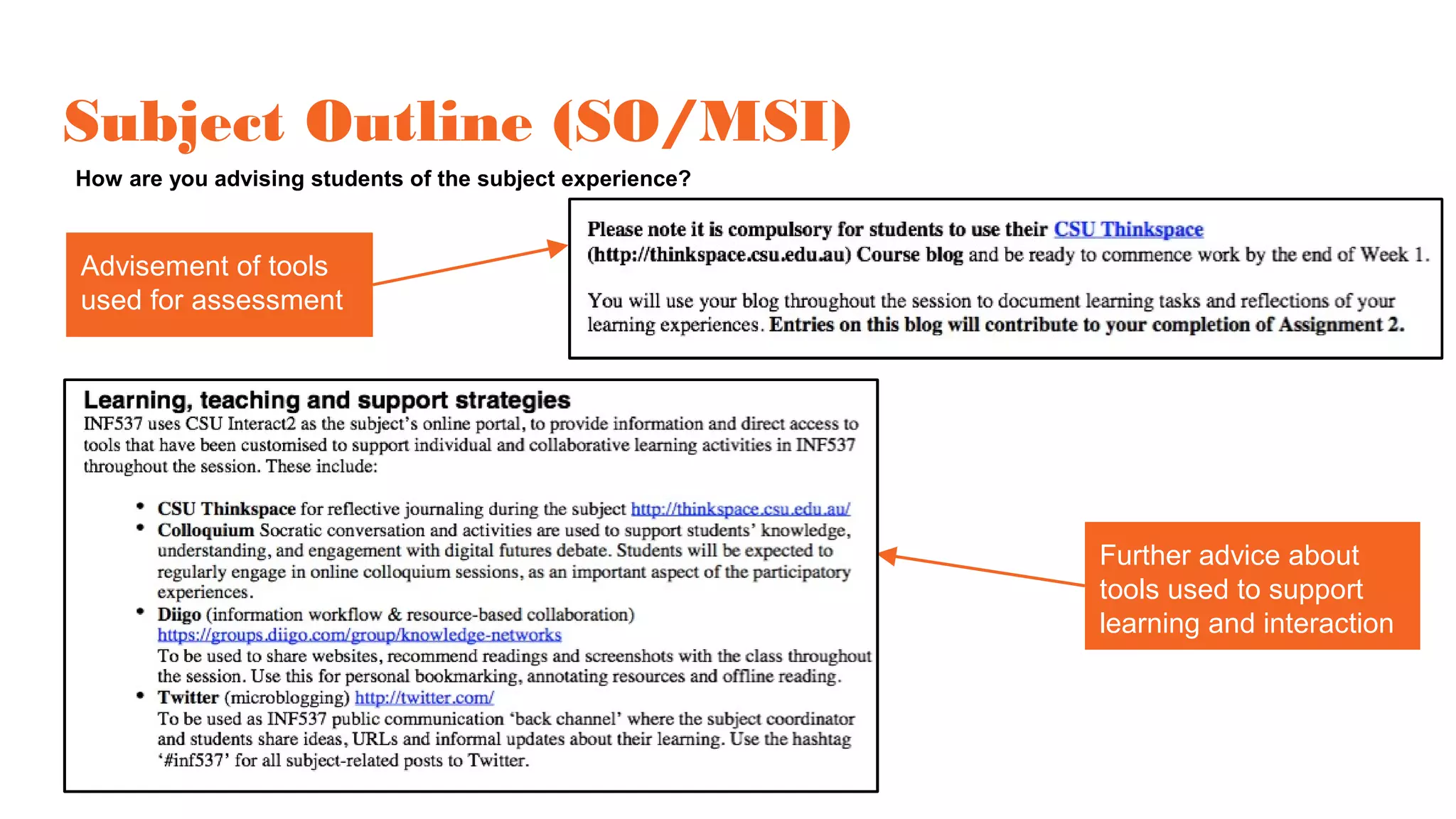
Subject Outline (SO/MSI)
How are you advising students of the subject experience?
Advisement of tools
used for assessment
Further advice about
tools used to support
learning and interaction
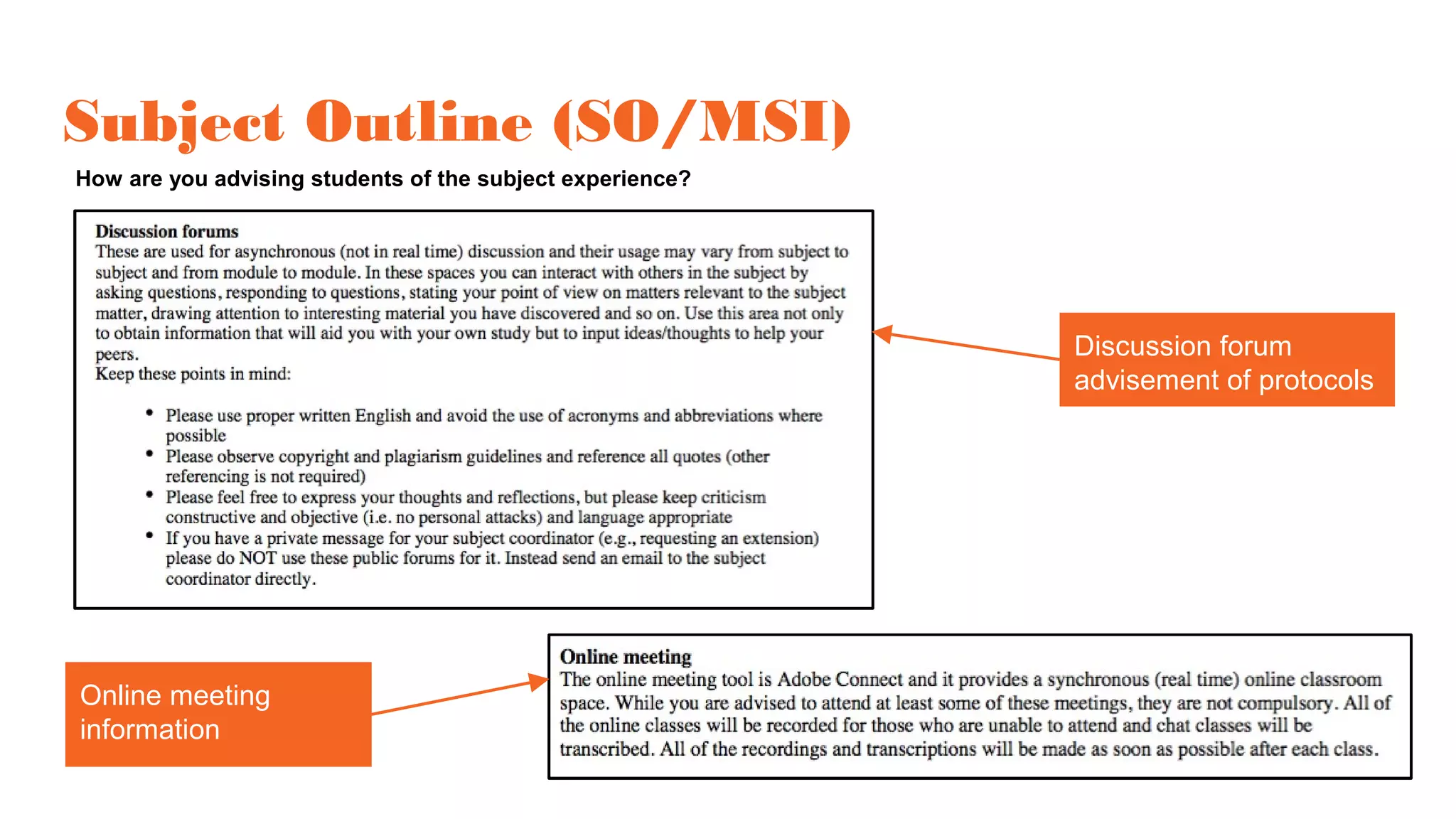
Subject Outline (SO/MSI)
How are you advising students of the subject experience?
Online meeting
information
Discussion forum
advisement of protocols
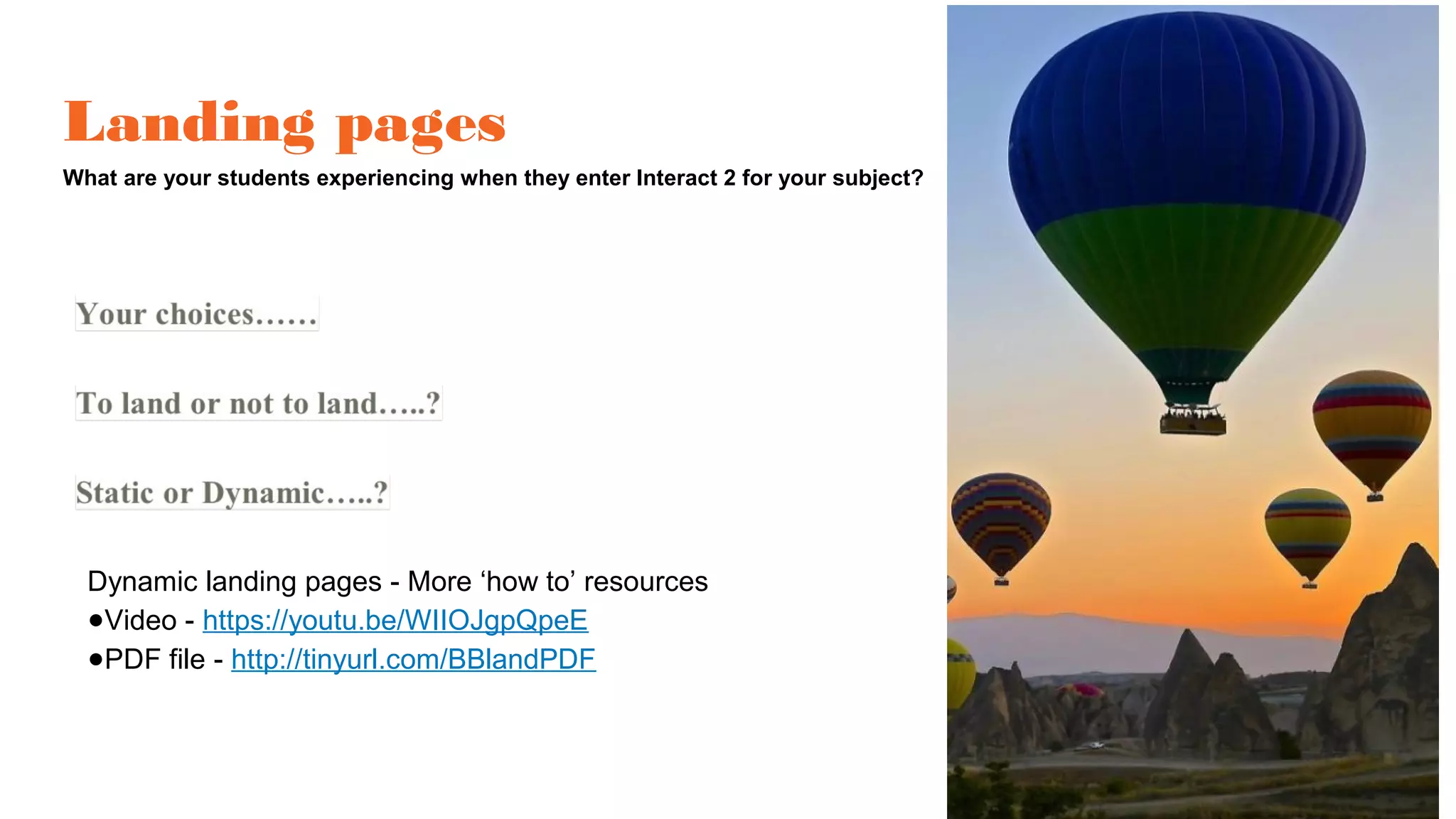
Landing pages
What are your students experiencing when they enter Interact 2 for your subject?
Dynamic landing pages - More ‘how to’ resources
●Video - https://youtu.be/WIIOJgpQpeE
●PDF file - http://tinyurl.com/BBlandPDF
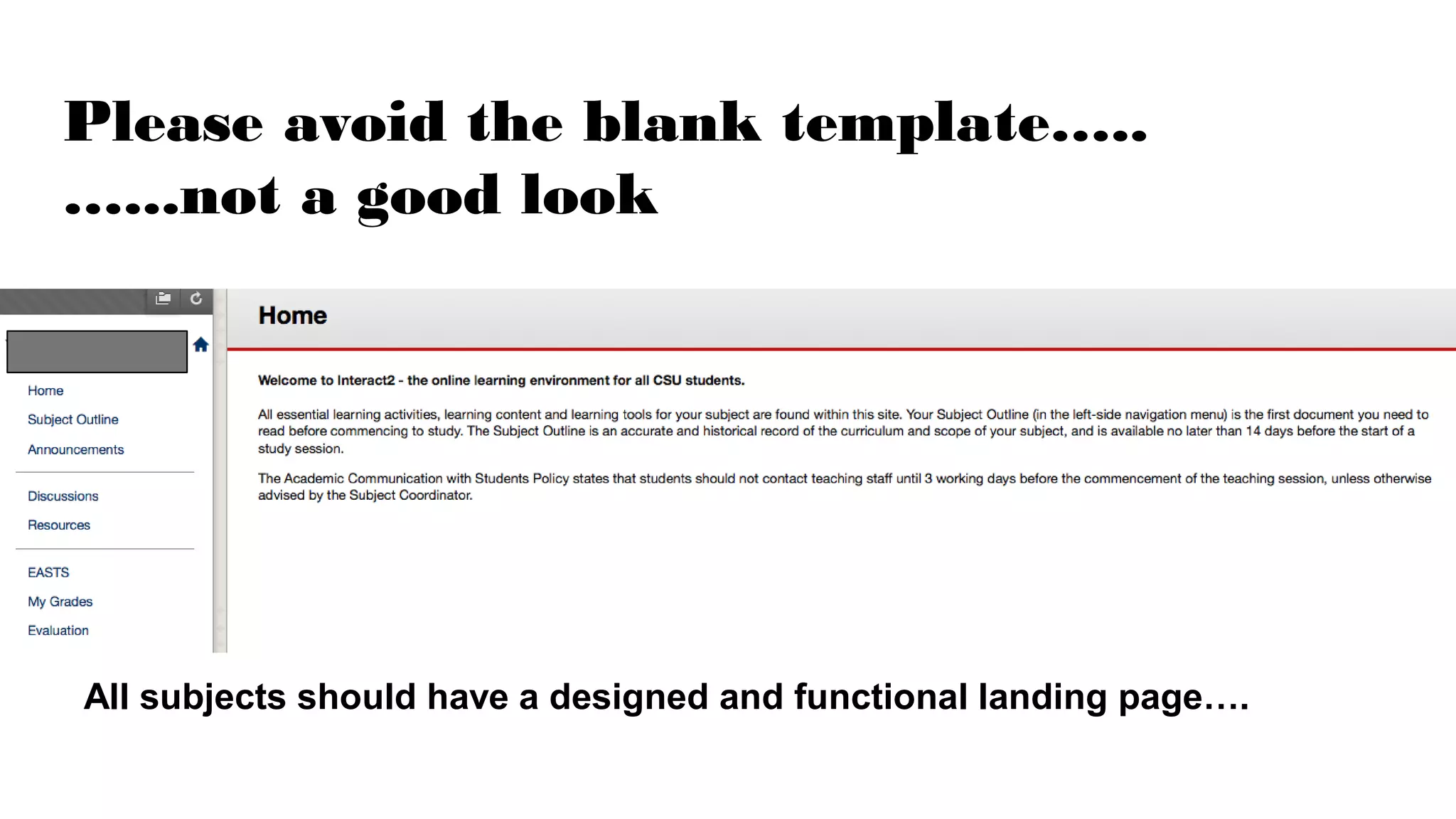
Please avoid the blank template…..
…...not a good look
All subjects should have a designed and functional landing page….
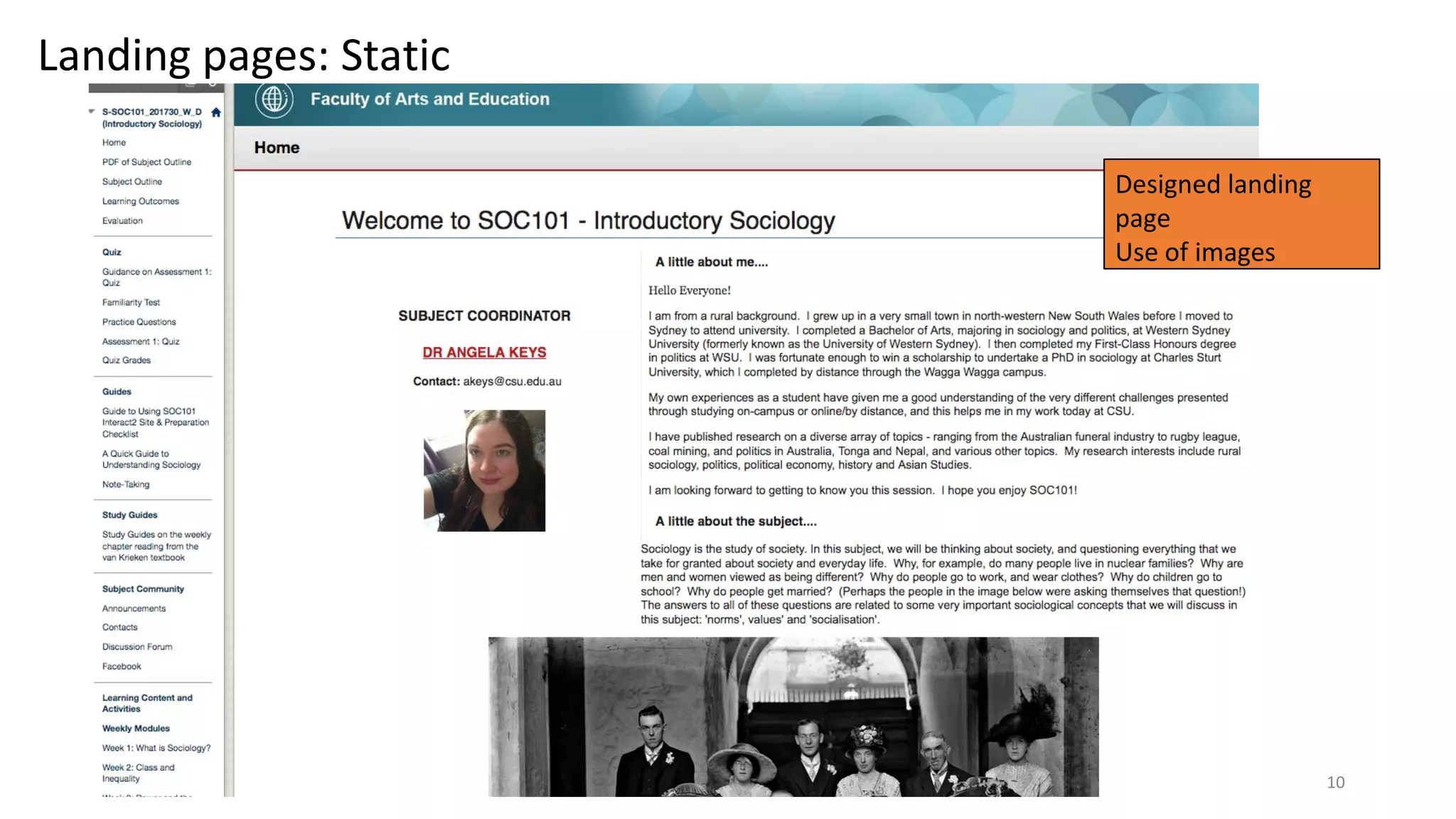
Designed landing
page
Use of images
10
Landing pages: Static
11
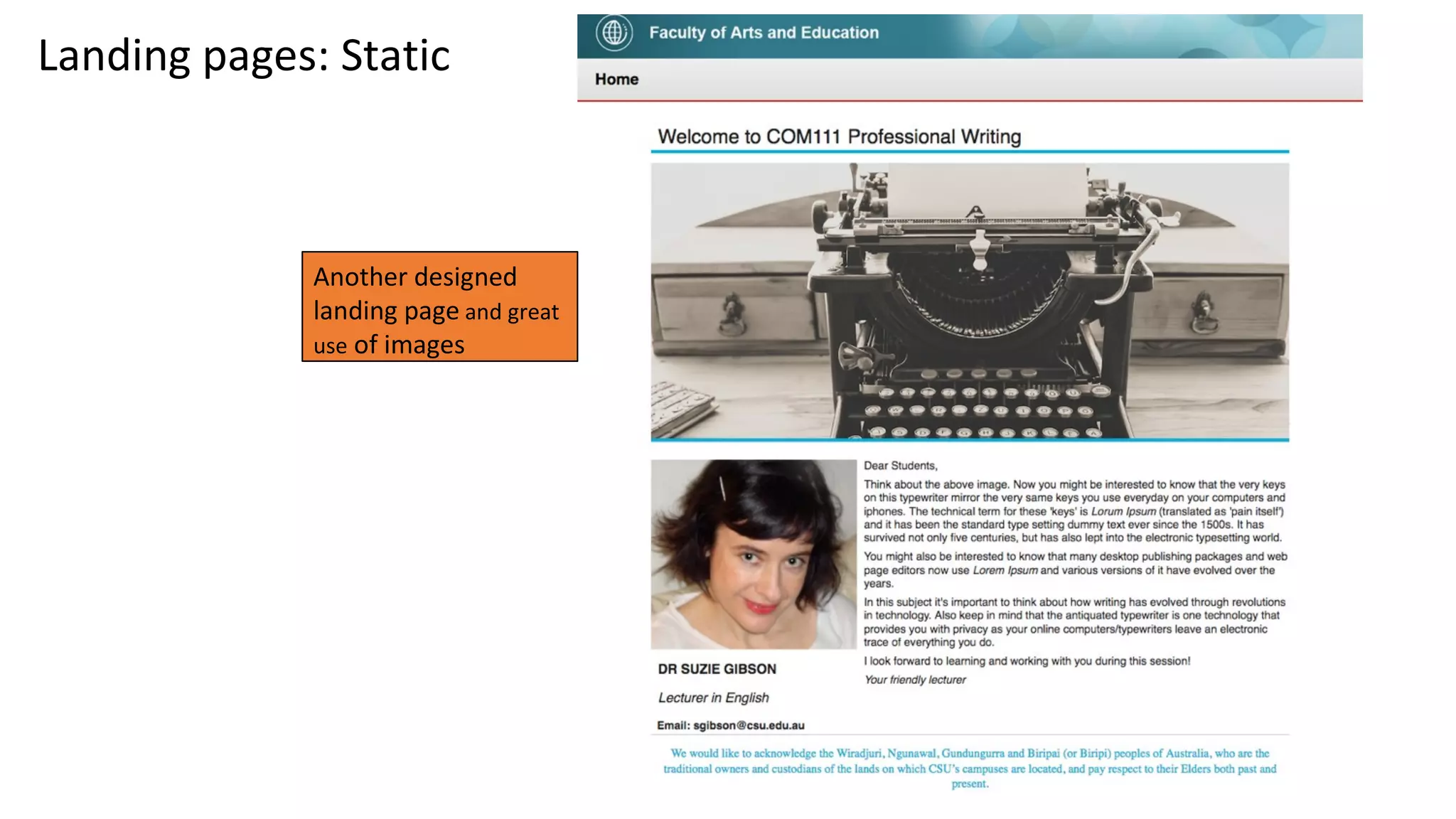
Landing pages: Static
Another designed
landing page and great
use of images
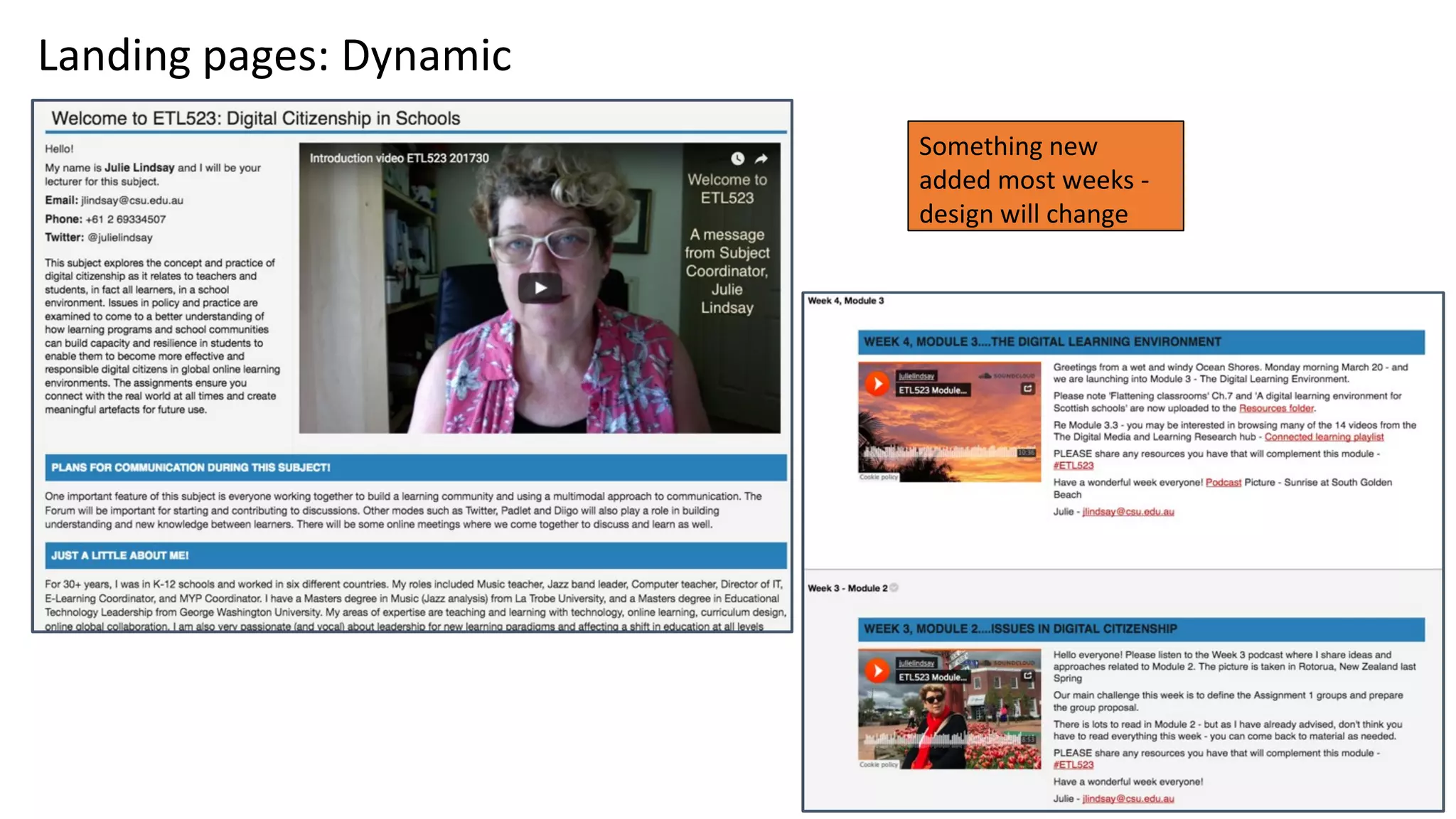
Something new
added most weeks -
design will change
12
Landing pages: Dynamic
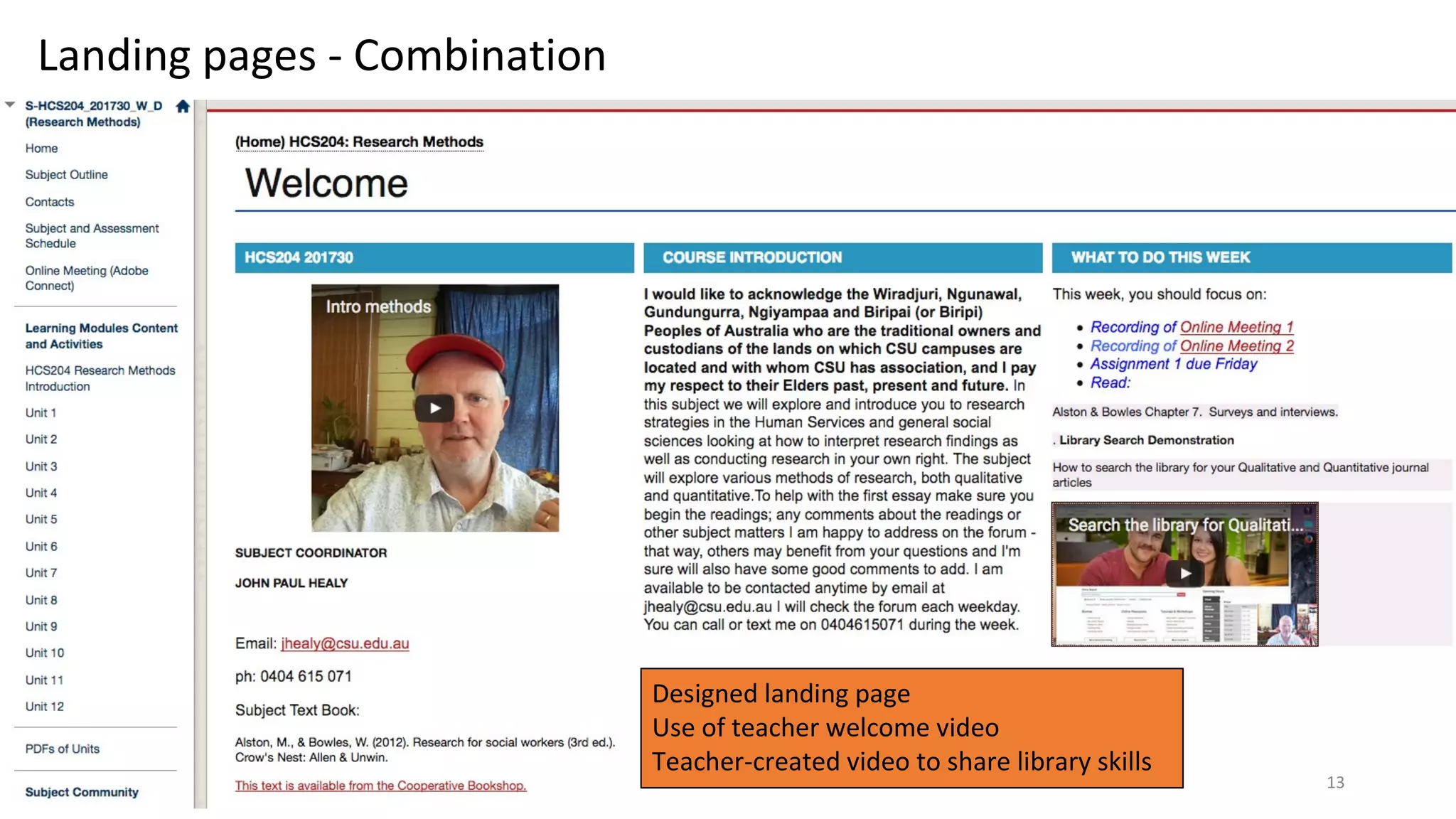
Designed landing page
Use of teacher welcome video
Teacher-created video to share library skills
13
Landing pages - Combination
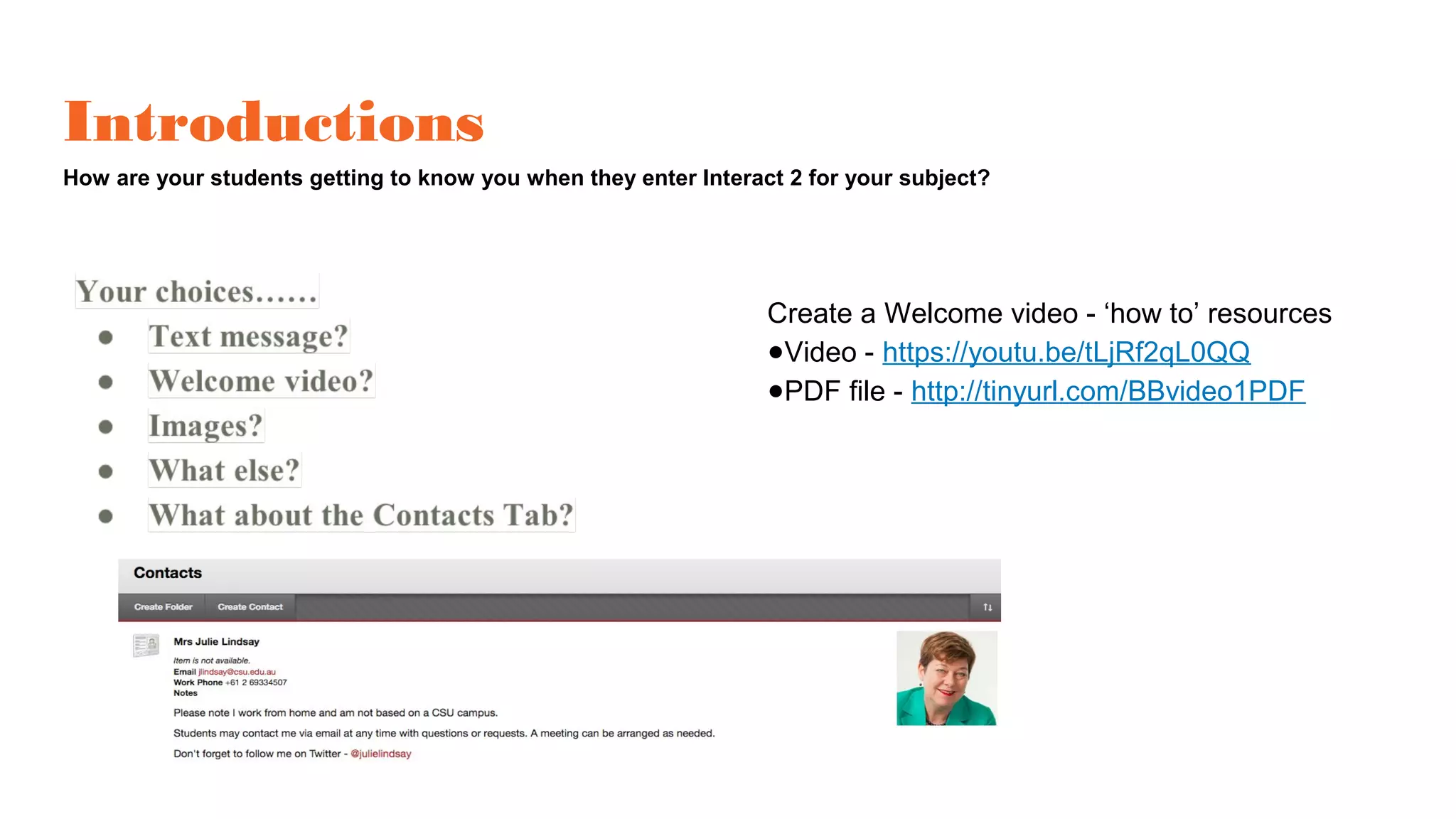
Introductions
How are your students getting to know you when they enter Interact 2 for your subject?
Create a Welcome video - ‘how to’ resources
●Video - https://youtu.be/tLjRf2qL0QQ
●PDF file - http://tinyurl.com/BBvideo1PDF
Navigation design
How will your students find their way around the Interact 2 for your subject?
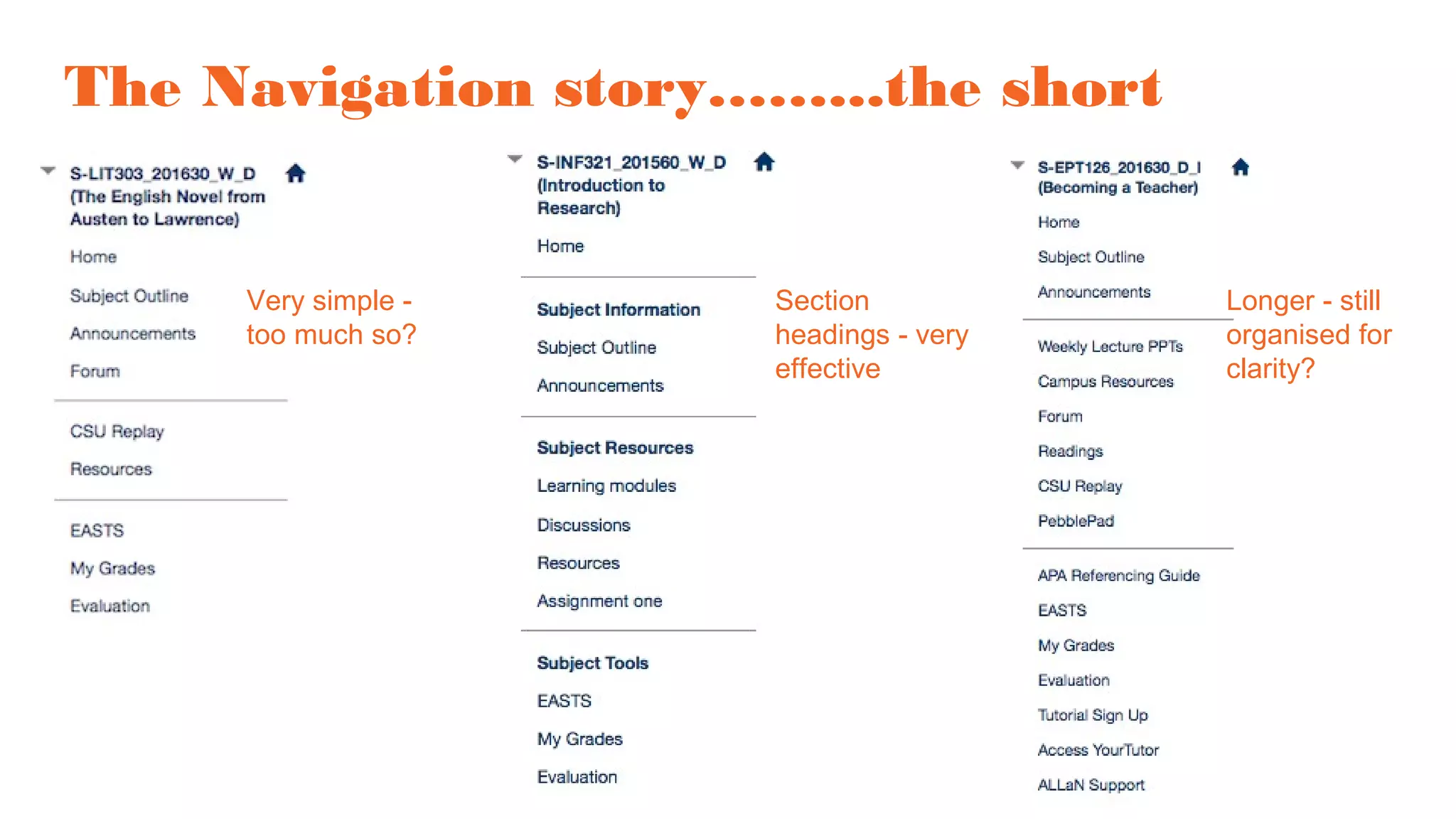
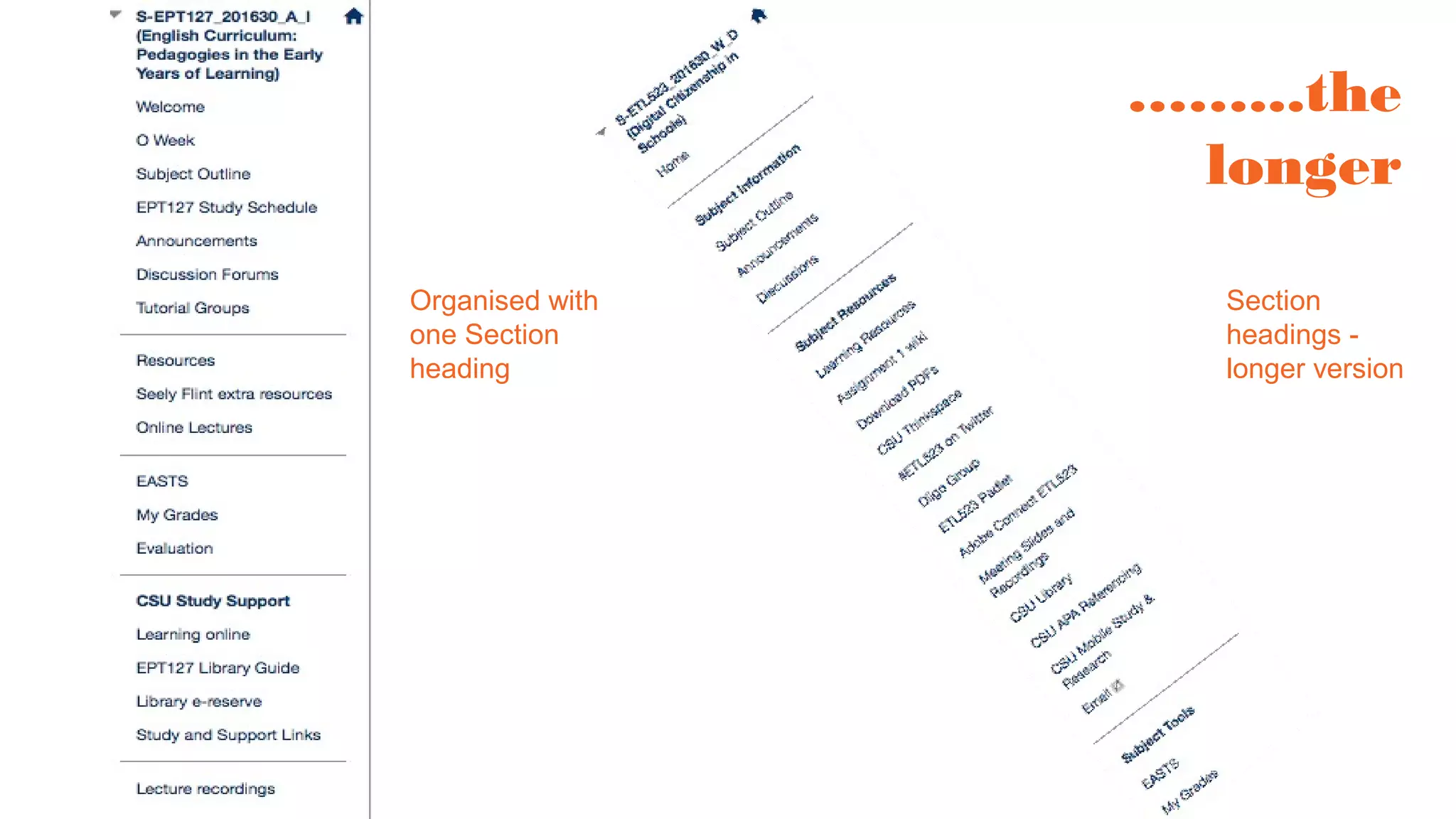
The Navigation story……...the short
Very simple -
too much so?
Section
headings - very
effective
Longer - still
organised for
clarity?
……...the
longer
Section
headings -
longer version
Organised with
one Section
heading
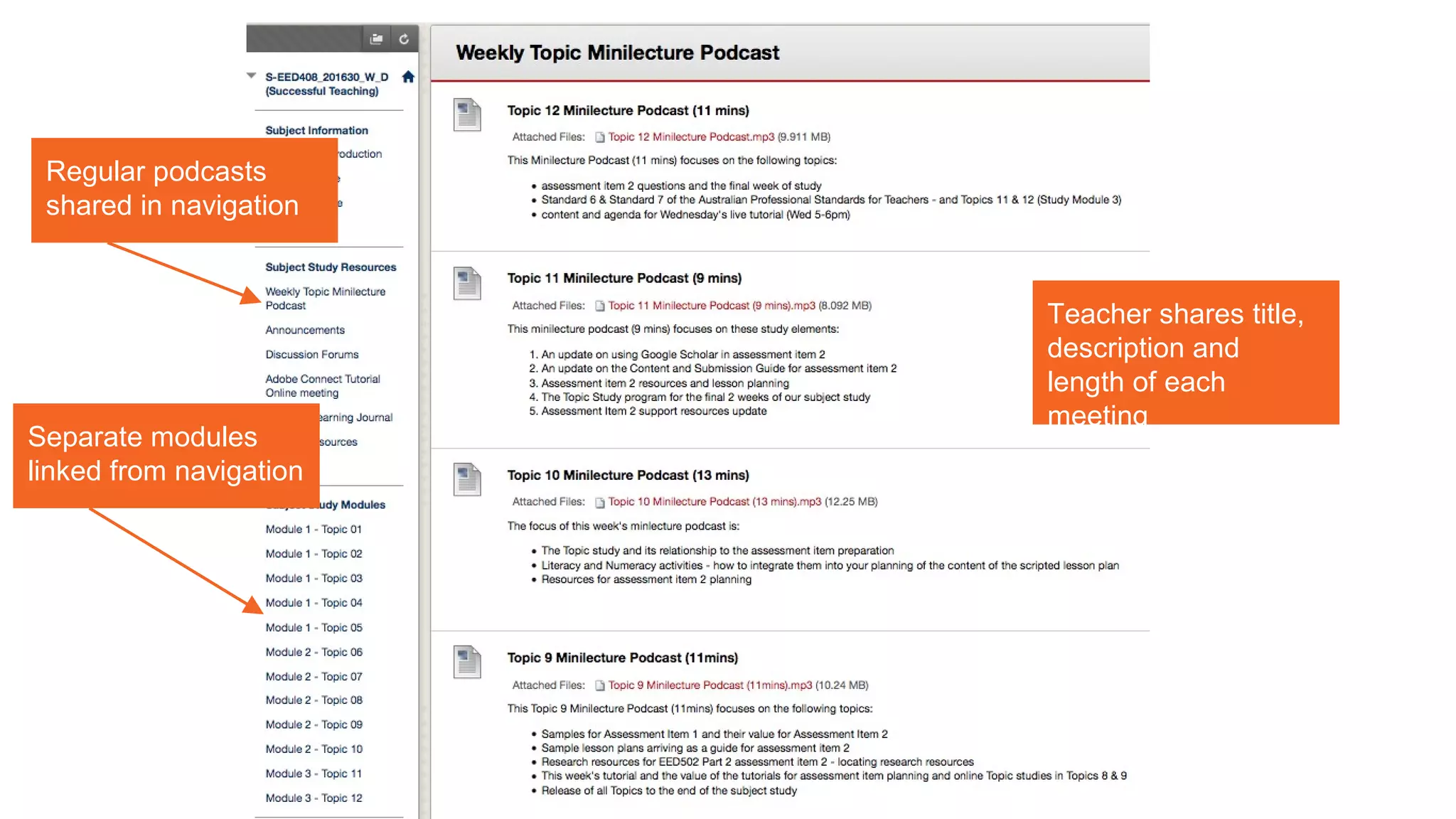
Regular podcasts
shared in navigation
Teacher shares title,
description and
length of each
meeting
Separate modules
linked from navigation
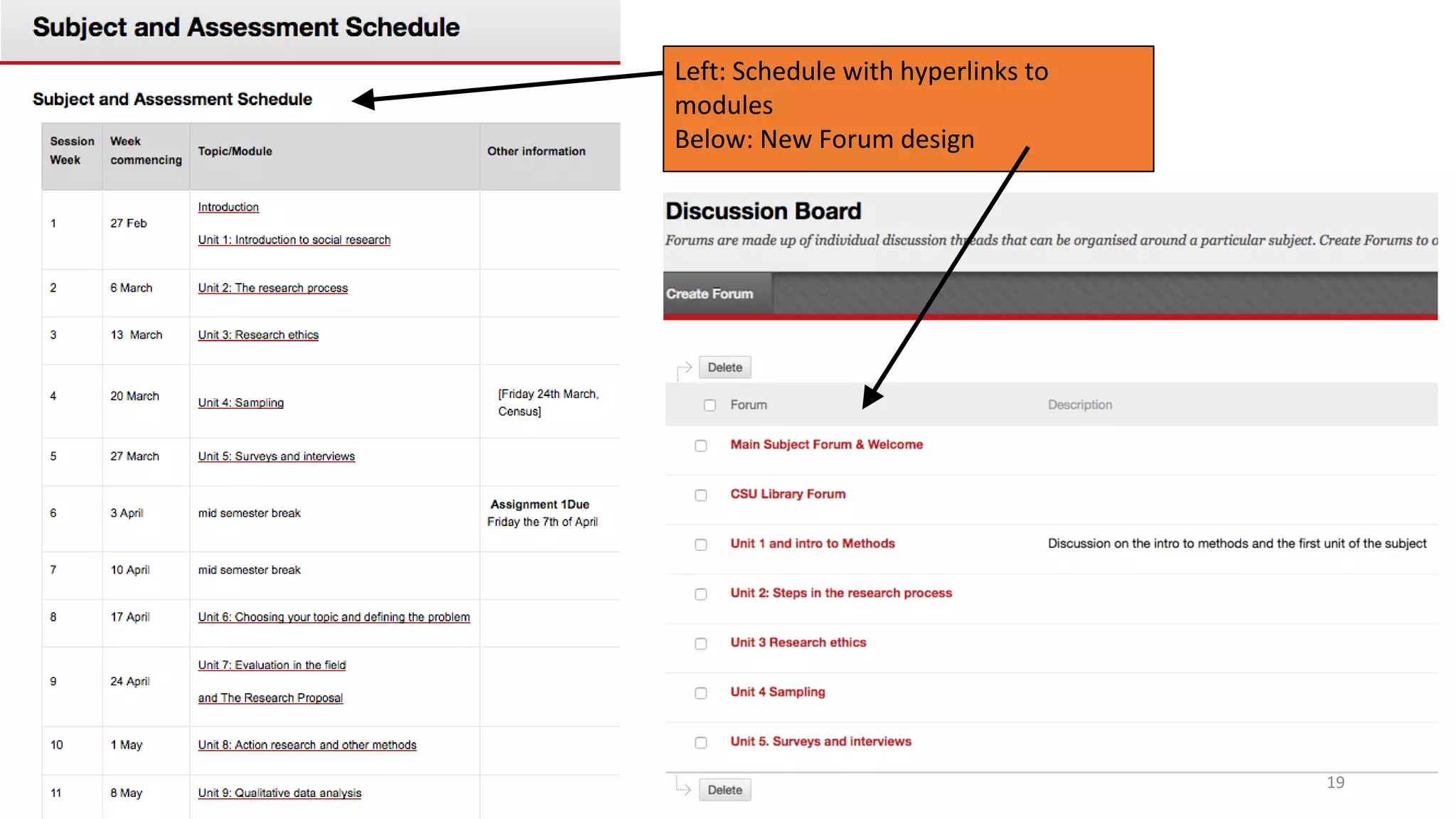
Left: Schedule with hyperlinks to
modules
Below: New Forum design
19
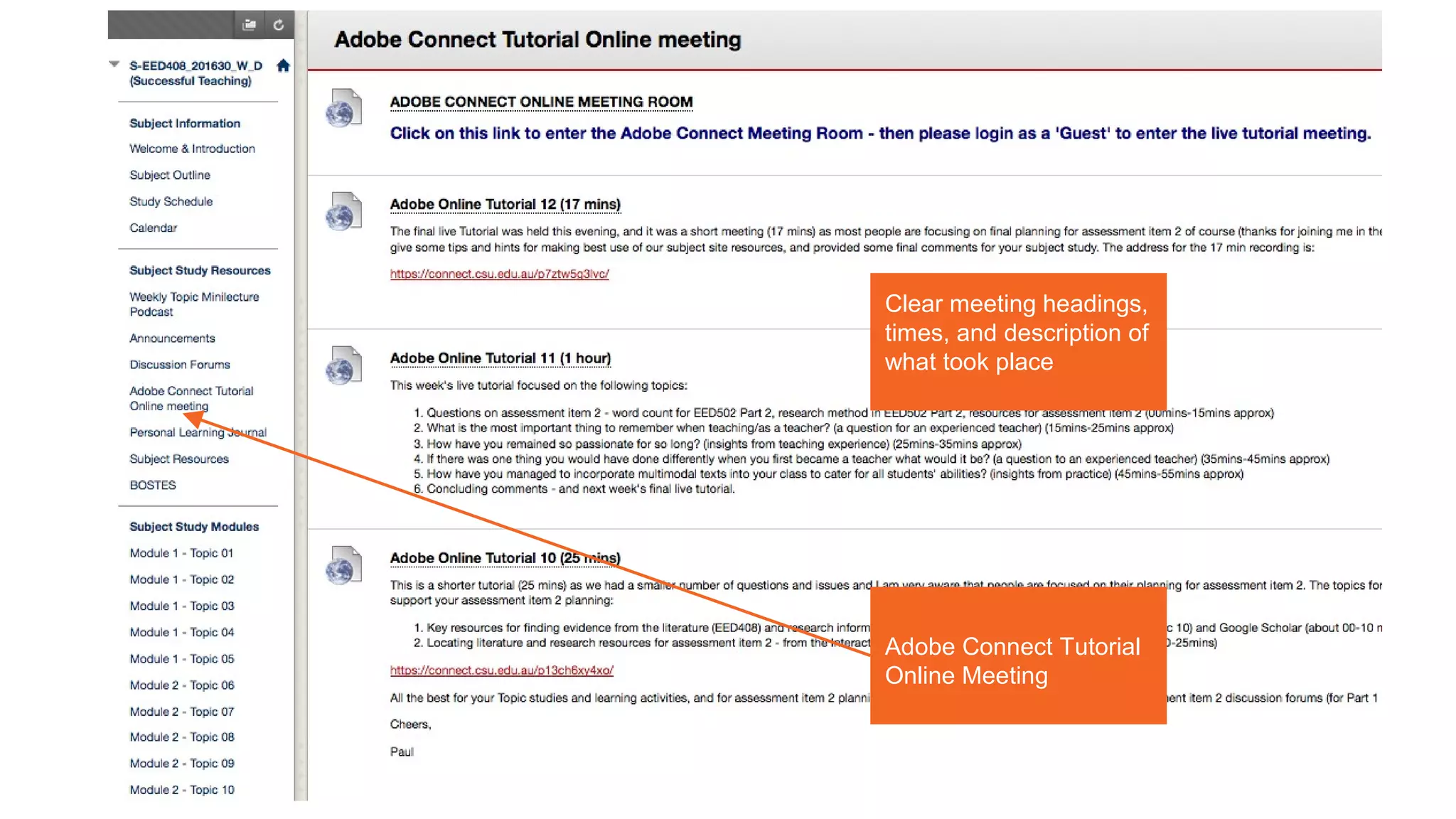
Adobe Connect Tutorial
Online Meeting
Clear meeting headings,
times, and description of
what took place
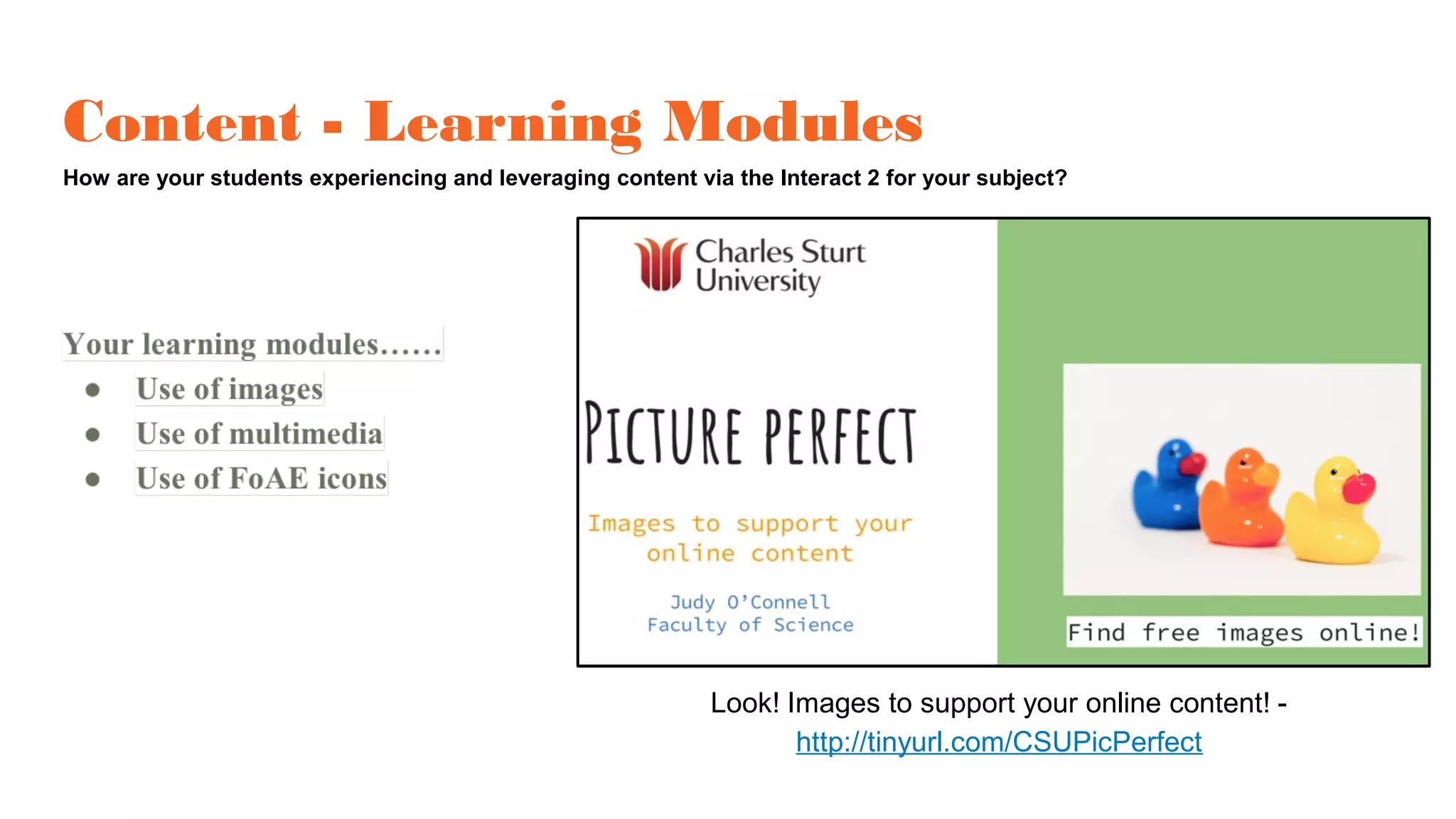
Content - Learning Modules
How are your students experiencing and leveraging content via the Interact 2 for your subject?
Look! Images to support your online content! -
http://tinyurl.com/CSUPicPerfect
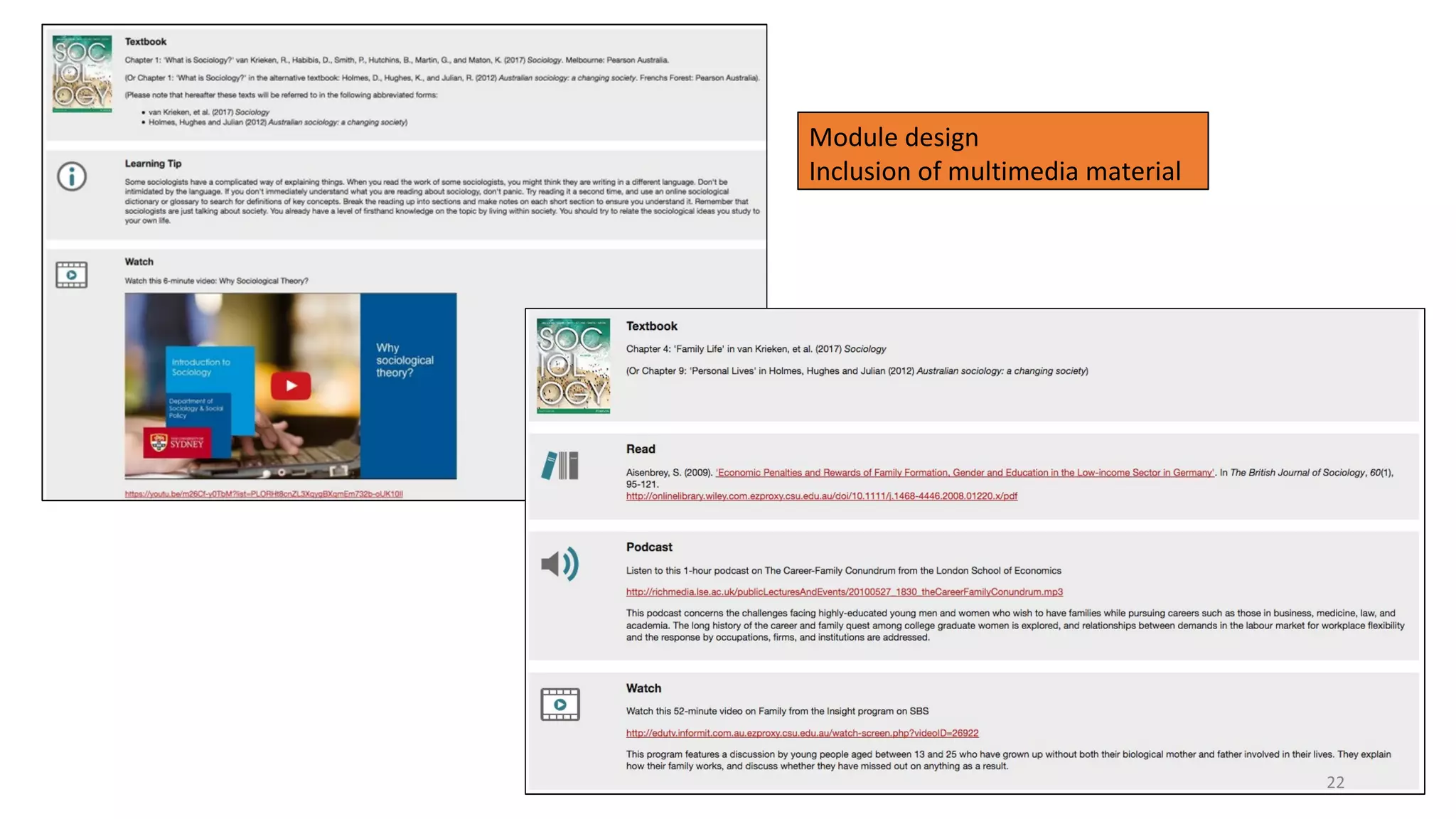
Module design
Inclusion of multimedia material
22
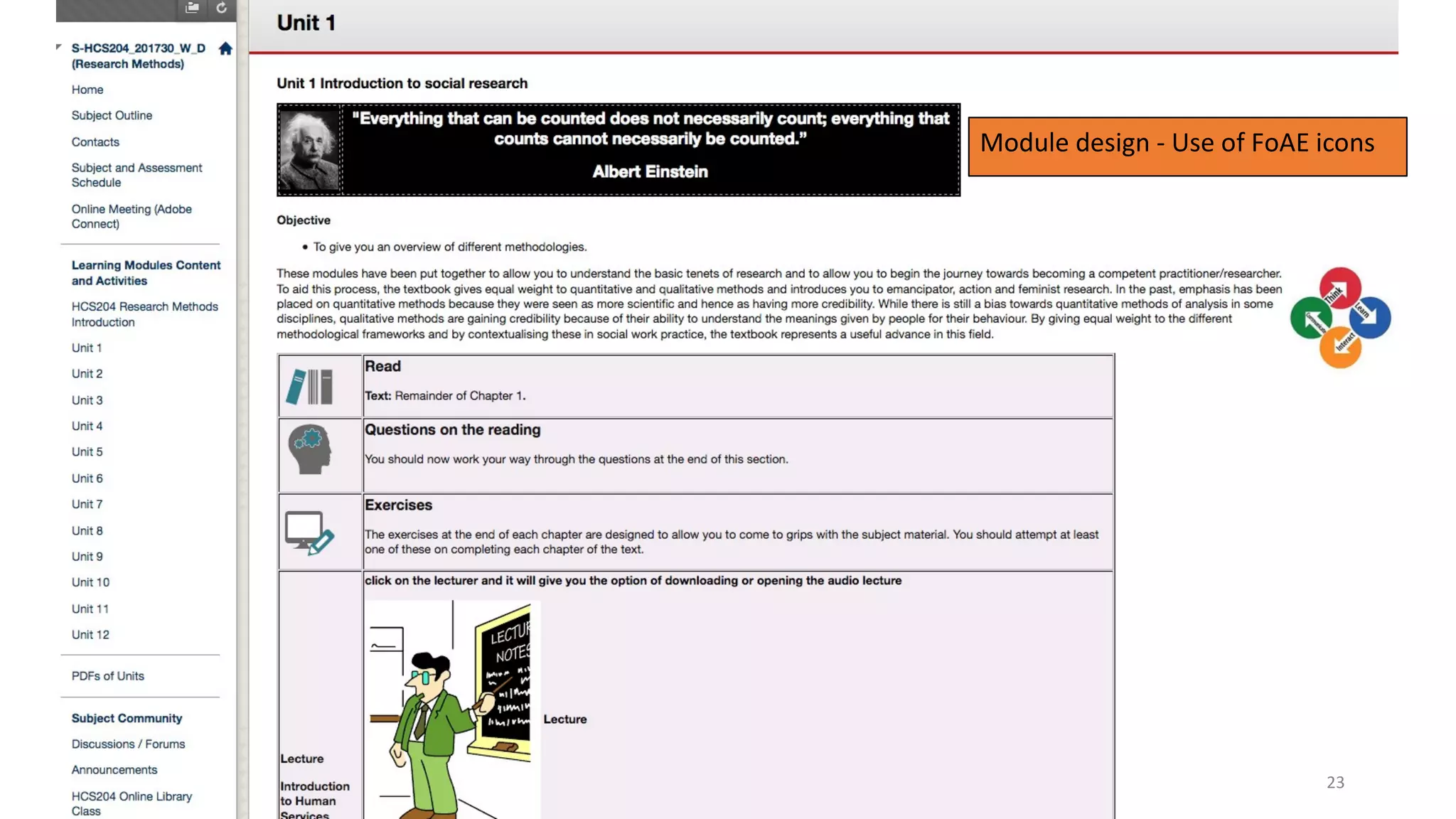
Module design - Use of FoAE icons
23
Discussion Forums
How are students experiencing the Interact 2 Forums for your subject?
How to design a discussion forum - find out here:
https://youtu.be/2CxMQ60zEBY
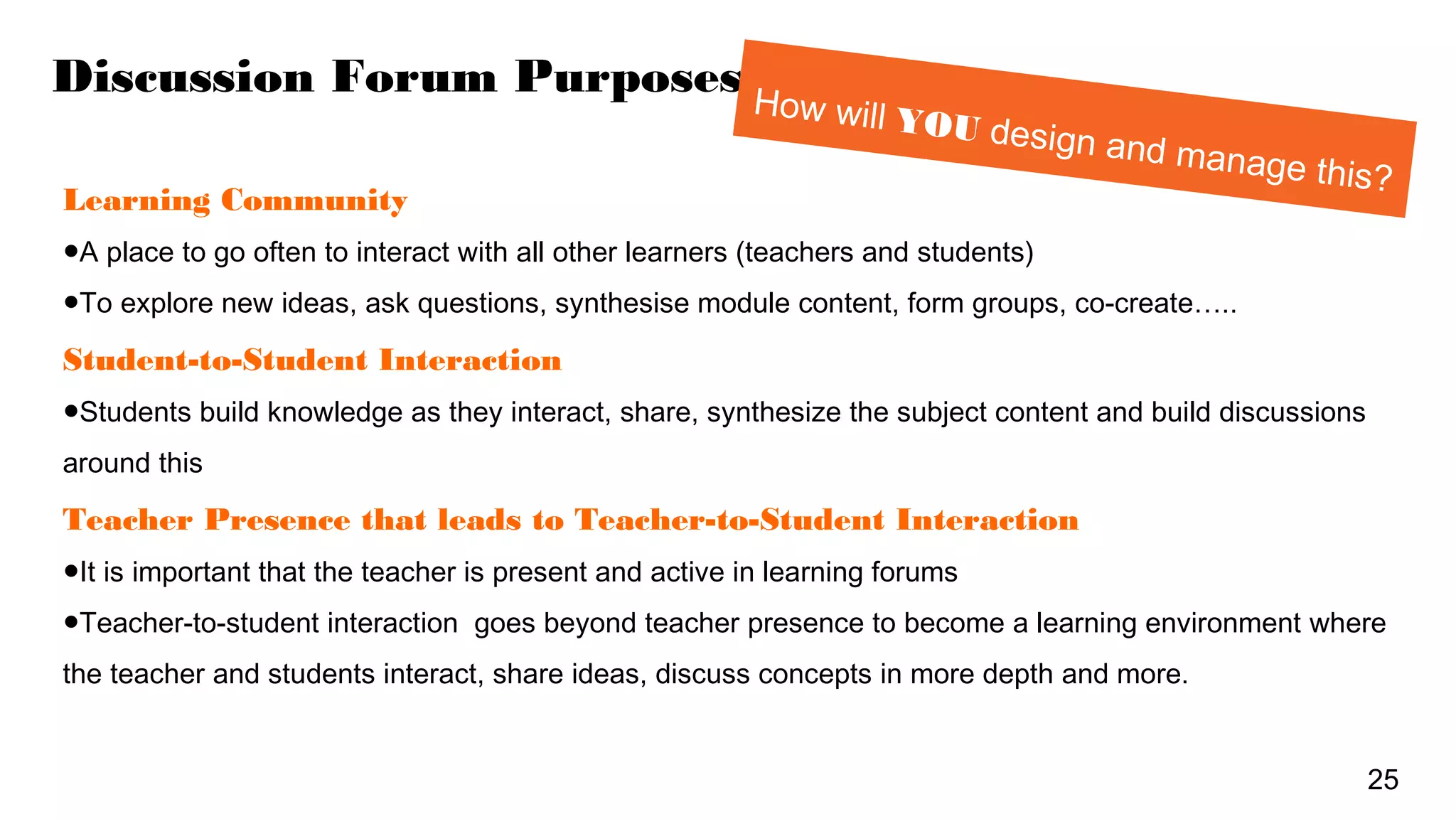
Discussion Forum Purposes
Learning Community
●A place to go often to interact with all other learners (teachers and students)
●To explore new ideas, ask questions, synthesise module content, form groups, co-create…..
Student-to-Student Interaction
●Students build knowledge as they interact, share, synthesize the subject content and build discussions
around this
Teacher Presence that leads to Teacher-to-Student Interaction
●It is important that the teacher is present and active in learning forums
●Teacher-to-student interaction goes beyond teacher presence to become a learning environment where
the teacher and students interact, share ideas, discuss concepts in more depth and more.
25
How will YOU design and manage this?
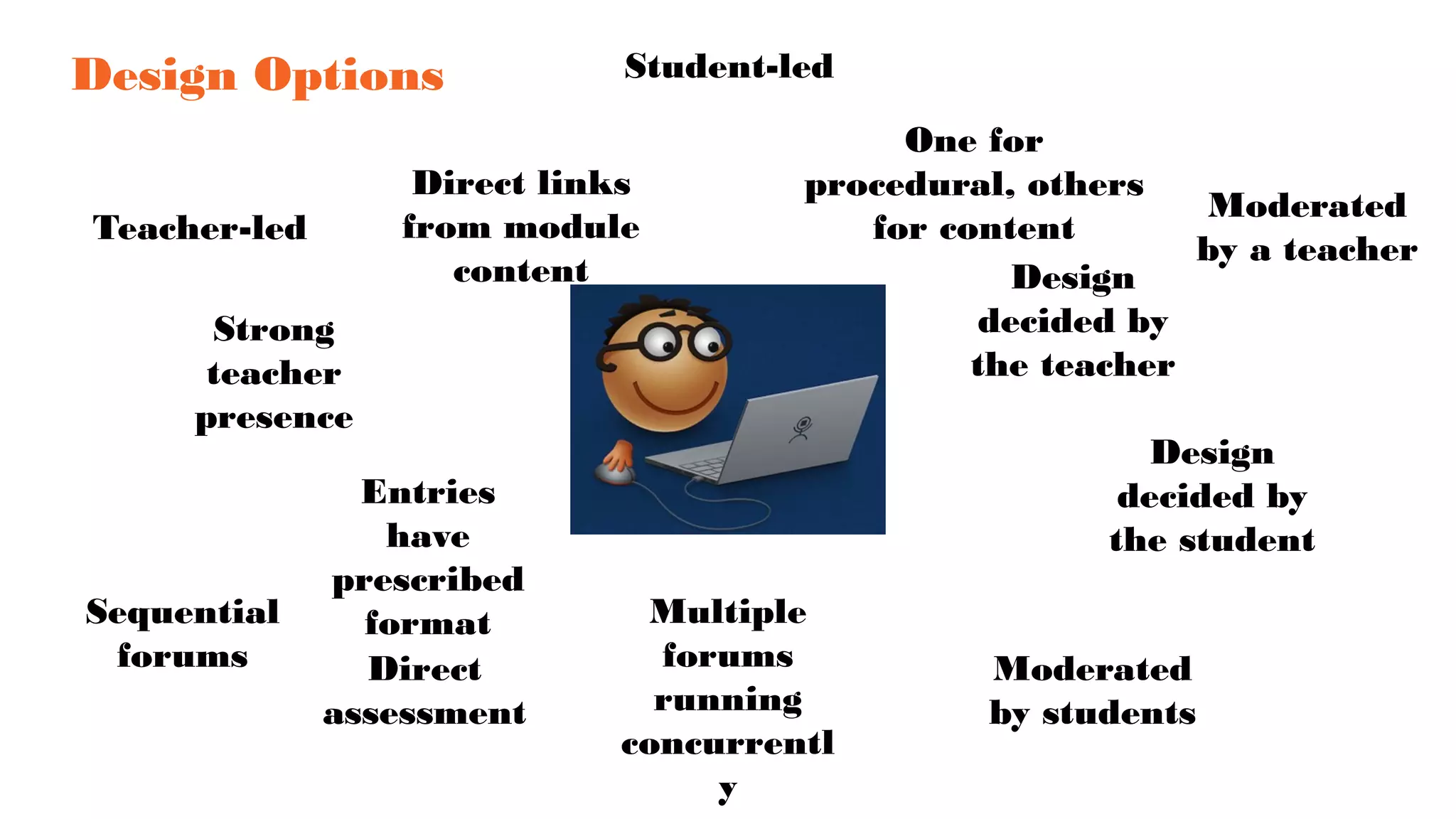
Design Options
Teacher-led
Student-led
Strong
teacher
presence
Design
decided by
the teacher
Design
decided by
the student
Multiple
forums
running
concurrentl
y
Sequential
forums
Moderated
by a teacher
Moderated
by students
Direct
assessment
Direct links
from module
content
Entries
have
prescribed
format
One for
procedural, others
for content
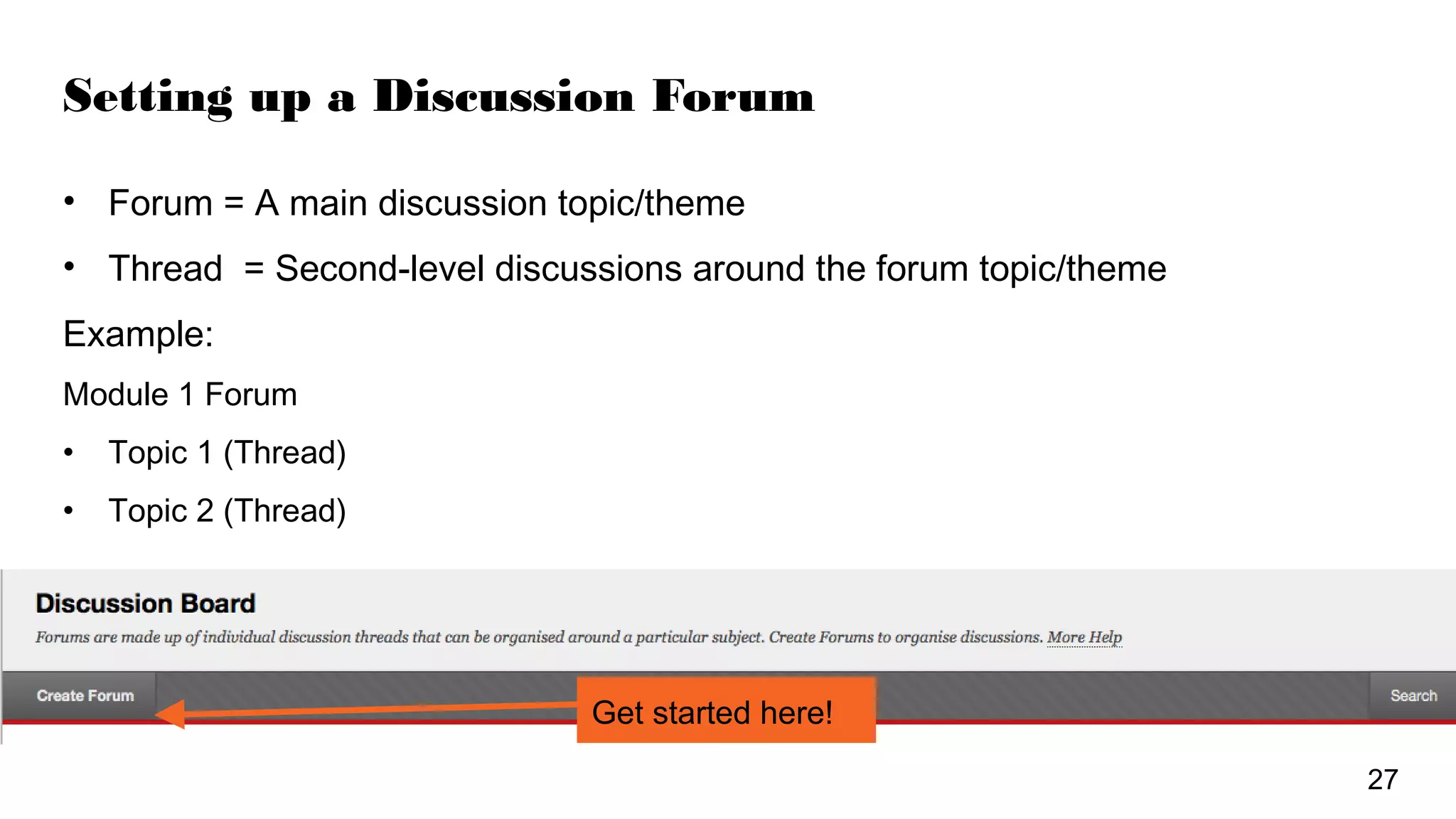
Setting up a Discussion Forum
• Forum = A main discussion topic/theme
• Thread = Second-level discussions around the forum topic/theme
Example:
Module 1 Forum
• Topic 1 (Thread)
• Topic 2 (Thread)
Get started here!
27
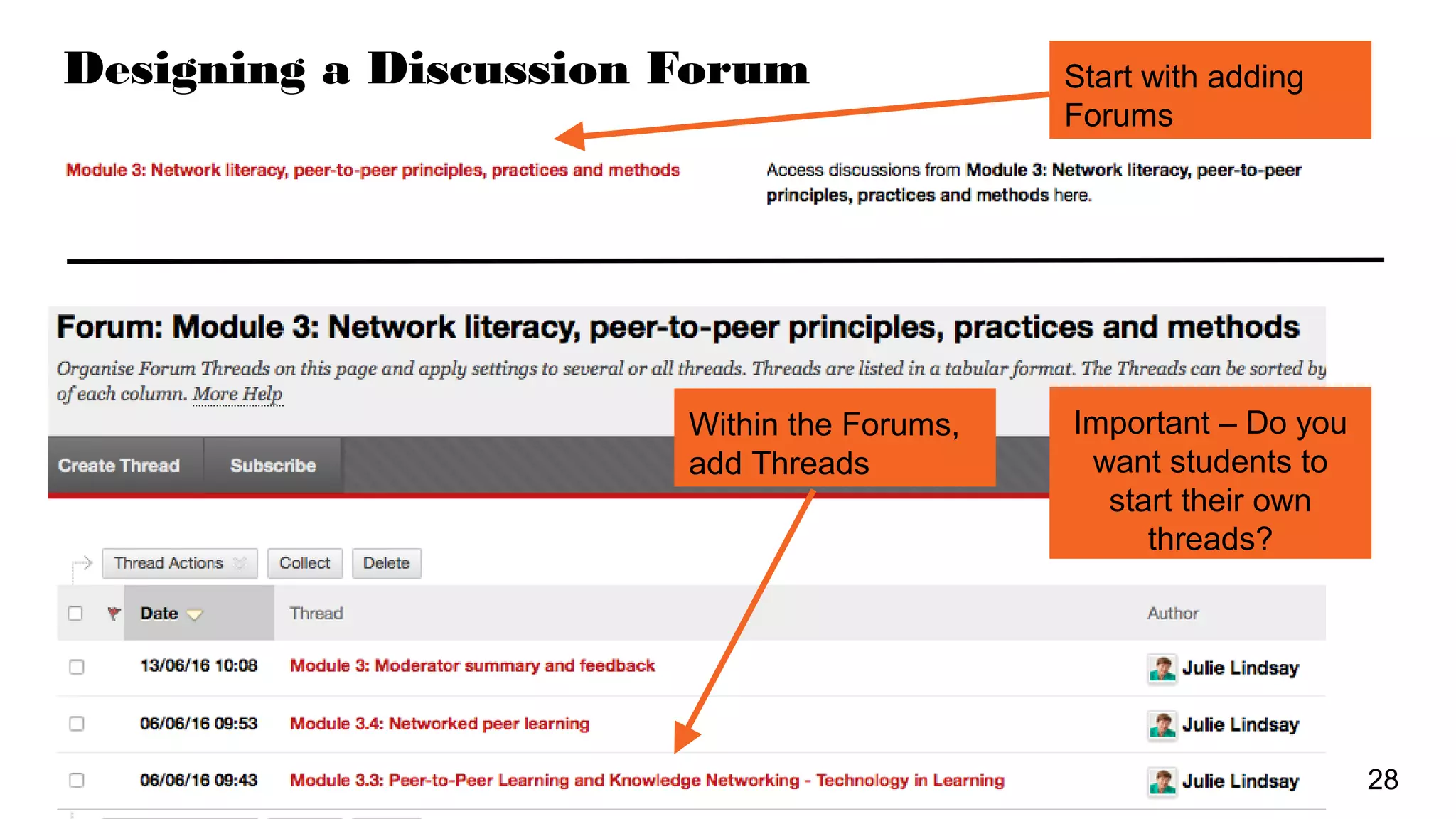
Designing a Discussion Forum Start with adding
Forums
Within the Forums,
add Threads
Important – Do you
want students to
start their own
threads?
28
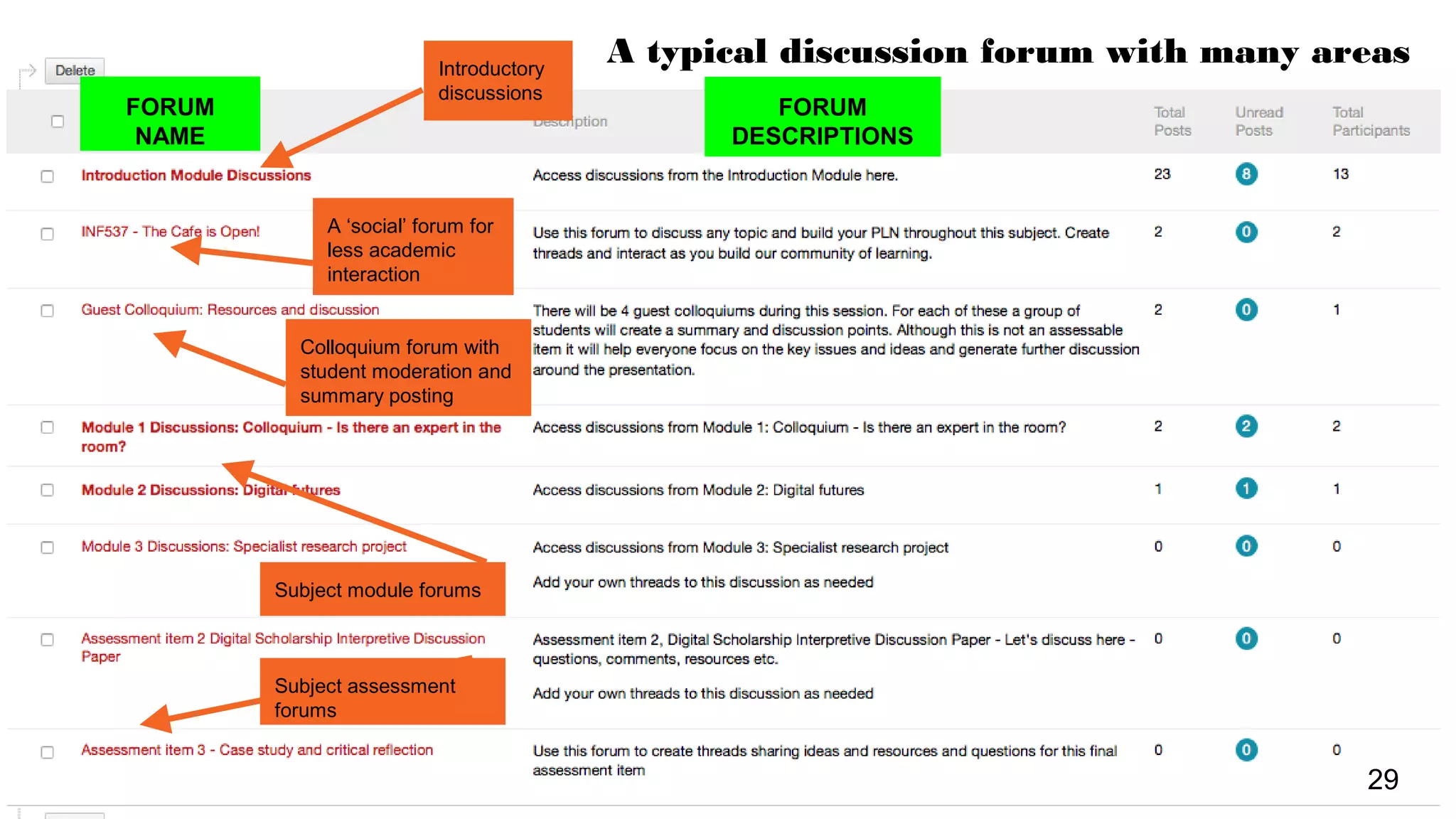
FORUM
NAME
A ‘social’ forum for
less academic
interaction
Subject module forums
Subject assessment
forums
29
Introductory
discussions
FORUM
DESCRIPTIONS
Colloquium forum with
student moderation and
summary posting
A typical discussion forum with many areas
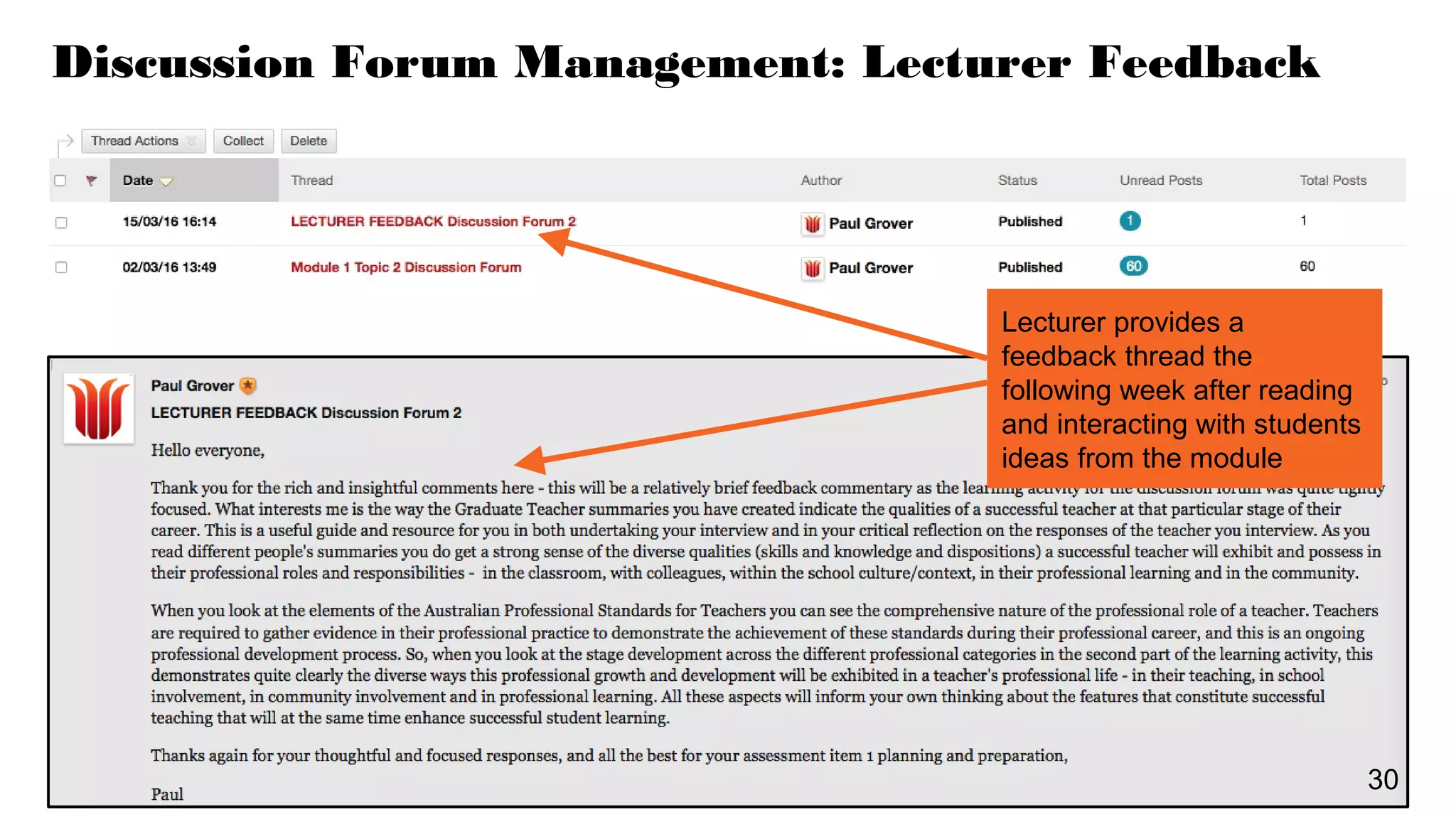
Discussion Forum Management: Lecturer Feedback
Lecturer provides a
feedback thread the
following week after reading
and interacting with students
ideas from the module
30
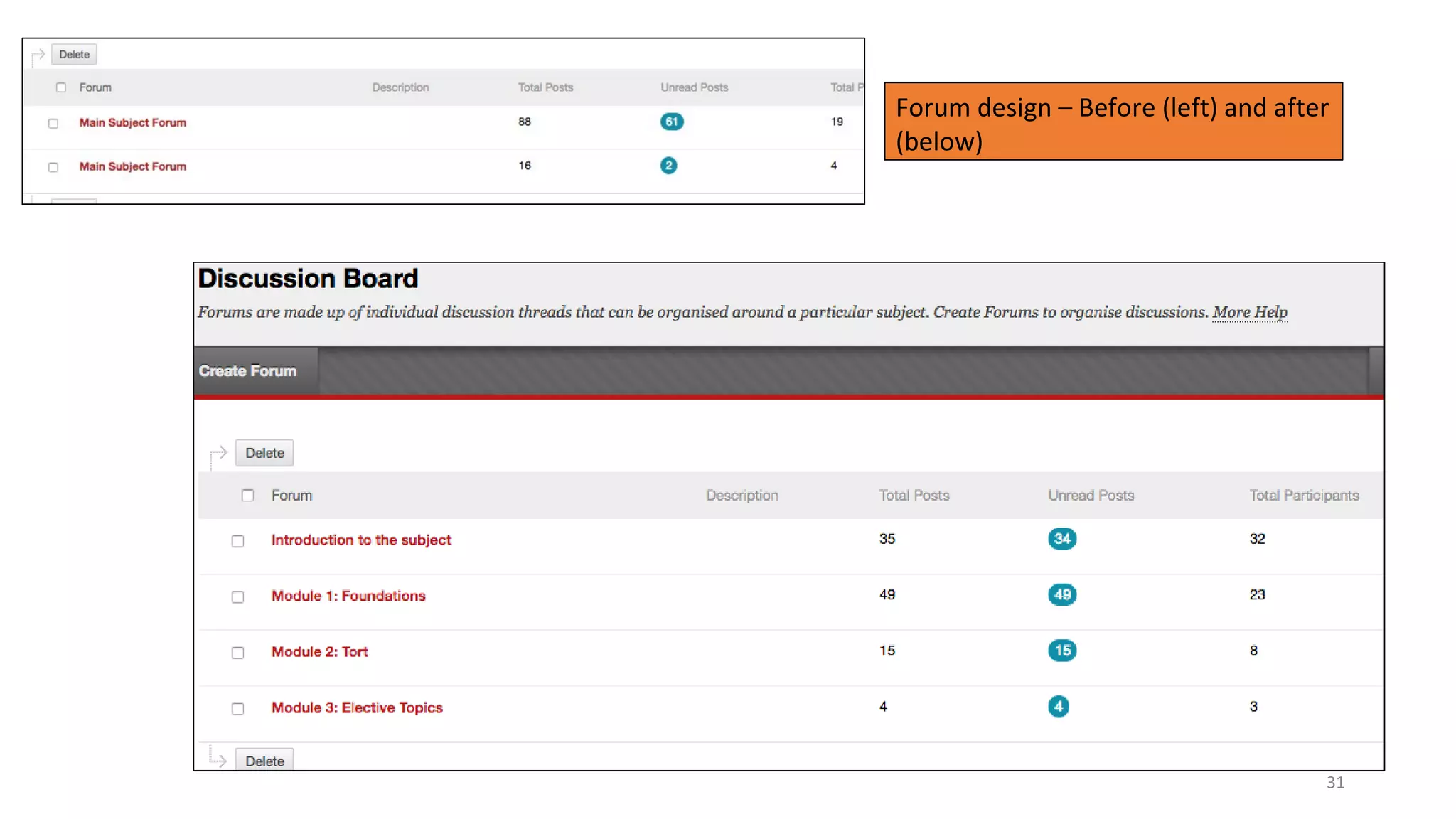
Forum design – Before (left) and after
(below)
31
Announcements
Interact 2 announcements are
NOT ‘social media’.
They are official university
communication.
• Clear subject line
• Adhere to protocol for official
communication - greetings and
closings
• Add correct signature
• Regular
• Informative
• Consider a weekly ‘template’
approach
• Include hyperlinks and images
Announcements - suggested template
Subject line: (Subject code) Week 1 (Name of module or focus)
Dear students
An interesting comment about the previous week, something about the learning that
has taken place
Any important information that needs to be shared up front.
What you should be working on:
●List module and other reading material
●List pending assignments
●List online meetings or activities to be part of
What you should be planning for:
●Assignments coming up
●Meetings and activities coming up
Closing greeting
Full name
Signature (with email and telephone)
READ Judy O’Connell’s
blog post, ‘
Images in Announcements - what’
’ on the QLT Online blog
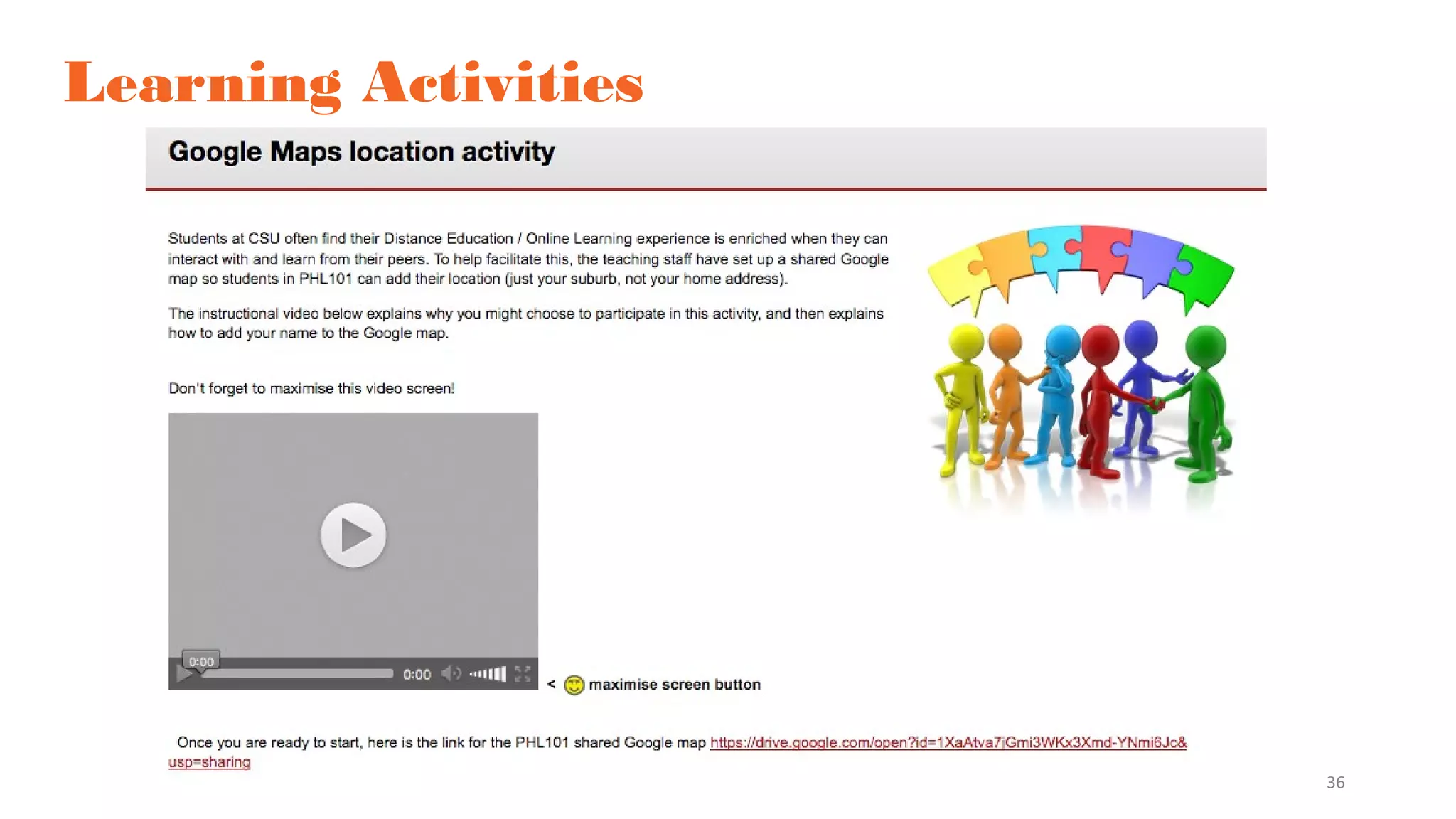
Learning Activities
What designed activities are planned to support information exchange and knowledge construction?
Introductions -
What is the FIRST activity
students will do in your
subject?
Introductions online -
Padlet complements the
Forum introduction!
●Visual
●Multimedia
●Interactive
https://padlet.com/julielindsay/1730ETL523
36
Learning Activities
Learning Activities
What designed activities are planned to support information exchange and knowledge construction?
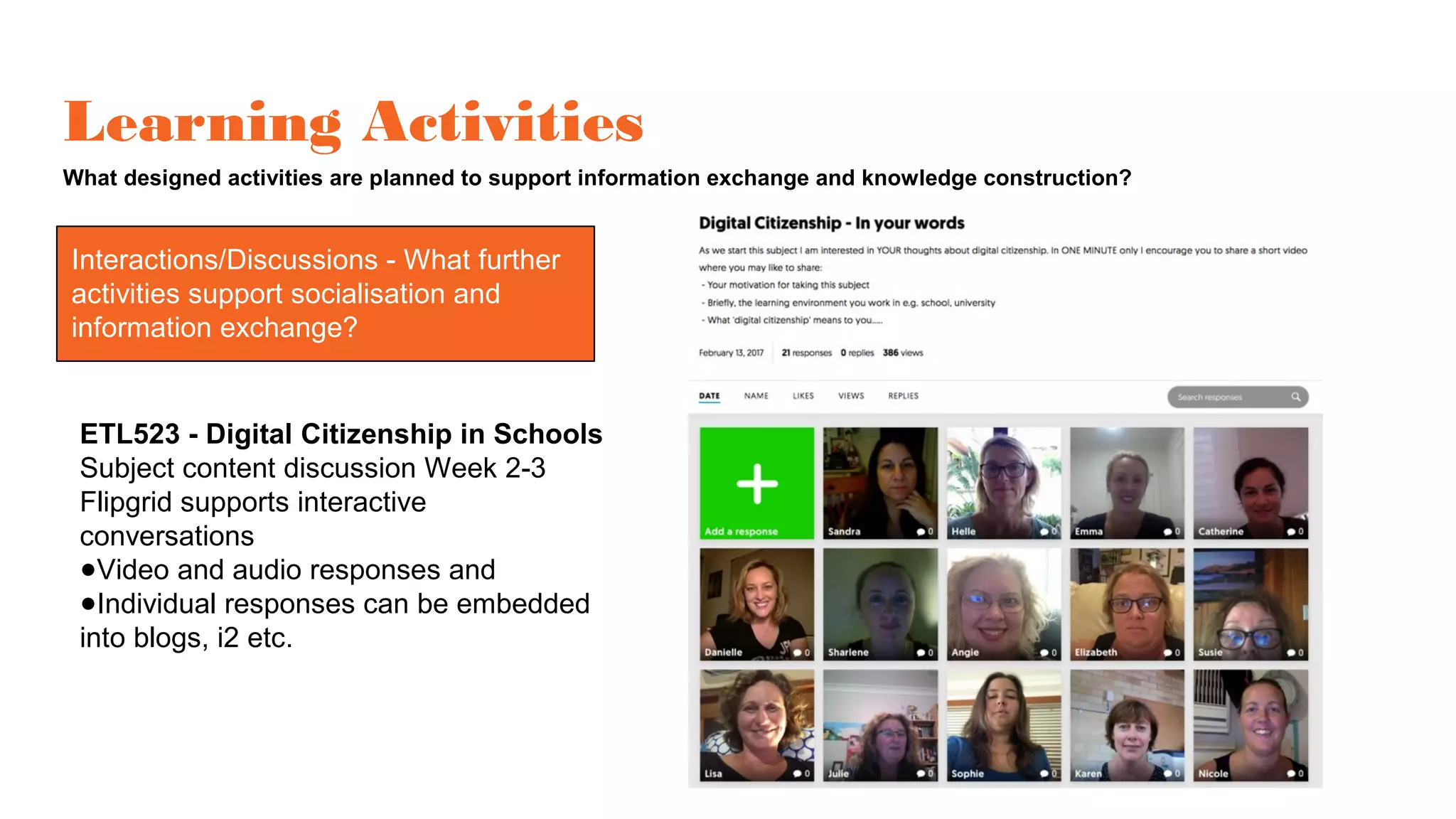
Interactions/Discussions
ETL523 - Digital Citizenship in Schools
Subject content discussion Week 2-3
Flipgrid supports interactive
conversations
●Video and audio responses and
●Individual responses can be embedded
into blogs, i2 etc.
Interactions/Discussions - What further
activities support socialisation and
information exchange?
Learning Activities
What designed activities are planned to support information exchange and knowledge construction?
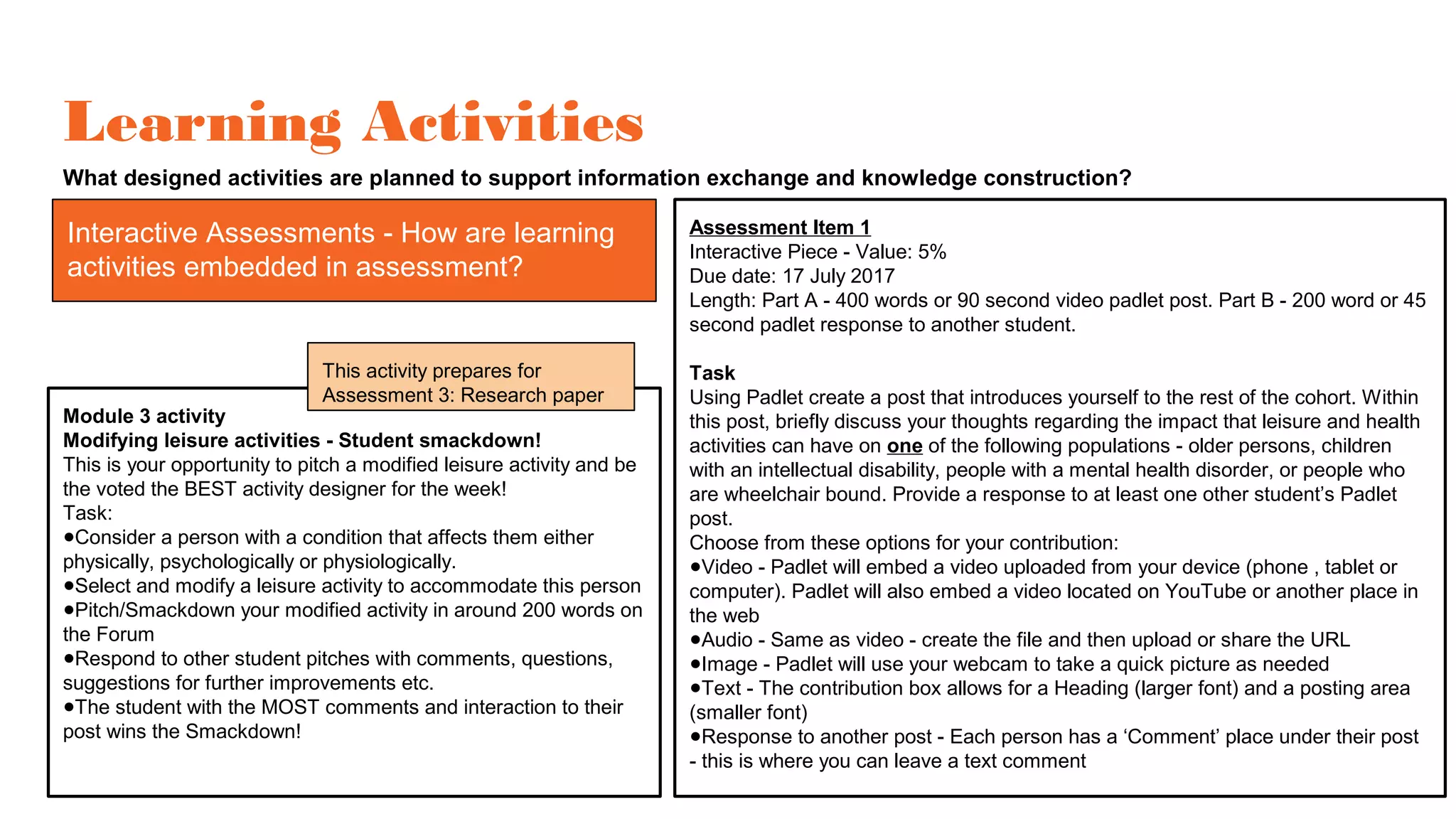
Interactive Assessments - How are learning
activities embedded in assessment?
Assessment Item 1
Interactive Piece - Value: 5%
Due date: 17 July 2017
Length: Part A - 400 words or 90 second video padlet post. Part B - 200 word or 45
second padlet response to another student.
Task
Using Padlet create a post that introduces yourself to the rest of the cohort. Within
this post, briefly discuss your thoughts regarding the impact that leisure and health
activities can have on one of the following populations - older persons, children
with an intellectual disability, people with a mental health disorder, or people who
are wheelchair bound. Provide a response to at least one other student’s Padlet
post.
Choose from these options for your contribution:
●Video - Padlet will embed a video uploaded from your device (phone , tablet or
computer). Padlet will also embed a video located on YouTube or another place in
the web
●Audio - Same as video - create the file and then upload or share the URL
●Image - Padlet will use your webcam to take a quick picture as needed
●Text - The contribution box allows for a Heading (larger font) and a posting area
(smaller font)
●Response to another post - Each person has a ‘Comment’ place under their post
- this is where you can leave a text comment
Module 3 activity
Modifying leisure activities - Student smackdown!
This is your opportunity to pitch a modified leisure activity and be
the voted the BEST activity designer for the week!
Task:
●Consider a person with a condition that affects them either
physically, psychologically or physiologically.
●Select and modify a leisure activity to accommodate this person
●Pitch/Smackdown your modified activity in around 200 words on
the Forum
●Respond to other student pitches with comments, questions,
suggestions for further improvements etc.
●The student with the MOST comments and interaction to their
post wins the Smackdown!
This activity prepares for
Assessment 3: Research paper
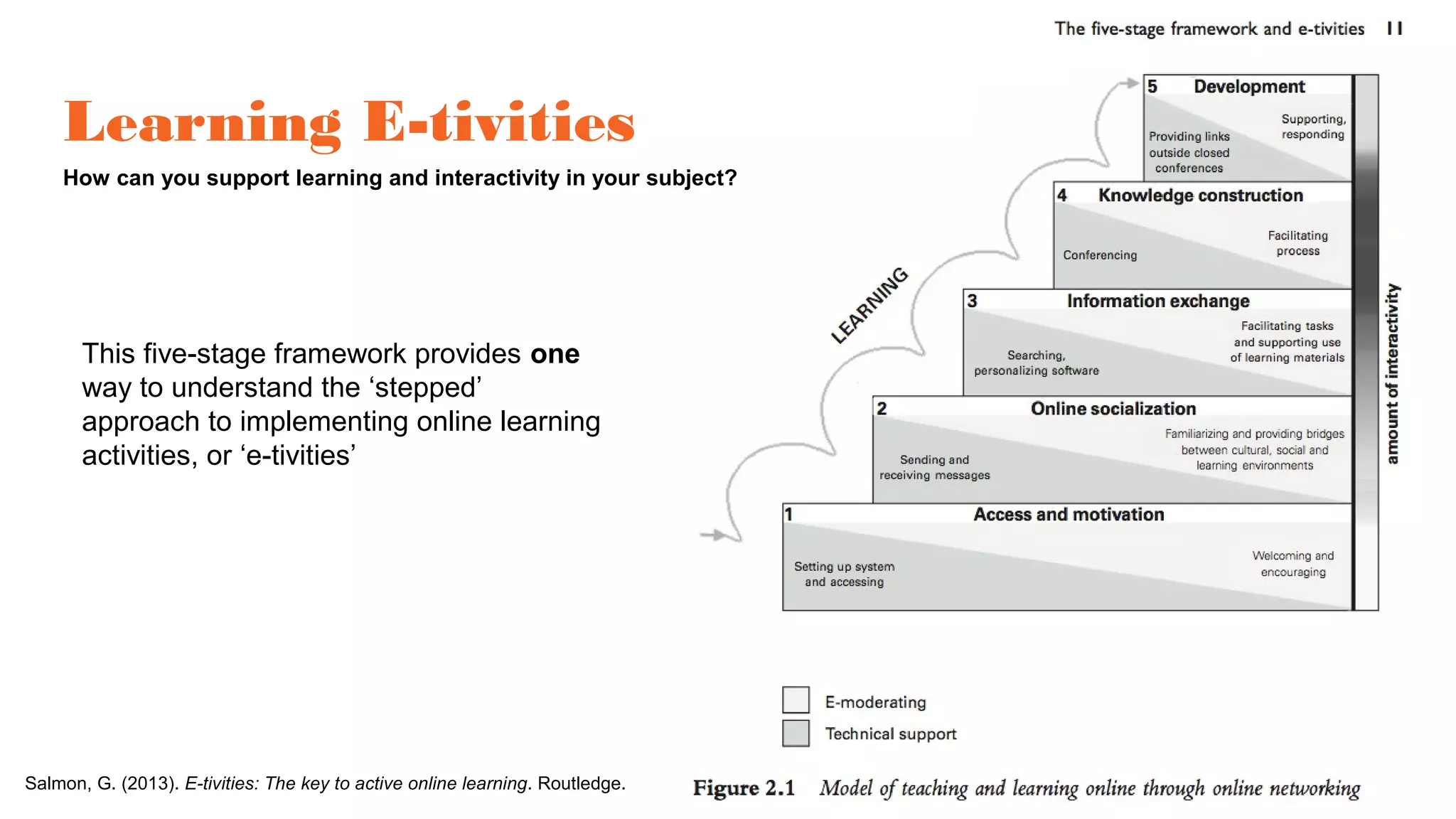
Salmon, G. (2013). E-tivities: The key to active online learning. Routledge.
Learning E-tivities
How can you support learning and interactivity in your subject?
This five-stage framework provides one
way to understand the ‘stepped’
approach to implementing online learning
activities, or ‘e-tivities’
Look! Teacher Presence….Behaviours
• Set clear expectations and be consistent throughout your course.
• Be present in the course in some way 3-4 times each week.
• Encourage questions.
• Model the behaviors you expect students to exhibit.
• Refer to students by name when possible.
• Admit when you make a mistake. It will make you more real and students
appreciate that!
• Don't try to be perfect. Students appreciate instructors they can relate to.
• Give regular feedback on assignments. If it is a group activity, defer to email
when sensitive or firm guidance is necessary. Group feedback should be
benefit all learners.
• Share your stories. Let your passion for what you do come through in your
online class.
• Represent the most important information in multiple ways: text, image, and
video. This is Universal Design for Learning and it supports the way more
people learn.
• Be clear about how you wish to be contacted and how quickly you will respond.
Have this included in your syllabus as your "instructor communication policy."
• Track student log-ins using the Student Performance Dashboard. Contact
students through email who appear to be struggling or are not logging in.
• Reach out to students by phone who you seem to have disappeared.
http://page.teachingwithoutwalls.com/instructorpr
esencestrategiesci
Look! Teacher Presence….Strategies
• Create a 5-minute video to introduce yourself to your new students. Consider
recording it in a favorite setting (using a mobile device with an YouTube
Capture) to personalize it.
• Mix an upbeat welcome video or course bumper with text, images, and webcam
clips using Animoto.
• Create a course design tutorial video to orient students to the navigation of your
course in week one. This can be done with Camtasia, Screenflow, or a free tool
like Screencast-o-matic or Screenr.
• Record a 3-5 minute video to introduce each new learning module. Avoid
referencing dates and focus on tying content back to the past unit and
introducing the new content.
• Embed a 3-5 minute video of yourself sharing a story that personalizes content
your students are learning about.
• Provide feedback in video or voice (try Jing or VoiceThread) to make your
message more meaningful and reduce the chance of it being misunderstood
(Ice, Curtis, Phillips & Wells, 2007).
http://page.teachingwithoutwalls.com/instructorpr
esencestrategiesci
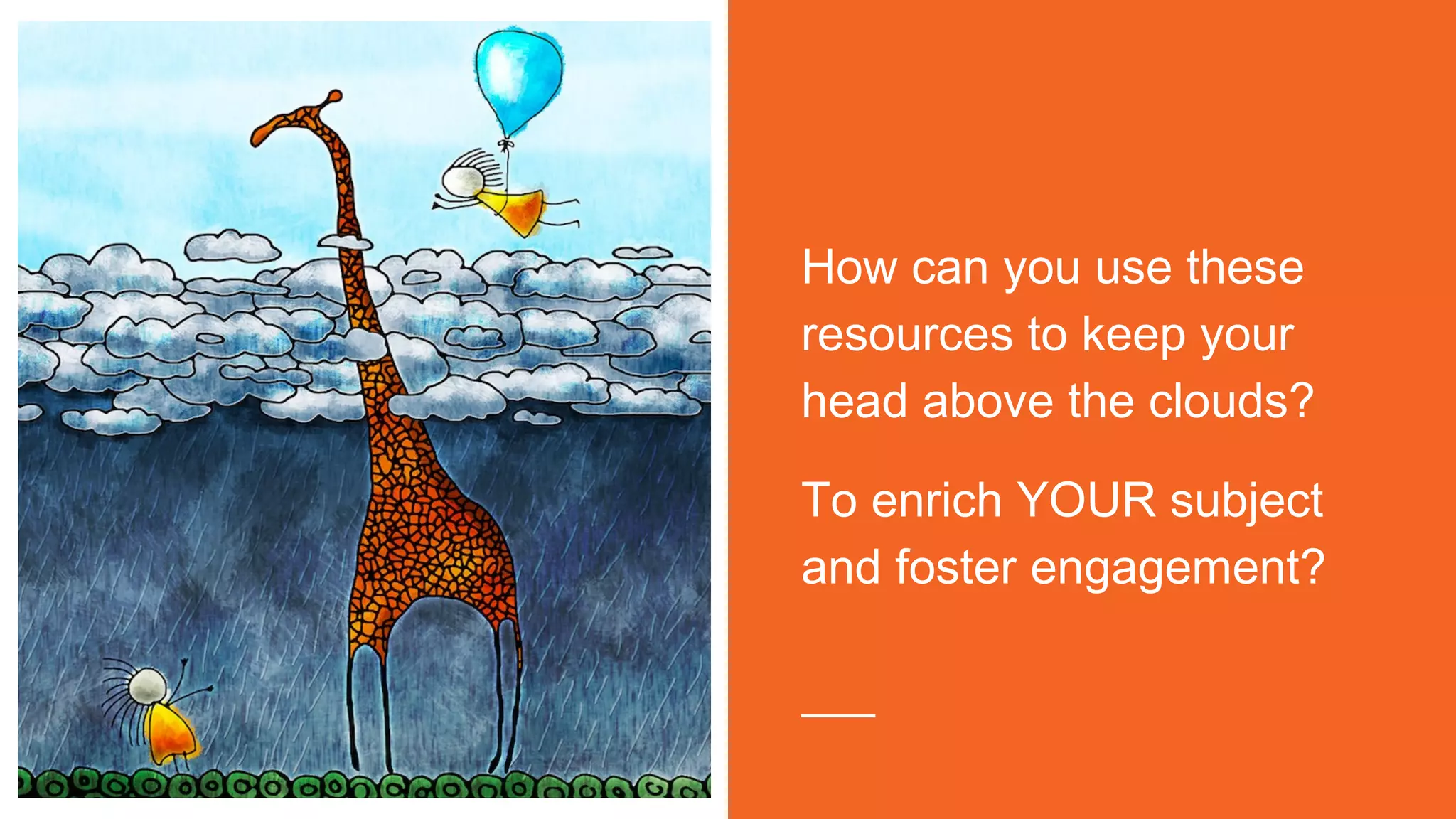
How can you use these
resources to keep your
head above the clouds?
To enrich YOUR subject
and foster engagement?
Questions?
Thank you!
Julie Lindsay
Quality Learning and Teaching Leader (online)
FoAE
jlindsay@csu.edu.au
You will find these slides (and lots more PD resources!) on the
FoAE Quality Learning and Teaching i2 organisation https://goo.gl/ZjOiu9
Don’t forget to also visit:
●QLT blog - http://uimagine.edu.au/qltonline/
●FoAE Online Learning Newsletters (linked from i2 site and blog) - latest edition
here: https://www.smore.com/wv79u

Subject design essentials preparing to launch!

  • 1.
    Subject Design Essentials - Preparingto Launch ‘Bite & Byte’ Series May-June 2017 Professional Learning - FoAE Julie Lindsay - QLT Lead (online) Find these slides online http://tinyurl.com/SubDesignESS17
  • 2.
    Our Agenda In 30minutes! Get ready for the ride! • Subject Outline (MSI) • Landing page • Introduction - Contacts • Navigation design • Content - Learning modules • Discussion forum • Announcements • Learning activities
  • 3.
    How ‘engaging’ is yoursubject? ● Are students able to and motivated to come online? ● Do students socialise and interact with each other? ● Is there a sense of community? ● Is active information exchange and learning taking place? ● How are you facilitating this? Social Building a learning community Collaborative spaces Effective communication Psychological Emotional Learner engagement Learnerinteraction
  • 4.
    Three ACTIONS for engagement: Buildan online learning community Establish teacher presence and interaction Encourage student interaction
  • 5.
    Look! Subject PreparationChecklist http://www.csu.edu.au/division/student-learning/interact2_help/faculty-and-csu-staff/find-your-way-around/getting-started http://tinyurl.com/CSUPrep -This URL takes you to the page above -This page is updated each session -Bookmark this link now!
  • 6.
    Subject Outline (SO/MSI) Howare you advising students of the subject experience? Advisement of tools used for assessment Further advice about tools used to support learning and interaction
  • 7.
    Subject Outline (SO/MSI) Howare you advising students of the subject experience? Online meeting information Discussion forum advisement of protocols
  • 8.
    Landing pages What areyour students experiencing when they enter Interact 2 for your subject? Dynamic landing pages - More ‘how to’ resources ●Video - https://youtu.be/WIIOJgpQpeE ●PDF file - http://tinyurl.com/BBlandPDF
  • 9.
    Please avoid theblank template….. …...not a good look All subjects should have a designed and functional landing page….
  • 10.
    Designed landing page Use ofimages 10 Landing pages: Static
  • 11.
    11 Landing pages: Static Anotherdesigned landing page and great use of images
  • 12.
    Something new added mostweeks - design will change 12 Landing pages: Dynamic
  • 13.
    Designed landing page Useof teacher welcome video Teacher-created video to share library skills 13 Landing pages - Combination
  • 14.
    Introductions How are yourstudents getting to know you when they enter Interact 2 for your subject? Create a Welcome video - ‘how to’ resources ●Video - https://youtu.be/tLjRf2qL0QQ ●PDF file - http://tinyurl.com/BBvideo1PDF
  • 15.
    Navigation design How willyour students find their way around the Interact 2 for your subject?
  • 16.
    The Navigation story……...theshort Very simple - too much so? Section headings - very effective Longer - still organised for clarity?
  • 17.
  • 18.
    Regular podcasts shared innavigation Teacher shares title, description and length of each meeting Separate modules linked from navigation
  • 19.
    Left: Schedule withhyperlinks to modules Below: New Forum design 19
  • 20.
    Adobe Connect Tutorial OnlineMeeting Clear meeting headings, times, and description of what took place
  • 21.
    Content - LearningModules How are your students experiencing and leveraging content via the Interact 2 for your subject? Look! Images to support your online content! - http://tinyurl.com/CSUPicPerfect
  • 22.
    Module design Inclusion ofmultimedia material 22
  • 23.
    Module design -Use of FoAE icons 23
  • 24.
    Discussion Forums How arestudents experiencing the Interact 2 Forums for your subject? How to design a discussion forum - find out here: https://youtu.be/2CxMQ60zEBY
  • 25.
    Discussion Forum Purposes LearningCommunity ●A place to go often to interact with all other learners (teachers and students) ●To explore new ideas, ask questions, synthesise module content, form groups, co-create….. Student-to-Student Interaction ●Students build knowledge as they interact, share, synthesize the subject content and build discussions around this Teacher Presence that leads to Teacher-to-Student Interaction ●It is important that the teacher is present and active in learning forums ●Teacher-to-student interaction goes beyond teacher presence to become a learning environment where the teacher and students interact, share ideas, discuss concepts in more depth and more. 25 How will YOU design and manage this?
  • 26.
    Design Options Teacher-led Student-led Strong teacher presence Design decided by theteacher Design decided by the student Multiple forums running concurrentl y Sequential forums Moderated by a teacher Moderated by students Direct assessment Direct links from module content Entries have prescribed format One for procedural, others for content
  • 27.
    Setting up aDiscussion Forum • Forum = A main discussion topic/theme • Thread = Second-level discussions around the forum topic/theme Example: Module 1 Forum • Topic 1 (Thread) • Topic 2 (Thread) Get started here! 27
  • 28.
    Designing a DiscussionForum Start with adding Forums Within the Forums, add Threads Important – Do you want students to start their own threads? 28
  • 29.
    FORUM NAME A ‘social’ forumfor less academic interaction Subject module forums Subject assessment forums 29 Introductory discussions FORUM DESCRIPTIONS Colloquium forum with student moderation and summary posting A typical discussion forum with many areas
  • 30.
    Discussion Forum Management:Lecturer Feedback Lecturer provides a feedback thread the following week after reading and interacting with students ideas from the module 30
  • 31.
    Forum design –Before (left) and after (below) 31
  • 32.
    Announcements Interact 2 announcementsare NOT ‘social media’. They are official university communication. • Clear subject line • Adhere to protocol for official communication - greetings and closings • Add correct signature • Regular • Informative • Consider a weekly ‘template’ approach • Include hyperlinks and images
  • 33.
    Announcements - suggestedtemplate Subject line: (Subject code) Week 1 (Name of module or focus) Dear students An interesting comment about the previous week, something about the learning that has taken place Any important information that needs to be shared up front. What you should be working on: ●List module and other reading material ●List pending assignments ●List online meetings or activities to be part of What you should be planning for: ●Assignments coming up ●Meetings and activities coming up Closing greeting Full name Signature (with email and telephone) READ Judy O’Connell’s blog post, ‘ Images in Announcements - what’ ’ on the QLT Online blog
  • 35.
    Learning Activities What designedactivities are planned to support information exchange and knowledge construction? Introductions - What is the FIRST activity students will do in your subject? Introductions online - Padlet complements the Forum introduction! ●Visual ●Multimedia ●Interactive https://padlet.com/julielindsay/1730ETL523
  • 36.
  • 37.
    Learning Activities What designedactivities are planned to support information exchange and knowledge construction? Interactions/Discussions ETL523 - Digital Citizenship in Schools Subject content discussion Week 2-3 Flipgrid supports interactive conversations ●Video and audio responses and ●Individual responses can be embedded into blogs, i2 etc. Interactions/Discussions - What further activities support socialisation and information exchange?
  • 38.
    Learning Activities What designedactivities are planned to support information exchange and knowledge construction? Interactive Assessments - How are learning activities embedded in assessment? Assessment Item 1 Interactive Piece - Value: 5% Due date: 17 July 2017 Length: Part A - 400 words or 90 second video padlet post. Part B - 200 word or 45 second padlet response to another student. Task Using Padlet create a post that introduces yourself to the rest of the cohort. Within this post, briefly discuss your thoughts regarding the impact that leisure and health activities can have on one of the following populations - older persons, children with an intellectual disability, people with a mental health disorder, or people who are wheelchair bound. Provide a response to at least one other student’s Padlet post. Choose from these options for your contribution: ●Video - Padlet will embed a video uploaded from your device (phone , tablet or computer). Padlet will also embed a video located on YouTube or another place in the web ●Audio - Same as video - create the file and then upload or share the URL ●Image - Padlet will use your webcam to take a quick picture as needed ●Text - The contribution box allows for a Heading (larger font) and a posting area (smaller font) ●Response to another post - Each person has a ‘Comment’ place under their post - this is where you can leave a text comment Module 3 activity Modifying leisure activities - Student smackdown! This is your opportunity to pitch a modified leisure activity and be the voted the BEST activity designer for the week! Task: ●Consider a person with a condition that affects them either physically, psychologically or physiologically. ●Select and modify a leisure activity to accommodate this person ●Pitch/Smackdown your modified activity in around 200 words on the Forum ●Respond to other student pitches with comments, questions, suggestions for further improvements etc. ●The student with the MOST comments and interaction to their post wins the Smackdown! This activity prepares for Assessment 3: Research paper
  • 39.
    Salmon, G. (2013).E-tivities: The key to active online learning. Routledge. Learning E-tivities How can you support learning and interactivity in your subject? This five-stage framework provides one way to understand the ‘stepped’ approach to implementing online learning activities, or ‘e-tivities’
  • 40.
    Look! Teacher Presence….Behaviours •Set clear expectations and be consistent throughout your course. • Be present in the course in some way 3-4 times each week. • Encourage questions. • Model the behaviors you expect students to exhibit. • Refer to students by name when possible. • Admit when you make a mistake. It will make you more real and students appreciate that! • Don't try to be perfect. Students appreciate instructors they can relate to. • Give regular feedback on assignments. If it is a group activity, defer to email when sensitive or firm guidance is necessary. Group feedback should be benefit all learners. • Share your stories. Let your passion for what you do come through in your online class. • Represent the most important information in multiple ways: text, image, and video. This is Universal Design for Learning and it supports the way more people learn. • Be clear about how you wish to be contacted and how quickly you will respond. Have this included in your syllabus as your "instructor communication policy." • Track student log-ins using the Student Performance Dashboard. Contact students through email who appear to be struggling or are not logging in. • Reach out to students by phone who you seem to have disappeared. http://page.teachingwithoutwalls.com/instructorpr esencestrategiesci
  • 41.
    Look! Teacher Presence….Strategies •Create a 5-minute video to introduce yourself to your new students. Consider recording it in a favorite setting (using a mobile device with an YouTube Capture) to personalize it. • Mix an upbeat welcome video or course bumper with text, images, and webcam clips using Animoto. • Create a course design tutorial video to orient students to the navigation of your course in week one. This can be done with Camtasia, Screenflow, or a free tool like Screencast-o-matic or Screenr. • Record a 3-5 minute video to introduce each new learning module. Avoid referencing dates and focus on tying content back to the past unit and introducing the new content. • Embed a 3-5 minute video of yourself sharing a story that personalizes content your students are learning about. • Provide feedback in video or voice (try Jing or VoiceThread) to make your message more meaningful and reduce the chance of it being misunderstood (Ice, Curtis, Phillips & Wells, 2007). http://page.teachingwithoutwalls.com/instructorpr esencestrategiesci
  • 42.
    How can youuse these resources to keep your head above the clouds? To enrich YOUR subject and foster engagement?
  • 43.
  • 44.
    Thank you! Julie Lindsay QualityLearning and Teaching Leader (online) FoAE jlindsay@csu.edu.au You will find these slides (and lots more PD resources!) on the FoAE Quality Learning and Teaching i2 organisation https://goo.gl/ZjOiu9 Don’t forget to also visit: ●QLT blog - http://uimagine.edu.au/qltonline/ ●FoAE Online Learning Newsletters (linked from i2 site and blog) - latest edition here: https://www.smore.com/wv79u