RI Moodle

Learning Management System @ RI


       "Teachers open the door, but you must enter by yourself," a
       Chinese proverb says. The same can be said about technology
       in the classroom. If used properly, technology merely opens the
       door.*
       d     *


                   *Joe Rowe August 2005
                   http://www.techsoup.org/learningcenter/internet/archives/page9155.cfm
Moodle Minutes 6…what we covered

> What activities we can add
   – Assignment, chat, choice, feedback, forum, glossary, quiz
> Creating a poll
   – Choice Activity
   – Checking and Saving Results
   – Use in RI Template as Student Assessment Guide
                    p
     Acknowledgement

> T view previous sessions – go t T d @RI Wiki
   To i          i        i         to Today@RI Wikispace
http://learningtechnologyteam.riverinainstitute.wikispaces.net/riToday
Adding a Forum

> Forum Options
         p

> Set up and Contribute to Forums

> How to ensure student participation, minimise behaviour issues and
                        participation
  archive long discussions
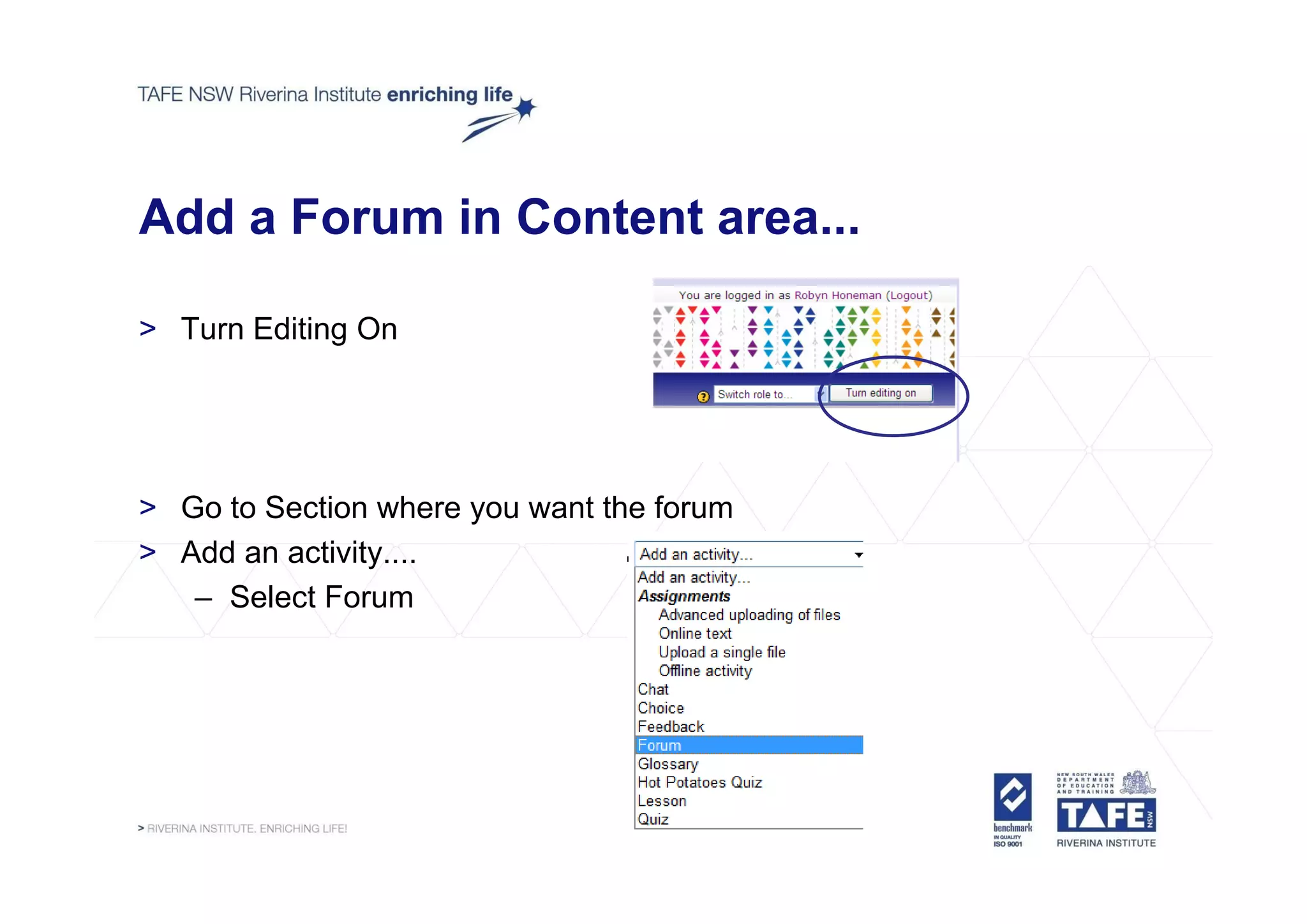
Add a Forum in Content area...

> Turn Editing On


> Go to Section where you want the forum
> Add an activity....
                y
   – Select Forum
...add a Forum in Content area

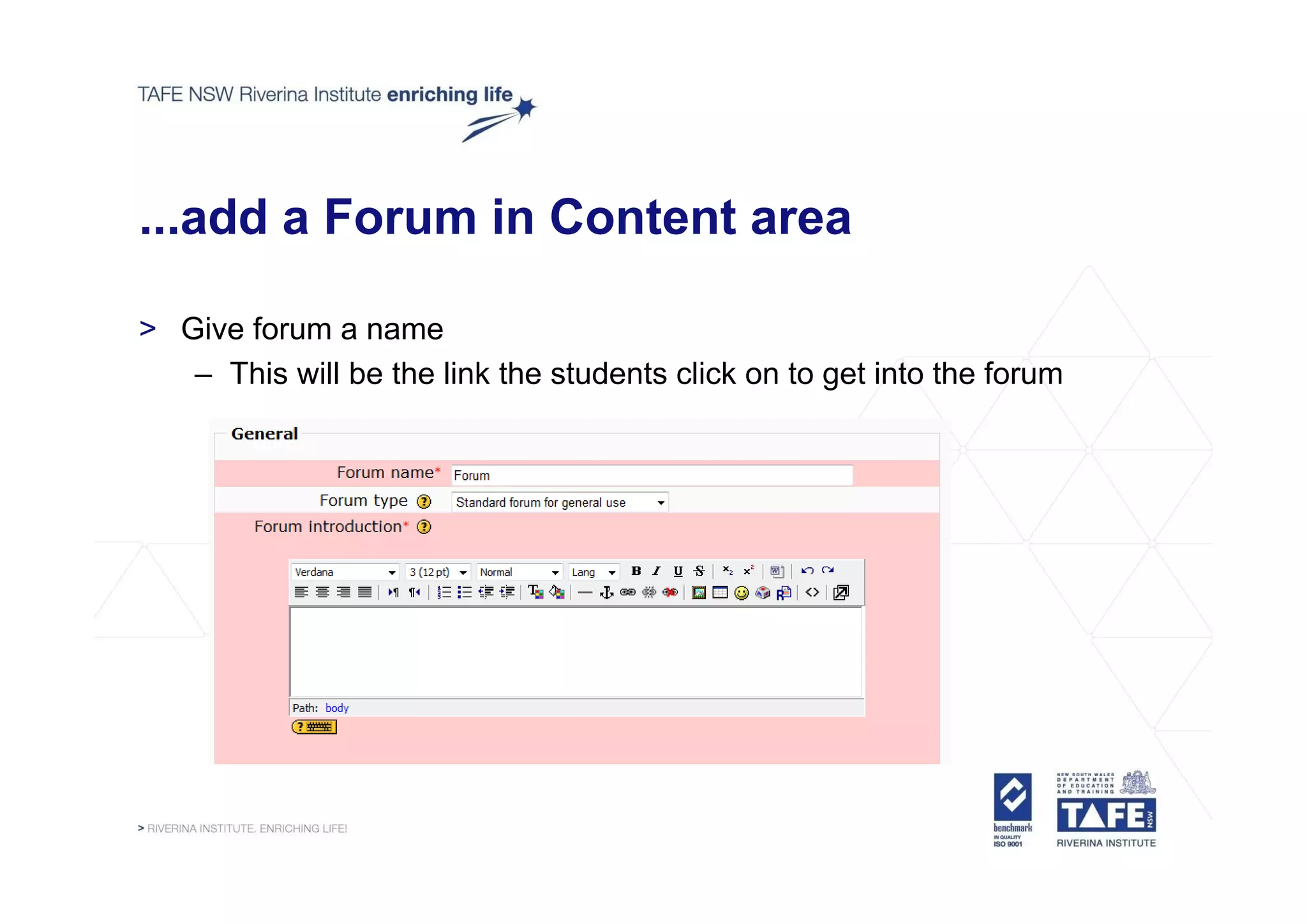
> Give forum a name
   – This will be the link the students click on to get into the forum
...add a Forum in Content area

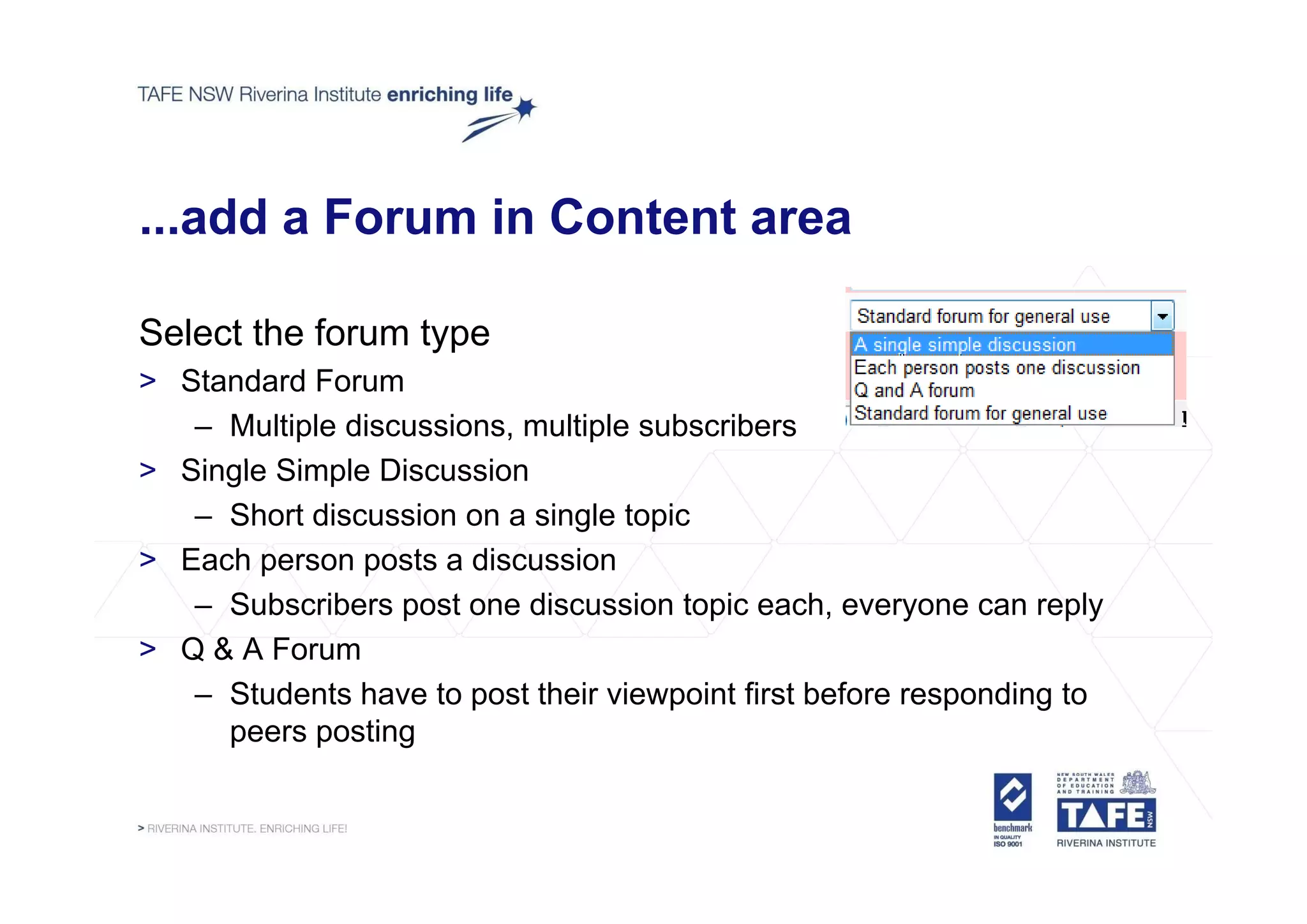
Select the forum type
> Standard Forum
   – Multiple discussions, multiple subscribers
> Si l Si l Di
  Single Simple Discussion
                        i
   – Short discussion on a single topic
> Each person posts a discussion
   – Subscribers post one discussion topic each, everyone can reply
> Q & A Forum
   – Students have to post their viewpoint first before responding to
     peers posting
...add a Forum in Content area

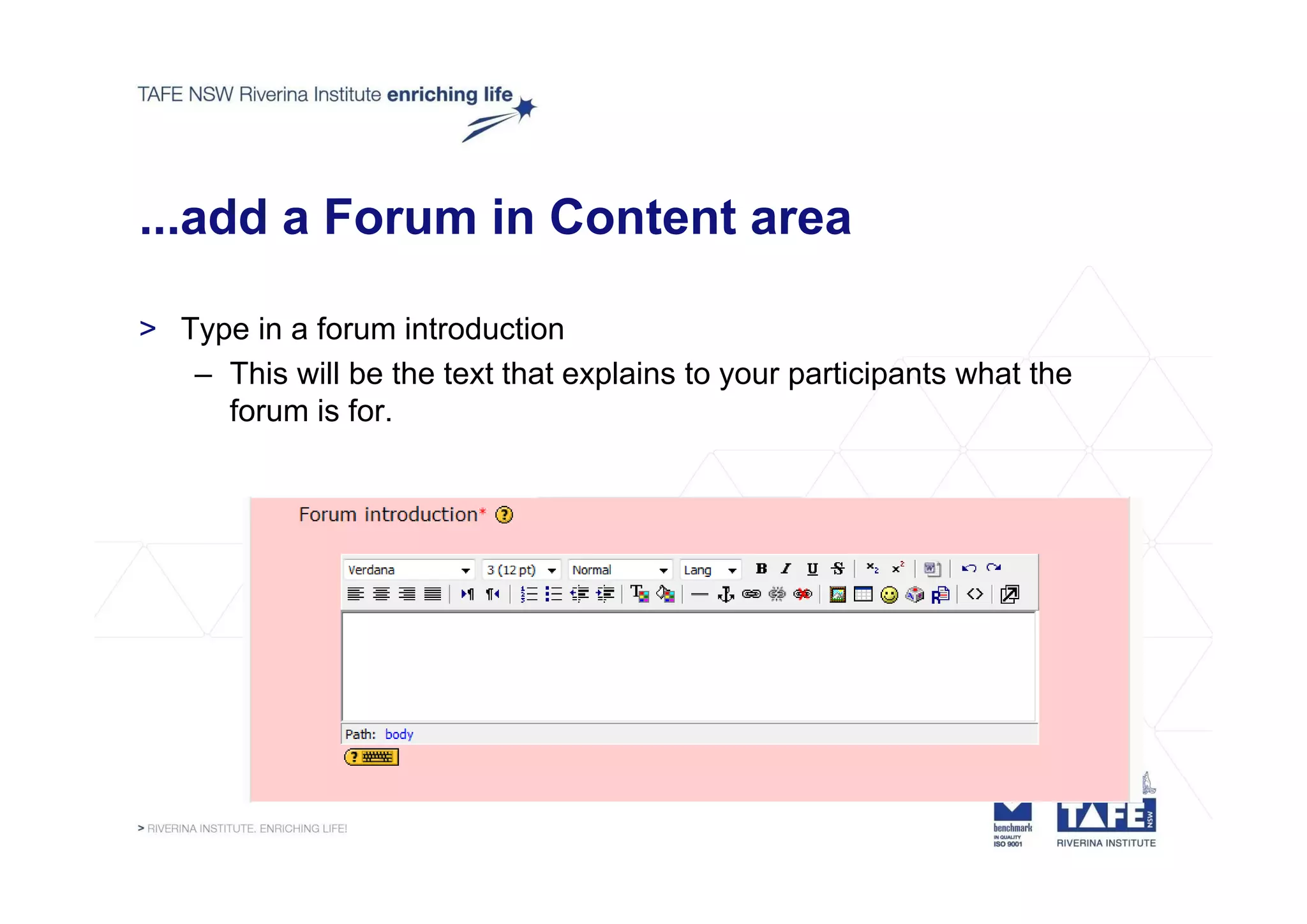
> Type in a forum introduction
   – This will be the text that explains to your participants what the
     forum is for.
...add a Forum in Content area

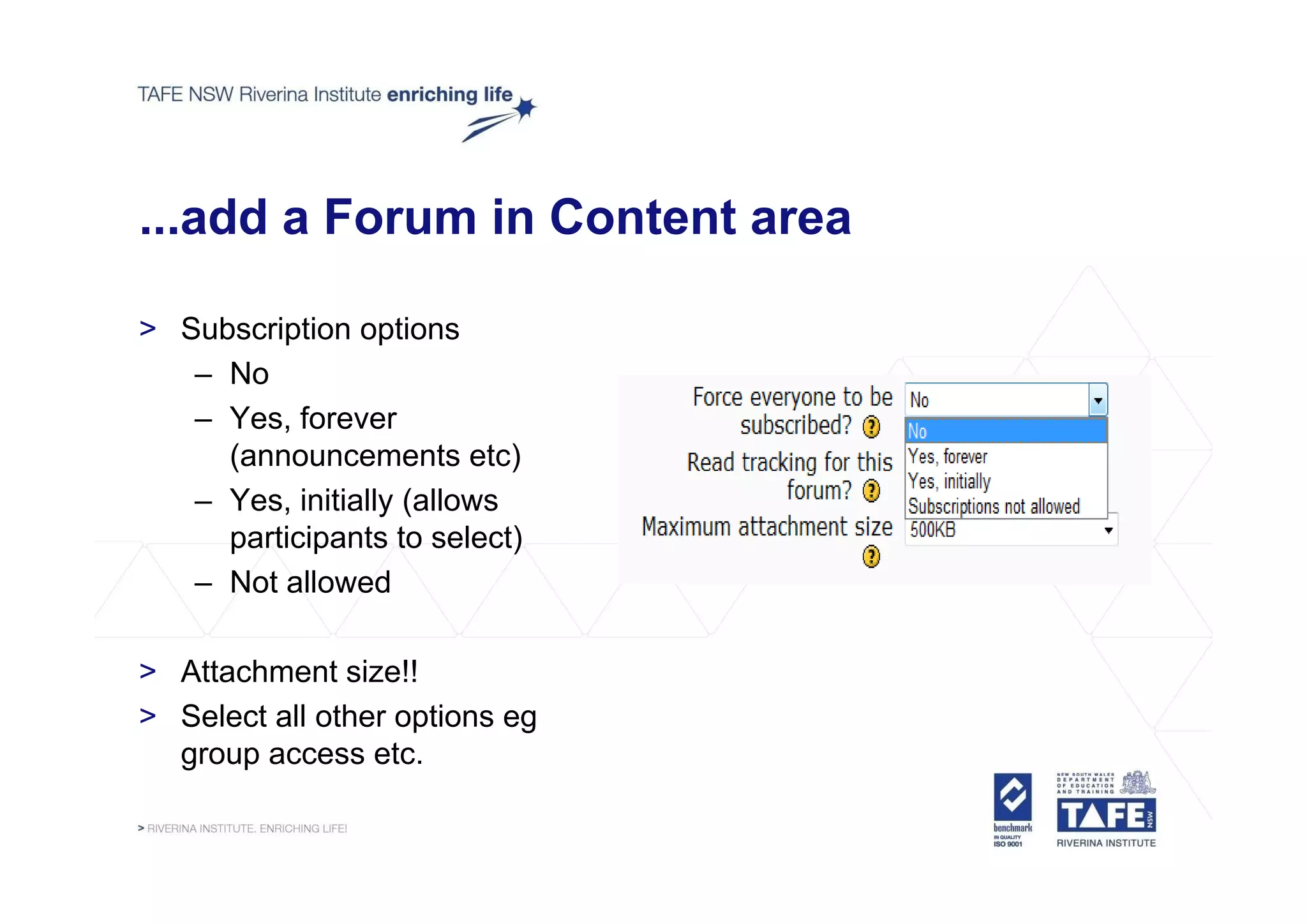
> Subscription options
   – No
   – Yes, forever
     (announcements etc)
   – Yes, initially (allows
     participants to select)
   – Not allowed

> Attachment size!!
> Select all other options eg
  group access etc.
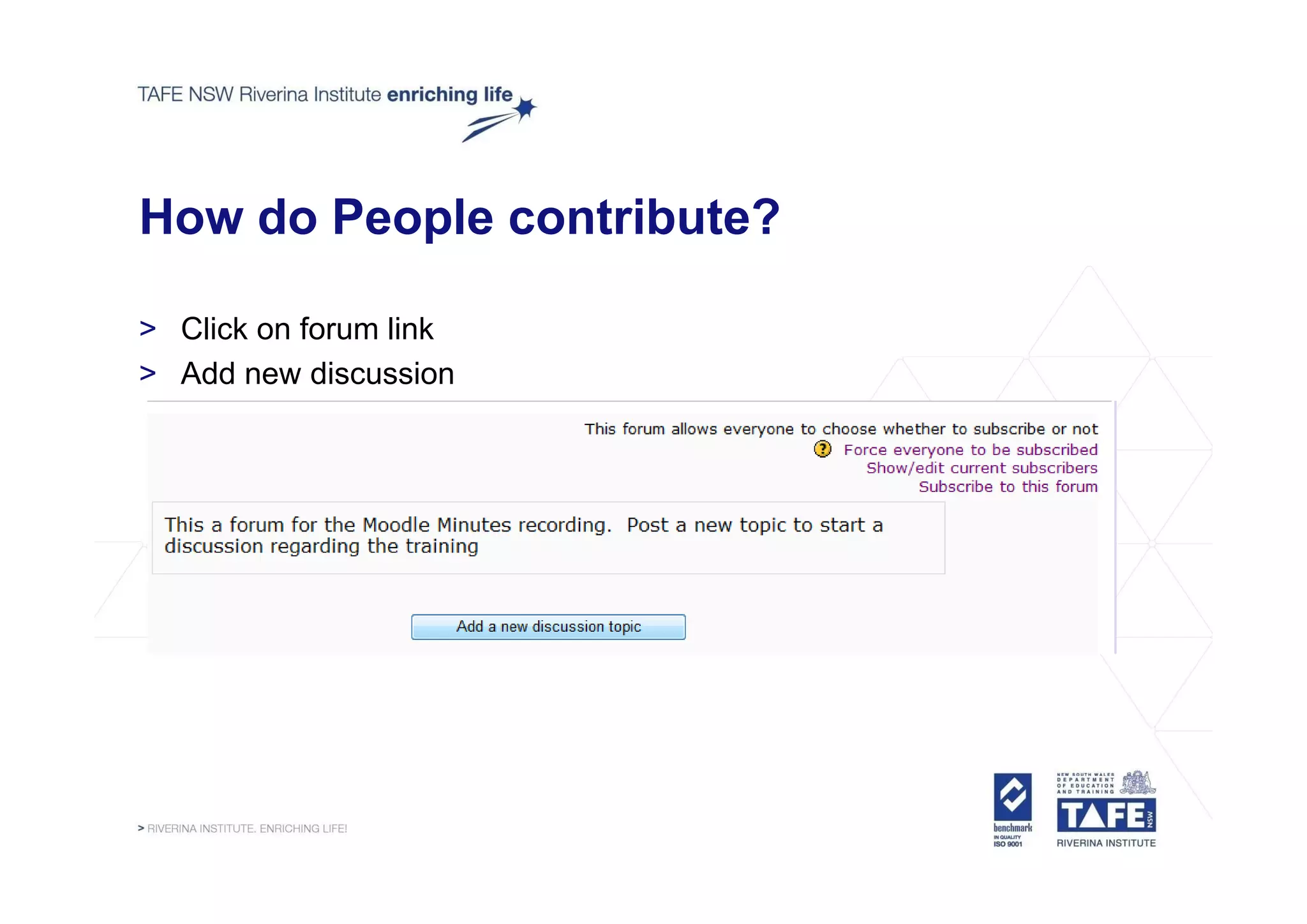
How do People contribute?

> Click on forum link
> Add new discussion
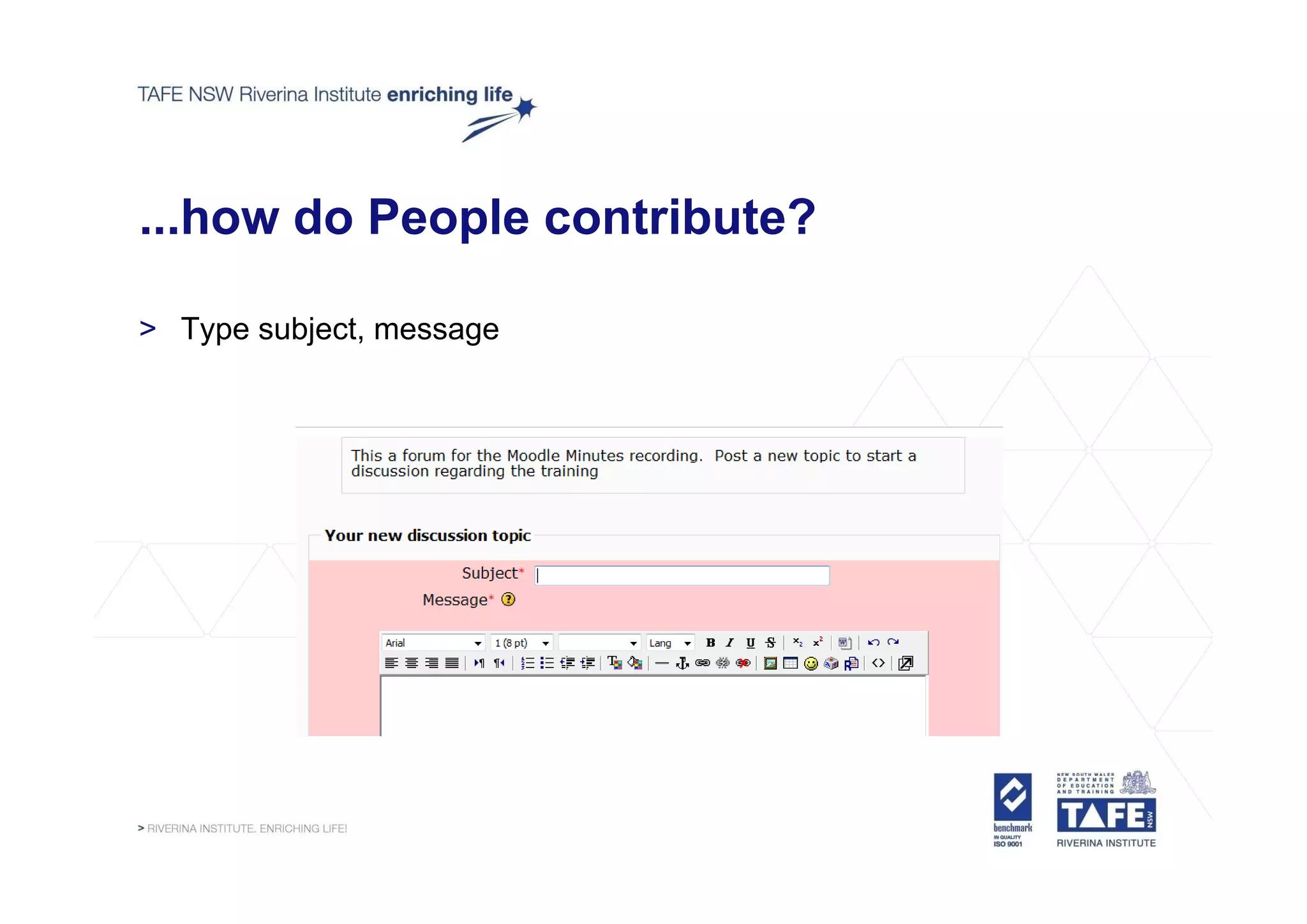
...how do People contribute?

> Type subject, message
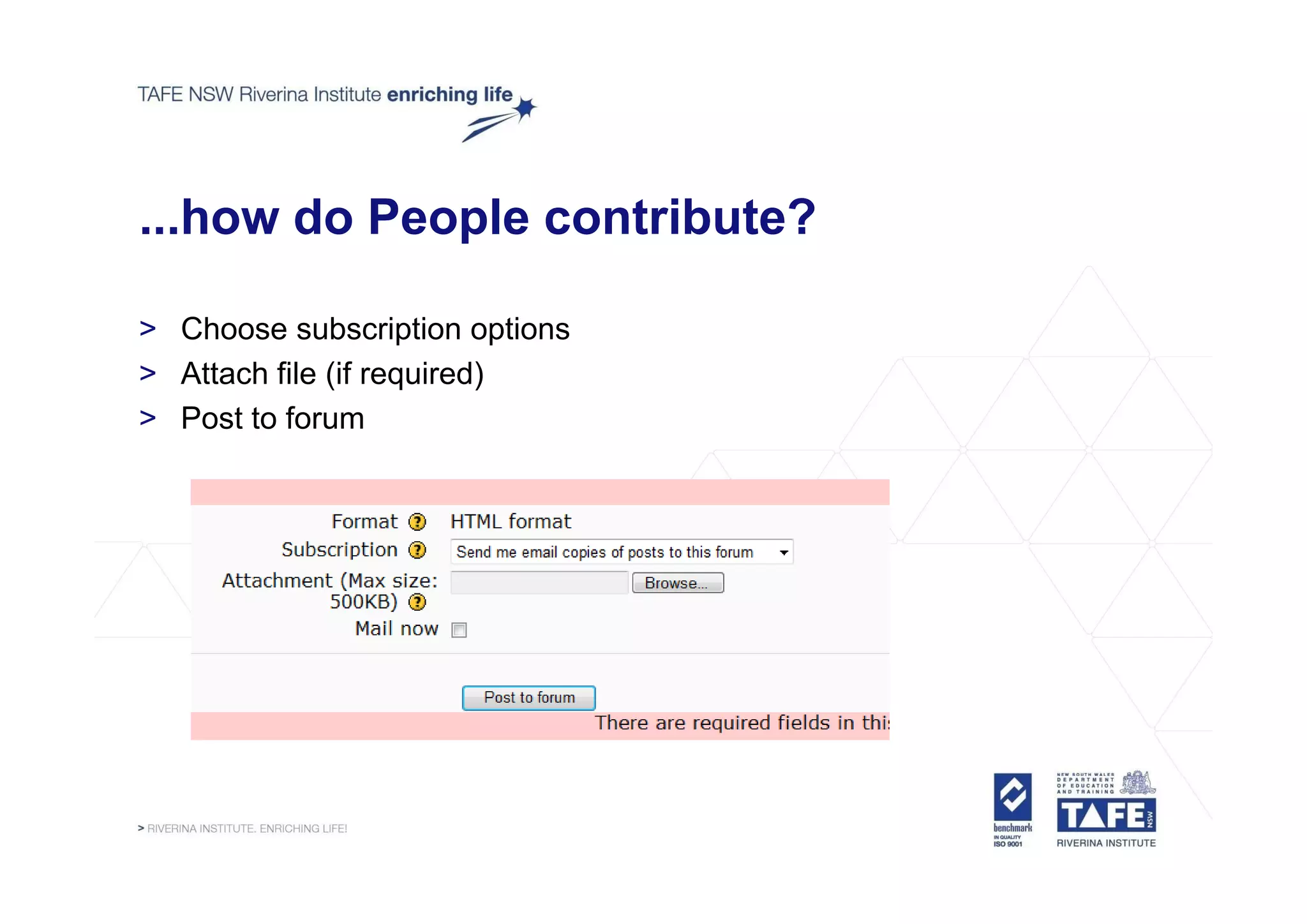
...how do People contribute?

> Choose subscription options
> Attach file (if required)
> Post to forum
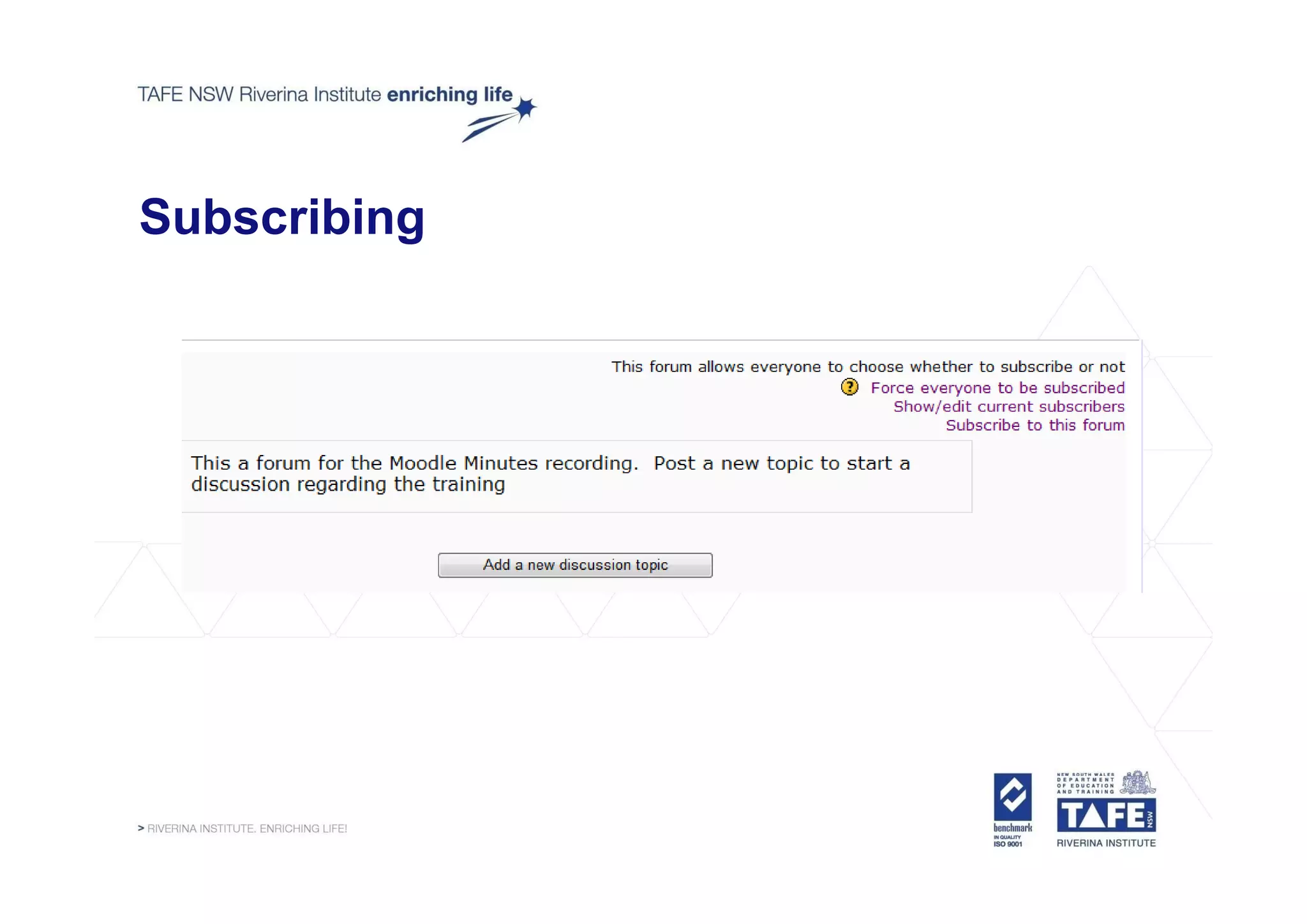
Subscribing
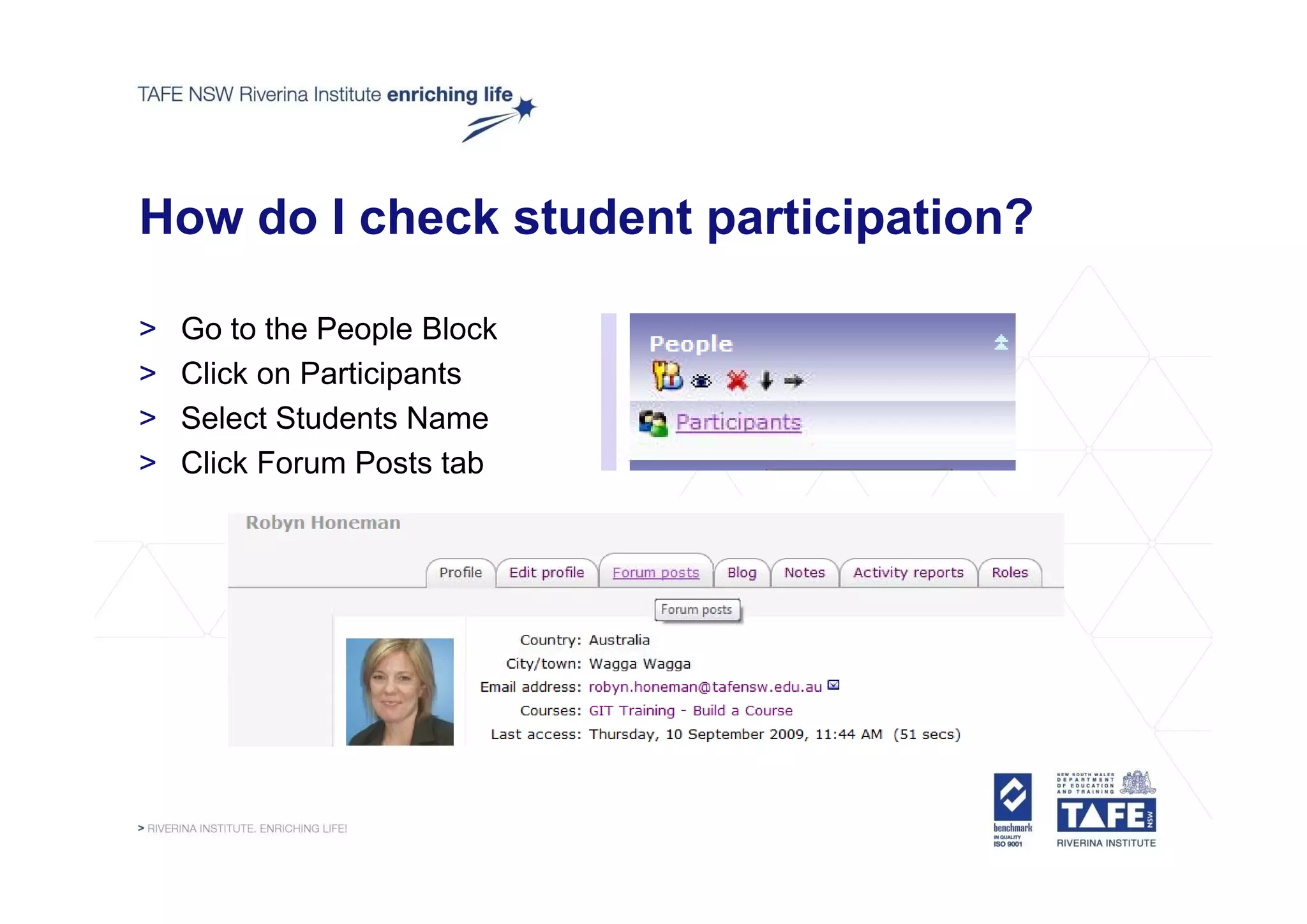
How do I check student participation?

>   Go to the People Block
>   Click on Participants
>   Select Students Name
>   Click Forum Posts tab
What else should I consider?

> Link forums directly to activity for easy access
> Let participants know response times
> Make it clear what behaviour is acceptable
> Word open ended discussions carefully and give clear instructions on
        open-ended
  response expectations
> Actively participate to elevate importance of discussion
> Provide an intro forum as a get to know you activity and allow
  students to practice forums
> When they get to long – archive them and restart the thread with a
  summary.
How do I archive?

> Create a new forum in the most appropriate area called Archived
  Forums
> Open the forum and select Move this discussion to.... Select
  Archived forums
> Return to the original forum and post a summary or the archived
  discussion to restart it.
Next Session
Adobe Captivate

> Tuesday 15 September 2009: 3.30 pm – 4.15 pm

  This session from the Centre for Learning Innovation will look at one
                                            Innovation,
  the key pieces of Adobe software available to all teachers as part of
  the Digital Education Revolution. Adobe Captivate allows you to
  create professional eLearning content with advanced i t
       t     f   i   l L    i       t t ith d          d interactivity,
                                                                ti it
  software and scenario simulations, quizzes, and other engaging
  experiences — no programming or multimedia skills required.

Moodle Minutes 7

  • 1.
    RI Moodle Learning ManagementSystem @ RI "Teachers open the door, but you must enter by yourself," a Chinese proverb says. The same can be said about technology in the classroom. If used properly, technology merely opens the door.* d * *Joe Rowe August 2005 http://www.techsoup.org/learningcenter/internet/archives/page9155.cfm
  • 2.
    Moodle Minutes 6…whatwe covered > What activities we can add – Assignment, chat, choice, feedback, forum, glossary, quiz > Creating a poll – Choice Activity – Checking and Saving Results – Use in RI Template as Student Assessment Guide p Acknowledgement > T view previous sessions – go t T d @RI Wiki To i i i to Today@RI Wikispace http://learningtechnologyteam.riverinainstitute.wikispaces.net/riToday
  • 3.
    Adding a Forum >Forum Options p > Set up and Contribute to Forums > How to ensure student participation, minimise behaviour issues and participation archive long discussions
  • 4.
    Add a Forumin Content area... > Turn Editing On > Go to Section where you want the forum > Add an activity.... y – Select Forum
  • 5.
    ...add a Forumin Content area > Give forum a name – This will be the link the students click on to get into the forum
  • 6.
    ...add a Forumin Content area Select the forum type > Standard Forum – Multiple discussions, multiple subscribers > Si l Si l Di Single Simple Discussion i – Short discussion on a single topic > Each person posts a discussion – Subscribers post one discussion topic each, everyone can reply > Q & A Forum – Students have to post their viewpoint first before responding to peers posting
  • 7.
    ...add a Forumin Content area > Type in a forum introduction – This will be the text that explains to your participants what the forum is for.
  • 8.
    ...add a Forumin Content area > Subscription options – No – Yes, forever (announcements etc) – Yes, initially (allows participants to select) – Not allowed > Attachment size!! > Select all other options eg group access etc.
  • 9.
    How do Peoplecontribute? > Click on forum link > Add new discussion
  • 10.
    ...how do Peoplecontribute? > Type subject, message
  • 11.
    ...how do Peoplecontribute? > Choose subscription options > Attach file (if required) > Post to forum
  • 12.
  • 13.
    How do Icheck student participation? > Go to the People Block > Click on Participants > Select Students Name > Click Forum Posts tab
  • 14.
    What else shouldI consider? > Link forums directly to activity for easy access > Let participants know response times > Make it clear what behaviour is acceptable > Word open ended discussions carefully and give clear instructions on open-ended response expectations > Actively participate to elevate importance of discussion > Provide an intro forum as a get to know you activity and allow students to practice forums > When they get to long – archive them and restart the thread with a summary.
  • 15.
    How do Iarchive? > Create a new forum in the most appropriate area called Archived Forums > Open the forum and select Move this discussion to.... Select Archived forums > Return to the original forum and post a summary or the archived discussion to restart it.
  • 16.
    Next Session Adobe Captivate >Tuesday 15 September 2009: 3.30 pm – 4.15 pm This session from the Centre for Learning Innovation will look at one Innovation, the key pieces of Adobe software available to all teachers as part of the Digital Education Revolution. Adobe Captivate allows you to create professional eLearning content with advanced i t t f i l L i t t ith d d interactivity, ti it software and scenario simulations, quizzes, and other engaging experiences — no programming or multimedia skills required.