

Welcome to “Getting Started with Blended Learning” Tanya Joosten (tjoosten@uwm.edu) Amy Mangrich (amangric@uwm.edu) University of Wisconsin-Milwaukee Milwaukee, WI USA
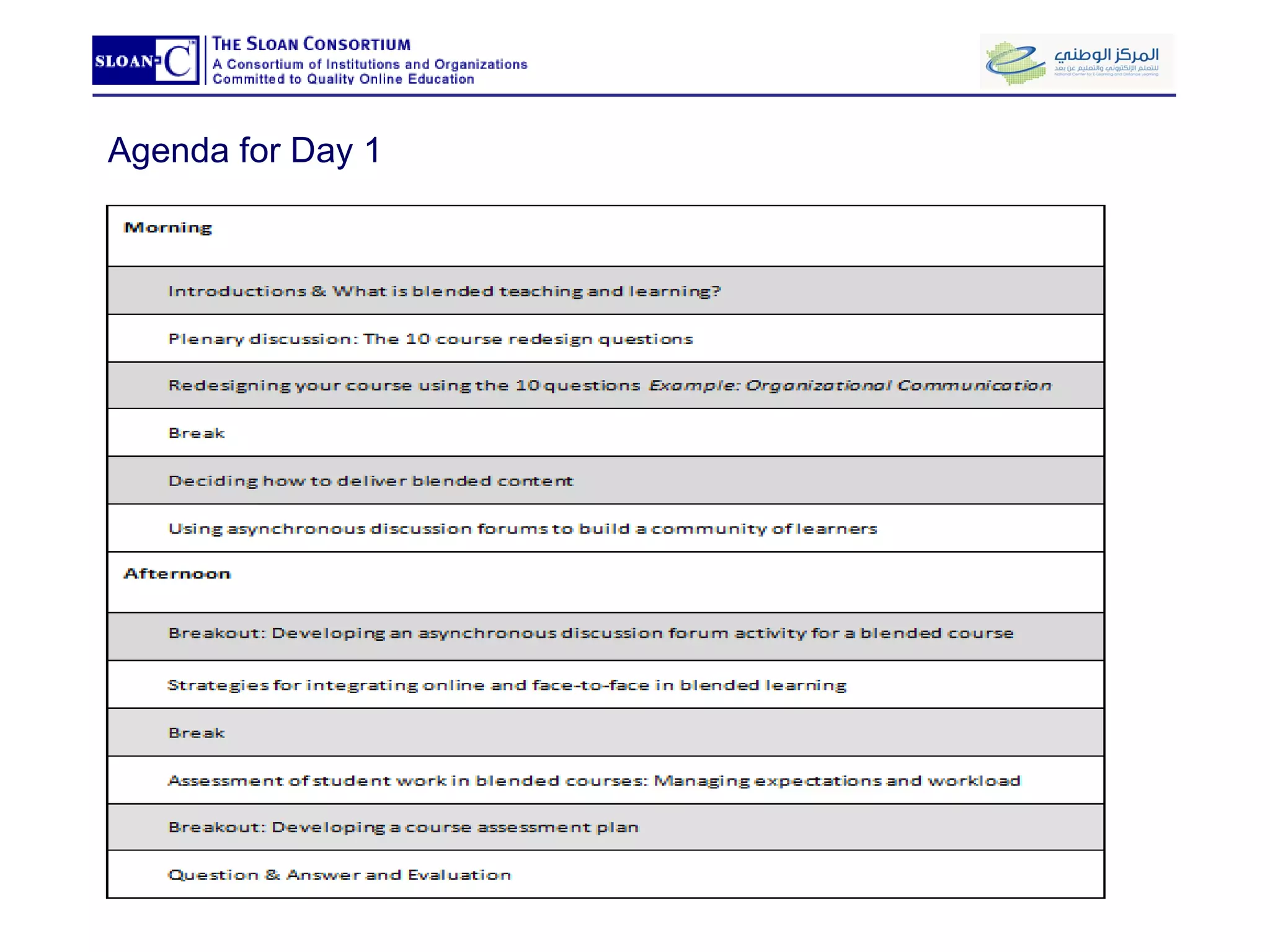
Agenda for Day 1
Introductions: Tanya Joosten, PhD Candidate, Arizona State University Instructional Design Consultant at the UWM Learning Technology Center (LTC) Lecturer in the Department of Communication.   Teaches technology-enhanced, hybrid, and fully online courses  Presents at EDUCAUSE and Sloan Conferences Co-author of a chapter on hybrid learning found in "Blended Learning: Research Perspectives" published by the Sloan-C Presented several faculty workshop on online learning, blended learning, clickers, Second Life, and more.
Introductions: Amy Mangrich, MFA, University Wisconsin-Milwaukee Instructional Design Consultant at the UWM Learning Technology Center (LTC) Specializes in the pedagogy of digital content creation and delivery.  Taught technology-enhanced and hybrid/blended courses in the Department of Visual Art at UWM. Presented numerous faculty development programs on the hybrid/blended and fully-online course models Guest Speaker, Margaret Duncan, Ph.D.
What is Blended Learning A blended course, by definition, reduces face-to-face “seat time” so that students can pursue additional teaching and learning activities online.  To be successful, a blended course requires careful pedagogical redesign.
The 10 Course Redesign Questions for Blended Learning Offer you a way to start thinking about some key design issues Please make some notes to yourself:  Which of these questions do you find surprising? troublesome? Or, intriguing?  Explain.
Redesigning your course using the 10 questions Learning Technology Center University of Wisconsin-Milwaukee eLi 2009 Riyadh: March 14-15, 2009
What goes online? Content Delivery Acquire basic content (lecture and reading) Assess understanding of basic content (discussion forums, rubrics, and quizzes)
Course details Original course design Organizational Communication, COM MUN310 Original Design: Night classes, 3 hours  app. Course Transformation Goal: To more effectively use valuable f2f time Means: Focus on task requirements and medium selection Experience teaching fully online and fully f2f New Design: Reduced class time, 45% online, 55% F2F
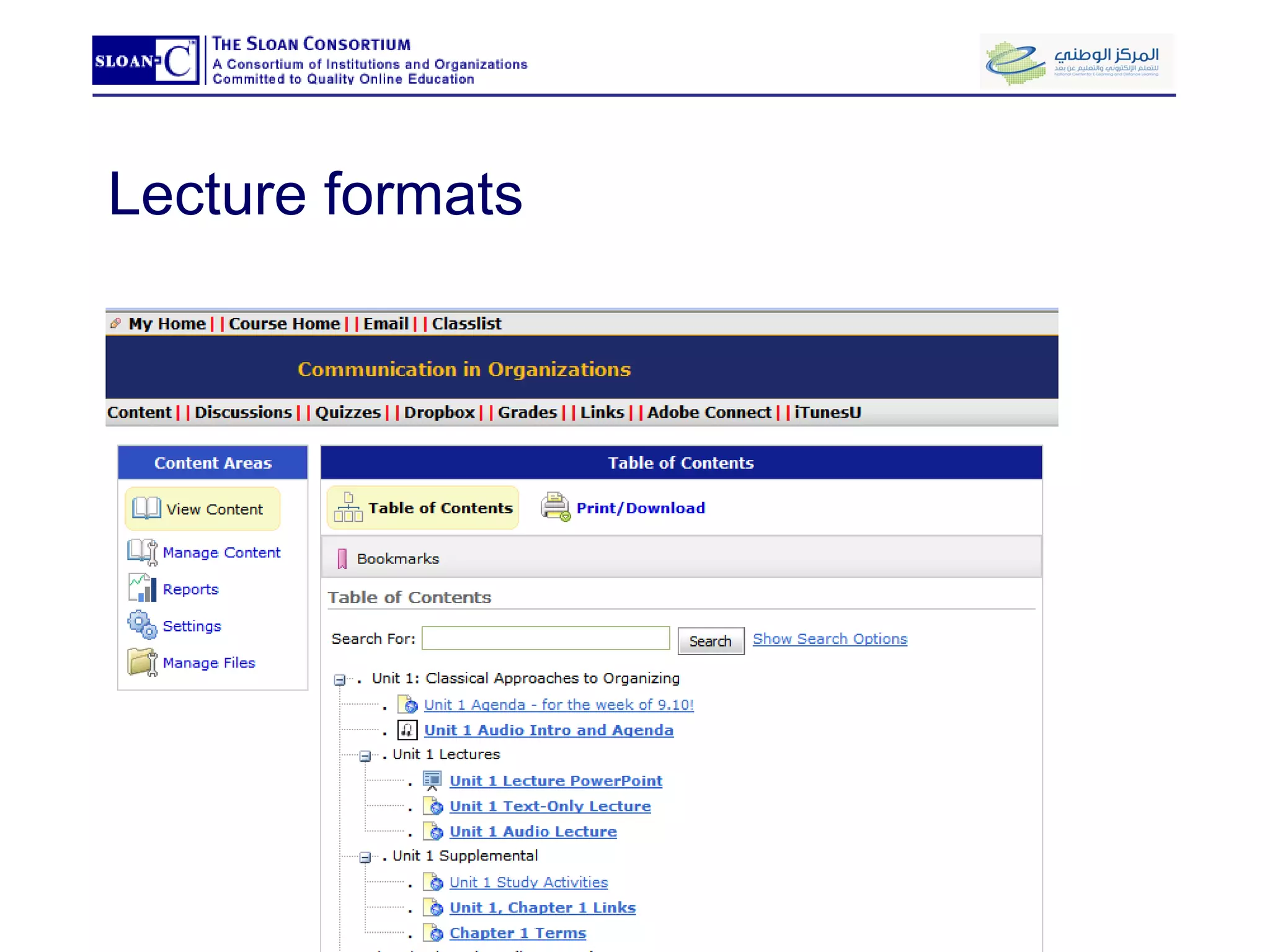
Lecture formats
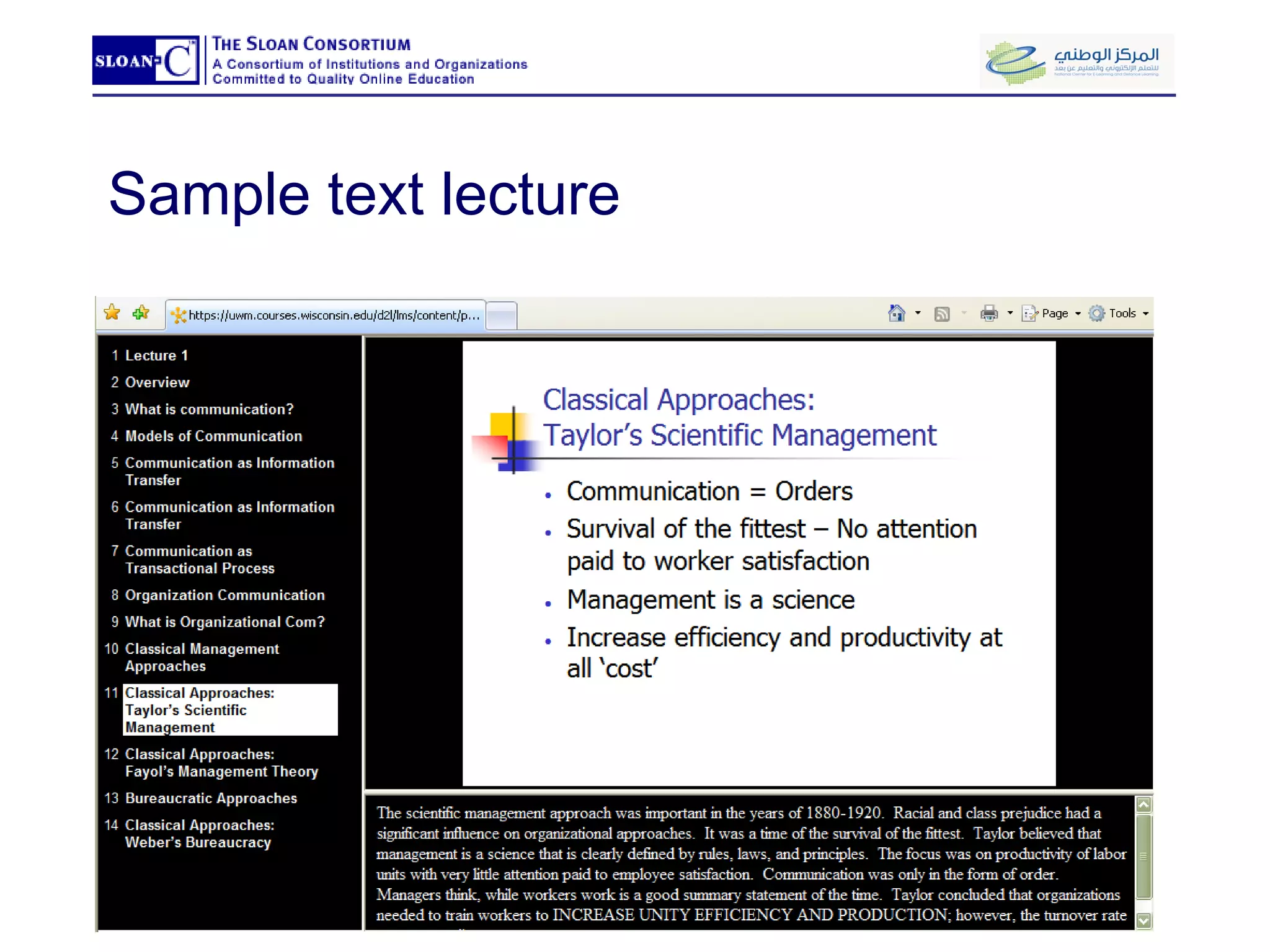
Sample text lecture
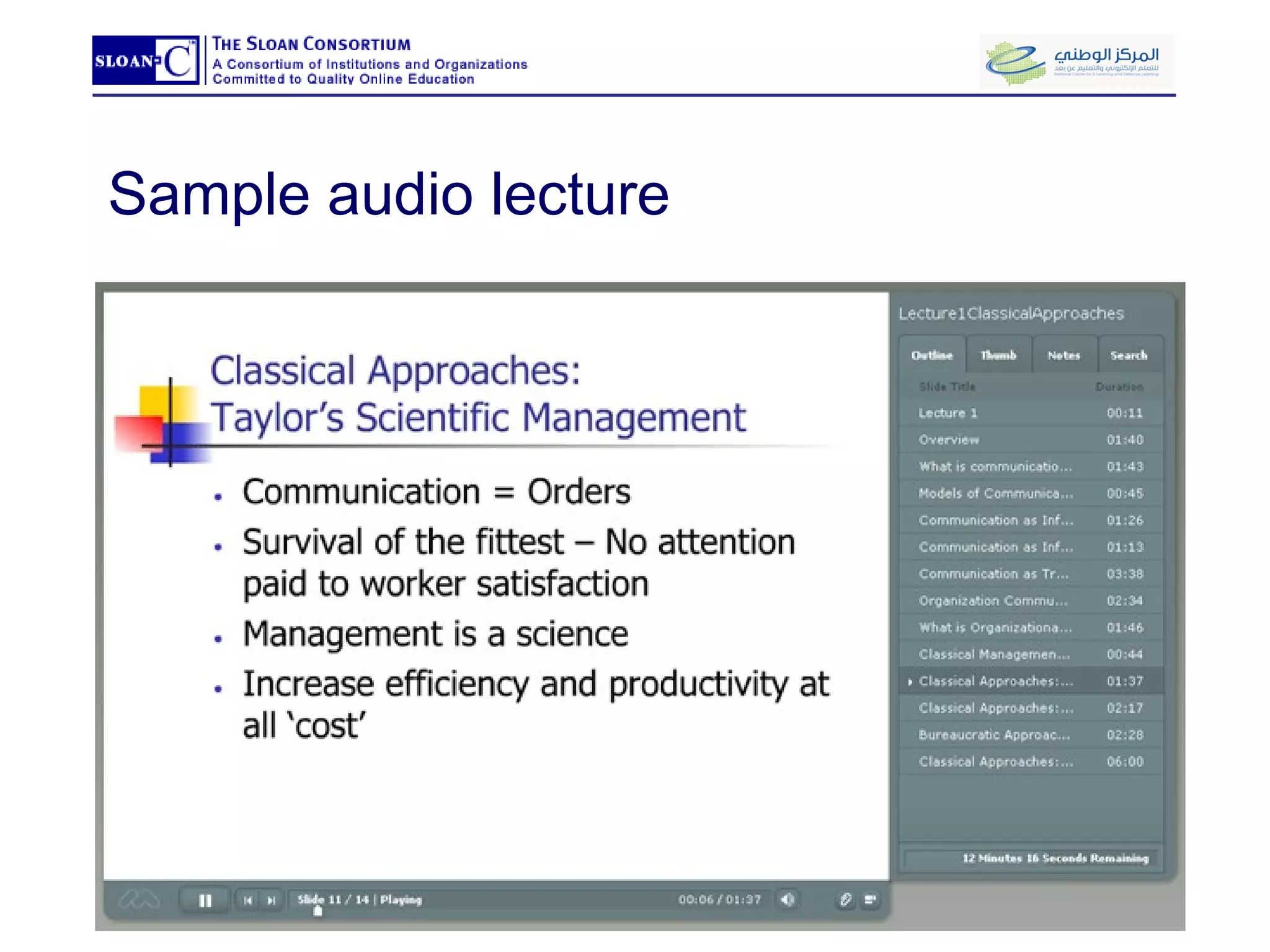
Sample audio lecture
What goes online? Content Delivery Acquire basic content (lecture and reading) Assess understanding of basic content (discussion forums, rubrics, and quizzes)
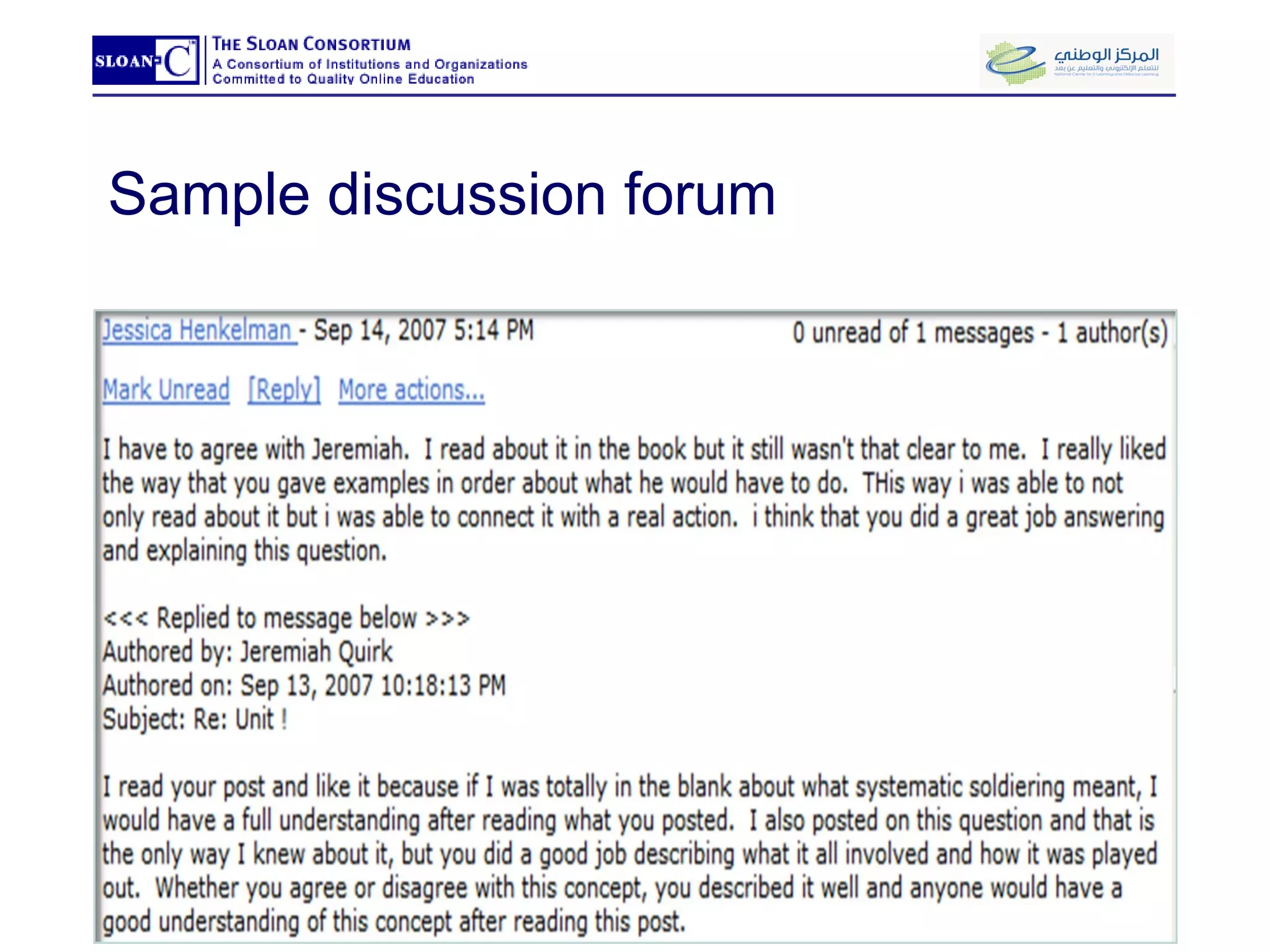
Sample discussion forum
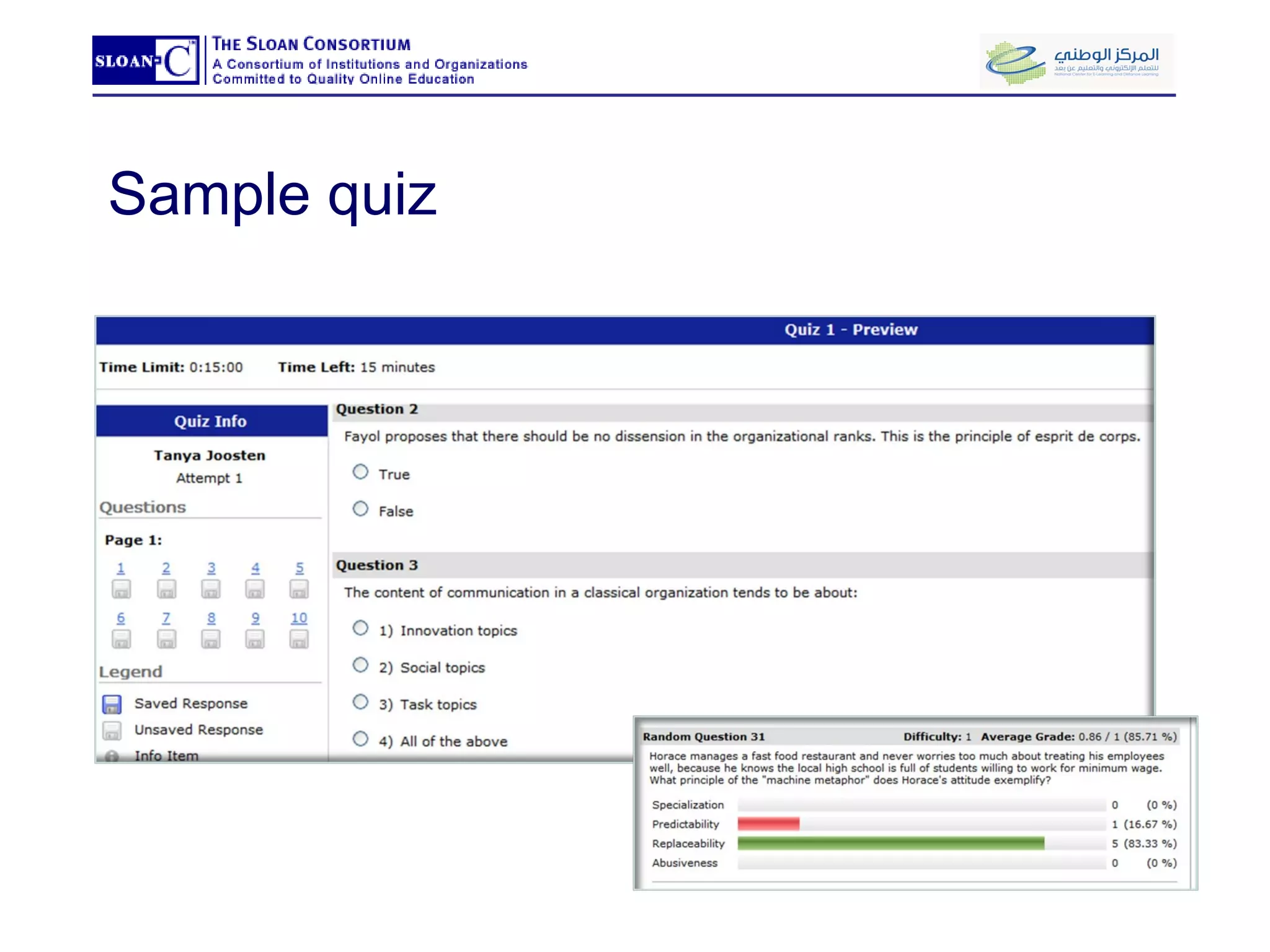
Sample quiz
What goes face-to-face? Decreases students’ equivocality and uncertainty Allow for instant feedback for understanding Provide opportunity for higher order learning Presentations of group work done outside of class
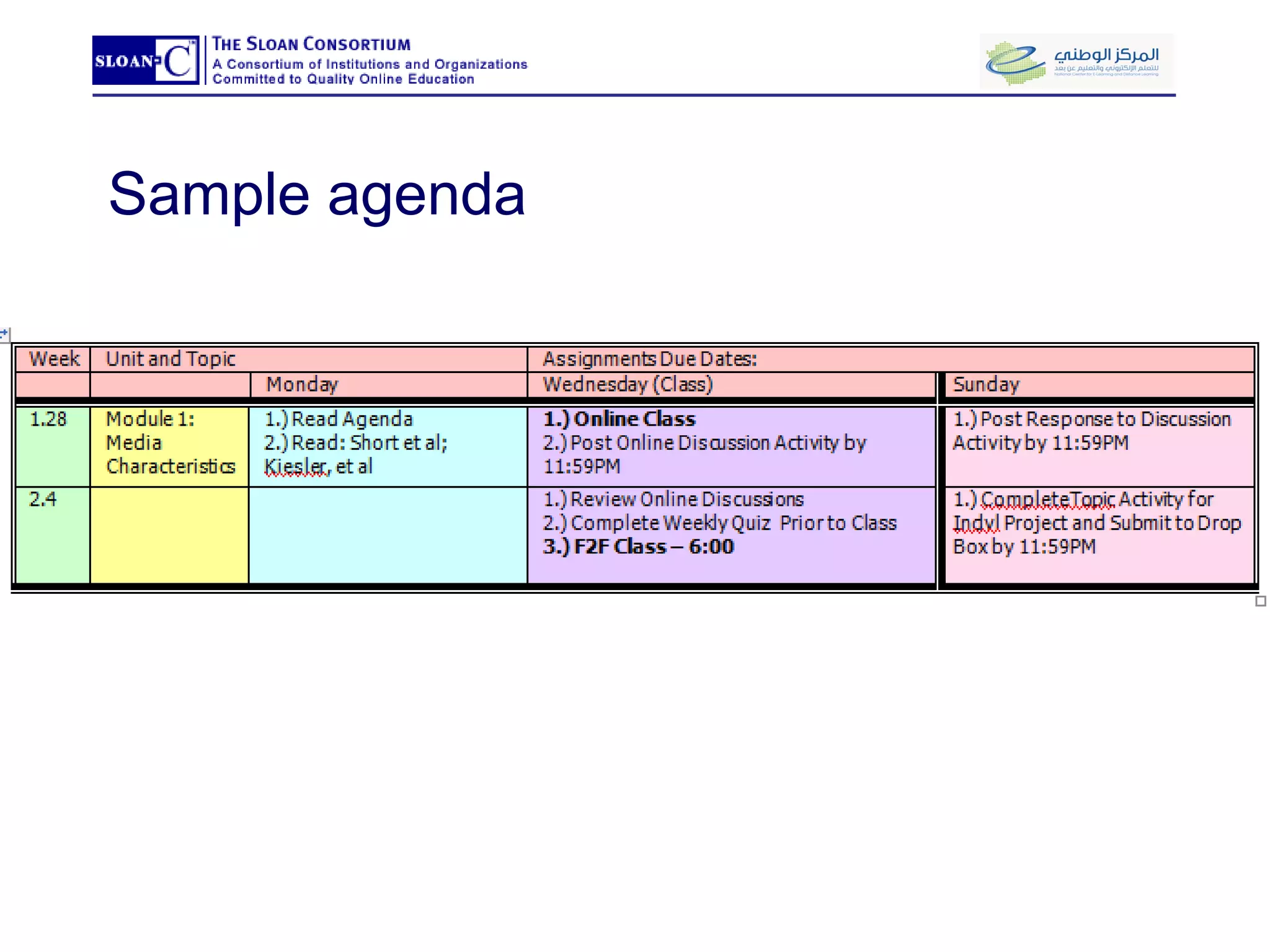
Sample agenda
What goes online? Building Learning Community Online discussion questions Group experiential learning activities (virtual labs)
What goes online? Summative Assessment Assess achievement of learning objectives for course (midterm and final exams)
Keys to a successful transformation TIP 1: Avoid course and a half TIP 2: Promote online learning community  Tip 3: Plan for integration.  Tip 4:  Don’t feel that you have to follow the traditional f2f scheduling format.  Tip 5: Assess both mediums, online and f2f. Tip 6: Manage student expectations
Content Delivery Learning Technology Center University of Wisconsin-Milwaukee eLi 2009 Riyadh: March 14-15, 2009
Content delivery in blended courses Learning Technology Center University of Wisconsin – Milwaukee eLi 2009 Riyadh: March 14-15, 2009
Content delivery as part of a learning activity What do I want my students to be able to do (i.e., not just “know”) at the end of the module? What evidence or documentation will demonstrate my students’ learning? What materials will help my students produce this evidence or documentation?
Advantages to online content delivery Can be easily distributed to students (copied, shared) Can be reviewed (useful for factual material requiring rote memorization ) Can  accommodate  unique student needs (learning styles, disabilities, physical barriers) Can be  “found”  as well as created Can be interactive and demonstrative
Costs of online content delivery Material can be confusing or random out of context Conversation, explanation, clarification is not immediate Self production costs (software/hardware purchase and learning the creation tools) Altering/editing materials (found or previously produced) Professional production costs (time and money) Supporting your students (technical issues)
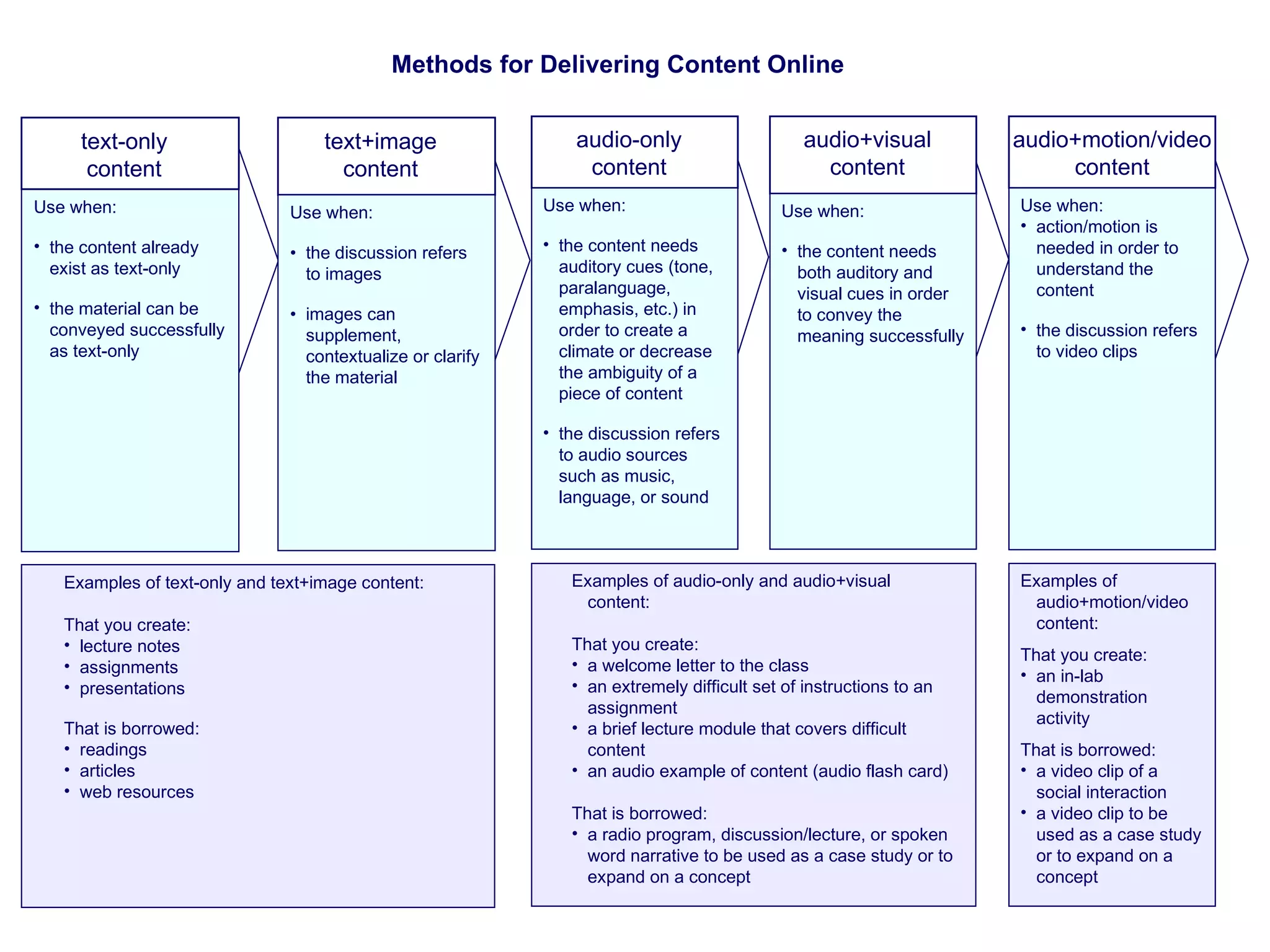
Methods for Delivering Content Online Examples of audio+motion/video content: That you create: an in-lab demonstration activity That is borrowed: a video clip of a social interaction a video clip to be used as a case study or to expand on a concept  audio+motion/video content Use when: action/motion is needed in order to understand the content the discussion refers to video clips Examples of audio-only and audio+visual content: That you create: a welcome letter to the class   an extremely difficult set of instructions to an assignment a brief lecture module that covers difficult content an audio example of content (audio flash card) That is borrowed: a radio program, discussion/lecture, or spoken word narrative to be used as a case study or to expand on a concept  audio+visual content Use when: the content needs both auditory and visual cues in order to convey the meaning successfully audio-only content Use when: the content needs auditory cues (tone, paralanguage, emphasis, etc.) in order to create a climate or decrease the ambiguity of a piece of content the discussion refers to audio sources such as music, language, or sound Examples of text-only and text+image content: That you create: lecture notes assignments presentations That is borrowed: readings articles web resources text+image content Use when: the content already exist as text-only the material can be conveyed successfully as text-only text-only content Use when: • the discussion refers to images • images can supplement, contextualize or clarify the material
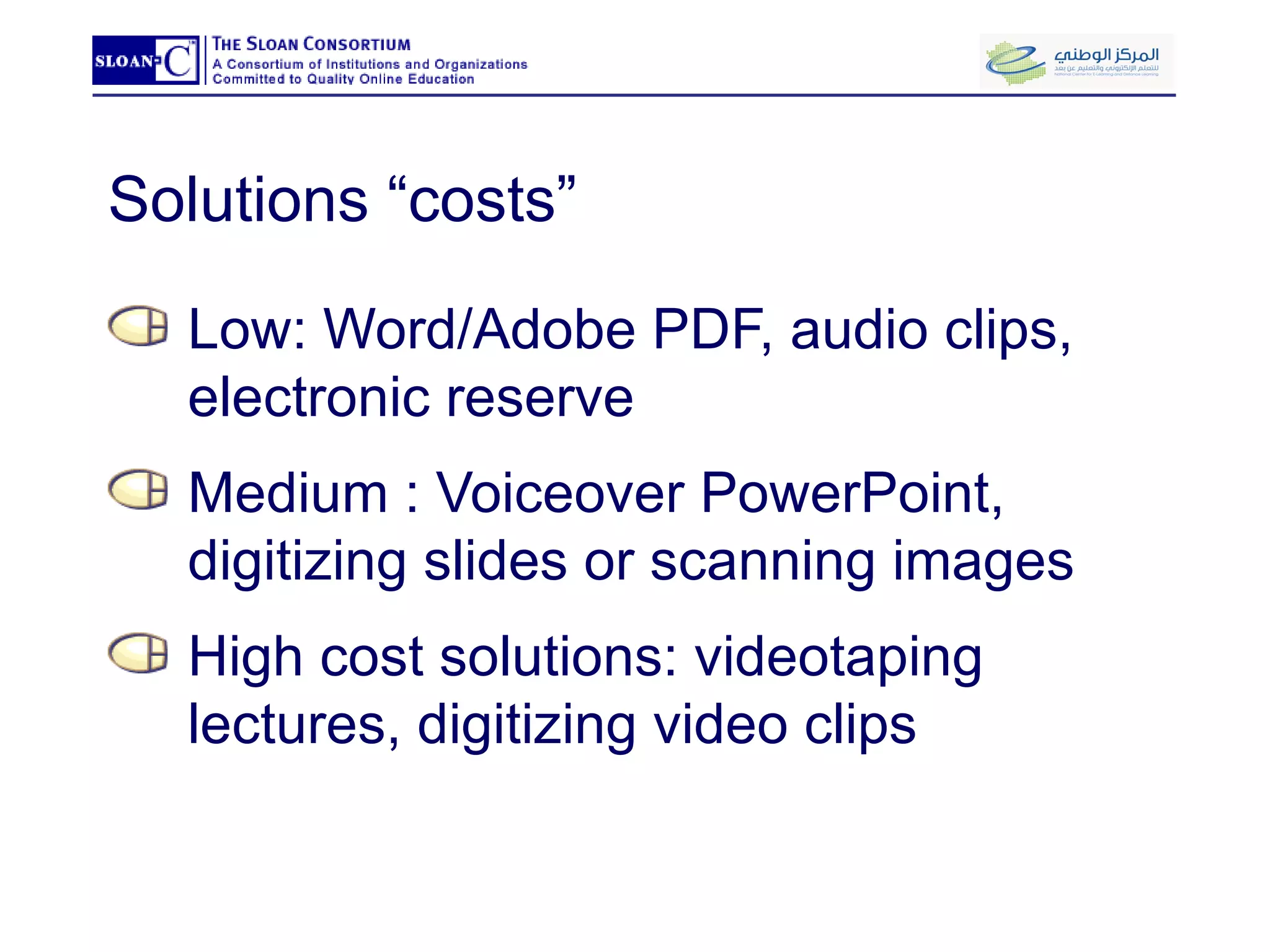
Solutions “costs” Low: Word/Adobe PDF, audio clips, electronic reserve Medium : Voiceover PowerPoint, digitizing slides or scanning images High cost solutions: videotaping lectures, digitizing video clips
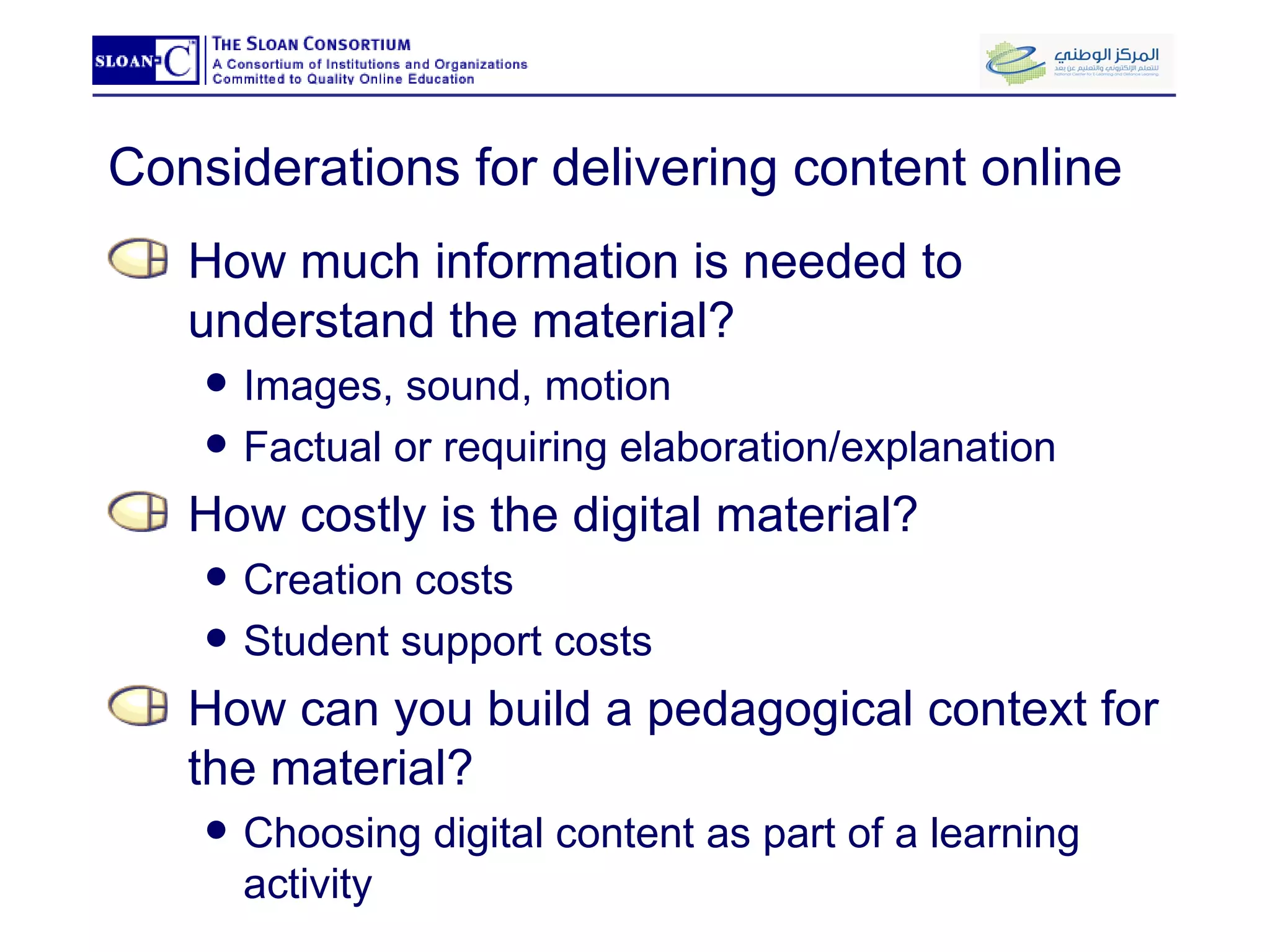
Considerations for delivering content online How much information is needed to understand the material? Images, sound, motion Factual or requiring elaboration/explanation How costly is the digital material? Creation costs Student support costs How can you build a pedagogical context for the material? Choosing digital content as part of a learning activity
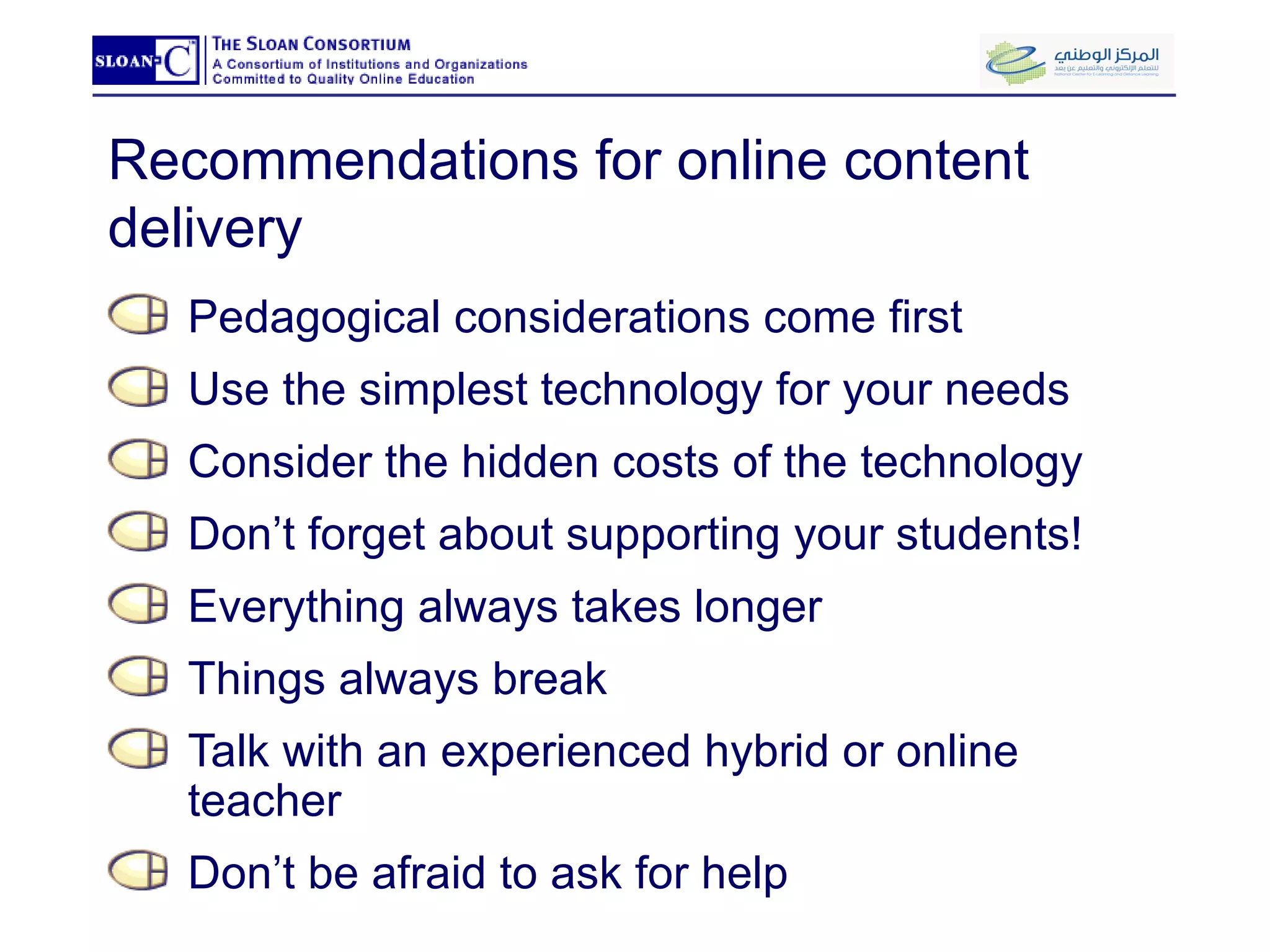
Recommendations for online content delivery Pedagogical considerations come first Use the simplest technology for your needs  Consider the hidden costs of the technology Don’t forget about supporting your students! Everything always takes longer Things always break Talk with an experienced hybrid or online teacher Don’t be afraid to ask for help
A few examples… Audio flashcards Voice-over PowerPoint PowerPoint lecture notes (PDF) Lab demonstration   video PowerPoint Animation  Interactive Learning Object Interactive Learning Activity (StudyMate)
Using discussion forums to create a community of learners Learning Technology Center University of Wisconsin-Milwaukee eLi 2009 Riyadh: March 14-15, 2009
Modes of Online Communication Synchronous Text-only chats within D2L Synchronous tools with audio/video capability, e.g., Macromedia Breeze Live Instant messenger/VOIP, e.g., AOL, Yahoo, ICQ, Skype Asynchronous Journaling, blogging, and wikis Email  one-to-one email one-to-many class reflectors (e.g., D2L or Pantherlist) Discussion forums
Advantages of typical online modes of communication Ease of use Convenience Status leveling  Accountability Documentation of learning
Contrasting two popular modes of online communication Email Private Slightly harder to manage Difficult to review and build on what’s been said Discussion Forums Public Continuous, accessible record Organized by threads
Example: Human Communication and Technology 20-25 students UG Integrating face-to-face and online learning communities was central to the course objectives
See Sample Learning Activity Learning Objectives Assessment (Rubric) Learning Activity
Range of pedagogical uses of discussion forums Applications  Reflection & higher-order analysis Debate/argument Resources Self-disclosure
Helping your students use discussion forums Learning how to post Making it a routine Different forum sizes and types Establishing instructor’s voice/presence Time management online
Asking good questions Netiquette (In)formalities  Process Scope Framing question & response Assessment
Lunch Learning Technology Center University of Wisconsin-Milwaukee eLi 2009 Riyadh: March 14-15, 2009
Group Activity: Developing an asynchronous discussion forum activity for a blended course Learning Technology Center University of Wisconsin-Milwaukee eLi 2009 Riyadh: March 14-15, 2009
Strategies for integrating online and face-to-face in blended learning Learning Technology Center University of Wisconsin – Milwaukee eLi 2009 Riyadh: March 14-15, 2009
“ Closing the loop” Face-to-face and online work should complement, extend, & elaborate one another Focus on integration helps instructor redesign course from traditional to blended Students are better able to understand the rationale for blended teaching and learning Closing the loop makes it easier to avoid the course-and-a-half syndrome
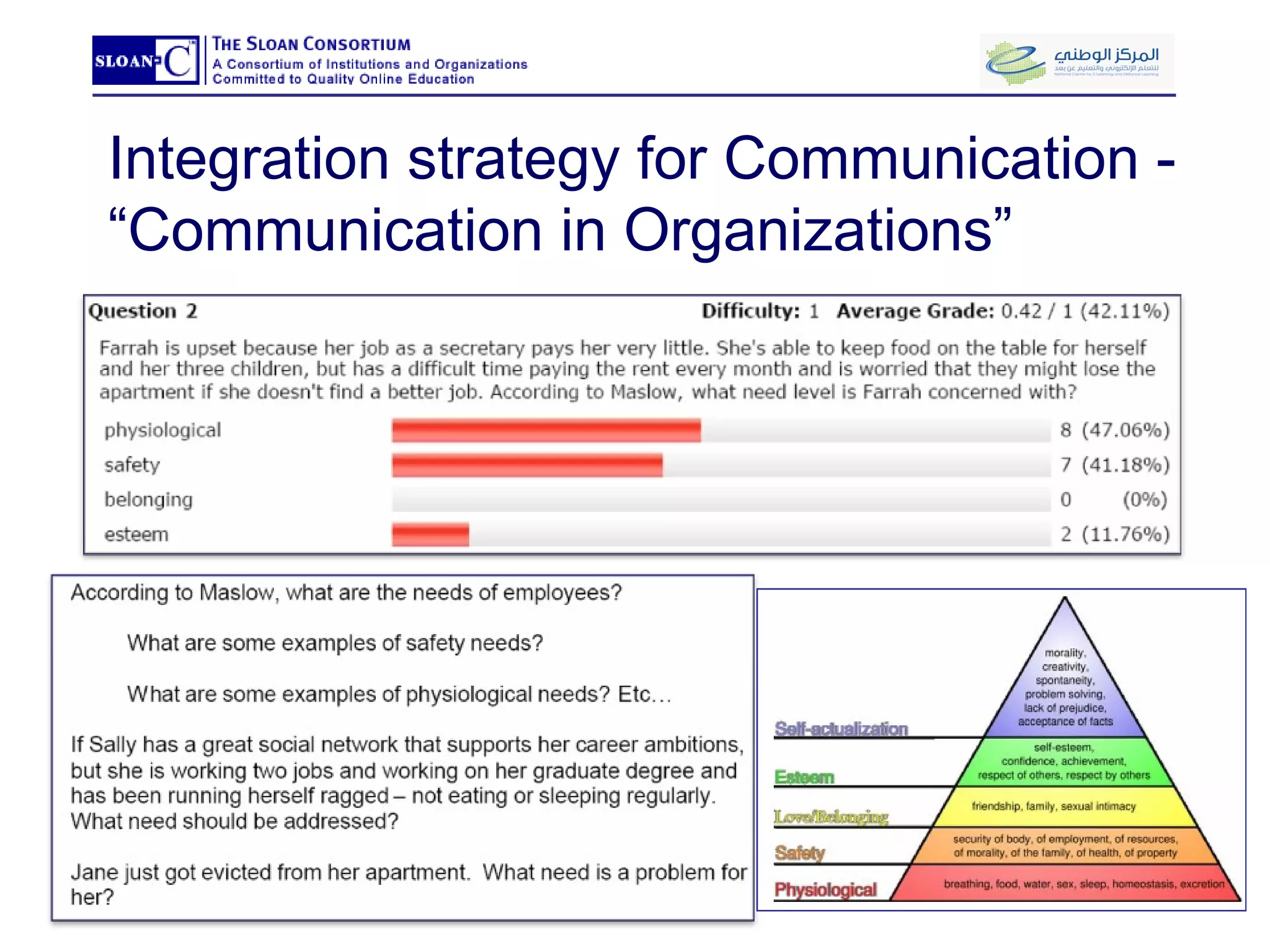
Integration strategy for Communication - “Communication in Organizations”
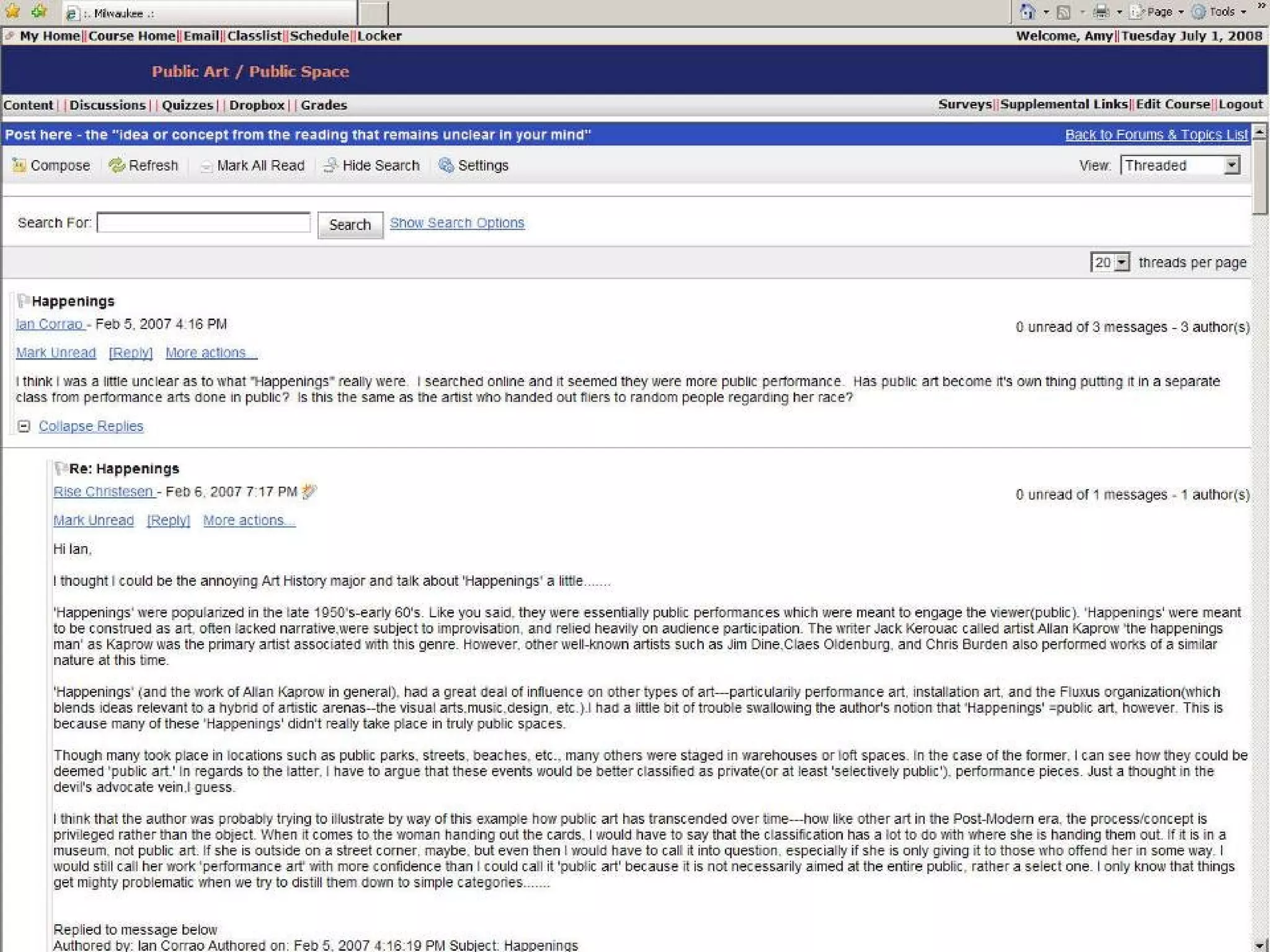
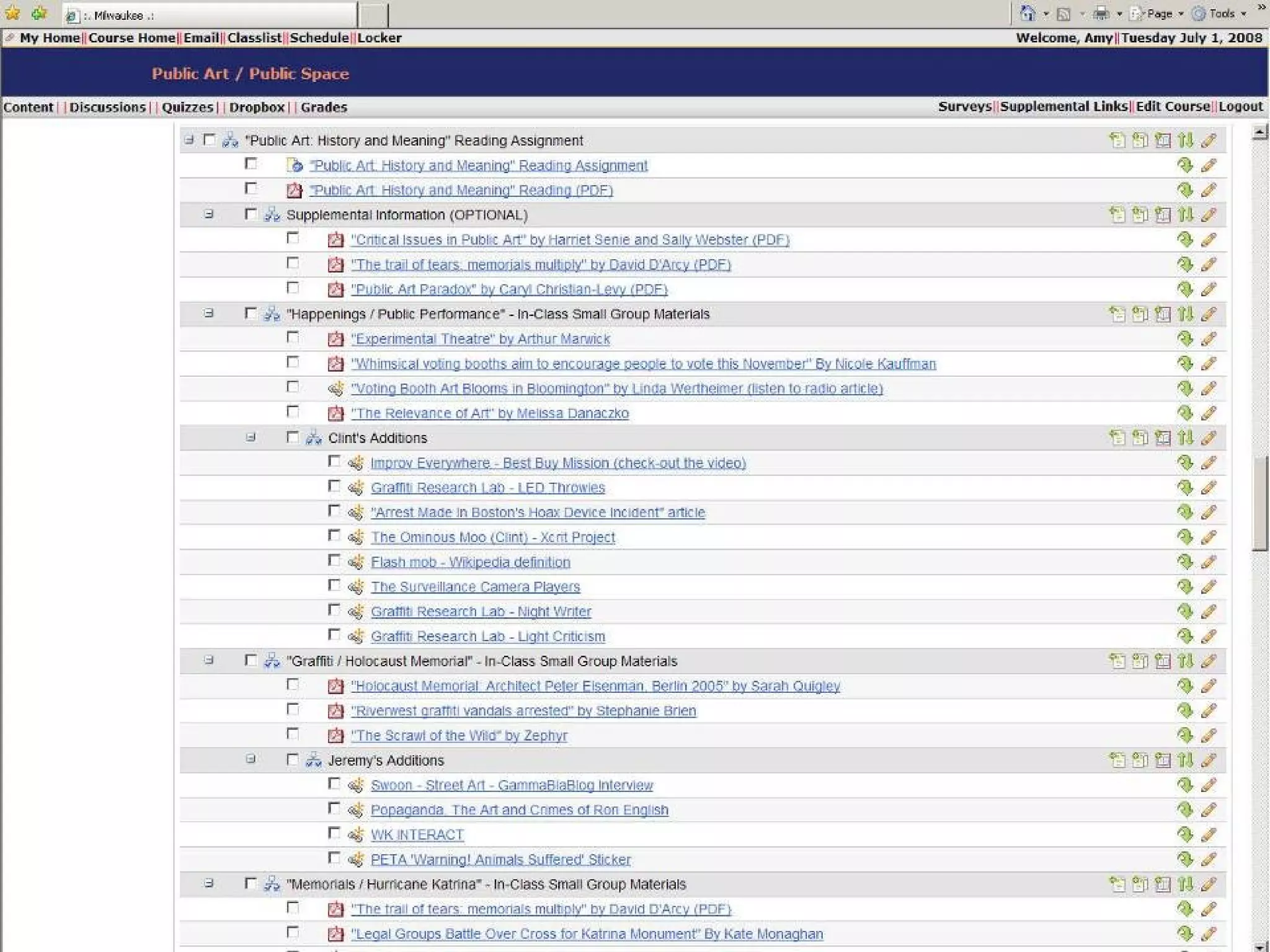
Integration strategy for Visual Art – “Public Art / Public Space” Students read "Public Art: History and Meaning" Reading Posted messages to Discussion Area in response to the reading  What was the single most [enlightening, surprising, disturbing] thing that you learned in this reading?  What single idea or concept from the reading remains unclear in your mind? Replied to classmates online discussion postings Selected a message that addressed an idea or concept that was unclear in their classmate’s mind. Posted a message in REPLY to their classmate attempting to clarify the idea or concept that was confusing.  The reply message was: Be between 250 - 500 words Included knowledge from past research/study or from personal interests and experience.
 
 
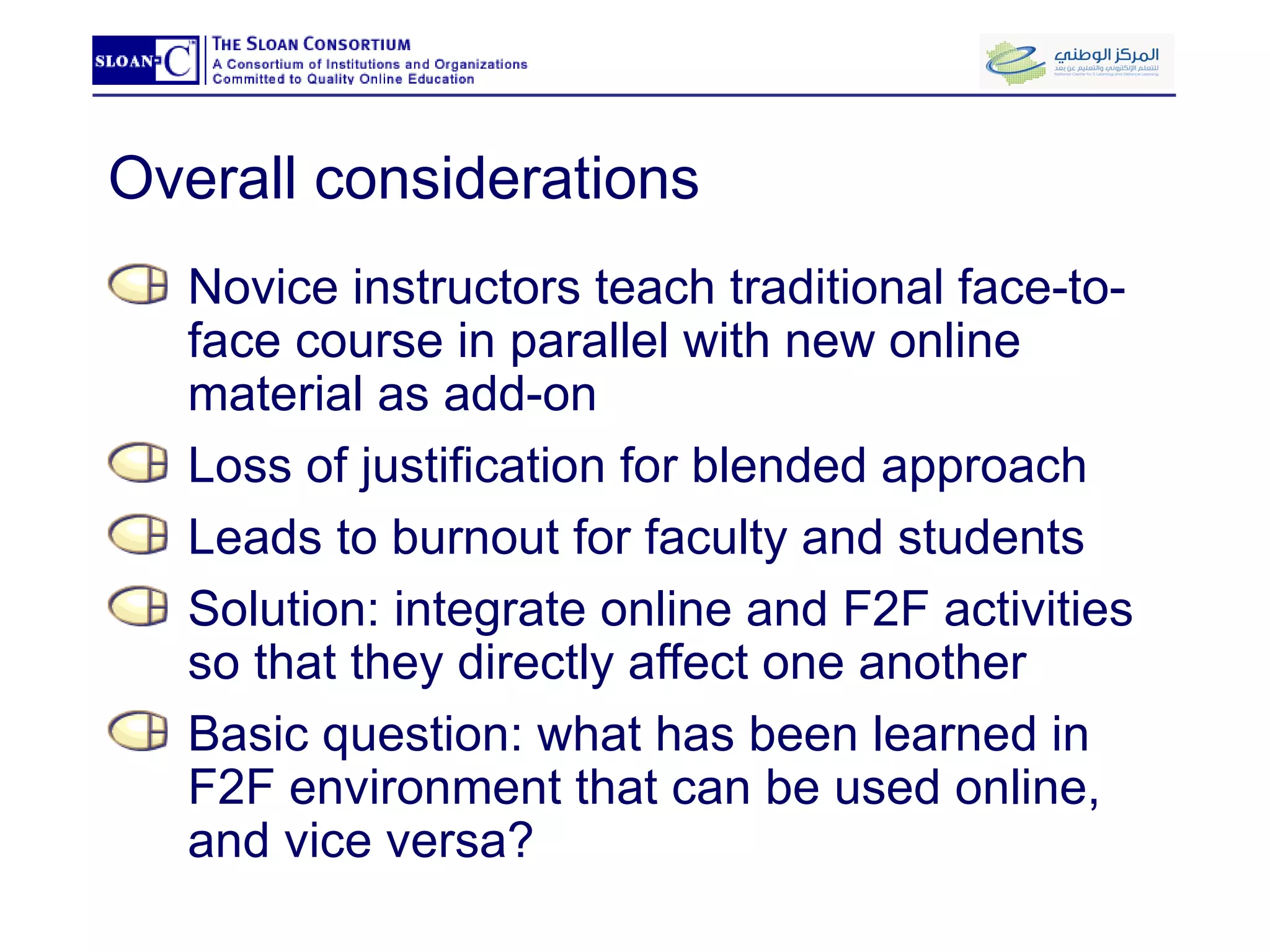
Overall considerations Novice instructors teach traditional face-to-face course in parallel with new online material as add-on Loss of justification for blended approach Leads to burnout for faculty and students Solution: integrate online and F2F activities so that they directly affect one another Basic question: what has been learned in F2F environment that can be used online, and vice versa?
Assessment of student work in blended courses: Managing expectations and workload Learning Technology Center University of Wisconsin-Milwaukee eLi 2009 Riyadh: March 14-15, 2009
Assessment vs. Evaluation Assessing Student Learning Determining the quality of a student’s work Evaluating Your Course Determining the worth or effectiveness of a course design or teaching
Types of assessment Traditional Forms Discussions or Participation Quiz and Test Papers or Projects     Less Traditional Forms Classroom Assessment Techniques (CATs )  Rubrics
Assessment in the blended environment Traditional forms of assessment can be simplified by the course management system Blended learning lends itself to low-stakes, frequent feedback Measures both the process and the product of learning Group work is much easier to document Assessment can be offered in new ways through blended learning activities
CATs   (Classroom Assessment Techniques) What are they?  Brief written assignments completed by students. Why are they useful? Give both you and your students feedback about the teaching-learning process.  Provides a clear understanding of your students' learning so you can adjust your teaching.
CAT Example 1: Muddiest Point What has been the "muddiest" point so far in this module? That is, what remains the least clear to you?
Tips for using CATs in blended courses Post CAT online as discussion forum or survey form Give students credit for completion Post a summary of responses
CAT Example 2: One-minute Paper  What’s one thing that you learned this module that you didn’t know when you started? What’s one question that you would still like to ask about what you have learned during this module? Or, What are the two [three, four, five] most significant [central, useful, meaningful, surprising, disturbing] things you have learned during this module? What question(s) remain uppermost in your mind?
CAT Example 3: RSQC 2 Recall: Take two minutes to  recall  in rank order the most important ideas from a module Summarize: Take two minutes to  summarize  those points in a single sentence in order to "chunk" the information Question?: Write one major  question  that you want answered Connect: Identify a thread or theme to  connect  this material to the course's major goal.  Comment: Write any comment about the class
Rubrics What are they? Scoring guide used in subjective assessments Makes expected quality of performance explicit on a rating or points scale Why are they useful? Eases workload; saves time on writing comments Reduces student uncertainty regarding performance
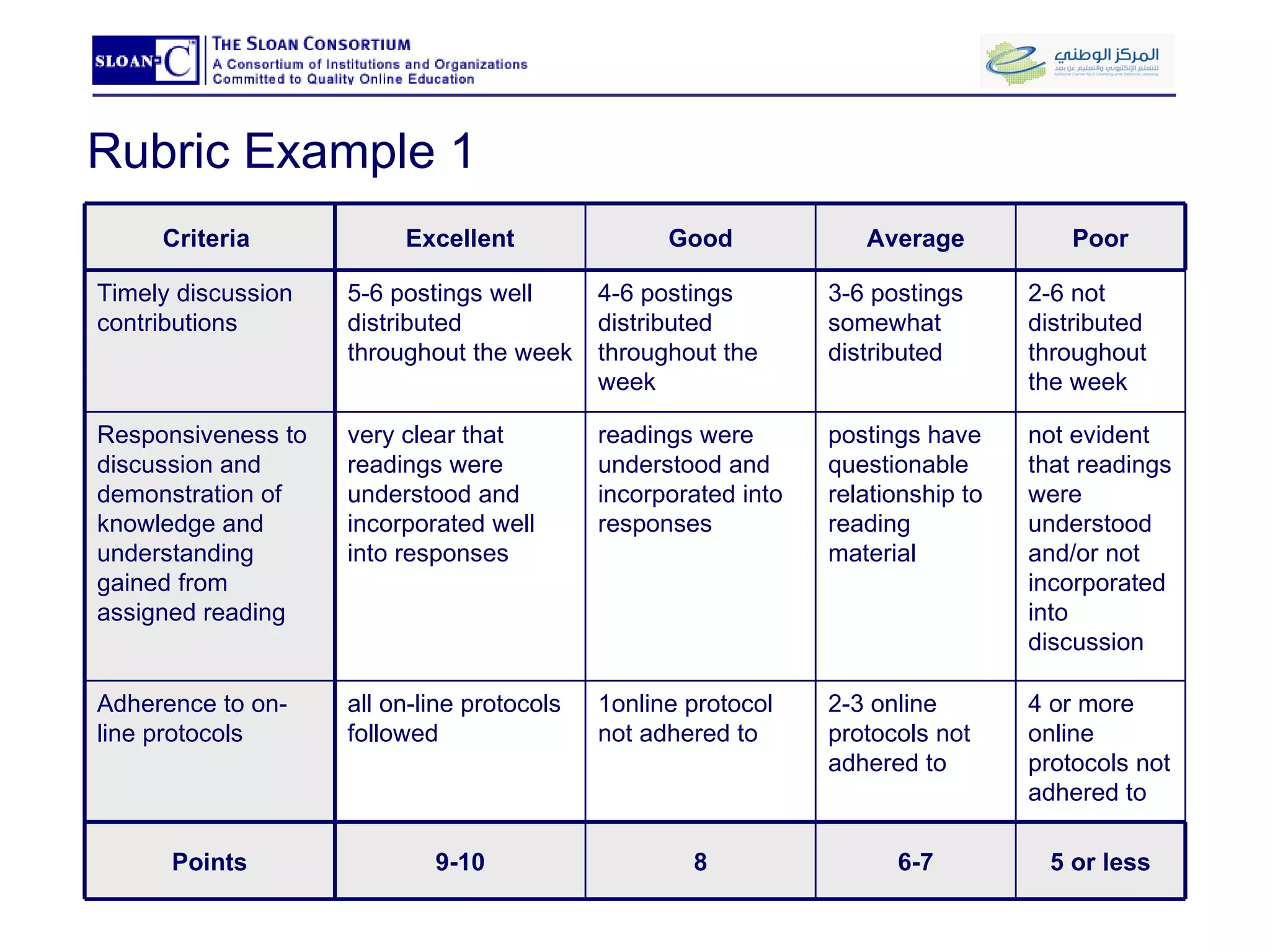
Rubric Example 1    Criteria  Excellent Good Average Poor Timely discussion contributions 5-6 postings well distributed throughout the week 4-6 postings distributed throughout the week  3-6 postings somewhat distributed 2-6 not distributed throughout the week Responsiveness to discussion and demonstration of knowledge and understanding gained from assigned reading very clear that readings were understood and incorporated well into responses readings were understood and incorporated into responses postings have questionable relationship to reading material not evident that readings were understood and/or not incorporated into discussion Adherence to on-line protocols all on-line protocols followed 1online protocol not adhered to  2-3 online protocols not adhered to  4 or more online protocols not adhered to  Points 9-10 8 6-7 5 or less
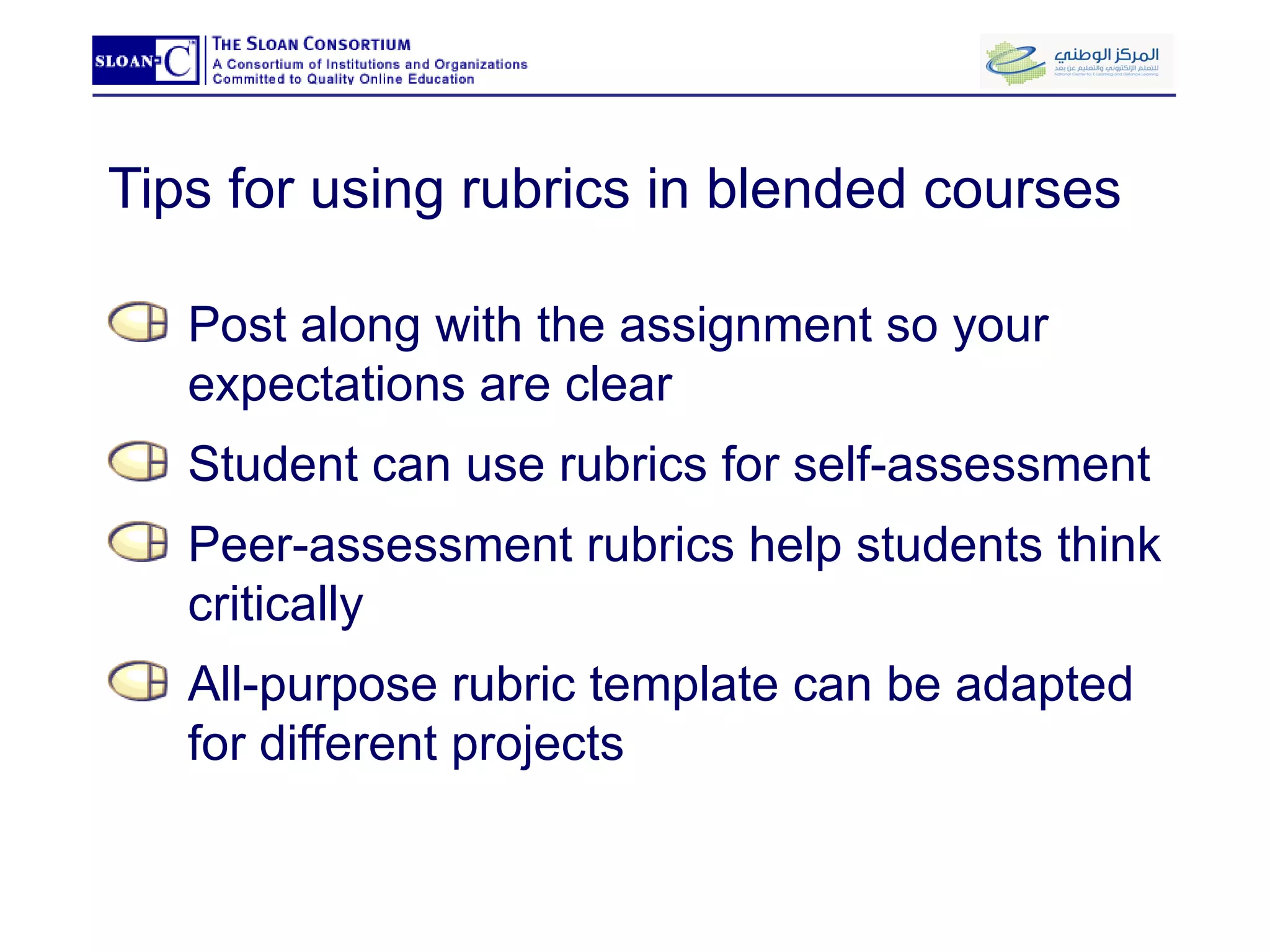
Tips for using rubrics in blended courses Post along with the assignment so your expectations are clear  Student can use rubrics for self-assessment  Peer-assessment rubrics help students think critically All-purpose rubric template can be adapted for different projects
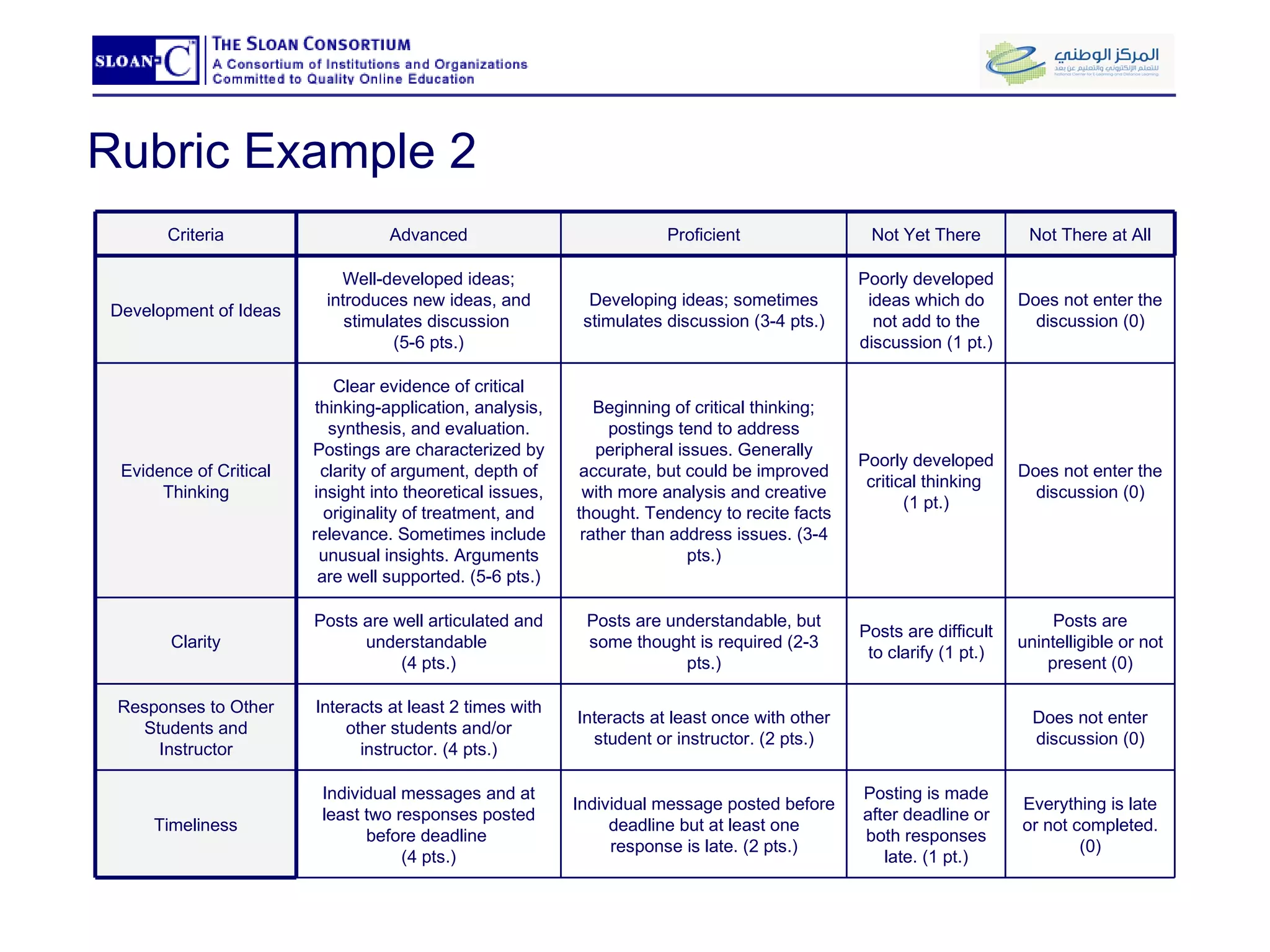
Rubric Example 2 Criteria Advanced Proficient Not Yet There Not There at All Development of Ideas Well-developed ideas; introduces new ideas, and stimulates discussion  (5-6 pts.) Developing ideas; sometimes stimulates discussion (3-4 pts.) Poorly developed ideas which do not add to the discussion (1 pt.) Does not enter the discussion (0) Evidence of Critical Thinking Clear evidence of critical thinking-application, analysis, synthesis, and evaluation. Postings are characterized by clarity of argument, depth of insight into theoretical issues, originality of treatment, and relevance. Sometimes include unusual insights. Arguments are well supported. (5-6 pts.) Beginning of critical thinking; postings tend to address peripheral issues. Generally accurate, but could be improved with more analysis and creative thought. Tendency to recite facts rather than address issues. (3-4 pts.) Poorly developed critical thinking  (1 pt.) Does not enter the discussion (0) Clarity Posts are well articulated and understandable  (4 pts.) Posts are understandable, but some thought is required (2-3 pts.) Posts are difficult to clarify (1 pt.) Posts are unintelligible or not present (0) Responses to Other Students and Instructor Interacts at least 2 times with other students and/or instructor. (4 pts.) Interacts at least once with other student or instructor. (2 pts.) Does not enter discussion (0) Timeliness Individual messages and at least two responses posted before deadline  (4 pts.) Individual message posted before deadline but at least one response is late. (2 pts.) Posting is made after deadline or both responses late. (1 pt.) Everything is late or not completed. (0)
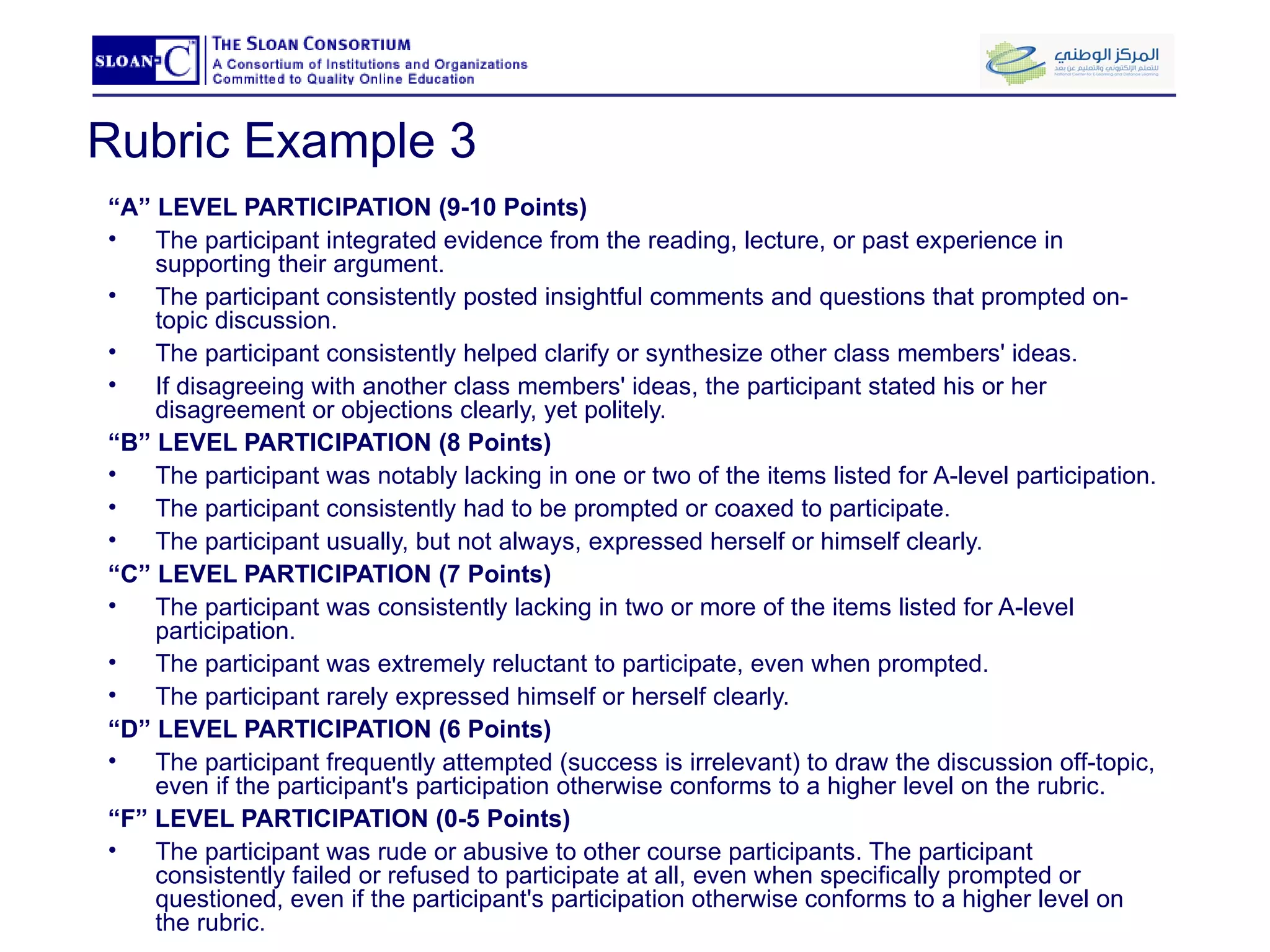
Rubric Example 3 “ A” LEVEL PARTICIPATION (9-10 Points) The participant integrated evidence from the reading, lecture, or past experience in supporting their argument. The participant consistently posted insightful comments and questions that prompted on-topic discussion.  The participant consistently helped clarify or synthesize other class members' ideas. If disagreeing with another class members' ideas, the participant stated his or her disagreement or objections clearly, yet politely.  “ B” LEVEL PARTICIPATION (8 Points) The participant was notably lacking in one or two of the items listed for A-level participation.  The participant consistently had to be prompted or coaxed to participate.  The participant usually, but not always, expressed herself or himself clearly.  “ C” LEVEL PARTICIPATION (7 Points) The participant was consistently lacking in two or more of the items listed for A-level participation.  The participant was extremely reluctant to participate, even when prompted.  The participant rarely expressed himself or herself clearly.  “ D” LEVEL PARTICIPATION (6 Points) The participant frequently attempted (success is irrelevant) to draw the discussion off-topic, even if the participant's participation otherwise conforms to a higher level on the rubric.  “ F” LEVEL PARTICIPATION (0-5 Points) The participant was rude or abusive to other course participants. The participant consistently failed or refused to participate at all, even when specifically prompted or questioned, even if the participant's participation otherwise conforms to a higher level on the rubric.
Group Activity: Developing a course assessment plan Learning Technology Center University of Wisconsin-Milwaukee eLi 2009 Riyadh: March 14-15, 2009
Q&A Evaluation of Workshop Learning Technology Center University of Wisconsin-Milwaukee eLi 2009 Riyadh: March 14-15, 2009

Blended Learning, Day 1, Riyadh

  • 1.
    Welcome to “GettingStarted with Blended Learning” Tanya Joosten (tjoosten@uwm.edu) Amy Mangrich (amangric@uwm.edu) University of Wisconsin-Milwaukee Milwaukee, WI USA
  • 2.
  • 3.
    Introductions: Tanya Joosten,PhD Candidate, Arizona State University Instructional Design Consultant at the UWM Learning Technology Center (LTC) Lecturer in the Department of Communication.  Teaches technology-enhanced, hybrid, and fully online courses Presents at EDUCAUSE and Sloan Conferences Co-author of a chapter on hybrid learning found in "Blended Learning: Research Perspectives" published by the Sloan-C Presented several faculty workshop on online learning, blended learning, clickers, Second Life, and more.
  • 4.
    Introductions: Amy Mangrich,MFA, University Wisconsin-Milwaukee Instructional Design Consultant at the UWM Learning Technology Center (LTC) Specializes in the pedagogy of digital content creation and delivery.  Taught technology-enhanced and hybrid/blended courses in the Department of Visual Art at UWM. Presented numerous faculty development programs on the hybrid/blended and fully-online course models Guest Speaker, Margaret Duncan, Ph.D.
  • 5.
    What is BlendedLearning A blended course, by definition, reduces face-to-face “seat time” so that students can pursue additional teaching and learning activities online. To be successful, a blended course requires careful pedagogical redesign.
  • 6.
    The 10 CourseRedesign Questions for Blended Learning Offer you a way to start thinking about some key design issues Please make some notes to yourself: Which of these questions do you find surprising? troublesome? Or, intriguing? Explain.
  • 7.
    Redesigning your courseusing the 10 questions Learning Technology Center University of Wisconsin-Milwaukee eLi 2009 Riyadh: March 14-15, 2009
  • 8.
    What goes online?Content Delivery Acquire basic content (lecture and reading) Assess understanding of basic content (discussion forums, rubrics, and quizzes)
  • 9.
    Course details Originalcourse design Organizational Communication, COM MUN310 Original Design: Night classes, 3 hours app. Course Transformation Goal: To more effectively use valuable f2f time Means: Focus on task requirements and medium selection Experience teaching fully online and fully f2f New Design: Reduced class time, 45% online, 55% F2F
  • 10.
  • 11.
  • 12.
  • 13.
    What goes online?Content Delivery Acquire basic content (lecture and reading) Assess understanding of basic content (discussion forums, rubrics, and quizzes)
  • 14.
  • 15.
  • 16.
    What goes face-to-face?Decreases students’ equivocality and uncertainty Allow for instant feedback for understanding Provide opportunity for higher order learning Presentations of group work done outside of class
  • 17.
  • 18.
    What goes online?Building Learning Community Online discussion questions Group experiential learning activities (virtual labs)
  • 19.
    What goes online?Summative Assessment Assess achievement of learning objectives for course (midterm and final exams)
  • 20.
    Keys to asuccessful transformation TIP 1: Avoid course and a half TIP 2: Promote online learning community Tip 3: Plan for integration. Tip 4: Don’t feel that you have to follow the traditional f2f scheduling format. Tip 5: Assess both mediums, online and f2f. Tip 6: Manage student expectations
  • 21.
    Content Delivery LearningTechnology Center University of Wisconsin-Milwaukee eLi 2009 Riyadh: March 14-15, 2009
  • 22.
    Content delivery inblended courses Learning Technology Center University of Wisconsin – Milwaukee eLi 2009 Riyadh: March 14-15, 2009
  • 23.
    Content delivery aspart of a learning activity What do I want my students to be able to do (i.e., not just “know”) at the end of the module? What evidence or documentation will demonstrate my students’ learning? What materials will help my students produce this evidence or documentation?
  • 24.
    Advantages to onlinecontent delivery Can be easily distributed to students (copied, shared) Can be reviewed (useful for factual material requiring rote memorization ) Can accommodate unique student needs (learning styles, disabilities, physical barriers) Can be “found” as well as created Can be interactive and demonstrative
  • 25.
    Costs of onlinecontent delivery Material can be confusing or random out of context Conversation, explanation, clarification is not immediate Self production costs (software/hardware purchase and learning the creation tools) Altering/editing materials (found or previously produced) Professional production costs (time and money) Supporting your students (technical issues)
  • 26.
    Methods for DeliveringContent Online Examples of audio+motion/video content: That you create: an in-lab demonstration activity That is borrowed: a video clip of a social interaction a video clip to be used as a case study or to expand on a concept audio+motion/video content Use when: action/motion is needed in order to understand the content the discussion refers to video clips Examples of audio-only and audio+visual content: That you create: a welcome letter to the class an extremely difficult set of instructions to an assignment a brief lecture module that covers difficult content an audio example of content (audio flash card) That is borrowed: a radio program, discussion/lecture, or spoken word narrative to be used as a case study or to expand on a concept audio+visual content Use when: the content needs both auditory and visual cues in order to convey the meaning successfully audio-only content Use when: the content needs auditory cues (tone, paralanguage, emphasis, etc.) in order to create a climate or decrease the ambiguity of a piece of content the discussion refers to audio sources such as music, language, or sound Examples of text-only and text+image content: That you create: lecture notes assignments presentations That is borrowed: readings articles web resources text+image content Use when: the content already exist as text-only the material can be conveyed successfully as text-only text-only content Use when: • the discussion refers to images • images can supplement, contextualize or clarify the material
  • 27.
    Solutions “costs” Low:Word/Adobe PDF, audio clips, electronic reserve Medium : Voiceover PowerPoint, digitizing slides or scanning images High cost solutions: videotaping lectures, digitizing video clips
  • 28.
    Considerations for deliveringcontent online How much information is needed to understand the material? Images, sound, motion Factual or requiring elaboration/explanation How costly is the digital material? Creation costs Student support costs How can you build a pedagogical context for the material? Choosing digital content as part of a learning activity
  • 29.
    Recommendations for onlinecontent delivery Pedagogical considerations come first Use the simplest technology for your needs Consider the hidden costs of the technology Don’t forget about supporting your students! Everything always takes longer Things always break Talk with an experienced hybrid or online teacher Don’t be afraid to ask for help
  • 30.
    A few examples…Audio flashcards Voice-over PowerPoint PowerPoint lecture notes (PDF) Lab demonstration video PowerPoint Animation Interactive Learning Object Interactive Learning Activity (StudyMate)
  • 31.
    Using discussion forumsto create a community of learners Learning Technology Center University of Wisconsin-Milwaukee eLi 2009 Riyadh: March 14-15, 2009
  • 32.
    Modes of OnlineCommunication Synchronous Text-only chats within D2L Synchronous tools with audio/video capability, e.g., Macromedia Breeze Live Instant messenger/VOIP, e.g., AOL, Yahoo, ICQ, Skype Asynchronous Journaling, blogging, and wikis Email one-to-one email one-to-many class reflectors (e.g., D2L or Pantherlist) Discussion forums
  • 33.
    Advantages of typicalonline modes of communication Ease of use Convenience Status leveling Accountability Documentation of learning
  • 34.
    Contrasting two popularmodes of online communication Email Private Slightly harder to manage Difficult to review and build on what’s been said Discussion Forums Public Continuous, accessible record Organized by threads
  • 35.
    Example: Human Communicationand Technology 20-25 students UG Integrating face-to-face and online learning communities was central to the course objectives
  • 36.
    See Sample LearningActivity Learning Objectives Assessment (Rubric) Learning Activity
  • 37.
    Range of pedagogicaluses of discussion forums Applications Reflection & higher-order analysis Debate/argument Resources Self-disclosure
  • 38.
    Helping your studentsuse discussion forums Learning how to post Making it a routine Different forum sizes and types Establishing instructor’s voice/presence Time management online
  • 39.
    Asking good questionsNetiquette (In)formalities Process Scope Framing question & response Assessment
  • 40.
    Lunch Learning TechnologyCenter University of Wisconsin-Milwaukee eLi 2009 Riyadh: March 14-15, 2009
  • 41.
    Group Activity: Developingan asynchronous discussion forum activity for a blended course Learning Technology Center University of Wisconsin-Milwaukee eLi 2009 Riyadh: March 14-15, 2009
  • 42.
    Strategies for integratingonline and face-to-face in blended learning Learning Technology Center University of Wisconsin – Milwaukee eLi 2009 Riyadh: March 14-15, 2009
  • 43.
    “ Closing theloop” Face-to-face and online work should complement, extend, & elaborate one another Focus on integration helps instructor redesign course from traditional to blended Students are better able to understand the rationale for blended teaching and learning Closing the loop makes it easier to avoid the course-and-a-half syndrome
  • 44.
    Integration strategy forCommunication - “Communication in Organizations”
  • 45.
    Integration strategy forVisual Art – “Public Art / Public Space” Students read "Public Art: History and Meaning" Reading Posted messages to Discussion Area in response to the reading What was the single most [enlightening, surprising, disturbing] thing that you learned in this reading?  What single idea or concept from the reading remains unclear in your mind? Replied to classmates online discussion postings Selected a message that addressed an idea or concept that was unclear in their classmate’s mind. Posted a message in REPLY to their classmate attempting to clarify the idea or concept that was confusing.  The reply message was: Be between 250 - 500 words Included knowledge from past research/study or from personal interests and experience.
  • 46.
  • 47.
  • 48.
    Overall considerations Noviceinstructors teach traditional face-to-face course in parallel with new online material as add-on Loss of justification for blended approach Leads to burnout for faculty and students Solution: integrate online and F2F activities so that they directly affect one another Basic question: what has been learned in F2F environment that can be used online, and vice versa?
  • 49.
    Assessment of studentwork in blended courses: Managing expectations and workload Learning Technology Center University of Wisconsin-Milwaukee eLi 2009 Riyadh: March 14-15, 2009
  • 50.
    Assessment vs. EvaluationAssessing Student Learning Determining the quality of a student’s work Evaluating Your Course Determining the worth or effectiveness of a course design or teaching
  • 51.
    Types of assessmentTraditional Forms Discussions or Participation Quiz and Test Papers or Projects   Less Traditional Forms Classroom Assessment Techniques (CATs ) Rubrics
  • 52.
    Assessment in theblended environment Traditional forms of assessment can be simplified by the course management system Blended learning lends itself to low-stakes, frequent feedback Measures both the process and the product of learning Group work is much easier to document Assessment can be offered in new ways through blended learning activities
  • 53.
    CATs (Classroom Assessment Techniques) What are they? Brief written assignments completed by students. Why are they useful? Give both you and your students feedback about the teaching-learning process. Provides a clear understanding of your students' learning so you can adjust your teaching.
  • 54.
    CAT Example 1:Muddiest Point What has been the "muddiest" point so far in this module? That is, what remains the least clear to you?
  • 55.
    Tips for usingCATs in blended courses Post CAT online as discussion forum or survey form Give students credit for completion Post a summary of responses
  • 56.
    CAT Example 2:One-minute Paper What’s one thing that you learned this module that you didn’t know when you started? What’s one question that you would still like to ask about what you have learned during this module? Or, What are the two [three, four, five] most significant [central, useful, meaningful, surprising, disturbing] things you have learned during this module? What question(s) remain uppermost in your mind?
  • 57.
    CAT Example 3:RSQC 2 Recall: Take two minutes to recall in rank order the most important ideas from a module Summarize: Take two minutes to summarize those points in a single sentence in order to "chunk" the information Question?: Write one major question that you want answered Connect: Identify a thread or theme to connect this material to the course's major goal. Comment: Write any comment about the class
  • 58.
    Rubrics What arethey? Scoring guide used in subjective assessments Makes expected quality of performance explicit on a rating or points scale Why are they useful? Eases workload; saves time on writing comments Reduces student uncertainty regarding performance
  • 59.
    Rubric Example 1  Criteria  Excellent Good Average Poor Timely discussion contributions 5-6 postings well distributed throughout the week 4-6 postings distributed throughout the week  3-6 postings somewhat distributed 2-6 not distributed throughout the week Responsiveness to discussion and demonstration of knowledge and understanding gained from assigned reading very clear that readings were understood and incorporated well into responses readings were understood and incorporated into responses postings have questionable relationship to reading material not evident that readings were understood and/or not incorporated into discussion Adherence to on-line protocols all on-line protocols followed 1online protocol not adhered to  2-3 online protocols not adhered to  4 or more online protocols not adhered to  Points 9-10 8 6-7 5 or less
  • 60.
    Tips for usingrubrics in blended courses Post along with the assignment so your expectations are clear Student can use rubrics for self-assessment Peer-assessment rubrics help students think critically All-purpose rubric template can be adapted for different projects
  • 61.
    Rubric Example 2Criteria Advanced Proficient Not Yet There Not There at All Development of Ideas Well-developed ideas; introduces new ideas, and stimulates discussion (5-6 pts.) Developing ideas; sometimes stimulates discussion (3-4 pts.) Poorly developed ideas which do not add to the discussion (1 pt.) Does not enter the discussion (0) Evidence of Critical Thinking Clear evidence of critical thinking-application, analysis, synthesis, and evaluation. Postings are characterized by clarity of argument, depth of insight into theoretical issues, originality of treatment, and relevance. Sometimes include unusual insights. Arguments are well supported. (5-6 pts.) Beginning of critical thinking; postings tend to address peripheral issues. Generally accurate, but could be improved with more analysis and creative thought. Tendency to recite facts rather than address issues. (3-4 pts.) Poorly developed critical thinking (1 pt.) Does not enter the discussion (0) Clarity Posts are well articulated and understandable (4 pts.) Posts are understandable, but some thought is required (2-3 pts.) Posts are difficult to clarify (1 pt.) Posts are unintelligible or not present (0) Responses to Other Students and Instructor Interacts at least 2 times with other students and/or instructor. (4 pts.) Interacts at least once with other student or instructor. (2 pts.) Does not enter discussion (0) Timeliness Individual messages and at least two responses posted before deadline (4 pts.) Individual message posted before deadline but at least one response is late. (2 pts.) Posting is made after deadline or both responses late. (1 pt.) Everything is late or not completed. (0)
  • 62.
    Rubric Example 3“ A” LEVEL PARTICIPATION (9-10 Points) The participant integrated evidence from the reading, lecture, or past experience in supporting their argument. The participant consistently posted insightful comments and questions that prompted on-topic discussion. The participant consistently helped clarify or synthesize other class members' ideas. If disagreeing with another class members' ideas, the participant stated his or her disagreement or objections clearly, yet politely. “ B” LEVEL PARTICIPATION (8 Points) The participant was notably lacking in one or two of the items listed for A-level participation. The participant consistently had to be prompted or coaxed to participate. The participant usually, but not always, expressed herself or himself clearly. “ C” LEVEL PARTICIPATION (7 Points) The participant was consistently lacking in two or more of the items listed for A-level participation. The participant was extremely reluctant to participate, even when prompted. The participant rarely expressed himself or herself clearly. “ D” LEVEL PARTICIPATION (6 Points) The participant frequently attempted (success is irrelevant) to draw the discussion off-topic, even if the participant's participation otherwise conforms to a higher level on the rubric. “ F” LEVEL PARTICIPATION (0-5 Points) The participant was rude or abusive to other course participants. The participant consistently failed or refused to participate at all, even when specifically prompted or questioned, even if the participant's participation otherwise conforms to a higher level on the rubric.
  • 63.
    Group Activity: Developinga course assessment plan Learning Technology Center University of Wisconsin-Milwaukee eLi 2009 Riyadh: March 14-15, 2009
  • 64.
    Q&A Evaluation ofWorkshop Learning Technology Center University of Wisconsin-Milwaukee eLi 2009 Riyadh: March 14-15, 2009