Web-based lessons and  e-portfolios Evelyn Izquierdo ICT in ELT course facilitator [email_address]   UNIVERSIDAD CENTRAL DE VENEZUELA FACULTAD DE HUMANIDADES Y EDUCACIÓN MAESTRÍA EN INGLÉS  COMO LENGUA EXTRANJERA Nov. 24, 2009
Agenda Introducing Web-based lessons Definition  Steps to create Web-based lessons Web-based lesson samples Introducing e-portfolios Definition Exploring some e-portfolios Step to create an e-portfolio E-portfolios samples Design a web-based lesson and/or an e-portfolio
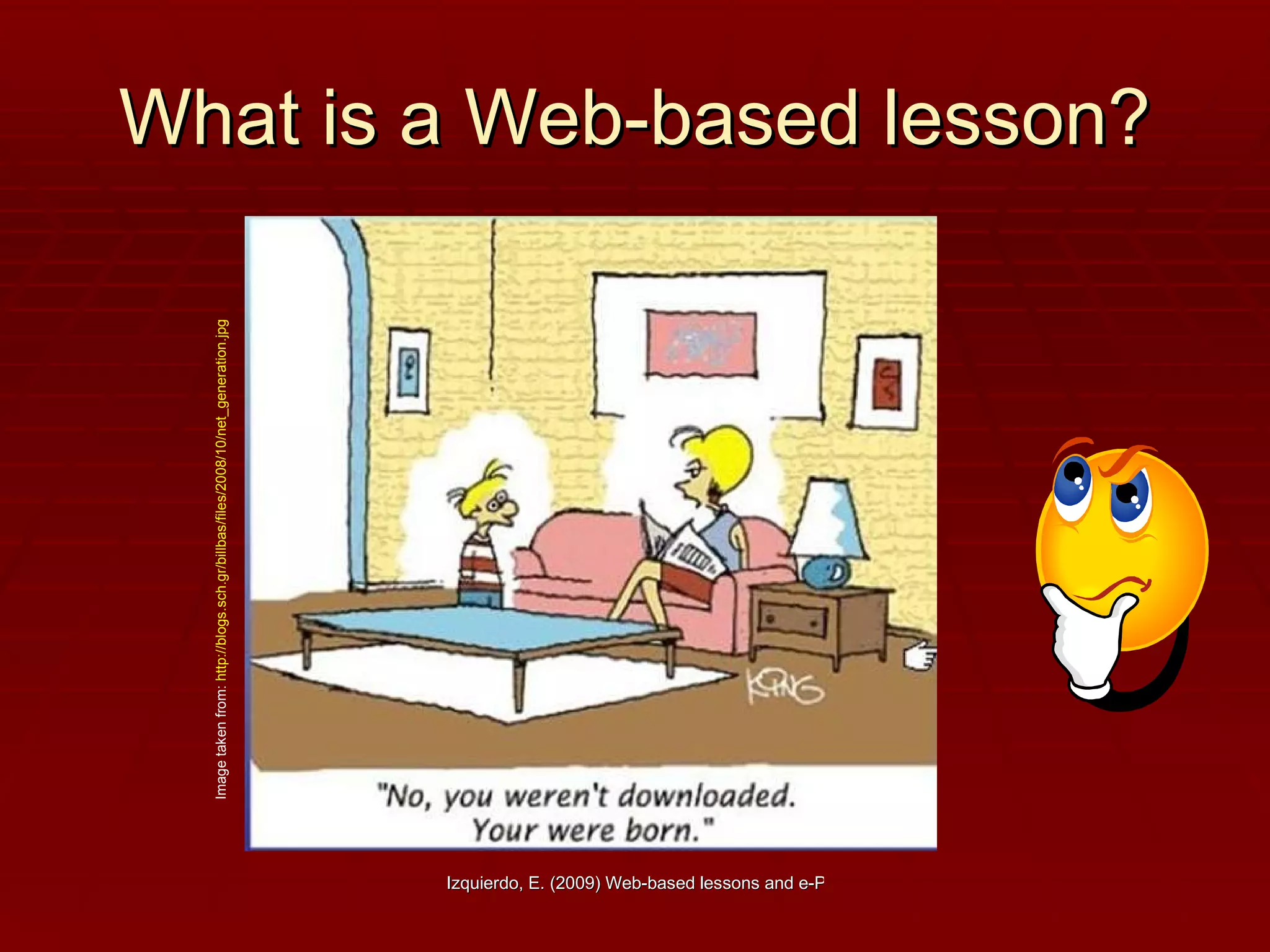
What is a Web-based lesson? Image taken from:  http://blogs.sch.gr/billbas/files/2008/10/net_generation.jpg
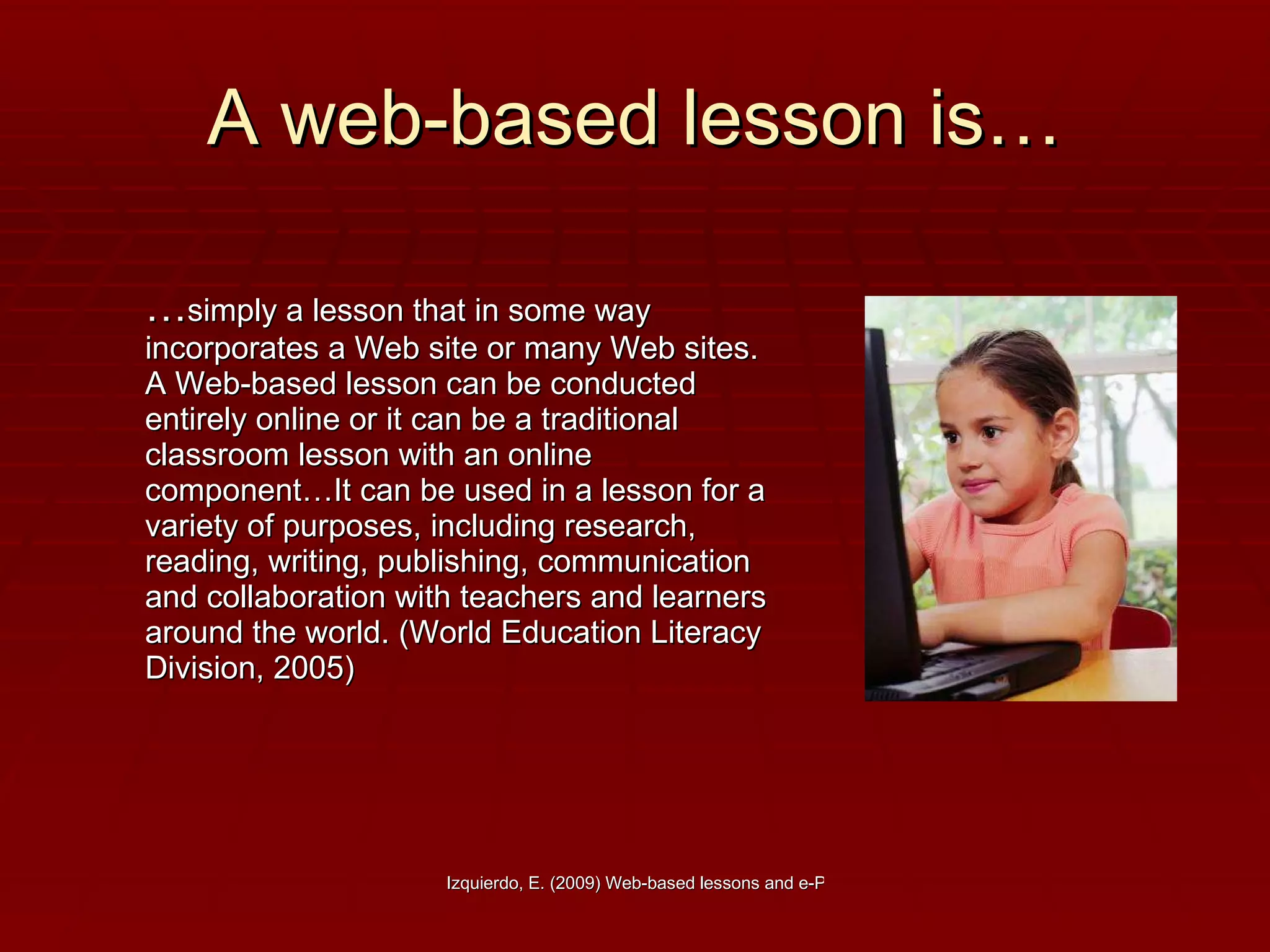
A web-based lesson is… … simply a lesson that in some way incorporates a Web site or many Web sites. A Web-based lesson can be conducted entirely online or it can be a traditional classroom lesson with an online component…It can be used in a lesson for a variety of purposes, including research, reading, writing, publishing, communication and collaboration with teachers and learners around the world. (World Education Literacy Division, 2005)
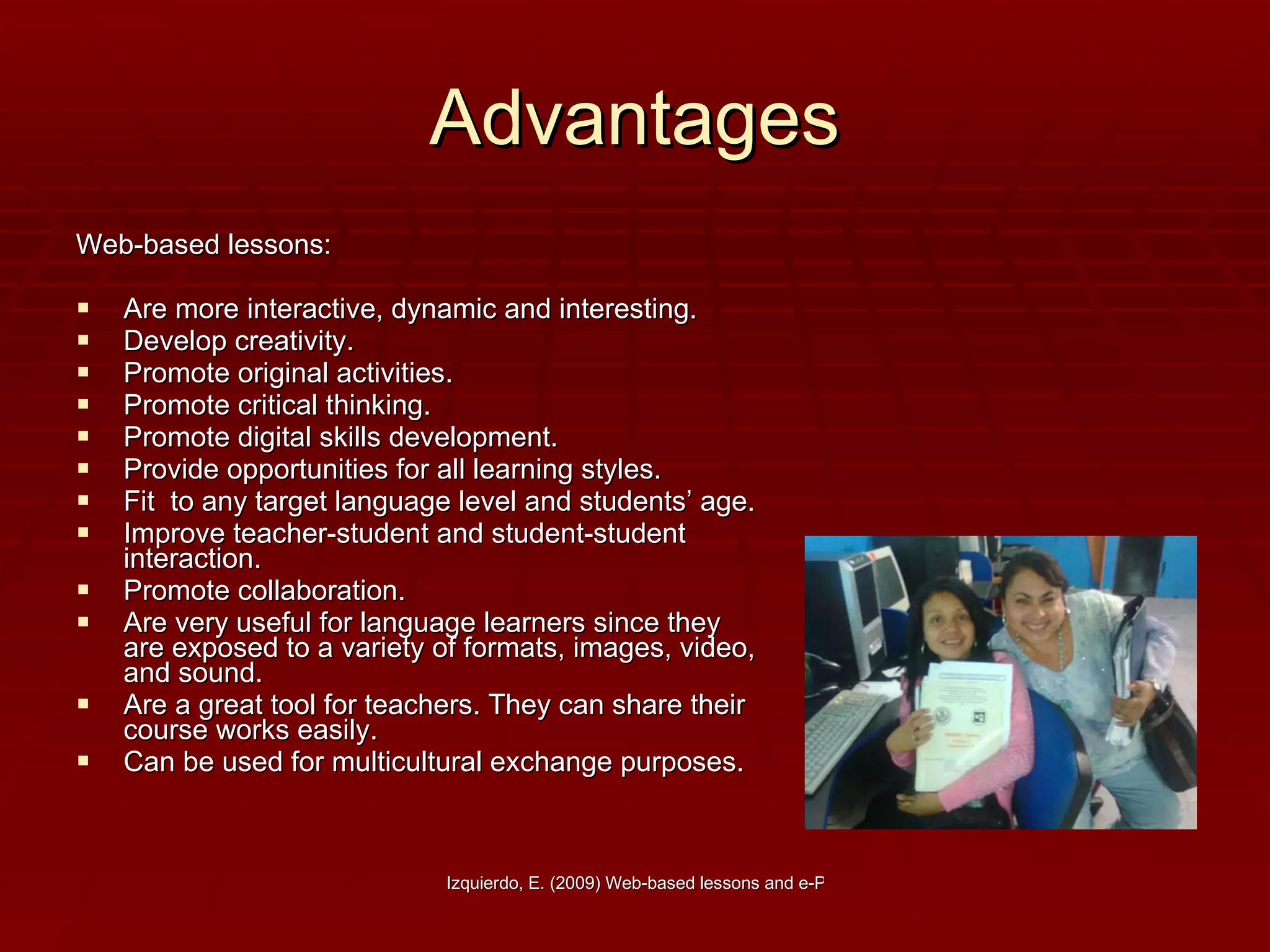
Advantages Web-based lessons: Are more interactive, dynamic and interesting. Develop creativity. Promote original activities. Promote critical thinking. Promote digital skills development. Provide opportunities for all learning styles. Fit  to any target language level and students’ age. Improve teacher-student and student-student interaction.  Promote collaboration. Are very useful for language learners since they are exposed to a variety of formats, images, video, and sound. Are a great tool for teachers. They can share their course works easily. Can be used for multicultural exchange purposes.
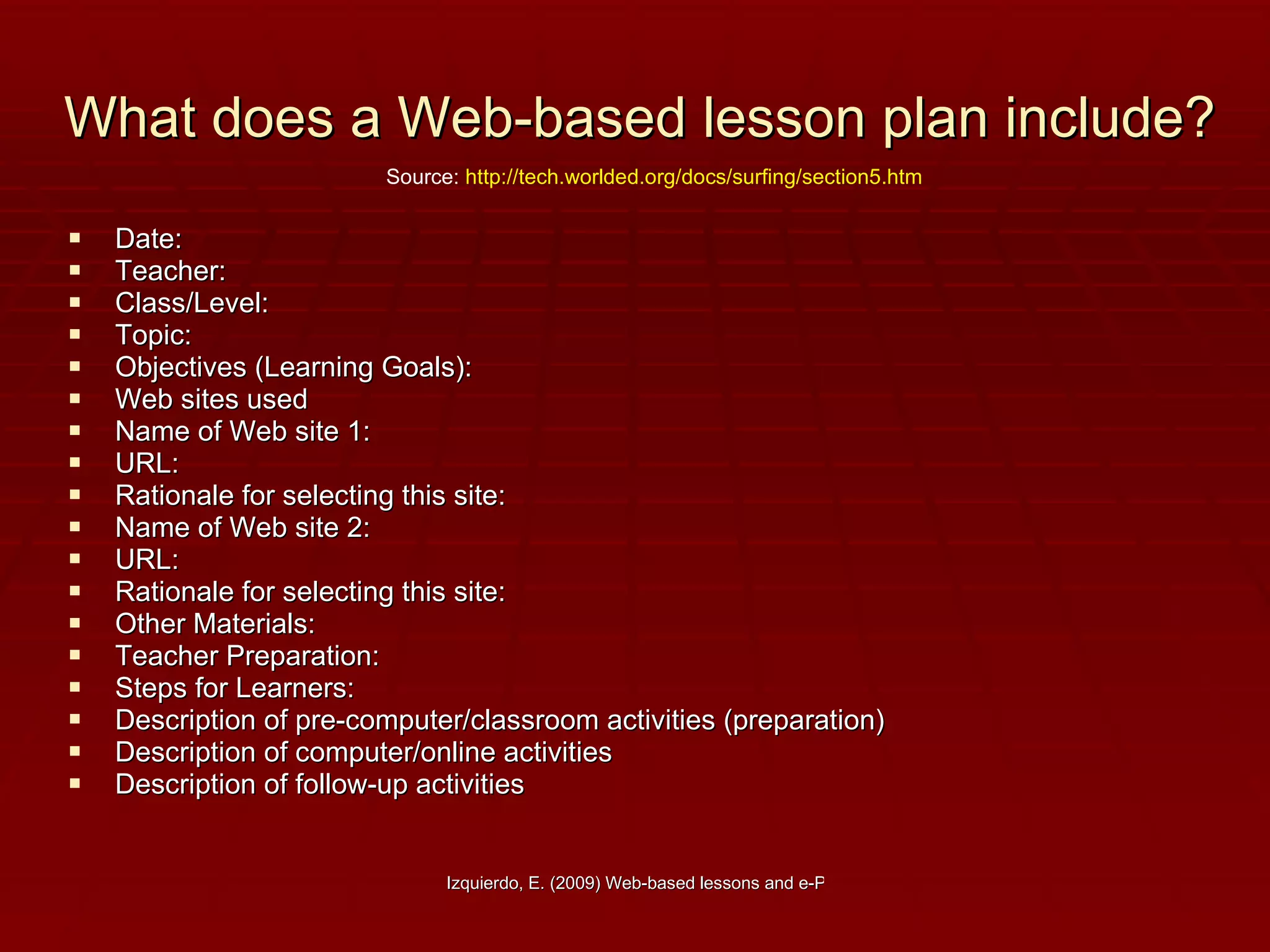
What does a Web-based lesson plan include? Date:  Teacher:  Class/Level:  Topic:  Objectives (Learning Goals):  Web sites used   Name of Web site 1:  URL:   Rationale for selecting this site:        Name of Web site 2:   URL:   Rationale for selecting this site:         Other Materials:        Teacher Preparation:        Steps for Learners:   Description of pre-computer/classroom activities (preparation)              Description of computer/online activities               Description of follow-up activities Source:  http://tech.worlded.org/docs/surfing/section5.htm
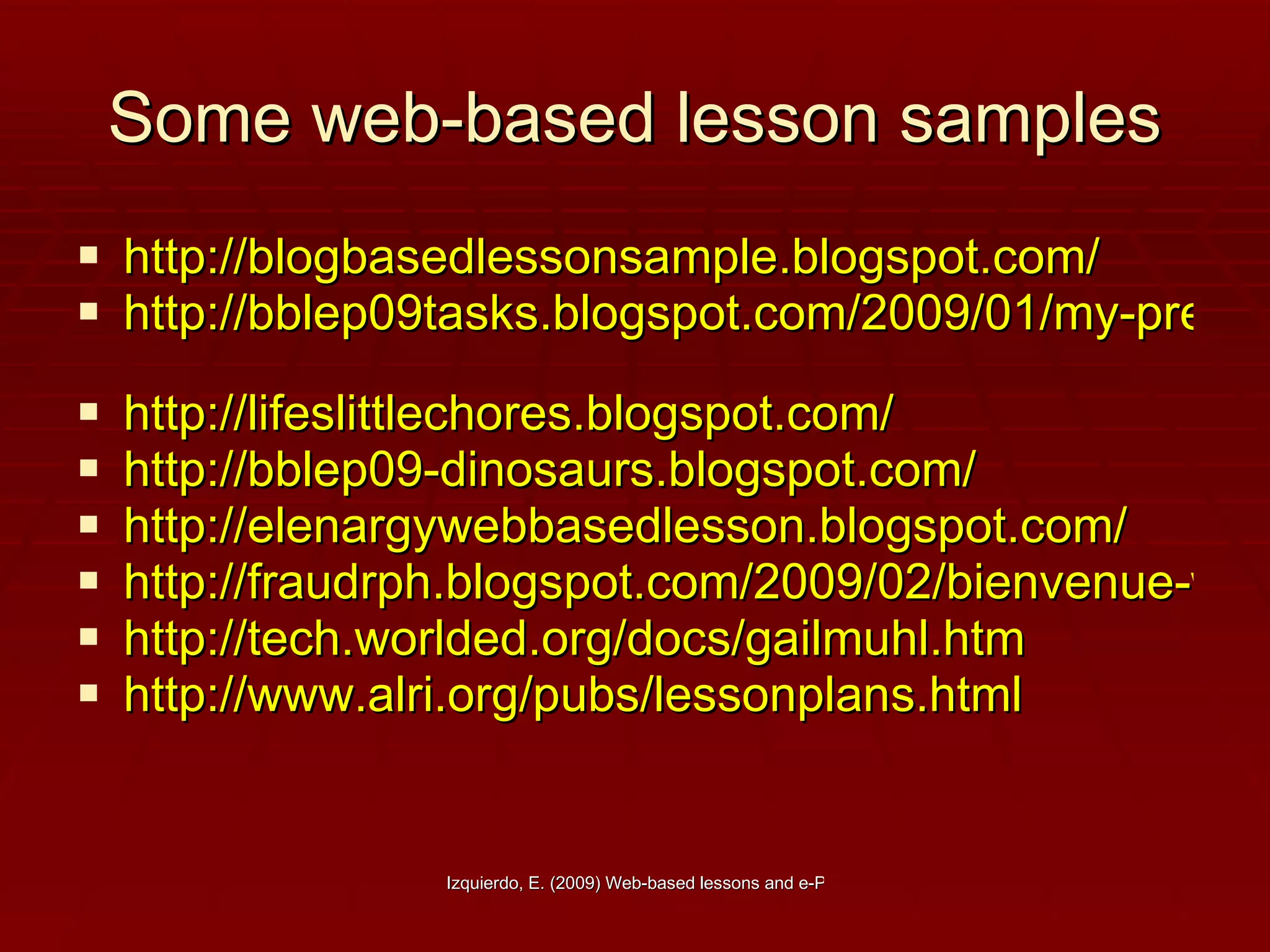
Some web-based lesson samples http://blogbasedlessonsample.blogspot.com/   http://bblep09tasks.blogspot.com/2009/01/my-preliminary-web-based-lesson-plan.html   http://lifeslittlechores.blogspot.com/ http://bblep09-dinosaurs.blogspot.com/ http://elenargywebbasedlesson.blogspot.com/ http://fraudrph.blogspot.com/2009/02/bienvenue-welcome-allons-y.html http://tech.worlded.org/docs/gailmuhl.htm   http://www.alri.org/pubs/lessonplans.html
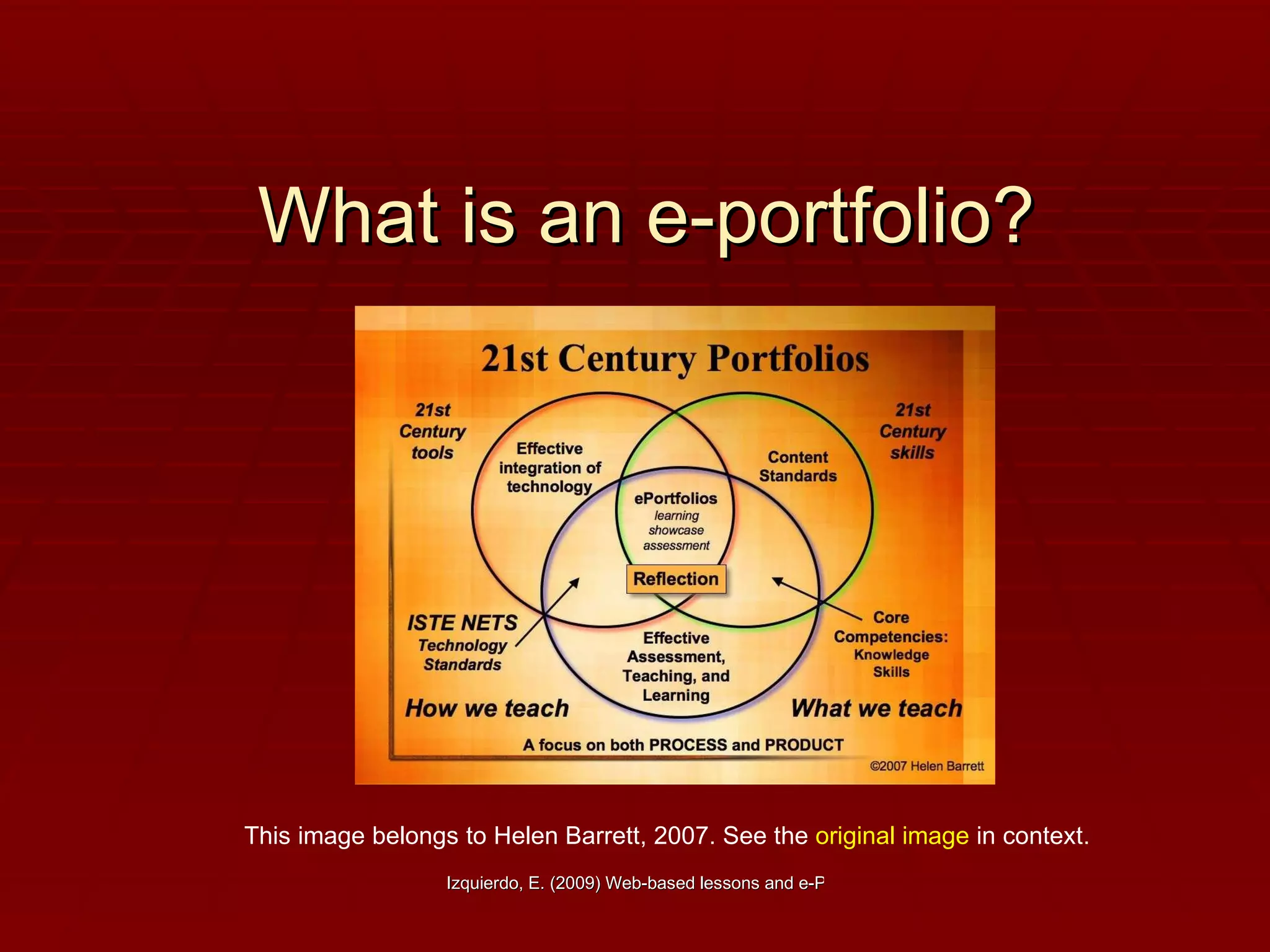
What is an e-portfolio? This image belongs to Helen Barrett, 2007. See the  original image  in context.
An e-portfolio is… “ …  a purposeful collection of information and digital artifacts that demonstrates development or evidences learning outcomes, skills or competencies. The process of producing an ePortfolio (writing, typing, recording etc.) usually requires the synthesis of ideas, reflection on achievements, self-awareness and forward planning; with the potential for educational, developmental or other benefits. Specific types of ePortfolios can be defined in part by their purpose (such as presentation, application, reflection, assessment and personal development planning), pedagogic design, level of structure (intrinsic or extrinsic), duration (episodic or life-long) and other factors.“ (Newcastle University, 2008)
Advantages E-portfolios are excellent for: EFL teaching and learning. Fostering content. Developing creativity. Increasing students' motivation.  Working collaboratively.  Promoting and developing group work.  Integrating ICT into the traditional f2f classroom. Developing tech skills.
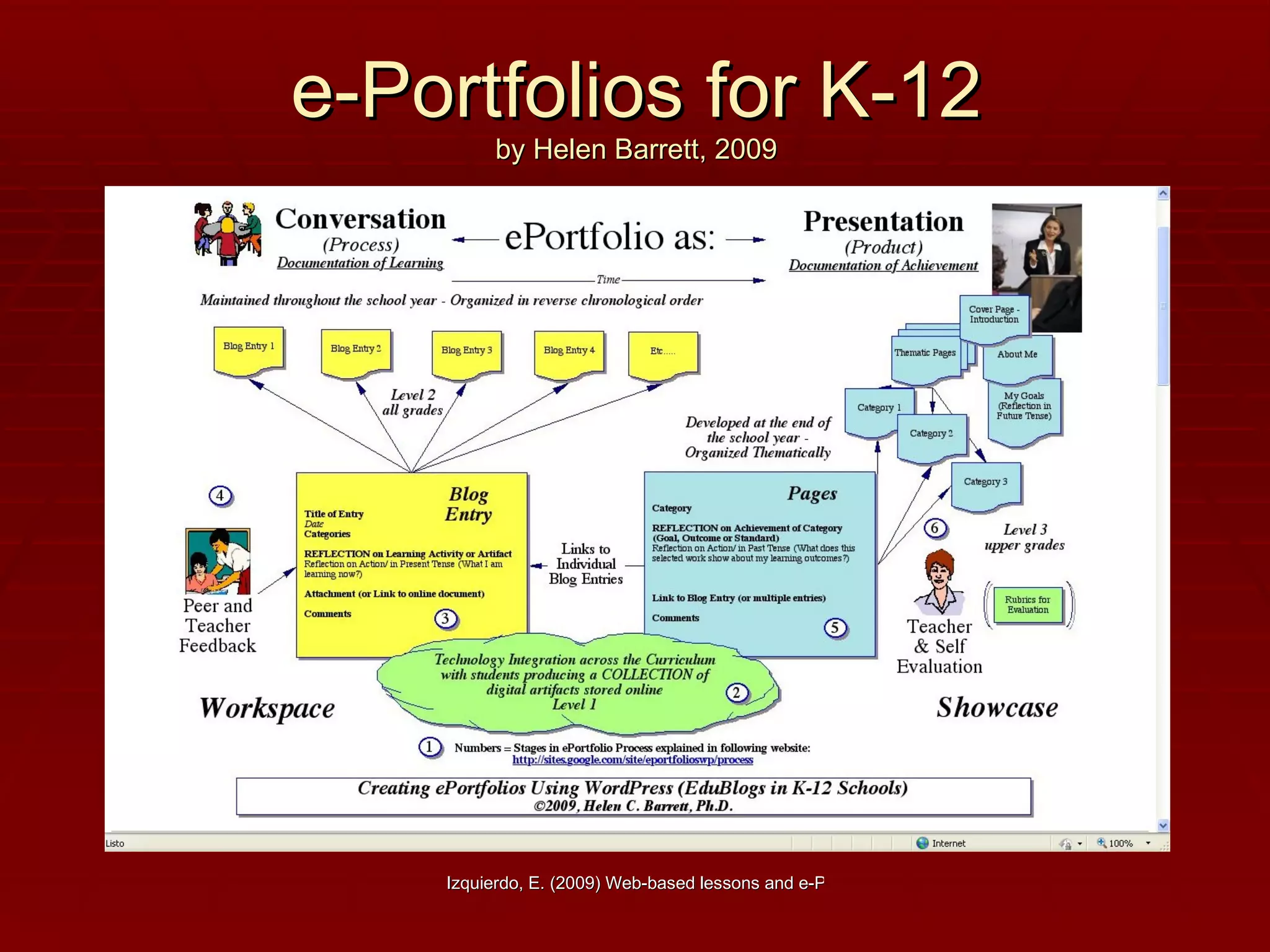
e-Portfolios for K-12 by Helen Barrett, 2009
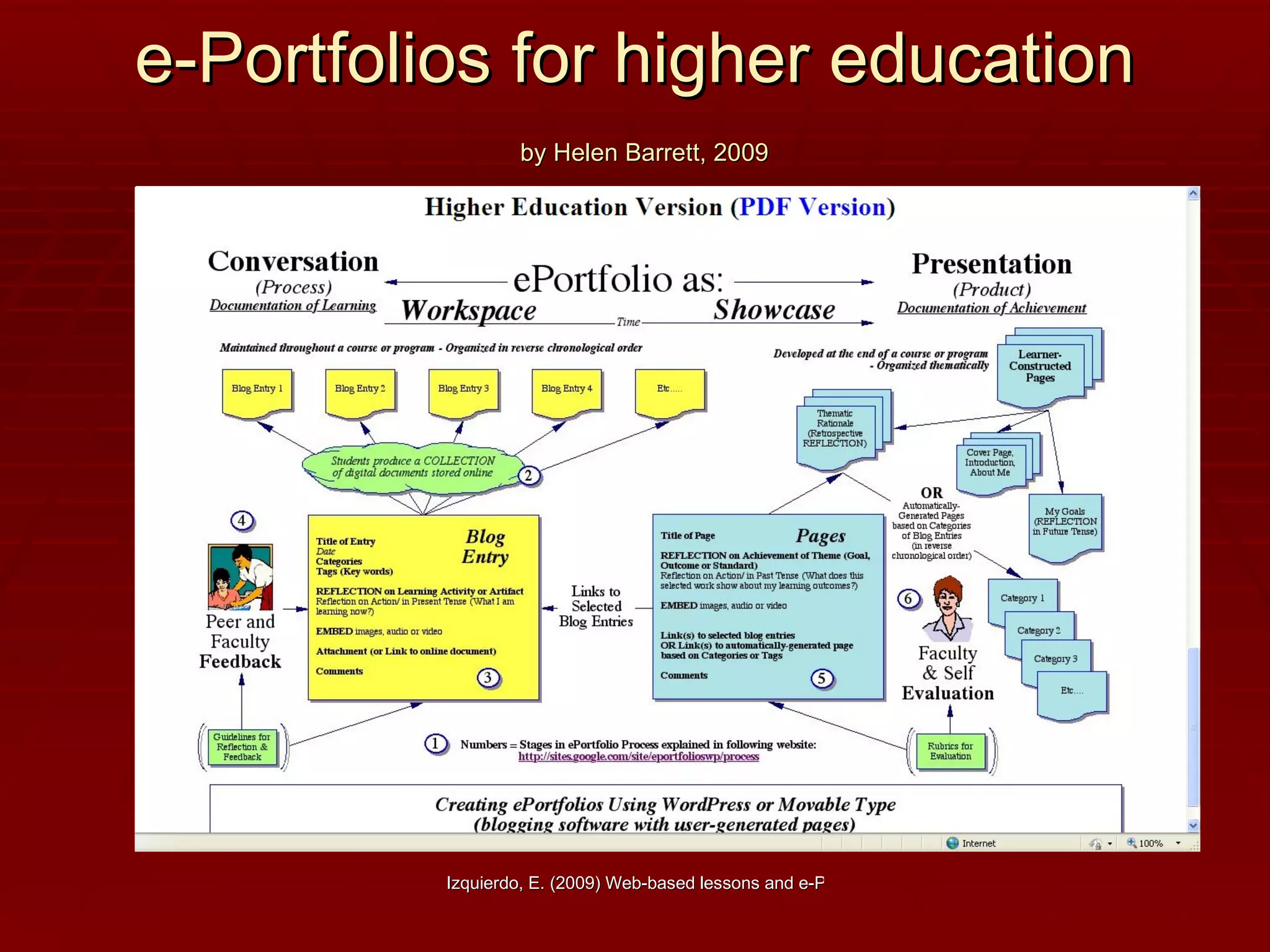
e-Portfolios for higher education   by Helen Barrett, 2009
Important points to consider… Purpose .  Decide on the purpose for the portfolio. What are you trying to show with this portfolio? Are there outcomes, goals, or standards that are being demonstrated with this portfolio?   Collection/Classification.   What artifacts will you include in your portfolio? How will you classify these entries? Reflection .  Reflection is the heart and soul of a portfolio.  Reflection provides the rationale for why these artifacts represent achievement of a particular outcome, goal or standard. Blog entries provide an opportunity for reflection "in the present tense" or "reflection in action." C onnection/Interaction/Dialogue/Feedback .  This stage provides an opportunity for interaction and feedback on the work posted in the portfolio.  This is where the power of Web 2.0 interactive tools becomes apparent.  S ummative Reflection/Selection/Evaluation.  At the end of a course (or program),  students would write a reflection that looks back over the course (or program) and provides a meta-analysis of the learning experience as represented in the reflections stored in the blog entries.   Presentation/Publishing .  The portfolio developer decides what parts of the portfolio are to be made public.  By Hellen Barrett
What is the structure? By Evelyn Izquierdo Source:  http://annualcourse2007-2008.wetpaint.com/   Welcome message : A general welcome message to your students and online visitors. About us : A brief description about your students and yourself as a teacher. Ss’ short bios might be included and a photo, if authorized. The project:  A brief description of what the e-portfolio is all about. 3.1  Objective  (s): What is expected at doing the e-portfolio. 3.2  Audience . Students, other teachers and all people who will read the e-portfolio 3.3  Steps : Every single step students have to follow in order to develop the e-portfolio, including their reflection on the work done. 3.4  Schedule : Content and activities to be posted per week. 3.5  Structure : Design pattern students should follow for their class work. If you design a group e-portfolio, you should add a page for each  Team  and  team   members. E-portfolio (s):  A collection of different woks done by the students. Evaluation : Quantitative and/or  qualitative, rubrics Resources : Link to your web-based lesson and the websites to be visited and a forum for questions, doubts, and reflections. Visitor’s page (optional): A page for visitors to leave their comments on your students’ work.
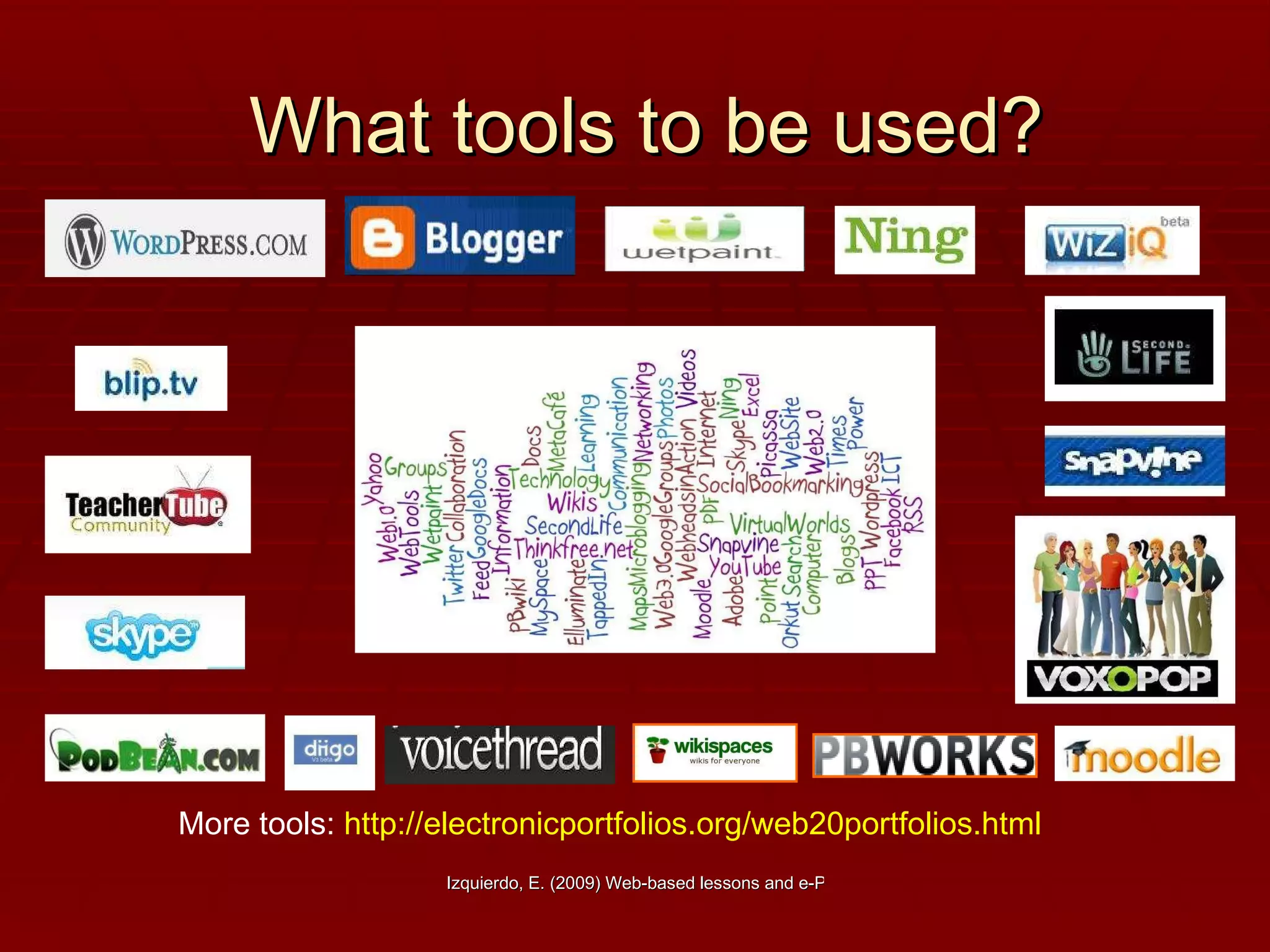
What tools to be used? More tools:  http://electronicportfolios.org/web20portfolios.html
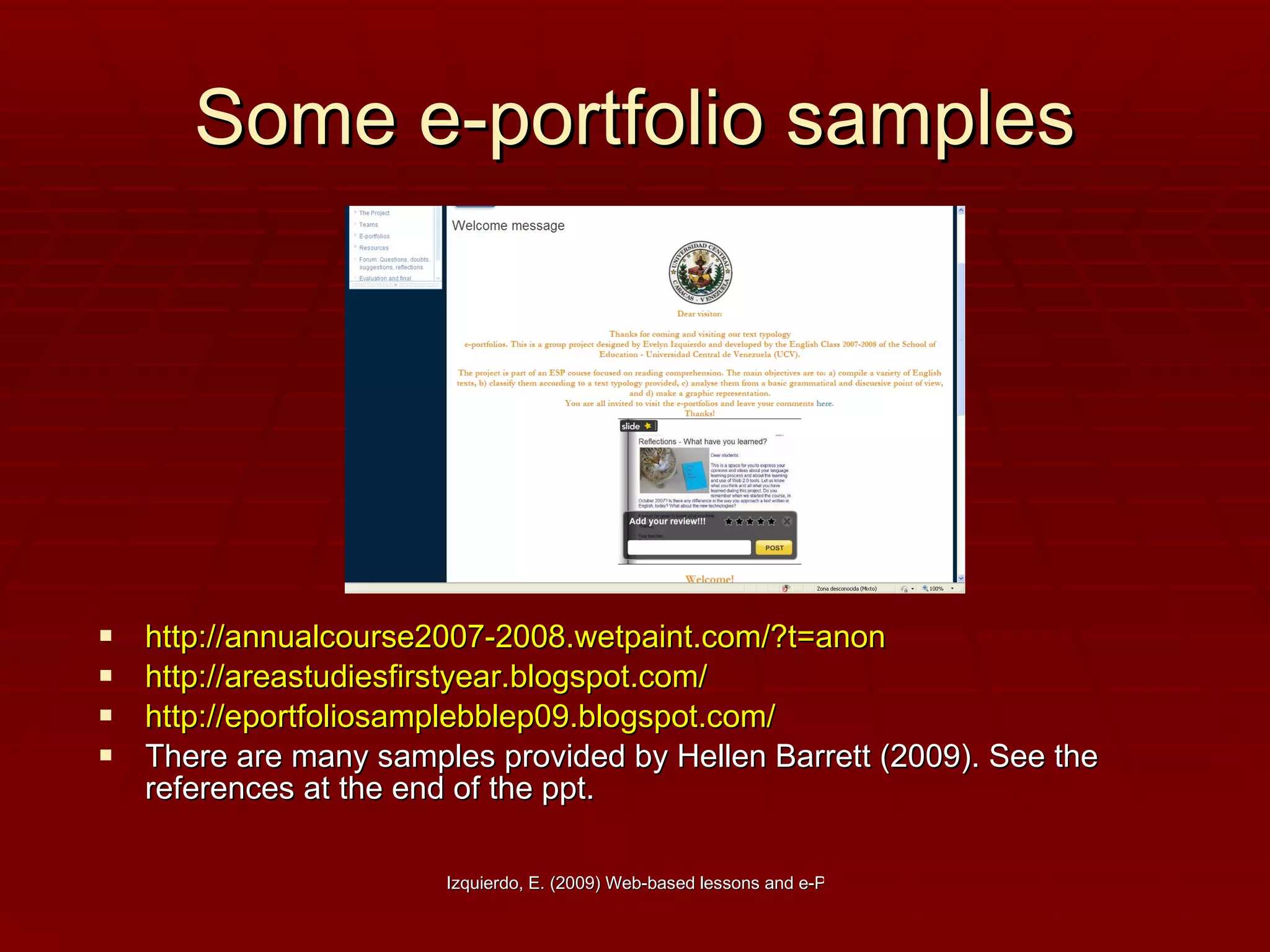
Some e-portfolio samples http://annualcourse2007-2008.wetpaint.com/?t=anon http://areastudiesfirstyear.blogspot.com/ http://eportfoliosamplebblep09.blogspot.com/   There are many samples provided by Hellen Barrett (2009). See the references at the end of the ppt.
References Barret, H. (2009a) Official Website  http://electronicportfolios.org/   Barrett, H. (2009b) . Creating interactive ePortfolios with Wordpress and Google sites.  http://electronicportfolios.com/blogmodels/index.html Barrett, H. (2009c) E-portfolios for learning.  http://electronicportfolios.org/blog/   EVO sessions (2009). Blog-based lessons and e-portfolios.  http://bblep09weeklytasks.blogspot.com/   Izquierdo, E (2007). Text typology e-portfolio.  http://annualcourse2007-2008.wetpaint.com/?t=anon   The Consultans-e (2008). Resources for e-portfolios  http://www.theconsultantse.com/resources/Resources_ePortfolios.pdf   Newcastle university (2008) E-portfolios.  http://www.eportfolios.ac.uk/?pid=174 World Education Literacy Division. (2005) Web-based lessons. http://tech.worlded.org/docs/surfing/section5.htm Images:  https://www.edulink.networcs.net/schools/DeMontfort/PublishingImages/Homework1.jpg   http://www.visualed.com/images/Clapping%20businesspeople.gif
Homework Design a Web-based lesson and/or an e-portfolio by folllowing the structures presented here.
Thank you very much! http:// 100musicalfootsteps.files.wordpress.com/2009/04/thank-you.jpg

Web-based lessons and e-portfolios

  • 1.
    Web-based lessons and e-portfolios Evelyn Izquierdo ICT in ELT course facilitator [email_address] UNIVERSIDAD CENTRAL DE VENEZUELA FACULTAD DE HUMANIDADES Y EDUCACIÓN MAESTRÍA EN INGLÉS COMO LENGUA EXTRANJERA Nov. 24, 2009
  • 2.
    Agenda Introducing Web-basedlessons Definition Steps to create Web-based lessons Web-based lesson samples Introducing e-portfolios Definition Exploring some e-portfolios Step to create an e-portfolio E-portfolios samples Design a web-based lesson and/or an e-portfolio
  • 3.
    What is aWeb-based lesson? Image taken from: http://blogs.sch.gr/billbas/files/2008/10/net_generation.jpg
  • 4.
    A web-based lessonis… … simply a lesson that in some way incorporates a Web site or many Web sites. A Web-based lesson can be conducted entirely online or it can be a traditional classroom lesson with an online component…It can be used in a lesson for a variety of purposes, including research, reading, writing, publishing, communication and collaboration with teachers and learners around the world. (World Education Literacy Division, 2005)
  • 5.
    Advantages Web-based lessons:Are more interactive, dynamic and interesting. Develop creativity. Promote original activities. Promote critical thinking. Promote digital skills development. Provide opportunities for all learning styles. Fit to any target language level and students’ age. Improve teacher-student and student-student interaction. Promote collaboration. Are very useful for language learners since they are exposed to a variety of formats, images, video, and sound. Are a great tool for teachers. They can share their course works easily. Can be used for multicultural exchange purposes.
  • 6.
    What does aWeb-based lesson plan include? Date:  Teacher:  Class/Level:  Topic:  Objectives (Learning Goals):  Web sites used   Name of Web site 1:  URL:   Rationale for selecting this site:        Name of Web site 2:   URL:   Rationale for selecting this site:         Other Materials:        Teacher Preparation:        Steps for Learners:   Description of pre-computer/classroom activities (preparation)              Description of computer/online activities               Description of follow-up activities Source: http://tech.worlded.org/docs/surfing/section5.htm
  • 7.
    Some web-based lessonsamples http://blogbasedlessonsample.blogspot.com/ http://bblep09tasks.blogspot.com/2009/01/my-preliminary-web-based-lesson-plan.html http://lifeslittlechores.blogspot.com/ http://bblep09-dinosaurs.blogspot.com/ http://elenargywebbasedlesson.blogspot.com/ http://fraudrph.blogspot.com/2009/02/bienvenue-welcome-allons-y.html http://tech.worlded.org/docs/gailmuhl.htm http://www.alri.org/pubs/lessonplans.html
  • 8.
    What is ane-portfolio? This image belongs to Helen Barrett, 2007. See the original image in context.
  • 9.
    An e-portfolio is…“ … a purposeful collection of information and digital artifacts that demonstrates development or evidences learning outcomes, skills or competencies. The process of producing an ePortfolio (writing, typing, recording etc.) usually requires the synthesis of ideas, reflection on achievements, self-awareness and forward planning; with the potential for educational, developmental or other benefits. Specific types of ePortfolios can be defined in part by their purpose (such as presentation, application, reflection, assessment and personal development planning), pedagogic design, level of structure (intrinsic or extrinsic), duration (episodic or life-long) and other factors.“ (Newcastle University, 2008)
  • 10.
    Advantages E-portfolios areexcellent for: EFL teaching and learning. Fostering content. Developing creativity. Increasing students' motivation. Working collaboratively. Promoting and developing group work. Integrating ICT into the traditional f2f classroom. Developing tech skills.
  • 11.
    e-Portfolios for K-12by Helen Barrett, 2009
  • 12.
    e-Portfolios for highereducation by Helen Barrett, 2009
  • 13.
    Important points toconsider… Purpose . Decide on the purpose for the portfolio. What are you trying to show with this portfolio? Are there outcomes, goals, or standards that are being demonstrated with this portfolio? Collection/Classification. What artifacts will you include in your portfolio? How will you classify these entries? Reflection . Reflection is the heart and soul of a portfolio. Reflection provides the rationale for why these artifacts represent achievement of a particular outcome, goal or standard. Blog entries provide an opportunity for reflection "in the present tense" or "reflection in action." C onnection/Interaction/Dialogue/Feedback . This stage provides an opportunity for interaction and feedback on the work posted in the portfolio. This is where the power of Web 2.0 interactive tools becomes apparent. S ummative Reflection/Selection/Evaluation. At the end of a course (or program), students would write a reflection that looks back over the course (or program) and provides a meta-analysis of the learning experience as represented in the reflections stored in the blog entries. Presentation/Publishing . The portfolio developer decides what parts of the portfolio are to be made public. By Hellen Barrett
  • 14.
    What is thestructure? By Evelyn Izquierdo Source: http://annualcourse2007-2008.wetpaint.com/ Welcome message : A general welcome message to your students and online visitors. About us : A brief description about your students and yourself as a teacher. Ss’ short bios might be included and a photo, if authorized. The project: A brief description of what the e-portfolio is all about. 3.1 Objective (s): What is expected at doing the e-portfolio. 3.2 Audience . Students, other teachers and all people who will read the e-portfolio 3.3 Steps : Every single step students have to follow in order to develop the e-portfolio, including their reflection on the work done. 3.4 Schedule : Content and activities to be posted per week. 3.5 Structure : Design pattern students should follow for their class work. If you design a group e-portfolio, you should add a page for each Team and team members. E-portfolio (s): A collection of different woks done by the students. Evaluation : Quantitative and/or qualitative, rubrics Resources : Link to your web-based lesson and the websites to be visited and a forum for questions, doubts, and reflections. Visitor’s page (optional): A page for visitors to leave their comments on your students’ work.
  • 15.
    What tools tobe used? More tools: http://electronicportfolios.org/web20portfolios.html
  • 16.
    Some e-portfolio sampleshttp://annualcourse2007-2008.wetpaint.com/?t=anon http://areastudiesfirstyear.blogspot.com/ http://eportfoliosamplebblep09.blogspot.com/ There are many samples provided by Hellen Barrett (2009). See the references at the end of the ppt.
  • 17.
    References Barret, H.(2009a) Official Website http://electronicportfolios.org/ Barrett, H. (2009b) . Creating interactive ePortfolios with Wordpress and Google sites. http://electronicportfolios.com/blogmodels/index.html Barrett, H. (2009c) E-portfolios for learning. http://electronicportfolios.org/blog/ EVO sessions (2009). Blog-based lessons and e-portfolios. http://bblep09weeklytasks.blogspot.com/ Izquierdo, E (2007). Text typology e-portfolio. http://annualcourse2007-2008.wetpaint.com/?t=anon The Consultans-e (2008). Resources for e-portfolios http://www.theconsultantse.com/resources/Resources_ePortfolios.pdf Newcastle university (2008) E-portfolios. http://www.eportfolios.ac.uk/?pid=174 World Education Literacy Division. (2005) Web-based lessons. http://tech.worlded.org/docs/surfing/section5.htm Images: https://www.edulink.networcs.net/schools/DeMontfort/PublishingImages/Homework1.jpg http://www.visualed.com/images/Clapping%20businesspeople.gif
  • 18.
    Homework Design aWeb-based lesson and/or an e-portfolio by folllowing the structures presented here.
  • 19.
    Thank you verymuch! http:// 100musicalfootsteps.files.wordpress.com/2009/04/thank-you.jpg