SQL Injection Attacks
CS 183 : Hypermedia and the Web
UC Santa Cruz
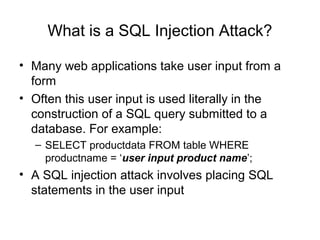
What is a SQL Injection Attack?
• Many web applications take user input from a
form
• Often this user input is used literally in the
construction of a SQL query submitted to a
database. For example:
– SELECT productdata FROM table WHERE
productname = ‘user input product name’;
• A SQL injection attack involves placing SQL
statements in the user input
An Example SQL Injection Attack
Product Search:
• This input is put directly into the SQL statement
within the Web application:
– $query = “SELECT prodinfo FROM prodtable WHERE prodname = ‘” .
$_POST[‘prod_search’] . “’”;
• Creates the following SQL:
– SELECT prodinfo FROM prodtable WHERE prodname = ‘blah‘ OR ‘x’ = ‘x’
– Attacker has now successfully caused the entire database to be
returned.
blah‘ OR ‘x’ = ‘x
A More Malicious Example
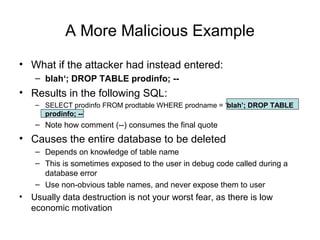
• What if the attacker had instead entered:
– blah‘; DROP TABLE prodinfo; --
• Results in the following SQL:
– SELECT prodinfo FROM prodtable WHERE prodname = ‘blah’; DROP TABLE
prodinfo; --’
– Note how comment (--) consumes the final quote
• Causes the entire database to be deleted
– Depends on knowledge of table name
– This is sometimes exposed to the user in debug code called during a
database error
– Use non-obvious table names, and never expose them to user
• Usually data destruction is not your worst fear, as there is low
economic motivation
Other injection possibilities
• Using SQL injections, attackers can:
– Add new data to the database
• Could be embarrassing to find yourself selling politically
incorrect items on an eCommerce site
• Perform an INSERT in the injected SQL
– Modify data currently in the database
• Could be very costly to have an expensive item suddenly be
deeply ‘discounted’
• Perform an UPDATE in the injected SQL
– Often can gain access to other user’s system
capabilities by obtaining their password
Defenses
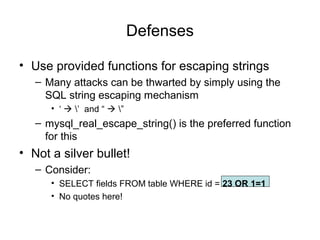
• Use provided functions for escaping strings
– Many attacks can be thwarted by simply using the
SQL string escaping mechanism
• ‘  ’ and “  ”
– mysql_real_escape_string() is the preferred function
for this
• Not a silver bullet!
– Consider:
• SELECT fields FROM table WHERE id = 23 OR 1=1
• No quotes here!
More Defenses
• Check syntax of input for validity
– Many classes of input have fixed languages
• Email addresses, dates, part numbers, etc.
• Verify that the input is a valid string in the language
• Sometime languages allow problematic characters (e.g., ‘*’ in
email addresses); may decide to not allow these
• If you can exclude quotes and semicolons that’s good
– Not always possible: consider the name Bill O’Reilly
• Want to allow the use of single quotes in names
• Have length limits on input
– Many SQL injection attacks depend on entering long
strings
Even More Defenses
• Scan query string for undesirable word
combinations that indicate SQL statements
– INSERT, DROP, etc.
– If you see these, can check against SQL syntax to
see if they represent a statement or valid user input
• Limit database permissions and segregate users
– If you’re only reading the database, connect to
database as a user that only has read permissions
– Never connect as a database administrator in your
web application
More Defenses
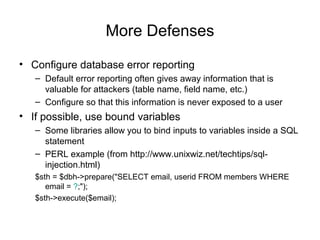
• Configure database error reporting
– Default error reporting often gives away information that is
valuable for attackers (table name, field name, etc.)
– Configure so that this information is never exposed to a user
• If possible, use bound variables
– Some libraries allow you to bind inputs to variables inside a SQL
statement
– PERL example (from http://www.unixwiz.net/techtips/sql-
injection.html)
$sth = $dbh->prepare("SELECT email, userid FROM members WHERE
email = ?;");
$sth->execute($email);
Be careful out there!

Sql injection attacks

  • 1.
    SQL Injection Attacks CS183 : Hypermedia and the Web UC Santa Cruz
  • 2.
    What is aSQL Injection Attack? • Many web applications take user input from a form • Often this user input is used literally in the construction of a SQL query submitted to a database. For example: – SELECT productdata FROM table WHERE productname = ‘user input product name’; • A SQL injection attack involves placing SQL statements in the user input
  • 3.
    An Example SQLInjection Attack Product Search: • This input is put directly into the SQL statement within the Web application: – $query = “SELECT prodinfo FROM prodtable WHERE prodname = ‘” . $_POST[‘prod_search’] . “’”; • Creates the following SQL: – SELECT prodinfo FROM prodtable WHERE prodname = ‘blah‘ OR ‘x’ = ‘x’ – Attacker has now successfully caused the entire database to be returned. blah‘ OR ‘x’ = ‘x
  • 4.
    A More MaliciousExample • What if the attacker had instead entered: – blah‘; DROP TABLE prodinfo; -- • Results in the following SQL: – SELECT prodinfo FROM prodtable WHERE prodname = ‘blah’; DROP TABLE prodinfo; --’ – Note how comment (--) consumes the final quote • Causes the entire database to be deleted – Depends on knowledge of table name – This is sometimes exposed to the user in debug code called during a database error – Use non-obvious table names, and never expose them to user • Usually data destruction is not your worst fear, as there is low economic motivation
  • 5.
    Other injection possibilities •Using SQL injections, attackers can: – Add new data to the database • Could be embarrassing to find yourself selling politically incorrect items on an eCommerce site • Perform an INSERT in the injected SQL – Modify data currently in the database • Could be very costly to have an expensive item suddenly be deeply ‘discounted’ • Perform an UPDATE in the injected SQL – Often can gain access to other user’s system capabilities by obtaining their password
  • 6.
    Defenses • Use providedfunctions for escaping strings – Many attacks can be thwarted by simply using the SQL string escaping mechanism • ‘  ’ and “  ” – mysql_real_escape_string() is the preferred function for this • Not a silver bullet! – Consider: • SELECT fields FROM table WHERE id = 23 OR 1=1 • No quotes here!
  • 7.
    More Defenses • Checksyntax of input for validity – Many classes of input have fixed languages • Email addresses, dates, part numbers, etc. • Verify that the input is a valid string in the language • Sometime languages allow problematic characters (e.g., ‘*’ in email addresses); may decide to not allow these • If you can exclude quotes and semicolons that’s good – Not always possible: consider the name Bill O’Reilly • Want to allow the use of single quotes in names • Have length limits on input – Many SQL injection attacks depend on entering long strings
  • 8.
    Even More Defenses •Scan query string for undesirable word combinations that indicate SQL statements – INSERT, DROP, etc. – If you see these, can check against SQL syntax to see if they represent a statement or valid user input • Limit database permissions and segregate users – If you’re only reading the database, connect to database as a user that only has read permissions – Never connect as a database administrator in your web application
  • 9.
    More Defenses • Configuredatabase error reporting – Default error reporting often gives away information that is valuable for attackers (table name, field name, etc.) – Configure so that this information is never exposed to a user • If possible, use bound variables – Some libraries allow you to bind inputs to variables inside a SQL statement – PERL example (from http://www.unixwiz.net/techtips/sql- injection.html) $sth = $dbh->prepare("SELECT email, userid FROM members WHERE email = ?;"); $sth->execute($email);
  • 10.