Kelvin Chu, Hadoop Platform, Uber
Gang Wu, Hadoop Platform, Uber
Spark Uber Development Kit
Spark Summit 2016
June 07, 2016
“Transportation as reliable as
running water, everywhere,
for everyone”
Uber Mission
About Us
● Hadoop team of Data Infrastructure at Uber
● Schema systems
● HDFS data lake
● Analytics engines on Hadoop
● Spark computing framework and toolings
Execution Environment
Complexity
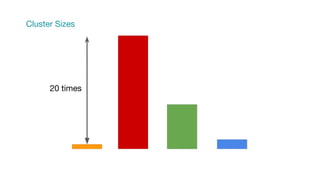
Cluster Sizes
20 times
YARN Mesos
Docker JVM
Parquet ORC
Sequence Text
Home Built Services
Hive Kafka ELK
Consequence:
Pretty hard for beginners, sometimes hard for experienced
users too.
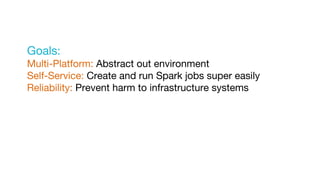
Goals:
Multi-Platform: Abstract out environment
Self-Service: Create and run Spark jobs super easily
Reliability: Prevent harm to infrastructure systems
Engineers SRE
API
Tools
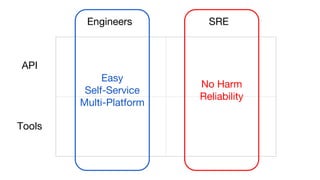
Engineers SRE
API
Tools
Easy
Self-Service
Multi-Platform
No Harm
Reliability
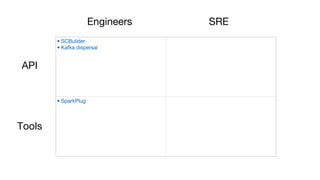
• SCBuilder
• Kafka dispersal
• SparkPlug
Engineers SRE
API
Tools
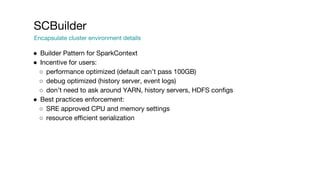
SCBuilder
Encapsulate cluster environment details
● Builder Pattern for SparkContext
● Incentive for users:
○ performance optimized (default can’t pass 100GB)
○ debug optimized (history server, event logs)
○ don’t need to ask around YARN, history servers, HDFS configs
● Best practices enforcement:
○ SRE approved CPU and memory settings
○ resource efficient serialization
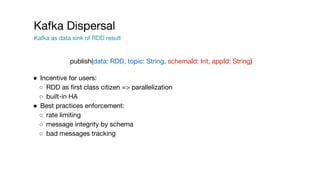
Kafka Dispersal
Kafka as data sink of RDD result
● Incentive for users:
○ RDD as first class citizen => parallelization
○ built-in HA
● Best practices enforcement:
○ rate limiting
○ message integrity by schema
○ bad messages tracking
publish(data: RDD, topic: String, schemaId: Int, appId: String)
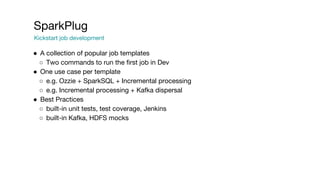
SparkPlug
Kickstart job development
● A collection of popular job templates
○ Two commands to run the first job in Dev
● One use case per template
○ e.g. Ozzie + SparkSQL + Incremental processing
○ e.g. Incremental processing + Kafka dispersal
● Best Practices
○ built-in unit tests, test coverage, Jenkins
○ built-in Kafka, HDFS mocks
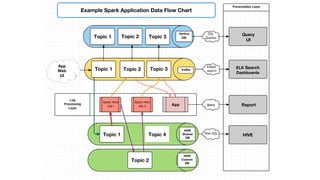
Example Spark Application Data Flow Chart
Query
UI
ELK Search
Dashboards
Report
HIVE
Topic 1
Topic 1
Topic 1
Topic 2
Topic 2
Topic 2
Topic 3
Topic 3
Topic 4
HIVE
Shared
DB
HIVE
Custom
DB
App
Web
UI
App
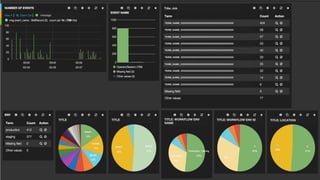
TERM_NAME_XXXXXXXXXXXXXXXXXXXXXXXXXXXXXXXXXX
A
B
Title: Job
message
TITLE TITLE TITLE: WORKFLOW ENV
NAME
TITLE: WORKFLOW ENV ID TITLE: LOCATION
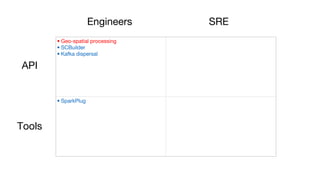
• Geo-spatial processing
• SCBuilder
• Kafka dispersal
• SparkPlug
Engineers SRE
API
Tools
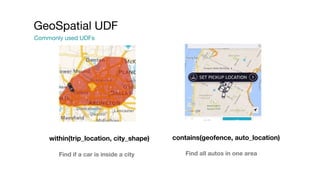
Commonly used UDFs
GeoSpatial UDF
within(trip_location, city_shape) contains(geofence, auto_location)
Find if a car is inside a city Find all autos in one area
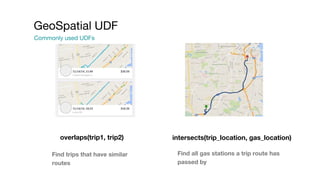
Commonly used UDFs
GeoSpatial UDF
overlaps(trip1, trip2) intersects(trip_location, gas_location)
Find trips that have similar
routes
Find all gas stations a trip route has
passed by
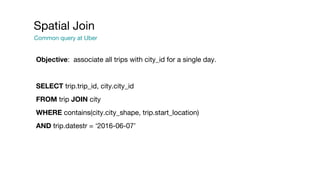
Objective: associate all trips with city_id for a single day.
SELECT trip.trip_id, city.city_id
FROM trip JOIN city
WHERE contains(city.city_shape, trip.start_location)
AND trip.datestr = ‘2016-06-07’
Spatial Join
Common query at Uber
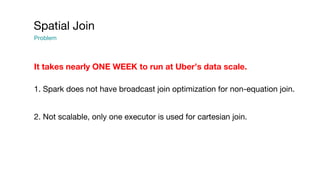
Spatial Join
Problem
It takes nearly ONE WEEK to run at Uber’s data scale.
1. Spark does not have broadcast join optimization for non-equation join.
2. Not scalable, only one executor is used for cartesian join.
Spatial Join
Build a UDF to broadcast geo-spatial index
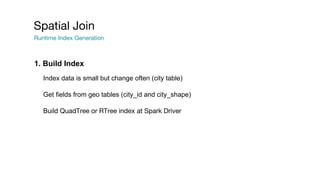
Spatial Join
Runtime Index Generation
Index data is small but change often (city table)
Get fields from geo tables (city_id and city_shape)
Build QuadTree or RTree index at Spark Driver
1. Build Index
Spatial Join
Executor Execution
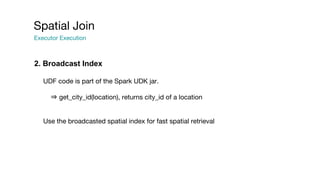
UDF code is part of the Spark UDK jar.
⇒ get_city_id(location), returns city_id of a location
Use the broadcasted spatial index for fast spatial retrieval
2. Broadcast Index
Spatial Join
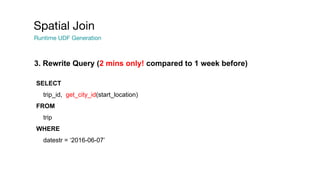
Runtime UDF Generation
SELECT
trip_id, get_city_id(start_location)
FROM
trip
WHERE
datestr = ‘2016-06-07’
3. Rewrite Query (2 mins only! compared to 1 week before)
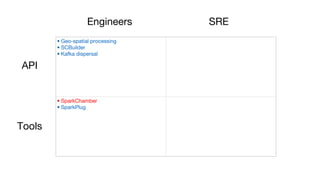
• Geo-spatial processing
• SCBuilder
• Kafka dispersal
• SparkChamber
• SparkPlug
Engineers SRE
API
Tools
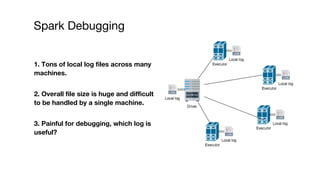
Spark Debugging
1. Tons of local log files across many
machines.
2. Overall file size is huge and difficult
to be handled by a single machine.
3. Painful for debugging, which log is
useful?
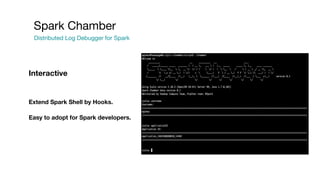
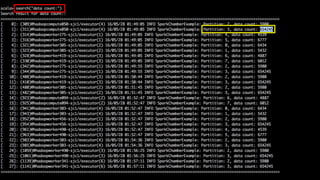
Spark Chamber
Distributed Log Debugger for Spark
Extend Spark Shell by Hooks.
Easy to adopt for Spark developers.
Interactive
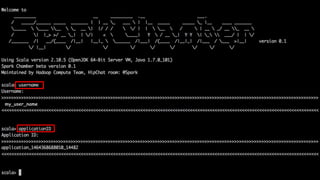
Spark Chamber Session
my_user_name
Spark Chamber
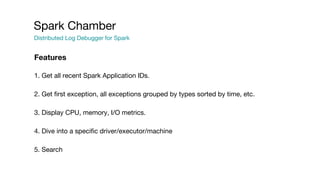
Distributed Log Debugger for Spark
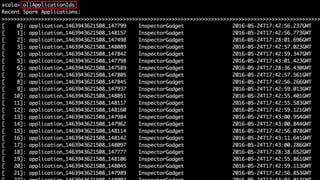
1. Get all recent Spark Application IDs.
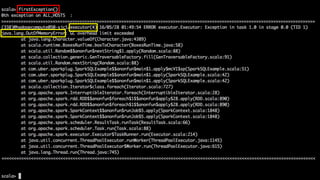
2. Get first exception, all exceptions grouped by types sorted by time, etc.
3. Display CPU, memory, I/O metrics.
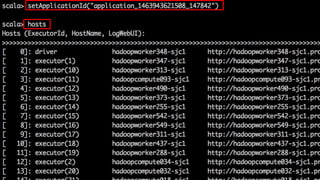
4. Dive into a specific driver/executor/machine
5. Search
Features
Spark Chamber
Distributed Log Debugger for Spark
Developer mode: debug developer’s own Spark job.
SRE mode: view and check all users’ Spark job information.
Security
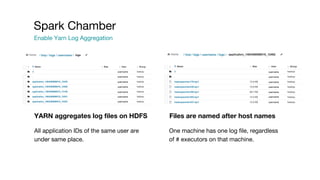
YARN aggregates log files on HDFS Files are named after host names
All application IDs of the same user are
under same place.
One machine has one log file, regardless
of # executors on that machine.
Spark Chamber
Enable Yarn Log Aggregation
/ tmp / logs / username / logs // tmp / logs / username /
username
username
username
username
username
username
username
username
username
username
username
username
username
username
Spark Chamber
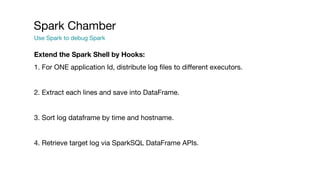
Use Spark to debug Spark
Extend the Spark Shell by Hooks:
1. For ONE application Id, distribute log files to different executors.
2. Extract each lines and save into DataFrame.
3. Sort log dataframe by time and hostname.
4. Retrieve target log via SparkSQL DataFrame APIs.
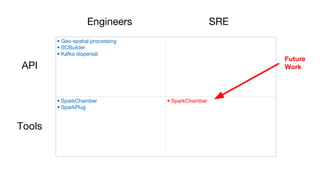
• Geo-spatial processing
• SCBuilder
• Kafka dispersal
• SparkChamber
• SparkPlug
• SparkChamber
Engineers SRE
API
Tools
Future
Work
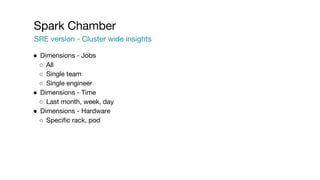
Spark Chamber
SRE version - Cluster wide insights
● Dimensions - Jobs
○ All
○ Single team
○ Single engineer
● Dimensions - Time
○ Last month, week, day
● Dimensions - Hardware
○ Specific rack, pod
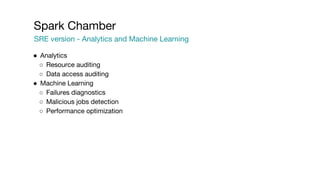
Spark Chamber
SRE version - Analytics and Machine Learning
● Analytics
○ Resource auditing
○ Data access auditing
● Machine Learning
○ Failures diagnostics
○ Malicious jobs detection
○ Performance optimization
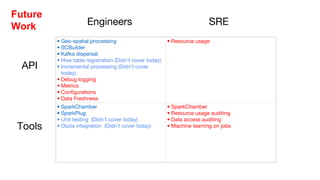
• Geo-spatial processing
• SCBuilder
• Kafka dispersal
• Hive table registration (Didn’t cover today)
• Incremental processing (Didn’t cover
today)
• Debug logging
• Metrics
• Configurations
• Data Freshness
• Resource usage
• SparkChamber
• SparkPlug
• Unit testing (Didn’t cover today)
• Oozie integration (Didn’t cover today)
• SparkChamber
• Resource usage auditing
• Data access auditing
• Machine learning on jobs
Engineers SRE
API
Tools
Future
Work
Today, Tuesday, June 7
4:50 PM – 5:20 PM
Room: Ballroom B
SPARK: INTERACTIVE TO PRODUCTION
Dara Adib, Uber
Tomorrow, Wednesday, June 8
5:25 PM – 5:55 PM
Room: Imperial
Locality Sensitive Hashing by Spark
Alain Rodriguez, Fraud Platform, Uber
Kelvin Chu, Hadoop Platform, Uber
Thank you
Proprietary and confidential © 2016 Uber Technologies, Inc. All rights reserved. No part of this document may be
reproduced or utilized in any form or by any means, electronic or mechanical, including photocopying, recording, or
by any information storage or retrieval systems, without permission in writing from Uber. This document is intended
only for the use of the individual or entity to whom it is addressed and contains information that is privileged,
confidential or otherwise exempt from disclosure under applicable law. All recipients of this document are notified
that the information contained herein includes proprietary and confidential information of Uber, and recipient may not
make use of, disseminate, or in any way disclose this document or any of the enclosed information to any person
other than employees of addressee to the extent necessary for consultations with authorized personnel of Uber.

Spark Uber Development Kit

  • 1.
    Kelvin Chu, HadoopPlatform, Uber Gang Wu, Hadoop Platform, Uber Spark Uber Development Kit Spark Summit 2016 June 07, 2016
  • 2.
    “Transportation as reliableas running water, everywhere, for everyone” Uber Mission
  • 3.
    About Us ● Hadoopteam of Data Infrastructure at Uber ● Schema systems ● HDFS data lake ● Analytics engines on Hadoop ● Spark computing framework and toolings
  • 4.
  • 5.
  • 6.
  • 7.
  • 8.
  • 9.
  • 10.
    Consequence: Pretty hard forbeginners, sometimes hard for experienced users too.
  • 11.
    Goals: Multi-Platform: Abstract outenvironment Self-Service: Create and run Spark jobs super easily Reliability: Prevent harm to infrastructure systems
  • 12.
  • 13.
  • 14.
    • SCBuilder • Kafkadispersal • SparkPlug Engineers SRE API Tools
  • 15.
    SCBuilder Encapsulate cluster environmentdetails ● Builder Pattern for SparkContext ● Incentive for users: ○ performance optimized (default can’t pass 100GB) ○ debug optimized (history server, event logs) ○ don’t need to ask around YARN, history servers, HDFS configs ● Best practices enforcement: ○ SRE approved CPU and memory settings ○ resource efficient serialization
  • 16.
    Kafka Dispersal Kafka asdata sink of RDD result ● Incentive for users: ○ RDD as first class citizen => parallelization ○ built-in HA ● Best practices enforcement: ○ rate limiting ○ message integrity by schema ○ bad messages tracking publish(data: RDD, topic: String, schemaId: Int, appId: String)
  • 17.
    SparkPlug Kickstart job development ●A collection of popular job templates ○ Two commands to run the first job in Dev ● One use case per template ○ e.g. Ozzie + SparkSQL + Incremental processing ○ e.g. Incremental processing + Kafka dispersal ● Best Practices ○ built-in unit tests, test coverage, Jenkins ○ built-in Kafka, HDFS mocks
  • 18.
    Example Spark ApplicationData Flow Chart Query UI ELK Search Dashboards Report HIVE Topic 1 Topic 1 Topic 1 Topic 2 Topic 2 Topic 2 Topic 3 Topic 3 Topic 4 HIVE Shared DB HIVE Custom DB App Web UI App
  • 19.
  • 20.
    • Geo-spatial processing •SCBuilder • Kafka dispersal • SparkPlug Engineers SRE API Tools
  • 21.
    Commonly used UDFs GeoSpatialUDF within(trip_location, city_shape) contains(geofence, auto_location) Find if a car is inside a city Find all autos in one area
  • 22.
    Commonly used UDFs GeoSpatialUDF overlaps(trip1, trip2) intersects(trip_location, gas_location) Find trips that have similar routes Find all gas stations a trip route has passed by
  • 23.
    Objective: associate alltrips with city_id for a single day. SELECT trip.trip_id, city.city_id FROM trip JOIN city WHERE contains(city.city_shape, trip.start_location) AND trip.datestr = ‘2016-06-07’ Spatial Join Common query at Uber
  • 24.
    Spatial Join Problem It takesnearly ONE WEEK to run at Uber’s data scale. 1. Spark does not have broadcast join optimization for non-equation join. 2. Not scalable, only one executor is used for cartesian join.
  • 25.
    Spatial Join Build aUDF to broadcast geo-spatial index
  • 26.
    Spatial Join Runtime IndexGeneration Index data is small but change often (city table) Get fields from geo tables (city_id and city_shape) Build QuadTree or RTree index at Spark Driver 1. Build Index
  • 27.
    Spatial Join Executor Execution UDFcode is part of the Spark UDK jar. ⇒ get_city_id(location), returns city_id of a location Use the broadcasted spatial index for fast spatial retrieval 2. Broadcast Index
  • 28.
    Spatial Join Runtime UDFGeneration SELECT trip_id, get_city_id(start_location) FROM trip WHERE datestr = ‘2016-06-07’ 3. Rewrite Query (2 mins only! compared to 1 week before)
  • 29.
    • Geo-spatial processing •SCBuilder • Kafka dispersal • SparkChamber • SparkPlug Engineers SRE API Tools
  • 30.
    Spark Debugging 1. Tonsof local log files across many machines. 2. Overall file size is huge and difficult to be handled by a single machine. 3. Painful for debugging, which log is useful?
  • 31.
    Spark Chamber Distributed LogDebugger for Spark Extend Spark Shell by Hooks. Easy to adopt for Spark developers. Interactive
  • 32.
  • 33.
  • 38.
    Spark Chamber Distributed LogDebugger for Spark 1. Get all recent Spark Application IDs. 2. Get first exception, all exceptions grouped by types sorted by time, etc. 3. Display CPU, memory, I/O metrics. 4. Dive into a specific driver/executor/machine 5. Search Features
  • 39.
    Spark Chamber Distributed LogDebugger for Spark Developer mode: debug developer’s own Spark job. SRE mode: view and check all users’ Spark job information. Security
  • 40.
    YARN aggregates logfiles on HDFS Files are named after host names All application IDs of the same user are under same place. One machine has one log file, regardless of # executors on that machine. Spark Chamber Enable Yarn Log Aggregation / tmp / logs / username / logs // tmp / logs / username / username username username username username username username username username username username username username username
  • 41.
    Spark Chamber Use Sparkto debug Spark Extend the Spark Shell by Hooks: 1. For ONE application Id, distribute log files to different executors. 2. Extract each lines and save into DataFrame. 3. Sort log dataframe by time and hostname. 4. Retrieve target log via SparkSQL DataFrame APIs.
  • 42.
    • Geo-spatial processing •SCBuilder • Kafka dispersal • SparkChamber • SparkPlug • SparkChamber Engineers SRE API Tools Future Work
  • 43.
    Spark Chamber SRE version- Cluster wide insights ● Dimensions - Jobs ○ All ○ Single team ○ Single engineer ● Dimensions - Time ○ Last month, week, day ● Dimensions - Hardware ○ Specific rack, pod
  • 44.
    Spark Chamber SRE version- Analytics and Machine Learning ● Analytics ○ Resource auditing ○ Data access auditing ● Machine Learning ○ Failures diagnostics ○ Malicious jobs detection ○ Performance optimization
  • 45.
    • Geo-spatial processing •SCBuilder • Kafka dispersal • Hive table registration (Didn’t cover today) • Incremental processing (Didn’t cover today) • Debug logging • Metrics • Configurations • Data Freshness • Resource usage • SparkChamber • SparkPlug • Unit testing (Didn’t cover today) • Oozie integration (Didn’t cover today) • SparkChamber • Resource usage auditing • Data access auditing • Machine learning on jobs Engineers SRE API Tools Future Work
  • 46.
    Today, Tuesday, June7 4:50 PM – 5:20 PM Room: Ballroom B SPARK: INTERACTIVE TO PRODUCTION Dara Adib, Uber
  • 47.
    Tomorrow, Wednesday, June8 5:25 PM – 5:55 PM Room: Imperial Locality Sensitive Hashing by Spark Alain Rodriguez, Fraud Platform, Uber Kelvin Chu, Hadoop Platform, Uber
  • 48.
    Thank you Proprietary andconfidential © 2016 Uber Technologies, Inc. All rights reserved. No part of this document may be reproduced or utilized in any form or by any means, electronic or mechanical, including photocopying, recording, or by any information storage or retrieval systems, without permission in writing from Uber. This document is intended only for the use of the individual or entity to whom it is addressed and contains information that is privileged, confidential or otherwise exempt from disclosure under applicable law. All recipients of this document are notified that the information contained herein includes proprietary and confidential information of Uber, and recipient may not make use of, disseminate, or in any way disclose this document or any of the enclosed information to any person other than employees of addressee to the extent necessary for consultations with authorized personnel of Uber.