Cybersecurity by the #s
Regulatory Internet Governance Symposium – Vanuatu
20 October 2016
Cybersecurity by the #s
Network Security
• A view from the logical
layer
• Network Security
• What are we up against?
• The cybersecurity
ecosystem
CERT | CSIRT
• Incident Response
• Coordination
• Information Sharing
• Building a CERT
• Components of a
CERT/CSIRT
• The Road Forward
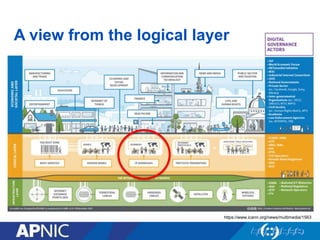
A view from the logical layer
https://www.icann.org/news/multimedia/1563
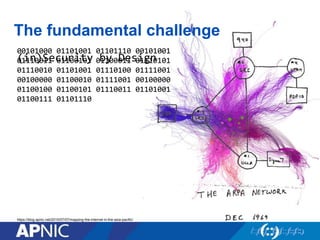
The fundamental challenge
00101000 01101001 01101110 00101001
01110011 01100101 01100011 01110101
01110010 01101001 01110100 01111001
00100000 01100010 01111001 00100000
01100100 01100101 01110011 01101001
01100111 01101110
(in)Security by Design
https://blog.apnic.net/2015/07/07/mapping-the-internet-in-the-asia-pacific/
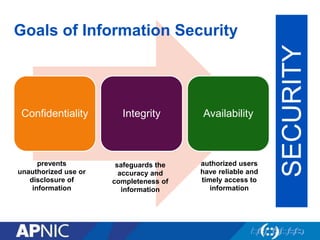
Confidentiality Integrity Availability
SECURITY
prevents
unauthorized use or
disclosure of
information
safeguards the
accuracy and
completeness of
information
authorized users
have reliable and
timely access to
information
Goals of Information Security
Terms: Breaking it down
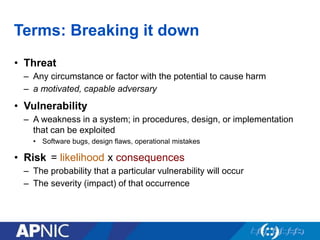
• Threat
– Any circumstance or factor with the potential to cause harm
– a motivated, capable adversary
• Vulnerability
– A weakness in a system; in procedures, design, or implementation
that can be exploited
• Software bugs, design flaws, operational mistakes
• Risk
– The probability that a particular vulnerability will occur
– The severity (impact) of that occurrence
= likelihood x consequences
Security tradeoffs
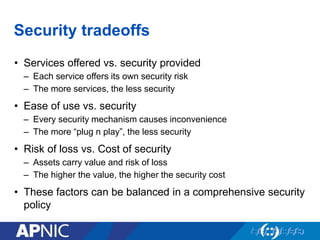
• Services offered vs. security provided
– Each service offers its own security risk
– The more services, the less security
• Ease of use vs. security
– Every security mechanism causes inconvenience
– The more “plug n play”, the less security
• Risk of loss vs. Cost of security
– Assets carry value and risk of loss
– The higher the value, the higher the security cost
• These factors can be balanced in a comprehensive security
policy
What are we up against?
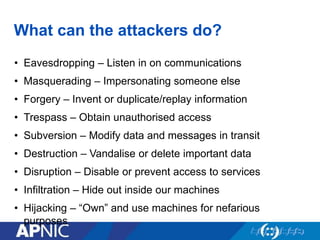
What can the attackers do?
• Eavesdropping – Listen in on communications
• Masquerading – Impersonating someone else
• Forgery – Invent or duplicate/replay information
• Trespass – Obtain unauthorised access
• Subversion – Modify data and messages in transit
• Destruction – Vandalise or delete important data
• Disruption – Disable or prevent access to services
• Infiltration – Hide out inside our machines
• Hijacking – “Own” and use machines for nefarious
purposes
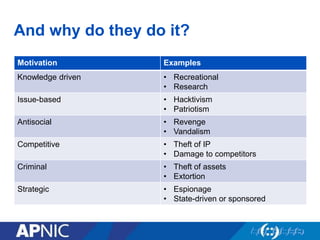
And why do they do it?
Motivation Examples
Knowledge driven • Recreational
• Research
Issue-based • Hacktivism
• Patriotism
Antisocial • Revenge
• Vandalism
Competitive • Theft of IP
• Damage to competitors
Criminal • Theft of assets
• Extortion
Strategic • Espionage
• State-driven or sponsored
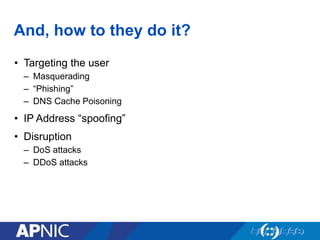
And, how to they do it?
• Targeting the user
– Masquerading
– “Phishing”
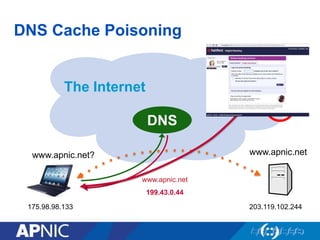
– DNS Cache Poisoning
• IP Address “spoofing”
• Disruption
– DoS attacks
– DDoS attacks
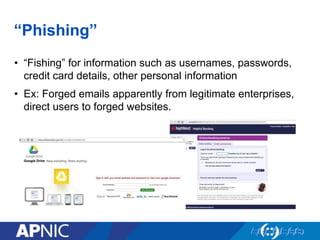
“Phishing”
• “Fishing” for information such as usernames, passwords,
credit card details, other personal information
• Ex: Forged emails apparently from legitimate enterprises,
direct users to forged websites.
DNS Cache Poisoning
The Internet
www.apnic.netwww.apnic.net?
www.apnic.net
199.43.0.44
DNS
175.98.98.133 203.119.102.244
199.43.0.44
☹︎
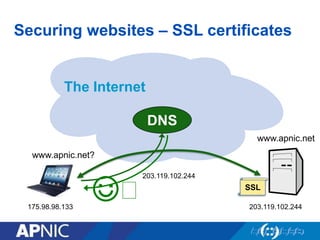
Securing websites – SSL certificates
The Internet
www.apnic.net
www.apnic.net?
203.119.102.244
DNS
175.98.98.133 203.119.102.244
☺︎ SSL
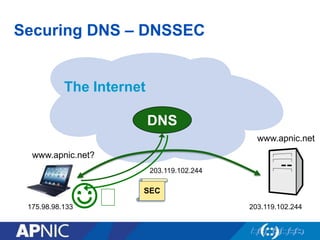
Securing DNS – DNSSEC
The Internet
www.apnic.net
www.apnic.net?
DNS
175.98.98.133 203.119.102.244
☺︎
203.119.102.244
SEC
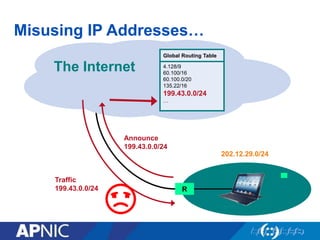
Misusing IP Addresses…
The Internet
Global Routing Table
4.128/9
60.100/16
60.100.0/20
135.22/16
…
Global Routing Table
4.128/9
60.100/16
60.100.0/20
135.22/16
199.43.0.0/24
…
Announce
199.43.0.0/24
R
202.12.29.0/24
Traffic
199.43.0.0/24
☹︎
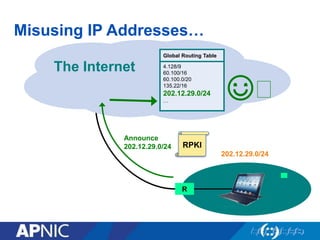
Misusing IP Addresses…
The Internet
Global Routing Table
4.128/9
60.100/16
60.100.0/20
135.22/16
…
Global Routing Table
4.128/9
60.100/16
60.100.0/20
135.22/16
202.12.29.0/24
…
Announce
202.12.29.0/24
R
202.12.29.0/24
RPKI
☺︎
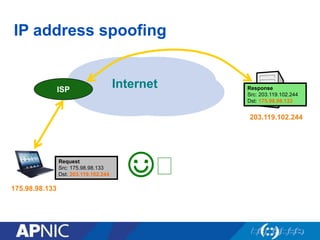
IP address spoofing
InternetISP
203.119.102.244
175.98.98.133
Request
Src: 175.98.98.133
Dst: 203.119.102.244
Response
Src: 203.119.102.244
Dst: 175.98.98.133
☺︎
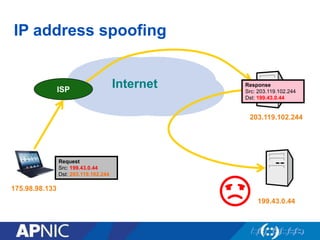
IP address spoofing
InternetISP
203.119.102.244
175.98.98.133
Response
Src: 203.119.102.244
Dst: 199.43.0.44
199.43.0.44
Request
Src: 199.43.0.44
Dst: 203.119.102.244
☹︎
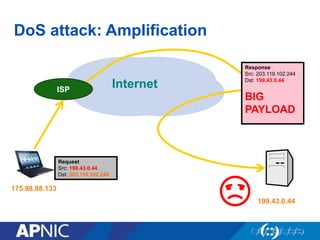
DoS attack: Amplification
InternetISP
203.119.102.244
175.98.98.133
199.43.0.44
Request
Src: 199.43.0.44
Dst: 203.119.102.244
☹︎
Response
Src: 203.119.102.244
Dst: 199.43.0.44
BIG
PAYLOAD
Request
Src: 199.43.0.44
Dst: 203.119.102.244
Request
Src: 199.43.0.44
Dst: 203.119.102.244
Request
Src: 199.43.0.44
Dst: 203.119.102.244
Request
Src: 199.43.0.44
Dst: 203.119.102.244
Response
Src: 203.119.102.244
Dst: 199.43.0.44
BIG
PAYLOAD
Response
Src: 203.119.102.244
Dst: 199.43.0.44
BIG
PAYLOAD
Response
Src: 203.119.102.244
Dst: 199.43.0.44
BIG
PAYLOAD
Response
Src: 203.119.102.244
Dst: 199.43.0.44
BIG
PAYLOAD
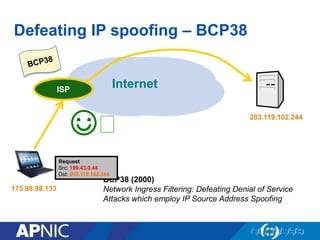
Defeating IP spoofing – BCP38
InternetISP
203.119.102.244
175.98.98.133
☺︎
BCP38 (2000)
Network Ingress Filtering: Defeating Denial of Service
Attacks which employ IP Source Address Spoofing
ISP
Request
Src: 199.43.0.44
Dst: 203.119.102.244
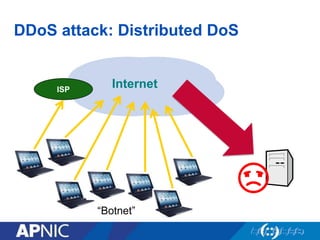
DDoS attack: Distributed DoS
InternetISP
☹︎
“Botnet”
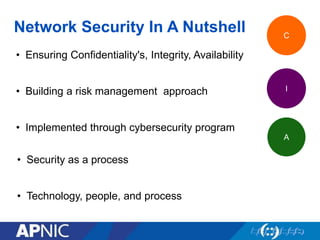
Network Security In A Nutshell
• Ensuring Confidentiality's, Integrity, Availability
• Building a risk management approach
• Implemented through cybersecurity program
C
I
A
• Security as a process
• Technology, people, and process
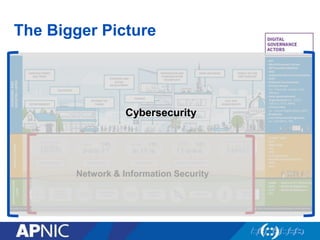
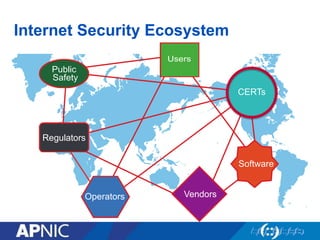
The Bigger Picture
Network & Information Security
Cybersecurity
Users
Public
Safety
Regulators
Operators Vendors
Software
CERTs
Internet Security Ecosystem
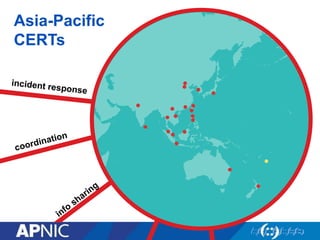
Asia-Pacific
CERTs
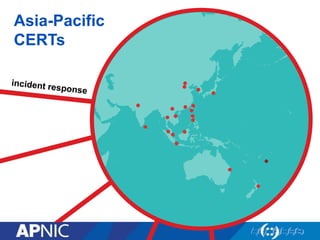
Asia-Pacific
CERTs
Incident Response
Security Incident
• A computer security incident is a violation or imminent threat of violation of
computer security policies, acceptable use policies, or standard security
practices
• Examples:
– An attacker commands a botnet to send high volumes of connection requests to a
web server, causing it to crash
– Users are tricked into opening a “quarterly report” sent via email that is actually
malware; running the tool has infected their computers and established connections
with an external host.
– An attacker obtains sensitive data and threatens that the details will be released
publicly if the organization does not pay a designated sum of money.
(Source: NIST SP800-61Incident Handling Guide)
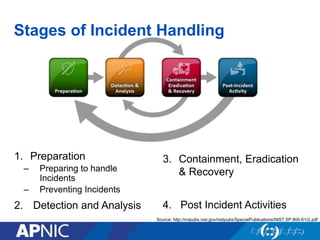
1. Preparation
– Preparing to handle
Incidents
– Preventing Incidents
2. Detection and Analysis
Source: http://nvlpubs.nist.gov/nistpubs/SpecialPublications/NIST.SP.800-61r2.pdf
Stages of Incident Handling
3. Containment, Eradication
& Recovery
4. Post Incident Activities
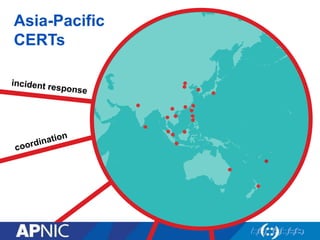
Asia-Pacific
CERTs
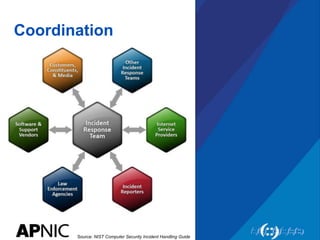
Coordination
Source: NIST Computer Security Incident Handling Guide
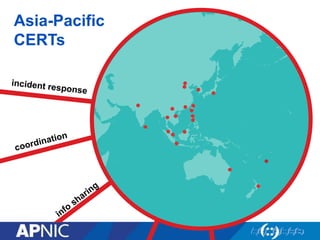
Asia-Pacific
CERTs
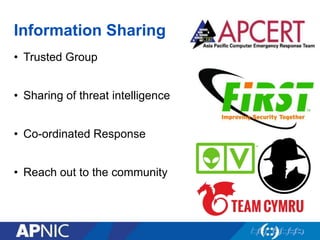
Information Sharing
• Trusted Group
• Sharing of threat intelligence
• Co-ordinated Response
• Reach out to the community
Why a Team?
• Dedicated resources for Incident Management
– Dedicated Service(s)
– Human Resources
– Specific Polices and SOPs
– Expertise & Skillsets
• Structured Incident Management / Handling Procedures
• Integration with other activities Internal & External to the
organization
– SOC / IT
– CERTs / ISACs etc
Building a
- CERT
- CSIRT
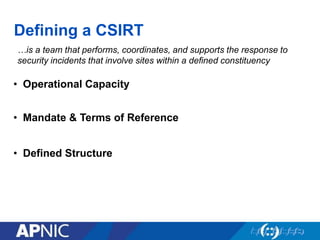
Defining a CSIRT
…is a team that performs, coordinates, and supports the response to
security incidents that involve sites within a defined constituency
• In ways which the specific community agrees to be in its
general interest
• Team = Organization that does Incident Response (IR)
work!
• Must react to reported security incidents or threat faced by
the constituency
Defining a CSIRT
…is a team that performs, coordinates, and supports the response to
security incidents that involve sites within a defined constituency
• Mandate & Terms of Reference
• Defined Structure
• Operational Capacity
38
Components
of a CERT/CSIRT
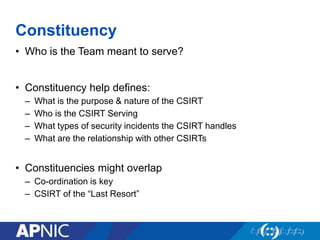
Constituency
• Who is the Team meant to serve?
• Constituency help defines:
– What is the purpose & nature of the CSIRT
– Who is the CSIRT Serving
– What types of security incidents the CSIRT handles
– What are the relationship with other CSIRTs
• Constituencies might overlap
– Co-ordination is key
– CSIRT of the “Last Resort”
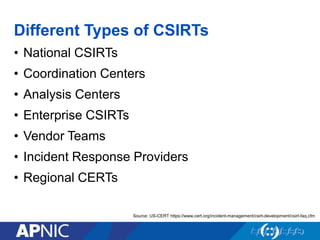
Different Types of CSIRTs
• National CSIRTs
• Coordination Centers
• Analysis Centers
• Enterprise CSIRTs
• Vendor Teams
• Incident Response Providers
• Regional CERTs
Source: US-CERT https://www.cert.org/incident-management/csirt-development/csirt-faq.cfm
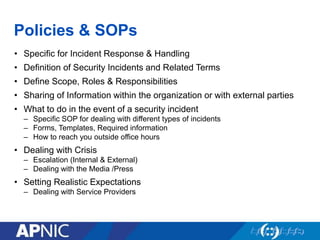
Policies & SOPs
• Specific for Incident Response & Handling
• Definition of Security Incidents and Related Terms
• Define Scope, Roles & Responsibilities
• Sharing of Information within the organization or with external parties
• What to do in the event of a security incident
– Specific SOP for dealing with different types of incidents
– Forms, Templates, Required information
– How to reach you outside office hours
• Dealing with Crisis
– Escalation (Internal & External)
– Dealing with the Media /Press
• Setting Realistic Expectations
– Dealing with Service Providers
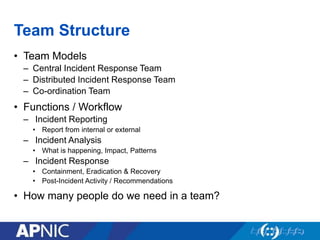
Team Structure
• Team Models
– Central Incident Response Team
– Distributed Incident Response Team
– Co-ordination Team
• Functions / Workflow
– Incident Reporting
• Report from internal or external
– Incident Analysis
• What is happening, Impact, Patterns
– Incident Response
• Containment, Eradication & Recovery
• Post-Incident Activity / Recommendations
• How many people do we need in a team?
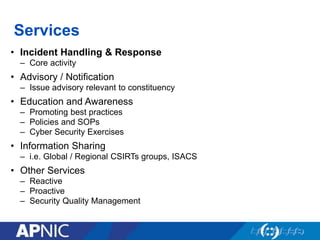
Services
• Incident Handling & Response
– Core activity
• Advisory / Notification
– Issue advisory relevant to constituency
• Education and Awareness
– Promoting best practices
– Policies and SOPs
– Cyber Security Exercises
• Information Sharing
– i.e. Global / Regional CSIRTs groups, ISACS
• Other Services
– Reactive
– Proactive
– Security Quality Management
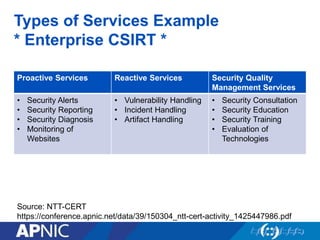
Types of Services Example
* Enterprise CSIRT *
Proactive Services Reactive Services Security Quality
Management Services
• Security Alerts
• Security Reporting
• Security Diagnosis
• Monitoring of
Websites
• Vulnerability Handling
• Incident Handling
• Artifact Handling
• Security Consultation
• Security Education
• Security Training
• Evaluation of
Technologies
Source: NTT-CERT
https://conference.apnic.net/data/39/150304_ntt-cert-activity_1425447986.pdf
Tools & Facilities
• Basically two categories of tools
– Managing Incident Reports
– Tools for analysis
• Handling & Managing Incidents Reported
– Able to collect & store incidents reported
– Track status, produce reports
– Function of system can be mapped to SOP
– Encryption tools for secure communication
• Security Incidents Monitoring & Analysis
– Tools for processing or analyzing logs, binaries, network traffic
– Forensics Tools
– Tools for information sharing
– Labs / Separate resources for analysis / testing
– Tools in the Public domains (i.e. Passive DNS)
• Office / Work facilities
– Secure room, Office facilities, etc
• Good Resource: FIRST Membership Site Visit: http://www.first.org/membership/site-visit-V1.0.pdf
Building Relationships
• Internal
– Early buy-in from leadership and constituency
– Costing
• The cost tends to vary based on a lot of factors
– Size of team
– Services provided
– Nature of Organisation
• Start Small
– Using open source tools
– Scale up as capability and need grows
• External
– Becoming of a part of a trusted community
• Attending Meetings / Conferences
• Capacity Development (Training)
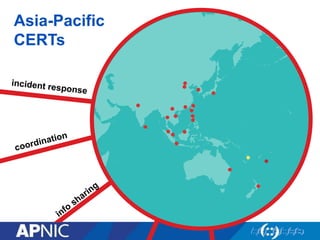
Asia-Pacific
CERTs
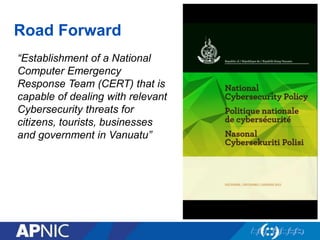
Road Forward
“Establishment of a National
Computer Emergency
Response Team (CERT) that is
capable of dealing with relevant
Cybersecurity threats for
citizens, tourists, businesses
and government in Vanuatu”
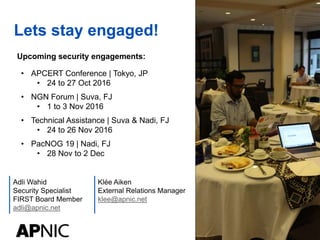
Lets stay engaged!
Klée Aiken
External Relations Manager
klee@apnic.net
Adli Wahid
Security Specialist
FIRST Board Member
adli@apnic.net
Upcoming security engagements:
• APCERT Conference | Tokyo, JP
• 24 to 27 Oct 2016
• NGN Forum | Suva, FJ
• 1 to 3 Nov 2016
• Technical Assistance | Suva & Nadi, FJ
• 24 to 26 Nov 2016
• PacNOG 19 | Nadi, FJ
• 28 Nov to 2 Dec
Tankio tumas!
Questions?

Cybersecurity by the numbers

  • 1.
    Cybersecurity by the#s Regulatory Internet Governance Symposium – Vanuatu 20 October 2016
  • 2.
    Cybersecurity by the#s Network Security • A view from the logical layer • Network Security • What are we up against? • The cybersecurity ecosystem CERT | CSIRT • Incident Response • Coordination • Information Sharing • Building a CERT • Components of a CERT/CSIRT • The Road Forward
  • 3.
    A view fromthe logical layer https://www.icann.org/news/multimedia/1563
  • 4.
    The fundamental challenge 0010100001101001 01101110 00101001 01110011 01100101 01100011 01110101 01110010 01101001 01110100 01111001 00100000 01100010 01111001 00100000 01100100 01100101 01110011 01101001 01100111 01101110 (in)Security by Design https://blog.apnic.net/2015/07/07/mapping-the-internet-in-the-asia-pacific/
  • 5.
    Confidentiality Integrity Availability SECURITY prevents unauthorizeduse or disclosure of information safeguards the accuracy and completeness of information authorized users have reliable and timely access to information Goals of Information Security
  • 6.
    Terms: Breaking itdown • Threat – Any circumstance or factor with the potential to cause harm – a motivated, capable adversary • Vulnerability – A weakness in a system; in procedures, design, or implementation that can be exploited • Software bugs, design flaws, operational mistakes • Risk – The probability that a particular vulnerability will occur – The severity (impact) of that occurrence = likelihood x consequences
  • 7.
    Security tradeoffs • Servicesoffered vs. security provided – Each service offers its own security risk – The more services, the less security • Ease of use vs. security – Every security mechanism causes inconvenience – The more “plug n play”, the less security • Risk of loss vs. Cost of security – Assets carry value and risk of loss – The higher the value, the higher the security cost • These factors can be balanced in a comprehensive security policy
  • 8.
    What are weup against?
  • 9.
    What can theattackers do? • Eavesdropping – Listen in on communications • Masquerading – Impersonating someone else • Forgery – Invent or duplicate/replay information • Trespass – Obtain unauthorised access • Subversion – Modify data and messages in transit • Destruction – Vandalise or delete important data • Disruption – Disable or prevent access to services • Infiltration – Hide out inside our machines • Hijacking – “Own” and use machines for nefarious purposes
  • 10.
    And why dothey do it? Motivation Examples Knowledge driven • Recreational • Research Issue-based • Hacktivism • Patriotism Antisocial • Revenge • Vandalism Competitive • Theft of IP • Damage to competitors Criminal • Theft of assets • Extortion Strategic • Espionage • State-driven or sponsored
  • 11.
    And, how tothey do it? • Targeting the user – Masquerading – “Phishing” – DNS Cache Poisoning • IP Address “spoofing” • Disruption – DoS attacks – DDoS attacks
  • 12.
    “Phishing” • “Fishing” forinformation such as usernames, passwords, credit card details, other personal information • Ex: Forged emails apparently from legitimate enterprises, direct users to forged websites.
  • 13.
    DNS Cache Poisoning TheInternet www.apnic.netwww.apnic.net? www.apnic.net 199.43.0.44 DNS 175.98.98.133 203.119.102.244 199.43.0.44 ☹︎
  • 14.
    Securing websites –SSL certificates The Internet www.apnic.net www.apnic.net? 203.119.102.244 DNS 175.98.98.133 203.119.102.244 ☺︎ SSL
  • 15.
    Securing DNS –DNSSEC The Internet www.apnic.net www.apnic.net? DNS 175.98.98.133 203.119.102.244 ☺︎ 203.119.102.244 SEC
  • 16.
    Misusing IP Addresses… TheInternet Global Routing Table 4.128/9 60.100/16 60.100.0/20 135.22/16 … Global Routing Table 4.128/9 60.100/16 60.100.0/20 135.22/16 199.43.0.0/24 … Announce 199.43.0.0/24 R 202.12.29.0/24 Traffic 199.43.0.0/24 ☹︎
  • 17.
    Misusing IP Addresses… TheInternet Global Routing Table 4.128/9 60.100/16 60.100.0/20 135.22/16 … Global Routing Table 4.128/9 60.100/16 60.100.0/20 135.22/16 202.12.29.0/24 … Announce 202.12.29.0/24 R 202.12.29.0/24 RPKI ☺︎
  • 18.
    IP address spoofing InternetISP 203.119.102.244 175.98.98.133 Request Src:175.98.98.133 Dst: 203.119.102.244 Response Src: 203.119.102.244 Dst: 175.98.98.133 ☺︎
  • 19.
    IP address spoofing InternetISP 203.119.102.244 175.98.98.133 Response Src:203.119.102.244 Dst: 199.43.0.44 199.43.0.44 Request Src: 199.43.0.44 Dst: 203.119.102.244 ☹︎
  • 20.
    DoS attack: Amplification InternetISP 203.119.102.244 175.98.98.133 199.43.0.44 Request Src:199.43.0.44 Dst: 203.119.102.244 ☹︎ Response Src: 203.119.102.244 Dst: 199.43.0.44 BIG PAYLOAD Request Src: 199.43.0.44 Dst: 203.119.102.244 Request Src: 199.43.0.44 Dst: 203.119.102.244 Request Src: 199.43.0.44 Dst: 203.119.102.244 Request Src: 199.43.0.44 Dst: 203.119.102.244 Response Src: 203.119.102.244 Dst: 199.43.0.44 BIG PAYLOAD Response Src: 203.119.102.244 Dst: 199.43.0.44 BIG PAYLOAD Response Src: 203.119.102.244 Dst: 199.43.0.44 BIG PAYLOAD Response Src: 203.119.102.244 Dst: 199.43.0.44 BIG PAYLOAD
  • 21.
    Defeating IP spoofing– BCP38 InternetISP 203.119.102.244 175.98.98.133 ☺︎ BCP38 (2000) Network Ingress Filtering: Defeating Denial of Service Attacks which employ IP Source Address Spoofing ISP Request Src: 199.43.0.44 Dst: 203.119.102.244
  • 22.
    DDoS attack: DistributedDoS InternetISP ☹︎ “Botnet”
  • 23.
    Network Security InA Nutshell • Ensuring Confidentiality's, Integrity, Availability • Building a risk management approach • Implemented through cybersecurity program C I A • Security as a process • Technology, people, and process
  • 24.
    The Bigger Picture Network& Information Security Cybersecurity
  • 25.
  • 26.
  • 27.
  • 28.
    Incident Response Security Incident •A computer security incident is a violation or imminent threat of violation of computer security policies, acceptable use policies, or standard security practices • Examples: – An attacker commands a botnet to send high volumes of connection requests to a web server, causing it to crash – Users are tricked into opening a “quarterly report” sent via email that is actually malware; running the tool has infected their computers and established connections with an external host. – An attacker obtains sensitive data and threatens that the details will be released publicly if the organization does not pay a designated sum of money. (Source: NIST SP800-61Incident Handling Guide)
  • 29.
    1. Preparation – Preparingto handle Incidents – Preventing Incidents 2. Detection and Analysis Source: http://nvlpubs.nist.gov/nistpubs/SpecialPublications/NIST.SP.800-61r2.pdf Stages of Incident Handling 3. Containment, Eradication & Recovery 4. Post Incident Activities
  • 30.
  • 31.
    Coordination Source: NIST ComputerSecurity Incident Handling Guide
  • 32.
  • 33.
    Information Sharing • TrustedGroup • Sharing of threat intelligence • Co-ordinated Response • Reach out to the community
  • 34.
    Why a Team? •Dedicated resources for Incident Management – Dedicated Service(s) – Human Resources – Specific Polices and SOPs – Expertise & Skillsets • Structured Incident Management / Handling Procedures • Integration with other activities Internal & External to the organization – SOC / IT – CERTs / ISACs etc
  • 35.
  • 36.
    Defining a CSIRT …isa team that performs, coordinates, and supports the response to security incidents that involve sites within a defined constituency • In ways which the specific community agrees to be in its general interest • Team = Organization that does Incident Response (IR) work! • Must react to reported security incidents or threat faced by the constituency
  • 37.
    Defining a CSIRT …isa team that performs, coordinates, and supports the response to security incidents that involve sites within a defined constituency • Mandate & Terms of Reference • Defined Structure • Operational Capacity
  • 38.
  • 39.
    Constituency • Who isthe Team meant to serve? • Constituency help defines: – What is the purpose & nature of the CSIRT – Who is the CSIRT Serving – What types of security incidents the CSIRT handles – What are the relationship with other CSIRTs • Constituencies might overlap – Co-ordination is key – CSIRT of the “Last Resort”
  • 40.
    Different Types ofCSIRTs • National CSIRTs • Coordination Centers • Analysis Centers • Enterprise CSIRTs • Vendor Teams • Incident Response Providers • Regional CERTs Source: US-CERT https://www.cert.org/incident-management/csirt-development/csirt-faq.cfm
  • 41.
    Policies & SOPs •Specific for Incident Response & Handling • Definition of Security Incidents and Related Terms • Define Scope, Roles & Responsibilities • Sharing of Information within the organization or with external parties • What to do in the event of a security incident – Specific SOP for dealing with different types of incidents – Forms, Templates, Required information – How to reach you outside office hours • Dealing with Crisis – Escalation (Internal & External) – Dealing with the Media /Press • Setting Realistic Expectations – Dealing with Service Providers
  • 42.
    Team Structure • TeamModels – Central Incident Response Team – Distributed Incident Response Team – Co-ordination Team • Functions / Workflow – Incident Reporting • Report from internal or external – Incident Analysis • What is happening, Impact, Patterns – Incident Response • Containment, Eradication & Recovery • Post-Incident Activity / Recommendations • How many people do we need in a team?
  • 43.
    Services • Incident Handling& Response – Core activity • Advisory / Notification – Issue advisory relevant to constituency • Education and Awareness – Promoting best practices – Policies and SOPs – Cyber Security Exercises • Information Sharing – i.e. Global / Regional CSIRTs groups, ISACS • Other Services – Reactive – Proactive – Security Quality Management
  • 44.
    Types of ServicesExample * Enterprise CSIRT * Proactive Services Reactive Services Security Quality Management Services • Security Alerts • Security Reporting • Security Diagnosis • Monitoring of Websites • Vulnerability Handling • Incident Handling • Artifact Handling • Security Consultation • Security Education • Security Training • Evaluation of Technologies Source: NTT-CERT https://conference.apnic.net/data/39/150304_ntt-cert-activity_1425447986.pdf
  • 45.
    Tools & Facilities •Basically two categories of tools – Managing Incident Reports – Tools for analysis • Handling & Managing Incidents Reported – Able to collect & store incidents reported – Track status, produce reports – Function of system can be mapped to SOP – Encryption tools for secure communication • Security Incidents Monitoring & Analysis – Tools for processing or analyzing logs, binaries, network traffic – Forensics Tools – Tools for information sharing – Labs / Separate resources for analysis / testing – Tools in the Public domains (i.e. Passive DNS) • Office / Work facilities – Secure room, Office facilities, etc • Good Resource: FIRST Membership Site Visit: http://www.first.org/membership/site-visit-V1.0.pdf
  • 46.
    Building Relationships • Internal –Early buy-in from leadership and constituency – Costing • The cost tends to vary based on a lot of factors – Size of team – Services provided – Nature of Organisation • Start Small – Using open source tools – Scale up as capability and need grows • External – Becoming of a part of a trusted community • Attending Meetings / Conferences • Capacity Development (Training)
  • 47.
  • 48.
    Road Forward “Establishment ofa National Computer Emergency Response Team (CERT) that is capable of dealing with relevant Cybersecurity threats for citizens, tourists, businesses and government in Vanuatu”
  • 49.
    Lets stay engaged! KléeAiken External Relations Manager klee@apnic.net Adli Wahid Security Specialist FIRST Board Member adli@apnic.net Upcoming security engagements: • APCERT Conference | Tokyo, JP • 24 to 27 Oct 2016 • NGN Forum | Suva, FJ • 1 to 3 Nov 2016 • Technical Assistance | Suva & Nadi, FJ • 24 to 26 Nov 2016 • PacNOG 19 | Nadi, FJ • 28 Nov to 2 Dec
  • 50.