Jenn Mathews (SEOGoddess)
Twitter.com/SEOGoddess
Facebook.com/theSEOGoddess
SEOGoddess.me
• What is SEO?
• How people use Search Engines
• Keyword Research
• Keyword Placement
• Checklist –
• Internal SEO Checklist
• External SEO
• SEO & Social Media
• What not to do
• Panda and Penguin
• Mobile 2015
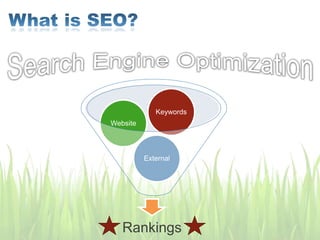
Rankings
External
Website
Keywords
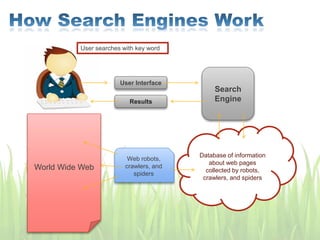
User searches with key word
Database of information
about web pages
collected by robots,
crawlers, and spiders
User Interface
Results
Search
Engine
World Wide Web
Web robots,
crawlers, and
spiders
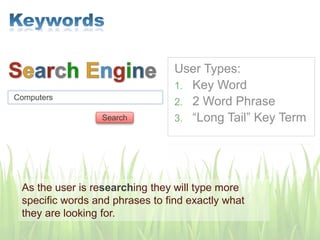
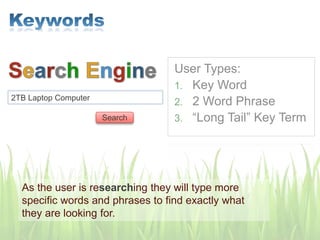
User Types:
1. Key Word
2. 2 Word Phrase
3. “Long Tail” Key Term
Computers
As the user is researching they will type more
specific words and phrases to find exactly what
they are looking for.
Search
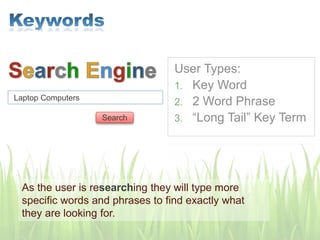
User Types:
1. Key Word
2. 2 Word Phrase
3. “Long Tail” Key Term
Laptop Computers
As the user is researching they will type more
specific words and phrases to find exactly what
they are looking for.
Search
User Types:
1. Key Word
2. 2 Word Phrase
3. “Long Tail” Key Term
2TB Laptop Computer
As the user is researching they will type more
specific words and phrases to find exactly what
they are looking for.
Search
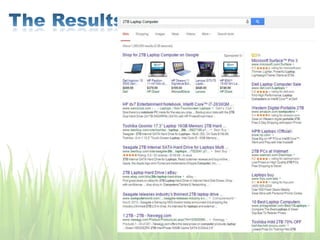
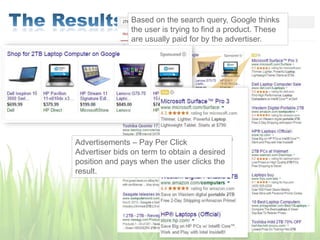
Based on the search query, Google thinks
the user is trying to find a product. These
are usually paid for by the advertiser.
Advertisements – Pay Per Click
Advertiser bids on term to obtain a desired
position and pays when the user clicks the
result.
Based on the search query, Google thinks
the user is trying to find a product. These
are usually paid for by the advertiser.
Advertisements – Pay Per Click
Advertiser bids on term to obtain a desired
position and pays when the user clicks the
result.
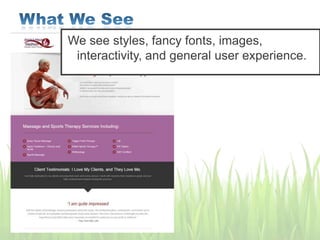
We see styles, fancy fonts, images,
interactivity, and general user experience.
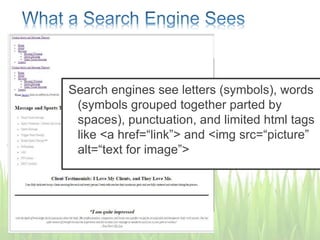
Search engines see letters (symbols), words
(symbols grouped together parted by
spaces), punctuation, and limited html tags
like <a href=“link”> and <img src=“picture”
alt=“text for image”>
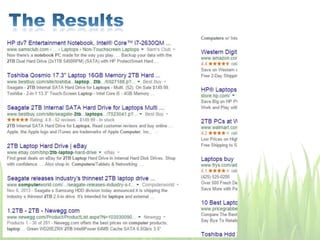
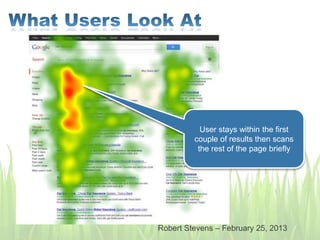
User stays within the first
couple of results then scans
the rest of the page briefly
Robert Stevens – February 25, 2013
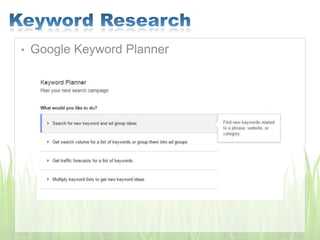
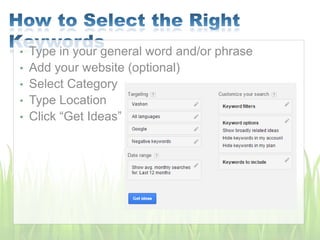
• Google Keyword Planner
• Type in your general word and/or phrase
• Add your website (optional)
• Type in your general word and/or phrase
• Add your website (optional)
• Select Category
• Type Location
• Click “Get Ideas”
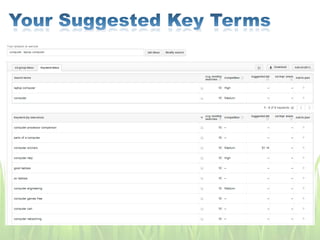
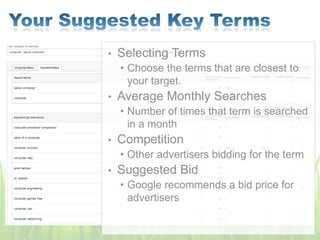
• Selecting Terms
• Choose the terms that are closest to
your target.
• Average Monthly Searches
• Number of times that term is searched
in a month
• Competition
• Other advertisers bidding for the term
• Suggested Bid
• Google recommends a bid price for
advertisers
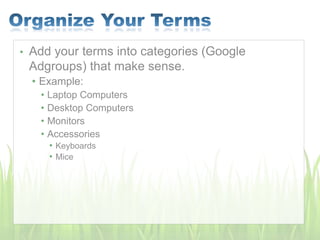
• Add your terms into categories (Google
Adgroups) that make sense.
• Example:
• Laptop Computers
• Desktop Computers
• Monitors
• Accessories
• Keyboards
• Mice
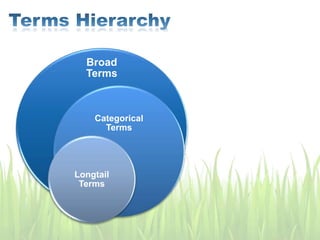
Broad
Terms
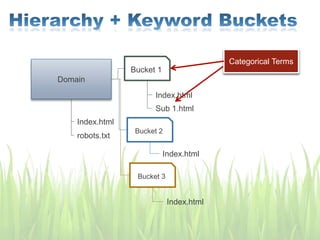
Categorical
Terms
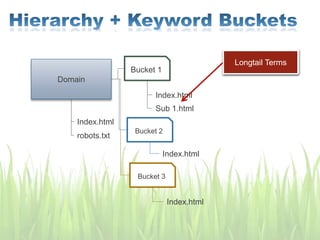
Longtail
Terms
Broad
Terms
Categorical
Terms
Longtail
Terms
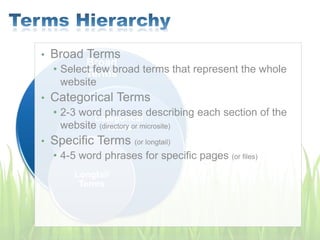
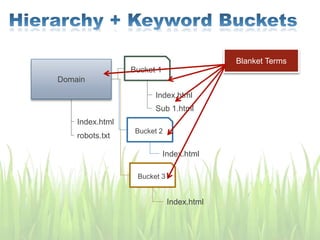
• Broad Terms
• Select few broad terms that represent the whole
website
• Categorical Terms
• 2-3 word phrases describing each section of the
website (directory or microsite)
• Specific Terms (or longtail)
• 4-5 word phrases for specific pages (or files)
• The 2-3 broad words you chose that “describes” your
entire website
1. Homepage Title and within every title of every page within the
website.
2. Within the Meta Description of the Homepage, and on every page
of the entire website (somehow)
3. Within the body of the homepage (preferably within a 200-300
word description of your business, website, product, etc that if for
the user to quickly understand what your website is about)
4. Within the body of every page of the entire website at least once –
preferable once at the beginning of the content on each individual
page, and again towards the bottom. (Do not just place the terms in
commas, with periods, or standalone in the same spot on every
page. They MUST be within the content and naturally flow with the
rest of the copy)
5. Within Image alt tags (in a way that still describes the image if
possible, if not possible don’t do it)
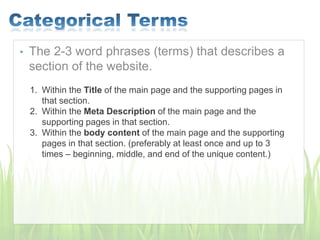
• The 2-3 word phrases (terms) that describes a
section of the website.
1. Within the Title of the main page and the supporting pages in
that section.
2. Within the Meta Description of the main page and the
supporting pages in that section.
3. Within the body content of the main page and the supporting
pages in that section. (preferably at least once and up to 3
times – beginning, middle, and end of the unique content.)
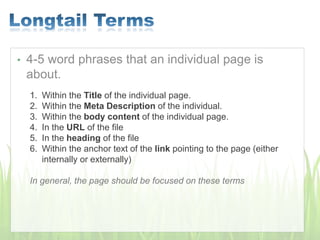
• 4-5 word phrases that an individual page is
about.
1. Within the Title of the individual page.
2. Within the Meta Description of the individual.
3. Within the body content of the individual page.
4. In the URL of the file
5. In the heading of the file
6. Within the anchor text of the link pointing to the page (either
internally or externally)
In general, the page should be focused on these terms
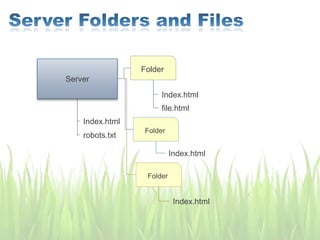
Server
Folder
Index.html
robots.txt
Index.html
file.html
Folder
Index.html
Folder
Index.html
Domain
Bucket 1
Index.html
robots.txt
Index.html
Sub 1.html
Bucket 2
Index.html
Bucket 3
Index.html
Blanket Terms
Domain
Bucket 1
Index.html
robots.txt
Index.html
Sub 1.html
Bucket 2
Index.html
Bucket 3
Index.html
Blanket TermsCategorical Terms
Domain
Bucket 1
Index.html
robots.txt
Index.html
Sub 1.html
Bucket 2
Index.html
Bucket 3
Index.html
Blanket TermsCategorical TermsLongtail Terms
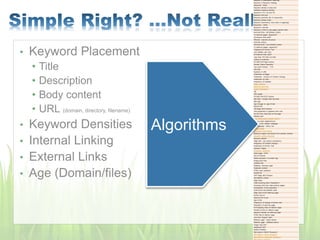
• Keyword Placement
• Title
• Description
• Body content
• URL (domain, directory, filename)
• Keyword Densities
• Internal Linking
• External Links
• Age (Domain/files)
Keyword in Description meta tag
Keyword in Keyword metatag
Keywords - Body
Keyword density in body text
Individual keyword density
Keyword in H1, H2 and H3
Keyword font size
Keyword proximity (for 2+ keywords)
Keyword phrase order
Keyword prominence (how early in page/tag)
Keywords - Other
Keyword in alt text
Keyword in links to site pages (anchor text)
NAVIGATION - INTERNAL LINKS
To internal pages- keywords?
All Internal links valid?
Efficient - tree-like structure
Intra-site linking
NAVIGATION - OUTGOING LINKS
To external pages- keywords?
Outgoing link Anchor Text
Link stability over time
All External links valid?
Less than 100 links out total
Linking to Authority
OTHER ON-Page Factors
Domain Name Extension
Top Level Domain - TLD
File Size
Hyphens in URL
Freshness of Pages
Freshness - Amount of Content Change
Freshness of Links
Frequency of Updates
Page Theming
Keyword stemming
Applied Semantics
LSI
URL length
OTHER ON-SITE Factors
Site Size - Google likes big sites
Site Age
Age of page vs. age of site
NEGATIVE
ON-Page SEO Factors
Text presented in graphics form only
No ACTUAL body text on the page
Affiliate site?
Over optimization penalty (OOP)
Link to a bad neighborhood
Redirect thru refresh metatags
Vile language - ethnic slur
Poison words
Excessive cross-linking
Stealing images/ text blocks from another domain
Keyword stuffing threshold
Keyword dilution
Page edit - can reduce consistency
Frequency of Content Change
Freshness of Anchor Text
Dynamic Pages
Excessive Javascript
Flash page - NOT
Use of Frames
Robot exclusion "no index" tag
Single pixel links
Invisible text
Gateway, doorway page
Duplicate content
HTML code violations
POSITIVE
OFF-Page SEO Factors
INCOMING LINKS :
Page Rank
Total incoming links ("backlinks")
Incoming links from high-ranking pages
Acceleration of link popularity
FOR EACH INCOMING LINK :
Page rank of the referring page
Anchor text of
inbound link to you
Age of link
Frequency of change of anchor text
Popularity of referring page
# of outgoing links on referrer page
Position of link on referrer page
Keyword density on referring page
HTML title of referrer page
Link from "Expert" site?
Referrer page - Same theme
Referrer page - Different theme
Image map link?
Javascript link?
DIRECTORIES :
Site listed in DMOZ Directory?
Site listed in Yahoo Directory?
Site listed in LookSmart Directory?
Algorithms
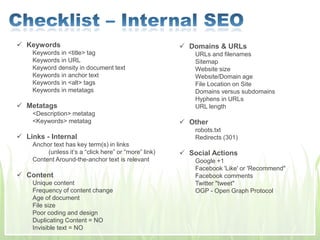
 Keywords
Keywords in <title> tag
Keywords in URL
Keyword density in document text
Keywords in anchor text
Keywords in <alt> tags
Keywords in metatags
 Metatags
<Description> metatag
<Keywords> metatag
 Links - Internal
Anchor text has key term(s) in links
(unless it’s a “click here” or “more” link)
Content Around-the-anchor text is relevant
 Content
Unique content
Frequency of content change
Age of document
File size
Poor coding and design
Duplicating Content = NO
Invisible text = NO
 Domains & URLs
URLs and filenames
Sitemap
Website size
Website/Domain age
File Location on Site
Domains versus subdomains
Hyphens in URLs
URL length
 Other
robots.txt
Redirects (301)
 Social Actions
Google +1
Facebook 'Like' or 'Recommend"
Facebook comments
Twitter "tweet"
OGP - Open Graph Protocol
 Links - External
Quality of source of inbound links
Links from similar sites
Links from .edu and .gov sites
Age of inbound links
Links from directories = no
Links from Social Media
Links on pages that include social actions
 Social Actions
Website shared
Pages shared
+1 in search results (Google)
Shared links 'Like'd (Bing and Facebook Graph)
• Open Graph Protocol
• Basics
• og:title
• og:url
• og:image
• og:description
• og:site_name
• Location
• Contact Info
• Video
• Audio
• Product
• Open Graph Protocol
• Basics
• og:title
• og:url
• og:image
• og:description
• og:site_name
• Location
• Contact Info
• Video
• Audio
• Product
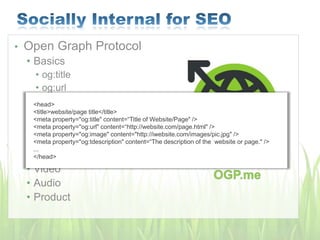
<head>
<title>website/page title</title>
<meta property="og:title" content=“Title of Website/Page" />
<meta property="og:url" content=“http://website.com/page.html" />
<meta property="og:image" content="http://iwebsite.com/images/pic.jpg" />
<meta property="og:tdescription" content=“The description of the website or page." />
...
</head>
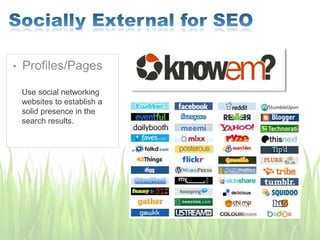
• Profiles/Pages
Use social networking
websites to establish a
solid presence in the
search results.
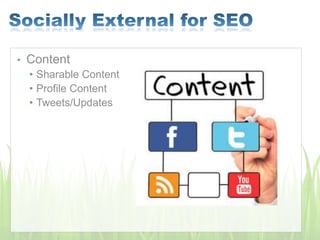
• Content
• Sharable Content
• Profile Content
• Tweets/Updates
• Hidden text
• Hidden links
• Keyword stuffing
• Artificial traffic
• Cloaking scripts
• Doorway pages
• Duplicate content
• Buying links
• Link exchanges
• Frames
• Title stacking
• Spam blogs with comments
• Released February 2011
• Push down rank of “lower quality sites” or “thin sites”
• More information:
• More Guidance on Building High Quality Sites – Google
• Testing Google’s Panda Algorithm - CNet
• Content Farming
• Low quality content
• Outdated content
• Spammy Links
• Commenting links
• Profile links
• Over Advertising
• Launched April 2012
• Decrease rank of sites that violate Webmaster Guidelines
• More Information:
• Webmaster Guidelines – Google
• Automatically generated content
• Participating in link schemes
• Cloaking
• Scraped content
• Loading pages with irrelevant keywords
April 21, 2015
• The update:
• Affects only search rankings on mobile devices
• Affects search results in all languages globally
• Applies to individual pages, not entire websites
Posted February 26, 2015: http://googlewebmastercentral.blogspot.com/2015/02/finding-more-mobile-friendly-search.html
Posted April 21, 2015: http://googlewebmastercentral.blogspot.com/2015/04/rolling-out-mobile-friendly-update.html
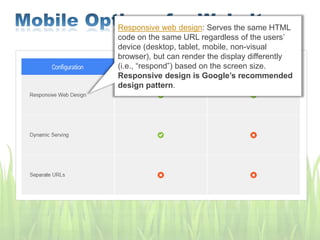
Responsive web design: Serves the same HTML
code on the same URL regardless of the users’
device (desktop, tablet, mobile, non-visual
browser), but can render the display differently
(i.e., “respond”) based on the screen size.
Responsive design is Google’s recommended
design pattern.
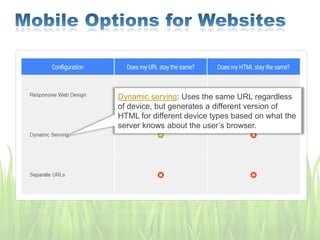
Dynamic serving: Uses the same URL regardless
of device, but generates a different version of
HTML for different device types based on what the
server knows about the user’s browser.
Separate URLs: Serves different code to each
device, and on separate URLs. This configuration
tries to detect the users’ device, then redirects to
the appropriate page using HTTP redirects] along
with the Vary HTTP header.
SEO

SEO

  • 1.
  • 2.
  • 3.
    • What isSEO? • How people use Search Engines • Keyword Research • Keyword Placement • Checklist – • Internal SEO Checklist • External SEO • SEO & Social Media • What not to do • Panda and Penguin • Mobile 2015
  • 4.
  • 5.
    User searches withkey word Database of information about web pages collected by robots, crawlers, and spiders User Interface Results Search Engine World Wide Web Web robots, crawlers, and spiders
  • 6.
    User Types: 1. KeyWord 2. 2 Word Phrase 3. “Long Tail” Key Term Computers As the user is researching they will type more specific words and phrases to find exactly what they are looking for. Search
  • 7.
    User Types: 1. KeyWord 2. 2 Word Phrase 3. “Long Tail” Key Term Laptop Computers As the user is researching they will type more specific words and phrases to find exactly what they are looking for. Search
  • 8.
    User Types: 1. KeyWord 2. 2 Word Phrase 3. “Long Tail” Key Term 2TB Laptop Computer As the user is researching they will type more specific words and phrases to find exactly what they are looking for. Search
  • 10.
    Based on thesearch query, Google thinks the user is trying to find a product. These are usually paid for by the advertiser. Advertisements – Pay Per Click Advertiser bids on term to obtain a desired position and pays when the user clicks the result.
  • 11.
    Based on thesearch query, Google thinks the user is trying to find a product. These are usually paid for by the advertiser. Advertisements – Pay Per Click Advertiser bids on term to obtain a desired position and pays when the user clicks the result.
  • 12.
    We see styles,fancy fonts, images, interactivity, and general user experience.
  • 13.
    Search engines seeletters (symbols), words (symbols grouped together parted by spaces), punctuation, and limited html tags like <a href=“link”> and <img src=“picture” alt=“text for image”>
  • 14.
    User stays withinthe first couple of results then scans the rest of the page briefly Robert Stevens – February 25, 2013
  • 15.
  • 16.
    • Type inyour general word and/or phrase • Add your website (optional)
  • 17.
    • Type inyour general word and/or phrase • Add your website (optional) • Select Category • Type Location • Click “Get Ideas”
  • 19.
    • Selecting Terms •Choose the terms that are closest to your target. • Average Monthly Searches • Number of times that term is searched in a month • Competition • Other advertisers bidding for the term • Suggested Bid • Google recommends a bid price for advertisers
  • 20.
    • Add yourterms into categories (Google Adgroups) that make sense. • Example: • Laptop Computers • Desktop Computers • Monitors • Accessories • Keyboards • Mice
  • 21.
  • 22.
    Broad Terms Categorical Terms Longtail Terms • Broad Terms •Select few broad terms that represent the whole website • Categorical Terms • 2-3 word phrases describing each section of the website (directory or microsite) • Specific Terms (or longtail) • 4-5 word phrases for specific pages (or files)
  • 23.
    • The 2-3broad words you chose that “describes” your entire website 1. Homepage Title and within every title of every page within the website. 2. Within the Meta Description of the Homepage, and on every page of the entire website (somehow) 3. Within the body of the homepage (preferably within a 200-300 word description of your business, website, product, etc that if for the user to quickly understand what your website is about) 4. Within the body of every page of the entire website at least once – preferable once at the beginning of the content on each individual page, and again towards the bottom. (Do not just place the terms in commas, with periods, or standalone in the same spot on every page. They MUST be within the content and naturally flow with the rest of the copy) 5. Within Image alt tags (in a way that still describes the image if possible, if not possible don’t do it)
  • 24.
    • The 2-3word phrases (terms) that describes a section of the website. 1. Within the Title of the main page and the supporting pages in that section. 2. Within the Meta Description of the main page and the supporting pages in that section. 3. Within the body content of the main page and the supporting pages in that section. (preferably at least once and up to 3 times – beginning, middle, and end of the unique content.)
  • 25.
    • 4-5 wordphrases that an individual page is about. 1. Within the Title of the individual page. 2. Within the Meta Description of the individual. 3. Within the body content of the individual page. 4. In the URL of the file 5. In the heading of the file 6. Within the anchor text of the link pointing to the page (either internally or externally) In general, the page should be focused on these terms
  • 26.
  • 27.
    Domain Bucket 1 Index.html robots.txt Index.html Sub 1.html Bucket2 Index.html Bucket 3 Index.html Blanket Terms
  • 28.
    Domain Bucket 1 Index.html robots.txt Index.html Sub 1.html Bucket2 Index.html Bucket 3 Index.html Blanket TermsCategorical Terms
  • 29.
    Domain Bucket 1 Index.html robots.txt Index.html Sub 1.html Bucket2 Index.html Bucket 3 Index.html Blanket TermsCategorical TermsLongtail Terms
  • 30.
    • Keyword Placement •Title • Description • Body content • URL (domain, directory, filename) • Keyword Densities • Internal Linking • External Links • Age (Domain/files) Keyword in Description meta tag Keyword in Keyword metatag Keywords - Body Keyword density in body text Individual keyword density Keyword in H1, H2 and H3 Keyword font size Keyword proximity (for 2+ keywords) Keyword phrase order Keyword prominence (how early in page/tag) Keywords - Other Keyword in alt text Keyword in links to site pages (anchor text) NAVIGATION - INTERNAL LINKS To internal pages- keywords? All Internal links valid? Efficient - tree-like structure Intra-site linking NAVIGATION - OUTGOING LINKS To external pages- keywords? Outgoing link Anchor Text Link stability over time All External links valid? Less than 100 links out total Linking to Authority OTHER ON-Page Factors Domain Name Extension Top Level Domain - TLD File Size Hyphens in URL Freshness of Pages Freshness - Amount of Content Change Freshness of Links Frequency of Updates Page Theming Keyword stemming Applied Semantics LSI URL length OTHER ON-SITE Factors Site Size - Google likes big sites Site Age Age of page vs. age of site NEGATIVE ON-Page SEO Factors Text presented in graphics form only No ACTUAL body text on the page Affiliate site? Over optimization penalty (OOP) Link to a bad neighborhood Redirect thru refresh metatags Vile language - ethnic slur Poison words Excessive cross-linking Stealing images/ text blocks from another domain Keyword stuffing threshold Keyword dilution Page edit - can reduce consistency Frequency of Content Change Freshness of Anchor Text Dynamic Pages Excessive Javascript Flash page - NOT Use of Frames Robot exclusion "no index" tag Single pixel links Invisible text Gateway, doorway page Duplicate content HTML code violations POSITIVE OFF-Page SEO Factors INCOMING LINKS : Page Rank Total incoming links ("backlinks") Incoming links from high-ranking pages Acceleration of link popularity FOR EACH INCOMING LINK : Page rank of the referring page Anchor text of inbound link to you Age of link Frequency of change of anchor text Popularity of referring page # of outgoing links on referrer page Position of link on referrer page Keyword density on referring page HTML title of referrer page Link from "Expert" site? Referrer page - Same theme Referrer page - Different theme Image map link? Javascript link? DIRECTORIES : Site listed in DMOZ Directory? Site listed in Yahoo Directory? Site listed in LookSmart Directory? Algorithms
  • 31.
     Keywords Keywords in<title> tag Keywords in URL Keyword density in document text Keywords in anchor text Keywords in <alt> tags Keywords in metatags  Metatags <Description> metatag <Keywords> metatag  Links - Internal Anchor text has key term(s) in links (unless it’s a “click here” or “more” link) Content Around-the-anchor text is relevant  Content Unique content Frequency of content change Age of document File size Poor coding and design Duplicating Content = NO Invisible text = NO  Domains & URLs URLs and filenames Sitemap Website size Website/Domain age File Location on Site Domains versus subdomains Hyphens in URLs URL length  Other robots.txt Redirects (301)  Social Actions Google +1 Facebook 'Like' or 'Recommend" Facebook comments Twitter "tweet" OGP - Open Graph Protocol
  • 32.
     Links -External Quality of source of inbound links Links from similar sites Links from .edu and .gov sites Age of inbound links Links from directories = no Links from Social Media Links on pages that include social actions  Social Actions Website shared Pages shared +1 in search results (Google) Shared links 'Like'd (Bing and Facebook Graph)
  • 33.
    • Open GraphProtocol • Basics • og:title • og:url • og:image • og:description • og:site_name • Location • Contact Info • Video • Audio • Product
  • 34.
    • Open GraphProtocol • Basics • og:title • og:url • og:image • og:description • og:site_name • Location • Contact Info • Video • Audio • Product <head> <title>website/page title</title> <meta property="og:title" content=“Title of Website/Page" /> <meta property="og:url" content=“http://website.com/page.html" /> <meta property="og:image" content="http://iwebsite.com/images/pic.jpg" /> <meta property="og:tdescription" content=“The description of the website or page." /> ... </head>
  • 35.
    • Profiles/Pages Use socialnetworking websites to establish a solid presence in the search results.
  • 36.
    • Content • SharableContent • Profile Content • Tweets/Updates
  • 37.
    • Hidden text •Hidden links • Keyword stuffing • Artificial traffic • Cloaking scripts • Doorway pages • Duplicate content • Buying links • Link exchanges • Frames • Title stacking • Spam blogs with comments
  • 38.
    • Released February2011 • Push down rank of “lower quality sites” or “thin sites” • More information: • More Guidance on Building High Quality Sites – Google • Testing Google’s Panda Algorithm - CNet
  • 39.
    • Content Farming •Low quality content • Outdated content • Spammy Links • Commenting links • Profile links • Over Advertising
  • 40.
    • Launched April2012 • Decrease rank of sites that violate Webmaster Guidelines • More Information: • Webmaster Guidelines – Google
  • 41.
    • Automatically generatedcontent • Participating in link schemes • Cloaking • Scraped content • Loading pages with irrelevant keywords
  • 42.
    April 21, 2015 •The update: • Affects only search rankings on mobile devices • Affects search results in all languages globally • Applies to individual pages, not entire websites Posted February 26, 2015: http://googlewebmastercentral.blogspot.com/2015/02/finding-more-mobile-friendly-search.html Posted April 21, 2015: http://googlewebmastercentral.blogspot.com/2015/04/rolling-out-mobile-friendly-update.html
  • 43.
    Responsive web design:Serves the same HTML code on the same URL regardless of the users’ device (desktop, tablet, mobile, non-visual browser), but can render the display differently (i.e., “respond”) based on the screen size. Responsive design is Google’s recommended design pattern.
  • 44.
    Dynamic serving: Usesthe same URL regardless of device, but generates a different version of HTML for different device types based on what the server knows about the user’s browser.
  • 45.
    Separate URLs: Servesdifferent code to each device, and on separate URLs. This configuration tries to detect the users’ device, then redirects to the appropriate page using HTTP redirects] along with the Vary HTTP header.