May 19 - 23, 2014
Working Connections Institute
Jeff Newell
Senior Director, Special Projects
Illinois Community College Board
(217) 558-2066
jeff.newell@illinois.gov
 Name
 College or organization
 Discipline/courses or work you do
 Are you PC or Mac?
 What LMS do you use?
 What are you hoping to get out of the class, or
do with screencasting following this class?
1. Participants will have an understanding of
screencasting and related software
◦ What screencasting is
◦ Instructional uses
◦ Available options for creating and distributing
2. Participants will be able to create and
distribute screencasts using multiple options.
◦ Creation
◦ Hosting & distribution
http://wcilscreencasting.pbworks.com/
Days 1 & 2: Camtasia
Days 3 & 4: Captivate
Day 5: Presenter
Along the way: Play Time & Extras
 A screencast is a digital movie centered around
action on a computer screen.
 Screenshot + Broadcast = Screencast
 Can include: narration, music, other sounds,
graphics, photos, highlights, callouts, and
interactive elements.
 Used largely for demonstrations, tutorials and
presentations
 Capabilities of software today extend to real
video editing capabilities
Camtasia (TechSmith)
http://www.techsmith.com/camtasia.html
Captivate (Adobe)
http://www.adobe.com/products/captivate.html
Presenter (Adobe)
http://www.adobe.com/products/presenter.html
Product Public Education
SnagIt $49.95 $29.95
Camtasia Studio $299 $179
Captivate $899 $299
Presenter $499 $499
Available for PC and Mac
Modest/Typical requirements
Headset or microphone & speakers
Video editing for vodcasts & sound for podcasts
 GarageBand
 Movie Maker / Windows Live Movie Maker
◦ Screen captures & simple editing
 PhotoStory 3
 iMovie
◦ Screen captures editing and more
 Podcasts: Audacity is free audio recording tool
◦ http://audacity.sourceforge.net/
 Vodcasts: QuickTime Pro is $29.95 webcam recording
tool
◦ http://www.apple.com/quicktime/extending/
 Tutorials
◦ Tutorials, software demonstrations, website
tutorials discussions
◦ Processes
 Presentations
◦ PowerPoint
◦ Lectures
◦ Creative ideas
 Concepts
◦ Finding clever ways to explain difficult concepts
like the In Plain English videos
 Knowledge Capture
◦ Documenting procedures
 Assessment
◦ Students can do this (free tools)—we can assess
learned processes and knowledge
 Feedback
◦ Short videos with Jing
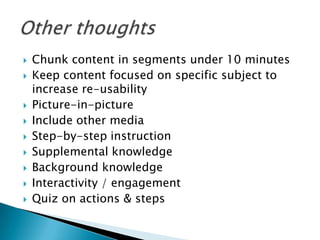
 Chunk content in segments under 10 minutes
 Keep content focused on specific subject to
increase re-usability
 Picture-in-picture
 Include other media
 Step-by-step instruction
 Supplemental knowledge
 Background knowledge
 Interactivity / engagement
 Quiz on actions & steps
 Screencasts: Web-based availability of videos
 CD-based videos
 Podcast/Vodcast: auto-delivery of exported
instruction in audio or video formats
 Learning Management Systems
 For face-to-face or online classes
Captivate allows you to create application
simulations and PowerPoint presentations with
interactive capabilities such as branching
scenarios, and quizzes.
Camtasia records video and audio from computer
screens and cameras, and imports media (video
and audio) to edit and create video and audio
files.
They both use features to highlight the action,
add interactivity, quizzing, and include
accessibility.
Presenter is an Add-In to PowerPoint that
shows up in its own ribbon & tab. It allows
you to record audio and video, sync it to
slides, add interactivity and quizzing.
Camtasia’s own tutorials
http://www.techsmith.com/tutorial.html
 NTSC aspect ratio is 4:3 (what we’ve switched from)
 HD/widescreen is 16:9 (what we’ve switched to)
◦ 1080p (or i): 1920 x 1080
◦ 720p: 1280 x 720
 16:9 now common for YouTube use, MP4 file type
at various resolutions
 320 x 240 is about 1/10th of desktop size
 Record at larger, scalable size to allow for zooming
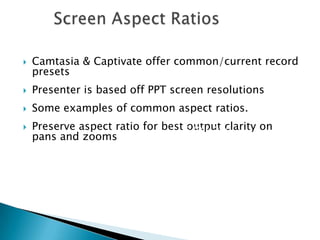
 Camtasia & Captivate offer common/current record
presets
 Presenter is based off PPT screen resolutions
 Some examples of common aspect ratios.
 Preserve aspect ratio for best output clarity on
pans and zooms
16:9
640 x 360
960 x 540
1024 x 576
1280 x 720
1600 x 900
1920 x 1080
Mac Users can download Flip4Mac WMV Player
to add Windows Media components to
QuickTime. ($5.95)
http://www.telestream.net/flip4mac/overview
.htm
http://windows.microsoft.com/en-
us/windows/windows-media-components-
quicktime
Jeff Newell
Senior Director, Special Projects
Illinois Community College Board
(217) 558-2066
jeff.newell@illinois.gov

Working Connections Screencasting Lecture 2014

  • 1.
    May 19 -23, 2014 Working Connections Institute Jeff Newell Senior Director, Special Projects Illinois Community College Board (217) 558-2066 jeff.newell@illinois.gov
  • 2.
     Name  Collegeor organization  Discipline/courses or work you do  Are you PC or Mac?  What LMS do you use?  What are you hoping to get out of the class, or do with screencasting following this class?
  • 3.
    1. Participants willhave an understanding of screencasting and related software ◦ What screencasting is ◦ Instructional uses ◦ Available options for creating and distributing 2. Participants will be able to create and distribute screencasts using multiple options. ◦ Creation ◦ Hosting & distribution
  • 4.
    http://wcilscreencasting.pbworks.com/ Days 1 &2: Camtasia Days 3 & 4: Captivate Day 5: Presenter Along the way: Play Time & Extras
  • 6.
     A screencastis a digital movie centered around action on a computer screen.  Screenshot + Broadcast = Screencast  Can include: narration, music, other sounds, graphics, photos, highlights, callouts, and interactive elements.  Used largely for demonstrations, tutorials and presentations  Capabilities of software today extend to real video editing capabilities
  • 7.
  • 8.
    Product Public Education SnagIt$49.95 $29.95 Camtasia Studio $299 $179 Captivate $899 $299 Presenter $499 $499
  • 9.
    Available for PCand Mac Modest/Typical requirements Headset or microphone & speakers
  • 10.
    Video editing forvodcasts & sound for podcasts  GarageBand  Movie Maker / Windows Live Movie Maker ◦ Screen captures & simple editing  PhotoStory 3  iMovie ◦ Screen captures editing and more  Podcasts: Audacity is free audio recording tool ◦ http://audacity.sourceforge.net/  Vodcasts: QuickTime Pro is $29.95 webcam recording tool ◦ http://www.apple.com/quicktime/extending/
  • 11.
     Tutorials ◦ Tutorials,software demonstrations, website tutorials discussions ◦ Processes  Presentations ◦ PowerPoint ◦ Lectures ◦ Creative ideas  Concepts ◦ Finding clever ways to explain difficult concepts like the In Plain English videos
  • 12.
     Knowledge Capture ◦Documenting procedures  Assessment ◦ Students can do this (free tools)—we can assess learned processes and knowledge  Feedback ◦ Short videos with Jing
  • 13.
     Chunk contentin segments under 10 minutes  Keep content focused on specific subject to increase re-usability  Picture-in-picture  Include other media  Step-by-step instruction  Supplemental knowledge  Background knowledge  Interactivity / engagement  Quiz on actions & steps
  • 14.
     Screencasts: Web-basedavailability of videos  CD-based videos  Podcast/Vodcast: auto-delivery of exported instruction in audio or video formats  Learning Management Systems  For face-to-face or online classes
  • 15.
    Captivate allows youto create application simulations and PowerPoint presentations with interactive capabilities such as branching scenarios, and quizzes. Camtasia records video and audio from computer screens and cameras, and imports media (video and audio) to edit and create video and audio files. They both use features to highlight the action, add interactivity, quizzing, and include accessibility.
  • 16.
    Presenter is anAdd-In to PowerPoint that shows up in its own ribbon & tab. It allows you to record audio and video, sync it to slides, add interactivity and quizzing.
  • 17.
  • 18.
     NTSC aspectratio is 4:3 (what we’ve switched from)  HD/widescreen is 16:9 (what we’ve switched to) ◦ 1080p (or i): 1920 x 1080 ◦ 720p: 1280 x 720  16:9 now common for YouTube use, MP4 file type at various resolutions  320 x 240 is about 1/10th of desktop size  Record at larger, scalable size to allow for zooming
  • 19.
     Camtasia &Captivate offer common/current record presets  Presenter is based off PPT screen resolutions  Some examples of common aspect ratios.  Preserve aspect ratio for best output clarity on pans and zooms 16:9 640 x 360 960 x 540 1024 x 576 1280 x 720 1600 x 900 1920 x 1080
  • 20.
    Mac Users candownload Flip4Mac WMV Player to add Windows Media components to QuickTime. ($5.95) http://www.telestream.net/flip4mac/overview .htm http://windows.microsoft.com/en- us/windows/windows-media-components- quicktime
  • 21.
    Jeff Newell Senior Director,Special Projects Illinois Community College Board (217) 558-2066 jeff.newell@illinois.gov

Editor's Notes

  • #2 Introduce myself & the course
  • #3 Class introduce themselves
  • #5 Extras are some fun additional things and a chance for us to take a break from our work and look at some other useful tools.Our class is small which might mean we zip through the work a lot faster. I’ll have to gauge our course speed as we go and we’ll sort it all out as we go. If there are things you’re interested in spending some time on from the extras, or maybe something else, let me know.If you have real-life projects you want to work on in the class, it will be a great opportunity for you to do them.
  • #8 These are the products we will cover in class. The wiki has other free products that you can try. There are other products available as well, that are proprietary and are lower in cost.
  • #9 SnagIt & Camtasia’s pricing has stayed stable. Captivate’s has increased $100 since version 5.I can’t find that Presenter’s pricing varies for education, but you would think it would.Adobe has $19.99 monthly subscriptions to their products. They also have a $29.99 Creative Cloud subscription, but it doesn’t include Captivate or Presenter. It’s good for other image, animation, and web work.Mark DuBois (here at Institute) is a good person to talk to about Adobe products.
  • #11 GarageBandMovieMakerScreen captures & simple editingSnagIt (PC)Vista - Snipping ToolWindows - Print Screen (screen) or Alt+Print Screen (window)PhotoStory 3iMovieScreen captures editing and moreGrab (in Utilities)Command+Shift+3 (screen) or 4 (region of screen)Podcasts: Audacity is free audio recording toolhttp://audacity.sourceforge.net/A tutorial (Podcasting 101 tutorial.pdf) can be found at http://www.ilcco.net/ILCCO/index.cfm?page=ResourcesVodcasts: QuickTime Pro is $29.95 webcam recording toolhttp://www.apple.com/quicktime/Can do very basic editingQuickTime Player is free
  • #16 Camtasia records video and audio from computer screens and cameras, and imports media (video and audio) to edit and create video and audio files.Records video that captures action on computer screensRecords audioUses special features to enhance visual information for better comprehensionCallouts, highlights, linksProvides for interactivity with the viewer – quizzes & surveysExports movies for use on computers, portable media players, and on the web
  • #21 This was free until recently. Insert frowny face emoticon! Nice piece of software allowing WMV playback on Macs. Worth buying if you’re a Mac person. Might be worth a web search to see if it can still be found for free.