Copyright © 2015, SAS Institute Inc. All rights reserv ed.
SAS VISUAL ANALYTICS
Copyright © 2015, SAS Institute Inc. All rights reserv ed.
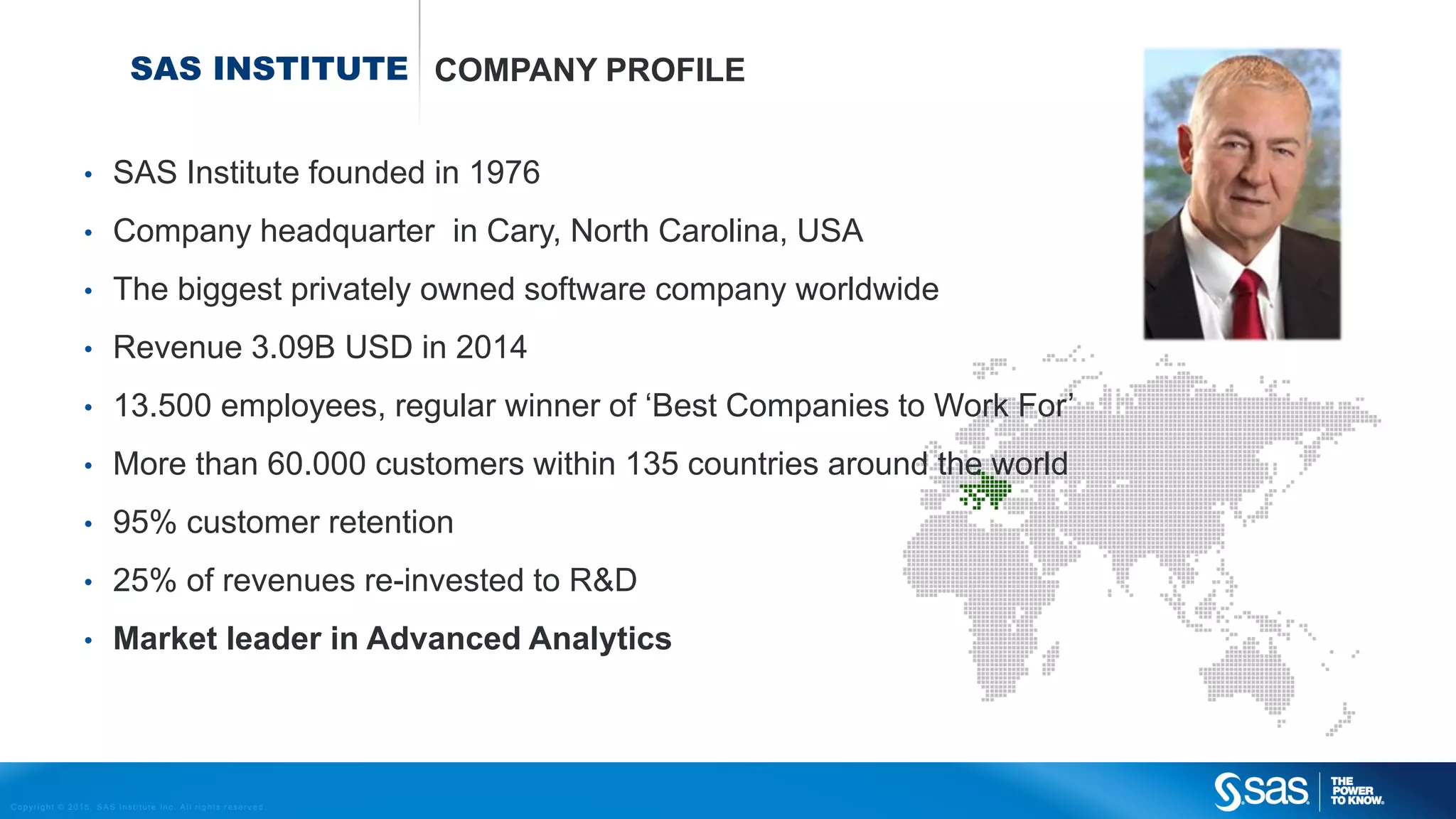
SAS INSTITUTE COMPANY PROFILE
• SAS Institute founded in 1976
• Company headquarter in Cary, North Carolina, USA
• The biggest privately owned software company worldwide
• Revenue 3.09B USD in 2014
• 13.500 employees, regular winner of ‘Best Companies to Work For’
• More than 60.000 customers within 135 countries around the world
• 95% customer retention
• 25% of revenues re-invested to R&D
• Market leader in Advanced Analytics
Copyright © 2015, SAS Institute Inc. All rights reserv ed.
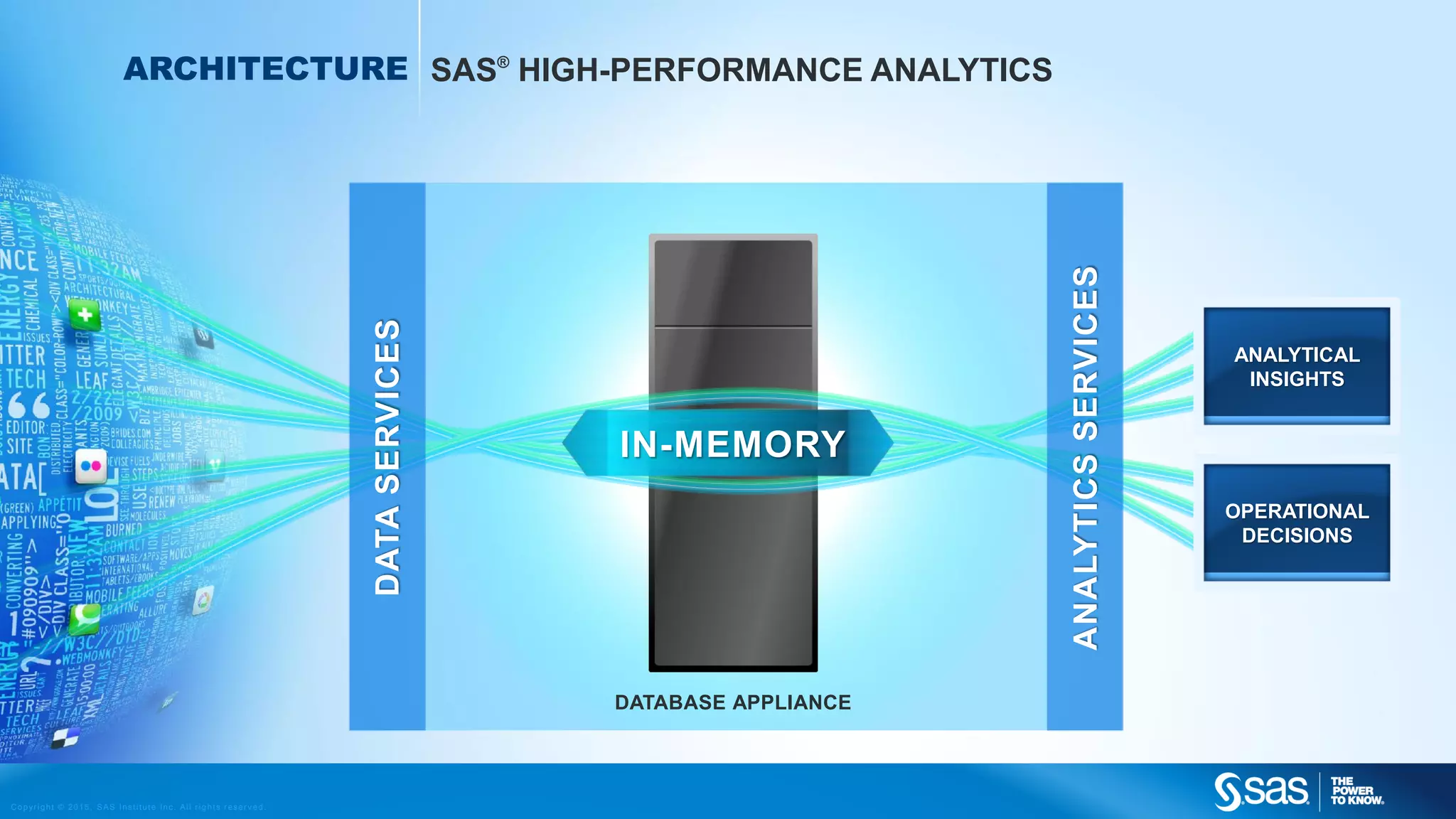
ANALYTICAL
INSIGHTS
OPERATIONAL
DECISIONS
DATABASE APPLIANCE
DATASERVICES
ANALYTICSSERVICES
ARCHITECTURE SAS®
HIGH-PERFORMANCE ANALYTICS
IN-MEMORY
Copyright © 2015, SAS Institute Inc. All rights reserv ed.
SAS VISUAL
ANALYTICS
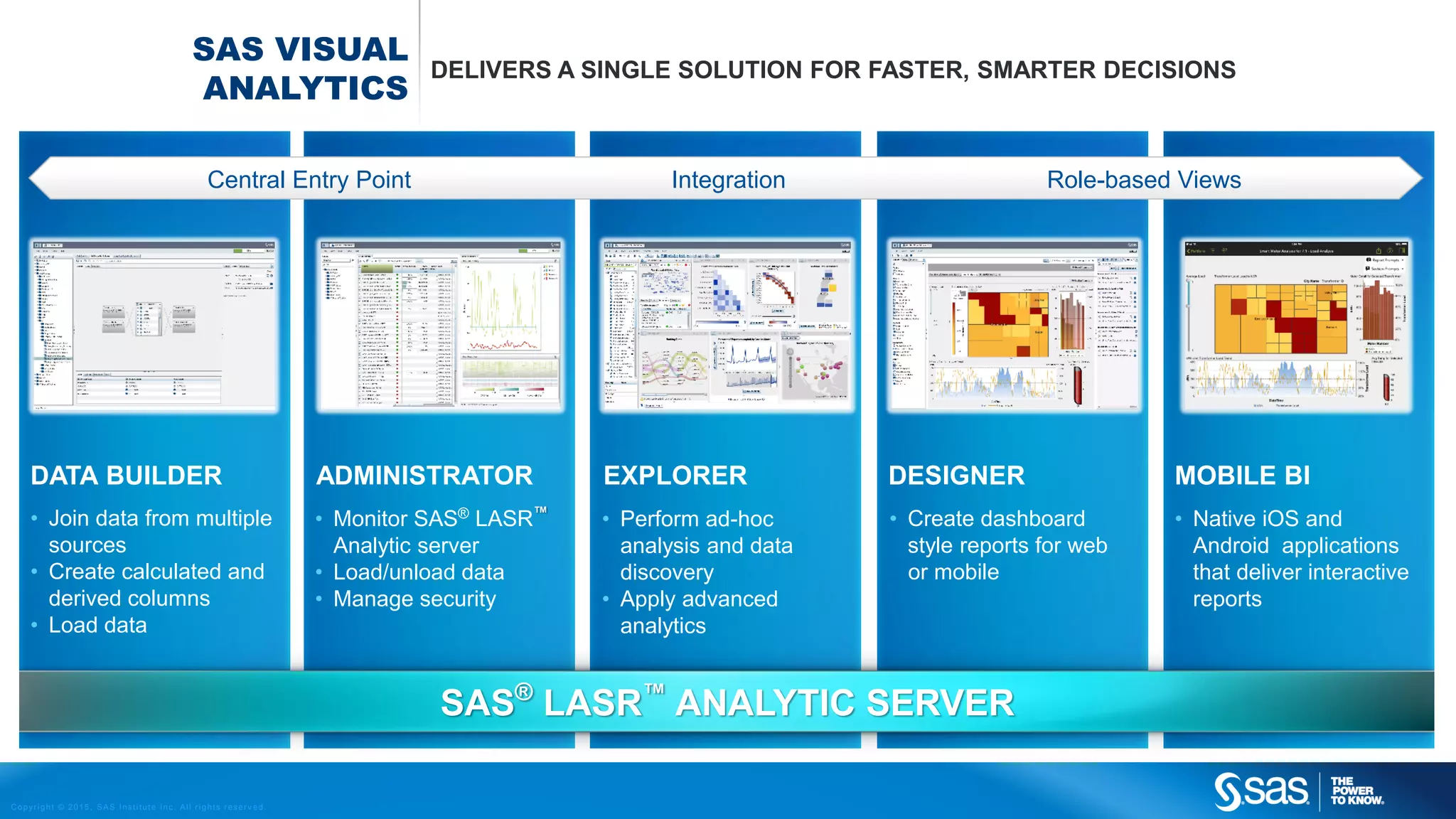
DELIVERS A SINGLE SOLUTION FOR FASTER, SMARTER DECISIONS
Central Entry Point Integration Role-based Views
MOBILE BIDATA BUILDER EXPLORER DESIGNER
• Native iOS and
Android applications
that deliver interactive
reports
• Join data from multiple
sources
• Create calculated and
derived columns
• Load data
• Perform ad-hoc
analysis and data
discovery
• Apply advanced
analytics
• Create dashboard
style reports for web
or mobile
SAS®
LASR™
ANALYTIC SERVER
ADMINISTRATOR
• Monitor SAS®
LASR™
Analytic server
• Load/unload data
• Manage security
Copyright © 2015, SAS Institute Inc. All rights reserv ed.
SAS VISUAL
ANALYTICS
DATA PREPARATION
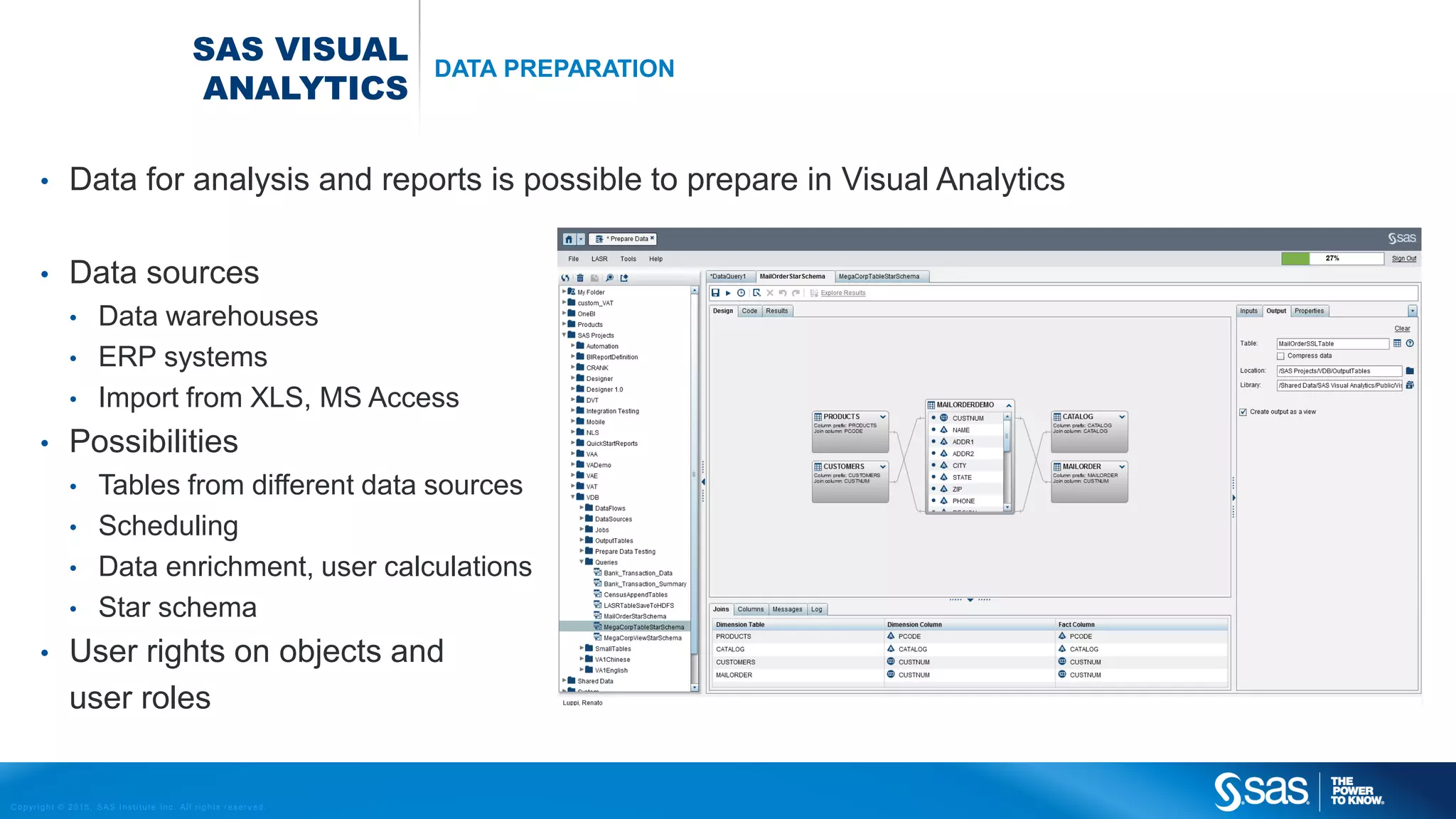
• Data for analysis and reports is possible to prepare in Visual Analytics
• Data sources
• Data warehouses
• ERP systems
• Import from XLS, MS Access
• Possibilities
• Tables from different data sources
• Scheduling
• Data enrichment, user calculations
• Star schema
• User rights on objects and
user roles
Copyright © 2015, SAS Institute Inc. All rights reserv ed.
SAS VISUAL
ANALYTICS
DATA PREPARATION
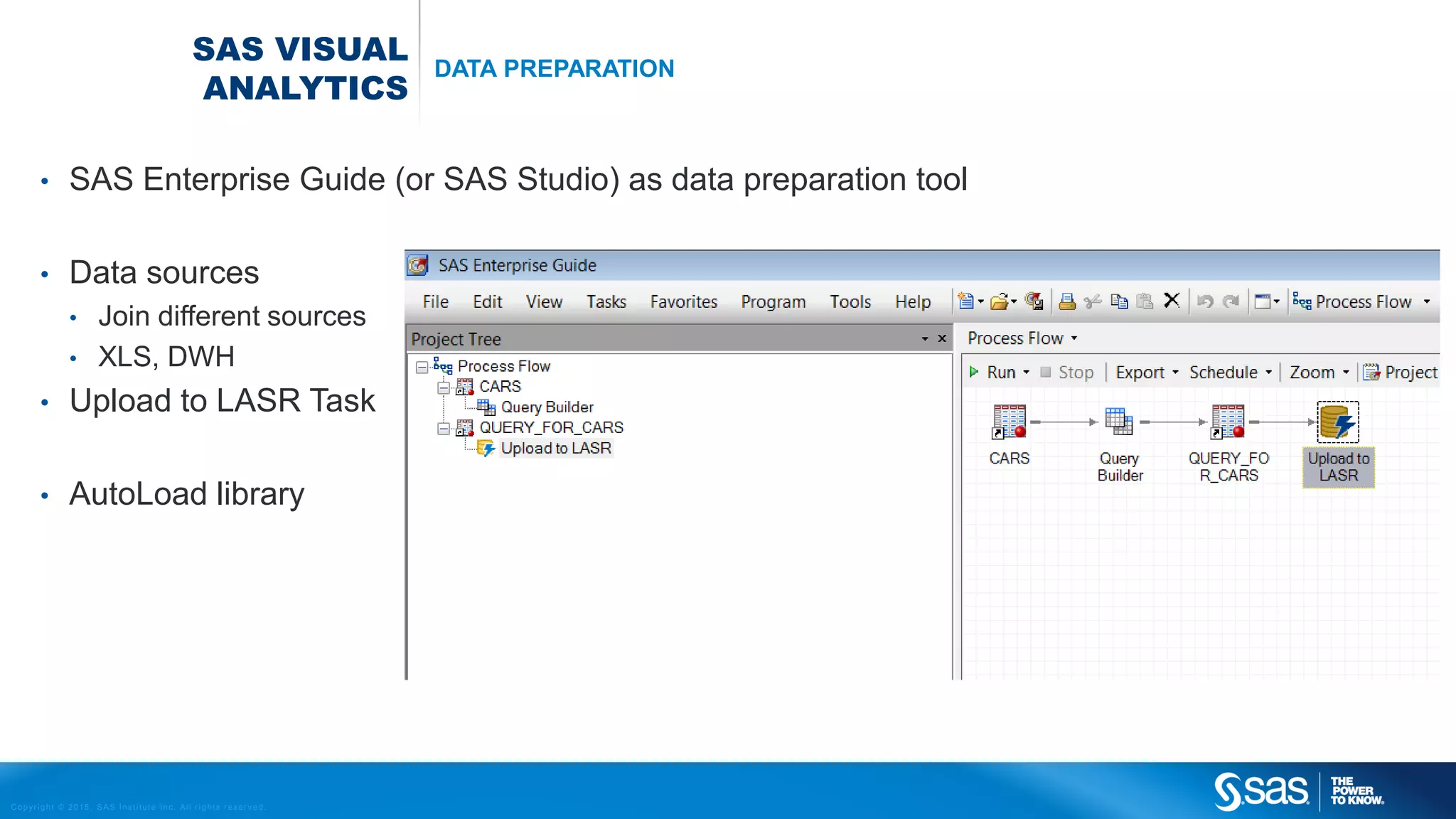
• SAS Enterprise Guide (or SAS Studio) as data preparation tool
• Data sources
• Join different sources
• XLS, DWH
• Upload to LASR Task
• AutoLoad library
Copyright © 2015, SAS Institute Inc. All rights reserv ed.
SAS VISUAL
ANALYTICS
REPORTING A VIZUALIZATIONS
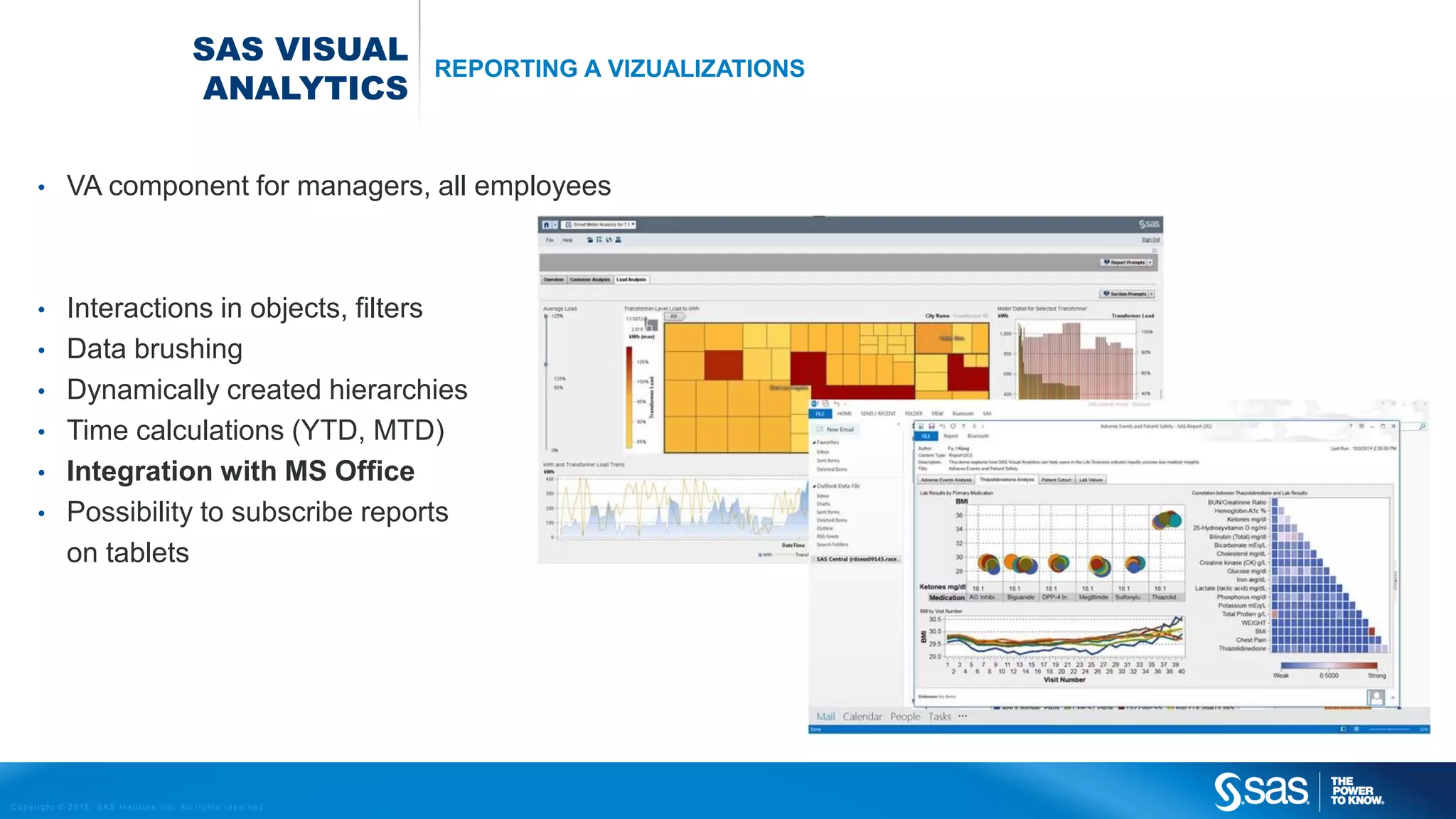
• VA component for managers, all employees
• Interactions in objects, filters
• Data brushing
• Dynamically created hierarchies
• Time calculations (YTD, MTD)
• Integration with MS Office
• Possibility to subscribe reports
on tablets
Copyright © 2015, SAS Institute Inc. All rights reserv ed.
SAS VISUAL
ANALYTICS
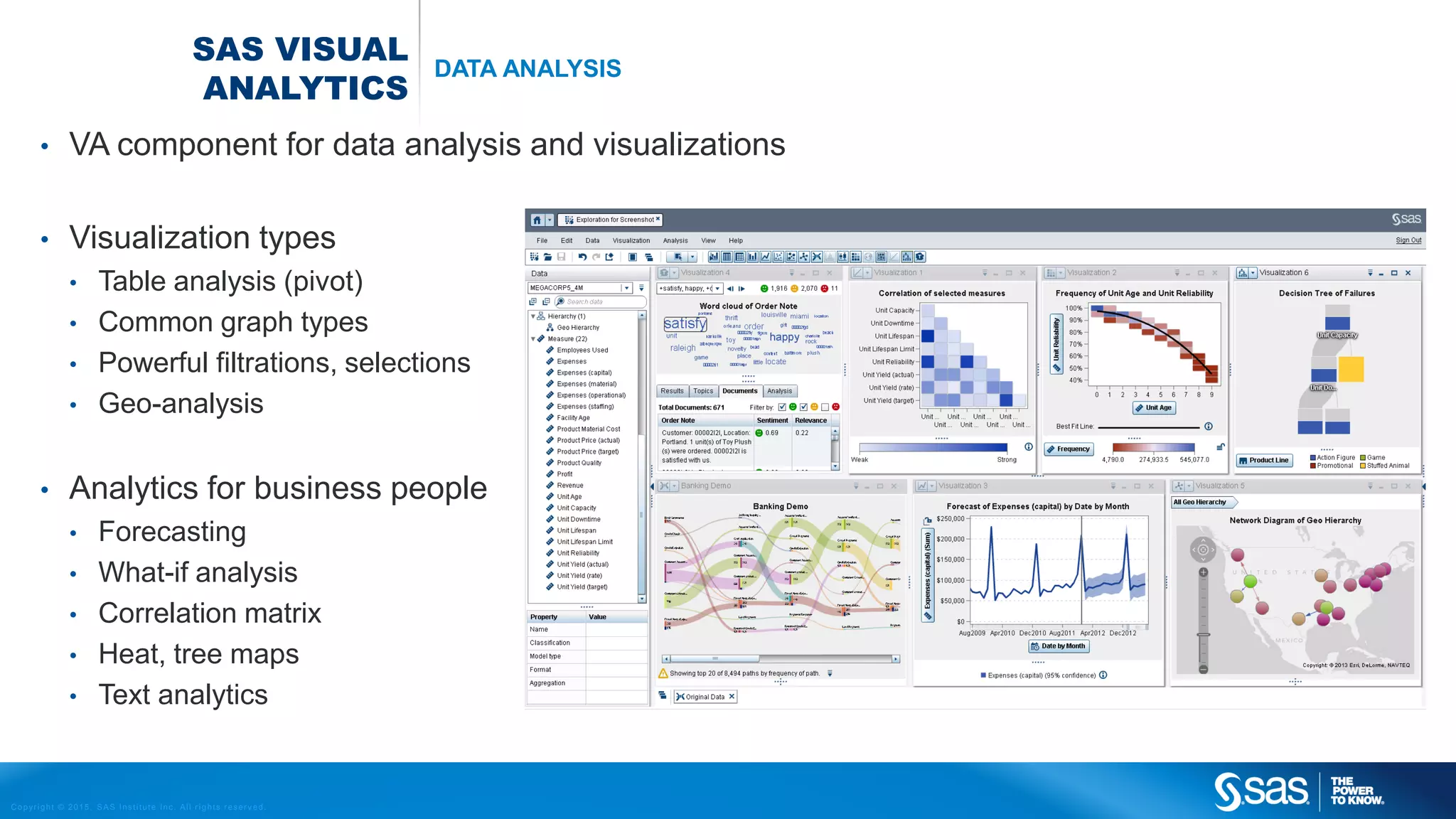
DATA ANALYSIS
• VA component for data analysis and visualizations
• Visualization types
• Table analysis (pivot)
• Common graph types
• Powerful filtrations, selections
• Geo-analysis
• Analytics for business people
• Forecasting
• What-if analysis
• Correlation matrix
• Heat, tree maps
• Text analytics

SAS Visual Analytics

  • 1.
    Copyright © 2015,SAS Institute Inc. All rights reserv ed. SAS VISUAL ANALYTICS
  • 2.
    Copyright © 2015,SAS Institute Inc. All rights reserv ed. SAS INSTITUTE COMPANY PROFILE • SAS Institute founded in 1976 • Company headquarter in Cary, North Carolina, USA • The biggest privately owned software company worldwide • Revenue 3.09B USD in 2014 • 13.500 employees, regular winner of ‘Best Companies to Work For’ • More than 60.000 customers within 135 countries around the world • 95% customer retention • 25% of revenues re-invested to R&D • Market leader in Advanced Analytics
  • 3.
    Copyright © 2015,SAS Institute Inc. All rights reserv ed.
  • 4.
    Copyright © 2015,SAS Institute Inc. All rights reserv ed. ANALYTICAL INSIGHTS OPERATIONAL DECISIONS DATABASE APPLIANCE DATASERVICES ANALYTICSSERVICES ARCHITECTURE SAS® HIGH-PERFORMANCE ANALYTICS IN-MEMORY
  • 5.
    Copyright © 2015,SAS Institute Inc. All rights reserv ed. SAS VISUAL ANALYTICS DELIVERS A SINGLE SOLUTION FOR FASTER, SMARTER DECISIONS Central Entry Point Integration Role-based Views MOBILE BIDATA BUILDER EXPLORER DESIGNER • Native iOS and Android applications that deliver interactive reports • Join data from multiple sources • Create calculated and derived columns • Load data • Perform ad-hoc analysis and data discovery • Apply advanced analytics • Create dashboard style reports for web or mobile SAS® LASR™ ANALYTIC SERVER ADMINISTRATOR • Monitor SAS® LASR™ Analytic server • Load/unload data • Manage security
  • 6.
    Copyright © 2015,SAS Institute Inc. All rights reserv ed. SAS VISUAL ANALYTICS DATA PREPARATION • Data for analysis and reports is possible to prepare in Visual Analytics • Data sources • Data warehouses • ERP systems • Import from XLS, MS Access • Possibilities • Tables from different data sources • Scheduling • Data enrichment, user calculations • Star schema • User rights on objects and user roles
  • 7.
    Copyright © 2015,SAS Institute Inc. All rights reserv ed. SAS VISUAL ANALYTICS DATA PREPARATION • SAS Enterprise Guide (or SAS Studio) as data preparation tool • Data sources • Join different sources • XLS, DWH • Upload to LASR Task • AutoLoad library
  • 8.
    Copyright © 2015,SAS Institute Inc. All rights reserv ed. SAS VISUAL ANALYTICS REPORTING A VIZUALIZATIONS • VA component for managers, all employees • Interactions in objects, filters • Data brushing • Dynamically created hierarchies • Time calculations (YTD, MTD) • Integration with MS Office • Possibility to subscribe reports on tablets
  • 9.
    Copyright © 2015,SAS Institute Inc. All rights reserv ed. SAS VISUAL ANALYTICS DATA ANALYSIS • VA component for data analysis and visualizations • Visualization types • Table analysis (pivot) • Common graph types • Powerful filtrations, selections • Geo-analysis • Analytics for business people • Forecasting • What-if analysis • Correlation matrix • Heat, tree maps • Text analytics