 In consignment process product are stored at
the customer location but the owner of this
product is still company. Customer stores the
consignment stock at their own a warehouse.
 Customer can consume product from
warehouse at any time and customer billed for
product for actually quantity consumes
 In Consignment Stock Processing, there are
four main transactions in the SAP System, all of
which support separate management of stock:
 Consignment Fill-Up (Stock Fill up at
warehouse).
 Consignment Issue (Stock issue from
warehouse).
 Consignment Return (Stock return from
customer).
 Consignment Pickup (Stock return to
manufacture).
 Consignment Fill-Up is a process, in
which company store product at customer
sites and still company is the owner of this
product. This process is known as
consignment fill up (CF). Sales order type for
consignment filling is – KB.
 In consignment fill up only order and delivery
takes place.
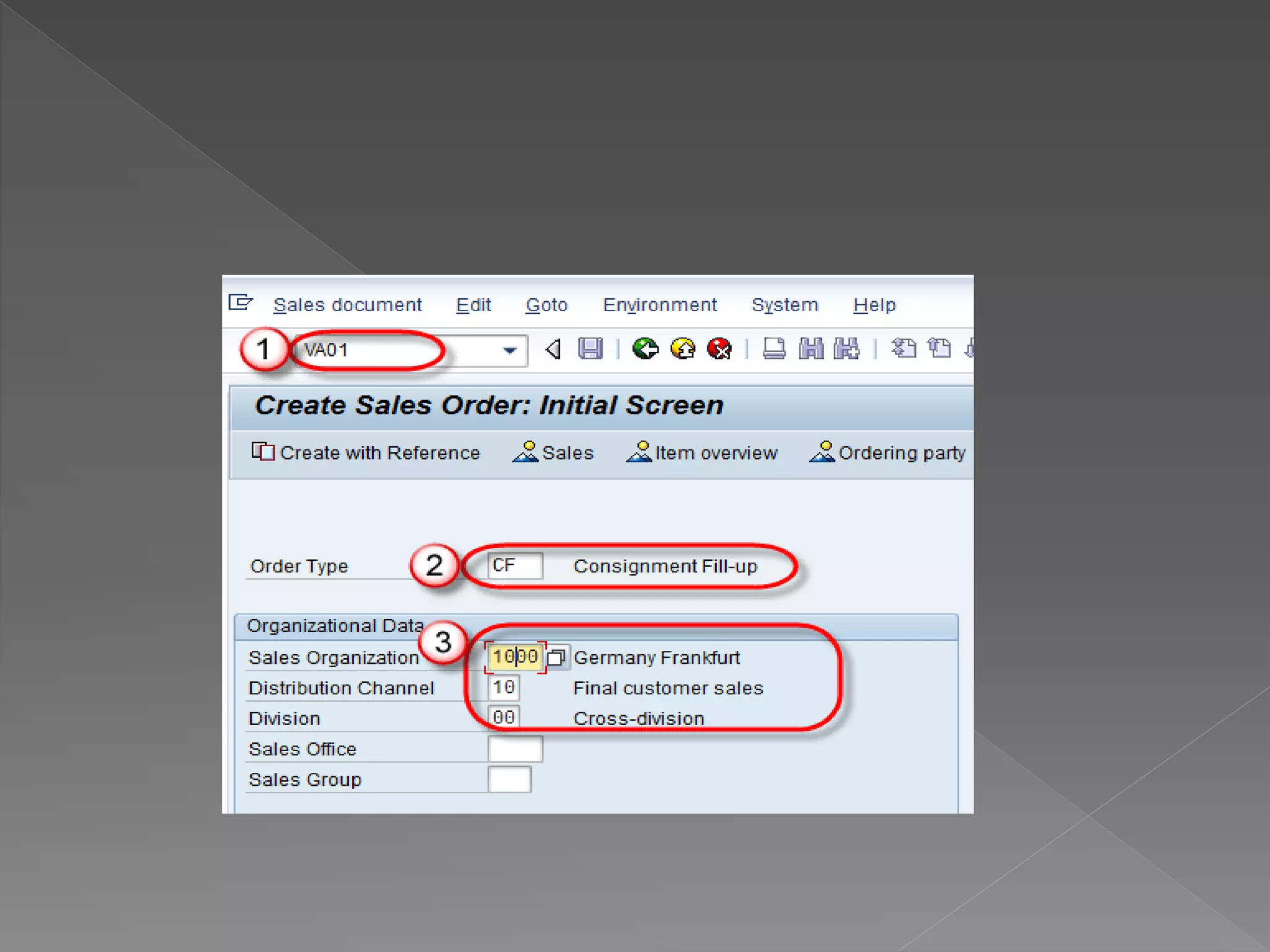
 Step-1 Create Consignment Fill Up
 Enter T-code VA01 in the command field.
 Enter Order type CF(consignment fill up).
 Enter sales area in organizational data.
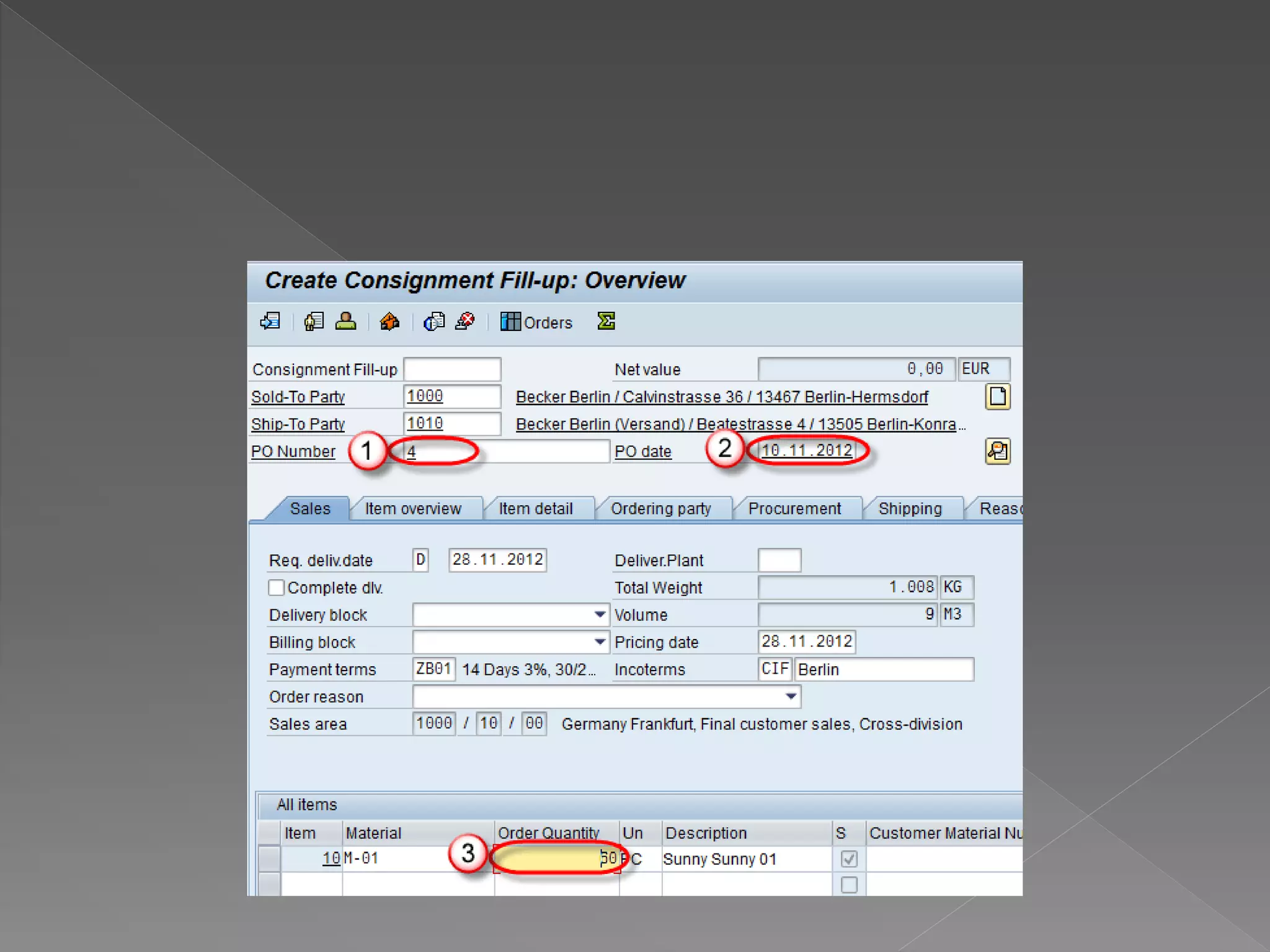
 Step-2
 Enter PO number.
 Enter PO Date.
 Enter Order Quantity.
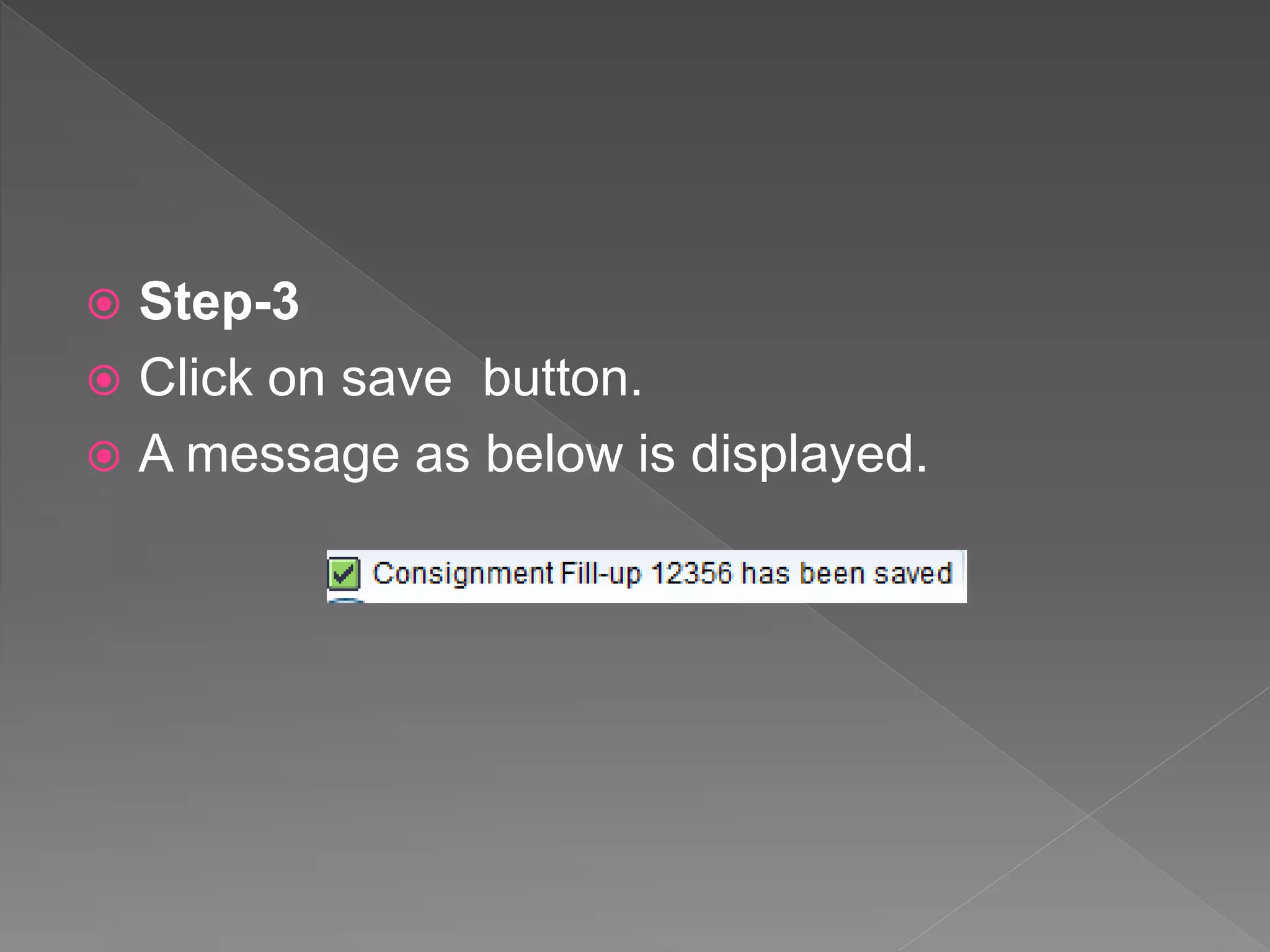
 Step-3
 Click on save button.
 A message as below is displayed.
 The customer can access product at any
time to sell or their use from their
warehouse and company will issue invoices
for only accessed product, and this invoices
known as the consignment issue (CI). Sales
order type for consignment issue is – KE.
 In consignment Issue Order, Delivery and
Invoices take place.
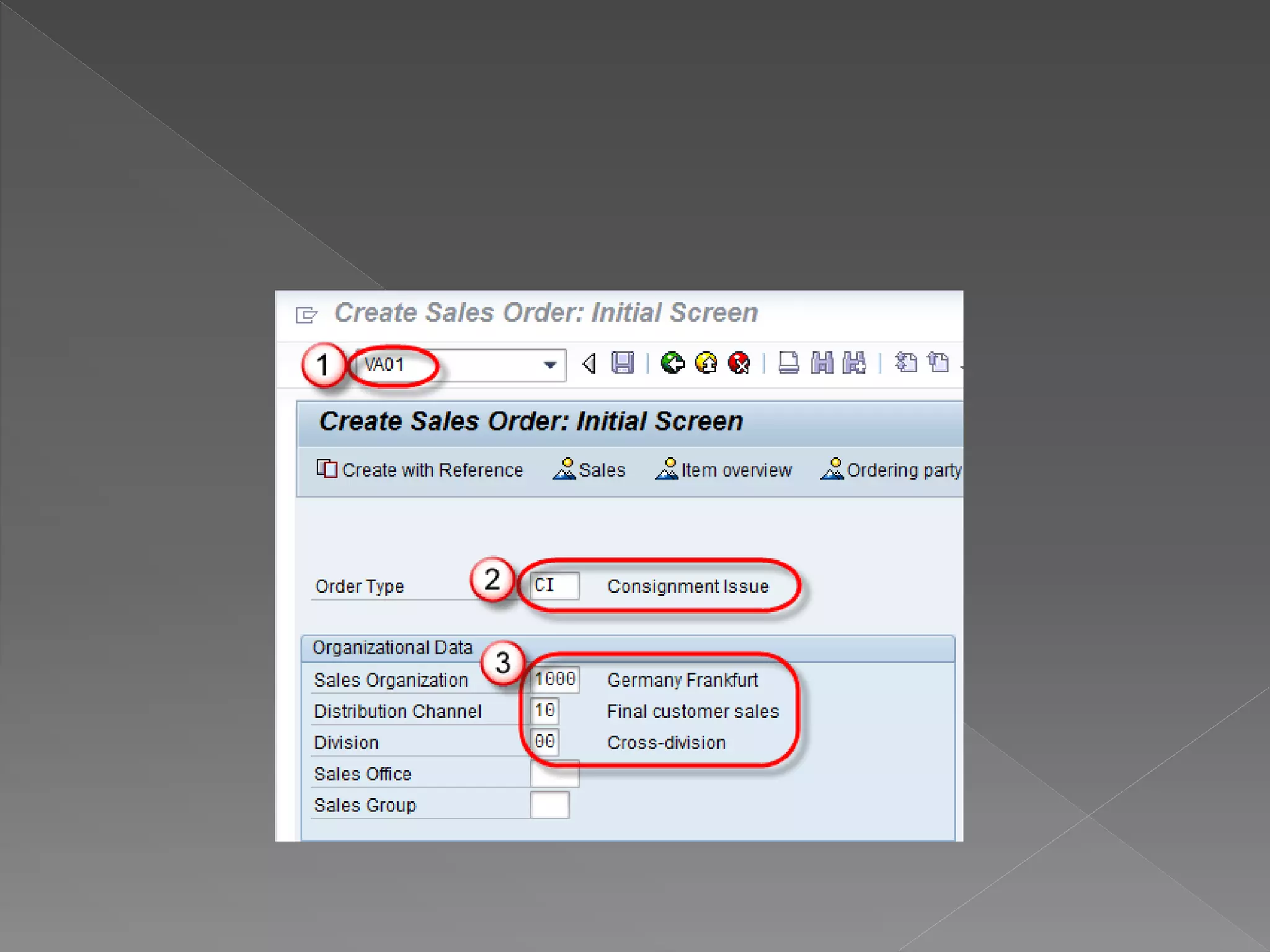
 Step-1
 Enter T-code VA01 in command field.
 Enter order type CI (Consignment issue).
 Enter Sales area data in Organizational data
block.
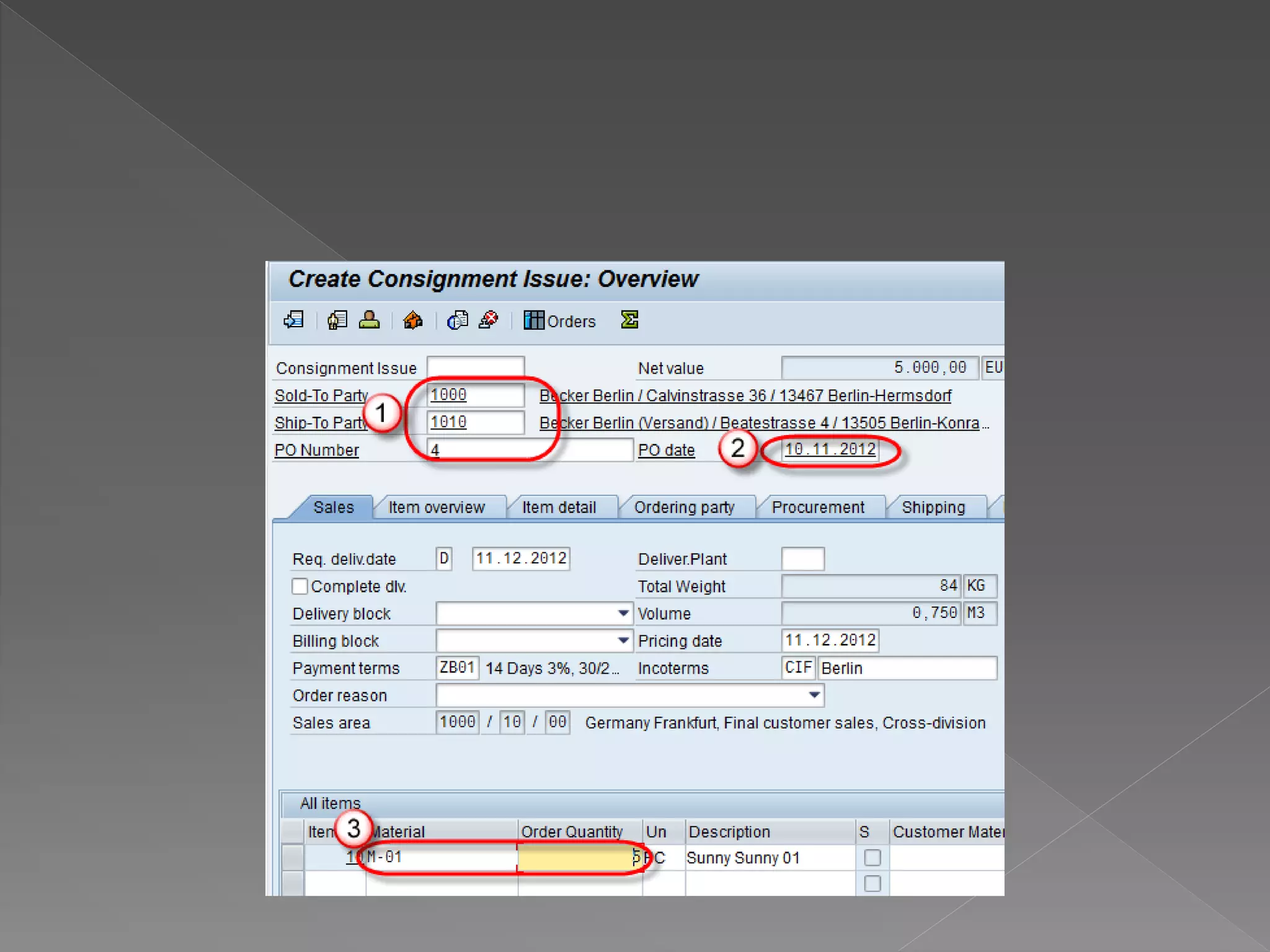
 Step-2
 Enter Sold-to Party / Ship-to party.
 Enter Order reason.
 Enter Material and ordered quantity.
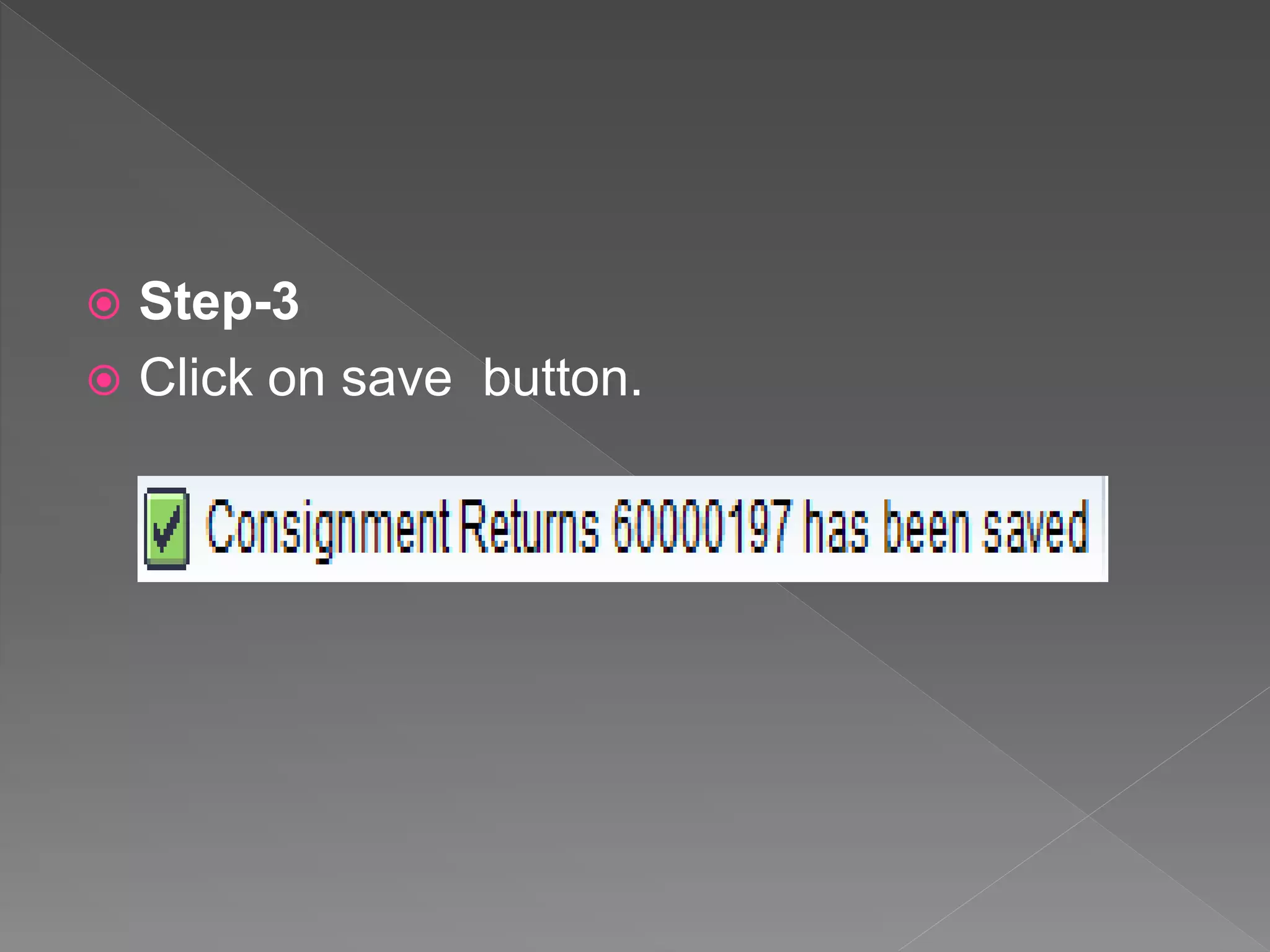
 Step-3
 Click on save button.
 When a customer request to the company ,to
take back the product, the company will pack
this product from customer sites, this
process is known as Consignment Pickup
(CP).
 In consignment pickup process , product are
not issued to customer and only stored at
customer warehouse as consignment
stock. Sales order type for consignment
issue is – KR.
 In consignment Pickup Order,Return
Delivery takes place.
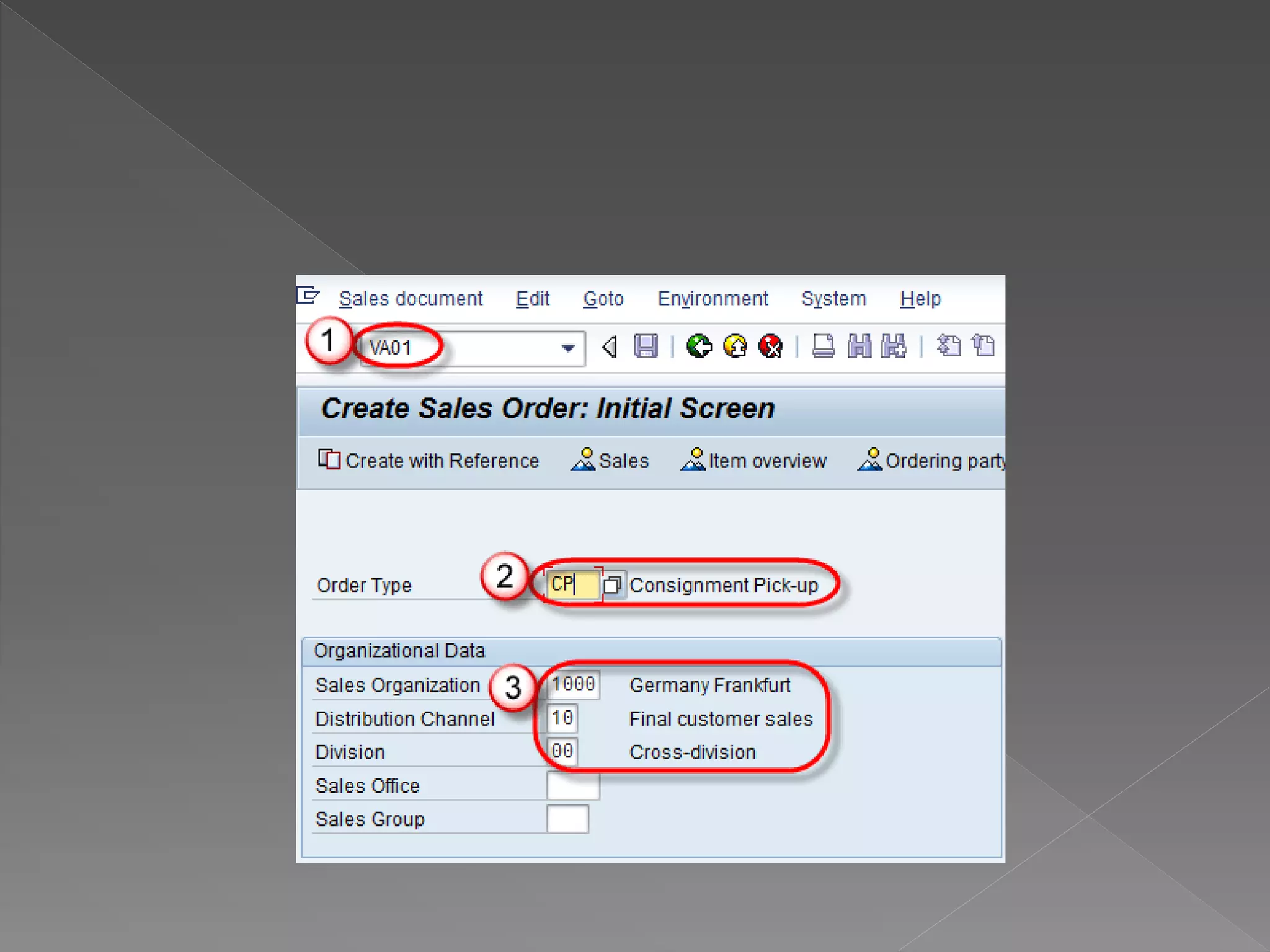
 Step-1
 Enter T-code VA01 in command field.
 Enter Order type CP(Consignment pickup).
 Enter Sales Area data in Organizational Data
block.
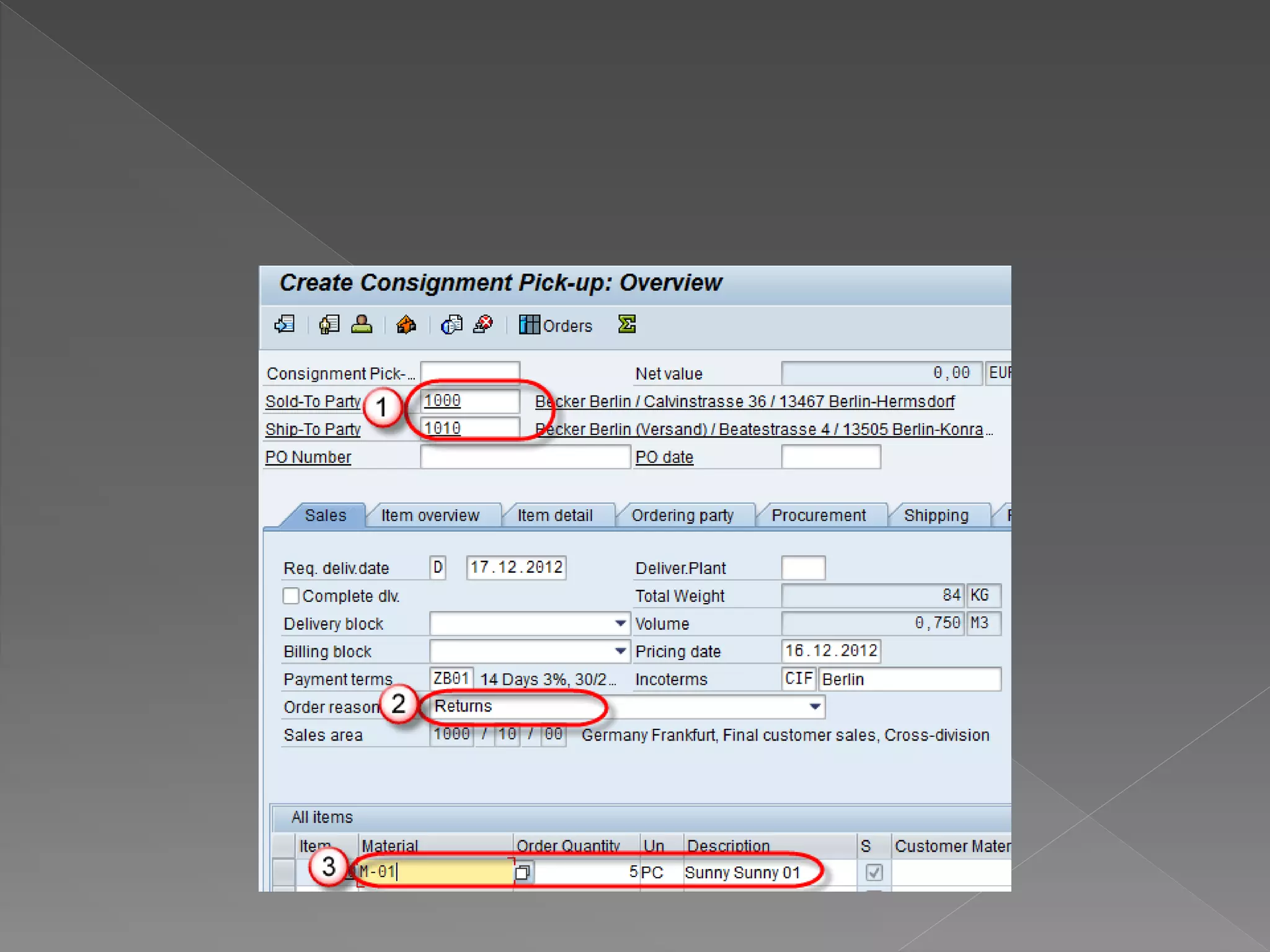
 Step-2
 Enter Sold-to Party / Ship-to party.
 Enter Order reason.
 Enter Material and ordered quantity.
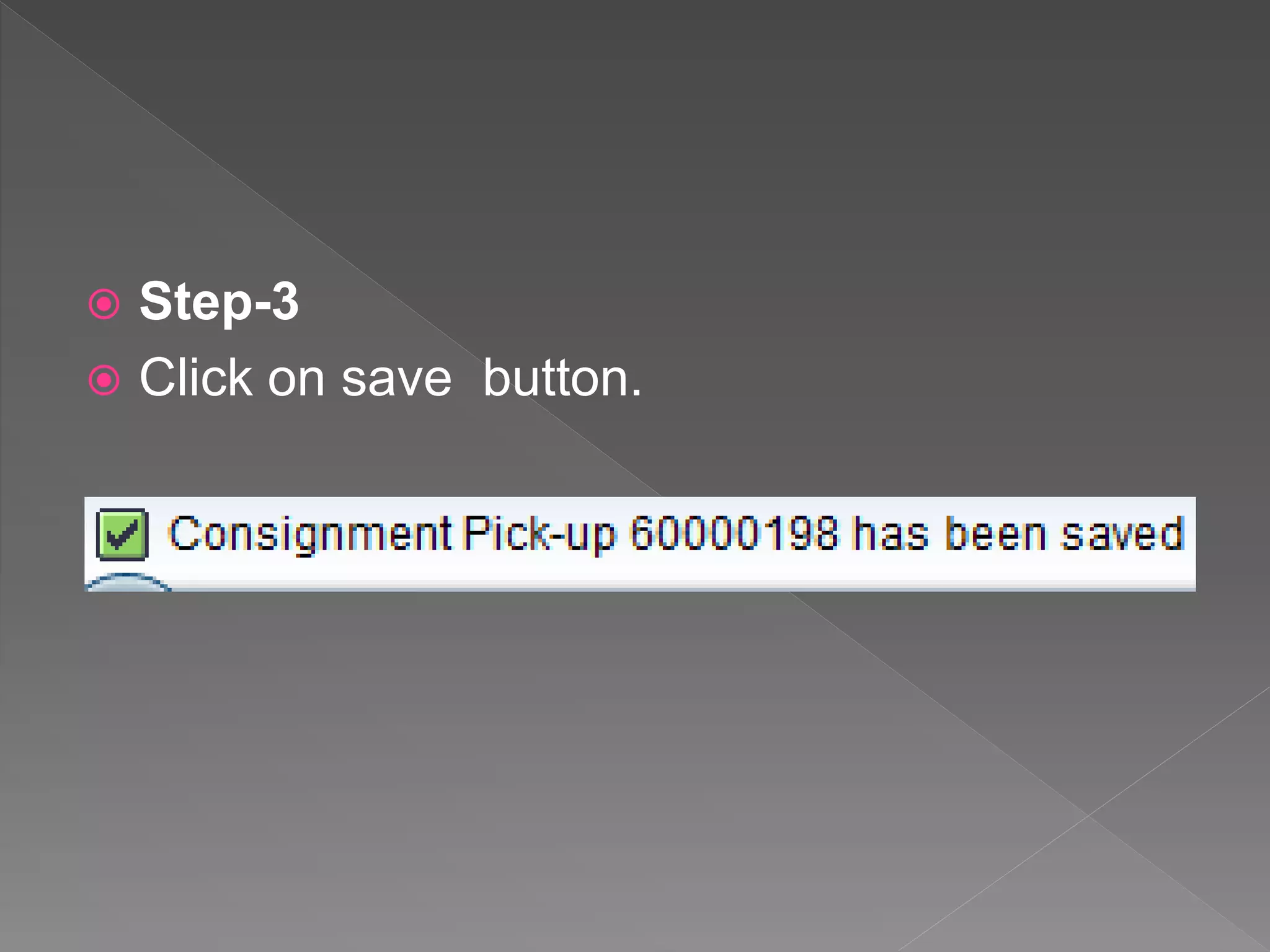
 Step-3
 Click on save button.
 In this Presentation I have Explained about
Consignment Process.
 For more details about SAP SD Training
Contact us:8122241286
 Visit: http://thecreatingexperts.com/sap-sd-
training-in-chennai/

SAP SD Training in Chennai Demo Part-4

  • 2.
     In consignmentprocess product are stored at the customer location but the owner of this product is still company. Customer stores the consignment stock at their own a warehouse.  Customer can consume product from warehouse at any time and customer billed for product for actually quantity consumes
  • 3.
     In ConsignmentStock Processing, there are four main transactions in the SAP System, all of which support separate management of stock:  Consignment Fill-Up (Stock Fill up at warehouse).  Consignment Issue (Stock issue from warehouse).  Consignment Return (Stock return from customer).  Consignment Pickup (Stock return to manufacture).
  • 4.
     Consignment Fill-Upis a process, in which company store product at customer sites and still company is the owner of this product. This process is known as consignment fill up (CF). Sales order type for consignment filling is – KB.  In consignment fill up only order and delivery takes place.
  • 5.
     Step-1 CreateConsignment Fill Up  Enter T-code VA01 in the command field.  Enter Order type CF(consignment fill up).  Enter sales area in organizational data.
  • 7.
     Step-2  EnterPO number.  Enter PO Date.  Enter Order Quantity.
  • 9.
     Step-3  Clickon save button.  A message as below is displayed.
  • 10.
     The customercan access product at any time to sell or their use from their warehouse and company will issue invoices for only accessed product, and this invoices known as the consignment issue (CI). Sales order type for consignment issue is – KE.  In consignment Issue Order, Delivery and Invoices take place.
  • 11.
     Step-1  EnterT-code VA01 in command field.  Enter order type CI (Consignment issue).  Enter Sales area data in Organizational data block.
  • 13.
     Step-2  EnterSold-to Party / Ship-to party.  Enter Order reason.  Enter Material and ordered quantity.
  • 15.
     Step-3  Clickon save button.
  • 16.
     When acustomer request to the company ,to take back the product, the company will pack this product from customer sites, this process is known as Consignment Pickup (CP).  In consignment pickup process , product are not issued to customer and only stored at customer warehouse as consignment stock. Sales order type for consignment issue is – KR.
  • 17.
     In consignmentPickup Order,Return Delivery takes place.  Step-1  Enter T-code VA01 in command field.  Enter Order type CP(Consignment pickup).  Enter Sales Area data in Organizational Data block.
  • 19.
     Step-2  EnterSold-to Party / Ship-to party.  Enter Order reason.  Enter Material and ordered quantity.
  • 21.
     Step-3  Clickon save button.
  • 22.
     In thisPresentation I have Explained about Consignment Process.  For more details about SAP SD Training Contact us:8122241286  Visit: http://thecreatingexperts.com/sap-sd- training-in-chennai/