By Creating Experts
Contact us:8122241286
http://thecreatingexperts.com/sap-sd-
training-in-chennai/
Shipping Points are independent
organizational entities, wherein goods
issuance and delivery processing takes
place.
A shipping point can be determined for
each order item. Shipping point
determination depends on the following
three factors-
Shipping terms and conditions from the
customer master record (shipping
screen). E.g Company agreed with
customer to deliver product as soon as
possible.
Loading group from the material master
(Sales/Plant data screen). E.g Loading
group defines that the product is always
loaded by crane.
 Delivering plant (A plant from where the
product will be delivered .A shipping point
can be assigned to delivering plant and
plant can have multiple shipping point).
Step-1
Enter T-code in OVL2 in command field.
Click on New Entries Button.
Step-2
Enter Shipping condition.
Enter Loading Group.
Enter Plant (Plant is place where goods
are manufactured or stored).
Enter proposed shipping point (shipping
point is a place within the plant from where
company ship the goods to the customer).
Step-3
Click on Save Button .
A message "Data was saved " displayed.
Picking
It is necessary to prepare correct quantity
and quality of goods as specified in sales
order for shipping on schedule as required
by the customer. Material picking is done
by warehouse management(WM). WM
picking is done via transfer order.
The transfer order is the basis for the
picking list, it is used to withdraw the
ordered goods from stock. There are three
ways of picking-
Pick Delivery individually.
Picking can be scheduled to run at per-
defined intervals.
SAP SD module can be configured to
execute picking automatically.
Packing
 Packing function is used to exchange product
data between suppliers and customers. The
packing of product is done by the packing
material. These packing materials need to be
created in the material master with material
type “VERP”. Packing can we done in SAP in
two ways-
 Manual Packing
 Automatic Packing
 There are many steps in packing function like
manual packing and auto packing with single
level and multilevel packing.
Post Good Issue(PGI)
 Post goods issue is the last step of
delivery/shipment processing. Herein,
ownership of the goods transfer to the
customer and the stock is updated. The
carrier in turn transfers the ownership to the
final customer once goods are delivered.
Create outbound delivery with reference to
sales order.
Create picking request.
Creating Packing.
Create PGI.
STEP-1 Create Outbound delivery
Enter T-code VL01N in command bar.
Enter Shipping Point.
Enter Selection Date and sales order.
Click on save button.
A message "Delivery 80016014" has been
saved.
STEP-2 Creating Picking Request
Enter T-code LT03 in command field.
Enter warehouse Number / Plant / Delivery
and press enter .
Click on save Button.
A Message" Transfer order 0000002638
created" will be displayed.
STEP-3 Create Packing
 Sub-STEP 3.1
Enter T-code VL02N in command field.
Enter outbound delivery no,which was
created earlier.
Click on Pack button.

 Sub-STEP 3.2
 Select Tab "Pack material"
 Enter packing material detail.
 Click on save button.
 STEP-4 Post Good Issue ( PGI ).
 By PGI (Post Goods Issue) the owner ship of
the material or goods will be changed from
company to the customer.

 Sub-STEP 4.1
 Enter T-code VL02N in command field.
 Enter Outbound Delivery number.
 Click on Post Goods issue Button.
 A message "Replenishment dlv. has been
saved" is shown. When we do PGI , two
documents will be created-
 Material document (Regarding stock
reduction)

 Enter T-code MB03 in command field and
Enter sales order no in sales order field and
execute the report.
 Material document will be displayed .
Accounting document
 Enter T-Code S_ALR_87014387 in command
field.
 Enter Material code.
 Click on execute button.
If a customer is not satisfied with the
product or the deliverable , Businesses
need to create a return, based on
customer return request.
In this case , customer is not charged for
shipping. This order type is generally used
for sending free sample to customers.
When a customer receives lesser
no.of goods than that ordered ,or if the
goods have been damaged in the
shipment,businesses provide free-of-
charge subsequent delivery of goods.
Sales Department may take any one of
the following actions during the return
process.
Approve the complaint and create a credit
memo.This is done when customer wants
refund for the goods. The system creates
credit memo to customer with reference to
sales order.
Approve the complaint, and implement a
free of charge subsequent delivery of the
disputed goods. This is done when
customer want to replace the goods owing
to shortfall in delivery or damage in
shipment or any other legitimate reasons.
Reject the complaint if complaint is not
valid. For example, customer makes a
complaint on wrong data.
Sales Department can create return order
by T-code VA01. Return order can be
created with reference to sales order or
billing documents.
Step-1
Enter T-code VA01 in command field.
Enter Order Type RE(Returns).
Enter Sales Area data in Organizational
Data Block.
Click on Create with Reference Button.
Step-2
Enter Sales order # reference for return
order.
Click on Copy Button.
Step-3
Enter PO number.
Enter PO date.
Enter Order reason .
Enter Ordered Quantity.
Step-4
Click on save button. A Message like
"Return 60000295 has been saved"
displayed.
In order to receive returned goods from
customer, Sales department creates return
order. Based on return order, return
delivery document is created.
Return delivery document is created using
T-code VL01N. Standard return delivery
document type is LR.
When return delivery document is
created,Logistic departments receives the
returned product.
Step-1
Enter T-code VL01N in command field.
Enter Shipping Point.
Enter Delivery Type LR(Return Delivery).
Press Enter Button.
Step-2
Enter Return Delivery Quantity.
Step-3
Click on save button.
A message "Return delivery 840000 has
been saved" displayed.
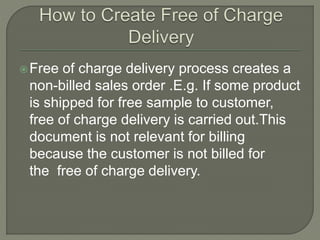
Free of charge delivery process creates a
non-billed sales order .E.g. If some product
is shipped for free sample to customer,
free of charge delivery is carried out.This
document is not relevant for billing
because the customer is not billed for
the free of charge delivery.
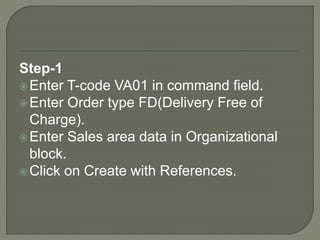
Step-1
Enter T-code VA01 in command field.
Enter Order type FD(Delivery Free of
Charge).
Enter Sales area data in Organizational
block.
Click on Create with References.
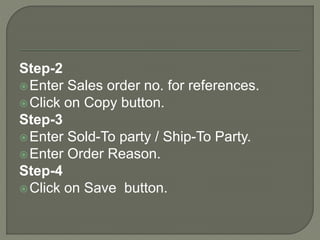
Step-2
Enter Sales order no. for references.
Click on Copy button.
Step-3
Enter Sold-To party / Ship-To Party.
Enter Order Reason.
Step-4
Click on Save button.
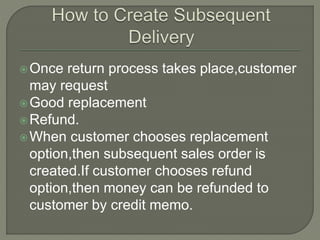
Once return process takes place,customer
may request
Good replacement
Refund.
When customer chooses replacement
option,then subsequent sales order is
created.If customer chooses refund
option,then money can be refunded to
customer by credit memo.
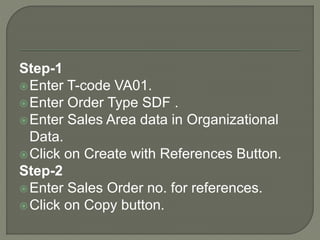
Step-1
Enter T-code VA01.
Enter Order Type SDF .
Enter Sales Area data in Organizational
Data.
Click on Create with References Button.
Step-2
Enter Sales Order no. for references.
Click on Copy button.
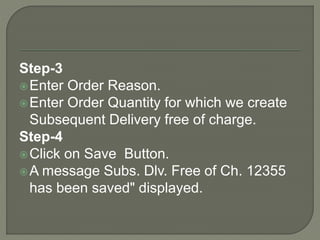
Step-3
Enter Order Reason.
Enter Order Quantity for which we create
Subsequent Delivery free of charge.
Step-4
Click on Save Button.
A message Subs. Dlv. Free of Ch. 12355
has been saved" displayed.
In this Presentation I Have Explained
about determining shipping
point,Picking,Packing,PGI ,Returns,Free of
Charge Delivery, Subsequent Delivery.
For more details about SAP SD Training
Contact us:8122241286
Visit:http://thecreatingexperts.com/sap-sd-
training-in-chennai/

SAP SD Training in Chennai Demo Part-3

  • 1.
    By Creating Experts Contactus:8122241286 http://thecreatingexperts.com/sap-sd- training-in-chennai/
  • 2.
    Shipping Points areindependent organizational entities, wherein goods issuance and delivery processing takes place. A shipping point can be determined for each order item. Shipping point determination depends on the following three factors-
  • 3.
    Shipping terms andconditions from the customer master record (shipping screen). E.g Company agreed with customer to deliver product as soon as possible. Loading group from the material master (Sales/Plant data screen). E.g Loading group defines that the product is always loaded by crane.
  • 4.
     Delivering plant(A plant from where the product will be delivered .A shipping point can be assigned to delivering plant and plant can have multiple shipping point). Step-1 Enter T-code in OVL2 in command field. Click on New Entries Button.
  • 5.
    Step-2 Enter Shipping condition. EnterLoading Group. Enter Plant (Plant is place where goods are manufactured or stored). Enter proposed shipping point (shipping point is a place within the plant from where company ship the goods to the customer).
  • 6.
    Step-3 Click on SaveButton . A message "Data was saved " displayed.
  • 7.
    Picking It is necessaryto prepare correct quantity and quality of goods as specified in sales order for shipping on schedule as required by the customer. Material picking is done by warehouse management(WM). WM picking is done via transfer order.
  • 8.
    The transfer orderis the basis for the picking list, it is used to withdraw the ordered goods from stock. There are three ways of picking- Pick Delivery individually. Picking can be scheduled to run at per- defined intervals. SAP SD module can be configured to execute picking automatically.
  • 9.
    Packing  Packing functionis used to exchange product data between suppliers and customers. The packing of product is done by the packing material. These packing materials need to be created in the material master with material type “VERP”. Packing can we done in SAP in two ways-  Manual Packing  Automatic Packing
  • 10.
     There aremany steps in packing function like manual packing and auto packing with single level and multilevel packing. Post Good Issue(PGI)  Post goods issue is the last step of delivery/shipment processing. Herein, ownership of the goods transfer to the customer and the stock is updated. The carrier in turn transfers the ownership to the final customer once goods are delivered.
  • 11.
    Create outbound deliverywith reference to sales order. Create picking request. Creating Packing. Create PGI.
  • 12.
    STEP-1 Create Outbounddelivery Enter T-code VL01N in command bar. Enter Shipping Point. Enter Selection Date and sales order. Click on save button. A message "Delivery 80016014" has been saved.
  • 13.
    STEP-2 Creating PickingRequest Enter T-code LT03 in command field. Enter warehouse Number / Plant / Delivery and press enter . Click on save Button. A Message" Transfer order 0000002638 created" will be displayed.
  • 14.
    STEP-3 Create Packing Sub-STEP 3.1 Enter T-code VL02N in command field. Enter outbound delivery no,which was created earlier. Click on Pack button. 
  • 15.
     Sub-STEP 3.2 Select Tab "Pack material"  Enter packing material detail.  Click on save button.  STEP-4 Post Good Issue ( PGI ).  By PGI (Post Goods Issue) the owner ship of the material or goods will be changed from company to the customer. 
  • 16.
     Sub-STEP 4.1 Enter T-code VL02N in command field.  Enter Outbound Delivery number.  Click on Post Goods issue Button.  A message "Replenishment dlv. has been saved" is shown. When we do PGI , two documents will be created-  Material document (Regarding stock reduction) 
  • 17.
     Enter T-codeMB03 in command field and Enter sales order no in sales order field and execute the report.  Material document will be displayed . Accounting document  Enter T-Code S_ALR_87014387 in command field.  Enter Material code.  Click on execute button.
  • 18.
    If a customeris not satisfied with the product or the deliverable , Businesses need to create a return, based on customer return request.
  • 19.
    In this case, customer is not charged for shipping. This order type is generally used for sending free sample to customers.
  • 20.
    When a customerreceives lesser no.of goods than that ordered ,or if the goods have been damaged in the shipment,businesses provide free-of- charge subsequent delivery of goods.
  • 21.
    Sales Department maytake any one of the following actions during the return process. Approve the complaint and create a credit memo.This is done when customer wants refund for the goods. The system creates credit memo to customer with reference to sales order.
  • 22.
    Approve the complaint,and implement a free of charge subsequent delivery of the disputed goods. This is done when customer want to replace the goods owing to shortfall in delivery or damage in shipment or any other legitimate reasons. Reject the complaint if complaint is not valid. For example, customer makes a complaint on wrong data.
  • 23.
    Sales Department cancreate return order by T-code VA01. Return order can be created with reference to sales order or billing documents. Step-1 Enter T-code VA01 in command field. Enter Order Type RE(Returns). Enter Sales Area data in Organizational Data Block.
  • 24.
    Click on Createwith Reference Button. Step-2 Enter Sales order # reference for return order. Click on Copy Button. Step-3 Enter PO number. Enter PO date.
  • 25.
    Enter Order reason. Enter Ordered Quantity. Step-4 Click on save button. A Message like "Return 60000295 has been saved" displayed.
  • 26.
    In order toreceive returned goods from customer, Sales department creates return order. Based on return order, return delivery document is created. Return delivery document is created using T-code VL01N. Standard return delivery document type is LR. When return delivery document is created,Logistic departments receives the returned product.
  • 27.
    Step-1 Enter T-code VL01Nin command field. Enter Shipping Point. Enter Delivery Type LR(Return Delivery). Press Enter Button. Step-2 Enter Return Delivery Quantity.
  • 28.
    Step-3 Click on savebutton. A message "Return delivery 840000 has been saved" displayed.
  • 29.
    Free of chargedelivery process creates a non-billed sales order .E.g. If some product is shipped for free sample to customer, free of charge delivery is carried out.This document is not relevant for billing because the customer is not billed for the free of charge delivery.
  • 30.
    Step-1 Enter T-code VA01in command field. Enter Order type FD(Delivery Free of Charge). Enter Sales area data in Organizational block. Click on Create with References.
  • 31.
    Step-2 Enter Sales orderno. for references. Click on Copy button. Step-3 Enter Sold-To party / Ship-To Party. Enter Order Reason. Step-4 Click on Save button.
  • 32.
    Once return processtakes place,customer may request Good replacement Refund. When customer chooses replacement option,then subsequent sales order is created.If customer chooses refund option,then money can be refunded to customer by credit memo.
  • 33.
    Step-1 Enter T-code VA01. EnterOrder Type SDF . Enter Sales Area data in Organizational Data. Click on Create with References Button. Step-2 Enter Sales Order no. for references. Click on Copy button.
  • 34.
    Step-3 Enter Order Reason. EnterOrder Quantity for which we create Subsequent Delivery free of charge. Step-4 Click on Save Button. A message Subs. Dlv. Free of Ch. 12355 has been saved" displayed.
  • 35.
    In this PresentationI Have Explained about determining shipping point,Picking,Packing,PGI ,Returns,Free of Charge Delivery, Subsequent Delivery. For more details about SAP SD Training Contact us:8122241286 Visit:http://thecreatingexperts.com/sap-sd- training-in-chennai/