SAP SD
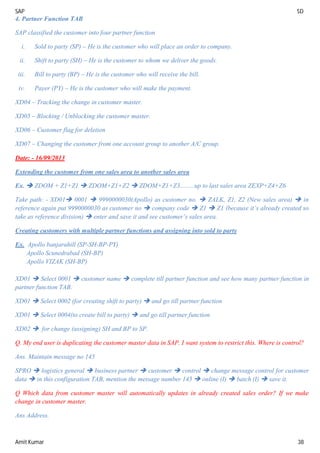
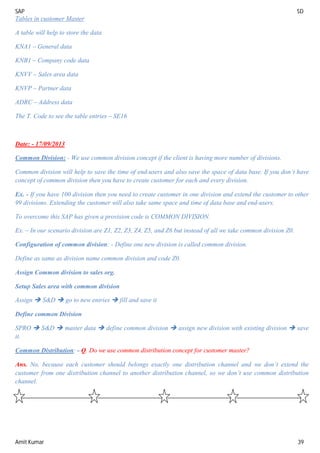
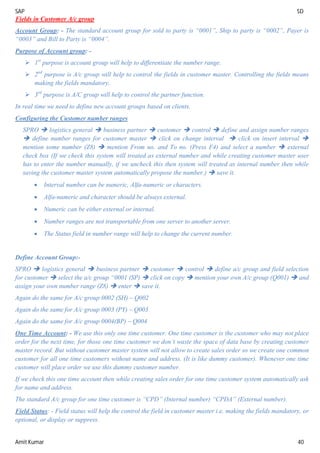
Amit Kumar 1
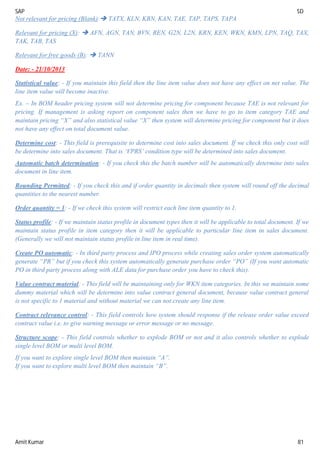
Date:- SAP
SAP - SAP stands for system application & products in data processing.
SAP is an ERP (Enterprises Resource planning) package.
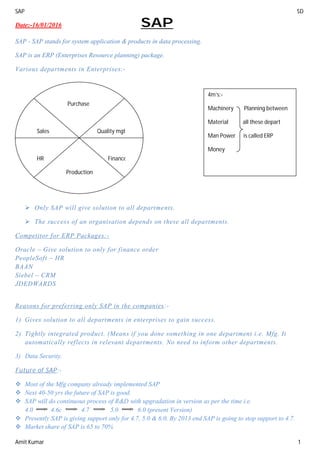
Various departments in Enterprises:-
 Only SAP will give solution to all departments.
 The success of an organisation depends on these all departments.
Competitor for ERP Packages:-
Oracle – Give solution to only for finance order
PeopleSoft – HR
BAAN
Siebel – CRM
JDEDWARDS
Reasons for preferring only SAP in the companies:-
1) Gives solution to all departments in enterprises to gain success.
2) Tightly integrated product. (Means if you done something in one department i.e. Mfg. It
automatically reflects in relevant departments. No need to inform other departments.
3) Data Security.
Future of SAP:-
 Most of the Mfg company already implemented SAP
 Next 40-50 yrs the future of SAP is good.
 SAP will do continuous process of R&D with upgradation in version as per the time i.e.
4.0 4.6c 4.7 5.0 6.0 (present Version)
 Presently SAP is giving support only for 4.7, 5.0 & 6.0. By 2013 end SAP is going to stop support to 4.7.
 Market share of SAP is 65 to 70%
Purchase
Sales Quality mgt kcmkmckllzlnlszclnmlzlzmclzddjfjfj
HR Finance
Production
4m’s:-
Machinery Planning between
Material all these depart
Man Power is called ERP
Money
16/01/2016
SAP SD
Amit Kumar 2
Why PROPEL:-
1. Subject in depth
2. Interview Questions
3. Pricing
4. Credit management in depth
5. Output determination
6. Availability check
7. Status profit
8. LIS
9. Business process in depth covers below all:-
 Standard sales process
 Third party
 Individual purchase order
 Stock transfer
 Intermit company – only some companies will ask this concept
 consignment
10. CIN – Country India Version
11. User Exists (Enhancement)
12. Copy requirements
13. Pricing requirements & formulas
14. Reports
15. GAPS
16. Live issues & scenario
17. Resume preparation
18. Mock Interview
19. 600 + placed interviews
Support to Implement SAP:- TCS, IBM, Accenture, Satyam, Capgemini
Date:- 19/08/2013
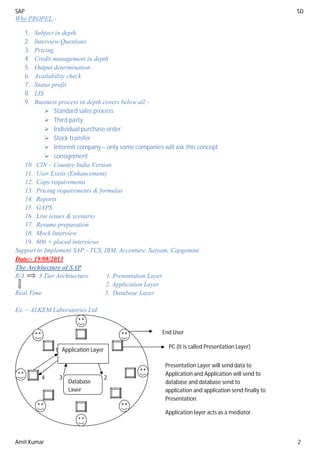
The Architecture of SAP
R/3 3 Tier Architecture 1. Presentation Layer
2. Application Layer
Real Time 3. Database Layer
Ex. – ALKEM Laboratories Ltd.
1
4 3 2
Application Layer
Database
Layer
End User
PC (It is called Presentation Layer)
Presentation Layer will send data to
Application and Application will send to
database and database send to
application and application send finally to
Presentation.
Application layer acts as a mediator.
SAP SD
Amit Kumar 3
SAP Landscape: - A landscape is arrangement of server.
Any client if they want to implement SAP they need to
purchase server.
SAP Suggest to go for 3 Server:-
a. Development Server
b. Quality Server
c. Production Server
Development Server will be used to configure the client business process into SAP.
Development server will be used by
consultant.
Quality Server will be used to taste the scenario.
Quality server will be used by consultant and core user.
Core User is the employee of the company who has good experience & exposure in client business process.
Production Server is live server where end user will do day to day transaction in SAP.
Production server will be used
by end users and core users.
Consultant does not have excess to production server.
User does not have excess to development server.
Module in SAP
SD – Sales & Distribution
MM – Material Management
FI – Finance Core Module
CO – Controlling
PP – Production Planning
QM – Quality Management
HR – Human Resource
PM – Plant Maintenance
PS – Project System
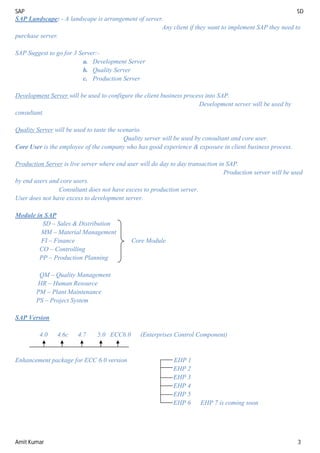
SAP Version
4.0 4.6c 4.7 5.0 ECC6.0 (Enterprises Control Component)
Enhancement package for ECC 6.0 version EHP 1
EHP 2
EHP 3
EHP 4
EHP 5
EHP 6 EHP 7 is coming soon
SAP SD
Amit Kumar 4
“Roles & Responsibility of consultant”
As a consultant we will be placed into either implementation project or support project.
Implementation: - Configuring the client business process newly into SAP.
Ex -
IBM TCS Accenture
(Implementation partner)
Whenever implementation partner receives the order from client to implement SAP then they start using ASAP
methodology (ASAP stands for accelerated SAP).
ASAP methodology consists of guideline to implement SAP that is step by step of implementing SAP.
ASAP Methodology consists 5 Phases:-
1. Project Preparation
2. Business blue print (BBP)
3. Realization
4. Final Preparation
5. Go-Live & Support
As a consultant we involve from business blue print phase.
Project Preparation: - In project preparation phase the management from implementation partner and
management from client will involve.
Management from Implementation Management from Client
= BDM = VP- IT
= Delivery Head = VP- Finance
= Technical Expert = Project Manager
= Project management = Technical Head
As a consultant we don’t have involve in project preparation phase.
ALKEM (Client)
BDM1
Pre sales Team2
BDM1
Pre sales Team2
BDM1
Pre sales Team2
SAP SD
Amit Kumar 5
Date: - 20/08/2013
Project Preparation activities
1. User Licenses: - Any client if they want to implement SAP they need to purchases user licenses from SAP.
Based on number of end user they decide on how many user licenses to be purchases from SAP.
Ex. – Total no of end user of ALKEM is 1500
Each user licenses cost around Rs. Rs. 80000/-
The client has to pay this money to SAP and get the user licenses.
1500 * Rs. 80000 = Rs. 12 cr.
22% of Rs 12 cr. as AMC (Annual Maintenance cost)
This is not one time income to SAP. Every year client has to pay 22% licenses cost to SAP in the form of
AMC.
Sharing of licenses can be done in manufacturing plant where shift systems have.
2. Landscape: - A landscape is arrangement of server.
Any client if they want to implement SAP they need to purchase server.
SAP Suggest to go for 3 Server:-
a. Development Server
b. Quality Server
c. Production Server
Development Server will be used to configure the client business process into SAP.
Development server will be used by
consultant.
Quality Server will be used to taste the scenario.
Quality server will be used by consultant and core user.
Core User is the employee of the company who has good experience & exposure in client business process.
Production Server is live server where end user will do day to day transaction in SAP.
Production server will be used
by end users and core users.
Consultant does not have excess to production server.
User does not have excess to development server.
 After deciding how many server to purchases then they decide on sizing of the server.
Ex.- Hard disk, RAM etc. On the basis of number of Pc’s.
 Where to purchases the server: - in the market HP, IBM, HCL, DELL will supply server.
3. Infrastructure:-
a). How many new pc’s to be purchased for implementation SAP.
Ex. - 1500 licenses means 1500 pc’s require
Present pc’s – 1000 nos. (Out of 1000, 200 pc’s don’t support SAP)
Total no. of pc’s need – 500+200= 700 nos.
SAP SD
Amit Kumar 6
B). Server Environment: -
 Decide where to keep server.
 Server room security
 Temperature requirement
C). VPN connectivity (Virtual private Network)
4. Implementation Partner will list out of the entire consultants who are going to involve in the implementation
Project.
On an average the team size for implementation SAP to Unknown client is 15.
The team size for implementation SAP to foreign client or known client is 60.
Client of ALKEM will list out all core users.
They will pick one core user from each module and core user will sit with consultant. Throughout the
implementation project whatever consultant require we need to consultant only core user.
5. Consultant Facilities: - If it is domestic project all the consultant will go to client place for implementing
SAP.
If it is foreign project or client each module one consultant will go to client place and remain will work from
Off- shore (it means IBM office).
When all consultants are moving to client place for implementing SAP then they will decide on who will take
care of what.
Ex.- Accommodation, food expenses, travel expenses, work environment etc.
The Average project tenure for domestic’s project is 8 months.
For foreign project 13 months.
6. Go-Live Date: - It is a date from which client start using SAP or the date the client will start entering day to
day transaction in SAP.
7. Scope for the projects: - Which is not possible with SAP. GAP’s will not be considered.
Date: - 21/08/2013
After completion of project preparation phase the implementation partner management will come back to office
and conduct kick-off meeting.
Kick-off: - It means starting off.
In kick –off meeting they will invite of the entire consultant who are going to involve in this
implementation project.
Kick-off meeting agenda:-
 Introduction about client.
 Rules & regulation of client.
 Role & Responsibility of consultant.
SAP SD
Amit Kumar 7
 Core users list.
 Go live date.
 Staring date.
After kick –off meeting all the consultant will move to client place for implementing SAP.
When all the consultants move to client place to implement SAP then we start 2nd
phase ASAP methodology that
is Business Blue Print (BBP).
Business Blue Print Phase (3 Months): -
As a SD consultant we involve from Business blue print phase.
Generally the 1St
day of client visit will have introduction with core user and core user will take us for site visit
(Mfg plant visit).
In 2nd
day, the first activity in BBP is
i) Requirement Gathering: - Client will allocate separate room for each and every module for requirement
gathering.
SD MM PP FI
Everyday consultant has go to core user place ask the questions and whatever core user will explain note it down
AS-IT is.
Every day after completion of requirement gathering (time allot 10am to 3pm) consultant has to prepare a
document call AS-IS document.
AS-IS document consist of the present business process of client whatever core user explain as it is, we mention
in the document.
- Based on questionnaires provided by the implement partner we gather requirement from core user.
- The requirement gathering activity we do for 2 months.
ii) Prepare BBP document and sign-off: - After completion of requirement gathering we need to prepare BBP
document. BBP document consist of AS-IS and TO-BE document.
AS-IS TO-BE
TO-BE document consist of how the present business of the client is going to be SAP. While preparing TO-BE
document we may find some GAP’s.
GAP: - Any client business process if there is no solution in SAP then we called it as GAP.
Whenever we find GAP we will prepare GAP analysis document.
Room 1 Room 4Room 3Room 2
SAP SD
Amit Kumar 8
- Gap analysis document consist of
 Clear description of client process which is GAP.
 Is there any alternate solution or not? If yes, then what is the solution we are going to provide?
 Estimated efforts
- Functional man days – 35 days
- Technical man days – 30 days
After preparing BBP document, we will send this document to core user for sign-off.
Now core user has to go through the BBP document. If everything will be fine then he will send confirmation
mail to consultant.
After getting confirmation mail we take the signature of core user and PM in sign-off form and one copy to
submit to IBM and one copy give to client.
Without sign off, we are not supposed to move to the next phase of ASAP methodology.
- BBP preparation documentation and sign off will take 1-1/2 months.
- The tenure for BBP phase is 3-1/2 months.
- We spend more time on BBP phase, BBP phase is most critical phase because the success of the project is
totally depended on how accurate you gather the requirements from core user.
In BBP phase we prepare two documents:-
1) BBP document.
2) GAP analysis document.
Common Problem face in BBP phase
 Most of core user they don’t support for gathering requirement and also they don’t come by time. (if it
happens continuous then after 4 or 5 days we need to inform our PM and our PM will inform to client
PM).
 They don’t want change. (They don’t want implement SAP, they will have threat to their job).
 Core user having knowledge on SAP configuration. (They will join some institute & they will ask some
error and check our knowledge or wasting time or gaining their knowledge).
Date: - 22/08/2013
After receiving BBP sign-off from core user then we move to the next place of ASAP methodology that is
realization.
Realization: - “Configuration the client business process into SAP or mapping TO-BE process in SAP.”
In this phase we enter into development server to configure the client business process into SAP.
We have two types of configuration:-
1. Base Line configuration
2. Final configuration
1. Base line configuration: - It is a configuration for which no need to depend on other module consultant (it is a
configuration which is specific to one module).
SAP SD
Amit Kumar 9
2. Final configuration: - it is configuration for which we need to depend on other module consultant. This
configuration we can’t do on our own. Ex- Credit Management, Third party.
= In SAP whenever we are saving the configuration we need to save it in a particular TRANSPORT REQUEST
NUMBER.
= Request number will help to transport the configuration from one server to another server.
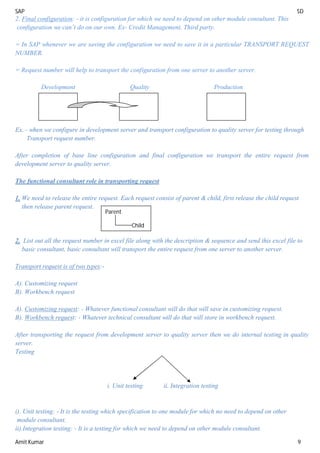
Development Quality Production
Ex. - when we configure in development server and transport configuration to quality server for testing through
Transport request number.
After completion of base line configuration and final configuration we transport the entire request from
development server to quality server.
The functional consultant role in transporting request
1. We need to release the entire request. Each request consist of parent & child, first release the child request
then release parent request.
2. List out all the request number in excel file along with the description & sequence and send this excel file to
basic consultant, basic consultant will transport the entire request from one server to another server.
Transport request is of two types:-
A). Customizing request
B). Workbench request
A). Customizing request: - Whatever functional consultant will do that will save in customizing request.
B). Workbench request: - Whatever technical consultant will do that will store in workbench request.
After transporting the request from development server to quality server then we do internal testing in quality
server.
Testing
i. Unit testing ii. Integration testing
i). Unit testing: - It is the testing which specification to one module for which no need to depend on other
module consultant.
ii).Integration testing: - It is a testing for which we need to depend on other module consultant.
Parent
Child
SAP SD
Amit Kumar 10
Before testing we need to prepare test case document or test scenario document.
Taste Case
Based on this taste case we will do unit and integration testing.
After completion of testing we prepare user manual document.
User Manual document:-It is guideline to end users, this document consist of step by step process of creating
master data and transaction data along with the screen shot.
After preparing user manual document, we will give it to core user.
Configuration document: - This document consists of the entire configuration made for that particular client
alone with the screen shot. Configuration document will be used for KT
(knowledge Transfer) purpose. This document will be given to core users.
Functional Specification document (FS):- We prepare FS whenever we required the help of ABAPER.
Date:-23/08/2013
4th
Phase Final Preparation (2Months)
Activities:-
i) Training to core users: - We give training to core user for 15 days. After that core user will give training to
(15 days) their end User.
ii) UAT Sign-off: - After training we will ask core user to taste the scenario and confirm. Core user has to
(10 days) taste the all scenario; if everything is fine he will give UAT sign-off (User acceptance test).
Throughout the implementation project we take two sign-off from core user. One is BBP sign-off and 2nd
one is
UAT sign-off.
iii) Quality to production: - After getting UAT sign-off we transport all the request from quality to production
Server.
iv) Cutover activities: - Uploading of master data and open transaction data from legacy to SAP. We don’t
(20 days) upload the transaction which are build.
 Legacy means Non-SAP.
a) What to test
b) How to test
c) Expected result
d) Actual result
e) Status
f) Tested document number
SAP SD
Amit Kumar 11
Consultant role in cutover activities
a) We list out what master data and what open transaction data should be upload from legacy to SAP
Master data consist:-
 Customer master
 Material master
 Pricing master
Open transaction data:-
 Open Order (The order which created but yet not delivered or pending)
b) We do recording and send this recording to ABAPER while doing recording simultaneously prepare excel
sheet with the same sequence of recording and send this excel sheet to core user.
- basing on the recording Abaper will develop BDC (batch data communication) and give it to consultant.
- Core user will fill all the excel sheet and give it to consultant.
- As consultant we first go to quality server and do MOC run (testing) if everything is fine then we go to
production server and upload the data from legacy or excel sheet.
v) Cutover Strategy: - It is the planning for uploading data from legacy to SAP. During this strategy we decide
when exactly to upload the data from legacy to SAP.
Whenever we plan to upload the data
from legacy to SAP we request to client to stop the business. The reason is to avoid data disturbance.
vi) Cutover Period: - Generally we take 2 days to upload the data from legacy to SAP. The 2 days period is
called cutover period.
After cutover period we go to the next phase of ASAP methodology that is GO-LIVE & Support.
5th
Phase
Go-Live: - Handing over SAP to client from that date on wards users will start entering day to day transaction
in SAP. After implementation we provide 3 months of post production support.
SAP SD
Amit Kumar 12
Date: - 24/08/2013
Roles & Responsibility of consultant in project support
Support: - Support is solving the issues raised by the clients who already implemented SAP.
ALKEM
IBM (Implementation Partner) TCS (Support Partner)
Whenever a support partner get the new project both the client and support partner will enter into an agreement
called SLA (Service level agreement).
In SLA as a consultant we should know the information of priority of issues. Generally issues will be classified into three
types:-
Other information we should know from SLA is change request.
Change Request: - Any change the client is asking new for which is not in the present configuration than we
treat as change request.
Whenever we get change request, we need to prepare change request document. This
document consists of:-
- Issues description (Ticket details).
- Expected solution
- Appropriate efforts
 Functional man days -15 days
 Technical man days – 10 days
After preparing change request document we need to send this document to superior for review, after review we
send this document to core user for approval, after approval we start working on this issues.
Whenever we get new project, management will conduct kick-off meeting. They invite all consultants who are
going to involve in support project.
For unknown client the project team size is 12 and out of this SD is 2 and for MNC or well known client the
support team size is 50 or more and SD is 10.
Kick-off means – start off
In kick-off meeting all will discuss about client:-
 Introduction of client
 Rules & regulation of client
 Roles & responsibility of consultant
 Share core user list
1. High Priority – 4 Hrs
2. Medium Priority – 24 Hrs
3. Low Priority – 48 Hrs
1. Any issues if it is stopping client business process then we treated as
High Priority.
2. Issues in order are treated as Medium Priority.
3. Issues in enquiry, quotation and contract are treated as Low priority.
SAP SD
Amit Kumar 13
 Agreement period
 Starting date
After kick-off meeting all the consultant will move to client place for knowledge transfers which is called KT.
KT process: - When all the consultant will move to client place for KT process. Core users will hand over the
configuration document to consultant. Consultant has to go through the configuration document and
simoultanseouly do the system study (development server) after system study consultant has to prepare
understanding document. After understanding document consultant has to give reverse KT to core users. The
tenure for KT process is 15-20 days.
After reverse KT all the consultant will came back to their office and start supporting to client.
Ticket Cycle
ALKEM Help Desk
Place tickt
(4th
)
(5th
) mail will send to co-ordinator
Ss Try to solve errors (3rd
)
(2nd) ALKEM TCS
(7th
)
Acknowledgement
To core user & end
User
Ticket tools available in the market: - Solution Manager, Cetrics, Remedy, JIRA, Perigrium. It will help to track
the tickets and its time.
Status of Issues
Open being progress waiting for information waiting for confirmation closed
Core Users
Find errors (1st
)
End Users
Ticketing tools
With priority
Co-ordinator
Consultant (6th
)allocate tikt
SD SD
SD
M
a
i
l
SAP SD
Amit Kumar 14
Ticket cycle process:-
In day to day business transaction End users will get the errors. Whenever he will get the error, he will send the
mail to help desk where core users will be available. Core user will try to solve the errors if it is configuration
issues then he will place the ticket into ticket tool along with priority of issues. After placing tickets in ticketing
tool mail will be send to support partner co-ordinator. Co-ordinator will open the ticketing tool and analyze the
ticket and allocate the tickets to relevant consultant then the mail will send to consultant.
The basic responsibility of a consultant once he receives the ticket, acknowledgement sends to core user and end
user.
After acknowledgement we will go to pre-production server and try to do the same what end user is trying to do
in pre-production server then we should also get an error in pre-production because pre-production server is
mirror image of production server. After getting error we analyze it and we go to development server to the
necessary configuration and transfer the request from development to quality server and ask the core user to test
it and confirm, after confirmation we transfer the configuration from quality to production server.
Status of Tickets:-
When receive the ticket the status is open, after acknowledgement will change the status from open to being
process. We send a mail to user for some more information then we change status to waiting for information then
we change status to waiting for information, we send a mail to test it and confirmed then we change status to
waiting for confirmation, after user confirmation we change the status to close.
Issues Resolution document: - After solving the issues consultant has to prepare Issue Resolution document.
Issues resolution document consist of:-
Consultant role in weekly meeting in support: - List of all the issues which are the pending weekly meeting.
Weekly meeting and discuss on each and every issues.
Escalation in support: - The issue is not properly solved by the consultant then core user will send escalation
miles to superior.
Levels of consultant in support:-
 Level 1 – consultant work only in high priority.
 Level 2 – Medium & low priority.
 Level 3 – work only in change request.
If core user is assigning wrong priority as a consultant we need to request to core user to change the priority
then only we need to accept the issues.
-Ticket number
- Ticket Date
- Ticket description
- Solution description
- Core user description
- Consultant description
Issue resolution document will be used for future reference.
SAP SD
Amit Kumar 15
Date: - 26/08/2013
Every client may not go for ticketing tool. If client doesn’t have ticketing tool then ticket process will be manual
that is end user will send a mail manually to core user and core user will send a mail manually to co-ordinator
and co-ordinator will send a mail manually to consultant and lastly consultant will send a mail manually to core
user and end user.
Roll Out:-
i) Company code roll out: - If the client is starting their business in another country then they extend SAP
configuration from one company code to another company code.
ii) Plant roll out: - If the client is introducing new plant into the business then we have to configuration that
plant into SAP, this will call to plant roll out.
iii) Up gradation Project: - Up gradation is upgrading the SAP system from one version to another version.
Login into SAP: - Double click on SAP logon pad desk top.
 Select IDEC (client name).
 Click on Log on
 Client – 800
 User – sap user
 Password – india123
Whenever we are entering to SAP the default screen system proposer is “Easy Access”.
- End user will work in easy access screen.
- Consultant will use “IMG Screen” IMG (Implementation Guide).
How to go to IMG screen
= Enter T-Code (Transaction code) SPRO in T-code bar.
=Then click on SAP reference IMG.
= End user doesn’t have access to IMG screen.
= Click on T-code VA10 for sales order.
= If you are other then easy access screen then you have to enter either /n or /o before the T-code.
= If you mention /n before T-code then present screen will disappear and next screen will appear.
= If you mention /0 before T-code then without disturbing the present session system will open the screen in new
session.
= At a time maximum we can have 6 sessions.
If you want to log off from SAP in the menu bar click on system and log off.
SAP SD
Amit Kumar 16
Date: - 27/08/2013
Enterprise Structure
Enterprise structure is nothing but organisation structure that is the structure of the company.
Ex. - Corporate office, Branch office, sales head office, manufacturing plant, etc.
Organisation Unit
1. Company code: - Company code is organisational unit which is responsible for all external financial
transaction which happens in the company.
Example: - Balance sheet and profit & loss statement.
 Every company has to prepare B/S and P/L statements on the name of company code.
 It is organisational unit which is registered under company’s act 1956.
 A company code is physical entity.
 FI consultant is responsible to define company code in SAP.
 A company code is 4 digit codes.
 In our project we have one company code and the name of company code is ALKEM laboratories Ltd.
 Address of company:- Alkem House
Elphanston road, lower parel-west
Mumbai.
 The company code is: - ZALK (the company code can be numeric or alpha numeric or character).
Q. What scenarios a client will have multiple company codes?
Ans. Group of company or sister concern. Example – Tata group, Reliance group, etc.
Having operation in multiple countries. Example – Ranbaxy India and Ranbaxy US.
2. Sales Organisation: - It is a organisational unit which responsible for all sales & services happen in the
Company.
Or
It is organisation unit where strategic decisions related to sales will be taken.
Or
It is organisation unit where you find director sales and VP sales.
 SD consultant is responsible to define sales organisation in SAP.
 Sales organisation is also 4 digit code.
Q. What scenarios client will have multiple company sales organisations?
Ans. If client is having multiple company code.
Bifurcation of sales responsibility region wise.
Domestic and Export.
Alkem Domestic Alkem Export
In our project we have two sales organisations.
Z A L K
ZDOM ZEXP
SAP SD
Amit Kumar 17
3 .Distribution Channel: - The way of selling the goods to end customers or the way of distribution goods to end
customer.
 SD consultation is responsible to define distribution channel
 Distribution channel is a logical entity.
 The length of distribution channel is 2 digits.
 In our project we have 4 distribution channels.
Dealer Distributor Institution Direct
Date: - 28/08/2013
4. Division: - A division is a range of product or product line. Grouping of products which are similar in nature.
 SD consultant is responsibility to define division in SAP.
 A division is 2 digit codes.
 In our project we have 6 divisions.
 Sales Line: - The combination of sales organisation and distribution channel is called as sales line.
ALKEM
END-USER
MEDICAL SHOP
/ CHEMISIT
DIRECTINSTITUTIONDISTRIBUTORDEALER
Z 1 Z 4Z 2 Z 3
1. Gynaecology 2.Paediatric 3. Insulin 4.Antibiotic 5.Cardiology 6.Orthopaedic
Z1 Z2 Z3 Z4 Z5 Z6
ZDOM ZEXP
Z 1 Z 2 Z 3 Z 4 Z 4
Dealer Distributor Institution Direct Direct
SAP SD
Amit Kumar 18
 Sales area: - A sales area is a combination of sales organisation, Distributor channel and Division.
5. Sales office: - It is physical location where group of people work together to perform sale. (We also called it
as branch office).
 In our project we have 28 sales offices in India. (Note: - we have to maintain only one sales office).
 SD consultant is responsible to define sales office.
 Sales office is a 4 digit codes.
 It is physical location.
 The difference between sales office and sales organisation is, in sales organisation you will take strategic
decision related to sales but in sales office you can’t take strategic decision. In a sales organisation you will
find vice president sales and direct sales but in sales office you will find sales manager, zonal manager.
6. Sales Group: - Group of people within a sales office working for different activities. Hierarchy of employees
in sales office.
Example: - HDFC bank has 5 different sales activities like; CASA, Personal loan, home loan, Vehicle loan and
miscellaneous loan.
 There is no relation between two groups.
 If they don’t have group then they follow hierarchy.
 SD consultant is responsible to define sales group.
 Sales group is a 3 digits code.
 In our project we have 2 sales groups. Ex.:- Insulin & Antibiotic in one group and remain in other group.
 Sales group is a logical entity.
ZDOM ZEXP
Z 1 Z 2 Z 3 Z 4 Z 4
Z1 Z2 Z3 Z4 Z5 Z6 Z1 Z2 Z3 Z4 Z5 Z6 Z1 Z2 Z3 Z4 Z5 Z6 Z1 Z2 Z3 Z4 Z5 Z6 Z1 Z2 Z3 Z4 Z5 Z6
6*4 = 24 + 6 = 30 Sales area
SAP SD
Amit Kumar 19
7. Plant: - “It is a physical location where we do the process of manufacturing finished goods.”
 MM consultant is responsible to define plant in SAP.
 A plant is 4 digits code.
 It is physical location.
Production Process in Plant
= Row material is a process which used to manufacturing finished goods.
= Whenever production department plan to manufacturing particular X product they will send request to store
department.
= Store department will cross check the raw materials. If all raw materials will available then they issue raw
materials to production department.
= The dispatch department 1st
they plan for delivery and then they do picking activity and then packing. After
packing they send the goods to shipping point.
= Shipping point: -It is a physical location where we do the process of loading goods into trucks for dispatching
it to customers.
= Storage location: - It is a physical location where we store the goods within plant.
SAP SD
Amit Kumar 20
Date: - 29/08/2013
8. Depot: - Depot is a physical location where we store finished goods to easy distribution goods to customer.
In SAP depot is also defined as Plant.
9. C&F: - Carry and forward, It is a physical location where we store the finished goods for every distributing
goods to customers. Owned by third party customer.
In SAP C&F is also defined as plant.
In our project we have two manufacturing plants, one in Vapi and one is in Mumbai and 28 depot but for
practice purpose define only 2 manufacturing plants.
1. Vapi 2. Mumbai
10. Storage location: - It is a physical location where we store the goods within a plant.
 In our project each manufacturing plant we have 5 storage locations.
 MM consultant responsible for storage location.
 It is also 4 digits code.
11. Shipping Point: - It is a physical location where we do the process of loading the finished goods into trucks
for dispatching it to customers.
 SD consultant is responsible to define shipping point.
 Shipping point is 4 digits code.
“Defining Organisational unit in SAP”
1. Define company code
Path line: - SPRO Enterprises structure Definition Financial Accounting Edit, copy,
delete, check Click on IMG activity (clock symbol) then double click on edit company code data
select the standard company code 1000 and click on copy and change our company code(ZALK)
change the company name(Alkem laboratories ltd) City(Mumbai) Country(India-IN) currency
(INR) Language (EN) Enter (after enter system will automatically ask for address) Title
(Company) Name (Alkem Laboratories ltd) Search team1/2(ALK) Address of company
Address of company Company (IN) Region specify the state (Mharashtra-13) Press Enter
after creating company code save it put request number or same number and enter it.
2. Define Sales organisation
Path Line: - SPRO EP structure Definition S&D Define copy, delete, check sales
organisation click on IMG activity (clock symbol) Double click on define sales organisation
select the standard 1000 sales org Click on copy change our sales org code (ZDOM) and change
name (ALKEM domestic) Change the currency (INR) Enter Enter select title (company)
Name (Alkem domestic sales org) search term1/2 (ALK) Address Country (IN) Region
(13) Time Zone(India) Press enter and save it use some request number
SAP SD
Amit Kumar 21
3. Define distribution channel
Path Line: - SPRO EP structure Definition S&D Define copy, delete, check channel
distribution click on IMG activity (clock symbol) Double click on define distribution channel
(any organisation unit if you don’t detail step then no need to copy, you can directly go to new entry) Z2-dealer,
Z3-Distributor, Z4-Institution, Z5-Direct Then save it.
4. Define Division
Path Line: - SPRO EP structure Definition Logistic general Define copy, delete, check
Division Double click on define division New entries Z2- Gynoclogistic, Z3-pediatric, Z4-
Insulin, Z5- Antibiotic, Z6-Cordologic, Z7-Orthopedic. Save it
Date: - 02/09/2013
5. Define Sales office
Path Line: - SPRO  EP structure  definition  Sales & distribution  maintain sales office  click on
IMG activity  click on new entries  mention your sales office (ZHYD)  maintain sales office address 
Region (01)  Language (EN)  Mobile Phone  click on copy  Save it.
6. Maintain Sales group
Path Line: - SPRO  E EP structure  definition  Sales & distribution  maintain sales group  click on
IMG activity  click on new entries  mention your sales group (Z01- Insulin & Antibiotic), (Z02- Other) 
Save it.
7. Define Plant
Path Line: - SPRO  EP structure  definition  Logistic general Define copy, click, delete and check
plant  click on IMG activity  Double click on define plant  select the standard plant (1000) and click on
copy  change the plant code (ZVAP)  change the name (Vapi mfg plant)  Enter  Maintain address 
Search ½ (VAP)  Region, Time zone, Language, Telephone  Click on copy  Save it.
For making another plant (Mumbai)
Plant (ZMUM)  change the name (Mumbai Mfg Plant)  Maintain address till last  click on copy and save
it.
8. Define Storage Location
Path Line: - SPRO  EP structure  Definition  Materials Management  Maintain Storage location 
Click On IMG activity  Plant (ZVAP)  Enter  Go to new entries  SLOC (ZFG1 – Finished 1 storage
location), (ZFG2- Finished 2 St location),  Save it.
Go back and maintain storage location for another plant (ZMUM)  go to new entries
9. Define Shipping Point
Path Line: - SPRO  EP structure  definition  Logistic Execution  define copy, delete, check shipping
point  click on IMG activity  Double click on define shipping point  select the standard shipping point
(1000)  and click on copy  change the shipping code (ZVP1) (Vapi manual shipping point)  Enter 
Mention address  Region (06)  Language (EN)  Enter  save it.
Select same shipping point  Code (ZVP2)  Vapi automatic shipping point and save it.
SAP SD
Amit Kumar 22
For Mumbai shipping point need to do same process with Mumbai code and address. (ZMU1) (ZMU2).
Assignment of EP structure: - That is maintaining relationship between the organisation units.
1st
Assignment
Assign Sales organisation to company code: - SD consultant will do this assignment
Path Line: - SPRO  EP Structure  Assignment  S&D  assign sales organisation to company code 
click on IMG activity  click on position  go to your sales organisation and assigned your company code
(ZALK – ZALK)  Enter and save it.
The relation between company code and sales organisation is one to many i.e. one company code can have many
sales organisation but one should be assign to single company code.
2nd
Assignment
Assign Distribution channel to sales organisation: - SD consultant will do this assignment.
Path Line: - Path line is same as above.
The relationship is many to many i.e. one sales organisation can have many distribution channels and one
distribution channel can be assigned to many sales organisation.
Go to new entries ZDOM- Z2, ZDOM- Z3, ZDOM- Z3, ZDOM- Z4, ZDOM- Z5, ZEXP- Z6 after that save it.
This assignment we also call it as sales line.
Date: - 03/09/2013
3rd
Assignment
Assign Division to sales organisation: - SD consultant will do this assignment
The relationship is many to many i.e. one sales organisation can have many division and one division can be
assign to many sales organisation.
Path Line :- SPRO  EP Structure  Assignment  S&D  assign division to sales organisation  click on
IMG activity  Go to new entry  ZDOM - Z2, ......up to ZDOM - Z7 and same with ZEXP – Z2 ........up to
ZEXP – Z7  Save it.
4th
Assignment
Setup Sales Area: - Sales area is the combination of sales organisation, Distribution Channel & Division.
Sales area places a vital area role in S&D module because whatever we do in sales it should be routed through a
particular sales area.
Path Line: - SPRO  EP Structure  Assignment  S&D  setup sales area  go to new entries  ZDOM
– Z2 – Z2, ZDOM – Z2 – Z3,........up to ZEXP – Z5 – Z7 (up to 30th
sale area)  save it  enter.
5th
Assignment
Assign Sales office to sales area:-
Path Line: - SPRO  EP Structure  Assignment  S&D  setup sales area  go to new entries  ZDOM
– Z2 – Z2 – ZHYD, ZDOM – Z2 – Z3 – ZHYD...... up to ZDOM – Z5 – Z7 – ZHYD (Total 24)  save it.
SAP SD
Amit Kumar 23
6th
Assignment
Assign Sales group to sales office
Path Line: - SPRO  EP Structure  Assignment  S&D  go to new entry  ZHYD – Z01, ZHYD – Z02
 Save it.
7th
Assignment
Assign plant to company code: - MM consultant will do this assignment
The relationship is many to many i.e. one company code can have many plants can be assign many company
codes.
Path Line: - SPRO  EP Structure  Assignment  Logistic general  assign plan to company code  click
on IMG  New entry  ZALK – ZVAP, ZALK – ZMUM  Save it.
8th
Assignment
Assign Sales organisation, Distribution channel to plant (Sales line to Plant)
Path Line: - SPRO  EP Structure  Assignment  S&D  assign sales org, distribution channel to plant 
go to new entry  ZDOM – Z2 – ZVAP, ZDOM – Z3 – ZVAP, ZDOM – Z4 – ZVAP, ZDOM – Z5 – ZVAP, ZEXP
– Z5 – ZVAP, ZDOM – Z2 – ZMUM, ZDOM – Z3 – ZMUM, ZDOM – Z4 – ZMUM, ZDOM – Z5 – ZMUM, ZEXP
– Z5 – ZMUM  Save it.
9th
Assignment
Assign Shipping point to plant: - SD responsible for this assignment
Actually the relationship is one to many i.e. one plant can have many shipping point but one shipping point
should be assign to single plant.
But SAP says relationship is many to many (if both the plant located in same premises).
Path Line: - SPRO  EP Structure  Assignment  logistic execution  assign activity point to plant 
IMG activity ( The screen for shipping point assignment will look different up to 4.7 version all assignment will
be like this)  go to find symbol put the ZVAP and ZMUM for plant  select the plant  click on assign 
select your shipping point by scroll  click on copy  select ZVAP  Click on assign  select your shipping
point for Vapi (ZVA1 and ZVA2)  click on copy  save it.
EC01 is T- code to see the EP structure  Click on structure  click on navigation  enter  double click on
your company code (ZALK).
Here food plant and Pharmacy plant both are located in same
Premises and both shipping point are also in same so in this case
one plant can have many shipping point and also one shipping point
can have many plant for food and Pharmacy plant so SAP says
relationship is many to many.
Food Pharma
Plant Plant
Shipping Point1
Shippng Point2
SAP SD
Amit Kumar 24
Date: - 04/09/2013
Other unit in organisational unit not relevant to SD consultant
Company: - A company is an organisational unit which will help to group several company codes into one.
Ex. - Tata Group, Reliance group etc.
FI consultant is responsible to define company.
Business Area: - Business area is an organisational unit which will help to generate internal B/S plant wise.
[The Business area concept is not using ECC 6.0 version].
FI consultant is responsible to define Business Area.
Credit Control Area: - It is an organisation unit which is responsible credit activities. (Credit department).
Controlling Area: - It is an organisation unit which is responsible for controlling the cost of the product.
CO consultant is responsible to define controlling Area.
Purchases Organisation: - It is an organisation unit which is responsible for all purchases happening in the
company. MM consultant is responsible to define purchases organisation.
“The controls in Sales Organisation”
=> The Address text in sales organisation: - Address text in sales organisation will help to determine the
address of the sales organisation to print it in relevant output.
The output can be printout or email or fax.
=> Sales Organisation Calendar: - The calendar specifies all India holidays and working days.
Define Factory calendar: - SPRO  SAP Net weaver  General setting  maintain calendar  public
holiday  click on change button (Pencil symbol)  go to create  floating public holiday  year (2014 –
month – day)  mention sort criteria (IN)  religious (22 Hindu)  Short holiday – long holiday (Gudipadwa)
 Enter
Go Back
Click on holiday calendar (in holiday calendar we list out all public holidays – in real time HR consultant create
calendar)  click on change  go to create  calendar ID (P1) (Maharashtra calendar)  click on assign
holiday  go to short key and select all IN (India) holiday  assign holiday  then select all public holiday 
save it.
Go Back
Select factory calendar  click on change  click on create  factory calendar ID (P2) (Maharashtra
calendar)  assign holiday calendar  select the day Monday to Friday or Saturday and save it.
After creating the factory calendar we assign the factory calendar to sales organisation.
We assign factory calendar in three organisation unit 1. Sales organisation 2. Plant and 3. Shipping point.
Rebate Proc Active: - A rebate is special kind of discount which is a conditional discount and which will be valid
over specific period of time.
SAP SD
Amit Kumar 25
Example: - The rebate scheme is any customer if he purchases 15000 nos. Cartoon from January to December
then he will be eligible the rebate of 8%.
This field is pre requites to process rebate in an organisation i.e. if the check this then only system will allow to
process rebates.
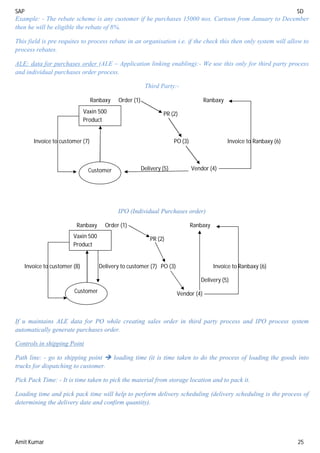
ALE: data for purchases order (ALE – Application linking enabling):- We use this only for third party process
and individual purchases order process.
Third Party:-
IPO (Individual Purchases order)
Ranbaxy Order (1) Ranbaxy
PR (2)
Invoice to customer (8) Delivery to customer (7) PO (3) Invoice to Ranbaxy (6)
Delivery (5)
Vendor (4)
If u maintains ALE data for PO while creating sales order in third party process and IPO process system
automatically generate purchases order.
Controls in shipping Point
Path line: - go to shipping point  loading time (it is time taken to do the process of loading the goods into
trucks for dispatching to customer.
Pick Pack Time: - It is time taken to pick the material from storage location and to pack it.
Loading time and pick pack time will help to perform delivery scheduling (delivery scheduling is the process of
determining the delivery date and confirm quantity).
Ranbaxy Order (1) Ranbaxy
PR (2)
Invoice to customer (7) PO (3) Invoice to Ranbaxy (6)
Delivery (5) Vendor (4)
Vaxin 500
Product
Customer
Vaxin 500
Product
Customer
SAP SD
Amit Kumar 26
Date: - 05/09/2013
MASTER DATA
It is data which storage centrally and use in day to day transactions. In SAP SD we have 4 types of Master Data.
1) Customer Master: - It is the details of the customer which is store centrally and use in day to day
transaction.
Ex. – Customer Name, address, communication details, payment info, sales info, etc.
Master data is a data which cannot be changed frequently.
The advantages of Master data:-
I. No need to enter the details of the customer every time, which will save the time of end-user.
II. Master data will avoid manual mistake.
2) Material Master: - It is the details of the products which store centrally and use in day to day transactions.
Ex- Specification of products.
3) Customer materials info record (CMIR):- We use CMIR are placing order with their own material code by
using CMIR we assign customer material number with our material number then while creating sales order
if user enter customer material number and system automatically determine our material number.
4) Condition Master: - Condition master is nothing but pricing master. In this master data we maintain pricing
for all the products.
1) Customer Master
End user will create customer master.
Roll of consultant
 As a consultant we have to give training to core user so we should have knowledge of customer master
data
 We should know how to create customer master.
We define new entries in customer master data fields.
The length of customer number is max up to 10 digits.
Customer master data will be divided into three screens:-
General Data Company code Data Sales Area Data
SD – Address FI – Account SD - Sales
FI – Control Data FI – Payment Transaction SD - Shipping
FI – Payment transaction FI – Correspondence SD - Billing
SD – Marketing FI – Insurance SD – Partner Functions.
SD – Unloading points
SD – Export Data
SD – Contact Person
SAP SD
Amit Kumar 27
In real time authorisation for creating customer master will be given to one or two users. If you give
authorisation to two users whenever new customer come first sales user we create the customer with sales data
and send it to FI user then FI user will fill create the customer with FI data, The other scenario is, we give
training to one user to maintain both SD and FI data. In that case only one person will be authorise to customer
master record.
Path for creating customer Master
Easy Access  logistics  S&D  master data  business partner  customer  create  XD01 (complete
 click on account group overview ( )  select the standard 0001  company code (ZALK)  select org
(ZDOM)  Dist. Channel  Division  enter (when you are creating customer for the 1st
time with the new
sales area you will get the error message that sales area is not define for customer). (to solve this error). Go to
the path SPRO  S&D  master data  define common distribution channel  go to your sales organisation
(ZDOM) fill Dch- conds same which mention in dist channel and enter it and save it.
Go back
Define common division  go to your sales organisation  fill div con and div cus same which mentioned in
division  save it.
Date: - 06/09/2013
Copying reconciliation account from std co code 1000
SPRO  financial accounting (new)  general ledger accounting (new)  master data  G/L A/ creation and
processing  alternative methods  copy G/L A/c  copy company code.
Before copying G/L A/C go to the T.code OBY6 and go to your company, select it  go to details  chart of
accts [IN]  fiscal year variant (V3) (fiscal year variant specify the financial year of the company – Indian
company financial year is April to March so for Indian company we maintain year variant is (V3) for foreign
companies the financial year is January to December. So we maintain fiscal year variant as (K4)  maintain
fiscal status variant as [1000]  pstng period variant as [1000]  save it.
Now go to SPRO  ....to copy company code  in copy from maintain company code [1000]  uncheck test
run  execute (F8)  will get some msg  enter  save in a particular request no.
Go back and select the recon account [140000].
T. Code Customer Centrally Company Code Data Sales Related
CREATE XD01 FD01 VD01
CHANGE XD01 FD01 VD01
DISPLAY XD01 FD01 VD01
SAP SD
Amit Kumar 28
TAB in General Data Screen
1. Address: - Address TAB consists of the personal info of the customer. i.e. his name, address and
communication details.
Title (Mr.)  name (Apollo hospital)  street – house no.  Postal code  country  region  Transport
Zone (F4) (This TZ will help to determine route into sales document)  communication details.
2. Control Data: - FI user is responsible to maintain control data. Control data TAB consists of the tax
information of the customer,
3. Payment Transaction: - PT TAB consists of the customer bank details and cards details. FI user is
responsible for PT.
SAP SD
Amit Kumar 29
4. Marketing: - SD user is responsible to maintain marketing TAB.
a. Nielsen ID: - Nielsen id will be used to track the customers who are located in market survey regions.
Whenever we are launching new products we do market survey in specific regions. If the customers are
located in market survey regions then we have to maintain this field.
Define new entries in Nielsen ID
Shortcut method to define entries in fields  press the crusher in the field and press F1 and click on
customizing (key symbol)  continuing without specifying project. OR
Take path SPRO  S&D  master data  business partner  customer  marketing  define
Nielsen ID  new entries  Y1 (GUJ/RAJ), Y2 (TN/KE), Y3(OR/KOL)  save it.
Nielsen id (Y1)  Customer classification (Y1)
b. Customer classification: - Classifying the customer based on their sales turnover. Based on the business
the customer will give to company.
The purpose of this field is one for the discount and 2nd
one is fixing the credit limits.
SAP SD
Amit Kumar 30
Define customer classification
SPRO  S&D  master data  business partner  customer  marketing  define customer
classification  go to new entry  Y1- 8cr to 10 cr, Y2- 5cr to 8cr, Y3-3cr to 5cr, Y4 -1 to 3cr, Y5 – o to
1cr  save it.
c. Industry: - classifying the customer based on the industry they belong to, the purpose of this field is one is
reporting (Analysis) and 2nd
one is discount.
Industry code 1: - its sub classification of industry.
Date: - 10/09/2013
d. Regional market: - Dividing the customer in local market into A class or B class or C Class based on the
revenue it’s generate. The main purpose of this field is reporting.
e. Hierarchy assign
Customer Hierarchy: - A customer is having different labels.
Ex. – Big Bazaar East India Tamilnadu Vizak Local
South
Head office Mumbai West
f. Key figure: - Key figure will be used to compare the cost year sales with present year sales. In annual
sales field we maintain last year sales.
g. Legal status: - This field controls where customer is Pvt Ltd, or Public Ltd, or Entrepreneur.
5. Unloading Point: - It is physical location where we unload the goods in customer place.
Unloading point will be used to plan the delivery to customers.
We assign customer calendar in unloading point. While doing deliver system will consider
customer calendar.
a. Goods receiving hours: - Here we define on which time system should allow to receive the goods for a
particular loading point.
Defining receiving hours
Take Path – SPRO  Master Data  business partner  customer  shipping  define goods receiving
hours  go to new entries fill the hours.
Q. There is a customer who will receive the goods only on Saturday. Where we do control?
Ans. In goods receiving hours.
6. Export data: - If the customer is located in outside countries then we have to maintain export data TAB.
7. Contact person: - Contact person is the employee of customer who is responsible for various activities.
HO
TN
AP
W
N
S
E
KR
KE
RG
HY
VZ
3
2
1
SAP SD
Amit Kumar 31
TAB in Company Code Data Screen
1. Account Management
a. Reconciliation account: - Reconciliation account is G/L account which will be used to accumulate total
outstanding of the customer.
Whenever we are creating invoice system will generate accounting document. i.e. system will post the
invoice value into the accounting and
Accounting entry is: Customer A/c......Dr.
To, Revenue A/c.......Cr.
For the customer account system determine G/L account from reconciliation A/c.
Maintaining in reconciliation A/c is 140000
2. Payment Transaction
a. Terms of Payment: - It is an agreement between company and customer for the number of days given to
make the payment. (We also called it as credit period).
b. Payment history record: - If you check this then customer payment information will be update in credit
management.
SAP SD
Amit Kumar 32
Date: - 11/09/2013
TAB in Sales Area Data Screen
1. Sales
1. Sales
a. Sales District:- It is a sub-classification of sales office for the purpose of generating sales report.
The main purpose of sales district is reporting.
Below to sales office label management is asking sales report, then that will be defined as sales district.
Ex- One sales office in Maharashtra and Pune, Nagpur, Kolhapur is sales district.
Defining sales district:-
Path: SPRO  S&D  Master Data  Business partner  Customer  Sales Define sales districts
 go to new entries  and define own sales districts.
b. Sales Office: - It is physical location where group of people work together to perform sales.
Assign the sales office in which customer belongs to
c. Sales group: - Group of people within a sales office working for different activity.
SAP SD
Amit Kumar 33
d. Customer Group: - Grouping of customer who will share the same attributes.
Ex-
Dealer Distributor Institution
P1- Bulk dealer P4 - Bulk distributor P7 - Bulk institution
P2 - Medium dealer P5 - Medium distributor P8 - Medium institution
P3- Low dealer P6 - Low distributor P9 - Low institution
The purpose of customer group is 1. Reporting 2. Pricing
The path is same like sales district.
e. ABC Classification: - Keeping into consideration all the parameter we classify the customer into A or B
or C.
Parameters are: > Turnover, > Payment history, > Behaviour, > Bulkiness etc.
The purpose of this field is one is reporting, 2nd
one is responds time to solve the issues or queries raised
by customer.
f. Currency: - If the customer is located outside the countries then maintain customer currency.
If the customer currency is different from company code currency then while doing sales transaction
system will display the values in customer currency but in accounting document system will display the
value in company code currency.
This conversion will be happened based on exchange rate.
The T-code to maintain exchange rate is OC41.
The exchange rate type is “M”.
g. Switch off rounding: - If we check this, system will not perform rounding while creating sales order.
h. Order probability: - After placing the order what is the chance that the customer will not cancel the order.
i. Item Proposal: - If customer are regularly placing order for similar items then instead of entering the
items manually into sales document every time, we prepare a list and call the list while creating a sales
order. The end user will select the items from the list and copied into sales order which will save the time
of end users.
The T-code for creating item proposal is VA51.
Mention the item proposal is PV
Maintain sales area  enter  description  mention material and Tgt quantity, UOM, Description
and save it. Go to the item proposal to customer master and assign the number and save it.
j. Exchange Rate type: - If we have an agreement with the customer for the fixing exchange rate throughout
the month then we maintain exchange rate for the exchange rate type other then “M” and we assign that
exchange rate type in customer master.
If we don’t assign exchange rate type then system consider the standard rate type “M”
k. PP customer processor: - This field will be used for cross selling concept for product proposal concept.
SAP SD
Amit Kumar 34
Cross selling is selling additional products along with the main product.
For cross selling maintain B
For Product proposal maintain A
Product proposal is automatic determination of item proposal in sales document.
Date: - 12/09/2013
l. Price group: - Grouping of customer who will share the same pricing attributes.
 The purpose of this field is to maintain discount.
 Price group field will help to simplify maintains of discount condition records.
Define Price group:-
SPRO S&D  basic function  pricing  Maintain price relevant master data field  define price
group and double click  new entries
m. Customer pricing procedure: - This field is one of parameter to determine pricing procedure in sales
document.
n. Price list: - Grouping of customers who will share the same base price.
 Price list will be used to maintain base price. Ex. Dealer pricelist, Distribute pricelist, institution
pricelist & direct pricelist etc.
o. Customer statics group: - This field controls whether to update customer sales data into LIS (Logistics
information system) or not and LIS is reporting system.
2. Shipping TAB
SAP SD
Amit Kumar 35
a. Delivery priority: - This field be used for the classified the customer into high delivery priority, medium
delivery priority, and low delivery priority.
 The purpose of this field is it will help to process Back orders and rescheduling.
 Back Order processing :- Whenever high delivery priority customer place order, if stock is not
available then we go back to the open orders of low priority customer and cancel the confirmation of
low delivery priority and assign to high delivery priority customer.
 Rescheduling: - Doing the back order process automatically by the system.
Define delivery priority
SPRO  S&D  Master data  business partner  customer  shipping  define delivery priority
b. Order combination: - This field is prerequisite to combined multiple orders into single delivery. If we
check this then only system will allow combine multiple orders into single delivery.
c. Shipping condition: - This field is one of the parameter to determine shipping point into sales document.
d. Delivering Plant: - If we maintain plant here then it will be determine into sales document.
The criteria for determining plant into sales document
 CMIR
 Customer master
 Material master
e. Relevant for POD (proof of delivery or acknowledgement):- If we check this, system will not allow
creating invoice to the customer until you receive acknowledgement from the customer.
 The T-code to receive POD is VLPOD.
 In POD process while creating invoice to customer, system will copy the quantity from VLPOD.
f. POD timeframe: - If we mention of days here if customer fails to send the acknowledgement within the
number of days then system will allow creating invoice for the total delivery quantity.
g. Complete delivery required by law: - If we check this field then system will not allow creating partial
delivery and system will not allow confirming partial quantity.
h. Partial Delivery per item: - This field controls whether to allow partial delivery or not and its also
controls how many maximum partial deliveries to be allowed.
 If we don’t allow to priority delivery then maintain C (only complete delivery allow).
 If want to allow partial delivery then maintain either Blank or D.
 If partial delivery per item is blank then we can restrict maximum partial delivery is up to 9.
 If partial delivery per item is “D” then there is no limit to partial delivery.
Q. How many maximum numbers of partial deliveries make in single order?
Ans. Its depends on “D” or blank on partial delivery.
SAP SD
Amit Kumar 36
i. Unlimited Tolerance: - if we check this then system will allow increasing or decreasing the quantities in
delivery document without any limitation.
 Under delivery tolerance:- If you maintain some percentage here then system will allow to decrease
the quantity in delivery document up to that percentage, if the percentage exceed then system will give
warning message.
 Over delivery tolerance: - If we maintain some percentage here then system will allow to increase the
quantity in delivery document up to that percentage, if the percentage exceed system will give warning
message or error massage.
Date: - 13/09/2013
3. Billing Document TAB
a. Rebate: - This field is prerequisite to process rebate for a customer.
b. Invoicing Dates: - If the clients requirement to invoice to be generated only on specific date of every
month for all the dispatches made during the month then we go for invoicing dates.
Ex. - Apollo (like big client).
Configuration for invoicing dates
SPRO  S&D  master data  business partner  customer  billing document  define billing
schedule  factory calendar  change  create  factory calendar id [P5]  invoicing dates  holiday
calendar  remove all working days  save it  go to special others (in same screen)  click on create 
from date 30.09.13 to date 30.09.13 for September, same to do for each and every month.
SAP SD
Amit Kumar 37
c. Invoicing List dates: - Consolidating all invoices raised during a particular month into one and sending
it to payer, it’s called as invoice list.
 Configuration is same like above (invoicing Dates).
 The T-code for invoicing list is [VF21] or [VF24].
d. Incoterms: - It is an international commercial terms which is an agreement between shipper and receive
for successfully completion of deliveries.
 This field specify who is responsible for freight charges, insurance charges, loading charges etc. That
is whether customer is responsible or company is responsible.
 Incoterms is one of the split criteria for deliveries.
e. Terms of Payment: - it an agreement between company and customer for the number of days given to
make the payment. It also called it as credit period.
Defining terms of payment
SPRO  S&D  master data  business partner  customer  billing document  define terms of
payment  go to new entries  pay terms [PO45 or 45 days]  sales text [45 days or 30 days].
Base line date: - it is the date from which system start calculating payment terms. Generally base line
date is invoice date.
 Fixed day: - if we mention someday here then every month from the day onwards system start
calculating payment term irrespective of invoice date.
 Additional month: - If we mention number of months here then after creating invoice system will wait
up to one month and then system starts calculating payment terms.
 Cash discount: - It is the discount which we offer the customer if he is making payment well before due
date. The cash discount percentage what we maintain here will be determine into sales document with
the help of SKTO condition type.
f. Payment guarantee procedure: - If the customer is liable for payment guarantee then system will not
allow creating delivery until we receive payment guarantee from the customer. The payment guarantee
can be back guarantee or letter of credit.
Generally foreign customer and liable for payment guarantee.
Q. Without configuring credit management system is blocking the order for credit, what could be the reason?
Ans. Customer is liable for payment guarantee procedure.
g. Account assignment group: - This field is one of the parameter to determine the G/L A/C while posting
invoice value into accounting.
h. Tax Classification: - This field controls whether customer is liable for this or not.
SAP SD
Amit Kumar 38
4. Partner Function TAB
SAP classified the customer into four partner function
i. Sold to party (SP) – He is the customer who will place an order to company.
ii. Shift to party (SH) – He is the customer to whom we deliver the goods.
iii. Bill to party (BP) – He is the customer who will receive the bill.
iv. Payer (PY) – He is the customer who will make the payment.
XD04 – Tracking the change in customer master.
XD05 – Blocking / Unblocking the customer master.
XD06 – Customer flag for deletion
XD07 – Changing the customer from one account group to another A/C group.
Date: - 16/09/2013
Extending the customer from one sales area to another sales area
Ex.  ZDOM + Z1+Z1  ZDOM+Z1+Z2  ZDOM+Z1+Z3.........up to last sales area ZEXP+Z4+Z6
Take path: - XD01 0001  9990000030(Apollo) as customer no.  ZALK, Z1, Z2 (New sales area)  in
reference again put 9990000030 as customer no  company code  Z1  Z1 (because it’s already created so
take as reference division)  enter and save it and see customer’s sales area.
Creating customers with multiple partner functions and assigning into sold to party
Ex. Apollo banjarahill (SP-SH-BP-PY)
Apollo Scunedrabad (SH-BP)
Apollo VIZAK (SH-BP)
XD01  Select 0001  customer name  complete till partner function and see how many partner function in
partner function TAB.
XD01  Select 0002 (for creating shift to party)  and go till partner function
XD01  Select 0004(to create bill to party)  and go till partner function
XD02  for change (assigning) SH and BP to SP.
Q. My end user is duplicating the customer master data in SAP. I want system to restrict this. Where is control?
Ans. Maintain message no 145
SPRO  logistics general  business partner  customer  control  change message control for customer
data  in this configuration TAB, mention the message number 145  online (I)  batch (I)  save it.
Q Which data from customer master will automatically updates in already created sales order? If we make
change in customer master.
Ans Address.
SAP SD
Amit Kumar 39
Tables in customer Master
A table will help to store the data
KNA1 – General data
KNB1 – Company code data
KNVV – Sales area data
KNVP – Partner data
ADRC – Address data
The T. Code to see the table entries – SE16
Date: - 17/09/2013
Common Division: - We use common division concept if the client is having more number of divisions.
Common division will help to save the time of end-users and also save the space of data base. If you don’t have
concept of common division then you have to create customer for each and every division.
Ex. - If you have 100 division then you need to create customer in one division and extend the customer to other
99 divisions. Extending the customer will also take same space and time of data base and end-users.
To overcome this SAP has given a provision code is COMMON DIVISION.
Ex. – In our scenario division are Z1, Z2, Z3, Z4, Z5, and Z6 but instead of all we take common division Z0.
Configuration of common division: - Define one new division is called common division.
Define as same as division name common division and code Z0.
Assign Common division to sales org.
Setup Sales area with common division
Assign  S&D  go to new entries  fill and save it
Define common Division
SPRO  S&D  master data  define common division  assign new division with existing division  save
it.
Common Distribution: - Q. Do we use common distribution concept for customer master?
Ans. No, because each customer should belongs exactly one distribution channel and we don’t extend the
customer from one distribution channel to another distribution channel, so we don’t use common distribution
channel.
SAP SD
Amit Kumar 40
Fields in Customer A/c group
Account Group: - The standard account group for sold to party is “0001”, Ship to party is “0002”, Payer is
“0003” and Bill to Party is “0004”.
Purpose of Account group: -
 1st
purpose is account group will help to differentiate the number range.
 2nd
purpose is A/c group will help to control the fields in customer master. Controlling the fields means
making the fields mandatory.
 3rd
purpose is A/C group will help to control the partner function.
In real time we need to define new account groups based on clients.
Configuring the Customer number ranges
SPRO  logistics general  business partner  customer  control  define and assign number ranges
 define number ranges for customer master  click on change interval  click on insert interval 
mention some number (Z8)  mention From no. and To no. (Press F4) and select a number  external
check box (If we check this system will treated as external number and while creating customer master user
has to enter the number manually, if we uncheck this then system will treated as internal number then while
saving the customer master system automatically propose the number.)  save it.
 Interval number can be numeric, Alfa-numeric or characters.
 Alfa-numeric and character should be always external.
 Numeric can be either external or internal.
 Number ranges are not transportable from one server to another server.
 The Status field in number range will help to change the current number.
Define Account Group:-
SPRO  logistics general  business partner  customer  control  define a/c group and field selection
for customer  select the a/c group “0001 (SP)  click on copy  mention your own A/c group (Q001)  and
assign your own number range (Z8)  enter  save it.
Again do the same for A/c group 0002 (SH) – Q002
Again do the same for A/c group 0003 (PY) – Q003
Again do the same for A/c group 0004(BP) – Q004
One Time Account: - We use this only one time customer. One time customer is the customer who may not place
order for the next time, for those one time customer we don’t waste the space of data base by creating customer
master record. But without customer master system will not allow to create sales order so we create one common
customer for all one time customers without name and address. (It is like dummy customer). Whenever one time
customer will place order we use this dummy customer number.
If we check this one time account then while creating sales order for one time customer system automatically ask
for name and address.
The standard A/c group for one time customer is “CPD” (Internal number) “CPDA” (External number).
Field Status: - Field status will help the control the field in customer master i.e. making the fields mandatory, or
optional, or display or suppress.
SAP SD
Amit Kumar 41
Date: - 19/09/2013
Text procedure: - Every customer will have their own specific text information. This text information we
maintain in customer master.
Ex. - Packing instruction, delivery instruction, payment instruction, term & condition etc.
This text information whatever we maintain in customer master will be copied into sales order and then delivery
and then invoice and we also print the text in relevant outputs.
Ex. - Printout, E-mail, fax etc.
Customer Pricing Procedure: - If we maintain company pricing procedure here then system will propose it by
default while creating customer master.
Partner determination Procedure: - It is the procedure which consists of relevant partner function and which
will help to determine relevant partner function in customer master.
The standard partner determination procedure (PDP) for sold to party is “AG”.
AG procedure will have four partner functions that is the reason when create sold to party system will
propose 4 partner function which are SP-SH-BP-PY.
The standard PDP for Ship to party is “WE”.
WE procedure will have one partner functions that is the reason when create ship to party system will
propose 1 partner function which is SH.
The standard PDP for Bill to party is “RE”.
RE procedure will have one partner functions that is the reason when create Bill to party system will
propose 1 partner function which is BP.
The standard PDP for Payer is “RG”.
RG procedure will have one partner functions is PY
Output determination procedure: - The standard output determination procedure for A/c group is {DB0001}.
If access to condition field in output type determination is unchecked then system will determine the output type
into sales document from customer master with the help of DB0001 procedure.
In customer master document TAB we maintain output type.
Partner Determination for customer master
This configuration will help to determine partner function in customer master.
Take path SPRO  S&D  basic function  partner  determination  setup partner determination 
setup partner determination for customer master.
1st step Define partner function
Partner Function Partner Type Unique
SP KU 
SH KU
BP KU
PY KU
If we check unique then system will not allow
adding more partner function in customer
master.
SAP SD
Amit Kumar 42
2nd
step Partner determination procedure
The standard partner determination procedure for sold to party is “AG”.
Double click on PDP  go to new entries  define your own PDP (QAG) (Sold to party amit)  save it.
3rd
step
Select the PDP and double click on partner function in procedure and go to new entries.
Place the partner function SP-SH-BP-PY in PDP.
PDP PF Not
Modifiable
Mandatory
QAG SP  
QAG SH 
QAG BP 
QAG PY 
If we check mandatory then if any of the partner function is missing then system will not allow saving the
customer master.
4th
Step Double Click on PDP Assignment
In this configuration step we assign partner determination procedure to A/c group
A/c Group PDP
Q001 QAG
5th
Step Double click on A/c group function assignment
In this configuration step, we assign partner function to account group  go to new entries  fill this and save
it.
SP Q001
SH Q001
BP Q001
PY Q001
Bill to Party
2nd
step Partner determination procedure
The standard partner determination procedure for Ship to party is “WE”.
Double click on PDP  go to new entries  define your own PDP (QWE) (Bill to party amit)  save it.
3rd
step
Select the PDP and double click on partner function in procedure and go to new entries.
Place the partner function SH in PDP.
PDP PF Not
Modifiable
Mandatory
QWE SH  
If partner DP is for sold to party then we check not modifiable for SP.
If PDP is for ship to party then we check not modifiable for SH. If PDP
is for Bill to party then we check not modifiable for BP. If PDP is for
Payer then we check not modifiable for PY.
If we check not modifiable then system will not allow changing the
partner function in customer.
In place of AG, Mention QAG and Save it
SAP SD
Amit Kumar 43
4th
Step Double Click on PDP Assignment
In this configuration step we assign partner determination procedure to A/c group
A/c Group PDP
Q002 QWE
5th
Step Double click on A/c group function assignment
In this configuration step, we assign partner function to account group  go to new entries  fill this and save
it.
SH Q002
Note: - Same we need to do for Bill to party (BP) and Payer (PY).
Date: - 20/09/2013
Interview questions have been written.
In place of WE, Mention QWE and Save it
SAP SD
Amit Kumar 44
Date: - 21/09/2013
“Material Master”
“The Specification of the product which is store centrally and use in day to day transaction.”
 The T-code to create material Master are:-
Create  MM01
Change  MM02
Display  MM03
 Material master is integration between SD+MM+PP+FI+CO+QM.
 The Length of material master is 18 characters.
Material master will be further classified into multiple views:-
Basic data 1
Basic data 2
Sales org data 1
Sales org data 2
Sales general plan
Sales text
Purchasing
Purchasing text
MRP 1
MRP 2
MRP 3
MRP 4
General plan data storage 1
General plan data storage 2
Accounting 1
Accounting 2
Costing 1
Costing 2
 MM consultant will take active role for Material master.
 In real time End-user will create material master.
The Consultant role in material master
 Define new entries in the field.
 We give training to core user.
Material Code Logic: - The purpose of material code logic is it will save the time of end-user to identify two
products.
L E X I 3 0 4 0 0 1 5 B O T
Product name Age group (30-40) Dosage Packing (Bottle)
Mention the material code [LEXI3040015BOT]
The material code will have option of both external and internal.
If we mention some code by creating material master then system will treated as external number. If the material
code is blank while creating material master then system will propose internal number.
MM
SD
MM
PP
MM
FI
CO
SAP SD
Amit Kumar 45
Industry Sector: - The field specified the type of the industry the material belongs to.
Material Type: - We have four types of material type
1. A raw material (ROH - Material Type) is the material which is used to manufacture finished goods.
2. Semi finished (HALB – Material type) is the product which is under the process of manufacturing finished
goods.
3. Finished Goods (FERT – Material Type) is the products which we manufactured and sell to customer.
4. Trading Goods (HAWA – Material type) is the material which we don’t manufacture but we procure it
from vendors and sell it to customer.
Mention the plant, storage location, sales organisation, distribution channel then click on continue.
If we are creating material for the first time with the new organisation structure then you will get the message
that material is not fully maintain for company code.
1st
step
To solve this go to T-code OBY6  select your company code  go to details TAB  mention chart of A/c
[INT]  mention physical year variant [V3]  maintain field status variant [1000]  posting period variant
[1000]  save it.
2nd
step
T-code OMSY  go to company code  maintain the period (current month as per V3)  and year  save it.
In MRP 1 view select MRP type as “ND”.
In Accounting maintain cost of product in standard price field.
Sales people are responsibility for only finished goods and trading goods.
Date: - 23/09/2013
Basic Data 1 view
Base unit of measure: - It is the unit in which we manufactured and store the goods. Example – Each, one piece,
litre, bottle, strips, etc.
Material Group: - Grouping of materials which will share same attributes. The purpose of this field is, 1st
reporting and 2nd
one is pricing.
Old material number: - This field will be used if the legacy material number is different with SAP material
number. In this field we maintain legacy material number for reference purpose.
Division: - Whatever division in maintaining material master it will be determine into sales document line item.
Product allocation: - It is a process of reserving the stocks to customer, customer groups, and distribution
channel.
X-Plant material status: - This field will be used to block the materials across all the plants.
SAP SD
Amit Kumar 46
Product Hierarchy: - A product is having different labels.
LG
Electrical Electronic
Home appliance Kitchen Appliance
Wet Dry
General Item Category Group: - This field is one of the parameter to determine item category in inbound deliver
process.
Gross Wait: - It is a wait of the product including packaging.
Net Wait: - It is a wait of the product excluding packaging.
Basic Data 1 View
SAP SD
Amit Kumar 47
Sales Org Data 1 View
Sales unit: - It is a unit which we sell the goods to customer.
If base unit and sales unit is different than system will ask for conversion. (if you want to see go to additional
data  unit of measure  you can see the conversion).
Sales unit not vary: - This field controls whether to change the sales unit or not in sales document. If we check
this then system will not allow changing the sales unit in sales document.
X- Distribution chain status: - This field will be used to block the material for sales across all distribution
channels.
D-Chain specific Status: - Thus field will be used, if we want the block the material for sales in a particular
distribution channel.
Delivery Plant: - If we maintain plant here then it will be determined into sales document line item.
The Criteria for determining plant into sales document is: CMIR, Customer Master, and Material Master.
SAP SD
Amit Kumar 48
Cash Discount: - Thus field in prerequisite to determine to cash discount condition SKTO type into sales
document.
If we check this then only the cash discount will be determine into sales document.
Tax Classification: - This field controls whether the material is liable for tax or not.
Minimum Order quantity: - While creating sales order system will check the sales order quantity with minimum
order quantity. If sales order quantity is less then minimum order quantity then system will give warning
message.
Minimum delivery Quantity: - If we maintain some quantity here then while creating delivery document system
will check the delivery quantity with minimum delivery quantity.
The delivery quantity is less then minimum quantity then system will give warning or error message.
Sales Org Data 2 View
Material statics group: - This field control whether to update material sales data into LIS or not.
Material pricing group: - Grouping of materials which will share the same pricing attributes.
This field will be used for group condition concept in pricing.
Volume rebate groups: - We use this field for group rebate concept. Group rebate is announcing the rebate for
group materials.
This field will be used to group the materials for group rebate concept.
SAP SD
Amit Kumar 49
Date: - 24/09/2013
Account Assignment Group: - This field is one of the parameter to determine revenue G/L A/c while posting
invoice values into accounting.
Item category group: - This field is one of the parameter to determine item category in sales document.
The standard item category group is “NORM”.
Third party item category group is “BANS”.
IPO item category group is “BANC”.
Make the order item category group is “0001”
BOM (Bill of material) – Header Pricing
Header item – ERLA
BOM – Item pricing
Header item – LUMF
Pricing Reference material: - If pricing is same for multiple products then instead of maintaining pricing for all
the products we maintain pricing for one material and that material we assign it as pricing reference material
for other materials.
Sales General / Plan View
SAP SD
Amit Kumar 50
Availability check: - This field is one of the prerequisite to perform availability check in sales document. This
field controls how the sales order quantity should be update in MRP (T-code – MD04 – Stock requirement).
01 - Daily requirement 1005 Sales order
X is material MD04 1006
1007sales order no.
If we maintain 01 then system accumulate the sales order quantities on the particular date and update in single
line in MD04.
02 – Individual requirement
X is material MD04 1005 Sales order
1006
1007 sales order no.
If we maintain 02 each sales order quantity will be update in
MD04 along with the sales order number.
Batch Management: - Batch is a unique number which system generate for a single lot of manufacturing.
The purpose of this Batch is: -
i. It will track expiry date.
ii. It will track the defective goods.
iii. It will track the person responsible.
If the material is relevant for batch then check this.
Transportation group: - This field is one of the parameter to determine route into sales document.
Loading Group: - This field is one of the parameter to determine shipping point into sales document.
Shipping point determination: -Shipping point determination based on shipping condition+ loading group+ plant.
Path for shipping point determination
SPRO  Logistic execution  shipping  basic shipping function  shipping point & goods receiving point
determination  assign shipping points  new entries
01 / 0001 / ZMUM = ZMU1
10 / 0001 / ZMUM = ZIMM
Stock 100
Sales - 75
Available 25
X – 30
X – 25
X - 20
Stock 100
1005 – 30 70
1006 – 25 45
1007 – 20 25
X - 30
X - 25
X - 20
SAP SD
Amit Kumar 51
Sales text View
In sales text we can maintain additional information of the material.
Purchasing View
Plant specific material status: - If we want to block the material for a particular plant then maintain this field.
Automatic PO: - If we check this, while creating sales order in third party process and IPO process system
automatically generate purchase order.
If we uncheck this the system generates purchase requisition.
Purchasing value key: - It will help to send the reminder to vendors to deliver the goods on time.
GR Processing type: - GR (Goods receipt). After unloading the goods at manufacturing plant location, how
much time it will take to take the goods into storage location.
Purchase order text View
In this view we maintain some additional information related to material.
MRP 1 View
MRP group: - This field is one of the parameter to determine requirement type into sales document.
MRP Type: - This field controls whether the material is relevant for planning or not.
If the material is relevant for planning then maintain [PD].
If the material is not relevant for planning then maintain [ND].
This field is one of the parameter to determine requirement type into sales document.
This field is one of the parameter to determine schedule line category in sales document.
MRP controller: - He is the person responsible to run MRP (Material requirement planning).
F4  yes  customizing without specification  select MRP controller  click on continue  select the
standard plant 1000 and click on copy  mention your plant  enter and save it  go back select  then
maintain LOT size [EX].
Date: - 25/09/2013
MRP 2 View
Schedule Margin key: - Same as MRP controller.
Procurement Type: - This field controls whether the material is manufacturing internally or procures external or
both.
In house production: - It is the time taken to manufacturing the goods.
Planned delivery time: - It is the approximate time taken to deliver the goods from vendor location to
manufacturing plant location.
SAP SD
Amit Kumar 52
Safety Stock: -It is the minimum stock which company has to maintain to meet the future emergency
requirement.
Generally we are not supposed to go below to the safety stock level.
MRP 3 View
Strategy Group: - This field controls whether the material is relevant for Make to stock or Make to order.
Make to stock: - Irrespective of the customer order we manufacturing the goods and keep stock of it. When
orders come then we deliver the goods from the stock.
If it is make to stock then we maintain strategy group as “Blank” or “10”.
Make to Order: - When we receive the order from customer then only we start manufacturing the product
because the specification of the products is not standard. Every customer will place order with their own
specifications.
For make to order maintain strategy group “20”.
This field will help to determine requirement type into sales document.
The criteria for determining requirement type into sales document.
1. Strategy group 2. MRP group 3. MRP type
Total Replenishment lead time: - It is a time take to manufacturing the goods and finally takes the goods into
storage location.
This field will help to perform delivery schedule.
Delivery schedule is the process of determining delivery date into sales document. While performing delivery
scheduling system consider replenishment lead time if stock is not available.
General plan data storage 1 view
Storage condition: - It is one of the parameter to determine storage location in delivery document.
Path for storage location determination
SPRO  logistic execution  shipping  picking  determine picking location  assign picking location 
storage location will be assign to the combination of Shipping point + Plant + Storage condition
ZMU1 – ZMUM – 01 = ZFG1
ZMU1 – ZMUM – 02 = ZFG2 New entries  save it
Total Shelf life: - This field will help to calculate the shelf life of the product.
Accounting 1 view
Valuation class: - It will help to determine G/L A/c while generating inventory accounting document.
Inventory accounting generates at the time of PGI (Post goods issue) and accounting entry is,
Cost of goods sold A/c ........Dr.
To, Inventory A/c ......Cr.
If it is the finished product then valuation class is [7920].
If it is the trading goods then valuation class is [3100].
SAP SD
Amit Kumar 53
Price Control: - This field controls whether the cost of product is standard or moving price.
For all finished goods system propose “S”
For all trading goods system propose “V”
If price control is S then maintain cost in standard price field.
If price control is V then maintain cost in moving price field.
Whatever the cost we maintain here it will be determine into sales document with the help of “VPRS” condition
type.
Tables in Material Master
Basic Data  MARA
Sales Data  MVKE
Plant Data  MARC
Finance data  MBEW
Date: - 26/09/2013
Extending the material from one plant to other plant
Go to the T-code MM01  mention the material and all  in copy from mention same material number 
select the views  take reference ZVAP in place of ZMUM and copy from mention ZMUM, ZFG1, ZDOM, Z1
 till last view and save it.
Extending the material from one sales organisation to other sales organisation
Same like plant
Extending the material from one distribution channel to other distribution channel
Same as previous.
“Customer Material Information Master” (CMIR)
We use CMIR if customers are placing order with their own material Goods.
By using CMIR we link customer material code with our material code then while creating sales order if user
enter customer materials code then system automatically determine our material code.
 The T-code to create CMIR master is [VD51].
Whatever the information we have in CMIR system will give first preference to that while determining into sales
document.
The below information we have in CMIR
1st
– Plant, 2nd
– delivery priority, 3rd
– Minimum delivery quantity, 4th
– partial delivery per item, 5th
– maximum
partial delivery, 6th
– under delivery tolerance, 7th
– over delivery tolerance, 8th
– unlimited tolerance, 9th
– Item
usage.
SAP SD
Amit Kumar 54
Date: - 27/09/2013
“Structure of sales Document”
The Structure of sales document will be divided into three parts:-
1. Header data
2. Item Data
3. Schedule line Data
1. Header data: - It is a data which applies to all the line item in the sales document.
Example: - Customer data.
 The source of header data is
 Customer master
 Control data (enterprises structure)
 Some part of configuration data
 Header data will be control by document types.
 The table of header data is [VBAK].
2. Item data: - It is data which applies to particular line item in the sales document.
Example: - Material data
 The source of item data are
 Material master
 CMIR
 Some part of control data
 Some part of configuration data
 Item data will be control by item category.
 The table for item data is [VBAP].
3. Schedule line data: - It is a data which consist of delivery dates and confirm quantity information.
 The source of scheduling line data is only configuration data.
 Schedule line data will be control by schedule line category.
 The table for schedule line data is [VBEP].
Sales document: - It is a document which consists of sales related information.
SAP SD
Amit Kumar 55
Sales document type
No. Process Document Type T-Code
1 Enquiry IN VA11
2 Quotation QT VA21
3 Order OR VA01
4 Rush Order RO VA01
5 Cash Sale CS Do
6 Returns RE Do
7 Credit memo request CR Do
8 Debit memo request DR Do
9 Invoice colleting request RK Do
10 Free of charge FD VA01
11 Subsequent delivery free of charge SDF Do
12 Consignment fill up CF Do
13 Consignment issue CI Do
14 Consignment return CONR Do
15 Consignment pick up CP Do
16 Quantity contract QC VA41
17 Value contract general WK1 Do
18 Value Contract material specific WK2 Do
19 Scheduling agreement DS VA31
Create Sales order
T-code VA01  Order type [OR]  Fill ZDOM – Z1 – Z1  enter
1st
Error: - When you are creating sales order for the 1st
time with the new organisation structure then you will
get error message that order type [OR] has not been defined in sales area.
To solve this Path for only checking SPRO  S&D  master data  define common distribution channel 
go to your sales organisation and distribution channel  check common division for checking only.
SPRO  S&D  sales  sales document  sales document header  assign sales area to sales document
type  combine sales org  go to sales org (ZDOM)  assign our sales org (remove 1000 and maintain
ZDOM & ZEXP  save it.
SAP SD
Amit Kumar 56
Go back and double click on combine dist channel  go to your sales org and dist channel and assign same dist
channel in reference dist channel  save it
Again double click on combine division  go to your division and assign the same division in reference  save
it.
Assign sales order types permitted for sales area  go to new entries [ZDOM – Z1 – Z1 – RO] till last ZEXP –
Z4 – Z6 – RO] first complete one sales area with all documents types then go for other sales areas {Total entries
570}.
Create Standard Order
Enter the customer number (sold – to – party)
Enter the PO number
2nd
Error: - No pricing procedure could be determined.
Solution:- Path Go to T-code [V/08]  go to new entries  mention proceed name any (Y00001) (New
procedure)  select the procedure  double click on control data  go to new entries  1st-Step-10, 3rd-
Condition type-PR00, 12th-Requirement -2, 15th-Accounting Key-ERL  enter & save it.
After this go to the T-code [OVKK]  go to new entries  ZDOM – Z1 – Z1 – A (maintain document procedure
as A) – 1 (customer pricing procedure) – Y00001 (Pri proced) – PR00 (C type)  Save it.
After this assignment
Condition Master: - Go to the T-Code [VK11]  Mention the condition type PR00  select material with
release status  enter  search material and select the material, put some amount Rs. 10000, INR  Save it.
Again go to create sales Order
 T-Code [VA01]  customer number  PO No.  Material  order quantity  enter.
To check  go to menu EDIT  in completion log  go to missing data & mention input.
Whenever we same the sales order system will propose one number.
Date: - 28/09/2013
Posting the stocks
The T-code is MB1C mention the movement type [561]  plant [ZVAP]  storage location [ZFG1]  enter
Will get Error Message: - parameter for plant not maintaining inventory management.
Solution 1 SPRO  Materials management  inventory management and physical inventory  plant
parameters  select the standard plant 1000 and copy  mention your plant  enter  save it  do again
for ZMUM.
Solution 2 SPRO production  material requirement planning  plant parameters  copy  mention
the standard plant 1000 and in To plant mention your plant  click on copy  save it  Again do for ZMUM.
Again go to T-code [MB1C].
Mention all and enter  mention the material  mention the quantity  enter.
SAP SD
Amit Kumar 57
Error: - Combination of plant and material type does not exist.
Solution T-code [OMS2]  select the material type FERT and double click on quantity / Value updating 
go to your plant and check quantity / value updating  do for other plant also  save it.
Same do for HAWA for both plants.
Again go to T-code [MB1C].
Error: - Now controlling area has been assigned to company code ZALK.
Solution SPRO  controlling  general controlling  organisation  maintain controlling area 
maintain controlling area  go to new entries  mention your some controlling [ZA00]  give some name 
cocd >co area [cross company code cost accounting]  mention currency type [10]  currency [INR] 
chart of account [INT]  fiscal variant year [V3]  cctr ctd hierarchy [any]  enter  yes  save it.
Select controlling area  double click on assignment of company code  new entries  ZALK  Enter &
save it.
Double click on activate component / controlling area  go to new entries  controlling area  fiscal year
(2013)  save it.
Again go to [MB1C]
Error: - Check table [T169P]: entry ZALK does not exist.
Solution Go to T-code SE16N  table [169P]  enter go to T-code  enter  go to T-code & SAP_Edit 
enter  message SAP editing function is activated  execute  new entry  mention your company code 
PO text (mention same as above)  check amount  currency type [10]  enter  yes  save it.
Go to again [MB1C]
Error: - For object bele ZALK. Number range internal [49] does not exist FBN1.
Solution T-Code [FBN1]  enter  company code  click on change intervals  go to insert intervals 
mention the no. interval [49]  year  from number [00010000] to no. [0000199990]  save it.
The T-code to see the stock overview [MMBE]  mention material, plant, and storage location,  execute 
can see unrestricted.
 VA01 create sales order with quantity.
Create Delivery
T-Code [VL01N]  mentions the shipping point  mention date  sales order no.  Enter.
Then go to picking TAP  mention the storage location  mention the picked quantity.
Error: - Material is not defined for sales from India.
Solution SPRO  S&D  basic function  taxes  define tax determination rules  go to entries  tax
country [IN]  sequence [1]  tax category [MWST]  save it.
Go to T-code [OBBG]  country IN [assign some tax procedure].
Go to customer master in billing TAB; maintain tax classification [0]  save it
Go to material master, sales organisation 1 view; maintain tax classification [0].
SAP SD
Amit Kumar 58
After picking quantity click on post goods issue.
Error: - INT GBB – BSA 7920 not possible.
Solution Go to T-code OBYC  double click on GBB  mention your chart of A/c [INT]  click on
continue  scroll down and find 0001 BSA 7920 and select and click on copy and make it blank 0001  enter
 save it.
Error:  G/L A/c is not maintaining in your company code.
Solution Go to T-code [FS00]  mention the G/L A/c  company code standard 1000  message  click
on block  uncheck  save it.
Then again mention your company code  click on with template  mention same G/L A/c  company code
1000  enter  save it.
Create Invoice
VF01  already delivery no.  enter & save it.
Date: - 30/09/2013
Error:  Number not maintained for trans / event WE & WA for year 2013.
Solution Go to the T- code [OMBT]  click on change group  the select WA and click on change  select
the previous year  edit  insert year  mention year 2013  mention some number  enter  save it.
Error:  Posting period for A/c type S and G/L A/c with number is not open in 2013.
Solution GO to OBY6  check posting period variant [1000]  then go to T-code OB52  select all 1000
variant  2nd
year coloum mention future year [2013 < i.e. 2014, 2015]  save it.
Error:  Calculation procedure is not assign.
Solution Go to OBBG  go to country India (IN)  assign some tax procedure [TAXD].
Error:  Fld selection for mvmt type 561/ acct 399999 differs for ext GA amount in LC (023), for cost centre,
profit centre.
Solution Go to [SE38]  programme [RM07CUFA]  execute  mention the movement type whatever
mention in the error [Here 561]  company code  mention G/L A/c whatever mention in the error [399999]
 execute  go to highlight area and click on pointed point and go to particular group and manage or balance
suppress or optional as per field description  save it.
SAP SD
Amit Kumar 59
Document Type
Standard business process: -
Inquiry: - Whenever customer enquires about the product we create enquiry document in SAP.
 Enquiry document is an internal document.
 Types of Enquiry: - Walking, phone, E-mail, or website, tender notice.
 Enquiry document consists of customer details, material details, quantity details, and validity periods.
Quotation: - Whenever customer enquires about the products, in return we create quotation document with
reference to enquiry and send this quotation to customer.
 Quotation document is an external document which we submit to customer.
 Quotation document is a legal document.
 Quotation document consists of: - customer details, material details and specification, details, pricing,
validity period, terms & conditions.
Order: - If customer is not satisfy with the quotation then he will do further negotiations. If finally he satisfies he
will place order, then we create order in SAP with reference to quotation.
Order is an agreement between company and customer order for supplying the goods to the customer.
 Sales order consists of customer details, delivery details, material details, quantity details, pricing, terms
and conditions. Etc.
Inquiry (IN)
Quotation (QT)
(W.R.T. Enquiry)
Order (OR)
(W.R.T. Quotation)
Sales Document
Delivery (LF)
(W.R. T. Order) Delivery document
Billing / Invoice (F2)
(W.R.T. Delivery) Billing document
SAP SD
Amit Kumar 60
After order we deliver the goods to customer for that we have to create delivery document in SAP. In delivery we
have three activities.
Picking – Packing – PGI (Post goods issue).
After PGI we create invoice and take the invoice copy and attach the copy and send the goods to customer.
Date: - 01/10/2013
1. Inquiry: - VA11  IN  sales area  mention the customer no. in sold to party  mention the date 
mention the material detail  mention the order quantity  enter  save it  note inquiry no.
2. Quotation: - VA21  QT  clicks on create with reference  mention the inquiry no  click on copy 
save it  system will propose a number note it down.
3. Order: - VA01 OR  click on create with reference  mention quotation no  click on copy  save it.
4. Delivery: - VL01N  mention the shipping point  mention the date which mention in the sales order 
sales order number  enter  go to picking TAB  mention the storage location  mention the picked
quantity  click on post goods issue  and save it  note delivery no.
5. Invoice: - VF01  already delivery number mentioned  enter & save it.
While creating invoice system generates accounting document
The accounting entry is: - customer A/c ......Dr.
To, Revenue A/c ........Cr.
6. Return Process: - Whenever customer finds damage stocks or expired stocks, then customer will inform the
same to company. Company will send the service employee to customer place to cross check and he will prepare
return note and submit to company, then we create return order with reference to original invoice and the
customer return the goods to company then we do return delivery then we create return invoice with reference to
return order.
Process: Invoice
Return Order (RE)
Return delivery
Return invoice
Q. Why SAP says return invoice should be created with reference to return order?
Ans. Because we need to create return invoice for the quantity damaged at customer place (return note) but not
the quantity received.
When we create return invoice the accounting entry is:-
Revenue A/c .........Dr.
To, Customer A/c ......Cr.
VA01  RE  sales area  create with reference  billing document no  copy  enter  mention reason
(damage in transit)  billing block should blank  save it.
Return delivery: - VL01N  Order no.  Picking PGR  save it.
SAP SD
Amit Kumar 61
7. Credit Memo request: - we use credit memo request if you want to deduct the amount from customer
outstanding without receiving the goods from customer.
Example – User mistakenly over charges the previous invoice. The goods are totally damage in customer place
and which are not in a position to tack back or take back the return goods is coasting more., secondary
promotional activity.
Process: Invoice
Credit Memo request (CR)
Credit Memo (Invoice)
When we create credit memo the entry is:
Revenue A/c .......Dr. Amount will be deducted from customer o/s
To, Customer A/c ......Cr.
VA01  CR  Create with reference  mention billing document no  copy  billing block (blank)  save
it.  Give some reason.
VF01  enter  save it
8. Debit memo request: - We do debit memo request if you want to add some amount to customer outstanding.
Example: - Charging interest to customer for late payment. User mistakenly under charge the previous invoice.
Process: Invoice
Debit Memo request (DR)
Debit Memo (Invoice)
Customer A/c ......Dr.
To, Revenue A/c ......Cr.
Date: - 02/10/2013
9. Invoice correction request: - We use this if end-user use a mistake in invoice, the mistake can be overcharged
or undercharged.
By using invoice correction request, we can either deduct the amount from customer outstanding or add
customer outstanding.
Process: Invoice
Invoice correction request (RK)
Credit memo (invoice)
Each line item from invoice will be copied as two line items in invoice correction request document.
1st
one is credit item (disable) +
2nd
one is debit item (enabled) –
SAP SD
Amit Kumar 62
If i increase item value then the value of document will be negative.
Accounting entry is: Customer A/c ....Dr.
To, Revenue A/c ......Cr.
If i decrease the debit item the document value will be positive.
Accounting entry is: Revenue A/c ......Dr.
To, Customer A/c.....Cr.
VA01  RK  click on reference  billing number  copy  will get 2 line item  we can change the price
in 2nd
line  blank the billing block  order reason  save it.
10. Rush order: - It means immediate delivery order.
Whenever customer asking delivery immediately then we do rush order process.
Process: Rush Order (RO)
System automatically create delivery
Delivery
PGI
Invoice
VA01  RO  sales area  enter  SP  materials  quantity  save it
VL02N  Picking qty  PGI  Save it.
Invoice.
11. Cash sales:  It is also called as counter sale.
Customer will walk into outlets, picked the materials and go to the counter, pay the cash, take the bill and leave
the counter.
Example: - Big Bazaar
Process: cash sales order (CS) 1st
Automatically create delivery 2nd
Bill 3rd (give to customer delivery
PGI 4th
Invoice 5th
VA01  CS  Sales area  SP Material  Qty  Save it. VL02N  PGI  Invoice  enter  save it
When counter is free
SAP SD
Amit Kumar 63
12. Free of charge: - Sending the goods to customer without charging. Without raising invoice.
Ex- Sample.
Process: Free of charge (FD)
Delivery
Performa Invoice
13. Subsequent delivery free of charge: - Whenever customer returns the goods we deduct the amount from
customer outstanding, instead of deducting the amount from customer outstanding, if we want to replace the
goods to customer without charging then we do subsequent delivery free of charge.
Process: Return Order
SDF
Delivery
Performa invoice
14. Quantity contract: - It is an agreement between company and customer for supplying the goods of a
particular quantity within a specific validity period.
In agreement both the parties should have benefit here benefit to customer is less price or discount and benefit to
company is assure sales.
Process: Quantity contract (QC) [VA41]
Release order
Delivery
Invoice
VA41  QC  sales area  enter  customer  PO no  valid from and valid to  material  quantity
 save it.
15. Value contract general: - It is an agreement between company and customer for supplying the goods for a
particular value within a specific validity period. Value contract is not specify to one material. It is for group of
material.
Process: Value contract general (WK1) [VA41]
Assortment module Release order
Delivery
Invoice
In value contract general we create assortment module which consists of group of materials and assign this
module to value contact general.
Create assortment module path:- easy access  logistic  S&D  master data  products  value contract
assortment module  WSV2(create)  enter  give some description  list out materials  valid from & To
 save it  get some number  note it down.
(Any order we create with reference to contract is called Release order.)
- - - - - List
- - - - - of
- - - - - materials
SAP SD
Amit Kumar 64
VA41  WK1  Sold to party  valid from – valid to  target value (30L)  Assortment module number 
save it.
16. Value contract material specific: - It is an agreement between company and the customer for supplying the
goods of a particular materials and value within a specific validity period.
Process: Value contract material specific (WK2)
Release order
Delivery
Invoice
17. Scheduling agreement: - It is an agreement between company and customer for supplying the goods of a
particular quantity within a specific validity period with pre define delivery dates
Process: Scheduling agreement (DS) [VA31]
Delivery
Invoice
Date: - 07/10/2013
Consignment Process: - Dumping the stocks at customer place and keeping ownership with the company. When
our customer sold the goods to their customer then we raise invoice to our customer.
We do consignment process for slow moving item and newly launched products.
When our company decided to send the goods consignment basis, we inform to all customers, if customer accept
then we do 1st
process i.e.
18. Consignment Fill up: - (CF) when we do delivery in consignment fill up stock will be reduce from
unrestricted stocks and stock will be added to consignment stock.
CF  delivery  Performa invoice.
19. Consignment Issue: - (CI) when our customer sold the goods to their customer then our customer inform the
same to company. The n we do consignment issue process.
CI  delivery  invoice
When we do delivery in consignment issue the stocks will be reduce from consignment stocks.
20. Consignment returns: - (CONR) we do consignment return when end customer return the goods to our
customer, then our customer will inform the same to company, then we do consignment returns.
CONR  return delivery  return invoice.
When we do return delivery in consignment return the stock will be added to consignment stock.
21. Consignment Pick Up: - (CP) if our customer request to back the consignment stock, then we do
consignment pick up. When we return delivery in consignment pick up the stock will be reduce from consignment
stock and add to unrestricted stock.
CP  return delivery
SAP SD
Amit Kumar 65
Example to understand consignment process
Company: Maruti Vendor: Varun motors
Unrestricted Stocks: 1000 Cars
Less delivery car - 400 Cars Consignment Stocks: 400 Cars
Available balance 600 Cars Sold to end users - 250 Cars
Return consignment + 180 Cars Stock balance 150 Cars
Final Stocks 780 Cars Return Cars + 30 Cars
Stocks 180 Cars
Return to Company -180 Cars
Final stocks balance 000 Cars
Consignment Fill up
(CF)
Consignment Issue
(CI)
Consignment Return
(CONR)
Consignment Pick Up
(CP)
Deliver (400)
Performa Invoice
Deliver (250)
Invoice (250)
Return delivery (30)
Return Invoice
Return delivery (180)
The table for business data is [VBKD].
The table for sales document partner data is [ VBPA]
The table for header status is [ VBUK ].
The table for item status is [ VBUP ].
The table for document flow is [ VBFA ].
The table for sales document pricing is [KNOV].
Document Type controls
The T-code to define document type is [VOV8]
Path for defining document type : SPRO  S&D  sales  sales document  sales document header 
define sales document type  go to OR or any document type which you want  yes  yes  will get some
table.
SAP SD
Amit Kumar 66
SAP SD
Amit Kumar 67
SD document category: - This document category controls the functioning of sales document.
Ex. – Inquiry and quotation is different that will be determine by document category.
Q. Where is the control that system will not allow to create delivery with reference to inquiry or quotation?
Ans. Document category.
Process Document category Document Types
Inquiry A IN
Quotation B QT
Order C OR, CF, CI, CS, RO
Return Order H RE. CONR, CP
Credit memo & Invoice correction K CR & RK
Debit memo L DR
Contract G QC, WK1, WK2
Free of charge & Subsequent
Delivery free of charge
I FD & SDF
Sales document block: - If we don’t want to use a particular document type then maintain this field, then system
will not allow creating the sales document with that document type.
Indicator: - We use indicator only for RK.
For RK we maintain indicator as “D”.
Indicator D controls that each line item from invoice will be copied as two line items in invoice correction
request document.
Number systems: - In sales document we have option of both internal number and external number.
Defining number ranges for sales document. [VN01]
SPRO  sales & distribution  sales  sales document  sales document header  define number ranges
for sales document  change interval  mention some number either internal or external and save it.
Item number increment: - This fields control how the line item number should be incremented in sales
document.
Date: - 08/10/2013
Sub item increment: - Sub item concept comes below scenarios:
i.) Free goods: - Free goods is relation to main item so free goods will have main item and sub item.
ii) BOM: - Material with multiple components.
iii) Material determination: - Substituting one material in place of other material.
iv) Cross selling: - Selling other products with main product.
SAP SD
Amit Kumar 68
In below scenario we substitute the materials:
 Unavailability of stocks
 Stop manufacturing old products and coming out with new products.
 Combo pack
This field controls how the sub item number should be incremented in sales document.
Reference mandatory: - This field controls whether any preceding document required or not to create a sales
document.
In RK and SDF will have reference mandatory.
Q. The client’s requirement is for dealer & distributor system should allow to create order directly but for
institution & direct customer while creating sales order system should mandatory ask for quotation. How to
configure this?
Ans. First create new sales document ZOR for institution & direct customer and OR will be used for Dealer and
Distributor then go to OVAZ and assign document type with sales area OR  Z1 &Z2 and ZOR  Z3 & Z4.
Check Division: - This field control how system should response if the division in the header deviates from
division in the item i.e. whether to give warning message or error message or no message.
If you want warning message then maintain 1
If you want error message then maintain 2
Item Division: - If we check this the line item division in sales document will be copied from material master. If
we uncheck this the item division in sales document will be blindly copied from header division.
Material Entry Type: - This field controls how the material should be entered in sales document i.e. whether to
enter the material based on material number or product category.
Probability: - This field specifies the chances of converting the document into order.
SAP standard says inquiry convert order is 30% and quotation convert order is 70%.
Read Info record: - This field control whether to determine CMIR into sales document or not. If we check this
then only system will read CMIR and determine it into sales document. If we uncheck this then system will not
read CMIR and system will not determine it into sales document.
Check purchases order number: - It will help to restricted the duplication of purchases order number or sales
order number while creating order. If PO number exist then system whether customer is same or not if same then
system will give warning message.
Date: - 09/10/2013
Enter PO number: - If we check this while creating sales order, if PO number is blank then system will copy
sales order number as PO number.
Check Credit limit: - This field specifies whether to perform simple credit check or automatic credit check. If you
want to perform simple credit check then maintain either “A” or “B” or “C”.
If you want to perform automatic credit check then maintain “D”.
SAP SD
Amit Kumar 69
“A” means run simple credit check and warning message.
“B” means run simple credit check and error message.
“C” ” means run simple credit check and delivery block.
Difference between Simple Automatic credit check
Simple credit check Automatic credit check
In this if customer credit limit exceed we can block
only at order level.
In this if customer credit limit exceed u can block it
order level or delivery level or PGI level.
In this there is no concept of risk category. Based on risk category of the customer i.e. High risk
customer block at order level. Medium risk customer
block at delivery level. Low risk customer block at PGI
level.
In simple system considers only receivable while
performing credit check.
Receivable means open items (Open items means
invoice raised but not yet paid)
In automatic system consider open order value, open
delivery value, open invoice value and open item value
while performing credit check.
Credit group: - This field will be used only for automatic credit check and this field controls which transaction to
block.
Commitment date: - If you maintain this field you will get extra field in scheduling line tab. Any order with
committed quantity will be given 1st
performance while delivering the goods to customer.
Q. Client requirement is for some order they promise the delivery date. How to give solution to client?
Ans. Copy OR to ZOR and in ZOR maintain commitment date as “B” and ask client to use ZOR if they promise
the date to customer. If the date is not promised then use OR.
Screen sequence group: - This field controls which screen should be delivered in sales document.
Display range: - This field controls whether to display all items or only main items (this field will be use only for
if we have main item & sub item concept).
Creating BOM 1st
create material master for computer MM01  Q computer
Maintain item category as ERLA in sales org 2
ERLA  Header pricing
LUME  Item
Create material master for CPU, Monitor, key board, and mouse
Here item category group will be NORM.
Maintain pricing to go to T-code VK11
Creating BOM
SAP SD
Amit Kumar 70
Create BOM
T-Code  CS01  Q computer  plant  BOM usage [5]  enter  maintain the component and quantity
(QCPU -1, Q monitor – 1, Q keyboard – 1, Q mouse – 1)  maintain item category as [N]  save it.
Incompletion procedure: - This procedure consists of list of mandatory field which user has to enter while
creating sales document. If any of the mandatory field is missing then either system will not allow to save the
sales order or even system will allow to save the status of the sales document will be incomplete and incomplete
document cannot be process further.
F.Code for overview screen: - This field controls which screen should display by default while entering into
sales document.
Transaction group: - Transaction group controls the T- code of the sales document type.
Quotation Messages: - If you maintain this then while creating sales order system will check for this customer is
there any open quotation existing or not, if yes then system will propose the quotation.
Date: - 11/10/2013
Outline agreement message: - If we maintain this then while creating sales order system will for this customer is
there any open contracts existing or not. If yes system will propose the open contract.
Document pricing procedure: - This field is one of the parameter to determine pricing procedure in sales
document.
Pricing procedure determination: - T-code (OVKK)
The pricing procedure determine based on below combinations:-
Sales area + Document pricing procedur (A) + Customer pricing procedur (1) = Pricing procedure (CVAA01)
DO + B + 1 = GVAA01 for FD
DO + C + 1 = REAA01 for RE
If you want to differentiate the pricing procedure based on document wise then we use document pricing
procedure i.e. A or B or C.
If you want to differentiate the pricing procedure based on customer wise then we use customer pricing
procedure i.e. 1 or 2, 1 for domestic customer and 2 for export customer.
Status Profile: - It is an order release process. After creating sales order by end user, the order will be sent to
authorise people to cross check the order, if everything is fine then authorise people will release the order then
only system will allow to create delivery and invoice.
Alternate sales document type 1 and 2: - If user are confusing between any two types of document type i.e.
instead of rush order user mistakenly created OR then user has to come out from OR document create again the
sales document with RO document, this field waste the time of end user.
To overcome this SAP has given a provision of alternate sales document type 1 and alternate sales document
type 2. By using this we can shift the sales document from one document type to another document type.
Incomplete Message: - If we check this then if any of the mandatory field is missing then system will not allow to
save the sales document. If uncheck this even if some mandatory fields are missing in sales document then system
will allow to save.
SAP SD
Amit Kumar 71
Variant (Transaction variant): - It will help to control the field in sales document i.e. mandatory or optional or
display or suppress.
The T-code to create variant is [SHD0]
Shipping
Delivery Type: - Whatever the delivery type we maintain here system by default takes it while creating delivery
document.
Standard delivery type is “LF”
Return delivery type is “LR”
Cash sale delivery type is “BV”
Delivery without order reference “LO”
STO delivery type is “NL”
STO return delivery type is “NLR”
Intercompany STO is “NLCC”
Intercompany STO return is “NCR”
Immediate delivery: - We use this field only for “CS” and “RO”. We maintain ‘X’ then while creating sales
order system automatically create delivery in the background.
In immediate delivery we can maintain either A or X.
If we maintain A then system will not check whether stock is available or not and system will create delivery
automatically.
If we maintain X and if stock is available then system will create delivery automatically in the background.
Date: - 12/10/2013
Deliver block: - If you maintain this field then order will be automatically blocked for deliver and system will not
allow to create deliver for that order. The authorise person has to release the block then only system will allow
to create delivery.
Shipping condition: - This field is one of the parameter to determine the shipping point in sales document. If we
maintain shipping points here then system over right the shipping condition in customer master while
determining shipping point into sales document.
We use this field only for “CS” and “RO” document types and maintain “10” (immediate).
Delivery related billing type: - if we maintain billing type here then system by default taken it by creating
invoice. If the document type is delivery related billing then maintain in delivery related billing
Ex. – OR, RO, CI, DS  delivery related
RE, CS, CONR, CR, DP, RK  All order related billing type
QC, WK1, WK2, FD, SDF, CF, CP, IN, QT  not related for billing
SAP SD
Amit Kumar 72
The Standard billing type is “F2”
Cash sale billing type is “BV”
Return billing type is “RE”
Credit memo billing type is “G2”
Debit memo billing type is “L2”
Invoice cancellation type is “S1”
Return invoice / Credit memo cancellation “S2”
Performa invoice order related “F5”
Performa invoice delivery related “F8”
Intercompany billing type is “IV”
Intercompany billing is a sale between two company codes
Performa invoice is dummy invoice which will not post the value into account.
Billing Block: - If we maintain this field then the order will be automatically blocked for billing and the
authorise person to cross check and release the block then only system will also to create invoice.
In standard RE, CR, DR, RK will have billing block.
Condition type line item: - We have two types of condition type to determining product cost into sales document.
i) EK01 ii) EK02
We use EK01 if the selling price is totally depended on cost.
We use EK02 if the selling price is totally not depended on cost.
Billing plan type: - We have two types of billing plan
i) Periodic billing ii) Mild stone billing
Periodic billing is billing on regular intervals. Ex. - monthly billing (Service and rental contracts)
Mild stone billing is activity based billing i.e. billing based on work done. Ex. – Construction industry & project
industry (Railway).
Lead time in days: - If you maintain lead time in days here then it over right RLD in material master by
performing delivery schedule.
Propose delivery date: - If you check this then system will propose today date as requested delivery date in sales
document. If you uncheck this system will not propose request delivery date in sales document.
Propose PO date: - If you check this system will propose today as PO date as PO date, if you uncheck this system
will not propose PO date in sales document.
Date Type: - This field controls how the requested delivery date will appear in sales document i.e. day wise,
week wise, month wise. If we maintain 1 then day wise, 2 week wise, 3 month wise etc.
SAP SD
Amit Kumar 73
“Client Requirement”
1. For dealers & distributors system should allow to create order directly but for institute customer and
direct customer system should not allow to create order directly.
2. Clients requirement is system should not allow duplication of sales order.
3. Client is having BOM material but system should not display the components in sales order.
4. Each sales order should consists of same division products.
5. System should not allow the user to change payment and Incoterms in sales document.
6. My user is confusing between two documents types instead of one document type he is creating sales
order with another document. How to give solution?
7. Requirement is after creating sales order by user the order will be send to authorise people to release
then only system to allow create delivery and invoice.
8. Client requirement is they want to configure automatic credit check.
9. While creating sales order if order is incomplete then system should not allow to save the sales order.
10. While creating sales order without reference to QT system should check whether if any quotation (open)
is existing for same customer or not?
11. By creating sales order system should determine immediate shipping point and delivery should created
automatically.
12. The selling price of product should be totally depended on the product cost.
13. Client requirement is some order they promise delivery dates and some orders they not promise delivery
dates.
SAP SD
Amit Kumar 74
Date: - 17/10/2013
“Item Categories Control”
Item categories control the line item data of sales document.
The T-code to define item categories is [VOV7].
Path SPRO  S&D  Sales  sales document  sales document item  define item categories  select
standard and click on copy  create new item categories.
No. Process Document Type Item categories
1 Enquiry IN AFN
2 Quotation QT AGN
3 Order OR TAN
4 Rush Order RO TAN
5 Cash Sale CS BVN
6 Returns RE REN
7 Credit memo request CR G2N
8 Debit memo request DR L2N
9 Invoice correction request RK G2N
10 Free of charge FD KLN
11 Subsequent delivery free of charge SDF KLN
12 Consignment fill up CF KBN
13 Consignment issue CI KEN
14 Consignment return CONR KRN
15 Consignment pick up CP KAN
16 Quantity contract QC KMN
17 Value contract general WK1 WKN
18 Value Contract material specific WK2 WKN
19 Scheduling agreement DS LPN
SAP SD
Amit Kumar 75
Additional Item categories
Free Goods: - Offering the goods free of cost in relation to the main item.
The item category for free of goods is [TANN].
Item category for Third party is [TAS].
Item category for IPO is [TAB].
Item category for Make to order is [TAK].
Item category for text item is [TATX].
BOM header pricing
Computer [TAQ]
CPU [TAE]
Monitor [TAE]
Key board [TAE]
Mouse [TAE]
BOM Item pricing
Computer [TAP]
CPU [TAN]
Monitor [TAN]
Key board [TAN]
Mouse [TAN]
Material determination header pricing
X [TAX]
Y [TAPS]
Material determination item pricing
X [TAPA]
Y [TAN]
Here Computer is a main item and other is component.
Main item means computer has pricing i.e. Rs. 16000/- but
component has no pricing i.e. Rs. 0/-
Here Computer is a main item and other is component.
Main item means computer has no pricing i.e. Rs. 0/- but component
has pricing i.e. CPU Rs. 8000/-
SAP SD
Amit Kumar 76
Item categories Control screen
SAP SD
Amit Kumar 77
Item type: - This field specifies the functioning of the line item. i.e. whether the item is normal item (standard
item) or Text item or value item or package item.
Standard or Normal item: - It is the item which we sell to customer.
Text item: - It is the item which consists of some information and which we deliver to customer along with the
main product and which we never sell to customer. Ex. - User manual, catalogue, booklet etc.
Value item: - It is an item which consists of some value and which deliver to customer and which we never sell to
customer. Ex. – Gift voucher etc.
Package item: - It is item which will be used to pack the main item. Ex. – cold drink bottle, Gas cylinder, etc.
Business Item: - This field controls whether to change the business data at item level or not. If we check this
then system will allow to change the business data at item data. If we uncheck this system will not allow to
change the business data at item level. The business data at item data will be disabling.
Business data is the data which copies into sales order from sales, shipping, billing Tab’s of customer master.
The table for business data is [VBKD].
Completion rule: - This field controls when the status of line item should be completed.
For inquiry “AFN” completion rule is “A” (item is completed with the first reference).
For quotation “AGN” completion rule is “B” (item is completed after full quantity has been referenced.
For quantity contract “KMN” completion is “C” (item is completed after the target quantity is fully referenced)
For value contract “WKN” completion rule is “E” (item is completed after full target value is referenced).
* Completion rule is applicable only between sales document to sales document and completion rule is not
applicable between sales documents to delivery document. That is the reason TAN does not have completion
rule.
Schedule line allowed: - This field controls whether to determine scheduling line tab into sales document line
item or not.
If we check this then only schedule line tab will be determine into sales document line item.
If we uncheck this then schedule line tab will not be determine.
The below item categories will have schedule line allowed uncheck:-
G2N, L2N, KMN, WKN, TATX
Special stock: - We have two types of special stocks:
i) Consignment stock “W” (indicator)
ii) Make to order stock “E” (indicator)
TAK item categories will have special stock indicator “E”. This controls the while consider sales order to order
process system will consider sales order stock, system will not consider unrestricted stock.
SAP SD
Amit Kumar 78
TAB is also special stock indicator is “E”
IPO process
In IPO process when we receive the stock from vendor the stock will be reserved to particular sales order
number. Special stock indicator “E” controls the while doing delivery in IPO process, system will consider sales
order stock; system will not consider unrestricted stock.
Consignment issue  KEN
Consignment Return  KRN
KEN – “W”: - This field control that while doing delivery in consignment issue the stock will be reduce from
consignment stock.
KRN “W”: - This field controls that while doing return delivery in consignment return the stock will be added to
consignment stock.
Item relevant for delivery: - This field is only applicable for text item or value item. This field is not applicable
for standard item.
If text item and value item is relevant item for delivery then check this field.
Billing relevance: - This field controls whether item is relevant for billing or not and its also controls whether
item is order related billing or delivery related billing.
The below item categories are not relevant for billing:-
[AFN, AGN, WKN, KMN, TATX, KLN, KBN, KAN]
“W” indicator (Consignment Stock)
SAP SD
Amit Kumar 79
The below item categories are delivery related billing: -
[TAN – ‘A’, KEN – ‘A’, TAB – ‘A’, TAK – ‘A’, TAQ – ‘A’, TAX – ‘A’]
The below item categories are order related billing: -
[REN – ‘B’, KRN – ‘B’, BVN – ‘B’, G2N – ‘C’ (order related billing status according to target quantity), L2N –
‘C’]
Q. Why G2N and L2N billing relevance is “C”.
Ans. Because for G2N and L2N schedule line allowed is uncheck, if schedule line allowed is uncheck then system
consider quantity as target quantity.
The billing relevance for TAS is “F” (order related billing status according to invoice quantity).
Third party process
Billing relevance “F” controls that while creating invoice to customer in third party process system checks
whether MIRO is created or not. If MIRO is created then only system will allow to create invoice to customer.
Date: - 19/10/2013
Billing relevance “D” (relevant for Performa invoice)
In free of charge and consignment fill up even though the process is not relevant for billing, in India scenario we
have to raise Performa invoice while delivering goods to customer. For Performa invoice billing relevance is
“D”.
Billing relevance “K” (delivery – raised invoice for partial quantity)
We use billing relevance “K” if we want to create partial invoice to single delivery.
In third party process we can also use “G” (with shipping notification).
SAP SD
Amit Kumar 80
Billing relevance “G” controls that while creating invoice to customer in third party process system checks
whether MIGO has been created or not. If MIGO is created then only system will allow to create invoice to
customer.
Returns: - This field controls (1) whether item is delivering to customer or coming from customer. (2) it controls
the accounting entry at the time of invoice.
If we check this then system will treated as return item and while creating invoice the accounting entry is
Revenue A/c......Dr.
To, Customer A/c.......Cr.
The below item categories will have return check
REN, KRN, G2N and KAN
Any document types if document categories are “H” or “K” for those item categories we have to check return.
Billing plan type: - If we maintain billing plan type in line item categories then it will be applicable to particular
line item in the sales document. If we maintain billing plan type in document types then it will be applicable to
total document.
Weight / volume relevant: - If we check this system will calculate the wait and determine it into sales document
line item.
Billing block: - If we maintain billing block here then it will be applicable to particular line item in the sales
document.
Credit active: - This field controls whether to update the line item value into credit management or not. If we
check this then only the item value will be update in credit management.
The below items will have credit active uncheck.
AFN REN KMN KBN TAPS AGN KRN KLN KAN TAP BVN WKN
G2N TAE TATX
The below item categories will have credit active check.
TAN TAS TAX TAK TAB L2N TAQ
* Client Requirement is any customer if he purchase slow moving item system should not update the value in
credit management. How to configure this?
 Copy TAN to YTAN and in YTAN determines slow moving item and uncheck the credit activity.
Pricing: - This field controls whether item is relevant for pricing or not and its also controls whether item is
relevant for normal pricing or free goods pricing (100% discount)
If the item is not relevant for pricing then maintain ‘Blank’
If the item is relevant for pricing then maintain ‘X’
If the item is relevant for 100% discount then maintain ‘B’
SAP SD
Amit Kumar 81
Not relevant for pricing (Blank): TATX, KLN, KBN, KAN, TAE, TAP, TAPS, TAPA
Relevant for pricing (X):  AFN, AGN, TAN, BVN, REN, G2N, L2N, KRN, KEN, WKN, KMN, LPN, TAQ, TAX,
TAK, TAB, TAS
Relevant for free goods (B):  TANN
Date: - 21/10/2013
Statistical value: - If you maintain this field then the line item value does not have any effect on net value. The
line item value will become inactive.
Ex. – In BOM header pricing system will not determine pricing for component because TAE is not relevant for
pricing. If management is asking report on component sales then we have to go to item category TAE and
maintain pricing “X” and also statistical value “X” then system will determine pricing for component but it does
not have any effect on total document value.
Determine cost: - This field is prerequisite to determine cost into sales document. If we check this only cost will
be determine into sales document. That is ‘VPRS’ condition type will be determined into sales document.
Automatic batch determination: - If you check this the batch number will be automatically determine into sales
document in line item.
Rounding Permitted: - If you check this and if order quantity in decimals then system will round off the decimal
quantities to the nearest number.
Order quantity = 1: - If we check this system will restrict each line item quantity to 1.
Status profile: - If we maintain status profile in document types then it will be applicable to total document. If we
maintain status profile in item category then it will be applicable to particular line item in sales document.
(Generally we will not maintain status profile in line item in real time).
Create PO automatic: - In third party process and IPO process while creating sales order system automatically
generate “PR” but if you check this system automatically generate purchase order “PO” (If you want automatic
PO in third party process along with ALE data for purchase order you have to check this).
Value contract material: - This field will be maintaining only for WKN item categories. In this we maintain some
dummy material which will be determine into value contract general document, because value contract general
is not specific to 1 material and without material we can not create any line item.
Contract relevance control: - This field controls how system should response if the release order value exceed
contract value i.e. to give warning message or error message or no message.
Structure scope: - This field controls whether to explode BOM or not and it also controls whether to explode
single level BOM or multi level BOM.
If you want to explore single level BOM then maintain “A”.
If you want to explore multi level BOM then maintain “B”.
SAP SD
Amit Kumar 82
Date: - 22/10/2013
These are main item categories fields which will help to differentiate between two types item categories: -
*Item type, *Completion rule, *Billing relevance, *Credit active, *Pricing, *Structure scope, *Special stock,
*Schedule line allowed, *Returns
Difference between two item categories
TAQ TAP KLN TAP
Price Structure Scope
Billing
TAQ TAP KLN TAP
Price Structure Scope
Billing
L2N TAN TAN TAQ
Billing relevance Structure Scope
Schedule line alw
TAB TAS KEN TAB
Special stock Special Stock
Billing relevance
G2N REN REN KRN
Billing relevance Special stock
X
A
X
A
A
C

A A
E
A F
EW
C W
SAP SD
Amit Kumar 83
BVN TAN AFN AGN
Credit Check Completion rule
Billing relevance
REN KAN REN G2N
Pricing Scheduling allowed
Billing relevance Billing relevance
G2N L2N
Credit Active
Return
Difference between document types: -
RO CS IN QT
Delivery type Probability
Billing type Document category
RK CR CR DR
Indicator Billing type
Ref mandatory Document Category
FD SDF WK1 WK2
Ref Mandatory Screen sequence group differ Screen sequence group differ
B A
BA
X
B B C
LF
F2 BV
BV 70
A B
D
M
L2
K L
30
G2
C
SAP SD
Amit Kumar 84
“Client Requirement”
1. The client’s requirement is system should allow to refer quotation only once.
2. System should not allow to change the customer data in sales document item level.
3. System should display the price of BOM components in BOM header pricing.
4. There are some slow moving item for which the value should not be updated into credit management.
5. There are some high value materials for which system should not display the cost.
6. While creating return invoice system is generating in account entry is Customer A/c..........Dr.
To, Revenue A/c.....Cr. which is
wrong. Where is the problem?
7. In third party process client wants to generate PO automatically.
8. While doing free of charge process system should allow to create Performa invoice.
9. Client wants to do third party process with shipping notification.
10. Client wants to determine immediate shipping point in cash sale process.
SAP SD
Amit Kumar 85
“Item categories determination”
It will help to determine item categories in sales document.
Without item categories system will not allow to create sales document.
T – code for item categories determination is [VOV4].
Path  SPRO  S&D  Sales  sales document  sales document item  assign item categories
Item categories determine based on below combination:
1. Sales document type
2. Item category group
3. Item usages
4. Higher level item categories
1. Sales document type: - It is one of the parameter to determine item category in sales document. Ex.- IN –
AFG, QT – AGN, OR – TAN.......
2. Item category group: - We have this field in material master sales org 2 views.
The standard item category group is “NORM”.
Third party item category group is “BANS”.
IPO item category group is “BANC”.
Make the order item category group is “0001”
BOM (Bill of material) – Header Pricing
Header item – ERLA
BOM – Item pricing
Header item – LUMF
We use item category group if you want to determine different item category for the same document type
(Material wise).
Material wise if you want differentiate item category then we use the field item category group.
Document Type OR OR OR OR OR OR
Item categories group NORM BANS BANC 0001 ERLA LUMF
Item usage
Higher level item categories
Item categories TAN TAS TAB TAK TAQ TAP
= Default item category
SAP SD
Amit Kumar 86
* Client requirement is any customer if he purchases slow moving item system should not update the value into
credit management. How to configure this?
Solution 
1st
step  Copy TAN to YTAN and in YTAN make credit active uncheck
2nd
step  Define new item category group  SPRO  S&D  sales  sales document  sales document
item  define item category group  go to new entries and create own item category group (ZORM)
3rd
step  Then go to slow moving item material master and item category group as ZORM
4th
Step  Go to item category determination (VOV4) and assign item category YTAN to the combination of OR
and ZORM.
Now create one order and mention normal item and slow item.
3. Item usage: - System considers item usage for the below scenarios: -
i) Whenever sub item automatically determining into sales document other than BOM.
Ex. - Free goods, material determination, cross selling and Batch split.
Free goods usage is “FREE”
Material determination usage is “PSHP” – for header item
Material determination usage is “PSEL” – for sub item
Material determination usage is “PSA1” – for item pricing
Material determination usage is “PSA2” – for sub item
Cross selling usage is “CSEL”
Batch split usage is “CHSP”
ii) System considers item usage if you want to determine different item category for the same combination of
document type + item category group
Ex.- Material determination header pricing
Order (OR)
Document type - OR
Item category group – NORM
Item usage – PSHP
Higher level item categories - Blank
TAX
In normal order = Document type – OR
Item category group – NORM
Item usage – Blank
Higher level item categories - Blank
TAN
In this scenario for both normal order and material determination header pricing order we use same
combination of document type (OR) and item category (NORM) but system mention different item category
because of using item usage (PSHP) for material determination header pricing. That’s why we get item category
TAX for material determination header pricing and TAN for normal order.
X TAX
Y
SAP SD
Amit Kumar 87
Ex.- Material determination item pricing
Order (OR)
Document type - OR
Item category group – NORM
Item usage – PSA1
Higher level item categories - Blank
TAPA
In normal order = Document type – OR
Item category group – NORM
Item usage – Blank
Higher level item categories - Blank
TAN
4. Higher level item category: - System consider higher level item category to determine item category for sub
item.
Ex. – BOM, Free Goods, Material determination, cross selling.
BOM header pricing
Computer [TAQ]
CPU [TAE] OR OR
Monitor [TAE] NORM ERLA
Key board [TAE] ---- ----
Mouse [TAE] TAQ ----
TAE TAQ
Here higher level item for sub item is computer so for TAE we mention TAQ as higher level item category and
for TAQ no higher level item.
Multi level BOM header pricing
Computer [TAQ]
Mouse [TAE]
Monitor [TAE]
Key board [TAE]
CPU [TAE]
RAM TAE OR
Hard disk TAE NORM
----
TAE (Here TAE for CPU)
TAE
X TAPA
Y
Document type
Item category group
Item usage
Higher level item category
SAP SD
Amit Kumar 88
BOM Item pricing
Computer [TAP] OR
Mouse [TAN] OR LUMF
Monitor [TAN] NORM ------
Key board [TAN] -------- ------
CPU [TAN] TAP TAP
TAN
Manual Free Goods: -
Order (OR)
Document type - OR
Item category group – NORM
Item usage - Blank
Higher level item categories - Blank
TAN
Document type – OR
Item category group – NORM
Item usage – *
Higher level item categories - TAN
TANN
* For manual free goods system will not consider item usage
Automatic Free Goods: -
Order (OR)
Document type - OR
Item category group – NORM
Item usage - Blank
Higher level item categories - Blank
TAN
Document type – OR
Item category group – NORM
Item usage – FREE
Higher level item categories - TAN
TANN
X TAN
Y TANN
X TAN
Y TANN
SAP SD
Amit Kumar 89
Cross selling: -
Order (OR)
Document type - OR
Item category group – NORM
Item usage - Blank
Higher level item categories - Blank
TAN
Document type – OR
Item category group – NORM
Item usage – CSEL
Higher level item categories - TAN
TAN
Ex.- Material determination header pricing
Order (OR)
Document type - OR
Item category group – NORM
Item usage – PSHP
Higher level item categories - Blank
TAX
Document type – OR
Item category group – NORM
Item usage – PSEL
Higher level item categories - TAX
TAPS
Ex.- Material determination Item pricing
Order (OR)
Document type - OR
Item category group – NORM
Item usage – PSA1
Higher level item categories - Blank
TAPA
Document type – OR
Item category group – NORM
Item usage – PSA2
Higher level item categories - TAPA
TAN
X TAX
Y TAPS
X TAN
Y TAN
X TAPA
Y TAN
SAP SD
Amit Kumar 90
Date: - 24/10/2013
In item categories determination we have 11 manual item categories. The manual item category will help to
change the item category manually in sales document.
Item categories determination scenario
1st
Scenario
Item category determination based on document types
Document
type IN QT OR CS RO RE CR DR RK FD
Item
category
group
NORM NORM NORM NORM NORM NORM NORM NORM NORM NORM
Item
usage
Higher
level item
categories
Default
item
category
AFN AGN TAN BVN TAN REN G2N L2N GEN KLN
Document type SDF QC WK1 WK2 DS CF C1 CONR CP
Item category group NORM NORM NORM NORM NORM NORM NORM NORM NORM
Item usage
Higher level item
categories
Default item
category
KLN KMN WKN WKN LPN KBN KEN KRN KAN
SAP SD
Amit Kumar 91
2ND
Scenario
Item category determination only based on item category group
Standard Third party IPO Make to
Order
BOM
header
BOM item
Document type OR OR OR OR OR OR
Item category group NORM BANS BANC 0001 ERLA LUMF
Item usage
Higher level item categories
Default item category TAN TAS TAB TAK TAQ TAP
Item category group will help to determine different item category material wise for the same document type.
3rd
Scenario
Item category determine based on higher level item category
i) Manual free goods (Sub scenario)
System consider higher level item. Whenever system is determining item category for sub item.
Manual free goods (OR)
10
11
Q. How systems determine item categories for manual free goods item?
Ans. OR + NORM + no usage + TAN = TANN
Q. Clients requirement is system should not allow the users to enter free goods manually into sales document.
Ans. Delete the combination of OR + NORM + Blank + TAN = TANN.
Vaxin 1500 TAN
Vaxin 100 TANN
OR
NORM
TAN
OR
NORM
TAN
TANN
SAP SD
Amit Kumar 92
ii) BOM header pricing (sub scenario)
Computer [TAQ]
CPU [TAE] OR OR
Monitor [TAE] NORM ERLA
Key board [TAE] ---- ----
Mouse [TAE] TAQ ----
TAE TAQ
iii) BOM Item pricing (sub scenario)
Computer [TAP] OR
Mouse [TAN] OR LUMF
Monitor [TAN] NORM ------
Key board [TAN] -------- ------
CPU [TAN] TAP TAP
TAN
iv) Multi level BOM header pricing
Computer [TAQ]
Mouse [TAE]
Monitor [TAE]
Key board [TAE]
CPU [TAE]
RAM TAE OR
Hard disk TAE NORM
----
TAE (Here TAE for CPU)
TAE
Document type
Item category group
Item usage
Higher level item category
SAP SD
Amit Kumar 93
v) Multi level BOM item pricing
Computer [TAP]
Mouse [TAN]
Monitor [TAN]
Key board [TAN]
CPU [TAN]
RAM TAE OR
Hard disk TAE NORM
----
ZTAN
TAE
Date: - 25/10/2013
4th
scenario
Item category determination based on item usage
i) System considers item usage whenever sub item is automatically determining into sales document other than
BOM.
Ex.  Free goods (usage – FREE), cross selling (CSEL), material determination header item (PSHP) Sub item
(PSEL), material determination item pricing header (PSA1) sub item (PSA2), Batch split (CHSP).
Ex for item usage is : Automatic free goods
Order (OR)
Document type - OR
Item category group – NORM
Item usage - FREE
Higher level item categories - TAN
TANN
Ex for Cross selling: -
Order (OR)
Document type - OR
Item category group – NORM
Item usage - CSEL
Higher level item categories - TAN
TAN
OR
LUMF
Blank
Blank
TAP
ZTAN (Copy TAN and
create new ZTAN)
OR
NORM
BLANK
TAP
ZTAN
X TAN
Y TANN
X TAN
Y TAN
SAP SD
Amit Kumar 94
Ex.- Material determination header pricing
Order (OR)
Document type - OR
Item category group – NORM
Item usage – PSHP
Higher level item categories - Blank
TAX
Document type – OR
Item category group – NORM
Item usage – PSEL
Higher level item categories - TAX
TAPS
Ex.- Material determination Item pricing
Order (OR)
Document type - OR
Item category group – NORM
Item usage – PSA1
Higher level item categories - Blank
TAPA
Document type – OR
Item category group – NORM
Item usage – PSA2
Higher level item categories - TAPA
TAN
* Item usage will be consider automatically by the system but one place we can control item usage manually i.e.
CMIR.
ii) System considers item usage whenever it determine different item category for the same combination of
document type and item category group.
Ex  while determining TAX (Material determination header pricing –header item)
Order (OR)
Document type - OR
Item category group – NORM
Item usage – PSHP
Higher level item categories - Blank
TAX
Ex - TAPA (material determination item pricing – header item)
Order (OR)
Document type - OR
Item category group – NORM
Item usage – PSA1
Higher level item categories - Blank
TAPA
X TAX
Y TAPS
X TAPA
Y TAN
X TAX
Y
X TAPA
Y TAN
SAP SD
Amit Kumar 95
Client requirement
If some customer purchase some slow moving item system should not update the value into credit management.
Sloution:-
Step 1  copy TAN to YTAN and uncheck credit active in YTAN.
Step 2  Create new item usage, Path  SPRO  S&D  sales  sales document  sales document item 
define item category usage  go to new entry and create own item usage (Q111)  save it.
Step 3  Maintain CMIR for those customer & materials,
Path  go to VD51  maintain new item usage  put customer no. i.e. 711 or 712  maintain
material QVAL1, QVAL2, QVAL3  put material no. i.e. Q1, Q2, Q3  enter  Q111
Step 4 Item category determinations, path  VOV4  go to new entries  OR NORM Q111 no
higher level  YTAN  save it
SAP SD
Amit Kumar 96
“Schedule line Categories”
 The table for schedule line data is [VBEP].
 Schedule line data consists of delivery dates and confirm quantities.
 Schedule line data will be control by schedule line categories.
 The T-code to define schedule line category is [VOV6]
 Path for defining schedule line categories:
SPRO  S&D  sales  sales document  sales line  define schedule line categories.
Process Document type Item categories Schedule line category
Inquiry
Quotation
Order/CS/RO/ FD/SDF
Return
Consignment fill up
Consignment Issue
Consignment Return
Consignment Pick up
Third party
IPO
BOM header pric-head
BOM header price-sub
BOM item price-header
Material D H P-header
Material D H P –subitm
Material D I P-header
IN
QT
OR
RE
CF
CI
CONR
CP
AFN
AGN
TAN
REN
KBN
KEN
KRN
KAN
TAS
TAB
TAQ
TAE
TAP
TAX
TAPS
TAPA
AN
BN & BT
CN & CP
DN
E1
C1
D0
F1
CS
CB
CP
CT
CT
CX
PP
CD
* In material master if you maintain MRP type as [PD] then system determine schedule line category as “CP”.
* If you maintain MRP type as [ND] then system determine schedule line category as “CN”.
SAP SD
Amit Kumar 97
Date: - 26/10/13
Delivery Block: - If you maintain delivery block in document types then it will be applicable for all data if you
maintain here then this block will be applicable to particular schedule line in sales document line item.
Movement Type: - Every physical movement of goods required movement type information.
Movement type will have two effects: -
i) Its specific from where goods are moving to where (stock updation).
ii) It controls whether to generate inventory accounting document or not.
System considers movement type at the time of PGI. Whenever we do PGI system updates the stocks and
inventory accounting document generates. These two activities happen with the help of movement type.
Scheduling line category Movement Type
CP 601
Effect: 1. Stock will be reduce from unrestricted stock
2. Inventory accounting document generates.
Cost of goods A/c ........Dr.
To, Inventory A/c........Cr.
.
Scheduling line category Movement Type
(In case of damage stock) DN 651 (adding the stock to return stock)
Effect: 1. Stock will be added to return stock.
2. Inventory accounting document will not be generates
Scheduling line category Movement Type
(In case of dumping stock) DN 653 (adding to unrestricted stock)
Effect: 1. Stock will be added to unrestricted stock.
2. Inventory accounting document generates.
Inventory A/c ........Dr.
To, COGS A/c........Cr.
SAP SD
Amit Kumar 98
Scheduling line category Movement Type
(In case of defect stock) DN 655 (adding stock to quality stock)
Effect: 1. Stock will be added to quality inventory stock.
2. Inventory accounting document will be generates.
Inventory A/c ........Dr.
To, COGS A/c........Cr.
Scheduling line category Movement Type
(In case of expiry stock) DN 657 (adding stock to block stock)
Effect: 1. Stock will be added to block stock.
2. Inventory accounting document will be generates.
Inventory A/c ........Dr.
To, COGS A/c........Cr.
Movement type for reserve PGI – [602]
Effect: 1. Stock will be added to unrestricted stock.
2. Inventory accounting document will be generates.
Inventory A/c ........Dr.
To, COGS A/c........Cr.
* The T- code for reverse PGI is [VL09]
Date: - 28/10/13
=> Schedule line category for consignment fill up (E1)
Scheduling line category Movement Type
E1 631
Effect: 1. Stock will be reducing from unrestricted stock and it will add the stock to consignment stock.
2. Inventory accounting document will not generate.
SAP SD
Amit Kumar 99
=> Schedule line category for consignment issue (C1)
Scheduling line category Movement Type
C1 633
Effect: 1. Stock will be reducing from consignment stock.
2. Inventory accounting document will be generate.
Cost of goods A/c ........Dr.
To, Inventory A/c........Cr.
=> Schedule line category for consignment return (D0)
Scheduling line category Movement Type
D0 634
Effect: 1. Stock will be added to consignment stock.
2. Inventory accounting document will be generate.
Inventory A/c ........Dr.
To, COGS A/c........Cr.
=> Schedule line category for consignment Pick up (F1)
Scheduling line category Movement Type
F1 632
Effect: 1. Stock will be reducing from consignment stock and stock will be added to unrestricted stock.
2. Inventory accounting document will not be generated.
STO (Stock transfer order)
“Transferring the stock from one plant to another plant.”
In STO we have two types: i) STO 2 step and ii) STO 1 step but in Indian scenario we never use STO 1step.
Process of STO 2 step:-
1st
step  receiving plant raise PO of X – 200 to supplying plant
2nd
step  when we do delivery in supplying plant then stock will be reduce from supplying plant and stock will
be display as stock in transit in receiving plant.
3rd
step  when the goods actual reach receive plant then we do MIGO then stock in transit will be converted
into actual stock.
SAP SD
Amit Kumar 100
STO Two step STO One step
Supplying plant Supplying plant
2 Delivery w.r.t. PO PO(X-200) 1
1 PO(X-200) 2 Delivery w.r.t.PO
3 MIGO
Receiving Plant Receiving Plant
=> Schedule line category for STO is (NN)
Scheduling line category Movement Type
NN 641 Two step
Effect: 1. Stock will be reducing from supplying plant and stock will display in transit at receiving plant.
2. Inventory accounting document will be generate.
Stock inward movement A/c ........Dr.
To, stock outward A/c........Cr.
=> Schedule line category for STO is (NN)
Scheduling line category Movement Type
NN 647 One step
Effect: 1. Stock will be reducing from supplying plant and stock will be added in receiving plant.
2. Inventory accounting document will be generate.
Stock inward movement A/c ........Dr.
To, stock outward A/c........Cr.
STO return
=> Schedule line category for STO return is (NR)
Scheduling line category Movement Type
NR Two step 671 677 One Step
X-1000
-200
800
Stock in
transit
X - 200
X-1000
-200
800
Stock in
transit
X - 200
Stock
X - 200
SAP SD
Amit Kumar 101
Intercompany STO
=> Schedule line category for intercompany STO is (NC)
Scheduling line category Movement Type
NC Two step 643 645 One Step
Intercompany STO return
=> Schedule line category for intercompany STO return is (NS)
Scheduling line category Movement Type
NS Two step 673 675 One Step
Date: - 29/10/2013
Item relevant for delivery: - This field controls whether item is relevant for delivery or not. If you check then
item is relevant for delivery.
 “CT” schedule line category is item relevant for delivery and CT schedule line category doesn’t have
movement type i.e. this item will be determine into delivery document as a dummy item and stock should
not be reduce.
Order Type: - We use this field only for “CS” and “CB” i.e. for Third party and IPO.
 We maintain in this field (order type [NB]).
 Order type “NB” will help to generate purchase requisition automatically in the back ground while
creating sales order in third party process and IPO process.
Order
CS & CB (order type [NB])
PR
Item category: - Item category will be used only for “CS” (third party) and “CB” (IPO).
 The purpose of item category in schedule line category is like sales document. MM document also
required item category while creating PR manually user will maintain item category manually in
purchases required but in Third party process and IPO process we generating PR automatically in the
background so we are sending item category information from schedule line category to purchases
requisition.
 For third party “CS” we maintain item category as [5].
 Item category [5] controls that even we do MIGO in third party with shipping notification system will
treated as dummy MIGO and stocks will not be update.
 For IPO “CB” we maintain item category as [0].
SAP SD
Amit Kumar 102
 Item category “0” controls that if it do MIGO in IPO process, system will treat as actual MIGO and
stocks will be updated.
CS CB
Movement type [ ]
Order type [NB] [NB]
Item category [5] [0]
Account assignment category [1] [E]
Purchase requisition delivery schedule [ ] [ ]
Item relevant delivery [ ] [ ]
Account assignment category: - This field controls whether to generate inventory account document at the time
of MIGO or PGI.
Purchases requisition delivery schedule: - We check this only CB schedule line category. If we check this then
the delivery dates and confirm quantities information will be copied from sales order to PR.
Requirement assembly: - This field is one of the prerequisite to transfer the sales order requirement to MRP. If
we check this then only sales order quantity will be update in MRP (MM04).
Availability: - This field is one of the prerequisite to perform availability check in sales order. If we check this
then only system will perform availability check in sales order.
CP (MRP)(PD) CN (w/o MRP) (ND)
 Requirement assembly
 Availability
[ ] Requirement assembly
[ ] Availability
Product allocation: - If you want to reserve the stock to customer or customer groups to meet future requirement
then we have to check it.
CP CI
Movement type [601] No movement type
SAP SD
Amit Kumar 103
Schedule line category determination
The T-code is “VOV5”
Schedule line category determination based on item category + MRP type = Default schedule line category
Item category  TAN TAN AFN TAE
MRP  PD ND PD PD
Schedule line category  CP CN AN CT
While determining schedule line category in sales document system will give first preference item category +
MRP type combination if that combination is not maintain then system will give 2nd
preference to only item
category.
SAP SD
Amit Kumar 104
Date: - 30/10/2013
“DELIVERY TYPES”
Structure of delivery documents:-
Header data will be control by delivery types.
Item data will be control by delivery item category.
 The table for header data is “LIKP”.
 The table for item data is “LIPS”.
 The T-code to defining delivery types is [0VLK] or [OVLK].
 The path for defining delivery types:-
SPRO  logistic execution  shipping  delivery  define delivery types.
The standard delivery type is LF
Cash sale delivery type is BV
Return delivery type is LR
STO delivery type is NL
STO return delivery type is NLR
Intercompany STO delivery type is NLCC
Intercompany STO return delivery type is NCR
Delivery without order reference is LO
If you create new delivery types then assign it with sales order type.
Header data
Item data
SAP SD
Amit Kumar 105
Controls
Document category: - This field controls the functioning of the delivery document.
Standard delivery type the document category is “J”.
Return delivery type the document category is “T”.
If document category is “J” then while creating delivery system proposes post goods issue (PGI).
If document category is “T” then while creating delivery system propose post goods receive (PGR).
Q. While doing return delivery system will propose PGR. Where is the control?
Number system: - In delivery document also we have option of both external number and internal number.
Item number incremented: - This field controls how the line number should be incremented in the delivery
document.
Order required: - This field controls whether any preceding document is required or not to create a delivery
document.
 For “LF” order required is sales order required.
 For “LO” order required is No preceding document required.
 For “NL – NLR – NLCC – NCR” order required is purchases order required.
System consider default order type ‘DL’ whenever order required field is “Not sales order required” i.e. for LO
and NL.
System consider default order type “DL” to determine movement type while doing PGI.
Q. While creating default W/O order reference how system is determining movement type information?
Item Requirement: - This field controls whether to add new line item in delivery document or not. If you want to
add new line item in delivery document then maintain item requirement as [202].
If you don’t want to add new line item in delivery document then maintain item requirement as [201].
Storage location rule: - This field will help to determine storage location automatically into delivery document.
We have three types of storage location rules: -
i) MALA  MALA rules says storage location should be determined into delivery document based on shipping
point + plant + storage condition.
ii) RETA  RETA rule says that storage location should be determined based on shipping point + Situation +
storage condition.
iii) MARE  MARE rule says that first check MALA rule, if MALA rule is not maintain then check RETA rule.
SAP SD
Amit Kumar 106
Date: - 31/10/13
“Delivery item category”
The T-code for defining delivery item category is [0VLP].
Path is same like delivery types.
In real time we don’t create new delivery item categories. Whatever the item category we create in sales
documents that will be automatically reflected in delivery item categories.
Material number 0 allowed: - This field controls whether to allow creating delivery document without any
material code or not. We create delivery without material code in case of text item.
Item category statics group: - This field controls whether to update delivery data into LIS or not.
Check quantity 0: - Thus field controls how system should response if the quantity of material in the delivery
document is zero i.e. whether to give warning message or error message or no message.
Check minimum quantity: - This field controls how system should response if the quantity in the delivery
document is less then minimum delivery quantity maintained in material master i.e. whether to give warning
message or error message or no message.
Check over delivery: - This fields control how system should response if user is increasing the quantity in
delivery document more than order quantity i.e. whether to give warning or error or no message.
Q. Mu user is increasing the quantities in delivery document more than order quantity, i want to restrict that.
Where is the control?
Ans. - Check over delivery – maintains “B”, but also check over delivery tolerance or unlimited tolerance in
customer shipping point.
Check over delivery concept will not work if we check unlimited tolerance in customer master.
Relevant for picking: - This field controls whether item is relevant for picking or not. If you uncheck relevant for
picking then the pick quantity field in delivery document will be disabling and system will allow to do PGI
without picking.
In standard BVN, REN, KRN, KAN will have relevant for picking.
Determine storage location: - If you check this then system will try to determine storage location automatically
into delivery document basing on storage location rule.
Automatic batch determination: - If you check this the batch number will be automatically determine into
delivery document.
SAP SD
Amit Kumar 107
Date: - 1/11/2013
“Billing Type”
The T-code for billing type is “VOFA”.
SPRO  S&D  billing  billing document  define billing types
Standard billing type is F2
Cash sale billing type is BV
Credit memo billing type is G2
Debit memo billing type is L2
Intercompany billing type is IV
Performa invoice order related billing type is F5
Performa invoice delivery related billing type is F8
Invoice cancellation billing type is S1
Return & credit memo cancellation billing type is S2
Intercompany credit memo billing type is IG
Performa Invoice is a dummy invoice which will not generate accounting entry.
We do Performa invoice when the process is not relevant for invoice.
* For billing document there is no provision of external number because its legal requirement that billing
document number should be always in sequence.
SD document categories: - This field controls the functioning of the billing document and also controls
accounting entry while creating invoice.
Billing Type Document Categories Account Entries
F2 M
Customer A/c.....Dr.
To, Revenue A/c......Cr.
RE & G2 O
Revenue A/c.......Dr.
To, Customer A/c....Cr.
F5 & F8 U
No accounting entry
Q. Where is the control when you create return invoice the accounting entry is Revenue A/c.....Dr.
Ans.- SD Document category – “O” To, Customer A/c....Cr.
SAP SD
Amit Kumar 108
Q. Where is the control that when we create performa invoice and there is no accounting entry?
Ans. SD document category – “U”.
Posting block: - If you check this accounting document will not generate automatically while creating invoice
the user has to post it manual.
 To post the invoice into accounting manually  go to change mode invoice and click on release (Flag
symbol).
 The T-code to post collective billing document into accounting is [VFX3].
Statistics: - This field controls whether to update billing document data into LIS or not.
Document type: - The document type for accounting document is “RV”.
Negative posting: - This field controls if the billing document values is in negative whether to generate
accounting document or not.
Invoice list type: - The standard invoice list type is “LR” and T-code for invoice list is [VF21] or [VF24].
Relevant for rebate: - This field is one of the prerequisite to process rebate.
 The total prerequisite to process rebates:
1st
 Sales org – Rebate proactive check.
2nd
 Customer master – Rebate check
3rd
 Billing type – Relevant for rebate check.
Cancellation billing type: - Normal cancellation invoice billing type is “S1”
Return and credit memo cancellation billing type is “S2”
Account determination procedure: - This procedure will help to determine revenue G/L account while invoice
values into accounting.
 When you create invoice system generate accounting document and the accounting entry is
Customer A/c.......Dr
To, Revenue A/c.....Cr.
For the customer account system determine G/L account from reconciliation account.
For the revenue account system determination G/L account based on account determination procedure (Revenue
account determination).
 The standard account determination procedure is [KOFI00].
Document pricing procedure: - This field is one of the parameter to determine pricing procedure in billing
document.
Normally pricing will be copied from sales order to invoice but some scenario if you don’t have sales order then
we determine pricing procedure in invoice with the help of this field.
Account determination reconciliation A/c: - Normally when you create invoice for the customer account system
determine reconciliation account from customer master but the client requirement is reconciliation account
SAP SD
Amit Kumar 109
should not be determine from customer master, it should be determine based on some combination like (Plant +
Division) then we use account determination reconciliation account.
Account determination cash settlement: - We use this field only for cash sales billing type “BV” when we create
invoice in cash sales process the accounting entry is
[Cash settlement A/c....Dr.
To, Revenue A/c......Cr ] for cash settlement account system determine G/L account from account
determination cash settlement.
Date: - 04/11/2013
Some important points
Split criteria for deliveries
1. Ship to party should be same
2. Shipping point
3. Incoterms
4. Delivery date
5. Route
Standard split criteria for billing
1. Payment terms
2. Payer
3. Billing date
The activity system perform when we do PGI
1. Inventory account document generates
2. Stock updates
3. It updates in document flow [VBFA]
4. It updates in credit management
5. It updates in billing due list
6. It updates in LIS
The activity system perform when we create invoice
1. Accounting document generate
2. It generates profitability analysis document
3. It generates cost centre document
4. It updates in document flow
5. It updates in credit management
6. It updates in LIS
The activity system perform when we create sales order
1. Partner determination 4. Free goods 7. Pricing 10. Output determination
2. Listing exclusion 5. Delivery schedule 8. Credit management 11. Transfer of requirement
3. Material determination 6. Availability checks 9. Text determination
SAP SD
Amit Kumar 110
* The T-code to combine multiple orders into single delivery [VL10A] or [VL10C] (it is called collecting
processing of deliveries).
First create two different orders then go to VL10A for combine multiple into single delivery  mention shipping
point  mention ship to party  click on background  click on log  select the line and click on documents
 system will display delivery number  select the delivery number and click on display document  click on
change mode and do PGI
* Combining multiple deliveries into single invoice the T-code [VF04] – (it also called collective processing of
billing document).
Billing date  sold to party  select all deliveries  click on collective billing document / online
* The T-code to cancel invoice [VF11].
* The T-code to reverse PGI [VL09]
Restricting number of line item in invoice
SPRO  S&D  billing  billing document  country specific feature  maintain maximum number of
billing item  go to your sales organisation and mention number of items  save it
* The T-code for collecting processing of picking [VL0P].
* The T-code for collecting processing of PGI [VL06G].
* The T-code for delivery monitors [VL06O].
SAP SD
Amit Kumar 111
Date: - 05/11/2013 PRICING
 Pricing is based on condition technique.
 Condition technique is a process of determining condition records into sales document.
 Condition technique consists of condition records.
 Condition records will be stored in condition table.
 Condition table will be placed in access sequence for most specific to most general.
 Access sequence will be assigned to condition type.
 Condition type will be placed in pricing procedure.
Condition records: - Condition record is the master data for pricing. We also called it as “pricing master”.
 The T-code to create condition record is [VK11].
Condition Table: - Condition table is the combination of field which will help to maintain the condition record.
 Combination: - 1) Customer / Material
2) Pricelist / Material
3) Material
 The T-code to create condition table is [V/03].
Access sequence: - It is a search strategy which will search for the valid condition record for the most specific to
most general.
Access sequence
10) Customer / Material
20) Pricelist / Material
30) Material
100213 / Vaxin1500
100214 / Vaxin1500
Z1 / Vaxin1500 = Rs 9800/- Customer no. (100215) Dealer
Z2 / Vaxin1500 = Rs 9600/- Customer no. (100216) Distributor
Z3 / Vaxin1500 = Rs 9400/- Customer no. (100213 / 17) Institution
Vaxin1500 = Rs 10000/-
= Rs 9000/-
SAP SD
Amit Kumar 112
 Exclusive: - Exclusive is one field in access sequence. If you check exclusive in access sequence then if
system finds valid condition record at any of the combination then system will immediately come out of
the search strategy and determine the price into sales document.
 If you uncheck exclusive in access sequence even if system find valid condition record system will not
come out of the search strategy. it will go and search and other combination if system find valid condition
record in other combination then it will determine all the condition record into sales document. If it a
base price it activate the last one and deactivate previous one but if it is discount then it will activate all.
 The T-code to create access sequence is [V/07].
Condition type: - It controls the type of the price component i.e. whether it is a base price or discount or
surcharge.
 The T-code to create condition type [V/06].
Ex: - Base price XXX
Discount - XXX
Gross XXX
Surcharge XXX
Net value XXX
Excise XXX
Net + Excise XXX
Tax XXX
Total XXX
Pricing procedure: - It is a procedure which consists of all the relevant condition types which will place in a
sequence.
 The T-code to create pricing procedure [V/08].
* The common T-code for total pricing is [VOK0].
Date: - 06/11/2013
Configuration for Base price
1st
step - Defining condition table: - [V/03]
Path SPRO  S&D  basic function  pricing  pricing control  defining condition table  double
click on create condition table  mention the table number above 500 (Up to 500 the condition table are
standard , the user define condition table should be above 500)  505  enter
[Field catalogue: - “Field catalogue consists of allowed fields to create condition table”, while creating
condition table we need to select the fields from field catalogue].
 go to field catalogue  put the crusher here and select (customer / material) (price list / material) (material)
one by one by using page up and page down  select and double click on technical and medium to move to
selected fields  after selecting click on generate
You can save condition table in local object or package.
SAP SD
Amit Kumar 113
If you can save condition table in local object then system will not generate transport request number and
without transport request number you cannot transfer the condition table from one server to another server.
If you save condition table in package then system generate request number then you can transport to other
server.
Basis consultant will provider package (go to F4 and put Z * enter and search manually ZSDO) and save it.
 Condition table will be store in workbench request.
 In sales and distribution condition table and access sequence will be store in workbench request,
remaining all configuration will be store in customizing request.
Development Server
All workbench requests are “cross client”.
Cross client means suppose you have multiple client in a server if you do
Configuration in one client. It automatically updates in other clients within a server.
Cross client is also called as “Client independent”.
Sandbox Configuration Testing
Q. Any condition table if you save it in local object then how to get it back into request?
Ans. Go to change mode of condition table [V/04]  click on go to object directly entry  mention the package
number  save it.
Allowed field in condition table: - Allowed fields will be used to add the fields in field catalogue.
Date: - 07/11/2013
2nd
step - Define access sequence: - In access sequence we placed the condition table from most specific to more
general. Access configuration is also cross client.
[V/07] Path SPRO  S&D  Basic function  pricing  pricing control  define access sequence 
double click on maintain access sequence  go to new entries to create new access sequence  In AS (access
sequence) mention your [ZPR0] [New Access sequence for base price]  select new access sequence and
double click on access  go to new entries  mention some number [10] and mention the table number which
you made in condition table [505-customer/material]  check exclusive  enter  select the condition table
and double click on fields  you will get some message  enter
Go back and place another table mention some number [20] and mention the table number which you made in
condition table [509-pricelist/material]  check exclusive  enter  select the condition table and double
click on fields  you will get some message  enter
Go back and place another table mention some number [30] and mention the table number which you made in
condition table [512-material]  check exclusive  enter  select the condition table and double click on
fields  you will get some message  enter  save it.
3rd
step – Define condition types: - [V/06] Path SPRO  S&D  Basic function  pricing  pricing
control  define condition types  double click on maintain condition type  Position go to PR00 {The
standard condition type for base price is PR00}  select the condition type and click on copy  create own
[YPR0] [Base price]  maintain access sequence [ZPR0] which we assigned in access sequence  enter 
save it.
200 300 400
SAP SD
Amit Kumar 114
4th
step – Define pricing procedure: - [V/08] Path SPRO  S&D  Basic function  pricing  pricing
control  define & assign pricing procedure  double click on maintain pricing procedure {The standard
pricing procedure is “RVAA01”}  go to new entries to define new pricing procedure  [ZVAA01] [new
pricing procedure]  select the pricing procedure  double click on control data  go to new entries 
step(10), CType (YPR0), Reqt (2), Acckey (ERL)  save it.
5th
step – Assign pricing procedure or pricing procedure determination: - [OVKK] we assign pricing procedure
to combination of sales area / document pricing procedure / customer pricing procedure = Pricing procedure.
(We have document pricing procedure in sales document types and customer pricing procedure in sales Tab in
customer master).
(Document wise if you want to differentiate the pricing procedure then we use field document pricing procedure.
Customer wise if you want to differentiate the pricing procedure then maintain customer pricing procedure.)
OVKK  Position  Sales area / A /1  change customer pricing procedure (ZVAA01) and condition type
(YPR0)  save it.
Q. Why we assign condition type in “OVKK”?
Ans. To see the amount of condition type in line item overview or to change the amount of condition type in line
item overview.
6th
step – Maintain condition records: - The T-code is [VK11]
Before going to VK11 first create five customers in the name of (100213 / 14 / 15 / 16 / 17 / 19) and also create
one material (Vaxin1500).
VK11  Condition type  YPR0  Select customer/material  mention customer number 100213  Mention
the Material (Vaxin1500)  mention the amount (Rs.9000/-) and Unit (INR)  enter  save it.
Again go to VK11 for maintain condition record for customer 100214
VK11  Condition type  YPR0  Select customer/material  mention customer number 100214  Mention
the Material (Vaxin1500)  mention the amount (Rs.9000/-) and Unit (INR)  enter  save it.
7th
step – Define price list: -
SPRO  S&D  basic function  pricing  maintain price relevant master data field  define price list
categories for customer  new entries  Wholesaler / dealer / Institution  save it
Go to customer master XD02 and assign the pricelist  100215 – Retailer, 100216 – wholesaler, 100217 –
Institution  save it
Go to condition record VK11  Condition type (YPR0)  select pricelist / Material  enter  Mention price
list (Retailer)  Material (Vaxin1500)  Rs.9800  INR  Enter  save it
Mention Price list (Wholesaler)  Material (Vaxin1500)  Rs. 9600  INR  Enter  save it
Mention Price list (Institution)  Material (Vaxin1500)  Rs. 9400  INR  Enter  save it
Again go to VK11  YPR0  Select material  Material (Vaxin1500)  Rs.10000  INR  Enter  save
it.
SAP SD
Amit Kumar 115
Discount: - A discount is deduction which we offer to customer and this discount will be deducted from Base
price.
 The Standard material discount is [K004].
 The Standard customer / material discount is [K005].
 The Standard customer discount is [K007].
For K004 we have only one condition table is  Material
For K005 we have only one condition table is  Customer / Material
For K007 we have only one condition table is  Customer
Configuration for Discount price
1st
step - Defining discount condition table: - [V/03] here we need to create condition table only for “K007” i.e.
only for Customer because we already created Material and Customer / material combination.
Path SPRO  S&D  basic function  pricing  pricing control  defining condition table  double
click on create condition table  mention the table number above 500 (Up to 500 the condition table are
Standard , the user define condition table should be above 500)  (513)  enter
[Field catalogue: - “Field catalogue consists of allowed fields to create condition table”, while creating
condition table we need to select the fields from field catalogue].
 Go to field catalogue  put the crusher here and select (customer) one by one by using page up and page
down  select and double click on technical and medium to move to selected fields  after selecting click on
generate
You can save condition table in local object or package.
If you can save condition table in local object then system will not generate transport request number and
without transport request number you cannot transfer the condition table from one server to another server.
If you save condition table in package then system generate request number then you can transport to other
server.
Basis consultant will provider package (go to F4 and put Z * enter and search manually ZSDO) and save it.
2nd
step - Define discount access sequence: - Create access sequence for “Material” K004 (512)
[V/07] Path SPRO  S&D  Basic function  pricing  pricing control  define access sequence 
double click on maintain access sequence  go to position and put K004  select and go to new entries to
create new access sequence  In AS (access sequence) mention your [Z004] [New Access sequence for Material
discount price]  select new access sequence and double click on access  go to new entries  mention some
number [10] and mention the table number [512-material] which you made in condition table  check
exclusive  enter  select the condition table and double click on fields  you will get some message  enter
 save it
Go to new entries  Z005 (New access sequence for customer / material discount price)  select new access
sequence and double click on access  go to new entries  mention some number [10] and mention the table
number [505- Customer / material] which you made in condition table  check exclusive  enter  select the
condition table and double click on fields  you will get some message  enter  save it
SAP SD
Amit Kumar 116
Go to new entries  Y007 (New access sequence for customer discount price)  select new access sequence
and double click on access  go to new entries  mention some number [10] and mention the table number
[513- Customer] which you made in condition table  check exclusive  enter  select the condition table
and double click on fields  you will get some message  enter  save it.
3rd
step – Define discount condition types: - [V/06] Path SPRO  S&D  Basic function  pricing 
pricing control  define condition types  double click on maintain condition type  Position go to K004 
select the condition type and click on copy  create own [Z004] [Material discount]  maintain access
sequence [Z004] which we assigned in discount access sequence  enter  save it.
Position go to K005  select the condition type and click on copy  create own [Z005] [Customer / Material
discount]  maintain access sequence [Z005] which we assigned in discount access sequence  enter  save
it.
Position go to K007  select the condition type and click on copy  create own [Y007] [Customer discount]
 maintain access sequence [Y007] which we assigned in discount access sequence  enter  save it.
4th
step – Placed the discount condition type in pricing procedure: - [V/08]  go to position and put your
pricing procedure [ZVAA01]  select and click on control data  go to new entries
Step Cond Type Description From To Statistic Requirement Account key
20 Base value 10 
30 Y007 Cust Disc 20 2 ERS
40 Z005 Cust/Mat di 20 2 ERS
50 Z004 Mater Disc 20 2 ERS
60 Gross value 20 50 
70 Total Dis val 30 50 
5th
step – Maintain condition records for discount condition types: - The T-code is [VK11]
VK11  Condition type  Z004  Mention the Material (Vaxin1500)  mention the discount amount
(Rs.1500/-) and Unit (INR)  enter  save it.
VK11  Condition type  Z005  mention customer 100215  Mention the Material (Vaxin1500) 
mention the discount amount (Rs.1800/-) and Unit (INR)  enter  save it.
Mention customer number 100216  Mention the Material (Vaxin1500)  mention the discount amount
(Rs.1900/-) and Unit (INR)  enter  save it.
Mention customer number 100217  Mention the Material (Vaxin1500)  mention the discount amount
(Rs.2000/-) and Unit (INR)  enter  save it.
VK11  Condition type  Y007  mention customer 100213  Mention the Material (Vaxin1500) 
mention the discount amount (30) and Unit (INR) and UOM (%)  enter  mention customer 100214 
Mention the Material (Vaxin1500)  mention the discount amount (30) and Unit (INR) and UOM (%) enter 
save it.
SAP SD
Amit Kumar 117
Date: - 09/11/13
“Surcharge”
Surcharge is adding something to the customer. Ex – Freight charge, packing charge etc.
 The standard condition type for freight is [KF00].
 Freight charge will be based on i) Incoterms 1 & Incoterms 2, ii) Incoterms 1
 Packing charge will be based on Material which already created.
We need to create condition table for Freight
V/03  1) Incoterms 1 & Incoterms 2 [Condition table no 515]
2) Incoterms 1 [Condition table no 516]
We need to create two Access sequences
1. Freight charge  V/07  position  KF00 std and create new entries YF00  select and click on access
 put condition table 515 & 516  select click on field one by one and save it.
2. Packing charge  V/07  there is no standard access sequence for packing so creates new anyone YPAC 
select and click on access  put condition table 512  select click on field and save it.
Condition Types
V/06  for freight charge select standard KF00 and copy YF00  put access sequence YF00 and save it.
V/06  for packing charge selects K007 and copy and create own YPAC  put access sequence YPAC  plus
/ minus [A]  save it.
Placed the freight and packing condition type in Pricing Procedure
V/08  position  procedure (ZVAA01)  select and click on control  go to new entries 
Step Cond Type Description From To Statistic Requirement Account key
71 Copy Gross value 60 
75 YF00 60 2 ERF
80 YPAC 60 2 ERF
90 Net value 71 80 
Maintain condition record for freight & packing
VK11  condition type [YF00]  select incoterm1&2  CIF  inco2 (freight)  amount (5)  INR 
enter  save it
Select Incoterms  IN (CIF)  amount  INR  save it.
VK11  condition type [YPAC]  material (vaxin1500)  amount (2)  %  INR save it
SAP SD
Amit Kumar 118
“Common discount concept”
 Go to V/07  new entries  ZDIS  New common discount  enter  select  click on Access 
10 – 512, 20 – 505, 30 – 513  enter  select  click on field  save it.
 Go to V/06  position  K007  copy  condition copy (ZDIS)  Access sequence (ZDIS)  enter
 save it.
 Go to V/08  position  ZVAA01  select  click on control  go to new entries 
 VK11  condition type (ZDIS)  select key combination one by one and put some % here and save it.
“TAX”
 V/03  table [517]  select country departure  generate  save it
 V/07  new entries  ZWST [MWST standard condition type for tax – not for Indian company] 
enter  select click on access  new entries  10 – 517  enter  select and click on field  save it.
 V/06  position  MWST  click on copy  condition type [ZWST]  access sequence [ZWST] 
save it.
 V/08  position ZVAA01  select  click on control  go to new entries 
 VK11  condition type (ZWST)  country (IN)  PI (IN)  amount (4%)  tax (Y5)  enter  save
it.
For Y5
T-code FTXP  IN  IN  Tax code (Y5)  output tax (4%)  save it.
SAP SD
Amit Kumar 119
Final Pricing procedure
VA01 create an order and see all condition type
SAP SD
Amit Kumar 120
Date: -11/11/13
“Header condition”
Header condition is the condition which applies to all the line item in the sales document.
 The standard header condition
 HA00  Header discount %
 HB00  Header discount fixed amount
 HD00  Header freight
 HM00  Order value
Placed the Header discount in pricing procedure
V/08  ZVAA01  go to control data  go to new entries 
Enter  save it
Change
1. Header condition is the condition which applies to all the line items into sales document.
2. Header condition should be always process manually.
3. Header condition doesn’t have access sequence.
4. It always is placed between base value and gross value.
5. For checking header condition discount result should have 2 or 3 materials.
Now go to VA01  go to header data  condition tab  put HA00  10%  select the header condition type
and click on activate.
Again do for HB00, go to VA01  go to header data  condition tab  put HB00  Rs 10000/-  select the
header condition type and click on activate.
Group condition: - If you check this then header condition amount will be distribute among all the line item in
proportionate to value of the line item.
- If you uncheck this then header condition amount will be propose to all the line item in sales document.
HA00  it is a group condition as well as header condition.
HB00  it is a group condition as well as header condition.
HD00  it is only header condition.
HM00  it is a group condition as well as header condition.
SAP SD
Amit Kumar 121
Header fright: - Fright always will be between gross value and net value.
It is only applicable for header condition.
Order value: - We use HM00 if you want to change total order value manually.
Statistical Condition
Any condition type if it statistical then it will have two effects.
i) The value of condition type doesn’t have any effect on net value.
ii) The value of condition type will not be posted into accounting.
1st
Condition “VPRS”: - The cost of the product which we maintain in material master, Accounting 1 View will
be determine into sales document with the help of “VPRS” condition type.
 Statistical condition always placed in last.
2nd
condition “SKTO” (Cash discount): - we maintain cash discount % in define payment terms that cash
discount % will be determine into sales document with the help of “SKTO” condition type.
3rd
Condition “KUMU” (Cumulation condition)
It will be used only in BOM concept, KUMU condition type will help to cumulate the value of components and
display the value in main item.
Date: - 12/11/2013
“Rebate condition”
i) Group rebate: - Condition type “BO01”
ii) Material rebate: - Condition type “BO02”
iii) Customer rebate: - Condition type “BO03”
iv) Independent of sales volume: - Condition type “BO06”
SAP SD
Amit Kumar 122
“Intercompany condition type”
PI01  Intercompany price (amount) condition types determine in intercompany sales order.
PI02  Intercompany percentage
IV01  Intercompany price condition type determine in intercompany invoice
IV02  Intercompany percentage
Some more condition types
EDI1  Customer expected price
EDI2  Customer expected value
EDI means electronic data interchange. EDI will be used to transfer the data from Non-SAP system to SAP
system.
AMIW  Minimum sales order value
AMIZ  Minimum value surcharge
DIFF  This condition type will help to round of the total document value.
If you want to do rounding in pricing go to SPRO  SAP net waver  general setting  currency  define
rounding rules for currency  mention the condition of company code and currency  go to new entries 
ZALK  INR  10  enter save it.
“Condition type Control”
The T-code is V/06
Condition class: - It controls the type of the price component i.e. Base price, Discount, Surcharge, Tax, Rebate
Component  Base price, Discount, Surcharge, Tax, Rebates
Condition Class  [B] [A] [A] [D] [C]
Q. Can i have two base price condition types active in a single sales document? Where is the control?
Ans. No – condition class [B].
Plus / Minus: - This field is applicable if condition class is “A” (Discount & Surcharge)
 If the condition type is discount then we maintain here [X] (Negative).
 If the condition type is surcharge then we maintain here [A] (Positive).
This field controls whether to deduct the amount or add the amount.
Calculation Type: - Calculation type converts the condition amount to condition type value.
 For base price calculation type is “C” (quantity).
 For discount calculation type is [A or B or C]
% fixed amount Quantity
Total order value 500000/-
AMIW 490000/-
AMIZ 10000/-
SAP SD
Amit Kumar 123
Date: - 13/11/2013
Condition categories: - It is a sub classification of condition class. This field will have relationship with pricing
type field in copy controls.
Sales order Pricing Invoice
Delivery
The pricing type controls, how the pricing should be copied from sales order to invoice i.e. whether to re-
determining the pricing in invoice, or whether to copy the pricing as it is from sales order to invoice, or whether
to copy pricing as it is and re-determine only taxes, or whether to copy pricing as it is and re-determine only
freight.
“B”  Pricing re-determining
“D” Copy as it is
“G” Copy pricing as it is and re-determining only taxes.
“H” Copy pricing as it is and re-determining only freight.
The below condition type have condition categories:-
MWST  “D”
KF00  “F”
VPRS  “G”
EK01  “Q’
EK02  “Q”
Rounding Rule: - This field controls whether to perform commercial rounding or round up or round down.
Structure condition: - We use this field ‘KUMU’ condition type. KUMU condition type will be used in BOM
concept.
KUMU condition type will help to cumulate the value of components and display it in main item.
 For KUMU we maintain structure condition as “B”.
Group condition: - If the client requirement is to consider the total document value or group of material value to
propose the discount, then we need to check group condition.
If you check group condition then group condition amount will be distribute among all the line item in
propionates to the value of line item.
Group condition routine: - This field controls whether to consider total document value or group of materials
value.
If you want to consider total document value then maintain group condition routine as “1”.
If you want to consider group of materials value then maintain group condition routine as “3”.
PR00
K004
K005
KF00
MWST
SAP SD
Amit Kumar 124
Rounding difference comparison: - If you check this while distributing group condition amount among all the
line items, if is there any left out amount then left out amount will be added to largest amount in form of value.
Configuration for group condition total document value
Requirement  The clients’ requirement is any order if the total document value reaches to 1000000/- then they
want to propose 20000/- discount.
Solution  for group condition total document value, we need to create a condition table with the field only
sales organisation. (In this condition material will not be taken).
1st
step – Create new condition table with sales organisation field.
2nd
step – Create access sequence and placed the condition table (ZGRP). Go to V/07  go to new entries 
Create [ZGRP] [group condition]  go to new entries  no [10] [350]  exclusive check  save it
3rd
step – Create new group condition type
Copy K004 condition type  ZGRP  Access sequence (ZGRP)  change the calculation type [B] 
Check group condition  maintain group condition routine [1]  check rounding difference
Comparison  scroll down and go to scale basis as [B-value scale]  save it.
4th
step – Placed the condition type in pricing procedure in discount placed. If want then create new one with
ZVAA02 otherwise entered in old one. For new one V/08  new entries  ZVAA02 (new pricing
Procedure)  select  click on control  new entries 
Save it.
5th
step – Go to OVKK  Put sales area  change pricing procedure (ZVAA02)  save it
6th
step – Maintain condition type records for group condition go to VK11  ZGRP  ZDOM  20000/- 
Select this then go to scale and click on  scale value 1000000/-  save it.
Now go to VA01  create a new order with some material and if total document value will be more than 10 L
then 20K will be given discount and distribute among all the line item in propionates to the value of line item.
For Material Vaxin1500 – Net Value is [934371.26]
SAP SD
Amit Kumar 125
Date: - 14/11/2013
Group condition concept group of materials we use the field material pricing group (material master – sales
organisation 2 view).
Requirement – Clients requirement is they have 3 materials X, Y and Z. While creating sales order if these three
materials value reaches to 10 L then they want to offer 20K discount.
Solution
1st
step – Create new condition table  select the field as material pricing group. Go to V/03  select material
Pricing group  generate  save it
2nd
step – Create new access sequence and place the condition table. (ZGR1  Group condition material group)
Go to V/07  go to new entries  crate [ZGR1]  select it and click on access  go to new entries
3rd
step – Create new condition type  copy of K004  ZGR1  pricing group discount  ZGR1  access
sequence  calculation type [B]  group condition  group condition routine [3]  rounding
difference comparison  scale basis [B]  save it
4th
step – Place condition type in pricing procedure go to your pricing procedure go to v/08  select (ZVAA02)
 Go to control  maintain new condition type in new entries
5th
Step – maintain condition record for group condition group of materials.
Go vk11  ZGR1  M-[01]  20000/-  INR  select it  scale  scale value 10L  save it.
Go to group of material in material master sales org 2 view and maintain pricing procedure as [01].
Create 3 materials [X, Y, Z] and maintain material pricing procedure as [01].
Go to VK11  ZPRO  maintain the price as [X10000, Y- 10000 and Z – 10000]  save it.
Now go to VA01  create an order with materials [X,Y,Z]  which total value will go more than 10L then will
get discount 20000/- and distribute among all the line item in propionates to the value of line item.
For material ‘X’, Net value [993333]
For material ‘Y’, Net value [993333]


SAP SD
Amit Kumar 126
Manual entries: - This field controls whether to change condition type amount or value in sales document
pricing.
 If you want to change the price of condition type then maintain manual entry as [Blank] 0r [C].
 If you don’t want to change the price then maintain manual entry as [D].
[ ] Amount / percent
[ ] Quantity relation
[ ] Delete
[ ] Value
[ ] Calculation type
 If manual entry is [Blank] or [C] then further we have control whether to change amount or value or
delete.
 If you want to change amount or value then check these.
 If you don’t want to change then uncheck these.
Q. Client requirement is, there is a condition type which is manual which user enters manually into sales
document but after entering condition type. System should not allow to change the amount or value. Where is the
control?
Ans. [ ] amount and [ ] value in particular condition type.
Header condition: - 1.Header condition is the condition which applies to all the line items into sales document.
2. Header condition should be always process manually.
3. Header condition doesn’t have access sequence.
 The standard header condition
 HA00  Header discount %
 HB00  Header discount fixed amount
 HD00  Header freight
 HM00  Order value
Item condition: - It is a condition which applies to particular line item in the sales document.
 It can be process automatically.
 It can have access sequence.
Master Data (sub screen) this is related to condition record (VK11).
Valid from and valid To: - It will help to determine to default validity period while creating condition record.
Pricing procedure: - The pricing procedure field in condition type will be used for condition supplement
concept.
Condition supplement is concept of adding one condition record to another condition record. If the main
condition record determine then only supplement condition record will be determine.
SAP SD
Amit Kumar 127
Date: - 15/11/2013
We use this condition supplement for the below client requirement:-
Requirement  The client requirement is any customer if he is getting maximum price then client wants to offer
3% extra discount.
Solution  In this scenario, we go to the condition record maximum price (material combination) and we add
supplement condition record.
Configuration for condition supplement
1st
step – Create new condition type
Go to V/06  Copy of K007  ZSUP (Condition supplement) save it
2nd
step – Placed the condition type in ZVAA01 pricing procedure
Go to V/08  position  ZVAA01  select and click on control  go to new entries
3rd
step – Create new supplement pricing procedure
Go to V/08  new entries  ZSUP01  Supplement pricing procedur  select and click on control
 go to new entry 
4th
step – go to the main condition type [YPR0] and again supplement pricing procedure [ZSUP01] in pricing
Procedure. Go to V/06  position  YPR0  and maintain ZSUP01 (supplement condition) in
Pricing procedure field in V/06.
5th
step – Maintain condition record  VK12  YPR0  material  select the condition record and click on
Supplement  add ZSUP  3%  enter and save it.
Go to VA01 create order and check
Delete from database: - This field controls whether to delete the condition record permanently from the data
base or not.
SAP SD
Amit Kumar 128
Condition Index: - It will help to display or change all the combination of prices in a single window.
If management ask to change the prices of all combination with immediate effect then by using condition index
concept, we change all the combination of prices in single window.
Configuration for condition index
Check condition index in condition type  go to path SPRO  S&D  basic function  pricing  maintain
condition index  double click on maintain condition table for index  when you double click on maintain
table for index then change mode screen will be display so go to condition and click on create mode.
Create one condition table in which combination you want to display the condition records in condition index
502  material  generate  save it
Double click on activation on condition index
Go to your condition table and check the (601)
Path for executing condition index
Go to easy access  logistic  S&D  master data  condition  select using index  V/I5 – change, V/I6
– display  material  execute
Condition update: - Restricting the condition record up to particular quantity or value or number of orders. Its
called as condition update.
Requirement – The clients requirement is whenever they launch new product they want to offer 6000/- discount
to the 1st
10 Lakh quantity.
* In condition update concept SAP restricted the number of orders to 3.
Configuration for condition update
1st
step – Create new discount condition type, a copy of K004  ZUPP and check condition update  save it.
2nd
step – Placed the condition type in pricing procedure [ZVAA01] or [ZVAA02] and placed ZUPP  save it.
When pricing procedure [ZVAA01]
When pricing procedure [ZVAA02]
3rd
step – Maintain condition record
Condition type [ZUPP]  ZDOM  Z1  vaxin1500  6000/-  INR  select the condition
record and go to additional data (If any condition type if you check condition update then you get extra
3 fields in condition record that we called is as limit for pricing)
Maximum condition value [ ]
Maximum no. of order [ ]
Maximum condition base value [1000]  enter  save it.
4th
step – go to OVKK and check pricing procedure i.e. [ZVAA01] or [ZVAA02] [YPR0] it should be.
SAP SD
Amit Kumar 129
Go to VA01 and create an order and check condition update when pricing procedure is [ZVAA01]
Go to VA01 and create an order and check condition update when pricing procedure is [ZVAA02]
Reference condition type: - Any condition type if you maintain reference condition type then whatever condition
record we maintain for reference condition type that will be applicable to main condition type.
 We use this concept for intercompany condition type.
IV01 and PI01 is intercompany condition type.
Reference condition type [PI01]
 In intercompany scale we maintain condition record for PI01 and that will be applicable to IV01
condition type.
 Any condition type if you have reference condition type then go to pricing procedure in which main
condition type exist. [ICAA01] and check transaction specific.
Scale means maintaining the price in slab system i.e. Normal scale or Graduated scale.
Quantity Price
If customer’s order 1 10000
If customer’s order 100 9900
If customer’s order 200 9800
If customer’s order 300 9600
If customer’s order 500< 9500
SCALE
If customer is giving 99 QTY order
the material price will be Rs. 10000
* 99, if customer giving 250 Qty
then Rs. 9800 * 250, If customer
giving 550 Qty order then material
Rs. 9500 * 550 like that .
It is called Normal scale
Go to VK11  PR00  Lexi
material amount  go to
scale and maintain normal
scale.
Remember pricing
procedure should be there
with PR00 with sales area.
SAP SD
Amit Kumar 130
Scale basis: -This field controls on what basis we want to maintain the slab price i.e. based on quantity or value.
Check Value: - This field controls whether to slab price should be decrease or increase.
Scale type: - This field controls whether to go for normal scale or graduated scale.
 Normal scale: - It is based on order quantity and system directly considers that slab price.
 Graduated scale: - System considers each slap price that particular order quantity.
Quantity Price
If customer’s order 100 10000
If customer’s order 200 9900
If customer’s order 300 9800
If customer’s order 400 9600
If customer’s order 500 9500
Create an order with 350 Qty
Exclusion: - Any condition type if you maintain exclusion[X], if that condition type determine into sales
document then it eliminates all the below condition types for which you have same requirement [Pricing
procedure – Reqt (2)].
 Exclusion can be maintain at two level
 Condition type level
 Condition record (VK11  details  exclusion)
Maintain exclusion [X] in condition type “Y007” and created one order with customer 100213 and it eliminated
all the below condition type Z004, ZDIS. Just see the below condition order
If customer is giving 350 Qty order:-
1st
100 Qty is Rs. 10000 * 100 =
2nd
100 Qty is Rs. 9900 * 100 =
3rd
100 Qty is Rs. 9800 * 100 =
Last 50 Qty is Rs. 9600 * 50 =
Its called Graduated scale
Go to V/06  PR00 
scale type [D] save it
go to VK11  PR00 
Material amount select
and click on scale and
maintain graduated scale
 save it.
SAP SD
Amit Kumar 131
Exclusion group: - Grouping of multiple condition type into one and asking the system to propose to best
discount or the least discount.
Configuration for exclusion group
SPRO  S&D  basic function  pricing condition exclusion  condition exclusion for groups of condition
 define condition exclusion group  go to new entries  Z001 – New own group  save it
Go back
Assign condition types to the exclusion group  go to new entries 
 Save it
Go back
Maintain condition exclusion for pricing procedure  select your pricing procedure [ZVAA01] and double click
on exclusion  go to new entries 
 Save it
Now create an order when condition exclusion procedure is “A”
Here order with customer 100219 which applicable for Material discount (Z004) and Common discount (ZDIS)
due to A condition exclusion procedure only best discount which is Z004 is active and ZDIS Inactive.
Now create an order when condition exclusion procedure is “L”
SAP SD
Amit Kumar 132
Here again order with customer 100219 which applicable for Material discount (Z004) and Common discount
(ZDIS) due to “L” condition exclusion procedure only least discount which is ZDIS is active and Z004 Inactive.
Exclusion group can be between two groups.
SPRO  S&D  basic function  pricing condition exclusion  condition exclusion for groups of condition
 define condition exclusion group  go to new entries  Z001 – New own group 1 Z002 – New own group
2  save it
Go back
Assign condition types to the exclusion group  go to new entries 
 Save it
Go back
Maintain condition exclusion for pricing procedure  select your pricing procedure [ZVAA01] and double click
on exclusion  go to new entries 
 Save it
Now create an order when condition exclusion procedure is “C”
Crate an order with customer 213 and material Vaxin1500
SAP SD
Amit Kumar 133
Create same order when condition exclusion procedure is “F”
Crate an order with customer 213 and material Vaxin1500
Create an order with customer 215 (dealer) materials Vaxin1500
* The condition exclusion procedure “D” will be used in group condition concept.
* Supplement condition cannot be eliminated, if you have both exclusion and condition supplement then system
could not able to eliminate condition supplement.
SAP SD
Amit Kumar 134
Date: - 18/11/2013
“16 fields of pricing Procedure”
Required Print Requirmnt Accounting key
Counter Condition type From Manual Statistic Subtotal
Condition formula Calc rule
Condition formula for basic
1. Step: - Step number will specify the sequence of condition type in pricing procedure. Step number will
also be used in “Form” and “To” to calculate the base value.
2. Counter: - We use counter if there is no space between two steps to add one more condition type.
Example – If Step number will maintain as 1, 2, 3, 4 , 5 instead of 10, 20, 30, 40, 50 then in this case how will
add new condition type between two steps, then here we use counter for new condition type. Refer below
pricing procedure in which ZDIS is new condition type.
Note  Maintain step number with some gap in real time for future requirement.
3. Condition type: - Condition type specified the types of the price component.
4. Description: - We use description to describe the condition type in sales document pricing which will be
useful for end users.
 Description will also be used to bifurcate the pricing structure. Ex. Base value, Gross value, Net Value,
Total value, etc.
 Any step if you enter only description then for that step you have to check statistical.
5. From: - From field will also be called as “Standard base”. From field will help to determine the base
value for the calculating the condition type value in sales document pricing.
6. To: - To field will be used cumulate the value of multiple steps which are in a sequence.
* If you leave ‘From’ and ‘To’ value fields then system will take immediate above value.
7. Manual: - Any condition type if you check manual then system will not determine the condition type
automatically into sale document; user has to enter it manually.
 In standard all header condition are manually.
Accounting
key accruals
SAP SD
Amit Kumar 135
8. Required: - Any condition type if you check required then system will not allow to save the sales
document if the condition type is missing.
9. Statistical: - Any condition type if you check statistical then it will have two effects.
i) The value of condition type doesn’t have any effect on net value.
ii) The value of condition type will not be posted into accounting.
In standard the statistical condition types are VPRS, SKTO, PI01, KUKU and all bifurcation steps are
statistical condition.
10. Print: - This field controls whether to print the condition type into output printout or not.
 If you don’t want to print then leave the field ‘Blank’.
 If you want to print maintain either ‘X’ or ‘S’.
 ‘X’ means if you want to print at item level. – maintain ‘X’
 ‘S’ means if you want to print at header level – Maintain ‘S’
 All header condition we maintain print as ‘S’.
11. Subtotal: - It will be used to store the value of condition type in some temporary table and fields for the
purpose of further calculation.
 We do calculation in alternate calculation type and alternate base type.
 Subtotal will also be used to update the sales document value into credit management.
 The subtotal for credit management is “A”.
 The subtotal will also be used to update billing document value into rebate agreement.
 The subtotal for rebate agreement is “7”.
 The subtotal for VPRS condition type is “B”.
12. Requirement: - requirement is a condition which system will check every time while determining
condition type into sales document.
If the condition is fulfilling then only condition type will determine into sales document.
If the condition is not fulfilling then condition type will not determine into sale document.
 The standard requirement is “2”.
Requirement 2 checks that the Pricing field in item category should be maintain with “X” or “B”.
 The requirement for “VPRS” condition type is “4”.
Requirement 4 checks that the Determine cost field in item category should be check.
 The requirement for “SKTO” condition type is “9”.
Requirement 9 checks that the Cash discount field in material master accounting one view should be
check.
 The requirement for “R100” condition type is “55”.
Requirement 55 checks that the Pricing field in item category should be only “B”. That is the reason
R100 appears only for ‘TANN’ item category because only TANN will have pricing “B”.
SAP SD
Amit Kumar 136
 ‘NRAB’ condition type determines in free goods without item generation. Requirement is “59”.
 The requirement for PI01 condition type is “22”.
Requirement ‘22’ checks that the ordering company and delivery company should be different.
 For all rebate condition type the requirement is “24”.
Requirement “24” checks that the document should be billing documents.
That is the reason rebate condition will determine only in billing document.
Date: - 20/11/13
13. Alternate calculation type: - We use alternate calculation type if calculation part of condition type is not
standard.
 Alternate calculation type is a formula.
 If you maintain formula in alternate calculation type then system calculate and propose us total value
of condition type.
 If you maintain formula in calculation type then no need to maintain condition record because system
is directing proposing the condition value.
14. Alternate base type: - The standard base type is ‘Form’.
We use alternate base type when the base value of the condition type is not standard.
 Alternate base type is also formula.
 If you maintain formula in alternate base type then system calculate and propose us only base value.
 If you maintain formula in base type then you have to maintain condition record to convert the base
value into condition value.
Difference between Alternate calculation type & Alternate base type
Alternate calculation type Alternate base type
i). Alternate calculation type is formula.
ii). We use it if the calculation part of condition value
is not standard.
iii). If you maintain formula in alternate calculation
type then system calculate formula and propose us
condition value.
iv). If you maintain formula in alternate calculation
type then no need to maintain condition record
i) Alternate base type is also formula.
ii). We use it if the base value of the condition type is
not standard.
iii). If you maintain formula in alternate base type then
system calculate formula and propose the base value.
iv). If you maintain formula in alternate base value
then you have to maintain condition record.
15. Account key: - Account key is one of the parameter to determine revenue G/L account while posting
invoice values into accounting.
 Any conditions, if it is not statistical then you have to maintain account key otherwise system will not
generate accounting key document.
SAP SD
Amit Kumar 137
Q. There is a condition type which is statistical but we assigned accounting key. What happens?
Ans. There is no effect, statistical over right to accounting key. It will not post to accounting.
Rebate condition type Accounting Key Accruals
BO01 ERB ERU
BO02 ERB ERU
BO03 ERB ERU
BO06 ERB ERU
16. Accruals: - Keeping some money aside from each transaction into provisional account to meet the future
requirement of rebate settlement.
Q. There is a condition type which is statistical but i want to post it into some G/L account. How it is
possible?
Ans. If any condition type is condition class is “C” (rebate condition) even it is statistical we can post it into
some G/L account with the help of Accruals.
Date: - 22/11/2013
Reverse Pricing
Forward pricing Reverse pricing
SBT ACT ABT
10 PR00 100000 10 ZPR0 1 104000
20 Base price 10 100000 20 JVAT(4%) 2 KOMP-KZWI1*100/100+4 4000
30 JVAT(4%) 20 4000 30 Base value (KOMP - KZWI1) – ( KOMP – KZWI2) 100000
40 Total 20-30 104000 40 PR00 30 copy of base value 100000
In above example we have only total value which is Rs. 104000/- need to determine base value by using reverse
pricing. So we are using formula in Alternate calculation type (ACT) and Alternate base type (ABT).
SBT = Subtotal is 1 = carry over value to KOMP-KZWI1 (Table-field) for 104000
SBT = Subtotal is 2 = carry over value to KOMP-KZWI2 (Table-field) for 4000
KOMP-KZWI1 * 100 /100 + 4 is 104000 *100 / 100 + 4 = 100000
So 4% of 100000 = 4000/-
104000 – 4000 = 100000 (Base value)
For determining base price need to copy of base value which Rs. 100000
So by this example we can understand the process of reverse pricing
And also the use of Subtotal, Alternate calculation type and Alternate base type which are most important of 16
fields in pricing procedure.
SAP SD
Amit Kumar 138
Forward pricing Reverse pricing
SBT ACT ABT
10 PR00 100000 10 ZPR0 1 116854
20 Base price 10 100000 20 JVAT(4%) 2 KOMP-KZWI1*100/100+4 4494
30 BED(12%) 20 12000 30 Base+exise 3 (KOMP - KZWI1) – ( KOMP – KZWI2) 112360
40 ECS(2%) 30 240 40 Base value KOMP-KZWI3 *100 / 100 +12.36 100000
50 SECS(1%) 30 120 50 BED(12%) 40 12000
60 Base+exise 20-50 112360 60 ECS(2%) 50 240
70 JVAT(4%) 60 4494 70 SECS(1%) 50 120
80 Total 60-70 116854 80 PR00 40 Copy base value 100000
Client’s requirement: - is any customer if you purchase slow moving item then they want to offer 20 days extra
credit period.
Configuration: - Create one new condition type a copy of KO04
Placed the condition type in pricing procedure in the last and make it statistical  save it.
Maintain condition record: VK11  maintain material X, Y, Z and Rs. 1,1,1  go to additional data one by
one and maintain additional value days [20]  save it.
Q. How systems determine pricing into sales document?
Ans.
1st
System will try to determine pricing procedure with the combination of sales area + Doc pr pro + Cust Pr pro
= Pricing procedure.
2nd
Then system go to inside of pricing procedure and take the 1st
step, condition type and check whether
requirement is fulfilling or not.
3rd
If requirement is fulfilling system will inside the condition type and take access sequence and take all the
combination and search for valid condition record if system find valid condition record then system will
determine price into sales document.
SAP SD
Amit Kumar 139
Date: -23/11/2013
Q. What sequence system follows out of 16 fields of pricing procedure while determining the condition records
into sales document?
Ans.
1. Step
2. Counter
3. Condition type
4. Requirement
5. Subtotal
6. Alternate base type
7. Alternate calculation type
8. From
9. To
10. Manual
11. Remaining
Q. What is the purpose of lower limit & upper limit in condition record?
Ans. It will help to decrease and increase the price in sales document pricing up to that particular limit.
Q. How to maintain lower limit & upper limit for manual condition type.
Ans. SPRO  S&D  Basic function  Pricing  Pricing control  Define upper / lower limits for
condition  maintain condition and upper / lower limit  save it.
Q. what is pricing report?
Ans. Display the pricing information in a proper format.
SPRO  S&D  basic function  pricing  maintain pricing report  create pricing report  name of list
[Z1]  title [new pricing report]  click on this => or enter.
The T-code for creating pricing report is [V/LA]  select the field on what basis you want the generate the
report (select the field – customer, price list, material and click on “OR”  select your made Cust/material,
Pricelist/material, material table  click on =>  positioning  select as per your wish  select all default
values and click on  save it.
The T-code to execute pricing report [V/LD]  maintains the price report name [Z1]  execute  condition
type (whatever you want to see).
Q. Clients requirement is they want to introduce new discount condition type in existing pricing procedure but
new discount condition type should appear while creating invoice to already create sales order.
Ans. V/06  condition type  mention condition type and maintain “L” in condition category.
SAP SD
Amit Kumar 140
Q, client’s requirement is freight condition type should be calculated based on below requirement:
Weight > 400 Kg  freight = Rs. 5000/-
< 400 Kg  freight = Rs. 3000/-
Weight > 400 Kg  freight = Rs. 3000/-
< 400 Kg  freight = Rs. 2000/-
X
Y
Z
A
B
C
Total document weight:
> 1000 Kg  freight = Rs. 10000/-
< 200 Kg  freight = Rs. 1500/-
SAP SD
Amit Kumar 141
“Pricing Interview Question”
Q1. What is condition technique and what is consists?
Ans. Price is based on condition technique. Condition technique is a process of determining condition records
into sales document.
Condition technique consists of condition records.
Condition records will be stored in condition table.
Condition table will be placed in access sequence for most specific to most general.
Access sequence will be assigned to condition type.
Condition type will be placed in pricing procedure.
Q2. What is access sequence?
Ans. It is a search strategy which will search for the valid condition record for the most specific to most general.
Q3. What happens if i uncheck exclusive in access sequence?
Ans. If you uncheck exclusive in access sequence even if system find valid condition record system will not come
out of the search strategy. it will go and search and other combination if system find valid condition record in
other combination then it will determine all the condition record into sales document. If it a base price it activate
the last one and deactivate previous one but if it is discount then it will activate all.
Q4. What happens if i check exclusive in access sequence?
Ans. Exclusive is one field in access sequence. If you check exclusive in access sequence then if system finds valid
condition record at any of the combination then system will immediately come out of the search strategy and
determine the price into sales document.
Q5. What is condition table?
Ans. Condition table is the combination of fields which will help to maintain the condition record.
Q6. What happens if i save condition tale in local object?
Ans. If you save condition table in local object then system will not generate transport request number and
without transport request number you cannot transfer the condition table from one server to another server.
Q7. Condition table will be store in which request?
Ans. Condition table will be stored in workbench request.
Q8. What is field catalogue?
Ans. Allowed fields will be used to add the fields in field catalogue.
Q9. What happens if the field is not available in field catalogue?
Ans. We need to add the field in field catalogue.
Q10. What is the purpose of condition index?
Ans. It will help to display or change all the combination of prices in a single window.
If management ask to change the prices of all combination with immediate effect then by using condition index
concept, we change all the combination of prices in single window.
Q11. What is the purpose of condition update?
Ans. - Restricting the condition record up to particular quantity or value or number of orders. It’s called as
condition update.
SAP SD
Amit Kumar 142
Q12. SAP restricts the number of order to?
Ans. In condition update concept SAP restricted the number of orders to 3.
Q13. What is the info structure we use for condition update?
Ans. S071, go to the T-code ‘OM01 (To see the info structure)  search S071 (condition update).
Q14. What happens if i check group condition?
Ans. If you check group condition then group condition amount will be distribute among all the line item in
propionates to the value of line item.
Q15. What is group condition routine and how many routine you have and what is purpose of it?
Ans. Group condition routine controls whether to consider total document value or group of materials value.
We have 2 routine. 1 and 3.
If you want to consider total document value then maintain group condition routine as “1”.
If you want to consider group of materials value then maintain group condition routine as “3”.
Q16. What is rounding difference comparison?
Ans. If you check this while distributing group condition amount among all the line items, if is there any left out
amount then left out amount will be added to largest amount in form of value.
Q17. Why we assign condition type in OVKK?
Ans. To see the amount of condition type in line item overview or to change the amount of condition type in line
item overview.
Q18. What is the purpose of exclusion indicator?
Ans. Any condition type if you maintain exclusion[X], if that condition type determine into sales document then it
eliminates all the below condition types for which you have same requirement [Pricing procedure – Reqt (2)].
Q19. What is the common T-code for pricing?
Ans. The common T-code for total pricing is [VOKO].
Q20. What is condition supplement?
Ans. Condition supplement is concept of adding one condition record to another condition record. If the main
condition record determine then only supplement condition record will be determine
Q21. What is cumulate condition?
Ans. Cumulate condition will be used only in BOM concept, KUMU condition type will help to cumulate the
value of components and display the value in main item.
Q22. What is exclusion group?
Ans. It will be used only in BOM concept, KUMU condition type will help to cumulate the value of components
and display the value in main item.
Q23. What is the difference between normal scale and graduated scale?
Ans. Normal scale: - It is based on order quantity and system directly considers that slab price.
Graduated scale: - System considers each slap price that particular order quantity.
Q24. What scenario system activates multiple base pricing in single sales document?
Ans. In graduated scale scenario system consider multiple base pricing in single sales document.
SAP SD
Amit Kumar 143
Q25. What is the purpose of subtotal?
Ans. It will be used to store the value of condition type in some temporary table and fields for the purpose of
further calculation in Alternate calculation type and Alternate base type.
Q26. There is a condition type which is manual which user enters manually into scale document but entering the
condition type system should not allow to change the price?
Ans. [ ] amount and [ ] value in particular condition type.
Q27. What happens if a check statistical?
Ans. Any condition type if you check statistical then it will have two effects.
i) The value of condition type doesn’t have any effect on net value.
ii) The value of condition type will not be posted into accounting.
Q28. There is a condition type which statistical and if assigned accounting key for that. What happens?
Ans. There is no effect, statistical over right to accounting key. It will not post to accounting.
Q29. There is a condition type which statistical but i want to post into some G/L account.
Ans. If any condition type is condition class is “C” (rebate condition) even it is statistical we can post it into
some G/L account with the help of Accruals.
Q30. What is the purpose of requirement?
Ans. Requirement is a condition which system will check every time while determining condition type into sales
document.
If the condition is fulfilling then only condition type will determine into sales document.
If the condition is not fulfilling then condition type will not determine into sale document.
Q31. What is the difference between alter calculation type and alter base type?
Ans. Difference between Alternate calculation type & Alternate base type
Alternate calculation type Alternate base type
i). Alternate calculation type is formula.
ii). We use it if the calculation part of condition value
is not standard.
iii). If you maintain formula in alternate calculation
type then system calculate formula and propose us
condition value.
iv). If you maintain formula in alternate calculation
type then no need to maintain condition record
i) Alternate base type is also formula.
ii). We use it if the base value of the condition type is
not standard.
iii). If you maintain formula in alternate base type then
system calculate formula and propose the base value.
iv). If you maintain formula in alternate base value
then you have to maintain condition record.
Q32. What is accrual?
Ans. keeping some money aside from each transaction into provisional account to meet the future requirement of
rebate settlement.
Q33. Client’s requirement is any customer if he purchase slow moving items then they want to offer 20 days
extra credit period.
Ans. Create one new condition type a copy of KO04
SAP SD
Amit Kumar 144
Placed the condition type in pricing procedure in the last and make it statistical  save it.
Maintain condition record: VK11  maintain material X, Y, Z and Rs. 1,1,1  go to additional data one by
one and maintain additional value days [20]  save it.
Q34. Can i have difference payment terms for different material?
Ans. No.
Q35. When we check transaction specific?
Ans. Any condition type if you have reference condition type then go to pricing procedure in which main
condition type exist. [ICAA01] and check transaction specific.
Q36. What is header condition?
Ans. Header condition is the condition which applies to all the line items into sales document.
Header condition should be always process manually.
Header condition doesn’t have access sequence.
Q37. Without maintaining condition record how to determine pricing for a particular material?
Ans. Price reference field in material master.
Q38. What is the T-code to develop new pricing requirement?
Ans. VOFM User define requirement number should be 900 and above.
Q39. Client’s requirement is they have two base price condition type in single pricing procedure.
ZPR0  Normal order, ZPR0 condition type should determine for normal order process.
ZPR1  Third party order, ZPR1 condition type should determine only for Third party process.
Ans. As consultant we will give logics and Abaper will do configuration
2 Reqr
Copy 900
901
Abaper and basis consultant are responsible to take access key.
They take access key service.sap.com website when you enter it this website system will ask for OSS id number
and password.
OSS id number and password will be provided by client the number and password will be provided by client the
number look like (S0000567820) put this number to access key and click on continue then put the details in
website then system will propose 20 digit number and we do place the number in access key, then system will
allow to change or develop the programme.
ZPR0 900
ZPR1 901
Normal
Order
Third party
Order
KOMP – PSTV = TAS
KOMP – PSTV = TAS
SAP SD
Amit Kumar 145
The activity system perform when we create sales order
1st
Partner determination
2nd
Listing exclusion
3rd
Material determination
4th
Free goods
5th
Delivery scheduling
6th
Availability check
7th
Pricing
8th
Credit management
9th
Text determination
10th
Output determination
11th
Transfer of requirement
Q. Client’s requirement is bill to party should be determine from ship to party but not from sold to party while
creating sales order.
Ans. First go to partner determination T-code [VOPAN]  customer master  go to ship to party (WE) 
partner function in procedure WE – BP.
Go to account group function assignment  assign bill to party (BP) – (0002)  save it.
Go to sales document header  change  select (TA)  double click on Partner determination procedure 
go to bill to party (TA) source as (SH) ship to party  sequence (1)  save it.
PRICING OVER
SAP SD
Amit Kumar 146
“FREE GOODS”
“Offering the goods free of cost to the customer in relation to the main item”.
Ex. - Any customer if he purchases ‘X’ material of 100 quantities he will get ‘Y’ material 20 quantities free.
A free goods is two types: -
1. Inclusive
2. Exclusive
Inclusive Exclusive
i). In inclusive the free goods quantity included in
order quantity.
Ex. - Offer is, if customer purchases ‘X’ material of
100 qty he will get 20 qty free.
For the above scheme customer placed the order for
100 qty then main item qty becomes 80 & free goods
qty become 20.
Order Pay for 80 qty and get 100 qty
i). In exclusive the free goods quantity exclude from
order quantity.
Ex.- for the same offer if customer places order for
100 qty then main item qty remains 100 and free
goods qty becomes 20
Order
Pay for 100 qty and get 120 qty
ii). In inclusive you can offer only same material as
free goods.
ii). In exclusive you can offer same material or
different material as free goods.
Inclusive again further classified into two types:-
i) Free goods with item generation: - In inclusive with item generation the free goods item determine as separate
line item and here R100 comes into picture and make the free goods line item value is zero.
ii) Free goods without item generation: - In free goods without item generation the free goods item will not
determine as separate line item. Here NRAB condition type determines and deducts the value of free goods from
main item value.
Free goods is also based on condition technique
 Condition technique is a process of determining condition records into sales document.
 Condition technique consists of condition records.
 Condition records will be stored in condition table.
 Condition table will be placed in access sequence for most specific to most general.
 Access sequence will be assigned to condition type.
 Condition type will be placed in pricing procedure.
Path for configuration free goods
SPRO  S&D  basic function  free goods  condition technique for free goods  maintain condition
table  generate one condition table with sales org and material  maintain access sequence (the standard
sequence is NA00)  ZA00  double click on access  new entry  10 – table no. -  save & go back
X – 80 qty
Y – 20 qty
X – 100 qty
Y – 20 qty
SAP SD
Amit Kumar 147
Maintain condition type (the standard condition type is NA00)  create new condition type ZA00 and access
sequence ZA00  save it  go back
Maintain pricing procedure (the standard procedure is NA0001)  create own ZA0001  select and double
click on control data  new entry [10 – ZA00]  save it.
Activate free goods determination (we assign free goods procedure to the combination of sales area + document
pricing procedure + customer pricing procedure   save it.
Date: - 26/11/2013
Determination item category for free goods item
Manual Free Goods Automatic Free Goods
OR OR
NORM NORM
----- FREE
TAN TAN
TANN TANN
 Go to  (go to item
category TANN and maintain pricing field as ‘B’).
 (The standard condition type 100% discount is R100) just for
checking.
 (In this configuration stage we go to our pricing procedure and
maintain R100 condition type).
For R100 condition type maintain net value step no. in “Form’.
For R100 condition type maintain requirement as ‘55’. The requirement 55 checks that the pricing
field in item category should be only ‘B”. That is the reason R100 condition type determines only for
free goods line item.
For R100 maintain Base type as ‘28’. The base type formula ‘28’ will help to deduct the total net
value.
For R100 maintain Account key ‘ERS’.  Save it.

This configuration step will help to transfer the cost of free goods item to main item.
Click on change first from display  position (F2 – LF)  select and click on item  position (TANN)
 select and click on details and  Check “cumulate cost” field in copy control  save it.
The T-code to maintain free goods master is [VBN1]  ZA00 (condition type)  enter  maintain the
material  Min qty (Minimum quantity is the quantity which customer has to place the order to get
eligible for free goods, if customer is not reach the minimum quantity then system will not propose the
free goods) [100]  From quantity (from quantity is the base quantity to calculate the free goods
quantity) [30]  maintain unit of measure [EA]  Are free goods qty (It is the free goods quantity
which we offer to customer in relation to from quantity) [3]  [EA]  calculation rule
(We have 3 calculation rules to calculate the free goods quantity: -
SAP SD
Amit Kumar 148
i) PRORATA: - In prorate basis system calculate the free goods quantity proportionally based on Order
quantity and From quantity.
Ex - Offer is minimum order quantity is 100 and after each 30 qty get 3 qty as free goods, so in this
calculation rule if purchases 100 qty then get 10 qty free i.e. 30 = 3
100 =? ? =100*3/30 = 10
ii) Unit reference: - In unit reference system consider From quantity as 1 unit and system checks the
number of units in order quantity based on that system will propose free goods quantity.
Ex- if order 110 then 30 + 30 + 30 + 20
5 5 5 0 = 15 qty free goods
iii) Whole Unit: - If order quantity in exactly divisible by From then only system will propose free goods.
Ex – If order is 110 qty which is not exactly divisible by 30 so free goods is 0.)
Calculate [1] (prorate)  free goods (this fields control whether the free goods is inclusive or exclusive
and it also control whether the free goods is inclusive with item generation or without item generation)
[1]  free goods delivery control (this field controls the free goods qty should be deliver in relation to
the main item qty [E]  save it.
Create an order and check it.
Date: - 27/11/2013
Free goods without item generation
In free goods without item generation, the free goods item will not be determine as separate line item, Here
‘NRAB’ condition type determine and deducts the value of free goods from main item value.
Configuration: -
Go to pricing procedure and place NRAB condition type above R100 in pricing procedure ZVAA01 
Requirement 59 checks that in VBN1 the free goods category should be “3”.
Base type “29” will help to deduct the value of free goods from main item value.
Exclusive free goods
Go to VBN1  ZDOM  click on exclusive  minimum qty (100)  from qty (30)  EA  3  1  free
goods category (2)  additional material (Revital)  E
 select this go to scale 
SAP SD
Amit Kumar 149
“Question & Answer of Free Goods”
Q1. What is the difference between inclusive and exclusive?
Ans.
Inclusive Exclusive
i). In inclusive the free goods quantity included in
order quantity.
Ex. - Offer is, if customer purchases ‘X’ material of
100 qty he will get 20 qty free.
For the above scheme customer placed the order for
100 qty then main item qty becomes 80 & free goods
qty become 20.
Order Pay for 80 qty and get 100 qty
i). In exclusive the free goods quantity exclude from
order quantity.
Ex.- for the same offer if customer places order for
100 qty then main item qty remains 100 and free
goods qty becomes 20
Order
Pay for 100 qty and get 120 qty
ii). In inclusive you can offer only same material as
free goods.
ii). In exclusive you can offer same material or
different material as free goods.
Q2. What is the difference between inclusive with item generation and without item generation?
Ans. i) Free goods with item generation: - In inclusive with item generation the free goods item determine as
separate line item and here R100 comes into picture and make the free goods line item value is zero.
ii) Free goods without item generation: - In free goods without item generation the free goods item will not
determine as separate line item. Here NRAB condition type determines and deducts the value of free goods from
main item value.
Q3. How many calculation rule we have in free goods and explain it?
Ans. (We have 3 calculation rules to calculate the free goods quantity: -
i) PRORATA: - In prorate basis system calculate the free goods quantity proportionally based on Order quantity
and From quantity.
ii) Unit reference: - In unit reference system consider From quantity as 1 unit and system checks the number of
units in order quantity based on that system will propose free goods quantity.
iii) Whole Unit: - If order quantity in exactly divisible by From then only system will propose free goods.
Q4. I want to control the free goods delivery in relation to main item. Where is the control?
Ans. free goods delivery control (this field controls the free goods qty should be deliver in relation to the main
item qty [E]
Q5. I want to determine different materials as free goods if quantity increases. How?
Ans. Maintain scale
X – 80 qty
Y – 20 qty
X – 100 qty
Y – 20 qty
SAP SD
Amit Kumar 150
Q6. Can i determine multiple goods as free goods?
Ans. NO – Multiple free goods is GAP in SAP.
Q7. Can i determine free goods in quotation?
Ans. No – you can determine free goods only in order.
Q8. I want to transfer the cost of free goods item to main item. Where is the control?
Ans. In copy control check cumulate cost.
Q9. What is the requirement for R100 and what it checks?
Ans. For R100 condition type requirement as ‘55’. The requirement 55 checks that the pricing field in item
category should be only ‘B”. That is the reason R100 condition type determines only for free goods line item.
Q10. What is the requirement for NRAB and what checks?
Ans. For NRAB condition type requirement is 59 checks that in VBN1 the free goods category should be “3” i.e.
inclusive rebate without item generation.
Q11. What is base type formula for R100 and what it will do?
Ans. For R100 maintain Base type as ‘28’. The base type formula ‘28’ will help to deduct the total net value.
Q12. What is the base type formula for NRAB and what it will do?
Ans. Base type “29” will help to deduct the value of free goods from main item value.
Q13. How to determine free goods in third party process?
Ans. Copy TAS and create new item category TASS for sub-item and maintain pricing ’B’
TASS
Q14. How to determine free goods in consignment issue?
Ans. Copy KEN and create new
C1 (633) Movt Type item category KENN
CP (601) Movt Type CI for sub-item and
Maintain pricing B.
Q15. Clients requirement is they have three materials [X, Y. Z] if any of these three materials determine as free
goods item then system should propose only 50% discount not 100% discount. If any other material determine as
free goods then system should offer 100% discount.
X TAS
Y TASS
OR
BANS
FREE
TAS
X KEN
Y TANN
X KEN
Y KENN
OR
NORM
FREE
KEN
SAP SD
Amit Kumar 151
Date: - 28/11/2013
“Material Determination”
It is process of substituting one product in place of other product.
Reason for substitution:
i) If the product is determine and coming with new product.
ii) If the product is not available.
iii) Combo packs (promotional activity).
Material determination is of two types: -
1. Manual – In manual user will manually substitute the item and
2. Automatic – In automatic system automatically determine the substitute item.
Auto replacement
Substituted item will be displayed as sub item.
Sub item again classified into two types: -
Header pricing
Item pricing
Material determination header pricing
Order (OR)
Document type - OR
Item category group – NORM
Item usage – PSHP
Higher level item categories - Blank
TAX
Document type – OR
Item category group – NORM
Item usage – PSEL
Higher level item categories - TAX
TAPS
Material determination Item pricing
Order (OR)
Document type - OR
Item category group – NORM
Item usage – PSA1
Higher level item categories - Blank
TAPA
Document type – OR
Item category group – NORM
Item usage – PSA2
Higher level item categories - TAPA
TAN
Material determine also based on condition technique.
X TAX
Y TAPS
X TAPA
Y TAN
SAP SD
Amit Kumar 152
Configuration for material determination
SPRO  S&D  basic function  material determination 
  Sales org + Material entered  generate  save it.
(The Material entered standard sequence is A001)  create own Z001 and
place the condition table in access sequence  save it
 Go to new entries  create own condition type Y001  and assign assess
sequence  save it
Double click on  the standard procedure is A00001  create own Y00001 (New
procedure)  click on control data 
Go back   position  OR  assign new pricing procedure
 Save it.
Go back  (The substitution reason actually control whether to substitute the
material manually or automatically and it also control whether to do auto replacement or whether to determine
substitute item as sub item and it also controls whether to go for Header pricing or item pricing)  go to new
entries  Y001 (New substitute reason)  (This field controls which item should be printed into the
outputs (printout) i.e. whether to print entered item or substitute item, if you check this system will print main
item into the printout, if you uncheck this system will print the substituted item into the printout).  (If
you check this before determining the substitute item system will give warning message).  (This field
controls whether to go for manual substitution or automatic substitution) “Blank” means automatic and “A’
means substitute item will be displayed as sub item.  (This field controls whether to go for automatic
replacement or whether to determine the substitute item as sub item and it also controls whether to go for header
pricing or item pricing. “Blank” means auto replacement and “A” means substitute item will be displayed as
sub item with header pricing. “B” means substitute will be displayed as sub item pricing.
The T-code to create material determination master [VB11]  mention your condition type (Y001)  ZDOM
 Mention substitute reason (Y001)  material entered (X)  Material (Y)  save it.
Date: - 02 /12/2013
If you want to manual then strategy (A) and outcome (Blank).
If you want go with automatic and header pricing the maintain strategy (Blank), and outcome (A).
If you want to see the result of MRP indicator then go to T-code [OVZ9]  select the combination of availability
check ‘01’ or ‘02’ with A and go to details and [-/ ]check without RLT and save it.
MRP indicator in material determination: - If you check MRP indicator and if stock of substituted item is not
available then system will try to substitute another material into sales document.
SAP SD
Amit Kumar 153
Question of Material determination
Q1. What is the purpose of Entry field in substitute reason?
Ans. This field controls which item should be printed into the outputs (printout)
Q2. What is the purpose of strategy in substitute reason?
Ans. This field controls whether to go for manual substitution or automatic substitution.
Q3. What is the purpose of outcome in substitute reason?
Ans. This field controls whether to go for automatic replacement or whether to determine the substitute item as
sub item and it also controls whether to go for header pricing or item pricing.
Q4. What are the items categories systems determines for header pricing?
Ans. TAX and TAPS
Q5. What is the item category system determine for item pricing?
Ans. TAPA and TAN
`Q6. How item categories determine in item pricing?
Ans. OR OR
NORM NORM
PSA1 PSA2
Blank TAPA
TAPA TAN
Q7. How item categories determine in header pricing?
Ans. OR OR
NORM NORM
PSHP PSEL
BLANK TAX
TAX TAPS
Q8. What is the purpose of MRP indicator in material determination?
Ans. If you check MRP indicator and if stock of substituted item is not available then system will try to substitute
another material into sales document.
SAP SD
Amit Kumar 154
“Listing / Exclusion”
Listing: - Listing means allowing some material to the customer for sale.
Exclusion: - Exclusion means restricting some materials to the customer for sale.
Listing / exclusion is also based on condition techniques.
Path for Listing / Exclusion
SPRO  S&D  Basic function  listing exclusion  maintain condition table for listing / exclusion 
condition  create  table number  customer/material  generate it
Maintain access sequence for listing / exclusion (The standard access sequence for listing is A001 and
Exclusion is B001)  go to new entries  Z001 (Listing), Y001 (Exclusion)  select the access
sequence  do the rest.
Maintain Listing / Exclusion types (The standard Listing condition type is A001 and Exclusion condition
type is B001)  Z001 – Z001, Y001 – Y001  save it.
Procedure for maintaining Listing / Exclusion (The standard procedure for listing is A00001 and
Exclusion is B00001)  new entries  Z00001 – Listing, Y00001 – Exclusion.
Optimize access  go to new entry  Z001  Y001  save it. In this configuration step we place the
access from most specific to most general.
Activate listing / exclusion by sales document type  go to your document type and assign Listing and
Exclusion procedure (Z00001 & Y00001)  save it.
The T-code to maintain master data for Listing / Exclusion is VB01  Customer/material  Customer
number (9990000045)  material A1, B1, C1  save it.
For exclusion VB01  customer  material [X]  save it.
SAP SD
Amit Kumar 155
“Cross selling”
“It is process selling additional products along with main products.”
Cross selling is also based on condition technique.
Path  SPRO  S&D  basic function  cross selling 
Define determination procedure for cross selling  create condition table – 502 (If for all customer the (sales
org + material), if for some customer then (customer + material)  generate it.
Maintain access sequence (the standard access sequence for cross selling is [001]  new entry [Z001]  do
the rest and save it.
Define condition type (the standard condition type for cross selling is [CS01])  new entry [ZS01]  Access
sequence Z001  save it.
Maintain procedure (the standard procedure for cross selling is [CS0001])  new entry [ZS0001]  control 
10 – ZS01  save it.
Maintain customer/Document procedure for cross selling
 Define customer procedure for cross selling (if want then create new)
 Define document procedure for cross selling (If want then create new)
 Assign document procedure for cross selling to sales document type  Go to OR  assign PP DocProc as B
 save it
Go to customer master  customer no. (9990000065) and assign PP Customer procedure as ‘B’  save it
Define and assign cross selling profile  define cross selling profile  go to new entries Y0001 (new profile)
 cross selling pricing procedure (ZS0001)  Save it.
Assign cross selling profile (we assign cross selling profile to the combination of sales area + CS customer
procedure + CS document procedure
 Save it
The T-code to maintain master data for cross selling [VB41]  ZS01  Vaxin1500  X Material  save it.
Item category determination for cross selling is: - OR + NORM + CSEL + TAN = TAN
SAP SD
Amit Kumar 156
“Log of incompleteness”
In this configuration we define incomplete procedure.
Incomplete procedure consists of list of mandatory fields which user has to enter mandatory while creating sales
document. If any of the mandatory field is missing then either system will not allow to save the sales document or
even the system allowing to save the status of document will be incomplete and incomplete documents cannot be
process further.
In document type incomplete message check box will control whether to save incomplete document or not.
Path for log of incompleteness
SPRO  S&D basic function  log of incomplete items  define incompleteness procedure  select group
A and double click on procedure  go to change mode  new entries  define your own procedure  Y1
[new procedure]  select and click on fields  new entries  table [VBKD] – Field [ZTERM] – Scr.(Screen
will help to take you directly to that particular field while processing incompleteness in sales document) [KDE3]
 status (It controls which further transaction should be blocked if the particular field is missing in sales
document) (see the configuration further).
Now for Incoterms:-
VBKD  INCO1  KDE3
Now for sales district: -
VBKD  BZIRK  KKAU
Now for PO number: -
VBKD  BSTKD  KBES  Save it
Assign incompleteness procedure (If it is header incomplete procedure then we assign it into document type, if it
is item incomplete procedure then we assign it into item category)  Assign procedure to sales document types
 go to your document ‘OR’ – Y1  save it.
Define status group  go to new entries  Y1 – billing, Y2 – Delivery, Y3 – for All  save it.
Go back to incomplete procedure and assign status  Y1 – Billing, Y2 – Incoterms, Y3 – Sales district & PO
number  save it.
SAP SD
Amit Kumar 157
Date: - 04/12/2013
“Item Proposal”
“Listing of materials which customer regularly placed order and calling the list while creating sales order.”
Item Proposal will save the time of end users who are creating sales order.
The T-code to create item proposal is [VA51].
Item proposal type is [PV].
Path  VA51  PV  sales areas  enter  mention description  material and quantity  enter and
save it.
When you save then system will gave a number and assigns this number in customer master in item proposal
field.
VA01  Sales areas  enter and click on (Propose item)
SAP SD
Amit Kumar 158
“Revenue Account Determination”
“It is the process of determining G/L A/c while posting invoice value into accounting”.
While creating invoice in background system generates accounting document and the accounting entry is: -
Customer A/c........Dr.
To, Revenue A/c.......Cr.
For the customer A/c system picks G/L A/c from reconciliation account.
For the revenue account system determine G/L A/c from revenue A/c determination.
Revenue A/c determination is integration between SD and FI.
Revenue A/c determination is also based on condition technique.
Configuration for Revenue A/c determination
SPRO  S&D  basic function  
 (A/c assignment group of customer and A/c assignment
group of material fields are one of the parameter to determine revenue / G/L A/c while posting invoice value into
accounting) (In this configuration step we can define new A/c assignment group of customer and A/c assignment
group of material.) 
 Save it.
Account assignment group of customer 
 Save it.
(The standard combination of condition table for revenue
A/c determination is)
1. Sales org / A/c assignment group of customer / A/c assignment group of material / A/c Key.
2. Sales org / A/c assignment group of customer / A/c Key.
3. Sales org / A/c assignment group of material / A/c key
5. Sales org / A/c key
4. Sales org.
Q. In standard what combination system determines revenue G/L A/c?
Ans. Sales org / A/c assignment group of customer / A/c assignment group of material / A/c Key.
Q. My client requirement is revenue G/L A/c should be determined based on plant also. How to do this?
Ans. Define new condition table with this combination: Sales org / Plant / A/c assignment group of customer /
A/c assignment group of material / A/c Key.
 Double click on create table  Table no. 501 (Sales org / Plant / A/c assignment group of customer / A/c
assignment group of material / A/c Key.)  generate it  save it.
Table no. 001 (Sales org / A/c assignment group of customer / A/c assignment group of material / A/c Key.) 
generate it  save it.
SAP SD
Amit Kumar 159
Table no. 002 (Sales org / A/c assignment group of customer / A/c Key.)  generate it  save it.
Table no. 003 (Sales org / A/c assignment group of material / A/c key.)  generate it  save it.
Table no. 005 (Sales org / A/c key)  generate it  save it
Table no. 004 (Sales org)  generate it  save it.
 Maintain access sequences for account determination
 the standard access sequence for A/c determination is [KOFI]  create own  go to new entry 
 Select click on access sequence  new entries  placed the condition table 
 Save it.
Define account determination types (the standard condition type for revenue A/c determination is [KOFI (w/o
CO – controlling)] [KOFK (with CO)])  new entry 
 Save it.
 Double click on Define account determination procedure
(The standard A/c determination is [KOFI00])  go to new entry  YOFI00  select  click on control data
 New entry and placed the condition type 
 Save it.
* Requirement 3 and 2 controls whether to determine KOFI or KOFK.
Assign Account Determination Procedure (we assign A/c determination procedure to billing type)  position 
F2  assign YOFI00  save it.
(In this configuration steps we can define new A/c key and assign with condition
type in pricing procedure)  double click on define A/c key  new entry  YPC (Packing charges)  save it.
Assign Account keys  position  ZVAA01 
 Save it.
(In standard we assign G/L A/c to the combination of sales org / A/c assignment group of
4customer / A/c assignment group of material / Account key)  double click on your condition table (sales org /
plant / A/c assignment group of customer / A/c assignment group of material / Account key)  go to new entries
SAP SD
Amit Kumar 160
 Save it  click on table view and click on print and click on
and again click on spreadsheet and save in desktop excel sheet.
The T-code to create G/L A/c [FS00].
The T-code to assigning G/L A/c is [VKOA].
Take the standard G/L A/c  go to the T-code FS00  mention your own G/L A/c 600100  mention your
company code  click on with template  mention standard G/L A/c [800000]  company code standard
[1000]  continue  change the short text [ ]  long text [ ]  save it. (It’s created for ERL).
Now do for ERS  600200 same processes as above only need to change only standard G/L A/c [600100]
[ZALK] and change short text and long text and save it.
Do for ERF – 600300, ERB – 600400, ERU – 600500, YPC – 600600.
In actual FI consultant will create 48 different G/L A/c and placed in excel sheet and send to SD consultant and
SD consultant will place all G/L A/c in VKOA
* Accrual ERU G/L A/c should be assigned with provisional G/L A/c.
For practice purpose will copy all 6 G/L A/c and past to all 48.
SAP SD
Amit Kumar 161
Q. How we integrated with FI consultant while configuring revenue account?
Ans. 1st
we list out all the combination in VKOA and take it into excel file and send this excel file to FI
consultant. FI consultant will create all the G/L A/c and put it in excel file and send this excel file to SD
consultant. SD consultant will go to VKOA and assign all the G/L A/c.
By using MASS Change update A/c assignment group of customer ‘Y1’ in all the customer.
Go to XD02  take the field name with the help of F1.
The T-Code for MASS Change is [MASS].
MASS  for the customer select the object KNA1 and execute  select table KNVV and go to fields  select
your field [KTGRD] and execute  mention your sales org  execute  mention the new value [Y1] and click
on carry out a mass change  save it.
Now go to MM02  take the field name A/c assignment group of material with the help of F1 [KTGRM].
Mass  for material master select the object as BUS1001 and execute  select the table [MVKE and go to
fields  select your field [KTGRM] and execute  mention your sales org  execute  mention the new value
[Y2] and click on carry out a mass change  save it.
Date: - 06/12/13
For “MWST” [sales tax condition type] maintain G/L A/c in T-code [OB40].
In OB40 – assign G/L A/c with combination of tax code [W1].
OB40  MWS  chart of A/c [INT]  continue  tax code [W1]  A/c [175000]  save it]
FS00  175000 change mode  save it or change to [W1]
Create bill go to up to invoice  go to revenue A/c analysis.
Q. If accounting document is not generated as a consultant. What you do?
Ans. Go to VF02  click on revenue A/c analysis  here you come to know the error & we will solve the error
to get the A/c document.
For manual go to VF02 and click ‘flag’
If you check posting block in billing type then system will not generate accounting document automatically while
creating invoice then you have to go to change mode of invoice and click on flag to release it to accounting.
For collective processing of billing documents into account the T-code is [VFX3].
VFX3  payer  ZDOM  select all & click on flag.
Q. Before A/c document generate what are the fields i can change in invoice?
Ans. 1.Billing date, 2. Account assignment group of customer, 3. Account assignment group of material, 4. Tax
classification, and 5. Pricing.
Q. What are the fields i can change in invoice after account document generate?
Ans. We cannot change anything.
SAP SD
Amit Kumar 162
“Question of Revenue A/c determination”
Q1. How we integrated with FI consultant while configuring revenue A/c determination?
Ans. 1st
we list out all the combination in VKOA and take it into excel file and send this excel file to FI
consultant. FI consultant will create all the G/L A/c and put it in excel file and send this excel file to SD
consultant. SD consultant will go to VKOA and assign all the G/L A/c.
Q2. What is the accounting entry when you create invoice?
Ans. Customer A/c........Dr.
To, Revenue A/c.......Cr.
Q3. What is the accounting entry when you create performa invoice?
Ans. No Accounting entry.
Q4. What is the accounting entry when you create return invoice?
Ans. Revenue A/c........Dr.
To, Customer A/c.......Cr.
Q5. What is the accounting entry when you create credit memo?
Ans. Revenue A/c........Dr.
To, Customer A/c.......Cr.
Q6. I don’t want to post invoice values into accounting automatically. Where is the control?
Ans. If you check posting block in billing type then system will not generate accounting document automatically
while creating invoice.
Q7. What is the T-code for collective posting of invoice values into accounting?
Ans. T-code is [VFX3].
Q8. Before A/c document generate what are the fields i can change in invoice?
Ans. 1.Billing date, 2. Account assignment group of customer, 3. Account assignment group of material, 4. Tax
classification, and 5. Pricing.
Q9. What are the fields i can change in invoice after account document generate?
Ans. We cannot change anything.
Q10. How system identify whether to determine KOFI or KOFK?
Ans. Requirement 3 and 2 controls whether to determine KOFI or KOFK.
Q11. My client requirement is revenue G/L A/c should be determined based on plant also. How to do this?
Ans. By the help of Revenue A/c determination, define new condition table with this combination: Sales org /
Plant / A/c assignment group of customer / A/c assignment group of material / A/c Key.
Q12. In standard what combination system determines revenue G/L A/c?
Ans. Sales org / A/c assignment group of customer / A/c assignment group of material / A/c Key.
Q13. If accounting document is not generated as a consultant. What you do?
Ans. Go to VF02  click on revenue A/c analysis  here you come to know the error & we will solve the error
to get the A/c document.
SAP SD
Amit Kumar 163
Q14. What is the T-code to cancel the invoice?
Ans. VF11
Q15. What are the document system generating when you create invoice?
Ans. Revenue A/c document, Profitability analyst document, cost centre document, document flow, credit mgt,
LIS.
Q16. What is the accounting entry when you do PGI?
Ans. Cost of goods sold A/c.......Dr.
To, Inventory A/c.......Cr.
Q17. What is the accounting entry when you cancel invoice?
Ans. If i increase debit item value Customer A/c.......Dr.
To, Revenue A/c.....Cr.
If i decrease the debit item value Revenue A/c........Dr.
To, Customer A/c.....Cr.
Q18. How we integrated with CO consultant?
Ans. CO consultant will ask list of condition type which we created for the client. We prepare list in excel file
along with the description and send the excel file to CO consultant. CO consultant will prepare “Value fields”
based on condition types and value fields will help to generate profitability analysis document.
SAP SD
Amit Kumar 164
“Reconciliation account determination”
It is the process of determining reconciliation A/c while posting invoice value into accounting.
Normally in standard when we create invoice system generates accounting documents and accounting entry is:
Customer A/c........Dr.
To, Revenue A/c......Cr.
For the customer account system determine G/L A/c from customer master reconciliation account.
But if clients requirement is reconciliation account should not be determine from customer master, it should be
determine based on some other combination like plant & division then we will configure reconciliation A/c
determination.
Path for reconciliation A/c determination
SPRO  S&D  Basic function  account assignment coasting  reconciliation A/c determination 
maintain condition tables (maintain condition table as per client’s requirement Ex. Plant / Division)  Plant /
division  generate  save it.
Maintain access sequence (the standard access sequence for reconciliation account determination is KOAB) 
create own [ZOAB] select  accesses  placed condition table  fields  save it.
Maintain condition types (The standard condition type for reconciliation account determination is KOAB) 
create own [ZOAB]  placed access sequence [ZOAB]  save it.
Maintain A/c determination procedure (The standard A/c determination procedure for reconciliation A/c is
KOFIAB)  create own [ZOFIAB]  select control  new entry  placed condition type  save it.
Assign account determination procedure  we assign reconciliation account determination to billing type  go
to F2 and assign ZOFIAB new procedure  save it.
Assign G/L A/c  double click on your table (plant / Division)  new entries 
 Save it.
Define alternate reconciliation account  INT  continue  go to new entries 
 Save it.
SAP SD
Amit Kumar 165
“Cash A/c determination”
It is a process of determining G/L for cash settlement A/c while creating cash sale invoice.
We use this determination only for cash sale process. When we create cash sale invoice system generates
accounting entry Cash settlement A/c.....Dr.
To, Revenue A/c......Cr.
Path 
Create Condition table with sales org.
Create access sequence new or use standard access sequence.
Create condition type and assign access sequence.
Create new account determination procedure and we assign account procedure type for BV  save it.
Create new G/L account and assign G/L account
Also maintain Revenue A/c determination procedure YOFI00 in A/c determination procedure in billing type
VOFA.
Now create a CS order  PGI  and billing and check G/L account in accounting.
SAP SD
Amit Kumar 166
Date: - 10/12/13 “Delivery Scheduling”
It is the process of determining delivery dates & confirms quantities into sales document.
The below parameter system consider while performing delivery schedule:
1. Pick pack time: - (We maintain this in shipping point). It is the time taken to pick the material from
storage location and to pack it.
2. Loading time: - (We maintain this in shipping point). It is a time taken to do the process of loading the
goods into trucks for dispatch.
3. RLT: - (Replenishment lead time – we maintain this material master MRP 3) It is the time taken to
manufacture the product. System considers RLT if stock is not available.
4. Transit time: - (we maintain this in route). It is time taken to deliver the goods from plant to customer.
5. Transportation lead time: - (We maintain this in route.) It is the time taken to arrange the mode of
transportation (Trucks) for dispatching it to customer.
Process of delivery scheduling
Whenever we are creating sales order 1st
system will perform ‘Backward scheduling’ if backward scheduling
fails then system will perform ‘Forward scheduling’.
Q. What scenario backward scheduling failed?
Ans. If the propose date is going beyond today’s date.
Backward scheduling always based on customer requested delivery date.
Forward scheduling always based on today’s date.
Scenario 1
Example: - Pick pack time – 3 days, Loading time – 2 days, RLT – 10 days
Stock 100 qty – Vax100 (always see the order stock in MD04)
10th
Dec
Sales order Customer requested delivery date – 13th
Dec
Note: - Whenever backward scheduling fails system determine two schedule line.
Order made on date 11/12/2013 i.e. today’s date as 11 Dec. 13
Vax100
Qty 60
Vax100
Qty 40
SAP SD
Amit Kumar 167
Scenario 2
Example: - Pick pack time – 3 days, Loading time – 2 days, RLT – 10 days
Stock 100 qty – Vax100 (MD04)
10th
Dec
Sales order Customer requested delivery date – 18th
Dec
Order created on 11/12/13 so requested delivery date on 19th
Dec.
Scenario 3
Example: - Pick pack time – 3 days, Loading time – 2 days, RLT – 10 days
Stock 100 qty – Vax100 (MD04)
10th
Dec
Sales order Customer requested delivery date – 20th
Dec
Created order on 12/12/2013 and CRDD is 22/12/2013
Scenario 4
Example: - Pick pack time – 3 days, Loading time – 2 days, RLT – 10 days
Stock 100 qty – Vax100 (MD04)
10th
Dec
Sales order Customer requested delivery date – 30th
Dec
Order created on 12/12/2013 and CRDD is 31/12/2013
Vax100
Qty 60
Vax100
Qty 40
Vax100
Qty 60
Vax100
Qty 50
Vax100
Qty 40
Vax100
Qty 60
Vax100
Qty 50
Vax100
Qty 40
SAP SD
Amit Kumar 168
Scenario 5
Example: - Pick pack time – 3 days, Loading time – 2 days, RLT – 10 days
Stock 130 qty – Vax100 (MD04)
10th
Dec
Sales order Customer requested delivery date – 20th
Dec
Order is created on 12/12/2013 and CRDD is 22/12/2013
Scenario 6
Example: - Pick pack time – 3 days, Loading time – 2 days, RLT – 10 days
Stock 130 qty – Vax100 (MD04)
10th
Dec
Sales order Customer requested delivery date – 14th
Dec
Order is created on 12/12/2013 and CRDD is 16/12/2013
Note: 
If you want to create an order with 50 Qty and you need stock only 30 then check in MD04, here material
quantity should be 30 in positive then actual result will come as per the scenario.
By using MB1C or maintaining stock in MB1C you can increase the stock in MD04 and for reducing stock or
maintaining stock zero in MD04 you have to create order of complete balance stock.
Vax100
Qty 60
Vax100
Qty 50
Vax100
Qty 40
Vax100
Qty 60
Vax100
Qty 50
Vax100
Qty 40
SAP SD
Amit Kumar 169
Date: 12/12/2013
Scenario 7
Example: - Pick pack time – 3 days, Loading time – 2 days, RLT – 10 days
Stock 130 qty – Vax100 (MD04)
Check complete delivery required by law in customer master
If you check complete delivery by law in customer master then system will not allow to confirm partial quantity
and system also will not allow to partial delivery
12th
Dec
Sales order Customer requested delivery date – 20th
Dec
Scenario 8
Example: - Pick pack time – 3 days, Loading time – 2 days, RLT – 10 days
Stock 130 qty – Vax100 (MD04)
Go to OVZ9 and position  02 or 01 (availability check) / A  details 
12th
Dec
Sales order Customer requested delivery date – 20th
Dec
If you check without RLT and if stock is not available then system will not confirm the quantity.
Scenario 9
Example: - Pick pack time – 3 days, Loading time – 2 days, RLT – 10 days
Stock 160 qty – Vax100 (MD04)
Go to OVZ9 and position  02 or 01 (availability check) / A  details 
12th
Dec
Sales order Customer requested delivery date – 20th
Dec
In this only 30 Qty will be confirmed.
Vax100
Qty 60
Vax100
Qty 50
Vax100
Qty 40
Vax100
Qty 60
Vax100
Qty 50
Vax100
Qty 40
Vax100
Qty 30
Vax100
Qty 60
Vax100
Qty 50
Vax100
Qty 40
Vax100
Qty 30
SAP SD
Amit Kumar 170
Configure for route determination
SPRO  logistic execution  transportation  basic transportation function  routes  define routes 
define routes & stages new entry  Z10000 (Vizag route)  Transit time [5 days]  Transportation lead
time [7 days]  save it
Go to route determination  define transportation zones  new entries 
 Save it
Maintain country and transportation zone for shipping point  go to your shipping point  assign country and
departure zone  save it
Go to customer master and assign Destination zone.
Maintain route determination  go to new entries  Maintain departure country & departure zone –
Destination country & destination zone  select  click on route determination without weight group  new
entries  shipping condition (02)  Transportation group (0001)  Z1000  save it.
{Cross check customer master and material master for shipping condition and transportation group.}
Scenario 10
Example: - Pick pack time – 3 days, Loading time – 2 days, RLT – 10 days, Transit time – 5 days, Transport
lead time – 7 days.
Stock 160 qty – Vax100 (MD04)
13th
Dec
Sales order Customer requested delivery date – 19th
Dec
Scenario 11
Example: - Pick pack time – 3 days, Loading time – 2 days, RLT – 10 days, Transit time – 5 days, Transport
lead time – 7 days.
Stock 160 qty – Vax100 (MD04)
12th
Dec
Sales order Customer requested delivery date – 18th
Dec
If you have and stock is not available then system consider either of (RLT + PP) or (TLT) whichever is higher.
Vax100
Qty 60
Vax100
Qty 30
Vax100
Qty 40
Vax100
Qty 30
Vax100
Qty 60
Vax100
Qty 50
Vax100
Qty 40
Vax100
Qty 60
SAP SD
Amit Kumar 171
Configuration for delivery scheduling
SPRO  S&D  basic function  delivery scheduling & transportation scheduling  define scheduling by
sales document type  go to OR  mention [X].
This configuration steps controls whether o perform delivery scheduling or not.
Define scheduling by scheduling by shipping point (In this configuration step you can maintain loading time and
pick pack time in shipping point.
* You can maintain pick pack time and loading time other then shipping point i.e. Route dependent.
Maintain duration  in maintain duration we mention loading time and pick pack time with route dependent 
go to pick pack time  new entries  ZMAN – Z1000 – 3 days  save it.
“Delivery Scheduling Question”
Q.1. How system perform delivery scheduling?
Ans. system will perform delivery scheduling 1st
‘Backward scheduling’ if backward scheduling fails then system
will perform ‘Forward scheduling’.
Q.2 When backward scheduling fails?
Ans. If the propose date is going beyond today’s date.
Q3. If i check without RLT what is the result in delivery scheduling?
Ans. If you check without RLT and if stock is not available then system will not confirm the quantity.
Q4. Can i maintain pick pack time and loading time other then shipping point?
Ans. Yes, In Route dependent.
Q5. What are the parameter system consider while performing delivery scheduling?
Ans. Pick pack time, Loading time, Replenishment lead time, Transit time and Transportation lead time.
Q6. What happens if i check complete delivery required by law in customer master?
Ans. If you check complete delivery by law in customer master then system will not allow to confirm partial
quantity and system also will not allow to partial delivery.
Q7. If stock is available and if you have pick pack time & transportation lead time then system which one will
take?
Ans. System considers either of pick packs time or TLT which one is higher.
Q8. If stock is not available and if you have transportation lead time, Pick pack time and RLT then system which
one will take?
Ans. System consider either of (RLT + PP) or (TLT) whichever is higher.
Q9. When systems consider RLT?
Ans. System consider RLT if stocks is not available.
SAP SD
Amit Kumar 172
“Availability Check”
It is a process of checking the stock availability of the materials while creating sales order.
Prerequisite to perform availability check: -
1. Availability check field in material master – General plant data view in material master. Thus field will also
be called as checking group.
In this field we maintain either 01 or 02.
01 - Daily requirement 1005 Sales order
1AA material is MD04 1006
1007
If we maintain 01 then system accumulate the sales order quantities on the particular date and update in single
line in MD04.
02 – Individual requirement
1AA material MD04 1005 Sales order
1006
1007
If we maintain 02 each sales order quantity will be update in
MD04 along with the sales order number.
KP – If you maintain KP in availability check then system will not perform availability check.
2. Schedule line category: - Requirement Availability
If you check requirement & assembly and availability check in schedule line category then only system will
perform availability check.
3. Requirement class: - Requirement Availability
4. Requirement type should by determine into sales document.
The criteria for determining requirement type into sales document: -
i) Strategy group, ii) MRP group, iii) Item category + MRP
Configuration for availability check
Availability check can be configuring in three ways:-
i) Availability check with ATP (Available to promise).
ii) Availability check with product allocation.
iii) Rule based availability check.
Stock 100
Sales - 75
Available 25
X – 30
X – 25
X - 20
Stock 100
1005 – 30 70
1006 – 25 45
1007 – 20 25
X - 30
X - 25
X - 20
SAP SD
Amit Kumar 173
SPRO  S&D  basic function  availability check & transfer of requirement  availability check  go to
 (in this configuration
steps you can create new options in availability check fields) (In this configuration steps it actually controls
whether to update daily wise or individual records)
Q. Where is the control that for ‘KP’ system will not perform availability check?
Ans. In define checking groups we check no check field for ‘KP’.
Q. In define checking groups we have actual controls of how to update sales order quantities in MRP i.e. total
records for day or single records?
Ans. For 01 we maintain “B” (total records for day).
For 02 we maintain “A” (single records).
 New entry  Z1 – B – B  Z2 – A – A  save it
(if multiple users are performing check for the same material at the same
time then system will perform availability check for the same material at the same time then system will perform
availability check for 1st
user and block availability for other users. This control is in define material block for
other users) with the combination of availability check field and initiator “A” we have check block  go to new
entry  Z1 – A – check, Z1 – B – check, Z2 – A – check, Z2 – B – check  save it.
Date: - 14/12/2013
(If you maintain checking group here then system automatically determines
it while creating material master.)New entry  FERT – ZMUM / ZVAP – Z4  save it
T-code [OVZ9] (we also called it as “Scope of check”) [we configure
scope of check with the combination of (checking group + checking rule). Checking rule specifies the transaction
in which you want to configure availability check i.e. whether to configure availability check in order or
delivery]. If you want to configure availability check in order then checking rule is [A].
If you want to configure availability check in delivery then checking rule is [B].
Include safety stock: - It is the minimum stock which company has to maintain to meet the future emergency
requirements.
We have safety stock field in material master MRP – 2 view.
If you check this then system will consider safety stock also while performing availability check.
SAP SD
Amit Kumar 174
Stock in transfer: - If you check this system consider the stock which is in transit while performing availability
check in receiving plant.
STO Two step
Supplying plant
2 Delivery w.r.t. PO
1 PO(X-200)
3 MIGO
Receiving Plant
Include quality inspection stock: - After manufacturing the goods the stock will be kept in quality stock after the
quality check then stock will be taken as unrestricted stock.
If you check this then system consider quality inspection stock while performing availability check.
The movement type for maintaining Quality stock is [503].
Include block stock: - If you check this system consider the block stock also while performing availability check.
The movement type for block stock is [505].
Check without RLT: - If you check this then system will not confirm the quantities, if stock is not available.
If you uncheck this even if stock is not available system will confirm the quantities based on RLT.
Inward / Outward movement: -
Purchase order
Purchase requisition
Sales Requirement
Sales delivery
Production order
Planned order
Inward movements will add the stock.
Outward movement will deduct the stock.
Include purchase order: - If you check this the purchase order quantities will be update in MD04 as inward
movement.
Include purchase requisition: - Generally we should not check include purchase requisition because purchase
requisition is only request. It can be rejected or accepted.
X-1000
-200
800
Stock in
transit
X - 200
Inward movement
Outward movement
Inward movement
SAP SD
Amit Kumar 175
Include sales requirement: - [Availability quantity = Stock – (open orders + open deliveries)]
After creating order After delivery w/o PGI After PGI
Delivery 800410 (5 Qty w/o PGI) PGI 800410 (5 Qty)
If you check sales requirement then system considers open quantities also while performing availability check.
If you uncheck sales requirement then system will not consider open order quantities while performing
availability check.
Date: 16/12/2013
Include deliveries: - If you check include delivery then system will consider open delivery quantity while
performing availability check.
If you uncheck include delivery then system will not consider open delivery while performing availability check.
Requirement: - Clients requirement is they have 2 plant and they manufacturing some materials in both plants.
In one plant if stock is not available then system should not confirm the quantities. In other plant even if stock is
not available system should confirm the quantities basing on RLT. How to do this?
Solution: - Create new checking groups (Example – 02 is standard, so create new Z2) and maintain different
checking group for different plants i.e. (ZMUM – 02, ZVAP – Z2) in checking group default values, then when
you creating material master system propose checking group as 02 and for other plant Z2 then we maintain
carry out control for availability check for 02 & A combination we check w/o RLT and for Z2 & A combination
we uncheck w/o RLT.
(In this configuration steps we check requirement and availability in
requirement class).
Standard requirement class is [041 / 011].
Requirement class for Make to order is [040].
Requirement class for IPO is [KEB].
Go to requirement class and check Requirement Availability
(In this configuration steps we go to schedule line category and
check requirement and availability.
Go to CP and Requirement Availability.
In this configuration steps controls whether to perform
availability check in delivery or not.
Stocks 100
1480 - 20 80
1481 - 25 55
1482 - 30 25
X = 30
X = 20
X = 25
1482
1481
1480
Stock 100
1480 - 15 85
1481 - 25 60
1482 - 30 30
800410 - 5 25
Stock 95
1480 - 15 80
1481 - 25 55
1482 - 30 25
SAP SD
Amit Kumar 176
The below scenarios we have to perform availability check in delivery: -
i). When you are creating delivery w/o order reference.
ii). Adding new line item in delivery.
iii). Increasing the quantity in delivery.
go to your plant and assign checking rule as “BO” (Backorder process).
The configuration for backorders:
i). Assign checking rule is ‘BO’ to plant.
ii). Go to carryout control for availability check  maintain the combination of “02” & “BO”  save it.
If your plant is not displaying in checking rule for updating for backwards then maintain plant parameter.
T-code [OPP0], SPRO  production  material requirement planning  plant parameter  carry out overall
maintain of plant parameter  copy from plant (1000)  To plant (ZMUM / ZVAP)  click on copy  save it.
Other way:-
SPRO  material management  inventory management  physical inventory  plant parameter  select
the standard plant (1000)  copy  mention your plant  save it.
ZDOM  fixed date & quantity (If you check this, system will not allow changing the
delivery dates and confirming quantities in sales order manually).
Availability check rules (This field will help to propose the popup in case of shortage while creating sales order).
Backorder processing: -
“Whenever high priority delivery customer places order if stock is not available then we go back to open orders
of low priority customer and cancel the confirmation of order and assign into high priority delivery customer
order”.
The below scenarios backward process is not possible: -
i). If availability check field is 01 then it is not possible.
ii). If you check fixed date and quantities in default setting.
Ex. - Two customer one is 100219 (High delivery priority) and 100213 (Low delivery priority).
Stock is 100 qty and First created two open orders for customer 100213 with 60 and 40 Qty and then high
priority customer 100219 gave 40 Qty order then we will cancel 40 Qty orders of 100213 customers and assign
40 qty with 100219 customer.
The T-code for back order process is [V_ RA]  material [1AA]  plant [ZMUM]  execute.
Select the both orders which you want to cancel and which you want to assign
 Click on backorder  double click on the order which you want to cancel the confirmation
1AA material 100
100213 - 60 40
100213 - 40 0
100213
1AA 60
100213
1AA 40
100219
1AA 40
SAP SD
Amit Kumar 177
 Delete committed quantity and click on copy
 Double click on the order which you want to confirm
 Committed quantity [40]
 Click on copy
 Save it.
Date: - 17/12/2013 “Rescheduling”
The T-code for rescheduling is [V_V2].
“Rescheduling is doing backward process automatically by the system.”
Rough – [Create new material Rescheduling, post some stock - 50qty, create order with low delivery priority customer with full qty 50
and save it, create order with high delivery priority customer with 50 qty and save it].
V_V2  material  plant  uncheck simulation  enter  yes  execute  yes (System will confirm qty of
high delivery priority customer).
SAP SD
Amit Kumar 178
Question of Availability check
Q1. What are the prerequisite for availability check?
Ans. Availability check field in material master, Check requirement and availability in schedule line category,
Check requirement and availability in requirement class and Requirement type should by determining into sales
document.
Q2. What is checking group and what it controls?
Ans. Checking group is nothing but availability check and it is a process of checking the stock availability of the
materials while creating sales order. In define checking groups we have actual controls of how to update sales
order quantities in MRP i.e. total records for day or single records? For 01 we maintain “B” (total records for
day). For 02 we maintain “A” (single records).
Q3. What is the difference between availability check field in 01 and 02?
Ans. If we maintain 01 then system accumulate the sales order quantities on the particular date and update in
single line in MD04. If we maintain 02 each sales order quantity will be update in MD04 along with the sales
order number.
Q4. Where is the control that the checking group KP system will not perform availability check?
Ans. In define checking groups we check no check field for ‘KP’.
Q5. What combination you configure scope of check?
Ans. we configure scope of check with the combination of (checking group + checking rule).
Q.6. What is checking rule?
Ans. Checking rule specifies the transaction in which you want to configure availability check i.e. whether to
configure availability check in order or delivery].
Q7. What happens if i check safety stock, stock in transit, quality stock and block stock?
Ans. If you check these then system will consider these stock also while performing availability check.
Q8. What happens if i check without RLT?
Ans. If you check without RLT and if stock is not available then system will not confirm the quantity.
Q9. What happens if i uncheck includes sales requirement?
Ans. If you uncheck sales requirement then system will not considers open order quantities also while performing
availability check.
Q10. What happens if i uncheck includes delivery?
Ans. If you uncheck include delivery then system will not consider open delivery while performing availability
check.
Q11. The clients requirement is the manufacturing some material in both the plant. In one plant if stock is not
available then system should not confirm the quantities. In other plant even if stock is not available system
should confirm the quantities basing on RLT. How to do this?
Ans. Create new checking groups (Example – 02 is standard, so create new Z2) and maintain different checking
group for different plants i.e. (ZMUM – 02, ZVAP – Z2) in checking group default values, then when you
creating material master system propose checking group as 02 and for other plant Z2 then we maintain carry out
control for availability check for 02 & A combination we check w/o RLT and for Z2 & A combination.
SAP SD
Amit Kumar 179
Q12. What scenario backorder process is not work?
Ans. i). If availability check field is 01 then it is not possible.
ii). If you check fixed date and quantities in default setting.
Q13. What happens if i check fixed date & quantity?
Ans. If you check this, system will not allow changing the delivery dates and confirming quantities in sales order
manually.
Q14. Where is the control that system is proposing popup in case of shortage?
Ans. Availability check rules (This field will help to propose the popup in case of shortage while creating sales
order).
Q15. What is the configuration required for backorder processing?
Ans. i). Assign checking rule is ‘BO’ to plant.
ii). Go to carryout control for availability check  maintain the combination of “02” & “BO”  save it.
Q16. What is backorder processing?
Ans. Whenever high priority delivery customer places order if stock is not available then we go back to open
orders of low priority customer and cancel the confirmation of order and assign into high priority delivery
customer order.
Q17. What is the T-code for backorder processing?
Ans. V_RA.
Q18. What is rescheduling?
Ans. Rescheduling is doing backward process automatically by the system.
Q19. What is the T-code for rescheduling?
Ans. V_V2.
Q20. How many types of availability check we have?
Ans. Availability check can be configuring in three ways: - i) Availability check with ATP (Available to promise).
ii) Availability check with product allocation. iii) Rule based availability check.
Q21. What is product allocation?
Ans. It is a process of reserving the stocks to customer, customer groups, and distribution channel.
Q22. In availability check what happens if multiple user are performing availability check for the same material
for same time?
Ans. if multiple users are performing check for the same material at the same time then system will perform
availability check for the same material at the same time then system will perform availability check for 1st
user
and block availability for other users. This control is in defining material block for other users.
SAP SD
Amit Kumar 180
“Transfer of requirement”
TOR will help to transfer the sales order requirement to MRP”.
Order Transfer of requirement
If you don’t transfer the requirement then the plant people doesn’t have information of sales order requirement
and the result is even if stock is coming down they cannot do the production.
If you are not transferring the requirement to MRP system could not be able to perform availability check.
OTC
Prerequisite of TOR
i). In scheduling line category check requirement assemble & availability check.
ii). In requirement class - Check Requirement and check Availability.
iii). Requirement type should by determine into sales document.
The criteria for determining requirement type into sales document: -
i) Strategy group, ii) MRP group, iii) Item category + MRP type.
Standard requirement type is [041 / 011].
Requirement type for Make to order is [KE].
Requirement type for IPO is [KEB].
Standard requirement class is [041 / 011].
Requirement class for Make to order is [040].
Requirement class for IPO is [KEB].
When you create sales orders basing on the criteria requirement type determine into sales document in
procurement tab and requirement type will help to determine to requirement class, and requirement class
actually controls how to pass the sales order requirement to MRP.
MRP
Plant
SAP SD
Amit Kumar 181
Date: - 18/12/2013
Configuration for TOR
SPRO  S&D  basic function  availability check & transfer of requirement 
 (the criteria for determining requirement type
into sales document is strategy group, MRP group, item category + MRP type. Requirement determines into
sales document in procurement tab. Only purpose of requirement type is help to determine to requirement class).
In this configuration steps we assign requirement class to requirement type. [If you want then create own].
(Requirement class actually controls how the sales orders requirement should be
transfer to MRP).
For 040 requirement class you have special stock indicator [E]. The special stock indicator “E” in 040
requirement class will control that in make to order process the sales order requirement will be transfer to
MRP as special stock indicator ‘E’ (sales order stock). That is the reason whenever you manufacturing
finished goods the stock will be reserved to that particular sales order number.
Requirement class KEB also has indicator “E”.
In requirement class we have costing block which is a integration with CO consult. The CO consultant has to
maintain costing method; The CO consultant has to maintain costing variant, costing sheet, condition type line
item.
Transfer of requirement is integration between SD + CO + MM + PP.
Availability check is integration between SD + MM + PP.
In this configuration step we assign requirement types to
the combination [item category + MRP type].
The requirement type determination based on strategy group and MRP group is in PP configuration.
If you maintain item category + MRP type combination in schedule line category determination [VOV5] the only
combination will appear here.
Rough – [TAN + PD = 041  create order and see in procurement tab  go to MM02 and remove strategy group and MRP group the
check with order].
If you want system should give 1st
performance to item category + MRP type while determining requirement
type into sales document then we have to maintain “Origin of requirement 1”.
in this configuration steps we go to schedule line category and
Requirement & assembly and
Availability.
 double click on deliveries blocking reasons criteria (in this
configuration steps we check confirmation block to the delivery block reasons. If you check confirmation block
then while creating sales order. If you assign this delivery block then system will cancel the confirmation.
Q. While creating sales order if order is block for credit system automatically cancels the confirmation. Where is
the control?
Ans. Requirement number [101] in maintain requirement for transfer of requirement.
SAP SD
Amit Kumar 182
Q. In third party process & IPO process if order is block for credit system will not generate PR. Where is the
control?
Ans. Requirement number [102].
Availability Requirement
Schedule line category Scheduling line category
Requirement Requirement
Availability Availability
Requirement Class Requirement Class
Requirement Requirement
Availability Availability
Question of Transfer of Requirements
Q.1. What is the criteria for determining requirement type into sales document?
Ans. i) Strategy group, ii) MRP group, iii) Item category + MRP type.
Q.2. What is the purpose of requirement type?
Ans. Requirement type will help to determine to requirement class.
Q.3. I want system to give first performance to Item category + MRP type while determining requirement type
into sales document. Where is the control?
Ans. “Origin of requirement 1”.
Q.4. What is the requirement type for make to order and IPO?
Ans. Requirement type for Make to order is [KE] and Requirement type for IPO is [KEB].
Q.5. What is the requirement class for IPO and make to order?
Ans. Requirement class for IPO is [KEB] and Requirement class for Make to order is [040].
Q.6. What are the prerequisite for TOR?
Ans. i). In scheduling line category check requirement assemble & availability check.
ii). In requirement class - Check Requirement and check Availability.
iii). Requirement type should by determine into sales document.
Q.7. If i assign delivery block in sales order, system should cancel confirm quantity. Where is the control?
Ans. check confirmation block to the delivery block reasons.
Q.8. If order is block for credit, i don’t want to confirm the quantity. Where is the control?
Ans. Requirement number [101] in maintain requirement for transfer of requirement.
Q.9. In third party process & IPO process if order is block for credit system will not generate PR. Where is the
control?
Ans. Requirement number [102].
Q.10. TOR is integration between which modules?
Ans. Transfer of requirement is integration between SD + CO + MM + PP.
SAP SD
Amit Kumar 183
Date: - 20/12/2013 “Credit Management”
“It is a process of managing credit limits of the customers”.
Every company has credit management, that department will manage the credit limits of the customers.
Role & Responsibility of credit management: -
1. They fix credit limit of the customer.
2. Monitoring the day to day transaction and any of the customer credit limits exceeds then they block the next
transaction.
3. Classifying the customer in high risk, medium risk and low risk based on the customers past payment history.
4. Releasing the orders which are block for credit.
Process: -
If they release the order If they don’t release
Make the payment to release the block
Credit management will be configure into two ways
i). Simple credit check
ii). Automatic credit check
Difference between Simple Automatic credit check
Simple credit check Automatic credit check
In this if customer credit limit exceed we can block
only at order level.
In this if customer credit limit exceed u can block it
order level or delivery level or PGI level.
In this there is no concept of risk category. Based on risk category of the customer i.e. High risk
customer block at order level. Medium risk customer
block at delivery level. Low risk customer block at PGI
level.
In simple system considers only receivable while
performing credit check. Receivable means open items
(Open items means invoice raised but not yet paid)
In automatic system consider open order value, open
delivery value, open invoice value and open item value
while performing credit check.
Order
Customer
Credit Mgt
Block
Order
Block
order
Customer
If customer credit limit exceed
If customer credit limit is
not exceed
Delivery
Invoice
We send a mail to credit department
Delivery
Invoice
SAP SD
Amit Kumar 184
Configuration for simple credit check
(FI consultant responsible to define credit control area). (Credit management is
integration between SD + FI). SPRO  enterprises structure  definition  financial accounting 
(It is an organisation unit which specify group of people responsible for credit
management i.e. credit department).  new entries  Z100  INR  update [000012] (Update group
controls which sales document should be update in credit management i.e. whether to update open order value
or open delivery value or open invoice vale or open item value).
We have 3 types of update groups: -
1. 000012: - It updates all open order values, open delivery values, open invoice values and open item values.
2. 000015: - It updates all open delivery values, open invoice values, and open item values. (We use update
group 15 for those process in which we don’t have sales order i.e. delivery without order reference).
3. 000018: - It updates all open order values, open invoice values and open item values. (We use this update
group for those process in which we don’t have delivery i.e. service process and Third party process).
 Assign fiscal year variant [V3]  credit limit [5L]  save it.
Q. Where we maintain credit limit for new customer?
Ans. Credit control area.
(FI consultant will do this assignment) SPRO  enterprises structure
 assignment  financial accounting   go to your company
code  assign credit control area
 Save it.
We have two types of credit process: -
1). Centralize credit process (3 company code and 1 credit control area for all three company code).
2). Decentralize credit process (3 company code and each company code has each credit control area).
Date: -21/12/2013
The relationship between company code and credit control area is [one to many] i.e. one credit control area can
have many company code but one company code should be assign to single credit control area.
Simple credit check configuration
SPRO  S&D  Basic function  credit management   go to your document
type  check credit (either A or B or C) A means runs simple credit limit check & warning message, B means
run simple credit limit check and Error message and C means run simple credit limit check & delivery block 
if you have credit group then remove   save it.
Then go to your pricing procedure OVKK (ZVAA01 – YPR0), V/08  which value you want to update credit
management and maintain subtotal as “A” (In net value).
Now T-code to maintain credit limit [FD32].
SAP SD
Amit Kumar 185
FI end user will maintain credit limits.
[Rough  Create new customer and check payment history in company code data and also maintain credit control area field in billing
tab in customer master.]
Payment History record: - We have this field in customer master in company code data. If you check this
customer payment will update will update in credit management i.e. FD32.
FD32  customer no. [9990000085]  credit control area [Z100]
 Enter  credit limit  save it.
Rough  Create an order with created customer (9990000085) and save order, do delivery, and invoice (for open invoice go to VOFA
and posting block).
After creating open order value, open delivery value, open invoice value and open item value
Open order value – Order is created but not delivery.
Open delivery value – Delivered the order but not billed.
Open invoice value – Order billed but accounting document not generated.
Open Item value – Invoice is raised but not yet paid.
Receivable – Receivable means open items (In simple credit system consider only receivable as credit limit).
T-code [F- 26] to receive payment
SAP SD
Amit Kumar 186
Date: - 24/12/2013
Configuration for automatic credit check
 No need to do anything, already we defined it in simple credit check i.e. [Z100].
 No need to do anything, already assigned it in simple credit check.
(Based on past payment history of the customer, we classified the customer into high
risk, medium risk and low risk categories.
FI consultant is responsible to define risk category.
SPRO  financial accounting new  account receivable & payable  credit management  credit control
account  define risk categories  new entries 
 Save it.
(SD consultant is responsible for it). SPRO  S&D  basic function  credit
management / risk management  credit management  define credit groups (Credit groups specifies which
transaction to block if customer credit limit exceed i.e. whether to block at order level, delivery level or PGI
level) so we define 3 credit groups  new entries 
 Save it.
In this configuration steps we assign credit groups to order type
(Z1) and delivery type (Z2 & Z3).
For document type OR assign check credit limit as “D”.
Double click on credit limit for order types  go to OR  check credit limit [D] and credit group [Z1]  save
 Save it.
Double click on credit limit for delivery types  go to LF  delivery credit group [Z2] and PGI group [Z3]
 Save it.
We define automatic credit control to the combination of [credit control area +
risk category + credit group]  new entries 
 Save it.
Rough  create new customer (9990000090)  account assignment group  save it
Go to FD32  status view  along with credit limitation maintain risk category [Z01]  save it.
SAP SD
Amit Kumar 187
Date: - 26/12/13
Controls T-code [OVA8]
: - If you this then system will perform credit check while entering the line item in sales
document
If you [] this then system will perform credit check while saving the sales document.
: - After releasing the order which is block for credit, if user is changing the value in that
order then system will again block the order for credit. The control is in deviation in %.
If you want to allow increasing up to some % then maintain the % level.
[T-code “VKM3” for release credit block].
[T-code “VKM4” is for sales document & delivery document]
[T-code “VKM5” is for release delivery block]
VKM3  order number  select the order  click on release  save it.
: - After releasing the order which block for credit if there is no further process within the
number of days mention here then system will again block the order for credit.
: - This will be used to increase or decrease the credit limits to all the customer during a
particular period.
: - If you static then system update all open order values, open delivery values, open invoice value, &
open item values into credit check. (FD32).
: - This field controls how system should response if order is block for credit i.e. whether to give
warning message or error message or no message.
: - if you this then while creating sales order if customer credit limit exceed then system will
block the order for credit.
If you uncheck this even a customer credit limit exceed system will not block the order for credit.
: - If you this then only system will perform credit check while creating order and if customer
credit limit is exceed then system will block the order.
If you uncheck this then system will not perform credit check in sales order and system will not block orders.
: - If you this then only system will perform credit check while creating delivery document.
The blocked order values will not be update into credit management (FD32).
Q. If order is block for credit then system should cancel the confirmation. Where is the control?
Ans. Requirement number [101] in TOR.
SAP SD
Amit Kumar 188
Date: - 27/12/2013
: - In automatic credit check you need to go for either static or dynamic.
If you Dynamic it updates all open order values, open delivery values, open invoice values, and open item
values but any open order if the delivery creation date is exceeding horizon date that order will not be updated
into credit management (FD32).
Static Dynamic
In static it updates all open order values, open delivery
values, open invoice values and open item values.
In Dynamic it updates all open order values, open
delivery values, open invoice values and open item
values but any open order if the delivery creation date
is exceeding horizon date then it will not update in
credit management (FD32).
Q. Can i change horizon period from months to days or days to months?
Ans. Yes, go to the T-code [OMO1]  double click on [S066] info structure  change from month to day or
from day to month  click on continue  save it.
Rough  Maintain some horizon days [10] then create order within credit limit  save it. It will update in credit management. Now
again create an order and requested delivery date 12/01/14  save it and check FD32, no updated.
: - If you this and if you maintain Max. Doc. Value then while creating sales order if sales
order value exceeds Max. Doc. Value then system block the order for credit, the reason is document value
exceeds.
: - If you this then while creating sales order if user changes any of the critical fields then
system will block the order for credit even though the customer has having credit balance.
Critical fields are [Payment terms, fixed value date and additional value days] in credit management.
: - If you this then while creating sales order system will check order date with next review
date if the sales order date exceed next review date then system will block the order for credit. The reason is
review date has been passed. We maintain next review date in FD32 status view.
The number of days field in next review date is grace days.
: - If you this and if you maintain Max. Open item % then while creating sales order, system
checks is there any open item existing for this customer or not, if yes then it will accumulate the value of open
items and system will also check is any of the open item overdue or not, if is there any overdue item then system
will do accumulate the values of overdue item and calculate the % between overdue item and open item value. If
this % is exceed Max. Open item % (30%) then system will block the order for credit.
[Rough – create new customer, credit limit: - 10L, Payment terms: - 30 days, create 5 orders
Overdue - OR-3L, Delivery, invoice, accounting document – Open item
Overdue - OR-1L, Delivery, invoice, accounting document – Open item
OR-3L, Delivery, invoice, accounting document – Open item
OR-2L, Delivery, invoice, accounting document – Open item
Again OR – 1L]
SAP SD
Amit Kumar 189
Date: - 28/12/2013
Process of change already created billing to overdue billing:-
Change the billing date in while creating invoice. Or,
Go to VF02  click on accounting  change mode  double click on customer number  change base
line date. Or,
FBL5N  customer number  company code  execute  double click on invoice number  change
mode  change billing date.
If you check open items then while creating sales order system accumulate the values of all open item and system
accumulate the values of overdue items and calculate the % of overdue items. If overdue % exceed maximum
open item % then system block the order for credit.
The number of days in open item is also grace days.
: - It is nothing but overdue item if check oldest open item then while creating sales order
system checks for this customer is any one of the previous invoice is overdue or not, if yes then system will block
the next transaction.
: - Payer check will come into picture if you have multiple payers.
If you check payer then performing open item check and oldest open item check system consider the invoice of
the particular payer.
If you uncheck payer then while performing open item check and oldest open item check system consider the
invoices of all the payer who are in a group.
[Rough – Create a customer with SP – SH – BP – PY and create another two payer and assign both payer with SP.]
Grouping of multiple payers or customer into single credit limit
1st
maintain credit limit for one payer and assign this payer as credit account for other payer in FD32.
Status view  edit  change account  maintain 1st
payer  maintain risk category  save it.
: - Dunning is the process of sending reminders to the customer whose payment is delayed.
Dunning configuration done by FI consultant.
If you check highest dunning level and if you maintain dunning level and if that dunning level is executed then
system will block the next transaction.
Generally we have 3 dunning level.
/ / : - if clients’ requirement related to credit management is not fulfilling with
standard configuration then we need to use user exits. SAP has provided 3 user exits if you are using 1st
user
then check user 1, if you are using 2nd
user exits then check user 2 and if you are using 3rd
then check user 3.
Path to find out user exist: - SPRO  S&D  system modification  user exists  user exits for credit check
and risk management  click on documentation  user_credit_check 1, user_credit_check 2, and
user_credit_check 3.
Requirement: - They want to maintain division wise credit limit. How to configure this?
Solution: - The above concept will work if clients are taking order division specific i.e. each order should have
same division products.
SAP SD
Amit Kumar 190
Example – If you have 6 division then you have to create 6 + 1 = 7 credit control areas. 6 actual and 1 dummy
credit control area.
 1st
create credit control areas, Z100 make it as dummy which we already created and create Z101 for Z1
division, Z102 for Z2, Z103 for Z3, Z104 for Z4, Z105 for Z5 and Z106 for Z6.
 Then assign dummy credit control area to company code.
 Assign permitted credit control area to company code.
In this configuration steps we assign actual credit control area to company code.
Go to new entry ZALK – Z101, ZALK – Z102, ZALK – Z103, ZALK – Z104, ZALK – Z105, and ZALK –
Z106  save it.
 Define risk category
New entry  Z01 – Z101, Z02 – Z101, Z03 – Z101
Z01 – Z102, Z02 – Z102, Z03 – Z102
Z01 – Z103, Z02 – Z103, Z03 – Z103
Z01 – Z104, Z02 – Z104, Z03 – Z104
Z01 – Z105, Z02 – Z105, Z03 – Z105
Z01 – Z106, Z02 – Z106, Z03 – Z106
 Assign credit control area to sales area
SPRO  enterprises structure  assignment  S&D  assign sales area to credit control area (In this
configuration steps we assign actual credit control area to sales area).
ZDOM – Z1 – Z1 = Z101 ZDOM – Z2 – Z1 = Z101
ZDOM – Z1 – Z2 = Z102 ZDOM – Z2 – Z2 = Z102
ZDOM – Z1 – Z3 = Z103 ZDOM – Z2 – Z3 = Z103
ZDOM – Z1 – Z4 = Z104 ZDOM – Z2 – Z4 = Z104
ZDOM – Z1 – Z5 = Z105 ZDOM – Z2 – Z5 = Z105
ZDOM – Z1 – Z6 = Z106 ZDOM – Z2 – Z6 = Z106......do for Z3 & Z4 distribution channel.
 Define credit Groups
SPRO  S&D  basic function  credit management / risk management  credit management 
define credit groups.
 Assign sales document and delivery document
 Define automatic credit control
Z101 – Z01 – Z1 Z102 – Z01 – Z1 Z103 – Z01 – Z1
Z101 – Z02 – Z2 Z102 – Z02 – Z2 Z103 – Z02 – Z2
Z101 – Z03 – Z3 Z102 – Z03 – Z3 Z103 – Z03 – Z3 ......Do for same Z104, Z105 & Z106.
Create new customer for division credit control
Extend the customer from one division to another division and assign credit control area in billing tab.
 Maintain credit limits (FD32)
Customer number [xxxxxxx]
Credit control area [Z101]....[Z102]....[Z103]....[Z104]....[Z105]....[Z106]
Credit limit 2L 3L 4L 5L 6L 7L
SAP SD
Amit Kumar 191
Requirement: - They want for dealers Static
Distributor static, critical field
Institution dynamic, Critical field
Direct customer dynamic, oldest open item. How to configure this?
Solution: - We can do this with the help of new risk categories. If you want 4 different controls then we need to
define 12 risk categories (4*3).
Z100 / Z01 / Z1 Z100 / Y01 / Z1 Z100 / I01 / Z1 Z100 / L01 / Z1
Z100 / Z01 / Z2 Z100 / Y01 / Z2 Z100 / I01 / Z2 Z100 / L01 / Z2
Z100 / Z01 / Z3 Z100 / Y01 / Z3 Z100 / I01 / Z3 Z100 / L01 / Z3.
Partner function in credit management
KB – Credit representative
KM – Credit manger
Questions of Credit Management
Q.1. What is the difference between simple and automatic credit check?
Ans.
Simple credit check Automatic credit check
In this if customer credit limit exceed we can block
only at order level.
In this if customer credit limit exceed u can block it
order level or delivery level or PGI level.
In this there is no concept of risk category. Based on risk category of the customer i.e. High risk
customer block at order level. Medium risk customer
block at delivery level. Low risk customer block at PGI
level.
In simple system considers only receivable while
performing credit check. Receivable means open items
(Open items means invoice raised but not yet paid)
In automatic system consider open order value, open
delivery value, open invoice value and open item value
while performing credit check.
Q.2. What is centralize and decentralize credit process?
Ans. In centralize many company have only one credit control area and in decentralize each company has each
credit control area.
Q.3. What is update group?
Ans. Update group controls which sales document should be update in credit management i.e. whether to update
open order value or open delivery value or open invoice vale or open item value.
Q.4. Explain update group of 000012. 000015, 000018?
Ans. 000012: - It updates all open order values, open delivery values, open invoice values and open item values.
000015: - It updates all open delivery values, open invoice values, and open item values. (We use update
group 15 for those process in which we don’t have sales order i.e. delivery without order reference).
000018: - It updates all open order values, open invoice values and open item values. (We use this update group
for those process in which we don’t have delivery i.e. service process and Third party process).
SAP SD
Amit Kumar 192
Q.5. Where we maintain credit limits for new customer?
Ans. Credit control area.
Q.6. What is the relationship between company code and credit control area?
Ans. One to many i.e. one credit control area can have many company code but one company code has one.
Q.7. In simple credit check what is difference between A, B & C?
Ans. A means runs simple credit limit check & warning message.
B means run simple credit limit check and Error message.
C means run simple credit limit check & delivery block.
Q.8. Clients requirement is system should perform credit check each & every line item?
Ans. Item check.
Q.9. After releasing the order which is block for credit, if user is changing the value into sales order, systems
will again the block the order for credit. Where is the control?
Ans.
Q.10. After releasing the order which is block for credit if there is no further process within two days then system
should block the order again. Where is the control?
Ans. .
Q.11. During a particular season i want to increase credit limits to all the customer. Where is the control?
Ans.
Q.12. What is the purpose of payer check in automatic credit management?
Ans. Payer check will come into picture if you have multiple payers.
If you check payer then performing open item check and oldest open item check system consider the invoice of
the particular payer.
If you uncheck payer then while performing open item check and oldest open item check system consider the
invoices of all the payer who are in a group.
Q.13. What is the difference between static and dynamic?
Ans.
Static Dynamic
In static it updates all open order values, open delivery
values, open invoice values and open item values.
In Dynamic it updates all open order values, open
delivery values, open invoice values and open item
values but any open order if the delivery creation date
is exceeding horizon date then it will not update in
credit management (FD32).
Q.14. Can i change horizon period from month to day?
Ans. Yes, go to the T-code [OMO1]  double click on [S066] info structure  change from month to day or
from day to month  click on continue  save it.
Q.15. What is the info structure to update the value into credit management?
Ans. S066.
SAP SD
Amit Kumar 193
Q.16. What happens if i check critical field?
Ans. If you this then while creating sales order if user changes any of the critical fields then system will block
the order for credit even though the customer has having credit balance.
Q.17. What are the critical fields?
Ans. Critical fields are [Payment terms, fixed value date and additional value days] in credit management
Q.18. What happens if i check next review dates?
Ans. If you this then while creating sales order system will check order date with next review date if the sales
order date exceed next review date then system will block the order for credit.
Q.19. What happens if i check open item?
Ans. - If you this and if you maintain Max. Open item % then while creating sales order, system checks is
there any open item existing for this customer or not, if yes then it will accumulate the value of open items and
system will also check is any of the open item overdue or not, if is there any overdue item then system will do
accumulate the values of overdue item and calculate the % between overdue item and open item value. If this %
is exceed Max. Open item % then system will block the order for credit.
Q.20. What happens if i check oldest open item?
Ans. if check oldest open item then while creating sales order system checks for this customer is any one of the
previous invoice is overdue or not, if yes then system will block the next transaction.
Q.21. What happens if i check highest dunning level?
Ans. If you check highest dunning level and if you maintain dunning level and if that dunning level is executed
then system will block the next transaction.
Q.22. What is the purpose of User 1, User2, User 3?
Ans. if clients’ requirement related to credit management is not fulfilling with standard configuration then we
need to use user exits. SAP has provided 3 user exits if you are using 1st
user then check user 1, if you are using
2nd
user exits then check user 2 and if you are using 3rd
then check user 3.
Q.23. Will return order and credit memo request updates in credit management?
Ans. No.
Q.24. If order is block for credit system should cancel the order. Where is the control?
Ans. Requirement number [101] in TOR.
Q.25. In third party process & IPO process if order is blocking for credit, system should not generate PR. Where
is the control?
Ans. Requirement number [102] in TOR.
Q.26. Without configuring credit management the order is blocking for credit. What could be the reason?
Ans. Payment guarantee procedure maintain for the customer in customer master billing Tab sales area data.
Q.27. How to group the several customer into single credit limit?
Ans. 1st
maintain credit limit for one customer and assign this customer as credit account for other customer in
FD32. Status view  edit  change account  maintain 1st
customer  maintain risk category  save it.
SAP SD
Amit Kumar 194
Q.28. My clients requirement is they want to maintain division wise credit limit. How to do this?
Ans. Create credit control area division wise and assign credit control area to sales area.
Q.29. My clients requirement is they want different controls for dealer, distributor, institution and direct
customer. How to do this?
Ans. Define risk category distribution channel wise.
Q.30. What is the T-code to release the order which is block for credit?
Ans. VKM3
Q.31. What is the purpose of total limit & individual limit in FD32?
Ans. If single customer is doing business with multiple company codes.
Q.32. When system updates the values in receivables?
Ans. Invoice raised but not yet paid.
Q.33. What are the partner function we have in credit management?
Ans. KB – Credit representative
KM – Credit manger
Q.34. Can i see the bifurcation of open order, open delivery, open invoice, and open item?
Ans. Yes, In FD32  extra  sales value.
Q.35. What is subtotal we maintain to update the value into credit management?
Ans. A
SAP SD
Amit Kumar 195
Date: - 30/12/2013 “Output determination”
“It is a process of determining output types into sales document.”
Output determination is also based on condition technique.
Inquiry
Quotation Mail and printout (output)
Order Mail and printout
Delivery Pricing list printout, Packing list printout, Delivery challan printout
Invoice Mail and printout
We have also separate output for
Free of charge FD and perform invoice
Credit Memo CR memo and G2
Debit Memo DR and L2
Returns Return delivery and return invoice
An output is the outcome of the document i.e. output can be printout or e-mail or fax.
Output determination for delivery documents
SPRO  LE  shipping  basic shipping functions  output control  output determination  maintain
output determination for outbound delivery
 The common T-code for output determination is [NACE].
 The table for output determination is [NAST].
 The standard output for quotation is AN00.
 The standard output for order is BA00.
 The standard output for packing list is PL00.
 The standard output delivery challan is LD00.
 The standard output type for cash sale is RD03.
 The standard output type for billing is BD00.
Configuration for output determination for sales document & billing documents
SPRO  S&D  basic function  output control  output determination  output determination using
condition technique 
Generally we create condition table with the combination of [sales org] for output types  double click
on maintain output condition table for sales document  go to create mode  select sales org 
generate  save it.
SAP SD
Amit Kumar 196
Go to new entries  YA00 (New as for order confirmation)  select  access  put the table (503)
sales org  field  save it.
Standard is (BA00)  change mode  new entries  YORD (order confirmation) YA00 (access
sequence)  tab
: - (if you check this system will try to determine output types from condition
technique, if you uncheck this system will try to determine output type from customer master with the help
of DB0001 output determination procedure which we assign to account group). We maintain output types
in document tabs in sales area data in customer master.
If you want to create new customer output procedure then go to the T-code [V_46].
: - If you check this then system will not allow to change the output type in sales
document.
: - If you check this system will allow to issues multiple printout or mails to the sales
document.
: - Generally the quotation output and order output will be send to sold to party.
The delivery challan output will be send to ship to party.
The invoice output will be send to bill to party.
If you check this field each output will be send to all the partner function irrespective of the active partner
function.
: - If you check this then system will not display the log info while issuing the
outputs.
If you want to see the output into sales document then go to extra  output  header  edit.
: - We maintain change output only for output mail configuration. Whenever changes
happened to the sales order if you want to send a different format of mail
The standard for change output is [FM06AEND]
The standard is [CHANGE_FLAG]
: - It will help to send the subject and body text of a mail.
The standard for replacement of text symbol is [SAPMV45A].
The standard for replacement of text symbol is [Text_Symbol_Replac].
Then go to tab
: - This field controls when the output should be issues i.e. whether to send the output with
some background jobs or with some application of transaction or send immediately while saving the
transaction.
SAP SD
Amit Kumar 197
: - This field controls the type of output i.e. mail or printout or fax.
(E-mail)
: - (Electronic data interchange) EDI will be used to send the sales document from SAP to Non SAP
: - (Application linking enabling) ALE be used for to send the sales document from one
SAP system to another SAP system.
: - [SP] [SH] [BP] [PY].
: - It will help to send the subject and body text of a mail. We maintain
communication strategy as [CS01].
Double click on texts (we maintain subject and body texts of a mail in mail title and
texts  go to new entries  language [EN]  title [sales order number & VBAK_VBELN &
VBAK_KUNNR &]  go back twice  click on text to maintain body text 
Dear customer,
This is system generate copy; please go through the attached file.
Thanks,
Amit Kumar
 Double click on  go to new entries  Transmission medium [1]  print
Programme [RVADOR01]  form routine [Entry]  form [RVAORDER01] [Print programme will
help to determine the data which is required to print.]
[FORM routine will help to print the data in the relevant place of output.]
[Form consist of layout of the output or the design of the output.]
We have two types of form, one is Script Form and 2nd
one is Smart form.
Script Form Smart Form
It is an old version. It is a new version
It is difficult to develop. It is easy to develop.
Complex design is not possible in script form. Complex design is possible in smart form.
Q. How we integrate with Abaper to develop form?
Ans. We collect sample output from core user and we prepare FS and we attach sample output with FS
and send it to Abaper, the Abaper will develop the Form and will send the firm name to consultant then
we go to output type and assign them form name.
Now SAP is coming out with new from which is Adopt form.
The T-code to develop script from is [SE71].
The T-code to develop Smart from is [SMARTFORMS]
: - This will help to take the
printouts like original. Duplicate, triplicate, etc.
 Double click on partner function  go to new entries  medium [1]  partner function [SP] 
save.
SAP SD
Amit Kumar 198
: - The standard output is determination procedure for order
V10000  create own [Y10000] 
 Save it.
: - We assign output determination procedure to sales document
types. Double click on sales document header 
 Save it.
record : -
 Select this
 output device [LP01] (output device is link between SAP system and printer  save it.
“Output Mail configuration”
To configure output mail 1st
basis consultant has to do SCOT setting.
Whenever we need to configure mail configuration, we send a mail to basis consultant to configure SCOT setting
the basis consultant will send a mail to clients administrator requesting for client’s mail server IP address. After
getting mail server IP address basis consultant will go to SCOT setting and assign mail to server IP address in
HOST name.
The T-code for SCOT setting is [SCOT].
SCOT  go to internet and double click on SMIP  assign the server number IP address in mail HOST  and
assign mail port as [25]  click on internet set  SAP script / smart Form [PDF]  save it.
We maintain From mail ID in sales organisation – address tab.
We maintain To mail ID in – customer master  address tab.
The T-code to track whether to mail has been send to customer or not is [SOST].
SAP SD
Amit Kumar 199
Date: - 04/01/2014
“Questions of Output determination”
Q.1. What is access to condition?
Ans. Access to condition will help to determine output types from condition technique.
Q.2. I want to send a output to all the partner function? Where is the control?
Ans. Partner independent output in general tab.
Q.3. What is the purpose of change output in output type configuration?
Ans. We maintain change output only for output mail configuration. Whenever changes happened to the sales
order if you want to send a different format of mail.
Q.4. What is the purpose of replacement of text symbol?
Ans. It will help to send the subject and body text of a mail.
Q.5. Where we maintain subject and body text?
Ans. Mail title and text in maintain output types.
Q.6. What is the purpose of communication strategy?
Ans. It will be used for configuring mail. It will help to send the subject and body text of a mail.
Q.7. What basis consultant will do in SCOT setting?
Ans. Whenever we need to configure mail configuration, we send a mail to basis consultant to configure SCOT
setting the basis consultant will send a mail to clients administrator requesting for client’s mail server IP
address. After getting mail server IP address basis consultant will go to SCOT setting and assign mail to server
IP address in HOST name.
Q.8. What is the medium for mail?
Ans. (E-mail).
Q.9. What is difference between script form and smart form?
Ans.
Script Form Smart Form
It is an old version. It is a new version
It is difficult to develop. It is easy to develop.
Complex design is not possible in script form. Complex design is possible in smart form.
Q.10. How you integrated to Abaper to develop form?
Ans. We collect sample output from core user and we prepare FS and we attach sample output with FS and send
it to Abaper, the Abaper will develop the Form and will send the firm name to consultant then we go to output
type and assign them form name.
Q.11. What is the purpose of print programme?
Ans. Print programme will help to determine the data which is required to print.
Q.12. What is the purpose of FORM routine?
Ans. FORM routine will help to print the data in the relevant place of output.
SAP SD
Amit Kumar 200
Q13. What is the T-code to track whether mail has been send or not?
Ans. SOST.
Q14. What is the table for output?
Ans. The table for output determination is [NAST].
Q.15. What is the common T-code for output?
Ans. The common T-code for output determination is [NACE].
Q.16. What is the purpose of processing 1, 2, 3, 4, and 5?
Ans. This will help to take the printouts like original. Duplicate, triplicate, etc.
Q.17. What is the T-code for Spool request?
Ans. SP01 – Spool request will be used to get the list of all the output issued and also be used to take collective
printout.
Q.18. What is the T-code for collective processing of billing output?
Ans. VF31.
Q.19. If output is not determine into sales document. As consultant what you do?
Ans. We go to output screen and we go to determination analysis.
Q.20. If order is block for credit system should not determine output type. Where is the control?
Ans. Requirement in output determination procedure
Q.21. If order is incomplete then system should not determine output type?
Ans. Requirement.
Q.22. I want to print sales order number in subject. How you maintain?
Ans. In title field in mail title and text.
SAP SD
Amit Kumar 201
“Text Determination”
“It is a process of determining text into sales document”.
Every customer will have their own specific text information.
Ex. - Packing instruction, Payment instruction, Terms & condition instruction etc.
These text we maintain in customer master, from there we copied into sales order and then delivery and invoice.
We also printed in relevant outputs.
Configuration for text determination
SPRO  S&D  basic function  text control 
Configuration text in customer master
 Select customer S&D  click on  create new
text ID 
 go back and click on  then create new text procedure

Select this and click on text ID’s in text procedure  go to new entry  place the text IDs 
 Save it.  then double click text procedure assignment  go to
your A/c group (0001) and assign text procedure (Z5) 
 Save it.
Then go to customer and maintain text (go to sales area data  extra  text  mention selection area [*]
 Save it.
Text determination configuration for sales document
SPRO  S&D  basic function  text control   select sales document
 Select customer S&D  click on  create new
(In sales document we need to create new ID’s)  go to new entry 
SAP SD
Amit Kumar 202
 Go back and click on  go to new entries and create new procedure 
 select the procedure and double click on text ID’s in text procedure  go to new entry  place the text IDs
Reference / Duplicate: - If you check this system will always copy the text from reference document, if you
uncheck this then system will copy the text from customer master.
Text is Obligatory: - This is field controls whether the text is mandatory or not in sales document.
 Double click on access sequence (for each text we need to create separate access sequence)  new entries
 select 61 and double click on access sequence for text ID’s  new entry 
 save it.
Go back and select 62  double click on access sequence for text ID’s  new entry 
 save it.
Go back and select 63  double click on access sequence for text ID’s  new entry 
 Save it.
Go to text procedure  select your text procedure (Y5)  double click on text ID’s in text procedure  go to
Access sequence and assign access sequence 
 Save it
Text procedure assignment  go to document type OR and assign text determination procedure [Y5]
 Save it.
SAP SD
Amit Kumar 203
Date: - 06/01/2014
Tax determination for delivery document
SPRO  S&D  basic function  text control  define text type  select deliver header
(No need to create text id for delivery document we will use sales
document id)  click on  create new text procedure 
 Select
the procedure and double click on text id’s in text procedure  go to new entries 
 Save it
Then double click on access sequence  go to new entries   select the access
sequence and double click on access sequence for text id’s  go to new entries 
 Save it.
Then go back to text ID’s in text procedure & assign access sequence (64) 
 Then double click
text procedure assignment then assign text procedure to delivery type LF to Y6 
 Save it.
Rough  Create order and check text in header and item in text tab but before that material master in text view and write something
and then check.
Tax determination for billing document
SPRO  S&D  basic function  text control  define text type  select billing header
(No need to create text id for billing document we will use sales document id) 
click on  create new text procedure 
 Select
the procedure and double click on text id’s in text procedure  go to new entries 
 Save it
SAP SD
Amit Kumar 204
Then double click on access sequence  go to new entries   select the access
sequence and double click on access sequence for text id’s  go to new entries 
 Save it.
Then go back to text ID’s in text procedure & assign access sequence (65 & 66) 
 Then double click text procedure assignment then
assign text procedure to billing type F2 to Y7 
 Save it.
Tax determination for Material Text
SPRO  S&D  basic function  text control  define text type  select sales document
 Click on (No need to create text id for material
text we will use standard one)  click on  create new text procedure 
 Select the procedure and double click on text id’s in text procedure  go to new entries 
 Save it
Then double click on access sequence  go to new entries   select the access
sequence and double click on access sequence for text id’s  go to new entries 
 Save it.
Then go back to text ID’s in text procedure & assign access sequence (77) 
 Then double click
text procedure assignment then assign text procedure to item category to Y2 
 Save it.
SAP SD
Amit Kumar 205
“Copy Controls”
Copy control comes into picture if you are creating a document with reference to another document.
Purpose of copy control
i. It will help to copy the data from source document to target document.
ii. It controls whether to create a document with reference to another document or not.
We have different types of copy controls
Sales document to sales document Sales document to delivery Delivery to invoice
IN – QT
QT – OR
RE – SDF
OR – RE
QC – OR
WK1 - OR
WK2 - OR
OR – LF DL - LO
RE – LR FD - LF
CF – LF RO - LF
CI – LF CS – BV
CP – LR DS – LF
CONR – LR SDF – LF
LF – F2
LF – F8
LO – F8
Sales document to Invoice Invoice to sales document Invoice to Invoice
CS – BV
RE – RE
CR – G2
DR – L2
OR – F2
OR – F5
F2 – RE
F2 – CR
F2 - RK
F2 – S1
T –code
Sales document to sales document Sales document to delivery Delivery to invoice
VTAA VTLA VTFL
Sales document to Invoice Invoice to sales document Invoice to Invoice
VTFA VTAF VTFF
[VT] is common in T-code for sales document, delivery, and invoice
A for SD, L for delivery, F for invoice (in T-code first comes target then source)
Date: - 07/01/14
Controls in copy control
[VTAA]
: - A requirement is a condition which system will check every time while creating a
document with reference to another document. If the condition will fulfil then only system will allow to create
document with reference to other document.
If the condition is not fulfilling then system will not allow to create document with reference to another
document.
The standard copy requirement is [001].
SAP SD
Amit Kumar 206
Requirement 001 checks that: -
1. Is the reference document complete or not?
2. Is the reference document fully reference or not?
3. Is the currency same in the source and target?
4. Check the validity period of reference customer.
5. Are reference and target customer same?
6. Is the sales area same or not?
If you want to change target customer to reference customer then change standard copy requirement
from 001 to 002.
: - It will help to copy the data from source document to target document.
If you want to develop new copy requirement or new data transfer routine then the T-code [VOFM].
: - If you this line item number will be copied as it Is from source document to target
document.
If you uncheck this then line item number will be re-determine in target document based on item number
increment.
Rough - If then in QT and in OR If uncheck then in QT and in OR
: - If you this system will not allow to select or deselect the items of source document
while creating target document.
If you system will not allow to delete the items in target document.
: - The standard copy requirement for item data is [301].
The requirement 301 checks that do not copy the items which are fully referenced or rejected.
: - The item data transfer routine help to copy the item data from source document
to target document.
Copy schedule line: - If you this delivery dates and confirmed quantity information will be copied as it is
from source document to target document.
If you uncheck this then delivery dates & confirmed quantity information will be re-determine in target
document.
: - If you maintain [X] in update document flow then whenever you create a document with
reference to another document then the line item information will be updated in document flow table [VBFA] and
the result is status of line item will be updated. That is the reason whenever we create a document with reference
to another document system will copy only open quantity into target document.
SAP SD
Amit Kumar 207
If you don’t maintain [ ] update document flow then the line item data will not be updated in table VBFA. Then
the result is status of the source document line item will not be updated. It will be always open so whenever we
create a document with reference to another document system will always copy the total quantity into target
document.
Update document flow will have relationship with field in copy control.
Date: - 08/01/14
: - If you this batch number will not be copied from source document to target document.
: - Here structure means BOM. If you check this system will determine new
BOM and new free goods into sales document.
If you uncheck this then system will copy the BOM and free goods as it is from source document to target
document.
: - This field will have relationship with update document flow in copy control and completion
rule field in item category.
+ Effect: - i) whenever we create a document with reference to another the reference quantity will be deduct
from the open quantity of the source document.
ii) Whenever we create a document system will copy the open quantity of the source document.
- Effect: - We use negative effect in between contracts and returns.
i) While creating a return order with reference to contract, the return order quantity will be added to the open
quantity of the source document.
ii) While creating return order with reference to contract system copies the closed quantity of the contract.
: - This fields controls how the quantity should be determine into target document.
: - This field will have relationship with condition category field in condition type. This field controls
how the pricing should be copied from source document to target document.
: - if you maintain pricing type B system will determine new price into target
document.
If you maintain B system will not copy the manual condition from source document to target document.
: - If you maintain C the manual condition will be
copied As it is from source document to target document and other condition will be re-determine.
: - If you maintain D system will copy the pricing as it is from source
document to target document.
: - If you maintain G system will copy the pricing As
it is from source document to target document and it will re-determine only the condition.
: - If you maintain H system will re-determine only freight condition and
remaining condition as it is.
SAP SD
Amit Kumar 208
: - The schedule line category that the system tries to copy into the respective schedule
line in the target sales document.
If you leave the default schedule line category blank or if the value you enter is not allowed during processing,
then the system automatically determines the schedule line category (like it does when you create a new schedule
line.
Date: - 09/01/2014
“Sales document to delivery copy control” [VTLA]
: - Sales document to delivery document the standard header copy requirement is [001].
001 checks that: -
i) The reference document should be an order.
ii) Order should not block for credit.
iii) Status profile.
: - It comes into picture if you are combining multiple orders into single delivery.
The standard combination requirement is [051].
051 checks that: -
i) Delivery type should be same for all the orders.
ii) Billing type should be same for all the orders.
iii) Sales organisation should be same for all the orders.
: - The item copy requirement for sales document to delivery is 101.
101 checks that: -
i) Shipping point
ii) Delivery status
iii) Item status profile
“Delivery to invoice copy control” [VTFL]
: - Delivery to invoice the standard header copy requirement is [003].
003 checks that: -
i) Billing block
ii) Billing status
iii) PGI status
iv) POD status
v) Incomplete status
SAP SD
Amit Kumar 209
Q. Can i create invoice without PGI? Where is the control?
Ans. No, copy requirement 003.
Q. I want to create invoice without PGI? Where is the control?
Ans. Change the copy requirement 003 to 011.
Q. Can i create perform invoice without PGI?
Ans. Yes, copy requirement 009.
Q. Can i create multiple invoices to single delivery?
Ans. No, Copy requirement 003.
Q. Can i create multiple performa invoices to single delivery?
Ans. Yes, copy requirement 009.
For intercompany process LF to IV, the standard copy requirement is 014. It allows to create invoice to
customer and intercompany invoice with reference to same delivery.
and : - Assignment number and reference number will help to pass the sales
document number to accounting document which will help FI users while generating FI reports.
Q. Even though split criteria is same but still system is splitting the invoice. What could be the reason?
Ans. Assignment number and reference number in copy control.
: - The standard copy requirement for item is [004]
004 checks that:-
i) Billing block
ii) Billing status
: - Standard is 007
Q. I want to restrict the number of line items in invoice. Where is the control?
Ans. SPRO  S&D  billing  billing document  country specific features  maintain maximum number
of billing items  go to your sales org and assign number of items.
Then go to control VTFL and change VBRK / VBRP from 007 to 006.
Date: - 10/01/2014
Q. I want to restrict creating invoice in future date. Where is the control?
Ans. VBRK / VBRP (we have to develop new routine).
Q. I want to restrict creating in post date. Where is the control?
Ans. VBRK / VBRP (we have to develop new routine).
: - This field controls how the quantity should be determined into billing document.
SAP SD
Amit Kumar 210
: - This field controls how the exchange rate should be determined into billing document
i.e. based on sales order date or delivery date or billing date or today’s date.
: - This field will be used in free goods. We check this field if you want to transfer the cost of free
goods items to main items.
: - This field controls from which document the pricing should be copied into invoice. E – for
Delivery / order.
In STO process while creating performa invoice we copy the pricing from purchase order to performa invoice. In
that scenario we need to maintain price source as [A].
“Sales document to invoice copy control” [VTFA]
: - In order to billing the item to copy requirement is [012].
It checks that if MIRO is not created in third party process then system will not allow to create invoice to
customer.
: - Billing quantity will help to copy the quantity from MIRO to invoice while creating invoice to
customer in third party process.
: - We maintain billing quantity [E] for third party with shipping notification. Billing quantity
[E] will help to copy the quantity from MIGO to invoice. While creating invoice to customer in third party
process.
Requirement: - The invoice should be same as accounting document number.
Solution: - Go to billing type F2 and take the number interval  go to VN01  go to number interval [19] take
the From no. and To no.  go to FBN1  company code  change interval  create some number interval
with year  mention the same number From and To number  make it external  T-code [OBA7]  select FI
document type [RV]  details  mention the number range which created in FBN1  scroll down and check
reference number field  save it.
SAP SD
Amit Kumar 211
Date: - 11/01/2014
Question on copy control
Q.1. What is the purpose of copy requirement?
Ans. Create document with reference to other document.
Q.2. What is the purpose of data transfer routine?
Ans. The item data transfer routine help to copy the item data from source document to target document.
Q.3. What is the T-code to develop of new requirement and routine?
Ans. T-code [VOFM].
Q.4. I want to restrict number of line item in invoice. How to configure this?
Ans. SPRO  S&D  billing  billing document  country specific features  maintain maximum number
of billing items  go to your sales org and assign number of items.
Then go to control VTFL and change VBRK / VBRP from 007 to 006.
Q.5. I want to transfer the cost of free goods item to main item. Where is the control?
Ans. We check Cumulate cost field if you want to transfer the cost of free goods items to main items.
Q.6. What is the effect or result of positive effect?
Ans. - i) Quantity will be deducted from the open quantity of the source document.
ii) Whenever we create a document system will copy the open quantity of the source document.
Q.7. What is the effect or result of negative effect?
Ans. i) While creating a return order with reference to contract, the return order quantity will be added to the
open quantity of the source document.
ii) While creating return order with reference to contract system copies the closed quantity of the contract.
Q.8. What scenario we use negative effect?
Ans. - We use negative effect in between contracts and returns.
Q.9. While creating invoice with reference to delivery even though you don’t have pricing in delivery. How
system is determining pricing in invoice?
Ans. Pricing source.
Q.10. I want system to determine new prices into target document. Where is the control?
Ans. if you maintain pricing type B system will determine new price into target document.
Q.11. What is the billing quantity for third party without shipping notification and what is the result of it?
Ans. “F”, Billing quantity “F” will help to copy the quantity from MIRO to invoice while creating invoice to
customer in third party process.
Q.12. What is the billing quantity for third party with shipping notification and what is the result of it?
Ans. We maintain billing quantity [E] for third party with shipping notification. Billing quantity [E] will help to
copy the quantity from MIGO to invoice. While creating invoice to customer in third party process.
Q.13. What happens if i don’t maintain update document flow?
Ans. If you don’t maintain [ ] update document flow then the line item data will not be updated in table VBFA.
Then the result is status of the source document line item will not be updated. It will be always open so whenever
SAP SD
Amit Kumar 212
we create a document with reference to another document system will always copy the total quantity into target
document.
Q.14. Where is the control that system will not allow to create invoice without PGI?
Ans. Copy requirement 003.
Q.15. I want to create invoice without PGI?
Ans. Change the copy requirement 003 to 011.
Q.16. Where is the control that system will allow to create performa invoice without PGI?
Ans. Copy requirement 009.
Q.17. Where is the control that system will allow to create multiple performa invoice to single document?
Ans. Copy requirement 009.
Q.18. Even though the split criteria are same but still system is splitting invoice. Where is the control?
Ans. Assignment number and reference number in copy control.
Q.19. I want to restrict creating invoice in future date?
Ans. VBRK / VBRP (we have to develop new routine).
Q.20. While creating order reference to quotation system is not allowing the delete the line items in order. Where
is the control?
Ans. If you Complete reference system will not allow to delete the items in target document.
Q.21. While creating an order with reference to quotation i want to change the customer in order. Where is the
control?
Ans. Change the requirement number from 001 to 002.
Q.22. Where is the control that for quotation system will not allow to create delivery?
Ans. Requirement number 001.
SAP SD
Amit Kumar 213
Date: - 16/01/2014
“Business Process”
“Standard business process”
Inquire
Quotation
Order
Delivery
Invoice
Inquiry: - Whenever customer enquires about the product we create enquiry document in SAP.
 Enquiry document is an internal document.
 Types of Enquiry: - Walking, phone, E-mail, or website, tender notice.
 Enquiry document consists of customer details, material details, quantity details, and validity periods.
Quotation: - After creating enquires document about the products, in return we create quotation document with
reference to enquiry and send this quotation to customer.
 Quotation document is an external document which we submit to customer.
 Quotation document is a legal document.
 Quotation document consists of: - customer details, material details and specification, details, pricing,
validity period, terms & conditions.
Order: - After creating quotation we send this document to customer if customer is satisfied with the quotation
then he will place order with reference to quotation. If customer is not satisfied with the quotation then we may
have further negotiations. If finally he satisfies he will place order, then we create order in SAP with reference to
quotation.
Order is an agreement between company and customer order for supplying the goods to the customer.
 Sales order consists of customer details, delivery details, material details, quantity details, pricing, terms
and conditions. Etc.
After creating order we send order confirmation copy to customer. While creating sales order system will
perform various activities in the background.
SAP SD
Amit Kumar 214
1. Partner determination 2. Listing / Exclusion
3. Free goods 4. Delivery scheduling
5. Availability checks 6. Pricing
7. Credit management 8. Text determination
9. Output determination 10. Transfer of requirement
Delivery: - Then we do deliver with reference to order.
In delivery we have three activities.
Picking – Packing – PGI (Post goods issue).
When we do PGI system will perform various activities in the background.
1. Stock updates 2. Inventory accounting document generates
3. It updates in document flow 4. Updates in credit management
5. It updates in LIS 6. It updates in billing due list.
Invoice: - After PGI we create invoice and take the invoice copy and attach the copy and send the goods to
customer.
When create invoice in the background system will perform various activities:-
1. Accounting document generates 2. Profitability accounting document generates
3. Cost centres document generates 4. It updates in document flow
5. It updates in credit management 6. It updates in LIS.
“Return Process”
Customer will return the goods if the goods are damaged or expired or defective.
Whenever customer finds damaged or defective goods, he will inform to sale office, sales office people will send
the employee to cross check the damage or defective goods. After cross checking sales employee will people
return note.
After preparing return note the employee will submit the return note to sales
Office then end user will create return order with reference to invoice and
Mention the reason for returns. When customer delivers the return goods then we
Create return delivery with reference to return order then we create return invoic
With reference to return order. When we create return invoice the accounting
Entry is: - Revenue A/c.....Dr.
To, customer A/c ....Cr.
Process: Invoice
Document category ‘H’ Return Order (RE) REN) (DN) Control in RE Billing type [B]
Document category ‘T’ Return delivery (LR) Return check
Document category ‘O’ Return invoice (RE) Credit active uncheck
Customer No. Invoice No.
Material QTY Reason
--- --- ---
--- --- ---
Customer Sign Employee Sign
SAP SD
Amit Kumar 215
Scheduling line category Movement Type
(In case of damage stock) DN 651 (adding the stock to return stock)
Effect: 1. Stock will be added to return stock.
2. Inventory accounting document will not be generates
Scheduling line category Movement Type
(In case of dumping stock) DN 653 (adding to unrestricted stock)
Effect: 1. Stock will be added to unrestricted stock.
2. Inventory accounting document generates.
Inventory A/c ........Dr.
To, COGS A/c........Cr.
Scheduling line category Movement Type
(In case of defect stock) DN 655 (adding stock to quality stock)
Effect: 1. Stock will be added to quality inventory stock.
2. Inventory accounting document will be generates.
Inventory A/c ........Dr.
To, COGS A/c........Cr.
Scheduling line category Movement Type
(In case of expiry stock) DN 657 (adding stock to block stock)
Effect: 1. Stock will be added to block stock.
2. Inventory accounting document will be generates.
Inventory A/c ........Dr.
To, COGS A/c........Cr.
SAP SD
Amit Kumar 216
“Question on return process”
Q.1. Explain the return process in your client.
Ans.
.
Q.2. What scenario customer returns the goods in your client process?
Ans. If the goods are damaged or expired or defective.
Q.3. Why SAP says return invoice should be with reference to return order but not with reference to return
delivery?
Ans. Because we need to create return invoice for quantity damaged at customer place but not the quantity we
received.
Q.4. What scenario document value will be shown in negative?
Ans.
Q.5. While doing return delivery how system is proposing PGR?
Ans. Document category ‘T’ in delivery type will help to propose PGR.
Q.6. What is the schedule line category for return?
Ans. DN.
Q.7. What is the standard movement type for return?
Ans. 651.
Q.8. What is the effect of movement type of 651, 653, 655, and 657?
Ans.
Q.9. Why inventory accounting document will not generate with movement type 651?
Ans. Return stock is temporary stock and when stock will be shifted to unrestricted stock or safety stock or block
stock then accounting document will be generate.
Q.10. Can i create return invoice without return delivery?
Ans. Yes.
Q.11. I want to restrict creating return invoice without return delivery?
Ans. Need to develop new requirement.
Q.12. What is accounting entry when we create return invoice?
Ans. Revenue A/c.....Dr. To. Customer A/c....Cr.
Q.13. Where is the control that for return invoice accounting entry generate?
Ans. Document category ‘O’ in return invoice control the accounting entry.
Q.14. Can i increase the quantity in return order more than invoice quantity?
Ans. Yes.
SAP SD
Amit Kumar 217
Q.15. Will return order will update in credit management?
Ans. No, credit active unchecks.
Q.16. Which transaction of return will update in credit management?
Ans. Return invoice.
Q.17. Can i explode free goods in return?
Ans. No, we can only copy free goods. Free goods can not be determined in return order but free goods can be
copied from standard order to return order.
Q.18. In returns process i want to determine return storage location automatically into return delivery document.
How to do this?
Ans.
Q.19. My clients requirement is if customer returns the goods because of damage then i want to take the stock
into return stock. If customer returns the goods because of expired then i want to take stock into block stock. If
customer returns the goods because of defective then i want to take the stock into quality inspection stock
automatically by system. How to do this?
Ans.
Date: - 20/01/2014
“Credit Memo request Process”
we use credit memo request if you want to deduct the amount from customer outstanding without receiving the
goods from customer.
The below scenario we do credit memo process:
1. User mistakenly over charges the previous invoice.
2. The goods are totally damage in customer place and which are not in a position to tack back
Process: Invoice
(G2N) Credit Memo request (CR)
Credit Memo (Invoice) (G2)
When we create credit memo the entry is:
Revenue A/c .......Dr.
To, Customer A/c ......Cr.
Document category – K
Billing type – G2
Billing block
Controls
Document Categ - O
Schedule line allowed
Credit active
Billing relevance [C]
SAP SD
Amit Kumar 218
“Debit memo request”
“We do debit memo request if you want to add some amount to customer outstanding without physical movement
of goods”.
The Below scenarios we do debit memo process:-
1. User mistakenly under charge the previous invoice.
2. Charging interest to customer for late payment.
Process: Invoice
(L2N) Debit Memo request (DR)
Debit Memo (Invoice) (L2)
When we crate debit memo invoice the accounting entry is:-
Customer A/c ......Dr.
To, Revenue A/c ......Cr.
“Invoice correction request”
We use this if end-user use a mistake in previous invoice, the mistake can be overcharged or undercharged.
By using invoice correction request, we can either deduct the amount from customer outstanding or add
customer outstanding.
Process: Invoice
(G2N) Invoice correction request (RK)
Credit memo (invoice) (G2)
Indicator ‘D’ will help each line item from invoice will be copied as two line items in invoice correction request
document.
1st
line is credit item (disable) + 2nd
line is debit item (enabled) –
If i increase item value then the value of document will be negative.
Accounting entry is: Customer A/c ....Dr.
To, Revenue A/c ......Cr.
If i decrease the debit item the document value will be positive.
Accounting entry is: Revenue A/c ......Dr.
To, Customer A/c.....Cr.
Document category – L
Billing type – L2
Billing block [09]
Schedule line allowed
Billing relevance [C]
Document category – K
Indicator – D
Billing type – G2
Billing block
SAP SD
Amit Kumar 219
Q. How system is determining two item categories that is G2N and L2N in invoice correction request document?
Ans. In item category determination in RK maintain default item category as G2N and manual item category as
L2N.
“Cash sales process”
Cash sale process is also called as counter sale process i.e. The Customer will walk into outlets, picked the
materials and go to the counter, pay the cash, take the bill and leave the counter.
In CS document type we have immediate delivery check in that field we can maintain either ‘X’ or ‘A’
[X] if you maintain X then if stock is available for today then only system will system will create delivery
automatically in the background.
[A] if you maintain A then system will not check the stock availability, even if stock is not available system will
create delivery automatically in the background.
We maintain shipping condition [10] in document type which over right the shipping condition in customer
master while determining shipping point into sales document.
Process: cash sales order (CS) 1st
Automatically create delivery 2nd
Bill 3rd (give to customer) delivery (BV)
(BVN) PGI 4th
Invoice 5th
(BV)
In cash sales process when create cash sales order in the order itself we take invoice copy and give to customer
with the help of [RD03] output type.
When we create cash sale invoice the A/c entry is:
Cash settlement A/c.......Dr.
To, revenue A/c.......Cr.
Q. In cash sales process can i create cash sale invoice without PGI?
Ans. No, System will not allow.
Q. Why SAP says cash sale invoice is with reference to cash sale order?
Ans. Because on the basing on order we are giving invoice at the time of order and legally that document should
be cash sale invoice.
Shipping condition [10]
Immediate delivery [X]
Delivery type – BV
Billing type - BV
Controls
Billing relevance – B
Credit active
SAP SD
Amit Kumar 220
Date: - 21/04/2014
“Rush order Process”
It means immediate delivery order.
Whenever customer asking delivery immediately then we do rush order process.
Process: Rush Order (RO)
[TAN] System automatically create delivery
Delivery
PGI
Invoice
“Free of charge process”
Free of charge is also called as sample process. Whenever we are sending sample to customers without raising
invoice then we do free of charge process.
Process: [KLN] Free of charge (FD)
Delivery
Performa Invoice
“Subsequent delivery free of charge process” (replacing the goods to customer)
Whenever customer returns the goods we deduct the amount from customer outstanding, instead of deducting the
amount from customer outstanding, if we want to replace the goods to customer without charging then we do
subsequent delivery free of charge.
Process: Return Order
SDF
Delivery
Performa invoice
When we are Creating SDF with reference to return order system checks return order item should be rejected
then only system will copy item from return order to SDF.
Q. Why SAP says return order item should rejected to created SDF document
Ans. If return order item is rejected and if you do SDF then in future if user is mistakenly creating return invoice
then system will not allow.
Or
If return invoice is already created and user mistakenly trying to SDF then system will not allow.
[X] Immediate delivery
Shipping condition [10]
Control
Document type – I
Delivery type – LF
Billing type – F8
Control
Billing relevance ‘D’
Pricing [X]
Statistical [X]
SAP SD
Amit Kumar 221
“Quantity contract process”
It is an agreement between company and customer for supplying the goods of a particular quantity within a
specific validity period.
In every agreement both the parties should have benefit here benefit to customer is less price or discount and
benefit to company is assure sales.
Process: Quantity contract (QC) [VA41] [G] [KMN]
Release order
Delivery
Invoice
In quantity contract, if create return order with reference to contract the return order quantity will be added to
the open quantity of the contract. The control is the copy control +/ - quantity negative effect.
If customer will fail to achieve quantity of contract then debit memo request will be raised against customer for
balancing amount.
“Value contract general process”
It is an agreement between company and customer for supplying the goods for a particular value within a
specific validity period. Value contract is not specify to one material. It is for group of material.
Process: Value contract general (WK1) [VA41]
Assortment module Release order
Delivery
Invoice
In value contract general we create assortment module which consists of group of materials and assign this
module to value contact general.
Create assortment module path:- easy access  logistic  S&D  master data  products  value contract
assortment module  WSV2(create)  enter  give some description  list out materials  valid from & To
 save it  get some number  note it down.
VA41  WK1  Sold to party  valid from – valid to  target value (30L)  Assortment module number 
save it.
” Value contract material specific”
It is an agreement between company and the customer for supplying the goods of a particular materials and
value within a specific validity period.
Process: Value contract material specific (WK2)
Release order
Delivery
Invoice
- - - - - List
- - - - - of
- - - - - materials
Incompletion rule – C
Schedule line allowed
SAP SD
Amit Kumar 222
“Scheduling agreement process”
It is an agreement between company and customer for supplying the goods of a particular quantity within a
specific validity period with pre define delivery dates
Process: Scheduling agreement (DS) [VA31]
Delivery
Invoice
“Consignment Process”
Dumping the stocks at customer place and keeping ownership with the company i.e. deliver the goods to
customer without rising invoice. When our customer sold the goods to their customer then we raise invoice to our
customer.
Generally we do consignment process for slow moving item and newly launched products. Consignment process
is one of the push strategies to push the product into the market.
When our company decided to send the goods consignment basis, we inform to all customers, if customer accepts
then we do 1st
process i.e.
“Consignment Fill up”
(CF) Consignment fill up is just dumping the stock at customer place without transferring ownership and without
raising invoice
CF  KBN  E1 (631) movement type
The effect of 631 movement type is:
i). It will reduce the stock from unrestricted stocks and stock will be added to consignment stock.
ii). No inventory accounting document generates because CF process is not relevant for invoice.
“Consignment Issue”
(CI) when our customer sold the goods to their customer then our customer inform the same to company. Then
we do consignment issue process.
CI  KEN  C1 (633) Movement type
The effect of KEN special stock indicator ‘W’ is while doing delivery system considers consignment stock.
The effect of 633 movement type is:
i). Stocks will be reduce from consignment stocks.
ii). Inventory accounting document will generate and accounting entry is
COGS A/c.......Dr.
To, Inventory A/c......Cr.
SAP SD
Amit Kumar 223
Q. Why we are again we are doing delivery in consignment issue as we already delivered stock to customer at
the time of consignment fill up.
Ans. To reduce the stock from consignment stock and to transfer the ownership for generating inventory
accounting document.
“Consignment returns”
(CONR) When end customer returns the goods to our customer, then our customer will inform the same to
company, then we do consignment returns.
CONR  KRN  D0 (634) movement type
The effect of special indicator ‘W’ is while doing return delivery in consignment return system will consider
consignment stock.
The effect of 634 movement type is:
i). The stock will be added to consignment stock.
ii). Inventory accounting document will be generate and accounting entry is
Inventory A/c......Dr.
To. COGS A/c.....Cr.
“Consignment Pick Up”
(CP) if our customer request to back the consignment stock, then we do consignment pick up. When we return
delivery in consignment pick up the stock will be reduce from consignment stock and add to unrestricted stock.
CP  KAN  F1 (632)
The effect of 632 movement type is:
i). Stock will be reduce from consignment stock and add to unrestricted stock.
ii). Inventory accounting document will not generate because CP is not relevant for invoice.
Q. Which process of consignment is not relevant for availability check?
Ans. CONR (D0) (other are E1, C1, F1).
Example to understand consignment process
Company: Alkem Vendor: Apollo
Unrestricted Stocks: 5000 Qty
Less delivery -3500 Qty Consignment Stocks: 3500 Qty
Available balance 1500 Qty Sold to end users -2000 Qty
Return consignment +2000 Qty Stock balance 1500 Qty
Final Stocks 3500 Qty Return Cars + 500 Qty
Stocks 2000 Qty
Return to Company - 2000 Qty
Final stocks balance 000 Qty
SAP SD
Amit Kumar 224
Consignment Fill up
(CF)
Consignment Issue
(CI)
Consignment Return
(CONR)
Consignment Pick Up
(CP)
Deliver (3500)
Performa Invoice
Deliver (2000)
Invoice (2000)
Return delivery (500)
Return Invoice (500)
Return delivery (2000)
Date: - 23/01/2014
Q for consignment
Q.1. What scenario your client will do consignment process?
Q.2. Explain consignment process?
Q.3. In consignment process which process is relevant for billing?
Q.4. What happens when you do delivery in consignment fill up?
Q.5. What is schedule line category for consignment fill up?
Q.6. What is the movement type for consignment fill up and effect?
Q.7. Why we are creating delivery again in consignment issue?
Q.8. How system knows that in consignment issue the stock should be reduce from special stock?
Q.9. What is the schedule line category for CI?
Q.10. What is the movement type for CI and effects?
Q.11. In consignment issue to whom we raise invoice?
Q.12. What happens when i do delivery in CONR?
Q.13. What is the schedule line category for CONR and effects?
Q.14. What is the movement type for CONR?
Q.15. What happens when we do delivery in consignment Pick up?
Q.16. What is schedule line category for CP?
Q.17. What is the movement type for CP and effects?
Q.18. What are item categories for consignment all process?
Q.19. Which process of consignment is not relevant for availability check?
Q.20. Why CONR is not relevant for availability check?
Q.21. Which process of consignment is relevant for credit management?
Q.22. Which process of consignment is relevant for excise?
Q.23. Which process of consignment we have special stock indicator?
SAP SD
Amit Kumar 225
“Third party process”
1ST
scenario: Most of the companies they will not manufacturing all the products which they are selling to
customer, they will manufacture some products and remaining products they will do third party process.
2nd
Scenario: In some case even though they manufacture the products and if stock is not available or if there is
some problem in manufacture unit then we go for third party process.
Third party process: -when our customer placed order for third party material and when we created 3rd
party
sales order in SAP then system automatically generates PR and PR will converted to PO and PO will be send to
vendor and vendor delivers the goods to customer and vendor will send the invoice to company and company
will raise invoice to customer.
Third party process is integration between SD + MM
Important points in Third party process:- (TAS)
1. In third party material maintain “Item category group” as [BANS] and maintain material type as
‘HAWA.
Item category group BANS will help to determine item category ‘TAS’ in sales document.
Without shipping notification in third party
process is a standard third party process, in
which vendor will send immediate invoice
and based on MIRO we raise invoice to
customer.
We do third party with shipping notification, if
vendor is not ready to send the invoice
immediately, if vendor is not sending the invoice
then we cannot raise invoice to customer because
we don’t know that how much quantity vendor has
delivered to customer.
In this situation we asked vendor to send shipping
notification to the company which consists of
material details and quantity details which vendor
has delivered to customer then we can do MIGO in
SAP and based on MIGO quantity we raise invoice
to customer.
SAP SD
Amit Kumar 226
2. Third party item category determination OR + BANS + Blank + Blank = TAS.
3. Billing relevance ‘F’ standard. F means order related billing status according to MIRO.
If you want 3rd
party with shipping notification then we maintain billing relevance as ‘G’ and G means
order related billing status according to MIGO.
Billing relevance ‘F’ controls that in 3rd
party w/o shipping notification if MIRO is not created then
system will not allow to create invoice to customer.
Billing relevance ‘G’ controls that in third party with shipping notification if MIGO is not created then
system will not allow to create invoice to customer.
4. Create PO automatically – In standard process of 3rd
party when we create sales order system
automatically generates PR but if you want system to generate direct PO automatically then check this
field.
5. Along with ALE data for purchases order in sales organisation.
Controls in CS (Schedule line category)
6. Order type “NB” – it will help to generate purchases requisition automatically in the background while
creating sales order in third party process.
7. Item category – purpose of item category is schedule line category – like sales document MM document
also required item category information but while creating PR manually user will assign item category
manual but in third party process we are generating PR automatically in the background so we are
passing item category information from schedule line category to PR.
8. Item category [5]: - item category controls that even we do MIGO in third party with shipping
notification system will treated as dummy MIGO and stock will not be update.
9. Account assignment category [1]: - It controls that whether to generates inventory accounting document
or not while doing MIGO and PGI (this field controls the cost should be assigned to any special cost
object or not).
10. In copy control between order to invoice (OR – F2) TAS has billing quantity ‘F’ and it will help to copy
the quantity from MIRO to invoice while creating invoice to customer in third party process.
If you want third party process with shipping notification then we maintain billing quantity “E” which
helps to copy the quantity from MIGO to invoice while creating invoice to customer in third party
process.
Process for creating Purchase order
1st
step  Maintain purchase organisation: - To create PO we required purchase organisation.
SPRO  enterprises structure  definition MM  maintain purchase organisation  new entry  ZPUR 
save it.
2nd
Step  Assign purchase organisation to company code & plant: -
SPRO  enterprises structure  assignment  MM  assign purchase organisation to company code 
position  ZPUR  ZALK  save it
SAP SD
Amit Kumar 227
Do same for plant
“Third party w/o shipping notification”
 to do third party process successfully go to the T-code [OBGG] for country IN assign tax procedure [TAXD]
 save it.
Then go to the T-code [FTXP] and maintain tax code  FTXP  IN  S1  description (Input tax PO) 
tax type [V] (input tax)  enter  input tax [10%]  save it.
To create PO the T-code is [ME21N]
Rough  MM01 create material (THIRD1)  purchasing view should be selected  maintain BANS  purchasing view –
purchasing group [001]  save it.
To create vendor the T-code is [XK01]
XK01  vendor [TVENDOR]  ZALK  ZPUR  Account group [0001]  name [third party vendor] 
reconciliation a/c [1.6L]  cash mgmt grp [A1]  order currency [INR]  partner function [VN]  save it.
VA01  change mode  schedule line tab  PR  take the PR number
ME21N  mention the vendor number [TVENDOR]  purchase org [ZPUR]  Purchase group [001] ZALK
 enter  go to item overview  go to right side  PR No. [XXXXX]  enter  enter some price [5000] 
go to delivery tab and uncheck good receipt  invoice tab  tax code [31]  enter  save it take PO number
The T-code for MIRO is [MIRO] we create MIRO with reference to PO
MIRO  ZALK  Invoice date [24.01.2014]  purchase order / scheduling agreement [XXXXXXX]  enter
 base line date [24/01/2014]  enter  then go to basic data  amount [5L]  enter
We can change quantity from 100 to 70  enter.
Then do Invoice VF01. Reference come will as order but quantity will come from MIRO.
Date: - 25/01/2014
Error: - Company code is not maintained in 169P.
Solution: - SE16N  Table [T169P]  enter&SAP_edit  enter   append new mention as above
 save it.
Q. In third party process what happens if user increase / decrease the quantity in purchase order? Will it effect
in sales order or not?
Ans. The quantities changes in purchase order will be update in sales order in confirm quantity [schedule line
data].
Q. In third party process after creating sales order and purchases order will system allow to change the quantity
in sales order?
Ans. System will not allow to change the quantity in order. If you want to change the quantity in order, first you
have to change the Po quantity.
Q. Can i change the quantity in PR?
Ans. No, [ME51N – create PR] [ME52N – Change / display PR].
SAP SD
Amit Kumar 228
“Creating automatic PO in third party process”
1st
step  maintain ALE data for purchases order
We have in sales organisation maintain ALE data  ZPUR  ZMUM  001  ZFG1  Tvendor1
 101  NB  save it.
{if vendor is not fix don’t maintain the vendor name}.
2nd
Step  Go to item category TAS and create PO automatically.
Master data changes for automatic PO
3rd
Step  Go to material master  purchasing view  Automatic PO  save it
4th
Step  Go to vendor master [XK01] Create, [XK02] change  check purchasing data view  scroll down
and automatic PO  save it.
5th
Step  Maintain material info record or purchasing info record. The T-code is [ME11]  material 
vendor  purchase organisation  ZMUM  enter  enter  net price [5000]  max quantity
[10000]  enter  save it.
6th
step  Maintain source list T-code [ME01]  material  plant  validity period [ 25.01.2014]
[31.01.2014]  TVENDER1  ZPUR  save it.
Rough  create order then after the 1st
time configuration go to ME59N (one time only)  execute  purchase group [ ] purchase
organisation [ ]  vendor  plant  execute.
Go to VA02  document flow  to whether PO is generated or not?
Date: - 26/01/2014
“Third party with shipping notification”
We do third party with shipping notification if vendor is not sending the invoice immediately with delivering the
goods to customer. Without vendor invoice we can not raise invoice to our customer so in this scenario we asked
vendor to send shipping notification while delivering the goods to customer. When we receive the shipping
notification then we do MIGO and basing on MIGO quantity we raise invoice to customer.
Configuration change for third party with shipping notification
In item category TAS, change the billing relevance from ‘F’
to “G”.
In copy control, order to billing for item category TAS
changes the billing quantity ‘F’ to “E”.
Billing relevance ‘G’ controls that while creating sale order
in third party process system checks whether MIGO is
created or not. If MIGO is created then system will allow to
create invoice to customer.
Billing quantity ‘E’ will help to copy the quantity from
MIGO to customer invoice.
When we do MIGO in third party process system will
treated as dummy MIGO and stock will not be updated. The
control is item category [5] in schedule line category.
SAP SD
Amit Kumar 229
“Return in third party process”
When customer finds damages or defective goods of third party material then customer will inform to company
then company will send employee to cross check the goods. After cross checking employee prepare return note
and submit to company and company will create return order in SAP based on return note then we return the
goods to vendor location from customer location. Then vendor will raise credit memo to company and company
will raise credit memo to customer.
Date: - 27/01/2014
Q.1. In what scenario your client will do third party process?
Q.2. Explain the third party process without shipping notification?
Q.3. Explain the third party process with shipping notification?
Q.4. What is the difference between third party without shipping notification and with shipping notification?
Q.5. In third party process can i raise invoice to customer without MIRO? Where is the control?
Q.6. How system is creating PR automatically in background?
Q.7. What is the purpose of item category ‘5’ in CS scheduling line category?
Q.8. In third party process the client requirement is while creating sales order system should create PO
automatically in the background. Where is the control?
Q.9. Customer places order for 100 quantities but vendor delivery only 70 to the customer. When i am creating
invoice to customer which quantities should determine and where is the control?
Q.10. What is the configuration changes required for third party with shipping notification?
Q.11. There is a material which we manufacturing but if stock is not available then we want to send it to third
party. How you give solution to client?
Q.12. What is return item category for third party return process?
Q.13. Explain third party return process?
Q.14. In third party process user is increasing the quantity in PO. Will it update in sales order?
Configuration:
Step 1  Maintain item category determination RE +
BANS + Blank + Blank = TASG
Step 2  Go to TASG and maintain billing relevance
‘F’
Step 3  Maintain schedule line category [CS] in
VOV5
IN copy control VTFA maintain item category
[TASG] for RE – RE combination
Maintain copy requirement as [028]
VBRK / VBRP = [002]
Billing quantity [F]
Plus / Minus [+],
Pricing type [D]
SAP SD
Amit Kumar 230
Q.15. In third party process, after creating PO if user is changing the quantity in sales order. What happens?
Q.16. Can i change quantity in PR?
Q.17. Explain third party configuration?
Q.18. Is third party process is relevant for availability check?
Q.19. Why SAP has given schedule line category in third party process even though we don’t ve delivery in third
party process?
Q.20. In third party process when vendor in deliver the goods to customer. What invoice he will send to customer
and on the name of when will raise invoice. What prices he will mention in the invoices.
Q.21. In third party process client wants the process free goods.
Q.22. In third party process client wants to offer free goods without item generation.
Q.23. Clients wants to explain BOM item in third party process?
Q.24. In third party process while creating sales order system should not generate PR if order is block to credit?
Q.25. In third party process customer place the order for 100 quantities and vendor deliver 70 quantities to
customer but finally receive 65 quantities. How to address this?
Q.26. In third party process can i create partial invoice to customer?
Q.27.Along with billing relevance ‘F’ do have any other control in third party process for not allowing to create
invoice without MIRO?
Q.28. In third party process which update group system consider in credit management?
SAP SD
Amit Kumar 231
Date: - 28/01/2014
“Individual purchases order process” (IPO)
Process:
 We do IPO process if vendor is not ready to your packing
 We do IPO process if you are delivering these goods to institution and direct customer i.e. if you do third
party process for these customers that are risk involved that you may lose the customer.
Order  PR  PO  Vendor  MIGO  delivery  Invoice
 In IPO process when we do MIGO the stock will be reserved to the sales order number and the controls is
in requirement class [KEB] we have special stock indicator “E”
 In IPO process when we do delivery system consider the special stock i.e. sales order stock and the control
is in item category “TAB” special stock indicator “E”.
Configuration for IPO
If material is IPO material then we maintain item category group as “BANC” and we select purchasing
view.
For IPO material system determine item category as ‘TAB
For IPO process system consider schedule line category “CB”
Item category 0 controls if you do MIGO in IPO process system will treat as
Actual MIGO and stock will update.
Special stock indicator [E]
Billing relevance [A]
Controls
Controls
Order type [NB]
Item category [0]
Movement type [601]
Account assig category [E]
Item relv. For delivery
Purc . req. Delivery schd
SAP SD
Amit Kumar 232
Account assignment category “E” controls that in IPO process while doing MIGO and delivery system will not
generate inventory accounting document. In IPO process the cost will assigned to the sales order cost object.
If you check purchase requisition delivery schedule the delivery and quantity information will use transfer from
sales order to PR.
For IPO process system determine requisition type as [KEB]
Item category [TAB] + MRP type [PD] = KEB
The purpose of requirement type is it will help to determine requirement class.
System determines requirement class as ‘KEB’ in IPO process.
KEB [Special stock indicator – E and Account assignment category – E].
In IPO process requirement class we have to check availability check and requirement transfer. This
information will be passed to MRP as a special stock indicator.
In IPO process system will ask to assign G/L A/c for KOFK account determination type.
Rough  Create a material (IPO) – Item category group [BANC], Purchasing group [001]
VK11  Order (check TAB, CS, KEB in procurement tab then  Create PO ME21N then  Create MIGO and check item ok (after
this go and check the stock with order number in MMBE)  delivery (no need to do MIRO billing relevance is ‘A’)  Then do Invoice.
“Q in IPO Process”
Q.1. What scenario we do IPO process?
Q.2. Explain IPO process?
Q.3. What is the difference between third party process and IPO process?
Q.4. Can i create automatic PO in IPO process?
Q.5. In IPO process without MIRO can i create invoice to customer?
Q.6. When inventory accounting document generates when we do delivery in IPO process?
Q.7. What happens if i check PR delivery schedule check box in schedule line category?
Q.8. What is the purpose of special stock indicator ‘E’ in TAB item category?
Q.9. What is requirement type system consider or determine in IPO process?
Q.10. What is requirement class system determine in IPO process?
Q.11. What is the purpose of special stock indicator ‘E’ in requirement class?
Q.12. In IPO process if order is block for credit then system should not generate PR. Where is the control?
Q.13. Will system perform availability check in IPO process?
SAP SD
Amit Kumar 233
Date: - 29/01/2014
“Make to order”
“When customer places order then only starts the process of manufacturing finished products because the
specification of the product is not standard. Every customer will place order with their own specification.”
Ex. – Heavy machine, Air craft’s, Crain manufacturing, heavy transformer, BHEL, BEML, etc.
Process: - In Make to order process customer will give order with their own material specification or design
then we put dummy material in sales order and then will send this design or specification to CAD department or
product development department then they develop the product with list of BOM and after finalizing the BOM
they will send this material to sales department then sales department will enter BOM material in sales order
and order requirement will transfer to MRP and they run MRP then system explore the raw material and also
check the stock of raw material and if stock is not available then system will generate PR  PO  Vendor 
raw material delivery to company  and start manufacturing and stock the finished stock with sales order
number in sales order stock and lastly we will do delivery and invoice to customer.
Configuration for make to order process: -
1. For MTO (Make to order) maintain item category group as [0001] and strategy group [20] in material
master.
2. For MTO system determine item category as [TAK]. OR + 0001 + Blank + Blank = TAK
3. Schedule line category is [CP].
4. Requirement type system determines for MTO is [KE] and KE determine based on strategy group [20].
SPRO  production  production planning  demand management  plant independent requirement 
planning strategy  define strategy  maintain
5. In MTO system determines requirement class as [040].
Special stock indicator ‘E’
Special stock indicator ‘E’A/c assignment category ‘E’
SAP SD
Amit Kumar 234
Special stock indicator ‘E’ controls that after manufacturing the finished goods the stock will be reserved to that
particular sales order number.
The account assignment category ‘E’ controls when we take the finished goods in stock and you do delivery in
MTO then accounting document will not generate.
6. In [VKOA] assign G/L A/C KOFK condition type.
[Rough – VA01  MB1C  561  special stock [E]  ZFG1  enter  sales order number and item number  material 
quantity  save it  MMBE  delivery  invoice.]
Date: - 30/01/2014
“Q. on MTO process”
Q.1. Explain MTO process?
Ans. Process: - In Make to order process customer will give order with their own material specification or
design then we put dummy material in sales order and then will send this design or specification to CAD
department or product development department then they develop the product with list of BOM and after
finalizing the BOM they will send this material to sales department then sales department will enter BOM
material in sales order and order requirement will transfer to MRP and they run MRP then system explore the
raw material and also check the stock of raw material and if stock is not available then system will generate PR
 PO  Vendor  raw material delivery to company  and start manufacturing and stock the finished stock
with sales order number in sales order stock and lastly we will do delivery and invoice to customer.
Q.2. What is the item category system determine for MTO process?
Ans. TAK.
Q.3. What is the purpose of special stock indictor ‘E’ in MTO item category?
Ans. The purpose of special stock indicator ‘E’ in MTO item category that while doing delivery in MTO system
will consider sales order stock.
Q.4. What is the requirement type determine in MTO process and based on what?
Ans. Requirement type system determines for MTO is [KE] and KE determine based on strategy group [20].
Q.5. What is the requirement class system determine MTO process?
Ans. . In MTO system determines requirement class as [040].
Q.6. What is the special stock indicator ‘E’ in requirement class?
Ans. Special stock indicator ‘E’ controls that after manufacturing the finished goods the stock will be reserved to
that particular sales order number.
Q.7. What is the inventory accounting entry we do at the time of PGI in make to order process?
Ans. Accounting document will not generate.
Q.8. What is the process of accounting assignment category ‘E’?
Ans. The account assignment category ‘E’ controls when we take the finished goods in stock and you do delivery
in MTO then accounting document will not generate.
SAP SD
Amit Kumar 235
“Stock transfer” (STO)
Intercompany STO
Transfer the stock from one plant to another plant within a company. It can be plant to depot or depot to depot.
STO Two step STO One step
Supplying plant Supplying plant
2 Delivery w.r.t. PO PO(X-200) 1
1 PO(X-200) 2 Delivery w.r.t.PO
3 MIGO
Receiving Plant Receiving Plant
In STO two step process 1st
receiving plant will raise the PO to supplying plant then supplying plant will do
delivery with reference to PO when we do delivery in supplying plant then stock will be reduce from supplying
plant and stock will be displayed as stock in transit in receiving plant. The control is in movement type [641].
When the goods reaches to receiving plat then they do MIGO and when they do MIGO the actual stock update
till then stock in transit.
=> PO type in STO process is [UB]
=> Delivery type in STO process is [NL]
=> Delivery item category in STO process is [NLN]
=> Delivery item category determination is NL
NORM
V
Blank
NLN
=> Schedule line category for STO is (NN)
Scheduling line category Movement Type
NN 641 Two step
Effect: 1. Stock will be reducing from supplying plant and stock will display in transit at receiving plant.
2. Inventory accounting document will be generate.
Stock inward movement A/c ........Dr.
To, stock outward A/c........Cr.
X-1000
-200
800
Stock in
transit
X - 200
X-1000
-200
800
Stock in
transit
X - 200
Stock
X - 200
SAP SD
Amit Kumar 236
In STO one step process when we do delivery stock will be reduce from supplying plant and stock will be added
to receiving plant. The control is movement type [647] and MIGO is not required.
=> Schedule line category for STO is (NN)
Scheduling line category Movement Type
NN 647 One step
Effect: 1. Stock will be reducing from supplying plant and stock will be added in receiving plant.
2. Inventory accounting document will be generate.
Stock inward movement A/c ........Dr.
To, stock outward A/c........Cr.
Master data configuration for STO: -
Step 1  Create receiving plant [ZVAP] as customer in supplying sales area
If you have STO process we will have one more distribution channel i.e. STO [In intra company STO
normally the sales area is same in both supplying and receiving plant].
Q. Why we are creating receiving plant as customer in STO process?
Ans. To create delivery. In delivery system determines this customer as ship to party.
Step 2  Extend the material to both the plant with purchasing view
Actual STO configuration
Step 1 
SPRO  MM  purchasing  PO  setup stock transport order  define shipping data for plants
 go to receiving plants [ZVAP] assign customer number which we created as receiving plant
and assign receiving sales area
 save it.
Then go to supplying plant [ZMUM] and assign only same sales area.
Step 2 
In this configuration step we assign delivery type [NL] and checking rule [B] to the combination of
purchase order type [UB] and supplying plant [ZMUM]
 save it
Step 3 
In this configuration steps we assign purchase order type [UB] to the combination of supplying plant
and receiving plant .
 save it
SAP SD
Amit Kumar 237
If you check one step then system will do 1 step process and while doing delivery stock will be reduce from
supplying plant and stock will directly add to receiving plant and MIGO is not require and control is [647]. If
you uncheck one step system will treated as two step STO process and movement type [641] controls that and
also MIGO is required.
The goods receipt movement type is [101.
Under delivery tolerance: - In STO process over delivery concept will not work. We have only system delivery
tolerance.
Date: - 31/01/2014
Process 1:  Create purchase order [ME21N]  PO type [UB]  supplying plant [ZMUM]  enter 
Purchase organisation [ZPUR]  Purchase group [001]  company code [ZALK]  go to item overview 
maintain material & quantity  receiving plant [ZVAP]  storage location [ZFG2]  enter  go to
condition tab and maintain the amount if it is not coming automatically and also check the shipping tab if it is
not determining then check the configuration or if it is then  save it.
Q. What scenario shipping tab will not be determined in STO purchase order?
Ans. If STO configuration is not in place and shipping point determination is not in place in delivering plant.
Process 2:  VL10D  shipping tab [ZMU1]  execute  select the PO number and click on background
 click on log  select the line and click on document  select delivery number and click
on display document  go to change mode  do picking  storage location  quantity  PGI
Check stock of ZVAP in MD04
Process 3:  In STO process if you want to create performa invoice then go to item category VOV7  position
 [NLN] and maintain billing relevance as [D].
Go to VOV8  position  [DL] default order type  maintain document pricing procedure [A].
Go to copy control VTFL  position [F8 – NL] and go to change mode and details and maintain copy
requirement [009]  save it.
Now go to VF01  delivery number  billing type F8  save it
Process 4:  After performa invoice create MIGO  goods receipt  out bond delivery  delivery number
 execute  scroll down and check item ok  enter  check and post.
Again check stock in MD04.
When you do PGI in STO process system will generate the inventory accounting document is:
Stock inward movement A/c.......Dr.
To, Stock Outward movement A/c.....Cr.
One step process
 Save it and do the same process ME21N  VL10D  VF01  MIGO not reqd.
SAP SD
Amit Kumar 238
Q. Do we have any copy control between PO to delivery?
Or
Q. In STO process how data is copying from PO to delivery?
Ans. We have copy control [DL to NL].
bQ. Clients requirement is in STO process they want to create delivery automatically while doing PO. How to
do this?
Ans. Configuration for automatic delivery 
SPRO  MM  purchasing  PO  setup stock transport order 
  save it.
  save it.
Date: - 01/02/2014
In STO process while creating performa invoice system should copy the price from PO.
Go to M/06  check the control [PBXX / PB01 / PB02] condition type  create same condition type in sales
with same control  create PBXX in V/06  save it.
Create pricing procedure for STO [ZSTO] and place the condition type [PBXX] in pricing procedure and make
it manual.
Go to billing type VOFA [F8] and maintain document pricing procedure [T].
If don’t assign document pricing procedure F8 then system will take document pricing procedure from default
order type [DL].
Go to OVKK and assign pricing procedure
 save it.
Go to VTFL copy control [NL – F8] and maintain price source as [A].
Assign MM pricing procedure:
SPRO  MM  Purchasing  condition  define price determination process [The standard pricing
procedure for MM purchases is RM0000].  go to define schema determination  double click on
determination schema for stock transfer order  with the combination of document type + supplying plant +
Procedure  new entries 
 save it.
Now do ME21N  VL10D  Performa invoice  MIGO
SAP SD
Amit Kumar 239
“Q. on STO process”
Q.1. Explain STO process?
Ans. In STO two step process 1st
receiving plant will raise the PO to supplying plant then supplying plant will do
delivery with reference to PO and do performa invoice, when we do delivery in supplying plant then stock will be
reduce from supplying plant and stock will be displayed as stock in transit in receiving plant. The control is in
movement type [641]. When the goods reaches to receiving plat then they do MIGO and when they do MIGO the
actual stock update till then stock in transit.
Q.2. What is the difference between one step and two step process?
Ans. In two steps MIGO is done and in one step MIGO is not required.
Q.3. In STO process while creating PO i want to create delivery automatically in background. Where is the
control?
Ans. With the help of configuration that activate automatic delivery creation with order type UB and plant and
also activate automatic delivery creation PO type & shipping point.
Q.4. Where is the control that whether to go one step or two step?
Ans. Check one step in assign document type 1 step procedure under delivery tolerance.
Q.5. What is PO type for STO process?
Ans. UB.
Q.6. I want to copy PO price in STO performa invoice. How to do this?
Ans. Maintain price source as [A] in VTFL.
Q.7. Do you have any copy control between from PO to delivery?
Ans. Yes, we have control between [DL – NL] in copy control.
Q.8. What is delivery type of STO process?
Ans. [NL].
Q.9. What is the schedule line Category for STO process?
Ans. [NN].
Q.10. What is the movement type for one step and two steps?
Ans. 1 step – 647, 2 steps – 641.
Q.11. What is the effect of 647 movement type?
Ans. Effect: 1. Stock will be reducing from supplying plant and stock will be added in receiving plant.
2. Inventory accounting document will be generate.
Stock inward movement A/c ........Dr.
To, stock outward A/c........Cr.
Q.12. What is the effect of 641 movement type?
Ans. Effect: 1. Stock will be reducing from supplying plant and stock will display in transit at receiving plant.
2. Inventory accounting document will be generate.
Stock inward movement A/c ........Dr.
To, stock outward A/c........Cr.
SAP SD
Amit Kumar 240
Q.13. What is the inventory accounting document generate in STO process?
Ans. Stock inward movement A/c ........Dr.
To, stock outward A/c........Cr.
Q.14. How delivery item category determine in STO process?
Ans. NL + NORM + V + Blank = NLN.
Q.15. What is the configuration required for STO process?
Ans. 1.Define shipping data for plants, 2. Assign delivering type & checking rule and 3. Assign document type 1
step procedure under delivery tolerance.
Q.16. Can i restrict the user to increase the quantity in delivery in STO process?
Ans. No, in STO process there is no over delivery tolerance provision, only under delivery tolerance.
Q.17. What scenario shipping data will not determine?
Ans. If STO configuration is not in place and shipping point determination is not in place in delivering plant
Q.18. How pricing procedure determine in STO perform invoice?
Ans. Based on document pricing procedure [T].
Q.19. In STO process even though we create delivery with reference to PO. How system is determining
movement type information?
Ans. Default order type [DL].
Q.20. In STO process what is the need of creating receiving plant as customer?
Ans. For ship to party address.
Date: - 04/02/2014
“Return STO process”
STO Two step
Supplying plant
2 Return Delivery w/o PGR
Return PO 1 4 PGR
Return
3 MIGO [Move type 161]
Receiving Plant
SAP SD
Amit Kumar 241
 When you do MIGO in return STO stock will be reduce from reducing plant.
 When you do PGR stock will be added to supplying plant.
Configuration for return STO
SPRO  MM  purchasing  PO returns order   go to position 
 save it
Go to VOV8  position [DLR] default order type for return STO process  maintain document pricing
procedure [T]  save it.
In return process:-
PO type – UB
Return delivery type – NLR
Return Item category – NLRN
Schedule line category – NR
Default order type – DLR
Movement type for 2 steps – 671
Movement type fir 1 step – 677
Now create ME21N [Check return in line item]  VL10D [Without PGR]  MIGO [Check Item ok]  Vl02n
[PGR].
“Q. on Return STO process”
Q.1. Explain STO return process? What is the configuration required for this?
Ans. Receiving plant will raise return PO to supplying plant then supplying plant will do return delivery without
PGR then receiving plant will do MIGO then at last supplying plant will do PGR for adding stock in their plant.
Assign return delivery type [NLR] to return PO type [UB] and supplying plant [ZMUM].
Q.2. In return STO process what is need to do in PO?
Ans. Check returns in item line while creating PO.
Q.3. Can i do PGR without MIGO in returns STO process?
Ans. No, because without getting stock from receiving plant we cannot add (PGR) stock in supplying plant.
Q.4. What happens when we do MIGO in return STO process?
Ans. When you do MIGO in return STO stock will be reduce from reducing plant.
Q.5. What happens where we do PGR in return STO process?
Ans. When you do PGR stock will be added to supplying plant.
Q.6. Do you have any copy controls between PO to delivery in return STO process?
Ans. Yes, DLR to NLR.
SAP SD
Amit Kumar 242
Q.7. What is the delivery type for return STO process?
Ans. NLR.
Q.8. What is the item category for return process?
Ans. NLRN
Q.9. What is the schedule line category for return process?
Ans. NR.
Q.10. What is two step movement type for return STO?
Ans. 671.
Q.11. What is one step movement type for return STO?
Ans. 677.
Q.12 What is the movement type when we do MIGO in return STO?
Ans. 161.
Q.13. What is the process if you check one step in return STO?
Ans.
SAP SD
Amit Kumar 243
Date: - 05/02/2014
“Intercompany STO”
“Transferring the stock between two plants which belong to two different company codes.”
STO Two step
Supplying plant
2 Delivery w.r.t. PO
1 PO 3 Intercompany Invoice
4 MIGO
Receiving Plant
Configuration for intercompany STO
Master data configuration
1. Extend the material to both plants.
2. Create receiving plant as customer in supplying sales area. Mention delivery plant as [HSIL].
3. Create supplying plant as vendor in receiving purchases organisation & company code.
XK01  customer number  HSIL  ZPUR  A/c group (0007)  enter  in vendor master assign the
customer number  cash management [A1]  purchasing data – extra – add purchase data – plant [HSIL] 
save it.
STO configuration
1. Define shipping data for plants
SPRO  MM  purchasing  PO  setup stock transfer order  define shipping data for plants  go to
receivable plant  details  assign customer number  assign receiving sales area [ZDOM + Z1 +Z1]
Go to supplying plant and assign supplying sales area [HSIL + H1 + H1]  save it.
2. Assign delivery type and checking rule
The PO type for intercompany STO is – NB Movement type 2 steps for intercompany STO is – 643
The delivery type for intercompany STO is – NLCC Movement type 1 step for intercompany STO is – 645
Item category for intercompany STO is – NLC Billing type for intercompany STO is - IV
Schedule line category for intercompany STO is – NC
HSIL
Stock in
transit
X - 200ZMUM
Company Code: ZALK HSIL
Plant: ZMUM HSIL
SAP SD
Amit Kumar 244
In this configuration step we assign delivery type [NLCC] and checking rule [B] to the combination of PO type
[NB] and supplying plant [HSIL]
NB + HSIL + NLCC + B  save it
Assign delivery type 1 step procedure under delivery tolerance
We assign PO type [NB] to the combination of supplying plant and receiving plant  new entries  HSIL –
ZMUM – NB  Save it.
Assign ICAA01 pricing procedure to the combination of supplying sales area + document pricing procedure +
customer pricing procedure [HSIL – H1 – H1 + N + 1 = ICAA01]  save it.
Maintain condition record for PI01 condition type
VK11  PI01  HSIL  HSIL  INTERSTO  10000/-  save it.
Rough  ME21N  NB  Vendor  purchase org. [ZPUR]  purchase group [001]  company code [ZALK]  material  100
 ZMUM  ZFG1  mention the price  save it.
VL10D  HSIL  execute  background  log  document  display document  change  picking  PGI  save it
VF01  Intercompany STO invoice  condition tab  IV01 condition type
MIGO  check item ok  check  post.
In Intercompany STO one step process
Do same check one step and do the rest same.
“Return Intercompany STO”
The PO type is – NB Movement type 2 steps is – 673
The delivery type is – NCR Movement type 1 step is – 675
Item category is – NCRN Billing type is - IG
Schedule line category is – NS
Configuration for intercompany return STO
SPRO  MM  purchasing  PO  return order  returns to vendor  new entries 
NB + HSIL + NCR  save it.
Store return / return plant to plant
NB + HSIL + NCR
Rough  ME21N  VL10D with PGR  VF01  MIGO.
For doing intercompany billing first go to
VOV8  position  DLR (Default return order for intercompany STO)  maintain document pricing
procedure [N].
VOFA  position  IG (return intercompany STO billing type)  maintain document pricing procedure [N].
SAP SD
Amit Kumar 245
Date: - 06/02/2014
“Q. on Intercompany STO”
Q.1 Explain the intercompany STO process?
Ans. Receiving plant will raise PO then supplying plant will do delivery then intercompany invoice and lastly
when goods reaches to receiving plant then do MIGO.
Q.2. What is the delivery type for intercompany STO process?
Ans. NLCC.
Q.3. What is the PO type for intercompany STO process?
Ans. NB.
Q.4. What is the item category for intercompany STO process?
Ans. NLC.
Q.5. What is the Schedule line category for intercompany STO process?
Ans. NC.
Q.6. What is the two steps movement type for intercompany STO process?
Ans. 643.
Q.7. What is the one step movement type for intercompany STO process?
Ans. 645.
“Q. on Return intercompany STO”
Q.1. Explain the return intercompany STO process?
Ans. When receiving find any damage goods then he will raise return PO to supplying plant then supplying plant
do return delivery with PGR and then return invoice and last receiving plant do MIGO when goods reaches to
their.
Q.2. What is the delivery type for return intercompany STO process?
Ans. NCR.
Q.3. What is the PO type for return intercompany STO process?
Ans. NB.
Q.4. What is the Item category for return intercompany STO process?
Ans. NCRN.
Q.5. What is the schedule line category for return intercompany STO process?
Ans. NS.
Q.6. What is the two steps movement type for return intercompany STO process?
Ans. 673.
Q.7. What is the one step movement type for return intercompany STO process?
Ans. 675.
SAP SD
Amit Kumar 246
“Intercompany Sale / Billing”
Sale transaction between two plants which belongs to two different company codes.
Company Code ZALK (Ordering company) RRRR (Delivering company)
Sales org. ZDOM RRRR
Dist. Channel Z1 1R
Division Z1 1R
Plant ZMUM RRRR
Master data configuration
1. Extend the material to both the plants
2. Create ordering company as customer [9990000150] in delivering sales area.
Intercompany configuration
SPRO  S&D  billing  intercompany billing 
 go to the order type [OR] and assign intercompany billing type
[IV]  save it.
 double click on assign organisational unit to the plant  go to your
delivery plants [RRRR] and assign delivery sales area [RRRR + 1R + 1R]
 Save it.
SAP SD
Amit Kumar 247
 go to ordering sales org. [ZDOM] and assign the
intercompany customer number [9990000150] 
 Save it.
1. Place [PI01] condition type in ordering company pricing procedure [Y00001].
PI01 condition type should be statistical and requirement should be 22.
Requirement 22 checks that the ordering company and delivering company should be different.
2. Go to billing type [IV] and checks the document pricing procedure [N]  save it.
3. Assign pricing procedure [ICAA01] to the combination of delivering sales area document pricing procedure
[N] and customer pricing procedure and should have [IV01] condition type
 save it
IV01 is not statistical and requirement is 22 and ERL in ICAA01
4. For IV01 condition type the reference condition type is [PI01]. So go to pricing procedure in which main
condition type exist and check transaction specific. V/06  IV01  reference condition type is [PI01] and
 save it
5. Checks the copy control between [LF- IV]
Go to [VTFL] and change mode  position  LF – IV (just check the all controls or it is there or not).
6. Maintain condition record [PI01] condition type
VK11  PI01  ZDOM  delivery plant [RRRR]  material  6000/-  save it.
7. Then go to enterprise structure  assignment  S&D 

 save it
8. VK11  PR00  ZDOM – Z1  Material  10000/ save it
SAP SD
Amit Kumar 248
Rough
VA01  OR – ZDOM - Z1 – Z1  Normal customer number  go to sales line item and change the plant from ZMUM to RRRR 
save it.
VA10A  Shipping point [RRRR]  execute  background  log  document  display document  change  picking  PGI
 save it.
VF01  enter  save it [This is for normal customer and price will be Rs. 10000/-]
VF04  To raise intercompany invoice  uncheck delivery related  check intercompany billing  execute.
“Qs. On Intercompany sale”
Q.1. What scenario your client will do intercompany sale?
Ans. When end customer gives order and stock is not available then customer send same requirement to other
company code plant.
Q.2. Explain the intercompany sale process?
Ans. When end customer gives order to company but stock will not available in ordering company plant then we
change the plant to delivering plant and send the requirement to delivering company code plant and delivering
company will deliver the goods to end customer and raise the intercompany invoice then ordering company will
raise the invoice to end customer.
Q.3. By seeing the sales order how you come to know that it is intercompany sale?
Ans. When we create intercompany sales order with normal customer then in condition tab we will find PI01
condition type which shows the intercompany value.
Q.4. What is configuration required for intercompany sale?
Ans. , ,
Q.5. Can i create intercompany invoice w/o raising invoice to customer?
Ans. No.
Q.6. What is the reference document for intercompany invoice?
Ans. Delivery document.
Q.7. How system is allowing to create two invoice for single delivery?
Ans. Copy requirement [014].
Q.8. When we are creating intercompany invoice with reference to delivery, how system is copying the data from
delivery to invoice?
Ans. Copy control [LF – IV].
Q.10. What is the requirement for PI01 & what it checks?
Ans. Requirement is [22] and it checks that the ordering company and delivering company should be different.
Q.11. Which condition type determine in intercompany billing?
Ans. IV01.
Q.12. Why we check transaction specific for ICAA01 pricing procedure?
Ans. Connecting IV01 condition type to reference condition type IP01.
SAP SD
Amit Kumar 249
Q.13. Which pricing procedure determining in intercompany billing?
Ans. ICAA01
Q.14. If customer places order for 100 quantities and if delivering plant delivered only 70 quantities then while
creating invoice to customer hoe system comes to know that how much quantity delivering plant delivered to
customer.
Ans. By the help of intercompany invoice.

SAP SD Complete Guide

  • 1.
    SAP SD Amit Kumar1 Date:- SAP SAP - SAP stands for system application & products in data processing. SAP is an ERP (Enterprises Resource planning) package. Various departments in Enterprises:-  Only SAP will give solution to all departments.  The success of an organisation depends on these all departments. Competitor for ERP Packages:- Oracle – Give solution to only for finance order PeopleSoft – HR BAAN Siebel – CRM JDEDWARDS Reasons for preferring only SAP in the companies:- 1) Gives solution to all departments in enterprises to gain success. 2) Tightly integrated product. (Means if you done something in one department i.e. Mfg. It automatically reflects in relevant departments. No need to inform other departments. 3) Data Security. Future of SAP:-  Most of the Mfg company already implemented SAP  Next 40-50 yrs the future of SAP is good.  SAP will do continuous process of R&D with upgradation in version as per the time i.e. 4.0 4.6c 4.7 5.0 6.0 (present Version)  Presently SAP is giving support only for 4.7, 5.0 & 6.0. By 2013 end SAP is going to stop support to 4.7.  Market share of SAP is 65 to 70% Purchase Sales Quality mgt kcmkmckllzlnlszclnmlzlzmclzddjfjfj HR Finance Production 4m’s:- Machinery Planning between Material all these depart Man Power is called ERP Money 16/01/2016
  • 2.
    SAP SD Amit Kumar2 Why PROPEL:- 1. Subject in depth 2. Interview Questions 3. Pricing 4. Credit management in depth 5. Output determination 6. Availability check 7. Status profit 8. LIS 9. Business process in depth covers below all:-  Standard sales process  Third party  Individual purchase order  Stock transfer  Intermit company – only some companies will ask this concept  consignment 10. CIN – Country India Version 11. User Exists (Enhancement) 12. Copy requirements 13. Pricing requirements & formulas 14. Reports 15. GAPS 16. Live issues & scenario 17. Resume preparation 18. Mock Interview 19. 600 + placed interviews Support to Implement SAP:- TCS, IBM, Accenture, Satyam, Capgemini Date:- 19/08/2013 The Architecture of SAP R/3 3 Tier Architecture 1. Presentation Layer 2. Application Layer Real Time 3. Database Layer Ex. – ALKEM Laboratories Ltd. 1 4 3 2 Application Layer Database Layer End User PC (It is called Presentation Layer) Presentation Layer will send data to Application and Application will send to database and database send to application and application send finally to Presentation. Application layer acts as a mediator.
  • 3.
    SAP SD Amit Kumar3 SAP Landscape: - A landscape is arrangement of server. Any client if they want to implement SAP they need to purchase server. SAP Suggest to go for 3 Server:- a. Development Server b. Quality Server c. Production Server Development Server will be used to configure the client business process into SAP. Development server will be used by consultant. Quality Server will be used to taste the scenario. Quality server will be used by consultant and core user. Core User is the employee of the company who has good experience & exposure in client business process. Production Server is live server where end user will do day to day transaction in SAP. Production server will be used by end users and core users. Consultant does not have excess to production server. User does not have excess to development server. Module in SAP SD – Sales & Distribution MM – Material Management FI – Finance Core Module CO – Controlling PP – Production Planning QM – Quality Management HR – Human Resource PM – Plant Maintenance PS – Project System SAP Version 4.0 4.6c 4.7 5.0 ECC6.0 (Enterprises Control Component) Enhancement package for ECC 6.0 version EHP 1 EHP 2 EHP 3 EHP 4 EHP 5 EHP 6 EHP 7 is coming soon
  • 4.
    SAP SD Amit Kumar4 “Roles & Responsibility of consultant” As a consultant we will be placed into either implementation project or support project. Implementation: - Configuring the client business process newly into SAP. Ex - IBM TCS Accenture (Implementation partner) Whenever implementation partner receives the order from client to implement SAP then they start using ASAP methodology (ASAP stands for accelerated SAP). ASAP methodology consists of guideline to implement SAP that is step by step of implementing SAP. ASAP Methodology consists 5 Phases:- 1. Project Preparation 2. Business blue print (BBP) 3. Realization 4. Final Preparation 5. Go-Live & Support As a consultant we involve from business blue print phase. Project Preparation: - In project preparation phase the management from implementation partner and management from client will involve. Management from Implementation Management from Client = BDM = VP- IT = Delivery Head = VP- Finance = Technical Expert = Project Manager = Project management = Technical Head As a consultant we don’t have involve in project preparation phase. ALKEM (Client) BDM1 Pre sales Team2 BDM1 Pre sales Team2 BDM1 Pre sales Team2
  • 5.
    SAP SD Amit Kumar5 Date: - 20/08/2013 Project Preparation activities 1. User Licenses: - Any client if they want to implement SAP they need to purchases user licenses from SAP. Based on number of end user they decide on how many user licenses to be purchases from SAP. Ex. – Total no of end user of ALKEM is 1500 Each user licenses cost around Rs. Rs. 80000/- The client has to pay this money to SAP and get the user licenses. 1500 * Rs. 80000 = Rs. 12 cr. 22% of Rs 12 cr. as AMC (Annual Maintenance cost) This is not one time income to SAP. Every year client has to pay 22% licenses cost to SAP in the form of AMC. Sharing of licenses can be done in manufacturing plant where shift systems have. 2. Landscape: - A landscape is arrangement of server. Any client if they want to implement SAP they need to purchase server. SAP Suggest to go for 3 Server:- a. Development Server b. Quality Server c. Production Server Development Server will be used to configure the client business process into SAP. Development server will be used by consultant. Quality Server will be used to taste the scenario. Quality server will be used by consultant and core user. Core User is the employee of the company who has good experience & exposure in client business process. Production Server is live server where end user will do day to day transaction in SAP. Production server will be used by end users and core users. Consultant does not have excess to production server. User does not have excess to development server.  After deciding how many server to purchases then they decide on sizing of the server. Ex.- Hard disk, RAM etc. On the basis of number of Pc’s.  Where to purchases the server: - in the market HP, IBM, HCL, DELL will supply server. 3. Infrastructure:- a). How many new pc’s to be purchased for implementation SAP. Ex. - 1500 licenses means 1500 pc’s require Present pc’s – 1000 nos. (Out of 1000, 200 pc’s don’t support SAP) Total no. of pc’s need – 500+200= 700 nos.
  • 6.
    SAP SD Amit Kumar6 B). Server Environment: -  Decide where to keep server.  Server room security  Temperature requirement C). VPN connectivity (Virtual private Network) 4. Implementation Partner will list out of the entire consultants who are going to involve in the implementation Project. On an average the team size for implementation SAP to Unknown client is 15. The team size for implementation SAP to foreign client or known client is 60. Client of ALKEM will list out all core users. They will pick one core user from each module and core user will sit with consultant. Throughout the implementation project whatever consultant require we need to consultant only core user. 5. Consultant Facilities: - If it is domestic project all the consultant will go to client place for implementing SAP. If it is foreign project or client each module one consultant will go to client place and remain will work from Off- shore (it means IBM office). When all consultants are moving to client place for implementing SAP then they will decide on who will take care of what. Ex.- Accommodation, food expenses, travel expenses, work environment etc. The Average project tenure for domestic’s project is 8 months. For foreign project 13 months. 6. Go-Live Date: - It is a date from which client start using SAP or the date the client will start entering day to day transaction in SAP. 7. Scope for the projects: - Which is not possible with SAP. GAP’s will not be considered. Date: - 21/08/2013 After completion of project preparation phase the implementation partner management will come back to office and conduct kick-off meeting. Kick-off: - It means starting off. In kick –off meeting they will invite of the entire consultant who are going to involve in this implementation project. Kick-off meeting agenda:-  Introduction about client.  Rules & regulation of client.  Role & Responsibility of consultant.
  • 7.
    SAP SD Amit Kumar7  Core users list.  Go live date.  Staring date. After kick –off meeting all the consultant will move to client place for implementing SAP. When all the consultants move to client place to implement SAP then we start 2nd phase ASAP methodology that is Business Blue Print (BBP). Business Blue Print Phase (3 Months): - As a SD consultant we involve from Business blue print phase. Generally the 1St day of client visit will have introduction with core user and core user will take us for site visit (Mfg plant visit). In 2nd day, the first activity in BBP is i) Requirement Gathering: - Client will allocate separate room for each and every module for requirement gathering. SD MM PP FI Everyday consultant has go to core user place ask the questions and whatever core user will explain note it down AS-IT is. Every day after completion of requirement gathering (time allot 10am to 3pm) consultant has to prepare a document call AS-IS document. AS-IS document consist of the present business process of client whatever core user explain as it is, we mention in the document. - Based on questionnaires provided by the implement partner we gather requirement from core user. - The requirement gathering activity we do for 2 months. ii) Prepare BBP document and sign-off: - After completion of requirement gathering we need to prepare BBP document. BBP document consist of AS-IS and TO-BE document. AS-IS TO-BE TO-BE document consist of how the present business of the client is going to be SAP. While preparing TO-BE document we may find some GAP’s. GAP: - Any client business process if there is no solution in SAP then we called it as GAP. Whenever we find GAP we will prepare GAP analysis document. Room 1 Room 4Room 3Room 2
  • 8.
    SAP SD Amit Kumar8 - Gap analysis document consist of  Clear description of client process which is GAP.  Is there any alternate solution or not? If yes, then what is the solution we are going to provide?  Estimated efforts - Functional man days – 35 days - Technical man days – 30 days After preparing BBP document, we will send this document to core user for sign-off. Now core user has to go through the BBP document. If everything will be fine then he will send confirmation mail to consultant. After getting confirmation mail we take the signature of core user and PM in sign-off form and one copy to submit to IBM and one copy give to client. Without sign off, we are not supposed to move to the next phase of ASAP methodology. - BBP preparation documentation and sign off will take 1-1/2 months. - The tenure for BBP phase is 3-1/2 months. - We spend more time on BBP phase, BBP phase is most critical phase because the success of the project is totally depended on how accurate you gather the requirements from core user. In BBP phase we prepare two documents:- 1) BBP document. 2) GAP analysis document. Common Problem face in BBP phase  Most of core user they don’t support for gathering requirement and also they don’t come by time. (if it happens continuous then after 4 or 5 days we need to inform our PM and our PM will inform to client PM).  They don’t want change. (They don’t want implement SAP, they will have threat to their job).  Core user having knowledge on SAP configuration. (They will join some institute & they will ask some error and check our knowledge or wasting time or gaining their knowledge). Date: - 22/08/2013 After receiving BBP sign-off from core user then we move to the next place of ASAP methodology that is realization. Realization: - “Configuration the client business process into SAP or mapping TO-BE process in SAP.” In this phase we enter into development server to configure the client business process into SAP. We have two types of configuration:- 1. Base Line configuration 2. Final configuration 1. Base line configuration: - It is a configuration for which no need to depend on other module consultant (it is a configuration which is specific to one module).
  • 9.
    SAP SD Amit Kumar9 2. Final configuration: - it is configuration for which we need to depend on other module consultant. This configuration we can’t do on our own. Ex- Credit Management, Third party. = In SAP whenever we are saving the configuration we need to save it in a particular TRANSPORT REQUEST NUMBER. = Request number will help to transport the configuration from one server to another server. Development Quality Production Ex. - when we configure in development server and transport configuration to quality server for testing through Transport request number. After completion of base line configuration and final configuration we transport the entire request from development server to quality server. The functional consultant role in transporting request 1. We need to release the entire request. Each request consist of parent & child, first release the child request then release parent request. 2. List out all the request number in excel file along with the description & sequence and send this excel file to basic consultant, basic consultant will transport the entire request from one server to another server. Transport request is of two types:- A). Customizing request B). Workbench request A). Customizing request: - Whatever functional consultant will do that will save in customizing request. B). Workbench request: - Whatever technical consultant will do that will store in workbench request. After transporting the request from development server to quality server then we do internal testing in quality server. Testing i. Unit testing ii. Integration testing i). Unit testing: - It is the testing which specification to one module for which no need to depend on other module consultant. ii).Integration testing: - It is a testing for which we need to depend on other module consultant. Parent Child
  • 10.
    SAP SD Amit Kumar10 Before testing we need to prepare test case document or test scenario document. Taste Case Based on this taste case we will do unit and integration testing. After completion of testing we prepare user manual document. User Manual document:-It is guideline to end users, this document consist of step by step process of creating master data and transaction data along with the screen shot. After preparing user manual document, we will give it to core user. Configuration document: - This document consists of the entire configuration made for that particular client alone with the screen shot. Configuration document will be used for KT (knowledge Transfer) purpose. This document will be given to core users. Functional Specification document (FS):- We prepare FS whenever we required the help of ABAPER. Date:-23/08/2013 4th Phase Final Preparation (2Months) Activities:- i) Training to core users: - We give training to core user for 15 days. After that core user will give training to (15 days) their end User. ii) UAT Sign-off: - After training we will ask core user to taste the scenario and confirm. Core user has to (10 days) taste the all scenario; if everything is fine he will give UAT sign-off (User acceptance test). Throughout the implementation project we take two sign-off from core user. One is BBP sign-off and 2nd one is UAT sign-off. iii) Quality to production: - After getting UAT sign-off we transport all the request from quality to production Server. iv) Cutover activities: - Uploading of master data and open transaction data from legacy to SAP. We don’t (20 days) upload the transaction which are build.  Legacy means Non-SAP. a) What to test b) How to test c) Expected result d) Actual result e) Status f) Tested document number
  • 11.
    SAP SD Amit Kumar11 Consultant role in cutover activities a) We list out what master data and what open transaction data should be upload from legacy to SAP Master data consist:-  Customer master  Material master  Pricing master Open transaction data:-  Open Order (The order which created but yet not delivered or pending) b) We do recording and send this recording to ABAPER while doing recording simultaneously prepare excel sheet with the same sequence of recording and send this excel sheet to core user. - basing on the recording Abaper will develop BDC (batch data communication) and give it to consultant. - Core user will fill all the excel sheet and give it to consultant. - As consultant we first go to quality server and do MOC run (testing) if everything is fine then we go to production server and upload the data from legacy or excel sheet. v) Cutover Strategy: - It is the planning for uploading data from legacy to SAP. During this strategy we decide when exactly to upload the data from legacy to SAP. Whenever we plan to upload the data from legacy to SAP we request to client to stop the business. The reason is to avoid data disturbance. vi) Cutover Period: - Generally we take 2 days to upload the data from legacy to SAP. The 2 days period is called cutover period. After cutover period we go to the next phase of ASAP methodology that is GO-LIVE & Support. 5th Phase Go-Live: - Handing over SAP to client from that date on wards users will start entering day to day transaction in SAP. After implementation we provide 3 months of post production support.
  • 12.
    SAP SD Amit Kumar12 Date: - 24/08/2013 Roles & Responsibility of consultant in project support Support: - Support is solving the issues raised by the clients who already implemented SAP. ALKEM IBM (Implementation Partner) TCS (Support Partner) Whenever a support partner get the new project both the client and support partner will enter into an agreement called SLA (Service level agreement). In SLA as a consultant we should know the information of priority of issues. Generally issues will be classified into three types:- Other information we should know from SLA is change request. Change Request: - Any change the client is asking new for which is not in the present configuration than we treat as change request. Whenever we get change request, we need to prepare change request document. This document consists of:- - Issues description (Ticket details). - Expected solution - Appropriate efforts  Functional man days -15 days  Technical man days – 10 days After preparing change request document we need to send this document to superior for review, after review we send this document to core user for approval, after approval we start working on this issues. Whenever we get new project, management will conduct kick-off meeting. They invite all consultants who are going to involve in support project. For unknown client the project team size is 12 and out of this SD is 2 and for MNC or well known client the support team size is 50 or more and SD is 10. Kick-off means – start off In kick-off meeting all will discuss about client:-  Introduction of client  Rules & regulation of client  Roles & responsibility of consultant  Share core user list 1. High Priority – 4 Hrs 2. Medium Priority – 24 Hrs 3. Low Priority – 48 Hrs 1. Any issues if it is stopping client business process then we treated as High Priority. 2. Issues in order are treated as Medium Priority. 3. Issues in enquiry, quotation and contract are treated as Low priority.
  • 13.
    SAP SD Amit Kumar13  Agreement period  Starting date After kick-off meeting all the consultant will move to client place for knowledge transfers which is called KT. KT process: - When all the consultant will move to client place for KT process. Core users will hand over the configuration document to consultant. Consultant has to go through the configuration document and simoultanseouly do the system study (development server) after system study consultant has to prepare understanding document. After understanding document consultant has to give reverse KT to core users. The tenure for KT process is 15-20 days. After reverse KT all the consultant will came back to their office and start supporting to client. Ticket Cycle ALKEM Help Desk Place tickt (4th ) (5th ) mail will send to co-ordinator Ss Try to solve errors (3rd ) (2nd) ALKEM TCS (7th ) Acknowledgement To core user & end User Ticket tools available in the market: - Solution Manager, Cetrics, Remedy, JIRA, Perigrium. It will help to track the tickets and its time. Status of Issues Open being progress waiting for information waiting for confirmation closed Core Users Find errors (1st ) End Users Ticketing tools With priority Co-ordinator Consultant (6th )allocate tikt SD SD SD M a i l
  • 14.
    SAP SD Amit Kumar14 Ticket cycle process:- In day to day business transaction End users will get the errors. Whenever he will get the error, he will send the mail to help desk where core users will be available. Core user will try to solve the errors if it is configuration issues then he will place the ticket into ticket tool along with priority of issues. After placing tickets in ticketing tool mail will be send to support partner co-ordinator. Co-ordinator will open the ticketing tool and analyze the ticket and allocate the tickets to relevant consultant then the mail will send to consultant. The basic responsibility of a consultant once he receives the ticket, acknowledgement sends to core user and end user. After acknowledgement we will go to pre-production server and try to do the same what end user is trying to do in pre-production server then we should also get an error in pre-production because pre-production server is mirror image of production server. After getting error we analyze it and we go to development server to the necessary configuration and transfer the request from development to quality server and ask the core user to test it and confirm, after confirmation we transfer the configuration from quality to production server. Status of Tickets:- When receive the ticket the status is open, after acknowledgement will change the status from open to being process. We send a mail to user for some more information then we change status to waiting for information then we change status to waiting for information, we send a mail to test it and confirmed then we change status to waiting for confirmation, after user confirmation we change the status to close. Issues Resolution document: - After solving the issues consultant has to prepare Issue Resolution document. Issues resolution document consist of:- Consultant role in weekly meeting in support: - List of all the issues which are the pending weekly meeting. Weekly meeting and discuss on each and every issues. Escalation in support: - The issue is not properly solved by the consultant then core user will send escalation miles to superior. Levels of consultant in support:-  Level 1 – consultant work only in high priority.  Level 2 – Medium & low priority.  Level 3 – work only in change request. If core user is assigning wrong priority as a consultant we need to request to core user to change the priority then only we need to accept the issues. -Ticket number - Ticket Date - Ticket description - Solution description - Core user description - Consultant description Issue resolution document will be used for future reference.
  • 15.
    SAP SD Amit Kumar15 Date: - 26/08/2013 Every client may not go for ticketing tool. If client doesn’t have ticketing tool then ticket process will be manual that is end user will send a mail manually to core user and core user will send a mail manually to co-ordinator and co-ordinator will send a mail manually to consultant and lastly consultant will send a mail manually to core user and end user. Roll Out:- i) Company code roll out: - If the client is starting their business in another country then they extend SAP configuration from one company code to another company code. ii) Plant roll out: - If the client is introducing new plant into the business then we have to configuration that plant into SAP, this will call to plant roll out. iii) Up gradation Project: - Up gradation is upgrading the SAP system from one version to another version. Login into SAP: - Double click on SAP logon pad desk top.  Select IDEC (client name).  Click on Log on  Client – 800  User – sap user  Password – india123 Whenever we are entering to SAP the default screen system proposer is “Easy Access”. - End user will work in easy access screen. - Consultant will use “IMG Screen” IMG (Implementation Guide). How to go to IMG screen = Enter T-Code (Transaction code) SPRO in T-code bar. =Then click on SAP reference IMG. = End user doesn’t have access to IMG screen. = Click on T-code VA10 for sales order. = If you are other then easy access screen then you have to enter either /n or /o before the T-code. = If you mention /n before T-code then present screen will disappear and next screen will appear. = If you mention /0 before T-code then without disturbing the present session system will open the screen in new session. = At a time maximum we can have 6 sessions. If you want to log off from SAP in the menu bar click on system and log off.
  • 16.
    SAP SD Amit Kumar16 Date: - 27/08/2013 Enterprise Structure Enterprise structure is nothing but organisation structure that is the structure of the company. Ex. - Corporate office, Branch office, sales head office, manufacturing plant, etc. Organisation Unit 1. Company code: - Company code is organisational unit which is responsible for all external financial transaction which happens in the company. Example: - Balance sheet and profit & loss statement.  Every company has to prepare B/S and P/L statements on the name of company code.  It is organisational unit which is registered under company’s act 1956.  A company code is physical entity.  FI consultant is responsible to define company code in SAP.  A company code is 4 digit codes.  In our project we have one company code and the name of company code is ALKEM laboratories Ltd.  Address of company:- Alkem House Elphanston road, lower parel-west Mumbai.  The company code is: - ZALK (the company code can be numeric or alpha numeric or character). Q. What scenarios a client will have multiple company codes? Ans. Group of company or sister concern. Example – Tata group, Reliance group, etc. Having operation in multiple countries. Example – Ranbaxy India and Ranbaxy US. 2. Sales Organisation: - It is a organisational unit which responsible for all sales & services happen in the Company. Or It is organisation unit where strategic decisions related to sales will be taken. Or It is organisation unit where you find director sales and VP sales.  SD consultant is responsible to define sales organisation in SAP.  Sales organisation is also 4 digit code. Q. What scenarios client will have multiple company sales organisations? Ans. If client is having multiple company code. Bifurcation of sales responsibility region wise. Domestic and Export. Alkem Domestic Alkem Export In our project we have two sales organisations. Z A L K ZDOM ZEXP
  • 17.
    SAP SD Amit Kumar17 3 .Distribution Channel: - The way of selling the goods to end customers or the way of distribution goods to end customer.  SD consultation is responsible to define distribution channel  Distribution channel is a logical entity.  The length of distribution channel is 2 digits.  In our project we have 4 distribution channels. Dealer Distributor Institution Direct Date: - 28/08/2013 4. Division: - A division is a range of product or product line. Grouping of products which are similar in nature.  SD consultant is responsibility to define division in SAP.  A division is 2 digit codes.  In our project we have 6 divisions.  Sales Line: - The combination of sales organisation and distribution channel is called as sales line. ALKEM END-USER MEDICAL SHOP / CHEMISIT DIRECTINSTITUTIONDISTRIBUTORDEALER Z 1 Z 4Z 2 Z 3 1. Gynaecology 2.Paediatric 3. Insulin 4.Antibiotic 5.Cardiology 6.Orthopaedic Z1 Z2 Z3 Z4 Z5 Z6 ZDOM ZEXP Z 1 Z 2 Z 3 Z 4 Z 4 Dealer Distributor Institution Direct Direct
  • 18.
    SAP SD Amit Kumar18  Sales area: - A sales area is a combination of sales organisation, Distributor channel and Division. 5. Sales office: - It is physical location where group of people work together to perform sale. (We also called it as branch office).  In our project we have 28 sales offices in India. (Note: - we have to maintain only one sales office).  SD consultant is responsible to define sales office.  Sales office is a 4 digit codes.  It is physical location.  The difference between sales office and sales organisation is, in sales organisation you will take strategic decision related to sales but in sales office you can’t take strategic decision. In a sales organisation you will find vice president sales and direct sales but in sales office you will find sales manager, zonal manager. 6. Sales Group: - Group of people within a sales office working for different activities. Hierarchy of employees in sales office. Example: - HDFC bank has 5 different sales activities like; CASA, Personal loan, home loan, Vehicle loan and miscellaneous loan.  There is no relation between two groups.  If they don’t have group then they follow hierarchy.  SD consultant is responsible to define sales group.  Sales group is a 3 digits code.  In our project we have 2 sales groups. Ex.:- Insulin & Antibiotic in one group and remain in other group.  Sales group is a logical entity. ZDOM ZEXP Z 1 Z 2 Z 3 Z 4 Z 4 Z1 Z2 Z3 Z4 Z5 Z6 Z1 Z2 Z3 Z4 Z5 Z6 Z1 Z2 Z3 Z4 Z5 Z6 Z1 Z2 Z3 Z4 Z5 Z6 Z1 Z2 Z3 Z4 Z5 Z6 6*4 = 24 + 6 = 30 Sales area
  • 19.
    SAP SD Amit Kumar19 7. Plant: - “It is a physical location where we do the process of manufacturing finished goods.”  MM consultant is responsible to define plant in SAP.  A plant is 4 digits code.  It is physical location. Production Process in Plant = Row material is a process which used to manufacturing finished goods. = Whenever production department plan to manufacturing particular X product they will send request to store department. = Store department will cross check the raw materials. If all raw materials will available then they issue raw materials to production department. = The dispatch department 1st they plan for delivery and then they do picking activity and then packing. After packing they send the goods to shipping point. = Shipping point: -It is a physical location where we do the process of loading goods into trucks for dispatching it to customers. = Storage location: - It is a physical location where we store the goods within plant.
  • 20.
    SAP SD Amit Kumar20 Date: - 29/08/2013 8. Depot: - Depot is a physical location where we store finished goods to easy distribution goods to customer. In SAP depot is also defined as Plant. 9. C&F: - Carry and forward, It is a physical location where we store the finished goods for every distributing goods to customers. Owned by third party customer. In SAP C&F is also defined as plant. In our project we have two manufacturing plants, one in Vapi and one is in Mumbai and 28 depot but for practice purpose define only 2 manufacturing plants. 1. Vapi 2. Mumbai 10. Storage location: - It is a physical location where we store the goods within a plant.  In our project each manufacturing plant we have 5 storage locations.  MM consultant responsible for storage location.  It is also 4 digits code. 11. Shipping Point: - It is a physical location where we do the process of loading the finished goods into trucks for dispatching it to customers.  SD consultant is responsible to define shipping point.  Shipping point is 4 digits code. “Defining Organisational unit in SAP” 1. Define company code Path line: - SPRO Enterprises structure Definition Financial Accounting Edit, copy, delete, check Click on IMG activity (clock symbol) then double click on edit company code data select the standard company code 1000 and click on copy and change our company code(ZALK) change the company name(Alkem laboratories ltd) City(Mumbai) Country(India-IN) currency (INR) Language (EN) Enter (after enter system will automatically ask for address) Title (Company) Name (Alkem Laboratories ltd) Search team1/2(ALK) Address of company Address of company Company (IN) Region specify the state (Mharashtra-13) Press Enter after creating company code save it put request number or same number and enter it. 2. Define Sales organisation Path Line: - SPRO EP structure Definition S&D Define copy, delete, check sales organisation click on IMG activity (clock symbol) Double click on define sales organisation select the standard 1000 sales org Click on copy change our sales org code (ZDOM) and change name (ALKEM domestic) Change the currency (INR) Enter Enter select title (company) Name (Alkem domestic sales org) search term1/2 (ALK) Address Country (IN) Region (13) Time Zone(India) Press enter and save it use some request number
  • 21.
    SAP SD Amit Kumar21 3. Define distribution channel Path Line: - SPRO EP structure Definition S&D Define copy, delete, check channel distribution click on IMG activity (clock symbol) Double click on define distribution channel (any organisation unit if you don’t detail step then no need to copy, you can directly go to new entry) Z2-dealer, Z3-Distributor, Z4-Institution, Z5-Direct Then save it. 4. Define Division Path Line: - SPRO EP structure Definition Logistic general Define copy, delete, check Division Double click on define division New entries Z2- Gynoclogistic, Z3-pediatric, Z4- Insulin, Z5- Antibiotic, Z6-Cordologic, Z7-Orthopedic. Save it Date: - 02/09/2013 5. Define Sales office Path Line: - SPRO  EP structure  definition  Sales & distribution  maintain sales office  click on IMG activity  click on new entries  mention your sales office (ZHYD)  maintain sales office address  Region (01)  Language (EN)  Mobile Phone  click on copy  Save it. 6. Maintain Sales group Path Line: - SPRO  E EP structure  definition  Sales & distribution  maintain sales group  click on IMG activity  click on new entries  mention your sales group (Z01- Insulin & Antibiotic), (Z02- Other)  Save it. 7. Define Plant Path Line: - SPRO  EP structure  definition  Logistic general Define copy, click, delete and check plant  click on IMG activity  Double click on define plant  select the standard plant (1000) and click on copy  change the plant code (ZVAP)  change the name (Vapi mfg plant)  Enter  Maintain address  Search ½ (VAP)  Region, Time zone, Language, Telephone  Click on copy  Save it. For making another plant (Mumbai) Plant (ZMUM)  change the name (Mumbai Mfg Plant)  Maintain address till last  click on copy and save it. 8. Define Storage Location Path Line: - SPRO  EP structure  Definition  Materials Management  Maintain Storage location  Click On IMG activity  Plant (ZVAP)  Enter  Go to new entries  SLOC (ZFG1 – Finished 1 storage location), (ZFG2- Finished 2 St location),  Save it. Go back and maintain storage location for another plant (ZMUM)  go to new entries 9. Define Shipping Point Path Line: - SPRO  EP structure  definition  Logistic Execution  define copy, delete, check shipping point  click on IMG activity  Double click on define shipping point  select the standard shipping point (1000)  and click on copy  change the shipping code (ZVP1) (Vapi manual shipping point)  Enter  Mention address  Region (06)  Language (EN)  Enter  save it. Select same shipping point  Code (ZVP2)  Vapi automatic shipping point and save it.
  • 22.
    SAP SD Amit Kumar22 For Mumbai shipping point need to do same process with Mumbai code and address. (ZMU1) (ZMU2). Assignment of EP structure: - That is maintaining relationship between the organisation units. 1st Assignment Assign Sales organisation to company code: - SD consultant will do this assignment Path Line: - SPRO  EP Structure  Assignment  S&D  assign sales organisation to company code  click on IMG activity  click on position  go to your sales organisation and assigned your company code (ZALK – ZALK)  Enter and save it. The relation between company code and sales organisation is one to many i.e. one company code can have many sales organisation but one should be assign to single company code. 2nd Assignment Assign Distribution channel to sales organisation: - SD consultant will do this assignment. Path Line: - Path line is same as above. The relationship is many to many i.e. one sales organisation can have many distribution channels and one distribution channel can be assigned to many sales organisation. Go to new entries ZDOM- Z2, ZDOM- Z3, ZDOM- Z3, ZDOM- Z4, ZDOM- Z5, ZEXP- Z6 after that save it. This assignment we also call it as sales line. Date: - 03/09/2013 3rd Assignment Assign Division to sales organisation: - SD consultant will do this assignment The relationship is many to many i.e. one sales organisation can have many division and one division can be assign to many sales organisation. Path Line :- SPRO  EP Structure  Assignment  S&D  assign division to sales organisation  click on IMG activity  Go to new entry  ZDOM - Z2, ......up to ZDOM - Z7 and same with ZEXP – Z2 ........up to ZEXP – Z7  Save it. 4th Assignment Setup Sales Area: - Sales area is the combination of sales organisation, Distribution Channel & Division. Sales area places a vital area role in S&D module because whatever we do in sales it should be routed through a particular sales area. Path Line: - SPRO  EP Structure  Assignment  S&D  setup sales area  go to new entries  ZDOM – Z2 – Z2, ZDOM – Z2 – Z3,........up to ZEXP – Z5 – Z7 (up to 30th sale area)  save it  enter. 5th Assignment Assign Sales office to sales area:- Path Line: - SPRO  EP Structure  Assignment  S&D  setup sales area  go to new entries  ZDOM – Z2 – Z2 – ZHYD, ZDOM – Z2 – Z3 – ZHYD...... up to ZDOM – Z5 – Z7 – ZHYD (Total 24)  save it.
  • 23.
    SAP SD Amit Kumar23 6th Assignment Assign Sales group to sales office Path Line: - SPRO  EP Structure  Assignment  S&D  go to new entry  ZHYD – Z01, ZHYD – Z02  Save it. 7th Assignment Assign plant to company code: - MM consultant will do this assignment The relationship is many to many i.e. one company code can have many plants can be assign many company codes. Path Line: - SPRO  EP Structure  Assignment  Logistic general  assign plan to company code  click on IMG  New entry  ZALK – ZVAP, ZALK – ZMUM  Save it. 8th Assignment Assign Sales organisation, Distribution channel to plant (Sales line to Plant) Path Line: - SPRO  EP Structure  Assignment  S&D  assign sales org, distribution channel to plant  go to new entry  ZDOM – Z2 – ZVAP, ZDOM – Z3 – ZVAP, ZDOM – Z4 – ZVAP, ZDOM – Z5 – ZVAP, ZEXP – Z5 – ZVAP, ZDOM – Z2 – ZMUM, ZDOM – Z3 – ZMUM, ZDOM – Z4 – ZMUM, ZDOM – Z5 – ZMUM, ZEXP – Z5 – ZMUM  Save it. 9th Assignment Assign Shipping point to plant: - SD responsible for this assignment Actually the relationship is one to many i.e. one plant can have many shipping point but one shipping point should be assign to single plant. But SAP says relationship is many to many (if both the plant located in same premises). Path Line: - SPRO  EP Structure  Assignment  logistic execution  assign activity point to plant  IMG activity ( The screen for shipping point assignment will look different up to 4.7 version all assignment will be like this)  go to find symbol put the ZVAP and ZMUM for plant  select the plant  click on assign  select your shipping point by scroll  click on copy  select ZVAP  Click on assign  select your shipping point for Vapi (ZVA1 and ZVA2)  click on copy  save it. EC01 is T- code to see the EP structure  Click on structure  click on navigation  enter  double click on your company code (ZALK). Here food plant and Pharmacy plant both are located in same Premises and both shipping point are also in same so in this case one plant can have many shipping point and also one shipping point can have many plant for food and Pharmacy plant so SAP says relationship is many to many. Food Pharma Plant Plant Shipping Point1 Shippng Point2
  • 24.
    SAP SD Amit Kumar24 Date: - 04/09/2013 Other unit in organisational unit not relevant to SD consultant Company: - A company is an organisational unit which will help to group several company codes into one. Ex. - Tata Group, Reliance group etc. FI consultant is responsible to define company. Business Area: - Business area is an organisational unit which will help to generate internal B/S plant wise. [The Business area concept is not using ECC 6.0 version]. FI consultant is responsible to define Business Area. Credit Control Area: - It is an organisation unit which is responsible credit activities. (Credit department). Controlling Area: - It is an organisation unit which is responsible for controlling the cost of the product. CO consultant is responsible to define controlling Area. Purchases Organisation: - It is an organisation unit which is responsible for all purchases happening in the company. MM consultant is responsible to define purchases organisation. “The controls in Sales Organisation” => The Address text in sales organisation: - Address text in sales organisation will help to determine the address of the sales organisation to print it in relevant output. The output can be printout or email or fax. => Sales Organisation Calendar: - The calendar specifies all India holidays and working days. Define Factory calendar: - SPRO  SAP Net weaver  General setting  maintain calendar  public holiday  click on change button (Pencil symbol)  go to create  floating public holiday  year (2014 – month – day)  mention sort criteria (IN)  religious (22 Hindu)  Short holiday – long holiday (Gudipadwa)  Enter Go Back Click on holiday calendar (in holiday calendar we list out all public holidays – in real time HR consultant create calendar)  click on change  go to create  calendar ID (P1) (Maharashtra calendar)  click on assign holiday  go to short key and select all IN (India) holiday  assign holiday  then select all public holiday  save it. Go Back Select factory calendar  click on change  click on create  factory calendar ID (P2) (Maharashtra calendar)  assign holiday calendar  select the day Monday to Friday or Saturday and save it. After creating the factory calendar we assign the factory calendar to sales organisation. We assign factory calendar in three organisation unit 1. Sales organisation 2. Plant and 3. Shipping point. Rebate Proc Active: - A rebate is special kind of discount which is a conditional discount and which will be valid over specific period of time.
  • 25.
    SAP SD Amit Kumar25 Example: - The rebate scheme is any customer if he purchases 15000 nos. Cartoon from January to December then he will be eligible the rebate of 8%. This field is pre requites to process rebate in an organisation i.e. if the check this then only system will allow to process rebates. ALE: data for purchases order (ALE – Application linking enabling):- We use this only for third party process and individual purchases order process. Third Party:- IPO (Individual Purchases order) Ranbaxy Order (1) Ranbaxy PR (2) Invoice to customer (8) Delivery to customer (7) PO (3) Invoice to Ranbaxy (6) Delivery (5) Vendor (4) If u maintains ALE data for PO while creating sales order in third party process and IPO process system automatically generate purchases order. Controls in shipping Point Path line: - go to shipping point  loading time (it is time taken to do the process of loading the goods into trucks for dispatching to customer. Pick Pack Time: - It is time taken to pick the material from storage location and to pack it. Loading time and pick pack time will help to perform delivery scheduling (delivery scheduling is the process of determining the delivery date and confirm quantity). Ranbaxy Order (1) Ranbaxy PR (2) Invoice to customer (7) PO (3) Invoice to Ranbaxy (6) Delivery (5) Vendor (4) Vaxin 500 Product Customer Vaxin 500 Product Customer
  • 26.
    SAP SD Amit Kumar26 Date: - 05/09/2013 MASTER DATA It is data which storage centrally and use in day to day transactions. In SAP SD we have 4 types of Master Data. 1) Customer Master: - It is the details of the customer which is store centrally and use in day to day transaction. Ex. – Customer Name, address, communication details, payment info, sales info, etc. Master data is a data which cannot be changed frequently. The advantages of Master data:- I. No need to enter the details of the customer every time, which will save the time of end-user. II. Master data will avoid manual mistake. 2) Material Master: - It is the details of the products which store centrally and use in day to day transactions. Ex- Specification of products. 3) Customer materials info record (CMIR):- We use CMIR are placing order with their own material code by using CMIR we assign customer material number with our material number then while creating sales order if user enter customer material number and system automatically determine our material number. 4) Condition Master: - Condition master is nothing but pricing master. In this master data we maintain pricing for all the products. 1) Customer Master End user will create customer master. Roll of consultant  As a consultant we have to give training to core user so we should have knowledge of customer master data  We should know how to create customer master. We define new entries in customer master data fields. The length of customer number is max up to 10 digits. Customer master data will be divided into three screens:- General Data Company code Data Sales Area Data SD – Address FI – Account SD - Sales FI – Control Data FI – Payment Transaction SD - Shipping FI – Payment transaction FI – Correspondence SD - Billing SD – Marketing FI – Insurance SD – Partner Functions. SD – Unloading points SD – Export Data SD – Contact Person
  • 27.
    SAP SD Amit Kumar27 In real time authorisation for creating customer master will be given to one or two users. If you give authorisation to two users whenever new customer come first sales user we create the customer with sales data and send it to FI user then FI user will fill create the customer with FI data, The other scenario is, we give training to one user to maintain both SD and FI data. In that case only one person will be authorise to customer master record. Path for creating customer Master Easy Access  logistics  S&D  master data  business partner  customer  create  XD01 (complete  click on account group overview ( )  select the standard 0001  company code (ZALK)  select org (ZDOM)  Dist. Channel  Division  enter (when you are creating customer for the 1st time with the new sales area you will get the error message that sales area is not define for customer). (to solve this error). Go to the path SPRO  S&D  master data  define common distribution channel  go to your sales organisation (ZDOM) fill Dch- conds same which mention in dist channel and enter it and save it. Go back Define common division  go to your sales organisation  fill div con and div cus same which mentioned in division  save it. Date: - 06/09/2013 Copying reconciliation account from std co code 1000 SPRO  financial accounting (new)  general ledger accounting (new)  master data  G/L A/ creation and processing  alternative methods  copy G/L A/c  copy company code. Before copying G/L A/C go to the T.code OBY6 and go to your company, select it  go to details  chart of accts [IN]  fiscal year variant (V3) (fiscal year variant specify the financial year of the company – Indian company financial year is April to March so for Indian company we maintain year variant is (V3) for foreign companies the financial year is January to December. So we maintain fiscal year variant as (K4)  maintain fiscal status variant as [1000]  pstng period variant as [1000]  save it. Now go to SPRO  ....to copy company code  in copy from maintain company code [1000]  uncheck test run  execute (F8)  will get some msg  enter  save in a particular request no. Go back and select the recon account [140000]. T. Code Customer Centrally Company Code Data Sales Related CREATE XD01 FD01 VD01 CHANGE XD01 FD01 VD01 DISPLAY XD01 FD01 VD01
  • 28.
    SAP SD Amit Kumar28 TAB in General Data Screen TAB in General Data Screen 1. Address: - Address TAB consists of the personal info of the customer. i.e. his name, address and communication details. Title (Mr.)  name (Apollo hospital)  street – house no.  Postal code  country  region  Transport Zone (F4) (This TZ will help to determine route into sales document)  communication details. 2. Control Data: - FI user is responsible to maintain control data. Control data TAB consists of the tax information of the customer, 3. Payment Transaction: - PT TAB consists of the customer bank details and cards details. FI user is responsible for PT.
  • 29.
    SAP SD Amit Kumar29 4. Marketing: - SD user is responsible to maintain marketing TAB. 4. Marketing: - SD user is responsible to maintain marketing TAB. a. Nielsen ID: - Nielsen id will be used to track the customers who are located in market survey regions. Whenever we are launching new products we do market survey in specific regions. If the customers are located in market survey regions then we have to maintain this field. Define new entries in Nielsen ID Shortcut method to define entries in fields  press the crusher in the field and press F1 and click on customizing (key symbol)  continuing without specifying project. OR Take path SPRO  S&D  master data  business partner  customer  marketing  define Nielsen ID  new entries  Y1 (GUJ/RAJ), Y2 (TN/KE), Y3(OR/KOL)  save it. Nielsen id (Y1)  Customer classification (Y1) b. Customer classification: - Classifying the customer based on their sales turnover. Based on the business the customer will give to company. The purpose of this field is one for the discount and 2nd one is fixing the credit limits.
  • 30.
    SAP SD Amit Kumar30 Define customer classification SPRO  S&D  master data  business partner  customer  marketing  define customer classification  go to new entry  Y1- 8cr to 10 cr, Y2- 5cr to 8cr, Y3-3cr to 5cr, Y4 -1 to 3cr, Y5 – o to 1cr  save it. c. Industry: - classifying the customer based on the industry they belong to, the purpose of this field is one is reporting (Analysis) and 2nd one is discount. Industry code 1: - its sub classification of industry. Date: - 10/09/2013 d. Regional market: - Dividing the customer in local market into A class or B class or C Class based on the revenue it’s generate. The main purpose of this field is reporting. e. Hierarchy assign Customer Hierarchy: - A customer is having different labels. Ex. – Big Bazaar East India Tamilnadu Vizak Local South Head office Mumbai West f. Key figure: - Key figure will be used to compare the cost year sales with present year sales. In annual sales field we maintain last year sales. g. Legal status: - This field controls where customer is Pvt Ltd, or Public Ltd, or Entrepreneur. 5. Unloading Point: - It is physical location where we unload the goods in customer place. Unloading point will be used to plan the delivery to customers. We assign customer calendar in unloading point. While doing deliver system will consider customer calendar. a. Goods receiving hours: - Here we define on which time system should allow to receive the goods for a particular loading point. Defining receiving hours Take Path – SPRO  Master Data  business partner  customer  shipping  define goods receiving hours  go to new entries fill the hours. Q. There is a customer who will receive the goods only on Saturday. Where we do control? Ans. In goods receiving hours. 6. Export data: - If the customer is located in outside countries then we have to maintain export data TAB. 7. Contact person: - Contact person is the employee of customer who is responsible for various activities. HO TN AP W N S E KR KE RG HY VZ 3 2 1
  • 31.
    SAP SD Amit Kumar31 TAB in Company Code Data Screen 1. Account Management a. Reconciliation account: - Reconciliation account is G/L account which will be used to accumulate total outstanding of the customer. Whenever we are creating invoice system will generate accounting document. i.e. system will post the invoice value into the accounting and Accounting entry is: Customer A/c......Dr. To, Revenue A/c.......Cr. For the customer account system determine G/L account from reconciliation A/c. Maintaining in reconciliation A/c is 140000 2. Payment Transaction a. Terms of Payment: - It is an agreement between company and customer for the number of days given to make the payment. (We also called it as credit period). b. Payment history record: - If you check this then customer payment information will be update in credit management.
  • 32.
    SAP SD Amit Kumar32 Date: - 11/09/2013 TAB in Sales Area Data Screen 1. Sales 1. Sales a. Sales District:- It is a sub-classification of sales office for the purpose of generating sales report. The main purpose of sales district is reporting. Below to sales office label management is asking sales report, then that will be defined as sales district. Ex- One sales office in Maharashtra and Pune, Nagpur, Kolhapur is sales district. Defining sales district:- Path: SPRO  S&D  Master Data  Business partner  Customer  Sales Define sales districts  go to new entries  and define own sales districts. b. Sales Office: - It is physical location where group of people work together to perform sales. Assign the sales office in which customer belongs to c. Sales group: - Group of people within a sales office working for different activity.
  • 33.
    SAP SD Amit Kumar33 d. Customer Group: - Grouping of customer who will share the same attributes. Ex- Dealer Distributor Institution P1- Bulk dealer P4 - Bulk distributor P7 - Bulk institution P2 - Medium dealer P5 - Medium distributor P8 - Medium institution P3- Low dealer P6 - Low distributor P9 - Low institution The purpose of customer group is 1. Reporting 2. Pricing The path is same like sales district. e. ABC Classification: - Keeping into consideration all the parameter we classify the customer into A or B or C. Parameters are: > Turnover, > Payment history, > Behaviour, > Bulkiness etc. The purpose of this field is one is reporting, 2nd one is responds time to solve the issues or queries raised by customer. f. Currency: - If the customer is located outside the countries then maintain customer currency. If the customer currency is different from company code currency then while doing sales transaction system will display the values in customer currency but in accounting document system will display the value in company code currency. This conversion will be happened based on exchange rate. The T-code to maintain exchange rate is OC41. The exchange rate type is “M”. g. Switch off rounding: - If we check this, system will not perform rounding while creating sales order. h. Order probability: - After placing the order what is the chance that the customer will not cancel the order. i. Item Proposal: - If customer are regularly placing order for similar items then instead of entering the items manually into sales document every time, we prepare a list and call the list while creating a sales order. The end user will select the items from the list and copied into sales order which will save the time of end users. The T-code for creating item proposal is VA51. Mention the item proposal is PV Maintain sales area  enter  description  mention material and Tgt quantity, UOM, Description and save it. Go to the item proposal to customer master and assign the number and save it. j. Exchange Rate type: - If we have an agreement with the customer for the fixing exchange rate throughout the month then we maintain exchange rate for the exchange rate type other then “M” and we assign that exchange rate type in customer master. If we don’t assign exchange rate type then system consider the standard rate type “M” k. PP customer processor: - This field will be used for cross selling concept for product proposal concept.
  • 34.
    SAP SD Amit Kumar34 Cross selling is selling additional products along with the main product. For cross selling maintain B For Product proposal maintain A Product proposal is automatic determination of item proposal in sales document. Date: - 12/09/2013 l. Price group: - Grouping of customer who will share the same pricing attributes.  The purpose of this field is to maintain discount.  Price group field will help to simplify maintains of discount condition records. Define Price group:- SPRO S&D  basic function  pricing  Maintain price relevant master data field  define price group and double click  new entries m. Customer pricing procedure: - This field is one of parameter to determine pricing procedure in sales document. n. Price list: - Grouping of customers who will share the same base price.  Price list will be used to maintain base price. Ex. Dealer pricelist, Distribute pricelist, institution pricelist & direct pricelist etc. o. Customer statics group: - This field controls whether to update customer sales data into LIS (Logistics information system) or not and LIS is reporting system. 2. Shipping TAB
  • 35.
    SAP SD Amit Kumar35 a. Delivery priority: - This field be used for the classified the customer into high delivery priority, medium delivery priority, and low delivery priority.  The purpose of this field is it will help to process Back orders and rescheduling.  Back Order processing :- Whenever high delivery priority customer place order, if stock is not available then we go back to the open orders of low priority customer and cancel the confirmation of low delivery priority and assign to high delivery priority customer.  Rescheduling: - Doing the back order process automatically by the system. Define delivery priority SPRO  S&D  Master data  business partner  customer  shipping  define delivery priority b. Order combination: - This field is prerequisite to combined multiple orders into single delivery. If we check this then only system will allow combine multiple orders into single delivery. c. Shipping condition: - This field is one of the parameter to determine shipping point into sales document. d. Delivering Plant: - If we maintain plant here then it will be determine into sales document. The criteria for determining plant into sales document  CMIR  Customer master  Material master e. Relevant for POD (proof of delivery or acknowledgement):- If we check this, system will not allow creating invoice to the customer until you receive acknowledgement from the customer.  The T-code to receive POD is VLPOD.  In POD process while creating invoice to customer, system will copy the quantity from VLPOD. f. POD timeframe: - If we mention of days here if customer fails to send the acknowledgement within the number of days then system will allow creating invoice for the total delivery quantity. g. Complete delivery required by law: - If we check this field then system will not allow creating partial delivery and system will not allow confirming partial quantity. h. Partial Delivery per item: - This field controls whether to allow partial delivery or not and its also controls how many maximum partial deliveries to be allowed.  If we don’t allow to priority delivery then maintain C (only complete delivery allow).  If want to allow partial delivery then maintain either Blank or D.  If partial delivery per item is blank then we can restrict maximum partial delivery is up to 9.  If partial delivery per item is “D” then there is no limit to partial delivery. Q. How many maximum numbers of partial deliveries make in single order? Ans. Its depends on “D” or blank on partial delivery.
  • 36.
    SAP SD Amit Kumar36 i. Unlimited Tolerance: - if we check this then system will allow increasing or decreasing the quantities in delivery document without any limitation.  Under delivery tolerance:- If you maintain some percentage here then system will allow to decrease the quantity in delivery document up to that percentage, if the percentage exceed then system will give warning message.  Over delivery tolerance: - If we maintain some percentage here then system will allow to increase the quantity in delivery document up to that percentage, if the percentage exceed system will give warning message or error massage. Date: - 13/09/2013 3. Billing Document TAB a. Rebate: - This field is prerequisite to process rebate for a customer. b. Invoicing Dates: - If the clients requirement to invoice to be generated only on specific date of every month for all the dispatches made during the month then we go for invoicing dates. Ex. - Apollo (like big client). Configuration for invoicing dates SPRO  S&D  master data  business partner  customer  billing document  define billing schedule  factory calendar  change  create  factory calendar id [P5]  invoicing dates  holiday calendar  remove all working days  save it  go to special others (in same screen)  click on create  from date 30.09.13 to date 30.09.13 for September, same to do for each and every month.
  • 37.
    SAP SD Amit Kumar37 c. Invoicing List dates: - Consolidating all invoices raised during a particular month into one and sending it to payer, it’s called as invoice list.  Configuration is same like above (invoicing Dates).  The T-code for invoicing list is [VF21] or [VF24]. d. Incoterms: - It is an international commercial terms which is an agreement between shipper and receive for successfully completion of deliveries.  This field specify who is responsible for freight charges, insurance charges, loading charges etc. That is whether customer is responsible or company is responsible.  Incoterms is one of the split criteria for deliveries. e. Terms of Payment: - it an agreement between company and customer for the number of days given to make the payment. It also called it as credit period. Defining terms of payment SPRO  S&D  master data  business partner  customer  billing document  define terms of payment  go to new entries  pay terms [PO45 or 45 days]  sales text [45 days or 30 days]. Base line date: - it is the date from which system start calculating payment terms. Generally base line date is invoice date.  Fixed day: - if we mention someday here then every month from the day onwards system start calculating payment term irrespective of invoice date.  Additional month: - If we mention number of months here then after creating invoice system will wait up to one month and then system starts calculating payment terms.  Cash discount: - It is the discount which we offer the customer if he is making payment well before due date. The cash discount percentage what we maintain here will be determine into sales document with the help of SKTO condition type. f. Payment guarantee procedure: - If the customer is liable for payment guarantee then system will not allow creating delivery until we receive payment guarantee from the customer. The payment guarantee can be back guarantee or letter of credit. Generally foreign customer and liable for payment guarantee. Q. Without configuring credit management system is blocking the order for credit, what could be the reason? Ans. Customer is liable for payment guarantee procedure. g. Account assignment group: - This field is one of the parameter to determine the G/L A/C while posting invoice value into accounting. h. Tax Classification: - This field controls whether customer is liable for this or not.
  • 38.
    SAP SD Amit Kumar38 4. Partner Function TAB SAP classified the customer into four partner function i. Sold to party (SP) – He is the customer who will place an order to company. ii. Shift to party (SH) – He is the customer to whom we deliver the goods. iii. Bill to party (BP) – He is the customer who will receive the bill. iv. Payer (PY) – He is the customer who will make the payment. XD04 – Tracking the change in customer master. XD05 – Blocking / Unblocking the customer master. XD06 – Customer flag for deletion XD07 – Changing the customer from one account group to another A/C group. Date: - 16/09/2013 Extending the customer from one sales area to another sales area Ex.  ZDOM + Z1+Z1  ZDOM+Z1+Z2  ZDOM+Z1+Z3.........up to last sales area ZEXP+Z4+Z6 Take path: - XD01 0001  9990000030(Apollo) as customer no.  ZALK, Z1, Z2 (New sales area)  in reference again put 9990000030 as customer no  company code  Z1  Z1 (because it’s already created so take as reference division)  enter and save it and see customer’s sales area. Creating customers with multiple partner functions and assigning into sold to party Ex. Apollo banjarahill (SP-SH-BP-PY) Apollo Scunedrabad (SH-BP) Apollo VIZAK (SH-BP) XD01  Select 0001  customer name  complete till partner function and see how many partner function in partner function TAB. XD01  Select 0002 (for creating shift to party)  and go till partner function XD01  Select 0004(to create bill to party)  and go till partner function XD02  for change (assigning) SH and BP to SP. Q. My end user is duplicating the customer master data in SAP. I want system to restrict this. Where is control? Ans. Maintain message no 145 SPRO  logistics general  business partner  customer  control  change message control for customer data  in this configuration TAB, mention the message number 145  online (I)  batch (I)  save it. Q Which data from customer master will automatically updates in already created sales order? If we make change in customer master. Ans Address.
  • 39.
    SAP SD Amit Kumar39 Tables in customer Master A table will help to store the data KNA1 – General data KNB1 – Company code data KNVV – Sales area data KNVP – Partner data ADRC – Address data The T. Code to see the table entries – SE16 Date: - 17/09/2013 Common Division: - We use common division concept if the client is having more number of divisions. Common division will help to save the time of end-users and also save the space of data base. If you don’t have concept of common division then you have to create customer for each and every division. Ex. - If you have 100 division then you need to create customer in one division and extend the customer to other 99 divisions. Extending the customer will also take same space and time of data base and end-users. To overcome this SAP has given a provision code is COMMON DIVISION. Ex. – In our scenario division are Z1, Z2, Z3, Z4, Z5, and Z6 but instead of all we take common division Z0. Configuration of common division: - Define one new division is called common division. Define as same as division name common division and code Z0. Assign Common division to sales org. Setup Sales area with common division Assign  S&D  go to new entries  fill and save it Define common Division SPRO  S&D  master data  define common division  assign new division with existing division  save it. Common Distribution: - Q. Do we use common distribution concept for customer master? Ans. No, because each customer should belongs exactly one distribution channel and we don’t extend the customer from one distribution channel to another distribution channel, so we don’t use common distribution channel.
  • 40.
    SAP SD Amit Kumar40 Fields in Customer A/c group Account Group: - The standard account group for sold to party is “0001”, Ship to party is “0002”, Payer is “0003” and Bill to Party is “0004”. Purpose of Account group: -  1st purpose is account group will help to differentiate the number range.  2nd purpose is A/c group will help to control the fields in customer master. Controlling the fields means making the fields mandatory.  3rd purpose is A/C group will help to control the partner function. In real time we need to define new account groups based on clients. Configuring the Customer number ranges SPRO  logistics general  business partner  customer  control  define and assign number ranges  define number ranges for customer master  click on change interval  click on insert interval  mention some number (Z8)  mention From no. and To no. (Press F4) and select a number  external check box (If we check this system will treated as external number and while creating customer master user has to enter the number manually, if we uncheck this then system will treated as internal number then while saving the customer master system automatically propose the number.)  save it.  Interval number can be numeric, Alfa-numeric or characters.  Alfa-numeric and character should be always external.  Numeric can be either external or internal.  Number ranges are not transportable from one server to another server.  The Status field in number range will help to change the current number. Define Account Group:- SPRO  logistics general  business partner  customer  control  define a/c group and field selection for customer  select the a/c group “0001 (SP)  click on copy  mention your own A/c group (Q001)  and assign your own number range (Z8)  enter  save it. Again do the same for A/c group 0002 (SH) – Q002 Again do the same for A/c group 0003 (PY) – Q003 Again do the same for A/c group 0004(BP) – Q004 One Time Account: - We use this only one time customer. One time customer is the customer who may not place order for the next time, for those one time customer we don’t waste the space of data base by creating customer master record. But without customer master system will not allow to create sales order so we create one common customer for all one time customers without name and address. (It is like dummy customer). Whenever one time customer will place order we use this dummy customer number. If we check this one time account then while creating sales order for one time customer system automatically ask for name and address. The standard A/c group for one time customer is “CPD” (Internal number) “CPDA” (External number). Field Status: - Field status will help the control the field in customer master i.e. making the fields mandatory, or optional, or display or suppress.
  • 41.
    SAP SD Amit Kumar41 Date: - 19/09/2013 Text procedure: - Every customer will have their own specific text information. This text information we maintain in customer master. Ex. - Packing instruction, delivery instruction, payment instruction, term & condition etc. This text information whatever we maintain in customer master will be copied into sales order and then delivery and then invoice and we also print the text in relevant outputs. Ex. - Printout, E-mail, fax etc. Customer Pricing Procedure: - If we maintain company pricing procedure here then system will propose it by default while creating customer master. Partner determination Procedure: - It is the procedure which consists of relevant partner function and which will help to determine relevant partner function in customer master. The standard partner determination procedure (PDP) for sold to party is “AG”. AG procedure will have four partner functions that is the reason when create sold to party system will propose 4 partner function which are SP-SH-BP-PY. The standard PDP for Ship to party is “WE”. WE procedure will have one partner functions that is the reason when create ship to party system will propose 1 partner function which is SH. The standard PDP for Bill to party is “RE”. RE procedure will have one partner functions that is the reason when create Bill to party system will propose 1 partner function which is BP. The standard PDP for Payer is “RG”. RG procedure will have one partner functions is PY Output determination procedure: - The standard output determination procedure for A/c group is {DB0001}. If access to condition field in output type determination is unchecked then system will determine the output type into sales document from customer master with the help of DB0001 procedure. In customer master document TAB we maintain output type. Partner Determination for customer master This configuration will help to determine partner function in customer master. Take path SPRO  S&D  basic function  partner  determination  setup partner determination  setup partner determination for customer master. 1st step Define partner function Partner Function Partner Type Unique SP KU  SH KU BP KU PY KU If we check unique then system will not allow adding more partner function in customer master.
  • 42.
    SAP SD Amit Kumar42 2nd step Partner determination procedure The standard partner determination procedure for sold to party is “AG”. Double click on PDP  go to new entries  define your own PDP (QAG) (Sold to party amit)  save it. 3rd step Select the PDP and double click on partner function in procedure and go to new entries. Place the partner function SP-SH-BP-PY in PDP. PDP PF Not Modifiable Mandatory QAG SP   QAG SH  QAG BP  QAG PY  If we check mandatory then if any of the partner function is missing then system will not allow saving the customer master. 4th Step Double Click on PDP Assignment In this configuration step we assign partner determination procedure to A/c group A/c Group PDP Q001 QAG 5th Step Double click on A/c group function assignment In this configuration step, we assign partner function to account group  go to new entries  fill this and save it. SP Q001 SH Q001 BP Q001 PY Q001 Bill to Party 2nd step Partner determination procedure The standard partner determination procedure for Ship to party is “WE”. Double click on PDP  go to new entries  define your own PDP (QWE) (Bill to party amit)  save it. 3rd step Select the PDP and double click on partner function in procedure and go to new entries. Place the partner function SH in PDP. PDP PF Not Modifiable Mandatory QWE SH   If partner DP is for sold to party then we check not modifiable for SP. If PDP is for ship to party then we check not modifiable for SH. If PDP is for Bill to party then we check not modifiable for BP. If PDP is for Payer then we check not modifiable for PY. If we check not modifiable then system will not allow changing the partner function in customer. In place of AG, Mention QAG and Save it
  • 43.
    SAP SD Amit Kumar43 4th Step Double Click on PDP Assignment In this configuration step we assign partner determination procedure to A/c group A/c Group PDP Q002 QWE 5th Step Double click on A/c group function assignment In this configuration step, we assign partner function to account group  go to new entries  fill this and save it. SH Q002 Note: - Same we need to do for Bill to party (BP) and Payer (PY). Date: - 20/09/2013 Interview questions have been written. In place of WE, Mention QWE and Save it
  • 44.
    SAP SD Amit Kumar44 Date: - 21/09/2013 “Material Master” “The Specification of the product which is store centrally and use in day to day transaction.”  The T-code to create material Master are:- Create  MM01 Change  MM02 Display  MM03  Material master is integration between SD+MM+PP+FI+CO+QM.  The Length of material master is 18 characters. Material master will be further classified into multiple views:- Basic data 1 Basic data 2 Sales org data 1 Sales org data 2 Sales general plan Sales text Purchasing Purchasing text MRP 1 MRP 2 MRP 3 MRP 4 General plan data storage 1 General plan data storage 2 Accounting 1 Accounting 2 Costing 1 Costing 2  MM consultant will take active role for Material master.  In real time End-user will create material master. The Consultant role in material master  Define new entries in the field.  We give training to core user. Material Code Logic: - The purpose of material code logic is it will save the time of end-user to identify two products. L E X I 3 0 4 0 0 1 5 B O T Product name Age group (30-40) Dosage Packing (Bottle) Mention the material code [LEXI3040015BOT] The material code will have option of both external and internal. If we mention some code by creating material master then system will treated as external number. If the material code is blank while creating material master then system will propose internal number. MM SD MM PP MM FI CO
  • 45.
    SAP SD Amit Kumar45 Industry Sector: - The field specified the type of the industry the material belongs to. Material Type: - We have four types of material type 1. A raw material (ROH - Material Type) is the material which is used to manufacture finished goods. 2. Semi finished (HALB – Material type) is the product which is under the process of manufacturing finished goods. 3. Finished Goods (FERT – Material Type) is the products which we manufactured and sell to customer. 4. Trading Goods (HAWA – Material type) is the material which we don’t manufacture but we procure it from vendors and sell it to customer. Mention the plant, storage location, sales organisation, distribution channel then click on continue. If we are creating material for the first time with the new organisation structure then you will get the message that material is not fully maintain for company code. 1st step To solve this go to T-code OBY6  select your company code  go to details TAB  mention chart of A/c [INT]  mention physical year variant [V3]  maintain field status variant [1000]  posting period variant [1000]  save it. 2nd step T-code OMSY  go to company code  maintain the period (current month as per V3)  and year  save it. In MRP 1 view select MRP type as “ND”. In Accounting maintain cost of product in standard price field. Sales people are responsibility for only finished goods and trading goods. Date: - 23/09/2013 Basic Data 1 view Base unit of measure: - It is the unit in which we manufactured and store the goods. Example – Each, one piece, litre, bottle, strips, etc. Material Group: - Grouping of materials which will share same attributes. The purpose of this field is, 1st reporting and 2nd one is pricing. Old material number: - This field will be used if the legacy material number is different with SAP material number. In this field we maintain legacy material number for reference purpose. Division: - Whatever division in maintaining material master it will be determine into sales document line item. Product allocation: - It is a process of reserving the stocks to customer, customer groups, and distribution channel. X-Plant material status: - This field will be used to block the materials across all the plants.
  • 46.
    SAP SD Amit Kumar46 Product Hierarchy: - A product is having different labels. LG Electrical Electronic Home appliance Kitchen Appliance Wet Dry General Item Category Group: - This field is one of the parameter to determine item category in inbound deliver process. Gross Wait: - It is a wait of the product including packaging. Net Wait: - It is a wait of the product excluding packaging. Basic Data 1 View
  • 47.
    SAP SD Amit Kumar47 Sales Org Data 1 View Sales unit: - It is a unit which we sell the goods to customer. If base unit and sales unit is different than system will ask for conversion. (if you want to see go to additional data  unit of measure  you can see the conversion). Sales unit not vary: - This field controls whether to change the sales unit or not in sales document. If we check this then system will not allow changing the sales unit in sales document. X- Distribution chain status: - This field will be used to block the material for sales across all distribution channels. D-Chain specific Status: - Thus field will be used, if we want the block the material for sales in a particular distribution channel. Delivery Plant: - If we maintain plant here then it will be determined into sales document line item. The Criteria for determining plant into sales document is: CMIR, Customer Master, and Material Master.
  • 48.
    SAP SD Amit Kumar48 Cash Discount: - Thus field in prerequisite to determine to cash discount condition SKTO type into sales document. If we check this then only the cash discount will be determine into sales document. Tax Classification: - This field controls whether the material is liable for tax or not. Minimum Order quantity: - While creating sales order system will check the sales order quantity with minimum order quantity. If sales order quantity is less then minimum order quantity then system will give warning message. Minimum delivery Quantity: - If we maintain some quantity here then while creating delivery document system will check the delivery quantity with minimum delivery quantity. The delivery quantity is less then minimum quantity then system will give warning or error message. Sales Org Data 2 View Material statics group: - This field control whether to update material sales data into LIS or not. Material pricing group: - Grouping of materials which will share the same pricing attributes. This field will be used for group condition concept in pricing. Volume rebate groups: - We use this field for group rebate concept. Group rebate is announcing the rebate for group materials. This field will be used to group the materials for group rebate concept.
  • 49.
    SAP SD Amit Kumar49 Date: - 24/09/2013 Account Assignment Group: - This field is one of the parameter to determine revenue G/L A/c while posting invoice values into accounting. Item category group: - This field is one of the parameter to determine item category in sales document. The standard item category group is “NORM”. Third party item category group is “BANS”. IPO item category group is “BANC”. Make the order item category group is “0001” BOM (Bill of material) – Header Pricing Header item – ERLA BOM – Item pricing Header item – LUMF Pricing Reference material: - If pricing is same for multiple products then instead of maintaining pricing for all the products we maintain pricing for one material and that material we assign it as pricing reference material for other materials. Sales General / Plan View
  • 50.
    SAP SD Amit Kumar50 Availability check: - This field is one of the prerequisite to perform availability check in sales document. This field controls how the sales order quantity should be update in MRP (T-code – MD04 – Stock requirement). 01 - Daily requirement 1005 Sales order X is material MD04 1006 1007sales order no. If we maintain 01 then system accumulate the sales order quantities on the particular date and update in single line in MD04. 02 – Individual requirement X is material MD04 1005 Sales order 1006 1007 sales order no. If we maintain 02 each sales order quantity will be update in MD04 along with the sales order number. Batch Management: - Batch is a unique number which system generate for a single lot of manufacturing. The purpose of this Batch is: - i. It will track expiry date. ii. It will track the defective goods. iii. It will track the person responsible. If the material is relevant for batch then check this. Transportation group: - This field is one of the parameter to determine route into sales document. Loading Group: - This field is one of the parameter to determine shipping point into sales document. Shipping point determination: -Shipping point determination based on shipping condition+ loading group+ plant. Path for shipping point determination SPRO  Logistic execution  shipping  basic shipping function  shipping point & goods receiving point determination  assign shipping points  new entries 01 / 0001 / ZMUM = ZMU1 01 / 0001 / ZMUM = ZMU1 10 / 0001 / ZMUM = ZIMM Stock 100 Sales - 75 Available 25 X – 30 X – 25 X - 20 Stock 100 1005 – 30 70 1006 – 25 45 1007 – 20 25 X - 30 X - 25 X - 20
  • 51.
    SAP SD Amit Kumar51 Sales text View In sales text we can maintain additional information of the material. Purchasing View Plant specific material status: - If we want to block the material for a particular plant then maintain this field. Automatic PO: - If we check this, while creating sales order in third party process and IPO process system automatically generate purchase order. If we uncheck this the system generates purchase requisition. Purchasing value key: - It will help to send the reminder to vendors to deliver the goods on time. GR Processing type: - GR (Goods receipt). After unloading the goods at manufacturing plant location, how much time it will take to take the goods into storage location. Purchase order text View In this view we maintain some additional information related to material. MRP 1 View MRP group: - This field is one of the parameter to determine requirement type into sales document. MRP Type: - This field controls whether the material is relevant for planning or not. If the material is relevant for planning then maintain [PD]. If the material is not relevant for planning then maintain [ND]. This field is one of the parameter to determine requirement type into sales document. This field is one of the parameter to determine schedule line category in sales document. MRP controller: - He is the person responsible to run MRP (Material requirement planning). F4  yes  customizing without specification  select MRP controller  click on continue  select the standard plant 1000 and click on copy  mention your plant  enter and save it  go back select  then maintain LOT size [EX]. Date: - 25/09/2013 MRP 2 View Schedule Margin key: - Same as MRP controller. Procurement Type: - This field controls whether the material is manufacturing internally or procures external or both. In house production: - It is the time taken to manufacturing the goods. Planned delivery time: - It is the approximate time taken to deliver the goods from vendor location to manufacturing plant location.
  • 52.
    SAP SD Amit Kumar52 Safety Stock: -It is the minimum stock which company has to maintain to meet the future emergency requirement. Generally we are not supposed to go below to the safety stock level. MRP 3 View Strategy Group: - This field controls whether the material is relevant for Make to stock or Make to order. Make to stock: - Irrespective of the customer order we manufacturing the goods and keep stock of it. When orders come then we deliver the goods from the stock. If it is make to stock then we maintain strategy group as “Blank” or “10”. Make to Order: - When we receive the order from customer then only we start manufacturing the product because the specification of the products is not standard. Every customer will place order with their own specifications. For make to order maintain strategy group “20”. This field will help to determine requirement type into sales document. The criteria for determining requirement type into sales document. 1. Strategy group 2. MRP group 3. MRP type Total Replenishment lead time: - It is a time take to manufacturing the goods and finally takes the goods into storage location. This field will help to perform delivery schedule. Delivery schedule is the process of determining delivery date into sales document. While performing delivery scheduling system consider replenishment lead time if stock is not available. General plan data storage 1 view Storage condition: - It is one of the parameter to determine storage location in delivery document. Path for storage location determination SPRO  logistic execution  shipping  picking  determine picking location  assign picking location  storage location will be assign to the combination of Shipping point + Plant + Storage condition ZMU1 – ZMUM – 01 = ZFG1 ZMU1 – ZMUM – 02 = ZFG2 New entries  save it Total Shelf life: - This field will help to calculate the shelf life of the product. Accounting 1 view Valuation class: - It will help to determine G/L A/c while generating inventory accounting document. Inventory accounting generates at the time of PGI (Post goods issue) and accounting entry is, Cost of goods sold A/c ........Dr. To, Inventory A/c ......Cr. If it is the finished product then valuation class is [7920]. If it is the trading goods then valuation class is [3100].
  • 53.
    SAP SD Amit Kumar53 Price Control: - This field controls whether the cost of product is standard or moving price. For all finished goods system propose “S” For all trading goods system propose “V” If price control is S then maintain cost in standard price field. If price control is V then maintain cost in moving price field. Whatever the cost we maintain here it will be determine into sales document with the help of “VPRS” condition type. Tables in Material Master Basic Data  MARA Sales Data  MVKE Plant Data  MARC Finance data  MBEW Date: - 26/09/2013 Extending the material from one plant to other plant Go to the T-code MM01  mention the material and all  in copy from mention same material number  select the views  take reference ZVAP in place of ZMUM and copy from mention ZMUM, ZFG1, ZDOM, Z1  till last view and save it. Extending the material from one sales organisation to other sales organisation Same like plant Extending the material from one distribution channel to other distribution channel Same as previous. “Customer Material Information Master” (CMIR) We use CMIR if customers are placing order with their own material Goods. By using CMIR we link customer material code with our material code then while creating sales order if user enter customer materials code then system automatically determine our material code.  The T-code to create CMIR master is [VD51]. Whatever the information we have in CMIR system will give first preference to that while determining into sales document. The below information we have in CMIR 1st – Plant, 2nd – delivery priority, 3rd – Minimum delivery quantity, 4th – partial delivery per item, 5th – maximum partial delivery, 6th – under delivery tolerance, 7th – over delivery tolerance, 8th – unlimited tolerance, 9th – Item usage.
  • 54.
    SAP SD Amit Kumar54 Date: - 27/09/2013 “Structure of sales Document” The Structure of sales document will be divided into three parts:- 1. Header data 2. Item Data 3. Schedule line Data 1. Header data: - It is a data which applies to all the line item in the sales document. Example: - Customer data.  The source of header data is  Customer master  Control data (enterprises structure)  Some part of configuration data  Header data will be control by document types.  The table of header data is [VBAK]. 2. Item data: - It is data which applies to particular line item in the sales document. Example: - Material data  The source of item data are  Material master  CMIR  Some part of control data  Some part of configuration data  Item data will be control by item category.  The table for item data is [VBAP]. 3. Schedule line data: - It is a data which consist of delivery dates and confirm quantity information.  The source of scheduling line data is only configuration data.  Schedule line data will be control by schedule line category.  The table for schedule line data is [VBEP]. Sales document: - It is a document which consists of sales related information.
  • 55.
    SAP SD Amit Kumar55 Sales document type No. Process Document Type T-Code 1 Enquiry IN VA11 2 Quotation QT VA21 3 Order OR VA01 4 Rush Order RO VA01 5 Cash Sale CS Do 6 Returns RE Do 7 Credit memo request CR Do 8 Debit memo request DR Do 9 Invoice colleting request RK Do 10 Free of charge FD VA01 11 Subsequent delivery free of charge SDF Do 12 Consignment fill up CF Do 13 Consignment issue CI Do 14 Consignment return CONR Do 15 Consignment pick up CP Do 16 Quantity contract QC VA41 17 Value contract general WK1 Do 18 Value Contract material specific WK2 Do 19 Scheduling agreement DS VA31 Create Sales order T-code VA01  Order type [OR]  Fill ZDOM – Z1 – Z1  enter 1st Error: - When you are creating sales order for the 1st time with the new organisation structure then you will get error message that order type [OR] has not been defined in sales area. To solve this Path for only checking SPRO  S&D  master data  define common distribution channel  go to your sales organisation and distribution channel  check common division for checking only. SPRO  S&D  sales  sales document  sales document header  assign sales area to sales document type  combine sales org  go to sales org (ZDOM)  assign our sales org (remove 1000 and maintain ZDOM & ZEXP  save it.
  • 56.
    SAP SD Amit Kumar56 Go back and double click on combine dist channel  go to your sales org and dist channel and assign same dist channel in reference dist channel  save it Again double click on combine division  go to your division and assign the same division in reference  save it. Assign sales order types permitted for sales area  go to new entries [ZDOM – Z1 – Z1 – RO] till last ZEXP – Z4 – Z6 – RO] first complete one sales area with all documents types then go for other sales areas {Total entries 570}. Create Standard Order Enter the customer number (sold – to – party) Enter the PO number 2nd Error: - No pricing procedure could be determined. Solution:- Path Go to T-code [V/08]  go to new entries  mention proceed name any (Y00001) (New procedure)  select the procedure  double click on control data  go to new entries  1st-Step-10, 3rd- Condition type-PR00, 12th-Requirement -2, 15th-Accounting Key-ERL  enter & save it. After this go to the T-code [OVKK]  go to new entries  ZDOM – Z1 – Z1 – A (maintain document procedure as A) – 1 (customer pricing procedure) – Y00001 (Pri proced) – PR00 (C type)  Save it. After this assignment Condition Master: - Go to the T-Code [VK11]  Mention the condition type PR00  select material with release status  enter  search material and select the material, put some amount Rs. 10000, INR  Save it. Again go to create sales Order  T-Code [VA01]  customer number  PO No.  Material  order quantity  enter. To check  go to menu EDIT  in completion log  go to missing data & mention input. Whenever we same the sales order system will propose one number. Date: - 28/09/2013 Posting the stocks The T-code is MB1C mention the movement type [561]  plant [ZVAP]  storage location [ZFG1]  enter Will get Error Message: - parameter for plant not maintaining inventory management. Solution 1 SPRO  Materials management  inventory management and physical inventory  plant parameters  select the standard plant 1000 and copy  mention your plant  enter  save it  do again for ZMUM. Solution 2 SPRO production  material requirement planning  plant parameters  copy  mention the standard plant 1000 and in To plant mention your plant  click on copy  save it  Again do for ZMUM. Again go to T-code [MB1C]. Mention all and enter  mention the material  mention the quantity  enter.
  • 57.
    SAP SD Amit Kumar57 Error: - Combination of plant and material type does not exist. Solution T-code [OMS2]  select the material type FERT and double click on quantity / Value updating  go to your plant and check quantity / value updating  do for other plant also  save it. Same do for HAWA for both plants. Again go to T-code [MB1C]. Error: - Now controlling area has been assigned to company code ZALK. Solution SPRO  controlling  general controlling  organisation  maintain controlling area  maintain controlling area  go to new entries  mention your some controlling [ZA00]  give some name  cocd >co area [cross company code cost accounting]  mention currency type [10]  currency [INR]  chart of account [INT]  fiscal variant year [V3]  cctr ctd hierarchy [any]  enter  yes  save it. Select controlling area  double click on assignment of company code  new entries  ZALK  Enter & save it. Double click on activate component / controlling area  go to new entries  controlling area  fiscal year (2013)  save it. Again go to [MB1C] Error: - Check table [T169P]: entry ZALK does not exist. Solution Go to T-code SE16N  table [169P]  enter go to T-code  enter  go to T-code & SAP_Edit  enter  message SAP editing function is activated  execute  new entry  mention your company code  PO text (mention same as above)  check amount  currency type [10]  enter  yes  save it. Go to again [MB1C] Error: - For object bele ZALK. Number range internal [49] does not exist FBN1. Solution T-Code [FBN1]  enter  company code  click on change intervals  go to insert intervals  mention the no. interval [49]  year  from number [00010000] to no. [0000199990]  save it. The T-code to see the stock overview [MMBE]  mention material, plant, and storage location,  execute  can see unrestricted.  VA01 create sales order with quantity. Create Delivery T-Code [VL01N]  mentions the shipping point  mention date  sales order no.  Enter. Then go to picking TAP  mention the storage location  mention the picked quantity. Error: - Material is not defined for sales from India. Solution SPRO  S&D  basic function  taxes  define tax determination rules  go to entries  tax country [IN]  sequence [1]  tax category [MWST]  save it. Go to T-code [OBBG]  country IN [assign some tax procedure]. Go to customer master in billing TAB; maintain tax classification [0]  save it Go to material master, sales organisation 1 view; maintain tax classification [0].
  • 58.
    SAP SD Amit Kumar58 After picking quantity click on post goods issue. Error: - INT GBB – BSA 7920 not possible. Solution Go to T-code OBYC  double click on GBB  mention your chart of A/c [INT]  click on continue  scroll down and find 0001 BSA 7920 and select and click on copy and make it blank 0001  enter  save it. Error:  G/L A/c is not maintaining in your company code. Solution Go to T-code [FS00]  mention the G/L A/c  company code standard 1000  message  click on block  uncheck  save it. Then again mention your company code  click on with template  mention same G/L A/c  company code 1000  enter  save it. Create Invoice VF01  already delivery no.  enter & save it. Date: - 30/09/2013 Error:  Number not maintained for trans / event WE & WA for year 2013. Solution Go to the T- code [OMBT]  click on change group  the select WA and click on change  select the previous year  edit  insert year  mention year 2013  mention some number  enter  save it. Error:  Posting period for A/c type S and G/L A/c with number is not open in 2013. Solution GO to OBY6  check posting period variant [1000]  then go to T-code OB52  select all 1000 variant  2nd year coloum mention future year [2013 < i.e. 2014, 2015]  save it. Error:  Calculation procedure is not assign. Solution Go to OBBG  go to country India (IN)  assign some tax procedure [TAXD]. Error:  Fld selection for mvmt type 561/ acct 399999 differs for ext GA amount in LC (023), for cost centre, profit centre. Solution Go to [SE38]  programme [RM07CUFA]  execute  mention the movement type whatever mention in the error [Here 561]  company code  mention G/L A/c whatever mention in the error [399999]  execute  go to highlight area and click on pointed point and go to particular group and manage or balance suppress or optional as per field description  save it.
  • 59.
    SAP SD Amit Kumar59 Document Type Standard business process: - Inquiry: - Whenever customer enquires about the product we create enquiry document in SAP.  Enquiry document is an internal document.  Types of Enquiry: - Walking, phone, E-mail, or website, tender notice.  Enquiry document consists of customer details, material details, quantity details, and validity periods. Quotation: - Whenever customer enquires about the products, in return we create quotation document with reference to enquiry and send this quotation to customer.  Quotation document is an external document which we submit to customer.  Quotation document is a legal document.  Quotation document consists of: - customer details, material details and specification, details, pricing, validity period, terms & conditions. Order: - If customer is not satisfy with the quotation then he will do further negotiations. If finally he satisfies he will place order, then we create order in SAP with reference to quotation. Order is an agreement between company and customer order for supplying the goods to the customer.  Sales order consists of customer details, delivery details, material details, quantity details, pricing, terms and conditions. Etc. Inquiry (IN) Quotation (QT) (W.R.T. Enquiry) Order (OR) (W.R.T. Quotation) Sales Document Delivery (LF) (W.R. T. Order) Delivery document Billing / Invoice (F2) (W.R.T. Delivery) Billing document
  • 60.
    SAP SD Amit Kumar60 After order we deliver the goods to customer for that we have to create delivery document in SAP. In delivery we have three activities. Picking – Packing – PGI (Post goods issue). After PGI we create invoice and take the invoice copy and attach the copy and send the goods to customer. Date: - 01/10/2013 1. Inquiry: - VA11  IN  sales area  mention the customer no. in sold to party  mention the date  mention the material detail  mention the order quantity  enter  save it  note inquiry no. 2. Quotation: - VA21  QT  clicks on create with reference  mention the inquiry no  click on copy  save it  system will propose a number note it down. 3. Order: - VA01 OR  click on create with reference  mention quotation no  click on copy  save it. 4. Delivery: - VL01N  mention the shipping point  mention the date which mention in the sales order  sales order number  enter  go to picking TAB  mention the storage location  mention the picked quantity  click on post goods issue  and save it  note delivery no. 5. Invoice: - VF01  already delivery number mentioned  enter & save it. While creating invoice system generates accounting document The accounting entry is: - customer A/c ......Dr. To, Revenue A/c ........Cr. 6. Return Process: - Whenever customer finds damage stocks or expired stocks, then customer will inform the same to company. Company will send the service employee to customer place to cross check and he will prepare return note and submit to company, then we create return order with reference to original invoice and the customer return the goods to company then we do return delivery then we create return invoice with reference to return order. Process: Invoice Return Order (RE) Return delivery Return invoice Q. Why SAP says return invoice should be created with reference to return order? Ans. Because we need to create return invoice for the quantity damaged at customer place (return note) but not the quantity received. When we create return invoice the accounting entry is:- Revenue A/c .........Dr. To, Customer A/c ......Cr. VA01  RE  sales area  create with reference  billing document no  copy  enter  mention reason (damage in transit)  billing block should blank  save it. Return delivery: - VL01N  Order no.  Picking PGR  save it.
  • 61.
    SAP SD Amit Kumar61 7. Credit Memo request: - we use credit memo request if you want to deduct the amount from customer outstanding without receiving the goods from customer. Example – User mistakenly over charges the previous invoice. The goods are totally damage in customer place and which are not in a position to tack back or take back the return goods is coasting more., secondary promotional activity. Process: Invoice Credit Memo request (CR) Credit Memo (Invoice) When we create credit memo the entry is: Revenue A/c .......Dr. Amount will be deducted from customer o/s To, Customer A/c ......Cr. VA01  CR  Create with reference  mention billing document no  copy  billing block (blank)  save it.  Give some reason. VF01  enter  save it 8. Debit memo request: - We do debit memo request if you want to add some amount to customer outstanding. Example: - Charging interest to customer for late payment. User mistakenly under charge the previous invoice. Process: Invoice Debit Memo request (DR) Debit Memo (Invoice) Customer A/c ......Dr. To, Revenue A/c ......Cr. Date: - 02/10/2013 9. Invoice correction request: - We use this if end-user use a mistake in invoice, the mistake can be overcharged or undercharged. By using invoice correction request, we can either deduct the amount from customer outstanding or add customer outstanding. Process: Invoice Invoice correction request (RK) Credit memo (invoice) Each line item from invoice will be copied as two line items in invoice correction request document. 1st one is credit item (disable) + 2nd one is debit item (enabled) –
  • 62.
    SAP SD Amit Kumar62 If i increase item value then the value of document will be negative. Accounting entry is: Customer A/c ....Dr. To, Revenue A/c ......Cr. If i decrease the debit item the document value will be positive. Accounting entry is: Revenue A/c ......Dr. To, Customer A/c.....Cr. VA01  RK  click on reference  billing number  copy  will get 2 line item  we can change the price in 2nd line  blank the billing block  order reason  save it. 10. Rush order: - It means immediate delivery order. Whenever customer asking delivery immediately then we do rush order process. Process: Rush Order (RO) System automatically create delivery Delivery PGI Invoice VA01  RO  sales area  enter  SP  materials  quantity  save it VL02N  Picking qty  PGI  Save it. Invoice. 11. Cash sales:  It is also called as counter sale. Customer will walk into outlets, picked the materials and go to the counter, pay the cash, take the bill and leave the counter. Example: - Big Bazaar Process: cash sales order (CS) 1st Automatically create delivery 2nd Bill 3rd (give to customer delivery PGI 4th Invoice 5th VA01  CS  Sales area  SP Material  Qty  Save it. VL02N  PGI  Invoice  enter  save it When counter is free
  • 63.
    SAP SD Amit Kumar63 12. Free of charge: - Sending the goods to customer without charging. Without raising invoice. Ex- Sample. Process: Free of charge (FD) Delivery Performa Invoice 13. Subsequent delivery free of charge: - Whenever customer returns the goods we deduct the amount from customer outstanding, instead of deducting the amount from customer outstanding, if we want to replace the goods to customer without charging then we do subsequent delivery free of charge. Process: Return Order SDF Delivery Performa invoice 14. Quantity contract: - It is an agreement between company and customer for supplying the goods of a particular quantity within a specific validity period. In agreement both the parties should have benefit here benefit to customer is less price or discount and benefit to company is assure sales. Process: Quantity contract (QC) [VA41] Release order Delivery Invoice VA41  QC  sales area  enter  customer  PO no  valid from and valid to  material  quantity  save it. 15. Value contract general: - It is an agreement between company and customer for supplying the goods for a particular value within a specific validity period. Value contract is not specify to one material. It is for group of material. Process: Value contract general (WK1) [VA41] Assortment module Release order Delivery Invoice In value contract general we create assortment module which consists of group of materials and assign this module to value contact general. Create assortment module path:- easy access  logistic  S&D  master data  products  value contract assortment module  WSV2(create)  enter  give some description  list out materials  valid from & To  save it  get some number  note it down. (Any order we create with reference to contract is called Release order.) - - - - - List - - - - - of - - - - - materials
  • 64.
    SAP SD Amit Kumar64 VA41  WK1  Sold to party  valid from – valid to  target value (30L)  Assortment module number  save it. 16. Value contract material specific: - It is an agreement between company and the customer for supplying the goods of a particular materials and value within a specific validity period. Process: Value contract material specific (WK2) Release order Delivery Invoice 17. Scheduling agreement: - It is an agreement between company and customer for supplying the goods of a particular quantity within a specific validity period with pre define delivery dates Process: Scheduling agreement (DS) [VA31] Delivery Invoice Date: - 07/10/2013 Consignment Process: - Dumping the stocks at customer place and keeping ownership with the company. When our customer sold the goods to their customer then we raise invoice to our customer. We do consignment process for slow moving item and newly launched products. When our company decided to send the goods consignment basis, we inform to all customers, if customer accept then we do 1st process i.e. 18. Consignment Fill up: - (CF) when we do delivery in consignment fill up stock will be reduce from unrestricted stocks and stock will be added to consignment stock. CF  delivery  Performa invoice. 19. Consignment Issue: - (CI) when our customer sold the goods to their customer then our customer inform the same to company. The n we do consignment issue process. CI  delivery  invoice When we do delivery in consignment issue the stocks will be reduce from consignment stocks. 20. Consignment returns: - (CONR) we do consignment return when end customer return the goods to our customer, then our customer will inform the same to company, then we do consignment returns. CONR  return delivery  return invoice. When we do return delivery in consignment return the stock will be added to consignment stock. 21. Consignment Pick Up: - (CP) if our customer request to back the consignment stock, then we do consignment pick up. When we return delivery in consignment pick up the stock will be reduce from consignment stock and add to unrestricted stock. CP  return delivery
  • 65.
    SAP SD Amit Kumar65 Example to understand consignment process Company: Maruti Vendor: Varun motors Unrestricted Stocks: 1000 Cars Less delivery car - 400 Cars Consignment Stocks: 400 Cars Available balance 600 Cars Sold to end users - 250 Cars Return consignment + 180 Cars Stock balance 150 Cars Final Stocks 780 Cars Return Cars + 30 Cars Stocks 180 Cars Return to Company -180 Cars Final stocks balance 000 Cars Consignment Fill up (CF) Consignment Issue (CI) Consignment Return (CONR) Consignment Pick Up (CP) Deliver (400) Performa Invoice Deliver (250) Invoice (250) Return delivery (30) Return Invoice Return delivery (180) The table for business data is [VBKD]. The table for sales document partner data is [ VBPA] The table for header status is [ VBUK ]. The table for item status is [ VBUP ]. The table for document flow is [ VBFA ]. The table for sales document pricing is [KNOV]. Document Type controls The T-code to define document type is [VOV8] Path for defining document type : SPRO  S&D  sales  sales document  sales document header  define sales document type  go to OR or any document type which you want  yes  yes  will get some table.
  • 66.
  • 67.
    SAP SD Amit Kumar67 SD document category: - This document category controls the functioning of sales document. Ex. – Inquiry and quotation is different that will be determine by document category. Q. Where is the control that system will not allow to create delivery with reference to inquiry or quotation? Ans. Document category. Process Document category Document Types Inquiry A IN Quotation B QT Order C OR, CF, CI, CS, RO Return Order H RE. CONR, CP Credit memo & Invoice correction K CR & RK Debit memo L DR Contract G QC, WK1, WK2 Free of charge & Subsequent Delivery free of charge I FD & SDF Sales document block: - If we don’t want to use a particular document type then maintain this field, then system will not allow creating the sales document with that document type. Indicator: - We use indicator only for RK. For RK we maintain indicator as “D”. Indicator D controls that each line item from invoice will be copied as two line items in invoice correction request document. Number systems: - In sales document we have option of both internal number and external number. Defining number ranges for sales document. [VN01] SPRO  sales & distribution  sales  sales document  sales document header  define number ranges for sales document  change interval  mention some number either internal or external and save it. Item number increment: - This fields control how the line item number should be incremented in sales document. Date: - 08/10/2013 Sub item increment: - Sub item concept comes below scenarios: i.) Free goods: - Free goods is relation to main item so free goods will have main item and sub item. ii) BOM: - Material with multiple components. iii) Material determination: - Substituting one material in place of other material. iv) Cross selling: - Selling other products with main product.
  • 68.
    SAP SD Amit Kumar68 In below scenario we substitute the materials:  Unavailability of stocks  Stop manufacturing old products and coming out with new products.  Combo pack This field controls how the sub item number should be incremented in sales document. Reference mandatory: - This field controls whether any preceding document required or not to create a sales document. In RK and SDF will have reference mandatory. Q. The client’s requirement is for dealer & distributor system should allow to create order directly but for institution & direct customer while creating sales order system should mandatory ask for quotation. How to configure this? Ans. First create new sales document ZOR for institution & direct customer and OR will be used for Dealer and Distributor then go to OVAZ and assign document type with sales area OR  Z1 &Z2 and ZOR  Z3 & Z4. Check Division: - This field control how system should response if the division in the header deviates from division in the item i.e. whether to give warning message or error message or no message. If you want warning message then maintain 1 If you want error message then maintain 2 Item Division: - If we check this the line item division in sales document will be copied from material master. If we uncheck this the item division in sales document will be blindly copied from header division. Material Entry Type: - This field controls how the material should be entered in sales document i.e. whether to enter the material based on material number or product category. Probability: - This field specifies the chances of converting the document into order. SAP standard says inquiry convert order is 30% and quotation convert order is 70%. Read Info record: - This field control whether to determine CMIR into sales document or not. If we check this then only system will read CMIR and determine it into sales document. If we uncheck this then system will not read CMIR and system will not determine it into sales document. Check purchases order number: - It will help to restricted the duplication of purchases order number or sales order number while creating order. If PO number exist then system whether customer is same or not if same then system will give warning message. Date: - 09/10/2013 Enter PO number: - If we check this while creating sales order, if PO number is blank then system will copy sales order number as PO number. Check Credit limit: - This field specifies whether to perform simple credit check or automatic credit check. If you want to perform simple credit check then maintain either “A” or “B” or “C”. If you want to perform automatic credit check then maintain “D”.
  • 69.
    SAP SD Amit Kumar69 “A” means run simple credit check and warning message. “B” means run simple credit check and error message. “C” ” means run simple credit check and delivery block. Difference between Simple Automatic credit check Simple credit check Automatic credit check In this if customer credit limit exceed we can block only at order level. In this if customer credit limit exceed u can block it order level or delivery level or PGI level. In this there is no concept of risk category. Based on risk category of the customer i.e. High risk customer block at order level. Medium risk customer block at delivery level. Low risk customer block at PGI level. In simple system considers only receivable while performing credit check. Receivable means open items (Open items means invoice raised but not yet paid) In automatic system consider open order value, open delivery value, open invoice value and open item value while performing credit check. Credit group: - This field will be used only for automatic credit check and this field controls which transaction to block. Commitment date: - If you maintain this field you will get extra field in scheduling line tab. Any order with committed quantity will be given 1st performance while delivering the goods to customer. Q. Client requirement is for some order they promise the delivery date. How to give solution to client? Ans. Copy OR to ZOR and in ZOR maintain commitment date as “B” and ask client to use ZOR if they promise the date to customer. If the date is not promised then use OR. Screen sequence group: - This field controls which screen should be delivered in sales document. Display range: - This field controls whether to display all items or only main items (this field will be use only for if we have main item & sub item concept). Creating BOM 1st create material master for computer MM01  Q computer Maintain item category as ERLA in sales org 2 ERLA  Header pricing LUME  Item Create material master for CPU, Monitor, key board, and mouse Here item category group will be NORM. Maintain pricing to go to T-code VK11 Creating BOM
  • 70.
    SAP SD Amit Kumar70 Create BOM T-Code  CS01  Q computer  plant  BOM usage [5]  enter  maintain the component and quantity (QCPU -1, Q monitor – 1, Q keyboard – 1, Q mouse – 1)  maintain item category as [N]  save it. Incompletion procedure: - This procedure consists of list of mandatory field which user has to enter while creating sales document. If any of the mandatory field is missing then either system will not allow to save the sales order or even system will allow to save the status of the sales document will be incomplete and incomplete document cannot be process further. F.Code for overview screen: - This field controls which screen should display by default while entering into sales document. Transaction group: - Transaction group controls the T- code of the sales document type. Quotation Messages: - If you maintain this then while creating sales order system will check for this customer is there any open quotation existing or not, if yes then system will propose the quotation. Date: - 11/10/2013 Outline agreement message: - If we maintain this then while creating sales order system will for this customer is there any open contracts existing or not. If yes system will propose the open contract. Document pricing procedure: - This field is one of the parameter to determine pricing procedure in sales document. Pricing procedure determination: - T-code (OVKK) The pricing procedure determine based on below combinations:- Sales area + Document pricing procedur (A) + Customer pricing procedur (1) = Pricing procedure (CVAA01) DO + B + 1 = GVAA01 for FD DO + C + 1 = REAA01 for RE If you want to differentiate the pricing procedure based on document wise then we use document pricing procedure i.e. A or B or C. If you want to differentiate the pricing procedure based on customer wise then we use customer pricing procedure i.e. 1 or 2, 1 for domestic customer and 2 for export customer. Status Profile: - It is an order release process. After creating sales order by end user, the order will be sent to authorise people to cross check the order, if everything is fine then authorise people will release the order then only system will allow to create delivery and invoice. Alternate sales document type 1 and 2: - If user are confusing between any two types of document type i.e. instead of rush order user mistakenly created OR then user has to come out from OR document create again the sales document with RO document, this field waste the time of end user. To overcome this SAP has given a provision of alternate sales document type 1 and alternate sales document type 2. By using this we can shift the sales document from one document type to another document type. Incomplete Message: - If we check this then if any of the mandatory field is missing then system will not allow to save the sales document. If uncheck this even if some mandatory fields are missing in sales document then system will allow to save.
  • 71.
    SAP SD Amit Kumar71 Variant (Transaction variant): - It will help to control the field in sales document i.e. mandatory or optional or display or suppress. The T-code to create variant is [SHD0] Shipping Delivery Type: - Whatever the delivery type we maintain here system by default takes it while creating delivery document. Standard delivery type is “LF” Return delivery type is “LR” Cash sale delivery type is “BV” Delivery without order reference “LO” STO delivery type is “NL” STO return delivery type is “NLR” Intercompany STO is “NLCC” Intercompany STO return is “NCR” Immediate delivery: - We use this field only for “CS” and “RO”. We maintain ‘X’ then while creating sales order system automatically create delivery in the background. In immediate delivery we can maintain either A or X. If we maintain A then system will not check whether stock is available or not and system will create delivery automatically. If we maintain X and if stock is available then system will create delivery automatically in the background. Date: - 12/10/2013 Deliver block: - If you maintain this field then order will be automatically blocked for deliver and system will not allow to create deliver for that order. The authorise person has to release the block then only system will allow to create delivery. Shipping condition: - This field is one of the parameter to determine the shipping point in sales document. If we maintain shipping points here then system over right the shipping condition in customer master while determining shipping point into sales document. We use this field only for “CS” and “RO” document types and maintain “10” (immediate). Delivery related billing type: - if we maintain billing type here then system by default taken it by creating invoice. If the document type is delivery related billing then maintain in delivery related billing Ex. – OR, RO, CI, DS  delivery related RE, CS, CONR, CR, DP, RK  All order related billing type QC, WK1, WK2, FD, SDF, CF, CP, IN, QT  not related for billing
  • 72.
    SAP SD Amit Kumar72 The Standard billing type is “F2” Cash sale billing type is “BV” Return billing type is “RE” Credit memo billing type is “G2” Debit memo billing type is “L2” Invoice cancellation type is “S1” Return invoice / Credit memo cancellation “S2” Performa invoice order related “F5” Performa invoice delivery related “F8” Intercompany billing type is “IV” Intercompany billing is a sale between two company codes Performa invoice is dummy invoice which will not post the value into account. Billing Block: - If we maintain this field then the order will be automatically blocked for billing and the authorise person to cross check and release the block then only system will also to create invoice. In standard RE, CR, DR, RK will have billing block. Condition type line item: - We have two types of condition type to determining product cost into sales document. i) EK01 ii) EK02 We use EK01 if the selling price is totally depended on cost. We use EK02 if the selling price is totally not depended on cost. Billing plan type: - We have two types of billing plan i) Periodic billing ii) Mild stone billing Periodic billing is billing on regular intervals. Ex. - monthly billing (Service and rental contracts) Mild stone billing is activity based billing i.e. billing based on work done. Ex. – Construction industry & project industry (Railway). Lead time in days: - If you maintain lead time in days here then it over right RLD in material master by performing delivery schedule. Propose delivery date: - If you check this then system will propose today date as requested delivery date in sales document. If you uncheck this system will not propose request delivery date in sales document. Propose PO date: - If you check this system will propose today as PO date as PO date, if you uncheck this system will not propose PO date in sales document. Date Type: - This field controls how the requested delivery date will appear in sales document i.e. day wise, week wise, month wise. If we maintain 1 then day wise, 2 week wise, 3 month wise etc.
  • 73.
    SAP SD Amit Kumar73 “Client Requirement” 1. For dealers & distributors system should allow to create order directly but for institute customer and direct customer system should not allow to create order directly. 2. Clients requirement is system should not allow duplication of sales order. 3. Client is having BOM material but system should not display the components in sales order. 4. Each sales order should consists of same division products. 5. System should not allow the user to change payment and Incoterms in sales document. 6. My user is confusing between two documents types instead of one document type he is creating sales order with another document. How to give solution? 7. Requirement is after creating sales order by user the order will be send to authorise people to release then only system to allow create delivery and invoice. 8. Client requirement is they want to configure automatic credit check. 9. While creating sales order if order is incomplete then system should not allow to save the sales order. 10. While creating sales order without reference to QT system should check whether if any quotation (open) is existing for same customer or not? 11. By creating sales order system should determine immediate shipping point and delivery should created automatically. 12. The selling price of product should be totally depended on the product cost. 13. Client requirement is some order they promise delivery dates and some orders they not promise delivery dates.
  • 74.
    SAP SD Amit Kumar74 Date: - 17/10/2013 “Item Categories Control” Item categories control the line item data of sales document. The T-code to define item categories is [VOV7]. Path SPRO  S&D  Sales  sales document  sales document item  define item categories  select standard and click on copy  create new item categories. No. Process Document Type Item categories 1 Enquiry IN AFN 2 Quotation QT AGN 3 Order OR TAN 4 Rush Order RO TAN 5 Cash Sale CS BVN 6 Returns RE REN 7 Credit memo request CR G2N 8 Debit memo request DR L2N 9 Invoice correction request RK G2N 10 Free of charge FD KLN 11 Subsequent delivery free of charge SDF KLN 12 Consignment fill up CF KBN 13 Consignment issue CI KEN 14 Consignment return CONR KRN 15 Consignment pick up CP KAN 16 Quantity contract QC KMN 17 Value contract general WK1 WKN 18 Value Contract material specific WK2 WKN 19 Scheduling agreement DS LPN
  • 75.
    SAP SD Amit Kumar75 Additional Item categories Free Goods: - Offering the goods free of cost in relation to the main item. The item category for free of goods is [TANN]. Item category for Third party is [TAS]. Item category for IPO is [TAB]. Item category for Make to order is [TAK]. Item category for text item is [TATX]. BOM header pricing Computer [TAQ] CPU [TAE] Monitor [TAE] Key board [TAE] Mouse [TAE] BOM Item pricing Computer [TAP] CPU [TAN] Monitor [TAN] Key board [TAN] Mouse [TAN] Material determination header pricing X [TAX] Y [TAPS] Material determination item pricing X [TAPA] Y [TAN] Here Computer is a main item and other is component. Main item means computer has pricing i.e. Rs. 16000/- but component has no pricing i.e. Rs. 0/- Here Computer is a main item and other is component. Main item means computer has no pricing i.e. Rs. 0/- but component has pricing i.e. CPU Rs. 8000/-
  • 76.
    SAP SD Amit Kumar76 Item categories Control screen
  • 77.
    SAP SD Amit Kumar77 Item type: - This field specifies the functioning of the line item. i.e. whether the item is normal item (standard item) or Text item or value item or package item. Standard or Normal item: - It is the item which we sell to customer. Text item: - It is the item which consists of some information and which we deliver to customer along with the main product and which we never sell to customer. Ex. - User manual, catalogue, booklet etc. Value item: - It is an item which consists of some value and which deliver to customer and which we never sell to customer. Ex. – Gift voucher etc. Package item: - It is item which will be used to pack the main item. Ex. – cold drink bottle, Gas cylinder, etc. Business Item: - This field controls whether to change the business data at item level or not. If we check this then system will allow to change the business data at item data. If we uncheck this system will not allow to change the business data at item level. The business data at item data will be disabling. Business data is the data which copies into sales order from sales, shipping, billing Tab’s of customer master. The table for business data is [VBKD]. Completion rule: - This field controls when the status of line item should be completed. For inquiry “AFN” completion rule is “A” (item is completed with the first reference). For quotation “AGN” completion rule is “B” (item is completed after full quantity has been referenced. For quantity contract “KMN” completion is “C” (item is completed after the target quantity is fully referenced) For value contract “WKN” completion rule is “E” (item is completed after full target value is referenced). * Completion rule is applicable only between sales document to sales document and completion rule is not applicable between sales documents to delivery document. That is the reason TAN does not have completion rule. Schedule line allowed: - This field controls whether to determine scheduling line tab into sales document line item or not. If we check this then only schedule line tab will be determine into sales document line item. If we uncheck this then schedule line tab will not be determine. The below item categories will have schedule line allowed uncheck:- G2N, L2N, KMN, WKN, TATX Special stock: - We have two types of special stocks: i) Consignment stock “W” (indicator) ii) Make to order stock “E” (indicator) TAK item categories will have special stock indicator “E”. This controls the while consider sales order to order process system will consider sales order stock, system will not consider unrestricted stock.
  • 78.
    SAP SD Amit Kumar78 TAB is also special stock indicator is “E” IPO process In IPO process when we receive the stock from vendor the stock will be reserved to particular sales order number. Special stock indicator “E” controls the while doing delivery in IPO process, system will consider sales order stock; system will not consider unrestricted stock. Consignment issue  KEN Consignment Return  KRN KEN – “W”: - This field control that while doing delivery in consignment issue the stock will be reduce from consignment stock. KRN “W”: - This field controls that while doing return delivery in consignment return the stock will be added to consignment stock. Item relevant for delivery: - This field is only applicable for text item or value item. This field is not applicable for standard item. If text item and value item is relevant item for delivery then check this field. Billing relevance: - This field controls whether item is relevant for billing or not and its also controls whether item is order related billing or delivery related billing. The below item categories are not relevant for billing:- [AFN, AGN, WKN, KMN, TATX, KLN, KBN, KAN] “W” indicator (Consignment Stock)
  • 79.
    SAP SD Amit Kumar79 The below item categories are delivery related billing: - [TAN – ‘A’, KEN – ‘A’, TAB – ‘A’, TAK – ‘A’, TAQ – ‘A’, TAX – ‘A’] The below item categories are order related billing: - [REN – ‘B’, KRN – ‘B’, BVN – ‘B’, G2N – ‘C’ (order related billing status according to target quantity), L2N – ‘C’] Q. Why G2N and L2N billing relevance is “C”. Ans. Because for G2N and L2N schedule line allowed is uncheck, if schedule line allowed is uncheck then system consider quantity as target quantity. The billing relevance for TAS is “F” (order related billing status according to invoice quantity). Third party process Billing relevance “F” controls that while creating invoice to customer in third party process system checks whether MIRO is created or not. If MIRO is created then only system will allow to create invoice to customer. Date: - 19/10/2013 Billing relevance “D” (relevant for Performa invoice) In free of charge and consignment fill up even though the process is not relevant for billing, in India scenario we have to raise Performa invoice while delivering goods to customer. For Performa invoice billing relevance is “D”. Billing relevance “K” (delivery – raised invoice for partial quantity) We use billing relevance “K” if we want to create partial invoice to single delivery. In third party process we can also use “G” (with shipping notification).
  • 80.
    SAP SD Amit Kumar80 Billing relevance “G” controls that while creating invoice to customer in third party process system checks whether MIGO has been created or not. If MIGO is created then only system will allow to create invoice to customer. Returns: - This field controls (1) whether item is delivering to customer or coming from customer. (2) it controls the accounting entry at the time of invoice. If we check this then system will treated as return item and while creating invoice the accounting entry is Revenue A/c......Dr. To, Customer A/c.......Cr. The below item categories will have return check REN, KRN, G2N and KAN Any document types if document categories are “H” or “K” for those item categories we have to check return. Billing plan type: - If we maintain billing plan type in line item categories then it will be applicable to particular line item in the sales document. If we maintain billing plan type in document types then it will be applicable to total document. Weight / volume relevant: - If we check this system will calculate the wait and determine it into sales document line item. Billing block: - If we maintain billing block here then it will be applicable to particular line item in the sales document. Credit active: - This field controls whether to update the line item value into credit management or not. If we check this then only the item value will be update in credit management. The below items will have credit active uncheck. AFN REN KMN KBN TAPS AGN KRN KLN KAN TAP BVN WKN G2N TAE TATX The below item categories will have credit active check. TAN TAS TAX TAK TAB L2N TAQ * Client Requirement is any customer if he purchase slow moving item system should not update the value in credit management. How to configure this?  Copy TAN to YTAN and in YTAN determines slow moving item and uncheck the credit activity. Pricing: - This field controls whether item is relevant for pricing or not and its also controls whether item is relevant for normal pricing or free goods pricing (100% discount) If the item is not relevant for pricing then maintain ‘Blank’ If the item is relevant for pricing then maintain ‘X’ If the item is relevant for 100% discount then maintain ‘B’
  • 81.
    SAP SD Amit Kumar81 Not relevant for pricing (Blank): TATX, KLN, KBN, KAN, TAE, TAP, TAPS, TAPA Relevant for pricing (X):  AFN, AGN, TAN, BVN, REN, G2N, L2N, KRN, KEN, WKN, KMN, LPN, TAQ, TAX, TAK, TAB, TAS Relevant for free goods (B):  TANN Date: - 21/10/2013 Statistical value: - If you maintain this field then the line item value does not have any effect on net value. The line item value will become inactive. Ex. – In BOM header pricing system will not determine pricing for component because TAE is not relevant for pricing. If management is asking report on component sales then we have to go to item category TAE and maintain pricing “X” and also statistical value “X” then system will determine pricing for component but it does not have any effect on total document value. Determine cost: - This field is prerequisite to determine cost into sales document. If we check this only cost will be determine into sales document. That is ‘VPRS’ condition type will be determined into sales document. Automatic batch determination: - If you check this the batch number will be automatically determine into sales document in line item. Rounding Permitted: - If you check this and if order quantity in decimals then system will round off the decimal quantities to the nearest number. Order quantity = 1: - If we check this system will restrict each line item quantity to 1. Status profile: - If we maintain status profile in document types then it will be applicable to total document. If we maintain status profile in item category then it will be applicable to particular line item in sales document. (Generally we will not maintain status profile in line item in real time). Create PO automatic: - In third party process and IPO process while creating sales order system automatically generate “PR” but if you check this system automatically generate purchase order “PO” (If you want automatic PO in third party process along with ALE data for purchase order you have to check this). Value contract material: - This field will be maintaining only for WKN item categories. In this we maintain some dummy material which will be determine into value contract general document, because value contract general is not specific to 1 material and without material we can not create any line item. Contract relevance control: - This field controls how system should response if the release order value exceed contract value i.e. to give warning message or error message or no message. Structure scope: - This field controls whether to explode BOM or not and it also controls whether to explode single level BOM or multi level BOM. If you want to explore single level BOM then maintain “A”. If you want to explore multi level BOM then maintain “B”.
  • 82.
    SAP SD Amit Kumar82 Date: - 22/10/2013 These are main item categories fields which will help to differentiate between two types item categories: - *Item type, *Completion rule, *Billing relevance, *Credit active, *Pricing, *Structure scope, *Special stock, *Schedule line allowed, *Returns Difference between two item categories TAQ TAP KLN TAP Price Structure Scope Billing TAQ TAP KLN TAP Price Structure Scope Billing L2N TAN TAN TAQ Billing relevance Structure Scope Schedule line alw TAB TAS KEN TAB Special stock Special Stock Billing relevance G2N REN REN KRN Billing relevance Special stock X A X A A C  A A E A F EW C W
  • 83.
    SAP SD Amit Kumar83 BVN TAN AFN AGN Credit Check Completion rule Billing relevance REN KAN REN G2N Pricing Scheduling allowed Billing relevance Billing relevance G2N L2N Credit Active Return Difference between document types: - RO CS IN QT Delivery type Probability Billing type Document category RK CR CR DR Indicator Billing type Ref mandatory Document Category FD SDF WK1 WK2 Ref Mandatory Screen sequence group differ Screen sequence group differ B A BA X B B C LF F2 BV BV 70 A B D M L2 K L 30 G2 C
  • 84.
    SAP SD Amit Kumar84 “Client Requirement” 1. The client’s requirement is system should allow to refer quotation only once. 2. System should not allow to change the customer data in sales document item level. 3. System should display the price of BOM components in BOM header pricing. 4. There are some slow moving item for which the value should not be updated into credit management. 5. There are some high value materials for which system should not display the cost. 6. While creating return invoice system is generating in account entry is Customer A/c..........Dr. To, Revenue A/c.....Cr. which is wrong. Where is the problem? 7. In third party process client wants to generate PO automatically. 8. While doing free of charge process system should allow to create Performa invoice. 9. Client wants to do third party process with shipping notification. 10. Client wants to determine immediate shipping point in cash sale process.
  • 85.
    SAP SD Amit Kumar85 “Item categories determination” It will help to determine item categories in sales document. Without item categories system will not allow to create sales document. T – code for item categories determination is [VOV4]. Path  SPRO  S&D  Sales  sales document  sales document item  assign item categories Item categories determine based on below combination: 1. Sales document type 2. Item category group 3. Item usages 4. Higher level item categories 1. Sales document type: - It is one of the parameter to determine item category in sales document. Ex.- IN – AFG, QT – AGN, OR – TAN....... 2. Item category group: - We have this field in material master sales org 2 views. The standard item category group is “NORM”. Third party item category group is “BANS”. IPO item category group is “BANC”. Make the order item category group is “0001” BOM (Bill of material) – Header Pricing Header item – ERLA BOM – Item pricing Header item – LUMF We use item category group if you want to determine different item category for the same document type (Material wise). Material wise if you want differentiate item category then we use the field item category group. Document Type OR OR OR OR OR OR Item categories group NORM BANS BANC 0001 ERLA LUMF Item usage Higher level item categories Item categories TAN TAS TAB TAK TAQ TAP = Default item category
  • 86.
    SAP SD Amit Kumar86 * Client requirement is any customer if he purchases slow moving item system should not update the value into credit management. How to configure this? Solution  1st step  Copy TAN to YTAN and in YTAN make credit active uncheck 2nd step  Define new item category group  SPRO  S&D  sales  sales document  sales document item  define item category group  go to new entries and create own item category group (ZORM) 3rd step  Then go to slow moving item material master and item category group as ZORM 4th Step  Go to item category determination (VOV4) and assign item category YTAN to the combination of OR and ZORM. Now create one order and mention normal item and slow item. 3. Item usage: - System considers item usage for the below scenarios: - i) Whenever sub item automatically determining into sales document other than BOM. Ex. - Free goods, material determination, cross selling and Batch split. Free goods usage is “FREE” Material determination usage is “PSHP” – for header item Material determination usage is “PSEL” – for sub item Material determination usage is “PSA1” – for item pricing Material determination usage is “PSA2” – for sub item Cross selling usage is “CSEL” Batch split usage is “CHSP” ii) System considers item usage if you want to determine different item category for the same combination of document type + item category group Ex.- Material determination header pricing Order (OR) Document type - OR Item category group – NORM Item usage – PSHP Higher level item categories - Blank TAX In normal order = Document type – OR Item category group – NORM Item usage – Blank Higher level item categories - Blank TAN In this scenario for both normal order and material determination header pricing order we use same combination of document type (OR) and item category (NORM) but system mention different item category because of using item usage (PSHP) for material determination header pricing. That’s why we get item category TAX for material determination header pricing and TAN for normal order. X TAX Y
  • 87.
    SAP SD Amit Kumar87 Ex.- Material determination item pricing Order (OR) Document type - OR Item category group – NORM Item usage – PSA1 Higher level item categories - Blank TAPA In normal order = Document type – OR Item category group – NORM Item usage – Blank Higher level item categories - Blank TAN 4. Higher level item category: - System consider higher level item category to determine item category for sub item. Ex. – BOM, Free Goods, Material determination, cross selling. BOM header pricing Computer [TAQ] CPU [TAE] OR OR Monitor [TAE] NORM ERLA Key board [TAE] ---- ---- Mouse [TAE] TAQ ---- TAE TAQ Here higher level item for sub item is computer so for TAE we mention TAQ as higher level item category and for TAQ no higher level item. Multi level BOM header pricing Computer [TAQ] Mouse [TAE] Monitor [TAE] Key board [TAE] CPU [TAE] RAM TAE OR Hard disk TAE NORM ---- TAE (Here TAE for CPU) TAE X TAPA Y Document type Item category group Item usage Higher level item category
  • 88.
    SAP SD Amit Kumar88 BOM Item pricing Computer [TAP] OR Mouse [TAN] OR LUMF Monitor [TAN] NORM ------ Key board [TAN] -------- ------ CPU [TAN] TAP TAP TAN Manual Free Goods: - Order (OR) Document type - OR Item category group – NORM Item usage - Blank Higher level item categories - Blank TAN Document type – OR Item category group – NORM Item usage – * Higher level item categories - TAN TANN * For manual free goods system will not consider item usage Automatic Free Goods: - Order (OR) Document type - OR Item category group – NORM Item usage - Blank Higher level item categories - Blank TAN Document type – OR Item category group – NORM Item usage – FREE Higher level item categories - TAN TANN X TAN Y TANN X TAN Y TANN
  • 89.
    SAP SD Amit Kumar89 Cross selling: - Order (OR) Document type - OR Item category group – NORM Item usage - Blank Higher level item categories - Blank TAN Document type – OR Item category group – NORM Item usage – CSEL Higher level item categories - TAN TAN Ex.- Material determination header pricing Order (OR) Document type - OR Item category group – NORM Item usage – PSHP Higher level item categories - Blank TAX Document type – OR Item category group – NORM Item usage – PSEL Higher level item categories - TAX TAPS Ex.- Material determination Item pricing Order (OR) Document type - OR Item category group – NORM Item usage – PSA1 Higher level item categories - Blank TAPA Document type – OR Item category group – NORM Item usage – PSA2 Higher level item categories - TAPA TAN X TAX Y TAPS X TAN Y TAN X TAPA Y TAN
  • 90.
    SAP SD Amit Kumar90 Date: - 24/10/2013 In item categories determination we have 11 manual item categories. The manual item category will help to change the item category manually in sales document. Item categories determination scenario 1st Scenario Item category determination based on document types Document type IN QT OR CS RO RE CR DR RK FD Item category group NORM NORM NORM NORM NORM NORM NORM NORM NORM NORM Item usage Higher level item categories Default item category AFN AGN TAN BVN TAN REN G2N L2N GEN KLN Document type SDF QC WK1 WK2 DS CF C1 CONR CP Item category group NORM NORM NORM NORM NORM NORM NORM NORM NORM Item usage Higher level item categories Default item category KLN KMN WKN WKN LPN KBN KEN KRN KAN
  • 91.
    SAP SD Amit Kumar91 2ND Scenario Item category determination only based on item category group Standard Third party IPO Make to Order BOM header BOM item Document type OR OR OR OR OR OR Item category group NORM BANS BANC 0001 ERLA LUMF Item usage Higher level item categories Default item category TAN TAS TAB TAK TAQ TAP Item category group will help to determine different item category material wise for the same document type. 3rd Scenario Item category determine based on higher level item category i) Manual free goods (Sub scenario) System consider higher level item. Whenever system is determining item category for sub item. Manual free goods (OR) 10 11 Q. How systems determine item categories for manual free goods item? Ans. OR + NORM + no usage + TAN = TANN Q. Clients requirement is system should not allow the users to enter free goods manually into sales document. Ans. Delete the combination of OR + NORM + Blank + TAN = TANN. Vaxin 1500 TAN Vaxin 100 TANN OR NORM TAN OR NORM TAN TANN
  • 92.
    SAP SD Amit Kumar92 ii) BOM header pricing (sub scenario) Computer [TAQ] CPU [TAE] OR OR Monitor [TAE] NORM ERLA Key board [TAE] ---- ---- Mouse [TAE] TAQ ---- TAE TAQ iii) BOM Item pricing (sub scenario) Computer [TAP] OR Mouse [TAN] OR LUMF Monitor [TAN] NORM ------ Key board [TAN] -------- ------ CPU [TAN] TAP TAP TAN iv) Multi level BOM header pricing Computer [TAQ] Mouse [TAE] Monitor [TAE] Key board [TAE] CPU [TAE] RAM TAE OR Hard disk TAE NORM ---- TAE (Here TAE for CPU) TAE Document type Item category group Item usage Higher level item category
  • 93.
    SAP SD Amit Kumar93 v) Multi level BOM item pricing Computer [TAP] Mouse [TAN] Monitor [TAN] Key board [TAN] CPU [TAN] RAM TAE OR Hard disk TAE NORM ---- ZTAN TAE Date: - 25/10/2013 4th scenario Item category determination based on item usage i) System considers item usage whenever sub item is automatically determining into sales document other than BOM. Ex.  Free goods (usage – FREE), cross selling (CSEL), material determination header item (PSHP) Sub item (PSEL), material determination item pricing header (PSA1) sub item (PSA2), Batch split (CHSP). Ex for item usage is : Automatic free goods Order (OR) Document type - OR Item category group – NORM Item usage - FREE Higher level item categories - TAN TANN Ex for Cross selling: - Order (OR) Document type - OR Item category group – NORM Item usage - CSEL Higher level item categories - TAN TAN OR LUMF Blank Blank TAP ZTAN (Copy TAN and create new ZTAN) OR NORM BLANK TAP ZTAN X TAN Y TANN X TAN Y TAN
  • 94.
    SAP SD Amit Kumar94 Ex.- Material determination header pricing Order (OR) Document type - OR Item category group – NORM Item usage – PSHP Higher level item categories - Blank TAX Document type – OR Item category group – NORM Item usage – PSEL Higher level item categories - TAX TAPS Ex.- Material determination Item pricing Order (OR) Document type - OR Item category group – NORM Item usage – PSA1 Higher level item categories - Blank TAPA Document type – OR Item category group – NORM Item usage – PSA2 Higher level item categories - TAPA TAN * Item usage will be consider automatically by the system but one place we can control item usage manually i.e. CMIR. ii) System considers item usage whenever it determine different item category for the same combination of document type and item category group. Ex  while determining TAX (Material determination header pricing –header item) Order (OR) Document type - OR Item category group – NORM Item usage – PSHP Higher level item categories - Blank TAX Ex - TAPA (material determination item pricing – header item) Order (OR) Document type - OR Item category group – NORM Item usage – PSA1 Higher level item categories - Blank TAPA X TAX Y TAPS X TAPA Y TAN X TAX Y X TAPA Y TAN
  • 95.
    SAP SD Amit Kumar95 Client requirement If some customer purchase some slow moving item system should not update the value into credit management. Sloution:- Step 1  copy TAN to YTAN and uncheck credit active in YTAN. Step 2  Create new item usage, Path  SPRO  S&D  sales  sales document  sales document item  define item category usage  go to new entry and create own item usage (Q111)  save it. Step 3  Maintain CMIR for those customer & materials, Path  go to VD51  maintain new item usage  put customer no. i.e. 711 or 712  maintain material QVAL1, QVAL2, QVAL3  put material no. i.e. Q1, Q2, Q3  enter  Q111 Step 4 Item category determinations, path  VOV4  go to new entries  OR NORM Q111 no higher level  YTAN  save it
  • 96.
    SAP SD Amit Kumar96 “Schedule line Categories”  The table for schedule line data is [VBEP].  Schedule line data consists of delivery dates and confirm quantities.  Schedule line data will be control by schedule line categories.  The T-code to define schedule line category is [VOV6]  Path for defining schedule line categories: SPRO  S&D  sales  sales document  sales line  define schedule line categories. Process Document type Item categories Schedule line category Inquiry Quotation Order/CS/RO/ FD/SDF Return Consignment fill up Consignment Issue Consignment Return Consignment Pick up Third party IPO BOM header pric-head BOM header price-sub BOM item price-header Material D H P-header Material D H P –subitm Material D I P-header IN QT OR RE CF CI CONR CP AFN AGN TAN REN KBN KEN KRN KAN TAS TAB TAQ TAE TAP TAX TAPS TAPA AN BN & BT CN & CP DN E1 C1 D0 F1 CS CB CP CT CT CX PP CD * In material master if you maintain MRP type as [PD] then system determine schedule line category as “CP”. * If you maintain MRP type as [ND] then system determine schedule line category as “CN”.
  • 97.
    SAP SD Amit Kumar97 Date: - 26/10/13 Delivery Block: - If you maintain delivery block in document types then it will be applicable for all data if you maintain here then this block will be applicable to particular schedule line in sales document line item. Movement Type: - Every physical movement of goods required movement type information. Movement type will have two effects: - i) Its specific from where goods are moving to where (stock updation). ii) It controls whether to generate inventory accounting document or not. System considers movement type at the time of PGI. Whenever we do PGI system updates the stocks and inventory accounting document generates. These two activities happen with the help of movement type. Scheduling line category Movement Type CP 601 Effect: 1. Stock will be reduce from unrestricted stock 2. Inventory accounting document generates. Cost of goods A/c ........Dr. To, Inventory A/c........Cr. . Scheduling line category Movement Type (In case of damage stock) DN 651 (adding the stock to return stock) Effect: 1. Stock will be added to return stock. 2. Inventory accounting document will not be generates Scheduling line category Movement Type (In case of dumping stock) DN 653 (adding to unrestricted stock) Effect: 1. Stock will be added to unrestricted stock. 2. Inventory accounting document generates. Inventory A/c ........Dr. To, COGS A/c........Cr.
  • 98.
    SAP SD Amit Kumar98 Scheduling line category Movement Type (In case of defect stock) DN 655 (adding stock to quality stock) Effect: 1. Stock will be added to quality inventory stock. 2. Inventory accounting document will be generates. Inventory A/c ........Dr. To, COGS A/c........Cr. Scheduling line category Movement Type (In case of expiry stock) DN 657 (adding stock to block stock) Effect: 1. Stock will be added to block stock. 2. Inventory accounting document will be generates. Inventory A/c ........Dr. To, COGS A/c........Cr. Movement type for reserve PGI – [602] Effect: 1. Stock will be added to unrestricted stock. 2. Inventory accounting document will be generates. Inventory A/c ........Dr. To, COGS A/c........Cr. * The T- code for reverse PGI is [VL09] Date: - 28/10/13 => Schedule line category for consignment fill up (E1) Scheduling line category Movement Type E1 631 Effect: 1. Stock will be reducing from unrestricted stock and it will add the stock to consignment stock. 2. Inventory accounting document will not generate.
  • 99.
    SAP SD Amit Kumar99 => Schedule line category for consignment issue (C1) Scheduling line category Movement Type C1 633 Effect: 1. Stock will be reducing from consignment stock. 2. Inventory accounting document will be generate. Cost of goods A/c ........Dr. To, Inventory A/c........Cr. => Schedule line category for consignment return (D0) Scheduling line category Movement Type D0 634 Effect: 1. Stock will be added to consignment stock. 2. Inventory accounting document will be generate. Inventory A/c ........Dr. To, COGS A/c........Cr. => Schedule line category for consignment Pick up (F1) Scheduling line category Movement Type F1 632 Effect: 1. Stock will be reducing from consignment stock and stock will be added to unrestricted stock. 2. Inventory accounting document will not be generated. STO (Stock transfer order) “Transferring the stock from one plant to another plant.” In STO we have two types: i) STO 2 step and ii) STO 1 step but in Indian scenario we never use STO 1step. Process of STO 2 step:- 1st step  receiving plant raise PO of X – 200 to supplying plant 2nd step  when we do delivery in supplying plant then stock will be reduce from supplying plant and stock will be display as stock in transit in receiving plant. 3rd step  when the goods actual reach receive plant then we do MIGO then stock in transit will be converted into actual stock.
  • 100.
    SAP SD Amit Kumar100 STO Two step STO One step Supplying plant Supplying plant 2 Delivery w.r.t. PO PO(X-200) 1 1 PO(X-200) 2 Delivery w.r.t.PO 3 MIGO Receiving Plant Receiving Plant => Schedule line category for STO is (NN) Scheduling line category Movement Type NN 641 Two step Effect: 1. Stock will be reducing from supplying plant and stock will display in transit at receiving plant. 2. Inventory accounting document will be generate. Stock inward movement A/c ........Dr. To, stock outward A/c........Cr. => Schedule line category for STO is (NN) Scheduling line category Movement Type NN 647 One step Effect: 1. Stock will be reducing from supplying plant and stock will be added in receiving plant. 2. Inventory accounting document will be generate. Stock inward movement A/c ........Dr. To, stock outward A/c........Cr. STO return => Schedule line category for STO return is (NR) Scheduling line category Movement Type NR Two step 671 677 One Step X-1000 -200 800 Stock in transit X - 200 X-1000 -200 800 Stock in transit X - 200 Stock X - 200
  • 101.
    SAP SD Amit Kumar101 Intercompany STO => Schedule line category for intercompany STO is (NC) Scheduling line category Movement Type NC Two step 643 645 One Step Intercompany STO return => Schedule line category for intercompany STO return is (NS) Scheduling line category Movement Type NS Two step 673 675 One Step Date: - 29/10/2013 Item relevant for delivery: - This field controls whether item is relevant for delivery or not. If you check then item is relevant for delivery.  “CT” schedule line category is item relevant for delivery and CT schedule line category doesn’t have movement type i.e. this item will be determine into delivery document as a dummy item and stock should not be reduce. Order Type: - We use this field only for “CS” and “CB” i.e. for Third party and IPO.  We maintain in this field (order type [NB]).  Order type “NB” will help to generate purchase requisition automatically in the back ground while creating sales order in third party process and IPO process. Order CS & CB (order type [NB]) PR Item category: - Item category will be used only for “CS” (third party) and “CB” (IPO).  The purpose of item category in schedule line category is like sales document. MM document also required item category while creating PR manually user will maintain item category manually in purchases required but in Third party process and IPO process we generating PR automatically in the background so we are sending item category information from schedule line category to purchases requisition.  For third party “CS” we maintain item category as [5].  Item category [5] controls that even we do MIGO in third party with shipping notification system will treated as dummy MIGO and stocks will not be update.  For IPO “CB” we maintain item category as [0].
  • 102.
    SAP SD Amit Kumar102  Item category “0” controls that if it do MIGO in IPO process, system will treat as actual MIGO and stocks will be updated. CS CB Movement type [ ] Order type [NB] [NB] Item category [5] [0] Account assignment category [1] [E] Purchase requisition delivery schedule [ ] [ ] Item relevant delivery [ ] [ ] Account assignment category: - This field controls whether to generate inventory account document at the time of MIGO or PGI. Purchases requisition delivery schedule: - We check this only CB schedule line category. If we check this then the delivery dates and confirm quantities information will be copied from sales order to PR. Requirement assembly: - This field is one of the prerequisite to transfer the sales order requirement to MRP. If we check this then only sales order quantity will be update in MRP (MM04). Availability: - This field is one of the prerequisite to perform availability check in sales order. If we check this then only system will perform availability check in sales order. CP (MRP)(PD) CN (w/o MRP) (ND)  Requirement assembly  Availability [ ] Requirement assembly [ ] Availability Product allocation: - If you want to reserve the stock to customer or customer groups to meet future requirement then we have to check it. CP CI Movement type [601] No movement type
  • 103.
    SAP SD Amit Kumar103 Schedule line category determination The T-code is “VOV5” Schedule line category determination based on item category + MRP type = Default schedule line category Item category  TAN TAN AFN TAE MRP  PD ND PD PD Schedule line category  CP CN AN CT While determining schedule line category in sales document system will give first preference item category + MRP type combination if that combination is not maintain then system will give 2nd preference to only item category.
  • 104.
    SAP SD Amit Kumar104 Date: - 30/10/2013 “DELIVERY TYPES” Structure of delivery documents:- Header data will be control by delivery types. Item data will be control by delivery item category.  The table for header data is “LIKP”.  The table for item data is “LIPS”.  The T-code to defining delivery types is [0VLK] or [OVLK].  The path for defining delivery types:- SPRO  logistic execution  shipping  delivery  define delivery types. The standard delivery type is LF Cash sale delivery type is BV Return delivery type is LR STO delivery type is NL STO return delivery type is NLR Intercompany STO delivery type is NLCC Intercompany STO return delivery type is NCR Delivery without order reference is LO If you create new delivery types then assign it with sales order type. Header data Item data
  • 105.
    SAP SD Amit Kumar105 Controls Document category: - This field controls the functioning of the delivery document. Standard delivery type the document category is “J”. Return delivery type the document category is “T”. If document category is “J” then while creating delivery system proposes post goods issue (PGI). If document category is “T” then while creating delivery system propose post goods receive (PGR). Q. While doing return delivery system will propose PGR. Where is the control? Number system: - In delivery document also we have option of both external number and internal number. Item number incremented: - This field controls how the line number should be incremented in the delivery document. Order required: - This field controls whether any preceding document is required or not to create a delivery document.  For “LF” order required is sales order required.  For “LO” order required is No preceding document required.  For “NL – NLR – NLCC – NCR” order required is purchases order required. System consider default order type ‘DL’ whenever order required field is “Not sales order required” i.e. for LO and NL. System consider default order type “DL” to determine movement type while doing PGI. Q. While creating default W/O order reference how system is determining movement type information? Item Requirement: - This field controls whether to add new line item in delivery document or not. If you want to add new line item in delivery document then maintain item requirement as [202]. If you don’t want to add new line item in delivery document then maintain item requirement as [201]. Storage location rule: - This field will help to determine storage location automatically into delivery document. We have three types of storage location rules: - i) MALA  MALA rules says storage location should be determined into delivery document based on shipping point + plant + storage condition. ii) RETA  RETA rule says that storage location should be determined based on shipping point + Situation + storage condition. iii) MARE  MARE rule says that first check MALA rule, if MALA rule is not maintain then check RETA rule.
  • 106.
    SAP SD Amit Kumar106 Date: - 31/10/13 “Delivery item category” The T-code for defining delivery item category is [0VLP]. Path is same like delivery types. In real time we don’t create new delivery item categories. Whatever the item category we create in sales documents that will be automatically reflected in delivery item categories. Material number 0 allowed: - This field controls whether to allow creating delivery document without any material code or not. We create delivery without material code in case of text item. Item category statics group: - This field controls whether to update delivery data into LIS or not. Check quantity 0: - Thus field controls how system should response if the quantity of material in the delivery document is zero i.e. whether to give warning message or error message or no message. Check minimum quantity: - This field controls how system should response if the quantity in the delivery document is less then minimum delivery quantity maintained in material master i.e. whether to give warning message or error message or no message. Check over delivery: - This fields control how system should response if user is increasing the quantity in delivery document more than order quantity i.e. whether to give warning or error or no message. Q. Mu user is increasing the quantities in delivery document more than order quantity, i want to restrict that. Where is the control? Ans. - Check over delivery – maintains “B”, but also check over delivery tolerance or unlimited tolerance in customer shipping point. Check over delivery concept will not work if we check unlimited tolerance in customer master. Relevant for picking: - This field controls whether item is relevant for picking or not. If you uncheck relevant for picking then the pick quantity field in delivery document will be disabling and system will allow to do PGI without picking. In standard BVN, REN, KRN, KAN will have relevant for picking. Determine storage location: - If you check this then system will try to determine storage location automatically into delivery document basing on storage location rule. Automatic batch determination: - If you check this the batch number will be automatically determine into delivery document.
  • 107.
    SAP SD Amit Kumar107 Date: - 1/11/2013 “Billing Type” The T-code for billing type is “VOFA”. SPRO  S&D  billing  billing document  define billing types Standard billing type is F2 Cash sale billing type is BV Credit memo billing type is G2 Debit memo billing type is L2 Intercompany billing type is IV Performa invoice order related billing type is F5 Performa invoice delivery related billing type is F8 Invoice cancellation billing type is S1 Return & credit memo cancellation billing type is S2 Intercompany credit memo billing type is IG Performa Invoice is a dummy invoice which will not generate accounting entry. We do Performa invoice when the process is not relevant for invoice. * For billing document there is no provision of external number because its legal requirement that billing document number should be always in sequence. SD document categories: - This field controls the functioning of the billing document and also controls accounting entry while creating invoice. Billing Type Document Categories Account Entries F2 M Customer A/c.....Dr. To, Revenue A/c......Cr. RE & G2 O Revenue A/c.......Dr. To, Customer A/c....Cr. F5 & F8 U No accounting entry Q. Where is the control when you create return invoice the accounting entry is Revenue A/c.....Dr. Ans.- SD Document category – “O” To, Customer A/c....Cr.
  • 108.
    SAP SD Amit Kumar108 Q. Where is the control that when we create performa invoice and there is no accounting entry? Ans. SD document category – “U”. Posting block: - If you check this accounting document will not generate automatically while creating invoice the user has to post it manual.  To post the invoice into accounting manually  go to change mode invoice and click on release (Flag symbol).  The T-code to post collective billing document into accounting is [VFX3]. Statistics: - This field controls whether to update billing document data into LIS or not. Document type: - The document type for accounting document is “RV”. Negative posting: - This field controls if the billing document values is in negative whether to generate accounting document or not. Invoice list type: - The standard invoice list type is “LR” and T-code for invoice list is [VF21] or [VF24]. Relevant for rebate: - This field is one of the prerequisite to process rebate.  The total prerequisite to process rebates: 1st  Sales org – Rebate proactive check. 2nd  Customer master – Rebate check 3rd  Billing type – Relevant for rebate check. Cancellation billing type: - Normal cancellation invoice billing type is “S1” Return and credit memo cancellation billing type is “S2” Account determination procedure: - This procedure will help to determine revenue G/L account while invoice values into accounting.  When you create invoice system generate accounting document and the accounting entry is Customer A/c.......Dr To, Revenue A/c.....Cr. For the customer account system determine G/L account from reconciliation account. For the revenue account system determination G/L account based on account determination procedure (Revenue account determination).  The standard account determination procedure is [KOFI00]. Document pricing procedure: - This field is one of the parameter to determine pricing procedure in billing document. Normally pricing will be copied from sales order to invoice but some scenario if you don’t have sales order then we determine pricing procedure in invoice with the help of this field. Account determination reconciliation A/c: - Normally when you create invoice for the customer account system determine reconciliation account from customer master but the client requirement is reconciliation account
  • 109.
    SAP SD Amit Kumar109 should not be determine from customer master, it should be determine based on some combination like (Plant + Division) then we use account determination reconciliation account. Account determination cash settlement: - We use this field only for cash sales billing type “BV” when we create invoice in cash sales process the accounting entry is [Cash settlement A/c....Dr. To, Revenue A/c......Cr ] for cash settlement account system determine G/L account from account determination cash settlement. Date: - 04/11/2013 Some important points Split criteria for deliveries 1. Ship to party should be same 2. Shipping point 3. Incoterms 4. Delivery date 5. Route Standard split criteria for billing 1. Payment terms 2. Payer 3. Billing date The activity system perform when we do PGI 1. Inventory account document generates 2. Stock updates 3. It updates in document flow [VBFA] 4. It updates in credit management 5. It updates in billing due list 6. It updates in LIS The activity system perform when we create invoice 1. Accounting document generate 2. It generates profitability analysis document 3. It generates cost centre document 4. It updates in document flow 5. It updates in credit management 6. It updates in LIS The activity system perform when we create sales order 1. Partner determination 4. Free goods 7. Pricing 10. Output determination 2. Listing exclusion 5. Delivery schedule 8. Credit management 11. Transfer of requirement 3. Material determination 6. Availability checks 9. Text determination
  • 110.
    SAP SD Amit Kumar110 * The T-code to combine multiple orders into single delivery [VL10A] or [VL10C] (it is called collecting processing of deliveries). First create two different orders then go to VL10A for combine multiple into single delivery  mention shipping point  mention ship to party  click on background  click on log  select the line and click on documents  system will display delivery number  select the delivery number and click on display document  click on change mode and do PGI * Combining multiple deliveries into single invoice the T-code [VF04] – (it also called collective processing of billing document). Billing date  sold to party  select all deliveries  click on collective billing document / online * The T-code to cancel invoice [VF11]. * The T-code to reverse PGI [VL09] Restricting number of line item in invoice SPRO  S&D  billing  billing document  country specific feature  maintain maximum number of billing item  go to your sales organisation and mention number of items  save it * The T-code for collecting processing of picking [VL0P]. * The T-code for collecting processing of PGI [VL06G]. * The T-code for delivery monitors [VL06O].
  • 111.
    SAP SD Amit Kumar111 Date: - 05/11/2013 PRICING  Pricing is based on condition technique.  Condition technique is a process of determining condition records into sales document.  Condition technique consists of condition records.  Condition records will be stored in condition table.  Condition table will be placed in access sequence for most specific to most general.  Access sequence will be assigned to condition type.  Condition type will be placed in pricing procedure. Condition records: - Condition record is the master data for pricing. We also called it as “pricing master”.  The T-code to create condition record is [VK11]. Condition Table: - Condition table is the combination of field which will help to maintain the condition record.  Combination: - 1) Customer / Material 2) Pricelist / Material 3) Material  The T-code to create condition table is [V/03]. Access sequence: - It is a search strategy which will search for the valid condition record for the most specific to most general. Access sequence 10) Customer / Material 20) Pricelist / Material 30) Material 100213 / Vaxin1500 100214 / Vaxin1500 Z1 / Vaxin1500 = Rs 9800/- Customer no. (100215) Dealer Z2 / Vaxin1500 = Rs 9600/- Customer no. (100216) Distributor Z3 / Vaxin1500 = Rs 9400/- Customer no. (100213 / 17) Institution Vaxin1500 = Rs 10000/- = Rs 9000/-
  • 112.
    SAP SD Amit Kumar112  Exclusive: - Exclusive is one field in access sequence. If you check exclusive in access sequence then if system finds valid condition record at any of the combination then system will immediately come out of the search strategy and determine the price into sales document.  If you uncheck exclusive in access sequence even if system find valid condition record system will not come out of the search strategy. it will go and search and other combination if system find valid condition record in other combination then it will determine all the condition record into sales document. If it a base price it activate the last one and deactivate previous one but if it is discount then it will activate all.  The T-code to create access sequence is [V/07]. Condition type: - It controls the type of the price component i.e. whether it is a base price or discount or surcharge.  The T-code to create condition type [V/06]. Ex: - Base price XXX Discount - XXX Gross XXX Surcharge XXX Net value XXX Excise XXX Net + Excise XXX Tax XXX Total XXX Pricing procedure: - It is a procedure which consists of all the relevant condition types which will place in a sequence.  The T-code to create pricing procedure [V/08]. * The common T-code for total pricing is [VOK0]. Date: - 06/11/2013 Configuration for Base price 1st step - Defining condition table: - [V/03] Path SPRO  S&D  basic function  pricing  pricing control  defining condition table  double click on create condition table  mention the table number above 500 (Up to 500 the condition table are standard , the user define condition table should be above 500)  505  enter [Field catalogue: - “Field catalogue consists of allowed fields to create condition table”, while creating condition table we need to select the fields from field catalogue].  go to field catalogue  put the crusher here and select (customer / material) (price list / material) (material) one by one by using page up and page down  select and double click on technical and medium to move to selected fields  after selecting click on generate You can save condition table in local object or package.
  • 113.
    SAP SD Amit Kumar113 If you can save condition table in local object then system will not generate transport request number and without transport request number you cannot transfer the condition table from one server to another server. If you save condition table in package then system generate request number then you can transport to other server. Basis consultant will provider package (go to F4 and put Z * enter and search manually ZSDO) and save it.  Condition table will be store in workbench request.  In sales and distribution condition table and access sequence will be store in workbench request, remaining all configuration will be store in customizing request. Development Server All workbench requests are “cross client”. Cross client means suppose you have multiple client in a server if you do Configuration in one client. It automatically updates in other clients within a server. Cross client is also called as “Client independent”. Sandbox Configuration Testing Q. Any condition table if you save it in local object then how to get it back into request? Ans. Go to change mode of condition table [V/04]  click on go to object directly entry  mention the package number  save it. Allowed field in condition table: - Allowed fields will be used to add the fields in field catalogue. Date: - 07/11/2013 2nd step - Define access sequence: - In access sequence we placed the condition table from most specific to more general. Access configuration is also cross client. [V/07] Path SPRO  S&D  Basic function  pricing  pricing control  define access sequence  double click on maintain access sequence  go to new entries to create new access sequence  In AS (access sequence) mention your [ZPR0] [New Access sequence for base price]  select new access sequence and double click on access  go to new entries  mention some number [10] and mention the table number which you made in condition table [505-customer/material]  check exclusive  enter  select the condition table and double click on fields  you will get some message  enter Go back and place another table mention some number [20] and mention the table number which you made in condition table [509-pricelist/material]  check exclusive  enter  select the condition table and double click on fields  you will get some message  enter Go back and place another table mention some number [30] and mention the table number which you made in condition table [512-material]  check exclusive  enter  select the condition table and double click on fields  you will get some message  enter  save it. 3rd step – Define condition types: - [V/06] Path SPRO  S&D  Basic function  pricing  pricing control  define condition types  double click on maintain condition type  Position go to PR00 {The standard condition type for base price is PR00}  select the condition type and click on copy  create own [YPR0] [Base price]  maintain access sequence [ZPR0] which we assigned in access sequence  enter  save it. 200 300 400
  • 114.
    SAP SD Amit Kumar114 4th step – Define pricing procedure: - [V/08] Path SPRO  S&D  Basic function  pricing  pricing control  define & assign pricing procedure  double click on maintain pricing procedure {The standard pricing procedure is “RVAA01”}  go to new entries to define new pricing procedure  [ZVAA01] [new pricing procedure]  select the pricing procedure  double click on control data  go to new entries  step(10), CType (YPR0), Reqt (2), Acckey (ERL)  save it. 5th step – Assign pricing procedure or pricing procedure determination: - [OVKK] we assign pricing procedure to combination of sales area / document pricing procedure / customer pricing procedure = Pricing procedure. (We have document pricing procedure in sales document types and customer pricing procedure in sales Tab in customer master). (Document wise if you want to differentiate the pricing procedure then we use field document pricing procedure. Customer wise if you want to differentiate the pricing procedure then maintain customer pricing procedure.) OVKK  Position  Sales area / A /1  change customer pricing procedure (ZVAA01) and condition type (YPR0)  save it. Q. Why we assign condition type in “OVKK”? Ans. To see the amount of condition type in line item overview or to change the amount of condition type in line item overview. 6th step – Maintain condition records: - The T-code is [VK11] Before going to VK11 first create five customers in the name of (100213 / 14 / 15 / 16 / 17 / 19) and also create one material (Vaxin1500). VK11  Condition type  YPR0  Select customer/material  mention customer number 100213  Mention the Material (Vaxin1500)  mention the amount (Rs.9000/-) and Unit (INR)  enter  save it. Again go to VK11 for maintain condition record for customer 100214 VK11  Condition type  YPR0  Select customer/material  mention customer number 100214  Mention the Material (Vaxin1500)  mention the amount (Rs.9000/-) and Unit (INR)  enter  save it. 7th step – Define price list: - SPRO  S&D  basic function  pricing  maintain price relevant master data field  define price list categories for customer  new entries  Wholesaler / dealer / Institution  save it Go to customer master XD02 and assign the pricelist  100215 – Retailer, 100216 – wholesaler, 100217 – Institution  save it Go to condition record VK11  Condition type (YPR0)  select pricelist / Material  enter  Mention price list (Retailer)  Material (Vaxin1500)  Rs.9800  INR  Enter  save it Mention Price list (Wholesaler)  Material (Vaxin1500)  Rs. 9600  INR  Enter  save it Mention Price list (Institution)  Material (Vaxin1500)  Rs. 9400  INR  Enter  save it Again go to VK11  YPR0  Select material  Material (Vaxin1500)  Rs.10000  INR  Enter  save it.
  • 115.
    SAP SD Amit Kumar115 Discount: - A discount is deduction which we offer to customer and this discount will be deducted from Base price.  The Standard material discount is [K004].  The Standard customer / material discount is [K005].  The Standard customer discount is [K007]. For K004 we have only one condition table is  Material For K005 we have only one condition table is  Customer / Material For K007 we have only one condition table is  Customer Configuration for Discount price 1st step - Defining discount condition table: - [V/03] here we need to create condition table only for “K007” i.e. only for Customer because we already created Material and Customer / material combination. Path SPRO  S&D  basic function  pricing  pricing control  defining condition table  double click on create condition table  mention the table number above 500 (Up to 500 the condition table are Standard , the user define condition table should be above 500)  (513)  enter [Field catalogue: - “Field catalogue consists of allowed fields to create condition table”, while creating condition table we need to select the fields from field catalogue].  Go to field catalogue  put the crusher here and select (customer) one by one by using page up and page down  select and double click on technical and medium to move to selected fields  after selecting click on generate You can save condition table in local object or package. If you can save condition table in local object then system will not generate transport request number and without transport request number you cannot transfer the condition table from one server to another server. If you save condition table in package then system generate request number then you can transport to other server. Basis consultant will provider package (go to F4 and put Z * enter and search manually ZSDO) and save it. 2nd step - Define discount access sequence: - Create access sequence for “Material” K004 (512) [V/07] Path SPRO  S&D  Basic function  pricing  pricing control  define access sequence  double click on maintain access sequence  go to position and put K004  select and go to new entries to create new access sequence  In AS (access sequence) mention your [Z004] [New Access sequence for Material discount price]  select new access sequence and double click on access  go to new entries  mention some number [10] and mention the table number [512-material] which you made in condition table  check exclusive  enter  select the condition table and double click on fields  you will get some message  enter  save it Go to new entries  Z005 (New access sequence for customer / material discount price)  select new access sequence and double click on access  go to new entries  mention some number [10] and mention the table number [505- Customer / material] which you made in condition table  check exclusive  enter  select the condition table and double click on fields  you will get some message  enter  save it
  • 116.
    SAP SD Amit Kumar116 Go to new entries  Y007 (New access sequence for customer discount price)  select new access sequence and double click on access  go to new entries  mention some number [10] and mention the table number [513- Customer] which you made in condition table  check exclusive  enter  select the condition table and double click on fields  you will get some message  enter  save it. 3rd step – Define discount condition types: - [V/06] Path SPRO  S&D  Basic function  pricing  pricing control  define condition types  double click on maintain condition type  Position go to K004  select the condition type and click on copy  create own [Z004] [Material discount]  maintain access sequence [Z004] which we assigned in discount access sequence  enter  save it. Position go to K005  select the condition type and click on copy  create own [Z005] [Customer / Material discount]  maintain access sequence [Z005] which we assigned in discount access sequence  enter  save it. Position go to K007  select the condition type and click on copy  create own [Y007] [Customer discount]  maintain access sequence [Y007] which we assigned in discount access sequence  enter  save it. 4th step – Placed the discount condition type in pricing procedure: - [V/08]  go to position and put your pricing procedure [ZVAA01]  select and click on control data  go to new entries Step Cond Type Description From To Statistic Requirement Account key 20 Base value 10  30 Y007 Cust Disc 20 2 ERS 40 Z005 Cust/Mat di 20 2 ERS 50 Z004 Mater Disc 20 2 ERS 60 Gross value 20 50  70 Total Dis val 30 50  5th step – Maintain condition records for discount condition types: - The T-code is [VK11] VK11  Condition type  Z004  Mention the Material (Vaxin1500)  mention the discount amount (Rs.1500/-) and Unit (INR)  enter  save it. VK11  Condition type  Z005  mention customer 100215  Mention the Material (Vaxin1500)  mention the discount amount (Rs.1800/-) and Unit (INR)  enter  save it. Mention customer number 100216  Mention the Material (Vaxin1500)  mention the discount amount (Rs.1900/-) and Unit (INR)  enter  save it. Mention customer number 100217  Mention the Material (Vaxin1500)  mention the discount amount (Rs.2000/-) and Unit (INR)  enter  save it. VK11  Condition type  Y007  mention customer 100213  Mention the Material (Vaxin1500)  mention the discount amount (30) and Unit (INR) and UOM (%)  enter  mention customer 100214  Mention the Material (Vaxin1500)  mention the discount amount (30) and Unit (INR) and UOM (%) enter  save it.
  • 117.
    SAP SD Amit Kumar117 Date: - 09/11/13 “Surcharge” Surcharge is adding something to the customer. Ex – Freight charge, packing charge etc.  The standard condition type for freight is [KF00].  Freight charge will be based on i) Incoterms 1 & Incoterms 2, ii) Incoterms 1  Packing charge will be based on Material which already created. We need to create condition table for Freight V/03  1) Incoterms 1 & Incoterms 2 [Condition table no 515] 2) Incoterms 1 [Condition table no 516] We need to create two Access sequences 1. Freight charge  V/07  position  KF00 std and create new entries YF00  select and click on access  put condition table 515 & 516  select click on field one by one and save it. 2. Packing charge  V/07  there is no standard access sequence for packing so creates new anyone YPAC  select and click on access  put condition table 512  select click on field and save it. Condition Types V/06  for freight charge select standard KF00 and copy YF00  put access sequence YF00 and save it. V/06  for packing charge selects K007 and copy and create own YPAC  put access sequence YPAC  plus / minus [A]  save it. Placed the freight and packing condition type in Pricing Procedure V/08  position  procedure (ZVAA01)  select and click on control  go to new entries  Step Cond Type Description From To Statistic Requirement Account key 71 Copy Gross value 60  75 YF00 60 2 ERF 80 YPAC 60 2 ERF 90 Net value 71 80  Maintain condition record for freight & packing VK11  condition type [YF00]  select incoterm1&2  CIF  inco2 (freight)  amount (5)  INR  enter  save it Select Incoterms  IN (CIF)  amount  INR  save it. VK11  condition type [YPAC]  material (vaxin1500)  amount (2)  %  INR save it
  • 118.
    SAP SD Amit Kumar118 “Common discount concept”  Go to V/07  new entries  ZDIS  New common discount  enter  select  click on Access  10 – 512, 20 – 505, 30 – 513  enter  select  click on field  save it.  Go to V/06  position  K007  copy  condition copy (ZDIS)  Access sequence (ZDIS)  enter  save it.  Go to V/08  position  ZVAA01  select  click on control  go to new entries   VK11  condition type (ZDIS)  select key combination one by one and put some % here and save it. “TAX”  V/03  table [517]  select country departure  generate  save it  V/07  new entries  ZWST [MWST standard condition type for tax – not for Indian company]  enter  select click on access  new entries  10 – 517  enter  select and click on field  save it.  V/06  position  MWST  click on copy  condition type [ZWST]  access sequence [ZWST]  save it.  V/08  position ZVAA01  select  click on control  go to new entries   VK11  condition type (ZWST)  country (IN)  PI (IN)  amount (4%)  tax (Y5)  enter  save it. For Y5 T-code FTXP  IN  IN  Tax code (Y5)  output tax (4%)  save it.
  • 119.
    SAP SD Amit Kumar119 Final Pricing procedure VA01 create an order and see all condition type
  • 120.
    SAP SD Amit Kumar120 Date: -11/11/13 “Header condition” Header condition is the condition which applies to all the line item in the sales document.  The standard header condition  HA00  Header discount %  HB00  Header discount fixed amount  HD00  Header freight  HM00  Order value Placed the Header discount in pricing procedure V/08  ZVAA01  go to control data  go to new entries  Enter  save it Change 1. Header condition is the condition which applies to all the line items into sales document. 2. Header condition should be always process manually. 3. Header condition doesn’t have access sequence. 4. It always is placed between base value and gross value. 5. For checking header condition discount result should have 2 or 3 materials. Now go to VA01  go to header data  condition tab  put HA00  10%  select the header condition type and click on activate. Again do for HB00, go to VA01  go to header data  condition tab  put HB00  Rs 10000/-  select the header condition type and click on activate. Group condition: - If you check this then header condition amount will be distribute among all the line item in proportionate to value of the line item. - If you uncheck this then header condition amount will be propose to all the line item in sales document. HA00  it is a group condition as well as header condition. HB00  it is a group condition as well as header condition. HD00  it is only header condition. HM00  it is a group condition as well as header condition.
  • 121.
    SAP SD Amit Kumar121 Header fright: - Fright always will be between gross value and net value. It is only applicable for header condition. Order value: - We use HM00 if you want to change total order value manually. Statistical Condition Any condition type if it statistical then it will have two effects. i) The value of condition type doesn’t have any effect on net value. ii) The value of condition type will not be posted into accounting. 1st Condition “VPRS”: - The cost of the product which we maintain in material master, Accounting 1 View will be determine into sales document with the help of “VPRS” condition type.  Statistical condition always placed in last. 2nd condition “SKTO” (Cash discount): - we maintain cash discount % in define payment terms that cash discount % will be determine into sales document with the help of “SKTO” condition type. 3rd Condition “KUMU” (Cumulation condition) It will be used only in BOM concept, KUMU condition type will help to cumulate the value of components and display the value in main item. Date: - 12/11/2013 “Rebate condition” i) Group rebate: - Condition type “BO01” ii) Material rebate: - Condition type “BO02” iii) Customer rebate: - Condition type “BO03” iv) Independent of sales volume: - Condition type “BO06”
  • 122.
    SAP SD Amit Kumar122 “Intercompany condition type” PI01  Intercompany price (amount) condition types determine in intercompany sales order. PI02  Intercompany percentage IV01  Intercompany price condition type determine in intercompany invoice IV02  Intercompany percentage Some more condition types EDI1  Customer expected price EDI2  Customer expected value EDI means electronic data interchange. EDI will be used to transfer the data from Non-SAP system to SAP system. AMIW  Minimum sales order value AMIZ  Minimum value surcharge DIFF  This condition type will help to round of the total document value. If you want to do rounding in pricing go to SPRO  SAP net waver  general setting  currency  define rounding rules for currency  mention the condition of company code and currency  go to new entries  ZALK  INR  10  enter save it. “Condition type Control” The T-code is V/06 Condition class: - It controls the type of the price component i.e. Base price, Discount, Surcharge, Tax, Rebate Component  Base price, Discount, Surcharge, Tax, Rebates Condition Class  [B] [A] [A] [D] [C] Q. Can i have two base price condition types active in a single sales document? Where is the control? Ans. No – condition class [B]. Plus / Minus: - This field is applicable if condition class is “A” (Discount & Surcharge)  If the condition type is discount then we maintain here [X] (Negative).  If the condition type is surcharge then we maintain here [A] (Positive). This field controls whether to deduct the amount or add the amount. Calculation Type: - Calculation type converts the condition amount to condition type value.  For base price calculation type is “C” (quantity).  For discount calculation type is [A or B or C] % fixed amount Quantity Total order value 500000/- AMIW 490000/- AMIZ 10000/-
  • 123.
    SAP SD Amit Kumar123 Date: - 13/11/2013 Condition categories: - It is a sub classification of condition class. This field will have relationship with pricing type field in copy controls. Sales order Pricing Invoice Delivery The pricing type controls, how the pricing should be copied from sales order to invoice i.e. whether to re- determining the pricing in invoice, or whether to copy the pricing as it is from sales order to invoice, or whether to copy pricing as it is and re-determine only taxes, or whether to copy pricing as it is and re-determine only freight. “B”  Pricing re-determining “D” Copy as it is “G” Copy pricing as it is and re-determining only taxes. “H” Copy pricing as it is and re-determining only freight. The below condition type have condition categories:- MWST  “D” KF00  “F” VPRS  “G” EK01  “Q’ EK02  “Q” Rounding Rule: - This field controls whether to perform commercial rounding or round up or round down. Structure condition: - We use this field ‘KUMU’ condition type. KUMU condition type will be used in BOM concept. KUMU condition type will help to cumulate the value of components and display it in main item.  For KUMU we maintain structure condition as “B”. Group condition: - If the client requirement is to consider the total document value or group of material value to propose the discount, then we need to check group condition. If you check group condition then group condition amount will be distribute among all the line item in propionates to the value of line item. Group condition routine: - This field controls whether to consider total document value or group of materials value. If you want to consider total document value then maintain group condition routine as “1”. If you want to consider group of materials value then maintain group condition routine as “3”. PR00 K004 K005 KF00 MWST
  • 124.
    SAP SD Amit Kumar124 Rounding difference comparison: - If you check this while distributing group condition amount among all the line items, if is there any left out amount then left out amount will be added to largest amount in form of value. Configuration for group condition total document value Requirement  The clients’ requirement is any order if the total document value reaches to 1000000/- then they want to propose 20000/- discount. Solution  for group condition total document value, we need to create a condition table with the field only sales organisation. (In this condition material will not be taken). 1st step – Create new condition table with sales organisation field. 2nd step – Create access sequence and placed the condition table (ZGRP). Go to V/07  go to new entries  Create [ZGRP] [group condition]  go to new entries  no [10] [350]  exclusive check  save it 3rd step – Create new group condition type Copy K004 condition type  ZGRP  Access sequence (ZGRP)  change the calculation type [B]  Check group condition  maintain group condition routine [1]  check rounding difference Comparison  scroll down and go to scale basis as [B-value scale]  save it. 4th step – Placed the condition type in pricing procedure in discount placed. If want then create new one with ZVAA02 otherwise entered in old one. For new one V/08  new entries  ZVAA02 (new pricing Procedure)  select  click on control  new entries  Save it. 5th step – Go to OVKK  Put sales area  change pricing procedure (ZVAA02)  save it 6th step – Maintain condition type records for group condition go to VK11  ZGRP  ZDOM  20000/-  Select this then go to scale and click on  scale value 1000000/-  save it. Now go to VA01  create a new order with some material and if total document value will be more than 10 L then 20K will be given discount and distribute among all the line item in propionates to the value of line item. For Material Vaxin1500 – Net Value is [934371.26]
  • 125.
    SAP SD Amit Kumar125 Date: - 14/11/2013 Group condition concept group of materials we use the field material pricing group (material master – sales organisation 2 view). Requirement – Clients requirement is they have 3 materials X, Y and Z. While creating sales order if these three materials value reaches to 10 L then they want to offer 20K discount. Solution 1st step – Create new condition table  select the field as material pricing group. Go to V/03  select material Pricing group  generate  save it 2nd step – Create new access sequence and place the condition table. (ZGR1  Group condition material group) Go to V/07  go to new entries  crate [ZGR1]  select it and click on access  go to new entries 3rd step – Create new condition type  copy of K004  ZGR1  pricing group discount  ZGR1  access sequence  calculation type [B]  group condition  group condition routine [3]  rounding difference comparison  scale basis [B]  save it 4th step – Place condition type in pricing procedure go to your pricing procedure go to v/08  select (ZVAA02)  Go to control  maintain new condition type in new entries 5th Step – maintain condition record for group condition group of materials. Go vk11  ZGR1  M-[01]  20000/-  INR  select it  scale  scale value 10L  save it. Go to group of material in material master sales org 2 view and maintain pricing procedure as [01]. Create 3 materials [X, Y, Z] and maintain material pricing procedure as [01]. Go to VK11  ZPRO  maintain the price as [X10000, Y- 10000 and Z – 10000]  save it. Now go to VA01  create an order with materials [X,Y,Z]  which total value will go more than 10L then will get discount 20000/- and distribute among all the line item in propionates to the value of line item. For material ‘X’, Net value [993333] For material ‘Y’, Net value [993333]  
  • 126.
    SAP SD Amit Kumar126 Manual entries: - This field controls whether to change condition type amount or value in sales document pricing.  If you want to change the price of condition type then maintain manual entry as [Blank] 0r [C].  If you don’t want to change the price then maintain manual entry as [D]. [ ] Amount / percent [ ] Quantity relation [ ] Delete [ ] Value [ ] Calculation type  If manual entry is [Blank] or [C] then further we have control whether to change amount or value or delete.  If you want to change amount or value then check these.  If you don’t want to change then uncheck these. Q. Client requirement is, there is a condition type which is manual which user enters manually into sales document but after entering condition type. System should not allow to change the amount or value. Where is the control? Ans. [ ] amount and [ ] value in particular condition type. Header condition: - 1.Header condition is the condition which applies to all the line items into sales document. 2. Header condition should be always process manually. 3. Header condition doesn’t have access sequence.  The standard header condition  HA00  Header discount %  HB00  Header discount fixed amount  HD00  Header freight  HM00  Order value Item condition: - It is a condition which applies to particular line item in the sales document.  It can be process automatically.  It can have access sequence. Master Data (sub screen) this is related to condition record (VK11). Valid from and valid To: - It will help to determine to default validity period while creating condition record. Pricing procedure: - The pricing procedure field in condition type will be used for condition supplement concept. Condition supplement is concept of adding one condition record to another condition record. If the main condition record determine then only supplement condition record will be determine.
  • 127.
    SAP SD Amit Kumar127 Date: - 15/11/2013 We use this condition supplement for the below client requirement:- Requirement  The client requirement is any customer if he is getting maximum price then client wants to offer 3% extra discount. Solution  In this scenario, we go to the condition record maximum price (material combination) and we add supplement condition record. Configuration for condition supplement 1st step – Create new condition type Go to V/06  Copy of K007  ZSUP (Condition supplement) save it 2nd step – Placed the condition type in ZVAA01 pricing procedure Go to V/08  position  ZVAA01  select and click on control  go to new entries 3rd step – Create new supplement pricing procedure Go to V/08  new entries  ZSUP01  Supplement pricing procedur  select and click on control  go to new entry  4th step – go to the main condition type [YPR0] and again supplement pricing procedure [ZSUP01] in pricing Procedure. Go to V/06  position  YPR0  and maintain ZSUP01 (supplement condition) in Pricing procedure field in V/06. 5th step – Maintain condition record  VK12  YPR0  material  select the condition record and click on Supplement  add ZSUP  3%  enter and save it. Go to VA01 create order and check Delete from database: - This field controls whether to delete the condition record permanently from the data base or not.
  • 128.
    SAP SD Amit Kumar128 Condition Index: - It will help to display or change all the combination of prices in a single window. If management ask to change the prices of all combination with immediate effect then by using condition index concept, we change all the combination of prices in single window. Configuration for condition index Check condition index in condition type  go to path SPRO  S&D  basic function  pricing  maintain condition index  double click on maintain condition table for index  when you double click on maintain table for index then change mode screen will be display so go to condition and click on create mode. Create one condition table in which combination you want to display the condition records in condition index 502  material  generate  save it Double click on activation on condition index Go to your condition table and check the (601) Path for executing condition index Go to easy access  logistic  S&D  master data  condition  select using index  V/I5 – change, V/I6 – display  material  execute Condition update: - Restricting the condition record up to particular quantity or value or number of orders. Its called as condition update. Requirement – The clients requirement is whenever they launch new product they want to offer 6000/- discount to the 1st 10 Lakh quantity. * In condition update concept SAP restricted the number of orders to 3. Configuration for condition update 1st step – Create new discount condition type, a copy of K004  ZUPP and check condition update  save it. 2nd step – Placed the condition type in pricing procedure [ZVAA01] or [ZVAA02] and placed ZUPP  save it. When pricing procedure [ZVAA01] When pricing procedure [ZVAA02] 3rd step – Maintain condition record Condition type [ZUPP]  ZDOM  Z1  vaxin1500  6000/-  INR  select the condition record and go to additional data (If any condition type if you check condition update then you get extra 3 fields in condition record that we called is as limit for pricing) Maximum condition value [ ] Maximum no. of order [ ] Maximum condition base value [1000]  enter  save it. 4th step – go to OVKK and check pricing procedure i.e. [ZVAA01] or [ZVAA02] [YPR0] it should be.
  • 129.
    SAP SD Amit Kumar129 Go to VA01 and create an order and check condition update when pricing procedure is [ZVAA01] Go to VA01 and create an order and check condition update when pricing procedure is [ZVAA02] Reference condition type: - Any condition type if you maintain reference condition type then whatever condition record we maintain for reference condition type that will be applicable to main condition type.  We use this concept for intercompany condition type. IV01 and PI01 is intercompany condition type. Reference condition type [PI01]  In intercompany scale we maintain condition record for PI01 and that will be applicable to IV01 condition type.  Any condition type if you have reference condition type then go to pricing procedure in which main condition type exist. [ICAA01] and check transaction specific. Scale means maintaining the price in slab system i.e. Normal scale or Graduated scale. Quantity Price If customer’s order 1 10000 If customer’s order 100 9900 If customer’s order 200 9800 If customer’s order 300 9600 If customer’s order 500< 9500 SCALE If customer is giving 99 QTY order the material price will be Rs. 10000 * 99, if customer giving 250 Qty then Rs. 9800 * 250, If customer giving 550 Qty order then material Rs. 9500 * 550 like that . It is called Normal scale Go to VK11  PR00  Lexi material amount  go to scale and maintain normal scale. Remember pricing procedure should be there with PR00 with sales area.
  • 130.
    SAP SD Amit Kumar130 Scale basis: -This field controls on what basis we want to maintain the slab price i.e. based on quantity or value. Check Value: - This field controls whether to slab price should be decrease or increase. Scale type: - This field controls whether to go for normal scale or graduated scale.  Normal scale: - It is based on order quantity and system directly considers that slab price.  Graduated scale: - System considers each slap price that particular order quantity. Quantity Price If customer’s order 100 10000 If customer’s order 200 9900 If customer’s order 300 9800 If customer’s order 400 9600 If customer’s order 500 9500 Create an order with 350 Qty Exclusion: - Any condition type if you maintain exclusion[X], if that condition type determine into sales document then it eliminates all the below condition types for which you have same requirement [Pricing procedure – Reqt (2)].  Exclusion can be maintain at two level  Condition type level  Condition record (VK11  details  exclusion) Maintain exclusion [X] in condition type “Y007” and created one order with customer 100213 and it eliminated all the below condition type Z004, ZDIS. Just see the below condition order If customer is giving 350 Qty order:- 1st 100 Qty is Rs. 10000 * 100 = 2nd 100 Qty is Rs. 9900 * 100 = 3rd 100 Qty is Rs. 9800 * 100 = Last 50 Qty is Rs. 9600 * 50 = Its called Graduated scale Go to V/06  PR00  scale type [D] save it go to VK11  PR00  Material amount select and click on scale and maintain graduated scale  save it.
  • 131.
    SAP SD Amit Kumar131 Exclusion group: - Grouping of multiple condition type into one and asking the system to propose to best discount or the least discount. Configuration for exclusion group SPRO  S&D  basic function  pricing condition exclusion  condition exclusion for groups of condition  define condition exclusion group  go to new entries  Z001 – New own group  save it Go back Assign condition types to the exclusion group  go to new entries   Save it Go back Maintain condition exclusion for pricing procedure  select your pricing procedure [ZVAA01] and double click on exclusion  go to new entries   Save it Now create an order when condition exclusion procedure is “A” Here order with customer 100219 which applicable for Material discount (Z004) and Common discount (ZDIS) due to A condition exclusion procedure only best discount which is Z004 is active and ZDIS Inactive. Now create an order when condition exclusion procedure is “L”
  • 132.
    SAP SD Amit Kumar132 Here again order with customer 100219 which applicable for Material discount (Z004) and Common discount (ZDIS) due to “L” condition exclusion procedure only least discount which is ZDIS is active and Z004 Inactive. Exclusion group can be between two groups. SPRO  S&D  basic function  pricing condition exclusion  condition exclusion for groups of condition  define condition exclusion group  go to new entries  Z001 – New own group 1 Z002 – New own group 2  save it Go back Assign condition types to the exclusion group  go to new entries   Save it Go back Maintain condition exclusion for pricing procedure  select your pricing procedure [ZVAA01] and double click on exclusion  go to new entries   Save it Now create an order when condition exclusion procedure is “C” Crate an order with customer 213 and material Vaxin1500
  • 133.
    SAP SD Amit Kumar133 Create same order when condition exclusion procedure is “F” Crate an order with customer 213 and material Vaxin1500 Create an order with customer 215 (dealer) materials Vaxin1500 * The condition exclusion procedure “D” will be used in group condition concept. * Supplement condition cannot be eliminated, if you have both exclusion and condition supplement then system could not able to eliminate condition supplement.
  • 134.
    SAP SD Amit Kumar134 Date: - 18/11/2013 “16 fields of pricing Procedure” Required Print Requirmnt Accounting key Counter Condition type From Manual Statistic Subtotal Condition formula Calc rule Condition formula for basic 1. Step: - Step number will specify the sequence of condition type in pricing procedure. Step number will also be used in “Form” and “To” to calculate the base value. 2. Counter: - We use counter if there is no space between two steps to add one more condition type. Example – If Step number will maintain as 1, 2, 3, 4 , 5 instead of 10, 20, 30, 40, 50 then in this case how will add new condition type between two steps, then here we use counter for new condition type. Refer below pricing procedure in which ZDIS is new condition type. Note  Maintain step number with some gap in real time for future requirement. 3. Condition type: - Condition type specified the types of the price component. 4. Description: - We use description to describe the condition type in sales document pricing which will be useful for end users.  Description will also be used to bifurcate the pricing structure. Ex. Base value, Gross value, Net Value, Total value, etc.  Any step if you enter only description then for that step you have to check statistical. 5. From: - From field will also be called as “Standard base”. From field will help to determine the base value for the calculating the condition type value in sales document pricing. 6. To: - To field will be used cumulate the value of multiple steps which are in a sequence. * If you leave ‘From’ and ‘To’ value fields then system will take immediate above value. 7. Manual: - Any condition type if you check manual then system will not determine the condition type automatically into sale document; user has to enter it manually.  In standard all header condition are manually. Accounting key accruals
  • 135.
    SAP SD Amit Kumar135 8. Required: - Any condition type if you check required then system will not allow to save the sales document if the condition type is missing. 9. Statistical: - Any condition type if you check statistical then it will have two effects. i) The value of condition type doesn’t have any effect on net value. ii) The value of condition type will not be posted into accounting. In standard the statistical condition types are VPRS, SKTO, PI01, KUKU and all bifurcation steps are statistical condition. 10. Print: - This field controls whether to print the condition type into output printout or not.  If you don’t want to print then leave the field ‘Blank’.  If you want to print maintain either ‘X’ or ‘S’.  ‘X’ means if you want to print at item level. – maintain ‘X’  ‘S’ means if you want to print at header level – Maintain ‘S’  All header condition we maintain print as ‘S’. 11. Subtotal: - It will be used to store the value of condition type in some temporary table and fields for the purpose of further calculation.  We do calculation in alternate calculation type and alternate base type.  Subtotal will also be used to update the sales document value into credit management.  The subtotal for credit management is “A”.  The subtotal will also be used to update billing document value into rebate agreement.  The subtotal for rebate agreement is “7”.  The subtotal for VPRS condition type is “B”. 12. Requirement: - requirement is a condition which system will check every time while determining condition type into sales document. If the condition is fulfilling then only condition type will determine into sales document. If the condition is not fulfilling then condition type will not determine into sale document.  The standard requirement is “2”. Requirement 2 checks that the Pricing field in item category should be maintain with “X” or “B”.  The requirement for “VPRS” condition type is “4”. Requirement 4 checks that the Determine cost field in item category should be check.  The requirement for “SKTO” condition type is “9”. Requirement 9 checks that the Cash discount field in material master accounting one view should be check.  The requirement for “R100” condition type is “55”. Requirement 55 checks that the Pricing field in item category should be only “B”. That is the reason R100 appears only for ‘TANN’ item category because only TANN will have pricing “B”.
  • 136.
    SAP SD Amit Kumar136  ‘NRAB’ condition type determines in free goods without item generation. Requirement is “59”.  The requirement for PI01 condition type is “22”. Requirement ‘22’ checks that the ordering company and delivery company should be different.  For all rebate condition type the requirement is “24”. Requirement “24” checks that the document should be billing documents. That is the reason rebate condition will determine only in billing document. Date: - 20/11/13 13. Alternate calculation type: - We use alternate calculation type if calculation part of condition type is not standard.  Alternate calculation type is a formula.  If you maintain formula in alternate calculation type then system calculate and propose us total value of condition type.  If you maintain formula in calculation type then no need to maintain condition record because system is directing proposing the condition value. 14. Alternate base type: - The standard base type is ‘Form’. We use alternate base type when the base value of the condition type is not standard.  Alternate base type is also formula.  If you maintain formula in alternate base type then system calculate and propose us only base value.  If you maintain formula in base type then you have to maintain condition record to convert the base value into condition value. Difference between Alternate calculation type & Alternate base type Alternate calculation type Alternate base type i). Alternate calculation type is formula. ii). We use it if the calculation part of condition value is not standard. iii). If you maintain formula in alternate calculation type then system calculate formula and propose us condition value. iv). If you maintain formula in alternate calculation type then no need to maintain condition record i) Alternate base type is also formula. ii). We use it if the base value of the condition type is not standard. iii). If you maintain formula in alternate base type then system calculate formula and propose the base value. iv). If you maintain formula in alternate base value then you have to maintain condition record. 15. Account key: - Account key is one of the parameter to determine revenue G/L account while posting invoice values into accounting.  Any conditions, if it is not statistical then you have to maintain account key otherwise system will not generate accounting key document.
  • 137.
    SAP SD Amit Kumar137 Q. There is a condition type which is statistical but we assigned accounting key. What happens? Ans. There is no effect, statistical over right to accounting key. It will not post to accounting. Rebate condition type Accounting Key Accruals BO01 ERB ERU BO02 ERB ERU BO03 ERB ERU BO06 ERB ERU 16. Accruals: - Keeping some money aside from each transaction into provisional account to meet the future requirement of rebate settlement. Q. There is a condition type which is statistical but i want to post it into some G/L account. How it is possible? Ans. If any condition type is condition class is “C” (rebate condition) even it is statistical we can post it into some G/L account with the help of Accruals. Date: - 22/11/2013 Reverse Pricing Forward pricing Reverse pricing SBT ACT ABT 10 PR00 100000 10 ZPR0 1 104000 20 Base price 10 100000 20 JVAT(4%) 2 KOMP-KZWI1*100/100+4 4000 30 JVAT(4%) 20 4000 30 Base value (KOMP - KZWI1) – ( KOMP – KZWI2) 100000 40 Total 20-30 104000 40 PR00 30 copy of base value 100000 In above example we have only total value which is Rs. 104000/- need to determine base value by using reverse pricing. So we are using formula in Alternate calculation type (ACT) and Alternate base type (ABT). SBT = Subtotal is 1 = carry over value to KOMP-KZWI1 (Table-field) for 104000 SBT = Subtotal is 2 = carry over value to KOMP-KZWI2 (Table-field) for 4000 KOMP-KZWI1 * 100 /100 + 4 is 104000 *100 / 100 + 4 = 100000 So 4% of 100000 = 4000/- 104000 – 4000 = 100000 (Base value) For determining base price need to copy of base value which Rs. 100000 So by this example we can understand the process of reverse pricing And also the use of Subtotal, Alternate calculation type and Alternate base type which are most important of 16 fields in pricing procedure.
  • 138.
    SAP SD Amit Kumar138 Forward pricing Reverse pricing SBT ACT ABT 10 PR00 100000 10 ZPR0 1 116854 20 Base price 10 100000 20 JVAT(4%) 2 KOMP-KZWI1*100/100+4 4494 30 BED(12%) 20 12000 30 Base+exise 3 (KOMP - KZWI1) – ( KOMP – KZWI2) 112360 40 ECS(2%) 30 240 40 Base value KOMP-KZWI3 *100 / 100 +12.36 100000 50 SECS(1%) 30 120 50 BED(12%) 40 12000 60 Base+exise 20-50 112360 60 ECS(2%) 50 240 70 JVAT(4%) 60 4494 70 SECS(1%) 50 120 80 Total 60-70 116854 80 PR00 40 Copy base value 100000 Client’s requirement: - is any customer if you purchase slow moving item then they want to offer 20 days extra credit period. Configuration: - Create one new condition type a copy of KO04 Placed the condition type in pricing procedure in the last and make it statistical  save it. Maintain condition record: VK11  maintain material X, Y, Z and Rs. 1,1,1  go to additional data one by one and maintain additional value days [20]  save it. Q. How systems determine pricing into sales document? Ans. 1st System will try to determine pricing procedure with the combination of sales area + Doc pr pro + Cust Pr pro = Pricing procedure. 2nd Then system go to inside of pricing procedure and take the 1st step, condition type and check whether requirement is fulfilling or not. 3rd If requirement is fulfilling system will inside the condition type and take access sequence and take all the combination and search for valid condition record if system find valid condition record then system will determine price into sales document.
  • 139.
    SAP SD Amit Kumar139 Date: -23/11/2013 Q. What sequence system follows out of 16 fields of pricing procedure while determining the condition records into sales document? Ans. 1. Step 2. Counter 3. Condition type 4. Requirement 5. Subtotal 6. Alternate base type 7. Alternate calculation type 8. From 9. To 10. Manual 11. Remaining Q. What is the purpose of lower limit & upper limit in condition record? Ans. It will help to decrease and increase the price in sales document pricing up to that particular limit. Q. How to maintain lower limit & upper limit for manual condition type. Ans. SPRO  S&D  Basic function  Pricing  Pricing control  Define upper / lower limits for condition  maintain condition and upper / lower limit  save it. Q. what is pricing report? Ans. Display the pricing information in a proper format. SPRO  S&D  basic function  pricing  maintain pricing report  create pricing report  name of list [Z1]  title [new pricing report]  click on this => or enter. The T-code for creating pricing report is [V/LA]  select the field on what basis you want the generate the report (select the field – customer, price list, material and click on “OR”  select your made Cust/material, Pricelist/material, material table  click on =>  positioning  select as per your wish  select all default values and click on  save it. The T-code to execute pricing report [V/LD]  maintains the price report name [Z1]  execute  condition type (whatever you want to see). Q. Clients requirement is they want to introduce new discount condition type in existing pricing procedure but new discount condition type should appear while creating invoice to already create sales order. Ans. V/06  condition type  mention condition type and maintain “L” in condition category.
  • 140.
    SAP SD Amit Kumar140 Q, client’s requirement is freight condition type should be calculated based on below requirement: Weight > 400 Kg  freight = Rs. 5000/- < 400 Kg  freight = Rs. 3000/- Weight > 400 Kg  freight = Rs. 3000/- < 400 Kg  freight = Rs. 2000/- X Y Z A B C Total document weight: > 1000 Kg  freight = Rs. 10000/- < 200 Kg  freight = Rs. 1500/-
  • 141.
    SAP SD Amit Kumar141 “Pricing Interview Question” Q1. What is condition technique and what is consists? Ans. Price is based on condition technique. Condition technique is a process of determining condition records into sales document. Condition technique consists of condition records. Condition records will be stored in condition table. Condition table will be placed in access sequence for most specific to most general. Access sequence will be assigned to condition type. Condition type will be placed in pricing procedure. Q2. What is access sequence? Ans. It is a search strategy which will search for the valid condition record for the most specific to most general. Q3. What happens if i uncheck exclusive in access sequence? Ans. If you uncheck exclusive in access sequence even if system find valid condition record system will not come out of the search strategy. it will go and search and other combination if system find valid condition record in other combination then it will determine all the condition record into sales document. If it a base price it activate the last one and deactivate previous one but if it is discount then it will activate all. Q4. What happens if i check exclusive in access sequence? Ans. Exclusive is one field in access sequence. If you check exclusive in access sequence then if system finds valid condition record at any of the combination then system will immediately come out of the search strategy and determine the price into sales document. Q5. What is condition table? Ans. Condition table is the combination of fields which will help to maintain the condition record. Q6. What happens if i save condition tale in local object? Ans. If you save condition table in local object then system will not generate transport request number and without transport request number you cannot transfer the condition table from one server to another server. Q7. Condition table will be store in which request? Ans. Condition table will be stored in workbench request. Q8. What is field catalogue? Ans. Allowed fields will be used to add the fields in field catalogue. Q9. What happens if the field is not available in field catalogue? Ans. We need to add the field in field catalogue. Q10. What is the purpose of condition index? Ans. It will help to display or change all the combination of prices in a single window. If management ask to change the prices of all combination with immediate effect then by using condition index concept, we change all the combination of prices in single window. Q11. What is the purpose of condition update? Ans. - Restricting the condition record up to particular quantity or value or number of orders. It’s called as condition update.
  • 142.
    SAP SD Amit Kumar142 Q12. SAP restricts the number of order to? Ans. In condition update concept SAP restricted the number of orders to 3. Q13. What is the info structure we use for condition update? Ans. S071, go to the T-code ‘OM01 (To see the info structure)  search S071 (condition update). Q14. What happens if i check group condition? Ans. If you check group condition then group condition amount will be distribute among all the line item in propionates to the value of line item. Q15. What is group condition routine and how many routine you have and what is purpose of it? Ans. Group condition routine controls whether to consider total document value or group of materials value. We have 2 routine. 1 and 3. If you want to consider total document value then maintain group condition routine as “1”. If you want to consider group of materials value then maintain group condition routine as “3”. Q16. What is rounding difference comparison? Ans. If you check this while distributing group condition amount among all the line items, if is there any left out amount then left out amount will be added to largest amount in form of value. Q17. Why we assign condition type in OVKK? Ans. To see the amount of condition type in line item overview or to change the amount of condition type in line item overview. Q18. What is the purpose of exclusion indicator? Ans. Any condition type if you maintain exclusion[X], if that condition type determine into sales document then it eliminates all the below condition types for which you have same requirement [Pricing procedure – Reqt (2)]. Q19. What is the common T-code for pricing? Ans. The common T-code for total pricing is [VOKO]. Q20. What is condition supplement? Ans. Condition supplement is concept of adding one condition record to another condition record. If the main condition record determine then only supplement condition record will be determine Q21. What is cumulate condition? Ans. Cumulate condition will be used only in BOM concept, KUMU condition type will help to cumulate the value of components and display the value in main item. Q22. What is exclusion group? Ans. It will be used only in BOM concept, KUMU condition type will help to cumulate the value of components and display the value in main item. Q23. What is the difference between normal scale and graduated scale? Ans. Normal scale: - It is based on order quantity and system directly considers that slab price. Graduated scale: - System considers each slap price that particular order quantity. Q24. What scenario system activates multiple base pricing in single sales document? Ans. In graduated scale scenario system consider multiple base pricing in single sales document.
  • 143.
    SAP SD Amit Kumar143 Q25. What is the purpose of subtotal? Ans. It will be used to store the value of condition type in some temporary table and fields for the purpose of further calculation in Alternate calculation type and Alternate base type. Q26. There is a condition type which is manual which user enters manually into scale document but entering the condition type system should not allow to change the price? Ans. [ ] amount and [ ] value in particular condition type. Q27. What happens if a check statistical? Ans. Any condition type if you check statistical then it will have two effects. i) The value of condition type doesn’t have any effect on net value. ii) The value of condition type will not be posted into accounting. Q28. There is a condition type which statistical and if assigned accounting key for that. What happens? Ans. There is no effect, statistical over right to accounting key. It will not post to accounting. Q29. There is a condition type which statistical but i want to post into some G/L account. Ans. If any condition type is condition class is “C” (rebate condition) even it is statistical we can post it into some G/L account with the help of Accruals. Q30. What is the purpose of requirement? Ans. Requirement is a condition which system will check every time while determining condition type into sales document. If the condition is fulfilling then only condition type will determine into sales document. If the condition is not fulfilling then condition type will not determine into sale document. Q31. What is the difference between alter calculation type and alter base type? Ans. Difference between Alternate calculation type & Alternate base type Alternate calculation type Alternate base type i). Alternate calculation type is formula. ii). We use it if the calculation part of condition value is not standard. iii). If you maintain formula in alternate calculation type then system calculate formula and propose us condition value. iv). If you maintain formula in alternate calculation type then no need to maintain condition record i) Alternate base type is also formula. ii). We use it if the base value of the condition type is not standard. iii). If you maintain formula in alternate base type then system calculate formula and propose the base value. iv). If you maintain formula in alternate base value then you have to maintain condition record. Q32. What is accrual? Ans. keeping some money aside from each transaction into provisional account to meet the future requirement of rebate settlement. Q33. Client’s requirement is any customer if he purchase slow moving items then they want to offer 20 days extra credit period. Ans. Create one new condition type a copy of KO04
  • 144.
    SAP SD Amit Kumar144 Placed the condition type in pricing procedure in the last and make it statistical  save it. Maintain condition record: VK11  maintain material X, Y, Z and Rs. 1,1,1  go to additional data one by one and maintain additional value days [20]  save it. Q34. Can i have difference payment terms for different material? Ans. No. Q35. When we check transaction specific? Ans. Any condition type if you have reference condition type then go to pricing procedure in which main condition type exist. [ICAA01] and check transaction specific. Q36. What is header condition? Ans. Header condition is the condition which applies to all the line items into sales document. Header condition should be always process manually. Header condition doesn’t have access sequence. Q37. Without maintaining condition record how to determine pricing for a particular material? Ans. Price reference field in material master. Q38. What is the T-code to develop new pricing requirement? Ans. VOFM User define requirement number should be 900 and above. Q39. Client’s requirement is they have two base price condition type in single pricing procedure. ZPR0  Normal order, ZPR0 condition type should determine for normal order process. ZPR1  Third party order, ZPR1 condition type should determine only for Third party process. Ans. As consultant we will give logics and Abaper will do configuration 2 Reqr Copy 900 901 Abaper and basis consultant are responsible to take access key. They take access key service.sap.com website when you enter it this website system will ask for OSS id number and password. OSS id number and password will be provided by client the number and password will be provided by client the number look like (S0000567820) put this number to access key and click on continue then put the details in website then system will propose 20 digit number and we do place the number in access key, then system will allow to change or develop the programme. ZPR0 900 ZPR1 901 Normal Order Third party Order KOMP – PSTV = TAS KOMP – PSTV = TAS
  • 145.
    SAP SD Amit Kumar145 The activity system perform when we create sales order 1st Partner determination 2nd Listing exclusion 3rd Material determination 4th Free goods 5th Delivery scheduling 6th Availability check 7th Pricing 8th Credit management 9th Text determination 10th Output determination 11th Transfer of requirement Q. Client’s requirement is bill to party should be determine from ship to party but not from sold to party while creating sales order. Ans. First go to partner determination T-code [VOPAN]  customer master  go to ship to party (WE)  partner function in procedure WE – BP. Go to account group function assignment  assign bill to party (BP) – (0002)  save it. Go to sales document header  change  select (TA)  double click on Partner determination procedure  go to bill to party (TA) source as (SH) ship to party  sequence (1)  save it. PRICING OVER
  • 146.
    SAP SD Amit Kumar146 “FREE GOODS” “Offering the goods free of cost to the customer in relation to the main item”. Ex. - Any customer if he purchases ‘X’ material of 100 quantities he will get ‘Y’ material 20 quantities free. A free goods is two types: - 1. Inclusive 2. Exclusive Inclusive Exclusive i). In inclusive the free goods quantity included in order quantity. Ex. - Offer is, if customer purchases ‘X’ material of 100 qty he will get 20 qty free. For the above scheme customer placed the order for 100 qty then main item qty becomes 80 & free goods qty become 20. Order Pay for 80 qty and get 100 qty i). In exclusive the free goods quantity exclude from order quantity. Ex.- for the same offer if customer places order for 100 qty then main item qty remains 100 and free goods qty becomes 20 Order Pay for 100 qty and get 120 qty ii). In inclusive you can offer only same material as free goods. ii). In exclusive you can offer same material or different material as free goods. Inclusive again further classified into two types:- i) Free goods with item generation: - In inclusive with item generation the free goods item determine as separate line item and here R100 comes into picture and make the free goods line item value is zero. ii) Free goods without item generation: - In free goods without item generation the free goods item will not determine as separate line item. Here NRAB condition type determines and deducts the value of free goods from main item value. Free goods is also based on condition technique  Condition technique is a process of determining condition records into sales document.  Condition technique consists of condition records.  Condition records will be stored in condition table.  Condition table will be placed in access sequence for most specific to most general.  Access sequence will be assigned to condition type.  Condition type will be placed in pricing procedure. Path for configuration free goods SPRO  S&D  basic function  free goods  condition technique for free goods  maintain condition table  generate one condition table with sales org and material  maintain access sequence (the standard sequence is NA00)  ZA00  double click on access  new entry  10 – table no. -  save & go back X – 80 qty Y – 20 qty X – 100 qty Y – 20 qty
  • 147.
    SAP SD Amit Kumar147 Maintain condition type (the standard condition type is NA00)  create new condition type ZA00 and access sequence ZA00  save it  go back Maintain pricing procedure (the standard procedure is NA0001)  create own ZA0001  select and double click on control data  new entry [10 – ZA00]  save it. Activate free goods determination (we assign free goods procedure to the combination of sales area + document pricing procedure + customer pricing procedure   save it. Date: - 26/11/2013 Determination item category for free goods item Manual Free Goods Automatic Free Goods OR OR NORM NORM ----- FREE TAN TAN TANN TANN  Go to  (go to item category TANN and maintain pricing field as ‘B’).  (The standard condition type 100% discount is R100) just for checking.  (In this configuration stage we go to our pricing procedure and maintain R100 condition type). For R100 condition type maintain net value step no. in “Form’. For R100 condition type maintain requirement as ‘55’. The requirement 55 checks that the pricing field in item category should be only ‘B”. That is the reason R100 condition type determines only for free goods line item. For R100 maintain Base type as ‘28’. The base type formula ‘28’ will help to deduct the total net value. For R100 maintain Account key ‘ERS’.  Save it.  This configuration step will help to transfer the cost of free goods item to main item. Click on change first from display  position (F2 – LF)  select and click on item  position (TANN)  select and click on details and  Check “cumulate cost” field in copy control  save it. The T-code to maintain free goods master is [VBN1]  ZA00 (condition type)  enter  maintain the material  Min qty (Minimum quantity is the quantity which customer has to place the order to get eligible for free goods, if customer is not reach the minimum quantity then system will not propose the free goods) [100]  From quantity (from quantity is the base quantity to calculate the free goods quantity) [30]  maintain unit of measure [EA]  Are free goods qty (It is the free goods quantity which we offer to customer in relation to from quantity) [3]  [EA]  calculation rule (We have 3 calculation rules to calculate the free goods quantity: -
  • 148.
    SAP SD Amit Kumar148 i) PRORATA: - In prorate basis system calculate the free goods quantity proportionally based on Order quantity and From quantity. Ex - Offer is minimum order quantity is 100 and after each 30 qty get 3 qty as free goods, so in this calculation rule if purchases 100 qty then get 10 qty free i.e. 30 = 3 100 =? ? =100*3/30 = 10 ii) Unit reference: - In unit reference system consider From quantity as 1 unit and system checks the number of units in order quantity based on that system will propose free goods quantity. Ex- if order 110 then 30 + 30 + 30 + 20 5 5 5 0 = 15 qty free goods iii) Whole Unit: - If order quantity in exactly divisible by From then only system will propose free goods. Ex – If order is 110 qty which is not exactly divisible by 30 so free goods is 0.) Calculate [1] (prorate)  free goods (this fields control whether the free goods is inclusive or exclusive and it also control whether the free goods is inclusive with item generation or without item generation) [1]  free goods delivery control (this field controls the free goods qty should be deliver in relation to the main item qty [E]  save it. Create an order and check it. Date: - 27/11/2013 Free goods without item generation In free goods without item generation, the free goods item will not be determine as separate line item, Here ‘NRAB’ condition type determine and deducts the value of free goods from main item value. Configuration: - Go to pricing procedure and place NRAB condition type above R100 in pricing procedure ZVAA01  Requirement 59 checks that in VBN1 the free goods category should be “3”. Base type “29” will help to deduct the value of free goods from main item value. Exclusive free goods Go to VBN1  ZDOM  click on exclusive  minimum qty (100)  from qty (30)  EA  3  1  free goods category (2)  additional material (Revital)  E  select this go to scale 
  • 149.
    SAP SD Amit Kumar149 “Question & Answer of Free Goods” Q1. What is the difference between inclusive and exclusive? Ans. Inclusive Exclusive i). In inclusive the free goods quantity included in order quantity. Ex. - Offer is, if customer purchases ‘X’ material of 100 qty he will get 20 qty free. For the above scheme customer placed the order for 100 qty then main item qty becomes 80 & free goods qty become 20. Order Pay for 80 qty and get 100 qty i). In exclusive the free goods quantity exclude from order quantity. Ex.- for the same offer if customer places order for 100 qty then main item qty remains 100 and free goods qty becomes 20 Order Pay for 100 qty and get 120 qty ii). In inclusive you can offer only same material as free goods. ii). In exclusive you can offer same material or different material as free goods. Q2. What is the difference between inclusive with item generation and without item generation? Ans. i) Free goods with item generation: - In inclusive with item generation the free goods item determine as separate line item and here R100 comes into picture and make the free goods line item value is zero. ii) Free goods without item generation: - In free goods without item generation the free goods item will not determine as separate line item. Here NRAB condition type determines and deducts the value of free goods from main item value. Q3. How many calculation rule we have in free goods and explain it? Ans. (We have 3 calculation rules to calculate the free goods quantity: - i) PRORATA: - In prorate basis system calculate the free goods quantity proportionally based on Order quantity and From quantity. ii) Unit reference: - In unit reference system consider From quantity as 1 unit and system checks the number of units in order quantity based on that system will propose free goods quantity. iii) Whole Unit: - If order quantity in exactly divisible by From then only system will propose free goods. Q4. I want to control the free goods delivery in relation to main item. Where is the control? Ans. free goods delivery control (this field controls the free goods qty should be deliver in relation to the main item qty [E] Q5. I want to determine different materials as free goods if quantity increases. How? Ans. Maintain scale X – 80 qty Y – 20 qty X – 100 qty Y – 20 qty
  • 150.
    SAP SD Amit Kumar150 Q6. Can i determine multiple goods as free goods? Ans. NO – Multiple free goods is GAP in SAP. Q7. Can i determine free goods in quotation? Ans. No – you can determine free goods only in order. Q8. I want to transfer the cost of free goods item to main item. Where is the control? Ans. In copy control check cumulate cost. Q9. What is the requirement for R100 and what it checks? Ans. For R100 condition type requirement as ‘55’. The requirement 55 checks that the pricing field in item category should be only ‘B”. That is the reason R100 condition type determines only for free goods line item. Q10. What is the requirement for NRAB and what checks? Ans. For NRAB condition type requirement is 59 checks that in VBN1 the free goods category should be “3” i.e. inclusive rebate without item generation. Q11. What is base type formula for R100 and what it will do? Ans. For R100 maintain Base type as ‘28’. The base type formula ‘28’ will help to deduct the total net value. Q12. What is the base type formula for NRAB and what it will do? Ans. Base type “29” will help to deduct the value of free goods from main item value. Q13. How to determine free goods in third party process? Ans. Copy TAS and create new item category TASS for sub-item and maintain pricing ’B’ TASS Q14. How to determine free goods in consignment issue? Ans. Copy KEN and create new C1 (633) Movt Type item category KENN CP (601) Movt Type CI for sub-item and Maintain pricing B. Q15. Clients requirement is they have three materials [X, Y. Z] if any of these three materials determine as free goods item then system should propose only 50% discount not 100% discount. If any other material determine as free goods then system should offer 100% discount. X TAS Y TASS OR BANS FREE TAS X KEN Y TANN X KEN Y KENN OR NORM FREE KEN
  • 151.
    SAP SD Amit Kumar151 Date: - 28/11/2013 “Material Determination” It is process of substituting one product in place of other product. Reason for substitution: i) If the product is determine and coming with new product. ii) If the product is not available. iii) Combo packs (promotional activity). Material determination is of two types: - 1. Manual – In manual user will manually substitute the item and 2. Automatic – In automatic system automatically determine the substitute item. Auto replacement Substituted item will be displayed as sub item. Sub item again classified into two types: - Header pricing Item pricing Material determination header pricing Order (OR) Document type - OR Item category group – NORM Item usage – PSHP Higher level item categories - Blank TAX Document type – OR Item category group – NORM Item usage – PSEL Higher level item categories - TAX TAPS Material determination Item pricing Order (OR) Document type - OR Item category group – NORM Item usage – PSA1 Higher level item categories - Blank TAPA Document type – OR Item category group – NORM Item usage – PSA2 Higher level item categories - TAPA TAN Material determine also based on condition technique. X TAX Y TAPS X TAPA Y TAN
  • 152.
    SAP SD Amit Kumar152 Configuration for material determination SPRO  S&D  basic function  material determination    Sales org + Material entered  generate  save it. (The Material entered standard sequence is A001)  create own Z001 and place the condition table in access sequence  save it  Go to new entries  create own condition type Y001  and assign assess sequence  save it Double click on  the standard procedure is A00001  create own Y00001 (New procedure)  click on control data  Go back   position  OR  assign new pricing procedure  Save it. Go back  (The substitution reason actually control whether to substitute the material manually or automatically and it also control whether to do auto replacement or whether to determine substitute item as sub item and it also controls whether to go for Header pricing or item pricing)  go to new entries  Y001 (New substitute reason)  (This field controls which item should be printed into the outputs (printout) i.e. whether to print entered item or substitute item, if you check this system will print main item into the printout, if you uncheck this system will print the substituted item into the printout).  (If you check this before determining the substitute item system will give warning message).  (This field controls whether to go for manual substitution or automatic substitution) “Blank” means automatic and “A’ means substitute item will be displayed as sub item.  (This field controls whether to go for automatic replacement or whether to determine the substitute item as sub item and it also controls whether to go for header pricing or item pricing. “Blank” means auto replacement and “A” means substitute item will be displayed as sub item with header pricing. “B” means substitute will be displayed as sub item pricing. The T-code to create material determination master [VB11]  mention your condition type (Y001)  ZDOM  Mention substitute reason (Y001)  material entered (X)  Material (Y)  save it. Date: - 02 /12/2013 If you want to manual then strategy (A) and outcome (Blank). If you want go with automatic and header pricing the maintain strategy (Blank), and outcome (A). If you want to see the result of MRP indicator then go to T-code [OVZ9]  select the combination of availability check ‘01’ or ‘02’ with A and go to details and [-/ ]check without RLT and save it. MRP indicator in material determination: - If you check MRP indicator and if stock of substituted item is not available then system will try to substitute another material into sales document.
  • 153.
    SAP SD Amit Kumar153 Question of Material determination Q1. What is the purpose of Entry field in substitute reason? Ans. This field controls which item should be printed into the outputs (printout) Q2. What is the purpose of strategy in substitute reason? Ans. This field controls whether to go for manual substitution or automatic substitution. Q3. What is the purpose of outcome in substitute reason? Ans. This field controls whether to go for automatic replacement or whether to determine the substitute item as sub item and it also controls whether to go for header pricing or item pricing. Q4. What are the items categories systems determines for header pricing? Ans. TAX and TAPS Q5. What is the item category system determine for item pricing? Ans. TAPA and TAN `Q6. How item categories determine in item pricing? Ans. OR OR NORM NORM PSA1 PSA2 Blank TAPA TAPA TAN Q7. How item categories determine in header pricing? Ans. OR OR NORM NORM PSHP PSEL BLANK TAX TAX TAPS Q8. What is the purpose of MRP indicator in material determination? Ans. If you check MRP indicator and if stock of substituted item is not available then system will try to substitute another material into sales document.
  • 154.
    SAP SD Amit Kumar154 “Listing / Exclusion” Listing: - Listing means allowing some material to the customer for sale. Exclusion: - Exclusion means restricting some materials to the customer for sale. Listing / exclusion is also based on condition techniques. Path for Listing / Exclusion SPRO  S&D  Basic function  listing exclusion  maintain condition table for listing / exclusion  condition  create  table number  customer/material  generate it Maintain access sequence for listing / exclusion (The standard access sequence for listing is A001 and Exclusion is B001)  go to new entries  Z001 (Listing), Y001 (Exclusion)  select the access sequence  do the rest. Maintain Listing / Exclusion types (The standard Listing condition type is A001 and Exclusion condition type is B001)  Z001 – Z001, Y001 – Y001  save it. Procedure for maintaining Listing / Exclusion (The standard procedure for listing is A00001 and Exclusion is B00001)  new entries  Z00001 – Listing, Y00001 – Exclusion. Optimize access  go to new entry  Z001  Y001  save it. In this configuration step we place the access from most specific to most general. Activate listing / exclusion by sales document type  go to your document type and assign Listing and Exclusion procedure (Z00001 & Y00001)  save it. The T-code to maintain master data for Listing / Exclusion is VB01  Customer/material  Customer number (9990000045)  material A1, B1, C1  save it. For exclusion VB01  customer  material [X]  save it.
  • 155.
    SAP SD Amit Kumar155 “Cross selling” “It is process selling additional products along with main products.” Cross selling is also based on condition technique. Path  SPRO  S&D  basic function  cross selling  Define determination procedure for cross selling  create condition table – 502 (If for all customer the (sales org + material), if for some customer then (customer + material)  generate it. Maintain access sequence (the standard access sequence for cross selling is [001]  new entry [Z001]  do the rest and save it. Define condition type (the standard condition type for cross selling is [CS01])  new entry [ZS01]  Access sequence Z001  save it. Maintain procedure (the standard procedure for cross selling is [CS0001])  new entry [ZS0001]  control  10 – ZS01  save it. Maintain customer/Document procedure for cross selling  Define customer procedure for cross selling (if want then create new)  Define document procedure for cross selling (If want then create new)  Assign document procedure for cross selling to sales document type  Go to OR  assign PP DocProc as B  save it Go to customer master  customer no. (9990000065) and assign PP Customer procedure as ‘B’  save it Define and assign cross selling profile  define cross selling profile  go to new entries Y0001 (new profile)  cross selling pricing procedure (ZS0001)  Save it. Assign cross selling profile (we assign cross selling profile to the combination of sales area + CS customer procedure + CS document procedure  Save it The T-code to maintain master data for cross selling [VB41]  ZS01  Vaxin1500  X Material  save it. Item category determination for cross selling is: - OR + NORM + CSEL + TAN = TAN
  • 156.
    SAP SD Amit Kumar156 “Log of incompleteness” In this configuration we define incomplete procedure. Incomplete procedure consists of list of mandatory fields which user has to enter mandatory while creating sales document. If any of the mandatory field is missing then either system will not allow to save the sales document or even the system allowing to save the status of document will be incomplete and incomplete documents cannot be process further. In document type incomplete message check box will control whether to save incomplete document or not. Path for log of incompleteness SPRO  S&D basic function  log of incomplete items  define incompleteness procedure  select group A and double click on procedure  go to change mode  new entries  define your own procedure  Y1 [new procedure]  select and click on fields  new entries  table [VBKD] – Field [ZTERM] – Scr.(Screen will help to take you directly to that particular field while processing incompleteness in sales document) [KDE3]  status (It controls which further transaction should be blocked if the particular field is missing in sales document) (see the configuration further). Now for Incoterms:- VBKD  INCO1  KDE3 Now for sales district: - VBKD  BZIRK  KKAU Now for PO number: - VBKD  BSTKD  KBES  Save it Assign incompleteness procedure (If it is header incomplete procedure then we assign it into document type, if it is item incomplete procedure then we assign it into item category)  Assign procedure to sales document types  go to your document ‘OR’ – Y1  save it. Define status group  go to new entries  Y1 – billing, Y2 – Delivery, Y3 – for All  save it. Go back to incomplete procedure and assign status  Y1 – Billing, Y2 – Incoterms, Y3 – Sales district & PO number  save it.
  • 157.
    SAP SD Amit Kumar157 Date: - 04/12/2013 “Item Proposal” “Listing of materials which customer regularly placed order and calling the list while creating sales order.” Item Proposal will save the time of end users who are creating sales order. The T-code to create item proposal is [VA51]. Item proposal type is [PV]. Path  VA51  PV  sales areas  enter  mention description  material and quantity  enter and save it. When you save then system will gave a number and assigns this number in customer master in item proposal field. VA01  Sales areas  enter and click on (Propose item)
  • 158.
    SAP SD Amit Kumar158 “Revenue Account Determination” “It is the process of determining G/L A/c while posting invoice value into accounting”. While creating invoice in background system generates accounting document and the accounting entry is: - Customer A/c........Dr. To, Revenue A/c.......Cr. For the customer A/c system picks G/L A/c from reconciliation account. For the revenue account system determine G/L A/c from revenue A/c determination. Revenue A/c determination is integration between SD and FI. Revenue A/c determination is also based on condition technique. Configuration for Revenue A/c determination SPRO  S&D  basic function    (A/c assignment group of customer and A/c assignment group of material fields are one of the parameter to determine revenue / G/L A/c while posting invoice value into accounting) (In this configuration step we can define new A/c assignment group of customer and A/c assignment group of material.)   Save it. Account assignment group of customer   Save it. (The standard combination of condition table for revenue A/c determination is) 1. Sales org / A/c assignment group of customer / A/c assignment group of material / A/c Key. 2. Sales org / A/c assignment group of customer / A/c Key. 3. Sales org / A/c assignment group of material / A/c key 5. Sales org / A/c key 4. Sales org. Q. In standard what combination system determines revenue G/L A/c? Ans. Sales org / A/c assignment group of customer / A/c assignment group of material / A/c Key. Q. My client requirement is revenue G/L A/c should be determined based on plant also. How to do this? Ans. Define new condition table with this combination: Sales org / Plant / A/c assignment group of customer / A/c assignment group of material / A/c Key.  Double click on create table  Table no. 501 (Sales org / Plant / A/c assignment group of customer / A/c assignment group of material / A/c Key.)  generate it  save it. Table no. 001 (Sales org / A/c assignment group of customer / A/c assignment group of material / A/c Key.)  generate it  save it.
  • 159.
    SAP SD Amit Kumar159 Table no. 002 (Sales org / A/c assignment group of customer / A/c Key.)  generate it  save it. Table no. 003 (Sales org / A/c assignment group of material / A/c key.)  generate it  save it. Table no. 005 (Sales org / A/c key)  generate it  save it Table no. 004 (Sales org)  generate it  save it.  Maintain access sequences for account determination  the standard access sequence for A/c determination is [KOFI]  create own  go to new entry   Select click on access sequence  new entries  placed the condition table   Save it. Define account determination types (the standard condition type for revenue A/c determination is [KOFI (w/o CO – controlling)] [KOFK (with CO)])  new entry   Save it.  Double click on Define account determination procedure (The standard A/c determination is [KOFI00])  go to new entry  YOFI00  select  click on control data  New entry and placed the condition type   Save it. * Requirement 3 and 2 controls whether to determine KOFI or KOFK. Assign Account Determination Procedure (we assign A/c determination procedure to billing type)  position  F2  assign YOFI00  save it. (In this configuration steps we can define new A/c key and assign with condition type in pricing procedure)  double click on define A/c key  new entry  YPC (Packing charges)  save it. Assign Account keys  position  ZVAA01   Save it. (In standard we assign G/L A/c to the combination of sales org / A/c assignment group of 4customer / A/c assignment group of material / Account key)  double click on your condition table (sales org / plant / A/c assignment group of customer / A/c assignment group of material / Account key)  go to new entries
  • 160.
    SAP SD Amit Kumar160  Save it  click on table view and click on print and click on and again click on spreadsheet and save in desktop excel sheet. The T-code to create G/L A/c [FS00]. The T-code to assigning G/L A/c is [VKOA]. Take the standard G/L A/c  go to the T-code FS00  mention your own G/L A/c 600100  mention your company code  click on with template  mention standard G/L A/c [800000]  company code standard [1000]  continue  change the short text [ ]  long text [ ]  save it. (It’s created for ERL). Now do for ERS  600200 same processes as above only need to change only standard G/L A/c [600100] [ZALK] and change short text and long text and save it. Do for ERF – 600300, ERB – 600400, ERU – 600500, YPC – 600600. In actual FI consultant will create 48 different G/L A/c and placed in excel sheet and send to SD consultant and SD consultant will place all G/L A/c in VKOA * Accrual ERU G/L A/c should be assigned with provisional G/L A/c. For practice purpose will copy all 6 G/L A/c and past to all 48.
  • 161.
    SAP SD Amit Kumar161 Q. How we integrated with FI consultant while configuring revenue account? Ans. 1st we list out all the combination in VKOA and take it into excel file and send this excel file to FI consultant. FI consultant will create all the G/L A/c and put it in excel file and send this excel file to SD consultant. SD consultant will go to VKOA and assign all the G/L A/c. By using MASS Change update A/c assignment group of customer ‘Y1’ in all the customer. Go to XD02  take the field name with the help of F1. The T-Code for MASS Change is [MASS]. MASS  for the customer select the object KNA1 and execute  select table KNVV and go to fields  select your field [KTGRD] and execute  mention your sales org  execute  mention the new value [Y1] and click on carry out a mass change  save it. Now go to MM02  take the field name A/c assignment group of material with the help of F1 [KTGRM]. Mass  for material master select the object as BUS1001 and execute  select the table [MVKE and go to fields  select your field [KTGRM] and execute  mention your sales org  execute  mention the new value [Y2] and click on carry out a mass change  save it. Date: - 06/12/13 For “MWST” [sales tax condition type] maintain G/L A/c in T-code [OB40]. In OB40 – assign G/L A/c with combination of tax code [W1]. OB40  MWS  chart of A/c [INT]  continue  tax code [W1]  A/c [175000]  save it] FS00  175000 change mode  save it or change to [W1] Create bill go to up to invoice  go to revenue A/c analysis. Q. If accounting document is not generated as a consultant. What you do? Ans. Go to VF02  click on revenue A/c analysis  here you come to know the error & we will solve the error to get the A/c document. For manual go to VF02 and click ‘flag’ If you check posting block in billing type then system will not generate accounting document automatically while creating invoice then you have to go to change mode of invoice and click on flag to release it to accounting. For collective processing of billing documents into account the T-code is [VFX3]. VFX3  payer  ZDOM  select all & click on flag. Q. Before A/c document generate what are the fields i can change in invoice? Ans. 1.Billing date, 2. Account assignment group of customer, 3. Account assignment group of material, 4. Tax classification, and 5. Pricing. Q. What are the fields i can change in invoice after account document generate? Ans. We cannot change anything.
  • 162.
    SAP SD Amit Kumar162 “Question of Revenue A/c determination” Q1. How we integrated with FI consultant while configuring revenue A/c determination? Ans. 1st we list out all the combination in VKOA and take it into excel file and send this excel file to FI consultant. FI consultant will create all the G/L A/c and put it in excel file and send this excel file to SD consultant. SD consultant will go to VKOA and assign all the G/L A/c. Q2. What is the accounting entry when you create invoice? Ans. Customer A/c........Dr. To, Revenue A/c.......Cr. Q3. What is the accounting entry when you create performa invoice? Ans. No Accounting entry. Q4. What is the accounting entry when you create return invoice? Ans. Revenue A/c........Dr. To, Customer A/c.......Cr. Q5. What is the accounting entry when you create credit memo? Ans. Revenue A/c........Dr. To, Customer A/c.......Cr. Q6. I don’t want to post invoice values into accounting automatically. Where is the control? Ans. If you check posting block in billing type then system will not generate accounting document automatically while creating invoice. Q7. What is the T-code for collective posting of invoice values into accounting? Ans. T-code is [VFX3]. Q8. Before A/c document generate what are the fields i can change in invoice? Ans. 1.Billing date, 2. Account assignment group of customer, 3. Account assignment group of material, 4. Tax classification, and 5. Pricing. Q9. What are the fields i can change in invoice after account document generate? Ans. We cannot change anything. Q10. How system identify whether to determine KOFI or KOFK? Ans. Requirement 3 and 2 controls whether to determine KOFI or KOFK. Q11. My client requirement is revenue G/L A/c should be determined based on plant also. How to do this? Ans. By the help of Revenue A/c determination, define new condition table with this combination: Sales org / Plant / A/c assignment group of customer / A/c assignment group of material / A/c Key. Q12. In standard what combination system determines revenue G/L A/c? Ans. Sales org / A/c assignment group of customer / A/c assignment group of material / A/c Key. Q13. If accounting document is not generated as a consultant. What you do? Ans. Go to VF02  click on revenue A/c analysis  here you come to know the error & we will solve the error to get the A/c document.
  • 163.
    SAP SD Amit Kumar163 Q14. What is the T-code to cancel the invoice? Ans. VF11 Q15. What are the document system generating when you create invoice? Ans. Revenue A/c document, Profitability analyst document, cost centre document, document flow, credit mgt, LIS. Q16. What is the accounting entry when you do PGI? Ans. Cost of goods sold A/c.......Dr. To, Inventory A/c.......Cr. Q17. What is the accounting entry when you cancel invoice? Ans. If i increase debit item value Customer A/c.......Dr. To, Revenue A/c.....Cr. If i decrease the debit item value Revenue A/c........Dr. To, Customer A/c.....Cr. Q18. How we integrated with CO consultant? Ans. CO consultant will ask list of condition type which we created for the client. We prepare list in excel file along with the description and send the excel file to CO consultant. CO consultant will prepare “Value fields” based on condition types and value fields will help to generate profitability analysis document.
  • 164.
    SAP SD Amit Kumar164 “Reconciliation account determination” It is the process of determining reconciliation A/c while posting invoice value into accounting. Normally in standard when we create invoice system generates accounting documents and accounting entry is: Customer A/c........Dr. To, Revenue A/c......Cr. For the customer account system determine G/L A/c from customer master reconciliation account. But if clients requirement is reconciliation account should not be determine from customer master, it should be determine based on some other combination like plant & division then we will configure reconciliation A/c determination. Path for reconciliation A/c determination SPRO  S&D  Basic function  account assignment coasting  reconciliation A/c determination  maintain condition tables (maintain condition table as per client’s requirement Ex. Plant / Division)  Plant / division  generate  save it. Maintain access sequence (the standard access sequence for reconciliation account determination is KOAB)  create own [ZOAB] select  accesses  placed condition table  fields  save it. Maintain condition types (The standard condition type for reconciliation account determination is KOAB)  create own [ZOAB]  placed access sequence [ZOAB]  save it. Maintain A/c determination procedure (The standard A/c determination procedure for reconciliation A/c is KOFIAB)  create own [ZOFIAB]  select control  new entry  placed condition type  save it. Assign account determination procedure  we assign reconciliation account determination to billing type  go to F2 and assign ZOFIAB new procedure  save it. Assign G/L A/c  double click on your table (plant / Division)  new entries   Save it. Define alternate reconciliation account  INT  continue  go to new entries   Save it.
  • 165.
    SAP SD Amit Kumar165 “Cash A/c determination” It is a process of determining G/L for cash settlement A/c while creating cash sale invoice. We use this determination only for cash sale process. When we create cash sale invoice system generates accounting entry Cash settlement A/c.....Dr. To, Revenue A/c......Cr. Path  Create Condition table with sales org. Create access sequence new or use standard access sequence. Create condition type and assign access sequence. Create new account determination procedure and we assign account procedure type for BV  save it. Create new G/L account and assign G/L account Also maintain Revenue A/c determination procedure YOFI00 in A/c determination procedure in billing type VOFA. Now create a CS order  PGI  and billing and check G/L account in accounting.
  • 166.
    SAP SD Amit Kumar166 Date: - 10/12/13 “Delivery Scheduling” It is the process of determining delivery dates & confirms quantities into sales document. The below parameter system consider while performing delivery schedule: 1. Pick pack time: - (We maintain this in shipping point). It is the time taken to pick the material from storage location and to pack it. 2. Loading time: - (We maintain this in shipping point). It is a time taken to do the process of loading the goods into trucks for dispatch. 3. RLT: - (Replenishment lead time – we maintain this material master MRP 3) It is the time taken to manufacture the product. System considers RLT if stock is not available. 4. Transit time: - (we maintain this in route). It is time taken to deliver the goods from plant to customer. 5. Transportation lead time: - (We maintain this in route.) It is the time taken to arrange the mode of transportation (Trucks) for dispatching it to customer. Process of delivery scheduling Whenever we are creating sales order 1st system will perform ‘Backward scheduling’ if backward scheduling fails then system will perform ‘Forward scheduling’. Q. What scenario backward scheduling failed? Ans. If the propose date is going beyond today’s date. Backward scheduling always based on customer requested delivery date. Forward scheduling always based on today’s date. Scenario 1 Example: - Pick pack time – 3 days, Loading time – 2 days, RLT – 10 days Stock 100 qty – Vax100 (always see the order stock in MD04) 10th Dec Sales order Customer requested delivery date – 13th Dec Note: - Whenever backward scheduling fails system determine two schedule line. Order made on date 11/12/2013 i.e. today’s date as 11 Dec. 13 Vax100 Qty 60 Vax100 Qty 40
  • 167.
    SAP SD Amit Kumar167 Scenario 2 Example: - Pick pack time – 3 days, Loading time – 2 days, RLT – 10 days Stock 100 qty – Vax100 (MD04) 10th Dec Sales order Customer requested delivery date – 18th Dec Order created on 11/12/13 so requested delivery date on 19th Dec. Scenario 3 Example: - Pick pack time – 3 days, Loading time – 2 days, RLT – 10 days Stock 100 qty – Vax100 (MD04) 10th Dec Sales order Customer requested delivery date – 20th Dec Created order on 12/12/2013 and CRDD is 22/12/2013 Scenario 4 Example: - Pick pack time – 3 days, Loading time – 2 days, RLT – 10 days Stock 100 qty – Vax100 (MD04) 10th Dec Sales order Customer requested delivery date – 30th Dec Order created on 12/12/2013 and CRDD is 31/12/2013 Vax100 Qty 60 Vax100 Qty 40 Vax100 Qty 60 Vax100 Qty 50 Vax100 Qty 40 Vax100 Qty 60 Vax100 Qty 50 Vax100 Qty 40
  • 168.
    SAP SD Amit Kumar168 Scenario 5 Example: - Pick pack time – 3 days, Loading time – 2 days, RLT – 10 days Stock 130 qty – Vax100 (MD04) 10th Dec Sales order Customer requested delivery date – 20th Dec Order is created on 12/12/2013 and CRDD is 22/12/2013 Scenario 6 Example: - Pick pack time – 3 days, Loading time – 2 days, RLT – 10 days Stock 130 qty – Vax100 (MD04) 10th Dec Sales order Customer requested delivery date – 14th Dec Order is created on 12/12/2013 and CRDD is 16/12/2013 Note:  If you want to create an order with 50 Qty and you need stock only 30 then check in MD04, here material quantity should be 30 in positive then actual result will come as per the scenario. By using MB1C or maintaining stock in MB1C you can increase the stock in MD04 and for reducing stock or maintaining stock zero in MD04 you have to create order of complete balance stock. Vax100 Qty 60 Vax100 Qty 50 Vax100 Qty 40 Vax100 Qty 60 Vax100 Qty 50 Vax100 Qty 40
  • 169.
    SAP SD Amit Kumar169 Date: 12/12/2013 Scenario 7 Example: - Pick pack time – 3 days, Loading time – 2 days, RLT – 10 days Stock 130 qty – Vax100 (MD04) Check complete delivery required by law in customer master If you check complete delivery by law in customer master then system will not allow to confirm partial quantity and system also will not allow to partial delivery 12th Dec Sales order Customer requested delivery date – 20th Dec Scenario 8 Example: - Pick pack time – 3 days, Loading time – 2 days, RLT – 10 days Stock 130 qty – Vax100 (MD04) Go to OVZ9 and position  02 or 01 (availability check) / A  details  12th Dec Sales order Customer requested delivery date – 20th Dec If you check without RLT and if stock is not available then system will not confirm the quantity. Scenario 9 Example: - Pick pack time – 3 days, Loading time – 2 days, RLT – 10 days Stock 160 qty – Vax100 (MD04) Go to OVZ9 and position  02 or 01 (availability check) / A  details  12th Dec Sales order Customer requested delivery date – 20th Dec In this only 30 Qty will be confirmed. Vax100 Qty 60 Vax100 Qty 50 Vax100 Qty 40 Vax100 Qty 60 Vax100 Qty 50 Vax100 Qty 40 Vax100 Qty 30 Vax100 Qty 60 Vax100 Qty 50 Vax100 Qty 40 Vax100 Qty 30
  • 170.
    SAP SD Amit Kumar170 Configure for route determination SPRO  logistic execution  transportation  basic transportation function  routes  define routes  define routes & stages new entry  Z10000 (Vizag route)  Transit time [5 days]  Transportation lead time [7 days]  save it Go to route determination  define transportation zones  new entries   Save it Maintain country and transportation zone for shipping point  go to your shipping point  assign country and departure zone  save it Go to customer master and assign Destination zone. Maintain route determination  go to new entries  Maintain departure country & departure zone – Destination country & destination zone  select  click on route determination without weight group  new entries  shipping condition (02)  Transportation group (0001)  Z1000  save it. {Cross check customer master and material master for shipping condition and transportation group.} Scenario 10 Example: - Pick pack time – 3 days, Loading time – 2 days, RLT – 10 days, Transit time – 5 days, Transport lead time – 7 days. Stock 160 qty – Vax100 (MD04) 13th Dec Sales order Customer requested delivery date – 19th Dec Scenario 11 Example: - Pick pack time – 3 days, Loading time – 2 days, RLT – 10 days, Transit time – 5 days, Transport lead time – 7 days. Stock 160 qty – Vax100 (MD04) 12th Dec Sales order Customer requested delivery date – 18th Dec If you have and stock is not available then system consider either of (RLT + PP) or (TLT) whichever is higher. Vax100 Qty 60 Vax100 Qty 30 Vax100 Qty 40 Vax100 Qty 30 Vax100 Qty 60 Vax100 Qty 50 Vax100 Qty 40 Vax100 Qty 60
  • 171.
    SAP SD Amit Kumar171 Configuration for delivery scheduling SPRO  S&D  basic function  delivery scheduling & transportation scheduling  define scheduling by sales document type  go to OR  mention [X]. This configuration steps controls whether o perform delivery scheduling or not. Define scheduling by scheduling by shipping point (In this configuration step you can maintain loading time and pick pack time in shipping point. * You can maintain pick pack time and loading time other then shipping point i.e. Route dependent. Maintain duration  in maintain duration we mention loading time and pick pack time with route dependent  go to pick pack time  new entries  ZMAN – Z1000 – 3 days  save it. “Delivery Scheduling Question” Q.1. How system perform delivery scheduling? Ans. system will perform delivery scheduling 1st ‘Backward scheduling’ if backward scheduling fails then system will perform ‘Forward scheduling’. Q.2 When backward scheduling fails? Ans. If the propose date is going beyond today’s date. Q3. If i check without RLT what is the result in delivery scheduling? Ans. If you check without RLT and if stock is not available then system will not confirm the quantity. Q4. Can i maintain pick pack time and loading time other then shipping point? Ans. Yes, In Route dependent. Q5. What are the parameter system consider while performing delivery scheduling? Ans. Pick pack time, Loading time, Replenishment lead time, Transit time and Transportation lead time. Q6. What happens if i check complete delivery required by law in customer master? Ans. If you check complete delivery by law in customer master then system will not allow to confirm partial quantity and system also will not allow to partial delivery. Q7. If stock is available and if you have pick pack time & transportation lead time then system which one will take? Ans. System considers either of pick packs time or TLT which one is higher. Q8. If stock is not available and if you have transportation lead time, Pick pack time and RLT then system which one will take? Ans. System consider either of (RLT + PP) or (TLT) whichever is higher. Q9. When systems consider RLT? Ans. System consider RLT if stocks is not available.
  • 172.
    SAP SD Amit Kumar172 “Availability Check” It is a process of checking the stock availability of the materials while creating sales order. Prerequisite to perform availability check: - 1. Availability check field in material master – General plant data view in material master. Thus field will also be called as checking group. In this field we maintain either 01 or 02. 01 - Daily requirement 1005 Sales order 1AA material is MD04 1006 1007 If we maintain 01 then system accumulate the sales order quantities on the particular date and update in single line in MD04. 02 – Individual requirement 1AA material MD04 1005 Sales order 1006 1007 If we maintain 02 each sales order quantity will be update in MD04 along with the sales order number. KP – If you maintain KP in availability check then system will not perform availability check. 2. Schedule line category: - Requirement Availability If you check requirement & assembly and availability check in schedule line category then only system will perform availability check. 3. Requirement class: - Requirement Availability 4. Requirement type should by determine into sales document. The criteria for determining requirement type into sales document: - i) Strategy group, ii) MRP group, iii) Item category + MRP Configuration for availability check Availability check can be configuring in three ways:- i) Availability check with ATP (Available to promise). ii) Availability check with product allocation. iii) Rule based availability check. Stock 100 Sales - 75 Available 25 X – 30 X – 25 X - 20 Stock 100 1005 – 30 70 1006 – 25 45 1007 – 20 25 X - 30 X - 25 X - 20
  • 173.
    SAP SD Amit Kumar173 SPRO  S&D  basic function  availability check & transfer of requirement  availability check  go to  (in this configuration steps you can create new options in availability check fields) (In this configuration steps it actually controls whether to update daily wise or individual records) Q. Where is the control that for ‘KP’ system will not perform availability check? Ans. In define checking groups we check no check field for ‘KP’. Q. In define checking groups we have actual controls of how to update sales order quantities in MRP i.e. total records for day or single records? Ans. For 01 we maintain “B” (total records for day). For 02 we maintain “A” (single records).  New entry  Z1 – B – B  Z2 – A – A  save it (if multiple users are performing check for the same material at the same time then system will perform availability check for the same material at the same time then system will perform availability check for 1st user and block availability for other users. This control is in define material block for other users) with the combination of availability check field and initiator “A” we have check block  go to new entry  Z1 – A – check, Z1 – B – check, Z2 – A – check, Z2 – B – check  save it. Date: - 14/12/2013 (If you maintain checking group here then system automatically determines it while creating material master.)New entry  FERT – ZMUM / ZVAP – Z4  save it T-code [OVZ9] (we also called it as “Scope of check”) [we configure scope of check with the combination of (checking group + checking rule). Checking rule specifies the transaction in which you want to configure availability check i.e. whether to configure availability check in order or delivery]. If you want to configure availability check in order then checking rule is [A]. If you want to configure availability check in delivery then checking rule is [B]. Include safety stock: - It is the minimum stock which company has to maintain to meet the future emergency requirements. We have safety stock field in material master MRP – 2 view. If you check this then system will consider safety stock also while performing availability check.
  • 174.
    SAP SD Amit Kumar174 Stock in transfer: - If you check this system consider the stock which is in transit while performing availability check in receiving plant. STO Two step Supplying plant 2 Delivery w.r.t. PO 1 PO(X-200) 3 MIGO Receiving Plant Include quality inspection stock: - After manufacturing the goods the stock will be kept in quality stock after the quality check then stock will be taken as unrestricted stock. If you check this then system consider quality inspection stock while performing availability check. The movement type for maintaining Quality stock is [503]. Include block stock: - If you check this system consider the block stock also while performing availability check. The movement type for block stock is [505]. Check without RLT: - If you check this then system will not confirm the quantities, if stock is not available. If you uncheck this even if stock is not available system will confirm the quantities based on RLT. Inward / Outward movement: - Purchase order Purchase requisition Sales Requirement Sales delivery Production order Planned order Inward movements will add the stock. Outward movement will deduct the stock. Include purchase order: - If you check this the purchase order quantities will be update in MD04 as inward movement. Include purchase requisition: - Generally we should not check include purchase requisition because purchase requisition is only request. It can be rejected or accepted. X-1000 -200 800 Stock in transit X - 200 Inward movement Outward movement Inward movement
  • 175.
    SAP SD Amit Kumar175 Include sales requirement: - [Availability quantity = Stock – (open orders + open deliveries)] After creating order After delivery w/o PGI After PGI Delivery 800410 (5 Qty w/o PGI) PGI 800410 (5 Qty) If you check sales requirement then system considers open quantities also while performing availability check. If you uncheck sales requirement then system will not consider open order quantities while performing availability check. Date: 16/12/2013 Include deliveries: - If you check include delivery then system will consider open delivery quantity while performing availability check. If you uncheck include delivery then system will not consider open delivery while performing availability check. Requirement: - Clients requirement is they have 2 plant and they manufacturing some materials in both plants. In one plant if stock is not available then system should not confirm the quantities. In other plant even if stock is not available system should confirm the quantities basing on RLT. How to do this? Solution: - Create new checking groups (Example – 02 is standard, so create new Z2) and maintain different checking group for different plants i.e. (ZMUM – 02, ZVAP – Z2) in checking group default values, then when you creating material master system propose checking group as 02 and for other plant Z2 then we maintain carry out control for availability check for 02 & A combination we check w/o RLT and for Z2 & A combination we uncheck w/o RLT. (In this configuration steps we check requirement and availability in requirement class). Standard requirement class is [041 / 011]. Requirement class for Make to order is [040]. Requirement class for IPO is [KEB]. Go to requirement class and check Requirement Availability (In this configuration steps we go to schedule line category and check requirement and availability. Go to CP and Requirement Availability. In this configuration steps controls whether to perform availability check in delivery or not. Stocks 100 1480 - 20 80 1481 - 25 55 1482 - 30 25 X = 30 X = 20 X = 25 1482 1481 1480 Stock 100 1480 - 15 85 1481 - 25 60 1482 - 30 30 800410 - 5 25 Stock 95 1480 - 15 80 1481 - 25 55 1482 - 30 25
  • 176.
    SAP SD Amit Kumar176 The below scenarios we have to perform availability check in delivery: - i). When you are creating delivery w/o order reference. ii). Adding new line item in delivery. iii). Increasing the quantity in delivery. go to your plant and assign checking rule as “BO” (Backorder process). The configuration for backorders: i). Assign checking rule is ‘BO’ to plant. ii). Go to carryout control for availability check  maintain the combination of “02” & “BO”  save it. If your plant is not displaying in checking rule for updating for backwards then maintain plant parameter. T-code [OPP0], SPRO  production  material requirement planning  plant parameter  carry out overall maintain of plant parameter  copy from plant (1000)  To plant (ZMUM / ZVAP)  click on copy  save it. Other way:- SPRO  material management  inventory management  physical inventory  plant parameter  select the standard plant (1000)  copy  mention your plant  save it. ZDOM  fixed date & quantity (If you check this, system will not allow changing the delivery dates and confirming quantities in sales order manually). Availability check rules (This field will help to propose the popup in case of shortage while creating sales order). Backorder processing: - “Whenever high priority delivery customer places order if stock is not available then we go back to open orders of low priority customer and cancel the confirmation of order and assign into high priority delivery customer order”. The below scenarios backward process is not possible: - i). If availability check field is 01 then it is not possible. ii). If you check fixed date and quantities in default setting. Ex. - Two customer one is 100219 (High delivery priority) and 100213 (Low delivery priority). Stock is 100 qty and First created two open orders for customer 100213 with 60 and 40 Qty and then high priority customer 100219 gave 40 Qty order then we will cancel 40 Qty orders of 100213 customers and assign 40 qty with 100219 customer. The T-code for back order process is [V_ RA]  material [1AA]  plant [ZMUM]  execute. Select the both orders which you want to cancel and which you want to assign  Click on backorder  double click on the order which you want to cancel the confirmation 1AA material 100 100213 - 60 40 100213 - 40 0 100213 1AA 60 100213 1AA 40 100219 1AA 40
  • 177.
    SAP SD Amit Kumar177  Delete committed quantity and click on copy  Double click on the order which you want to confirm  Committed quantity [40]  Click on copy  Save it. Date: - 17/12/2013 “Rescheduling” The T-code for rescheduling is [V_V2]. “Rescheduling is doing backward process automatically by the system.” Rough – [Create new material Rescheduling, post some stock - 50qty, create order with low delivery priority customer with full qty 50 and save it, create order with high delivery priority customer with 50 qty and save it]. V_V2  material  plant  uncheck simulation  enter  yes  execute  yes (System will confirm qty of high delivery priority customer).
  • 178.
    SAP SD Amit Kumar178 Question of Availability check Q1. What are the prerequisite for availability check? Ans. Availability check field in material master, Check requirement and availability in schedule line category, Check requirement and availability in requirement class and Requirement type should by determining into sales document. Q2. What is checking group and what it controls? Ans. Checking group is nothing but availability check and it is a process of checking the stock availability of the materials while creating sales order. In define checking groups we have actual controls of how to update sales order quantities in MRP i.e. total records for day or single records? For 01 we maintain “B” (total records for day). For 02 we maintain “A” (single records). Q3. What is the difference between availability check field in 01 and 02? Ans. If we maintain 01 then system accumulate the sales order quantities on the particular date and update in single line in MD04. If we maintain 02 each sales order quantity will be update in MD04 along with the sales order number. Q4. Where is the control that the checking group KP system will not perform availability check? Ans. In define checking groups we check no check field for ‘KP’. Q5. What combination you configure scope of check? Ans. we configure scope of check with the combination of (checking group + checking rule). Q.6. What is checking rule? Ans. Checking rule specifies the transaction in which you want to configure availability check i.e. whether to configure availability check in order or delivery]. Q7. What happens if i check safety stock, stock in transit, quality stock and block stock? Ans. If you check these then system will consider these stock also while performing availability check. Q8. What happens if i check without RLT? Ans. If you check without RLT and if stock is not available then system will not confirm the quantity. Q9. What happens if i uncheck includes sales requirement? Ans. If you uncheck sales requirement then system will not considers open order quantities also while performing availability check. Q10. What happens if i uncheck includes delivery? Ans. If you uncheck include delivery then system will not consider open delivery while performing availability check. Q11. The clients requirement is the manufacturing some material in both the plant. In one plant if stock is not available then system should not confirm the quantities. In other plant even if stock is not available system should confirm the quantities basing on RLT. How to do this? Ans. Create new checking groups (Example – 02 is standard, so create new Z2) and maintain different checking group for different plants i.e. (ZMUM – 02, ZVAP – Z2) in checking group default values, then when you creating material master system propose checking group as 02 and for other plant Z2 then we maintain carry out control for availability check for 02 & A combination we check w/o RLT and for Z2 & A combination.
  • 179.
    SAP SD Amit Kumar179 Q12. What scenario backorder process is not work? Ans. i). If availability check field is 01 then it is not possible. ii). If you check fixed date and quantities in default setting. Q13. What happens if i check fixed date & quantity? Ans. If you check this, system will not allow changing the delivery dates and confirming quantities in sales order manually. Q14. Where is the control that system is proposing popup in case of shortage? Ans. Availability check rules (This field will help to propose the popup in case of shortage while creating sales order). Q15. What is the configuration required for backorder processing? Ans. i). Assign checking rule is ‘BO’ to plant. ii). Go to carryout control for availability check  maintain the combination of “02” & “BO”  save it. Q16. What is backorder processing? Ans. Whenever high priority delivery customer places order if stock is not available then we go back to open orders of low priority customer and cancel the confirmation of order and assign into high priority delivery customer order. Q17. What is the T-code for backorder processing? Ans. V_RA. Q18. What is rescheduling? Ans. Rescheduling is doing backward process automatically by the system. Q19. What is the T-code for rescheduling? Ans. V_V2. Q20. How many types of availability check we have? Ans. Availability check can be configuring in three ways: - i) Availability check with ATP (Available to promise). ii) Availability check with product allocation. iii) Rule based availability check. Q21. What is product allocation? Ans. It is a process of reserving the stocks to customer, customer groups, and distribution channel. Q22. In availability check what happens if multiple user are performing availability check for the same material for same time? Ans. if multiple users are performing check for the same material at the same time then system will perform availability check for the same material at the same time then system will perform availability check for 1st user and block availability for other users. This control is in defining material block for other users.
  • 180.
    SAP SD Amit Kumar180 “Transfer of requirement” TOR will help to transfer the sales order requirement to MRP”. Order Transfer of requirement If you don’t transfer the requirement then the plant people doesn’t have information of sales order requirement and the result is even if stock is coming down they cannot do the production. If you are not transferring the requirement to MRP system could not be able to perform availability check. OTC Prerequisite of TOR i). In scheduling line category check requirement assemble & availability check. ii). In requirement class - Check Requirement and check Availability. iii). Requirement type should by determine into sales document. The criteria for determining requirement type into sales document: - i) Strategy group, ii) MRP group, iii) Item category + MRP type. Standard requirement type is [041 / 011]. Requirement type for Make to order is [KE]. Requirement type for IPO is [KEB]. Standard requirement class is [041 / 011]. Requirement class for Make to order is [040]. Requirement class for IPO is [KEB]. When you create sales orders basing on the criteria requirement type determine into sales document in procurement tab and requirement type will help to determine to requirement class, and requirement class actually controls how to pass the sales order requirement to MRP. MRP Plant
  • 181.
    SAP SD Amit Kumar181 Date: - 18/12/2013 Configuration for TOR SPRO  S&D  basic function  availability check & transfer of requirement   (the criteria for determining requirement type into sales document is strategy group, MRP group, item category + MRP type. Requirement determines into sales document in procurement tab. Only purpose of requirement type is help to determine to requirement class). In this configuration steps we assign requirement class to requirement type. [If you want then create own]. (Requirement class actually controls how the sales orders requirement should be transfer to MRP). For 040 requirement class you have special stock indicator [E]. The special stock indicator “E” in 040 requirement class will control that in make to order process the sales order requirement will be transfer to MRP as special stock indicator ‘E’ (sales order stock). That is the reason whenever you manufacturing finished goods the stock will be reserved to that particular sales order number. Requirement class KEB also has indicator “E”. In requirement class we have costing block which is a integration with CO consult. The CO consultant has to maintain costing method; The CO consultant has to maintain costing variant, costing sheet, condition type line item. Transfer of requirement is integration between SD + CO + MM + PP. Availability check is integration between SD + MM + PP. In this configuration step we assign requirement types to the combination [item category + MRP type]. The requirement type determination based on strategy group and MRP group is in PP configuration. If you maintain item category + MRP type combination in schedule line category determination [VOV5] the only combination will appear here. Rough – [TAN + PD = 041  create order and see in procurement tab  go to MM02 and remove strategy group and MRP group the check with order]. If you want system should give 1st performance to item category + MRP type while determining requirement type into sales document then we have to maintain “Origin of requirement 1”. in this configuration steps we go to schedule line category and Requirement & assembly and Availability.  double click on deliveries blocking reasons criteria (in this configuration steps we check confirmation block to the delivery block reasons. If you check confirmation block then while creating sales order. If you assign this delivery block then system will cancel the confirmation. Q. While creating sales order if order is block for credit system automatically cancels the confirmation. Where is the control? Ans. Requirement number [101] in maintain requirement for transfer of requirement.
  • 182.
    SAP SD Amit Kumar182 Q. In third party process & IPO process if order is block for credit system will not generate PR. Where is the control? Ans. Requirement number [102]. Availability Requirement Schedule line category Scheduling line category Requirement Requirement Availability Availability Requirement Class Requirement Class Requirement Requirement Availability Availability Question of Transfer of Requirements Q.1. What is the criteria for determining requirement type into sales document? Ans. i) Strategy group, ii) MRP group, iii) Item category + MRP type. Q.2. What is the purpose of requirement type? Ans. Requirement type will help to determine to requirement class. Q.3. I want system to give first performance to Item category + MRP type while determining requirement type into sales document. Where is the control? Ans. “Origin of requirement 1”. Q.4. What is the requirement type for make to order and IPO? Ans. Requirement type for Make to order is [KE] and Requirement type for IPO is [KEB]. Q.5. What is the requirement class for IPO and make to order? Ans. Requirement class for IPO is [KEB] and Requirement class for Make to order is [040]. Q.6. What are the prerequisite for TOR? Ans. i). In scheduling line category check requirement assemble & availability check. ii). In requirement class - Check Requirement and check Availability. iii). Requirement type should by determine into sales document. Q.7. If i assign delivery block in sales order, system should cancel confirm quantity. Where is the control? Ans. check confirmation block to the delivery block reasons. Q.8. If order is block for credit, i don’t want to confirm the quantity. Where is the control? Ans. Requirement number [101] in maintain requirement for transfer of requirement. Q.9. In third party process & IPO process if order is block for credit system will not generate PR. Where is the control? Ans. Requirement number [102]. Q.10. TOR is integration between which modules? Ans. Transfer of requirement is integration between SD + CO + MM + PP.
  • 183.
    SAP SD Amit Kumar183 Date: - 20/12/2013 “Credit Management” “It is a process of managing credit limits of the customers”. Every company has credit management, that department will manage the credit limits of the customers. Role & Responsibility of credit management: - 1. They fix credit limit of the customer. 2. Monitoring the day to day transaction and any of the customer credit limits exceeds then they block the next transaction. 3. Classifying the customer in high risk, medium risk and low risk based on the customers past payment history. 4. Releasing the orders which are block for credit. Process: - If they release the order If they don’t release Make the payment to release the block Credit management will be configure into two ways i). Simple credit check ii). Automatic credit check Difference between Simple Automatic credit check Simple credit check Automatic credit check In this if customer credit limit exceed we can block only at order level. In this if customer credit limit exceed u can block it order level or delivery level or PGI level. In this there is no concept of risk category. Based on risk category of the customer i.e. High risk customer block at order level. Medium risk customer block at delivery level. Low risk customer block at PGI level. In simple system considers only receivable while performing credit check. Receivable means open items (Open items means invoice raised but not yet paid) In automatic system consider open order value, open delivery value, open invoice value and open item value while performing credit check. Order Customer Credit Mgt Block Order Block order Customer If customer credit limit exceed If customer credit limit is not exceed Delivery Invoice We send a mail to credit department Delivery Invoice
  • 184.
    SAP SD Amit Kumar184 Configuration for simple credit check (FI consultant responsible to define credit control area). (Credit management is integration between SD + FI). SPRO  enterprises structure  definition  financial accounting  (It is an organisation unit which specify group of people responsible for credit management i.e. credit department).  new entries  Z100  INR  update [000012] (Update group controls which sales document should be update in credit management i.e. whether to update open order value or open delivery value or open invoice vale or open item value). We have 3 types of update groups: - 1. 000012: - It updates all open order values, open delivery values, open invoice values and open item values. 2. 000015: - It updates all open delivery values, open invoice values, and open item values. (We use update group 15 for those process in which we don’t have sales order i.e. delivery without order reference). 3. 000018: - It updates all open order values, open invoice values and open item values. (We use this update group for those process in which we don’t have delivery i.e. service process and Third party process).  Assign fiscal year variant [V3]  credit limit [5L]  save it. Q. Where we maintain credit limit for new customer? Ans. Credit control area. (FI consultant will do this assignment) SPRO  enterprises structure  assignment  financial accounting   go to your company code  assign credit control area  Save it. We have two types of credit process: - 1). Centralize credit process (3 company code and 1 credit control area for all three company code). 2). Decentralize credit process (3 company code and each company code has each credit control area). Date: -21/12/2013 The relationship between company code and credit control area is [one to many] i.e. one credit control area can have many company code but one company code should be assign to single credit control area. Simple credit check configuration SPRO  S&D  Basic function  credit management   go to your document type  check credit (either A or B or C) A means runs simple credit limit check & warning message, B means run simple credit limit check and Error message and C means run simple credit limit check & delivery block  if you have credit group then remove   save it. Then go to your pricing procedure OVKK (ZVAA01 – YPR0), V/08  which value you want to update credit management and maintain subtotal as “A” (In net value). Now T-code to maintain credit limit [FD32].
  • 185.
    SAP SD Amit Kumar185 FI end user will maintain credit limits. [Rough  Create new customer and check payment history in company code data and also maintain credit control area field in billing tab in customer master.] Payment History record: - We have this field in customer master in company code data. If you check this customer payment will update will update in credit management i.e. FD32. FD32  customer no. [9990000085]  credit control area [Z100]  Enter  credit limit  save it. Rough  Create an order with created customer (9990000085) and save order, do delivery, and invoice (for open invoice go to VOFA and posting block). After creating open order value, open delivery value, open invoice value and open item value Open order value – Order is created but not delivery. Open delivery value – Delivered the order but not billed. Open invoice value – Order billed but accounting document not generated. Open Item value – Invoice is raised but not yet paid. Receivable – Receivable means open items (In simple credit system consider only receivable as credit limit). T-code [F- 26] to receive payment
  • 186.
    SAP SD Amit Kumar186 Date: - 24/12/2013 Configuration for automatic credit check  No need to do anything, already we defined it in simple credit check i.e. [Z100].  No need to do anything, already assigned it in simple credit check. (Based on past payment history of the customer, we classified the customer into high risk, medium risk and low risk categories. FI consultant is responsible to define risk category. SPRO  financial accounting new  account receivable & payable  credit management  credit control account  define risk categories  new entries   Save it. (SD consultant is responsible for it). SPRO  S&D  basic function  credit management / risk management  credit management  define credit groups (Credit groups specifies which transaction to block if customer credit limit exceed i.e. whether to block at order level, delivery level or PGI level) so we define 3 credit groups  new entries   Save it. In this configuration steps we assign credit groups to order type (Z1) and delivery type (Z2 & Z3). For document type OR assign check credit limit as “D”. Double click on credit limit for order types  go to OR  check credit limit [D] and credit group [Z1]  save  Save it. Double click on credit limit for delivery types  go to LF  delivery credit group [Z2] and PGI group [Z3]  Save it. We define automatic credit control to the combination of [credit control area + risk category + credit group]  new entries   Save it. Rough  create new customer (9990000090)  account assignment group  save it Go to FD32  status view  along with credit limitation maintain risk category [Z01]  save it.
  • 187.
    SAP SD Amit Kumar187 Date: - 26/12/13 Controls T-code [OVA8] : - If you this then system will perform credit check while entering the line item in sales document If you [] this then system will perform credit check while saving the sales document. : - After releasing the order which is block for credit, if user is changing the value in that order then system will again block the order for credit. The control is in deviation in %. If you want to allow increasing up to some % then maintain the % level. [T-code “VKM3” for release credit block]. [T-code “VKM4” is for sales document & delivery document] [T-code “VKM5” is for release delivery block] VKM3  order number  select the order  click on release  save it. : - After releasing the order which block for credit if there is no further process within the number of days mention here then system will again block the order for credit. : - This will be used to increase or decrease the credit limits to all the customer during a particular period. : - If you static then system update all open order values, open delivery values, open invoice value, & open item values into credit check. (FD32). : - This field controls how system should response if order is block for credit i.e. whether to give warning message or error message or no message. : - if you this then while creating sales order if customer credit limit exceed then system will block the order for credit. If you uncheck this even a customer credit limit exceed system will not block the order for credit. : - If you this then only system will perform credit check while creating order and if customer credit limit is exceed then system will block the order. If you uncheck this then system will not perform credit check in sales order and system will not block orders. : - If you this then only system will perform credit check while creating delivery document. The blocked order values will not be update into credit management (FD32). Q. If order is block for credit then system should cancel the confirmation. Where is the control? Ans. Requirement number [101] in TOR.
  • 188.
    SAP SD Amit Kumar188 Date: - 27/12/2013 : - In automatic credit check you need to go for either static or dynamic. If you Dynamic it updates all open order values, open delivery values, open invoice values, and open item values but any open order if the delivery creation date is exceeding horizon date that order will not be updated into credit management (FD32). Static Dynamic In static it updates all open order values, open delivery values, open invoice values and open item values. In Dynamic it updates all open order values, open delivery values, open invoice values and open item values but any open order if the delivery creation date is exceeding horizon date then it will not update in credit management (FD32). Q. Can i change horizon period from months to days or days to months? Ans. Yes, go to the T-code [OMO1]  double click on [S066] info structure  change from month to day or from day to month  click on continue  save it. Rough  Maintain some horizon days [10] then create order within credit limit  save it. It will update in credit management. Now again create an order and requested delivery date 12/01/14  save it and check FD32, no updated. : - If you this and if you maintain Max. Doc. Value then while creating sales order if sales order value exceeds Max. Doc. Value then system block the order for credit, the reason is document value exceeds. : - If you this then while creating sales order if user changes any of the critical fields then system will block the order for credit even though the customer has having credit balance. Critical fields are [Payment terms, fixed value date and additional value days] in credit management. : - If you this then while creating sales order system will check order date with next review date if the sales order date exceed next review date then system will block the order for credit. The reason is review date has been passed. We maintain next review date in FD32 status view. The number of days field in next review date is grace days. : - If you this and if you maintain Max. Open item % then while creating sales order, system checks is there any open item existing for this customer or not, if yes then it will accumulate the value of open items and system will also check is any of the open item overdue or not, if is there any overdue item then system will do accumulate the values of overdue item and calculate the % between overdue item and open item value. If this % is exceed Max. Open item % (30%) then system will block the order for credit. [Rough – create new customer, credit limit: - 10L, Payment terms: - 30 days, create 5 orders Overdue - OR-3L, Delivery, invoice, accounting document – Open item Overdue - OR-1L, Delivery, invoice, accounting document – Open item OR-3L, Delivery, invoice, accounting document – Open item OR-2L, Delivery, invoice, accounting document – Open item Again OR – 1L]
  • 189.
    SAP SD Amit Kumar189 Date: - 28/12/2013 Process of change already created billing to overdue billing:- Change the billing date in while creating invoice. Or, Go to VF02  click on accounting  change mode  double click on customer number  change base line date. Or, FBL5N  customer number  company code  execute  double click on invoice number  change mode  change billing date. If you check open items then while creating sales order system accumulate the values of all open item and system accumulate the values of overdue items and calculate the % of overdue items. If overdue % exceed maximum open item % then system block the order for credit. The number of days in open item is also grace days. : - It is nothing but overdue item if check oldest open item then while creating sales order system checks for this customer is any one of the previous invoice is overdue or not, if yes then system will block the next transaction. : - Payer check will come into picture if you have multiple payers. If you check payer then performing open item check and oldest open item check system consider the invoice of the particular payer. If you uncheck payer then while performing open item check and oldest open item check system consider the invoices of all the payer who are in a group. [Rough – Create a customer with SP – SH – BP – PY and create another two payer and assign both payer with SP.] Grouping of multiple payers or customer into single credit limit 1st maintain credit limit for one payer and assign this payer as credit account for other payer in FD32. Status view  edit  change account  maintain 1st payer  maintain risk category  save it. : - Dunning is the process of sending reminders to the customer whose payment is delayed. Dunning configuration done by FI consultant. If you check highest dunning level and if you maintain dunning level and if that dunning level is executed then system will block the next transaction. Generally we have 3 dunning level. / / : - if clients’ requirement related to credit management is not fulfilling with standard configuration then we need to use user exits. SAP has provided 3 user exits if you are using 1st user then check user 1, if you are using 2nd user exits then check user 2 and if you are using 3rd then check user 3. Path to find out user exist: - SPRO  S&D  system modification  user exists  user exits for credit check and risk management  click on documentation  user_credit_check 1, user_credit_check 2, and user_credit_check 3. Requirement: - They want to maintain division wise credit limit. How to configure this? Solution: - The above concept will work if clients are taking order division specific i.e. each order should have same division products.
  • 190.
    SAP SD Amit Kumar190 Example – If you have 6 division then you have to create 6 + 1 = 7 credit control areas. 6 actual and 1 dummy credit control area.  1st create credit control areas, Z100 make it as dummy which we already created and create Z101 for Z1 division, Z102 for Z2, Z103 for Z3, Z104 for Z4, Z105 for Z5 and Z106 for Z6.  Then assign dummy credit control area to company code.  Assign permitted credit control area to company code. In this configuration steps we assign actual credit control area to company code. Go to new entry ZALK – Z101, ZALK – Z102, ZALK – Z103, ZALK – Z104, ZALK – Z105, and ZALK – Z106  save it.  Define risk category New entry  Z01 – Z101, Z02 – Z101, Z03 – Z101 Z01 – Z102, Z02 – Z102, Z03 – Z102 Z01 – Z103, Z02 – Z103, Z03 – Z103 Z01 – Z104, Z02 – Z104, Z03 – Z104 Z01 – Z105, Z02 – Z105, Z03 – Z105 Z01 – Z106, Z02 – Z106, Z03 – Z106  Assign credit control area to sales area SPRO  enterprises structure  assignment  S&D  assign sales area to credit control area (In this configuration steps we assign actual credit control area to sales area). ZDOM – Z1 – Z1 = Z101 ZDOM – Z2 – Z1 = Z101 ZDOM – Z1 – Z2 = Z102 ZDOM – Z2 – Z2 = Z102 ZDOM – Z1 – Z3 = Z103 ZDOM – Z2 – Z3 = Z103 ZDOM – Z1 – Z4 = Z104 ZDOM – Z2 – Z4 = Z104 ZDOM – Z1 – Z5 = Z105 ZDOM – Z2 – Z5 = Z105 ZDOM – Z1 – Z6 = Z106 ZDOM – Z2 – Z6 = Z106......do for Z3 & Z4 distribution channel.  Define credit Groups SPRO  S&D  basic function  credit management / risk management  credit management  define credit groups.  Assign sales document and delivery document  Define automatic credit control Z101 – Z01 – Z1 Z102 – Z01 – Z1 Z103 – Z01 – Z1 Z101 – Z02 – Z2 Z102 – Z02 – Z2 Z103 – Z02 – Z2 Z101 – Z03 – Z3 Z102 – Z03 – Z3 Z103 – Z03 – Z3 ......Do for same Z104, Z105 & Z106. Create new customer for division credit control Extend the customer from one division to another division and assign credit control area in billing tab.  Maintain credit limits (FD32) Customer number [xxxxxxx] Credit control area [Z101]....[Z102]....[Z103]....[Z104]....[Z105]....[Z106] Credit limit 2L 3L 4L 5L 6L 7L
  • 191.
    SAP SD Amit Kumar191 Requirement: - They want for dealers Static Distributor static, critical field Institution dynamic, Critical field Direct customer dynamic, oldest open item. How to configure this? Solution: - We can do this with the help of new risk categories. If you want 4 different controls then we need to define 12 risk categories (4*3). Z100 / Z01 / Z1 Z100 / Y01 / Z1 Z100 / I01 / Z1 Z100 / L01 / Z1 Z100 / Z01 / Z2 Z100 / Y01 / Z2 Z100 / I01 / Z2 Z100 / L01 / Z2 Z100 / Z01 / Z3 Z100 / Y01 / Z3 Z100 / I01 / Z3 Z100 / L01 / Z3. Partner function in credit management KB – Credit representative KM – Credit manger Questions of Credit Management Q.1. What is the difference between simple and automatic credit check? Ans. Simple credit check Automatic credit check In this if customer credit limit exceed we can block only at order level. In this if customer credit limit exceed u can block it order level or delivery level or PGI level. In this there is no concept of risk category. Based on risk category of the customer i.e. High risk customer block at order level. Medium risk customer block at delivery level. Low risk customer block at PGI level. In simple system considers only receivable while performing credit check. Receivable means open items (Open items means invoice raised but not yet paid) In automatic system consider open order value, open delivery value, open invoice value and open item value while performing credit check. Q.2. What is centralize and decentralize credit process? Ans. In centralize many company have only one credit control area and in decentralize each company has each credit control area. Q.3. What is update group? Ans. Update group controls which sales document should be update in credit management i.e. whether to update open order value or open delivery value or open invoice vale or open item value. Q.4. Explain update group of 000012. 000015, 000018? Ans. 000012: - It updates all open order values, open delivery values, open invoice values and open item values. 000015: - It updates all open delivery values, open invoice values, and open item values. (We use update group 15 for those process in which we don’t have sales order i.e. delivery without order reference). 000018: - It updates all open order values, open invoice values and open item values. (We use this update group for those process in which we don’t have delivery i.e. service process and Third party process).
  • 192.
    SAP SD Amit Kumar192 Q.5. Where we maintain credit limits for new customer? Ans. Credit control area. Q.6. What is the relationship between company code and credit control area? Ans. One to many i.e. one credit control area can have many company code but one company code has one. Q.7. In simple credit check what is difference between A, B & C? Ans. A means runs simple credit limit check & warning message. B means run simple credit limit check and Error message. C means run simple credit limit check & delivery block. Q.8. Clients requirement is system should perform credit check each & every line item? Ans. Item check. Q.9. After releasing the order which is block for credit, if user is changing the value into sales order, systems will again the block the order for credit. Where is the control? Ans. Q.10. After releasing the order which is block for credit if there is no further process within two days then system should block the order again. Where is the control? Ans. . Q.11. During a particular season i want to increase credit limits to all the customer. Where is the control? Ans. Q.12. What is the purpose of payer check in automatic credit management? Ans. Payer check will come into picture if you have multiple payers. If you check payer then performing open item check and oldest open item check system consider the invoice of the particular payer. If you uncheck payer then while performing open item check and oldest open item check system consider the invoices of all the payer who are in a group. Q.13. What is the difference between static and dynamic? Ans. Static Dynamic In static it updates all open order values, open delivery values, open invoice values and open item values. In Dynamic it updates all open order values, open delivery values, open invoice values and open item values but any open order if the delivery creation date is exceeding horizon date then it will not update in credit management (FD32). Q.14. Can i change horizon period from month to day? Ans. Yes, go to the T-code [OMO1]  double click on [S066] info structure  change from month to day or from day to month  click on continue  save it. Q.15. What is the info structure to update the value into credit management? Ans. S066.
  • 193.
    SAP SD Amit Kumar193 Q.16. What happens if i check critical field? Ans. If you this then while creating sales order if user changes any of the critical fields then system will block the order for credit even though the customer has having credit balance. Q.17. What are the critical fields? Ans. Critical fields are [Payment terms, fixed value date and additional value days] in credit management Q.18. What happens if i check next review dates? Ans. If you this then while creating sales order system will check order date with next review date if the sales order date exceed next review date then system will block the order for credit. Q.19. What happens if i check open item? Ans. - If you this and if you maintain Max. Open item % then while creating sales order, system checks is there any open item existing for this customer or not, if yes then it will accumulate the value of open items and system will also check is any of the open item overdue or not, if is there any overdue item then system will do accumulate the values of overdue item and calculate the % between overdue item and open item value. If this % is exceed Max. Open item % then system will block the order for credit. Q.20. What happens if i check oldest open item? Ans. if check oldest open item then while creating sales order system checks for this customer is any one of the previous invoice is overdue or not, if yes then system will block the next transaction. Q.21. What happens if i check highest dunning level? Ans. If you check highest dunning level and if you maintain dunning level and if that dunning level is executed then system will block the next transaction. Q.22. What is the purpose of User 1, User2, User 3? Ans. if clients’ requirement related to credit management is not fulfilling with standard configuration then we need to use user exits. SAP has provided 3 user exits if you are using 1st user then check user 1, if you are using 2nd user exits then check user 2 and if you are using 3rd then check user 3. Q.23. Will return order and credit memo request updates in credit management? Ans. No. Q.24. If order is block for credit system should cancel the order. Where is the control? Ans. Requirement number [101] in TOR. Q.25. In third party process & IPO process if order is blocking for credit, system should not generate PR. Where is the control? Ans. Requirement number [102] in TOR. Q.26. Without configuring credit management the order is blocking for credit. What could be the reason? Ans. Payment guarantee procedure maintain for the customer in customer master billing Tab sales area data. Q.27. How to group the several customer into single credit limit? Ans. 1st maintain credit limit for one customer and assign this customer as credit account for other customer in FD32. Status view  edit  change account  maintain 1st customer  maintain risk category  save it.
  • 194.
    SAP SD Amit Kumar194 Q.28. My clients requirement is they want to maintain division wise credit limit. How to do this? Ans. Create credit control area division wise and assign credit control area to sales area. Q.29. My clients requirement is they want different controls for dealer, distributor, institution and direct customer. How to do this? Ans. Define risk category distribution channel wise. Q.30. What is the T-code to release the order which is block for credit? Ans. VKM3 Q.31. What is the purpose of total limit & individual limit in FD32? Ans. If single customer is doing business with multiple company codes. Q.32. When system updates the values in receivables? Ans. Invoice raised but not yet paid. Q.33. What are the partner function we have in credit management? Ans. KB – Credit representative KM – Credit manger Q.34. Can i see the bifurcation of open order, open delivery, open invoice, and open item? Ans. Yes, In FD32  extra  sales value. Q.35. What is subtotal we maintain to update the value into credit management? Ans. A
  • 195.
    SAP SD Amit Kumar195 Date: - 30/12/2013 “Output determination” “It is a process of determining output types into sales document.” Output determination is also based on condition technique. Inquiry Quotation Mail and printout (output) Order Mail and printout Delivery Pricing list printout, Packing list printout, Delivery challan printout Invoice Mail and printout We have also separate output for Free of charge FD and perform invoice Credit Memo CR memo and G2 Debit Memo DR and L2 Returns Return delivery and return invoice An output is the outcome of the document i.e. output can be printout or e-mail or fax. Output determination for delivery documents SPRO  LE  shipping  basic shipping functions  output control  output determination  maintain output determination for outbound delivery  The common T-code for output determination is [NACE].  The table for output determination is [NAST].  The standard output for quotation is AN00.  The standard output for order is BA00.  The standard output for packing list is PL00.  The standard output delivery challan is LD00.  The standard output type for cash sale is RD03.  The standard output type for billing is BD00. Configuration for output determination for sales document & billing documents SPRO  S&D  basic function  output control  output determination  output determination using condition technique  Generally we create condition table with the combination of [sales org] for output types  double click on maintain output condition table for sales document  go to create mode  select sales org  generate  save it.
  • 196.
    SAP SD Amit Kumar196 Go to new entries  YA00 (New as for order confirmation)  select  access  put the table (503) sales org  field  save it. Standard is (BA00)  change mode  new entries  YORD (order confirmation) YA00 (access sequence)  tab : - (if you check this system will try to determine output types from condition technique, if you uncheck this system will try to determine output type from customer master with the help of DB0001 output determination procedure which we assign to account group). We maintain output types in document tabs in sales area data in customer master. If you want to create new customer output procedure then go to the T-code [V_46]. : - If you check this then system will not allow to change the output type in sales document. : - If you check this system will allow to issues multiple printout or mails to the sales document. : - Generally the quotation output and order output will be send to sold to party. The delivery challan output will be send to ship to party. The invoice output will be send to bill to party. If you check this field each output will be send to all the partner function irrespective of the active partner function. : - If you check this then system will not display the log info while issuing the outputs. If you want to see the output into sales document then go to extra  output  header  edit. : - We maintain change output only for output mail configuration. Whenever changes happened to the sales order if you want to send a different format of mail The standard for change output is [FM06AEND] The standard is [CHANGE_FLAG] : - It will help to send the subject and body text of a mail. The standard for replacement of text symbol is [SAPMV45A]. The standard for replacement of text symbol is [Text_Symbol_Replac]. Then go to tab : - This field controls when the output should be issues i.e. whether to send the output with some background jobs or with some application of transaction or send immediately while saving the transaction.
  • 197.
    SAP SD Amit Kumar197 : - This field controls the type of output i.e. mail or printout or fax. (E-mail) : - (Electronic data interchange) EDI will be used to send the sales document from SAP to Non SAP : - (Application linking enabling) ALE be used for to send the sales document from one SAP system to another SAP system. : - [SP] [SH] [BP] [PY]. : - It will help to send the subject and body text of a mail. We maintain communication strategy as [CS01]. Double click on texts (we maintain subject and body texts of a mail in mail title and texts  go to new entries  language [EN]  title [sales order number & VBAK_VBELN & VBAK_KUNNR &]  go back twice  click on text to maintain body text  Dear customer, This is system generate copy; please go through the attached file. Thanks, Amit Kumar  Double click on  go to new entries  Transmission medium [1]  print Programme [RVADOR01]  form routine [Entry]  form [RVAORDER01] [Print programme will help to determine the data which is required to print.] [FORM routine will help to print the data in the relevant place of output.] [Form consist of layout of the output or the design of the output.] We have two types of form, one is Script Form and 2nd one is Smart form. Script Form Smart Form It is an old version. It is a new version It is difficult to develop. It is easy to develop. Complex design is not possible in script form. Complex design is possible in smart form. Q. How we integrate with Abaper to develop form? Ans. We collect sample output from core user and we prepare FS and we attach sample output with FS and send it to Abaper, the Abaper will develop the Form and will send the firm name to consultant then we go to output type and assign them form name. Now SAP is coming out with new from which is Adopt form. The T-code to develop script from is [SE71]. The T-code to develop Smart from is [SMARTFORMS] : - This will help to take the printouts like original. Duplicate, triplicate, etc.  Double click on partner function  go to new entries  medium [1]  partner function [SP]  save.
  • 198.
    SAP SD Amit Kumar198 : - The standard output is determination procedure for order V10000  create own [Y10000]   Save it. : - We assign output determination procedure to sales document types. Double click on sales document header   Save it. record : -  Select this  output device [LP01] (output device is link between SAP system and printer  save it. “Output Mail configuration” To configure output mail 1st basis consultant has to do SCOT setting. Whenever we need to configure mail configuration, we send a mail to basis consultant to configure SCOT setting the basis consultant will send a mail to clients administrator requesting for client’s mail server IP address. After getting mail server IP address basis consultant will go to SCOT setting and assign mail to server IP address in HOST name. The T-code for SCOT setting is [SCOT]. SCOT  go to internet and double click on SMIP  assign the server number IP address in mail HOST  and assign mail port as [25]  click on internet set  SAP script / smart Form [PDF]  save it. We maintain From mail ID in sales organisation – address tab. We maintain To mail ID in – customer master  address tab. The T-code to track whether to mail has been send to customer or not is [SOST].
  • 199.
    SAP SD Amit Kumar199 Date: - 04/01/2014 “Questions of Output determination” Q.1. What is access to condition? Ans. Access to condition will help to determine output types from condition technique. Q.2. I want to send a output to all the partner function? Where is the control? Ans. Partner independent output in general tab. Q.3. What is the purpose of change output in output type configuration? Ans. We maintain change output only for output mail configuration. Whenever changes happened to the sales order if you want to send a different format of mail. Q.4. What is the purpose of replacement of text symbol? Ans. It will help to send the subject and body text of a mail. Q.5. Where we maintain subject and body text? Ans. Mail title and text in maintain output types. Q.6. What is the purpose of communication strategy? Ans. It will be used for configuring mail. It will help to send the subject and body text of a mail. Q.7. What basis consultant will do in SCOT setting? Ans. Whenever we need to configure mail configuration, we send a mail to basis consultant to configure SCOT setting the basis consultant will send a mail to clients administrator requesting for client’s mail server IP address. After getting mail server IP address basis consultant will go to SCOT setting and assign mail to server IP address in HOST name. Q.8. What is the medium for mail? Ans. (E-mail). Q.9. What is difference between script form and smart form? Ans. Script Form Smart Form It is an old version. It is a new version It is difficult to develop. It is easy to develop. Complex design is not possible in script form. Complex design is possible in smart form. Q.10. How you integrated to Abaper to develop form? Ans. We collect sample output from core user and we prepare FS and we attach sample output with FS and send it to Abaper, the Abaper will develop the Form and will send the firm name to consultant then we go to output type and assign them form name. Q.11. What is the purpose of print programme? Ans. Print programme will help to determine the data which is required to print. Q.12. What is the purpose of FORM routine? Ans. FORM routine will help to print the data in the relevant place of output.
  • 200.
    SAP SD Amit Kumar200 Q13. What is the T-code to track whether mail has been send or not? Ans. SOST. Q14. What is the table for output? Ans. The table for output determination is [NAST]. Q.15. What is the common T-code for output? Ans. The common T-code for output determination is [NACE]. Q.16. What is the purpose of processing 1, 2, 3, 4, and 5? Ans. This will help to take the printouts like original. Duplicate, triplicate, etc. Q.17. What is the T-code for Spool request? Ans. SP01 – Spool request will be used to get the list of all the output issued and also be used to take collective printout. Q.18. What is the T-code for collective processing of billing output? Ans. VF31. Q.19. If output is not determine into sales document. As consultant what you do? Ans. We go to output screen and we go to determination analysis. Q.20. If order is block for credit system should not determine output type. Where is the control? Ans. Requirement in output determination procedure Q.21. If order is incomplete then system should not determine output type? Ans. Requirement. Q.22. I want to print sales order number in subject. How you maintain? Ans. In title field in mail title and text.
  • 201.
    SAP SD Amit Kumar201 “Text Determination” “It is a process of determining text into sales document”. Every customer will have their own specific text information. Ex. - Packing instruction, Payment instruction, Terms & condition instruction etc. These text we maintain in customer master, from there we copied into sales order and then delivery and invoice. We also printed in relevant outputs. Configuration for text determination SPRO  S&D  basic function  text control  Configuration text in customer master  Select customer S&D  click on  create new text ID   go back and click on  then create new text procedure  Select this and click on text ID’s in text procedure  go to new entry  place the text IDs   Save it.  then double click text procedure assignment  go to your A/c group (0001) and assign text procedure (Z5)   Save it. Then go to customer and maintain text (go to sales area data  extra  text  mention selection area [*]  Save it. Text determination configuration for sales document SPRO  S&D  basic function  text control   select sales document  Select customer S&D  click on  create new (In sales document we need to create new ID’s)  go to new entry 
  • 202.
    SAP SD Amit Kumar202  Go back and click on  go to new entries and create new procedure   select the procedure and double click on text ID’s in text procedure  go to new entry  place the text IDs Reference / Duplicate: - If you check this system will always copy the text from reference document, if you uncheck this then system will copy the text from customer master. Text is Obligatory: - This is field controls whether the text is mandatory or not in sales document.  Double click on access sequence (for each text we need to create separate access sequence)  new entries  select 61 and double click on access sequence for text ID’s  new entry   save it. Go back and select 62  double click on access sequence for text ID’s  new entry   save it. Go back and select 63  double click on access sequence for text ID’s  new entry   Save it. Go to text procedure  select your text procedure (Y5)  double click on text ID’s in text procedure  go to Access sequence and assign access sequence   Save it Text procedure assignment  go to document type OR and assign text determination procedure [Y5]  Save it.
  • 203.
    SAP SD Amit Kumar203 Date: - 06/01/2014 Tax determination for delivery document SPRO  S&D  basic function  text control  define text type  select deliver header (No need to create text id for delivery document we will use sales document id)  click on  create new text procedure   Select the procedure and double click on text id’s in text procedure  go to new entries   Save it Then double click on access sequence  go to new entries   select the access sequence and double click on access sequence for text id’s  go to new entries   Save it. Then go back to text ID’s in text procedure & assign access sequence (64)   Then double click text procedure assignment then assign text procedure to delivery type LF to Y6   Save it. Rough  Create order and check text in header and item in text tab but before that material master in text view and write something and then check. Tax determination for billing document SPRO  S&D  basic function  text control  define text type  select billing header (No need to create text id for billing document we will use sales document id)  click on  create new text procedure   Select the procedure and double click on text id’s in text procedure  go to new entries   Save it
  • 204.
    SAP SD Amit Kumar204 Then double click on access sequence  go to new entries   select the access sequence and double click on access sequence for text id’s  go to new entries   Save it. Then go back to text ID’s in text procedure & assign access sequence (65 & 66)   Then double click text procedure assignment then assign text procedure to billing type F2 to Y7   Save it. Tax determination for Material Text SPRO  S&D  basic function  text control  define text type  select sales document  Click on (No need to create text id for material text we will use standard one)  click on  create new text procedure   Select the procedure and double click on text id’s in text procedure  go to new entries   Save it Then double click on access sequence  go to new entries   select the access sequence and double click on access sequence for text id’s  go to new entries   Save it. Then go back to text ID’s in text procedure & assign access sequence (77)   Then double click text procedure assignment then assign text procedure to item category to Y2   Save it.
  • 205.
    SAP SD Amit Kumar205 “Copy Controls” Copy control comes into picture if you are creating a document with reference to another document. Purpose of copy control i. It will help to copy the data from source document to target document. ii. It controls whether to create a document with reference to another document or not. We have different types of copy controls Sales document to sales document Sales document to delivery Delivery to invoice IN – QT QT – OR RE – SDF OR – RE QC – OR WK1 - OR WK2 - OR OR – LF DL - LO RE – LR FD - LF CF – LF RO - LF CI – LF CS – BV CP – LR DS – LF CONR – LR SDF – LF LF – F2 LF – F8 LO – F8 Sales document to Invoice Invoice to sales document Invoice to Invoice CS – BV RE – RE CR – G2 DR – L2 OR – F2 OR – F5 F2 – RE F2 – CR F2 - RK F2 – S1 T –code Sales document to sales document Sales document to delivery Delivery to invoice VTAA VTLA VTFL Sales document to Invoice Invoice to sales document Invoice to Invoice VTFA VTAF VTFF [VT] is common in T-code for sales document, delivery, and invoice A for SD, L for delivery, F for invoice (in T-code first comes target then source) Date: - 07/01/14 Controls in copy control [VTAA] : - A requirement is a condition which system will check every time while creating a document with reference to another document. If the condition will fulfil then only system will allow to create document with reference to other document. If the condition is not fulfilling then system will not allow to create document with reference to another document. The standard copy requirement is [001].
  • 206.
    SAP SD Amit Kumar206 Requirement 001 checks that: - 1. Is the reference document complete or not? 2. Is the reference document fully reference or not? 3. Is the currency same in the source and target? 4. Check the validity period of reference customer. 5. Are reference and target customer same? 6. Is the sales area same or not? If you want to change target customer to reference customer then change standard copy requirement from 001 to 002. : - It will help to copy the data from source document to target document. If you want to develop new copy requirement or new data transfer routine then the T-code [VOFM]. : - If you this line item number will be copied as it Is from source document to target document. If you uncheck this then line item number will be re-determine in target document based on item number increment. Rough - If then in QT and in OR If uncheck then in QT and in OR : - If you this system will not allow to select or deselect the items of source document while creating target document. If you system will not allow to delete the items in target document. : - The standard copy requirement for item data is [301]. The requirement 301 checks that do not copy the items which are fully referenced or rejected. : - The item data transfer routine help to copy the item data from source document to target document. Copy schedule line: - If you this delivery dates and confirmed quantity information will be copied as it is from source document to target document. If you uncheck this then delivery dates & confirmed quantity information will be re-determine in target document. : - If you maintain [X] in update document flow then whenever you create a document with reference to another document then the line item information will be updated in document flow table [VBFA] and the result is status of line item will be updated. That is the reason whenever we create a document with reference to another document system will copy only open quantity into target document.
  • 207.
    SAP SD Amit Kumar207 If you don’t maintain [ ] update document flow then the line item data will not be updated in table VBFA. Then the result is status of the source document line item will not be updated. It will be always open so whenever we create a document with reference to another document system will always copy the total quantity into target document. Update document flow will have relationship with field in copy control. Date: - 08/01/14 : - If you this batch number will not be copied from source document to target document. : - Here structure means BOM. If you check this system will determine new BOM and new free goods into sales document. If you uncheck this then system will copy the BOM and free goods as it is from source document to target document. : - This field will have relationship with update document flow in copy control and completion rule field in item category. + Effect: - i) whenever we create a document with reference to another the reference quantity will be deduct from the open quantity of the source document. ii) Whenever we create a document system will copy the open quantity of the source document. - Effect: - We use negative effect in between contracts and returns. i) While creating a return order with reference to contract, the return order quantity will be added to the open quantity of the source document. ii) While creating return order with reference to contract system copies the closed quantity of the contract. : - This fields controls how the quantity should be determine into target document. : - This field will have relationship with condition category field in condition type. This field controls how the pricing should be copied from source document to target document. : - if you maintain pricing type B system will determine new price into target document. If you maintain B system will not copy the manual condition from source document to target document. : - If you maintain C the manual condition will be copied As it is from source document to target document and other condition will be re-determine. : - If you maintain D system will copy the pricing as it is from source document to target document. : - If you maintain G system will copy the pricing As it is from source document to target document and it will re-determine only the condition. : - If you maintain H system will re-determine only freight condition and remaining condition as it is.
  • 208.
    SAP SD Amit Kumar208 : - The schedule line category that the system tries to copy into the respective schedule line in the target sales document. If you leave the default schedule line category blank or if the value you enter is not allowed during processing, then the system automatically determines the schedule line category (like it does when you create a new schedule line. Date: - 09/01/2014 “Sales document to delivery copy control” [VTLA] : - Sales document to delivery document the standard header copy requirement is [001]. 001 checks that: - i) The reference document should be an order. ii) Order should not block for credit. iii) Status profile. : - It comes into picture if you are combining multiple orders into single delivery. The standard combination requirement is [051]. 051 checks that: - i) Delivery type should be same for all the orders. ii) Billing type should be same for all the orders. iii) Sales organisation should be same for all the orders. : - The item copy requirement for sales document to delivery is 101. 101 checks that: - i) Shipping point ii) Delivery status iii) Item status profile “Delivery to invoice copy control” [VTFL] : - Delivery to invoice the standard header copy requirement is [003]. 003 checks that: - i) Billing block ii) Billing status iii) PGI status iv) POD status v) Incomplete status
  • 209.
    SAP SD Amit Kumar209 Q. Can i create invoice without PGI? Where is the control? Ans. No, copy requirement 003. Q. I want to create invoice without PGI? Where is the control? Ans. Change the copy requirement 003 to 011. Q. Can i create perform invoice without PGI? Ans. Yes, copy requirement 009. Q. Can i create multiple invoices to single delivery? Ans. No, Copy requirement 003. Q. Can i create multiple performa invoices to single delivery? Ans. Yes, copy requirement 009. For intercompany process LF to IV, the standard copy requirement is 014. It allows to create invoice to customer and intercompany invoice with reference to same delivery. and : - Assignment number and reference number will help to pass the sales document number to accounting document which will help FI users while generating FI reports. Q. Even though split criteria is same but still system is splitting the invoice. What could be the reason? Ans. Assignment number and reference number in copy control. : - The standard copy requirement for item is [004] 004 checks that:- i) Billing block ii) Billing status : - Standard is 007 Q. I want to restrict the number of line items in invoice. Where is the control? Ans. SPRO  S&D  billing  billing document  country specific features  maintain maximum number of billing items  go to your sales org and assign number of items. Then go to control VTFL and change VBRK / VBRP from 007 to 006. Date: - 10/01/2014 Q. I want to restrict creating invoice in future date. Where is the control? Ans. VBRK / VBRP (we have to develop new routine). Q. I want to restrict creating in post date. Where is the control? Ans. VBRK / VBRP (we have to develop new routine). : - This field controls how the quantity should be determined into billing document.
  • 210.
    SAP SD Amit Kumar210 : - This field controls how the exchange rate should be determined into billing document i.e. based on sales order date or delivery date or billing date or today’s date. : - This field will be used in free goods. We check this field if you want to transfer the cost of free goods items to main items. : - This field controls from which document the pricing should be copied into invoice. E – for Delivery / order. In STO process while creating performa invoice we copy the pricing from purchase order to performa invoice. In that scenario we need to maintain price source as [A]. “Sales document to invoice copy control” [VTFA] : - In order to billing the item to copy requirement is [012]. It checks that if MIRO is not created in third party process then system will not allow to create invoice to customer. : - Billing quantity will help to copy the quantity from MIRO to invoice while creating invoice to customer in third party process. : - We maintain billing quantity [E] for third party with shipping notification. Billing quantity [E] will help to copy the quantity from MIGO to invoice. While creating invoice to customer in third party process. Requirement: - The invoice should be same as accounting document number. Solution: - Go to billing type F2 and take the number interval  go to VN01  go to number interval [19] take the From no. and To no.  go to FBN1  company code  change interval  create some number interval with year  mention the same number From and To number  make it external  T-code [OBA7]  select FI document type [RV]  details  mention the number range which created in FBN1  scroll down and check reference number field  save it.
  • 211.
    SAP SD Amit Kumar211 Date: - 11/01/2014 Question on copy control Q.1. What is the purpose of copy requirement? Ans. Create document with reference to other document. Q.2. What is the purpose of data transfer routine? Ans. The item data transfer routine help to copy the item data from source document to target document. Q.3. What is the T-code to develop of new requirement and routine? Ans. T-code [VOFM]. Q.4. I want to restrict number of line item in invoice. How to configure this? Ans. SPRO  S&D  billing  billing document  country specific features  maintain maximum number of billing items  go to your sales org and assign number of items. Then go to control VTFL and change VBRK / VBRP from 007 to 006. Q.5. I want to transfer the cost of free goods item to main item. Where is the control? Ans. We check Cumulate cost field if you want to transfer the cost of free goods items to main items. Q.6. What is the effect or result of positive effect? Ans. - i) Quantity will be deducted from the open quantity of the source document. ii) Whenever we create a document system will copy the open quantity of the source document. Q.7. What is the effect or result of negative effect? Ans. i) While creating a return order with reference to contract, the return order quantity will be added to the open quantity of the source document. ii) While creating return order with reference to contract system copies the closed quantity of the contract. Q.8. What scenario we use negative effect? Ans. - We use negative effect in between contracts and returns. Q.9. While creating invoice with reference to delivery even though you don’t have pricing in delivery. How system is determining pricing in invoice? Ans. Pricing source. Q.10. I want system to determine new prices into target document. Where is the control? Ans. if you maintain pricing type B system will determine new price into target document. Q.11. What is the billing quantity for third party without shipping notification and what is the result of it? Ans. “F”, Billing quantity “F” will help to copy the quantity from MIRO to invoice while creating invoice to customer in third party process. Q.12. What is the billing quantity for third party with shipping notification and what is the result of it? Ans. We maintain billing quantity [E] for third party with shipping notification. Billing quantity [E] will help to copy the quantity from MIGO to invoice. While creating invoice to customer in third party process. Q.13. What happens if i don’t maintain update document flow? Ans. If you don’t maintain [ ] update document flow then the line item data will not be updated in table VBFA. Then the result is status of the source document line item will not be updated. It will be always open so whenever
  • 212.
    SAP SD Amit Kumar212 we create a document with reference to another document system will always copy the total quantity into target document. Q.14. Where is the control that system will not allow to create invoice without PGI? Ans. Copy requirement 003. Q.15. I want to create invoice without PGI? Ans. Change the copy requirement 003 to 011. Q.16. Where is the control that system will allow to create performa invoice without PGI? Ans. Copy requirement 009. Q.17. Where is the control that system will allow to create multiple performa invoice to single document? Ans. Copy requirement 009. Q.18. Even though the split criteria are same but still system is splitting invoice. Where is the control? Ans. Assignment number and reference number in copy control. Q.19. I want to restrict creating invoice in future date? Ans. VBRK / VBRP (we have to develop new routine). Q.20. While creating order reference to quotation system is not allowing the delete the line items in order. Where is the control? Ans. If you Complete reference system will not allow to delete the items in target document. Q.21. While creating an order with reference to quotation i want to change the customer in order. Where is the control? Ans. Change the requirement number from 001 to 002. Q.22. Where is the control that for quotation system will not allow to create delivery? Ans. Requirement number 001.
  • 213.
    SAP SD Amit Kumar213 Date: - 16/01/2014 “Business Process” “Standard business process” Inquire Quotation Order Delivery Invoice Inquiry: - Whenever customer enquires about the product we create enquiry document in SAP.  Enquiry document is an internal document.  Types of Enquiry: - Walking, phone, E-mail, or website, tender notice.  Enquiry document consists of customer details, material details, quantity details, and validity periods. Quotation: - After creating enquires document about the products, in return we create quotation document with reference to enquiry and send this quotation to customer.  Quotation document is an external document which we submit to customer.  Quotation document is a legal document.  Quotation document consists of: - customer details, material details and specification, details, pricing, validity period, terms & conditions. Order: - After creating quotation we send this document to customer if customer is satisfied with the quotation then he will place order with reference to quotation. If customer is not satisfied with the quotation then we may have further negotiations. If finally he satisfies he will place order, then we create order in SAP with reference to quotation. Order is an agreement between company and customer order for supplying the goods to the customer.  Sales order consists of customer details, delivery details, material details, quantity details, pricing, terms and conditions. Etc. After creating order we send order confirmation copy to customer. While creating sales order system will perform various activities in the background.
  • 214.
    SAP SD Amit Kumar214 1. Partner determination 2. Listing / Exclusion 3. Free goods 4. Delivery scheduling 5. Availability checks 6. Pricing 7. Credit management 8. Text determination 9. Output determination 10. Transfer of requirement Delivery: - Then we do deliver with reference to order. In delivery we have three activities. Picking – Packing – PGI (Post goods issue). When we do PGI system will perform various activities in the background. 1. Stock updates 2. Inventory accounting document generates 3. It updates in document flow 4. Updates in credit management 5. It updates in LIS 6. It updates in billing due list. Invoice: - After PGI we create invoice and take the invoice copy and attach the copy and send the goods to customer. When create invoice in the background system will perform various activities:- 1. Accounting document generates 2. Profitability accounting document generates 3. Cost centres document generates 4. It updates in document flow 5. It updates in credit management 6. It updates in LIS. “Return Process” Customer will return the goods if the goods are damaged or expired or defective. Whenever customer finds damaged or defective goods, he will inform to sale office, sales office people will send the employee to cross check the damage or defective goods. After cross checking sales employee will people return note. After preparing return note the employee will submit the return note to sales Office then end user will create return order with reference to invoice and Mention the reason for returns. When customer delivers the return goods then we Create return delivery with reference to return order then we create return invoic With reference to return order. When we create return invoice the accounting Entry is: - Revenue A/c.....Dr. To, customer A/c ....Cr. Process: Invoice Document category ‘H’ Return Order (RE) REN) (DN) Control in RE Billing type [B] Document category ‘T’ Return delivery (LR) Return check Document category ‘O’ Return invoice (RE) Credit active uncheck Customer No. Invoice No. Material QTY Reason --- --- --- --- --- --- Customer Sign Employee Sign
  • 215.
    SAP SD Amit Kumar215 Scheduling line category Movement Type (In case of damage stock) DN 651 (adding the stock to return stock) Effect: 1. Stock will be added to return stock. 2. Inventory accounting document will not be generates Scheduling line category Movement Type (In case of dumping stock) DN 653 (adding to unrestricted stock) Effect: 1. Stock will be added to unrestricted stock. 2. Inventory accounting document generates. Inventory A/c ........Dr. To, COGS A/c........Cr. Scheduling line category Movement Type (In case of defect stock) DN 655 (adding stock to quality stock) Effect: 1. Stock will be added to quality inventory stock. 2. Inventory accounting document will be generates. Inventory A/c ........Dr. To, COGS A/c........Cr. Scheduling line category Movement Type (In case of expiry stock) DN 657 (adding stock to block stock) Effect: 1. Stock will be added to block stock. 2. Inventory accounting document will be generates. Inventory A/c ........Dr. To, COGS A/c........Cr.
  • 216.
    SAP SD Amit Kumar216 “Question on return process” Q.1. Explain the return process in your client. Ans. . Q.2. What scenario customer returns the goods in your client process? Ans. If the goods are damaged or expired or defective. Q.3. Why SAP says return invoice should be with reference to return order but not with reference to return delivery? Ans. Because we need to create return invoice for quantity damaged at customer place but not the quantity we received. Q.4. What scenario document value will be shown in negative? Ans. Q.5. While doing return delivery how system is proposing PGR? Ans. Document category ‘T’ in delivery type will help to propose PGR. Q.6. What is the schedule line category for return? Ans. DN. Q.7. What is the standard movement type for return? Ans. 651. Q.8. What is the effect of movement type of 651, 653, 655, and 657? Ans. Q.9. Why inventory accounting document will not generate with movement type 651? Ans. Return stock is temporary stock and when stock will be shifted to unrestricted stock or safety stock or block stock then accounting document will be generate. Q.10. Can i create return invoice without return delivery? Ans. Yes. Q.11. I want to restrict creating return invoice without return delivery? Ans. Need to develop new requirement. Q.12. What is accounting entry when we create return invoice? Ans. Revenue A/c.....Dr. To. Customer A/c....Cr. Q.13. Where is the control that for return invoice accounting entry generate? Ans. Document category ‘O’ in return invoice control the accounting entry. Q.14. Can i increase the quantity in return order more than invoice quantity? Ans. Yes.
  • 217.
    SAP SD Amit Kumar217 Q.15. Will return order will update in credit management? Ans. No, credit active unchecks. Q.16. Which transaction of return will update in credit management? Ans. Return invoice. Q.17. Can i explode free goods in return? Ans. No, we can only copy free goods. Free goods can not be determined in return order but free goods can be copied from standard order to return order. Q.18. In returns process i want to determine return storage location automatically into return delivery document. How to do this? Ans. Q.19. My clients requirement is if customer returns the goods because of damage then i want to take the stock into return stock. If customer returns the goods because of expired then i want to take stock into block stock. If customer returns the goods because of defective then i want to take the stock into quality inspection stock automatically by system. How to do this? Ans. Date: - 20/01/2014 “Credit Memo request Process” we use credit memo request if you want to deduct the amount from customer outstanding without receiving the goods from customer. The below scenario we do credit memo process: 1. User mistakenly over charges the previous invoice. 2. The goods are totally damage in customer place and which are not in a position to tack back Process: Invoice (G2N) Credit Memo request (CR) Credit Memo (Invoice) (G2) When we create credit memo the entry is: Revenue A/c .......Dr. To, Customer A/c ......Cr. Document category – K Billing type – G2 Billing block Controls Document Categ - O Schedule line allowed Credit active Billing relevance [C]
  • 218.
    SAP SD Amit Kumar218 “Debit memo request” “We do debit memo request if you want to add some amount to customer outstanding without physical movement of goods”. The Below scenarios we do debit memo process:- 1. User mistakenly under charge the previous invoice. 2. Charging interest to customer for late payment. Process: Invoice (L2N) Debit Memo request (DR) Debit Memo (Invoice) (L2) When we crate debit memo invoice the accounting entry is:- Customer A/c ......Dr. To, Revenue A/c ......Cr. “Invoice correction request” We use this if end-user use a mistake in previous invoice, the mistake can be overcharged or undercharged. By using invoice correction request, we can either deduct the amount from customer outstanding or add customer outstanding. Process: Invoice (G2N) Invoice correction request (RK) Credit memo (invoice) (G2) Indicator ‘D’ will help each line item from invoice will be copied as two line items in invoice correction request document. 1st line is credit item (disable) + 2nd line is debit item (enabled) – If i increase item value then the value of document will be negative. Accounting entry is: Customer A/c ....Dr. To, Revenue A/c ......Cr. If i decrease the debit item the document value will be positive. Accounting entry is: Revenue A/c ......Dr. To, Customer A/c.....Cr. Document category – L Billing type – L2 Billing block [09] Schedule line allowed Billing relevance [C] Document category – K Indicator – D Billing type – G2 Billing block
  • 219.
    SAP SD Amit Kumar219 Q. How system is determining two item categories that is G2N and L2N in invoice correction request document? Ans. In item category determination in RK maintain default item category as G2N and manual item category as L2N. “Cash sales process” Cash sale process is also called as counter sale process i.e. The Customer will walk into outlets, picked the materials and go to the counter, pay the cash, take the bill and leave the counter. In CS document type we have immediate delivery check in that field we can maintain either ‘X’ or ‘A’ [X] if you maintain X then if stock is available for today then only system will system will create delivery automatically in the background. [A] if you maintain A then system will not check the stock availability, even if stock is not available system will create delivery automatically in the background. We maintain shipping condition [10] in document type which over right the shipping condition in customer master while determining shipping point into sales document. Process: cash sales order (CS) 1st Automatically create delivery 2nd Bill 3rd (give to customer) delivery (BV) (BVN) PGI 4th Invoice 5th (BV) In cash sales process when create cash sales order in the order itself we take invoice copy and give to customer with the help of [RD03] output type. When we create cash sale invoice the A/c entry is: Cash settlement A/c.......Dr. To, revenue A/c.......Cr. Q. In cash sales process can i create cash sale invoice without PGI? Ans. No, System will not allow. Q. Why SAP says cash sale invoice is with reference to cash sale order? Ans. Because on the basing on order we are giving invoice at the time of order and legally that document should be cash sale invoice. Shipping condition [10] Immediate delivery [X] Delivery type – BV Billing type - BV Controls Billing relevance – B Credit active
  • 220.
    SAP SD Amit Kumar220 Date: - 21/04/2014 “Rush order Process” It means immediate delivery order. Whenever customer asking delivery immediately then we do rush order process. Process: Rush Order (RO) [TAN] System automatically create delivery Delivery PGI Invoice “Free of charge process” Free of charge is also called as sample process. Whenever we are sending sample to customers without raising invoice then we do free of charge process. Process: [KLN] Free of charge (FD) Delivery Performa Invoice “Subsequent delivery free of charge process” (replacing the goods to customer) Whenever customer returns the goods we deduct the amount from customer outstanding, instead of deducting the amount from customer outstanding, if we want to replace the goods to customer without charging then we do subsequent delivery free of charge. Process: Return Order SDF Delivery Performa invoice When we are Creating SDF with reference to return order system checks return order item should be rejected then only system will copy item from return order to SDF. Q. Why SAP says return order item should rejected to created SDF document Ans. If return order item is rejected and if you do SDF then in future if user is mistakenly creating return invoice then system will not allow. Or If return invoice is already created and user mistakenly trying to SDF then system will not allow. [X] Immediate delivery Shipping condition [10] Control Document type – I Delivery type – LF Billing type – F8 Control Billing relevance ‘D’ Pricing [X] Statistical [X]
  • 221.
    SAP SD Amit Kumar221 “Quantity contract process” It is an agreement between company and customer for supplying the goods of a particular quantity within a specific validity period. In every agreement both the parties should have benefit here benefit to customer is less price or discount and benefit to company is assure sales. Process: Quantity contract (QC) [VA41] [G] [KMN] Release order Delivery Invoice In quantity contract, if create return order with reference to contract the return order quantity will be added to the open quantity of the contract. The control is the copy control +/ - quantity negative effect. If customer will fail to achieve quantity of contract then debit memo request will be raised against customer for balancing amount. “Value contract general process” It is an agreement between company and customer for supplying the goods for a particular value within a specific validity period. Value contract is not specify to one material. It is for group of material. Process: Value contract general (WK1) [VA41] Assortment module Release order Delivery Invoice In value contract general we create assortment module which consists of group of materials and assign this module to value contact general. Create assortment module path:- easy access  logistic  S&D  master data  products  value contract assortment module  WSV2(create)  enter  give some description  list out materials  valid from & To  save it  get some number  note it down. VA41  WK1  Sold to party  valid from – valid to  target value (30L)  Assortment module number  save it. ” Value contract material specific” It is an agreement between company and the customer for supplying the goods of a particular materials and value within a specific validity period. Process: Value contract material specific (WK2) Release order Delivery Invoice - - - - - List - - - - - of - - - - - materials Incompletion rule – C Schedule line allowed
  • 222.
    SAP SD Amit Kumar222 “Scheduling agreement process” It is an agreement between company and customer for supplying the goods of a particular quantity within a specific validity period with pre define delivery dates Process: Scheduling agreement (DS) [VA31] Delivery Invoice “Consignment Process” Dumping the stocks at customer place and keeping ownership with the company i.e. deliver the goods to customer without rising invoice. When our customer sold the goods to their customer then we raise invoice to our customer. Generally we do consignment process for slow moving item and newly launched products. Consignment process is one of the push strategies to push the product into the market. When our company decided to send the goods consignment basis, we inform to all customers, if customer accepts then we do 1st process i.e. “Consignment Fill up” (CF) Consignment fill up is just dumping the stock at customer place without transferring ownership and without raising invoice CF  KBN  E1 (631) movement type The effect of 631 movement type is: i). It will reduce the stock from unrestricted stocks and stock will be added to consignment stock. ii). No inventory accounting document generates because CF process is not relevant for invoice. “Consignment Issue” (CI) when our customer sold the goods to their customer then our customer inform the same to company. Then we do consignment issue process. CI  KEN  C1 (633) Movement type The effect of KEN special stock indicator ‘W’ is while doing delivery system considers consignment stock. The effect of 633 movement type is: i). Stocks will be reduce from consignment stocks. ii). Inventory accounting document will generate and accounting entry is COGS A/c.......Dr. To, Inventory A/c......Cr.
  • 223.
    SAP SD Amit Kumar223 Q. Why we are again we are doing delivery in consignment issue as we already delivered stock to customer at the time of consignment fill up. Ans. To reduce the stock from consignment stock and to transfer the ownership for generating inventory accounting document. “Consignment returns” (CONR) When end customer returns the goods to our customer, then our customer will inform the same to company, then we do consignment returns. CONR  KRN  D0 (634) movement type The effect of special indicator ‘W’ is while doing return delivery in consignment return system will consider consignment stock. The effect of 634 movement type is: i). The stock will be added to consignment stock. ii). Inventory accounting document will be generate and accounting entry is Inventory A/c......Dr. To. COGS A/c.....Cr. “Consignment Pick Up” (CP) if our customer request to back the consignment stock, then we do consignment pick up. When we return delivery in consignment pick up the stock will be reduce from consignment stock and add to unrestricted stock. CP  KAN  F1 (632) The effect of 632 movement type is: i). Stock will be reduce from consignment stock and add to unrestricted stock. ii). Inventory accounting document will not generate because CP is not relevant for invoice. Q. Which process of consignment is not relevant for availability check? Ans. CONR (D0) (other are E1, C1, F1). Example to understand consignment process Company: Alkem Vendor: Apollo Unrestricted Stocks: 5000 Qty Less delivery -3500 Qty Consignment Stocks: 3500 Qty Available balance 1500 Qty Sold to end users -2000 Qty Return consignment +2000 Qty Stock balance 1500 Qty Final Stocks 3500 Qty Return Cars + 500 Qty Stocks 2000 Qty Return to Company - 2000 Qty Final stocks balance 000 Qty
  • 224.
    SAP SD Amit Kumar224 Consignment Fill up (CF) Consignment Issue (CI) Consignment Return (CONR) Consignment Pick Up (CP) Deliver (3500) Performa Invoice Deliver (2000) Invoice (2000) Return delivery (500) Return Invoice (500) Return delivery (2000) Date: - 23/01/2014 Q for consignment Q.1. What scenario your client will do consignment process? Q.2. Explain consignment process? Q.3. In consignment process which process is relevant for billing? Q.4. What happens when you do delivery in consignment fill up? Q.5. What is schedule line category for consignment fill up? Q.6. What is the movement type for consignment fill up and effect? Q.7. Why we are creating delivery again in consignment issue? Q.8. How system knows that in consignment issue the stock should be reduce from special stock? Q.9. What is the schedule line category for CI? Q.10. What is the movement type for CI and effects? Q.11. In consignment issue to whom we raise invoice? Q.12. What happens when i do delivery in CONR? Q.13. What is the schedule line category for CONR and effects? Q.14. What is the movement type for CONR? Q.15. What happens when we do delivery in consignment Pick up? Q.16. What is schedule line category for CP? Q.17. What is the movement type for CP and effects? Q.18. What are item categories for consignment all process? Q.19. Which process of consignment is not relevant for availability check? Q.20. Why CONR is not relevant for availability check? Q.21. Which process of consignment is relevant for credit management? Q.22. Which process of consignment is relevant for excise? Q.23. Which process of consignment we have special stock indicator?
  • 225.
    SAP SD Amit Kumar225 “Third party process” 1ST scenario: Most of the companies they will not manufacturing all the products which they are selling to customer, they will manufacture some products and remaining products they will do third party process. 2nd Scenario: In some case even though they manufacture the products and if stock is not available or if there is some problem in manufacture unit then we go for third party process. Third party process: -when our customer placed order for third party material and when we created 3rd party sales order in SAP then system automatically generates PR and PR will converted to PO and PO will be send to vendor and vendor delivers the goods to customer and vendor will send the invoice to company and company will raise invoice to customer. Third party process is integration between SD + MM Important points in Third party process:- (TAS) 1. In third party material maintain “Item category group” as [BANS] and maintain material type as ‘HAWA. Item category group BANS will help to determine item category ‘TAS’ in sales document. Without shipping notification in third party process is a standard third party process, in which vendor will send immediate invoice and based on MIRO we raise invoice to customer. We do third party with shipping notification, if vendor is not ready to send the invoice immediately, if vendor is not sending the invoice then we cannot raise invoice to customer because we don’t know that how much quantity vendor has delivered to customer. In this situation we asked vendor to send shipping notification to the company which consists of material details and quantity details which vendor has delivered to customer then we can do MIGO in SAP and based on MIGO quantity we raise invoice to customer.
  • 226.
    SAP SD Amit Kumar226 2. Third party item category determination OR + BANS + Blank + Blank = TAS. 3. Billing relevance ‘F’ standard. F means order related billing status according to MIRO. If you want 3rd party with shipping notification then we maintain billing relevance as ‘G’ and G means order related billing status according to MIGO. Billing relevance ‘F’ controls that in 3rd party w/o shipping notification if MIRO is not created then system will not allow to create invoice to customer. Billing relevance ‘G’ controls that in third party with shipping notification if MIGO is not created then system will not allow to create invoice to customer. 4. Create PO automatically – In standard process of 3rd party when we create sales order system automatically generates PR but if you want system to generate direct PO automatically then check this field. 5. Along with ALE data for purchases order in sales organisation. Controls in CS (Schedule line category) 6. Order type “NB” – it will help to generate purchases requisition automatically in the background while creating sales order in third party process. 7. Item category – purpose of item category is schedule line category – like sales document MM document also required item category information but while creating PR manually user will assign item category manual but in third party process we are generating PR automatically in the background so we are passing item category information from schedule line category to PR. 8. Item category [5]: - item category controls that even we do MIGO in third party with shipping notification system will treated as dummy MIGO and stock will not be update. 9. Account assignment category [1]: - It controls that whether to generates inventory accounting document or not while doing MIGO and PGI (this field controls the cost should be assigned to any special cost object or not). 10. In copy control between order to invoice (OR – F2) TAS has billing quantity ‘F’ and it will help to copy the quantity from MIRO to invoice while creating invoice to customer in third party process. If you want third party process with shipping notification then we maintain billing quantity “E” which helps to copy the quantity from MIGO to invoice while creating invoice to customer in third party process. Process for creating Purchase order 1st step  Maintain purchase organisation: - To create PO we required purchase organisation. SPRO  enterprises structure  definition MM  maintain purchase organisation  new entry  ZPUR  save it. 2nd Step  Assign purchase organisation to company code & plant: - SPRO  enterprises structure  assignment  MM  assign purchase organisation to company code  position  ZPUR  ZALK  save it
  • 227.
    SAP SD Amit Kumar227 Do same for plant “Third party w/o shipping notification”  to do third party process successfully go to the T-code [OBGG] for country IN assign tax procedure [TAXD]  save it. Then go to the T-code [FTXP] and maintain tax code  FTXP  IN  S1  description (Input tax PO)  tax type [V] (input tax)  enter  input tax [10%]  save it. To create PO the T-code is [ME21N] Rough  MM01 create material (THIRD1)  purchasing view should be selected  maintain BANS  purchasing view – purchasing group [001]  save it. To create vendor the T-code is [XK01] XK01  vendor [TVENDOR]  ZALK  ZPUR  Account group [0001]  name [third party vendor]  reconciliation a/c [1.6L]  cash mgmt grp [A1]  order currency [INR]  partner function [VN]  save it. VA01  change mode  schedule line tab  PR  take the PR number ME21N  mention the vendor number [TVENDOR]  purchase org [ZPUR]  Purchase group [001] ZALK  enter  go to item overview  go to right side  PR No. [XXXXX]  enter  enter some price [5000]  go to delivery tab and uncheck good receipt  invoice tab  tax code [31]  enter  save it take PO number The T-code for MIRO is [MIRO] we create MIRO with reference to PO MIRO  ZALK  Invoice date [24.01.2014]  purchase order / scheduling agreement [XXXXXXX]  enter  base line date [24/01/2014]  enter  then go to basic data  amount [5L]  enter We can change quantity from 100 to 70  enter. Then do Invoice VF01. Reference come will as order but quantity will come from MIRO. Date: - 25/01/2014 Error: - Company code is not maintained in 169P. Solution: - SE16N  Table [T169P]  enter&SAP_edit  enter   append new mention as above  save it. Q. In third party process what happens if user increase / decrease the quantity in purchase order? Will it effect in sales order or not? Ans. The quantities changes in purchase order will be update in sales order in confirm quantity [schedule line data]. Q. In third party process after creating sales order and purchases order will system allow to change the quantity in sales order? Ans. System will not allow to change the quantity in order. If you want to change the quantity in order, first you have to change the Po quantity. Q. Can i change the quantity in PR? Ans. No, [ME51N – create PR] [ME52N – Change / display PR].
  • 228.
    SAP SD Amit Kumar228 “Creating automatic PO in third party process” 1st step  maintain ALE data for purchases order We have in sales organisation maintain ALE data  ZPUR  ZMUM  001  ZFG1  Tvendor1  101  NB  save it. {if vendor is not fix don’t maintain the vendor name}. 2nd Step  Go to item category TAS and create PO automatically. Master data changes for automatic PO 3rd Step  Go to material master  purchasing view  Automatic PO  save it 4th Step  Go to vendor master [XK01] Create, [XK02] change  check purchasing data view  scroll down and automatic PO  save it. 5th Step  Maintain material info record or purchasing info record. The T-code is [ME11]  material  vendor  purchase organisation  ZMUM  enter  enter  net price [5000]  max quantity [10000]  enter  save it. 6th step  Maintain source list T-code [ME01]  material  plant  validity period [ 25.01.2014] [31.01.2014]  TVENDER1  ZPUR  save it. Rough  create order then after the 1st time configuration go to ME59N (one time only)  execute  purchase group [ ] purchase organisation [ ]  vendor  plant  execute. Go to VA02  document flow  to whether PO is generated or not? Date: - 26/01/2014 “Third party with shipping notification” We do third party with shipping notification if vendor is not sending the invoice immediately with delivering the goods to customer. Without vendor invoice we can not raise invoice to our customer so in this scenario we asked vendor to send shipping notification while delivering the goods to customer. When we receive the shipping notification then we do MIGO and basing on MIGO quantity we raise invoice to customer. Configuration change for third party with shipping notification In item category TAS, change the billing relevance from ‘F’ to “G”. In copy control, order to billing for item category TAS changes the billing quantity ‘F’ to “E”. Billing relevance ‘G’ controls that while creating sale order in third party process system checks whether MIGO is created or not. If MIGO is created then system will allow to create invoice to customer. Billing quantity ‘E’ will help to copy the quantity from MIGO to customer invoice. When we do MIGO in third party process system will treated as dummy MIGO and stock will not be updated. The control is item category [5] in schedule line category.
  • 229.
    SAP SD Amit Kumar229 “Return in third party process” When customer finds damages or defective goods of third party material then customer will inform to company then company will send employee to cross check the goods. After cross checking employee prepare return note and submit to company and company will create return order in SAP based on return note then we return the goods to vendor location from customer location. Then vendor will raise credit memo to company and company will raise credit memo to customer. Date: - 27/01/2014 Q.1. In what scenario your client will do third party process? Q.2. Explain the third party process without shipping notification? Q.3. Explain the third party process with shipping notification? Q.4. What is the difference between third party without shipping notification and with shipping notification? Q.5. In third party process can i raise invoice to customer without MIRO? Where is the control? Q.6. How system is creating PR automatically in background? Q.7. What is the purpose of item category ‘5’ in CS scheduling line category? Q.8. In third party process the client requirement is while creating sales order system should create PO automatically in the background. Where is the control? Q.9. Customer places order for 100 quantities but vendor delivery only 70 to the customer. When i am creating invoice to customer which quantities should determine and where is the control? Q.10. What is the configuration changes required for third party with shipping notification? Q.11. There is a material which we manufacturing but if stock is not available then we want to send it to third party. How you give solution to client? Q.12. What is return item category for third party return process? Q.13. Explain third party return process? Q.14. In third party process user is increasing the quantity in PO. Will it update in sales order? Configuration: Step 1  Maintain item category determination RE + BANS + Blank + Blank = TASG Step 2  Go to TASG and maintain billing relevance ‘F’ Step 3  Maintain schedule line category [CS] in VOV5 IN copy control VTFA maintain item category [TASG] for RE – RE combination Maintain copy requirement as [028] VBRK / VBRP = [002] Billing quantity [F] Plus / Minus [+], Pricing type [D]
  • 230.
    SAP SD Amit Kumar230 Q.15. In third party process, after creating PO if user is changing the quantity in sales order. What happens? Q.16. Can i change quantity in PR? Q.17. Explain third party configuration? Q.18. Is third party process is relevant for availability check? Q.19. Why SAP has given schedule line category in third party process even though we don’t ve delivery in third party process? Q.20. In third party process when vendor in deliver the goods to customer. What invoice he will send to customer and on the name of when will raise invoice. What prices he will mention in the invoices. Q.21. In third party process client wants the process free goods. Q.22. In third party process client wants to offer free goods without item generation. Q.23. Clients wants to explain BOM item in third party process? Q.24. In third party process while creating sales order system should not generate PR if order is block to credit? Q.25. In third party process customer place the order for 100 quantities and vendor deliver 70 quantities to customer but finally receive 65 quantities. How to address this? Q.26. In third party process can i create partial invoice to customer? Q.27.Along with billing relevance ‘F’ do have any other control in third party process for not allowing to create invoice without MIRO? Q.28. In third party process which update group system consider in credit management?
  • 231.
    SAP SD Amit Kumar231 Date: - 28/01/2014 “Individual purchases order process” (IPO) Process:  We do IPO process if vendor is not ready to your packing  We do IPO process if you are delivering these goods to institution and direct customer i.e. if you do third party process for these customers that are risk involved that you may lose the customer. Order  PR  PO  Vendor  MIGO  delivery  Invoice  In IPO process when we do MIGO the stock will be reserved to the sales order number and the controls is in requirement class [KEB] we have special stock indicator “E”  In IPO process when we do delivery system consider the special stock i.e. sales order stock and the control is in item category “TAB” special stock indicator “E”. Configuration for IPO If material is IPO material then we maintain item category group as “BANC” and we select purchasing view. For IPO material system determine item category as ‘TAB For IPO process system consider schedule line category “CB” Item category 0 controls if you do MIGO in IPO process system will treat as Actual MIGO and stock will update. Special stock indicator [E] Billing relevance [A] Controls Controls Order type [NB] Item category [0] Movement type [601] Account assig category [E] Item relv. For delivery Purc . req. Delivery schd
  • 232.
    SAP SD Amit Kumar232 Account assignment category “E” controls that in IPO process while doing MIGO and delivery system will not generate inventory accounting document. In IPO process the cost will assigned to the sales order cost object. If you check purchase requisition delivery schedule the delivery and quantity information will use transfer from sales order to PR. For IPO process system determine requisition type as [KEB] Item category [TAB] + MRP type [PD] = KEB The purpose of requirement type is it will help to determine requirement class. System determines requirement class as ‘KEB’ in IPO process. KEB [Special stock indicator – E and Account assignment category – E]. In IPO process requirement class we have to check availability check and requirement transfer. This information will be passed to MRP as a special stock indicator. In IPO process system will ask to assign G/L A/c for KOFK account determination type. Rough  Create a material (IPO) – Item category group [BANC], Purchasing group [001] VK11  Order (check TAB, CS, KEB in procurement tab then  Create PO ME21N then  Create MIGO and check item ok (after this go and check the stock with order number in MMBE)  delivery (no need to do MIRO billing relevance is ‘A’)  Then do Invoice. “Q in IPO Process” Q.1. What scenario we do IPO process? Q.2. Explain IPO process? Q.3. What is the difference between third party process and IPO process? Q.4. Can i create automatic PO in IPO process? Q.5. In IPO process without MIRO can i create invoice to customer? Q.6. When inventory accounting document generates when we do delivery in IPO process? Q.7. What happens if i check PR delivery schedule check box in schedule line category? Q.8. What is the purpose of special stock indicator ‘E’ in TAB item category? Q.9. What is requirement type system consider or determine in IPO process? Q.10. What is requirement class system determine in IPO process? Q.11. What is the purpose of special stock indicator ‘E’ in requirement class? Q.12. In IPO process if order is block for credit then system should not generate PR. Where is the control? Q.13. Will system perform availability check in IPO process?
  • 233.
    SAP SD Amit Kumar233 Date: - 29/01/2014 “Make to order” “When customer places order then only starts the process of manufacturing finished products because the specification of the product is not standard. Every customer will place order with their own specification.” Ex. – Heavy machine, Air craft’s, Crain manufacturing, heavy transformer, BHEL, BEML, etc. Process: - In Make to order process customer will give order with their own material specification or design then we put dummy material in sales order and then will send this design or specification to CAD department or product development department then they develop the product with list of BOM and after finalizing the BOM they will send this material to sales department then sales department will enter BOM material in sales order and order requirement will transfer to MRP and they run MRP then system explore the raw material and also check the stock of raw material and if stock is not available then system will generate PR  PO  Vendor  raw material delivery to company  and start manufacturing and stock the finished stock with sales order number in sales order stock and lastly we will do delivery and invoice to customer. Configuration for make to order process: - 1. For MTO (Make to order) maintain item category group as [0001] and strategy group [20] in material master. 2. For MTO system determine item category as [TAK]. OR + 0001 + Blank + Blank = TAK 3. Schedule line category is [CP]. 4. Requirement type system determines for MTO is [KE] and KE determine based on strategy group [20]. SPRO  production  production planning  demand management  plant independent requirement  planning strategy  define strategy  maintain 5. In MTO system determines requirement class as [040]. Special stock indicator ‘E’ Special stock indicator ‘E’A/c assignment category ‘E’
  • 234.
    SAP SD Amit Kumar234 Special stock indicator ‘E’ controls that after manufacturing the finished goods the stock will be reserved to that particular sales order number. The account assignment category ‘E’ controls when we take the finished goods in stock and you do delivery in MTO then accounting document will not generate. 6. In [VKOA] assign G/L A/C KOFK condition type. [Rough – VA01  MB1C  561  special stock [E]  ZFG1  enter  sales order number and item number  material  quantity  save it  MMBE  delivery  invoice.] Date: - 30/01/2014 “Q. on MTO process” Q.1. Explain MTO process? Ans. Process: - In Make to order process customer will give order with their own material specification or design then we put dummy material in sales order and then will send this design or specification to CAD department or product development department then they develop the product with list of BOM and after finalizing the BOM they will send this material to sales department then sales department will enter BOM material in sales order and order requirement will transfer to MRP and they run MRP then system explore the raw material and also check the stock of raw material and if stock is not available then system will generate PR  PO  Vendor  raw material delivery to company  and start manufacturing and stock the finished stock with sales order number in sales order stock and lastly we will do delivery and invoice to customer. Q.2. What is the item category system determine for MTO process? Ans. TAK. Q.3. What is the purpose of special stock indictor ‘E’ in MTO item category? Ans. The purpose of special stock indicator ‘E’ in MTO item category that while doing delivery in MTO system will consider sales order stock. Q.4. What is the requirement type determine in MTO process and based on what? Ans. Requirement type system determines for MTO is [KE] and KE determine based on strategy group [20]. Q.5. What is the requirement class system determine MTO process? Ans. . In MTO system determines requirement class as [040]. Q.6. What is the special stock indicator ‘E’ in requirement class? Ans. Special stock indicator ‘E’ controls that after manufacturing the finished goods the stock will be reserved to that particular sales order number. Q.7. What is the inventory accounting entry we do at the time of PGI in make to order process? Ans. Accounting document will not generate. Q.8. What is the process of accounting assignment category ‘E’? Ans. The account assignment category ‘E’ controls when we take the finished goods in stock and you do delivery in MTO then accounting document will not generate.
  • 235.
    SAP SD Amit Kumar235 “Stock transfer” (STO) Intercompany STO Transfer the stock from one plant to another plant within a company. It can be plant to depot or depot to depot. STO Two step STO One step Supplying plant Supplying plant 2 Delivery w.r.t. PO PO(X-200) 1 1 PO(X-200) 2 Delivery w.r.t.PO 3 MIGO Receiving Plant Receiving Plant In STO two step process 1st receiving plant will raise the PO to supplying plant then supplying plant will do delivery with reference to PO when we do delivery in supplying plant then stock will be reduce from supplying plant and stock will be displayed as stock in transit in receiving plant. The control is in movement type [641]. When the goods reaches to receiving plat then they do MIGO and when they do MIGO the actual stock update till then stock in transit. => PO type in STO process is [UB] => Delivery type in STO process is [NL] => Delivery item category in STO process is [NLN] => Delivery item category determination is NL NORM V Blank NLN => Schedule line category for STO is (NN) Scheduling line category Movement Type NN 641 Two step Effect: 1. Stock will be reducing from supplying plant and stock will display in transit at receiving plant. 2. Inventory accounting document will be generate. Stock inward movement A/c ........Dr. To, stock outward A/c........Cr. X-1000 -200 800 Stock in transit X - 200 X-1000 -200 800 Stock in transit X - 200 Stock X - 200
  • 236.
    SAP SD Amit Kumar236 In STO one step process when we do delivery stock will be reduce from supplying plant and stock will be added to receiving plant. The control is movement type [647] and MIGO is not required. => Schedule line category for STO is (NN) Scheduling line category Movement Type NN 647 One step Effect: 1. Stock will be reducing from supplying plant and stock will be added in receiving plant. 2. Inventory accounting document will be generate. Stock inward movement A/c ........Dr. To, stock outward A/c........Cr. Master data configuration for STO: - Step 1  Create receiving plant [ZVAP] as customer in supplying sales area If you have STO process we will have one more distribution channel i.e. STO [In intra company STO normally the sales area is same in both supplying and receiving plant]. Q. Why we are creating receiving plant as customer in STO process? Ans. To create delivery. In delivery system determines this customer as ship to party. Step 2  Extend the material to both the plant with purchasing view Actual STO configuration Step 1  SPRO  MM  purchasing  PO  setup stock transport order  define shipping data for plants  go to receiving plants [ZVAP] assign customer number which we created as receiving plant and assign receiving sales area  save it. Then go to supplying plant [ZMUM] and assign only same sales area. Step 2  In this configuration step we assign delivery type [NL] and checking rule [B] to the combination of purchase order type [UB] and supplying plant [ZMUM]  save it Step 3  In this configuration steps we assign purchase order type [UB] to the combination of supplying plant and receiving plant .  save it
  • 237.
    SAP SD Amit Kumar237 If you check one step then system will do 1 step process and while doing delivery stock will be reduce from supplying plant and stock will directly add to receiving plant and MIGO is not require and control is [647]. If you uncheck one step system will treated as two step STO process and movement type [641] controls that and also MIGO is required. The goods receipt movement type is [101. Under delivery tolerance: - In STO process over delivery concept will not work. We have only system delivery tolerance. Date: - 31/01/2014 Process 1:  Create purchase order [ME21N]  PO type [UB]  supplying plant [ZMUM]  enter  Purchase organisation [ZPUR]  Purchase group [001]  company code [ZALK]  go to item overview  maintain material & quantity  receiving plant [ZVAP]  storage location [ZFG2]  enter  go to condition tab and maintain the amount if it is not coming automatically and also check the shipping tab if it is not determining then check the configuration or if it is then  save it. Q. What scenario shipping tab will not be determined in STO purchase order? Ans. If STO configuration is not in place and shipping point determination is not in place in delivering plant. Process 2:  VL10D  shipping tab [ZMU1]  execute  select the PO number and click on background  click on log  select the line and click on document  select delivery number and click on display document  go to change mode  do picking  storage location  quantity  PGI Check stock of ZVAP in MD04 Process 3:  In STO process if you want to create performa invoice then go to item category VOV7  position  [NLN] and maintain billing relevance as [D]. Go to VOV8  position  [DL] default order type  maintain document pricing procedure [A]. Go to copy control VTFL  position [F8 – NL] and go to change mode and details and maintain copy requirement [009]  save it. Now go to VF01  delivery number  billing type F8  save it Process 4:  After performa invoice create MIGO  goods receipt  out bond delivery  delivery number  execute  scroll down and check item ok  enter  check and post. Again check stock in MD04. When you do PGI in STO process system will generate the inventory accounting document is: Stock inward movement A/c.......Dr. To, Stock Outward movement A/c.....Cr. One step process  Save it and do the same process ME21N  VL10D  VF01  MIGO not reqd.
  • 238.
    SAP SD Amit Kumar238 Q. Do we have any copy control between PO to delivery? Or Q. In STO process how data is copying from PO to delivery? Ans. We have copy control [DL to NL]. bQ. Clients requirement is in STO process they want to create delivery automatically while doing PO. How to do this? Ans. Configuration for automatic delivery  SPRO  MM  purchasing  PO  setup stock transport order    save it.   save it. Date: - 01/02/2014 In STO process while creating performa invoice system should copy the price from PO. Go to M/06  check the control [PBXX / PB01 / PB02] condition type  create same condition type in sales with same control  create PBXX in V/06  save it. Create pricing procedure for STO [ZSTO] and place the condition type [PBXX] in pricing procedure and make it manual. Go to billing type VOFA [F8] and maintain document pricing procedure [T]. If don’t assign document pricing procedure F8 then system will take document pricing procedure from default order type [DL]. Go to OVKK and assign pricing procedure  save it. Go to VTFL copy control [NL – F8] and maintain price source as [A]. Assign MM pricing procedure: SPRO  MM  Purchasing  condition  define price determination process [The standard pricing procedure for MM purchases is RM0000].  go to define schema determination  double click on determination schema for stock transfer order  with the combination of document type + supplying plant + Procedure  new entries   save it. Now do ME21N  VL10D  Performa invoice  MIGO
  • 239.
    SAP SD Amit Kumar239 “Q. on STO process” Q.1. Explain STO process? Ans. In STO two step process 1st receiving plant will raise the PO to supplying plant then supplying plant will do delivery with reference to PO and do performa invoice, when we do delivery in supplying plant then stock will be reduce from supplying plant and stock will be displayed as stock in transit in receiving plant. The control is in movement type [641]. When the goods reaches to receiving plat then they do MIGO and when they do MIGO the actual stock update till then stock in transit. Q.2. What is the difference between one step and two step process? Ans. In two steps MIGO is done and in one step MIGO is not required. Q.3. In STO process while creating PO i want to create delivery automatically in background. Where is the control? Ans. With the help of configuration that activate automatic delivery creation with order type UB and plant and also activate automatic delivery creation PO type & shipping point. Q.4. Where is the control that whether to go one step or two step? Ans. Check one step in assign document type 1 step procedure under delivery tolerance. Q.5. What is PO type for STO process? Ans. UB. Q.6. I want to copy PO price in STO performa invoice. How to do this? Ans. Maintain price source as [A] in VTFL. Q.7. Do you have any copy control between from PO to delivery? Ans. Yes, we have control between [DL – NL] in copy control. Q.8. What is delivery type of STO process? Ans. [NL]. Q.9. What is the schedule line Category for STO process? Ans. [NN]. Q.10. What is the movement type for one step and two steps? Ans. 1 step – 647, 2 steps – 641. Q.11. What is the effect of 647 movement type? Ans. Effect: 1. Stock will be reducing from supplying plant and stock will be added in receiving plant. 2. Inventory accounting document will be generate. Stock inward movement A/c ........Dr. To, stock outward A/c........Cr. Q.12. What is the effect of 641 movement type? Ans. Effect: 1. Stock will be reducing from supplying plant and stock will display in transit at receiving plant. 2. Inventory accounting document will be generate. Stock inward movement A/c ........Dr. To, stock outward A/c........Cr.
  • 240.
    SAP SD Amit Kumar240 Q.13. What is the inventory accounting document generate in STO process? Ans. Stock inward movement A/c ........Dr. To, stock outward A/c........Cr. Q.14. How delivery item category determine in STO process? Ans. NL + NORM + V + Blank = NLN. Q.15. What is the configuration required for STO process? Ans. 1.Define shipping data for plants, 2. Assign delivering type & checking rule and 3. Assign document type 1 step procedure under delivery tolerance. Q.16. Can i restrict the user to increase the quantity in delivery in STO process? Ans. No, in STO process there is no over delivery tolerance provision, only under delivery tolerance. Q.17. What scenario shipping data will not determine? Ans. If STO configuration is not in place and shipping point determination is not in place in delivering plant Q.18. How pricing procedure determine in STO perform invoice? Ans. Based on document pricing procedure [T]. Q.19. In STO process even though we create delivery with reference to PO. How system is determining movement type information? Ans. Default order type [DL]. Q.20. In STO process what is the need of creating receiving plant as customer? Ans. For ship to party address. Date: - 04/02/2014 “Return STO process” STO Two step Supplying plant 2 Return Delivery w/o PGR Return PO 1 4 PGR Return 3 MIGO [Move type 161] Receiving Plant
  • 241.
    SAP SD Amit Kumar241  When you do MIGO in return STO stock will be reduce from reducing plant.  When you do PGR stock will be added to supplying plant. Configuration for return STO SPRO  MM  purchasing  PO returns order   go to position   save it Go to VOV8  position [DLR] default order type for return STO process  maintain document pricing procedure [T]  save it. In return process:- PO type – UB Return delivery type – NLR Return Item category – NLRN Schedule line category – NR Default order type – DLR Movement type for 2 steps – 671 Movement type fir 1 step – 677 Now create ME21N [Check return in line item]  VL10D [Without PGR]  MIGO [Check Item ok]  Vl02n [PGR]. “Q. on Return STO process” Q.1. Explain STO return process? What is the configuration required for this? Ans. Receiving plant will raise return PO to supplying plant then supplying plant will do return delivery without PGR then receiving plant will do MIGO then at last supplying plant will do PGR for adding stock in their plant. Assign return delivery type [NLR] to return PO type [UB] and supplying plant [ZMUM]. Q.2. In return STO process what is need to do in PO? Ans. Check returns in item line while creating PO. Q.3. Can i do PGR without MIGO in returns STO process? Ans. No, because without getting stock from receiving plant we cannot add (PGR) stock in supplying plant. Q.4. What happens when we do MIGO in return STO process? Ans. When you do MIGO in return STO stock will be reduce from reducing plant. Q.5. What happens where we do PGR in return STO process? Ans. When you do PGR stock will be added to supplying plant. Q.6. Do you have any copy controls between PO to delivery in return STO process? Ans. Yes, DLR to NLR.
  • 242.
    SAP SD Amit Kumar242 Q.7. What is the delivery type for return STO process? Ans. NLR. Q.8. What is the item category for return process? Ans. NLRN Q.9. What is the schedule line category for return process? Ans. NR. Q.10. What is two step movement type for return STO? Ans. 671. Q.11. What is one step movement type for return STO? Ans. 677. Q.12 What is the movement type when we do MIGO in return STO? Ans. 161. Q.13. What is the process if you check one step in return STO? Ans.
  • 243.
    SAP SD Amit Kumar243 Date: - 05/02/2014 “Intercompany STO” “Transferring the stock between two plants which belong to two different company codes.” STO Two step Supplying plant 2 Delivery w.r.t. PO 1 PO 3 Intercompany Invoice 4 MIGO Receiving Plant Configuration for intercompany STO Master data configuration 1. Extend the material to both plants. 2. Create receiving plant as customer in supplying sales area. Mention delivery plant as [HSIL]. 3. Create supplying plant as vendor in receiving purchases organisation & company code. XK01  customer number  HSIL  ZPUR  A/c group (0007)  enter  in vendor master assign the customer number  cash management [A1]  purchasing data – extra – add purchase data – plant [HSIL]  save it. STO configuration 1. Define shipping data for plants SPRO  MM  purchasing  PO  setup stock transfer order  define shipping data for plants  go to receivable plant  details  assign customer number  assign receiving sales area [ZDOM + Z1 +Z1] Go to supplying plant and assign supplying sales area [HSIL + H1 + H1]  save it. 2. Assign delivery type and checking rule The PO type for intercompany STO is – NB Movement type 2 steps for intercompany STO is – 643 The delivery type for intercompany STO is – NLCC Movement type 1 step for intercompany STO is – 645 Item category for intercompany STO is – NLC Billing type for intercompany STO is - IV Schedule line category for intercompany STO is – NC HSIL Stock in transit X - 200ZMUM Company Code: ZALK HSIL Plant: ZMUM HSIL
  • 244.
    SAP SD Amit Kumar244 In this configuration step we assign delivery type [NLCC] and checking rule [B] to the combination of PO type [NB] and supplying plant [HSIL] NB + HSIL + NLCC + B  save it Assign delivery type 1 step procedure under delivery tolerance We assign PO type [NB] to the combination of supplying plant and receiving plant  new entries  HSIL – ZMUM – NB  Save it. Assign ICAA01 pricing procedure to the combination of supplying sales area + document pricing procedure + customer pricing procedure [HSIL – H1 – H1 + N + 1 = ICAA01]  save it. Maintain condition record for PI01 condition type VK11  PI01  HSIL  HSIL  INTERSTO  10000/-  save it. Rough  ME21N  NB  Vendor  purchase org. [ZPUR]  purchase group [001]  company code [ZALK]  material  100  ZMUM  ZFG1  mention the price  save it. VL10D  HSIL  execute  background  log  document  display document  change  picking  PGI  save it VF01  Intercompany STO invoice  condition tab  IV01 condition type MIGO  check item ok  check  post. In Intercompany STO one step process Do same check one step and do the rest same. “Return Intercompany STO” The PO type is – NB Movement type 2 steps is – 673 The delivery type is – NCR Movement type 1 step is – 675 Item category is – NCRN Billing type is - IG Schedule line category is – NS Configuration for intercompany return STO SPRO  MM  purchasing  PO  return order  returns to vendor  new entries  NB + HSIL + NCR  save it. Store return / return plant to plant NB + HSIL + NCR Rough  ME21N  VL10D with PGR  VF01  MIGO. For doing intercompany billing first go to VOV8  position  DLR (Default return order for intercompany STO)  maintain document pricing procedure [N]. VOFA  position  IG (return intercompany STO billing type)  maintain document pricing procedure [N].
  • 245.
    SAP SD Amit Kumar245 Date: - 06/02/2014 “Q. on Intercompany STO” Q.1 Explain the intercompany STO process? Ans. Receiving plant will raise PO then supplying plant will do delivery then intercompany invoice and lastly when goods reaches to receiving plant then do MIGO. Q.2. What is the delivery type for intercompany STO process? Ans. NLCC. Q.3. What is the PO type for intercompany STO process? Ans. NB. Q.4. What is the item category for intercompany STO process? Ans. NLC. Q.5. What is the Schedule line category for intercompany STO process? Ans. NC. Q.6. What is the two steps movement type for intercompany STO process? Ans. 643. Q.7. What is the one step movement type for intercompany STO process? Ans. 645. “Q. on Return intercompany STO” Q.1. Explain the return intercompany STO process? Ans. When receiving find any damage goods then he will raise return PO to supplying plant then supplying plant do return delivery with PGR and then return invoice and last receiving plant do MIGO when goods reaches to their. Q.2. What is the delivery type for return intercompany STO process? Ans. NCR. Q.3. What is the PO type for return intercompany STO process? Ans. NB. Q.4. What is the Item category for return intercompany STO process? Ans. NCRN. Q.5. What is the schedule line category for return intercompany STO process? Ans. NS. Q.6. What is the two steps movement type for return intercompany STO process? Ans. 673. Q.7. What is the one step movement type for return intercompany STO process? Ans. 675.
  • 246.
    SAP SD Amit Kumar246 “Intercompany Sale / Billing” Sale transaction between two plants which belongs to two different company codes. Company Code ZALK (Ordering company) RRRR (Delivering company) Sales org. ZDOM RRRR Dist. Channel Z1 1R Division Z1 1R Plant ZMUM RRRR Master data configuration 1. Extend the material to both the plants 2. Create ordering company as customer [9990000150] in delivering sales area. Intercompany configuration SPRO  S&D  billing  intercompany billing   go to the order type [OR] and assign intercompany billing type [IV]  save it.  double click on assign organisational unit to the plant  go to your delivery plants [RRRR] and assign delivery sales area [RRRR + 1R + 1R]  Save it.
  • 247.
    SAP SD Amit Kumar247  go to ordering sales org. [ZDOM] and assign the intercompany customer number [9990000150]   Save it. 1. Place [PI01] condition type in ordering company pricing procedure [Y00001]. PI01 condition type should be statistical and requirement should be 22. Requirement 22 checks that the ordering company and delivering company should be different. 2. Go to billing type [IV] and checks the document pricing procedure [N]  save it. 3. Assign pricing procedure [ICAA01] to the combination of delivering sales area document pricing procedure [N] and customer pricing procedure and should have [IV01] condition type  save it IV01 is not statistical and requirement is 22 and ERL in ICAA01 4. For IV01 condition type the reference condition type is [PI01]. So go to pricing procedure in which main condition type exist and check transaction specific. V/06  IV01  reference condition type is [PI01] and  save it 5. Checks the copy control between [LF- IV] Go to [VTFL] and change mode  position  LF – IV (just check the all controls or it is there or not). 6. Maintain condition record [PI01] condition type VK11  PI01  ZDOM  delivery plant [RRRR]  material  6000/-  save it. 7. Then go to enterprise structure  assignment  S&D    save it 8. VK11  PR00  ZDOM – Z1  Material  10000/ save it
  • 248.
    SAP SD Amit Kumar248 Rough VA01  OR – ZDOM - Z1 – Z1  Normal customer number  go to sales line item and change the plant from ZMUM to RRRR  save it. VA10A  Shipping point [RRRR]  execute  background  log  document  display document  change  picking  PGI  save it. VF01  enter  save it [This is for normal customer and price will be Rs. 10000/-] VF04  To raise intercompany invoice  uncheck delivery related  check intercompany billing  execute. “Qs. On Intercompany sale” Q.1. What scenario your client will do intercompany sale? Ans. When end customer gives order and stock is not available then customer send same requirement to other company code plant. Q.2. Explain the intercompany sale process? Ans. When end customer gives order to company but stock will not available in ordering company plant then we change the plant to delivering plant and send the requirement to delivering company code plant and delivering company will deliver the goods to end customer and raise the intercompany invoice then ordering company will raise the invoice to end customer. Q.3. By seeing the sales order how you come to know that it is intercompany sale? Ans. When we create intercompany sales order with normal customer then in condition tab we will find PI01 condition type which shows the intercompany value. Q.4. What is configuration required for intercompany sale? Ans. , , Q.5. Can i create intercompany invoice w/o raising invoice to customer? Ans. No. Q.6. What is the reference document for intercompany invoice? Ans. Delivery document. Q.7. How system is allowing to create two invoice for single delivery? Ans. Copy requirement [014]. Q.8. When we are creating intercompany invoice with reference to delivery, how system is copying the data from delivery to invoice? Ans. Copy control [LF – IV]. Q.10. What is the requirement for PI01 & what it checks? Ans. Requirement is [22] and it checks that the ordering company and delivering company should be different. Q.11. Which condition type determine in intercompany billing? Ans. IV01. Q.12. Why we check transaction specific for ICAA01 pricing procedure? Ans. Connecting IV01 condition type to reference condition type IP01.
  • 249.
    SAP SD Amit Kumar249 Q.13. Which pricing procedure determining in intercompany billing? Ans. ICAA01 Q.14. If customer places order for 100 quantities and if delivering plant delivered only 70 quantities then while creating invoice to customer hoe system comes to know that how much quantity delivering plant delivered to customer. Ans. By the help of intercompany invoice.