The A, B, C & D of
Space Planning TechnologiesSpace Planning Technologies
Chris Razzell
HASSELL
That BIM definition… again…g
Building information modelling (BIM) is the process of generating andBuilding information modelling (BIM) is the process of generating and
managing building data during the life cycle of the built structure.
It uses three-dimensional, real-time, dynamic building modelling software to
increase productivity in building design, construction and occupation.
The process produces the building information model (also abbreviated
BIM) which encompasses building geometry spatial relationshipsBIM), which encompasses building geometry, spatial relationships,
geographic information, quantities and properties of building components
and spaces.
Many forms of analysis can then be performed on this digital prototype
before it is actually physically built in its environment at great cost.
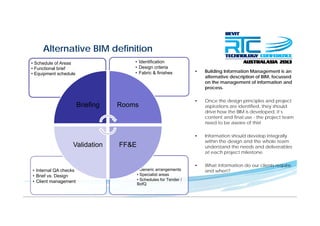
Alternative BIM definition
• Building Information Management is an
alternative description of BIM focussed
• Identification
• Design criteria
• Fabric & finishes
• Schedule of Areas
• Functional brief
• Equipment schedule
alternative description of BIM, focussed
on the management of information and
process.
• Once the design principles and project• Once the design principles and project
aspirations are identified, they should
drive how the BIM is developed, it’s
content and final use - the project team
need to be aware of this!
Briefing Rooms
• Information should develop integrally
within the design and the whole team
understand the needs and deliverablesFF&EValidation
at each project milestone.
• What information do our clients require
and when?• Generic arrangements
• Specialist areas
• Internal QA checks
• Specialist areas
• Schedules for Tender /
BofQ
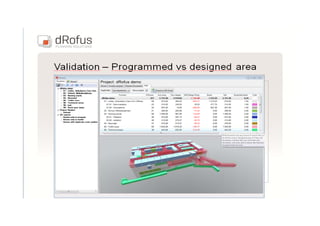
• Brief vs. Design
• Client management
Space Planning Technologyp g gy
...is a general term used to describe software packages that:
o enable the briefing of facilities
o integrate briefing data with BIM’s
o generate reportsg p
o analysis of brief vs. design
o some functionality beyond design
o or the ability to export data downstreamo or the ability to export data downstream
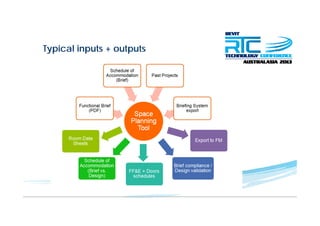
Typical inputs + outputsyp p p
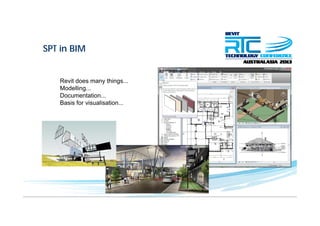
SPT in BIM
Revit does many things...
Modelling...
Documentation...
B i f i li tiBasis for visualisation...
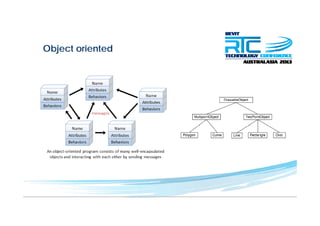
Object orientedj
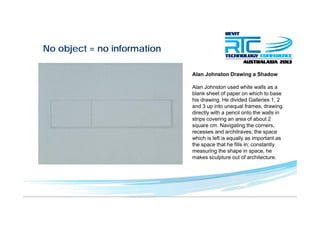
No object = no informationj
Alan Johnston Drawing a Shadowg
Alan Johnston used white walls as a
blank sheet of paper on which to base
his drawing He divided Galleries 1 2his drawing. He divided Galleries 1, 2
and 3 up into unequal frames, drawing
directly with a pencil onto the walls in
strips covering an area of about 2
square cm Navigating the cornerssquare cm. Navigating the corners,
recesses and architraves; the space
which is left is equally as important as
the space that he fills in; constantly
i th h i hmeasuring the shape in space, he
makes sculpture out of architecture.
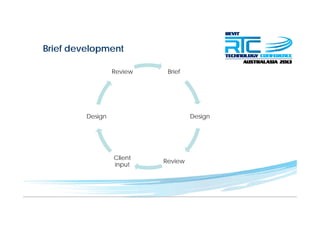
Brief developmentp
BriefReview
DesignDesign
Review
Client
input
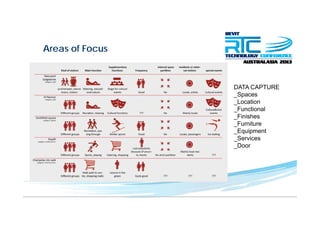
Areas of Focus
DATA CAPTURE
_Spaces
Location_Location
_Functional
_Finishes
Furniture_Furniture
_Equipment
_Services
_Door
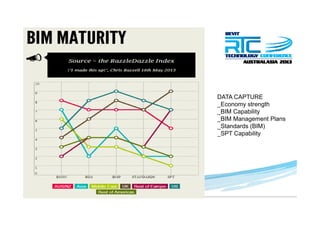
Object orientedj
DATA CAPTURE
_Economy strength
_BIM Capability
_BIM Management Plans
Standards (BIM)_Standards (BIM)
_SPT Capability
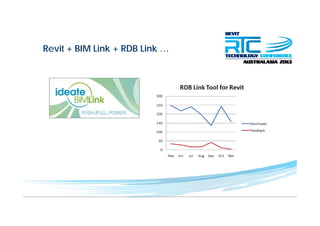
Revit + BIM Link + RDB Link …
Both are great tools, but have limitations
o enable the briefing of facilities
o integrate briefing data with BIM’s
o generate reports
analysis of brief vs designo analysis of brief vs. design
o some functionality beyond design
o or the ability to export data downstream
SPT main playersp y
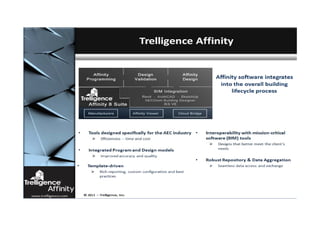
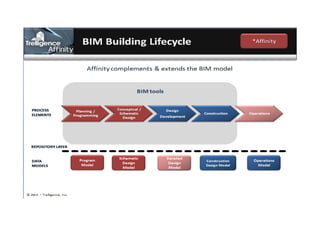
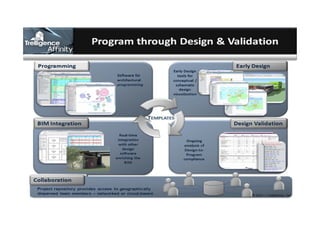
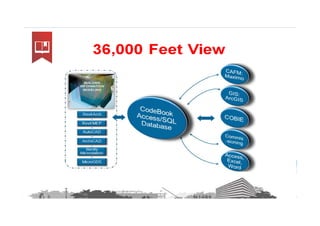
A – Affinity (Trelligence)
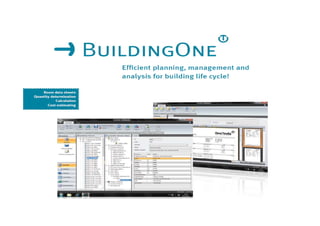
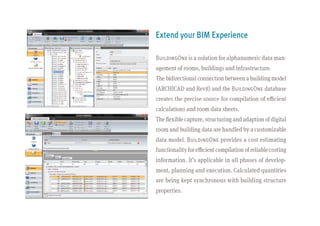
B – BuildingOne
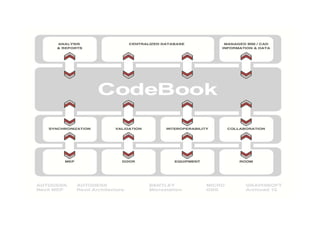
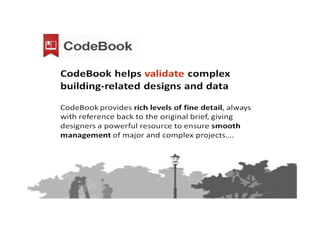
C – CodeBookC CodeBook
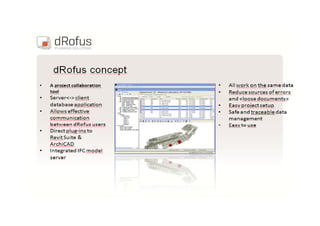
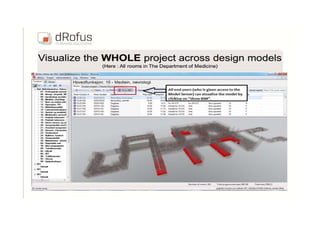
D – dRofus
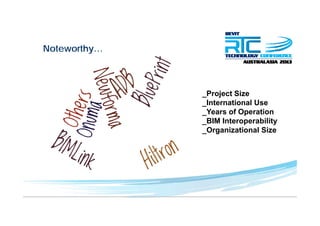
Noteworthy…y
_Project Size
I t ti l U_International Use
_Years of Operation
_BIM Interoperability
_Organizational Size
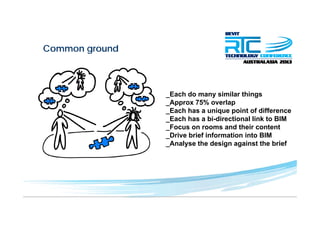
Common groundg
_Each do many similar things
A 75% l_Approx 75% overlap
_Each has a unique point of difference
_Each has a bi-directional link to BIM
F d th i t t_Focus on rooms and their content
_Drive brief information into BIM
_Analyse the design against the brief
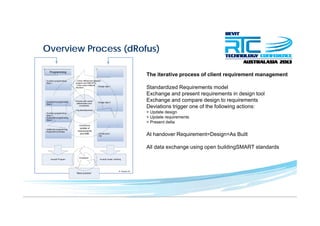
Overview Process (dRofus)( )
The iterative process of client requirement managementp q g
Standardized Requirements model
Exchange and present requirements in design tool
Exchange and compare design to requirementsExchange and compare design to requirements
Deviations trigger one of the following actions:
> Update design
> Update requirements
> Present delta
At handover Requirement=Design=As Built
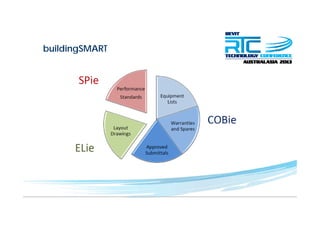
All data exchange using open buildingSMART standardsg g p g
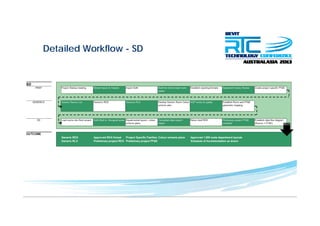
Detailed Workflow - SD
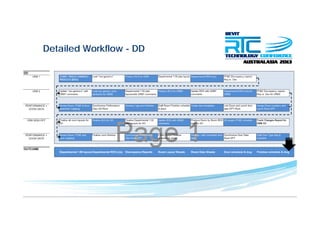
Detailed Workflow - DD
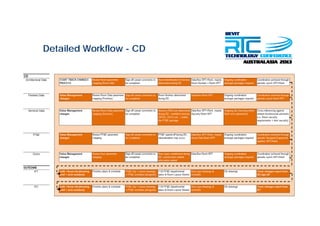
Detailed Workflow - CD
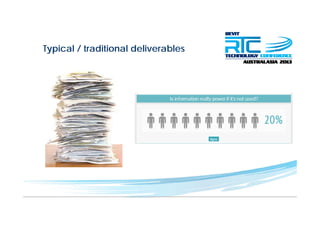
Typical / traditional deliverablesyp /
buildingSMARTg
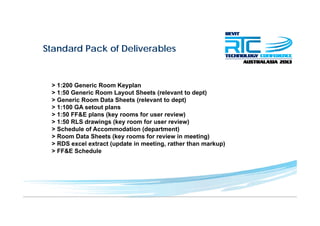
Standard Pack of Deliverables
> 1:200 Generic Room Keyplan
> 1:50 Generic Room Layout Sheets (relevant to dept)
> Generic Room Data Sheets (relevant to dept)> Generic Room Data Sheets (relevant to dept)
> 1:100 GA setout plans
> 1:50 FF&E plans (key rooms for user review)
> 1:50 RLS drawings (key room for user review)
> Schedule of Accommodation (department)
> Room Data Sheets (key rooms for review in meeting)
> RDS excel extract (update in meeting, rather than markup)
> FF&E S h d l> FF&E Schedule
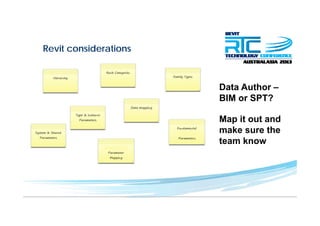
Revit considerations
Data Author –
BIM or SPT?BIM or SPT?
Map it out and
make sure the
team know
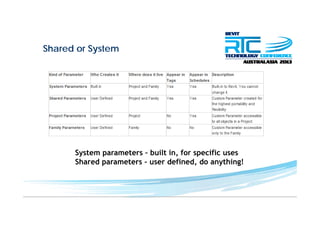
Shared or Systemy
b lSystem parameters – built in, for specific uses
Shared parameters – user defined, do anything!
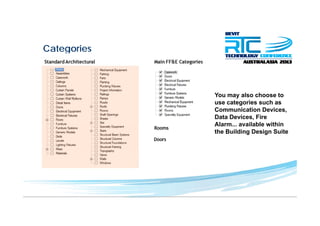
Categoriesg
You may also choose to
t i huse categories such as
Communication Devices,
Data Devices, Fire
Alarm available withinAlarm... available within
the Building Design Suite
Unique selling pointq g p
Affinity – planning module
BuildingOne FM solutionBuildingOne – FM solution
CodeBook – works with multiple
design tools
dRofus – accessibilityy
Roles
Deliverables & Programmeg
Issuing Processg
INTEGRAL PART OF DESIGN PROCESS
_UPDATING / SYNCHRONISATION
_QA CHECKING
PRODUCTION OF INFORMATION_PRODUCTION OF INFORMATION
_PDF’ing
_UPLOADING
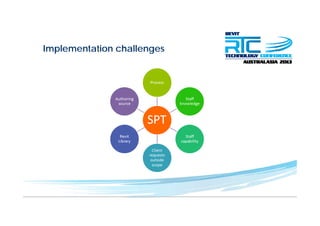
Implementation challengesp g
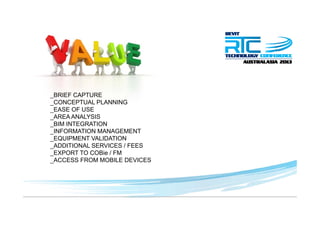
_BRIEF CAPTURE
CONCEPTUAL PLANNING_CONCEPTUAL PLANNING
_EASE OF USE
_AREA ANALYSIS
BIM INTEGRATION_BIM INTEGRATION
_INFORMATION MANAGEMENT
_EQUIPMENT VALIDATION
_ADDITIONAL SERVICES / FEES
_EXPORT TO COBie / FM
_ACCESS FROM MOBILE DEVICES
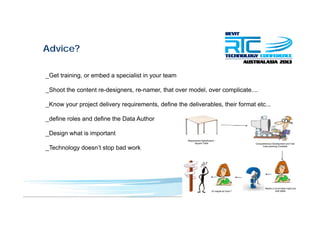
Advice?
Get training or embed a specialist in your team_Get training, or embed a specialist in your team
_Shoot the content re-designers, re-namer, that over model, over complicate....
_Know your project delivery requirements, define the deliverables, their format etc...
_define roles and define the Data Author
_Design what is important
Technology doesn’t stop bad work_Technology doesn t stop bad work
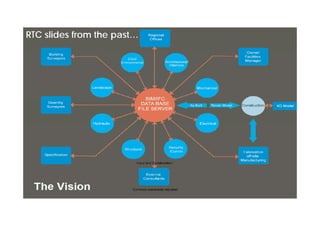
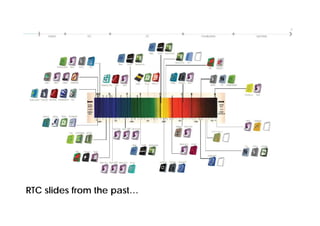
RTC slides from the past…
Questions?Questions?
Chris Razzell HASSELL

Rtcaus13 abcd

  • 1.
    The A, B,C & D of Space Planning TechnologiesSpace Planning Technologies Chris Razzell HASSELL
  • 2.
    That BIM definition…again…g Building information modelling (BIM) is the process of generating andBuilding information modelling (BIM) is the process of generating and managing building data during the life cycle of the built structure. It uses three-dimensional, real-time, dynamic building modelling software to increase productivity in building design, construction and occupation. The process produces the building information model (also abbreviated BIM) which encompasses building geometry spatial relationshipsBIM), which encompasses building geometry, spatial relationships, geographic information, quantities and properties of building components and spaces. Many forms of analysis can then be performed on this digital prototype before it is actually physically built in its environment at great cost.
  • 3.
    Alternative BIM definition •Building Information Management is an alternative description of BIM focussed • Identification • Design criteria • Fabric & finishes • Schedule of Areas • Functional brief • Equipment schedule alternative description of BIM, focussed on the management of information and process. • Once the design principles and project• Once the design principles and project aspirations are identified, they should drive how the BIM is developed, it’s content and final use - the project team need to be aware of this! Briefing Rooms • Information should develop integrally within the design and the whole team understand the needs and deliverablesFF&EValidation at each project milestone. • What information do our clients require and when?• Generic arrangements • Specialist areas • Internal QA checks • Specialist areas • Schedules for Tender / BofQ • Brief vs. Design • Client management
  • 4.
    Space Planning Technologypg gy ...is a general term used to describe software packages that: o enable the briefing of facilities o integrate briefing data with BIM’s o generate reportsg p o analysis of brief vs. design o some functionality beyond design o or the ability to export data downstreamo or the ability to export data downstream
  • 5.
    Typical inputs +outputsyp p p
  • 6.
    SPT in BIM Revitdoes many things... Modelling... Documentation... B i f i li tiBasis for visualisation...
  • 7.
  • 8.
    No object =no informationj Alan Johnston Drawing a Shadowg Alan Johnston used white walls as a blank sheet of paper on which to base his drawing He divided Galleries 1 2his drawing. He divided Galleries 1, 2 and 3 up into unequal frames, drawing directly with a pencil onto the walls in strips covering an area of about 2 square cm Navigating the cornerssquare cm. Navigating the corners, recesses and architraves; the space which is left is equally as important as the space that he fills in; constantly i th h i hmeasuring the shape in space, he makes sculpture out of architecture.
  • 9.
  • 10.
    Areas of Focus DATACAPTURE _Spaces Location_Location _Functional _Finishes Furniture_Furniture _Equipment _Services _Door
  • 11.
    Object orientedj DATA CAPTURE _Economystrength _BIM Capability _BIM Management Plans Standards (BIM)_Standards (BIM) _SPT Capability
  • 12.
    Revit + BIMLink + RDB Link …
  • 13.
    Revit + BIMLink + RDB Link … Both are great tools, but have limitations o enable the briefing of facilities o integrate briefing data with BIM’s o generate reports analysis of brief vs designo analysis of brief vs. design o some functionality beyond design o or the ability to export data downstream
  • 14.
    SPT main playerspy A – Affinity (Trelligence) B – BuildingOne C – CodeBookC CodeBook D – dRofus
  • 15.
    Noteworthy…y _Project Size I tti l U_International Use _Years of Operation _BIM Interoperability _Organizational Size
  • 16.
    Common groundg _Each domany similar things A 75% l_Approx 75% overlap _Each has a unique point of difference _Each has a bi-directional link to BIM F d th i t t_Focus on rooms and their content _Drive brief information into BIM _Analyse the design against the brief
  • 17.
    Overview Process (dRofus)() The iterative process of client requirement managementp q g Standardized Requirements model Exchange and present requirements in design tool Exchange and compare design to requirementsExchange and compare design to requirements Deviations trigger one of the following actions: > Update design > Update requirements > Present delta At handover Requirement=Design=As Built All data exchange using open buildingSMART standardsg g p g
  • 18.
  • 19.
  • 20.
  • 21.
    Typical / traditionaldeliverablesyp /
  • 22.
  • 23.
    Standard Pack ofDeliverables > 1:200 Generic Room Keyplan > 1:50 Generic Room Layout Sheets (relevant to dept) > Generic Room Data Sheets (relevant to dept)> Generic Room Data Sheets (relevant to dept) > 1:100 GA setout plans > 1:50 FF&E plans (key rooms for user review) > 1:50 RLS drawings (key room for user review) > Schedule of Accommodation (department) > Room Data Sheets (key rooms for review in meeting) > RDS excel extract (update in meeting, rather than markup) > FF&E S h d l> FF&E Schedule
  • 24.
    Revit considerations Data Author– BIM or SPT?BIM or SPT? Map it out and make sure the team know
  • 25.
    Shared or Systemy blSystem parameters – built in, for specific uses Shared parameters – user defined, do anything!
  • 26.
    Categoriesg You may alsochoose to t i huse categories such as Communication Devices, Data Devices, Fire Alarm available withinAlarm... available within the Building Design Suite
  • 39.
    Unique selling pointqg p Affinity – planning module BuildingOne FM solutionBuildingOne – FM solution CodeBook – works with multiple design tools dRofus – accessibilityy
  • 40.
  • 41.
  • 42.
    Issuing Processg INTEGRAL PARTOF DESIGN PROCESS _UPDATING / SYNCHRONISATION _QA CHECKING PRODUCTION OF INFORMATION_PRODUCTION OF INFORMATION _PDF’ing _UPLOADING
  • 43.
  • 44.
    _BRIEF CAPTURE CONCEPTUAL PLANNING_CONCEPTUALPLANNING _EASE OF USE _AREA ANALYSIS BIM INTEGRATION_BIM INTEGRATION _INFORMATION MANAGEMENT _EQUIPMENT VALIDATION _ADDITIONAL SERVICES / FEES _EXPORT TO COBie / FM _ACCESS FROM MOBILE DEVICES
  • 45.
    Advice? Get training orembed a specialist in your team_Get training, or embed a specialist in your team _Shoot the content re-designers, re-namer, that over model, over complicate.... _Know your project delivery requirements, define the deliverables, their format etc... _define roles and define the Data Author _Design what is important Technology doesn’t stop bad work_Technology doesn t stop bad work
  • 46.
    RTC slides fromthe past…
  • 47.
    RTC slides fromthe past…
  • 48.