BIM to GIS
3D Guru
Safe Staff
Agenda
 BIM to GIS Overview
 challenges and opportunities
 FME and BIM
 formats and function
 BIM to GIS
 Demos: IFC/Revit to CityGML & KML
 Other examples and use cases
BIM to GIS Overview
 BIM: powerful tool to manage information
throughout the building life cycle
 Challenge: rich BIM models gather dust while
facility managers re-digitize building plans
 Opportunity: FME’s BIM consumption and
conversion tools leverage valuable BIM data
 Potential: planning, maintenance, energy,
sustainability, security, emergency response
Why extract from BIM?
 Visualization – planning, site suitability
 2D floor plans - routing, maintenance
 Analysis - space management: scheduling /
leasing, energy / HVAC
 Construction management – as built vs design
 Facilities management – maintain and replace
components, work plans, reporting
 Updates – keep BIM current, add reference links
Conversion Challenges
• BIM too complex for most GIS applications
• Data model differences and gaps
• object vs relational
• Limited geo-referencing
• File size / instanced geometries
• Schema mapping
• which source feature types match GIS ones
• External references
Why FME and BIM?
BIM software exports
• overly complex (IFC)
• overly simplified (DWG, Excel)
FME
• keep the info you need
• discard the info you don’t
• preserve the meaning or intent
• place it in the right location
FME & 3D: Key Concepts
● 3D Geometry Types
o Surface, Mesh, Solid
● Geometry structure
o Aggregation, Traits, GQuery
● Appearances
● Instances
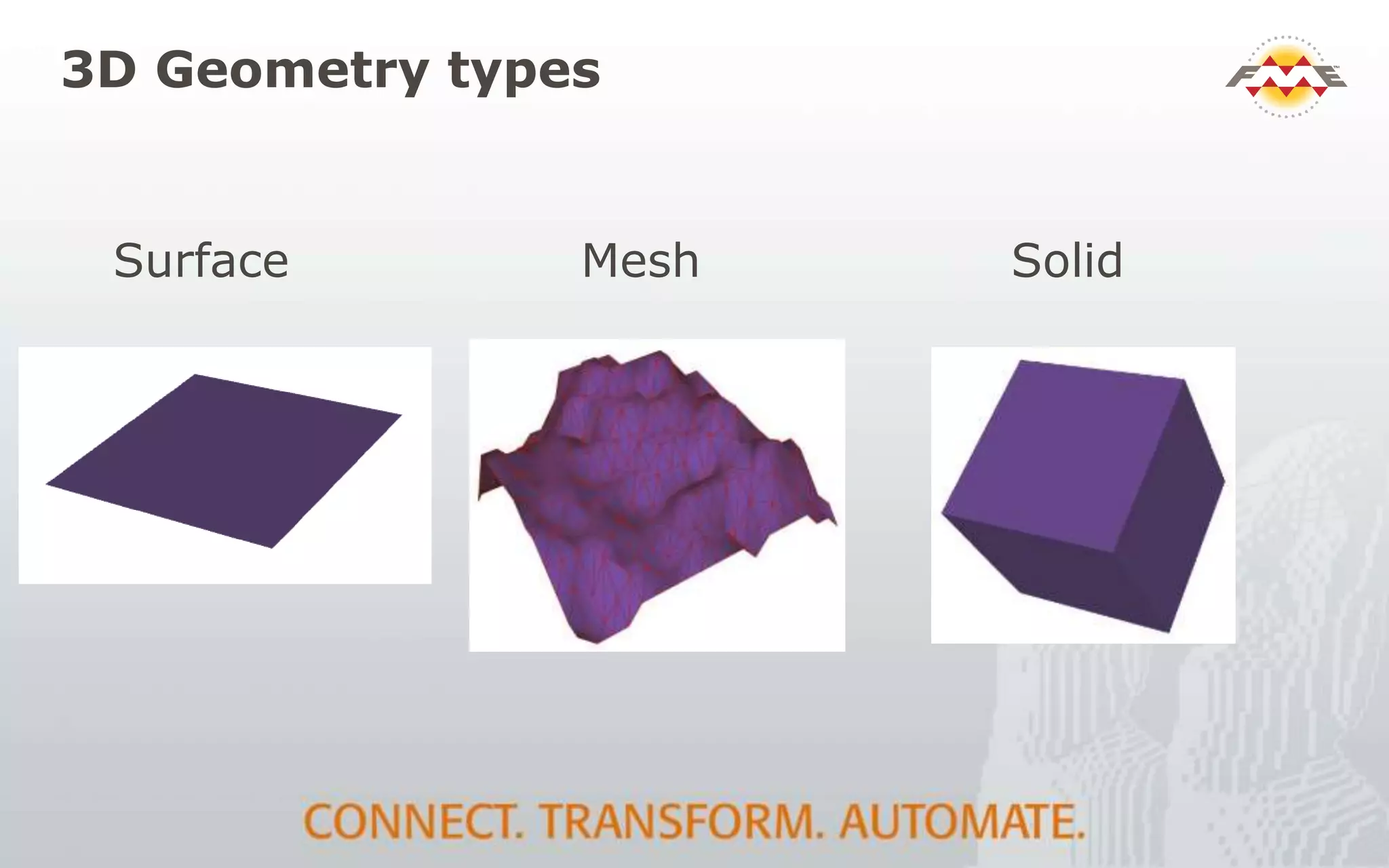
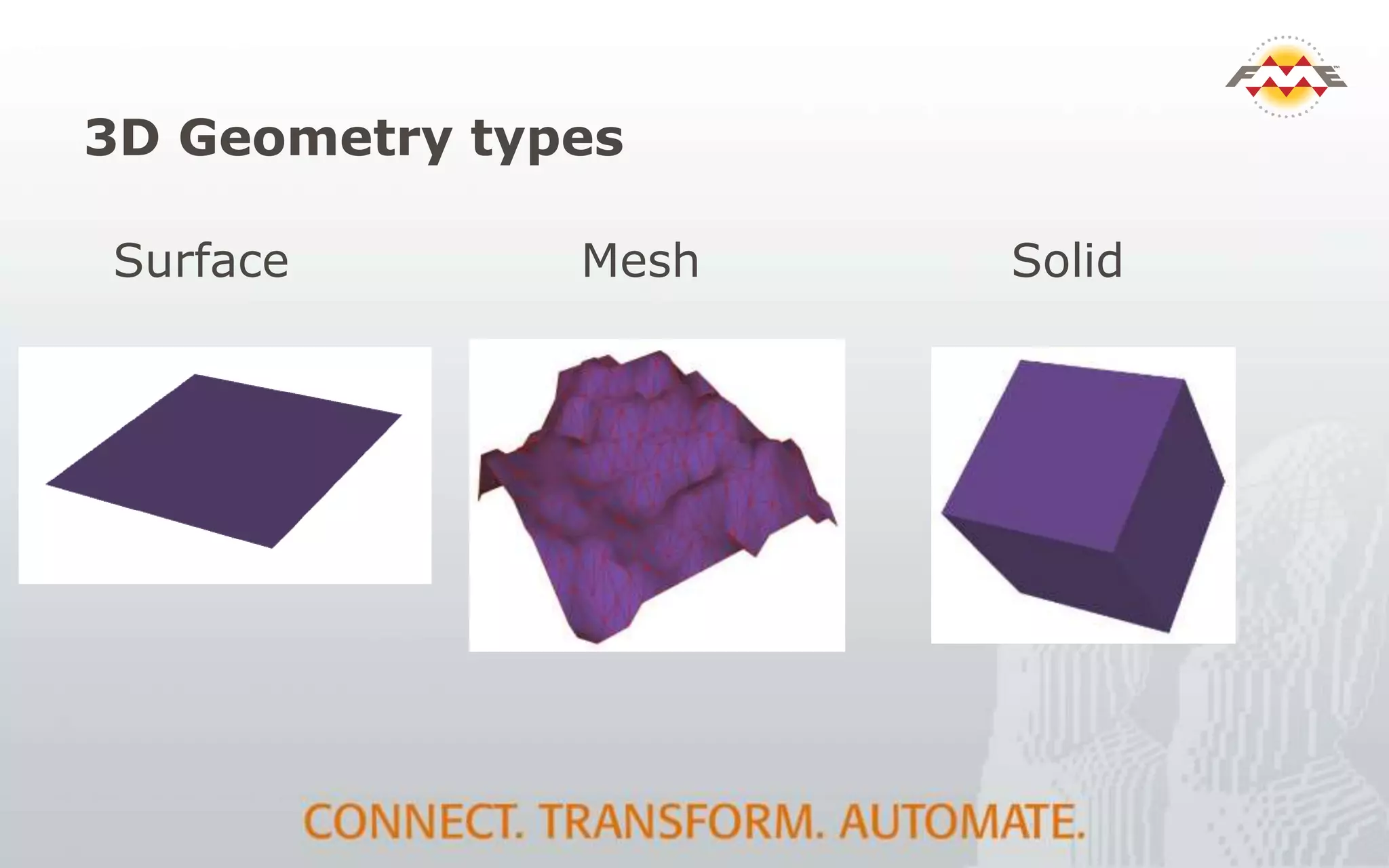
3D Geometry types
Surface SolidMesh
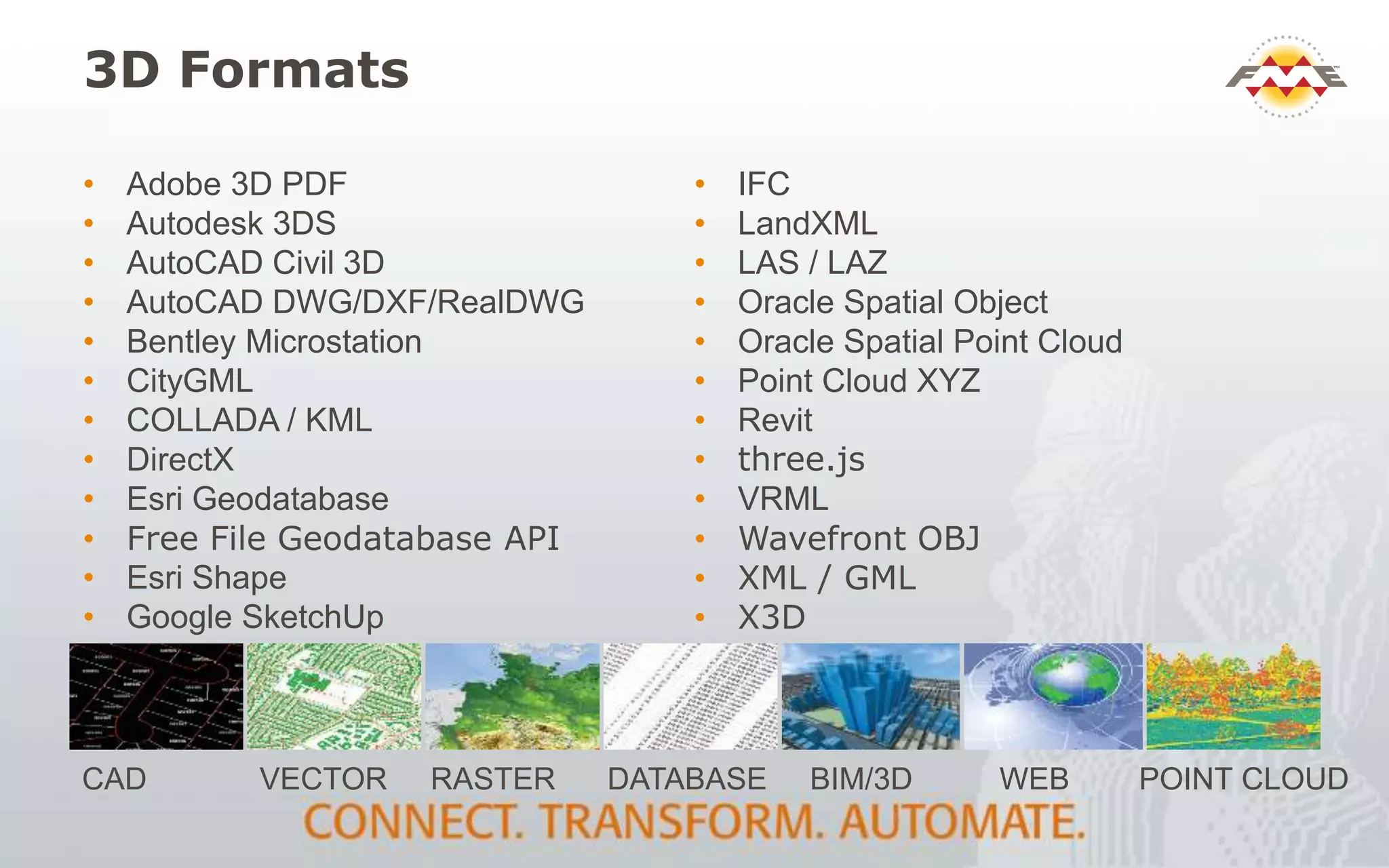
• Adobe 3D PDF
• Autodesk 3DS
• AutoCAD Civil 3D
• AutoCAD DWG/DXF/RealDWG
• Bentley Microstation
• CityGML
• COLLADA / KML
• DirectX
• Esri Geodatabase
• Free File Geodatabase API
• Esri Shape
• Google SketchUp
• IFC
• LandXML
• LAS / LAZ
• Oracle Spatial Object
• Oracle Spatial Point Cloud
• Point Cloud XYZ
• Revit
• three.js
• VRML
• Wavefront OBJ
• XML / GML
• X3D
3D Formats
CAD VECTOR RASTER DATABASE BIM/3D WEB POINT CLOUD
BIM Formats
Reading:
 Revit
 IFC
 CityGML (BIM-lite)
Writing:
 IFC
 CityGML (ADE’s)
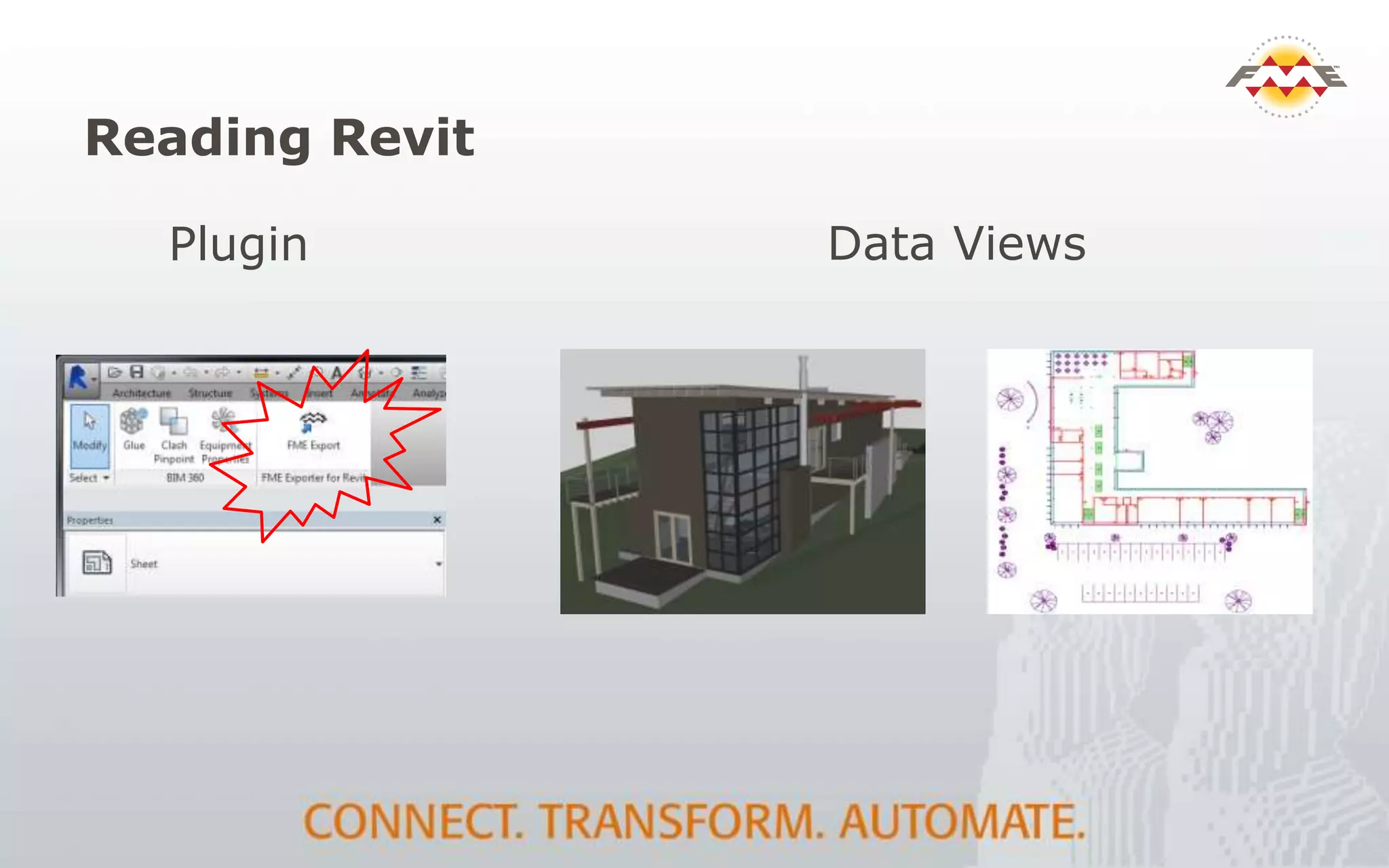
Reading Revit
Plugin Data Views
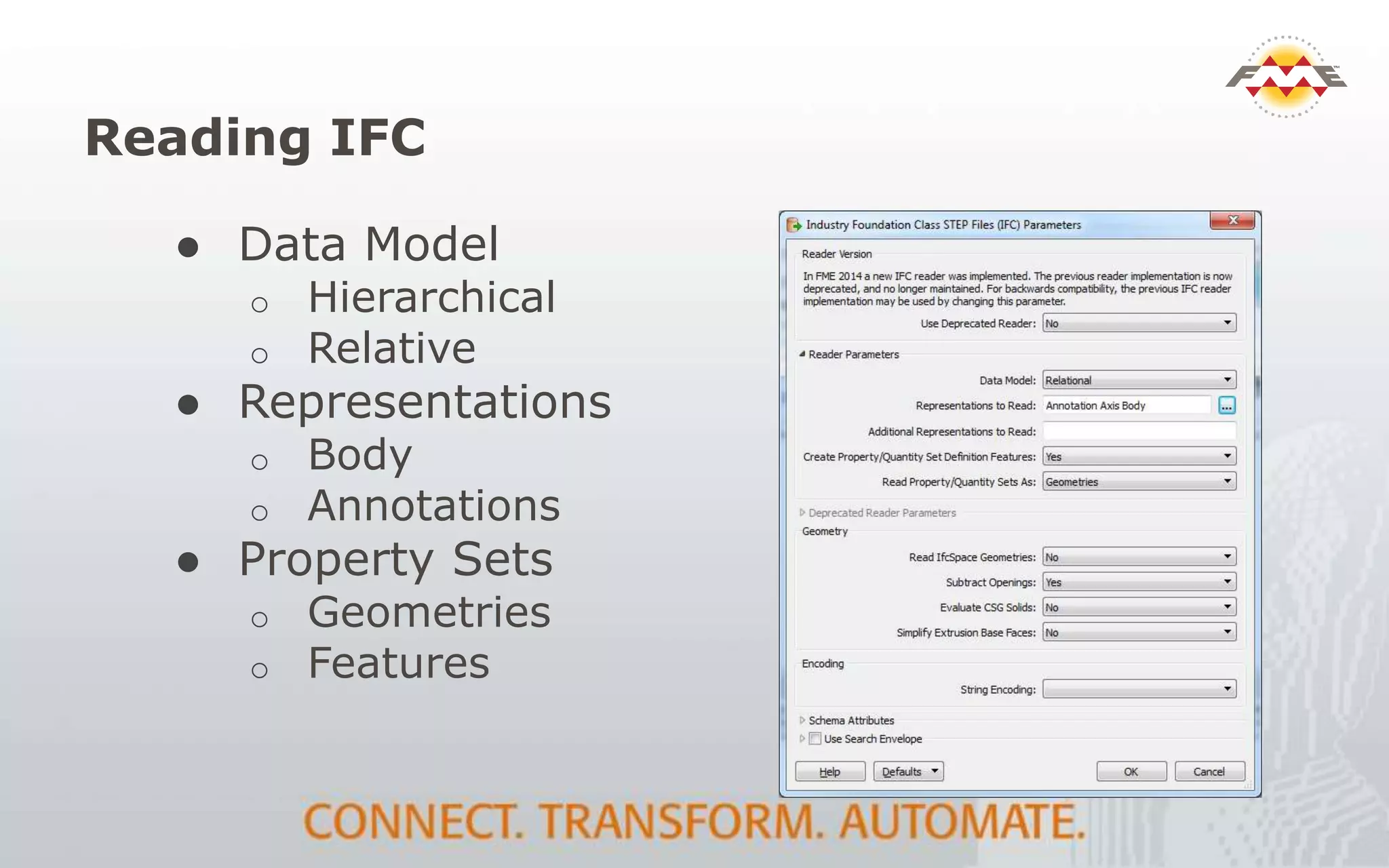
Reading IFC
● Data Model
o Hierarchical
o Relative
● Representations
o Body
o Annotations
● Property Sets
o Geometries
o Features
BIM to GIS: Transformation
 Schema mapping
 Resolving relationships
 Geometry
 Conversion / Extrusion
 Instances
 Appearances
 Validation
 Georeferencing
IFC to CityGML - Comparison
● Both Hierarchical
● Less levels in CityGML
● Different component types
● Solid vs. Surface
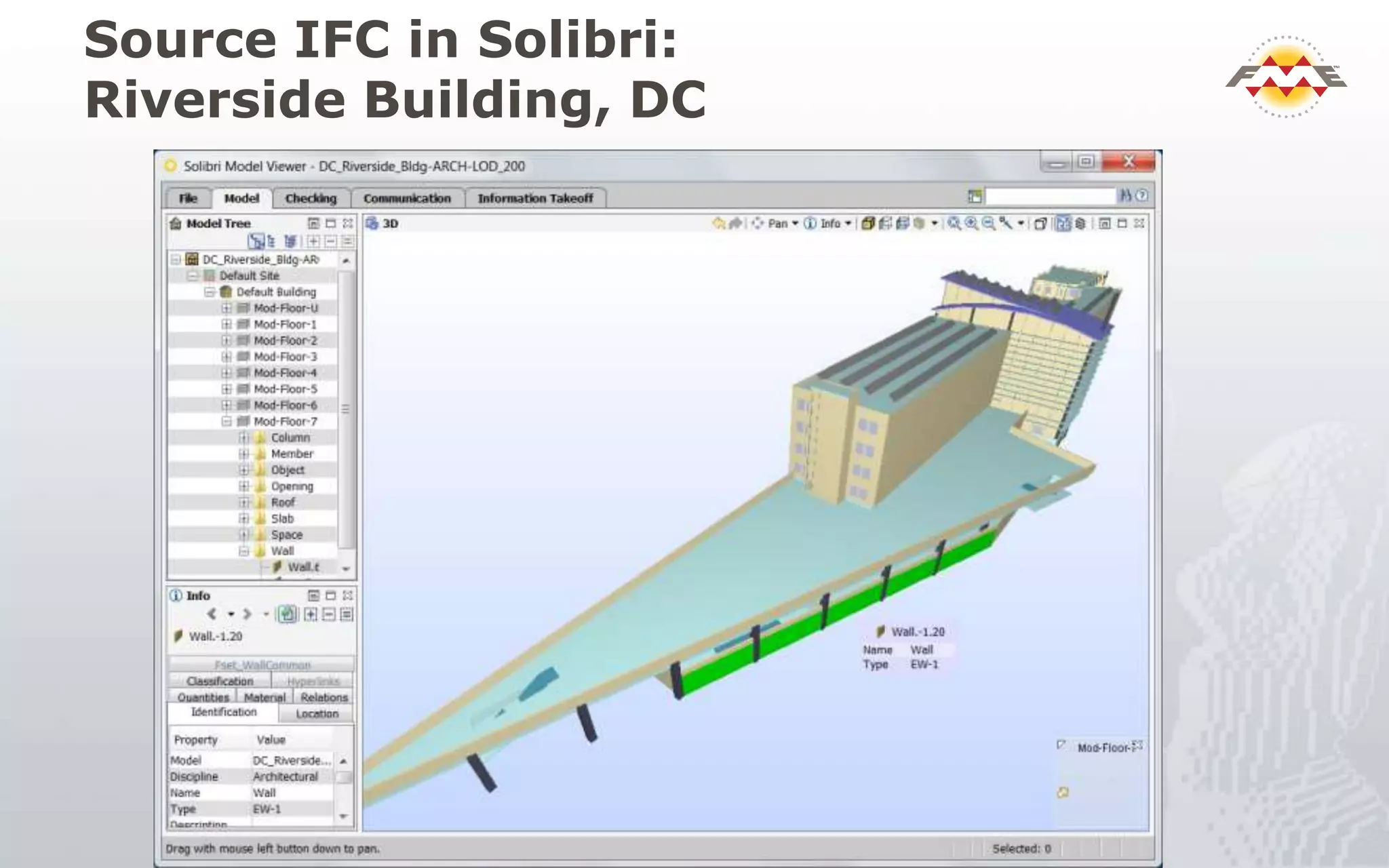
Source IFC in Solibri:
Riverside Building, DC
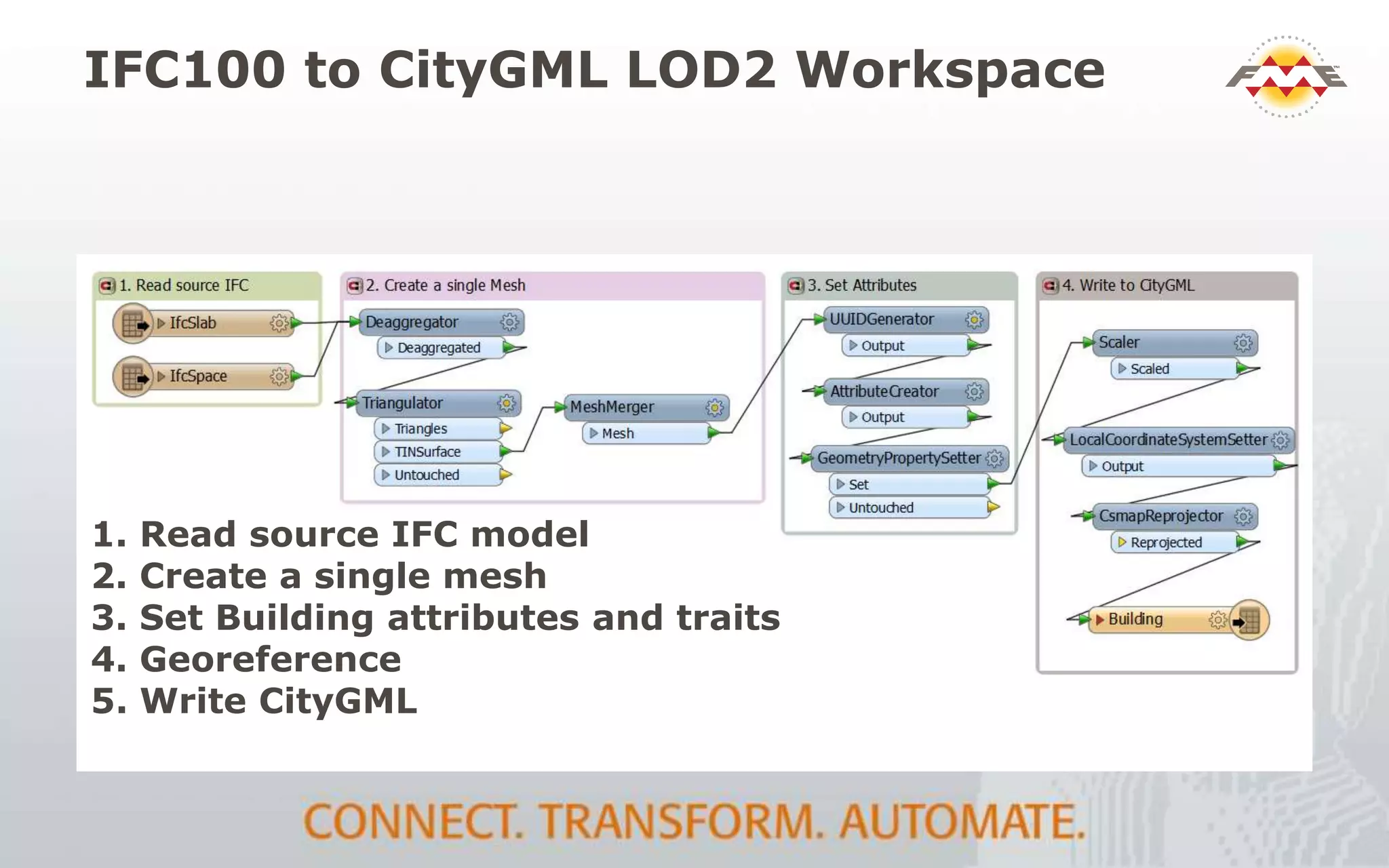
IFC100 to CityGML LOD2 Workspace
1. Read source IFC model
2. Create a single mesh
3. Set Building attributes and traits
4. Georeference
5. Write CityGML
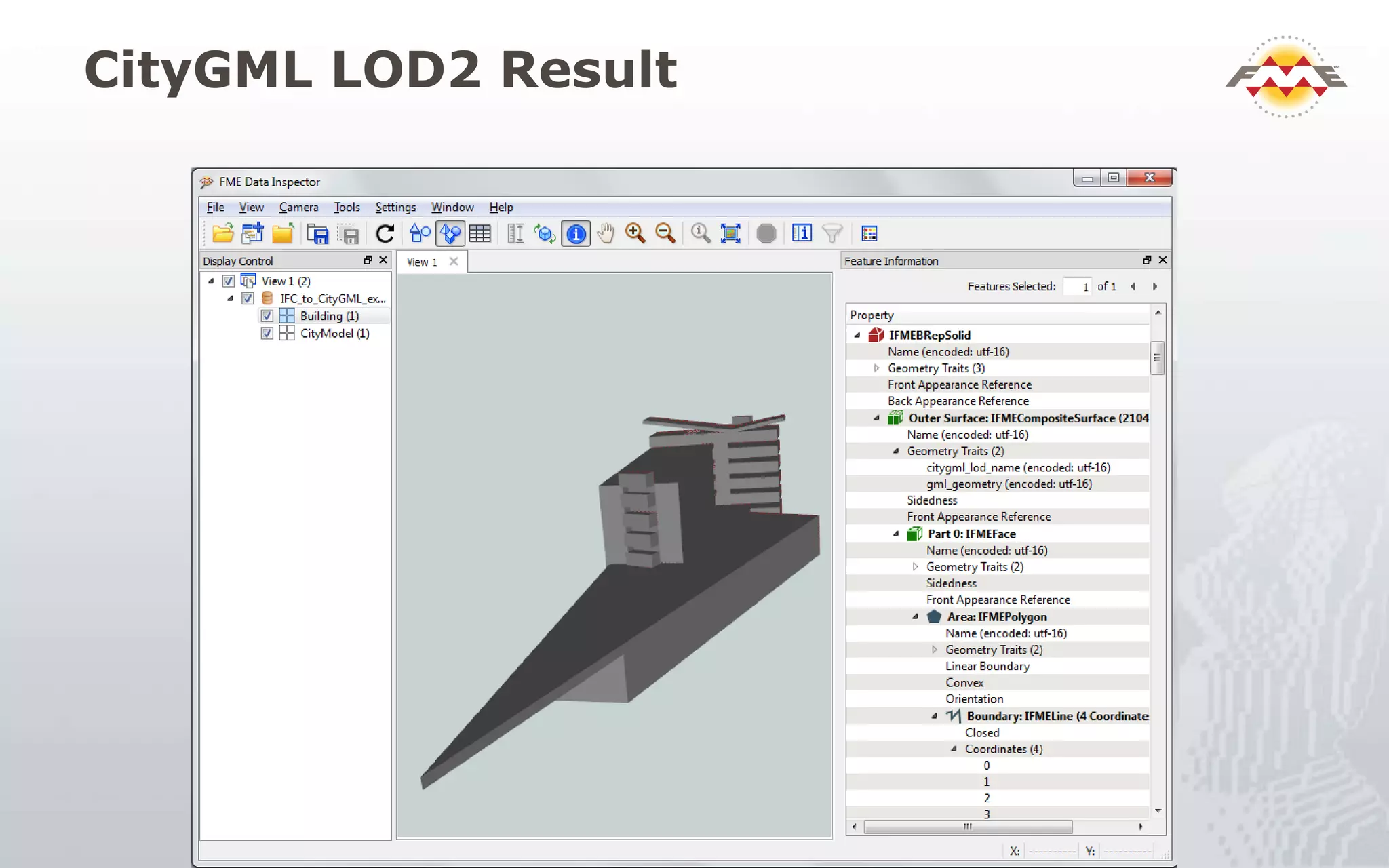
CityGML LOD2 Result
Revit / IFC to CityGML LOD3 Workflow
 Read IFC / Revit reader (hierarchical view)
 Schema map IFC to CityGML feature types and fields
 Geometry conversion solid to surface (CSG to B-rep)
 Relationship preservation (parent / child)
 CityGML object construction, LODs, format attributes
 Building parts, roofs, walls, floors
 Openings (window and door hierarchy)
 Write CityGML
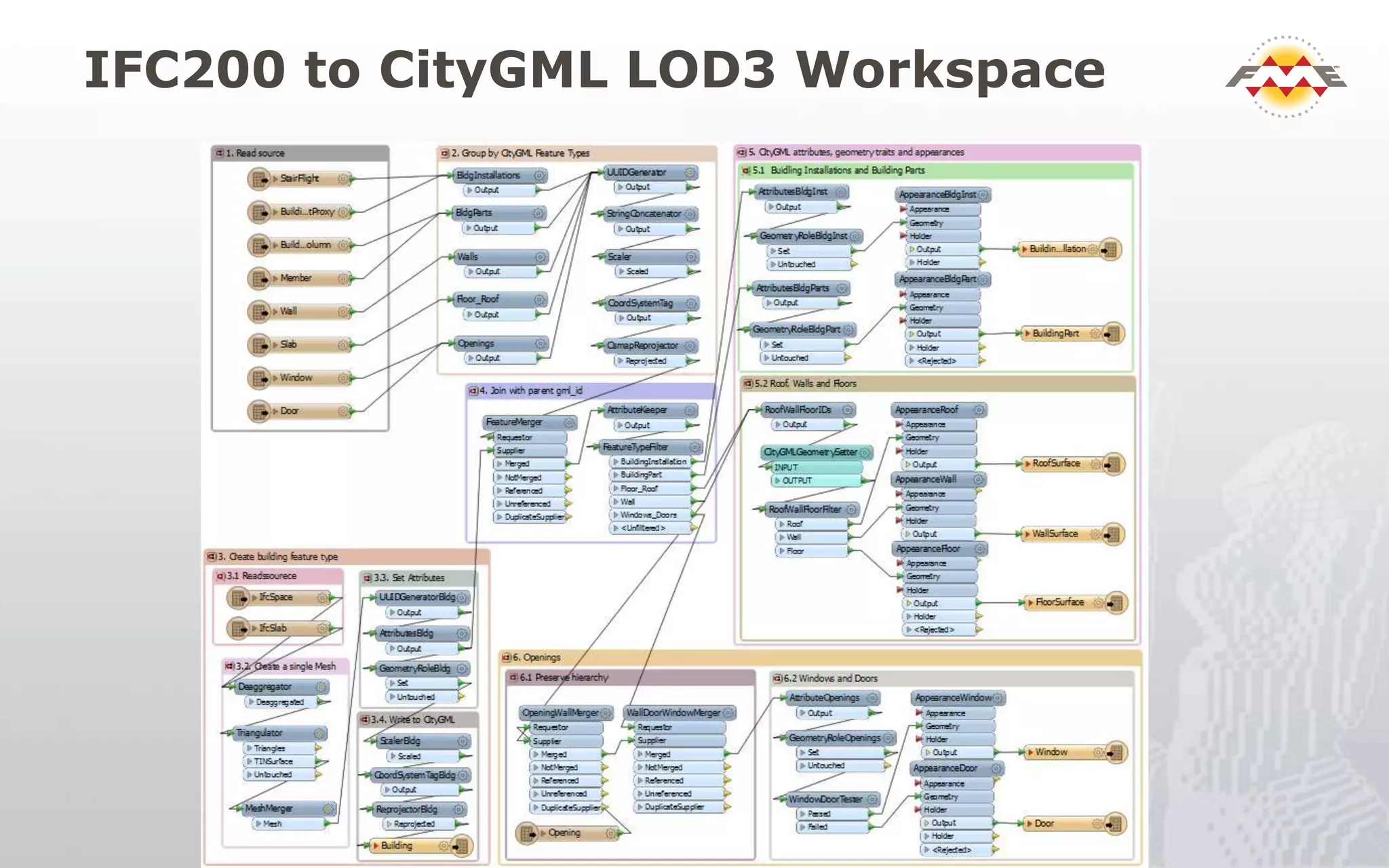
IFC200 to CityGML LOD3 Workspace
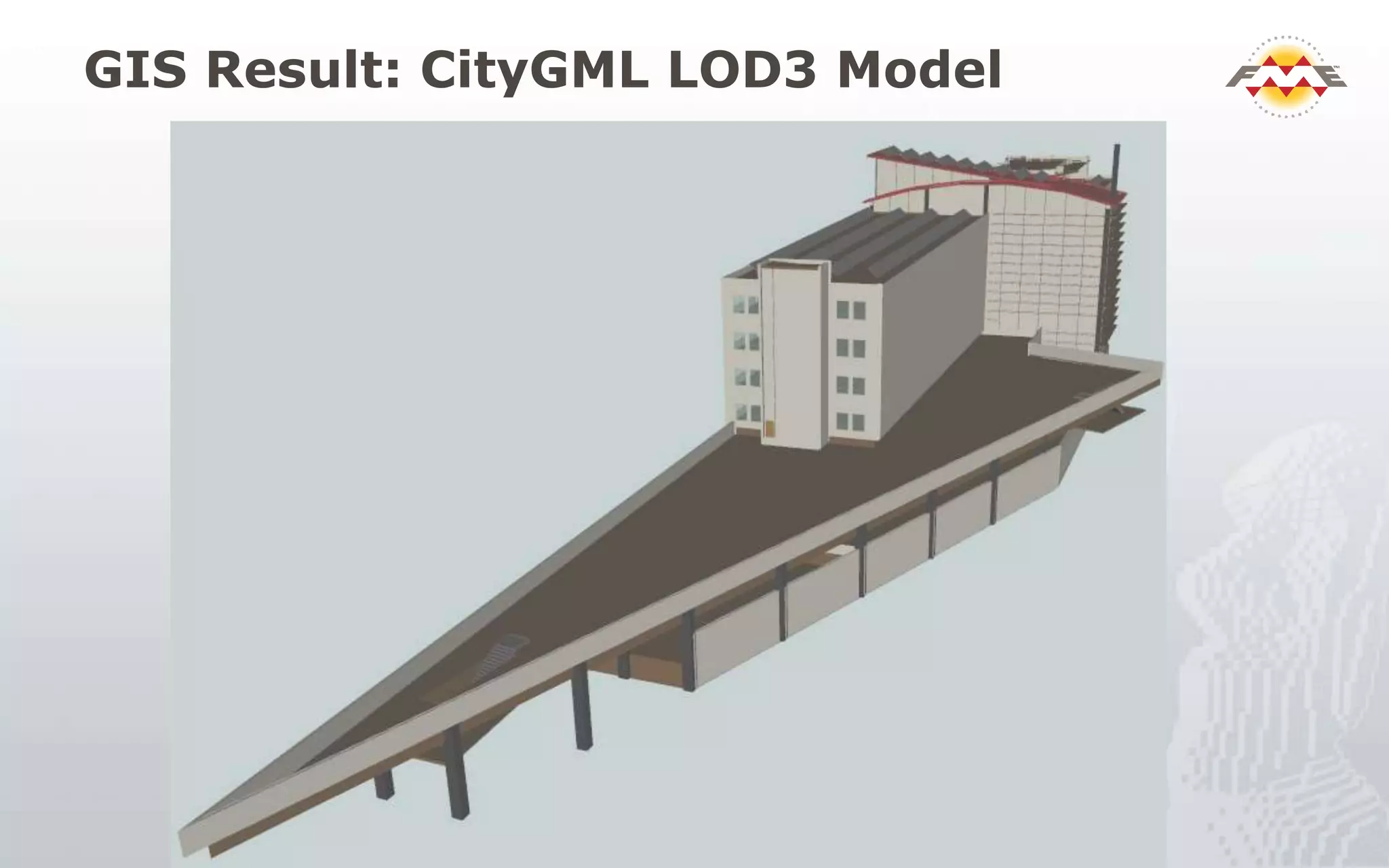
GIS Result: CityGML LOD3 Model
CityGML LOD3 to COLLADA/KML
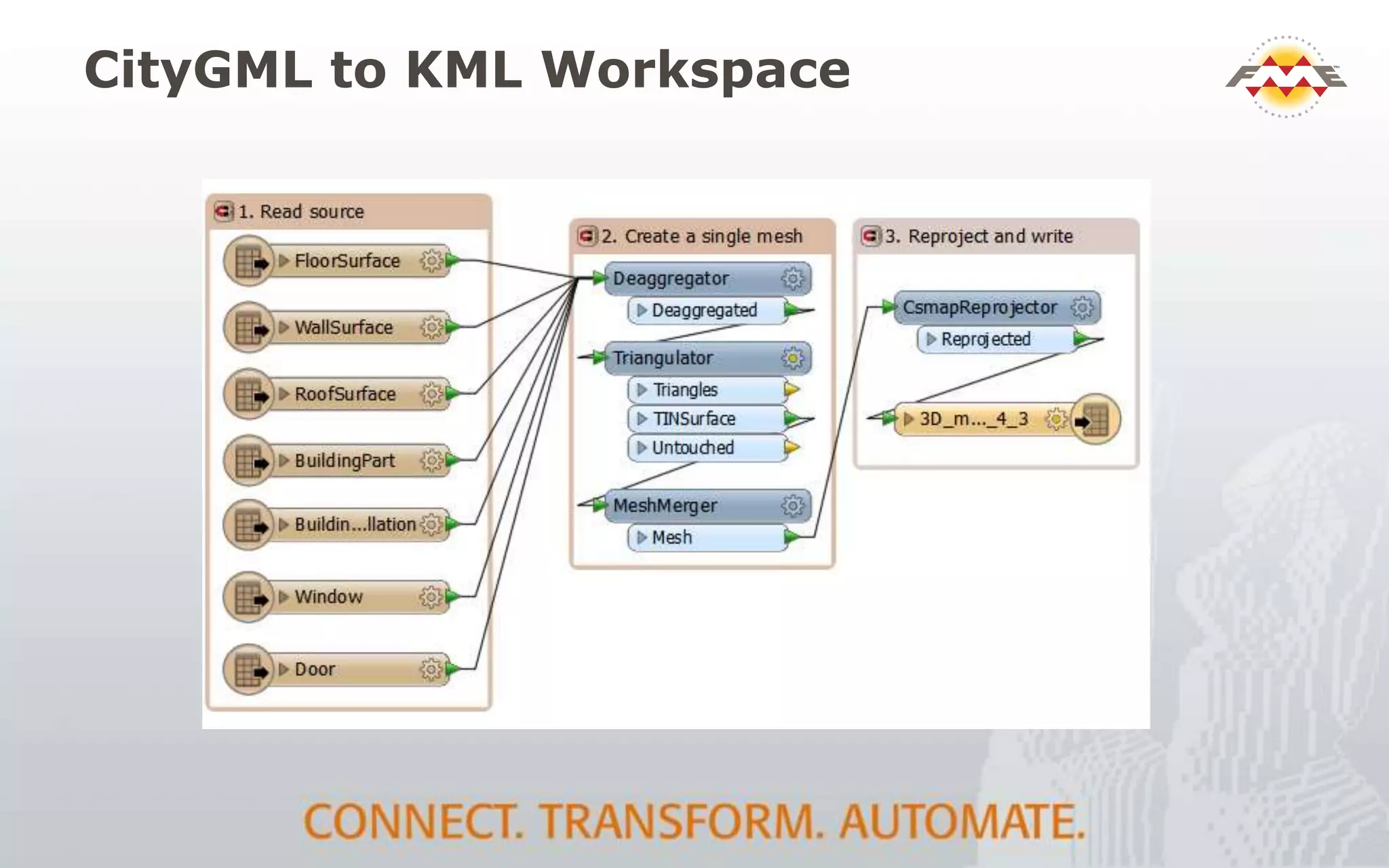
 Read source CityGML
 Create a single mesh
 Set Attributes and traits for CityGML features
 Reproject from EPSG:2248 to LL84
 Write to KML (COLLADA is auto-generated and
linked)
CityGML to KML Workspace
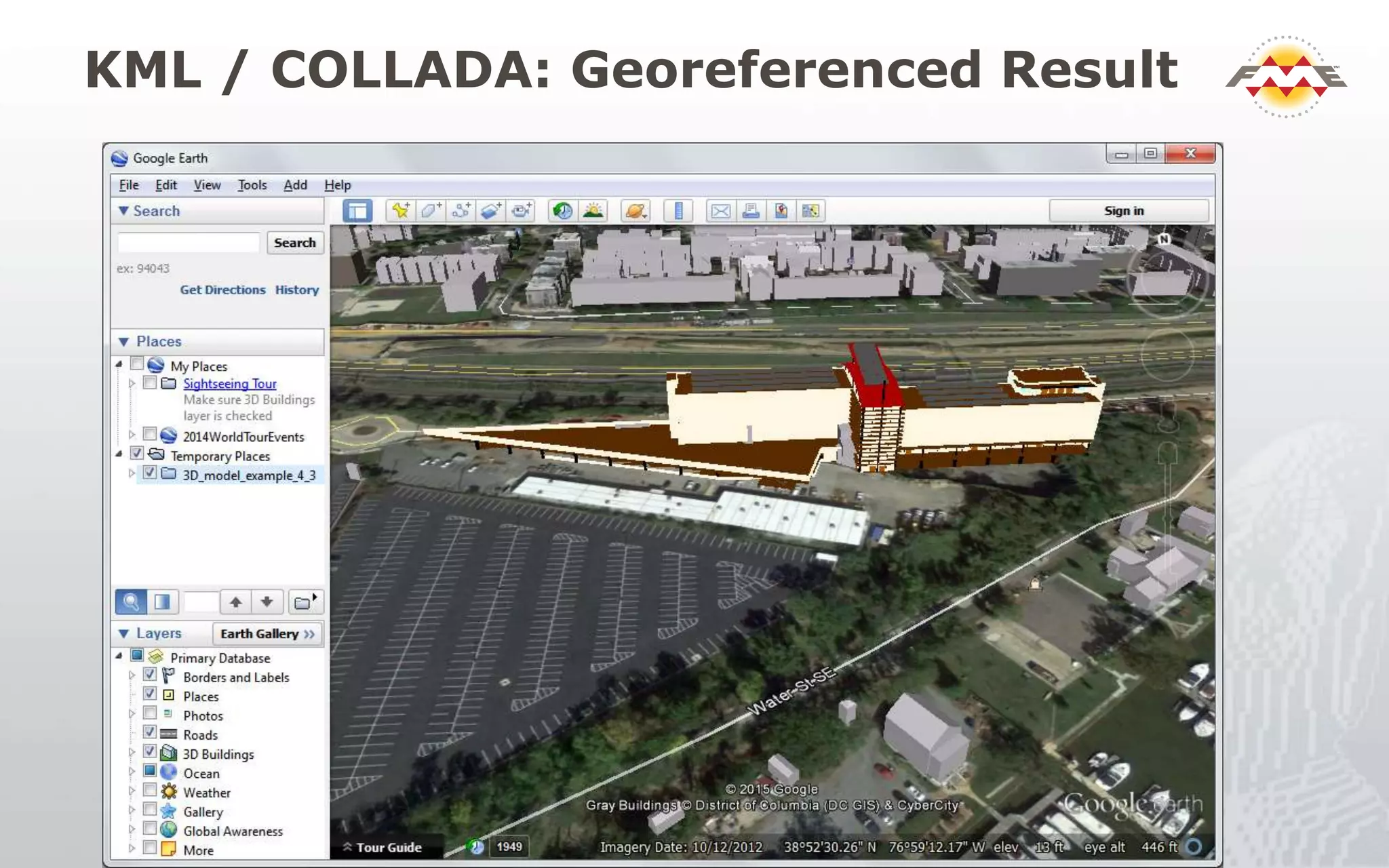
KML / COLLADA: Georeferenced Result
Other Examples
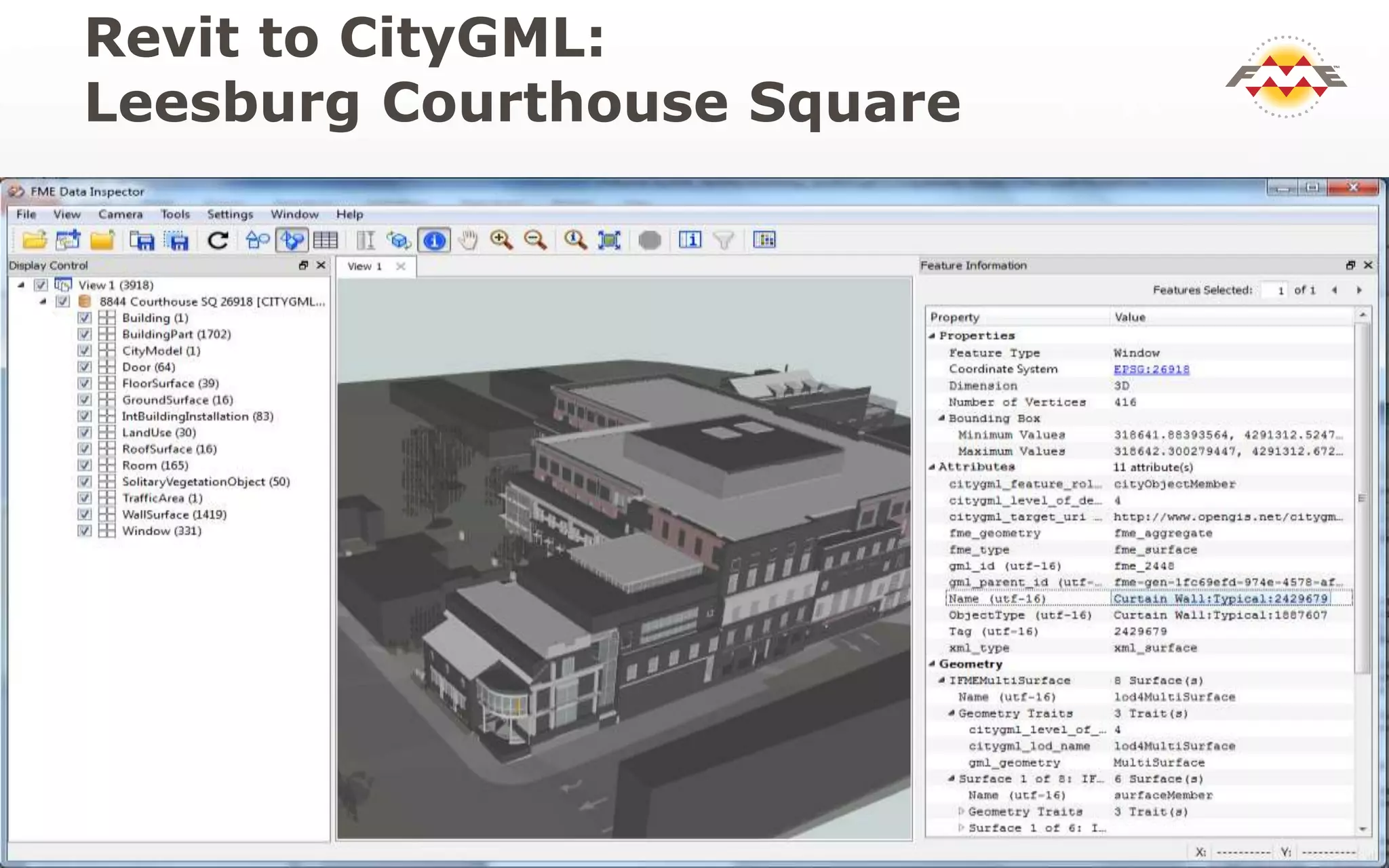
 Leesburg Court house
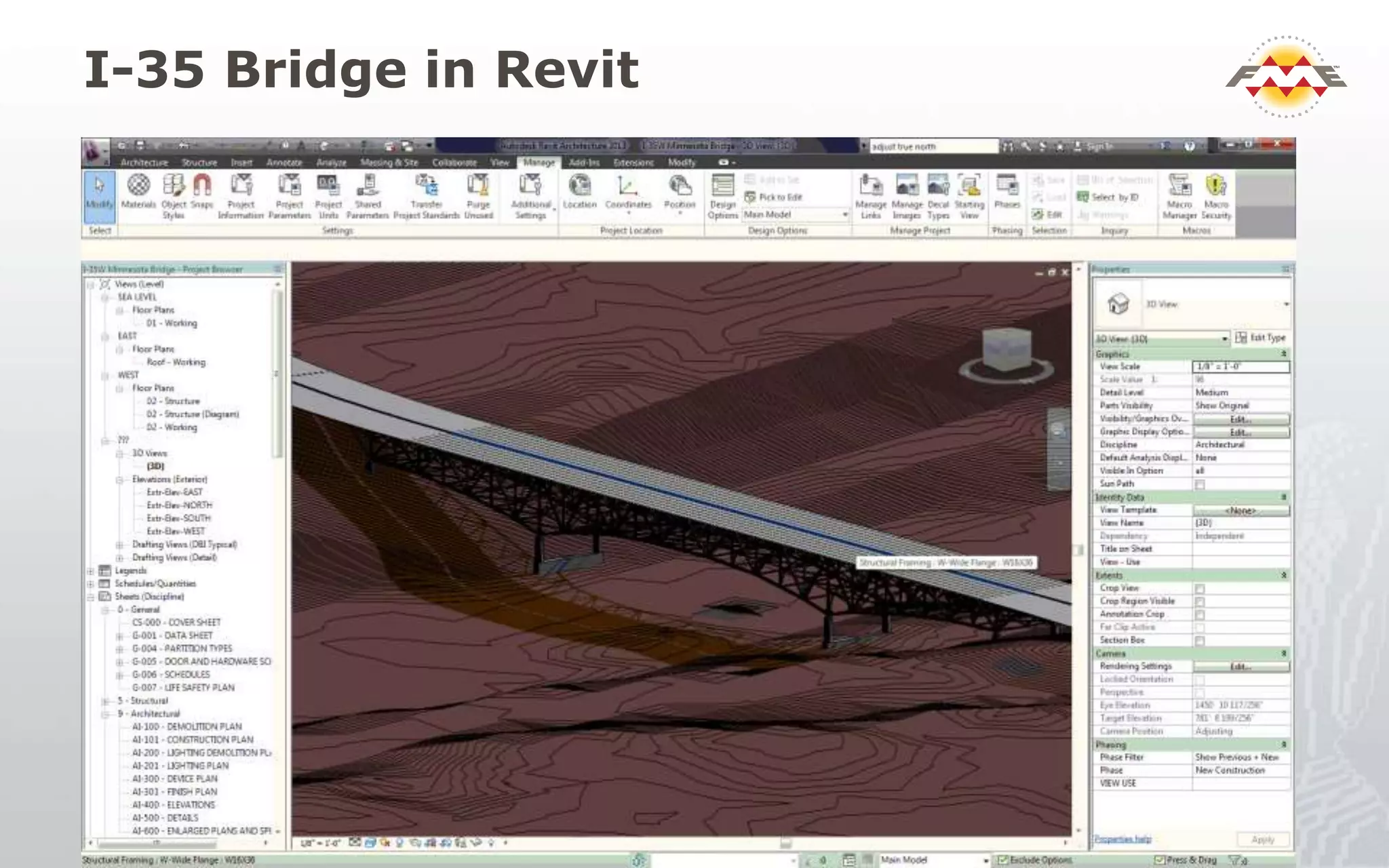
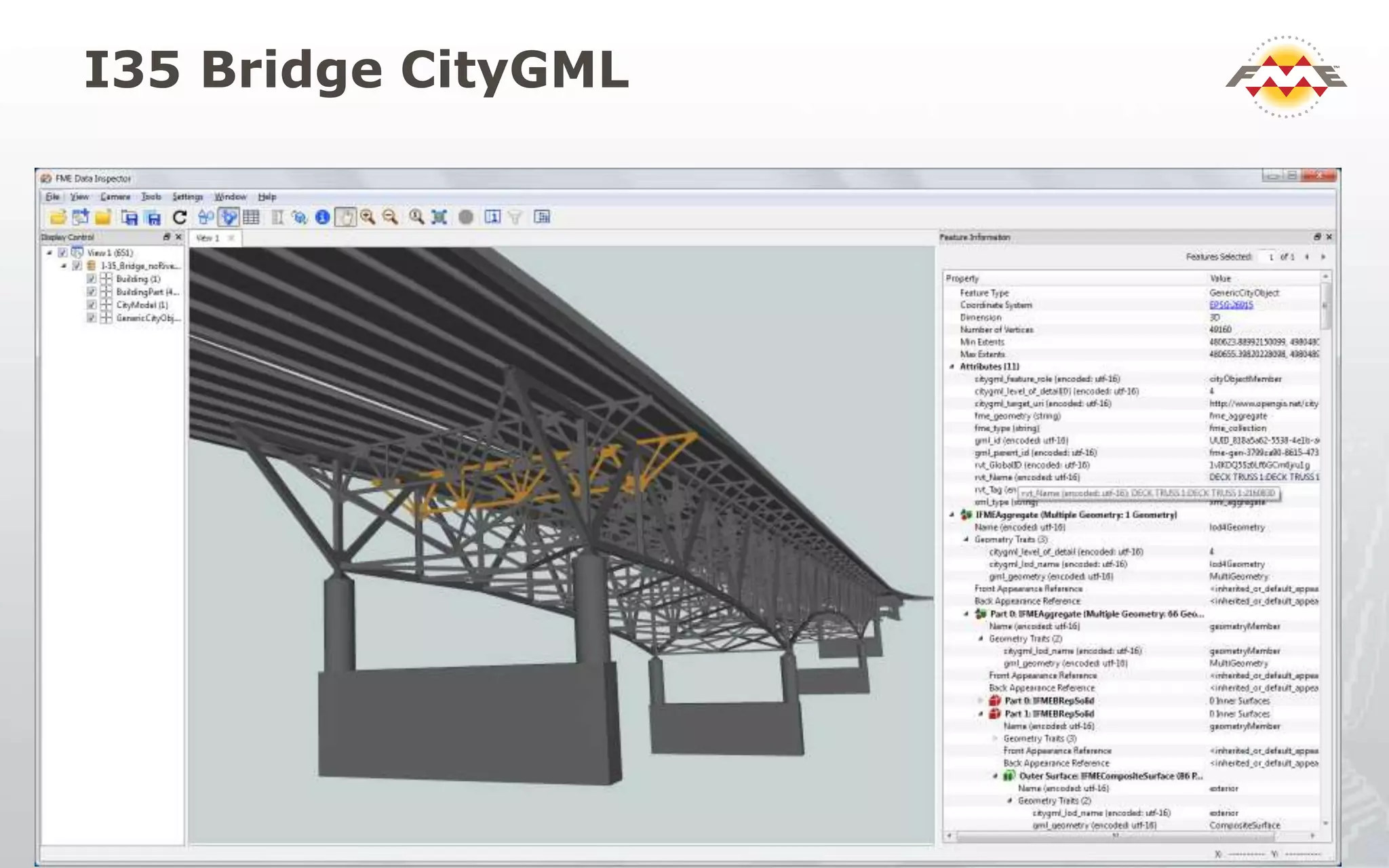
 I-35 Bridge
 University of Washington
 HOK
 Data distribution
 Geometry Validation
 Updating and writing IFC
Revit to CityGML:
Leesburg Courthouse Square
I-35 Bridge in Revit
I35 Bridge CityGML
GeometryValidator for 3D
• Checks for solids with inverted faces,
dangling surfaces, unsealed solids, etc
• Flag errors with descriptions and locations
• Chain multiple validators to isolate
problems of interest (e.g 2d before 3d)
• Repair option
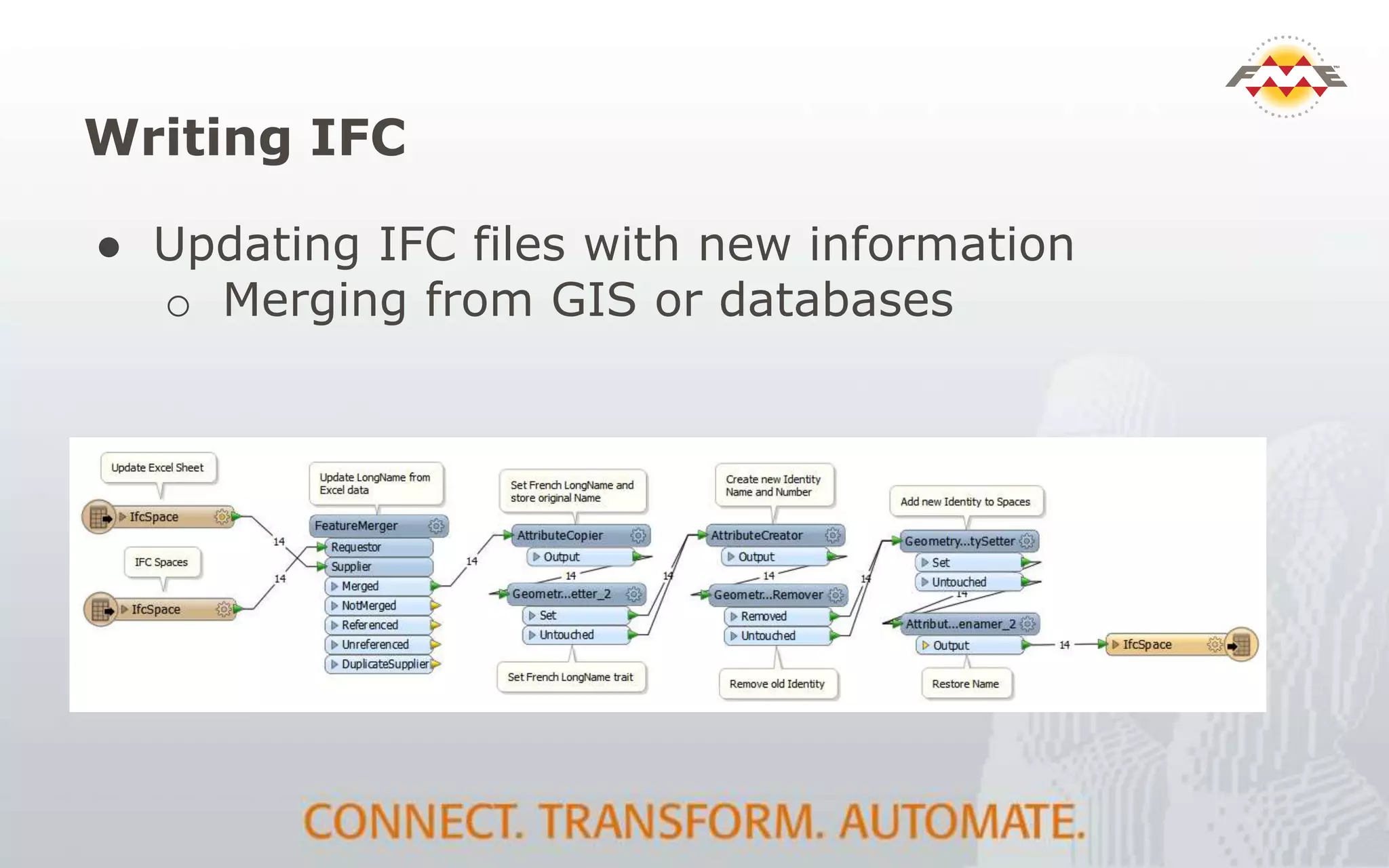
Writing IFC
● Updating IFC files with new information
o Merging from GIS or databases
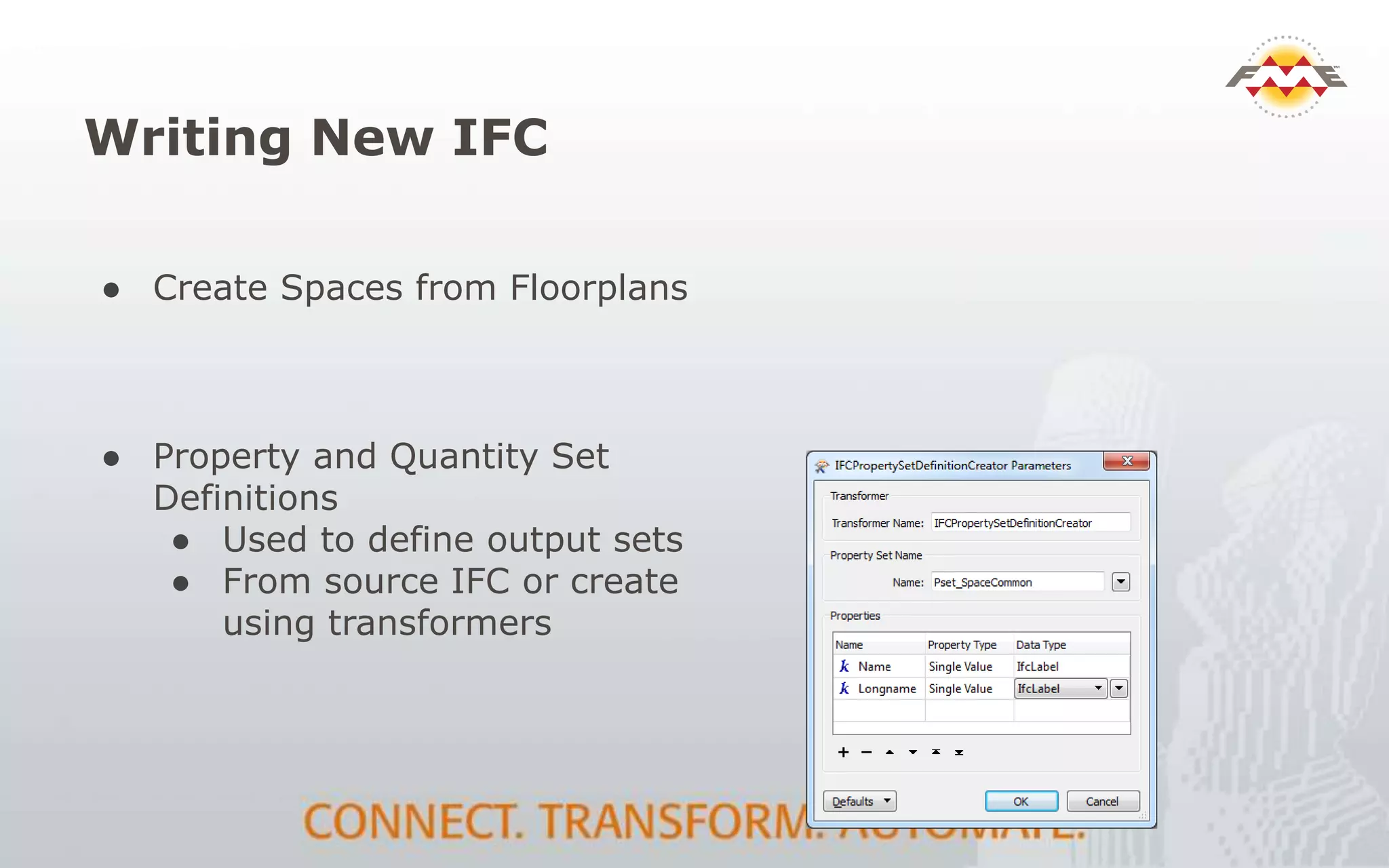
Writing New IFC
● Property and Quantity Set
Definitions
● Used to define output sets
● From source IFC or create
using transformers
● Create Spaces from Floorplans
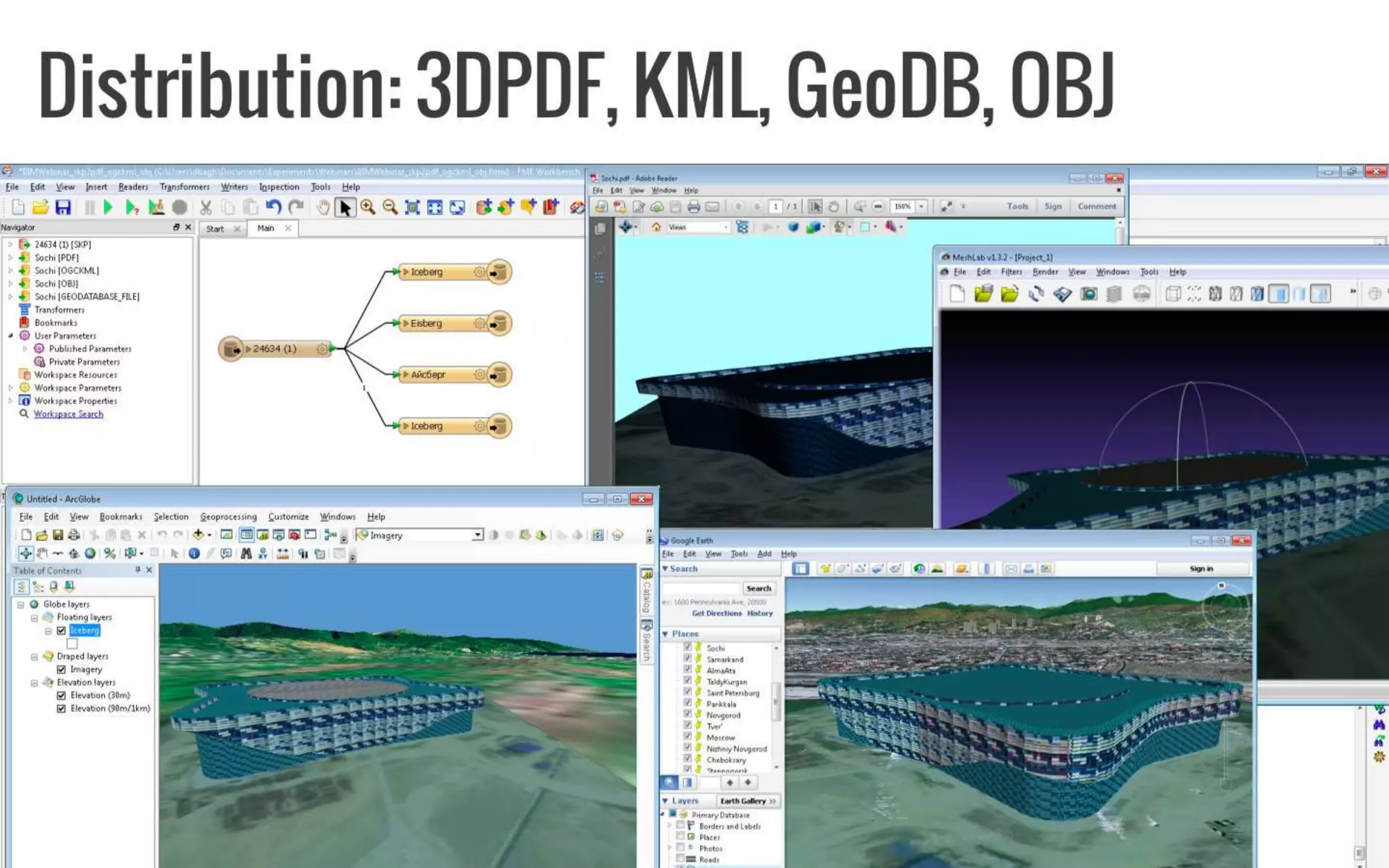
Distribution: 3DPDF, KML, GeoDB, OBJ
Summary
FME support for BIM and 3D workflows:
• Extract and filter from BIM – just what you need
• Translate to / from any GIS format
• Transform schema and geometry
• Validate schema, geometry and semantics
• Automate with enterprise services
• Publish BIM data to client friendly formats
Resources
● buildingSMART - IFC specifications and resources
o http://www.buildingsmart-tech.org/
● Cobie samples and info:
o http://www.nibs.org/?page=bsa_commonbimfiles
● IFC Viewers
o DDS-CAD: http://www.dds-cad.net/
o Solibri: http://www.solibri.com/products/solibri-
model-viewer/
Thank You!
 Questions?
 For more information:
 Enter name and email address
 Enter company name
 Enter other resources
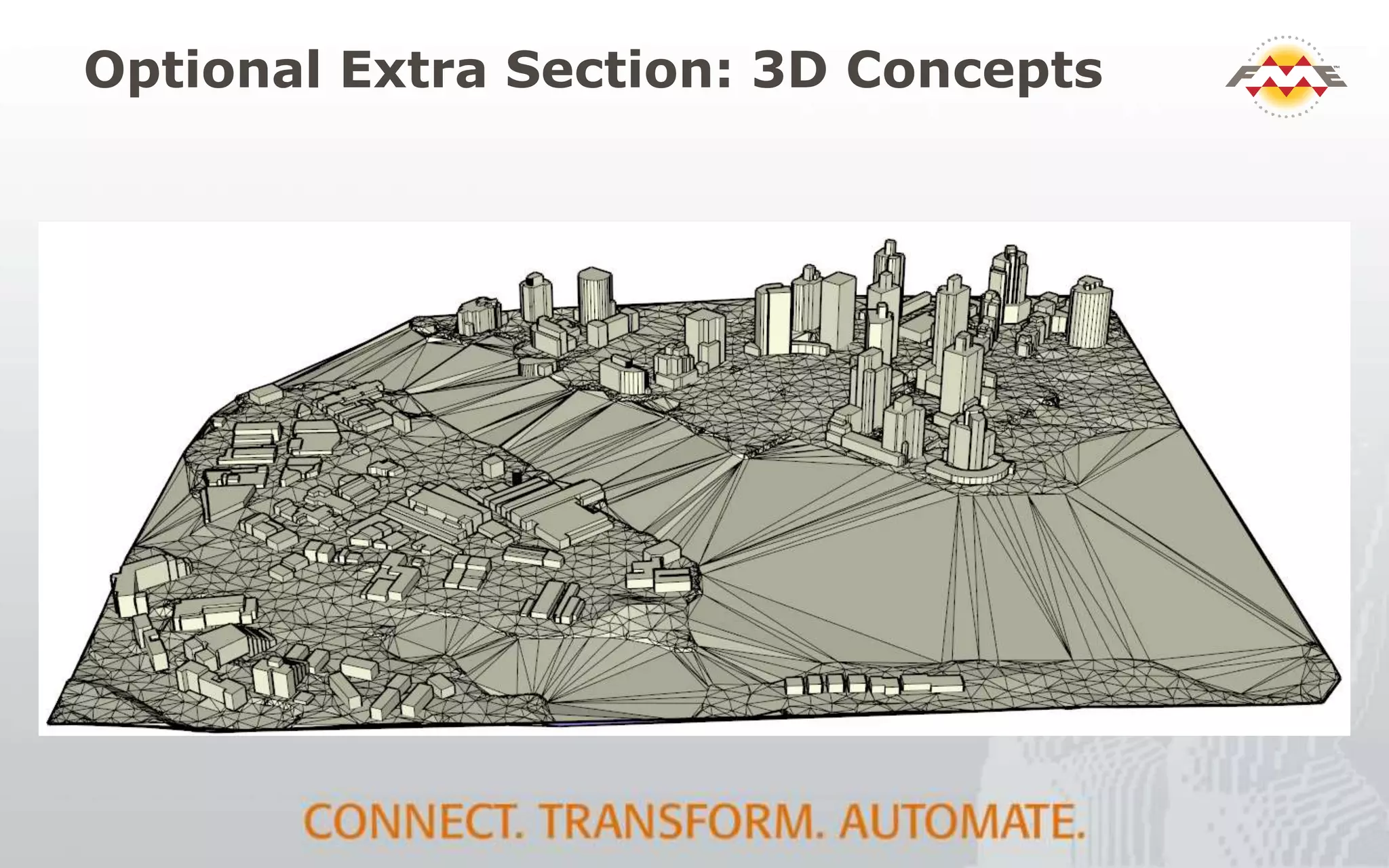
Optional Extra Section: 3D Concepts
3D Geometry types
Surface SolidMesh
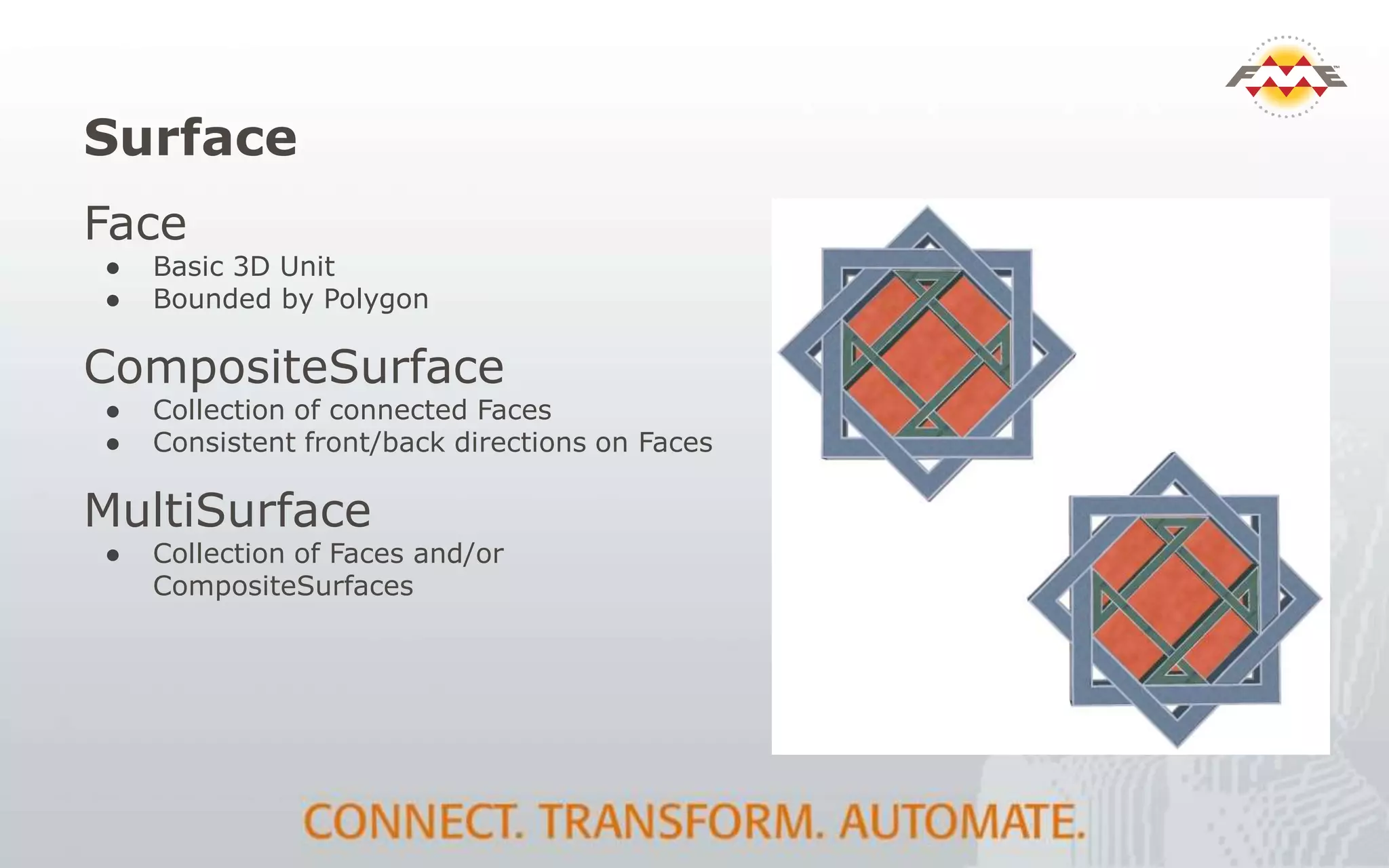
Surface
Face
● Basic 3D Unit
● Bounded by Polygon
CompositeSurface
● Collection of connected Faces
● Consistent front/back directions on Faces
MultiSurface
● Collection of Faces and/or
CompositeSurfaces
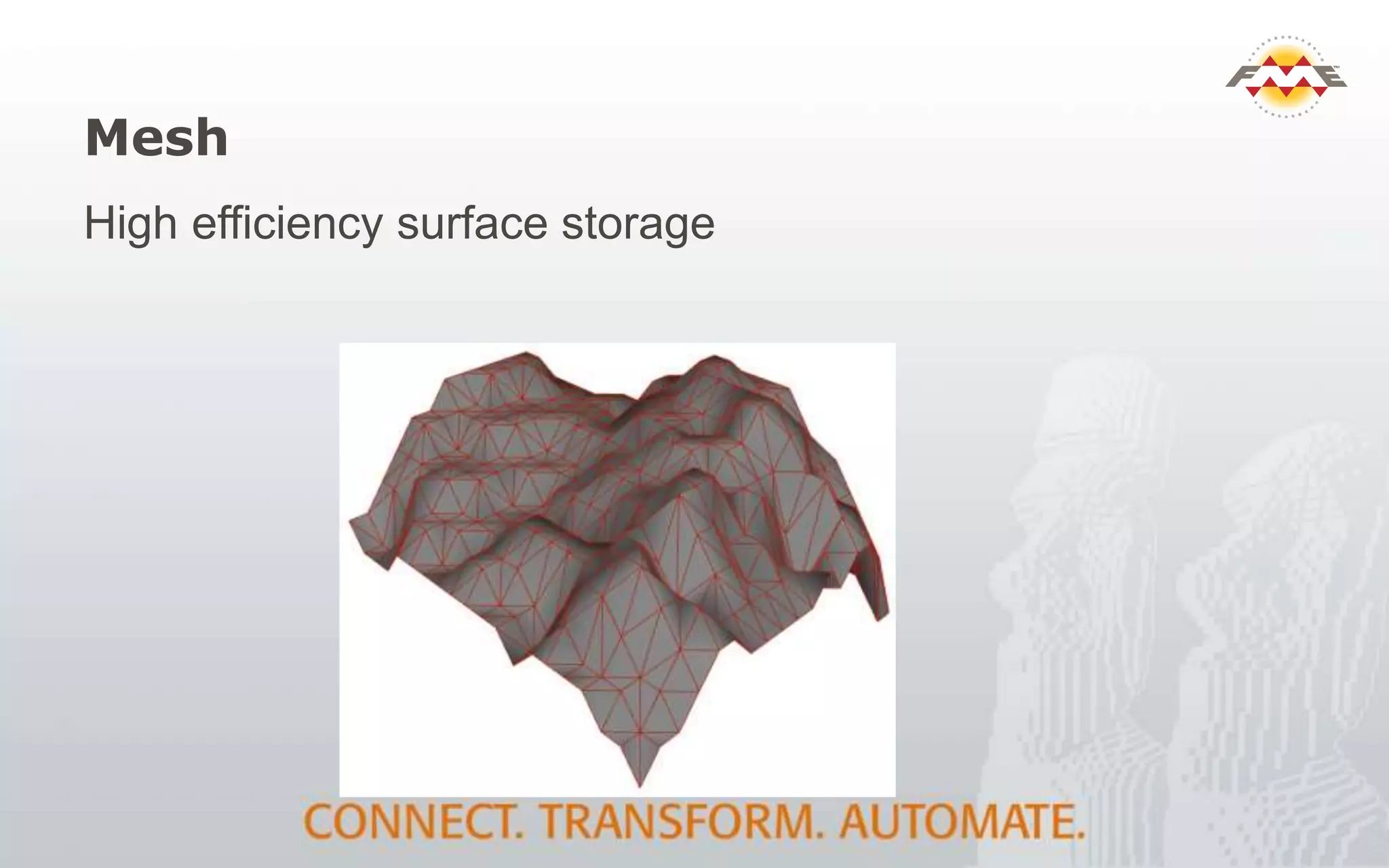
Mesh
High efficiency surface storage
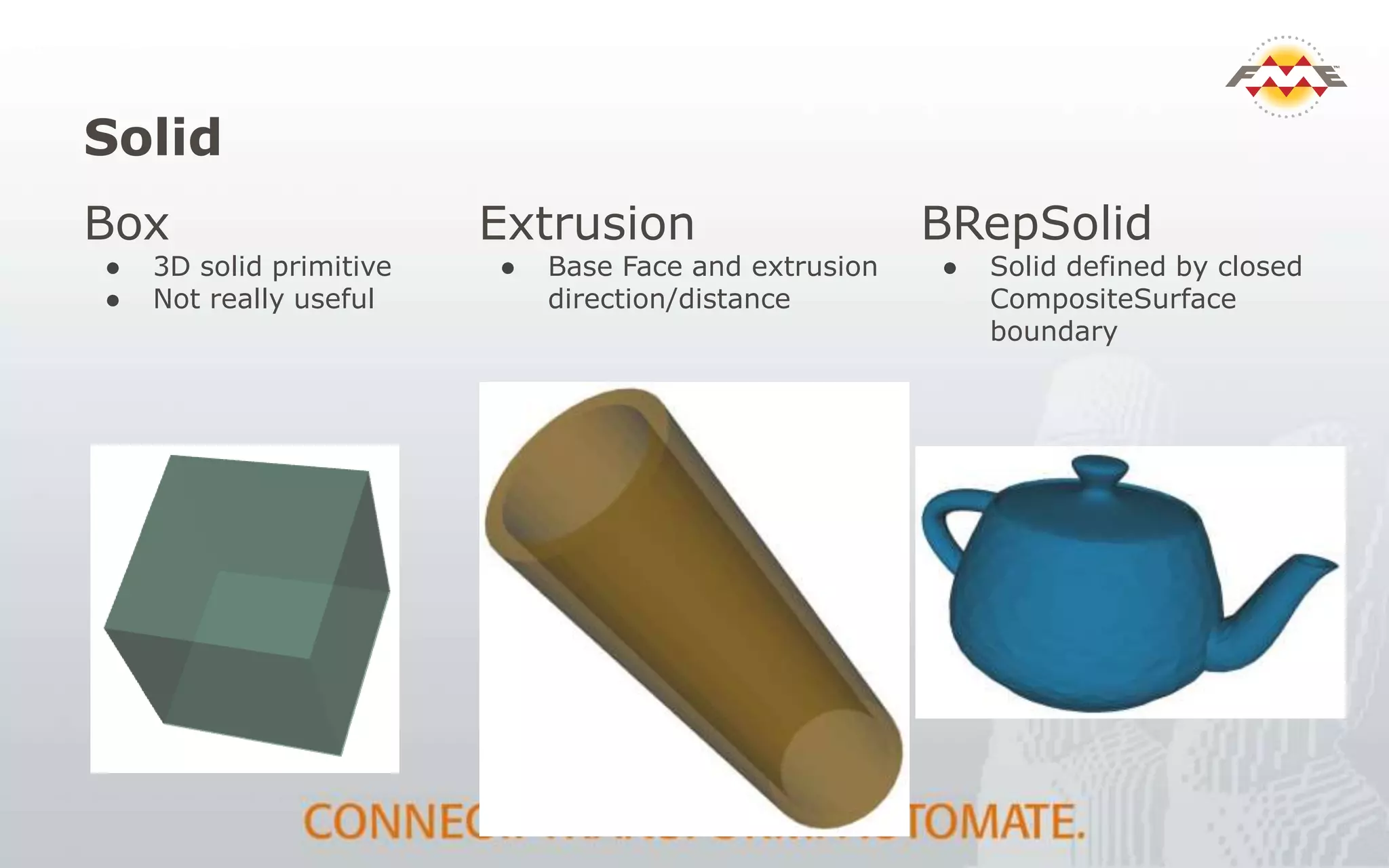
Solid
Box
● 3D solid primitive
● Not really useful
Extrusion
● Base Face and extrusion
direction/distance
BRepSolid
● Solid defined by closed
CompositeSurface
boundary
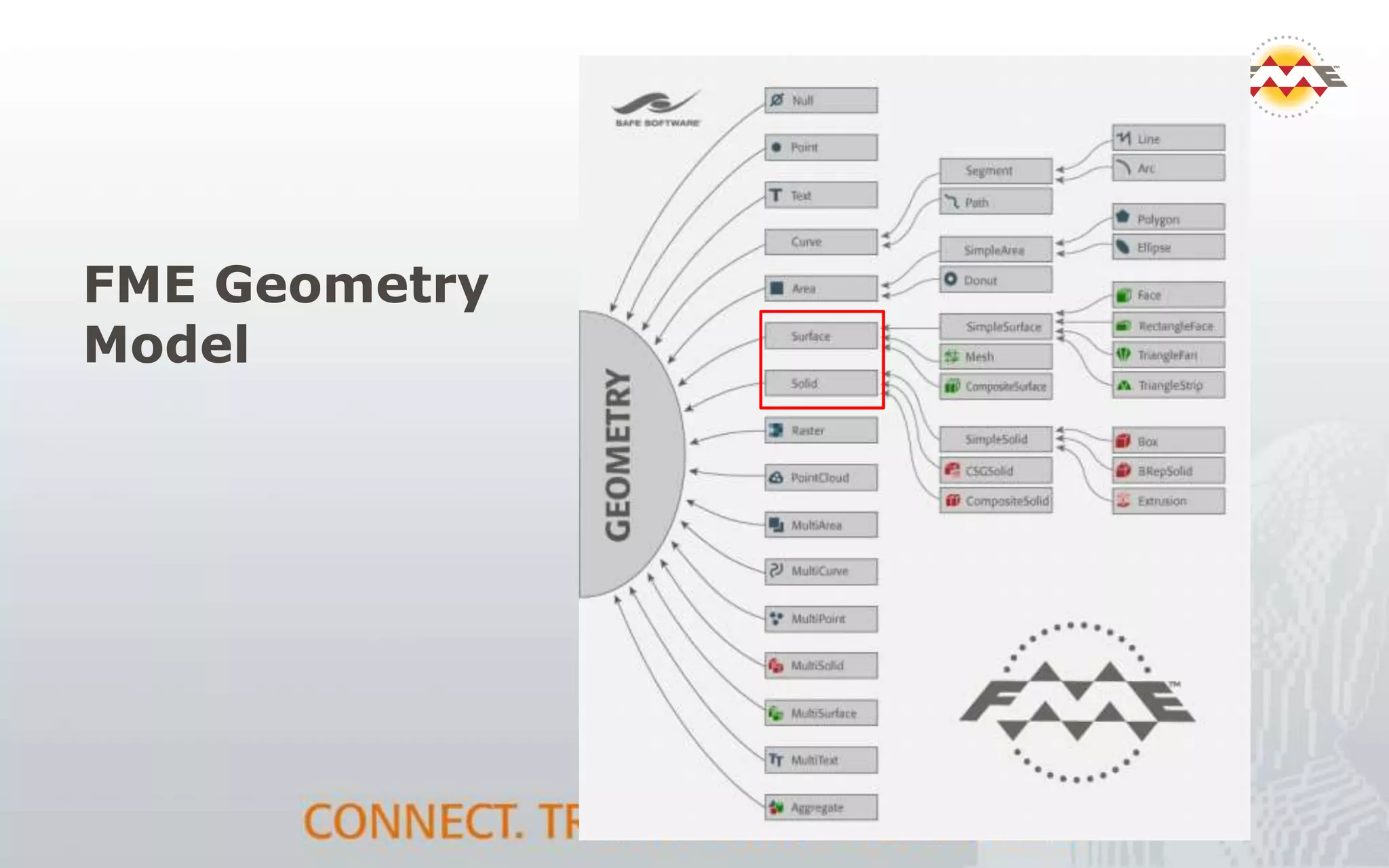
FME Geometry
Model
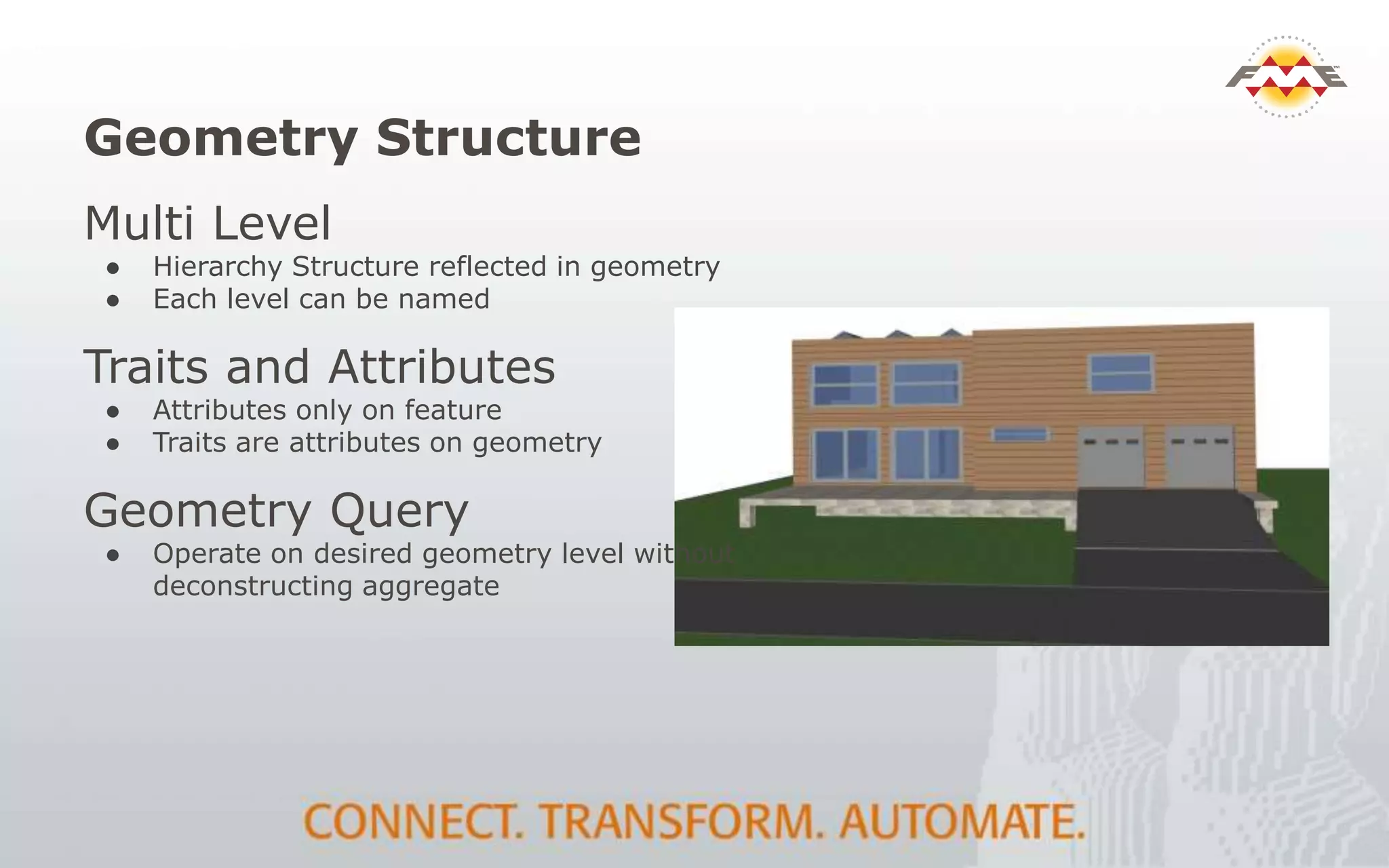
Geometry Structure
Multi Level
● Hierarchy Structure reflected in geometry
● Each level can be named
Traits and Attributes
● Attributes only on feature
● Traits are attributes on geometry
Geometry Query
● Operate on desired geometry level without
deconstructing aggregate
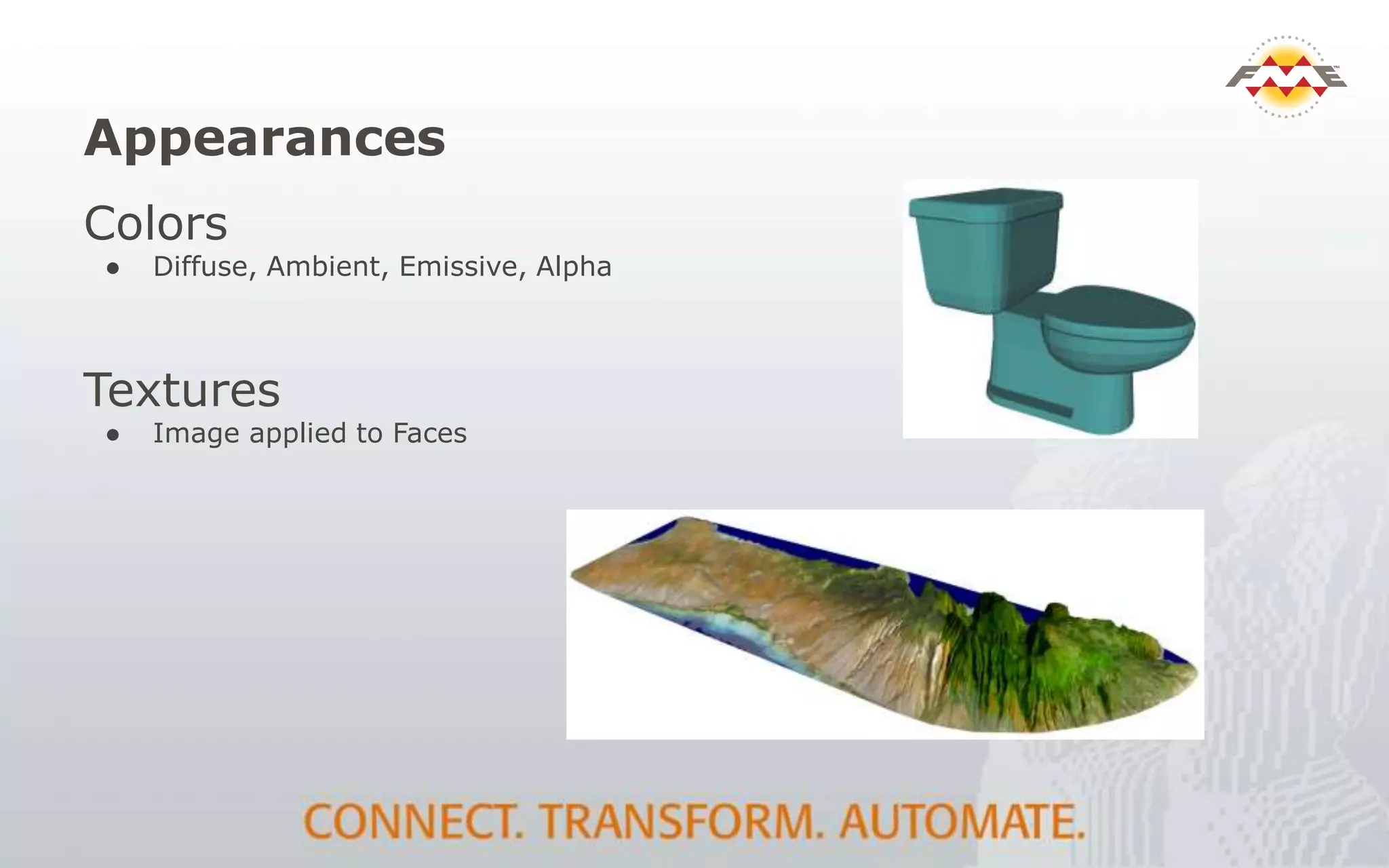
Appearances
Colors
● Diffuse, Ambient, Emissive, Alpha
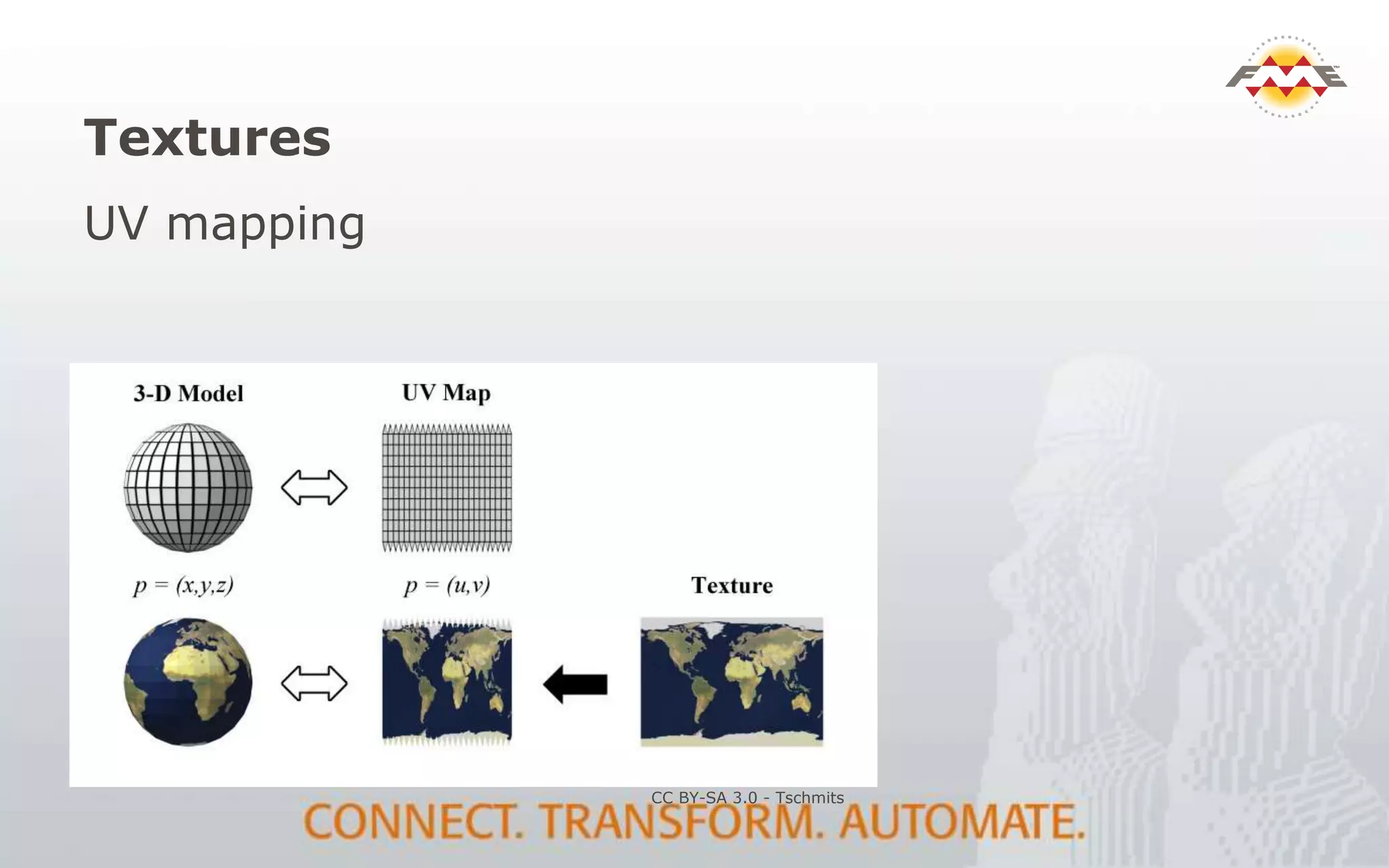
Textures
● Image applied to Faces
Textures
UV mapping
CC BY-SA 3.0 - Tschmits
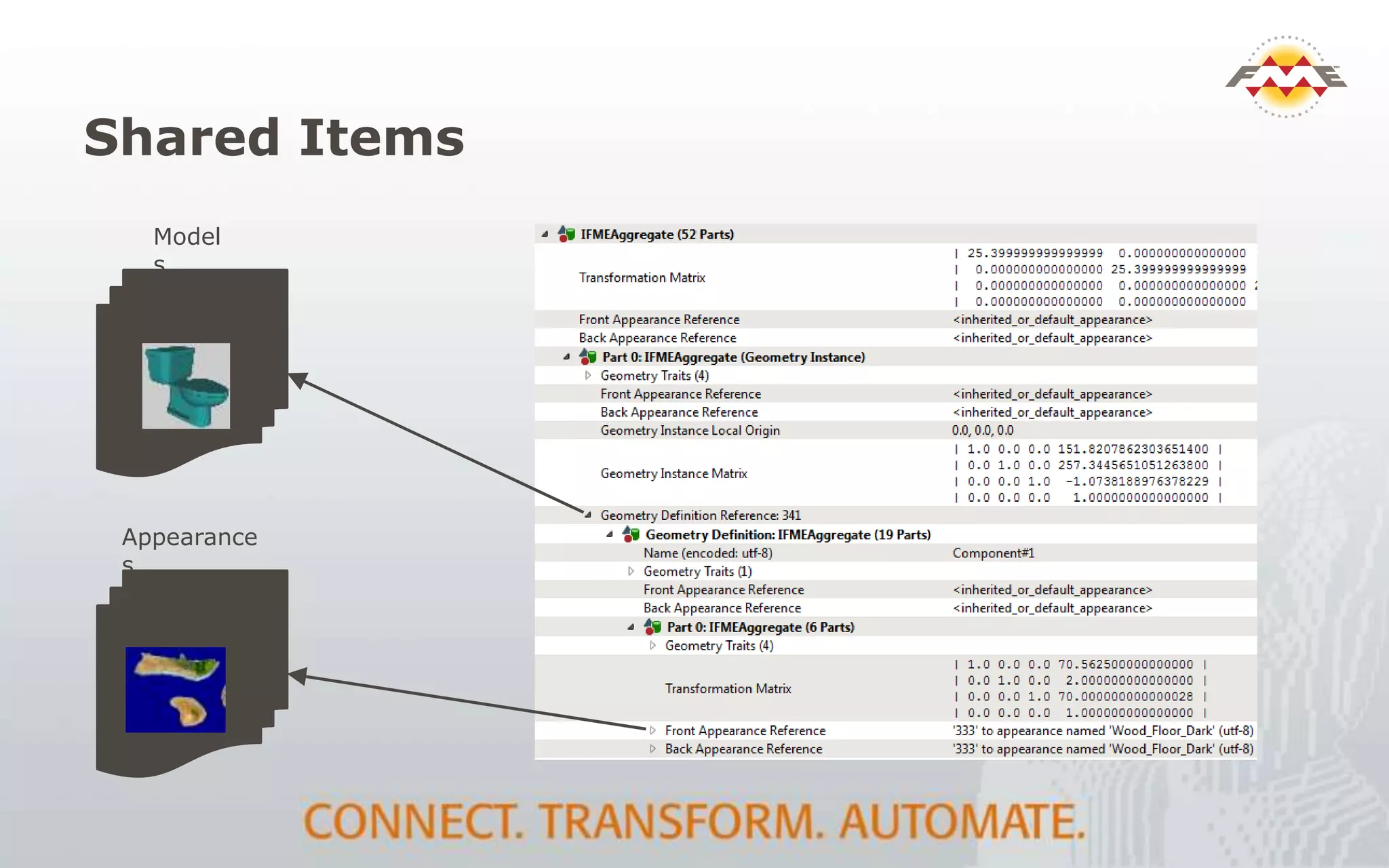
Shared Items
ID = 245
ID = 456
Appearance
s
Model
s
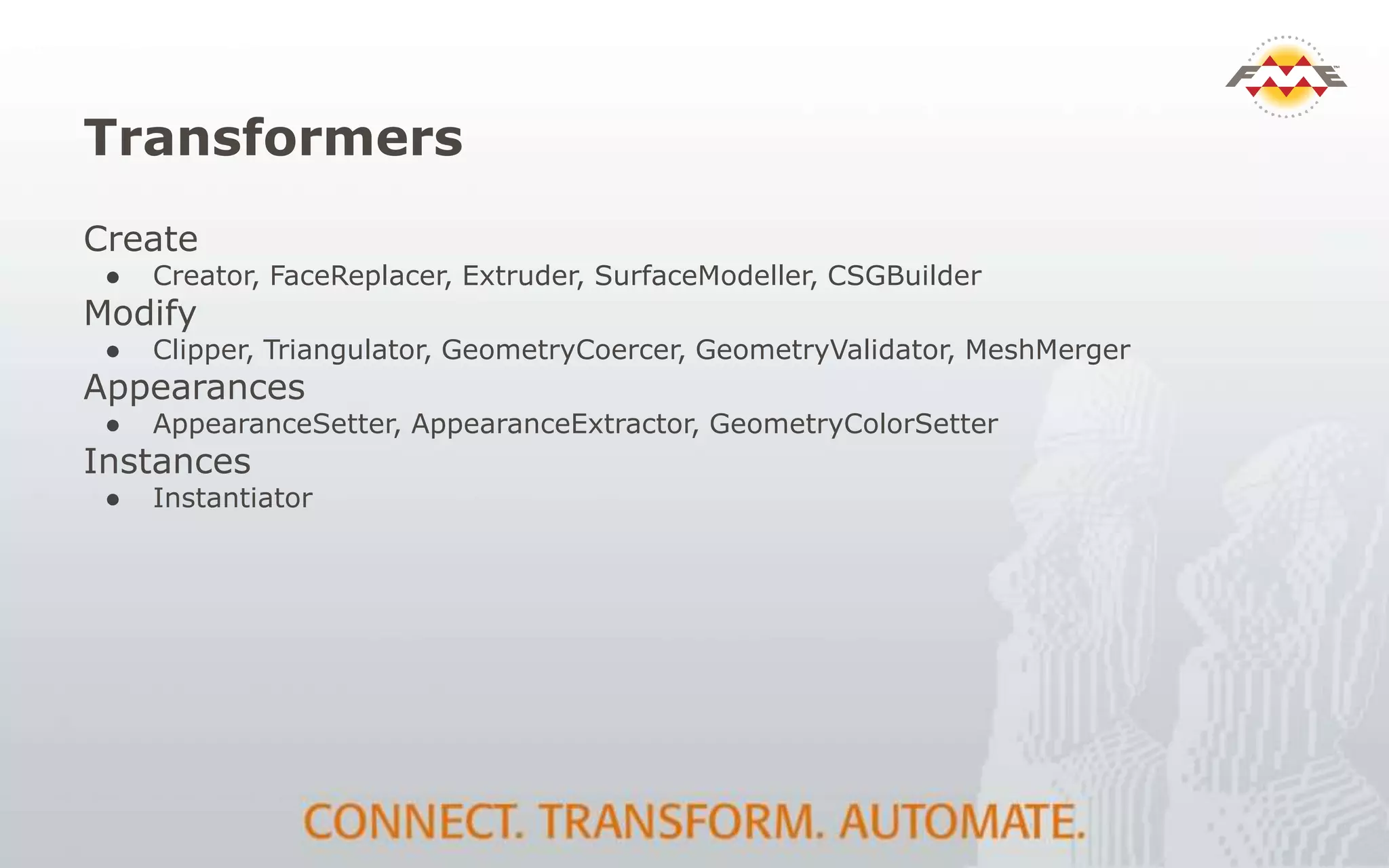
Transformers
Create
● Creator, FaceReplacer, Extruder, SurfaceModeller, CSGBuilder
Modify
● Clipper, Triangulator, GeometryCoercer, GeometryValidator, MeshMerger
Appearances
● AppearanceSetter, AppearanceExtractor, GeometryColorSetter
Instances
● Instantiator
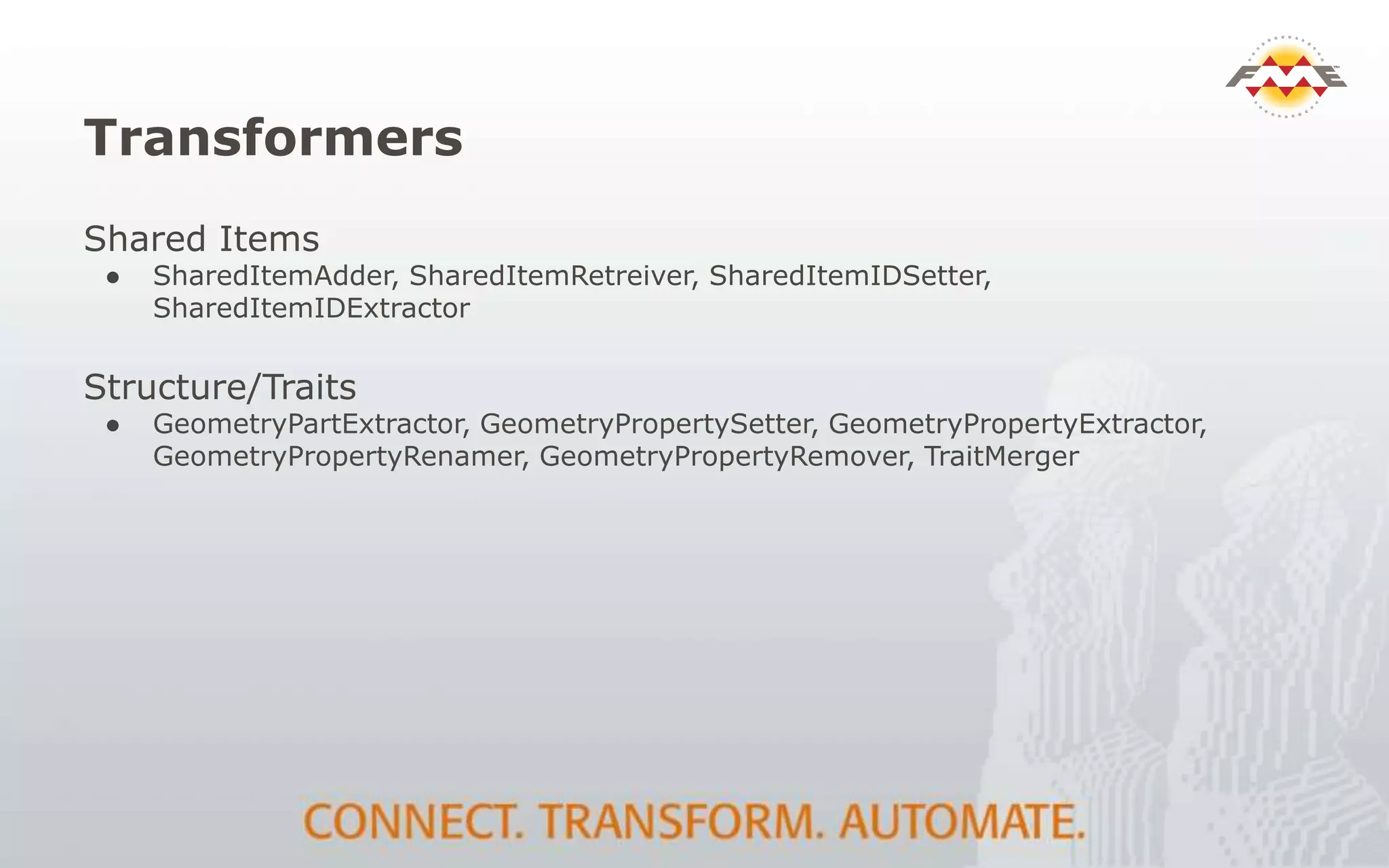
Transformers
Shared Items
● SharedItemAdder, SharedItemRetreiver, SharedItemIDSetter,
SharedItemIDExtractor
Structure/Traits
● GeometryPartExtractor, GeometryPropertySetter, GeometryPropertyExtractor,
GeometryPropertyRenamer, GeometryPropertyRemover, TraitMerger
Resources
Documentation - 3D Support
http://docs.safe.com/fme/html/FME_Transformers/FME_Transformers.htm#geometry/FME_3D_Suppo
rt.htm
FMEpedia 3D Landing Page
http://fmepedia.safe.com/topic/3D
http://fmepedia.safe.com/articles/How_To/3D-Tutorial
Demo Models
Medallion: https://3dwarehouse.sketchup.com/model.html?id=328b2563208452451432fd505d2dea30
Pole 1: https://3dwarehouse.sketchup.com/model.html?id=u6996889e-eb44-416e-be2d-dff5300d8265
Pole 2: https://3dwarehouse.sketchup.com/model.html?id=e9a21787b95645893b15bbb3b8c2c5e
House: https://3dwarehouse.sketchup.com/model.html?id=a05876468fc8fc65e72cf94dbba6e90c

BIM to GIS Interoperability

  • 1.
    BIM to GIS 3DGuru Safe Staff
  • 2.
    Agenda  BIM toGIS Overview  challenges and opportunities  FME and BIM  formats and function  BIM to GIS  Demos: IFC/Revit to CityGML & KML  Other examples and use cases
  • 3.
    BIM to GISOverview  BIM: powerful tool to manage information throughout the building life cycle  Challenge: rich BIM models gather dust while facility managers re-digitize building plans  Opportunity: FME’s BIM consumption and conversion tools leverage valuable BIM data  Potential: planning, maintenance, energy, sustainability, security, emergency response
  • 4.
    Why extract fromBIM?  Visualization – planning, site suitability  2D floor plans - routing, maintenance  Analysis - space management: scheduling / leasing, energy / HVAC  Construction management – as built vs design  Facilities management – maintain and replace components, work plans, reporting  Updates – keep BIM current, add reference links
  • 5.
    Conversion Challenges • BIMtoo complex for most GIS applications • Data model differences and gaps • object vs relational • Limited geo-referencing • File size / instanced geometries • Schema mapping • which source feature types match GIS ones • External references
  • 6.
    Why FME andBIM? BIM software exports • overly complex (IFC) • overly simplified (DWG, Excel) FME • keep the info you need • discard the info you don’t • preserve the meaning or intent • place it in the right location
  • 7.
    FME & 3D:Key Concepts ● 3D Geometry Types o Surface, Mesh, Solid ● Geometry structure o Aggregation, Traits, GQuery ● Appearances ● Instances
  • 8.
  • 9.
    • Adobe 3DPDF • Autodesk 3DS • AutoCAD Civil 3D • AutoCAD DWG/DXF/RealDWG • Bentley Microstation • CityGML • COLLADA / KML • DirectX • Esri Geodatabase • Free File Geodatabase API • Esri Shape • Google SketchUp • IFC • LandXML • LAS / LAZ • Oracle Spatial Object • Oracle Spatial Point Cloud • Point Cloud XYZ • Revit • three.js • VRML • Wavefront OBJ • XML / GML • X3D 3D Formats CAD VECTOR RASTER DATABASE BIM/3D WEB POINT CLOUD
  • 10.
    BIM Formats Reading:  Revit IFC  CityGML (BIM-lite) Writing:  IFC  CityGML (ADE’s)
  • 11.
  • 12.
    Reading IFC ● DataModel o Hierarchical o Relative ● Representations o Body o Annotations ● Property Sets o Geometries o Features
  • 13.
    BIM to GIS:Transformation  Schema mapping  Resolving relationships  Geometry  Conversion / Extrusion  Instances  Appearances  Validation  Georeferencing
  • 14.
    IFC to CityGML- Comparison ● Both Hierarchical ● Less levels in CityGML ● Different component types ● Solid vs. Surface
  • 15.
    Source IFC inSolibri: Riverside Building, DC
  • 16.
    IFC100 to CityGMLLOD2 Workspace 1. Read source IFC model 2. Create a single mesh 3. Set Building attributes and traits 4. Georeference 5. Write CityGML
  • 17.
  • 18.
    Revit / IFCto CityGML LOD3 Workflow  Read IFC / Revit reader (hierarchical view)  Schema map IFC to CityGML feature types and fields  Geometry conversion solid to surface (CSG to B-rep)  Relationship preservation (parent / child)  CityGML object construction, LODs, format attributes  Building parts, roofs, walls, floors  Openings (window and door hierarchy)  Write CityGML
  • 19.
    IFC200 to CityGMLLOD3 Workspace
  • 20.
  • 21.
    CityGML LOD3 toCOLLADA/KML  Read source CityGML  Create a single mesh  Set Attributes and traits for CityGML features  Reproject from EPSG:2248 to LL84  Write to KML (COLLADA is auto-generated and linked)
  • 22.
    CityGML to KMLWorkspace
  • 23.
    KML / COLLADA:Georeferenced Result
  • 24.
    Other Examples  LeesburgCourt house  I-35 Bridge  University of Washington  HOK  Data distribution  Geometry Validation  Updating and writing IFC
  • 25.
    Revit to CityGML: LeesburgCourthouse Square
  • 26.
  • 27.
  • 28.
    GeometryValidator for 3D •Checks for solids with inverted faces, dangling surfaces, unsealed solids, etc • Flag errors with descriptions and locations • Chain multiple validators to isolate problems of interest (e.g 2d before 3d) • Repair option
  • 29.
    Writing IFC ● UpdatingIFC files with new information o Merging from GIS or databases
  • 30.
    Writing New IFC ●Property and Quantity Set Definitions ● Used to define output sets ● From source IFC or create using transformers ● Create Spaces from Floorplans
  • 31.
  • 32.
    Summary FME support forBIM and 3D workflows: • Extract and filter from BIM – just what you need • Translate to / from any GIS format • Transform schema and geometry • Validate schema, geometry and semantics • Automate with enterprise services • Publish BIM data to client friendly formats
  • 33.
    Resources ● buildingSMART -IFC specifications and resources o http://www.buildingsmart-tech.org/ ● Cobie samples and info: o http://www.nibs.org/?page=bsa_commonbimfiles ● IFC Viewers o DDS-CAD: http://www.dds-cad.net/ o Solibri: http://www.solibri.com/products/solibri- model-viewer/
  • 34.
    Thank You!  Questions? For more information:  Enter name and email address  Enter company name  Enter other resources
  • 35.
  • 36.
  • 37.
    Surface Face ● Basic 3DUnit ● Bounded by Polygon CompositeSurface ● Collection of connected Faces ● Consistent front/back directions on Faces MultiSurface ● Collection of Faces and/or CompositeSurfaces
  • 38.
  • 39.
    Solid Box ● 3D solidprimitive ● Not really useful Extrusion ● Base Face and extrusion direction/distance BRepSolid ● Solid defined by closed CompositeSurface boundary
  • 40.
  • 41.
    Geometry Structure Multi Level ●Hierarchy Structure reflected in geometry ● Each level can be named Traits and Attributes ● Attributes only on feature ● Traits are attributes on geometry Geometry Query ● Operate on desired geometry level without deconstructing aggregate
  • 42.
    Appearances Colors ● Diffuse, Ambient,Emissive, Alpha Textures ● Image applied to Faces
  • 43.
  • 44.
    Shared Items ID =245 ID = 456 Appearance s Model s
  • 45.
    Transformers Create ● Creator, FaceReplacer,Extruder, SurfaceModeller, CSGBuilder Modify ● Clipper, Triangulator, GeometryCoercer, GeometryValidator, MeshMerger Appearances ● AppearanceSetter, AppearanceExtractor, GeometryColorSetter Instances ● Instantiator
  • 46.
    Transformers Shared Items ● SharedItemAdder,SharedItemRetreiver, SharedItemIDSetter, SharedItemIDExtractor Structure/Traits ● GeometryPartExtractor, GeometryPropertySetter, GeometryPropertyExtractor, GeometryPropertyRenamer, GeometryPropertyRemover, TraitMerger
  • 47.
    Resources Documentation - 3DSupport http://docs.safe.com/fme/html/FME_Transformers/FME_Transformers.htm#geometry/FME_3D_Suppo rt.htm FMEpedia 3D Landing Page http://fmepedia.safe.com/topic/3D http://fmepedia.safe.com/articles/How_To/3D-Tutorial Demo Models Medallion: https://3dwarehouse.sketchup.com/model.html?id=328b2563208452451432fd505d2dea30 Pole 1: https://3dwarehouse.sketchup.com/model.html?id=u6996889e-eb44-416e-be2d-dff5300d8265 Pole 2: https://3dwarehouse.sketchup.com/model.html?id=e9a21787b95645893b15bbb3b8c2c5e House: https://3dwarehouse.sketchup.com/model.html?id=a05876468fc8fc65e72cf94dbba6e90c