Research
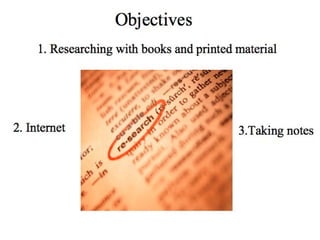
Objectives 2. Internet 1. Researching with books and printed material 3.Taking notes
Looking for… INFORMATION Useful Specific Scholarly Legitimate
Page 250 in your text Scholarly Legitimate  1. Researching with books and printed material
Publication Process Print Sources:  Traditional print sources go through an extensive publication process that includes editing and article review.  Internet Sources:  Anyone with a computer and access to the Internet can publish a website or electronic document.  Printed Sources vs. Internet
Authorship and Affiliations Print Sources:  Print sources clearly indicate who the author is, what organization(s) he or she is affiliated with, and when his or her work was published. Internet Sources:  Authorship and affiliations are difficult to determine on the Internet. Some sites my have author and sponsorship listed, but many do not. Printed Sources vs. Internet
Sources and Quotations Print Sources:  In most traditional publications, external sources of information and direct quotations are clearly marked and identified.  Internet Sources:  Sources the author used or referred to in the text may not be clearly indicated in an Internet source. Printed Sources vs. Internet
Bias and Special Interest Print Sources:  While bias certainly exists in traditional publications, printing is more expensive and difficult to accomplish. Most major publishers are out to make a profit and will either not cater to special interest groups or will clearly indicate when they are when they are catering to special interest groups. Internet Sources:  The purpose of the online text may be misleading. A website that appears to be factual may actually be persuasive and/or deceptive. Printed Sources vs. Internet
Author   Qualifications Print Sources:  Qualifications of an author are almost always necessary for print sources. Only qualified authors are likely to have their manuscripts accepted for publication. Internet Sources:  Even if the author and purpose of a website can be determined, the qualifications of the author are not always given. Printed Sources vs. Internet
Publication Information Print Sources:  Publication information such as date of publication, publisher, author, and editor are always clearly listed in print publications. Internet Sources:  Dates of publication and timeliness of information are questionable on the internet. Dates listed on websites could be the date posted, date updated, or a date may not be listed at all. Printed Sources vs. Internet
Where to begin… Look through your invention notes and begin finding specific terms you would like to research or the new refined topic Searching the Internet
Idea from notes: While it is true that meat provides crucial nutritional value to one’s diet, a vegetarian can still obtain these items while still excluding meat from one’s diet. Key ideas: nutritional value, meat, vegetarian Searching  the  Internet
Americans often eat too much meat because they are constantly surrounded by images of fast food and advertisements. Fast food Images Advertising:  Who does the advertising? Media:  Who sells the ads to the media? Corporations Searching  the  Internet
Kinds  o f Search Engines and Directories Search Engines Meta-search Engines Web Directories Searching  the  Internet
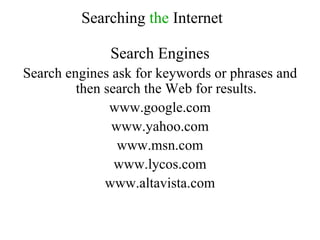
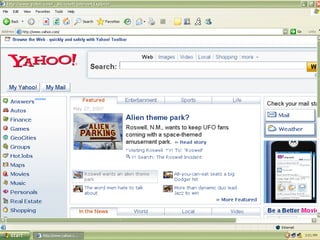
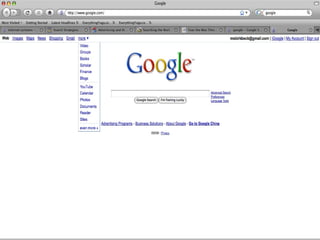
Search Engines Search engines ask for keywords or phrases and then search the Web for results.  www.google.com www.yahoo.com www.msn.com www.lycos.com www.altavista.com Searching  the  Internet
Searching  the  Internet
Searching  the  Internet Select your terms carefully Using inexact terms or terms that are too general will cause you problems. If your early searches turn up too many references, try to find more specific terms, use boolean operators, or do an advanced search.
Americans often eat too much meat because they are constantly surrounded by images of fast food and advertisements. Fast food Images Advertising:  Who does the advertising? Media:  Who sells the ads to the media? Corporations Searching  the  Internet
Boolean Terms- Language that refines searches AND OR NOT ~ tilde + or - * - Fill in the blank Searching  the  Internet
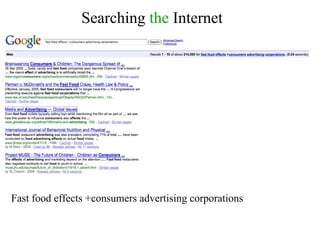
AND AND is the most useful and most important term. It tells the search engine to find your first word AND your second word or term. Fast food AND corporations AND advertising Searching  the  Internet
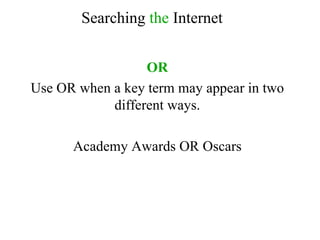
OR Use OR when a key term may appear in two different ways. Academy Awards OR Oscars Searching  the  Internet
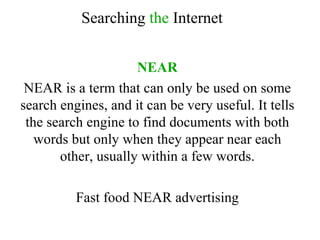
NEAR NEAR is a term that can only be used on some search engines, and it can be very useful. It tells the search engine to find documents with both words but only when they appear near each other, usually within a few words. Fast food NEAR advertising Searching  the  Internet
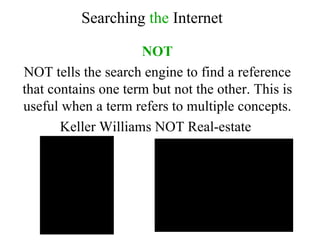
NOT NOT tells the search engine to find a reference that contains one term but not the other. This is useful when a term refers to multiple concepts. Keller Williams NOT Real-estate  Searching  the  Internet
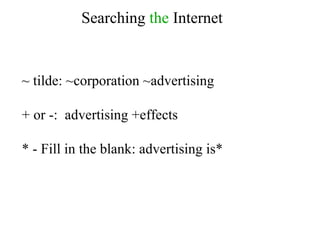
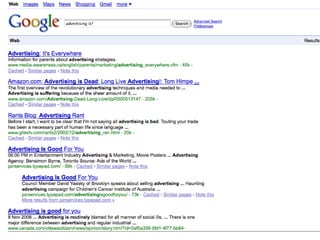
Searching  the  Internet ~ tilde: ~corporation ~advertising + or -:  advertising +effects * - Fill in the blank: advertising is*
Searching  the  Internet
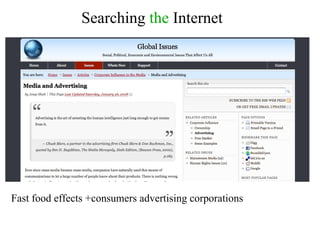
Searching  the  Internet Fast food effects +consumers advertising corporations
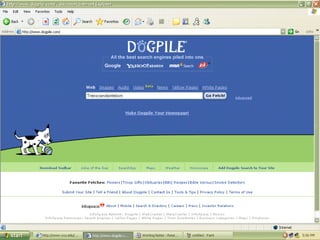
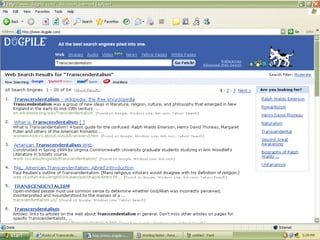
Searching  the  Internet Meta-Search Engines These search other search engines and often search smaller, less well known search engines and specialized sites. These search engines are good for doing large, sweeping searches of what information is out there.
Searching  the  Internet Meta-Search Engines Ex a mples: www.dogpile.com www.mamma.com www.metacrawler.com www.all4one.com
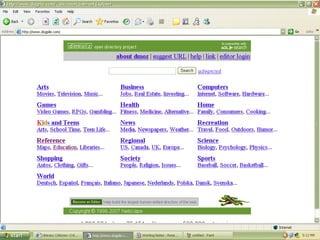
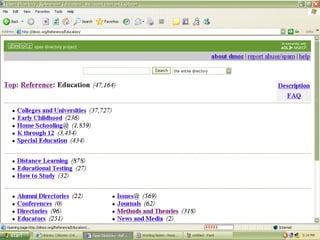
Searching  the  Internet Web Directories Web directories (also known as indexes, web indexes or catalogues) are broken down into categories and sub-categories and are good for broad searches of established sites.
Searching  the  Internet Web Directories Ex a mples: http://www.dmoz.com/ http://search.yahoo.com/dir
Searching  the  Internet Searching the Invisible Web www.alexa.com  A website that archives older websites that are no longer available on the Internet.  http://completeplanet.com  Provides access to lists of databases which you can then search individually.
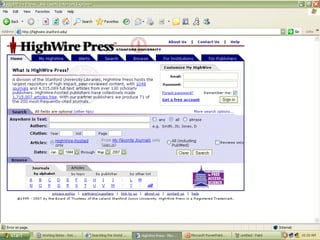
Searching  the  Internet Searching the Invisible Web http://highwire.stanford.edu  Brought to you by Stanford University, HighWire press provides access to one of the largest databases of free, full-text, scholarly content.  http://infomine.ucr.edu  A research database created by librarians for use at the university level. It includes both a browsable catalogue and searching capabilities.
Searching  the  Internet Searching the Invisible Web www.invisible-web.net  A database that provides a host of links to invisible web resources in a variety of categories.  http://magportal.com  A search engine that will allow you to search for free online magazine articles on a wide range of topics.
Searching  the  Internet Searching the Invisible Web www.doaj.org  Another full-text journal searchable database.  www.findarticles.com  Indexes over 10 million articles from a variety of different publications.
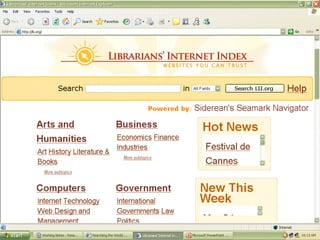
Searching  the  Internet Other useful sites for finding information http://lii.org   Provides librarian-reviewed websites and material on a host of different topics. While this site is not exhaustive, it will provide you quality information on a large variety of topics. Some of this material is invisible-web material.  www.about.com   Provides practical information on a large variety of topics written by trained professionals.
Searching  the  Internet Other useful sites for finding information www.wikipedia.com   The largest free and open access encyclopedia on the internet.  www.stupidcensorship.com www.refdesk.com   A site that provides reviews and a search feature for free reference materials online.
Searching  the  Internet Taking Notes Page 253 in your text
Ho me work Begin locating three good sources for topic (use the library or the Internet).  Begin reading and taking  good  notes. Page 264 (Use of Quotations) - 274
Research

  • 1.
  • 2.
    Objectives 2. Internet1. Researching with books and printed material 3.Taking notes
  • 3.
    Looking for… INFORMATIONUseful Specific Scholarly Legitimate
  • 4.
    Page 250 inyour text Scholarly Legitimate 1. Researching with books and printed material
  • 5.
    Publication Process PrintSources: Traditional print sources go through an extensive publication process that includes editing and article review. Internet Sources: Anyone with a computer and access to the Internet can publish a website or electronic document. Printed Sources vs. Internet
  • 6.
    Authorship and AffiliationsPrint Sources: Print sources clearly indicate who the author is, what organization(s) he or she is affiliated with, and when his or her work was published. Internet Sources: Authorship and affiliations are difficult to determine on the Internet. Some sites my have author and sponsorship listed, but many do not. Printed Sources vs. Internet
  • 7.
    Sources and QuotationsPrint Sources: In most traditional publications, external sources of information and direct quotations are clearly marked and identified. Internet Sources: Sources the author used or referred to in the text may not be clearly indicated in an Internet source. Printed Sources vs. Internet
  • 8.
    Bias and SpecialInterest Print Sources: While bias certainly exists in traditional publications, printing is more expensive and difficult to accomplish. Most major publishers are out to make a profit and will either not cater to special interest groups or will clearly indicate when they are when they are catering to special interest groups. Internet Sources: The purpose of the online text may be misleading. A website that appears to be factual may actually be persuasive and/or deceptive. Printed Sources vs. Internet
  • 9.
    Author Qualifications Print Sources: Qualifications of an author are almost always necessary for print sources. Only qualified authors are likely to have their manuscripts accepted for publication. Internet Sources: Even if the author and purpose of a website can be determined, the qualifications of the author are not always given. Printed Sources vs. Internet
  • 10.
    Publication Information PrintSources: Publication information such as date of publication, publisher, author, and editor are always clearly listed in print publications. Internet Sources: Dates of publication and timeliness of information are questionable on the internet. Dates listed on websites could be the date posted, date updated, or a date may not be listed at all. Printed Sources vs. Internet
  • 11.
    Where to begin…Look through your invention notes and begin finding specific terms you would like to research or the new refined topic Searching the Internet
  • 12.
    Idea from notes:While it is true that meat provides crucial nutritional value to one’s diet, a vegetarian can still obtain these items while still excluding meat from one’s diet. Key ideas: nutritional value, meat, vegetarian Searching the Internet
  • 13.
    Americans often eattoo much meat because they are constantly surrounded by images of fast food and advertisements. Fast food Images Advertising: Who does the advertising? Media: Who sells the ads to the media? Corporations Searching the Internet
  • 14.
    Kinds of Search Engines and Directories Search Engines Meta-search Engines Web Directories Searching the Internet
  • 15.
    Search Engines Searchengines ask for keywords or phrases and then search the Web for results. www.google.com www.yahoo.com www.msn.com www.lycos.com www.altavista.com Searching the Internet
  • 16.
    Searching the Internet
  • 17.
    Searching the Internet
  • 18.
    Searching the Internet
  • 19.
    Searching the Internet Select your terms carefully Using inexact terms or terms that are too general will cause you problems. If your early searches turn up too many references, try to find more specific terms, use boolean operators, or do an advanced search.
  • 20.
    Americans often eattoo much meat because they are constantly surrounded by images of fast food and advertisements. Fast food Images Advertising: Who does the advertising? Media: Who sells the ads to the media? Corporations Searching the Internet
  • 21.
    Boolean Terms- Languagethat refines searches AND OR NOT ~ tilde + or - * - Fill in the blank Searching the Internet
  • 22.
    AND AND isthe most useful and most important term. It tells the search engine to find your first word AND your second word or term. Fast food AND corporations AND advertising Searching the Internet
  • 23.
    OR Use ORwhen a key term may appear in two different ways. Academy Awards OR Oscars Searching the Internet
  • 24.
    NEAR NEAR isa term that can only be used on some search engines, and it can be very useful. It tells the search engine to find documents with both words but only when they appear near each other, usually within a few words. Fast food NEAR advertising Searching the Internet
  • 25.
    NOT NOT tellsthe search engine to find a reference that contains one term but not the other. This is useful when a term refers to multiple concepts. Keller Williams NOT Real-estate Searching the Internet
  • 26.
    Searching the Internet ~ tilde: ~corporation ~advertising + or -: advertising +effects * - Fill in the blank: advertising is*
  • 27.
    Searching the Internet
  • 28.
    Searching the Internet Fast food effects +consumers advertising corporations
  • 29.
    Searching the Internet Fast food effects +consumers advertising corporations
  • 30.
    Searching the Internet Fast food effects +consumers advertising corporations
  • 31.
    Searching the Internet Meta-Search Engines These search other search engines and often search smaller, less well known search engines and specialized sites. These search engines are good for doing large, sweeping searches of what information is out there.
  • 32.
    Searching the Internet Meta-Search Engines Ex a mples: www.dogpile.com www.mamma.com www.metacrawler.com www.all4one.com
  • 33.
    Searching the Internet Meta-Search Engines Ex a mples: www.dogpile.com www.mamma.com www.metacrawler.com www.all4one.com
  • 34.
    Searching the Internet Meta-Search Engines Ex a mples: www.dogpile.com www.mamma.com www.metacrawler.com www.all4one.com
  • 35.
    Searching the Internet Web Directories Web directories (also known as indexes, web indexes or catalogues) are broken down into categories and sub-categories and are good for broad searches of established sites.
  • 36.
    Searching the Internet Web Directories Web directories (also known as indexes, web indexes or catalogues) are broken down into categories and sub-categories and are good for broad searches of established sites.
  • 37.
    Searching the Internet Web Directories Web directories (also known as indexes, web indexes or catalogues) are broken down into categories and sub-categories and are good for broad searches of established sites.
  • 38.
    Searching the Internet Web Directories Ex a mples: http://www.dmoz.com/ http://search.yahoo.com/dir
  • 39.
    Searching the Internet Searching the Invisible Web www.alexa.com A website that archives older websites that are no longer available on the Internet. http://completeplanet.com Provides access to lists of databases which you can then search individually.
  • 40.
    Searching the Internet Searching the Invisible Web http://highwire.stanford.edu Brought to you by Stanford University, HighWire press provides access to one of the largest databases of free, full-text, scholarly content. http://infomine.ucr.edu A research database created by librarians for use at the university level. It includes both a browsable catalogue and searching capabilities.
  • 41.
    Searching the Internet Searching the Invisible Web http://highwire.stanford.edu Brought to you by Stanford University, HighWire press provides access to one of the largest databases of free, full-text, scholarly content. http://infomine.ucr.edu A research database created by librarians for use at the university level. It includes both a browsable catalogue and searching capabilities.
  • 42.
    Searching the Internet Searching the Invisible Web www.invisible-web.net A database that provides a host of links to invisible web resources in a variety of categories. http://magportal.com A search engine that will allow you to search for free online magazine articles on a wide range of topics.
  • 43.
    Searching the Internet Searching the Invisible Web www.doaj.org Another full-text journal searchable database. www.findarticles.com Indexes over 10 million articles from a variety of different publications.
  • 44.
    Searching the Internet Other useful sites for finding information http://lii.org Provides librarian-reviewed websites and material on a host of different topics. While this site is not exhaustive, it will provide you quality information on a large variety of topics. Some of this material is invisible-web material. www.about.com Provides practical information on a large variety of topics written by trained professionals.
  • 45.
    Searching the Internet Other useful sites for finding information http://lii.org Provides librarian-reviewed websites and material on a host of different topics. While this site is not exhaustive, it will provide you quality information on a large variety of topics. Some of this material is invisible-web material. www.about.com Provides practical information on a large variety of topics written by trained professionals.
  • 46.
    Searching the Internet Other useful sites for finding information www.wikipedia.com The largest free and open access encyclopedia on the internet. www.stupidcensorship.com www.refdesk.com A site that provides reviews and a search feature for free reference materials online.
  • 47.
    Searching the Internet Taking Notes Page 253 in your text
  • 48.
    Ho me workBegin locating three good sources for topic (use the library or the Internet). Begin reading and taking good notes. Page 264 (Use of Quotations) - 274