Search Engines and
Metasearch Engines
Basics
• What is the Internet?
  • A massive network of networks, a networking infrastructure. It
    connects millions of computers together globally, forming a network
    in which any computer can communicate with any other computer as
    long as they are both connected to the Internet.

• What is the World Wide Web?
  • a way of accessing information over the medium of the Internet. It is
    an information-sharing model that is built on top of the Internet. The
    Web also utilizes browsers, such as Internet Explorer or Firefox, to
    access Web documents called Web pages that are linked to each
    other via hyperlinks. Web documents also contain graphics, sounds,
    text and video. The Internet, not the Web, is also used for e-mail,
    which relies on SMTP, Usenet news groups, instant messaging and
    FTP. So the Web is just a portion of the Internet, albeit a large
    portion, but the two terms are not synonymous and should not be
    confused.
The Internet Today
The link below shows graphically how large the internet is today
and how large it will grow to be in the future:


Size of the Internet
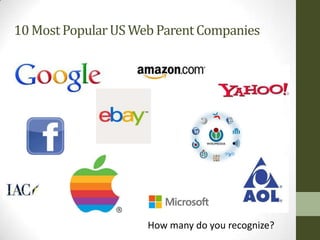
10 Most Popular US Web Parent Companies


                     How many do you recognize?
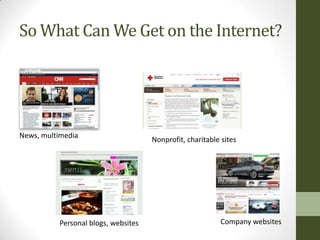
So What Can We Get on the Internet?


News, multimedia
                                     Nonprofit, charitable sites


          Personal blogs, websites                         Company websites
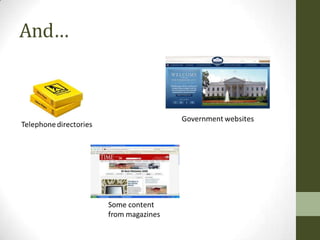
And…
What’s Not Free on the Internet?
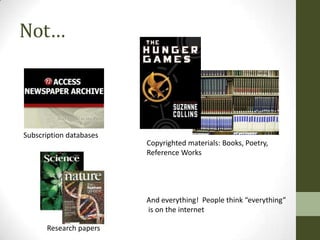
Not…


Subscription databases
                         Copyrighted materials: Books, Poetry,
                         Reference Works


                         And everything! People think “everything”
                         is on the internet

      Research papers
Ahh, the Internet
The Good thing about the Internet – Anyone can post things to
the Web, can Blog, can create a Wiki, anything

The Bad thing about the Internet – Anyone can post things to
the Web, can Blog, can create a Wiki, anything.

Commercial on TV right now about believing everything on the
internet http://www.ispot.tv/ad/7VOE/state-farm-the-internet-
and-french-model
The Very Short History of
Search Engines


       Only 20 years!
Search Engines
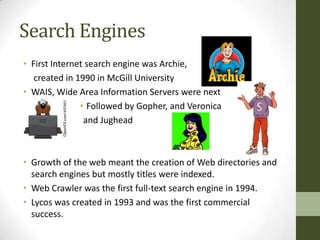
• First Internet search engine was Archie,
   created in 1990 in McGill University
• WAIS, Wide Area Information Servers were next
               • Followed by Gopher, and Veronica
                and Jughead


• Growth of the web meant the creation of Web directories and
  search engines but mostly titles were indexed.
• Web Crawler was the first full-text search engine in 1994.
• Lycos was created in 1993 and was the first commercial
  success.
Now?
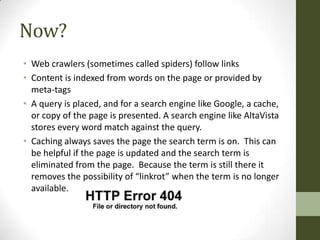
• Web crawlers (sometimes called spiders) follow links
• Content is indexed from words on the page or provided by
  meta-tags
• A query is placed, and for a search engine like Google, a cache,
  or copy of the page is presented. A search engine like AltaVista
  stores every word match against the query.
• Caching always saves the page the search term is on. This can
  be helpful if the page is updated and the search term is
  eliminated from the page. Because the term is still there it
  removes the possibility of “linkrot” when the term is no longer
  available.
Good Searching & Problems

• Each search engine searches differently
• Always look to see if there is an advanced search option
• Some search engines use proximity searching, which
  allows users to define the distance between keywords

Look at the link below for information about search
engines and their capabilities:
http://lib.berkeley.edu/TeachingLib/Guides/Internet/SrchE
ngCriteria.pdf
Rank and Bomb
Search engines are supposed to rank results based on either
popularity or relevancy but many studies have shown other
things going on. There could be political, economic or social
biases. Companies can pay to advertise and get a higher ranking.
Politically there could be search results that are removed
because it violates local laws.

There is also something called Google Bombing which a web
page is created with a large number of links to cause a page to
have a high rank. An example is a 1999 Google bomb when a
user would search “more evil than Satan himself” and it resulted
in the Microsoft homepage!
Search Engines to Use in Class
In all but the last assignment, you may NOT use Google. The
idea is that you learn and compare other search engines.

Here are the general search engines to use:
  •   Bing
  •   Blekko
  •   DuckDuckGo
  •   Hakia
  •   Qunitura
  •   Yahoo
Metasearch Engines
• Metasearch engines are aggregators, sort of, of information
  that may be in multiple or one search engine. In one search
  you will be able to search all the major sources instead of
  having to search each separately. One of the search engines
  even searches SlideShare and Wikipedia in their main search.

• This link explains how Metasearch engines work and why you
  might want to use them and add them to your Internet
  searching tool belt.

• http://www.internettutorials.net/meta-search.asp
Metasearch Engines
Metasearch engines are where you will find some of the more
creative functions. For instance, iboogie sorts the results into
subcategories, while blekko claims to have spam free searching.

Here are the metasearch engines to choose to use in your
assignment:

  •   mrsapo
  •   iboogie
  •   ixquick
  •   Mamma
  •   Metacrawler
  •   Zapmeta
  •   Zuula
For more information about the chosen Search
Engines and Metasearch Engines connect to this
link:

http://www.internettutorials.net/engines.asp

I have checked all of the search engines and metasearch engines
that I have given you to use for assignments. At the time of this
creation, they all worked. However, looking at the link above
may give you information about your chosen source if it isn’t
working for you very well.
Readings
• This link has several tutorials linked to it. I would look through
  what Southern Oregon University has linked to their web site
  and glance through the tutorials for information. Depending
  on your familiarity and comfort with this topic you may need
  to spend more or less time. However, it is wise to look
  through them even if you are exceedingly comfortable
  searching because things on the web change by the moment.
  And really, how much time have you spent really learning
  about search engines and searching?

• http://hanlib.sou.edu/searchtools/howto.html

Search engines powerpoint

  • 1.
  • 2.
    Basics • What isthe Internet? • A massive network of networks, a networking infrastructure. It connects millions of computers together globally, forming a network in which any computer can communicate with any other computer as long as they are both connected to the Internet. • What is the World Wide Web? • a way of accessing information over the medium of the Internet. It is an information-sharing model that is built on top of the Internet. The Web also utilizes browsers, such as Internet Explorer or Firefox, to access Web documents called Web pages that are linked to each other via hyperlinks. Web documents also contain graphics, sounds, text and video. The Internet, not the Web, is also used for e-mail, which relies on SMTP, Usenet news groups, instant messaging and FTP. So the Web is just a portion of the Internet, albeit a large portion, but the two terms are not synonymous and should not be confused.
  • 3.
    The Internet Today Thelink below shows graphically how large the internet is today and how large it will grow to be in the future: Size of the Internet
  • 4.
    10 Most PopularUS Web Parent Companies How many do you recognize?
  • 5.
    So What CanWe Get on the Internet? News, multimedia Nonprofit, charitable sites Personal blogs, websites Company websites
  • 6.
  • 7.
    What’s Not Freeon the Internet?
  • 8.
    Not… Subscription databases Copyrighted materials: Books, Poetry, Reference Works And everything! People think “everything” is on the internet Research papers
  • 9.
    Ahh, the Internet TheGood thing about the Internet – Anyone can post things to the Web, can Blog, can create a Wiki, anything The Bad thing about the Internet – Anyone can post things to the Web, can Blog, can create a Wiki, anything. Commercial on TV right now about believing everything on the internet http://www.ispot.tv/ad/7VOE/state-farm-the-internet- and-french-model
  • 10.
    The Very ShortHistory of Search Engines Only 20 years!
  • 11.
    Search Engines • FirstInternet search engine was Archie, created in 1990 in McGill University • WAIS, Wide Area Information Servers were next • Followed by Gopher, and Veronica and Jughead • Growth of the web meant the creation of Web directories and search engines but mostly titles were indexed. • Web Crawler was the first full-text search engine in 1994. • Lycos was created in 1993 and was the first commercial success.
  • 12.
    Now? • Web crawlers(sometimes called spiders) follow links • Content is indexed from words on the page or provided by meta-tags • A query is placed, and for a search engine like Google, a cache, or copy of the page is presented. A search engine like AltaVista stores every word match against the query. • Caching always saves the page the search term is on. This can be helpful if the page is updated and the search term is eliminated from the page. Because the term is still there it removes the possibility of “linkrot” when the term is no longer available.
  • 13.
    Good Searching &Problems • Each search engine searches differently • Always look to see if there is an advanced search option • Some search engines use proximity searching, which allows users to define the distance between keywords Look at the link below for information about search engines and their capabilities: http://lib.berkeley.edu/TeachingLib/Guides/Internet/SrchE ngCriteria.pdf
  • 14.
    Rank and Bomb Searchengines are supposed to rank results based on either popularity or relevancy but many studies have shown other things going on. There could be political, economic or social biases. Companies can pay to advertise and get a higher ranking. Politically there could be search results that are removed because it violates local laws. There is also something called Google Bombing which a web page is created with a large number of links to cause a page to have a high rank. An example is a 1999 Google bomb when a user would search “more evil than Satan himself” and it resulted in the Microsoft homepage!
  • 15.
    Search Engines toUse in Class In all but the last assignment, you may NOT use Google. The idea is that you learn and compare other search engines. Here are the general search engines to use: • Bing • Blekko • DuckDuckGo • Hakia • Qunitura • Yahoo
  • 16.
    Metasearch Engines • Metasearchengines are aggregators, sort of, of information that may be in multiple or one search engine. In one search you will be able to search all the major sources instead of having to search each separately. One of the search engines even searches SlideShare and Wikipedia in their main search. • This link explains how Metasearch engines work and why you might want to use them and add them to your Internet searching tool belt. • http://www.internettutorials.net/meta-search.asp
  • 17.
    Metasearch Engines Metasearch enginesare where you will find some of the more creative functions. For instance, iboogie sorts the results into subcategories, while blekko claims to have spam free searching. Here are the metasearch engines to choose to use in your assignment: • mrsapo • iboogie • ixquick • Mamma • Metacrawler • Zapmeta • Zuula
  • 18.
    For more informationabout the chosen Search Engines and Metasearch Engines connect to this link: http://www.internettutorials.net/engines.asp I have checked all of the search engines and metasearch engines that I have given you to use for assignments. At the time of this creation, they all worked. However, looking at the link above may give you information about your chosen source if it isn’t working for you very well.
  • 19.
    Readings • This linkhas several tutorials linked to it. I would look through what Southern Oregon University has linked to their web site and glance through the tutorials for information. Depending on your familiarity and comfort with this topic you may need to spend more or less time. However, it is wise to look through them even if you are exceedingly comfortable searching because things on the web change by the moment. And really, how much time have you spent really learning about search engines and searching? • http://hanlib.sou.edu/searchtools/howto.html