Googling and Beyond: Searching the Web Effectively N. Mellendorf, Librarian Maine South High School  Library Resource Center Park Ridge, Illinois
How do search engines work? Keyword Searching Any word on a page  Not the subject or content of a page Results: lots of irrelevant stuff Ranking How often a keyword occurs How often someone links to a page Paid placement listings The Invisible Web Google indexes only 20% of the “visible” web Dynamic vs. Static web pages Database pages or Password protected pages
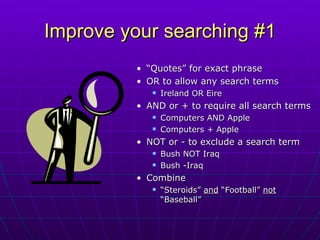
Improve your searching #1 “ Quotes” for exact phrase OR to allow any search terms  Ireland OR Eire  AND or + to require all search terms Computers AND Apple Computers + Apple NOT or - to exclude a search term  Bush NOT Iraq Bush -Iraq Combine “ Steroids”  and  “Football”  not  “Baseball”
Improve your searching #2 Domains -- one type of site .edu - a college/university .gov - a government site .org – an organization Example: mythology site:edu Definitions Define:ethnocentrism File types – one format PDF -- Adobe PDF document xls - Excel document ppt - PowerPoint document doc - Word document Example:  evaluating web filetype:ppt
Search the Invisible Web: Directories Narrow your search from a broad category See how topics within a specific area are related  May suggest new terms that are useful in conducting a search May be subject or organization specific
Search the Invisible Web: Googling Deep Google Scholar Peer-reviewed papers, theses, books, abstracts, and other scholarly literature Google Books   Google Book Search index matches your search terms—you see “Book Results.” These links will lead you to a library or online store where you may borrow or purchase the books.
Search the Invisible Web: Librarians’ Index to the Internet Librarian-selected sites Selection criteria: availability, credibility, authorship, external links, legality Evaluative criteria: authority, scope and audience, content, design, function, shelf life
Search the Invisible Web:  Infomine Includes databases, electronic journals, electronic books, bulletin boards, mailing lists, online library card catalogs, articles, directories of researchers, and many other types of information.  Built by university librarians
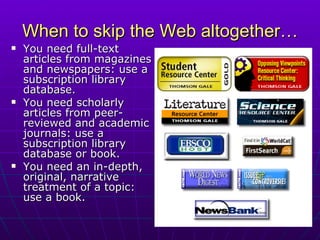
When to skip the Web altogether… You need full-text articles from magazines and newspapers: use a subscription library database. You need scholarly articles from peer-reviewed and academic journals: use a subscription library database or book. You need an in-depth, original, narrative treatment of a topic:  use a book.

Googling and Beyond: Search the Web Effectively

  • 1.
    Googling and Beyond:Searching the Web Effectively N. Mellendorf, Librarian Maine South High School Library Resource Center Park Ridge, Illinois
  • 2.
    How do searchengines work? Keyword Searching Any word on a page Not the subject or content of a page Results: lots of irrelevant stuff Ranking How often a keyword occurs How often someone links to a page Paid placement listings The Invisible Web Google indexes only 20% of the “visible” web Dynamic vs. Static web pages Database pages or Password protected pages
  • 3.
    Improve your searching#1 “ Quotes” for exact phrase OR to allow any search terms Ireland OR Eire AND or + to require all search terms Computers AND Apple Computers + Apple NOT or - to exclude a search term Bush NOT Iraq Bush -Iraq Combine “ Steroids” and “Football” not “Baseball”
  • 4.
    Improve your searching#2 Domains -- one type of site .edu - a college/university .gov - a government site .org – an organization Example: mythology site:edu Definitions Define:ethnocentrism File types – one format PDF -- Adobe PDF document xls - Excel document ppt - PowerPoint document doc - Word document Example: evaluating web filetype:ppt
  • 5.
    Search the InvisibleWeb: Directories Narrow your search from a broad category See how topics within a specific area are related May suggest new terms that are useful in conducting a search May be subject or organization specific
  • 6.
    Search the InvisibleWeb: Googling Deep Google Scholar Peer-reviewed papers, theses, books, abstracts, and other scholarly literature Google Books Google Book Search index matches your search terms—you see “Book Results.” These links will lead you to a library or online store where you may borrow or purchase the books.
  • 7.
    Search the InvisibleWeb: Librarians’ Index to the Internet Librarian-selected sites Selection criteria: availability, credibility, authorship, external links, legality Evaluative criteria: authority, scope and audience, content, design, function, shelf life
  • 8.
    Search the InvisibleWeb: Infomine Includes databases, electronic journals, electronic books, bulletin boards, mailing lists, online library card catalogs, articles, directories of researchers, and many other types of information. Built by university librarians
  • 9.
    When to skipthe Web altogether… You need full-text articles from magazines and newspapers: use a subscription library database. You need scholarly articles from peer-reviewed and academic journals: use a subscription library database or book. You need an in-depth, original, narrative treatment of a topic: use a book.