
Things you need to know
Computer MEMORY is any physical device
capable of storing information temporarily or
permanently. For example, Random Access
Memory (RAM), is a volatile memory that stores
information on an integrated circuit used by the
operating system, software, and hardware.
WHAT IS COMPUTER MEMORY?
As the computer boots, parts of the operating
system and drivers are loaded into memory,
which allows the CPU to process the instructions
faster and speeds up the boot process.
After the operating system has loaded, each
program you open, such as the browser you're using
to view this page, is loaded into memory while it is
running. If too many programs are open the
computer will swap the data in the memory
between the RAM and the hard disk drive.
How the RAM works?How the RAM works?
VOLATILE VS. NON-VOLATILE MEMORY
Memory can be either volatile and non-volatile
memory. Volatile memory is a memory that loses its
contents when the computer or hardware device loses
power. Computer RAM is an example of a volatile
memory and is why if your computer freezes or
reboots when working on a program, you lose
anything that hasn't been saved. Non-volatile
memory, sometimes abbreviated as NVRAM, is a
memory that keeps its contents even if the power is
lost. EPROM is an example of a non-volatile memory.
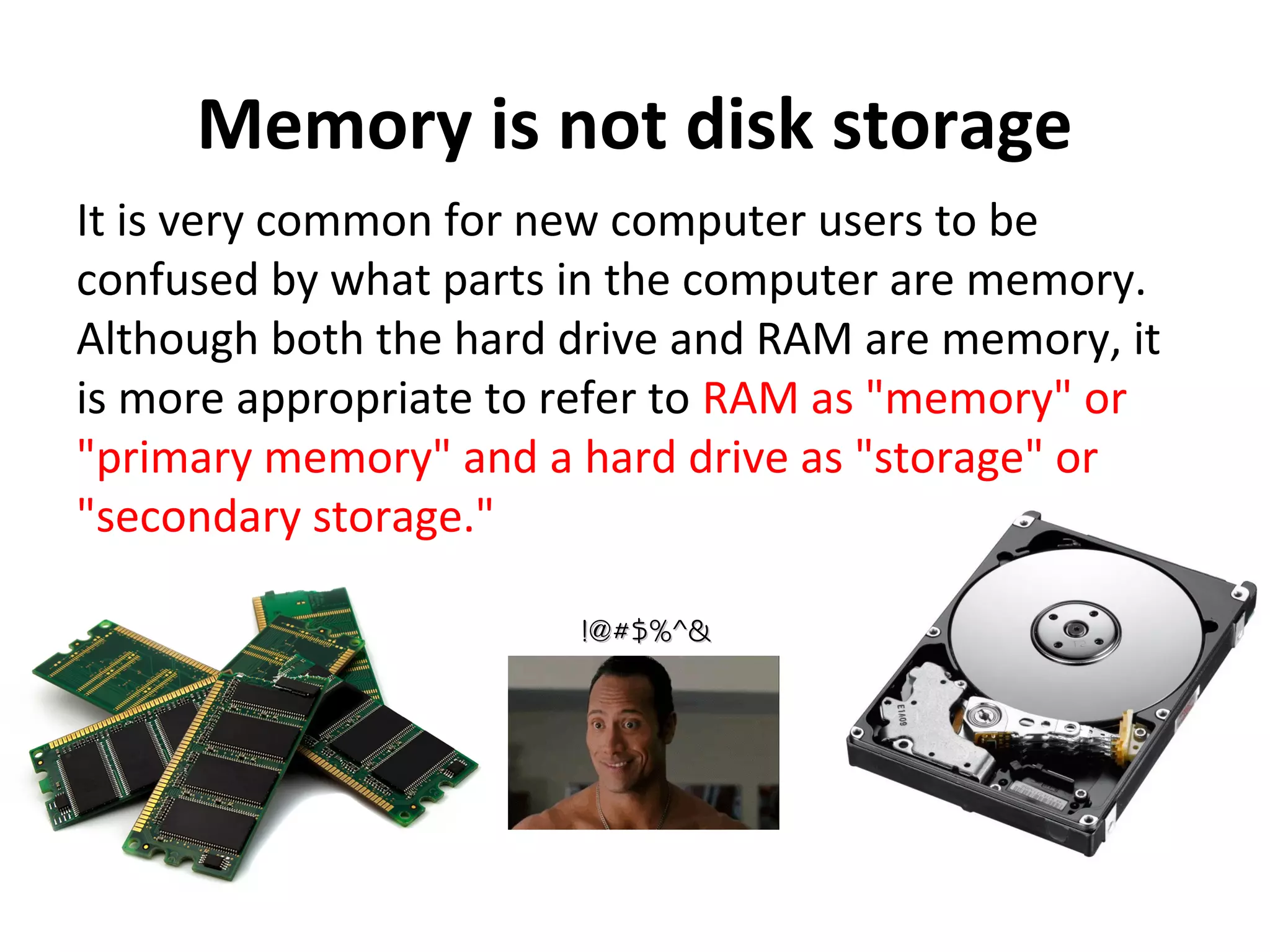
Memory is not disk storage
It is very common for new computer users to be
confused by what parts in the computer are memory.
Although both the hard drive and RAM are memory, it
is more appropriate to refer to RAM as "memory" or
"primary memory" and a hard drive as "storage" or
"secondary storage."
!@#$%^&!@#$%^&
EPROMEPROM
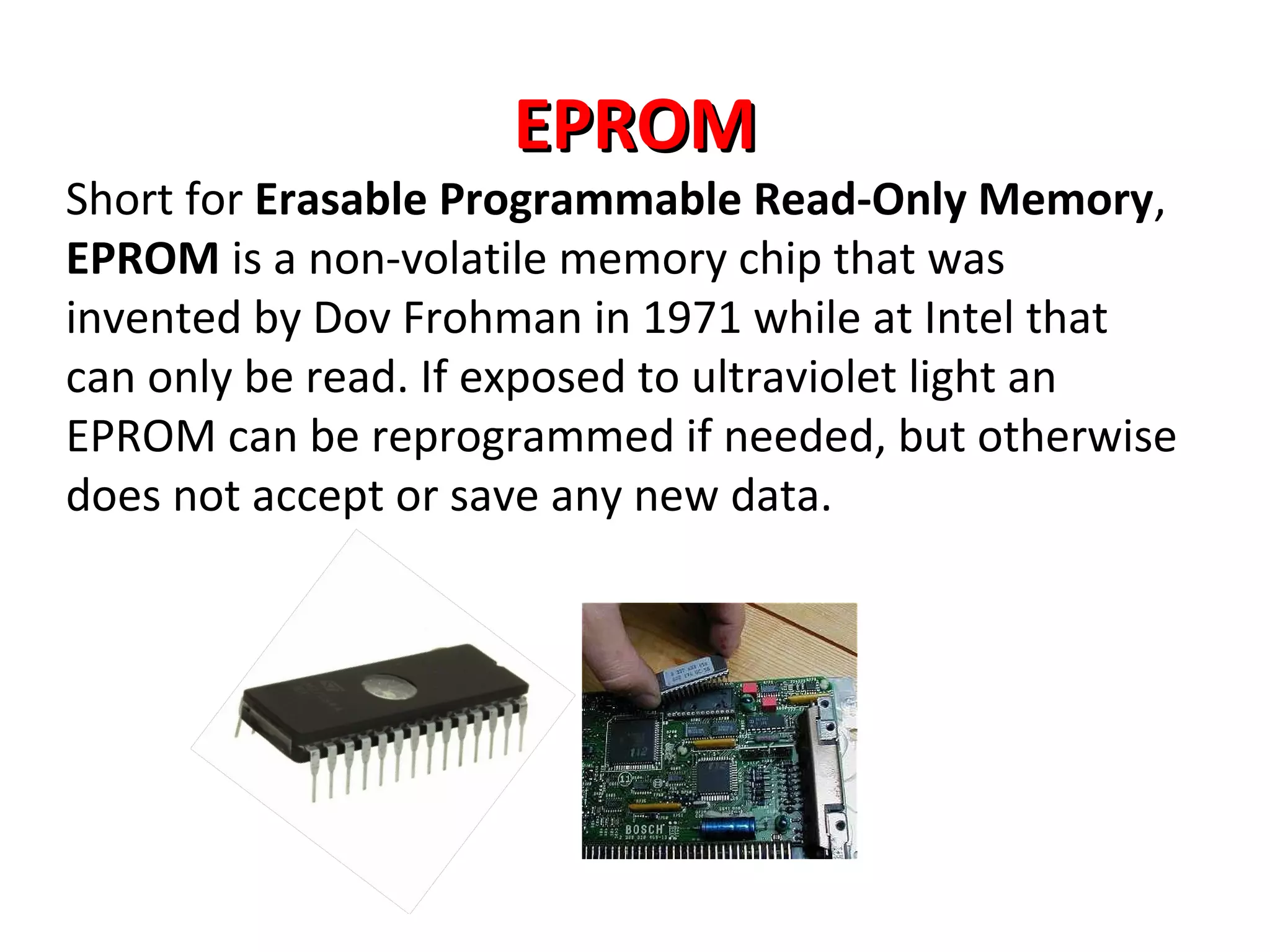
Short for Erasable Programmable Read-Only Memory,
EPROM is a non-volatile memory chip that was
invented by Dov Frohman in 1971 while at Intel that
can only be read. If exposed to ultraviolet light an
EPROM can be reprogrammed if needed, but otherwise
does not accept or save any new data.
What is a RAM?What is a RAM?
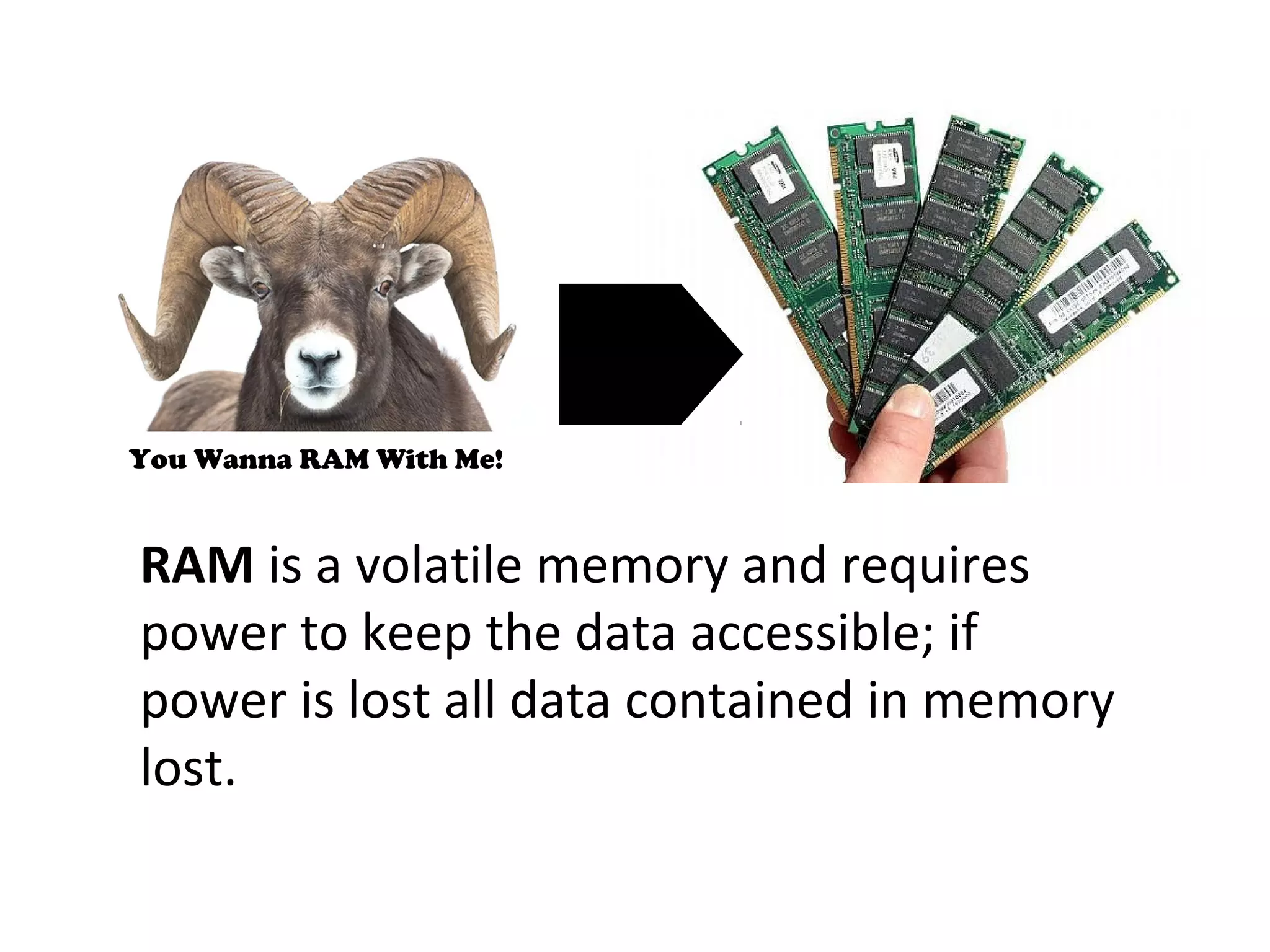
Alternatively referred to as main
memory, primary memory, or system
memory, Random Access Memory
(RAM) is a hardware device that
allows information to be stored and
retrieved on a computer
RAM is a volatile memory and requires
power to keep the data accessible; if
power is lost all data contained in memory
lost.
You Wanna RAM With Me!
Types of memory (RAM)
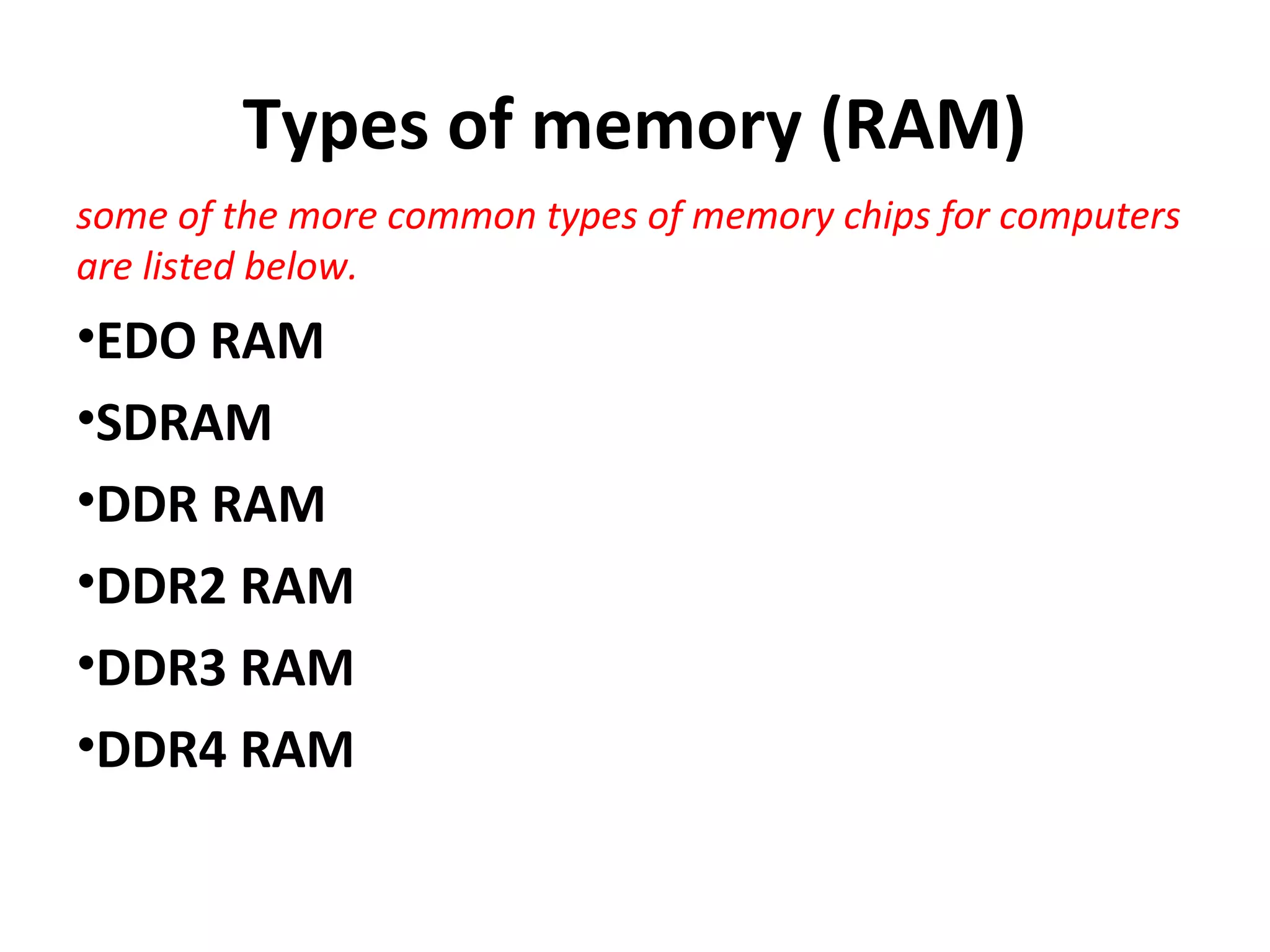
some of the more common types of memory chips for computers
are listed below.
•EDO RAM
•SDRAM
•DDR RAM
•DDR2 RAM
•DDR3 RAM
•DDR4 RAM
These types of memory all fall into the general
categories of SIMM or DIMM
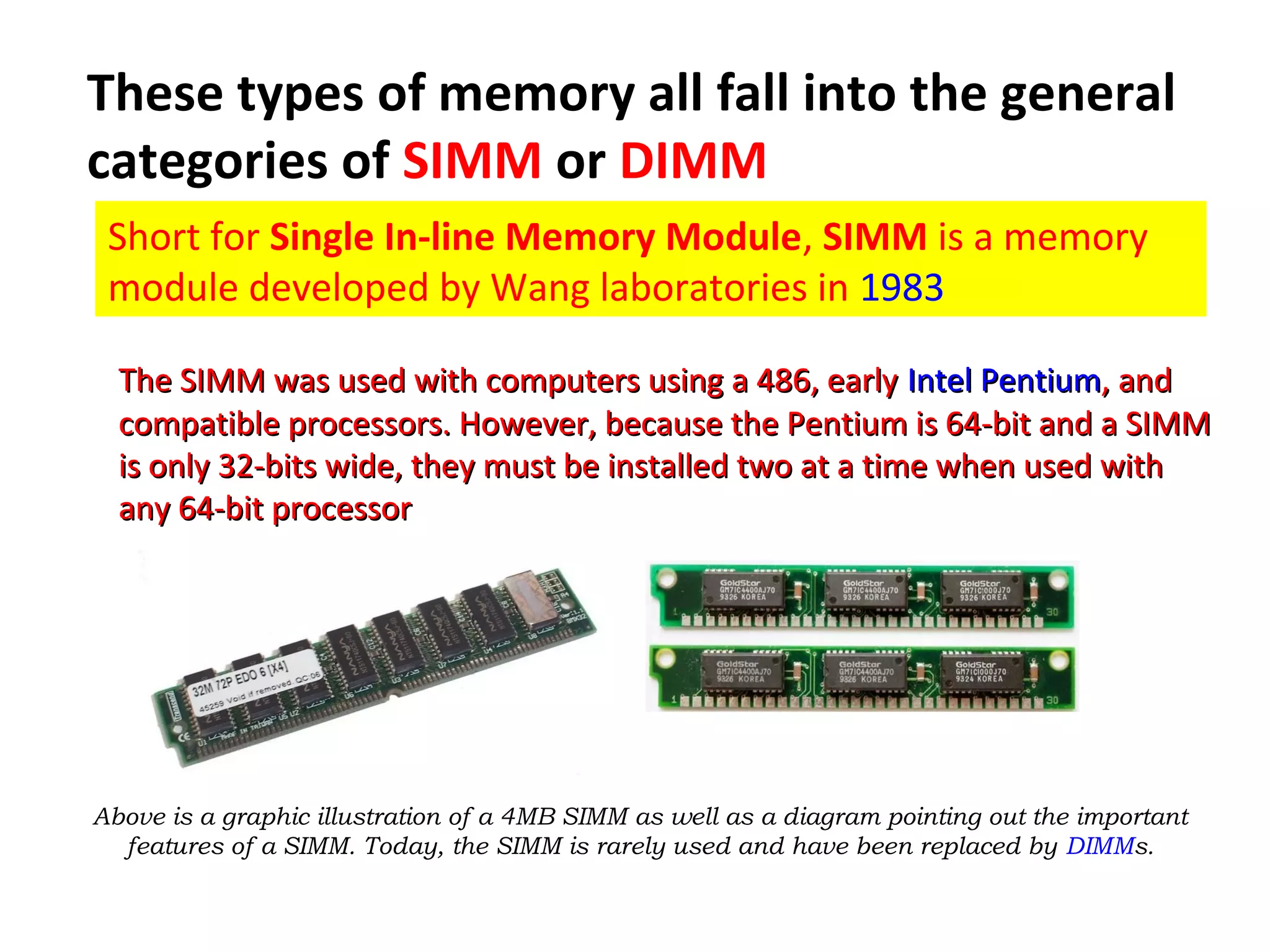
Short for Single In-line Memory Module, SIMM is a memory
module developed by Wang laboratories in 1983
The SIMM was used with computers using a 486, earlyThe SIMM was used with computers using a 486, early IntelIntel PentiumPentium, and, and
compatible processors. However, because the Pentium is 64-bit and a SIMMcompatible processors. However, because the Pentium is 64-bit and a SIMM
is only 32-bits wide, they must be installed two at a time when used withis only 32-bits wide, they must be installed two at a time when used with
any 64-bit processorany 64-bit processor
Above is a graphic illustration of a 4MB SIMM as well as a diagram pointing out the important
features of a SIMM. Today, the SIMM is rarely used and have been replaced by DIMMs.
DIMM
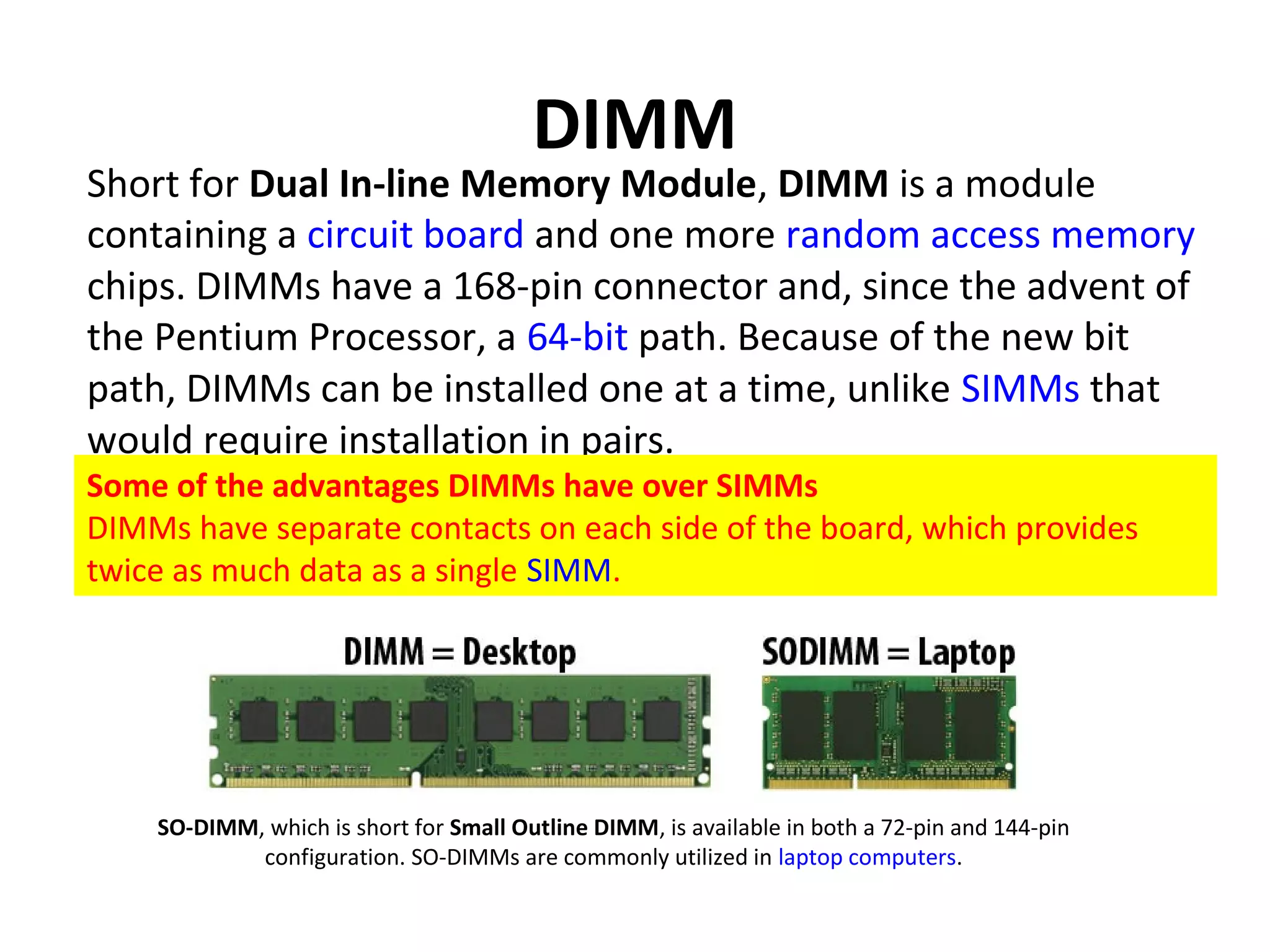
Short for Dual In-line Memory Module, DIMM is a module
containing a circuit board and one more random access memory
chips. DIMMs have a 168-pin connector and, since the advent of
the Pentium Processor, a 64-bit path. Because of the new bit
path, DIMMs can be installed one at a time, unlike SIMMs that
would require installation in pairs.
Some of the advantages DIMMs have over SIMMs
DIMMs have separate contacts on each side of the board, which provides
twice as much data as a single SIMM.
SO-DIMM, which is short for Small Outline DIMM, is available in both a 72-pin and 144-pin
configuration. SO-DIMMs are commonly utilized in laptop computers.
EDO RAM
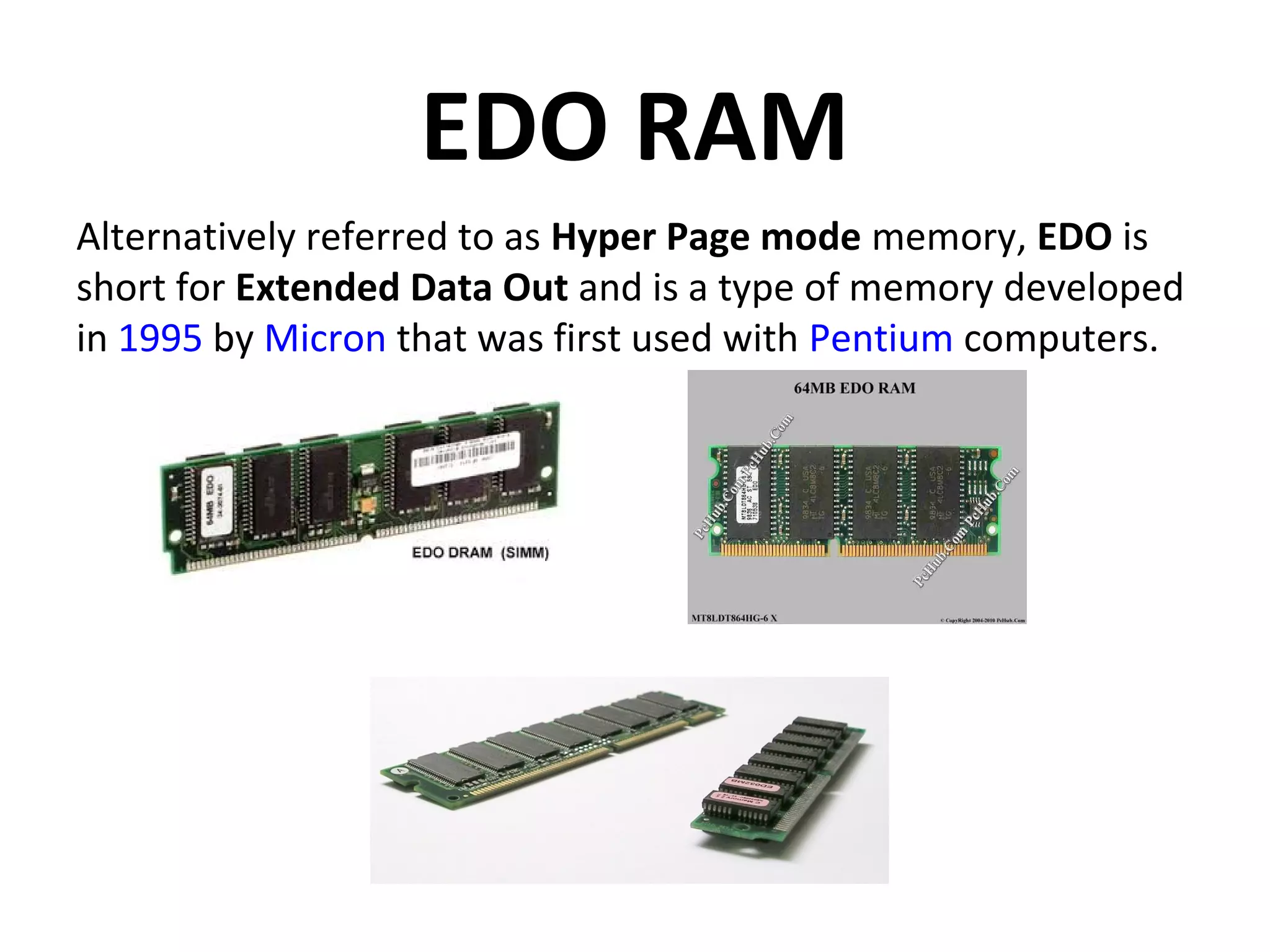
Alternatively referred to as Hyper Page mode memory, EDO is
short for Extended Data Out and is a type of memory developed
in 1995 by Micron that was first used with Pentium computers.
SDRAM
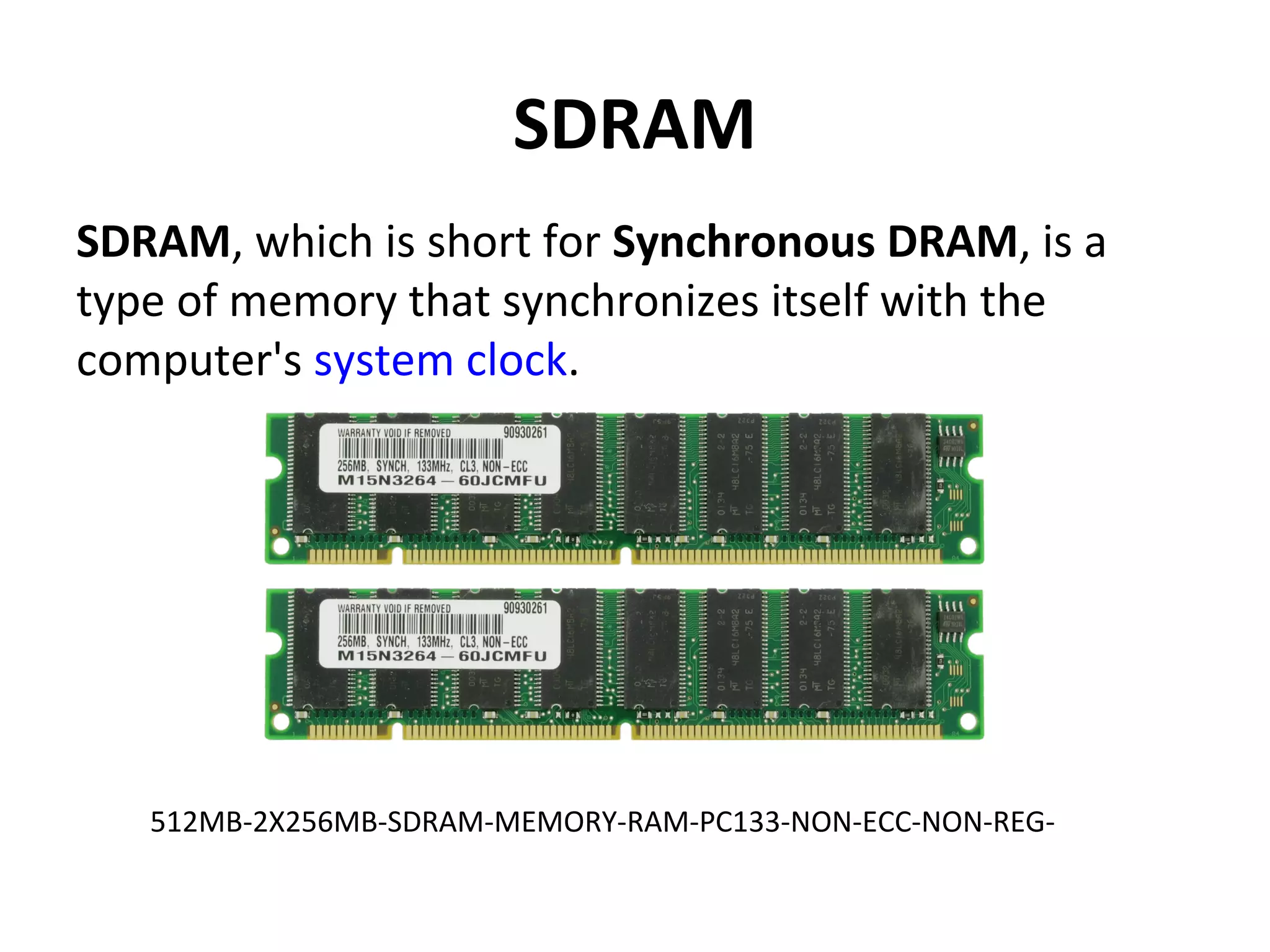
SDRAM, which is short for Synchronous DRAM, is a
type of memory that synchronizes itself with the
computer's system clock.
512MB-2X256MB-SDRAM-MEMORY-RAM-PC133-NON-ECC-NON-REG-
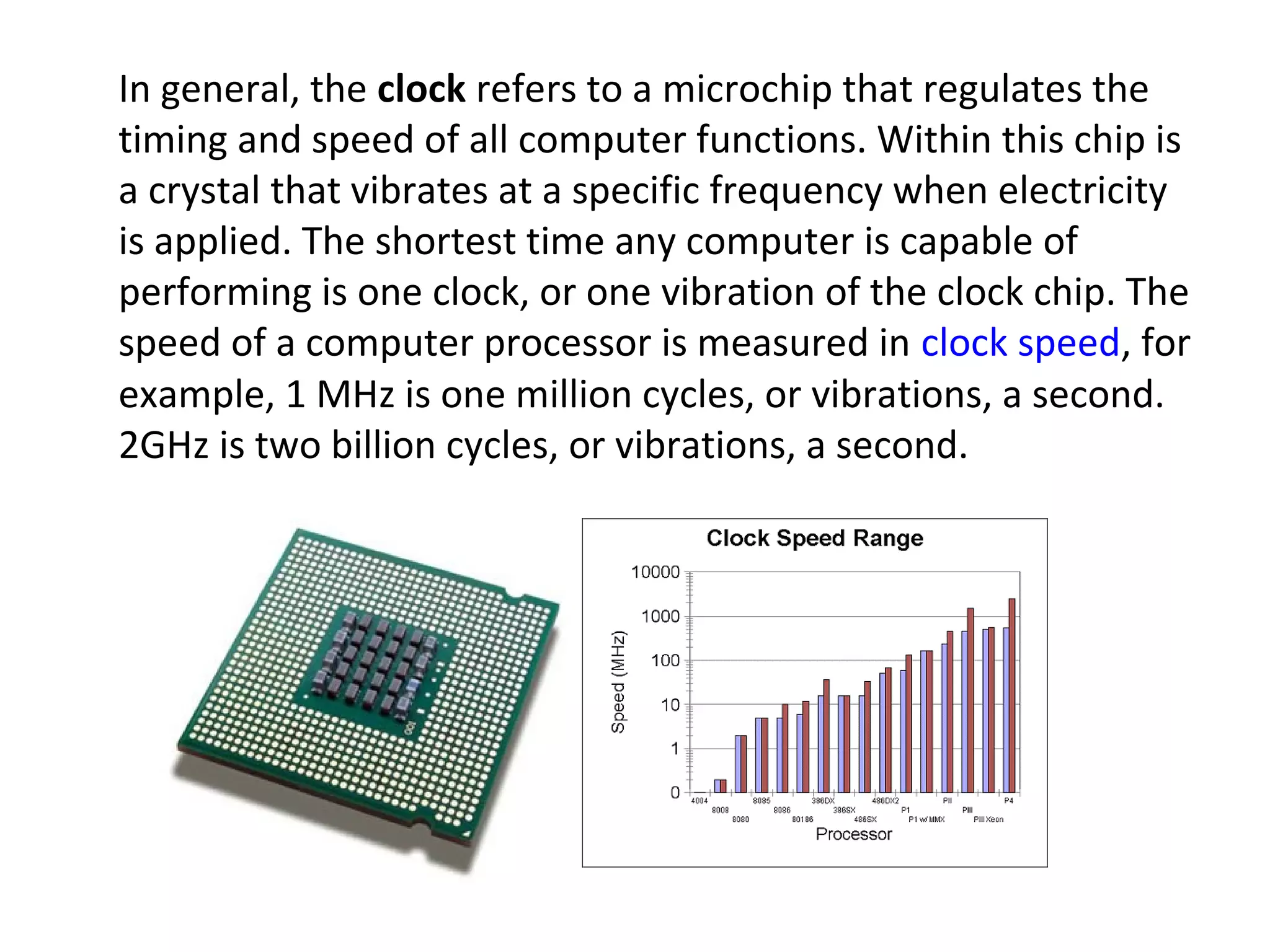
In general, the clock refers to a microchip that regulates the
timing and speed of all computer functions. Within this chip is
a crystal that vibrates at a specific frequency when electricity
is applied. The shortest time any computer is capable of
performing is one clock, or one vibration of the clock chip. The
speed of a computer processor is measured in clock speed, for
example, 1 MHz is one million cycles, or vibrations, a second.
2GHz is two billion cycles, or vibrations, a second.
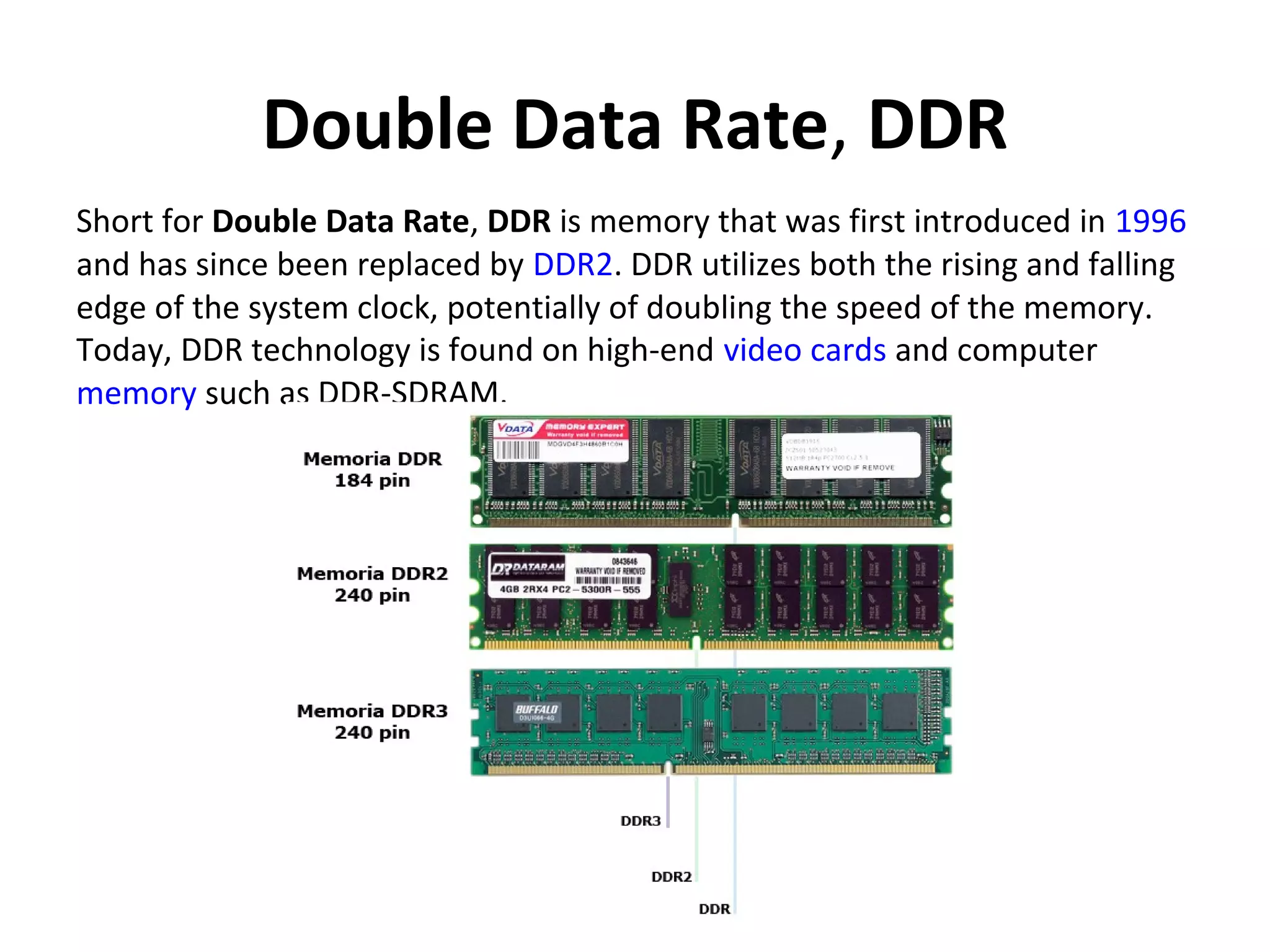
Double Data Rate, DDR
Short for Double Data Rate, DDR is memory that was first introduced in 1996
and has since been replaced by DDR2. DDR utilizes both the rising and falling
edge of the system clock, potentially of doubling the speed of the memory.
Today, DDR technology is found on high-end video cards and computer
memory such as DDR-SDRAM.
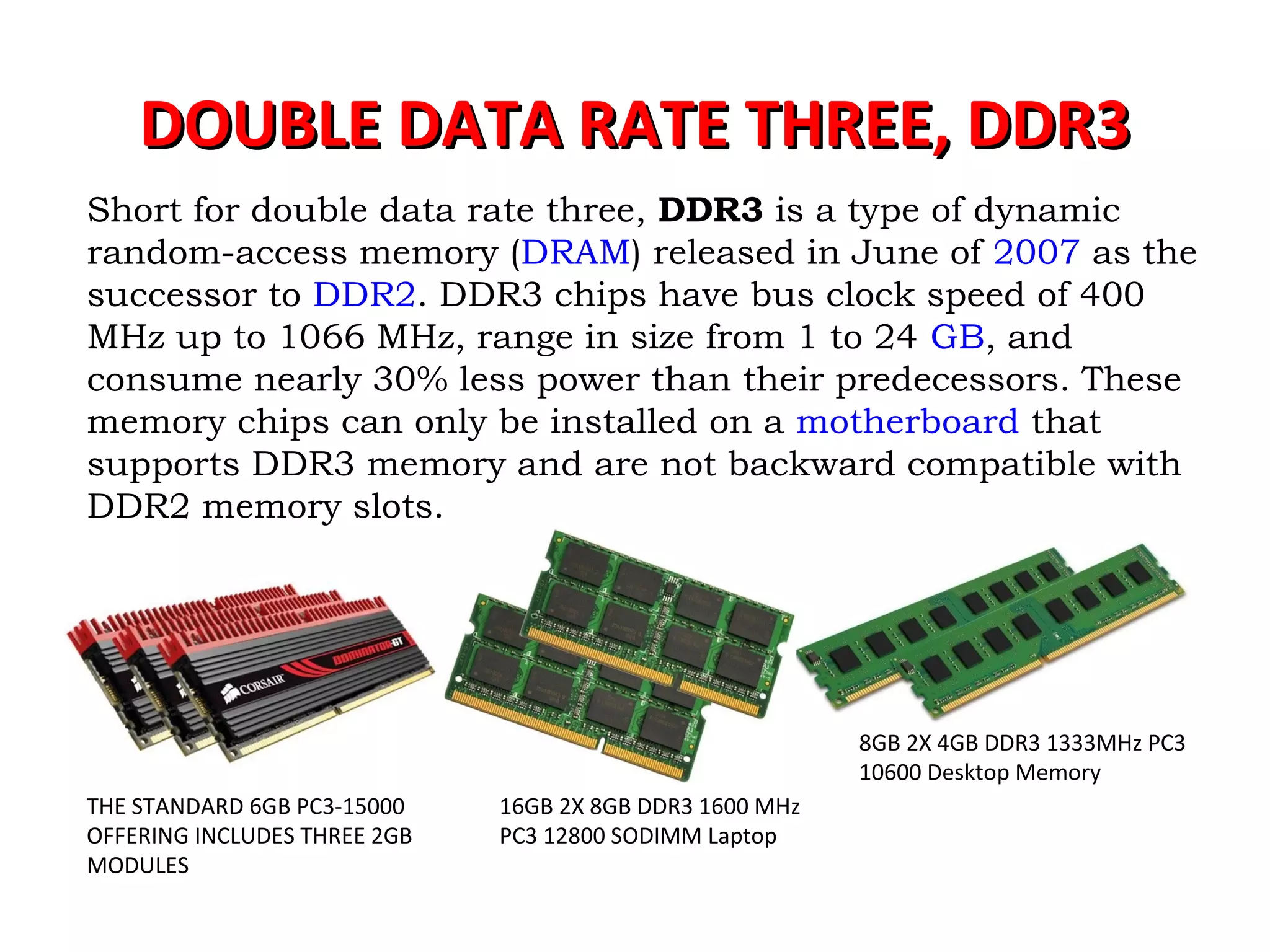
DOUBLE DATA RATE THREE, DDR3DOUBLE DATA RATE THREE, DDR3
Short for double data rate three, DDR3 is a type of dynamic
random-access memory (DRAM) released in June of 2007 as the
successor to DDR2. DDR3 chips have bus clock speed of 400
MHz up to 1066 MHz, range in size from 1 to 24 GB, and
consume nearly 30% less power than their predecessors. These
memory chips can only be installed on a motherboard that
supports DDR3 memory and are not backward compatible with
DDR2 memory slots.
8GB 2X 4GB DDR3 1333MHz PC3
10600 Desktop Memory
16GB 2X 8GB DDR3 1600 MHz
PC3 12800 SODIMM Laptop
THE STANDARD 6GB PC3-15000
OFFERING INCLUDES THREE 2GB
MODULES
CORSAIR RAM - High performance DDR3 and DDR4
memory upgrades, 80 PLUS certified power supply
units, computer cases, CPU cooling, gaming
keyboards, .
Corsair Components, Inc. is an American
computer peripherals and hardware company
headquartered in Fremont, California.
DDR-4 DOUBLE DATA RATE FOURTH GENERATION
SYNCHRONOUS DYNAMIC RANDOM-ACCESS MEMORY,)
an abbreviation for double data rate fourth generation synchronous
dynamic random-access memory, is a type of
synchronous dynamic random-access memory (SDRAM) with a high
bandwidth ("double data rate") interface. Released to the market in
2014,[2][3][4]
it is one of the latest variants of dynamic random access
memory (DRAM), some of which have been in use since the early 1970s,
[5]
and a higher-speed successor to the DDR2 and DDR3 technologies. It is
not compatible with any earlier type of random access memory (RAM)
due to different signaling voltages, physical interface and other factors.
THANKTHANK
YOUYOU

Random access memory

  • 1.
  • 2.
    Computer MEMORY isany physical device capable of storing information temporarily or permanently. For example, Random Access Memory (RAM), is a volatile memory that stores information on an integrated circuit used by the operating system, software, and hardware. WHAT IS COMPUTER MEMORY?
  • 3.
    As the computerboots, parts of the operating system and drivers are loaded into memory, which allows the CPU to process the instructions faster and speeds up the boot process. After the operating system has loaded, each program you open, such as the browser you're using to view this page, is loaded into memory while it is running. If too many programs are open the computer will swap the data in the memory between the RAM and the hard disk drive. How the RAM works?How the RAM works?
  • 4.
    VOLATILE VS. NON-VOLATILEMEMORY Memory can be either volatile and non-volatile memory. Volatile memory is a memory that loses its contents when the computer or hardware device loses power. Computer RAM is an example of a volatile memory and is why if your computer freezes or reboots when working on a program, you lose anything that hasn't been saved. Non-volatile memory, sometimes abbreviated as NVRAM, is a memory that keeps its contents even if the power is lost. EPROM is an example of a non-volatile memory.
  • 5.
    Memory is notdisk storage It is very common for new computer users to be confused by what parts in the computer are memory. Although both the hard drive and RAM are memory, it is more appropriate to refer to RAM as "memory" or "primary memory" and a hard drive as "storage" or "secondary storage." !@#$%^&!@#$%^&
  • 6.
    EPROMEPROM Short for ErasableProgrammable Read-Only Memory, EPROM is a non-volatile memory chip that was invented by Dov Frohman in 1971 while at Intel that can only be read. If exposed to ultraviolet light an EPROM can be reprogrammed if needed, but otherwise does not accept or save any new data.
  • 7.
    What is aRAM?What is a RAM? Alternatively referred to as main memory, primary memory, or system memory, Random Access Memory (RAM) is a hardware device that allows information to be stored and retrieved on a computer
  • 8.
    RAM is avolatile memory and requires power to keep the data accessible; if power is lost all data contained in memory lost. You Wanna RAM With Me!
  • 9.
    Types of memory(RAM) some of the more common types of memory chips for computers are listed below. •EDO RAM •SDRAM •DDR RAM •DDR2 RAM •DDR3 RAM •DDR4 RAM
  • 10.
    These types ofmemory all fall into the general categories of SIMM or DIMM Short for Single In-line Memory Module, SIMM is a memory module developed by Wang laboratories in 1983 The SIMM was used with computers using a 486, earlyThe SIMM was used with computers using a 486, early IntelIntel PentiumPentium, and, and compatible processors. However, because the Pentium is 64-bit and a SIMMcompatible processors. However, because the Pentium is 64-bit and a SIMM is only 32-bits wide, they must be installed two at a time when used withis only 32-bits wide, they must be installed two at a time when used with any 64-bit processorany 64-bit processor Above is a graphic illustration of a 4MB SIMM as well as a diagram pointing out the important features of a SIMM. Today, the SIMM is rarely used and have been replaced by DIMMs.
  • 11.
    DIMM Short for DualIn-line Memory Module, DIMM is a module containing a circuit board and one more random access memory chips. DIMMs have a 168-pin connector and, since the advent of the Pentium Processor, a 64-bit path. Because of the new bit path, DIMMs can be installed one at a time, unlike SIMMs that would require installation in pairs. Some of the advantages DIMMs have over SIMMs DIMMs have separate contacts on each side of the board, which provides twice as much data as a single SIMM. SO-DIMM, which is short for Small Outline DIMM, is available in both a 72-pin and 144-pin configuration. SO-DIMMs are commonly utilized in laptop computers.
  • 12.
    EDO RAM Alternatively referredto as Hyper Page mode memory, EDO is short for Extended Data Out and is a type of memory developed in 1995 by Micron that was first used with Pentium computers.
  • 13.
    SDRAM SDRAM, which isshort for Synchronous DRAM, is a type of memory that synchronizes itself with the computer's system clock. 512MB-2X256MB-SDRAM-MEMORY-RAM-PC133-NON-ECC-NON-REG-
  • 14.
    In general, theclock refers to a microchip that regulates the timing and speed of all computer functions. Within this chip is a crystal that vibrates at a specific frequency when electricity is applied. The shortest time any computer is capable of performing is one clock, or one vibration of the clock chip. The speed of a computer processor is measured in clock speed, for example, 1 MHz is one million cycles, or vibrations, a second. 2GHz is two billion cycles, or vibrations, a second.
  • 15.
    Double Data Rate,DDR Short for Double Data Rate, DDR is memory that was first introduced in 1996 and has since been replaced by DDR2. DDR utilizes both the rising and falling edge of the system clock, potentially of doubling the speed of the memory. Today, DDR technology is found on high-end video cards and computer memory such as DDR-SDRAM.
  • 16.
    DOUBLE DATA RATETHREE, DDR3DOUBLE DATA RATE THREE, DDR3 Short for double data rate three, DDR3 is a type of dynamic random-access memory (DRAM) released in June of 2007 as the successor to DDR2. DDR3 chips have bus clock speed of 400 MHz up to 1066 MHz, range in size from 1 to 24 GB, and consume nearly 30% less power than their predecessors. These memory chips can only be installed on a motherboard that supports DDR3 memory and are not backward compatible with DDR2 memory slots. 8GB 2X 4GB DDR3 1333MHz PC3 10600 Desktop Memory 16GB 2X 8GB DDR3 1600 MHz PC3 12800 SODIMM Laptop THE STANDARD 6GB PC3-15000 OFFERING INCLUDES THREE 2GB MODULES
  • 17.
    CORSAIR RAM -High performance DDR3 and DDR4 memory upgrades, 80 PLUS certified power supply units, computer cases, CPU cooling, gaming keyboards, . Corsair Components, Inc. is an American computer peripherals and hardware company headquartered in Fremont, California.
  • 18.
    DDR-4 DOUBLE DATARATE FOURTH GENERATION SYNCHRONOUS DYNAMIC RANDOM-ACCESS MEMORY,) an abbreviation for double data rate fourth generation synchronous dynamic random-access memory, is a type of synchronous dynamic random-access memory (SDRAM) with a high bandwidth ("double data rate") interface. Released to the market in 2014,[2][3][4] it is one of the latest variants of dynamic random access memory (DRAM), some of which have been in use since the early 1970s, [5] and a higher-speed successor to the DDR2 and DDR3 technologies. It is not compatible with any earlier type of random access memory (RAM) due to different signaling voltages, physical interface and other factors.
  • 19.