COMPUTER MEMORY
AND ITS TYPES
TAGORE GOVERNMENT COLLEGE OF EDUCATION
PRESENTED BY:
ANKEETA MONDAL
B.Sc, B.Ed (COMPUTER SCIENCE)
3RD
YEAR/ 5TH
SEMESTER
SUBJECT: PEDAGOGY OF COMPUTER SCIENCE
Computer
Memory: A
Comprehensive
Overview
Computer memory is the fundamental component that enables computers to
store and access data. It acts as a temporary workspace for the computer,
holding information that the processor needs to execute instructions. This
comprehensive guide will delve into the world of computer memory,
exploring its various types, functions, and the critical role it plays in the
overall performance of a computer system.
Understanding Memory Hierarchy
1 Registers
Registers are the fastest and smallest level of memory, residing directly within the CPU. They hold the data that the CPU is actively working
on, enabling rapid access and processing.
2 Cache Memory
Cache memory is a small, high-speed memory that stores frequently accessed data and instructions, providing faster access than main
memory. Different levels of cache (L1, L2, L3) exist, each with varying speeds and capacities.
3 Main Memory (RAM)
Main memory, commonly known as RAM, is the primary storage area for active data and programs. It is faster than secondary storage (like
hard drives) but slower than cache memory.
4 Secondary Storage
Secondary storage devices, like hard disk drives (HDDs) or solid-state drives (SSDs), store data persistently even when the computer is
powered off. They are slower than RAM but have much larger storage capacities.
Types of Computer Memory
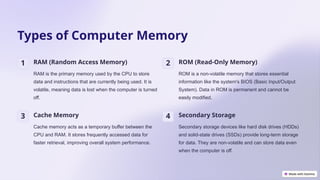
1 RAM (Random Access Memory)
RAM is the primary memory used by the CPU to store
data and instructions that are currently being used. It is
volatile, meaning data is lost when the computer is turned
off.
2 ROM (Read-Only Memory)
ROM is a non-volatile memory that stores essential
information like the system's BIOS (Basic Input/Output
System). Data in ROM is permanent and cannot be
easily modified.
3 Cache Memory
Cache memory acts as a temporary buffer between the
CPU and RAM. It stores frequently accessed data for
faster retrieval, improving overall system performance.
4 Secondary Storage
Secondary storage devices like hard disk drives (HDDs)
and solid-state drives (SSDs) provide long-term storage
for data. They are non-volatile and can store data even
when the computer is off.
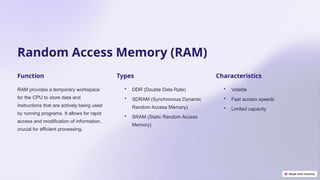
Random Access Memory (RAM)
Function
RAM provides a temporary workspace
for the CPU to store data and
instructions that are actively being used
by running programs. It allows for rapid
access and modification of information,
crucial for efficient processing.
Types
• DDR (Double Data Rate)
• SDRAM (Synchronous Dynamic
Random Access Memory)
• SRAM (Static Random Access
Memory)
Characteristics
• Volatile
• Fast access speeds
• Limited capacity
Read-Only Memory (ROM)
Function
ROM stores essential system
information, such as the BIOS
(Basic Input/Output System), which
controls the startup process of a
computer. It ensures that the
computer can boot up and load the
operating system.
Types
Different types of ROM exist,
including PROM (Programmable
ROM), EPROM (Erasable
Programmable ROM), and
EEPROM (Electrically Erasable
Programmable ROM), each with
varying degrees of
programmability.
Characteristics
ROM is non-volatile, meaning data is retained even when the power is off. It is
also read-only, meaning data can only be accessed and not easily modified.
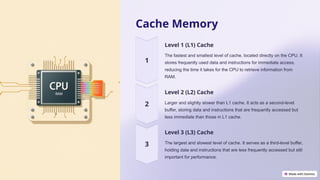
Cache Memory
Level 1 (L1) Cache
The fastest and smallest level of cache, located directly on the CPU. It
stores frequently used data and instructions for immediate access,
reducing the time it takes for the CPU to retrieve information from
RAM.
Level 2 (L2) Cache
Larger and slightly slower than L1 cache. It acts as a second-level
buffer, storing data and instructions that are frequently accessed but
less immediate than those in L1 cache.
Level 3 (L3) Cache
The largest and slowest level of cache. It serves as a third-level buffer,
holding data and instructions that are less frequently accessed but still
important for performance.
Memory Addressing and Access
Physical Address The actual location of a memory cell
within the physical memory system. It
is used by the memory controller to
access data.
Logical Address The address used by the CPU to refer
to a memory location. It is a virtual
address that is translated into a
physical address by the memory
management unit (MMU).
Memory Access Time The time it takes for the CPU to access
data from a specific memory location.
This time is influenced by factors like
memory type, size, and access
methods.
Memory Optimization
Techniques
Disk Defragmentation
Rearranging fragmented files on a hard
drive to optimize storage space and
improve access speed.
Caching
Storing frequently accessed data in a
faster memory location (cache) for
quicker retrieval.
Virtual Memory
Using a portion of the hard drive as an
extension of RAM to handle situations
where the physical RAM is insufficient. It
improves performance but is slower than
true RAM.
Process Management
Optimizing how programs and processes
use memory to minimize conflicts and
improve overall system performance.
Emerging Memory Technologies
1 MRAM (Magnetoresistive Random
Access Memory)
MRAM is a non-volatile memory that utilizes magnetic
fields to store data. It offers faster access speeds than
traditional RAM, improved endurance, and lower power
consumption.
2 PCRAM (Phase-Change Random Access
Memory)
PCRAM uses materials that change their resistance
based on their phase (crystalline or amorphous). It is
non-volatile, offers fast access speeds, and has high
endurance.
3 RRAM (Resistive Random Access Memory)
RRAM uses materials with variable resistance, allowing
for data storage. It is non-volatile, offers potential for high
speed and density, and is considered a promising
candidate for future memory technologies.
4 3D XPoint
3D XPoint is a non-volatile memory technology that
combines high speed and density. It uses a unique 3D
architecture to store data in multiple layers, enabling
significant storage capacity.
Importance of Memory
Management in Computer
Systems
Efficiency
Memory management ensures that
resources are used efficiently,
preventing unnecessary resource
allocation and reducing memory
waste. It optimizes the use of memory
for various tasks.
Security
Memory management plays a crucial
role in securing the system by
preventing unauthorized access to
sensitive information and protecting
against malicious attacks.
Reliability
Proper memory management helps ensure that programs and processes can
access the necessary resources without conflicts, leading to more reliable and
stable system operation.
THANK YOU

COMPUTER MEMORY. .pptx

  • 1.
    COMPUTER MEMORY AND ITSTYPES TAGORE GOVERNMENT COLLEGE OF EDUCATION PRESENTED BY: ANKEETA MONDAL B.Sc, B.Ed (COMPUTER SCIENCE) 3RD YEAR/ 5TH SEMESTER SUBJECT: PEDAGOGY OF COMPUTER SCIENCE
  • 2.
    Computer Memory: A Comprehensive Overview Computer memoryis the fundamental component that enables computers to store and access data. It acts as a temporary workspace for the computer, holding information that the processor needs to execute instructions. This comprehensive guide will delve into the world of computer memory, exploring its various types, functions, and the critical role it plays in the overall performance of a computer system.
  • 3.
    Understanding Memory Hierarchy 1Registers Registers are the fastest and smallest level of memory, residing directly within the CPU. They hold the data that the CPU is actively working on, enabling rapid access and processing. 2 Cache Memory Cache memory is a small, high-speed memory that stores frequently accessed data and instructions, providing faster access than main memory. Different levels of cache (L1, L2, L3) exist, each with varying speeds and capacities. 3 Main Memory (RAM) Main memory, commonly known as RAM, is the primary storage area for active data and programs. It is faster than secondary storage (like hard drives) but slower than cache memory. 4 Secondary Storage Secondary storage devices, like hard disk drives (HDDs) or solid-state drives (SSDs), store data persistently even when the computer is powered off. They are slower than RAM but have much larger storage capacities.
  • 4.
    Types of ComputerMemory 1 RAM (Random Access Memory) RAM is the primary memory used by the CPU to store data and instructions that are currently being used. It is volatile, meaning data is lost when the computer is turned off. 2 ROM (Read-Only Memory) ROM is a non-volatile memory that stores essential information like the system's BIOS (Basic Input/Output System). Data in ROM is permanent and cannot be easily modified. 3 Cache Memory Cache memory acts as a temporary buffer between the CPU and RAM. It stores frequently accessed data for faster retrieval, improving overall system performance. 4 Secondary Storage Secondary storage devices like hard disk drives (HDDs) and solid-state drives (SSDs) provide long-term storage for data. They are non-volatile and can store data even when the computer is off.
  • 5.
    Random Access Memory(RAM) Function RAM provides a temporary workspace for the CPU to store data and instructions that are actively being used by running programs. It allows for rapid access and modification of information, crucial for efficient processing. Types • DDR (Double Data Rate) • SDRAM (Synchronous Dynamic Random Access Memory) • SRAM (Static Random Access Memory) Characteristics • Volatile • Fast access speeds • Limited capacity
  • 6.
    Read-Only Memory (ROM) Function ROMstores essential system information, such as the BIOS (Basic Input/Output System), which controls the startup process of a computer. It ensures that the computer can boot up and load the operating system. Types Different types of ROM exist, including PROM (Programmable ROM), EPROM (Erasable Programmable ROM), and EEPROM (Electrically Erasable Programmable ROM), each with varying degrees of programmability. Characteristics ROM is non-volatile, meaning data is retained even when the power is off. It is also read-only, meaning data can only be accessed and not easily modified.
  • 7.
    Cache Memory Level 1(L1) Cache The fastest and smallest level of cache, located directly on the CPU. It stores frequently used data and instructions for immediate access, reducing the time it takes for the CPU to retrieve information from RAM. Level 2 (L2) Cache Larger and slightly slower than L1 cache. It acts as a second-level buffer, storing data and instructions that are frequently accessed but less immediate than those in L1 cache. Level 3 (L3) Cache The largest and slowest level of cache. It serves as a third-level buffer, holding data and instructions that are less frequently accessed but still important for performance.
  • 8.
    Memory Addressing andAccess Physical Address The actual location of a memory cell within the physical memory system. It is used by the memory controller to access data. Logical Address The address used by the CPU to refer to a memory location. It is a virtual address that is translated into a physical address by the memory management unit (MMU). Memory Access Time The time it takes for the CPU to access data from a specific memory location. This time is influenced by factors like memory type, size, and access methods.
  • 9.
    Memory Optimization Techniques Disk Defragmentation Rearrangingfragmented files on a hard drive to optimize storage space and improve access speed. Caching Storing frequently accessed data in a faster memory location (cache) for quicker retrieval. Virtual Memory Using a portion of the hard drive as an extension of RAM to handle situations where the physical RAM is insufficient. It improves performance but is slower than true RAM. Process Management Optimizing how programs and processes use memory to minimize conflicts and improve overall system performance.
  • 10.
    Emerging Memory Technologies 1MRAM (Magnetoresistive Random Access Memory) MRAM is a non-volatile memory that utilizes magnetic fields to store data. It offers faster access speeds than traditional RAM, improved endurance, and lower power consumption. 2 PCRAM (Phase-Change Random Access Memory) PCRAM uses materials that change their resistance based on their phase (crystalline or amorphous). It is non-volatile, offers fast access speeds, and has high endurance. 3 RRAM (Resistive Random Access Memory) RRAM uses materials with variable resistance, allowing for data storage. It is non-volatile, offers potential for high speed and density, and is considered a promising candidate for future memory technologies. 4 3D XPoint 3D XPoint is a non-volatile memory technology that combines high speed and density. It uses a unique 3D architecture to store data in multiple layers, enabling significant storage capacity.
  • 11.
    Importance of Memory Managementin Computer Systems Efficiency Memory management ensures that resources are used efficiently, preventing unnecessary resource allocation and reducing memory waste. It optimizes the use of memory for various tasks. Security Memory management plays a crucial role in securing the system by preventing unauthorized access to sensitive information and protecting against malicious attacks. Reliability Proper memory management helps ensure that programs and processes can access the necessary resources without conflicts, leading to more reliable and stable system operation.
  • 12.